
Guddie to Sweetprocess - How to Guide Steps

This tutorial demonstrates how to transfer your Guidde content into Sweetprocess
Go to app.guidde.com
1. Introduction
You will learn to create, edit, and organise policies within Sweetprocess for effective knowledge management.
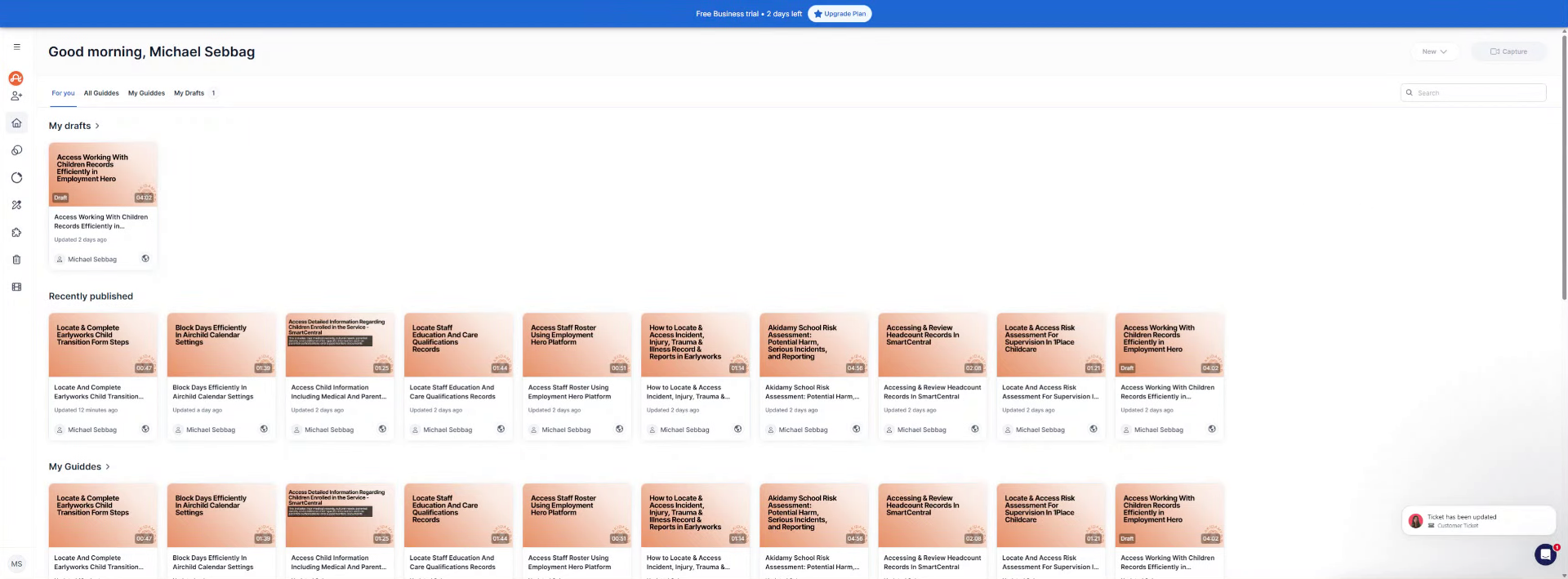
2. Open Guidde Sharing Options
Time to do this open up the policy anyway.
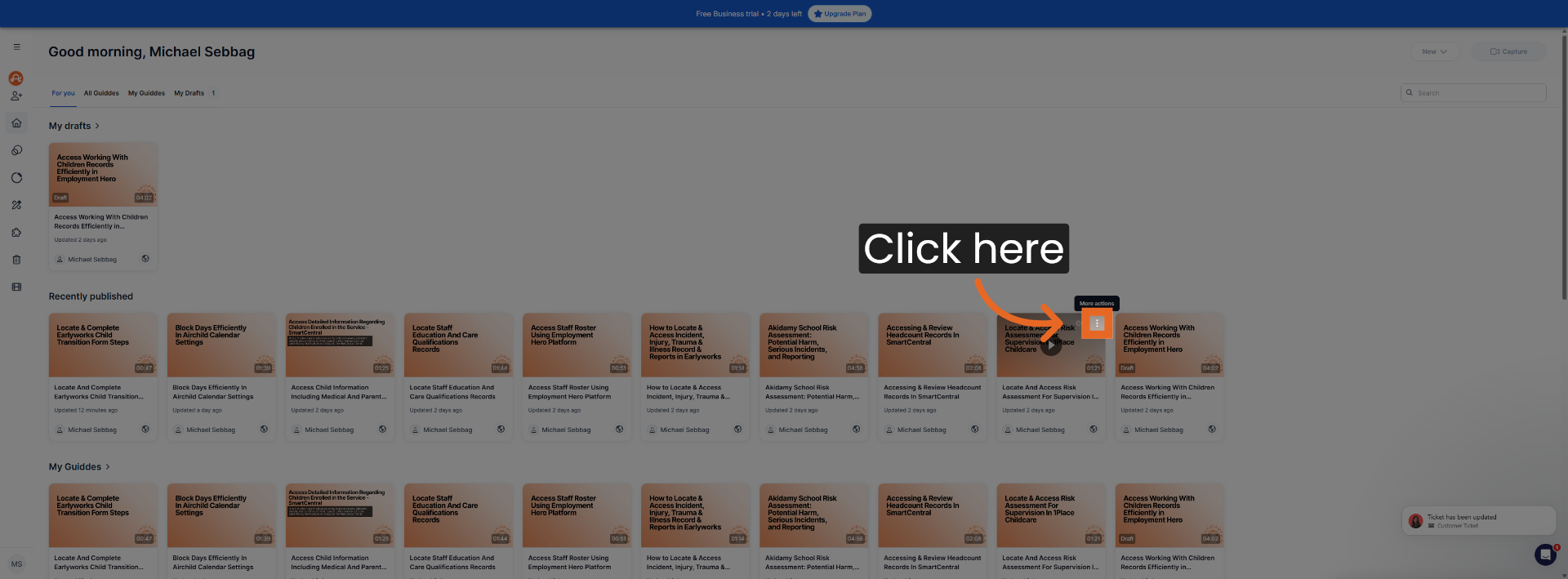
3. Click Share Button
Click here.
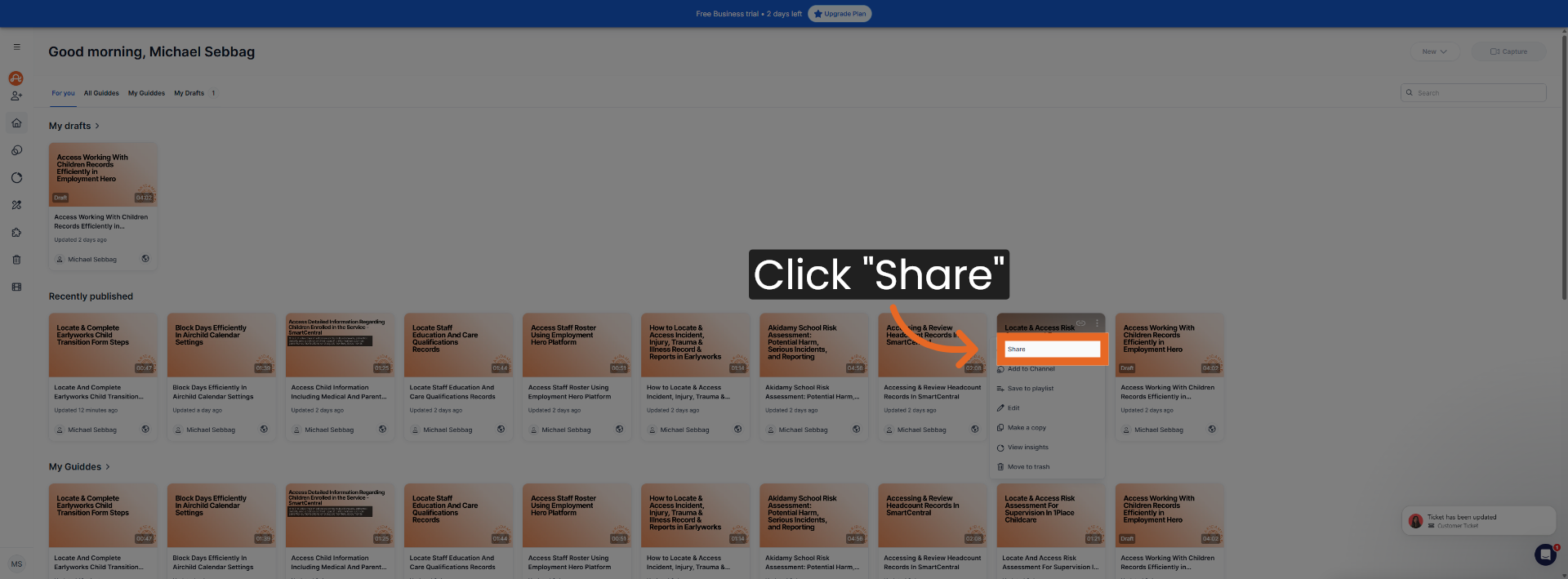
4. Access Export Menu
Click "Share".

5. Initiate Export Process
Click here.

6. Select Export Option
Click "Export".

7. Prepare for Sweetprocess Import
Click here.
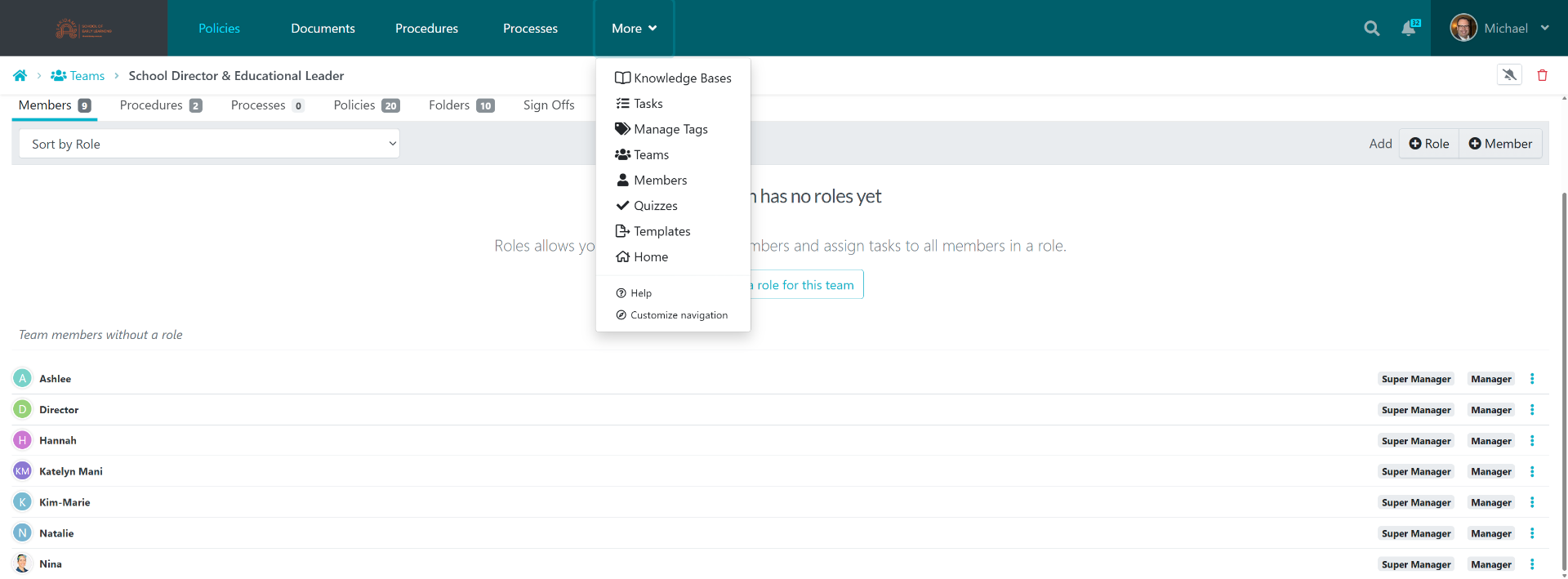
8. Switch To Sweetprocess Website
Switch to "sweetprocess.com".
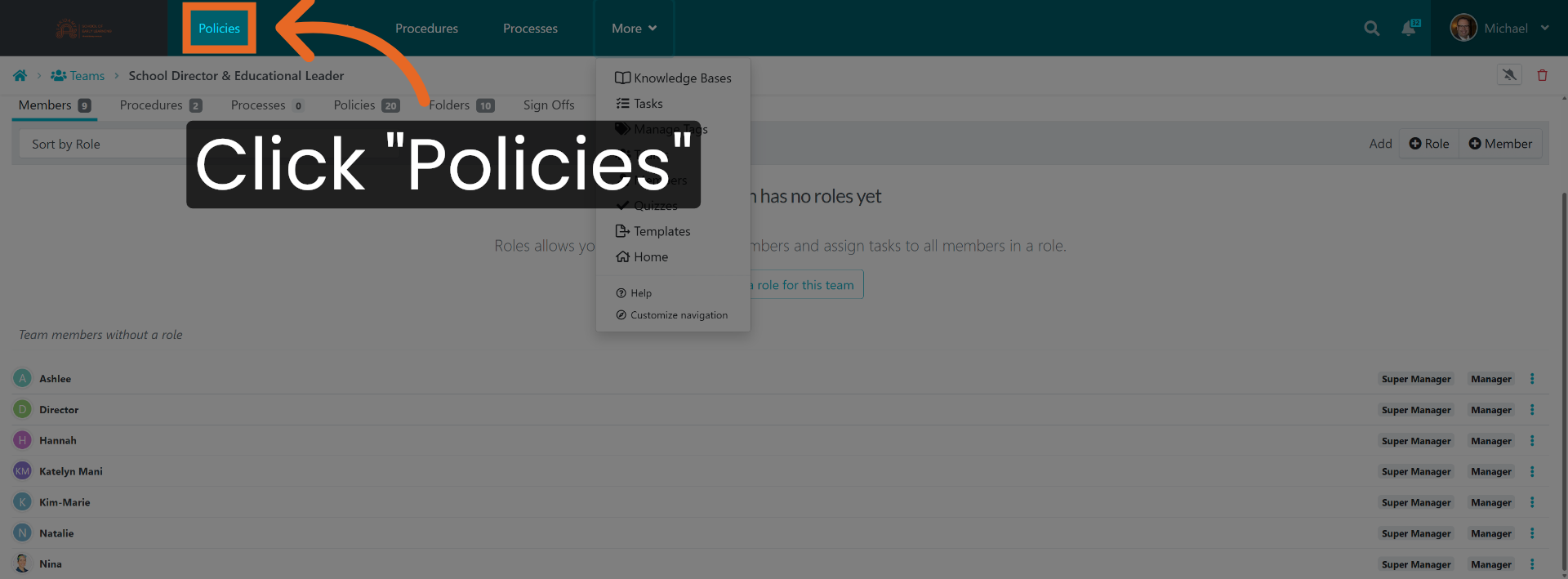
9. Navigate To Policies Section
Click "Policies".
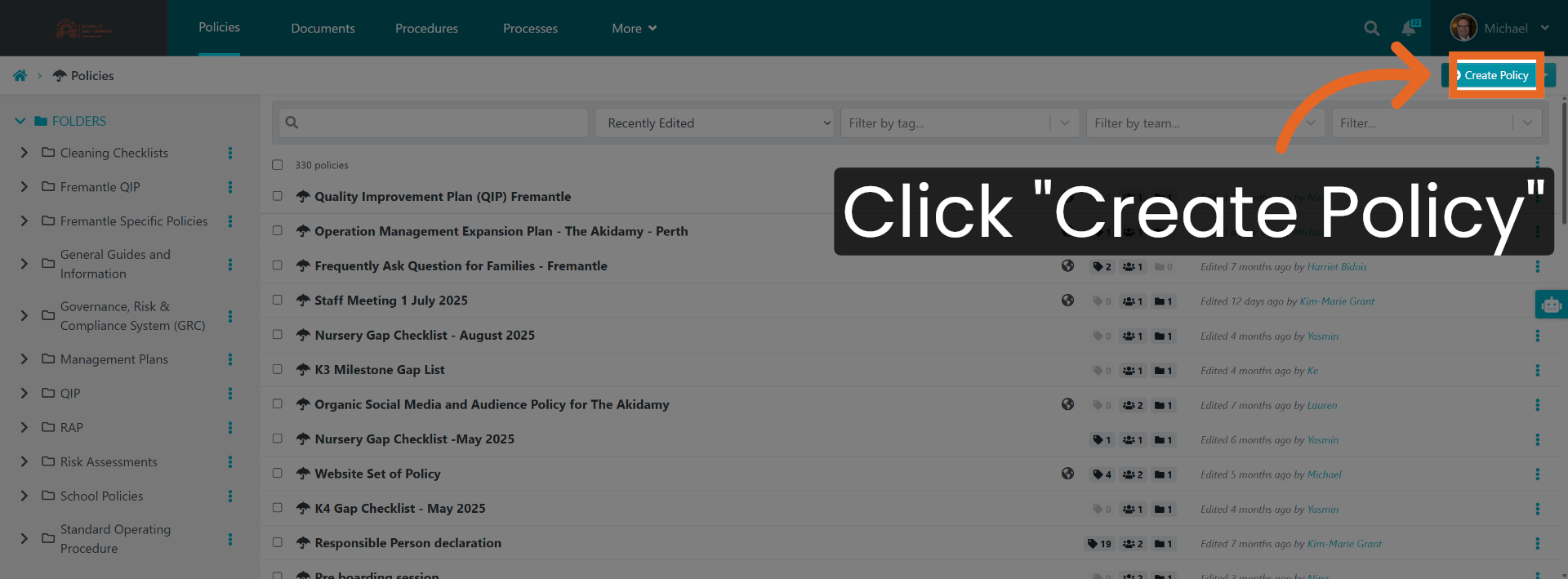
10. Start Creating New Policy
Click "Create Policy".
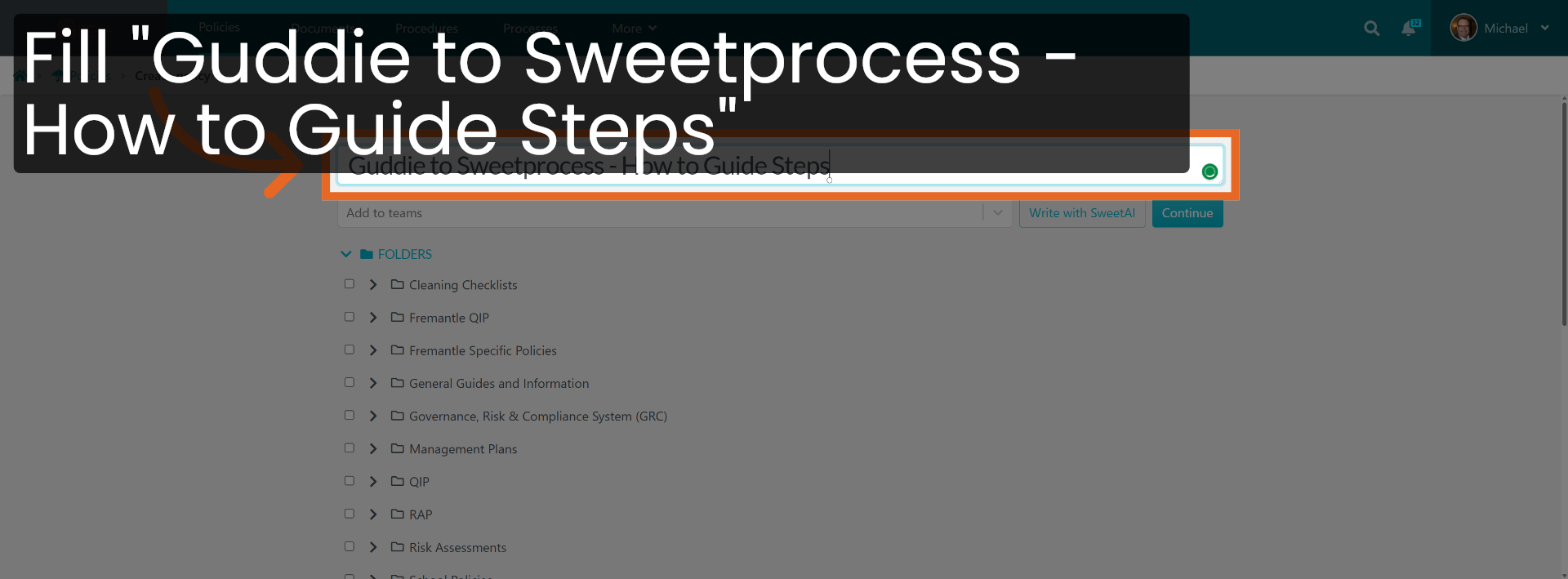
11. Name The New Policy
Fill "Guddie to Sweetprocess - How to Guide Steps".
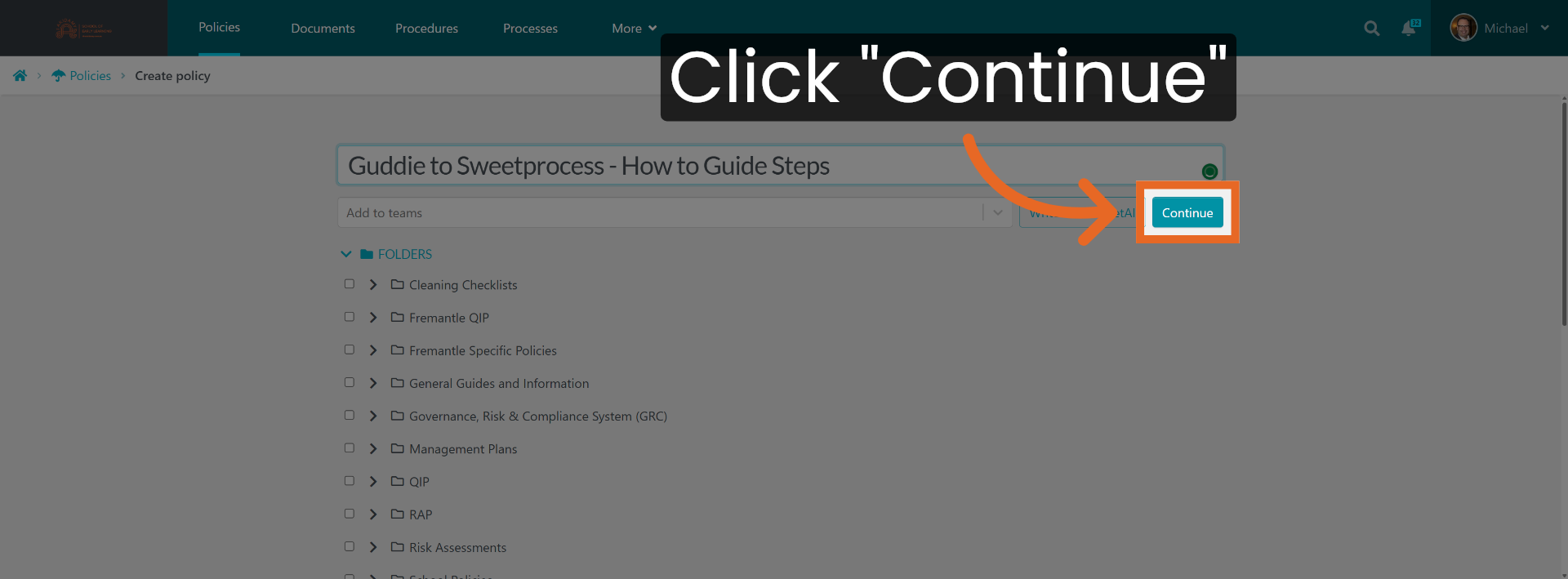
12. Proceed To Next Step
Click "Continue".
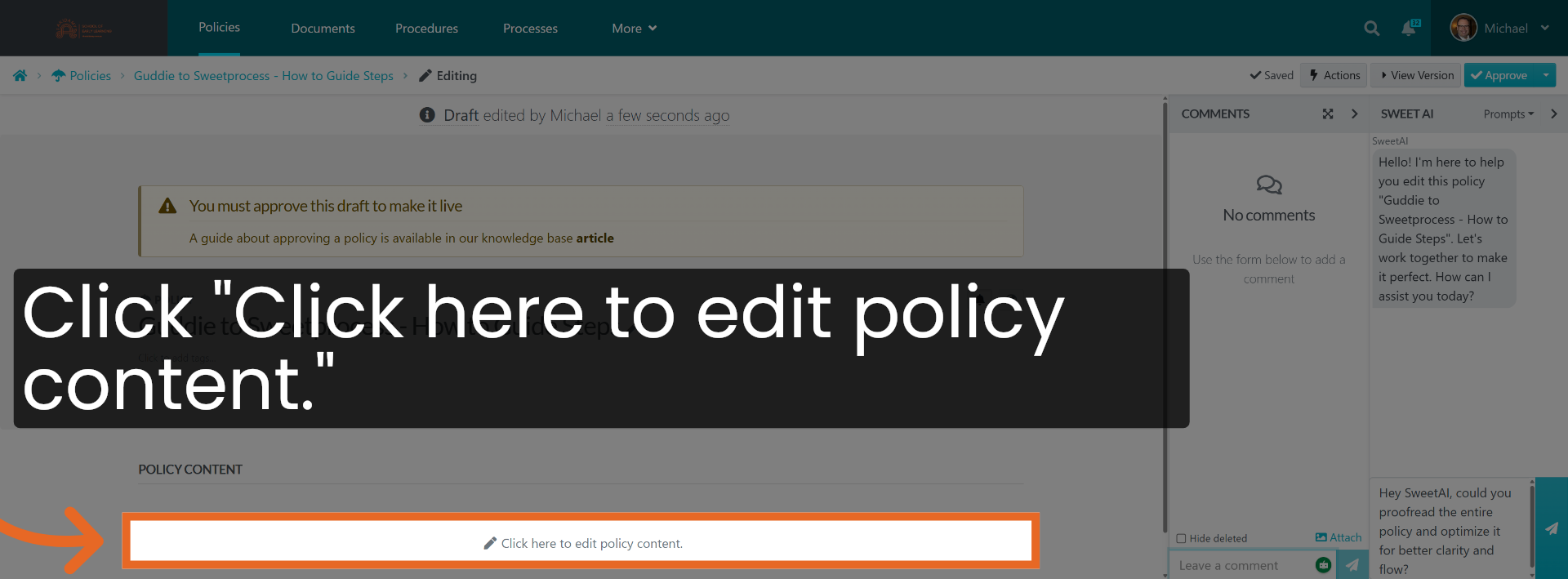
13. Edit Policy Content
Click "Click here to edit policy content.".
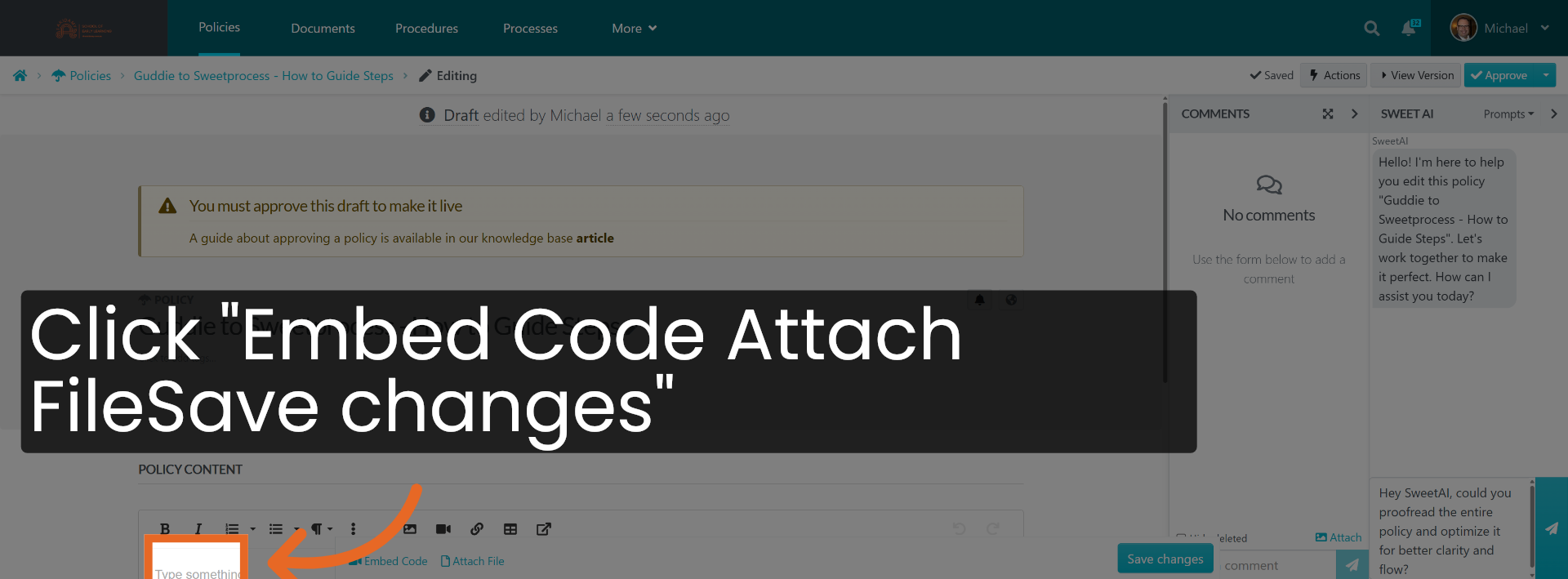
14. Save Policy Content Changes
Click "Embed Code Attach FileSave changes".
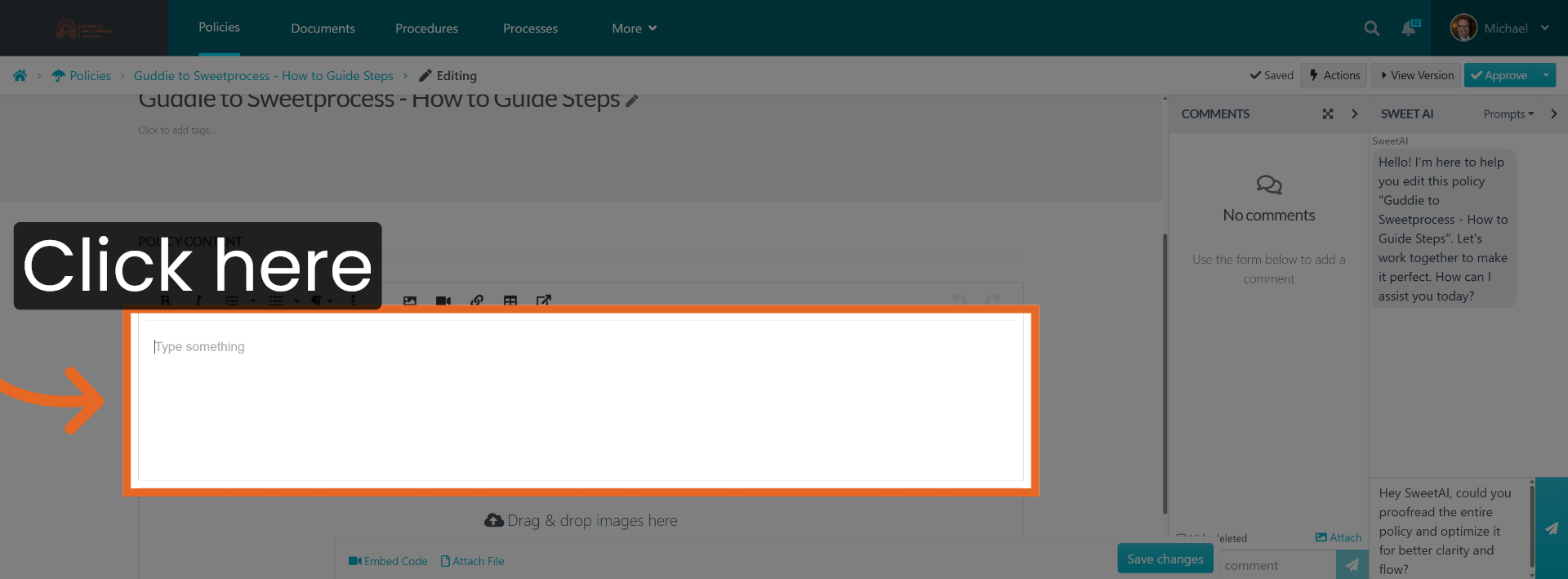
15. Open Additional Options
Click here.
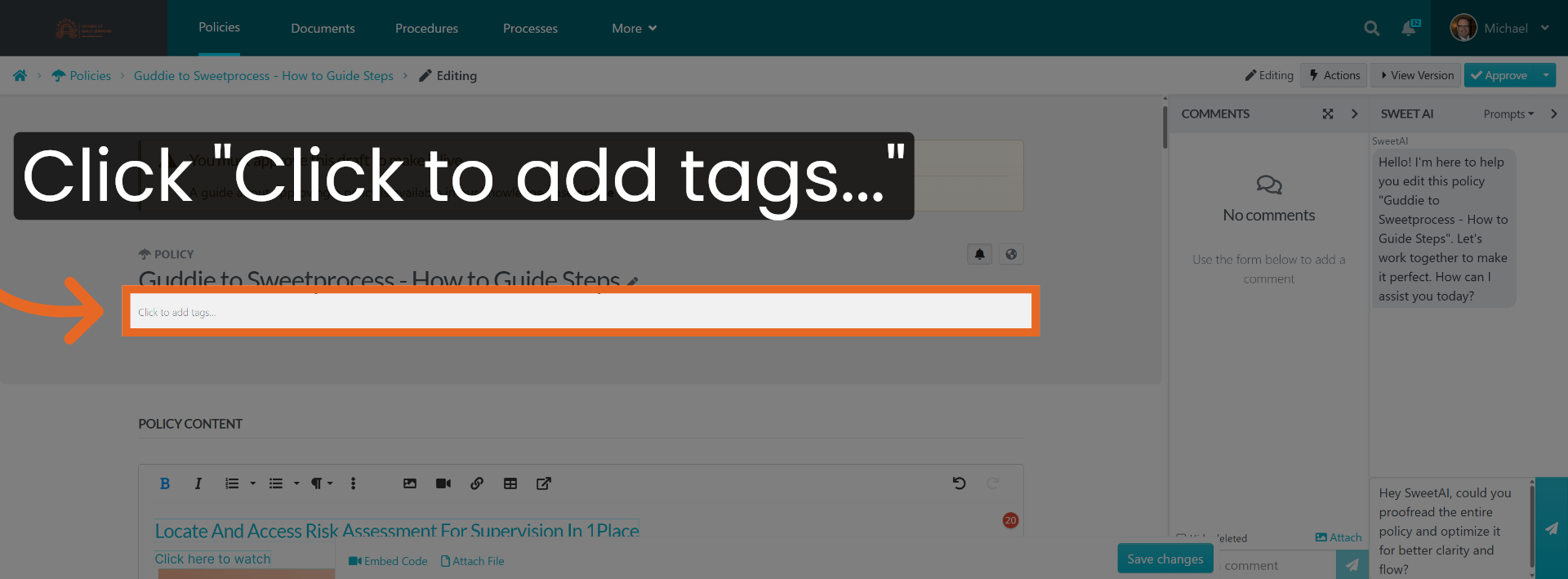
16. Add Tags To Policy
Click "Click to add tags...".
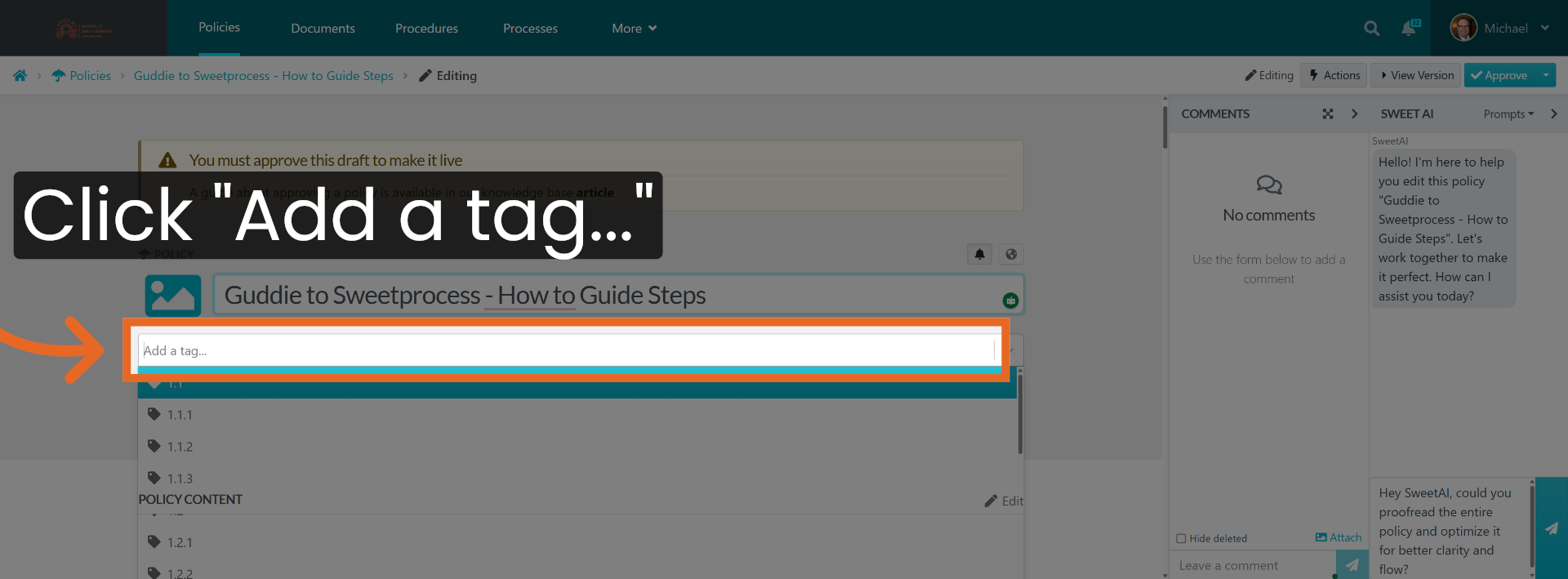
17. Open Tag Input Field
Click "Add a tag...".
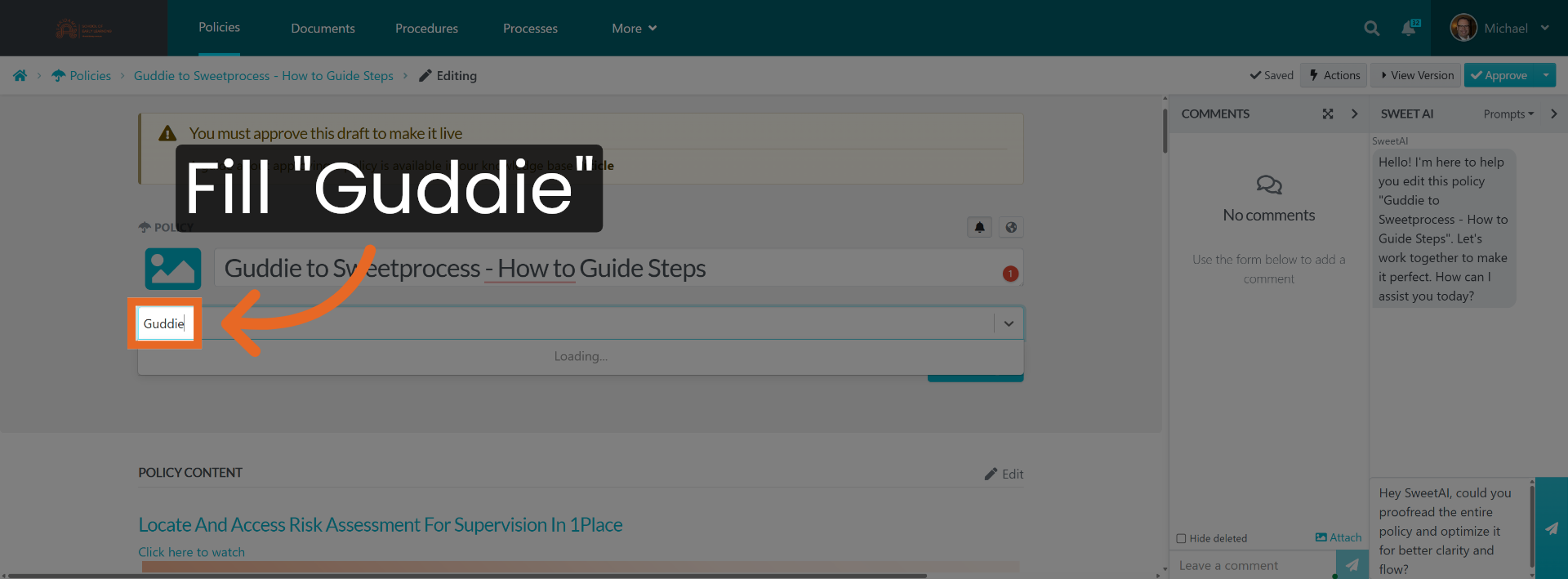
18. Navigate To Tag Location
Go here.
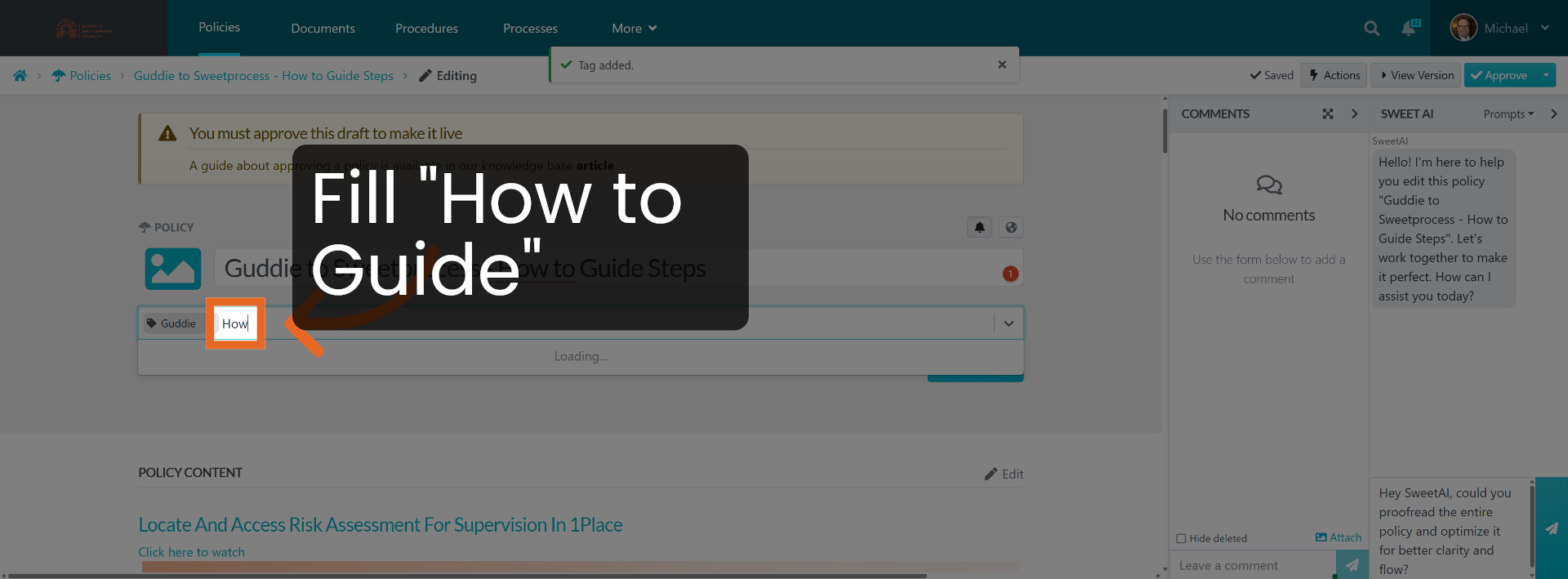
19. Choose Tag Category
Click "How to guide".
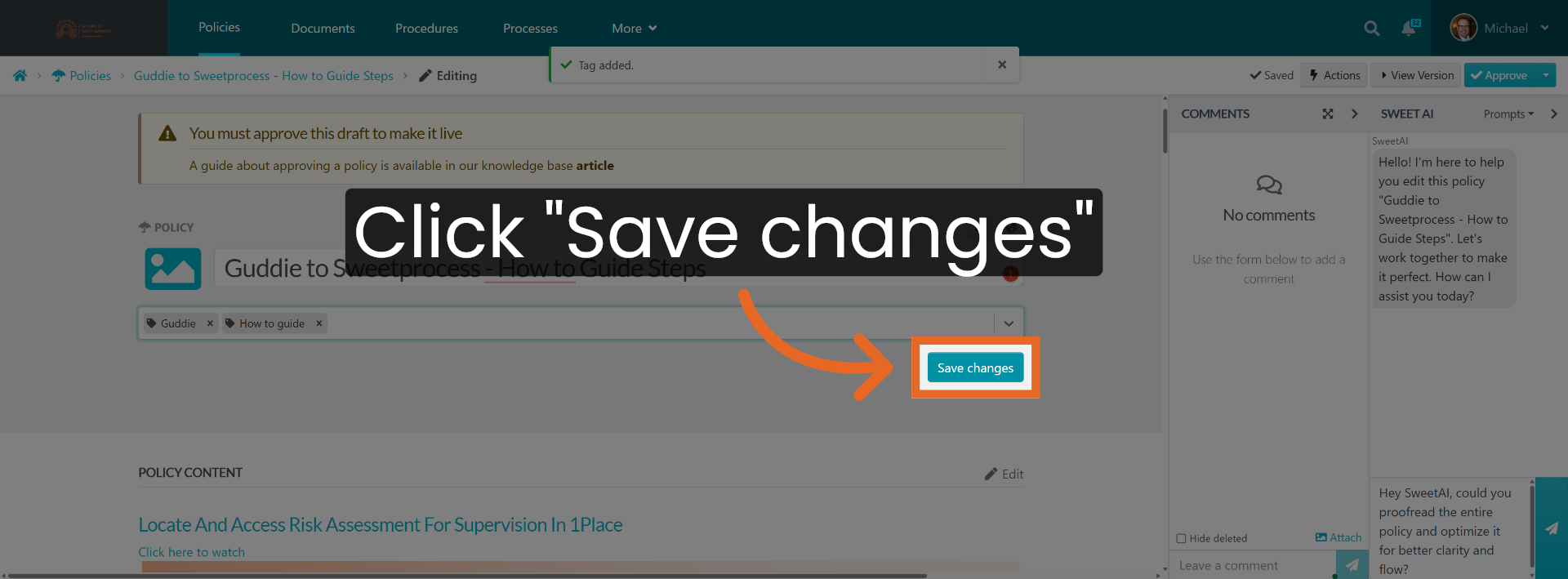
20. Save Tag Changes
Click "Save changes".
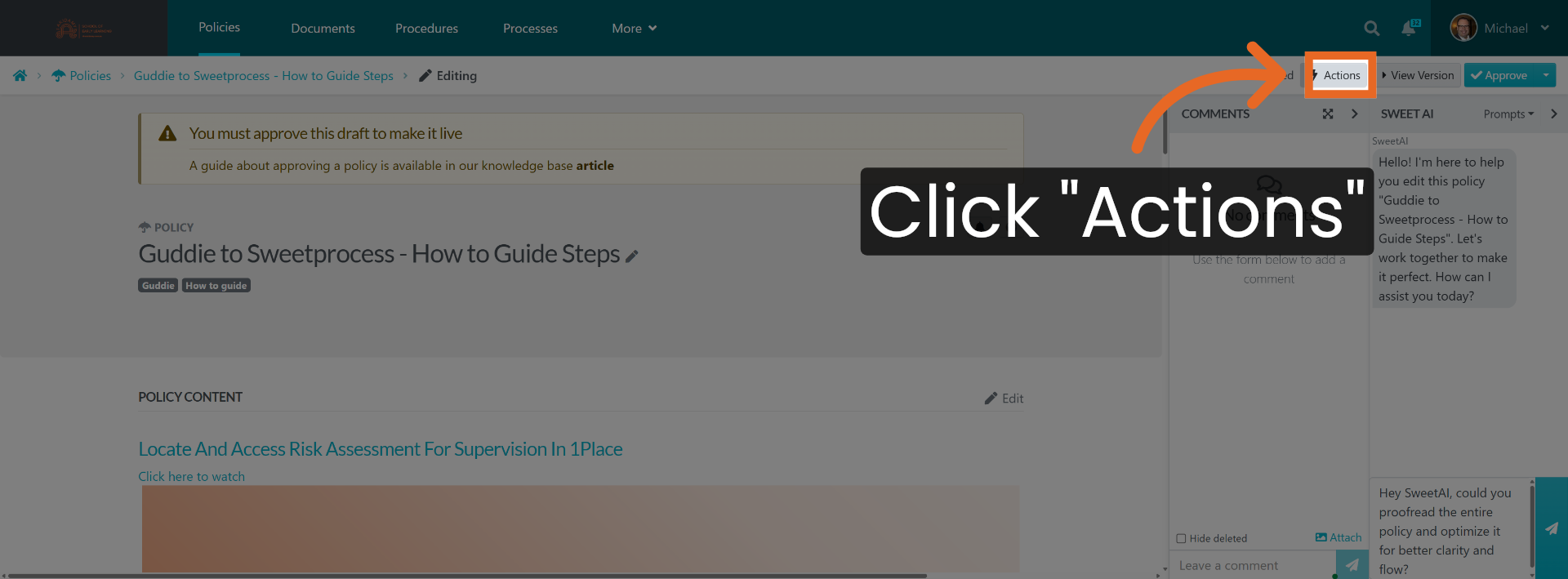
21. Open Actions Menu
Click "Actions".
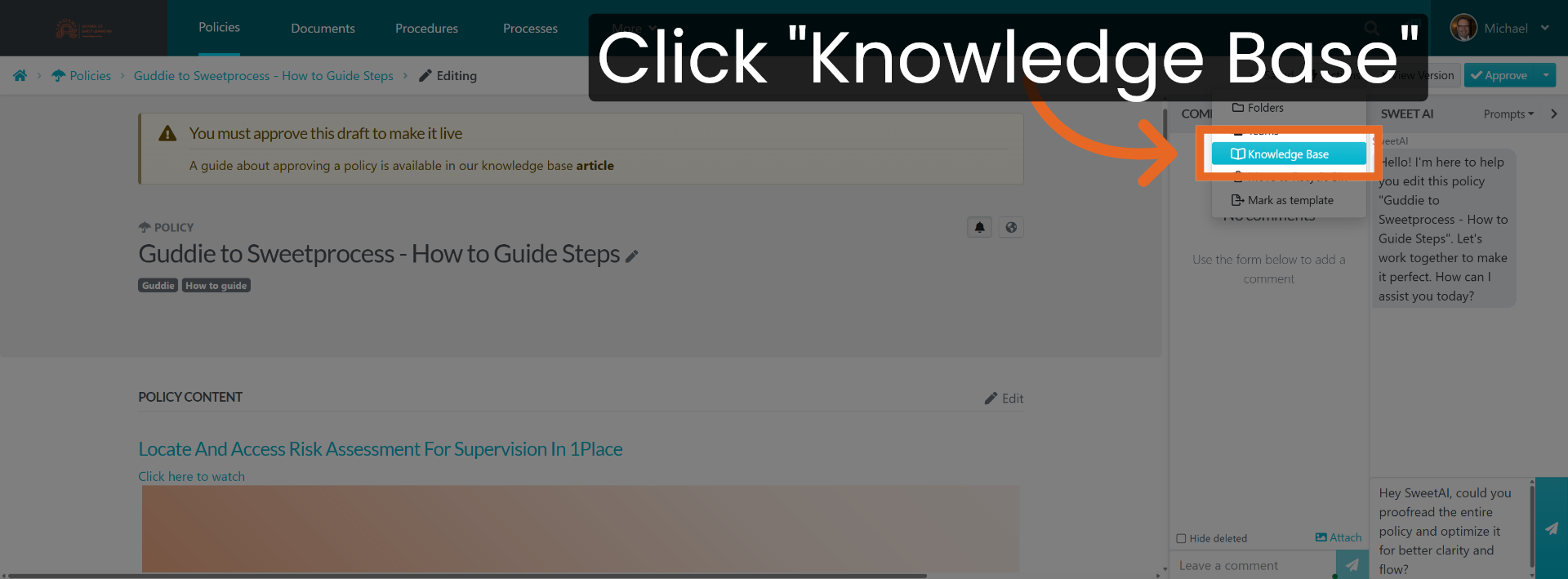
22. Access Knowledge Base
Click "Knowledge Base".
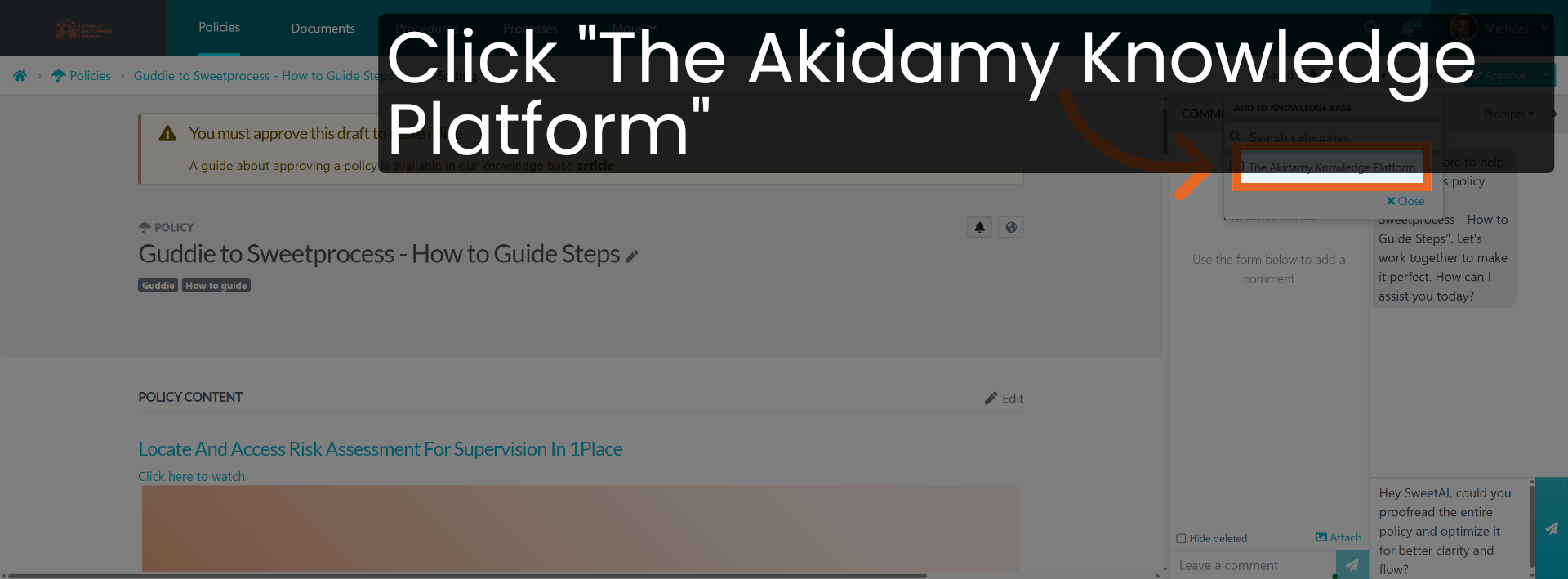
23. Select Knowledge Platform
Click "The Akidamy Knowledge Platform".
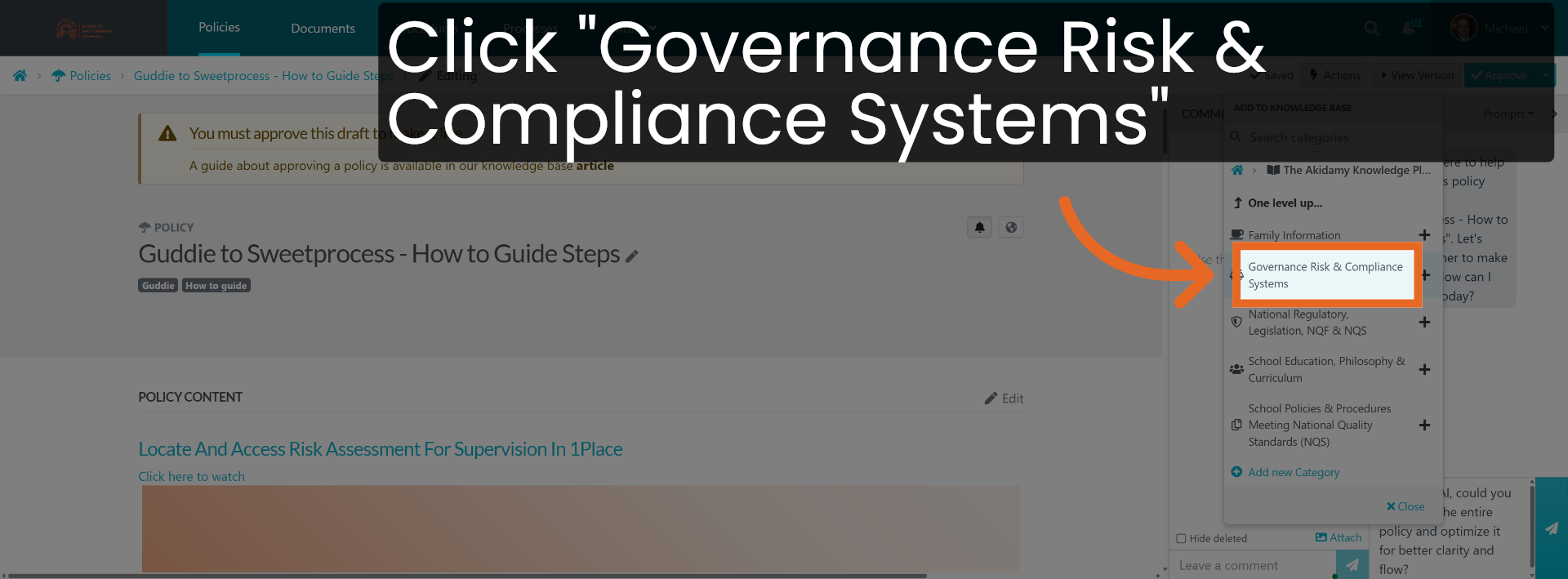
24. Choose Governance Category
Click "Governance Risk & Compliance Systems".
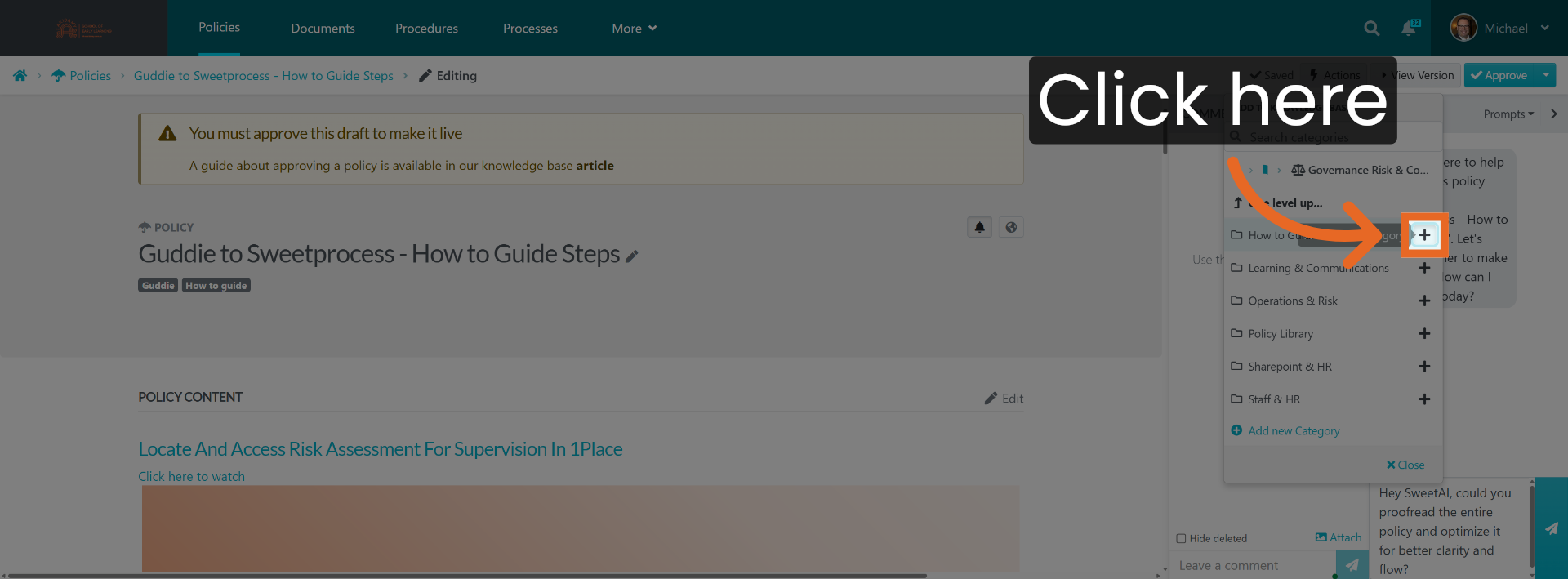
25. Open Further Options
Click here.
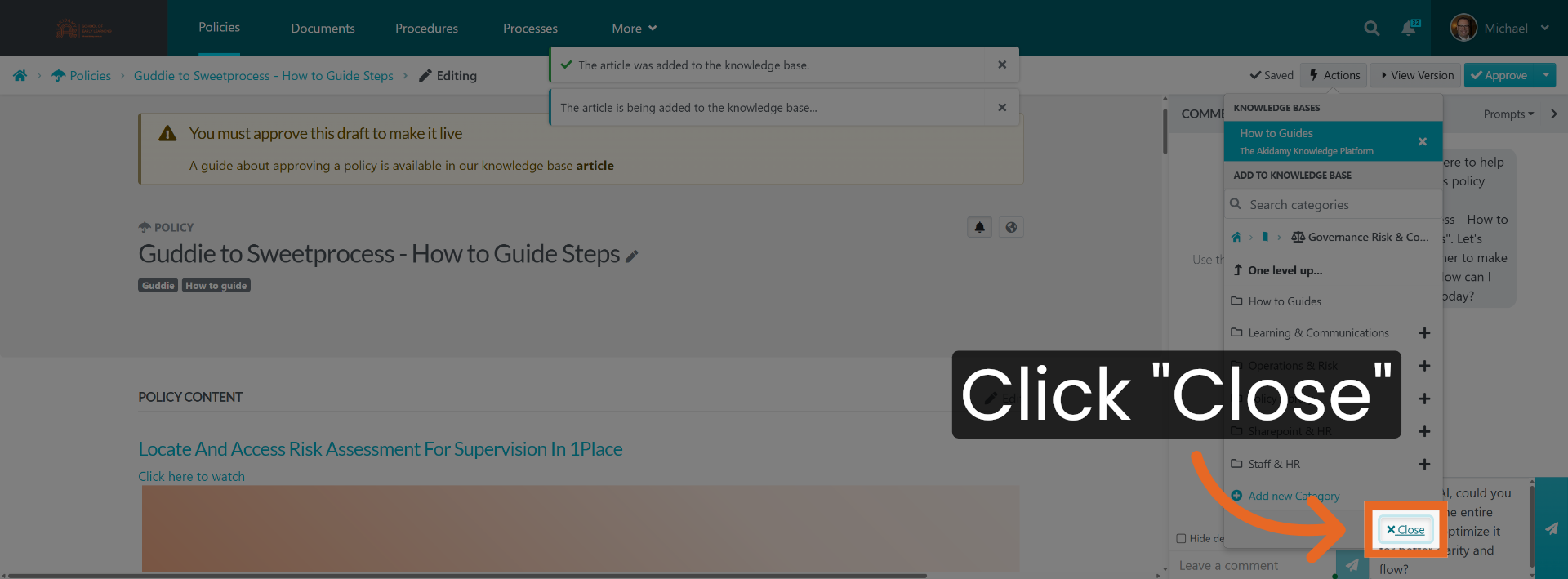
26. Close Current Window
Click "Close".
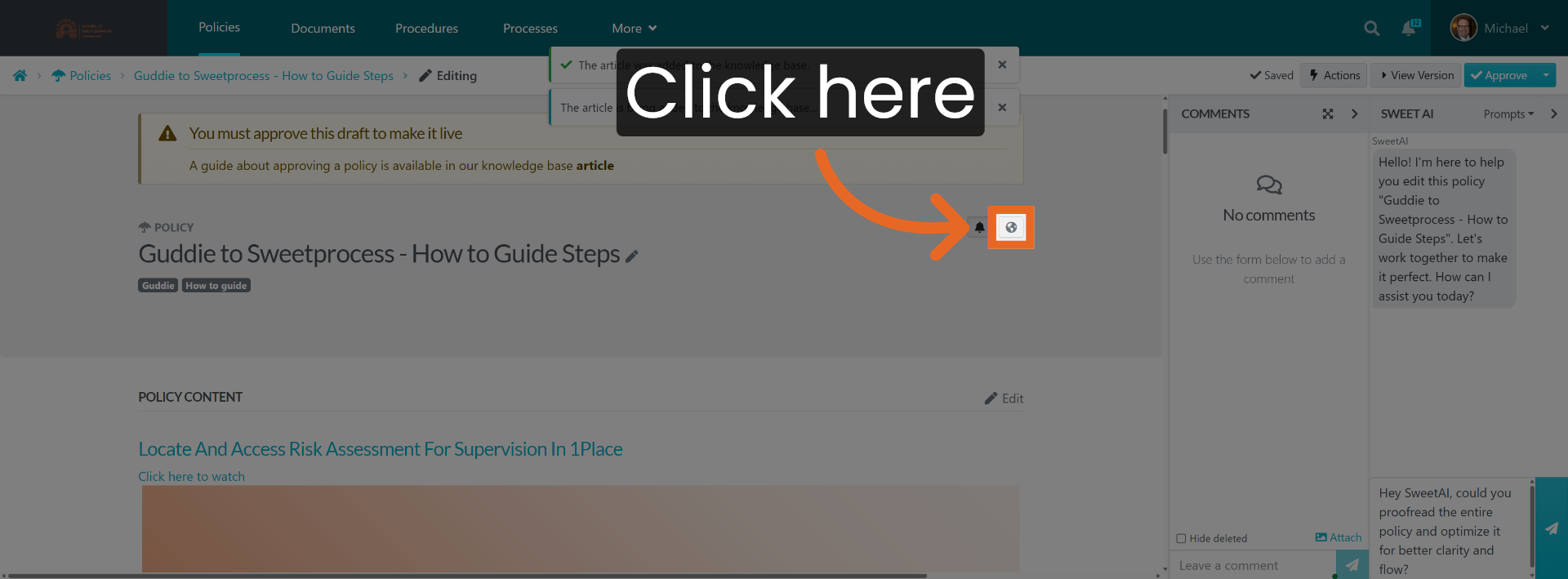
27. Open Policy Settings
Click here.
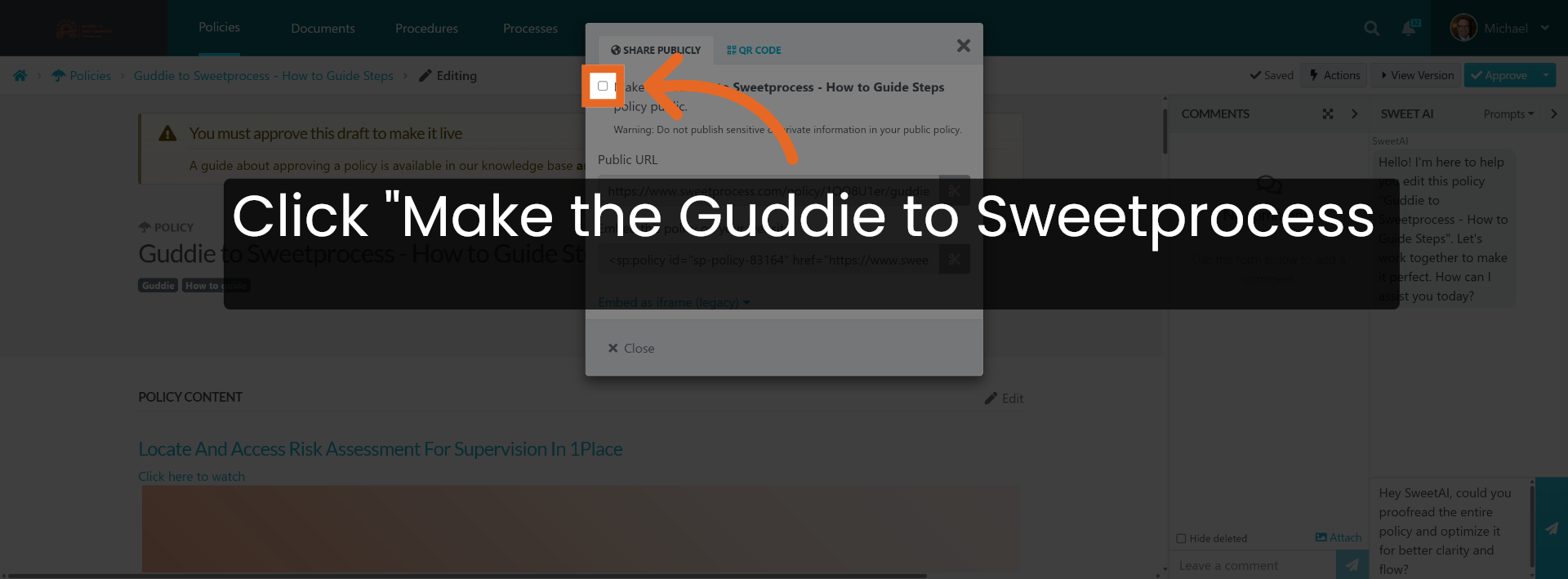
28. Make Policy Public
Click "Make the Guddie to Sweetprocess - How to Guide Steps policy public.".
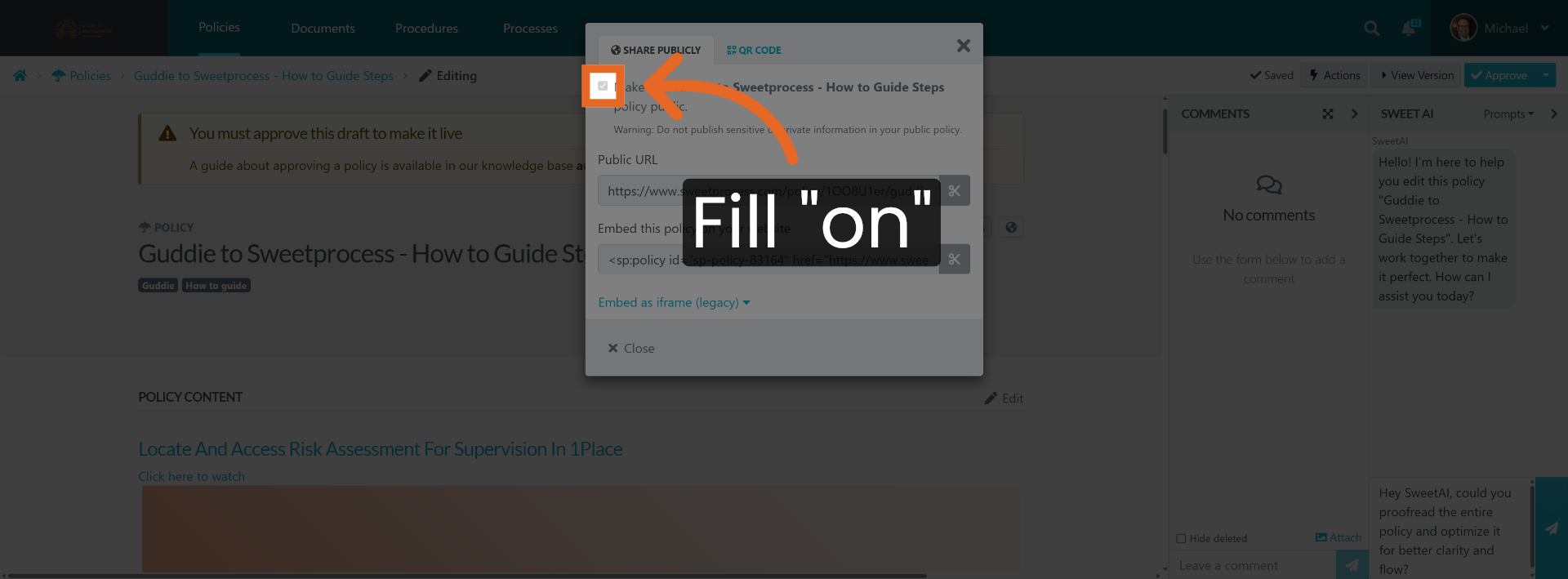
29. Enable Public Access
Fill "on".
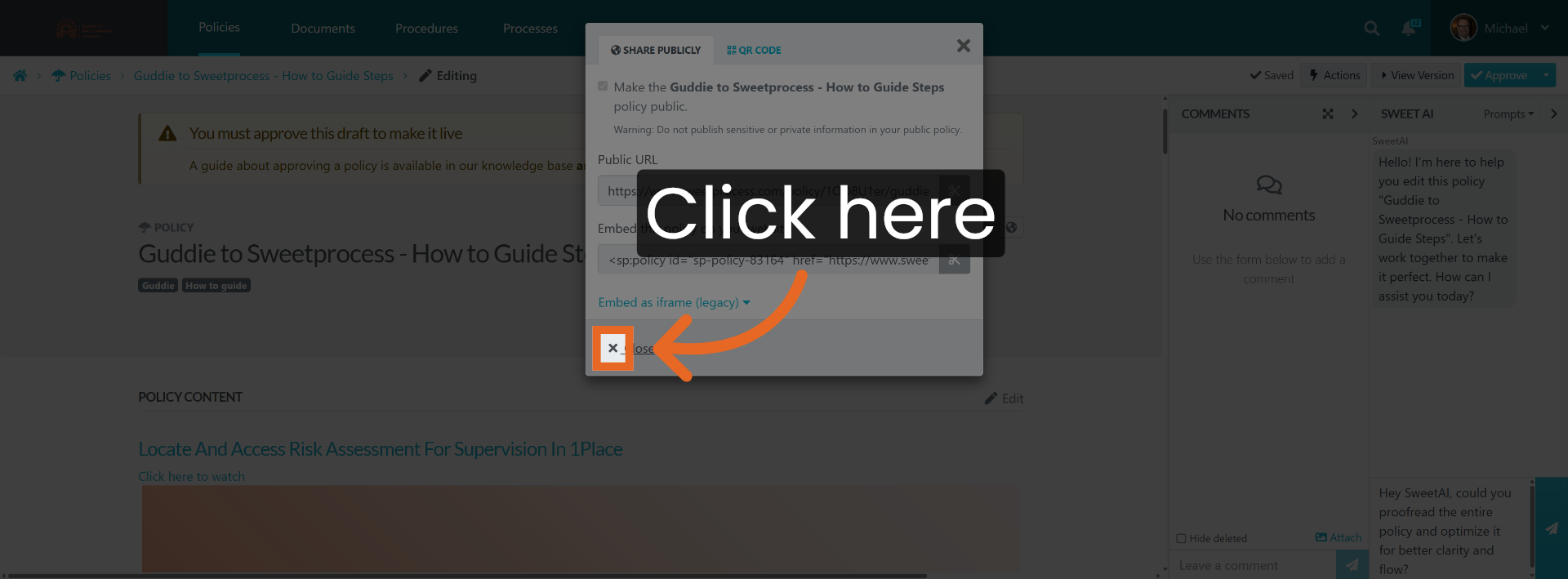
30. Access Additional Settings
Click here.
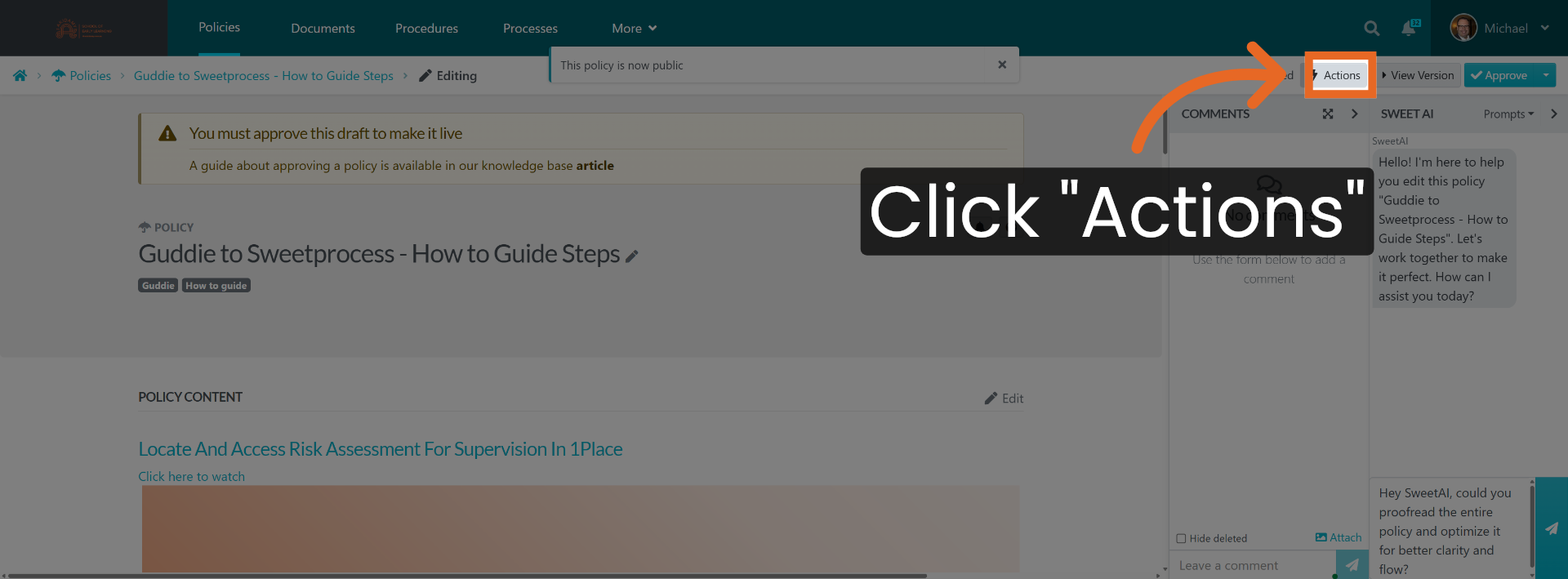
31. Open Actions Menu Again
Click "Actions".
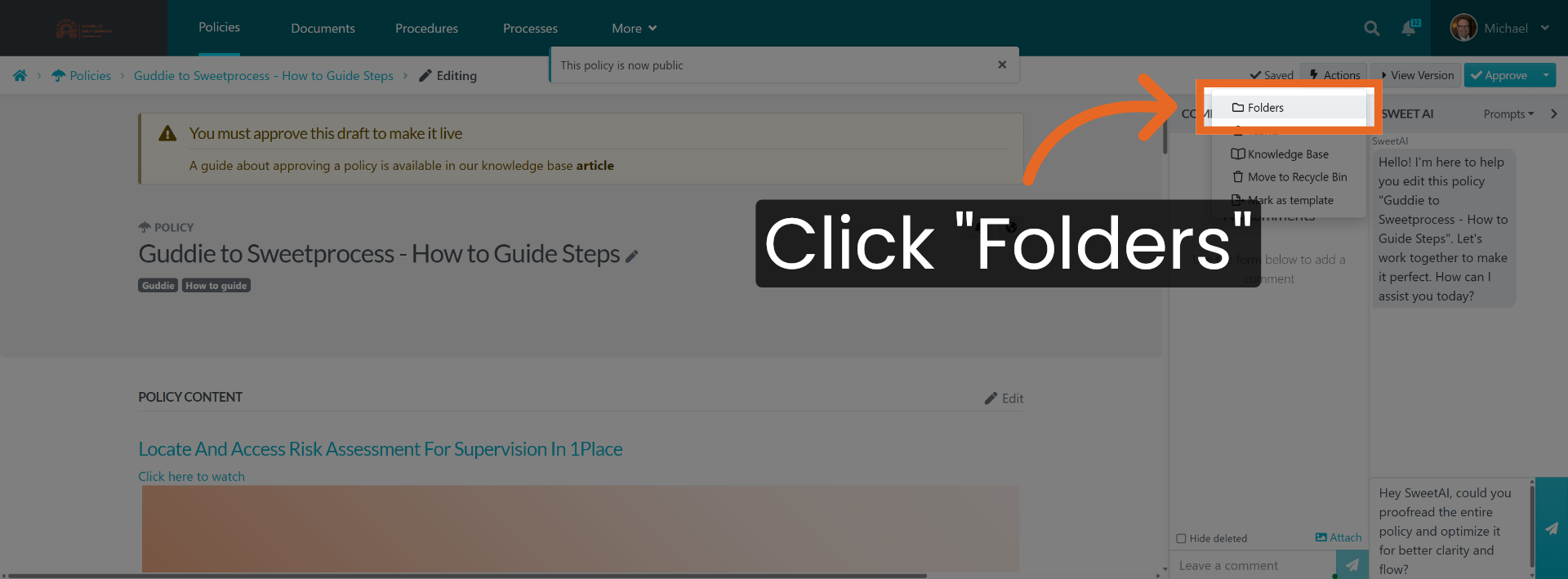
32. Navigate To Folders Section
Click "Folders".
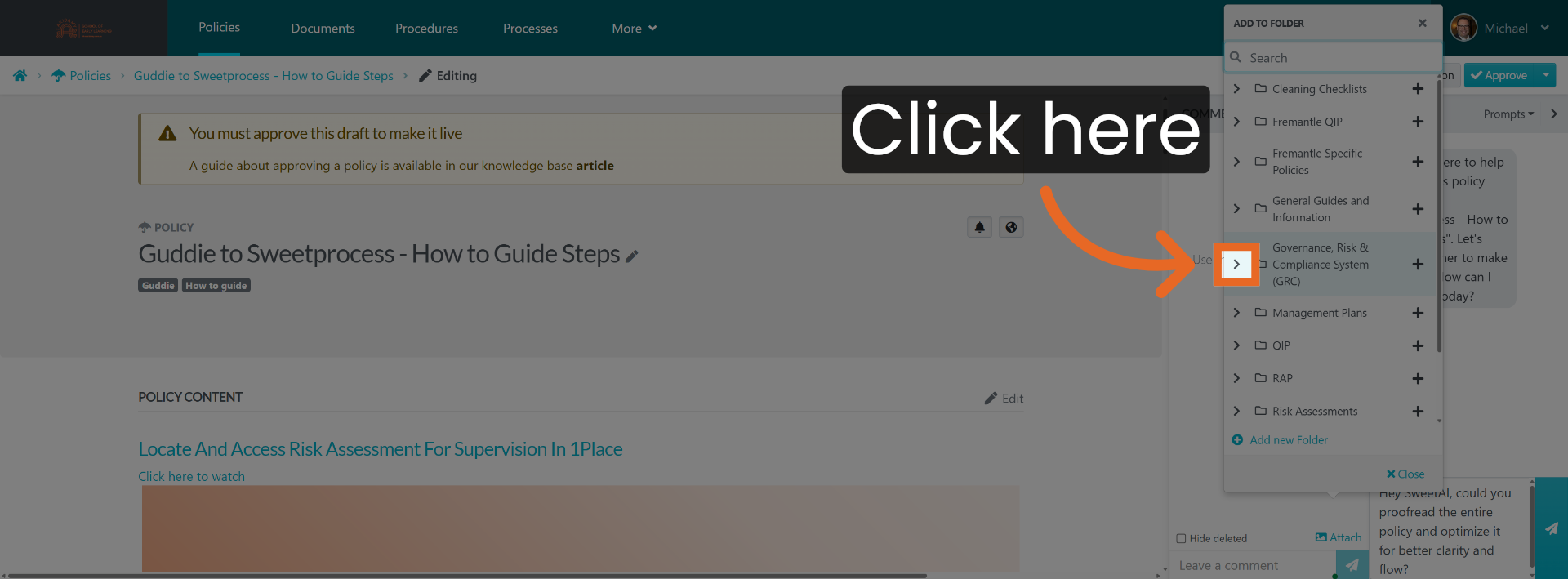
33. Open Folder Options
Click here.
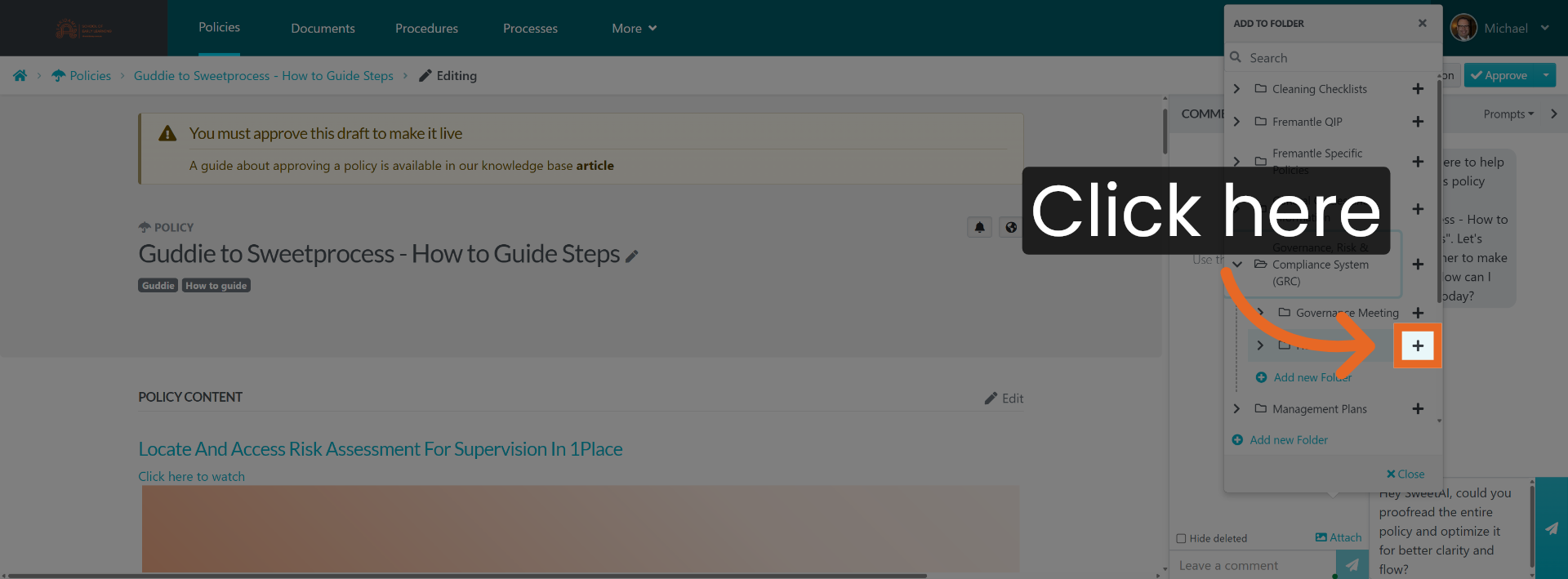
34. Access More Folder Options
Click here.
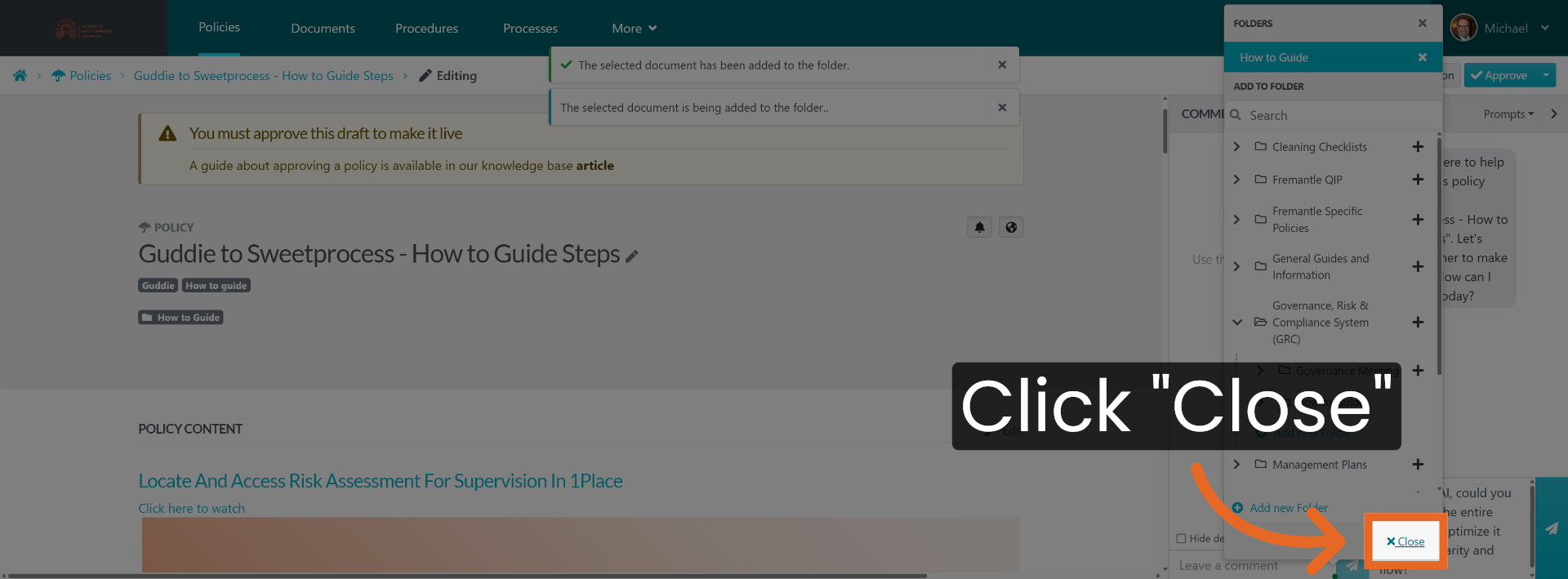
35. Close Folder Options
Click "Close".
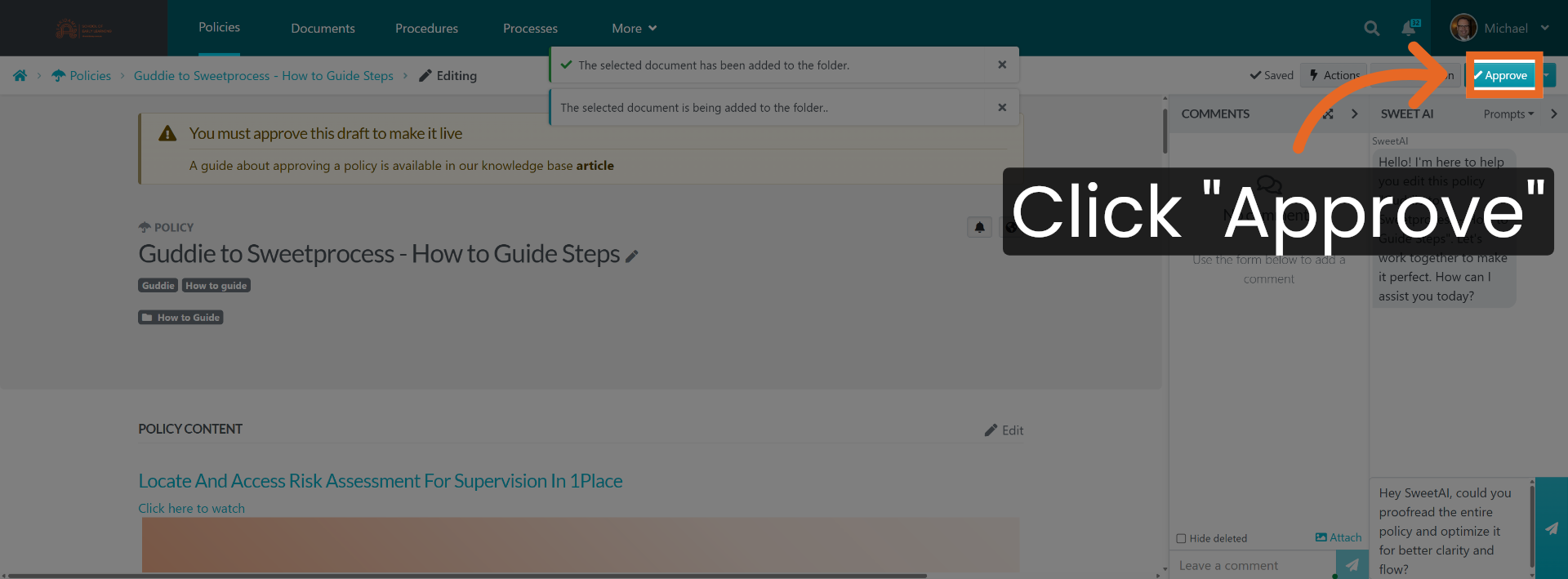
You have successfully moved your Guidde content into Sweetprocess by creating and configuring a new policy. Ensure the policy is public, correctly tagged, and placed in the appropriate knowledge base folder for easy access and management.
Did this answer your question?
If you still have a question, we’re here to help. Contact us