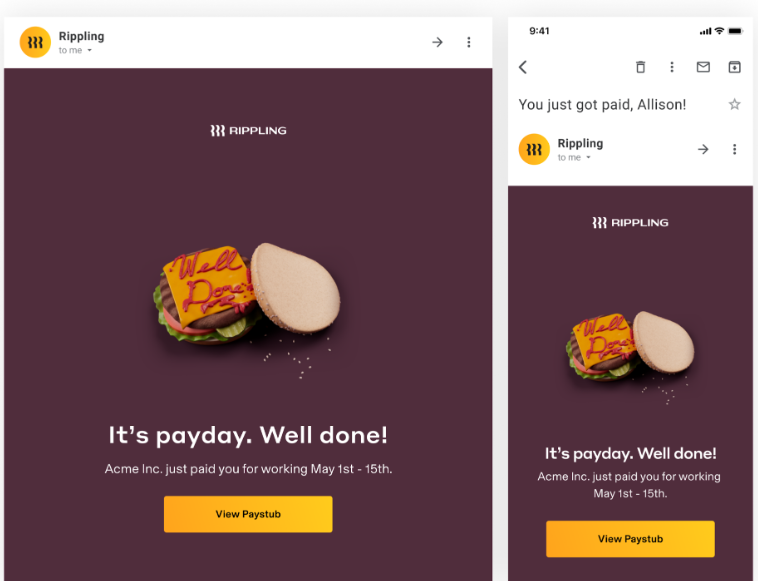
For standard pay runs, Rippling will send an email to workers on their pay date to let them know they have been paid. The payday email will include the worker's name, your company's legal name, and the pay period for which they are being paid, plus a link to log in and view their full pay stub in Rippling (see below for a sample payday email).
Rippling will send the email at the following times, depending on how workers are paid:
- For workers paid through the Payroll app, Rippling will send the email at 10:00 AM Pacific Time.
- For workers paid through the Global Payroll app, Rippling will send the email at 6:00 PM Pacific Time.
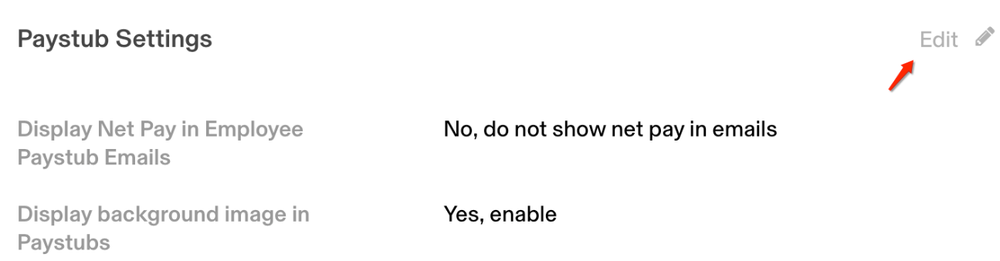
Workers paid through the Payroll app will also see their net pay on their pay stub. Payroll app admins can opt to remove the net pay and/or image from the payday email.
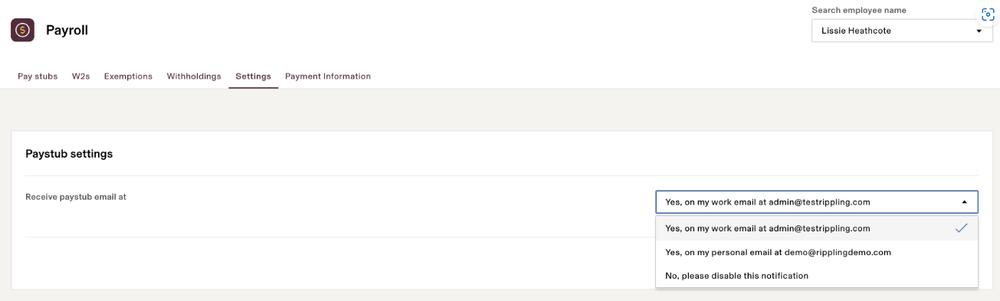
In addition, workers paid through the Payroll app have the option to choose which email to have the payday email sent to (work or personal, if saved in Rippling). They can also choose to opt out of payday notifications.