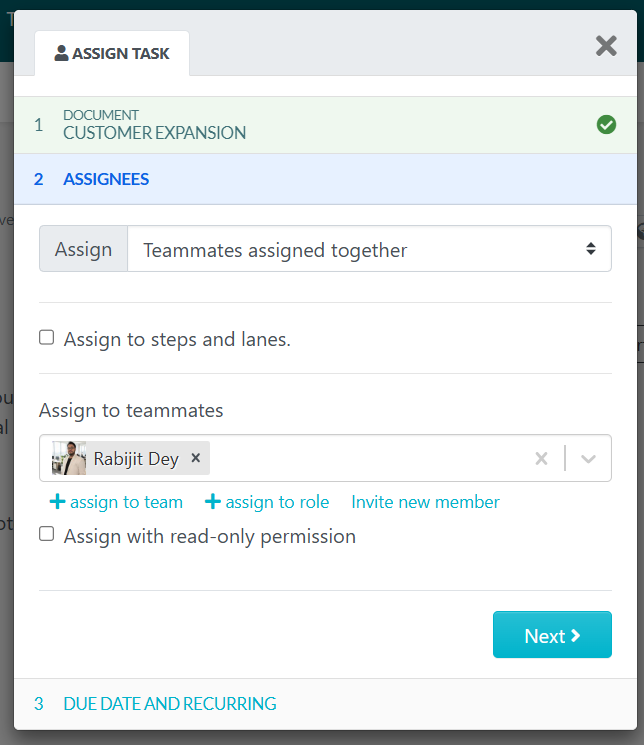
The instructions below will show you how to assign a procedure as a task to an employee. Note: only users with manager level access can assign tasks to others.
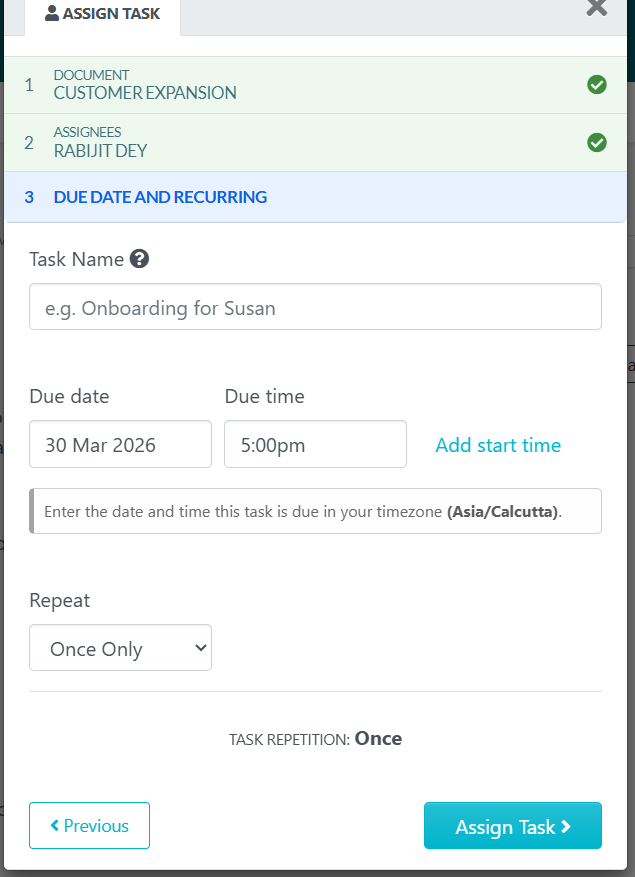
With the assign as task feature, you can schedule tasks to occur on a one-time, daily, weekly, monthly, quarterly or even yearly basis.
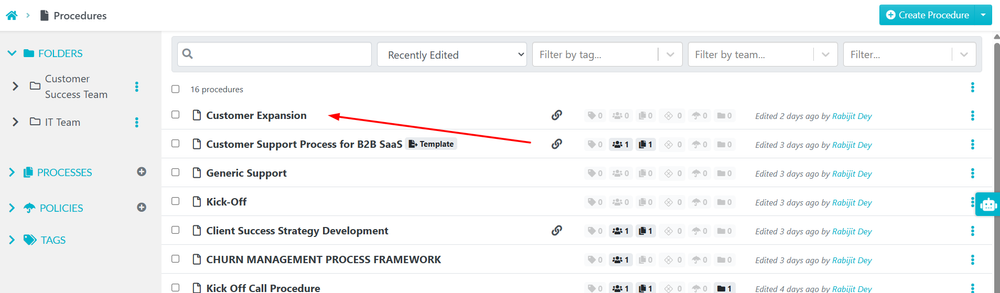
From the procedures page, choose the procedure you want to assign as a task to the employee.
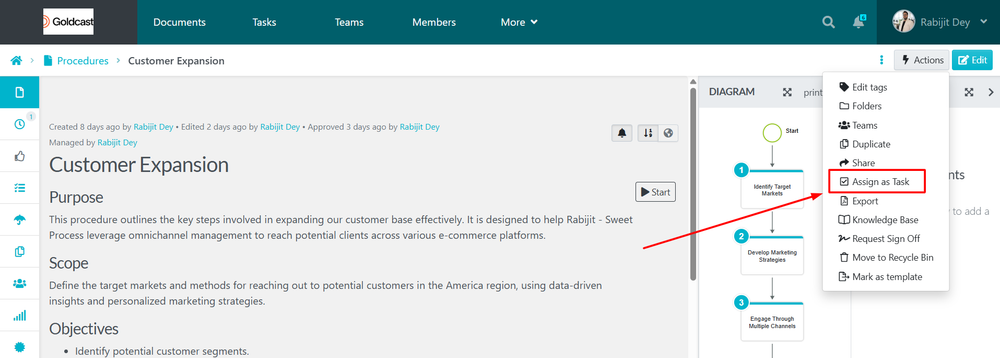
When the new page loads, click on the “Actions” button, then scroll down to click on the “Assign as task” button.