
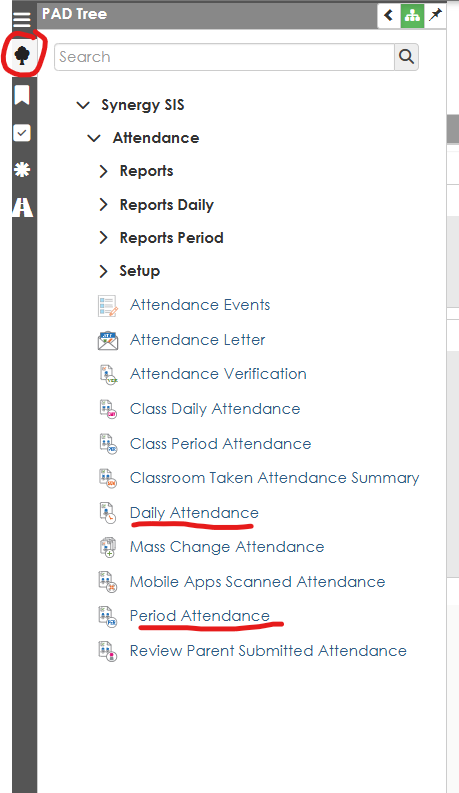
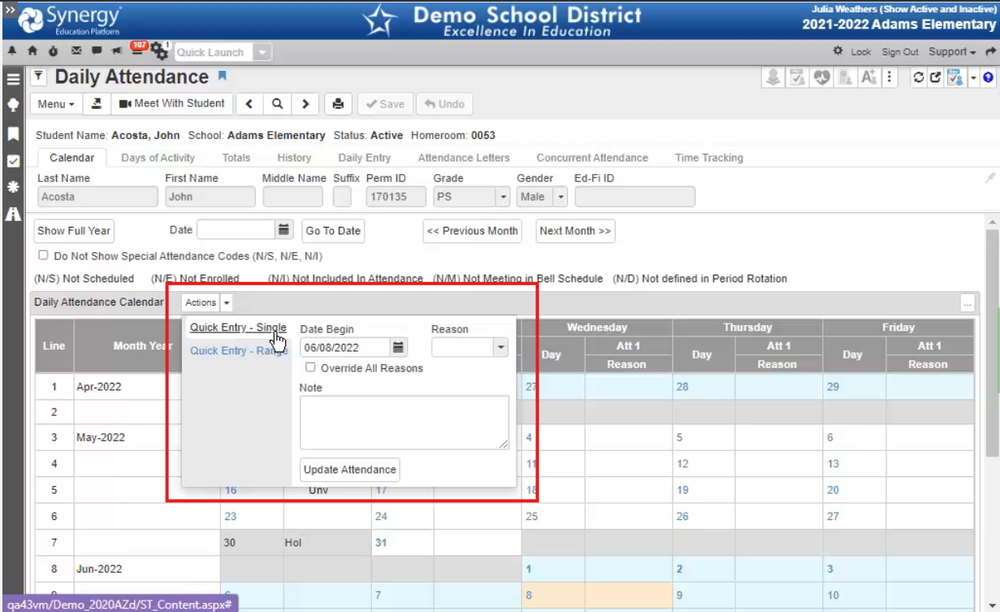
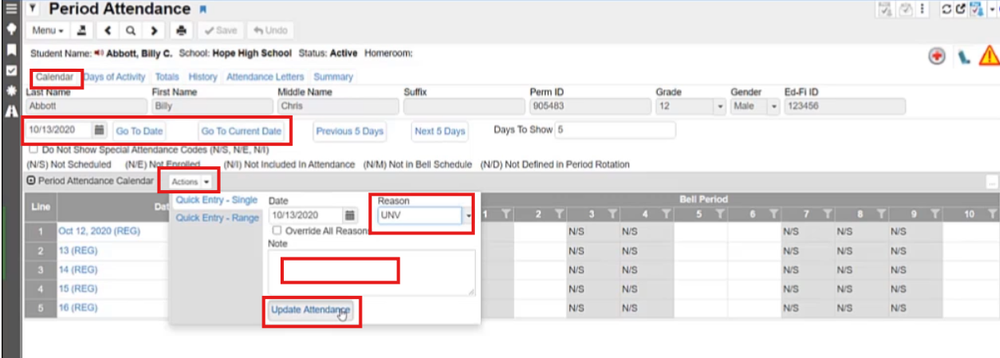
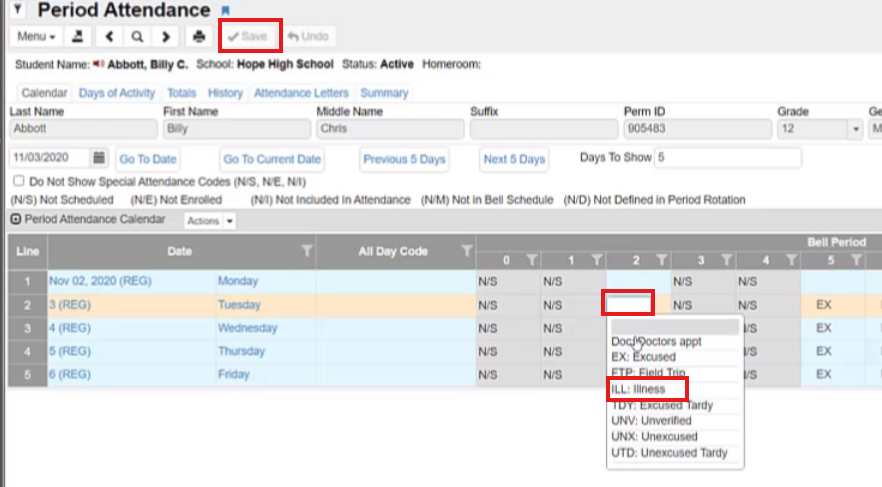
To enter a student's attendance you will need to go into Synergy. On the left-hand side of the screen, under the PAD Tree, select "Daily Attendance" for elementary schools and "Period Attendance" for middle and high schools

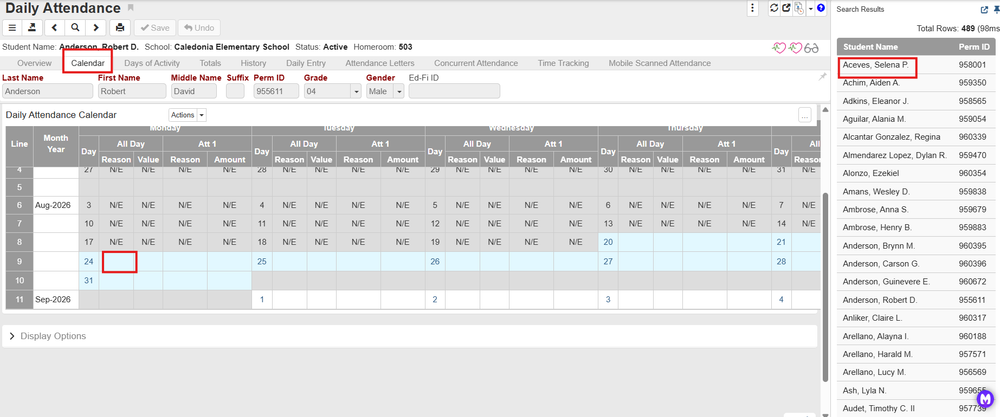
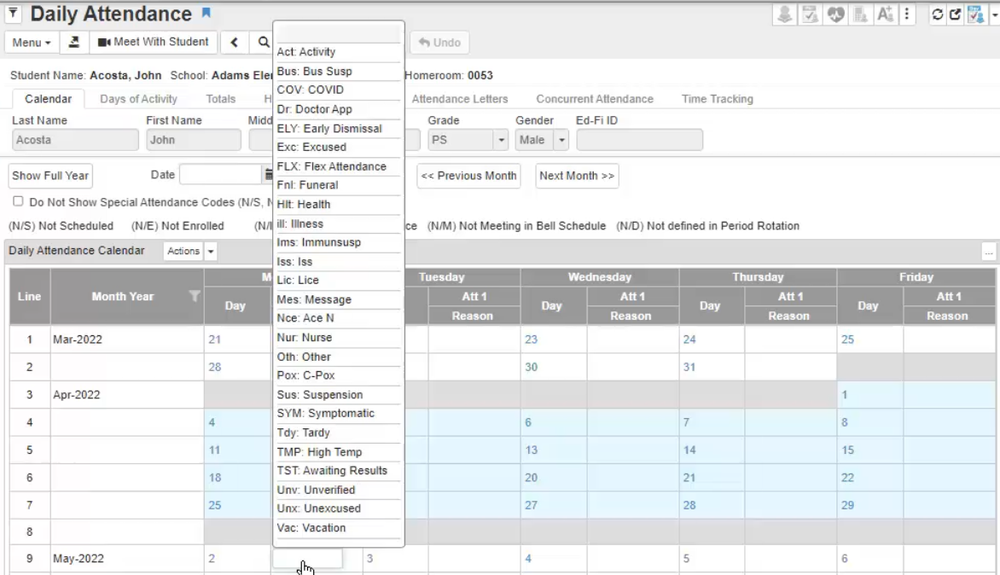
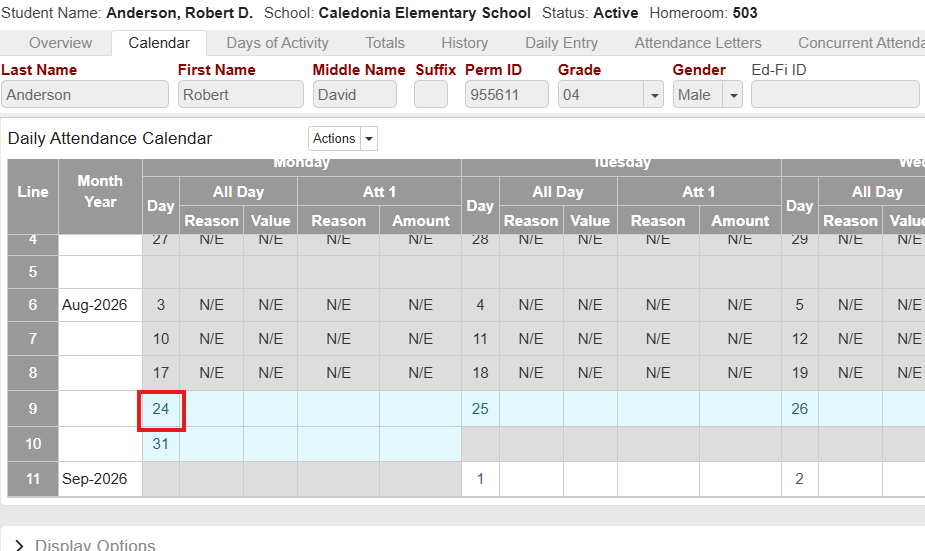
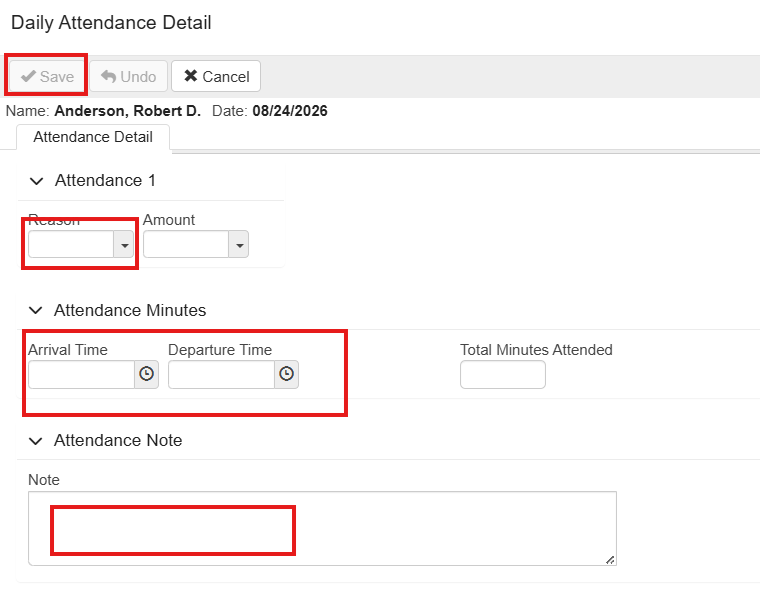
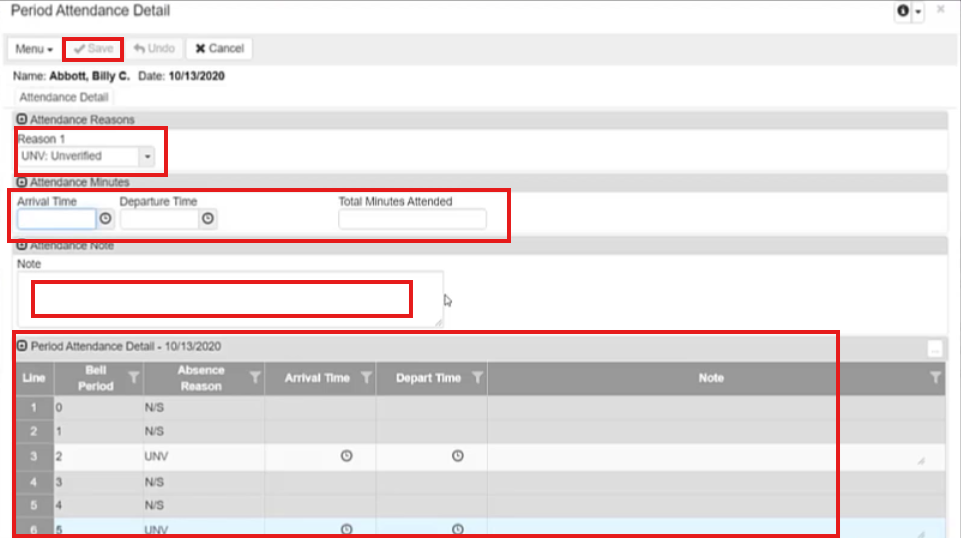
 If you would like to add additional details regarding the student's attendance, click on the date and the attendance detail screen will open .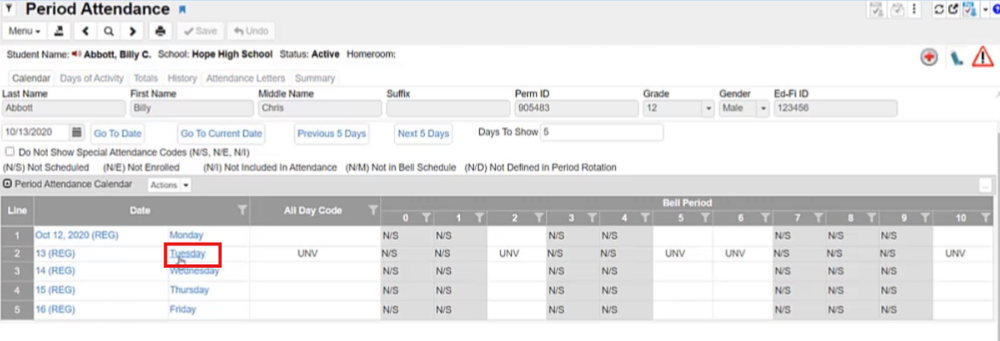
 To override all reasons for that day, you can select "Actions" and click the "Override All Reasons" select the updated code, and select "Update Attendance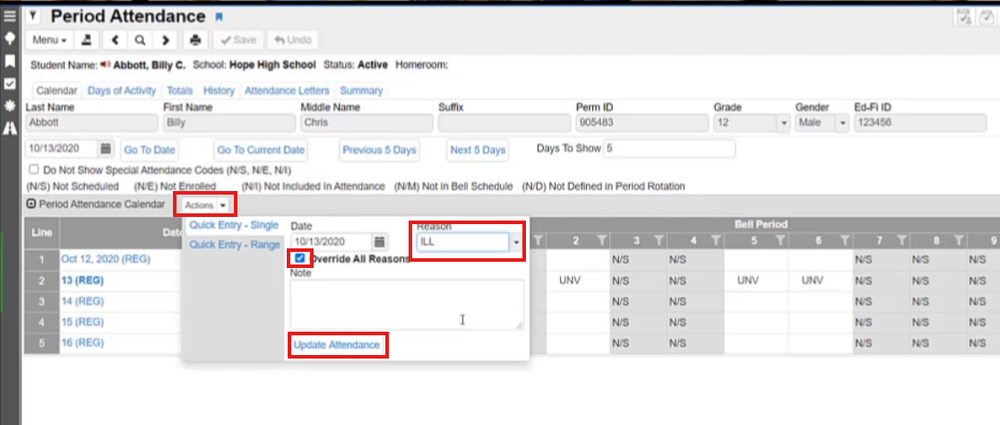
Mass Change can be used to change the attendance code for a group of students, for example a group of students is on a field trip or a sports team is leaving a period early for the day.
Once you work through this process and save the job, it will be available to open, update the students (delete the students from the previous day), and re-run the job each day.
This approach can also be used for large numbers of students attending field trips, leaving early for sports, etc., but settings will have to be adjusted for the periods/number of minutes missed.
Navigate to the PAD Tree in the top left, select Synergy SIS, Attendance, Mass Change Attendance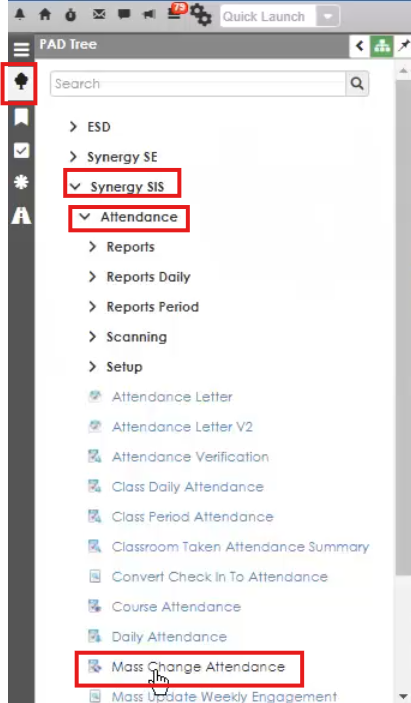
Create a new definition by selecting the add button
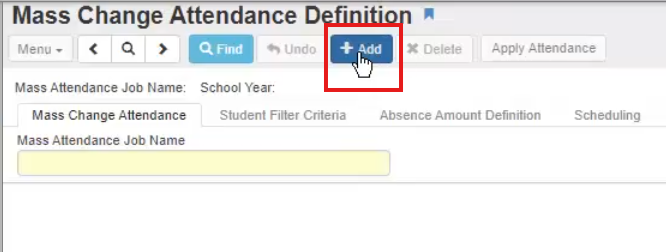
ELEMENTARY SETTINGS:
Select “Type of Change” to “Daily Attendance”
To code a group of students as absent for the full day, change the reason code “From””***-Override any Value” to the desired code.
For a field trip or sports event, to recode only present students, leave the "Change Reason Code, From" as blank, this will not recode students who are marked absent already in the system.
Either enter the current date or
Enter“$DATE” under variable for From: and To:
This will cause the process to run for the current day, each time you run it
Add a note that you would like included for these attendance types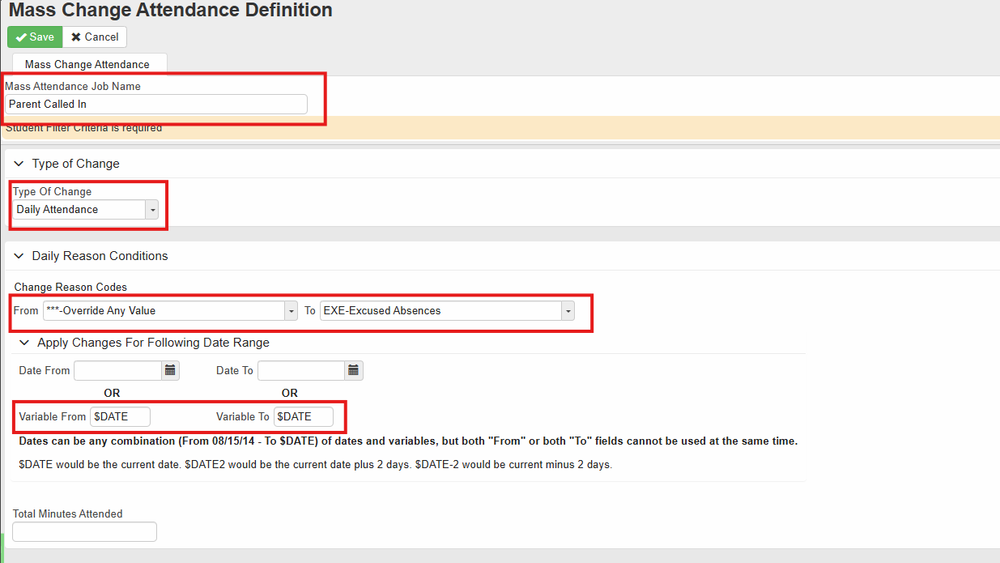
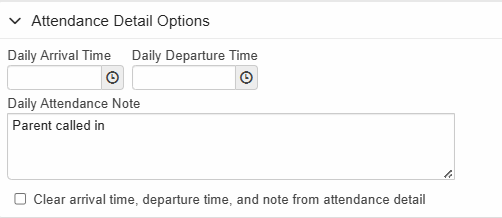
SECONDARY SETTINGS:
Select “Type of Change” to “Change Period Attendance”
To code a group of students as absent for the full day, change the reason code “From””***-Override any Value” to the desired code.
For a field trip or sports event, to recode only present students, leave the "Change Reason Code, From" as blank, this will not recode students who are marked absent already in the system.
Either enter the current date or
Enter“$DATE” under variable for From: and To:
This will cause the process to run for the current day, each time you run it
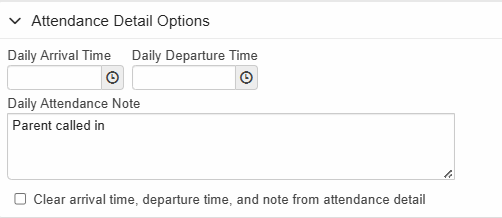
Add a note that you would like included for these attendance type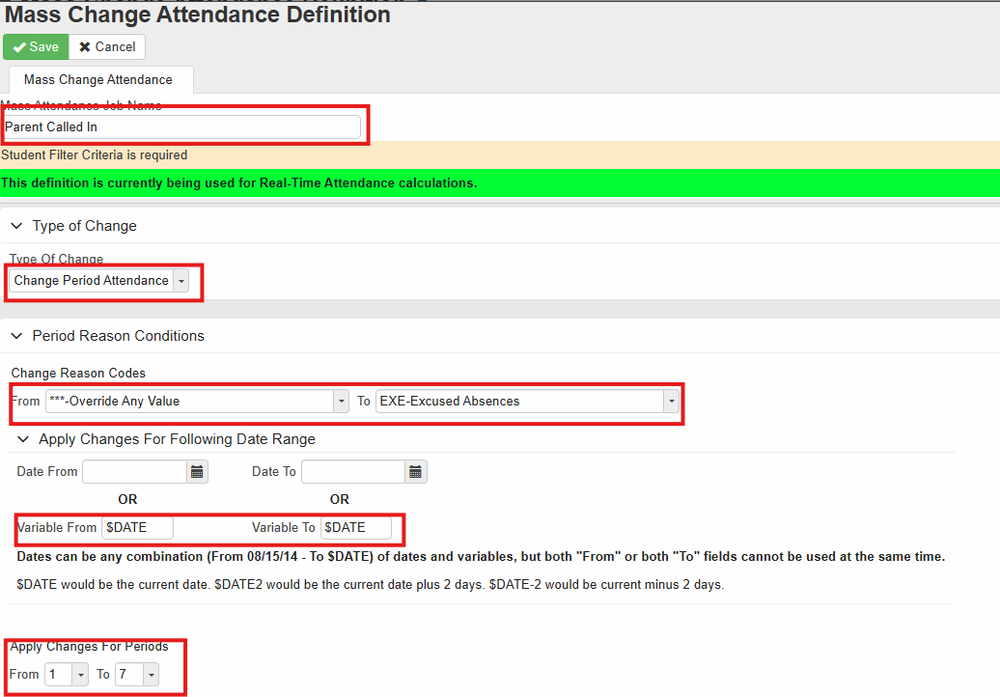
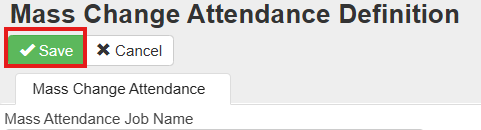
Click “Save”
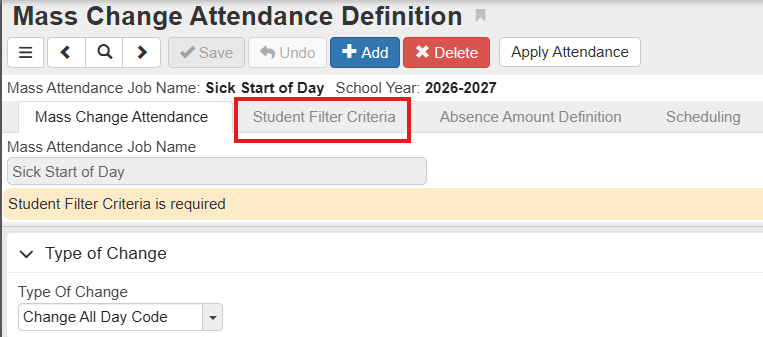
Select “Student Filter Criteria”
Click on “Chooser” next to “Student” to add individual students
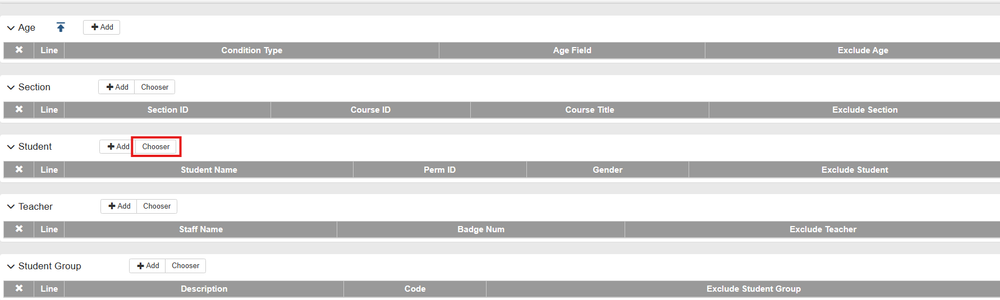
For groups of students you can use any of the filers available to include grade, student group, section, teacher
To delete all students from the previous day, use the drop down menu next to the X and select “Delete All Records”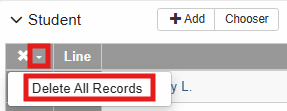
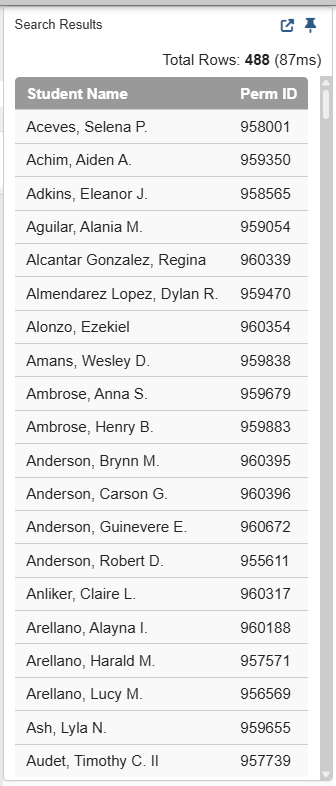
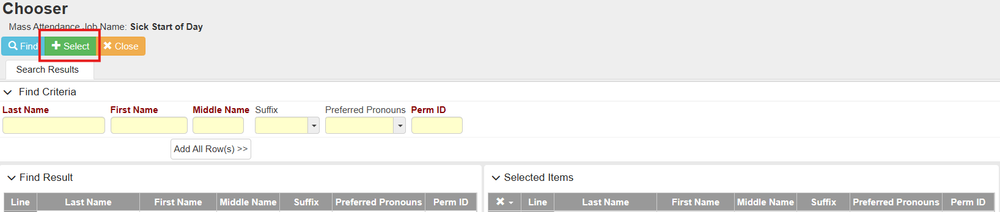
Use the students’ last name, first name, or perm IDs to look them up. Find the student’s name in the “Find Result” table on the left and click on it, the student’s name will be added to the “Selected Items” on the right.
Once you add all of the students, click on “+ Select”
If this is a recurring event, you can schedule the mass update by selecting the tab "Scheduling" and choosing how often it occurs.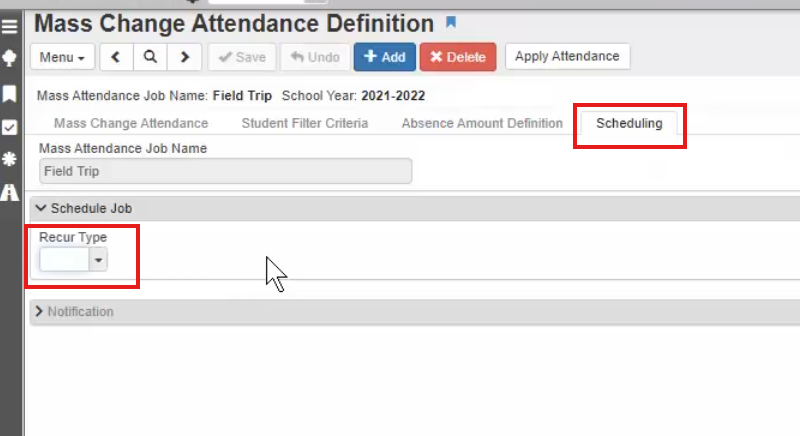
Click on “Save” and “Apply Attendance”

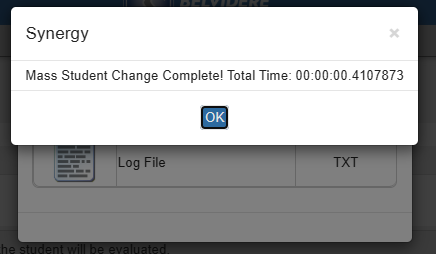
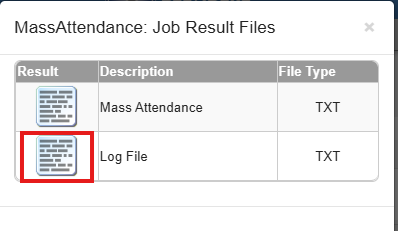
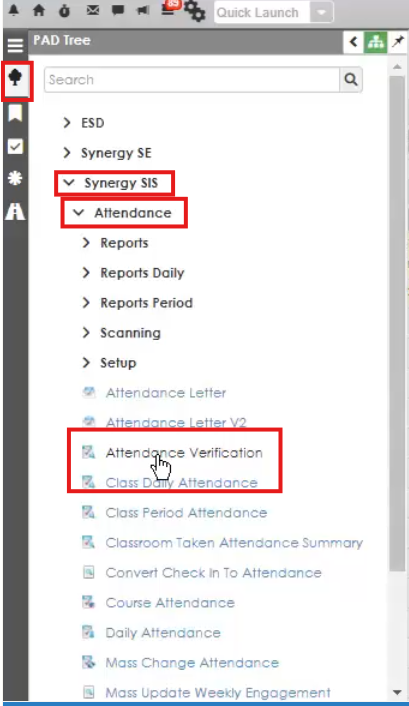
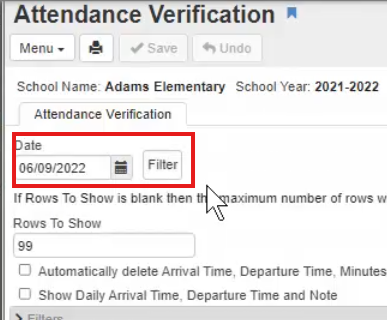
You can them spot check students to ensure the attendance is updated correctly.
MENTAL HEALTH DAYS IN SCHOOL
Public Act 102-266, House Bill 576
The Compulsory Attendance Article of the School Code is amended to allow students to take up to five absences for mental or behavioral health; after the second mental health day used, they may be referred to the appropriate school support personnel.
Link to full Public Act 102-266
Overview:
Use of up to 5 excused absences without a medical note
Opportunity to make up any missed school work
After second mental health day is used, may be referred to school support personnel
Considered a “valid cause” for absence; Chronic truant is defined as child who is absent without valid cause
General Steps Taken at School Level:
Parent notifies the school that their child is absent and using a mental health day.
Secretary codes the mental health day.
When attendance is pulled monthly (or more frequently), staff (admin or secretary) will sort by mental health day code and create a list of students who have utilized more than 2 days.
If 2 days have been utilized, a referral to social worker (elem level) or counselor (MS/HS level) should be made for an initial session. Admin/ school support personnel may use judgment if the days are more than 3 months apart.