Adobe - Acrobat Common Issues

  1. 1

    Installation Failing Issue and resolution

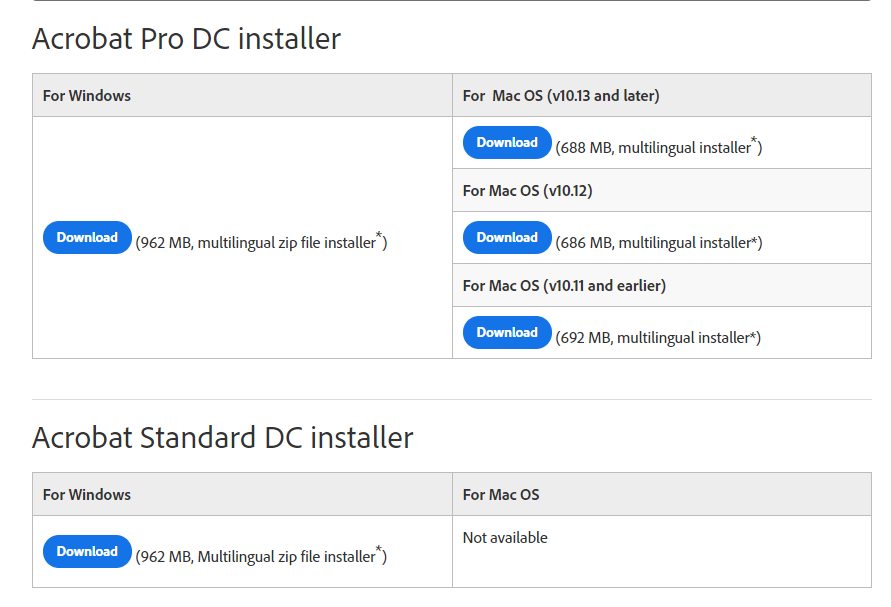
    Due to poor network connection or other issues, the Adobe Acrobat installer, which is a Stub Installer can fail.  If you are on an office network, then this is probably due to the Stub Installer being blocked.

    To resolve this, you need to download the full installer from here and run it.

    helpx.adobe.com/acrobat/kb/acrobat-dc-downloa...

  2. 2

    After Combining files in Adobe Acrobat the Fields are bliking

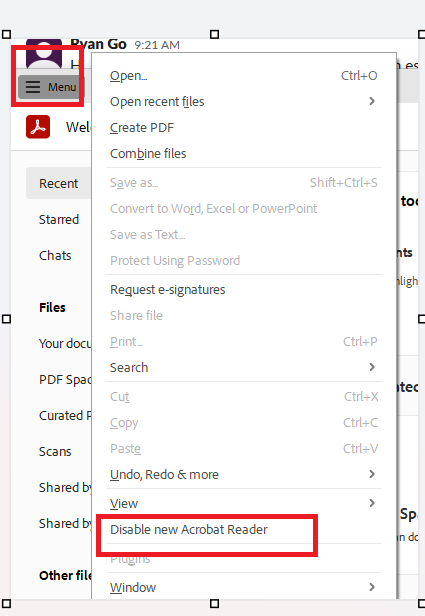
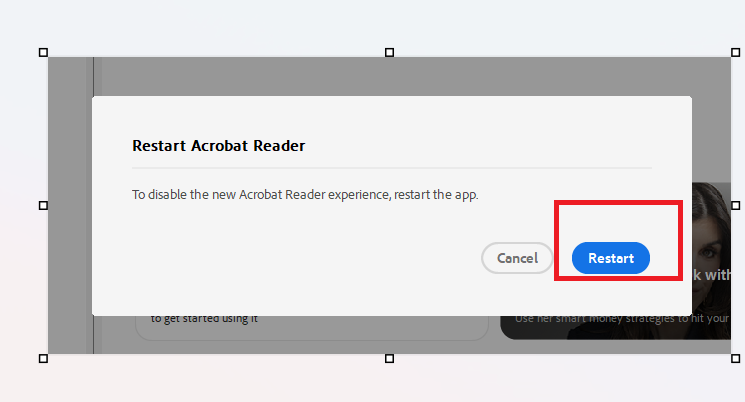
    One possible solution to try is to disable New Acrobat from the Menu

    • Open Adobe Acrobat or Adobe Acrobat Reader.
    • Click the Menu (the hamburger icon with three horizontal lines) in the upper-left corner.
    • Select Disable new Acrobat.
    • Click Restart on the prompt box that appears

    Reference ticket: T20260610.0279