
Generating the report to get the Most Visited Documents
Analytics report showing which SOPs are being accessed the most.
-
1Navigate to "Reports" section
1. Open Your Account Menu
In the top-right corner of the SweetProcess dashboard, click on your Profile Name.
A dropdown menu will appear. Click on My Account to enter your administrative settings.
2. Access the Reports Tab
Once you are in the account settings page, look at the sidebar on the left side of the screen. Scroll down until you see the Reports tab.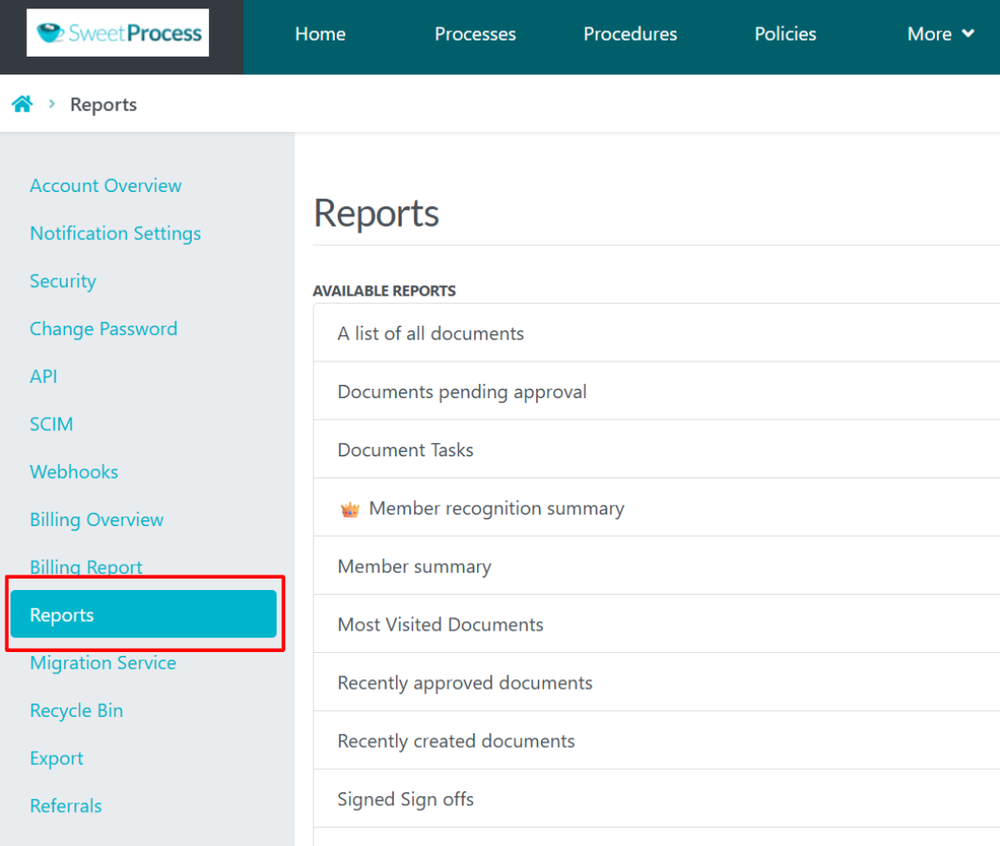
-
2Click on "Most Visited Documents"You will now see a list of Available Reports on the right side of the page.
Click on "Most Visited Documents"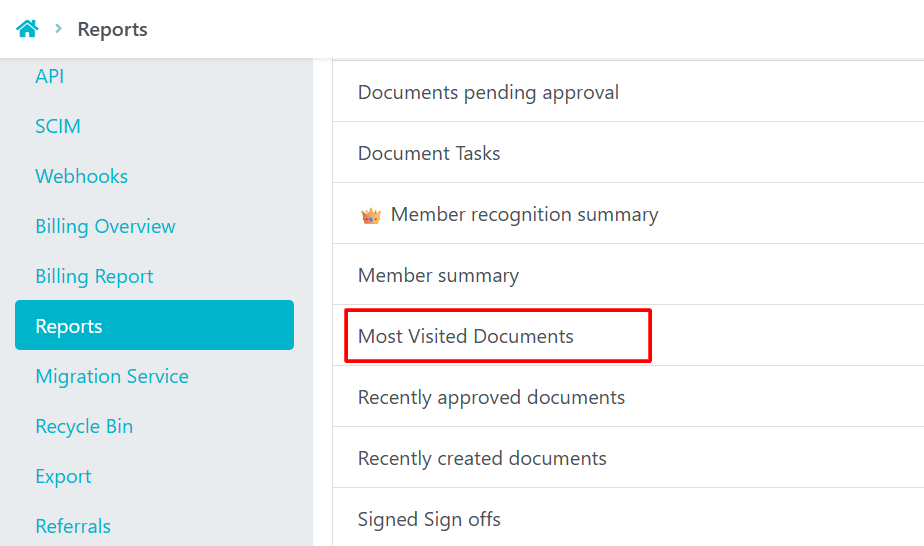
-
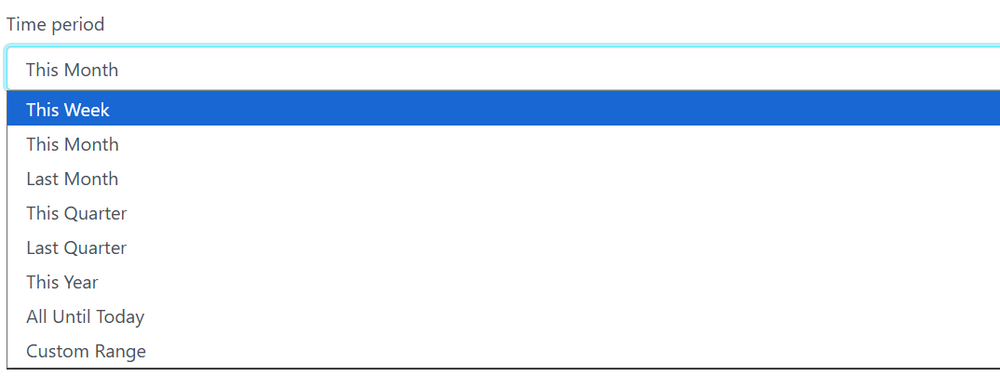
3Select the Time periodYou can generate the report based on different Date Ranges available or select your own range.
-
4View / Download the ReportAfter selecting the Date Range click on Run Report.
Post that the report will be available to see in the dashboard and from their you can download the report as CSV as well.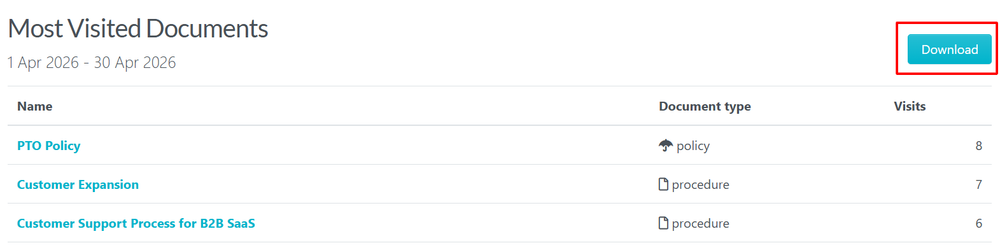
Did this answer your question?
If you still have a question, we’re here to help. Contact us