
Creating a Product in SweetProcess
Setting Up A Product In Sweetprocess Is A Powerful Way To Package Your Intellectual Property Or Standard Operating Procedures (Sops) For Distribution. This Feature Effectively Turns A Specific Team’s Content Into A "Template" That Can Be Deployed Into Another Sweetprocess Account Instantly.
-
1Organize Your ContentBefore creating the Product, ensure all the documents you wish to share are housed within a single Team.
-
2Creating the ProductThere are two ways you can create a Product.
1.Navigate to the Teams section and from the list of Teams click on the three vertical dots to the extreme right and click on Create Product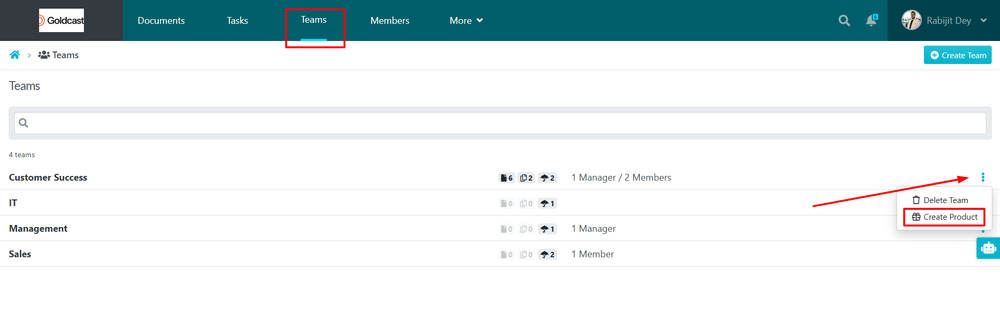 2. Navigate to the Teams section and click on the Team where you want to create the Product and Click on Products Sub-Tab and Click on Add Product.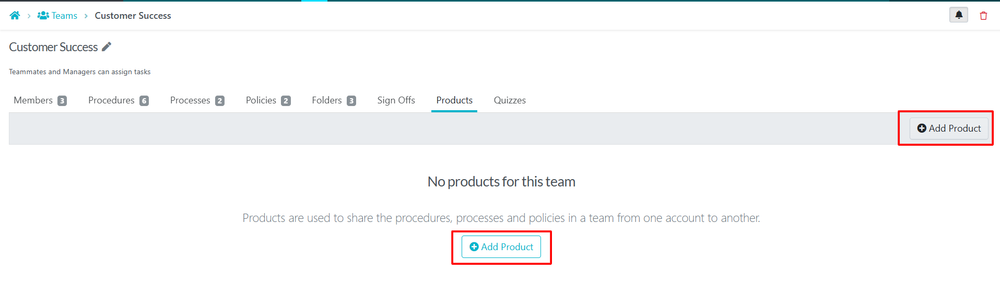
-
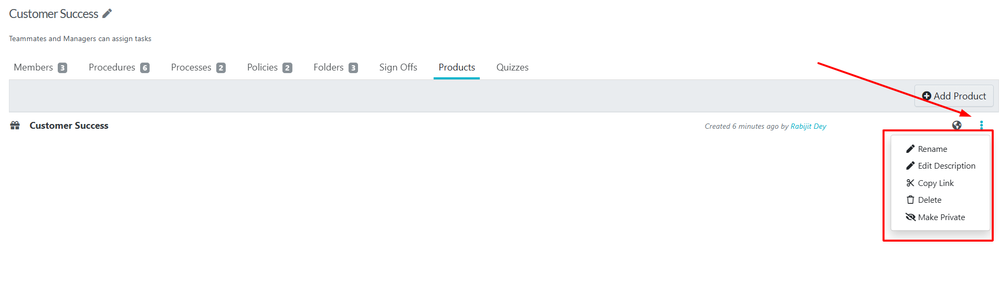
3Copying Product URL and other customizationsOnce the product is created you can see it under the list of Products and click on the three vertical dots to the extreme right and get multiple options
You can:- Rename the Product
- Edit the Description
- Copy the product link for sharing
- Delete the product
- Make it private so that nobody can access the product using the link.
-
4Product is ready to be SharedNow the Product is Ready to be shared, you can click on the product and you will be able to see all the list of documents of the particular team where you created the product with an "Add to my Account" button
Anyone with another SweetProcess account can now access the link and add the documents to their Account.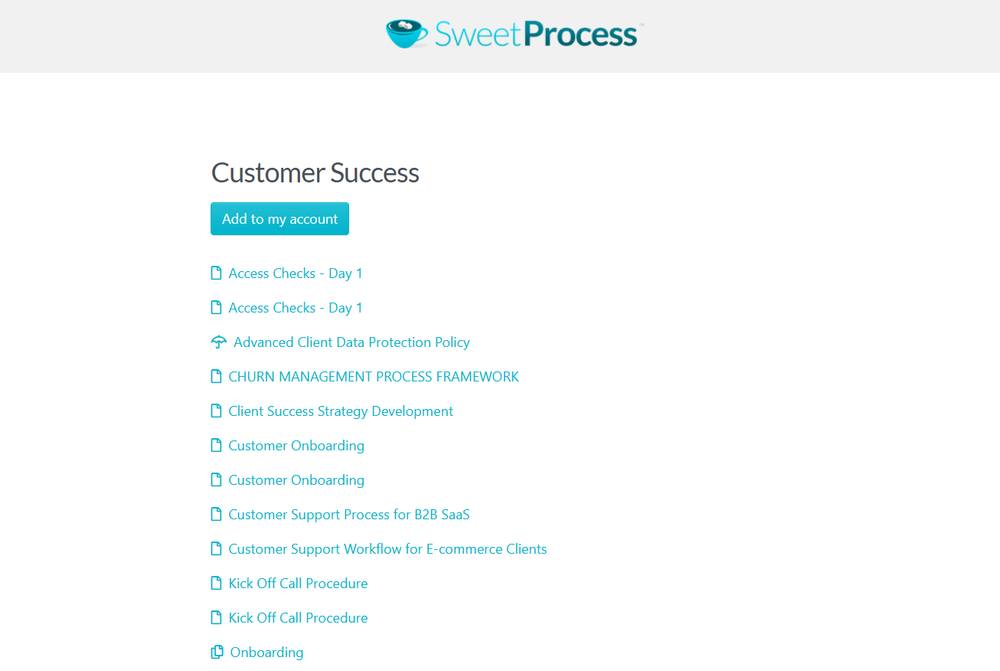
Did this answer your question?
If you still have a question, we’re here to help. Contact us