How To Update Federal W4 in Skyward Online Forms
-
1How to Update Federal W4
Log in to Skyward using Sign IN SSO
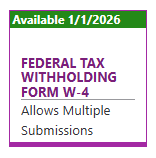
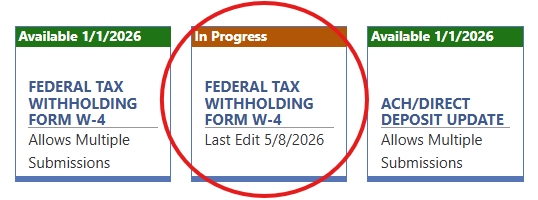
On your dashboard, please click the “Federal Tax Withholding Form W-4” tile. NOTE: Once you select the tile, it will create a new tile on your dashboard with the in progress status until you submit the form.
Your previous W4 information will appear at the top and bottom of the screen. Be sure to remove your old W4 information
Complete the fields for each step as necessary
Click Complete & Next near the top of the screen once you are finished entering the information
Click Complete & Review
After you have reviewed the information entered for each step, check the box at the bottom of the list of steps to confirm that all the above information is correct.
Click Submit Form
**Your new withholding information will be automatically updated within Skyward**
-
2How To Delete In Progress Forms
1. Click the IN PROGRESS tile you would like to delete
2. In the upper right corner, click Delete In Progress Online Form

-
3How To View Prior W-4 Updates
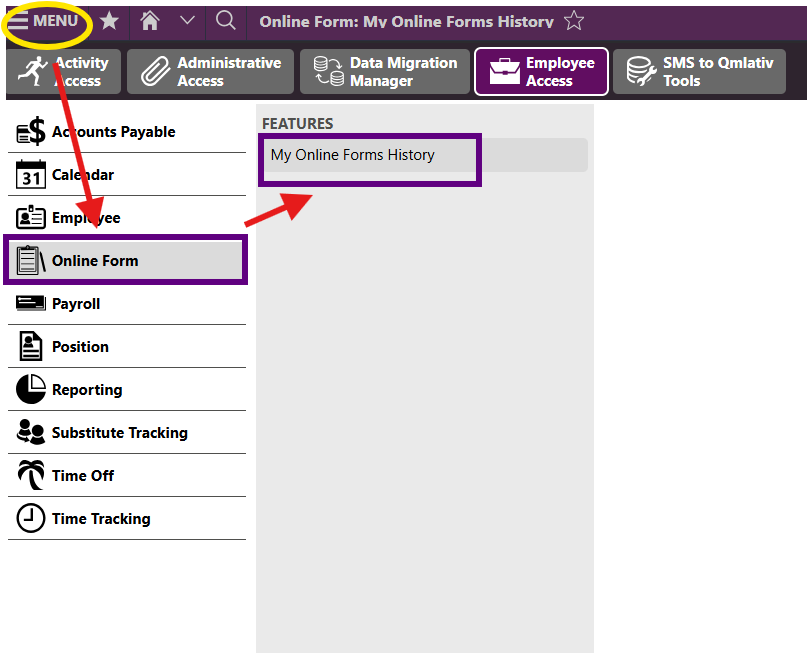
Click Menu in the upper left corner
Click Online Form
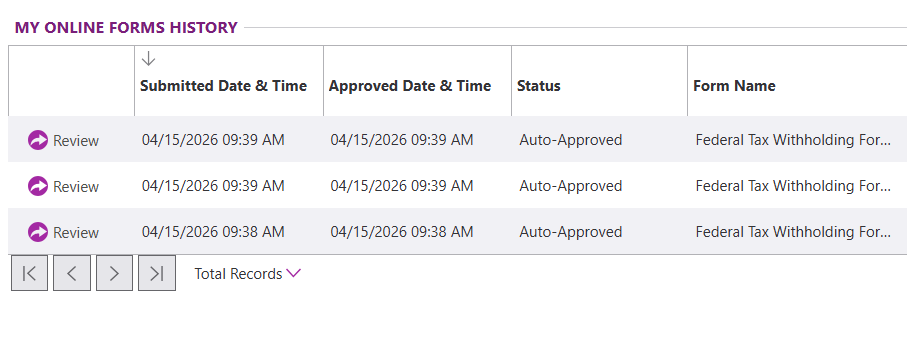
Click My Online Forms History
View your prior online forms