
How do I make an Employee a Super Teammate?
The instructions below will show you how to make an employee a super teammate so that they have account-wide access to all procedures and processes in your SweetProcess account but do not have the ability to approve drafts.
-
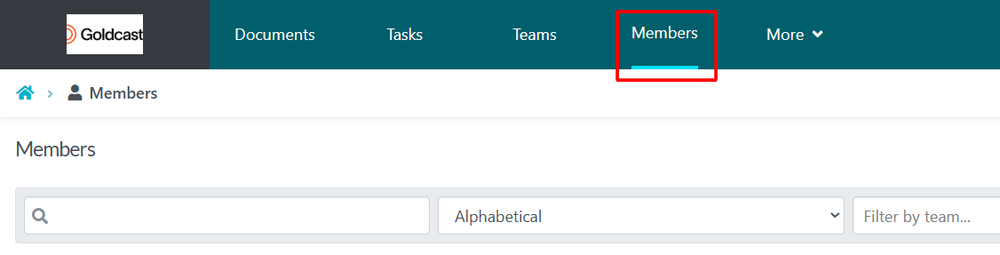
1Navigate to Members TabOn the top Navigation Bar click on Members
-
2Modifying the Members Access
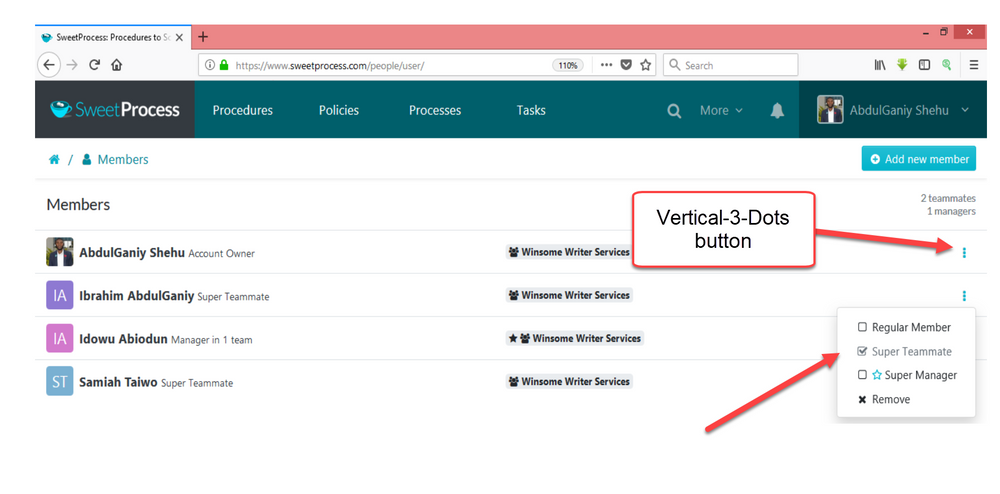
When the page opens, hover your cursor to the name of the employee, you want to make a super teammate. Click on the vertical-3-dots button and then click on the “Super Teammate” button in the drop-down menu that appears.
Did this answer your question?
If you still have a question, we’re here to help. Contact us