
How to Pay for SweetProcess by ACH Direct Debit
Connect a US bank account securely through Stripe and start your SweetProcess subscription.
At a glance: Choose USD at checkout, select US bank account, verify the account with Link or manual entry, and submit the subscription. ACH payments normally remain in processing for 3–4 business days.
Before you begin:
The checkout presentment currency must be USD. If another currency is selected, the US bank account option will not appear.
You need a US bank account that supports ACH debits.
Have access to the bank account and the email address used for the SweetProcess subscription.
At a glance: Choose USD at checkout, select US bank account, verify the account with Link or manual entry, and submit the subscription. ACH payments normally remain in processing for 3–4 business days.
Before you begin:
The checkout presentment currency must be USD. If another currency is selected, the US bank account option will not appear.
You need a US bank account that supports ACH debits.
Have access to the bank account and the email address used for the SweetProcess subscription.
-
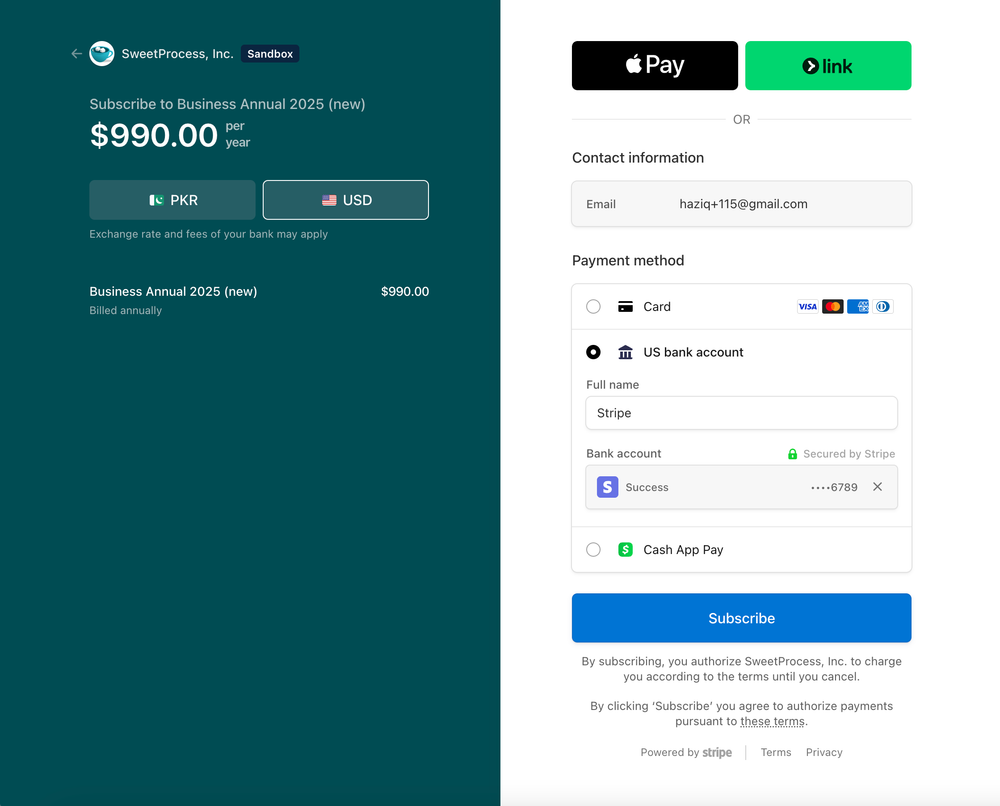
1Select USD at Check-OutOn the SweetProcess subscription checkout page, select USD as the payment currency. The bank-payment option is available as US bank account, which is ACH Direct Debit.
-
2Choose US bank accountUnder Payment method, select US bank account. Enter the account holder’s full name, then connect or enter the bank account.
-
3Verify the bank account
Stripe offers two verification paths:
Link / instant verification: Connect the bank through Stripe Link (Financial Connections). This is the fastest option and can verify the account immediately.
Manual entry: Enter the routing and account details manually. Stripe may send two small deposits to the bank account. These generally arrive in 1–2 business days; use the verification link in Stripe’s email to confirm the amounts.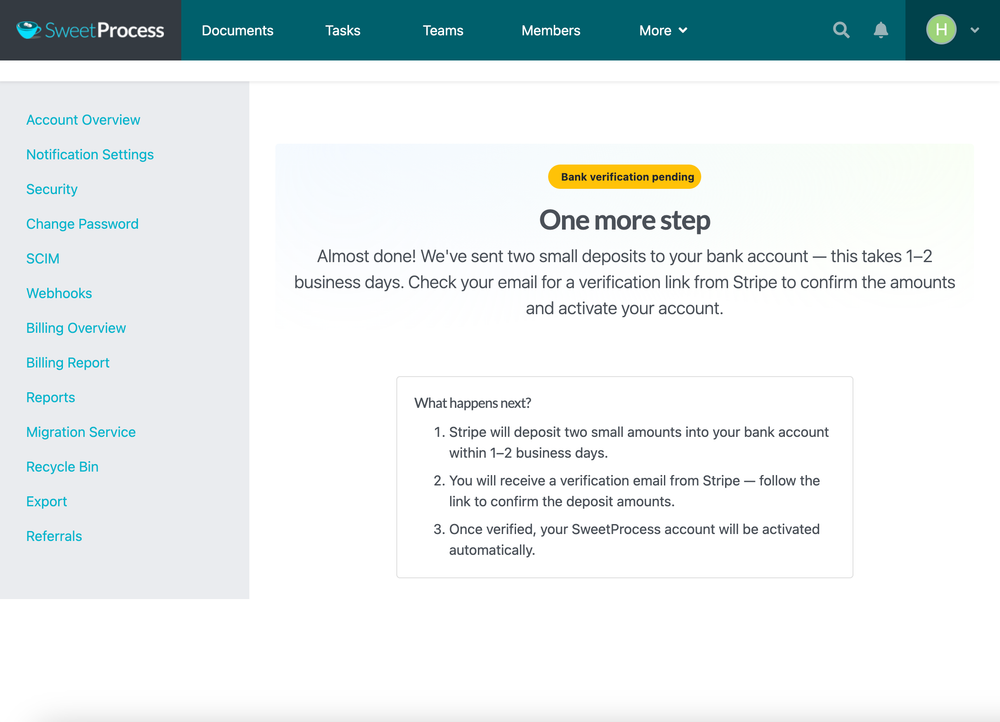 Manual verification: Until the microdeposit amounts are confirmed, Billing Overview shows "Payment Processing" next to the plan name.
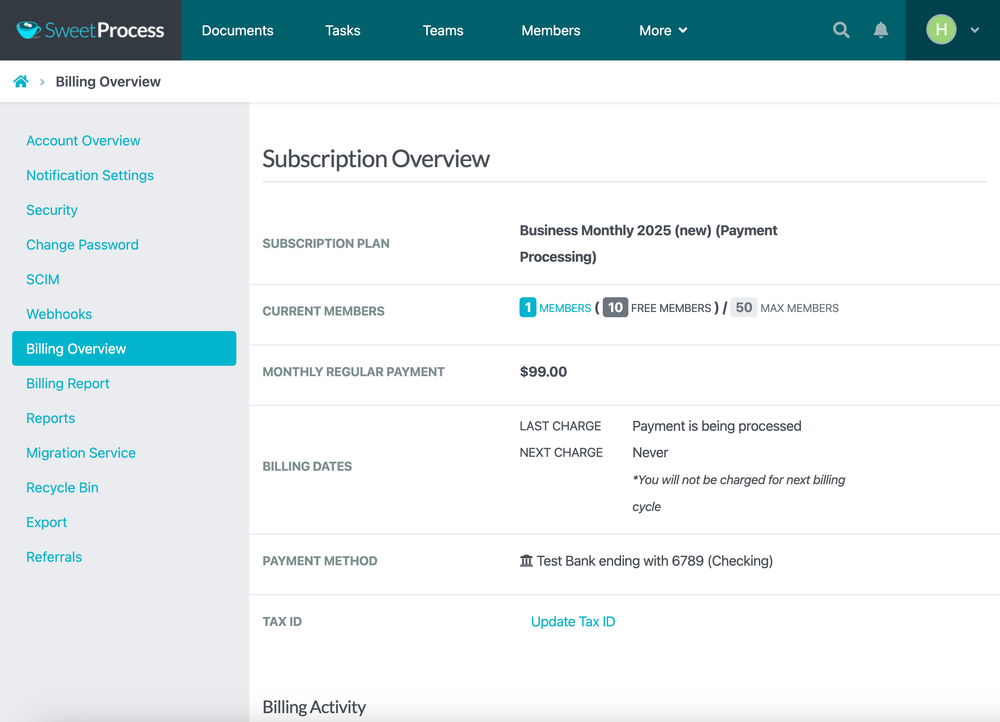 Activation: SweetProcess is activated after verification succeeds and Stripe moves the payment into processing which can take 3-4 business days to settle.
-
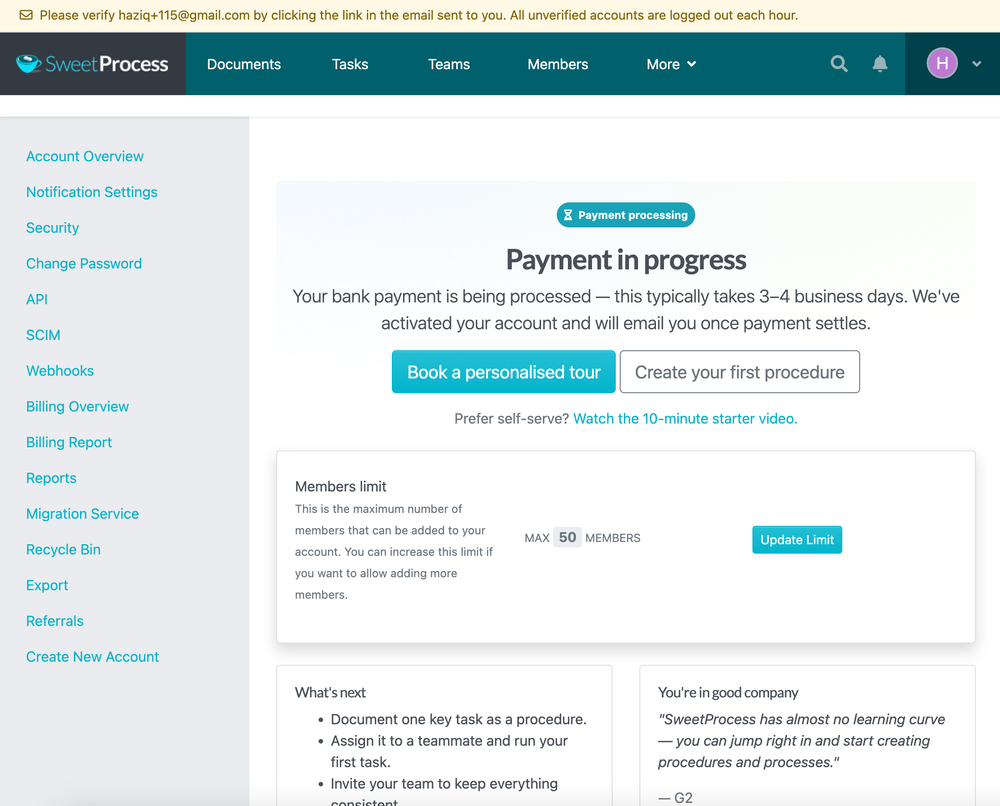
4What happens after you subscribeWhen Stripe changes the ACH payment to Processing, your SweetProcess account is activated so you can begin using it while the bank transfer settles. This is not final confirmation that the funds have cleared.
-
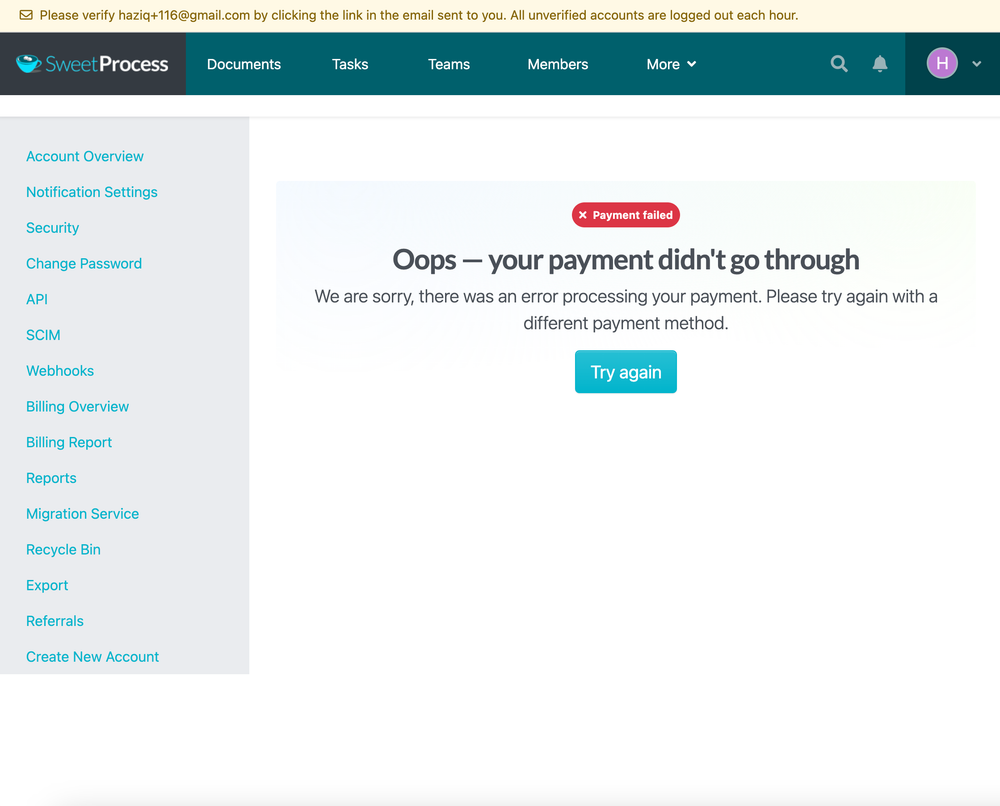
5If the payment is unsuccessfulA bank can still return an ACH debit after the subscription has been provisionally activated—for example, because of insufficient funds or incorrect bank details. If Stripe reports the payment as unsuccessful, Stripe cancels the subscription. SweetProcess’s automated dunning process then closes the associated SweetProcess account and you get to Try Again.
-
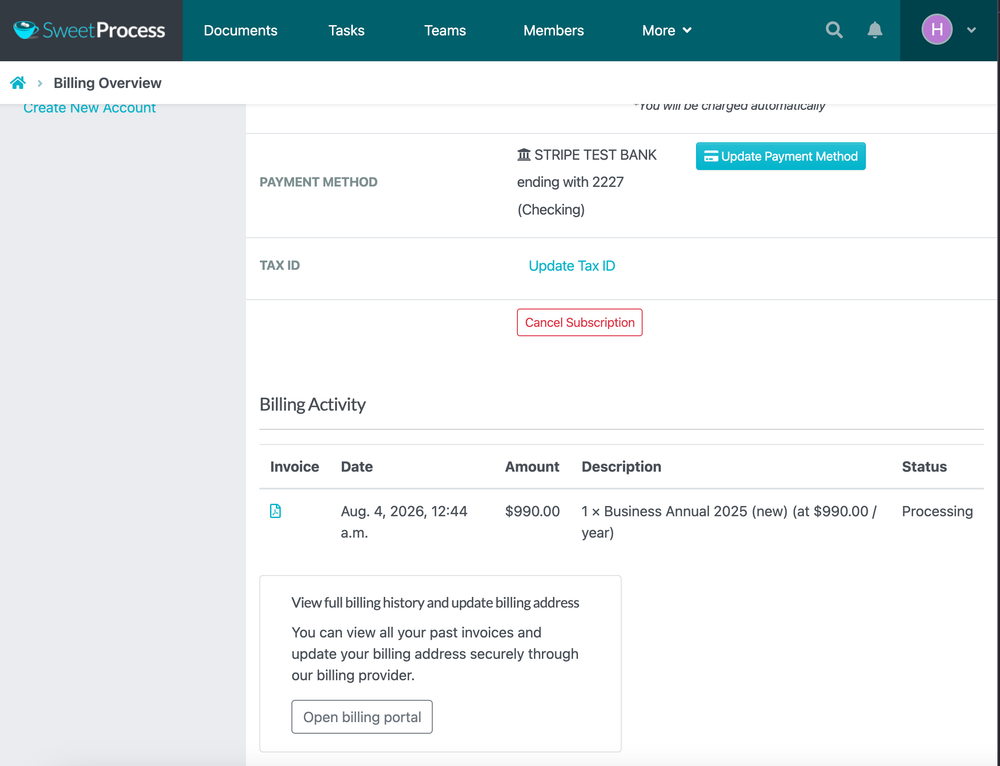
6Check the payment statusOpen your account settings and go to Billing Overview. Your linked bank account is shown by bank name, account type, and the last four digits. Billing Activity shows the invoice and its current status, such as Processing.
Did this answer your question?
If you still have a question, we’re here to help. Contact us