Last Updated on August 11, 2026 by Owen McGab Enaohwo

There is a skills problem across businesses. According to a LinkedIn Business Solutions Report, 49 percent of talent managers recognized a skills crisis in their organizations, while 91 percent believed ongoing training was essential for resolving this issue.
The rising popularity of training documentation software is driving more organizations to use it for skill development. But are they choosing the right one?
We reviewed several training documentation tools and shortlisted nine based on their features, adaptability, and affordability.

Table of Contents
What Is Training Documentation Software?
What Makes the Best Training Documentation Tool?
Quick Comparison: 9 Best Training Documentation Software
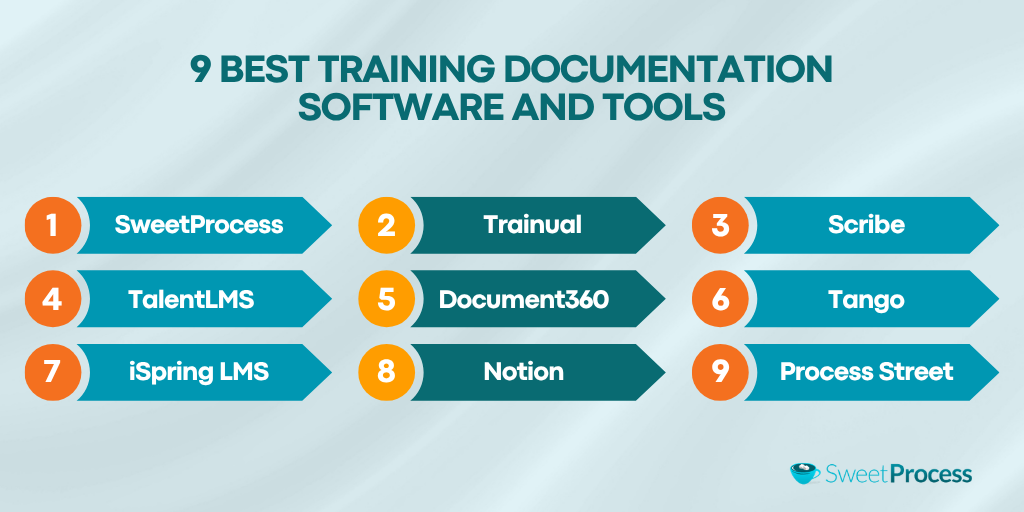
9 Best Training Documentation Software and Tools
- SweetProcess: Best for SOP-Based Employee Onboarding and Training Tracking
- Trainual: Best for Role-Based Playbooks at Growing Companies
- Scribe: Best for Auto-Capturing Step-By-Step Workflows
- TalentLMS: Best for Course-Based Online Training
- Document360: Best for AI-Powered Internal Knowledge Bases
- Tango: Best for Software Training Walkthroughs
- iSpring LMS: Best for Corporate Compliance Training
- Notion: Best for Lightweight Team Documentation and Wikis
- Process Street: Best for Checklist-Driven Recurring Training
Core Features To Look for in Training Documentation Software
Types of Training Documentation
How Businesses Use SweetProcess for Training Documentation
How To Choose the Right Training Documentation Tool
FAQs About Training Documentation Software
Create and Manage Your Employee Training in One Place Using SweetProcess
What is Training Documentation Software?
Training documentation software is an active resource for creating, organizing, and sharing training information to enhance employee performance. Documents in the system are designed to show employees how to perform specific tasks while following standardized procedures.
Unlike a typical learning management system (LMS) that offers course-based, education-style learning modules, training documentation software is interactive, providing users with engaging and on-demand information. You can search for the specific information required at a given time and reference it when needed. This need-based training saves time that would otherwise be spent sifting through unnecessary information, enabling employees to manage their time more effectively.
Training documentation software is categorized by its capabilities, including process capture, SEO playbooks, and knowledge bases. The most effective ones can perform most of these functions, if not all. Cloud-based storage is a significant part of training documentation software. This provides users with seamless access, enabling ongoing employee training without geographical barriers.
What Makes the Best Training Documentation Tool?
Approximately 80 percent of workers reported better job performance when using workflow software, primarily because the tools were relevant to their roles. While effective training documentation tools enhance business operations, ensuring their features align with your business needs can lead to more positive outcomes.
Ease of Creation: How Fast Can a Non-Technical Person Create a Training Document?
Effective training documentation software aims to streamline the creation of training materials. Unlike complex systems that only a few trained individuals can use, it is accessible to anyone with basic computer skills.
The right tool features a user-friendly interface with intuitive documentation tools, including AI-powered capabilities, that let users easily click and drag to organize their documents. It is straightforward and requires no advanced training.
From Documentation to Action: Can You Assign Training, Track Completion, and Verify Learning?
Training documentation software goes beyond basic business process documentation. It enables both the documentation and execution of procedures. For example, after documenting a training task, software such as SweetProcess allows you to administer quizzes to assess users’ understanding of the procedure. You can also facilitate employee onboarding by assigning learning tasks to specific individuals or groups to help them get acquainted with the organization and their roles.
AI Capabilities: Does the Tool Use AI To Accelerate Documentation Creation?
Using AI models to handle repetitive technical tasks and detailed work improves accuracy and efficiency. A training documentation tool that supports this is a valuable investment over time. For example, SweetAI, a feature in SweetProcess, enables you to create expert policy and procedure documents across various industries in seconds.
Search and Discoverability: Can Employees Find What They Need in Under 30 Seconds?
Employees may spend valuable time searching for documents within a system. This time can be greatly reduced with effective search software. By implementing the right training documentation tool with a search bar, the time to find documents can drop from several minutes to a few seconds. Users simply enter keywords or document titles to instantly locate what they need.
Pricing Transparency: Is the Cost Clear, or Do You Need To “Contact Sales”?
The cost of software directly affects your budget. Training documentation software with clear pricing lets you assess whether it fits your budget. When all expenses are transparently listed on the platform, you know precisely what to expect. If you need to inquire about prices, there may be hidden fees.
Quick Comparison: 9 Best Training Documentation Software
Here is a comparison of the top training documentation software and their offerings at a glance.
| Tool Name | Best For | Starting Price | Free Plan or Trial? |
| SweetProcess | SOP-based employee onboarding and training tracking | $99 per month for a team with up to 10 members, with a 16% discount on an annual plan | Yes |
| Trainual | Role-based playbooks at growing companies | Custom pricing available on request | No |
| Scribe | Auto-capturing step-by-step workflows | $25 per seat per month | Yes |
| TalentLMS | Course-based online training | $119 per month for up to 40 users | Yes |
| Document360 | AI-powered internal knowledge bases | Custom pricing available on request | Yes |
| Tango | Software training walkthroughs | $15 per month per user for a team of 3 or more users | Yes |
| iSpring LMS | Corporate compliance training | $6.91 per user a month for a team of up to 100 users | No |
| Notion | Lightweight team documentation and wikis | $10 per user per month for its Plus plan with limited features | Yes |
| Process Street | Checklist-driven recurring training | Custom pricing available on request | Yes |
9 Best Training Documentation Software and Tools
A Gartner report found that 60 percent of users regretted purchasing software shortly after because it failed to meet their needs. To avoid this, it’s essential to carefully evaluate the leading tools and determine how they best meet your business needs before making a financial commitment.
1. SweetProcess: Best for SOP-Based Employee Onboarding and Training Tracking
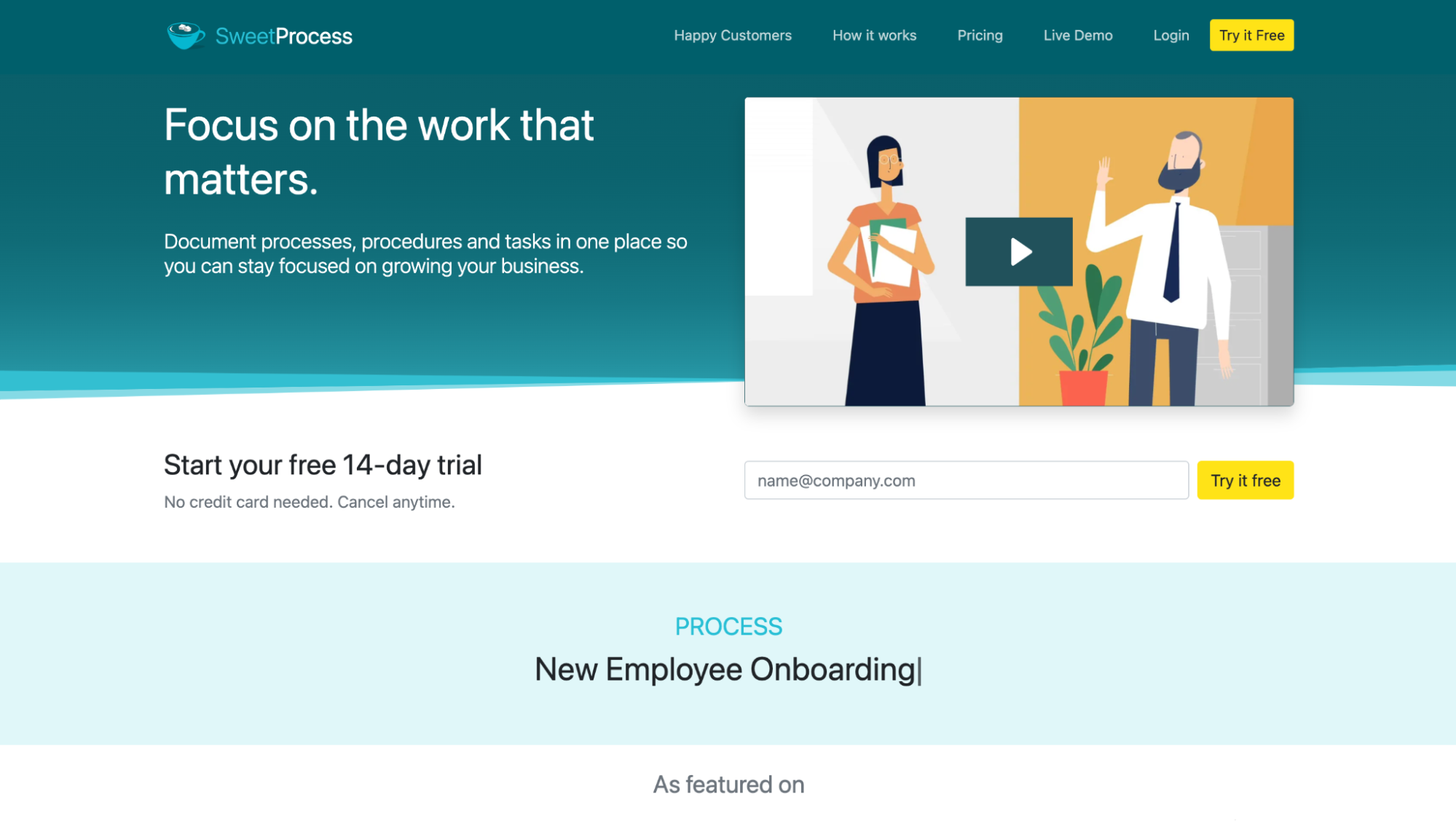
SweetProcess is a workflow software designed to document standard operating procedures (SOPs) for employee onboarding and training. It promotes compliance in daily operations by enabling businesses to develop easy-to-follow guides aligned with regulatory standards, accessible through a secure cloud system.
Providing team members with the right information in its centralized database ensures that both new and established colleagues perform to accepted standards and collaborate effectively. Several features distinguish SweetProcess and make it popular among users, including:
SweetAI: Automated Content Generation
SweetProcess utilizes advanced AI models to automatically produce training materials from an expert’s view. Unlike other comparable software with limited customization in their AI feature, SweetAI allows you extensive flexibility to edit and share the generated content.
Here’s how to use SweetAI:
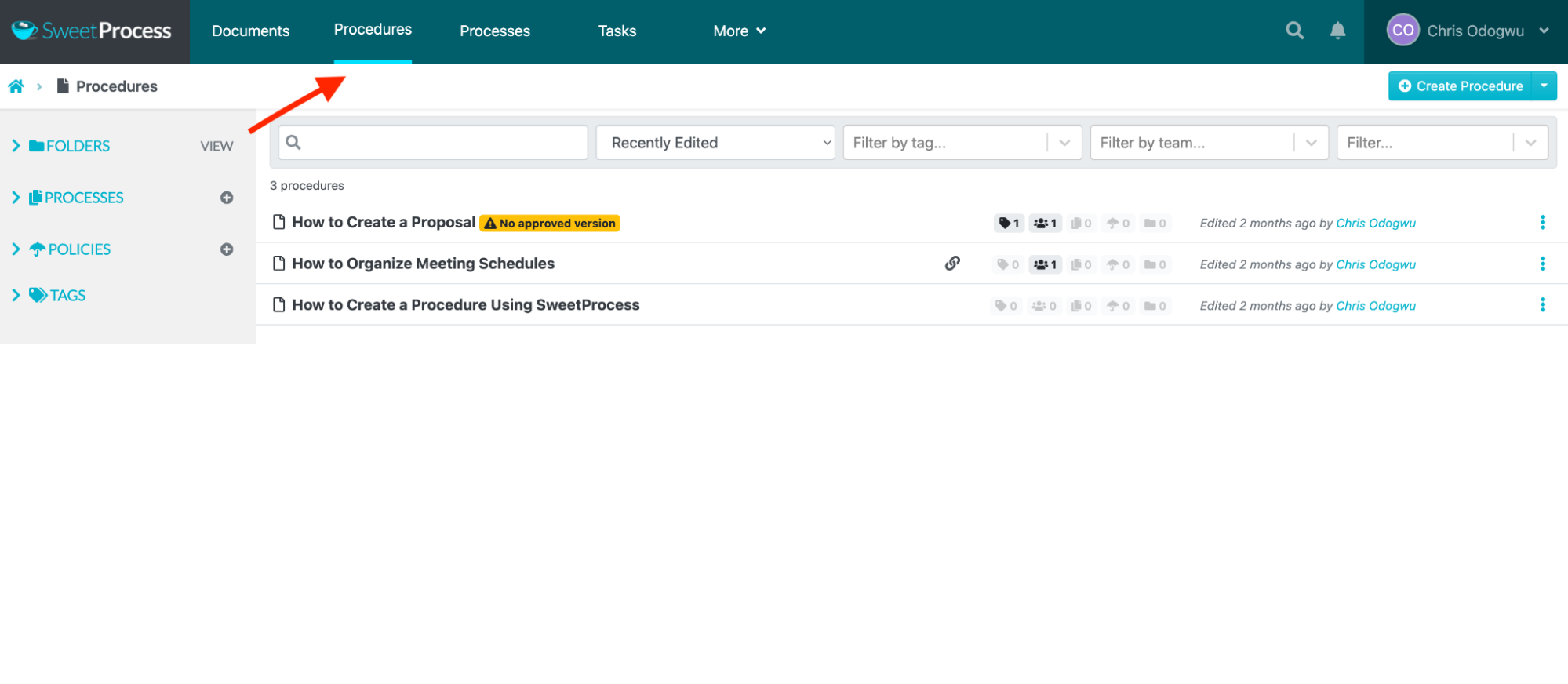
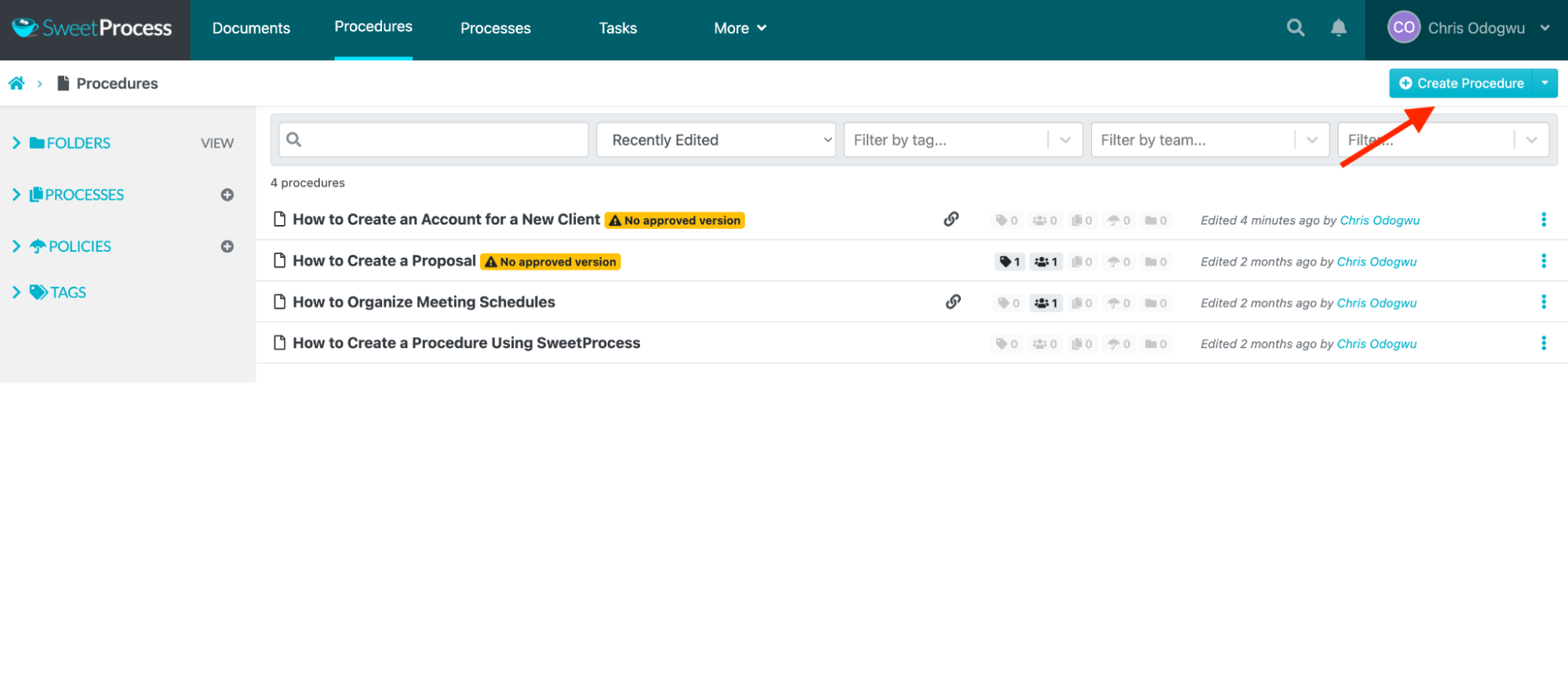
Click “Procedures” and “Create Procedure.”
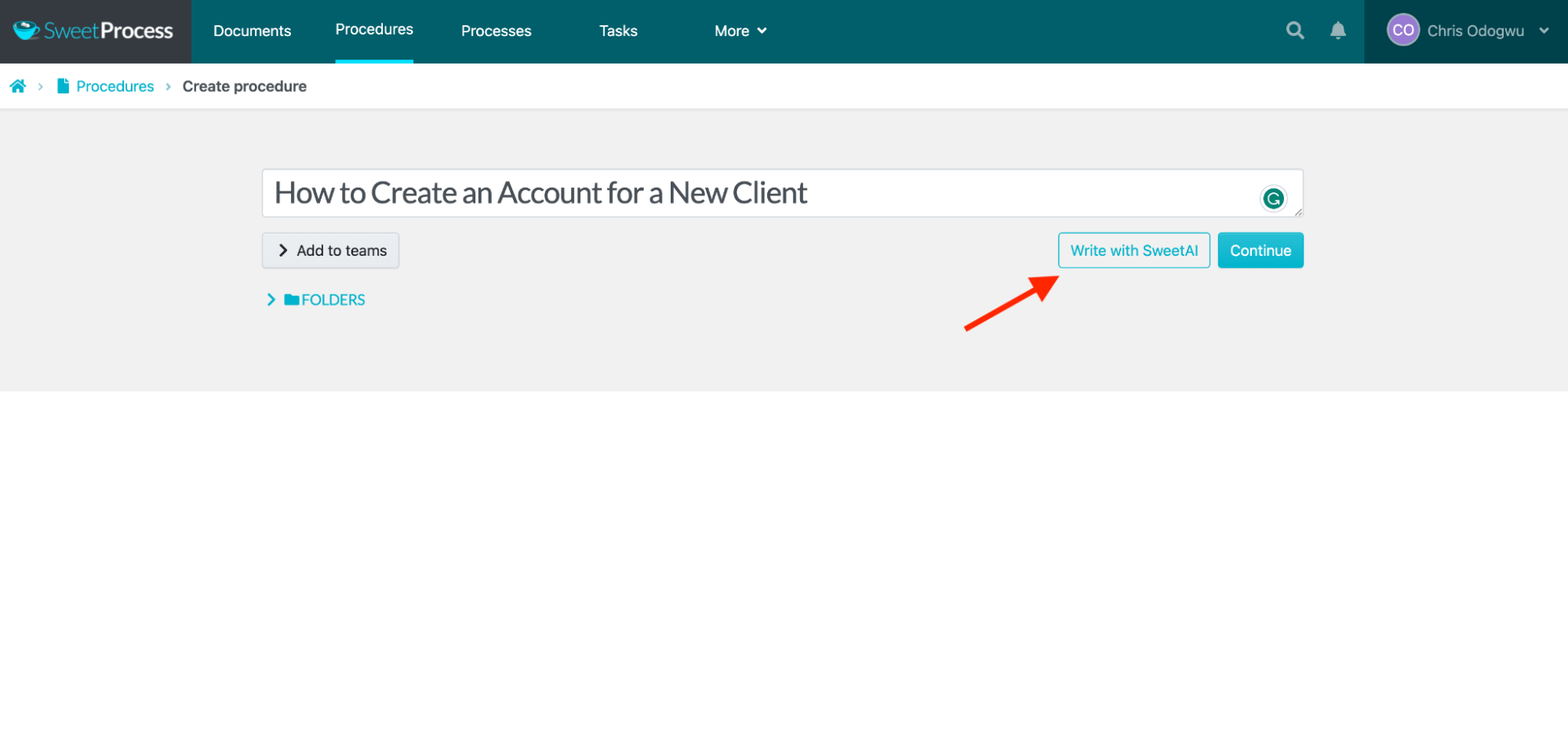
Enter the procedure title and click “Write with SweetAI.”
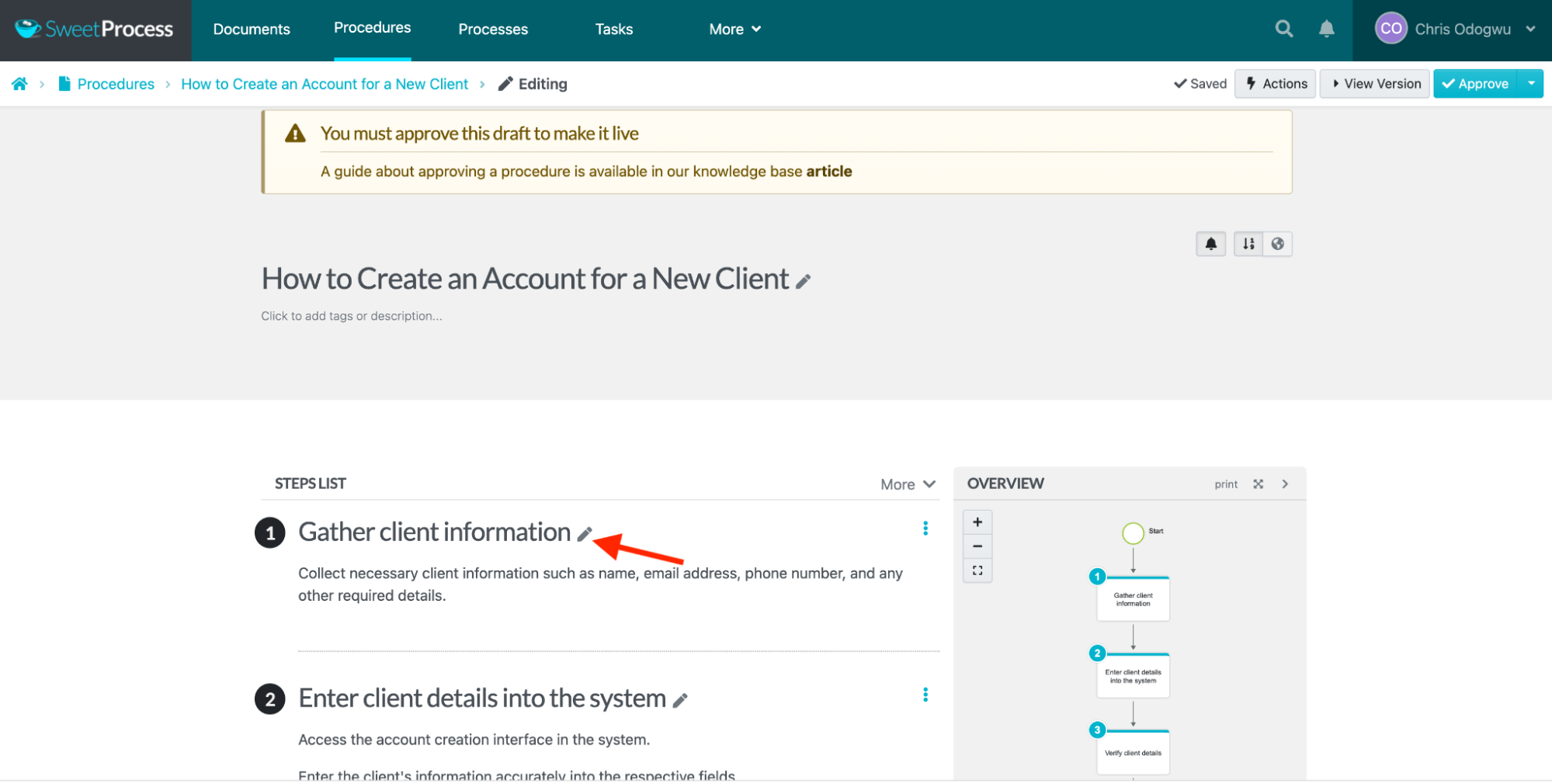
Click the pencil icon for editing.
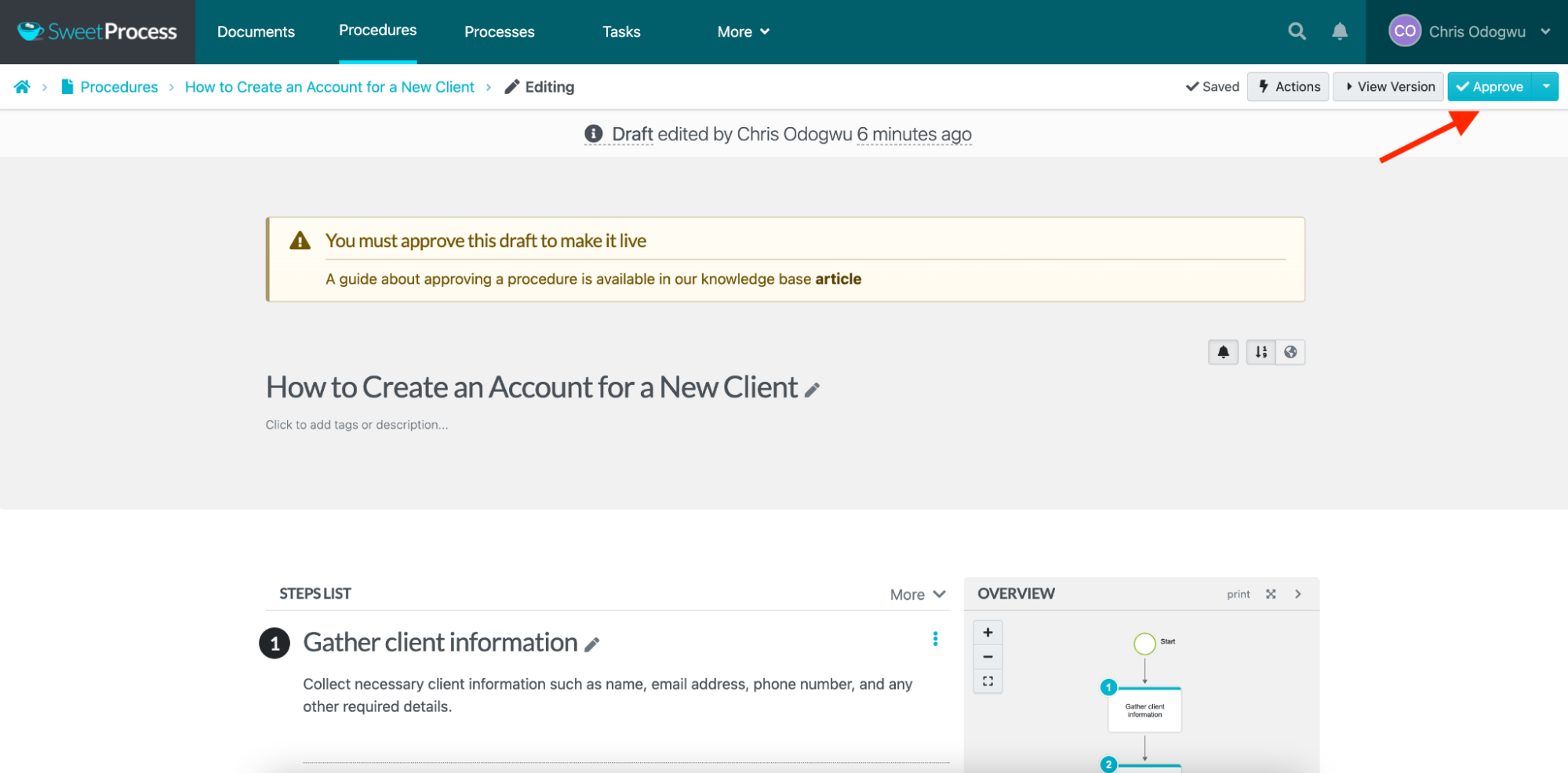
Click “Approve” to publish and distribute the guide.
Record Procedures Automatically
SweetProcess allows you to show teammates exactly how to perform tasks by recording and taking screenshots of your screen as you work. It also organizes the screenshots into a procedure for the task along with text directions.
While the end result is ready to use, you can edit it further if you want. You can also use SweetAI to automatically revise it.
Here’s how to use the screen recorder:
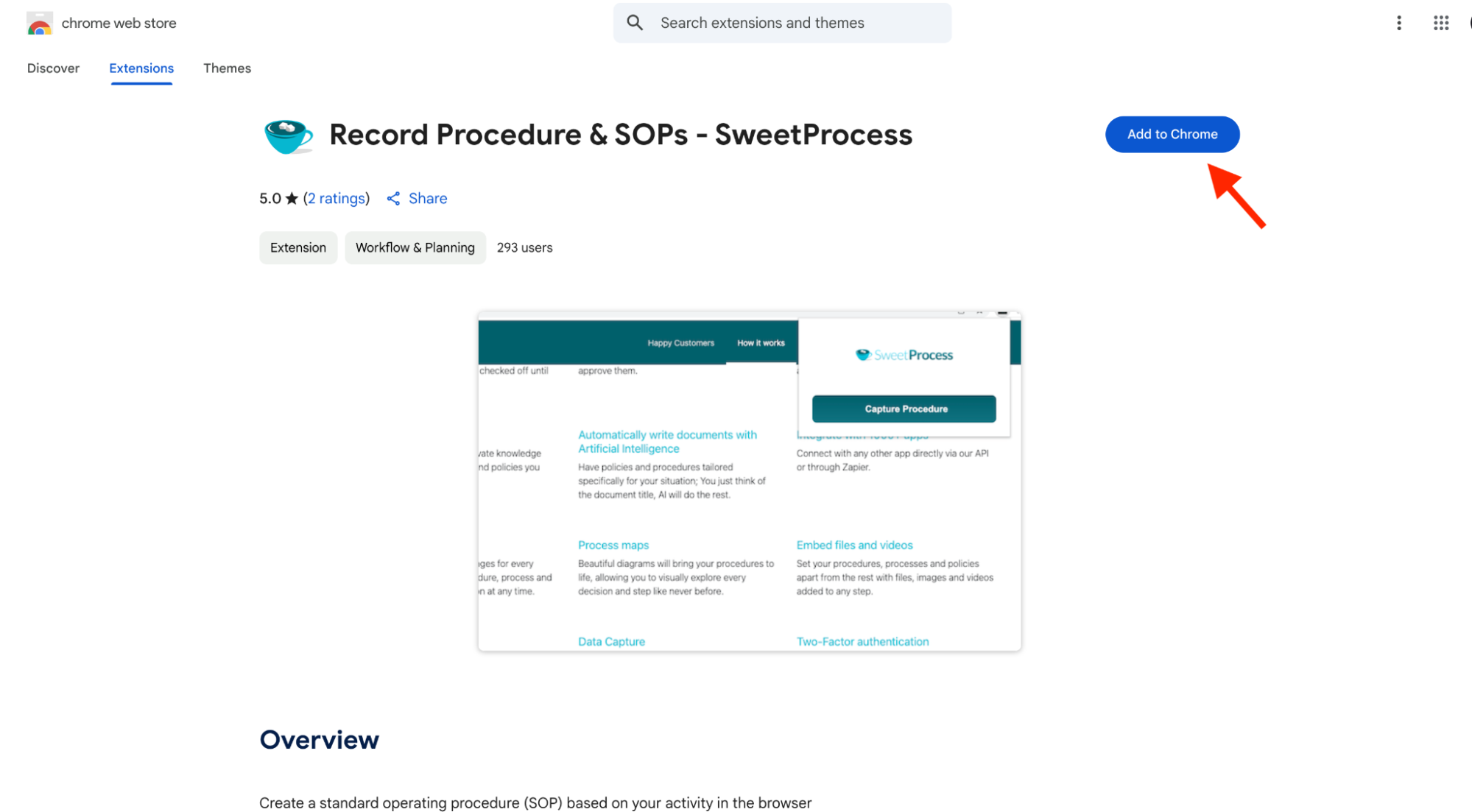
Download and install the SweetProcess Chrome Extension from the Google Play Store or the App Store.
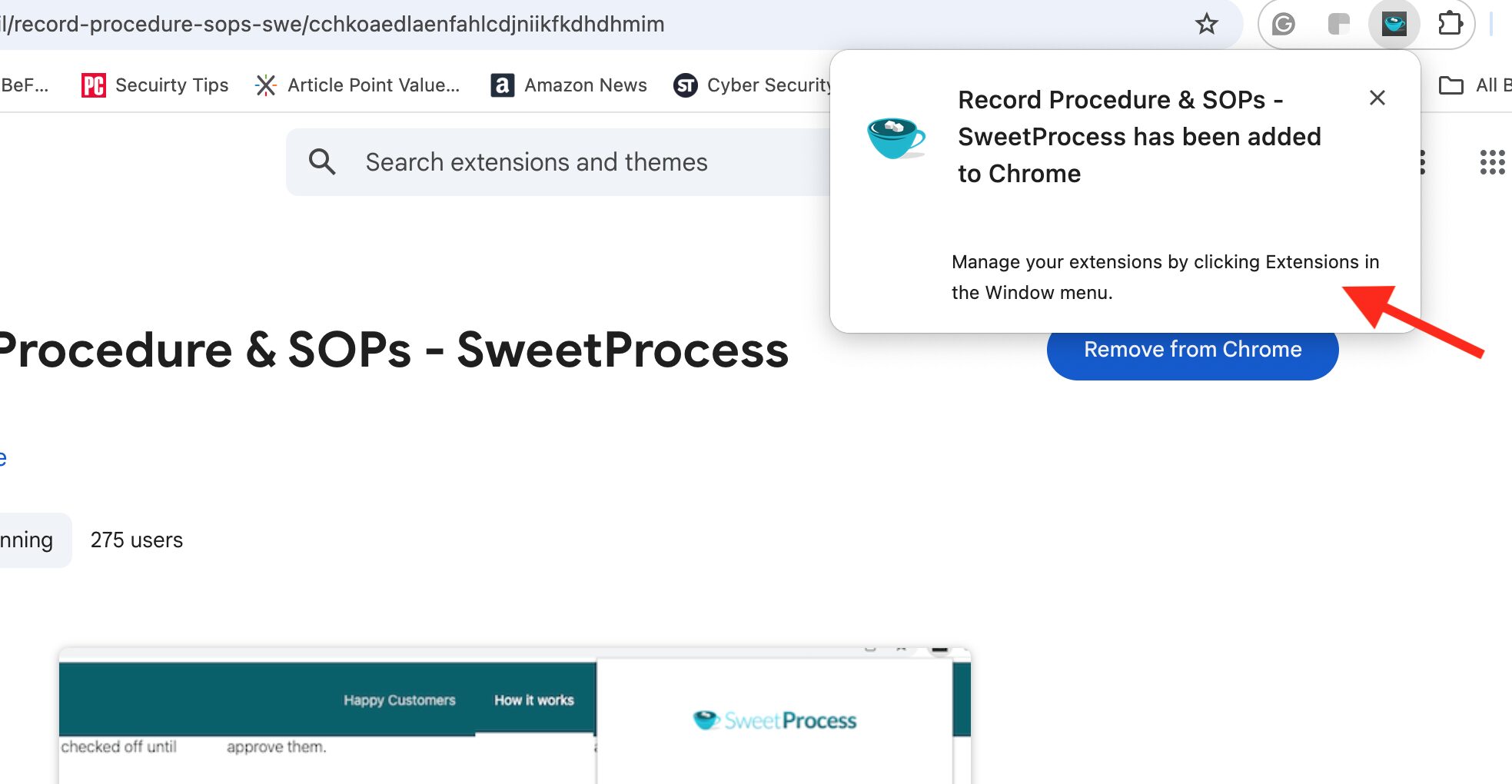
Enable and click the extension icon on your browser.
Click “Capture Procedure.”
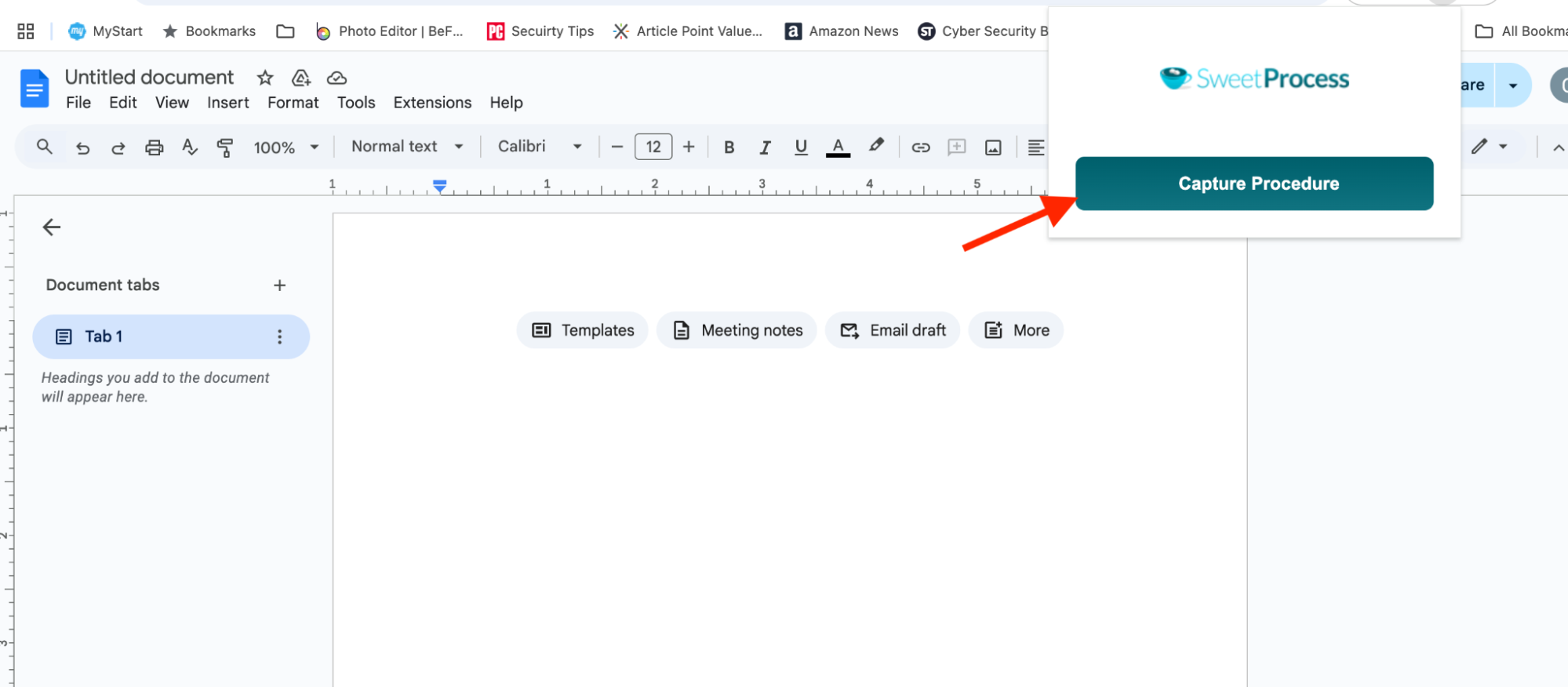
The screen recorder continuously captures your screen in the background while you work. It records all activity, even when you visit other websites. Once finished, click “Stop Capturing.”
You can save the recording directly to your SweetProcess account without needing any third-party applications.
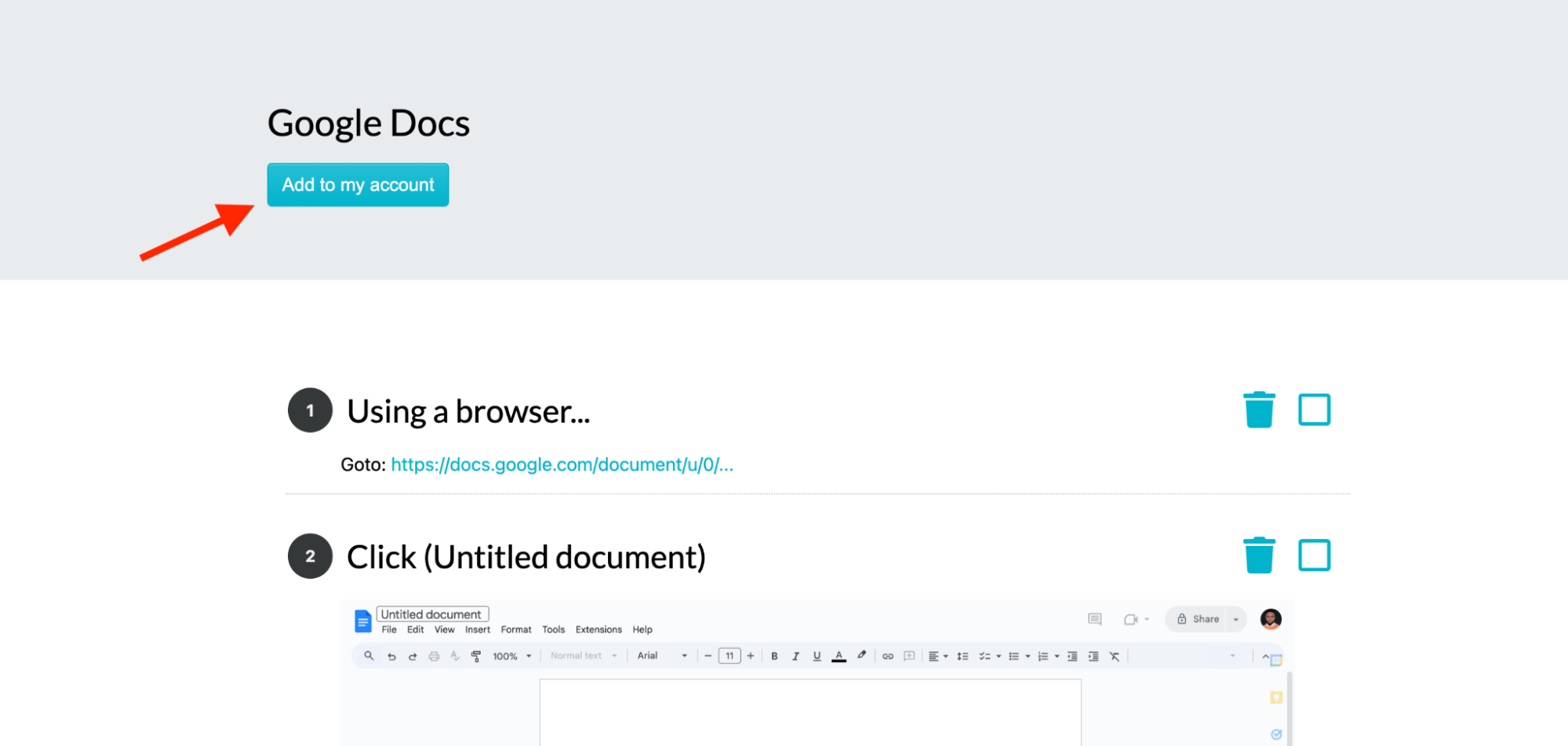
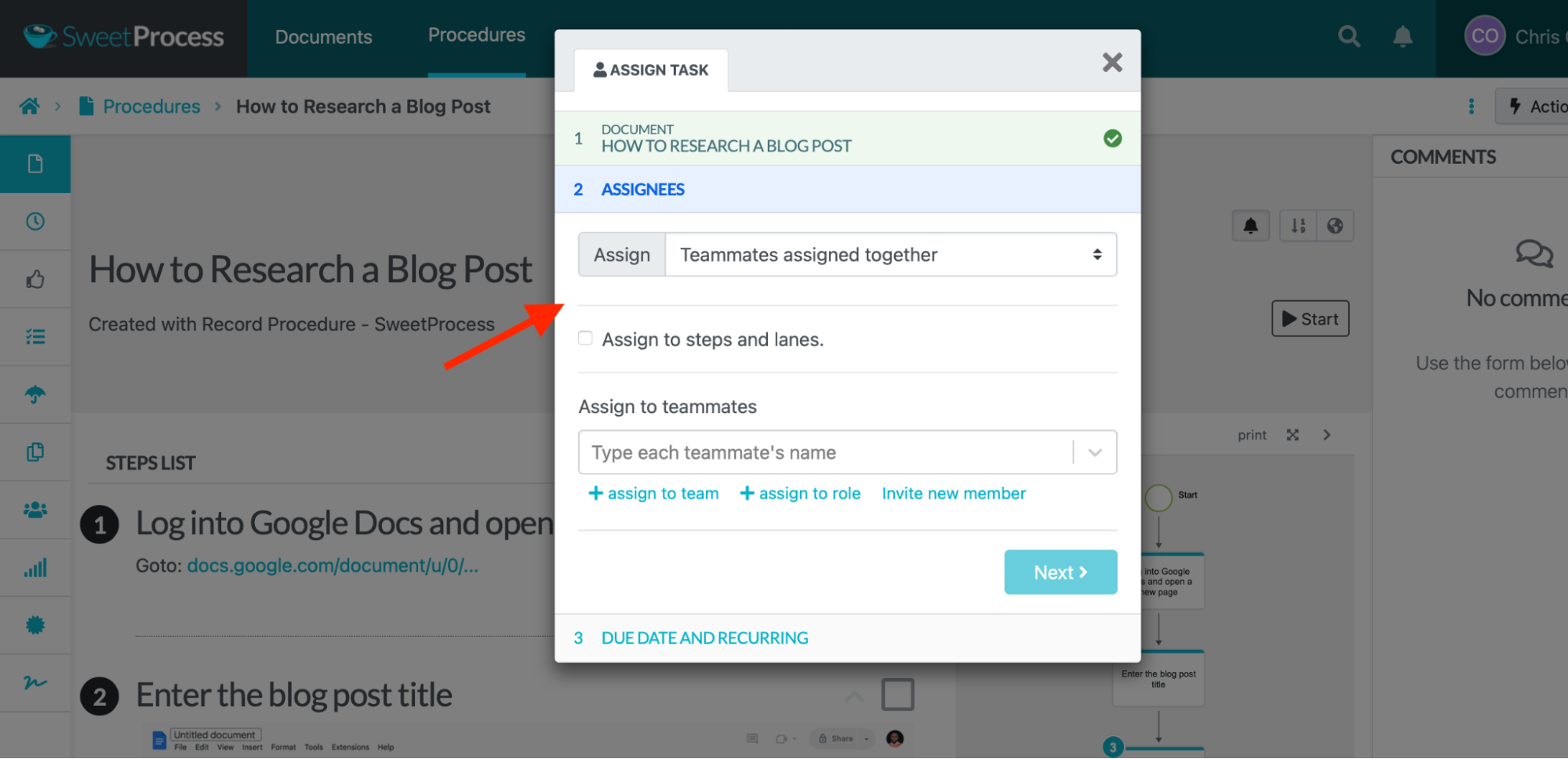
You can also assign the recording or procedure created from the screen recording to team members as training or learning tasks. Here’s how to do that:
Navigate to the document and click “Actions.”
Select your desired action from the menu.
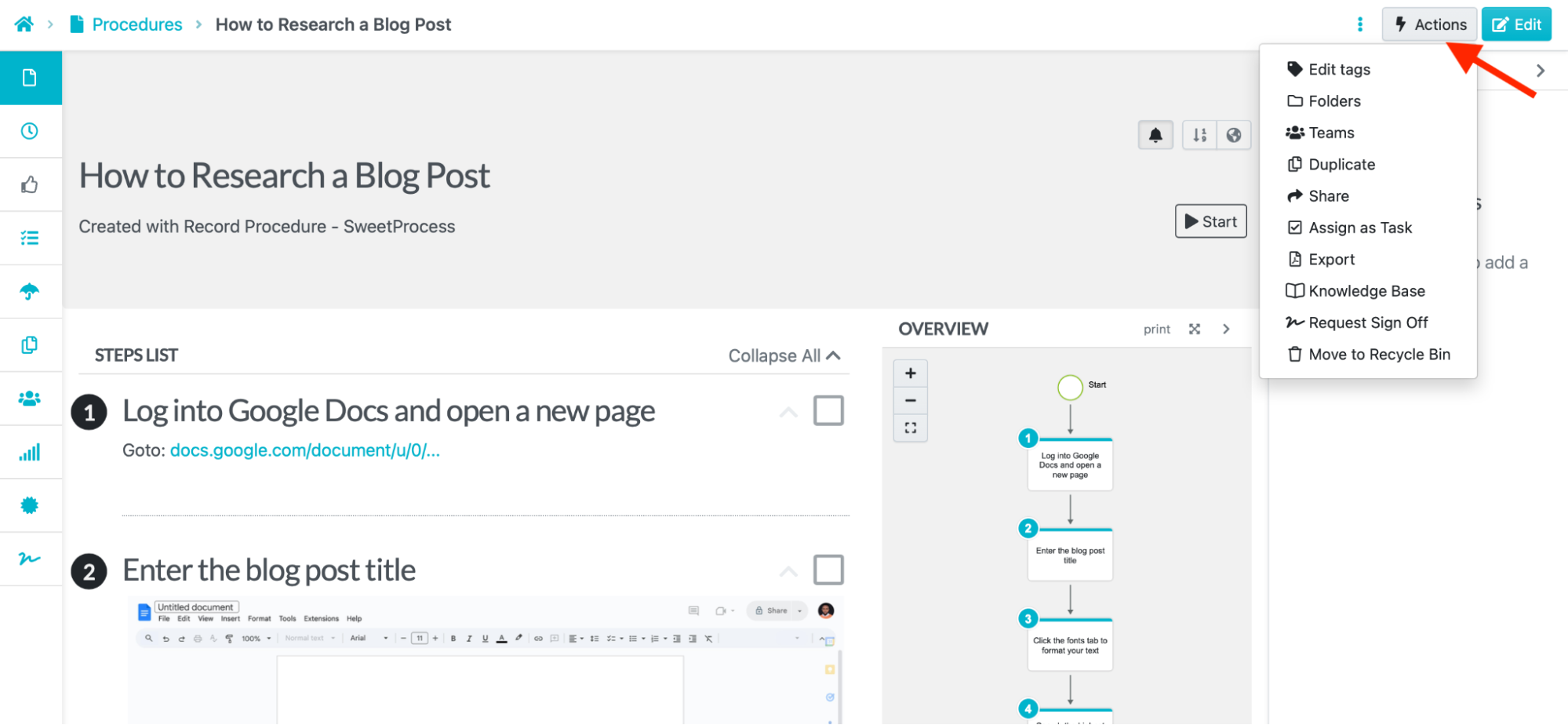
Click “Share” to share the document with select teammates.
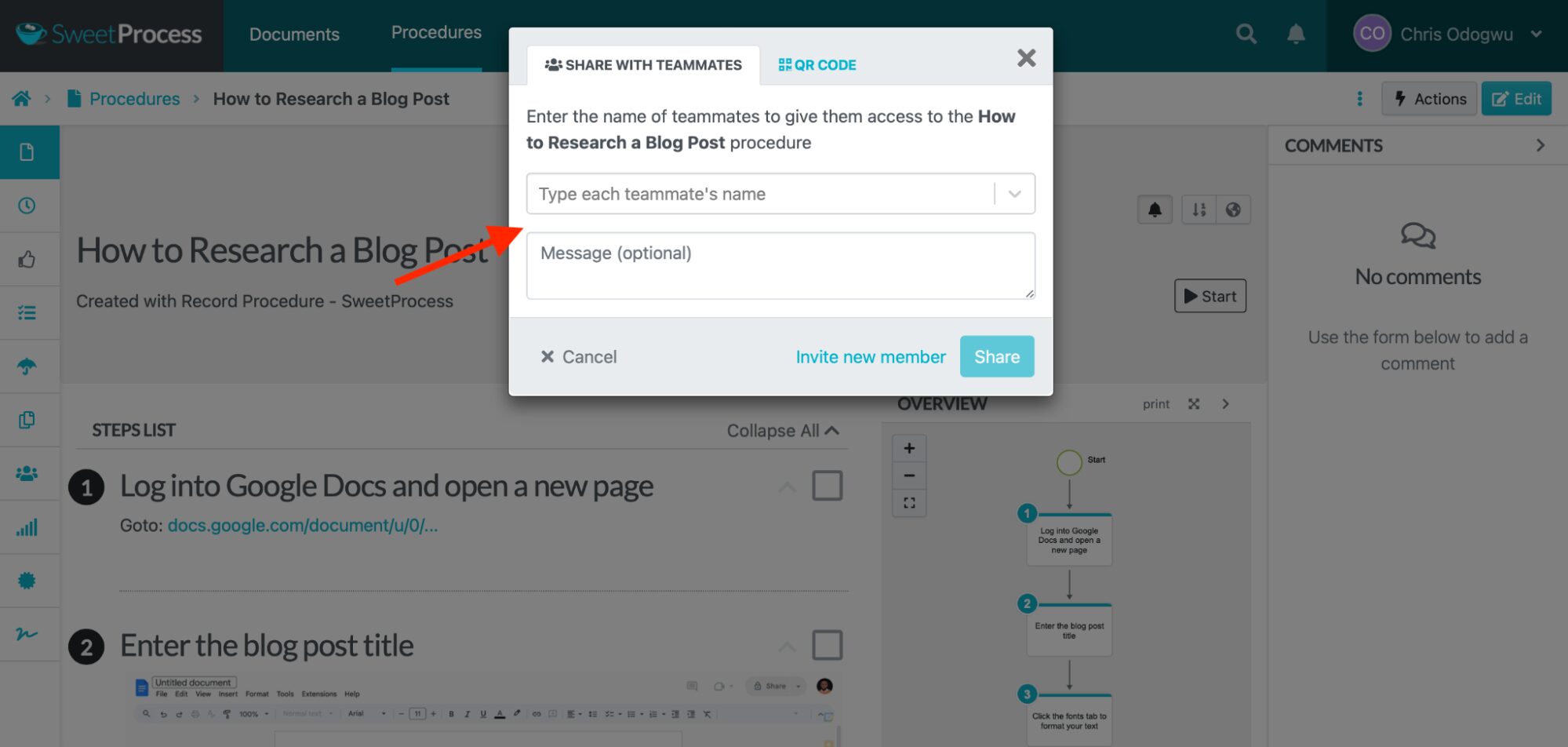
Click “Teams” to assign to an entire team.
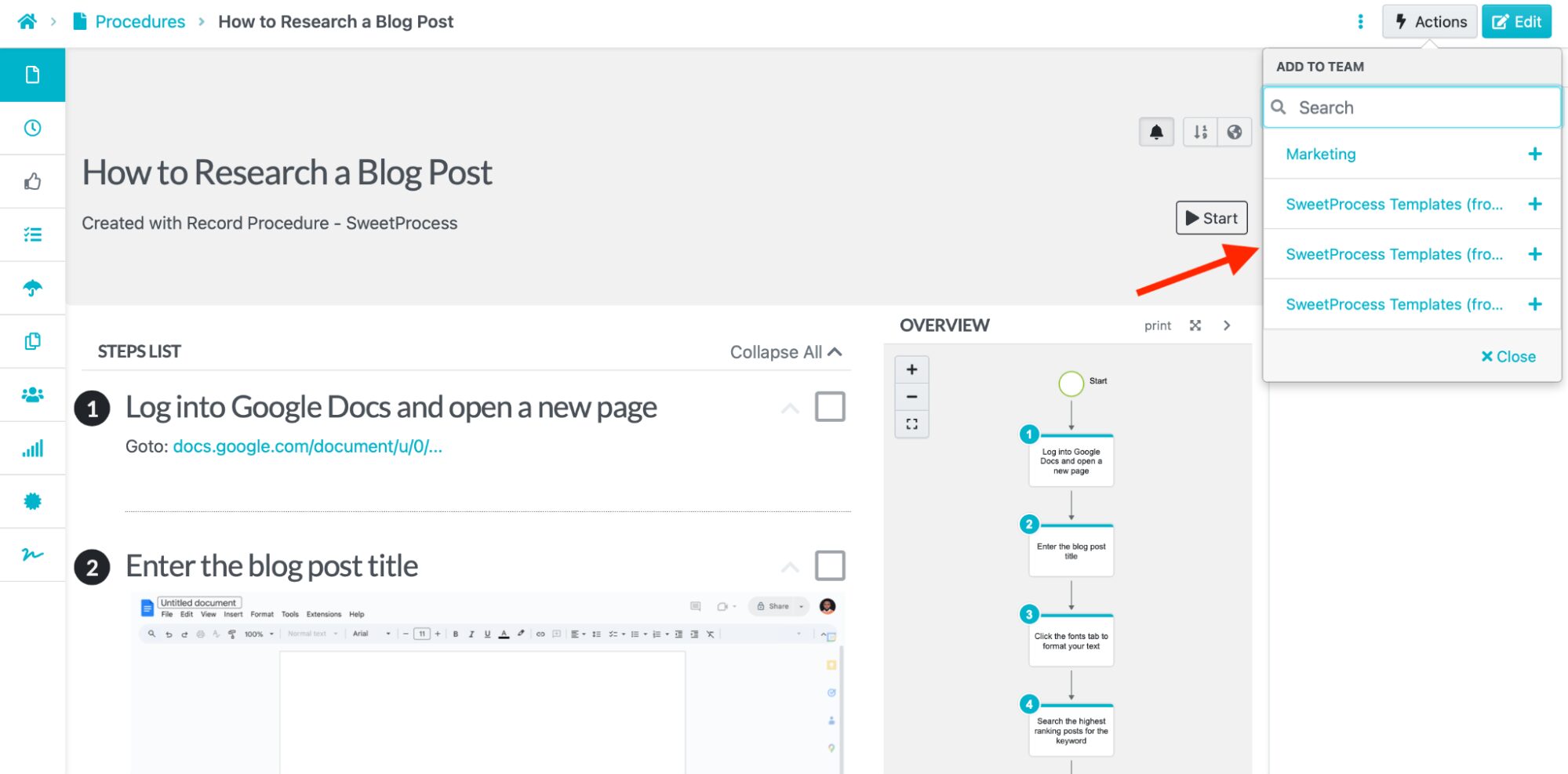
Click “Assign Task” to assign the document as a task to be completed by either a single team member or multiple team members.
Centralized Knowledge Bases
SweetProcess provides employees with centralized knowledge bases. These make information easily accessible and promote independent, ongoing learning. Administrators can securely grant access to everyone or specific individuals based on project needs. Knowledge bases can be internal for staff or external for outsiders, such as customers.
Here’s how to create an internal knowledge base in SweetProcess:
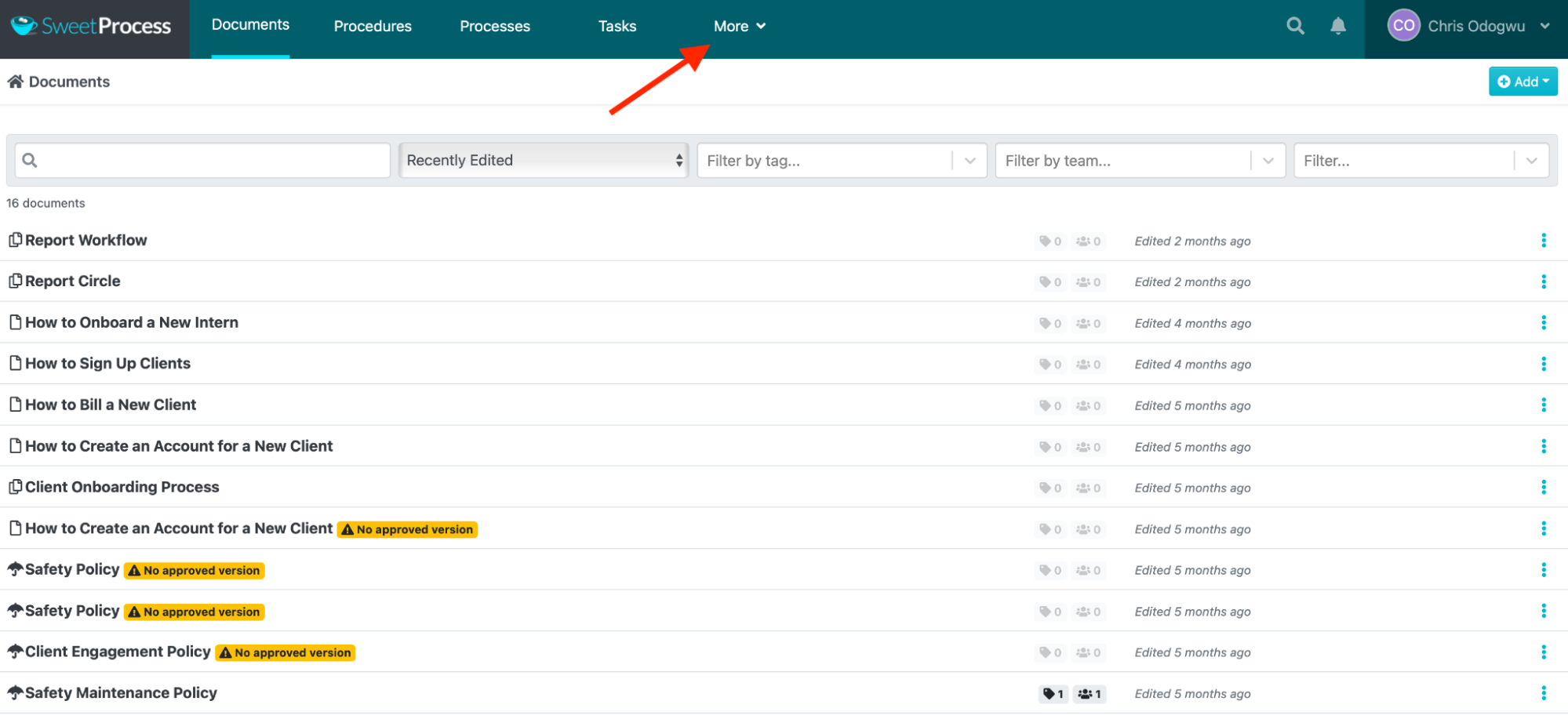
Click “More” and “Knowledge Bases.”
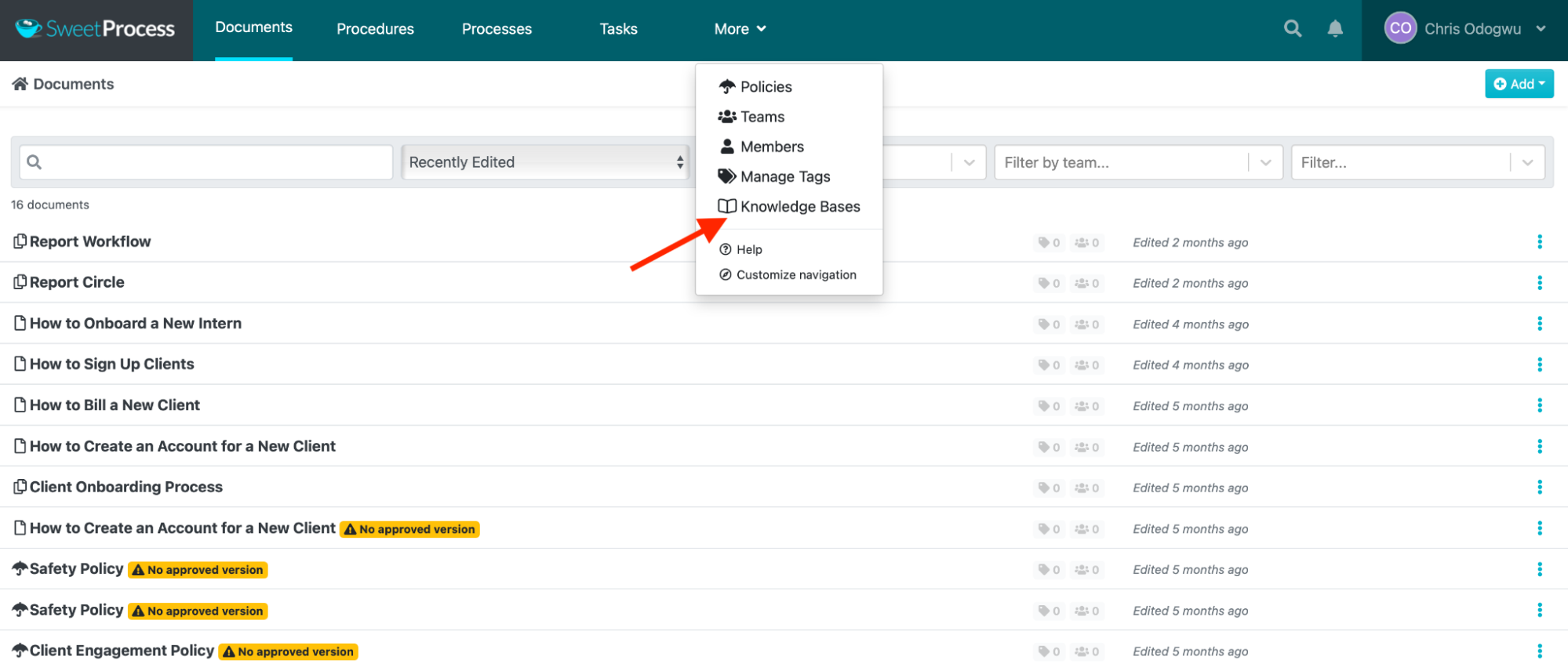
Click “Create Knowledge Base.”
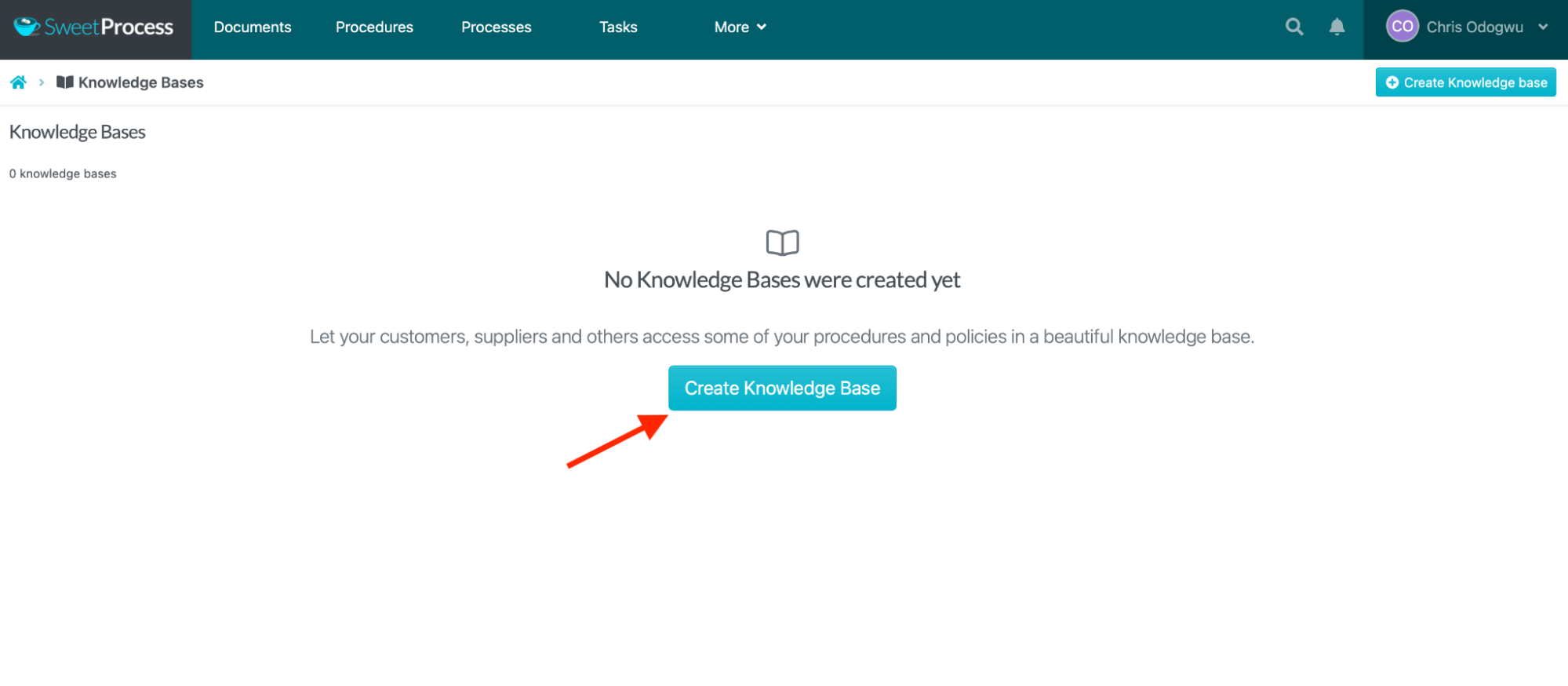
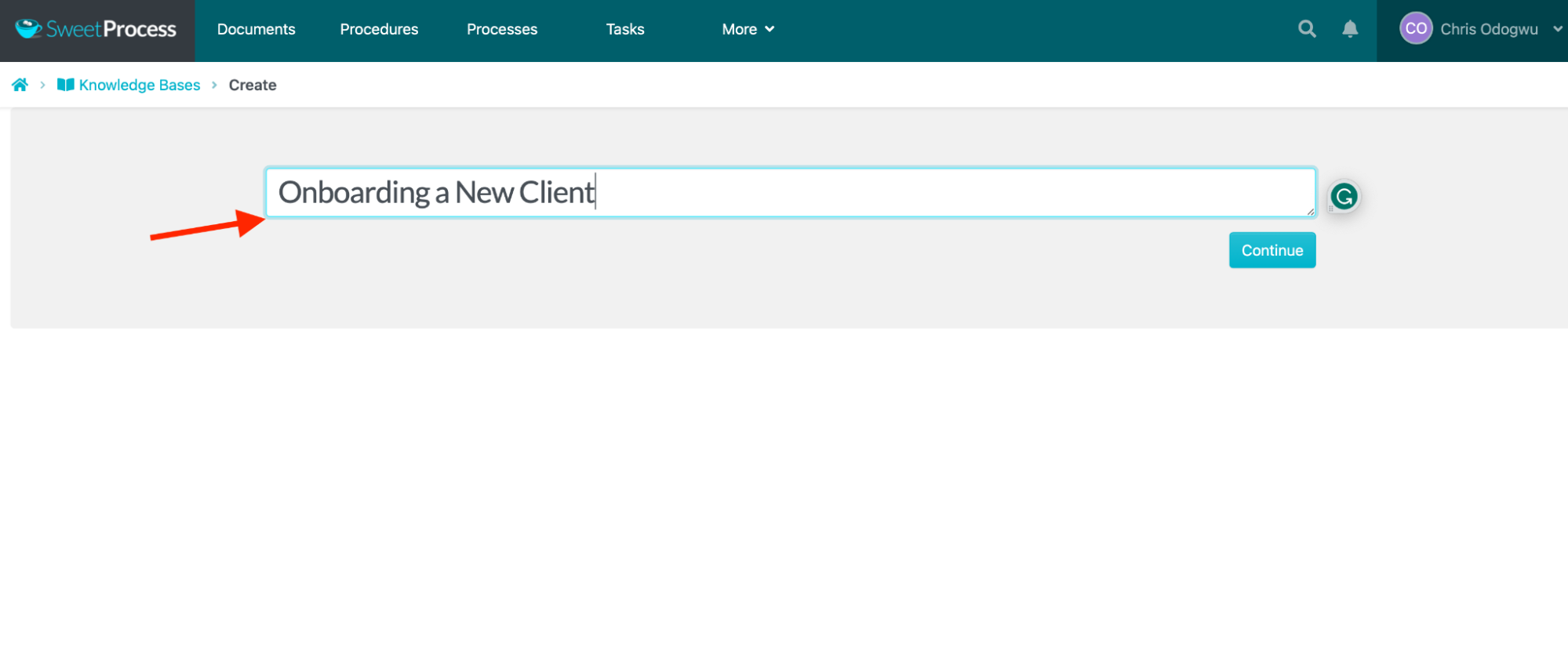
Write the knowledge base title and click “Continue.”
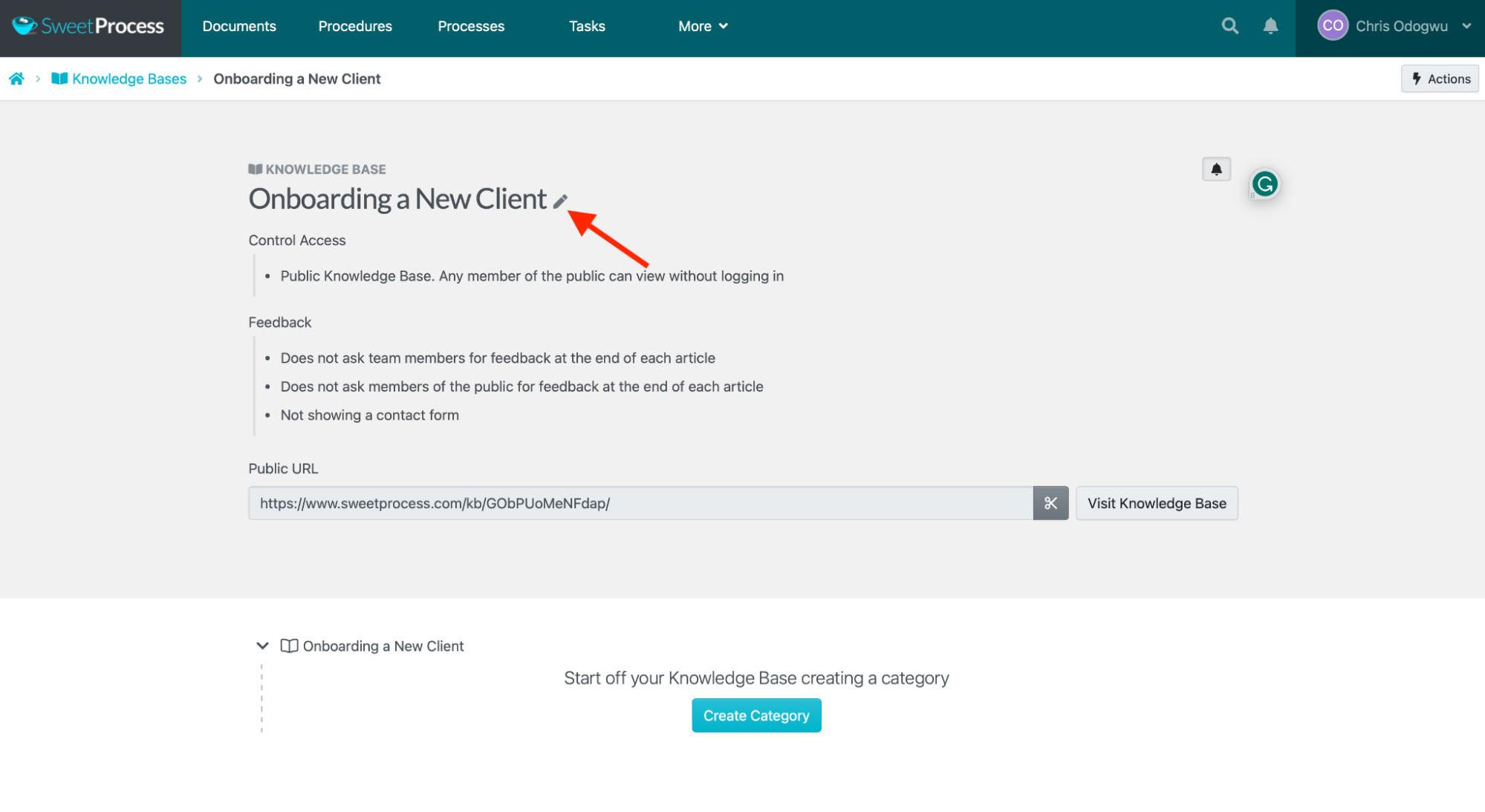
Click the pencil icon next to the title.
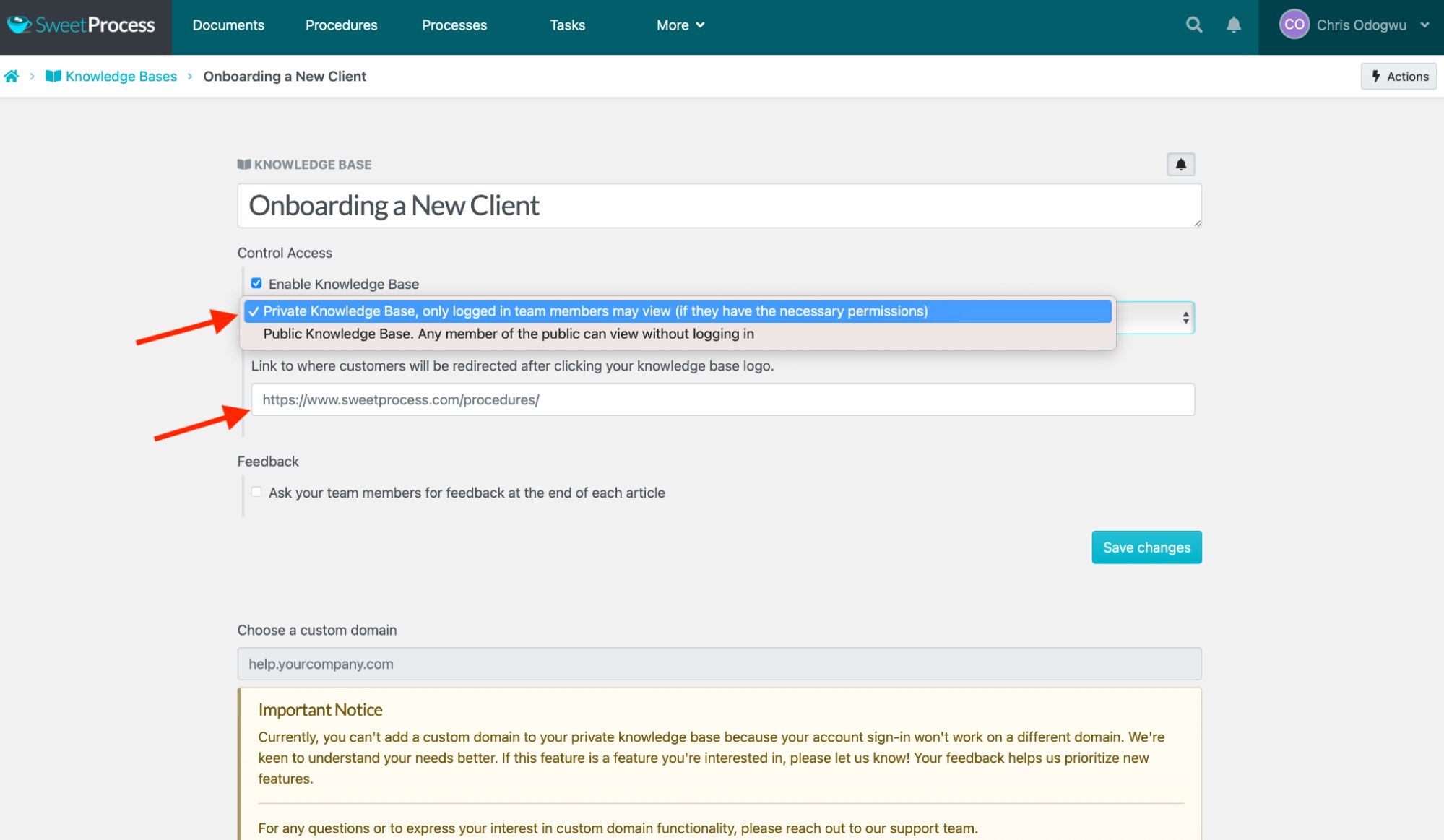
Click the column below “Control Access” and select “Private Knowledge Base, only logged-in team members may view (if they have the necessary permissions).”
Enter the page URL to redirect users when clicking the knowledge base title.
Here’s how to create an external knowledge base in SweetProcess:
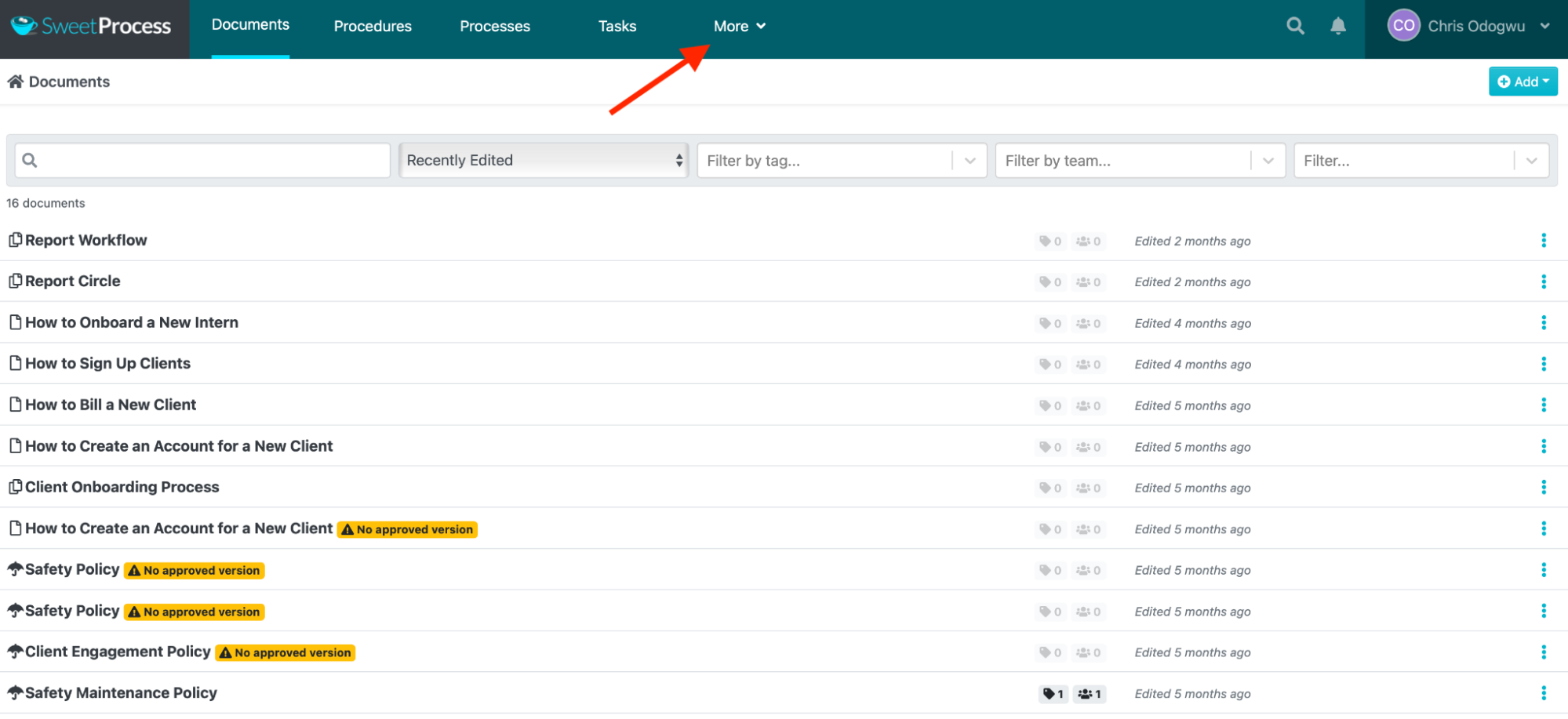
Click “More” and “Knowledge Bases.”
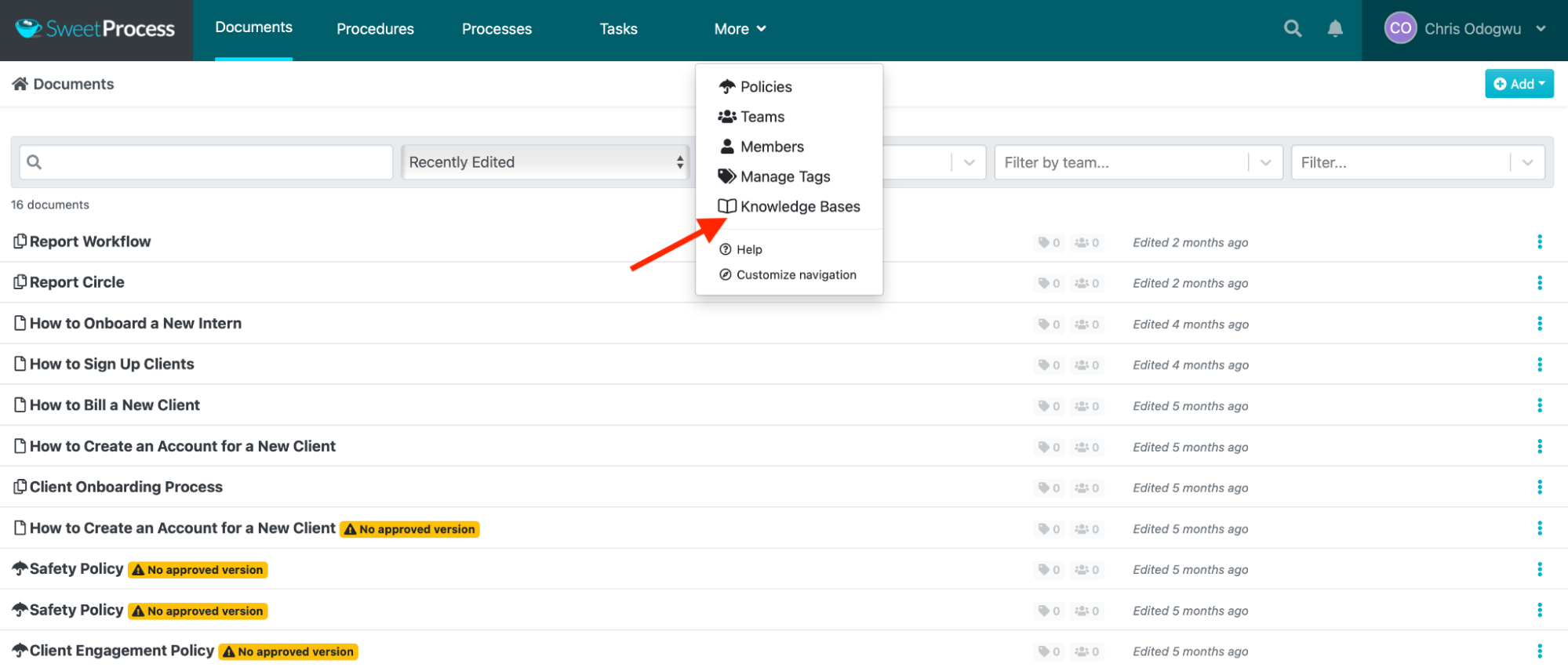
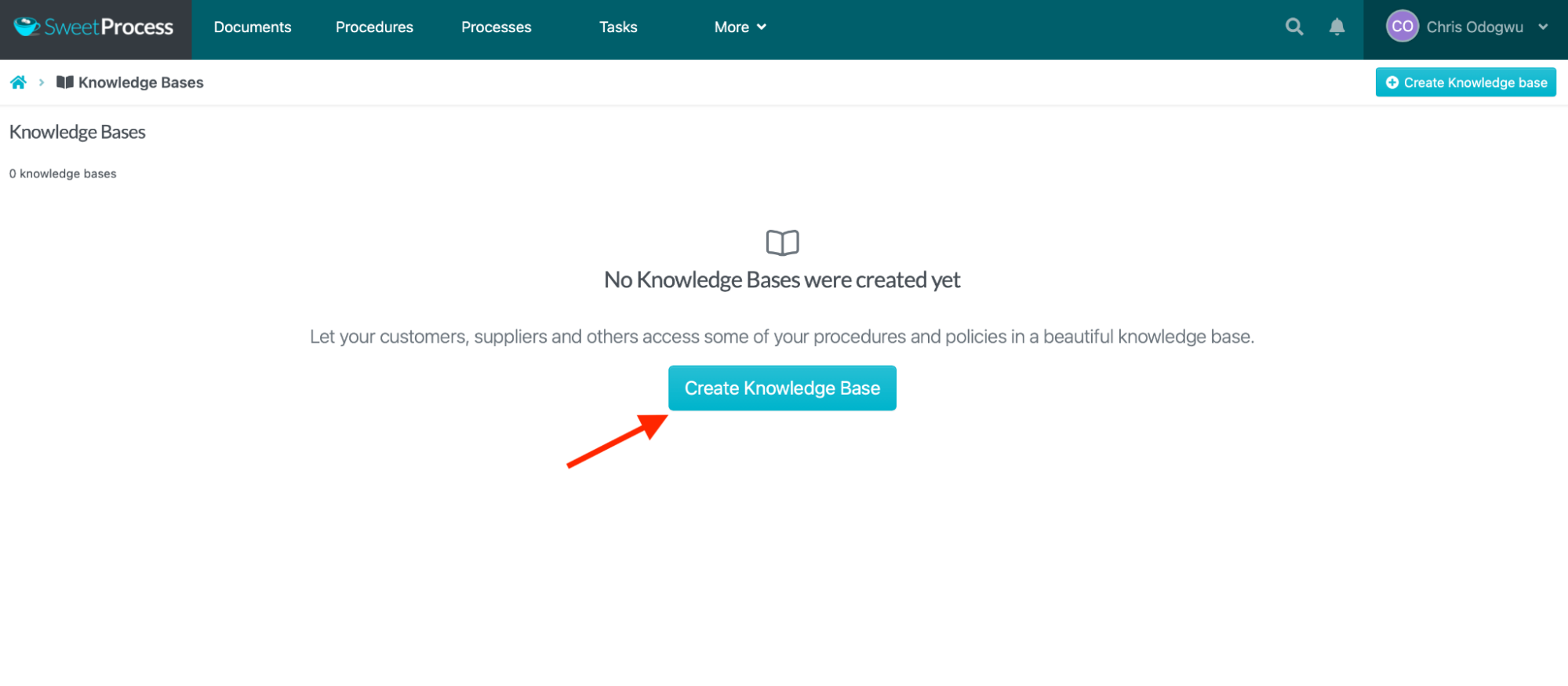
Click “Create Knowledge Base.”
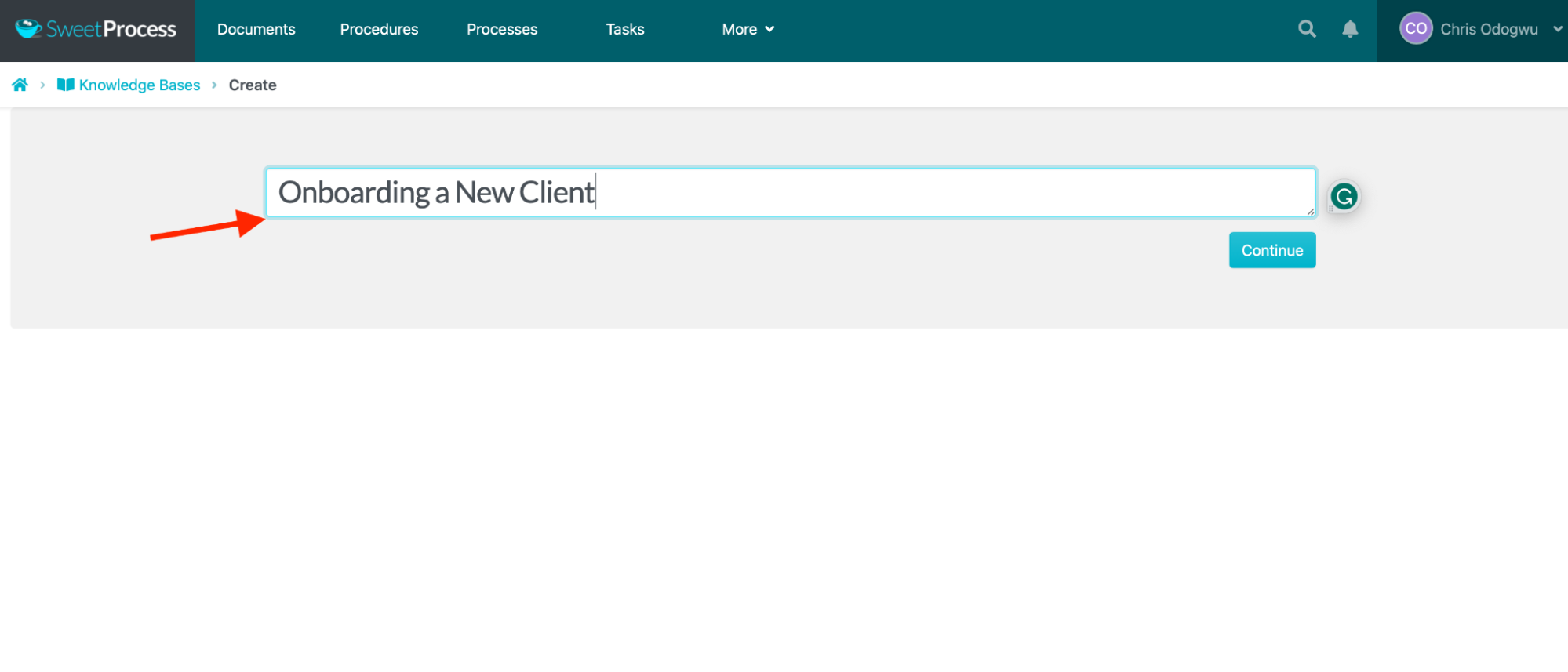
Write the knowledge base title and click “Continue.”
Click the pencil icon beside the title.
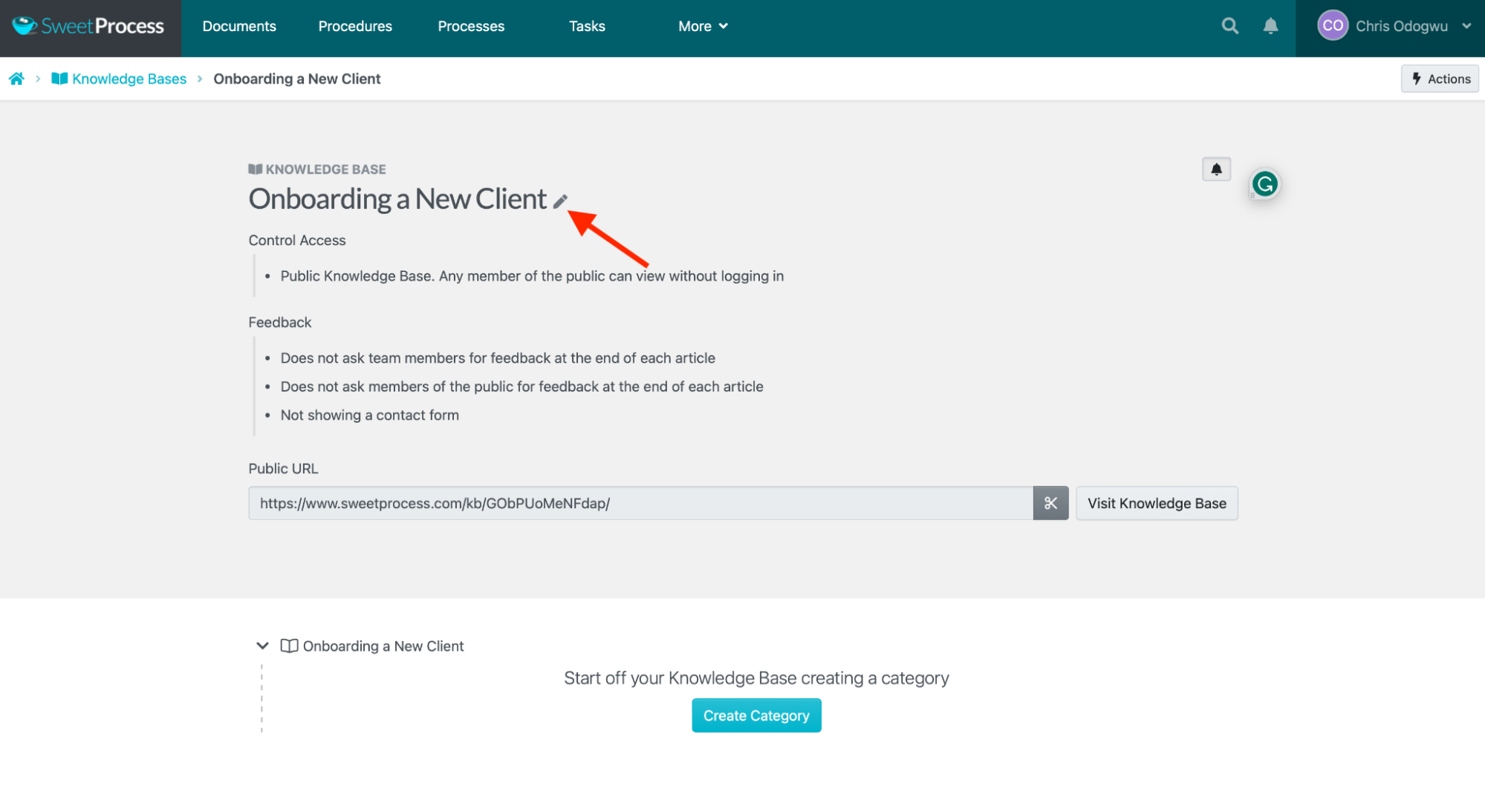
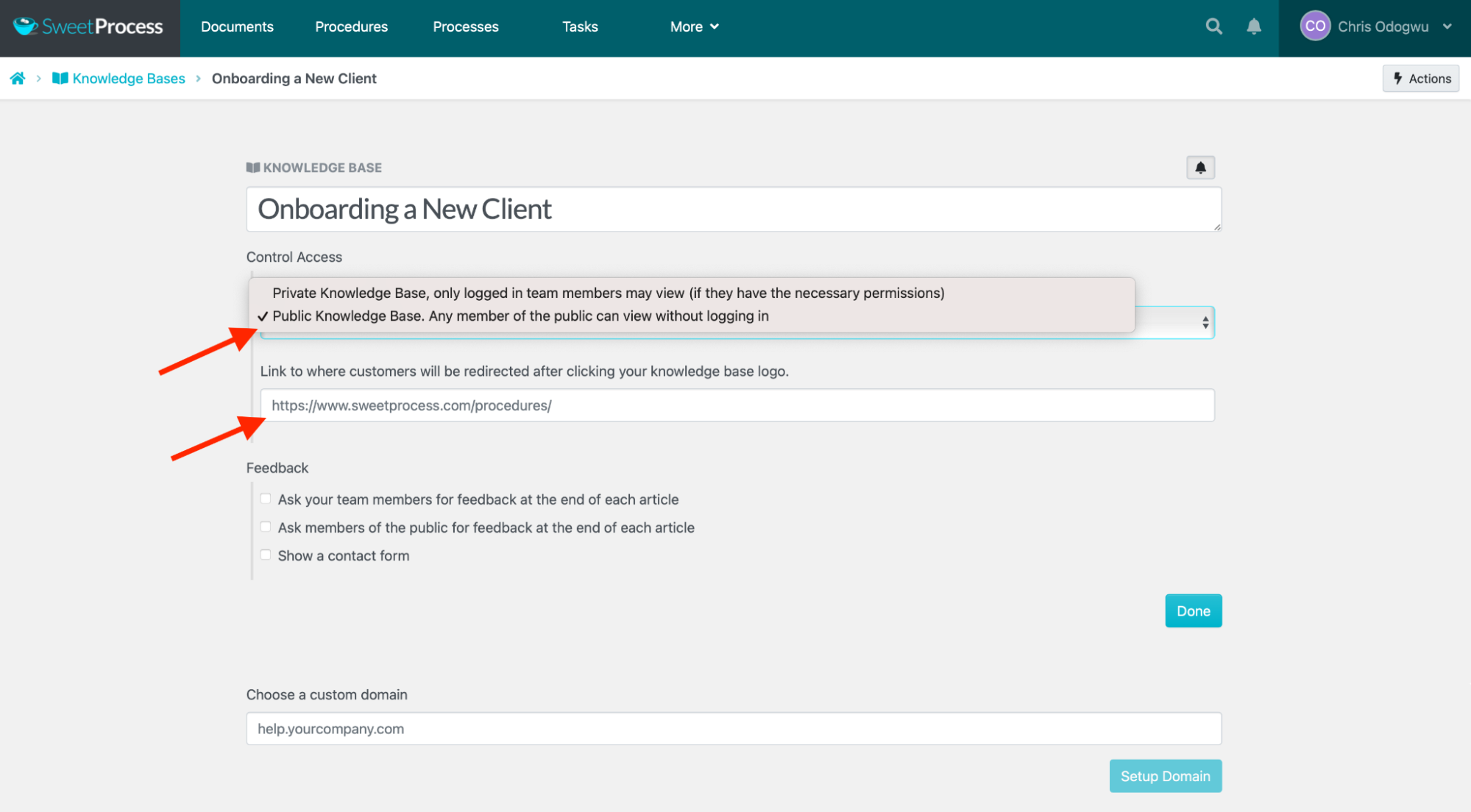
Click the column below “Control Access” and select “Public Knowledge Base. Any member of the public can view without logging in.”
Enter the page URL to redirect customers who click the knowledge base title.
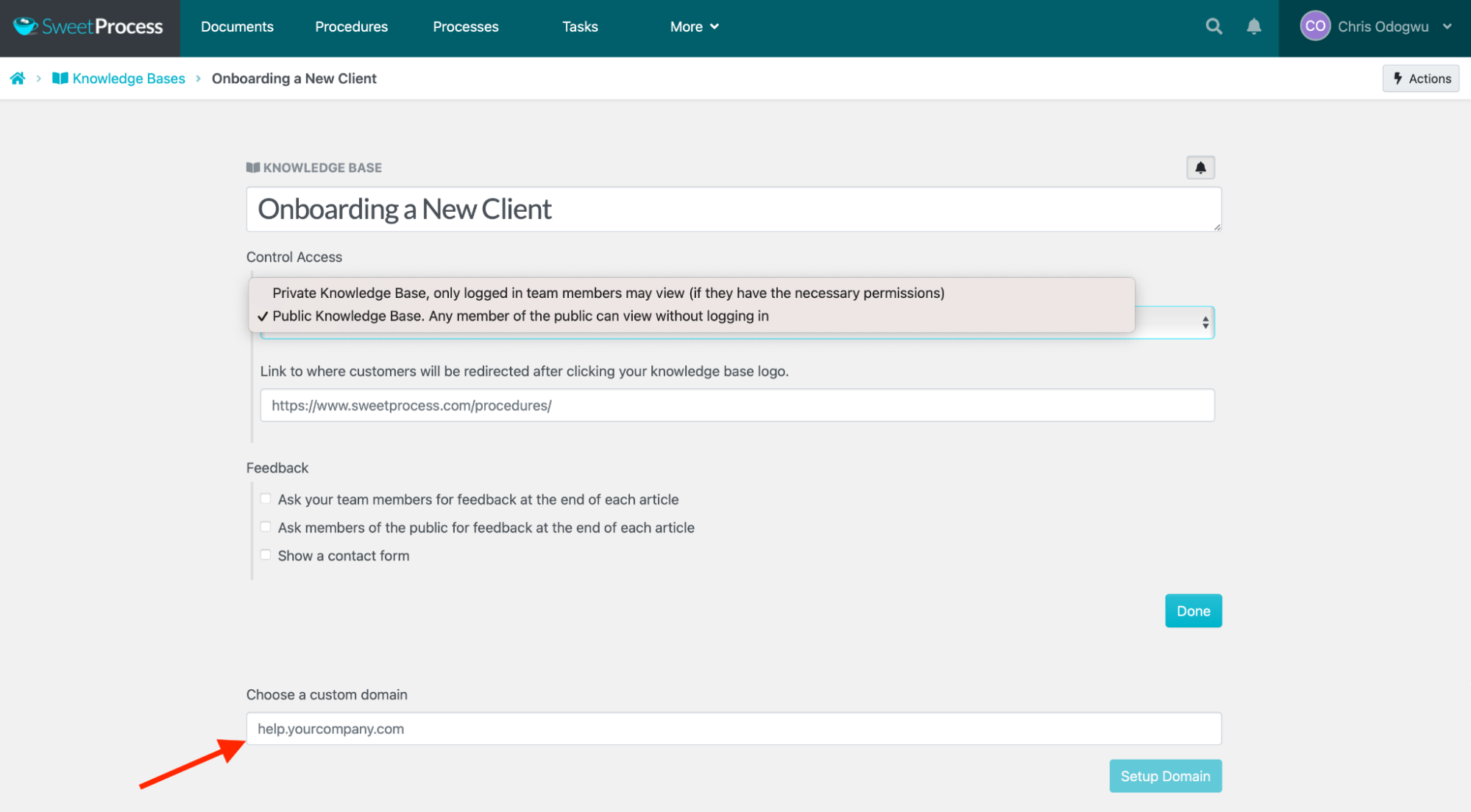
You can also redirect users to a custom domain by entering the URL.
Interactive Quizzes
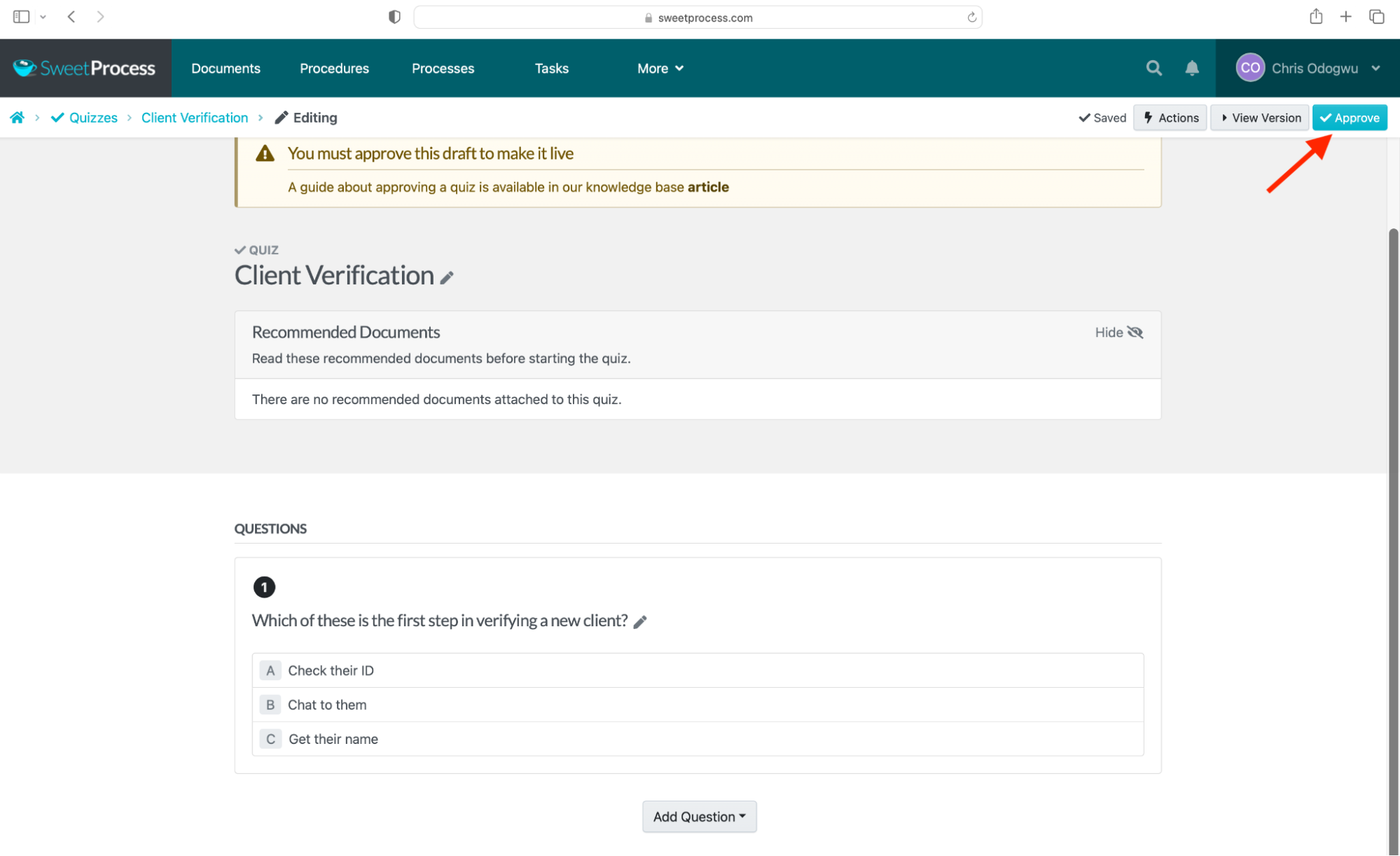
SweetProcess enables assessment of employees’ understanding of training through interactive quizzes. The adaptable quiz template allows you to customize questions in various formats of your preference.
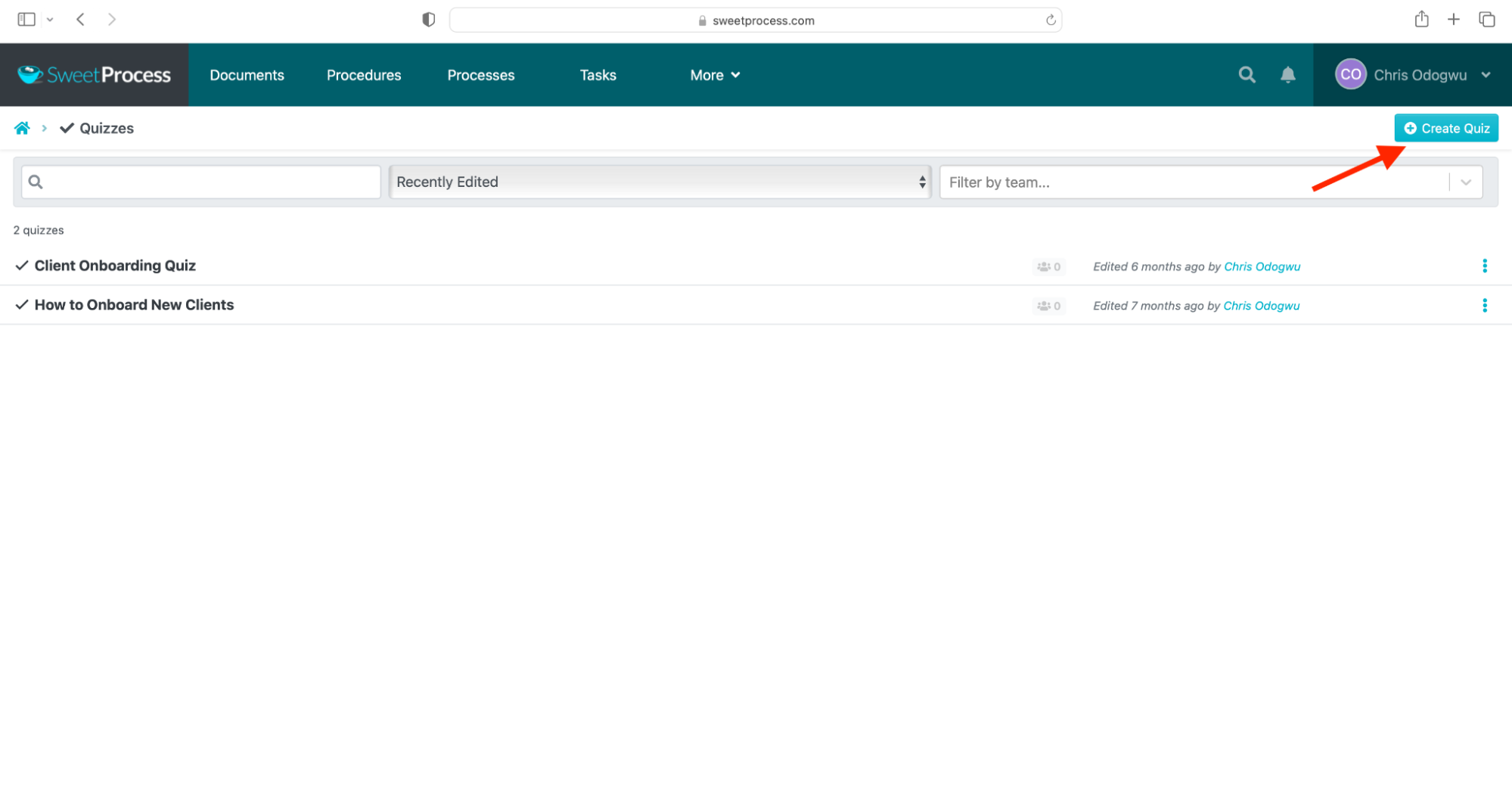
Here’s how to create a quiz:
Click “More” and “Quizzes.”
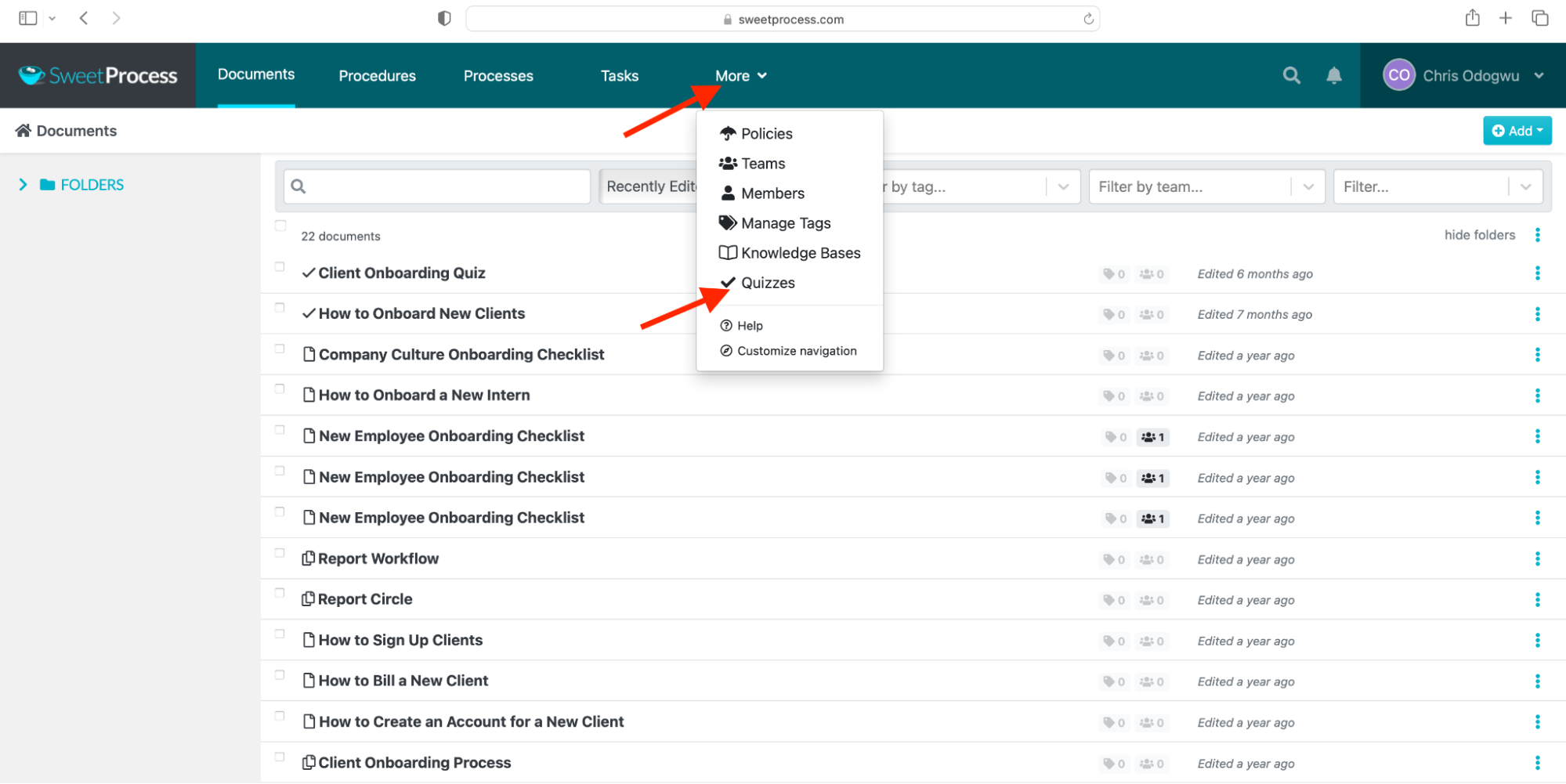
Click “Create Quiz.”
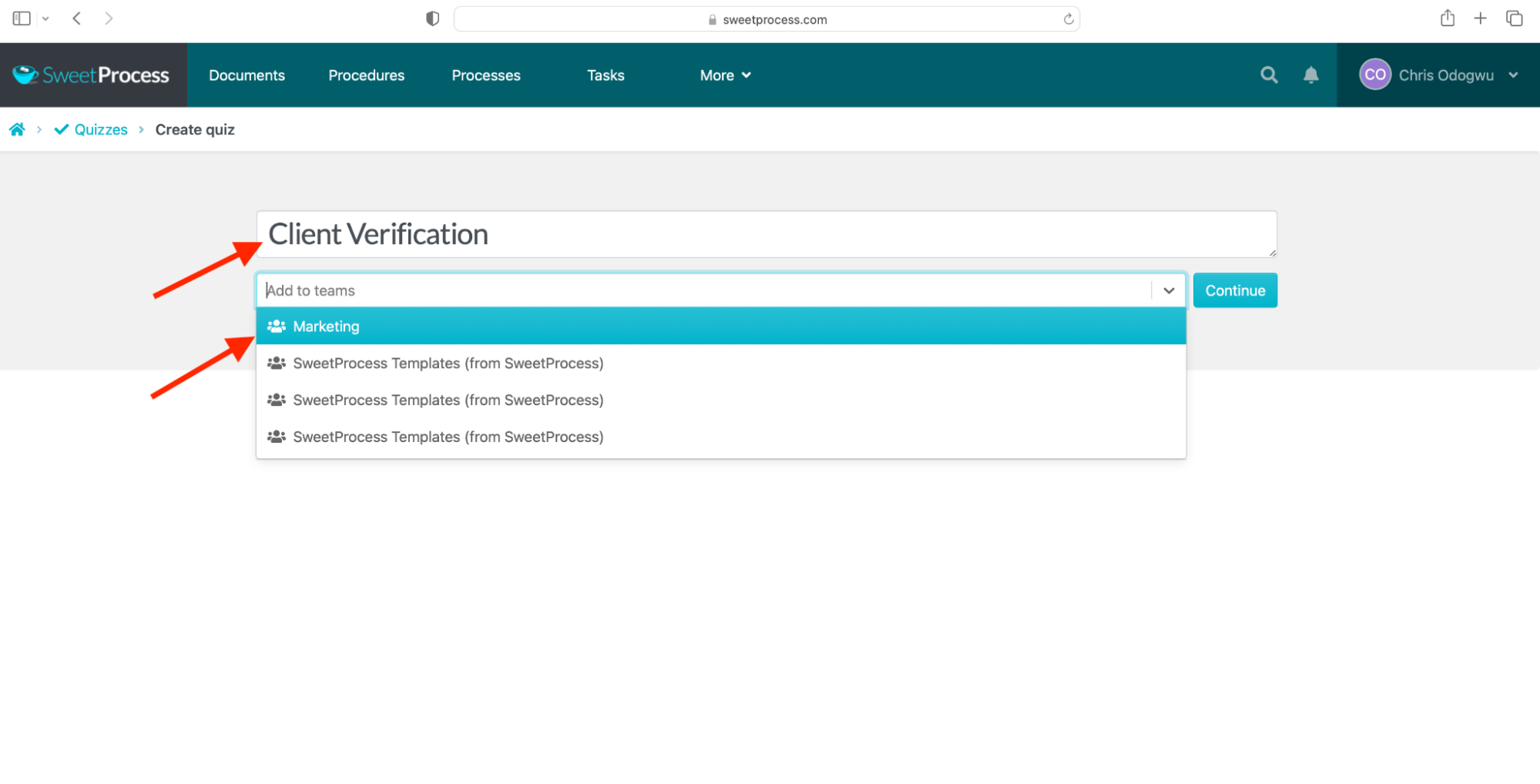
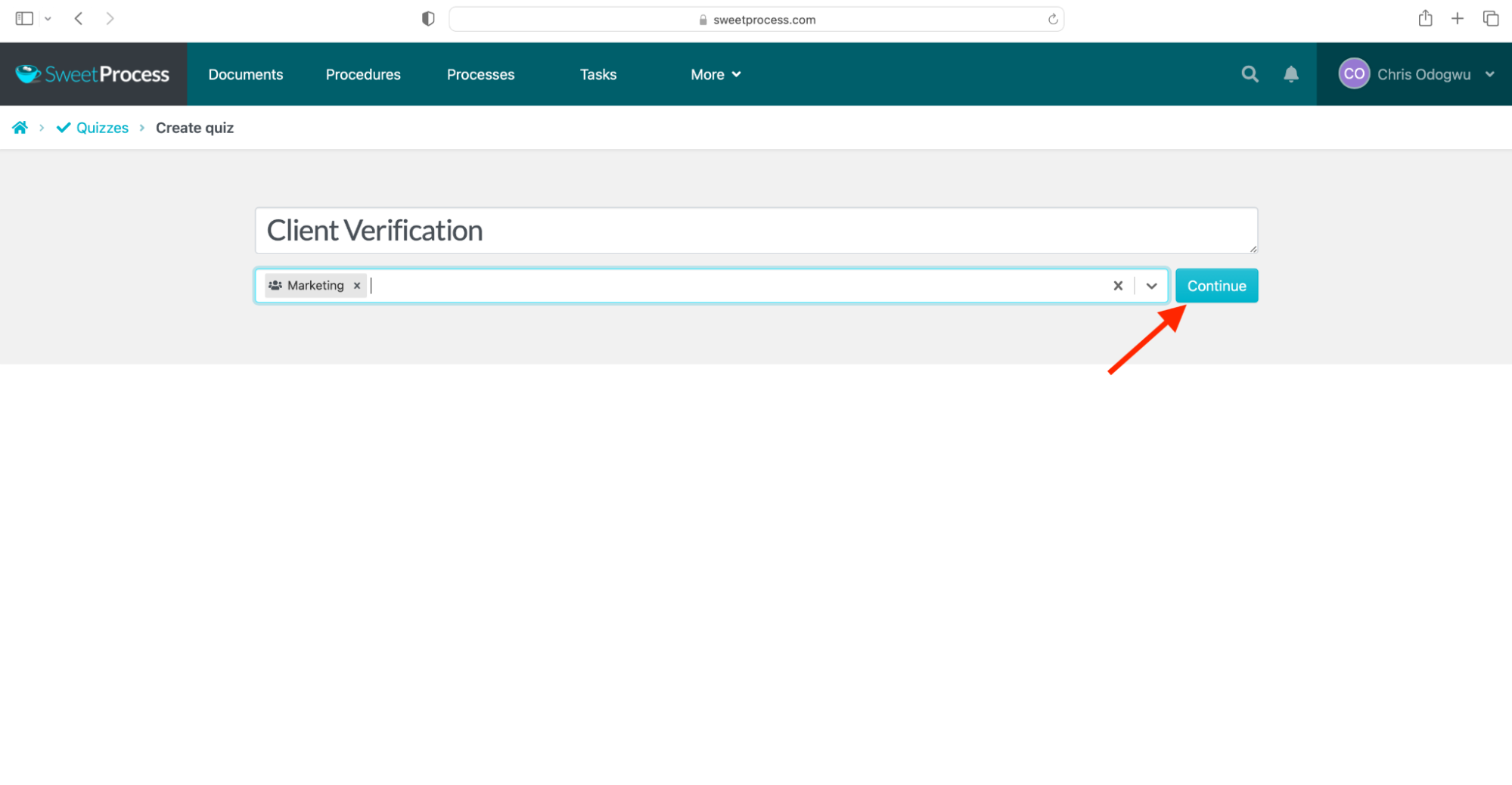
Enter the quiz title, select a team from the drop-down menu, and click “Continue.”
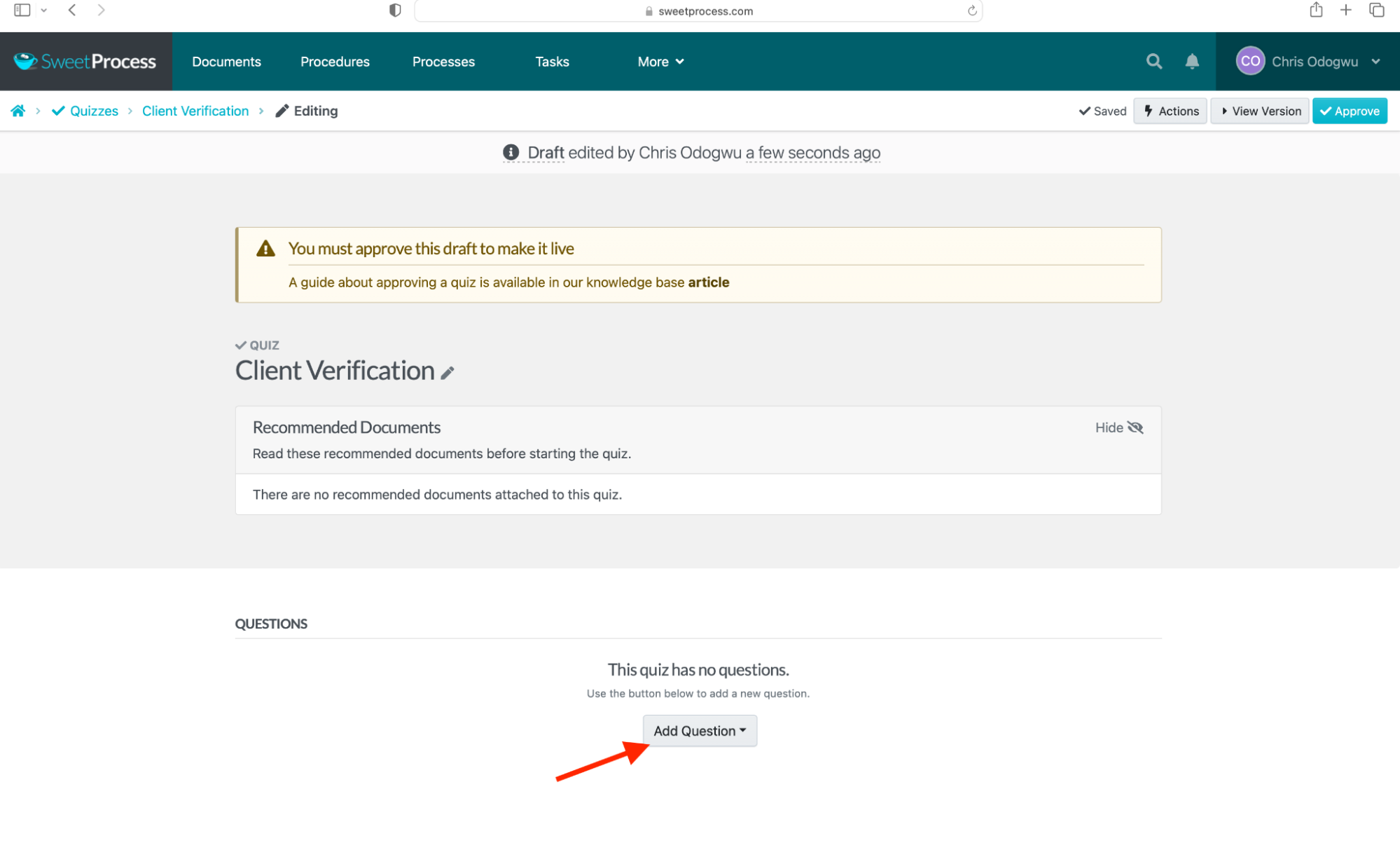
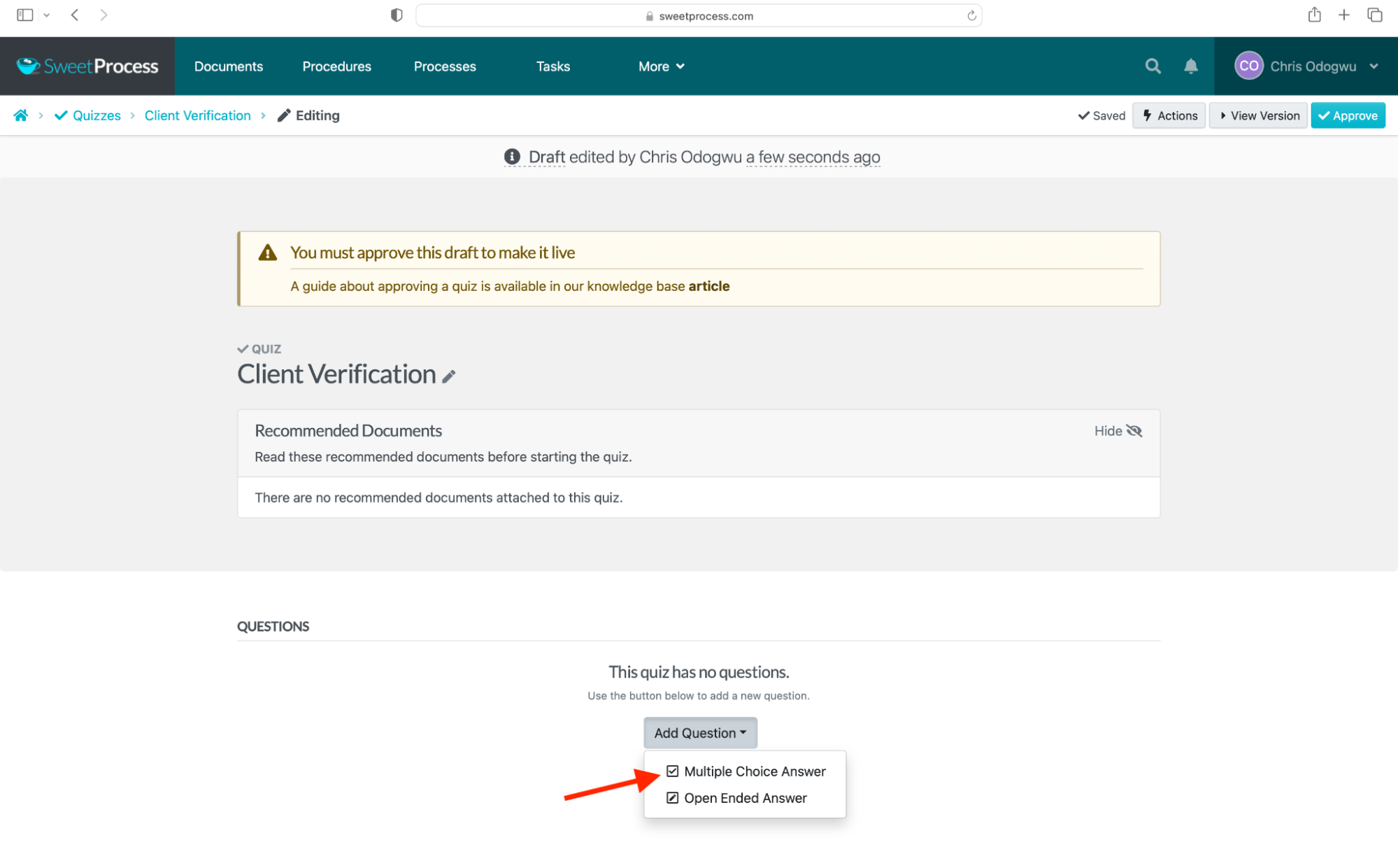
Click “Add Question” and select the question format.
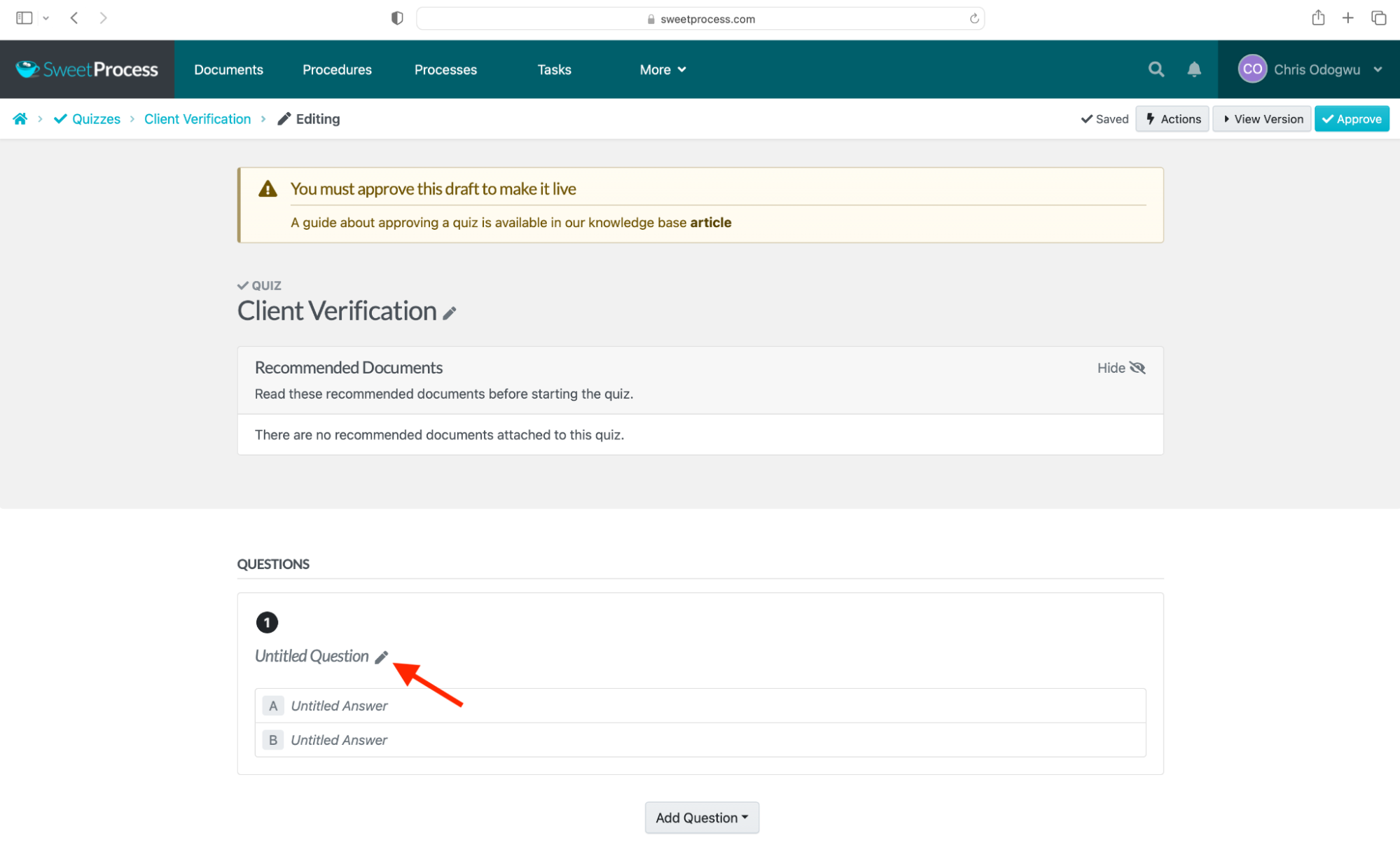
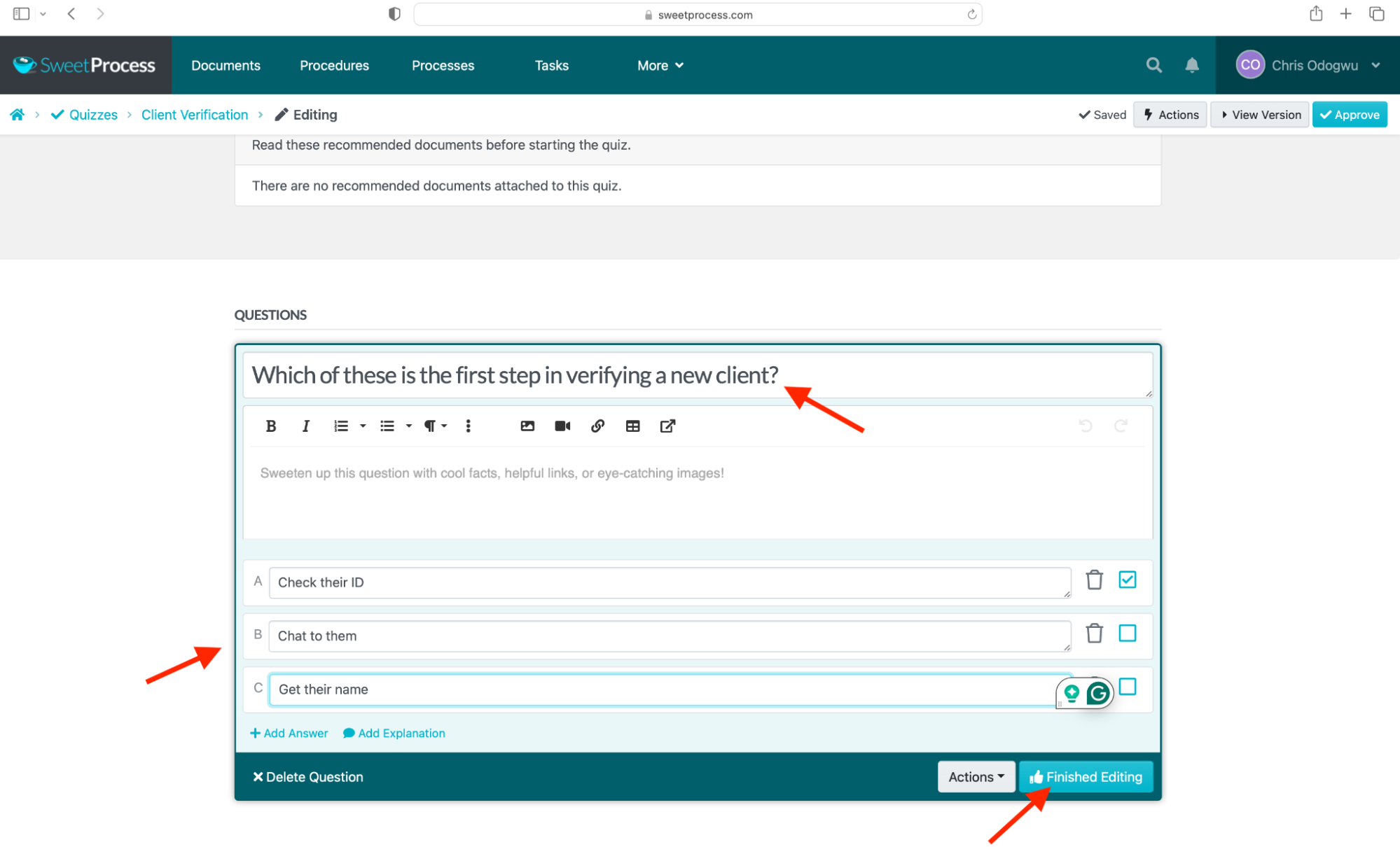
Click the pencil icon to enter the questions and answer options, and click “Finished Editing” to proceed.
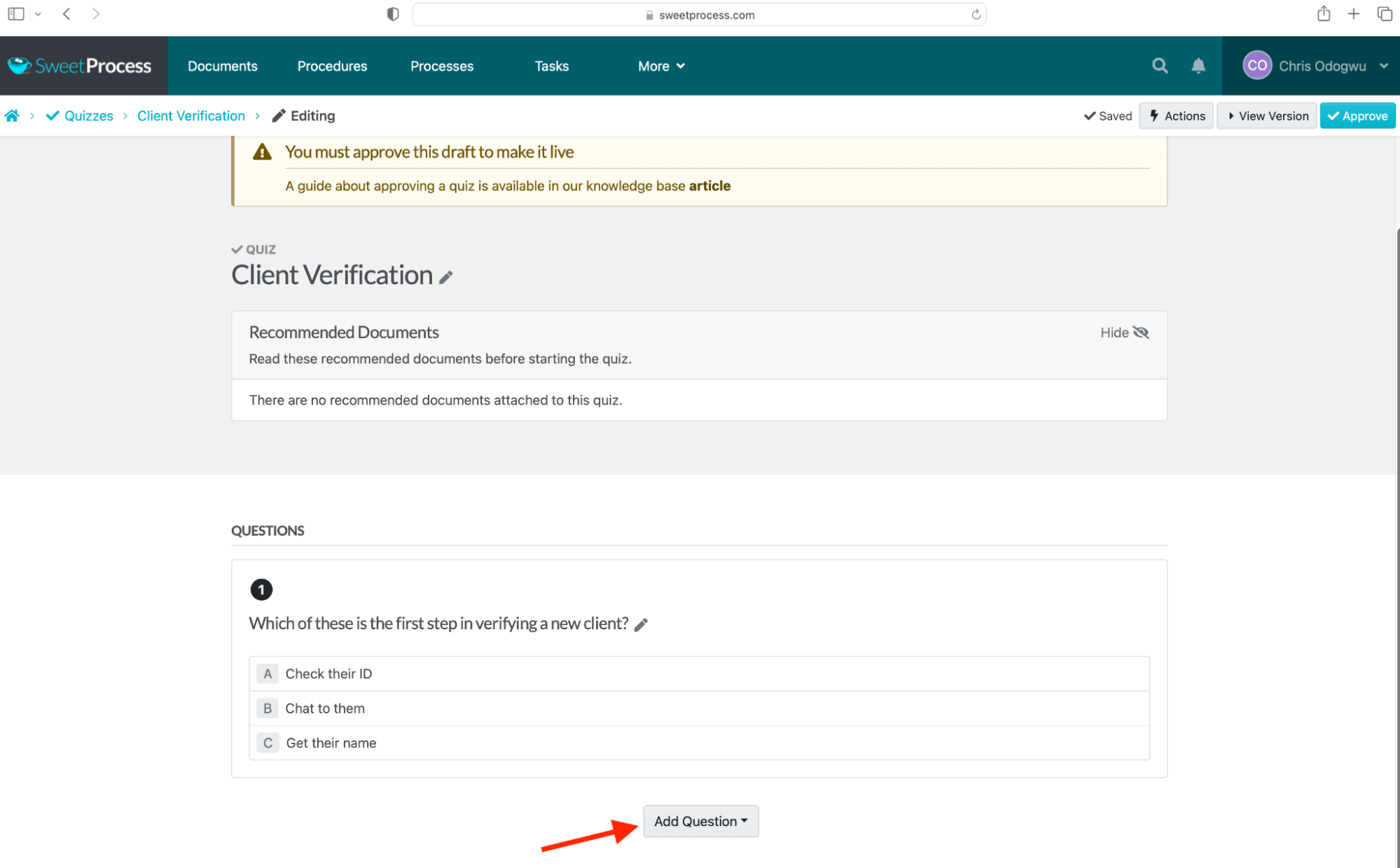
Click “Add Question” to add more questions.
Click “Approve” to make the quiz live.
2. Trainual: Best for Role-Based Playbooks at Growing Companies
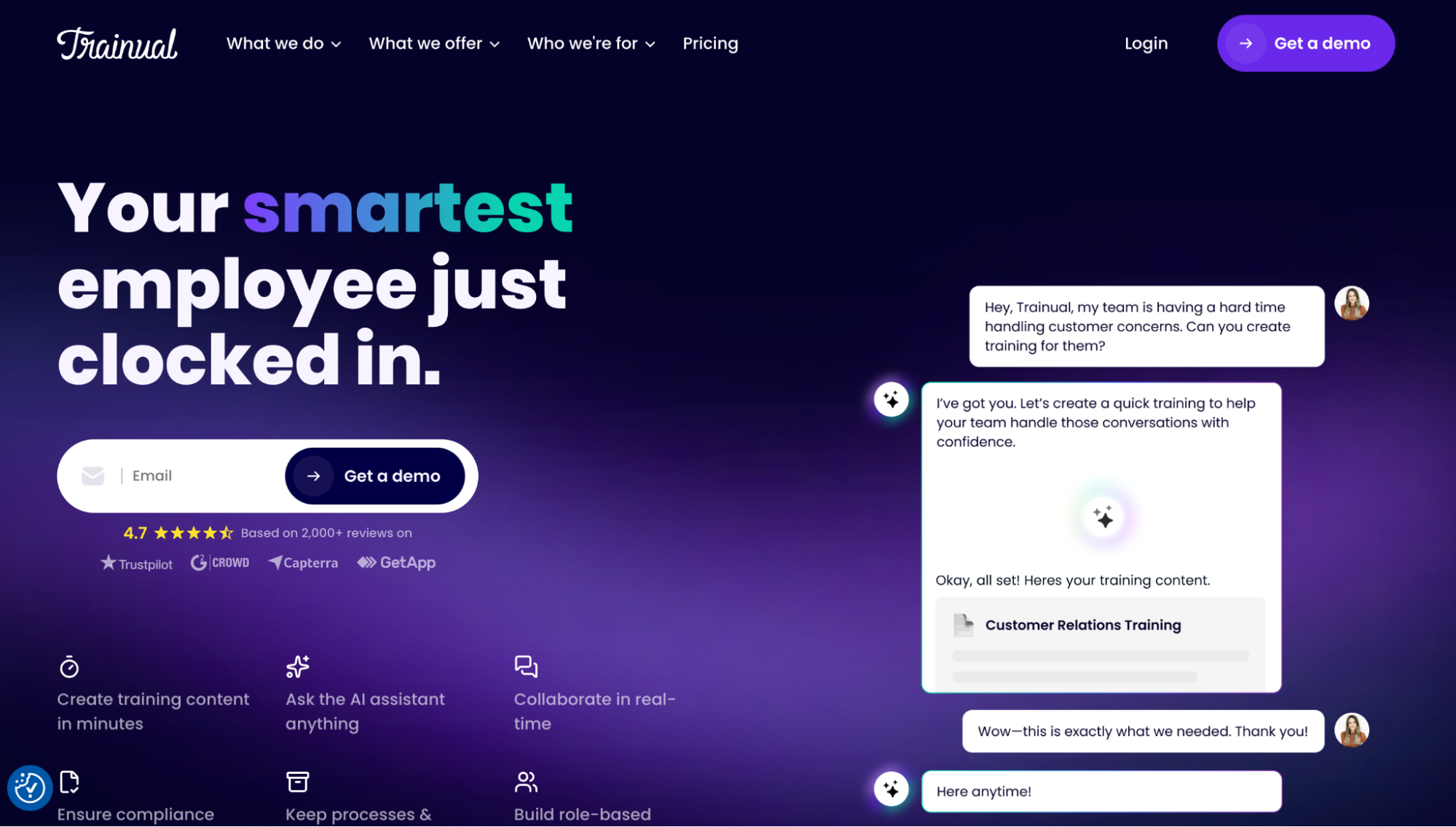
Trainual is a specialized platform designed to streamline employee training documentation at an individual level. It includes visibility checkers that monitor employee engagement with assigned roles and tasks.
Users consider the AI assistant their most valuable feature because it enables quick creation of training content, similar to SweetProcess’s SweetAI. However, while SweetProcess offers transparent pricing that clearly outlines costs, starting at $99 per month for a team of 10 with a 16% discount available on an annual plan, Trainual requires users to request a quote, making its pricing less straightforward.
Some users find Trainual’s interface less intuitive, especially because updates aren’t shown immediately, which can slow training or disrupt workflows.
3. Scribe: Best for Auto-Capturing Step-By-Step Workflows
Scribe is a visually oriented documentation tool that monitors on-screen activities, captures screenshots, and automatically generates procedures from them. It prides itself on being a custom capture tool capable of recording all ongoing actions at high speed, including small details like clicks, all within seconds.
Some users report that it is ineffective for less visual tasks or for longer, more complex ones. Its claim to be the fastest capture speed is also arguable, as tools like SweetProcess offer similarly fast capture features. In addition to capturing screenshots with SweetProcess, you can also record the procedure on video, assign the final product to teams as tasks, and track their engagement.
Pricing for Scribe is $35 per person for Pro Personal and $17 per seat for Pro Team. In comparison, SweetProcess charges $99 per month for a team of 10, with a 16% discount available on an annual plan, making it more cost-effective.
4. TalentLMS: Best for Course-Based Online Training
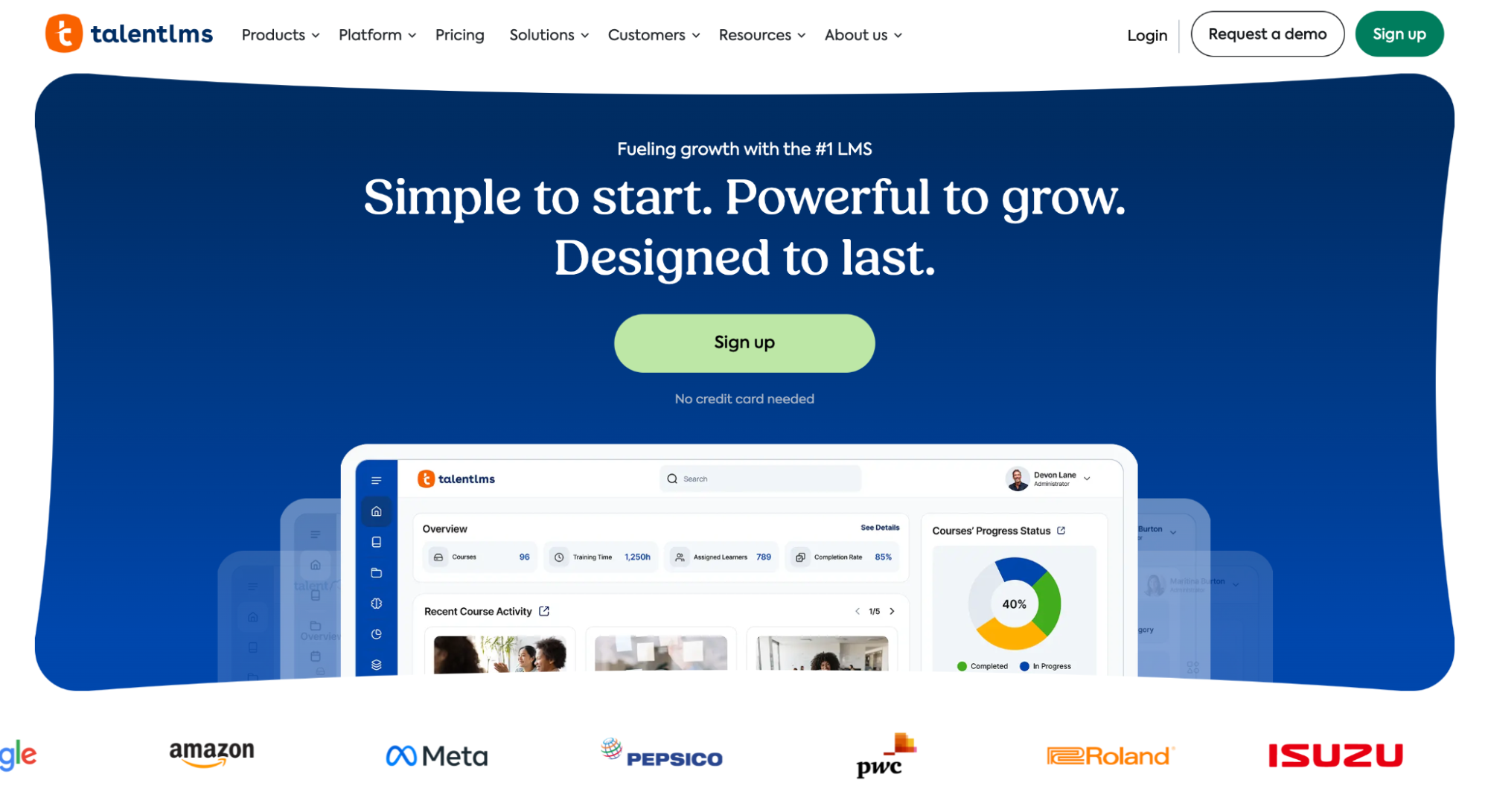
TalentLMS is a learning management system for training business teams on new business procedures and processes, with specialized tools to measure training impact. It’s outstanding for its gamification features, such as leaderboards, which make learning more interactive.
An intuitive learning interface is one of its most effective features among users, as it facilitates better learning. However, users have expressed frustration that the support team is not resolving their concerns, yet the team continues to launch new features while neglecting issues with the current ones. This can be a major problem for a user who wants to get the most out of a system they have subscribed to.
Users of SweetProcess, on the other hand, have expressed that the team listened to their complaints and created features where none previously existed to meet their needs. This is a welcome development for anyone wanting to make the most of their training documentation software.
TalentLMS costs $119 per month and $1,428 per year for up to 40 users. SweetProcess offers a better deal at $99 per month for a team of 10, or $825 per year with a 16 percent discount.
5. Document360: Best for AI-Powered Internal Knowledge Bases
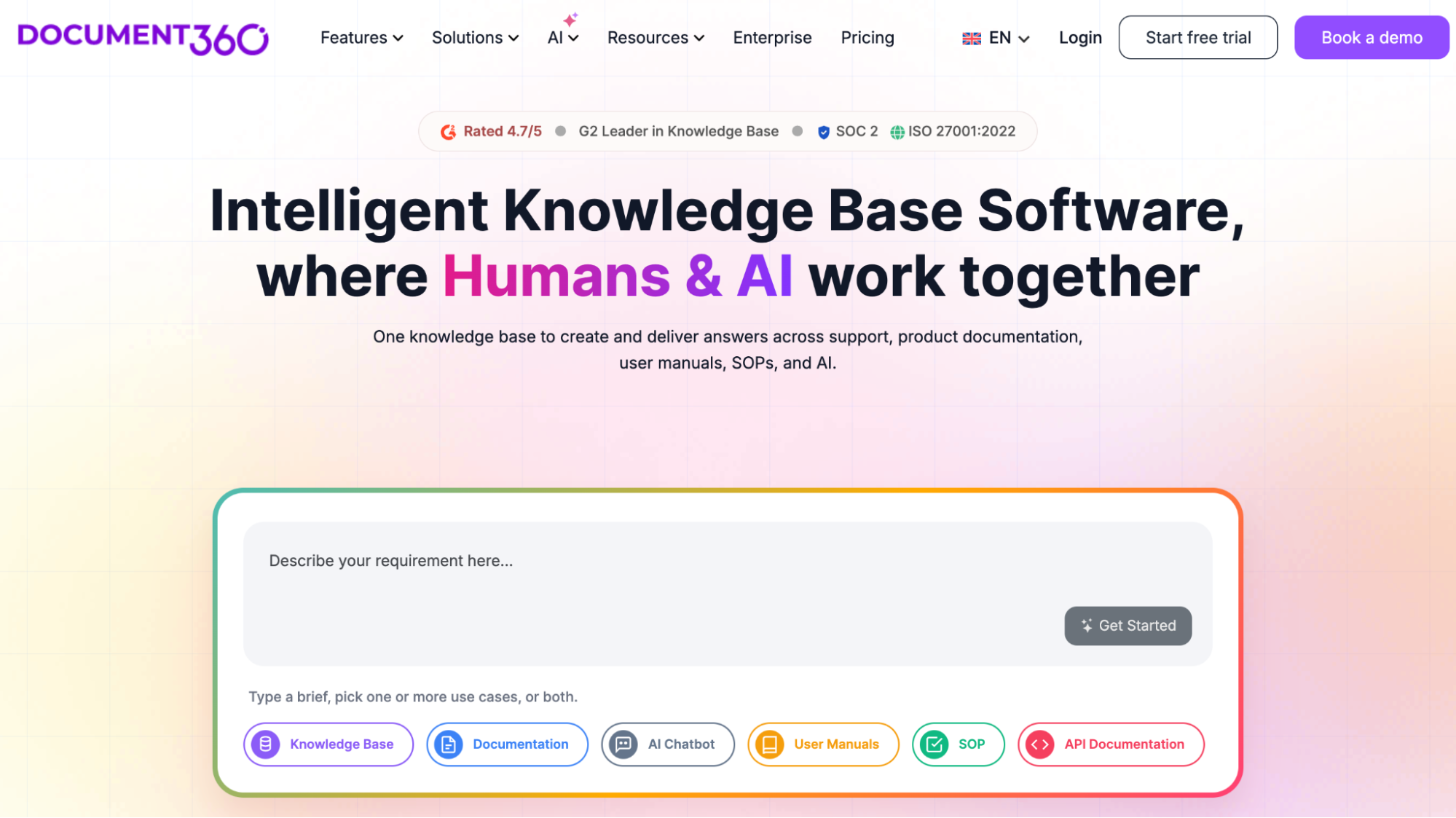
Document360 is effective for building a centralized knowledge base containing an organization’s workflow instructions and policies, with AI as auxiliary support. It enables business teams to automate routine tasks and provides an early advantage in handling human-centric tasks.
Users praise its AI-powered search feature for its effectiveness, helping them quickly find documents and save time. However, some find the reporting analytics insufficient, making it tough for administrators to gauge engagement across the platform.
In contrast, SweetProcess is well-regarded for its internal knowledge base for employees and an external one for third parties, such as customers. Unlike Document360, which offers customized pricing that causes delays, SweetProcess states all costs openly: $99 per month for a team of 10 accessing all its features, with a 16 percent discount on an annual subscription.
6. Tango: Best for Software Training Walkthroughs
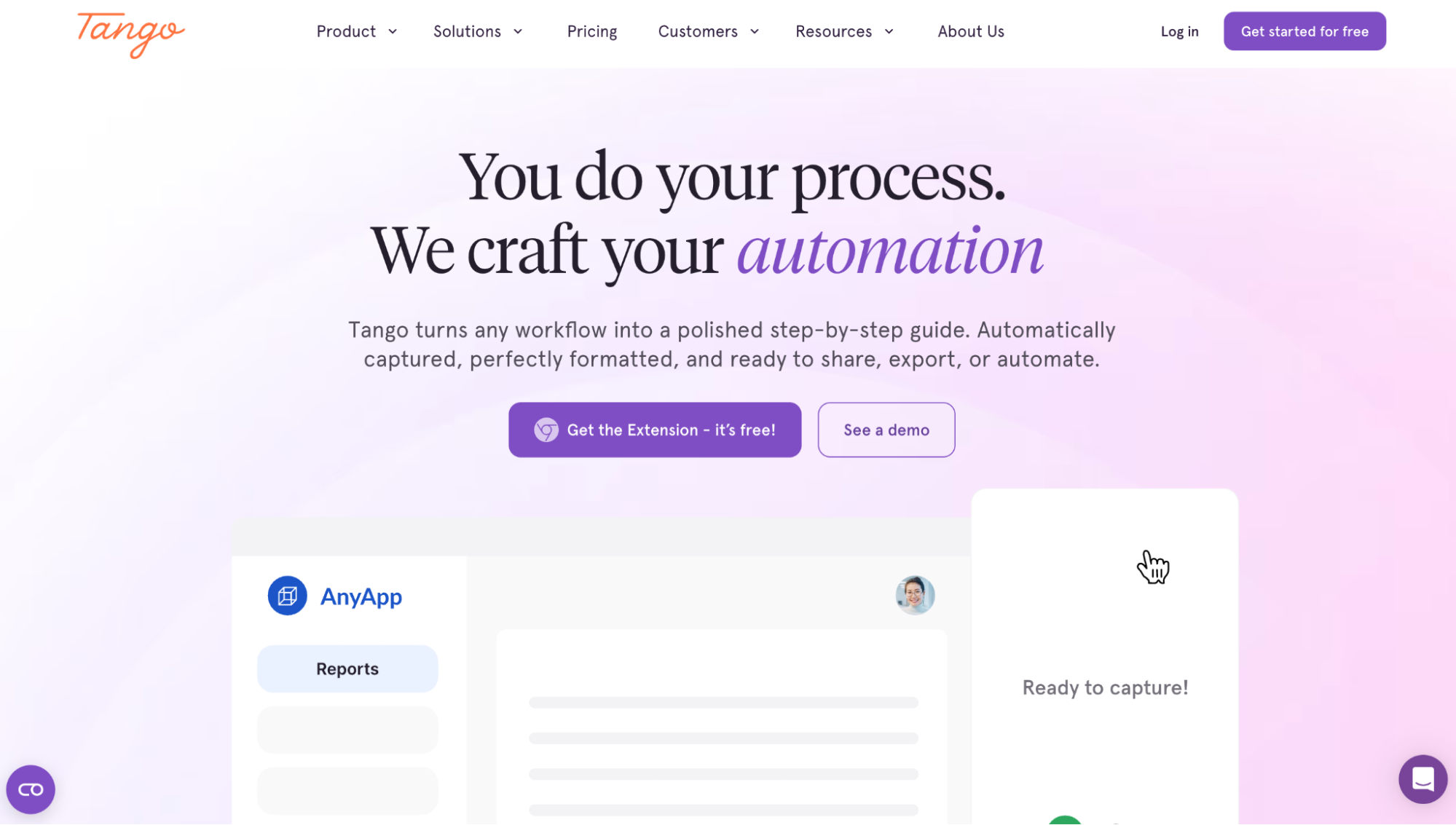
Tango is software designed to document workflows through detailed, step-by-step guides, enabling users to interact with it easily. It automatically captures screens during procedures and provides vivid descriptions of each step.
A key feature of Tango is its ability to convert procedures into comprehensive, organization-wide instructional guides. This is similar to tools like Scribe and SweetProcess, which focus on documenting procedures via screen capture. However, users have reported that Tango is less efficient at capturing longer or more complex workflows, often requiring extensive manual cleanup. Additionally, there is a limit to the edits users can make to the generated documentation.
With Tango priced at $15 per team member per month on its Pro plan and Scribe at $17 per user per month on its Pro plan, both are more costly than SweetProcess, which costs $99 per month for a team of 10, and even less if paid for annually.
7. iSpring LMS: Best for Corporate Compliance Training
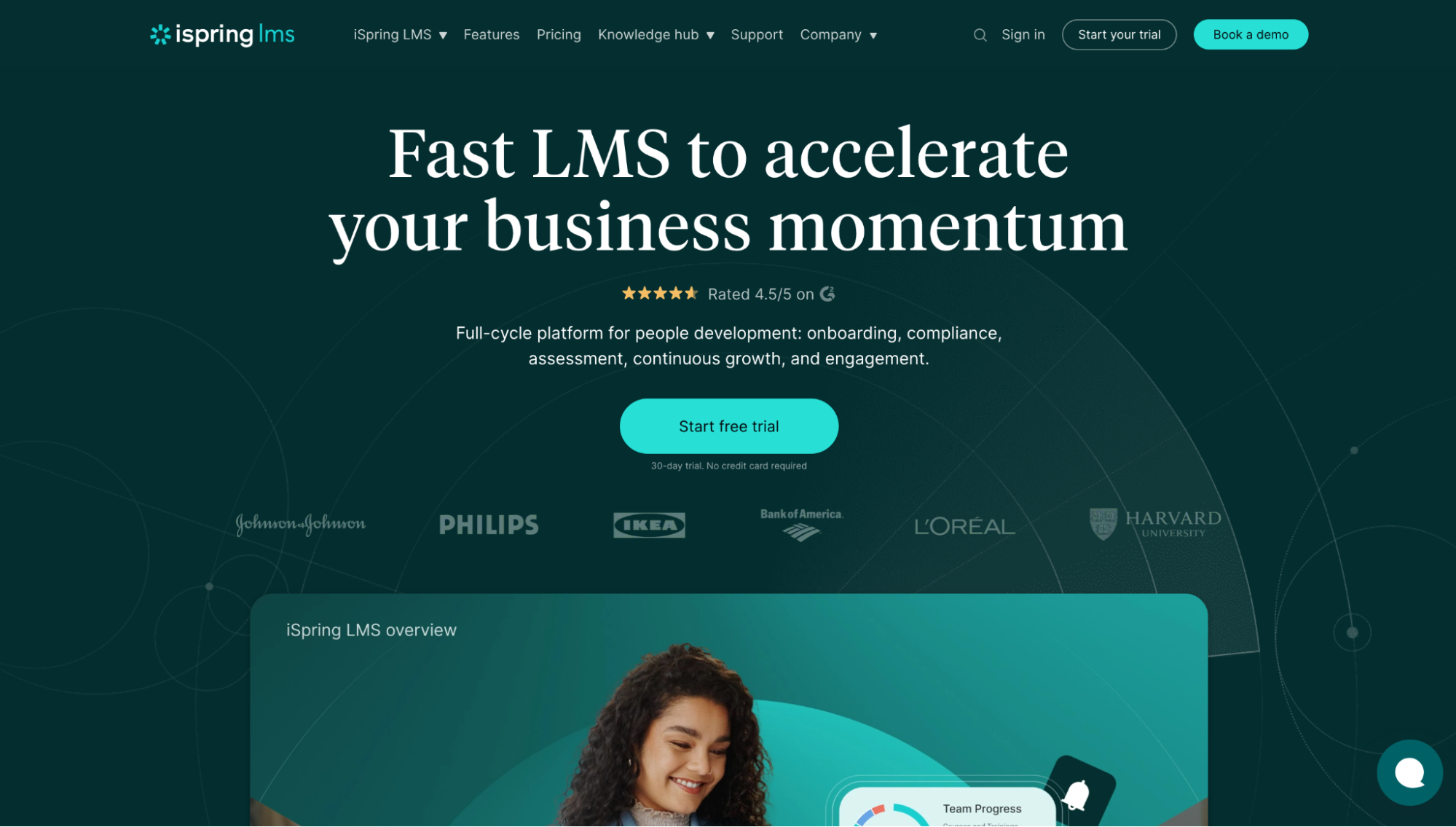
iSpring LMS is a learning management system designed to deliver interactive e-learning to teams in line with established standards. It leverages machine precision to enhance engagement and achieve positive outcomes.
Users highly appreciate its reporting and analytics features for offering valuable insights into employee performance. However, some users are disappointed by the platform’s limited customization options, which restrict tailoring it to specific business needs.
iSpring LMS is quite similar to TalentLMS, as both are course-based e-learning platforms. Since they share many features, their pricing is an important factor in the decision-making process. iSpring LMS costs $6.91 per user per month for a 100-user team compared to TalentLMS’s $449 monthly fee for the same size team, making iSpring LMS a more economical choice.
8. Notion: Best for Lightweight Team Documentation and Wikis
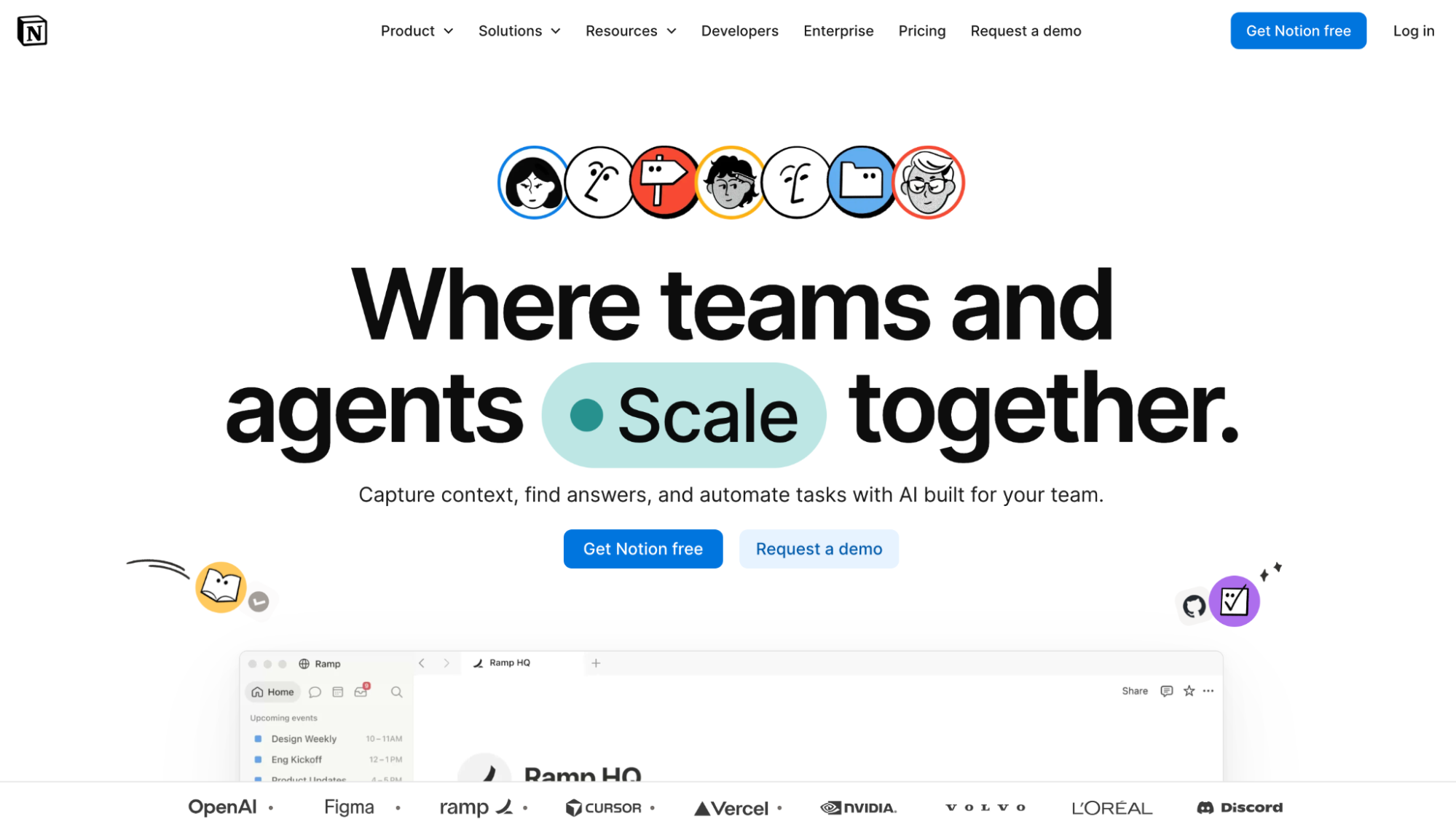
Notion is an AI-enhanced, agent-driven documentation platform that helps businesses develop procedures and guides with minimal manual effort. Its block-based design handles most of the heavy lifting, enabling users to easily rearrange and personalize content.
Many users highlight its flexibility as a key benefit. The intuitive interface allows quick creation and organization of documentation. However, users managing extensive datasets have noted that the app can lag when processing large or complex data, hindering their workflow.
Notion and SweetProcess share similarities in automating repetitive tasks and in generating procedures, processes, and policies. Notion’s Business Plan costs $20 per user monthly. Conversely, SweetProcess charges $99 monthly for up to 10 team members, with a 16% discount on an annual plan. Compared to Notion, SweetProcess offers better value by providing similar features at a lower cost.
9. Process Street: Best for Checklist-Driven Recurring Training
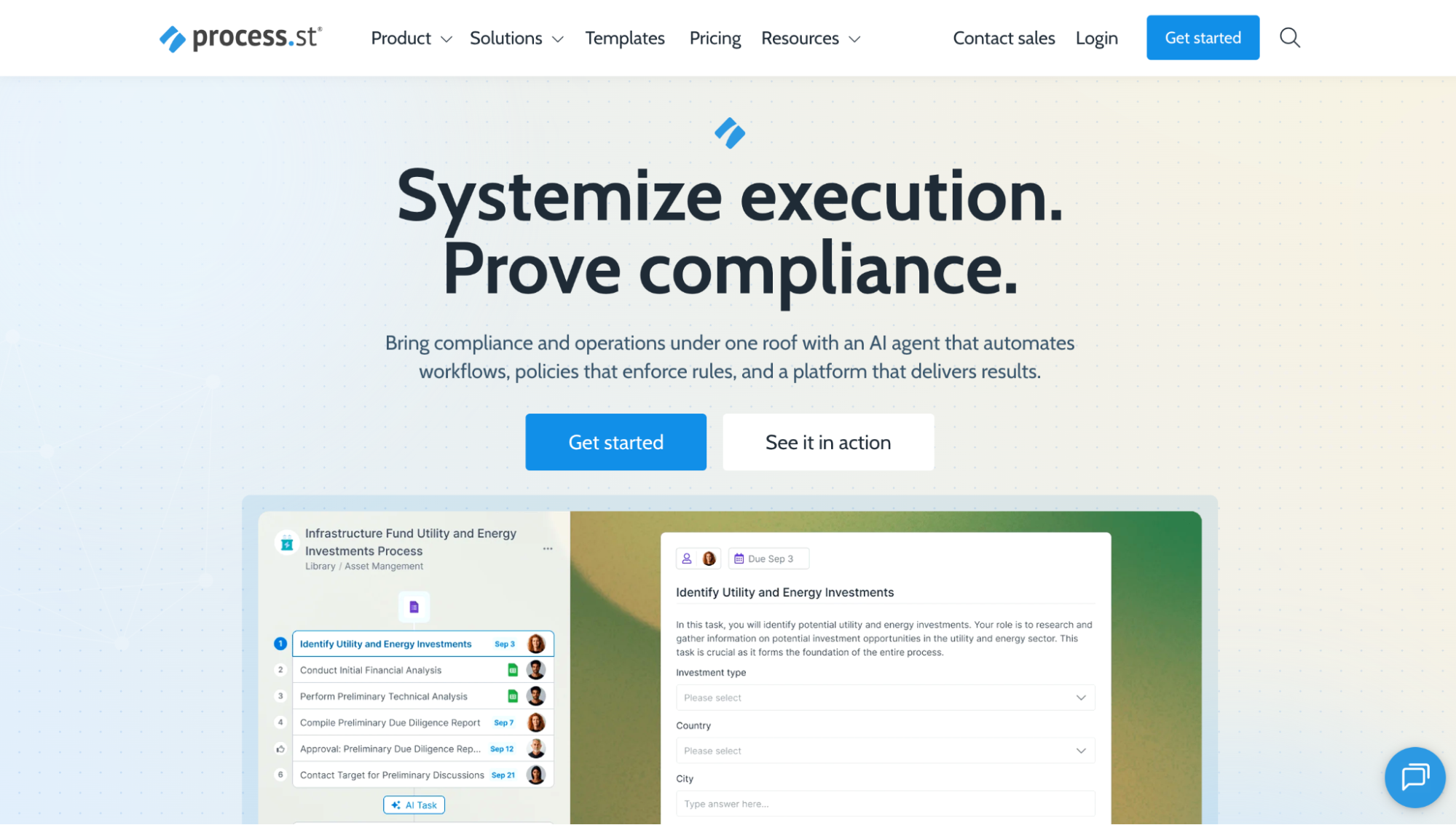
Process Street is a software platform designed to document policies and procedures, ensuring smooth business operations and compliance with regulatory and industry standards. It provides templates for creating checklists that uphold high standards and quality assurance.
A key feature valued by users is its ability to transform complex procedures into simple, step-by-step checklists. However, some users find the initial setup and learning process challenging.
Like SweetProcess, Process Street emphasizes compliance and allows users to create checklists to meet standards. While Process Street offers custom pricing upon request, SweetProcess clearly states its price: $99 per month for up to 10 team members, with a 16 percent discount for annual plans.
Core Features To Look for in Training Documentation Software
The effectiveness of training documentation software depends on its features. These features determine what you can do with the tool and how well you do it. It helps to be proactive about whether the tools you need are available rather than finding out after purchase.
The core features to look out for include:
SOP & Content Authoring: Text, Images, Video, Tables, Step-by-Step Formatting
Documenting SOPs with a mix of text, images, video, charts, and more increases engagement. This is a key differentiator between SOPs that sit unused on computers and those that are constantly used by the team.
Some training documentation software includes templates that let you easily mix these elements without designing them from scratch.
AI-Powered Documentation: Describe a Process, AI Generates the Training Doc (SweetAI, Document360 AI)
Creating SOPs and training documents often slows teams down, as significant time is spent researching and manually writing content. These hours can be greatly cut by leveraging AI tools that produce training content in seconds.
For example, if you use SweetProcess, its SweetAI feature can generate SOPs for any industry almost instantly. You also have the option to customize the content to match your brand style, ensuring it aligns with your company’s tone.
Training Assignment & Progress Tracking: Assign Content by Role, Track Completion, Set Due Dates
Instead of simply displaying training documents and leaving trainees to navigate them independently, engaging and interactive training methods yield better results. Using effective training documentation software allows you to monitor ongoing activities, track engagement levels, and identify nonparticipants.
The software offers features for assigning tailored training to individuals based on their roles and monitoring their progress. By setting specific deadlines for each training, teammates are informed of due dates and receive reminders in advance.
Searchable Knowledge Base: Employees Find Answers Without Asking Someone
In a busy business environment, every minute matters. Reducing the time spent searching knowledge bases allows users to focus on other tasks.
Instead of wading through numerous documents to find training materials, a powerful tool enables instant searches for exactly what they need. This accelerates learning and ultimately boosts productivity, as employees can complete their tasks more efficiently.
Integrations: LMS, HR Tools, Project Management, Communication Platforms
Integrating training documentation with other organizational resources, such as learning management systems (LMS), HR systems, and project management tools, enables consistent information sharing that reflects the company’s style, values, and goals.
This seamless sharing keeps trainees informed about company culture and essential details, eliminating the need for separate training sessions later, which would require more time and resources.
Types of Training Documentation
Training documentation isn’t one size fits all. It comes in various forms, and adopting the most suitable forms within your organization presents the best results. These include:
Employee Handbook: Company Policies, Expectations, Culture
An employee handbook consolidates a company’s culture, policies, and expectations into a portable, easy-to-read document for employee reference. It provides guidance on navigating daily operations within the organization.
Vendor/Partner Training Manual: Supplier or Partner Onboarding
Organizations achieve optimal results when their partners and vendors align with shared standards, quality assurance, and expectations. A thorough and well-structured training manual helps bridge any skill gaps, ensuring that all parties are aligned and working toward common goals.
Project Manual: Project-Specific Tools, Materials, Guidelines
Businesses sometimes find that the results of a project differ from their initial expectations. A project manual helps prevent this by clearly outlining the requirements, procedures, and guidelines, providing a shared blueprint that directs everyone’s efforts toward a successful outcome.
Task Documentation: Step-by-Step SOPs, Work Instructions, Style Guides
Employees require clear instructions to perform tasks efficiently. The more detailed and accessible the documentation, the easier it is for employees to carry out their duties. With the appropriate tool, you can create clear task documentation, assign tasks to employees, and monitor their training progress through to completion.
How Businesses Use SweetProcess for Training Documentation
Manny Cosme, president & CEO of CFO Services Group, started by documenting his organization’s training materials in Word documents. With a handful of employees in his business’s early days, that wasn’t an issue as he could hold each team member’s hand through training.
But that became unsustainable as his business grew. He was looking for a training documentation tool designed for scalability and independent learning. He tried various training documentation software, including SweetProcess.
According to Manny,
“When I looked at SweetProcess, it literally did everything that I wanted. I was like, ‘This is amazing.’”
That was a watershed moment for him and his team. Implementing SweetProcess as a training documentation tool not only streamlined their training but also enhanced their operations.
Dr. Jeremy Weisz, co-founder of Rise25, faced a challenge similar to Manny’s. Early in his business, he recognized the importance of using SOPs but initially documented them in Google Docs stored in Google Drive. He quickly realized Google Docs’ limitations for SOP documentation.
These documents proved unhelpful during training because they were not comprehensive enough. The situation worsened when he and his team spent considerable time searching for the documents they needed.
After switching to SweetProcess, the company’s experience improved immediately.
“For each onboarding process or task, we have actual SOPs,”
Jeremy said. He can assign training documents to trainees for independent learning. These documents are enriched with multimedia content—videos, images, and charts for a seamless learning experience. Afterward, he can assess the trainees’ understanding with a quiz.
Both Manny and Jeremy demonstrate that businesses are eager to document their procedures but might choose the wrong software.
How To Choose the Right Training Documentation Tool
The notion that a single training documentation tool fits all businesses is mistaken. Different companies have varying needs and resources, so consider case-specific options to tailor solutions for your unique business requirements.
Small Team, Budget-Conscious, Need Flexibility → Notion (Free)
Notion’s free plan is suitable for small teams with a limited budget. It provides access to an AI assistant and allows you to create basic forms, sites, calendars, and databases with custom properties, subtasks, and dependencies.
Growing Team, Need Structured Onboarding Playbooks → Trainual
Trainual helps growing teams scale while maintaining quality assurance. Features like centralized documentation, a roles-and-responsibilities builder, version history, reporting, and built-in screen recording help with training and onboarding new employees as your organization expands.
Need To Document Software Processes Visually → Scribe
If your business relies on visual documentation, Scribe provides value by capturing screenshots of your screen and automatically organizing them into an SOP. Additional features like app integration, editing and redacting screenshots, shareable links, and exporting to PDF, HTML, and Markdown facilitate smooth documentation and collaboration.
Need Formal Courses, Certifications, Compliance → TalentLMS or iSpring
TalentLMS serves as a learning platform for businesses that need structured courses, assessments, and scoring to support ongoing education. It offers features such as unlimited courses, custom reports, automations, and integrations, enabling easy course administration and knowledge management.
Need a Searchable Internal Knowledge Base → Document360
Document360 is ideal for organizations that want to give employees easy access to SOPs and how-to guides for effective job performance, backed by extensive knowledge bases with strong search capabilities. Additional features such as its AI assistant, template management, PDF exports, and custom workflow builder contribute to effective workflow management.
Need To Create, Assign, Track, and Quiz Train From One Platform → SweetProcess
SweetProcess suits businesses aiming to streamline employee training and workflow. Its bespoke features simplify documenting procedures and policies, quizzing teams, assigning tasks, and monitoring engagement through a unified system. Its other features, including a central knowledge base, AI assistant, unlimited integrations, screen recording, and form builders, offer the flexibility to maximize training, boost performance, and ensure compliance.
FAQs About Training Documentation Software
Here are some frequently asked questions about training documentation software:
What Is Training Documentation Software?
Training documentation software is a central, accessible, flexible, controlled, and efficient tool for streamlining training within an organization.
What Features To Look For?
When choosing training documentation software, focus on features that offer the flexibility to tailor it to your business needs, such as customization, integration options, access controls, automation, and AI capabilities.
What Is the Difference Between Training Documentation Software and an LMS?
Training documentation software is more interactive and focused on specific needs at a given time, whereas an LMS generally adopts a more formal and fixed structure, often aligned with course-based education styles.
Is There Free Training Documentation Software?
Although some training documentation tools offer free plans, these are often basic and have limited features. Upgrading to a paid plan gives you access to the full range of valuable features.
Can AI Create Training Documentation?
AI can produce documentation with features like AI assistants and automatic screenshot capture. However, some manual editing may still be required to tailor and improve it for a better fit.
How Much Does Training Documentation Software Cost?
The cost of training documentation software varies based on its features, pricing model, and billing cycle. For example, SweetProcess provides discounts on annual subscriptions, helping users save money.
How Do I Create Training Documentation?
You can create training documentation manually, automatically with AI, or through a hybrid of both. The most effective approach leverages AI for the bulk of the work, with human input enhancing and tailoring it for a better fit.
Create and Manage Your Employee Training in One Place Using SweetProcess
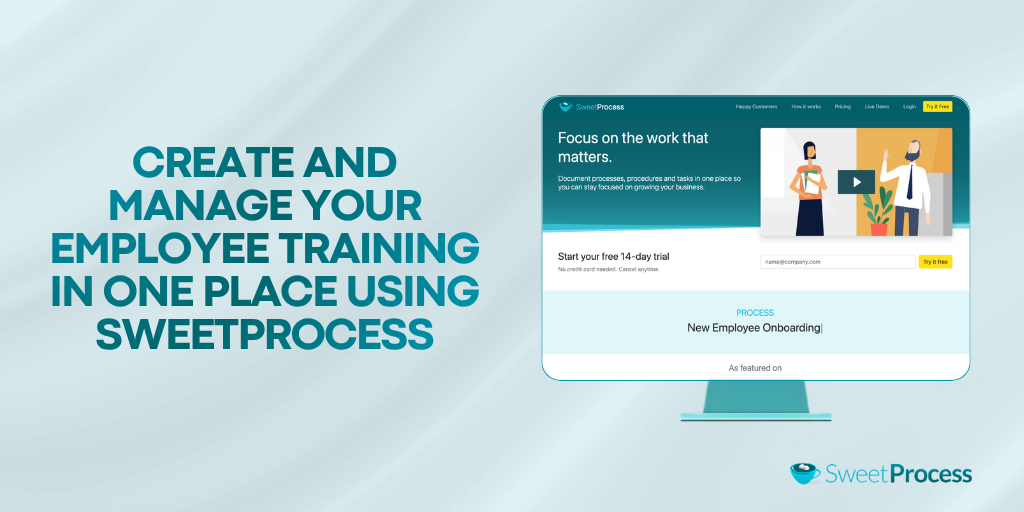
The skill gap in organizations isn’t caused by a lack of training documentation but by the existing documentation’s failure to provide employees with the necessary information to perform their tasks effectively. All nine options on the list can serve for training documentation, but which one best promotes learning?
SweetProcess not only creates these documents but also helps teams maximize their usefulness. You can create comprehensive training materials, share them as tasks with team members, and quiz them afterward to ensure understanding. This way, you can trust their ability to carry out their responsibilities. Best of all, there’s no need for an immediate financial commitment. You can sign up for a 14-day free trial without a credit card and explore all the features. A 30-day money-back guarantee is available if you subscribe and aren’t satisfied.