Last Updated on August 8, 2026 by Owen McGab Enaohwo
Most process maps start with good intentions.
Someone draws a workflow in a diagramming tool, shares it with the team, and files it away in a folder where no one remembers to look or use it. That’s the problem with most process mapping software: It helps you visualize a process, but not always document, assign, track, or improve it.
Mapping complex processes remains a challenge for more than 54 percent of organizations implementing business process automation. Choosing the right tool is not just about making pretty flowcharts; it’s about helping your team actually follow the process.
We reviewed more than 27 leading process mapping software solutions on the market and narrowed them down to the eight best options for small businesses, operations teams, and growing companies.
In this guide, you’ll see what each tool is best for, where it falls short, how pricing works, and which option makes the most sense for your team.
Table of Contents
What Is Process Mapping Software?
What Makes the Best Process Mapping Tool?
How the Top Process Mapping Software Compare
8 Best Process Mapping Software and Tools
Core Features To Consider in Business Process Mapping Software
Benefits of Using Process Mapping Software
What Happens When You Map and Document Your Processes
How To Choose the Right Process Mapping Tool
FAQs About Process Mapping Software
What Is Process Mapping Software?
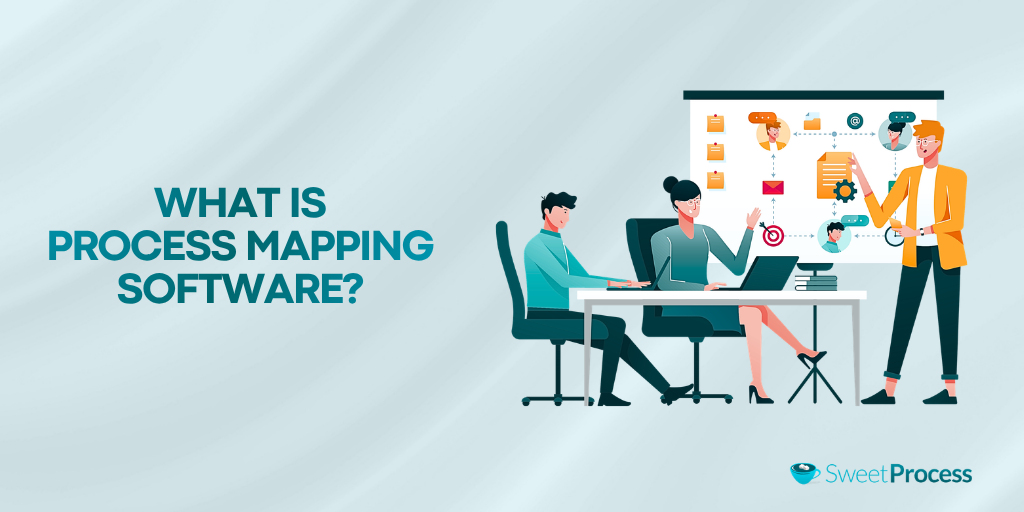
Process mapping software helps businesses visually document, analyze, and improve workflows. This is achieved by creating diagrams that show how work moves from one step to the next. Unlike general flowchart software, process mapping tools are designed specifically to capture business processes, responsibilities, decision points, and operational procedures.
Most process mapping software falls into one of three categories:
- Pure diagramming tools like Lucidchart and draw.io focus on creating flowcharts and process maps
- Collaborative whiteboards like Miro that combine process mapping with brainstorming and team collaboration
- Process documentation platforms like SweetProcess that go beyond mapping to document procedures, assign tasks, and help teams execute processes consistently
A project management survey revealed that 25 percent of employees thought a new tool would mean more work, and 11 percent were not even interested in learning how to use a new tool. This means that organizations need to stop introducing complex tools or creating process maps that nobody uses.
A process map is only valuable when your team can follow it. SweetProcess helps you transform process diagrams into documented workflows, training resources, and actionable tasks your team can use every day. Start your free trial today.
What Makes the Best Process Mapping Tool?
Not all process mapping software is built for the same purpose. Some tools excel at creating diagrams. Others help teams collaborate in real time. The global business process management market was estimated at $20.38 billion in 2024 and is projected to reach $61.17 billion by 2030, growing at a CAGR of 20.3 percent. As more companies invest in BPM, the real advantage comes from choosing tools that don’t just map processes but help teams manage and improve them.
Here are five criteria to consider when picking the best process mapping tool.
Ease of Setup and Learning Curve
The best process mapping software should be easy to use without requiring specialized training. Look out for tools with intuitive interfaces, templates, and AI-assisted process creation features. Take advantage of free trials if available for real-time testing. Opt for tools your team can easily adopt without a steep learning curve.
Collaboration Capabilities
Process mapping is rarely a solo activity. Operations managers, department heads, and frontline employees often need to contribute insights and updates.
Look for software that supports real-time collaboration, comments, approvals, version control, and shared workspaces so teams can build and improve processes together.
From Map to Action: Turning a Map Into an Executable Workflow
Moving your team from mapping to action is where many process mapping tools fall short. Creating a diagram is only the first step. Once the process is mapped, teams need a way to document procedures, assign responsibilities, track execution, and ensure compliance.
Integration With Existing Tools
Your process mapping software should integrate with tools like Slack, Microsoft Teams, Google Workspace, Zapier, CRM platforms, and project management software to reduce manual work and help keep process information accessible where teams already work.
Pricing Transparency
The best process mapping tools provide clear pricing, transparent feature tiers, and enough functionality to evaluate the platform before committing to a long-term contract.
How the Top Process Mapping Software Compare
If you’re short on time, this comparison table highlights the key differences between the best process mapping software based on pricing, ideal use case, and free plan availability.
| Tool | Best For | Starting Price | Free Plan/Trial? |
| SweetProcess | Teams that need to map, document, and execute processes | $99/month | ✔️ |
| Lucidchart | Professional flowcharts and process diagrams | $9/user/month | ✔️ |
| Miro | Collaborative workshops and whiteboarding | $8/user/month | ✔️ |
| Microsoft Visio | Enterprise diagramming | $5/user/month | ✔️ |
| SmartDraw | Technical diagrams and documentation | $7.95/user/month | ✔️ |
| draw.io | Free process mapping only | Free | ✔️ |
| Creately | Visual collaboration and knowledge management | $5/user/month | ✔️ |
| Bizagi Modeler | BPMN flowcharts, digital transformation, and process automation | Custom | ✔️ |
8 Best Process Mapping Software and Tools
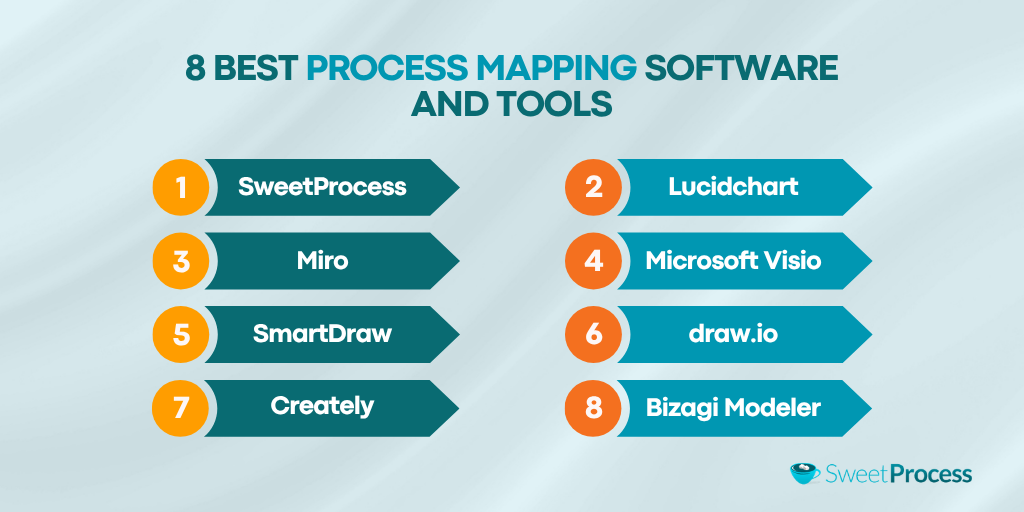
Here’s a rundown of eight of the best process mapping software to consider:
1. SweetProcess: Best for Teams That Map, Document, and Execute Processes
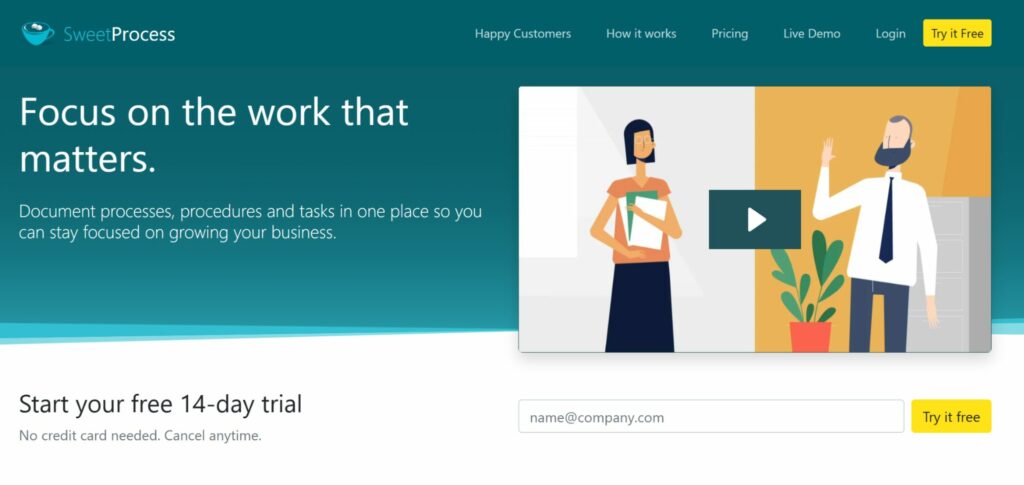
SweetProcess is best for small and mid-sized businesses that want more than process diagrams. They want documented, repeatable workflows that employees can actually follow.
Most process mapping software stops once you’ve created the diagram.
SweetProcess takes it to the next step. Instead of leaving your workflow as a static flowchart, it helps you document every step, assign responsibilities, train employees, and track execution, all from a single platform.
Whether you’re documenting onboarding, customer support, accounting procedures, or operational workflows, every process becomes a living resource that evolves with your business instead of becoming outdated in a shared folder.
Key Features
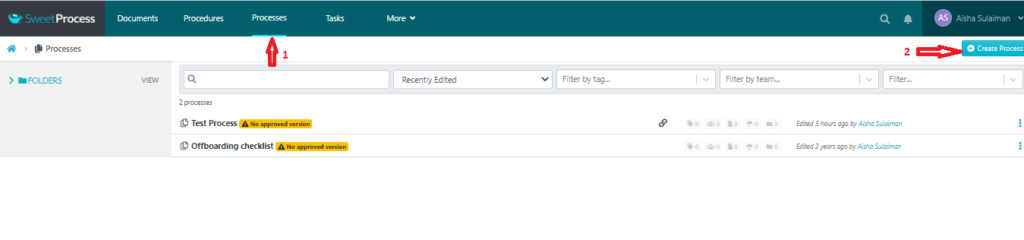
- Processes Module: The processes module is where everything starts. Instead of creating a standalone flowchart, you build a complete business process with clear instructions, screenshots, videos, and assigned owners.
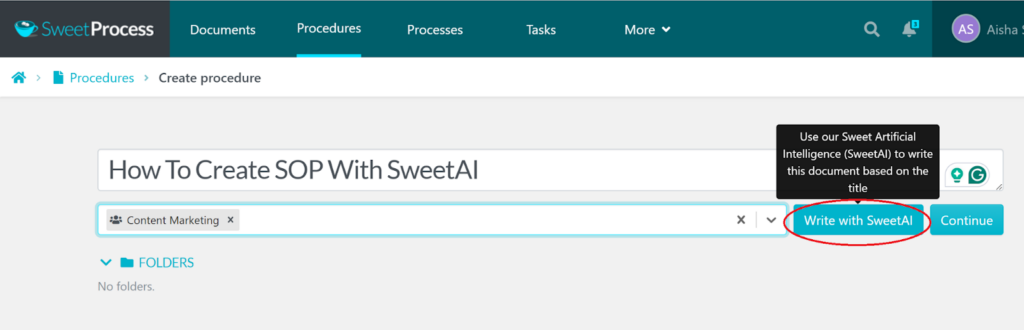
- SweetAI: Documenting processes from scratch can be time-consuming. SweetAI helps accelerate the process by generating procedures from simple prompts.
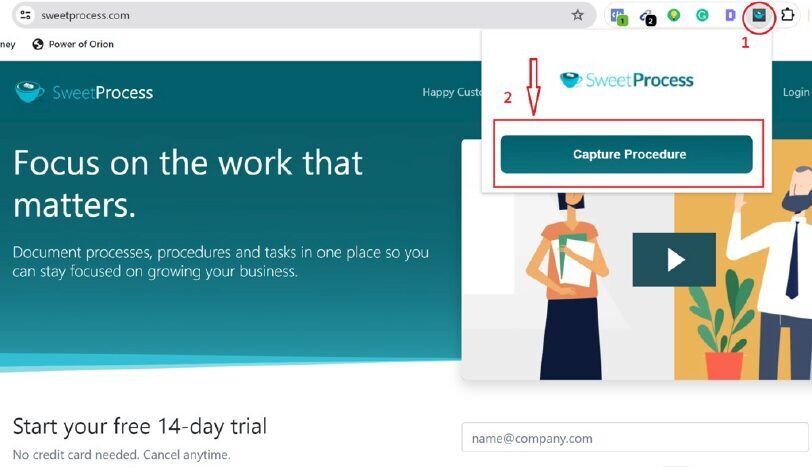
- Chrome Extension: Instead of manually documenting a process after you’ve completed it, simply perform the task as usual while the extension records each step. With the Chrome extension installed, SweetProcess automatically captures screenshots and converts your actions into a draft procedure.
- Tasks Module: Assign documented processes to employees, monitor completion, and ensure every workflow is executed consistently.
Imagine you’ve documented your monthly payroll process. Instead of emailing the instructions every month, you simply assign the process to the responsible employee.
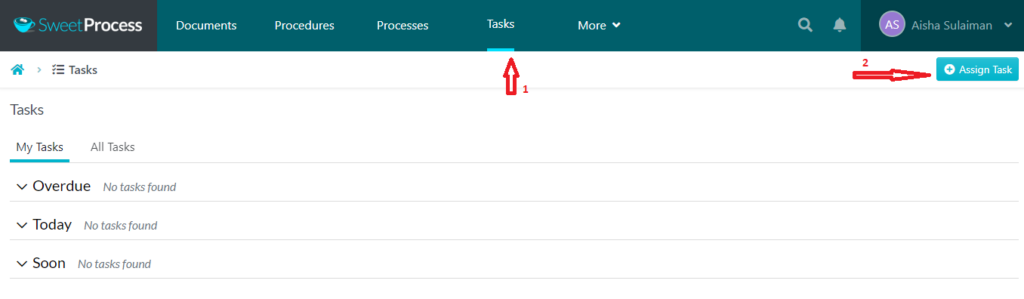
They complete each step, mark tasks as finished, and managers can monitor progress from one dashboard.
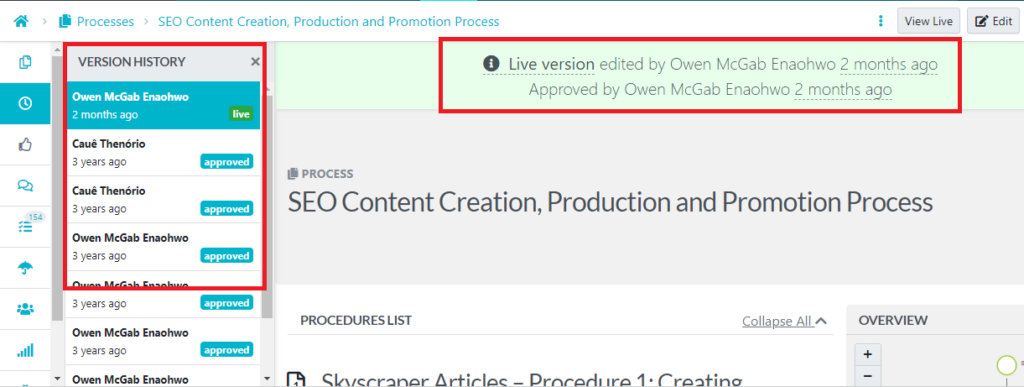
- Version Control: Keep every process up to date while maintaining a history of changes.
Business processes change over time. SweetProcess keeps every update organized with version history, allowing teams to review changes, restore previous versions if needed, and ensure employees always work from the latest approved procedure.
- Knowledge Base: Organize procedures, policies, and standard operating procedures in one searchable location.
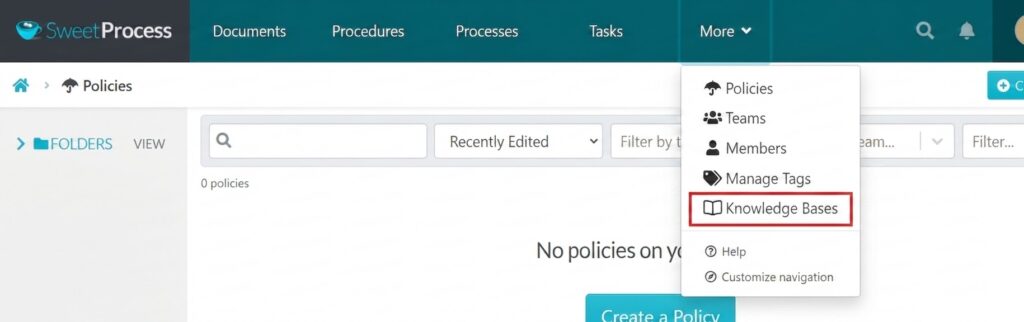
How To Create a Process Using SweetProcess
Creating a process in SweetProcess is straightforward, and you can sign up for free to get started.
- First, document the workflow manually or use the Chrome Extension to record it as you complete the task. SweetAI can then help generate or refine the documentation.
- Next, organize the process into clear steps, add screenshots or videos where helpful, and link-related procedures.
- Finally, assign the process as a task so employees know exactly what to do, when to do it, and where to find the instructions.
Instead of a process map that gets forgotten after the meeting, you end up with an operational playbook your team uses every day.
Where SweetProcess Stands Out
SweetProcess bridges the gap between process mapping and process execution.
Unlike Lucidchart or draw.io, which primarily focus on diagram creation, SweetProcess transforms documented processes into actionable workflows complete with task assignments, approvals, employee training, and ongoing updates.
For growing businesses, this means fewer knowledge silos, faster onboarding, and greater operational consistency.
Potential Drawback
If your only requirement is creating simple flowcharts or BPMN diagrams, SweetProcess may offer more functionality than you need. Teams looking exclusively for diagramming software may prefer dedicated visual tools like Lucidchart or draw.io.
Pricing
- Free plan: 14-day free trial
- Paid plan: $99 per month for a team with up to 10 members
Don’t let your process maps become forgotten diagrams. Turn them into living documentation, assign work, train employees, and keep operations running consistently with SweetProcess.
2. Lucidchart: Best for Professional-Grade Diagramming and BPMN Notation
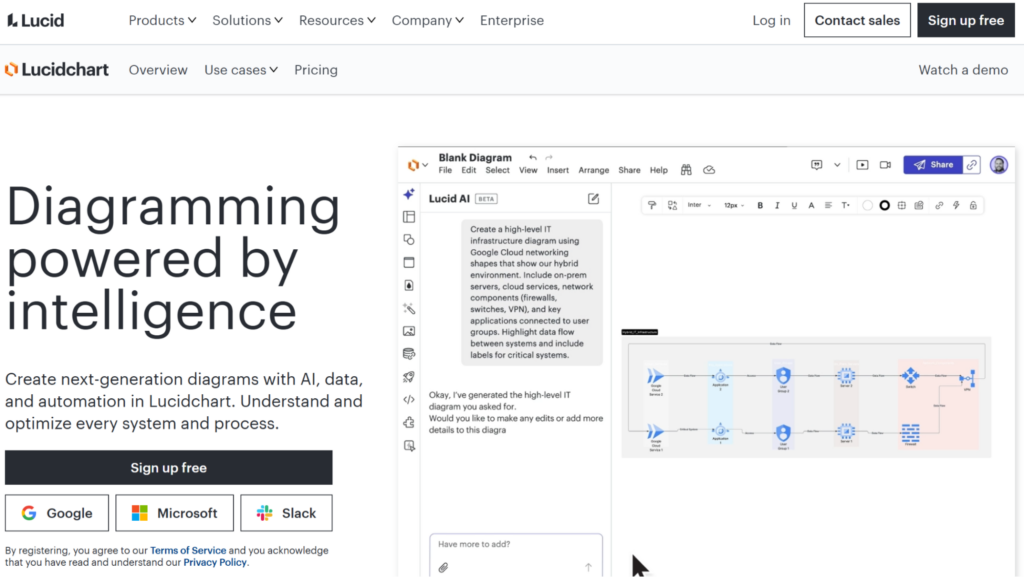
Image Source: Lucidchart
Lucidchart is a great option for business analysts, process improvement teams, and organizations that need advanced diagramming standards such as BPMN, UML, and ERDs.
If your process mapping needs go beyond simple flowcharts, Lucidchart is one of the most capable diagramming tools available. It’s designed for teams that need to create detailed business process maps, technical diagrams, organizational charts, network diagrams, and BPMN workflows, all from a cloud-based, collaborative workspace.
Key Features
- Supports BPMN 2.0, UML, ERD, flowcharts, value-stream maps, and other professional diagram types
- AI-powered diagram generation and intelligent diagram suggestions
- Real-time collaboration with comments, shared editing, and version history
- Hundreds of customizable templates and shape libraries
- Integrates with Google Workspace, Microsoft 365, Slack, Jira, Confluence, and Atlassian products
What We Like
Lucidchart strikes an excellent balance between powerful diagramming capabilities and ease of collaboration. It’s flexible enough for technical teams while remaining approachable for business users who need polished process maps without desktop software.
Potential Drawback
The biggest limitation is its free plan, which restricts users to three editable documents and 60 objects per document. Users have reported reaching these limits quickly, making the free version more suitable for evaluation than long-term use. Upgrading is often necessary for teams managing multiple business processes.
Pricing
- Free plan:Up to 3 editable documents with limited shapes and features
- Individual plan: $9 per user/month (billed annually)
- Team plan:$10 per user/month (billed annually)
- Enterprise plan: Available on request
How It Compares
Lucidchart is an excellent choice if you need professional BPMN diagrams or technical process documentation. However, if your priority is simplicity over advanced modeling, SmartDraw offers a gentler learning curve with many of the same diagramming capabilities. And if you need employees to do more than view diagrams, such as following documented procedures or completing assigned workflows, SweetProcess is the stronger choice because it turns process maps into executable, day-to-day operational processes.
3. Miro: Best for Collaborative Whiteboards and Remote Team Workshops
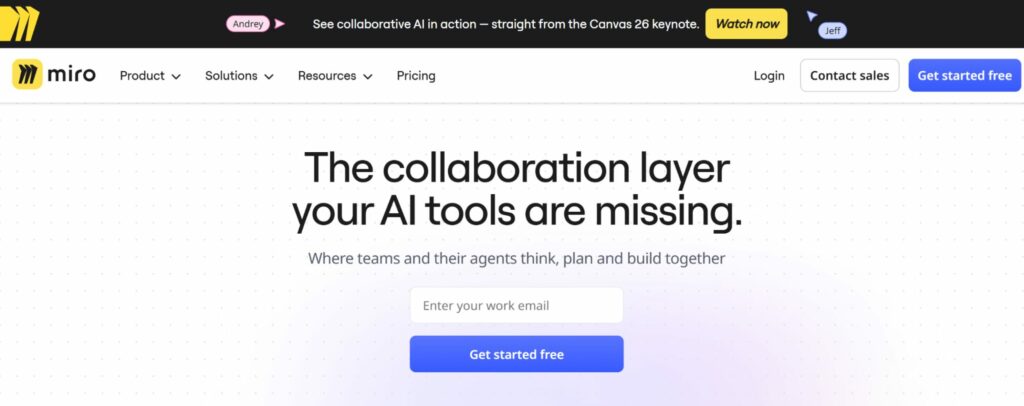
Image Source: Miro
Miro is best for distributed teams, facilitators, and organizations that brainstorm, plan, and map processes collaboratively in real time.
Miro has evolved from a digital whiteboard into one of the most popular visual collaboration platforms for remote and hybrid teams. While it excels at process mapping, it is equally useful for brainstorming sessions, customer journey mapping, agile planning, retrospectives, and strategy workshops.
Key Features
- Infinite whiteboard canvas for process mapping and ideation
- Real-time collaboration with comments, voting, video calls, and live cursors
- Extensive template library for process maps, swimlane diagrams, customer journeys, and value-stream mapping
- AI tools for generating diagrams, clustering ideas, and summarizing workshop sessions
- Integrations with Slack, Microsoft Teams, Jira, Confluence, Google Workspace, Zoom, and hundreds of other business applications
What We Like
Few tools match Miro’s collaborative experience. Whether you’re facilitating a process improvement workshop or mapping workflows across multiple departments, everyone can contribute simultaneously without disrupting the flow of ideas. For remote teams, it’s one of the strongest collaboration platforms available.
Potential Drawback
Miro’s flexibility can also become its biggest weakness. New users often face a steeper learning curve because of the sheer number of features and templates available. Some reviewers on TrustRadius also note that configuring integrations and managing larger workspaces can feel cumbersome, particularly for teams that only need straightforward process documentation.
Pricing
- Free plan:Limited boards and core collaboration features
- Starter plan:$8 per member/month (billed annually)
- Business plan: $16 per member/month (billed annually)
- Enterprise plan: Available on request
How It Compares
Miro is an excellent choice if your process mapping starts with brainstorming and collaborative workshops. However, if your goal is creating structured process documentation that employees can reference and follow long after the workshop ends, SweetProcess is the better fit. It focuses less on freeform collaboration and more on documenting, assigning, and managing repeatable business processes.
4. Microsoft Visio: Best for Organizations in the Microsoft 365 Ecosystem
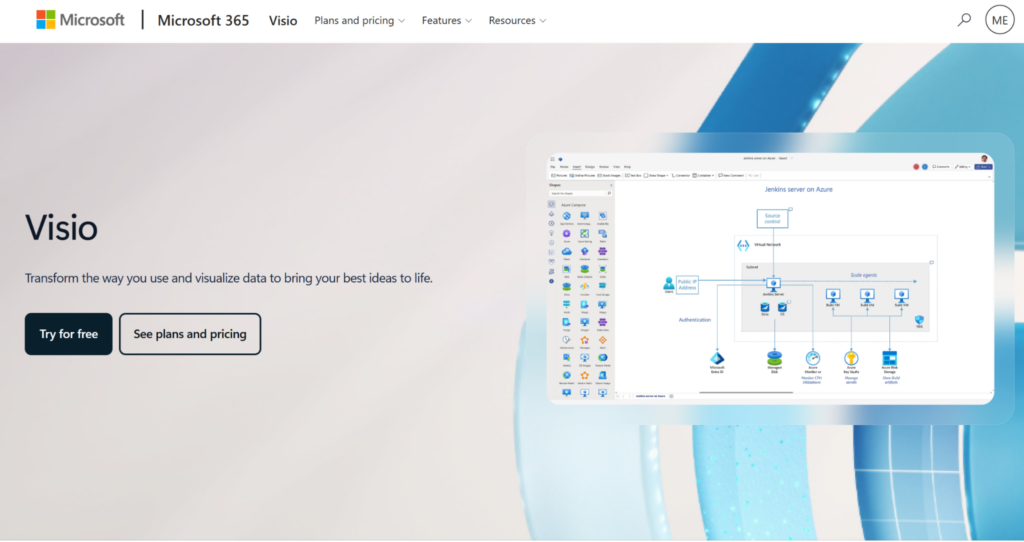
Image Source: Microsoft Visio
Microsoft Visio is one of the most established process mapping software tools on the market. For teams already using Microsoft 365, it offers a familiar way to create flowcharts, swimlane diagrams, organizational charts, network diagrams, floor plans, and business process models.
Its biggest advantage is how well it fits into the Microsoft stack. Users can collaborate through Teams, store diagrams in OneDrive or SharePoint, and work alongside other Microsoft apps without introducing a completely separate platform.
Key Features
- Flowcharts, swimlane diagrams, org charts, network diagrams, and BPMN support
- Extensive library of shapes, templates, and technical stencils
- Integration with Microsoft 365, Teams, OneDrive, SharePoint, and Excel
- Real-time co-authoring in supported plans
- Web and desktop versions are available depending on the plan
What We Like
Visio is powerful, familiar, and dependable, especially for teams already invested in Microsoft 365. It’s particularly useful when process maps need to live alongside other internal documentation in SharePoint, Teams, or OneDrive.
Potential Drawback
Visio can feel less modern than newer web-first tools. Some reviewers have noted static diagrams, limited collaboration/version control, limited process management, cost, and occasional performance issues.
Pricing
- Free plan:1 month free trial
- Visio Plan 1:$5 per user/month with access to the web app
- Visio Plan 2: $15 per user/month with web and desktop apps
- One-time purchase options are also available for desktop users
How It Compares
Visio is a strong choice if your company already runs on Microsoft 365 and needs formal diagramming. But if Visio’s interface feels dated, Lucidchart offers a more modern web-based experience with strong collaboration features. And if your bigger challenge is getting employees to follow documented processes, not just view diagrams, SweetProcess is more focused on turning process maps into repeatable workflows.
Already mapping processes in Visio, but struggling to keep your team aligned? SweetProcess helps you turn diagrams and notes into step-by-step workflows employees can actually use.
5. SmartDraw: Best for Automated Diagram Formatting
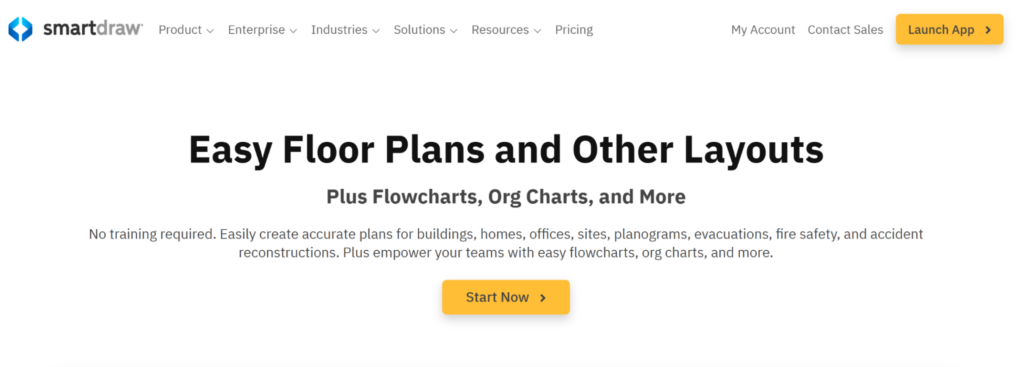
Image Source: SmartDraw
SmartDraw is a strong option for users who want professional-looking diagrams without needing design skills. Its biggest selling point is automated formatting—as you add shapes, steps, and connectors, SmartDraw adjusts the layout for you.
That makes it useful for creating process maps, flowcharts, org charts, network diagrams, floor plans, and other structured visuals quickly. Instead of struggling with alignment, spacing, and formatting, users can focus on getting the process down clearly.
Key Features
- Automatic diagram formatting and layout adjustment
- Templates for process maps, flowcharts, swimlane diagrams, org charts, and technical diagrams
- Large library of symbols and shapes
- Integrations with Microsoft Office, Google Workspace, Atlassian, and Trello
- Import and export options for Visio files
What We Like
SmartDraw is especially helpful for non-designers. If your team struggles to make diagrams look clean and readable, the auto-formatting features can save a lot of time.
Potential Drawback
SmartDraw may not feel as intuitive for every first-time user. Some users from TrustRadius mentioned slow installation and a slightly steep learning curve, which can create friction for teams that want to get started quickly.
Pricing (Introductory price for new customers only)
- Individual:$7.95 per user/month when billed annually
- Team plan:$9.95 per user/month when billed annually
- Enterprise plan:Available on request
How It Compares
SmartDraw is less collaborative than Miro but more structured than draw.io. It works well when you want polished diagrams fast, but it is not as strong for remote workshops or live brainstorming. Compared with SweetProcess, SmartDraw is better for creating diagrams, while SweetProcess is better for turning mapped processes into documented workflows employees can follow.
A clean diagram is a great start. But your team still needs step-by-step instructions, ownership, and accountability. SweetProcess helps you turn polished process maps into workflows people actually use.
6. draw.io (diagrams.net): Best Free and Open-Source Mapping Tool
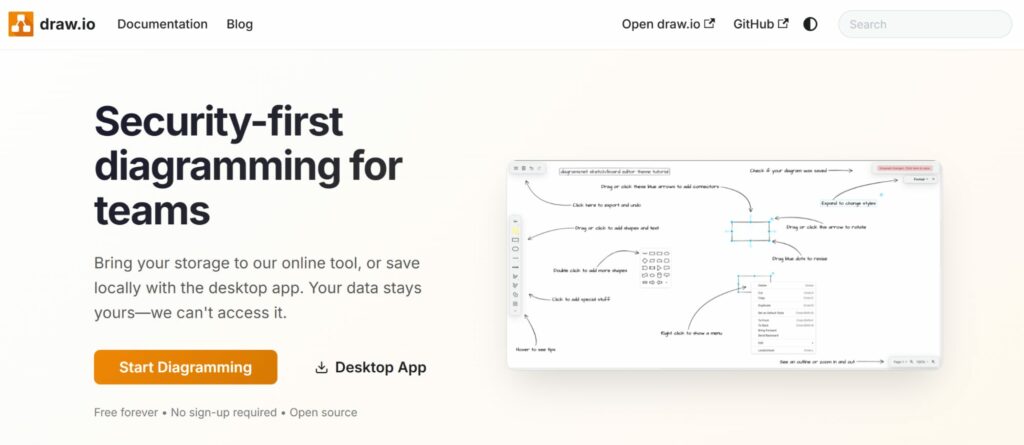
Image Source: draw.io
draw.io is ideal for individuals, startups, students, and budget-conscious teams looking for powerful free process mapping software without sacrificing core functionality.
If you’re looking for capable process mapping software without paying a monthly subscription, draw.io (now branded as diagrams.net) fits and doesn’t require you to create an account before you start building diagrams.
Despite its zero-dollar price tag, draw.io includes many of the features found in paid diagramming tools. You can create flowcharts, swimlane diagrams, BPMN diagrams, UML diagrams, network diagrams, and organizational charts using an extensive library of shapes and templates.
One of its biggest advantages is flexibility. You can use it directly in your browser or connect it to cloud storage services to save and manage your diagrams.
Key Features
- Completely free and open source
- No account or subscription required
- Browser-based and desktop versions available
- Supports flowcharts, BPMN, UML, ERDs, and swimlane diagrams
- Integrates with Google Drive, OneDrive, Dropbox, GitHub, and Atlassian products
- Large library of templates and diagram shapes
What We Like
Draw.io delivers exceptional value. It’s rare to find free software that offers this level of functionality without restricting exports, adding watermarks, or locking key features behind a paywall. For small businesses or solo users, it’s one of the strongest free process mapping tools available.
Potential Drawback
The trade-off for being free is collaboration. While teams can share files through cloud storage, draw.io doesn’t offer the same seamless real-time collaboration experience as platforms built specifically for distributed teams. Organizations that frequently co-edit process maps may find this limiting.
Pricing
- Open source: No licensing fees or paid subscription required
How It Compares
Draw.io is the go-to choice for organizations that need professional diagramming on a tight budget. If collaboration is your top priority, Miro and Lucidchart provide a smoother real-time editing experience but neither matches draw.io’s feature set at its price point: free. And if your goal extends beyond creating diagrams to documenting procedures and assigning work, SweetProcess offers a more complete operational workflow solution. You can explore the full features using the 14-day free trial.
7. Creately: Best for Data-Linked Visual Process Maps
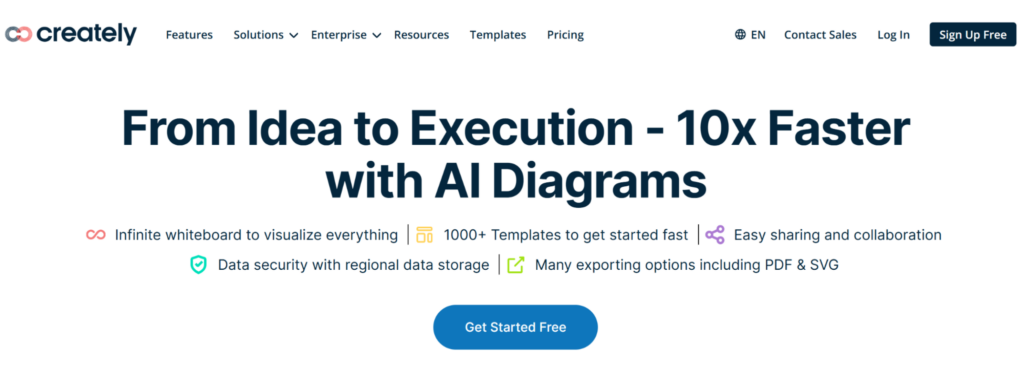
Image Source: Creately
Creately goes beyond traditional diagramming by combining visual process mapping with structured data. Instead of treating shapes as static objects, it allows users to attach information such as owners, deadlines, documents, and custom properties to each element in a process map.
This makes diagrams more dynamic and easier to maintain as processes evolve. Teams can create flowcharts, swimlane diagrams, organizational charts, and business process maps while keeping related information connected in one workspace.
Creately also supports real-time collaboration, making it a practical choice for teams that need to build and update workflows together.
Key Features
- Data-linked process maps with custom properties
- Templates for flowcharts, BPMN, swimlane diagrams, and org charts
- Real-time collaboration with comments and shared editing
- Visual database for connecting processes, people, and documents
- Integrations with Slack, Microsoft Teams, Google Workspace, Jira, and Confluence
What We Like
Creately’s ability to combine diagrams with structured data makes it easier to keep process maps useful long after they’re created. Instead of switching between multiple documents, teams can access key process information directly from the diagram.
Potential Drawback
While Creately offers powerful functionality, it has a smaller user community than competitors like Lucidchart and Miro. Some G2 reviewers mentioned performance lag with larger diagrams, slow loading, and diagramming issues.
Pricing
- Free plan: Available with limited features
- Starter plan:$5 per month (billed annually)
- Team plan: Personal: $5 per user/month (billed annually)
- Business plan: $89 per month—unlimited users (billed annually)
How It Compares
Creately sits between Lucidchart’s advanced diagramming capabilities and SweetProcess’s documentation-first approach. It’s a strong choice for teams that want richer, data-driven process maps, while SweetProcess remains the better option for organizations focused on documenting procedures and executing workflows.
Visual process maps are more valuable when they’re tied to the work your team performs. SweetProcess helps you document procedures, assign responsibilities, and keep every process up to date.
8. Bizagi Modeler: Best Free BPMN 2.0 Modeling Tool
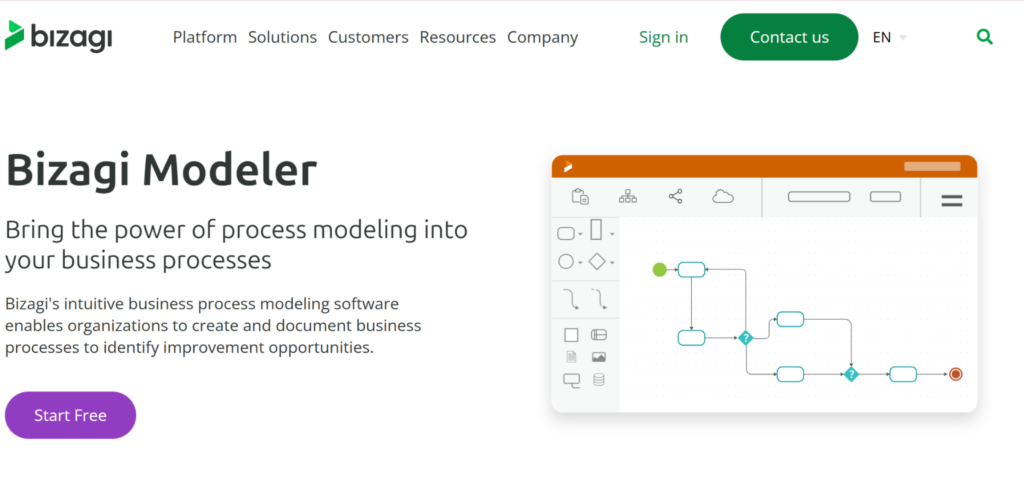
Image Source: Bizagi Modeler
Bizagi Modeler is a free process mapping tool built specifically for business process model and notation (BPMN) 2.0. Unlike general-purpose diagramming software, it’s designed for organizations that need to create standardized process models for compliance, process improvement, and business process management (BPM) initiatives.
The platform enables teams to design detailed workflows, document business rules, and share process models across the organization. Because it follows the BPMN 2.0 standard, Bizagi is particularly popular in industries such as finance, healthcare, manufacturing, and government, where consistency and regulatory compliance are critical.
Key Features
- Free BPMN 2.0 process modeling
- Extensive BPMN symbol library and templates
- Process documentation and publishing
- Collaboration through Bizagi Cloud
- Integration with the broader Bizagi automation platform
What We Like
Bizagi Modeler is one of the best free tools for organizations that need formal BPMN documentation. Its adherence to the BPMN 2.0 standard makes it a reliable choice for teams that must meet regulatory, auditing, or enterprise process management requirements.
Potential Drawback
The biggest challenge is the learning curve. BPMN notation can be difficult for business users who simply want to document everyday workflows, and users from Software.Advice have lamented about the interface, making Bizagi better suited to process analysts than non-technical teams.
Pricing
- Free plan:Available with limited features
- Customized plan: Consumption-based pricing available on request
How It Compares
If BPMN compliance is a requirement, Bizagi Modeler is one of the strongest free options available. However, if your team simply needs to document processes, train employees, and standardize day-to-day operations, SweetProcess offers a much more accessible experience without requiring users to learn formal process modeling notation.
Not every business needs formal BPMN models. If your priority is helping employees follow consistent processes instead of learning technical notation, SweetProcess makes documenting and managing workflows simple. Get started with the 14-day free trial to help your team skip the complexity and focus on execution.
Core Features To Consider in Choosing a Business Process Mapping Software
The best process mapping software does more than help you draw flowcharts. It should make it easier to document workflows, collaborate with your team, and improve operations over time. As you compare tools, focus on these five capabilities.
Visual Process Builder
A good process mapping tool should make it easy to create workflows using drag-and-drop editing. Look for support for flowcharts, swimlane diagrams, decision nodes, connectors, and ready-made templates. An intuitive visual builder lets teams document processes quickly without needing design or technical expertise.
AI-Powered Generation
AI is changing how businesses create process maps. Instead of starting with a blank canvas, tools like SweetAI, Lucidchart AI, and Miro AI can generate workflows from a simple text prompt, helping teams document processes faster while reducing manual effort.
Real-Time Collaboration
Business processes rarely belong to one person. Choose software that supports real-time co-editing, comments, approvals, and version history so stakeholders can review, update, and refine workflows together.
Process Execution
Creating a process map is only the beginning. The best platforms help teams put those workflows into practice by assigning tasks, documenting procedures, tracking progress, and keeping processes up to date.
Process automation is becoming standard operating practice. As of 2024, 66 percent of businesses had automated at least one business process, and that number is projected to reach 85 percent by 2029.
This is where solutions like SweetProcess stand out, turning static process maps into living workflows employees can follow every day.
Integrations
Your process mapping software should connect with the tools your team already uses. Integrations with project management platforms, communication apps, cloud storage, CRM systems, and productivity suites reduce duplicate work and keep process information accessible across your organization.
Benefits of Using Process Mapping Software
The right process mapping software does more than create attractive flowcharts. It helps businesses standardize work, reduce inefficiencies, and build repeatable systems that scale. Here are five of the biggest benefits.
Identify bottlenecks before they become crises
Process maps make it easier to see where work slows down, approvals pile up, or responsibilities overlap. By visualizing your workflows, you can spot inefficiencies early and make improvements before they affect productivity, customer experience, or profitability.
Reduce onboarding time for new employees
Well-documented processes help new hires get up to speed faster. Instead of relying on tribal knowledge or shadowing experienced employees, they can follow clear, step-by-step workflows that reduce mistakes and improve confidence from day one.
Improve cross-department communication
Many business processes span multiple teams. Process mapping creates a shared understanding of who is responsible for each task, reducing confusion, duplicate work, and communication gaps between departments.
Support compliance and audit readiness
Standardized process documentation helps organizations demonstrate that work is performed consistently. Whether you’re preparing for an internal audit or meeting industry regulations, documented workflows make it easier to show compliance and identify areas that need updating.
Enable continuous process improvement
Business processes should evolve as your company grows. Process mapping software makes it easier to review workflows, collect team feedback, update documentation, and refine operations over time. Instead of becoming outdated, your processes remain accurate, relevant, and aligned with changing business needs.
What Happens When You Map and Document Your Processes
Creating a process map is only the first step. The real value comes when those workflows are documented, standardized, and used consistently across your organization. BPM initiatives have been linked to productivity benefits of 30 to 50 percent, while 81 percent of enterprise BPM initiatives reportedly achieve an internal rate of return above 15 percent.
As Next7 IT expanded its managed IT services, documenting processes in Microsoft Word became increasingly difficult. Procedures were inconsistent, hard to update, and often depended on employees knowing where the latest version was stored.
Dan Houk, director of service delivery, implemented SweetProcess to centralize process documentation and create standardized workflows the entire team could access. Instead of searching through folders or relying on tribal knowledge, employees worked from a single source of truth, improving consistency across day-to-day IT operations.
When Eric Burnside joined Independent Retirement, he recognized that many business processes existed only in people’s heads. That made onboarding, delegation, and business growth difficult for the family-owned financial services firm.
Using SweetProcess, the company documented and mapped its core operational workflows into repeatable systems. As a result, employees gained clear guidance for completing recurring tasks, making it easier to maintain consistency while supporting future growth.
For Wistar Group, a 235-employee property management company, inconsistent processes were creating costly operational inefficiencies.
After documenting and improving its workflows with SweetProcess, the company eliminated process bottlenecks and standardized how work was performed across teams. The result was an estimated $87,000 in savings, demonstrating how effective process mapping and documentation can directly improve the bottom line.
These companies didn’t succeed simply because they created process maps. They succeeded because they transformed those maps into living documentation that employees could reference, follow, and continuously improve.
That’s the difference between creating diagrams and building operational systems that scale with your business.
Sign up for the 14-day free trial today and start creating processes your employees can actually follow—not just diagrams they’ll forget.
How To Choose the Right Process Mapping Tool
The best process mapping software depends on what you’re trying to accomplish. Some tools are built for creating diagrams, while others help teams document, manage, and execute business processes.
If you’re an individual, startup, or small team looking for capable free process mapping software, draw.io is hard to beat. It offers a wide range of diagramming features without requiring a subscription or user account.
Miro is ideal for distributed teams that need to brainstorm, map processes, and run workshops together in real time. Its infinite canvas and collaboration tools make it a great choice for interactive planning sessions.
Organizations in regulated industries often need standardized process models for audits and governance. Bizagi Modeler is purpose-built for BPMN 2.0 and is one of the strongest free options for formal process modeling.
If your team works primarily in Microsoft Teams, SharePoint, OneDrive, and other Microsoft applications, Visio integrates naturally into that ecosystem and provides powerful diagramming capabilities.
Lucidchart is a strong option for business analysts, consultants, and operations teams creating detailed flowcharts, UML diagrams, and business process maps. It offers more advanced diagramming capabilities than many general-purpose visual collaboration tools.
If your goal is simply to create process maps, several tools on this list will get the job done. But if you want your team to actually follow those processes, keep documentation up to date, and turn workflows into repeatable systems, SweetProcess is built for exactly that.
Start your 14-day free trial with SweetProcess and see how easy it is to map, document, assign, and manage your business processes, all from one platform.
FAQs About Process Mapping Software

What is process mapping software?
Process mapping software helps businesses visualize, document, and improve workflows by creating diagrams that show how work moves from one step to the next. The best tools also support collaboration, process documentation, and workflow execution, making it easier for teams to standardize operations and improve efficiency.
What features should you look for in process mapping software?
Look for a visual drag-and-drop builder, AI-assisted process creation, real-time collaboration, workflow documentation, integrations with your existing tools, and transparent pricing. If your goal is long-term operational improvement, choose software that helps your team execute processes, not just create diagrams.
Can process mapping software integrate with other tools?
Yes. Most modern process mapping software integrates with productivity and collaboration platforms, including Microsoft 365, Google Workspace, Slack, Microsoft Teams, Jira, CRM systems, and Zapier. These integrations help teams keep process documentation connected to the tools they already use.
Is process mapping software suitable for remote teams?
Absolutely. Cloud-based process mapping tools allow remote and hybrid teams to collaborate in real time, share feedback, track changes, and maintain a single source of truth for business processes. Solutions like Miro and SweetProcess are particularly well-suited for distributed teams.
What’s the difference between process mapping software and process management software?
Process mapping software focuses on creating visual representations of workflows, while process management software helps businesses document, execute, monitor, and improve those workflows over time. Some platforms, such as SweetProcess, combine both capabilities by allowing teams to map processes and turn them into actionable, repeatable workflows.
Is there free process mapping software?
Yes. Several tools offer free plans or free versions. Draw.io (diagrams.net) is one of the best completely free process mapping tools, while Bizagi Modeler provides free BPMN 2.0 modeling for organizations that need standardized process documentation. Other tools, such as Lucidchart and Miro, also offer free plans with feature limitations.
Can AI create process maps?
Yes. Many modern platforms use AI to generate process maps from simple text prompts or existing documentation. Tools like SweetAI, Lucidchart AI, and Miro AI can help teams create workflows faster, reducing the time required to document business processes manually.
What is BPMN, and do I need it?
Business process model and notation (BPMN) is a standardized method for modeling complex business processes. It’s useful for enterprises and regulated industries that require formal process documentation. However, most small and mid-sized businesses don’t need BPMN—simple flowcharts and well-documented procedures are usually easier to create, understand, and maintain.
Choosing the right software is only the first step. With SweetProcess, you can map workflows, document procedures, assign tasks, and keep every process up to date from one centralized platform.
Ready to put your processes into action?
Start your free 14-day SweetProcess trial and create living workflows that will move the needle for your business.
Create and Manage Your Company’s Process Maps in One Place Using SweetProcess
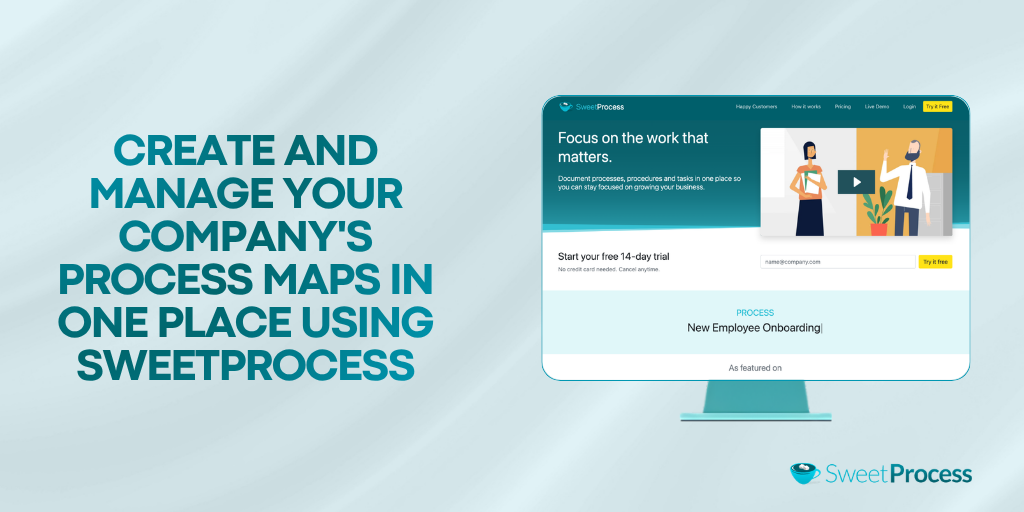
Choosing the right process mapping software is important, but creating a process map is only the beginning. The real value comes from documenting every step, assigning responsibilities, keeping procedures up to date, and ensuring your team actually follows them.
That’s where SweetProcess stands apart.
Instead of creating diagrams that end up forgotten in a shared folder, SweetProcess helps you turn your process maps into living documentation your team can use every day. From capturing workflows with the Chrome Extension to generating procedures with SweetAI and assigning tasks to employees, everything you need to manage your business processes lives in one platform.
Whether you’re standardizing operations, onboarding new employees, or preparing your business to scale, SweetProcess helps you build systems that improve consistency and keep work moving.