Last Updated on October 13, 2026 by Owen McGab Enaohwo
If you are looking for a screen capture tool, you have likely come across both Scribe and Tango. Both tools offer different features that you need to evaluate before choosing the right fit for your business.
SweetProcess is a different kind of product. Our cloud-based software helps teams create and manage procedures, including who owns them, when they were last reviewed, tracking which managers or employees approved the current version, and whether they are still accurate.
The better capture tool is the one that fits where your team works and how people will use the finished guide. Capture, editing, sharing, and maintenance are the practical differences to weigh between Scribe and Tango. For procedures that also need owners, approvals, and regular reviews, it helps to compare those capabilities with a documentation system such as SweetProcess.
How about signing up for a 14-day free trial without a credit card?
Key Takeaways
- Scribe and Tango both capture workflows and turn them into step-by-step guides with screenshots.
- Scribe is ideal for teams that want to automatically capture institutional knowledge and transform it into context that teams can understand and follow.
- Tango suits teams that need interactive walkthroughs and how-to-guides. It captures and formats guides automatically so they are ready to share and export.
- To maintain, update, manage, and review your procedures regularly, you’ll need a complete documentation system beyond Scribe and Tango. SweetProcess lets you track whether your team has read your guide and flag changes when you update it.
Start your free 14-day trial of SweetProcess. No credit card needed. Cancel anytime.
Table of Contents
- What is Scribe?
- Who Is Scribe For?
- What is Tango?
- Who is Tango For?
- Scribe vs. Tango: How They Differ
- Where The Guide Lives After
- SweetProcess: The Scribe and Tango Alternative
- Scribe Vs. Tango: Key Similarities
- Cons of Scribe
- Cons of Tango
- Scribe vs. Tango vs. SweetProcess Pricing
- Scribe or Tango: Which One Should You Pick?
- Scribe vs. Tango: Which Process Documentation Should You Use?
- FAQs
What is Scribe?
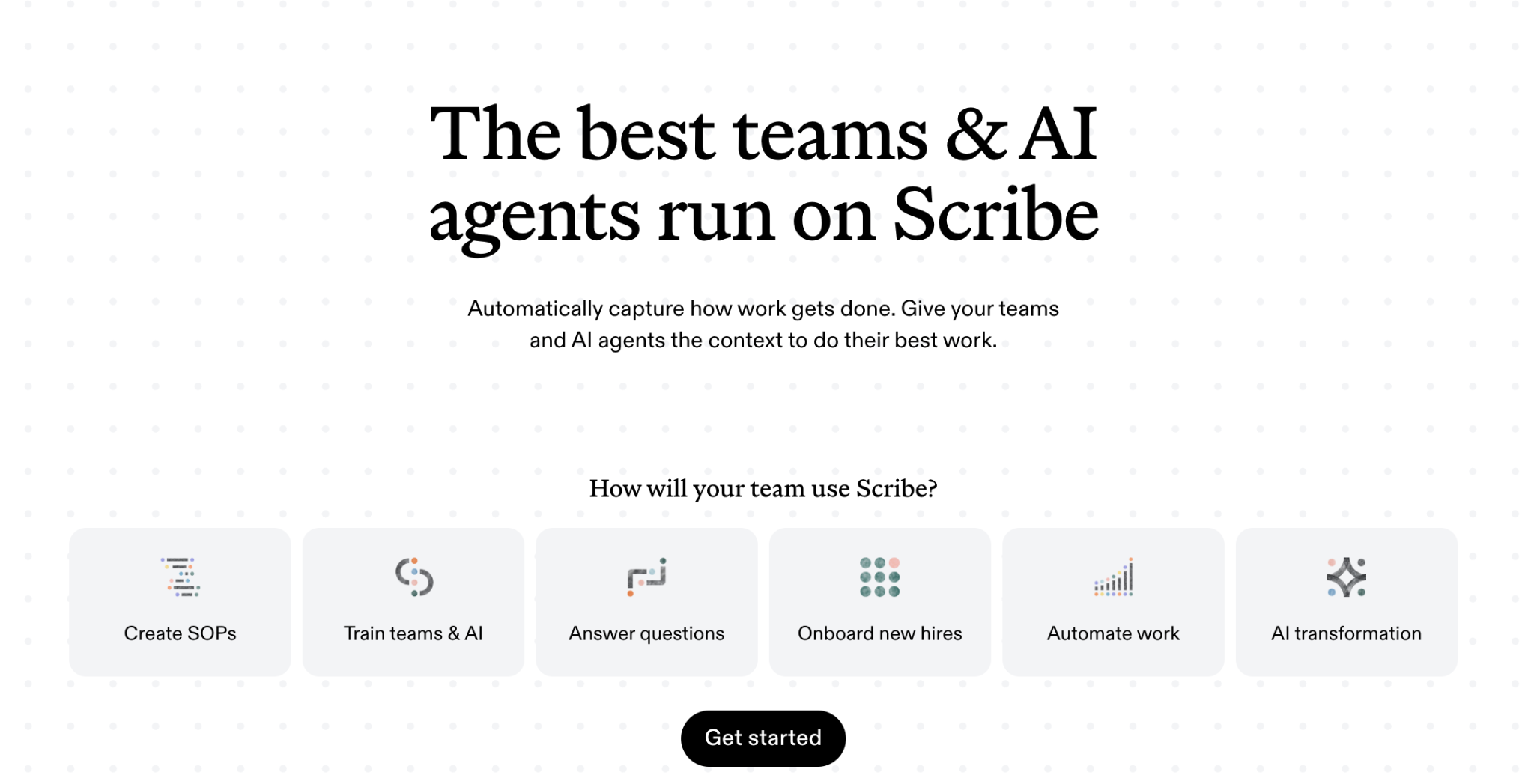
Image source: Scribe
Scribe is a browser and desktop capture tool that records your clicks and automatically generates step text and screenshots without much manual input. It uses AI to identify what happened at each step, then describes your workflow so your team can execute their tasks accurately.
This software also enables you to connect data and train your AI agents on your processes. Once you create the draft guides, Scribe also makes it easy to edit the steps and customize the processes to align with your business.
Who Is Scribe For?
Scribe is a good fit for businesses of all sizes. It’s custom-made for various industries, from startups to large enterprises, that are looking to ramp up efficiency and cut back on wasted time.
Because of its versatility, it works for technical writers, customer support teams, operations staff, human resources, and automation and IT teams who create a high volume of guides or onboarding materials. It eliminates the time needed to create a manual guide or process from scratch, especially if you run a small team or work as a consultant or freelancer.
What is Tango?
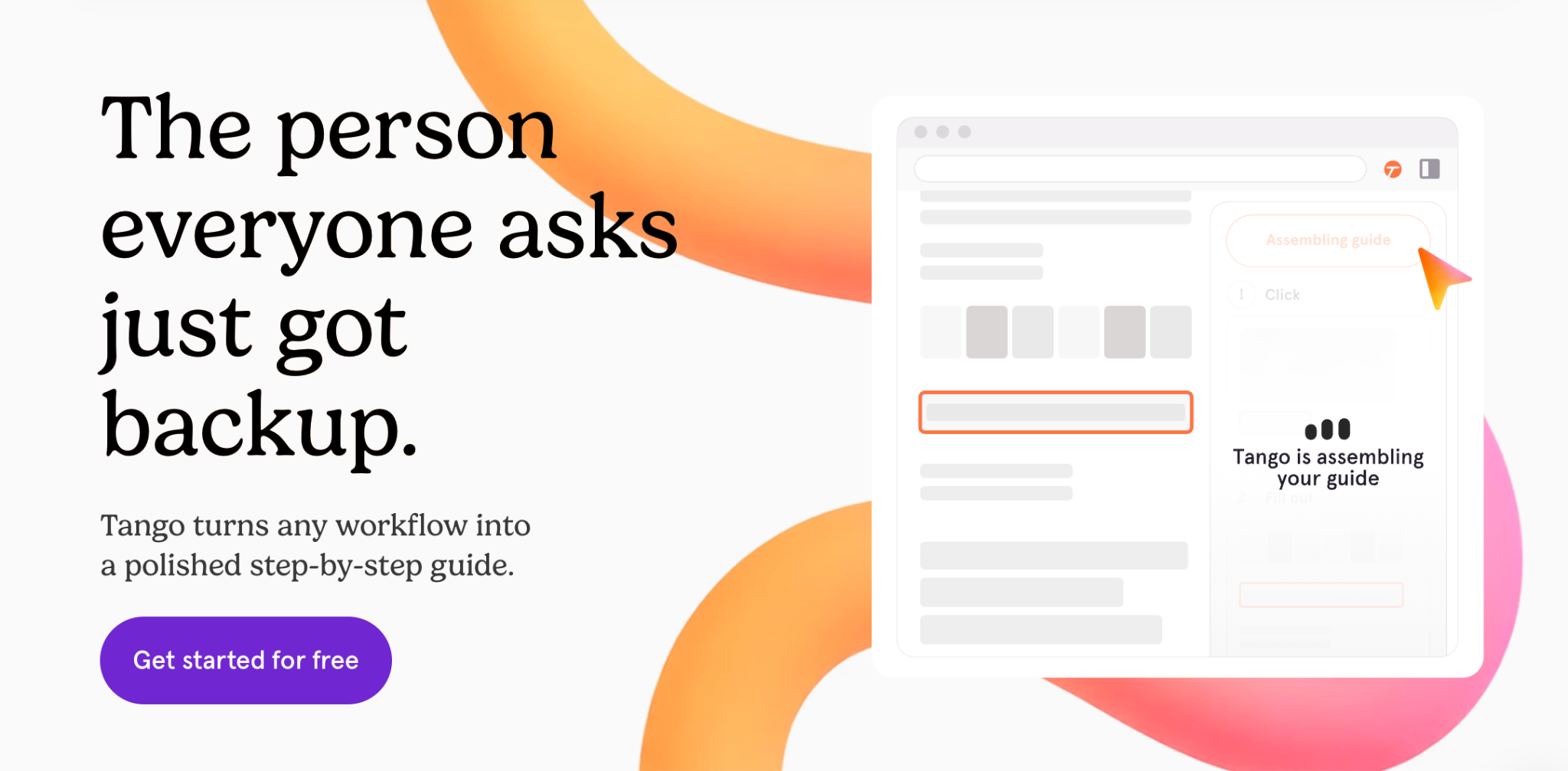
Image source: Tango
Tango is a browser extension that captures on-screen steps and turns them into shareable screenshot-based guides. With this software, you can create interactive workflows and visual walkthroughs, making it easier for your team to follow as they work.
The extension integrates easily with customer relationship management (CRM) and enterprise resource planning (ERP) systems, as well as multiple web-based tools, so your team can centralize operations. Additionally, once you have the guides, Tango can turn them into automations, especially if you need to fill out forms or add information repeatedly.
Who is Tango For?
Tango works for both startups and large enterprises looking to document processes. You can use it to quickly walk a new hire or client through a task, making your operations more efficient. In addition to standardizing processes, Tango can also support customers and create AI-ready training documentation.
The interactive “Guide Me” feature comes in handy when you need to hand off a task fast, rather than produce a polished, branded reference document. These features make it a good tool for HR, insurance, healthcare, finance, and accounting teams.
Scribe vs. Tango: How They Differ
Scribe and Tango share the fundamental goal of capturing and organizing processes, but they exhibit distinct approaches and features that cater to specific user needs and preferences.
Here are some key differences between the two tools and how they compare with SweetProcess.
| Areas of Disparity | Scribe | Tango | SweetProcess |
| User Experience | Scribe has a more complex interface. This is largely because of the variety of features it offers. Some of these include automatic text entries and highlighting of clicks, pages for organizing guides, galleries for storing and sharing screenshots, and support for multiple languages. These features make some users judge it to be more difficult to learn and use. | Tango has a less complex interface. This is due to its makeup. This tool was designed for easy use for teams that need to create quick and easy guides. Its easy-to-use features include manual entry of text, highlights, and limited organization options. The simplicity also makes users judge Tango to be less powerful than Scribe. | SweetProcess is built to organize, assign, and manage business procedures and processes after the capture. Its key features, including version history and comprehensive knowledge bases, make it a go-to software for businesses looking to centralize all their operations. It has no learning curve; new users can use it as soon as they sign up. |
| Dashboard | On the Scribe dashboard, you have the luxury of seeing a list of all of your guides. You can also filter your guides by tags, categories, and authors. | The Tango dashboard allows you to see a list of your guides and create new ones. You can also filter your guides by tags and categories. | On the SweetProcess dashboard, you can view all the processes, procedures, and policies, filterable by team, tag, or recently edited. |
| Mode of Recording | Scribe records on-screen actions automatically, generating detailed step-by-step instructions accompanied by annotated screenshots. | Tango, on the other hand, relies on manual entry of text and highlights. This may be more time-consuming than Scribe’s automatic recording. | SweetProcess can document procedures manually, with AI-assisted creation. Users can smart-record their workflows and transform them into a company procedure. |
| Customization and Branding | With this tool, there is an extensive customization option for guides, including custom colors, fonts, and layouts. | There are limited customization options for guides with predefined colors, fonts, and layouts. | You get access to full document formatting plus version control, so the branding stays consistent as the procedure is updated. |
| Sharing and Embedding | Scribe offers a wide range of options for sharing and embedding documentation. It is easy to create public or private links to share with anyone. | Tango offers a few options for sharing and embedding documentation. To share your documentation with anyone you can create shareable links to share your documentation with anyone. | SweetProcess offers a shareable knowledge base. You can embed links as you create the process and set up access controls by team and role. |
| Comment and Reaction | Scribe allows users to add comments and reactions to steps in a process. Comments are text-based annotations and may be used to provide additional information or context about a step. | Tango, on the other hand, does not currently support comments or reactions. | SweetProcess allows users to add comments and tag specific employees on a specific procedure. This feature makes it easy to collaborate on a task. |
| Version History | Scribe has a comprehensive version history. | The version history feature for Tango is limited. You have to pay for the Pro plan to get 14 days of history. | SweetProcess offers version history with approval sign-off, so you can see who approved which version and when. |
| Mobile and Desktop app | Scribe allows you to record on-screen actions and create new guides on the go. It enables you to access all your existing actions. | This tool lets you view and share existing Tango guides. However, it doesn’t permit you to record on-screen actions or create new guides. | Mobile app and web-based access, with export to PDF or Word for offline or printed use. |
| Integration | Scribe integrates with 40+ productivity tools. | Tango’s browser extension integrates with thousands of tools. | SweetProcess integrates with more than 1,000 apps through Zapier and a direct API. |
| Pricing | Free basic plan with limited features. Pro Personal is $25 per user per month, billed annually. Pro Team is $13 per user per month, billed annually for five users. | Free plan for up to ten users and five shared workflows. Pro plan starts at $15 per user per month, billed annually for three or more seats. | Transparent pricing. Plan costs $99 per month or $990 per year for up to 10 users with access to every feature. Plan for small teams of up to five users costs $495 annually. |
These prices are as of September 5, 2026.
Where The Guide Lives After
Scribe and Tango are both good at capturing the tasks on your screen and turning them into guides your team can share and use. But what happens after? A captured guide is a file. As your collection of captured guides grows, it becomes difficult to manage them without a proper system to track who is responsible for keeping them accurate.
Neither tool assigns an owner, sets a review date, flags the guide when the process changes, or tracks whether anyone has read it. Your business needs comprehensive process documentation software like SweetProcess that handles the entire lifecycle from the initial capture to the review stages that happen regularly.
For instance, your IT manager may capture a process and share a link with new hires, which becomes irrelevant six months later. You’ll need a platform that lets you assign tasks, build knowledge bases on company information, maintain version history, and track acknowledgment of the new document.
SweetProcess: The Scribe and Tango Alternative
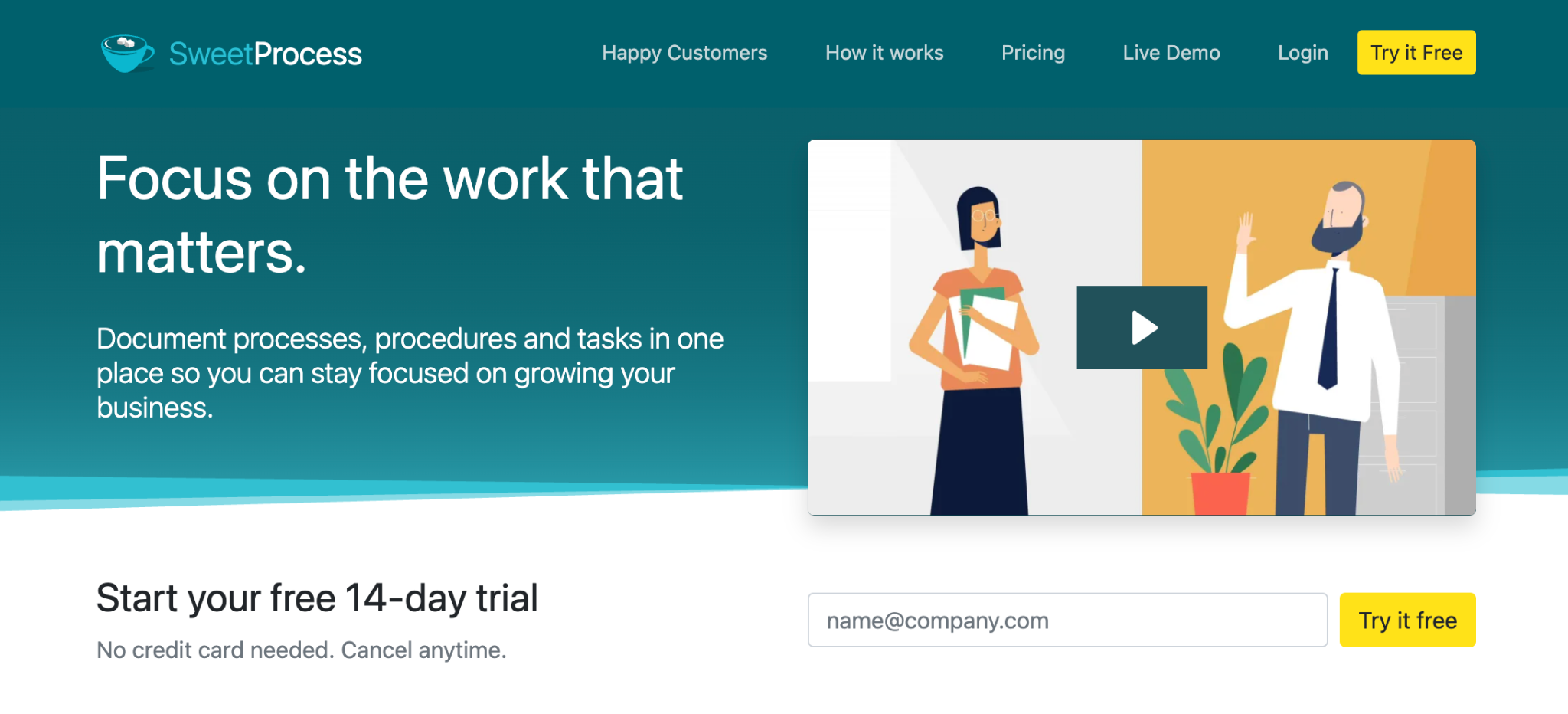
Compared to Scribe and Tango, SweetProcess is a compelling choice for managing and documenting your business processes. While both are good at capturing screen-based workflows, SweetProcess helps businesses document standard operating procedures (SOPs), policies, processes, and knowledge bases in one place.
With SweetProcess, you can assign and manage tasks tied to the procedures and track when they’re completed. If anyone on the team makes changes to the procedures, you can view the version history in real time from the same platform.
It is a better option than Scribe and Tango because it is more detailed and comprehensive and has the best user-friendly process documentation tool. It offers a wider range of features like real-life collaboration, customizable templates, integration with other tools, and an easy-to-use interface.
SweetProcess Core Features
SweetProcess offers the best features to help you ramp up operations and productivity. It also has customer satisfaction at the top of the list. Let’s look at some of SweetProcess’s features that make it stand out.
Provides a Centralized Location to Store Processes and Procedures
When it comes to having an efficient process documentation tool that provides assurance of efficiency, SweetProcess helps by providing a central location to store your business processes and procedures, making it easy and accurate for your team members to find the information they need.
Bilal Farooq, president and chief executive officer at Tameer Incorporated, says that having his team call him every now and then for even the minutest of details was one of the bottlenecks he was faced with before finding SweetProcess. This was also one of the situations that caused him to go in search of a better business tool.
He further reveals, “It was like a nightmare. It was like a rollercoaster. Every day was like a monkey dance; people would call you and be like, ‘Hey, when’s the next holiday? Are we taking the Fourth of July off? How do we do this? How do we do that?’ And it wasn’t easy, from hiring to training.”
He got on board with SweetProcess, and things changed for good, as there was a remarkable turnaround in the day-to-day operations of his business. You too can leverage SweetProcess’s automated content creation tool, the SweetAI feature, which has advanced AI capacity to generate accurate information on your chosen title.
Helps to Create Comprehensive Processes
When overwhelmed with challenging tasks, implementing a workflow system always changes the trajectory. SweetProcess empowers you to create detailed and comprehensive processes with texts, images, and videos.
Jamie Ramsden and his team at Turkstra Lumber, a company that offers building-related services, were effective at doing their job without documented processes. However, they lacked a seamless flow because they performed differently, and this caused inconsistency across the organization until they switched to SweetProcess.
The workflow at Turkstra Lumber got a boost as they no longer struggled with cohesion and precision. Now the workforce is happy with the workflow, and productivity has also scaled. You and your team can achieve these and more when you switch to SweetProcess today.
Helps to Drive Consistency
Achieving desired results at the workplace with SweetProcess is easy because it helps team members operate on the same level and produce consistent results. This fosters quality assurance.
Stephanie Chavez, the chief marketing officer of Zen Media, a public relations firm, wanted so badly for her team to achieve consistency. Good thing she and her team were introduced to SweetProcess, which helped raise the bar. Now, their processes have scaled, and their operations are streamlined. There is so much you too can tap into when you use SweetProcess to document your processes.
Compliance Support
SweetProcess offers compliance support by providing a platform for your business to record procedures and view which team member approved them. It also makes it easier to retrieve the same policies and procedures during audits and compliance checks without checking through scattered documents.
Thomas Parker, quality assurance and sensory coordinator at Stone & Wood, reveals that SweetProcess is instrumental in helping his organization obtain and maintain compliance certifications.
“It really helps us a lot with standard requirements that are out there, like the International Organization for Standardization (ISO), where you have to demonstrate that your employees have been trained and show procedure documents, so it ticks all the boxes there,” Thomas says.
Employee Onboarding and Training
Some business tools may complicate employee onboarding instead of simplifying it. However, this isn’t the case with SweetProcess. SweetProcess simplifies and shortens the learning curve by showing employees how to perform tasks right from their first day at work. All that needs to be done is to make sure that the instructions for a task are well-documented before assigning it to an employee. This helps employees go through a more organized onboarding.
Document Versioning
Identifying the specific copy of the document you need may be a great challenge with other business tools. However, this is made effortless with SweetProcess. With this business tool, you can view a list of the available versions and choose a particular one of your choice.
Third-Party App Integration
SweetProcess empowers you to make the most of your workflow, as it makes room for integration with other apps with its API tool. This means bringing your favorite applications under one roof at your disposal. It further simplifies the integration process with Zapier, allowing you to connect to third-party apps without technical skills. This might be difficult to get by with other business tools, but SweetProcess prioritizes this feature.
Team Collaboration
What is the use of a process documentation tool if team collaboration can’t be promoted? Team collaboration is one of the things that SweetProcess prioritizes. It provides room for multiple simultaneous access to documents by teams. As an administrator, you are at liberty to assign editing privileges to participants at your discretion or open the floor for everyone to contribute. This means that each participant can view the task as it progresses in real time, seeing the contributions people make.
Public and Private Knowledge Bases
Having a detailed knowledge base is one of the huge benefits that come with a process documentation tool. With a standard operating procedure tool like SweetProcess, you can document any information relevant to your business and store it in SweetProcess as a knowledge base. This makes it easy for your team to access information in the system remotely.
If you want to test out these features like these SweetProcess customers, or build a go-to knowledge base, train employees quickly, and enhance your business operations in more ways, then sign up for a 14-day free trial of SweetProcess.
How to Create a Process With SweetProcess
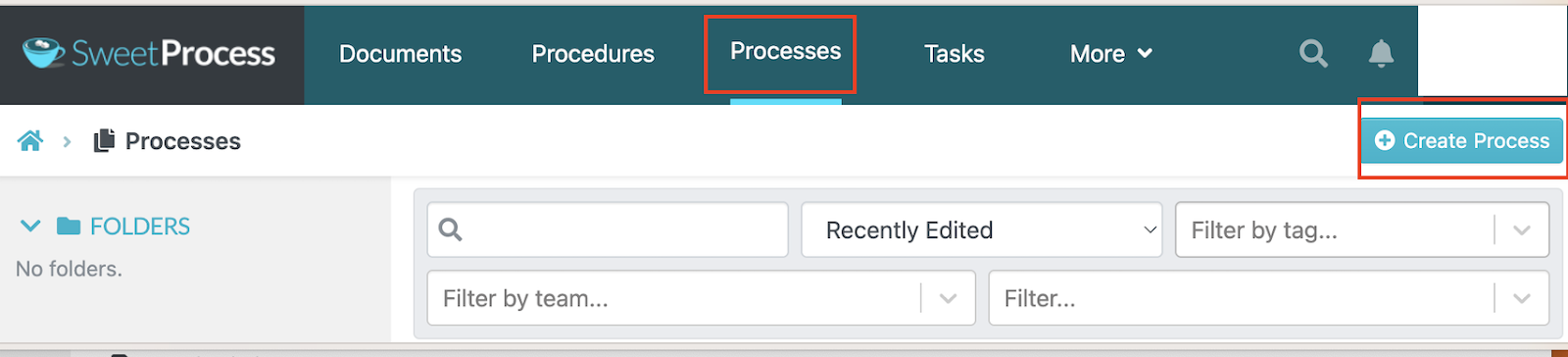
SweetProcess is easy to use; you can start documenting your processes as soon as you sign up for a new account. Click on the “Processes” tab on the main menu.
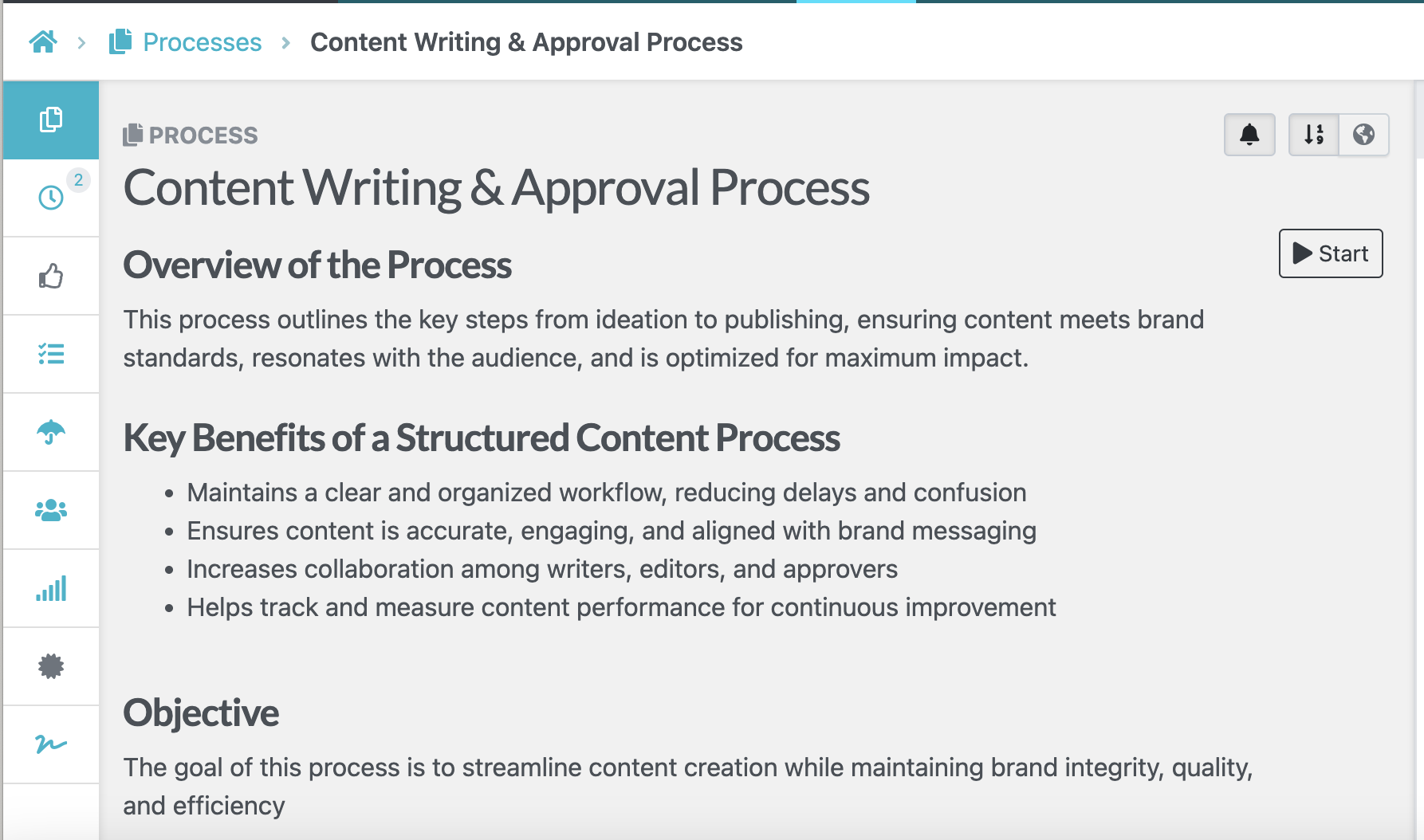
Then add a process title to differentiate it from other documents on the platform. The text editor allows you to add text, images, or tables, depending on your team’s needs and learning pathways. You can also assign the process to a specific team or employee to make collaboration easier.
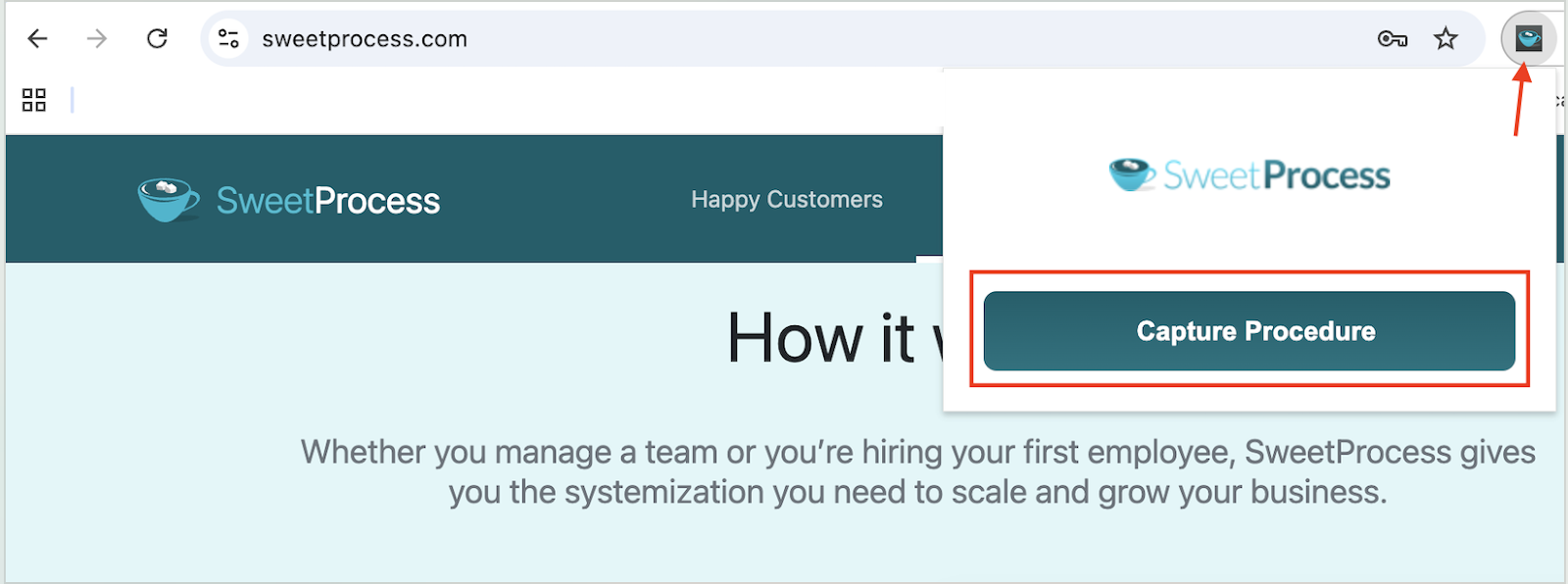
If you prefer to capture your steps visually, you can use the SweetProcess Chrome extension, which automatically records your browser activity. You can then edit and share this procedure with your team.
How To Manage Processes on SweetProcess
Once created, SweetProcess makes it easy to manage processes. You can easily search for the document you need from the dashboard to either update or delete it. The search functionality comes with filters; you can search based on the team or tag.
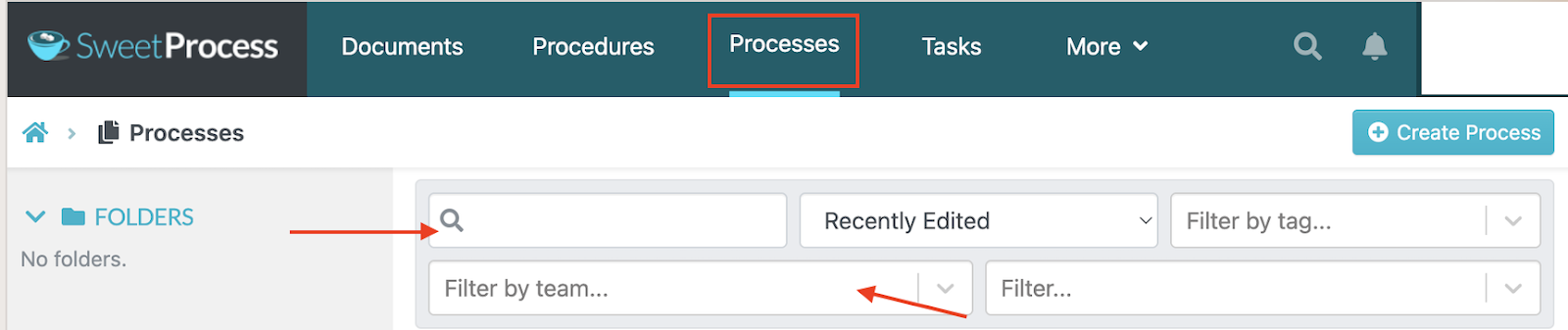
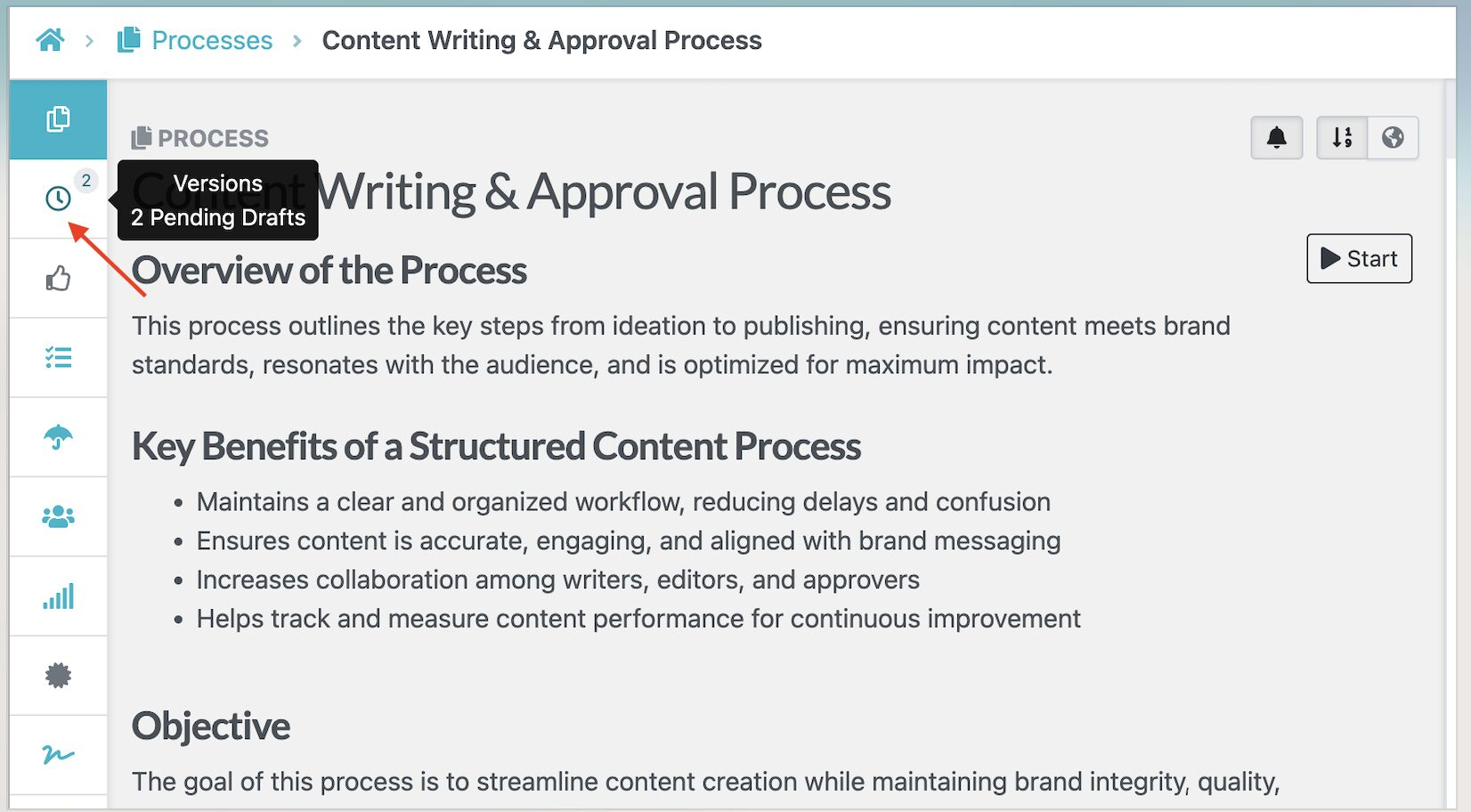
After you find the process, you can check the version history from the left-side menu to view which employee made changes. From there, you can revert to an older version if needed.
To learn more about using SweetProcess for process documentation, check out our comprehensive knowledge base.
Scribe Vs. Tango: Key Similarities
Scribe and Tango share some key features. Here are some key areas of similarity between these process documentation tools.
Ease of Use
Scribe and Tango have a user-friendly and intuitive interface that makes navigation easy. Their pre-built SOP templates and wizards help simplify documentation processes.
Editing Tools
Both tools allow users to remove steps and easily insert or delete steps in the guides on Scribe and Tango. In both tools, you are also allowed to remove and modify the text in your steps to make it a lot clearer. Text can also be bolded, italicized, and underlined to emphasize important points.
Access Controls
They both allow users to manage who can view, edit, and share process documentation within the organization. There are also similar access control features, which include team-based access, shared links, visibility settings, and version control, among others.
Blurring Sensitive Information
Scribe and Tango allow you to blur sensitive visual information in your guides. This can be helpful for protecting customer data, proprietary information, or personal information. They use a pixelation blur and mosaic blur that breaks the image into small squares. This can be more effective at protecting sensitive information.
Ease of Setup
Both Scribe and Tango are relatively easy to set up. They both have user-friendly interfaces that offer browser extensions that make it easy to record your workflows.
Chrome Extension
Scribe and Tango offer a Chrome extension, which allows users to capture their workflows directly within their web browser.
Their screen-capturing Chrome extension makes it easy to document standard operating procedures (SOPs) and other step-by-step guides while allowing you to switch between applications.
Want to see how SweetProcess stacks up against Scribe and Tango, start your 14-day free trial today!
Cons of Scribe
Like all other tools, Scribe has its fair share of downsides, as users have experienced. Let us take a look at some of them.
Editing Challenges
According to some users, Scribe requires manual cleanup after the recording is complete, and sometimes it captures too much, which increases the workload. Editing can also be cumbersome for longer workflows and becomes challenging when you need to add highlights or text boxes.
Screenshot Issues
While Scribe is good at screenshotting guides, it can capture keystrokes that are irrelevant to the procedure, which confuses the end user. In addition, reviews show that screenshots can also miss key elements, such as drop-down buttons, which are essential when creating instructional materials.
Difficult to Export to PDF
The ability to export your AI-generated process documents to PDF is one of the best features that come with using a process documentation tool. However, users point out that it’s still not possible to export PDFs with the Scribe tool.
If you’re looking for a Scribe alternative, take advantage of the 14-day free trial of SweetProcess that enables you to streamline your operations without incurring any upfront costs.
Cons of Tango
Some Tango users have pointed out a few shortcomings. Here are some cons of the tool.
High Pricing
Tango has increased its pricing and decreased its workflows. According to a user of the business tool, this makes it difficult for some small businesses to afford. The process now looks more confusing and difficult to get through.
Works Poorly Sometimes
Tango works more manually, which means that you may need to manually add your notes about your steps in the documentation. One user wrote that this was so frustrating that she canceled her subscription just one day after signing up.
Weak Integration
A process documentation tool should make for a seamless sharing of knowledge bases, but this may be lacking with the Tango tool. Some users say they have a hard time collaborating with internal teams and integrating with other apps.
If you decide this tool is not the right fit, there are Tango alternatives to help you with process documentation.
Scribe vs. Tango vs. SweetProcess Pricing
One of the key things to evaluate before picking a capture tool is the pricing. Here’s how these three tools compare:
Scribe Pricing
Scribe offers a free plan that comes with customization capabilities and a shareable link. To access more features such as customization options and the ability to redact screenshots, you’ll need to pay for the Pro Personal plan at $25 per user per month or Pro Team at $13 per user per month, both billed annually. For enterprises, you can request a custom quote from the sales team.
Tango Pricing
Tango also offers a free plan that covers up to 10 users and five shared workflows. The paid Pro Team plans start at $15 per user per month, billed annually. You can also opt for the Pro Personal option at $22 per user per month, which caters to up to two users. Tango also has an Enterprise option that is customized to your business needs, which adds features such as 365-day version history and multi-path workflows.
SweetProcess Pricing
SweetProcess offers a flat pricing model. Your team will access all features whether you pick a monthly or annual subscription. Pricing starts at $99 per month or $990 per year for up to 10 users. Annual billing saves you about 16.7 percent. If you add new users, it will cost $5 per month or $50 per year for each additional user.
If you have a smaller team of up to five users, you can opt for the plan that costs $495 per year. As a new user, you can start with the 14-day free trial, which is backed by a 30-day money-back guarantee and a free one-hour consultation call.
Ready to see what the SweetProcess documentation process looks like? Try it here for free for the first 14 days!
Scribe or Tango: Which One Should You Pick?
Here’s a simple breakdown of which option is a better fit and why.
Pick Scribe If You Want the Writing Done for You
Choose Scribe if your priority is turning your screen activity into polished written documentation with as little manual writing as possible. Scribe automatically captures your actions and generates professional, step-by-step instructions.
It also gives you tools to edit the text and screenshots, customize with your company branding, and add a layout that keeps your documents professional. The deeper customization saves you time, especially if you need to create a fast onboarding guide for new hires or clients, or software instructions.
Pick Tango If You Want to Guide
Choose Tango if your main goal is to walk an employee through a task quickly. It comes in handy when guiding teams or new hires on how to complete a task. The interactive walkthroughs easily highlight where the user needs to click at every step, making it faster than creating a reference document.
These capabilities make Tango ideal for software onboarding and recurring workflows.
Pick Neither If the Process Does Not Happen on a Screen
Both tools capture what happens on a computer screen. Therefore, if you are documenting a different task such as a warehouse procedure, a customer phone call, equipment maintenance process, or a physical safety check, a screen recorder has nothing to capture.
That kind of process needs to be written and organized directly, which is a gap neither Scribe nor Tango is built to fill. In those cases, you may want a broader process documentation system such as SweetProcess that can combine written instructions, images, videos, tasks, policies, training, and knowledge management.
If you prefer video for documenting your process, there are alternative tools that can do the job.
Scribe vs. Tango: Which Process Documentation Should You Use?
Scribe and Tango excel at capturing processes on your screen and transforming them into a guide for your team. However, they have limitations since neither tracks whether employees have read it or displays changes when a new version of the documentation is updated.
SweetProcess surpasses both tools thanks to its extensive feature set. After creating a procedure, you can use the same tool to manage version history with approval sign-offs and assign the procedure to an owner to ensure all documentation is accurate.
Experience the full power of SweetProcess and discover why switching is the best decision you will make by signing up for a 14-day free trial here! No credit card is required!
FAQs
Is There Anything Better Than Scribe?
Yes. The “better” option depends on what you need to document. Scribe is a strong choice for automatically turning screen activity into polished, shareable guides. Tango is better suited to teams that want interactive, in-app guidance. But if you want a broader process documentation platform to manage procedures, tasks, knowledge bases, and employee training beyond the initial capture, SweetProcess may be a better fit.
What are some alternatives to Tango?
Scribe is one of the closest alternatives to Tango because both tools capture workflows and turn them into step-by-step guides. Other process documentation tools may suit you better if you need a broader documentation system. If you want to compare more options, see our Tango alternatives article, which covers tools beyond this Scribe comparison.
How good is Scribe’s AI?
Scribe’s AI turns a recorded sequence of clicks into readable step text and identifies what happened at each step. It can automatically generate step descriptions from captured workflows, so you do not have to write every instruction from scratch. However, if you need an AI assistant that helps you draft and refine the existing procedure, SweetAI would be a solid option.
Is Tango an AI tool?
Tango is an AI-powered tool. It uses AI to help identify and describe captured steps and generate content such as step titles. It includes a “Guide Me” feature that lets you walk employees through a process.