Last Updated on October 1, 2026 by Owen McGab Enaohwo
How effective is your healthcare policy management software?
Healthcare organizations in the US paid over $1.67 billion in settlements due to noncompliance-related issues in 2024. Despite high regulatory enforcement, they continue to make costly mistakes. Having effective policy management software can help manage such mistakes.
Employees need all the help they can get to stay up to date with the constantly changing healthcare regulations. Using the right tool provides this information at their fingertips.
Table of Contents
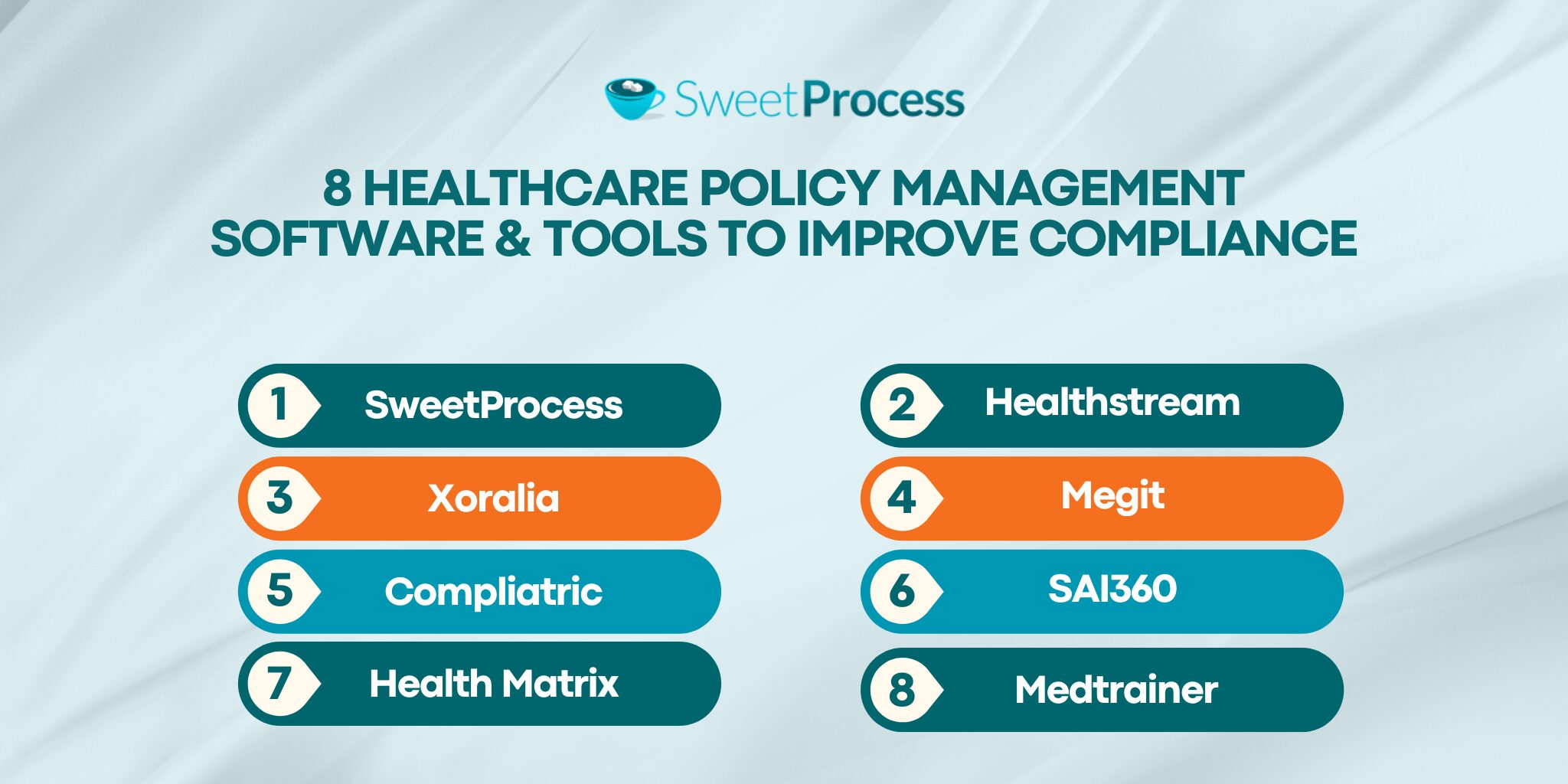
8 Healthcare Policy Management Software & Tools To Improve Compliance
How SweetProcess Supports Policy Management for Healthcare Companies
Key Features To Consider Before Choosing a Healthcare Policy Management Software
Why Policy Management Is Critical in Healthcare
Which Policy Management Software Is Best for Your Healthcare Organization?
8 Healthcare Policy Management Software & Tools To Improve Compliance
A recent study found that using the right tool in healthcare management increases efficiency by 15%, allowing service providers to spend less time on administrative work and focus more on providing high-value patient care.
An effective healthcare policy management software positions you for such operational growth. Here are the top 8 to consider:
1. SweetProcess
Overview of SweetProcess
SweetProcess streamlines healthcare policy management with easy-to-use features for documenting and distributing organizational policies, tracking performance, and securely managing user data within healthcare organizations.
Features of SweetProcess
1. Document Healthcare Policies Manually and Automatically
Healthcare policies are critical to professional conduct and delivering high-quality care. These documents require attention to detail. SweetProcess helps create them, either manually or automatically, saving time and resources.
There’s an archive of ready-to-use templates you can adopt for your policies, filling out sections without having to design the policies from scratch. Create more time on your hands by using SweetAI, its automatic content creation tool, to write policies from scratch in seconds.
The policies are developed with expert knowledge and broken down comprehensively. Make your policies more engaging by adding multimedia features such as videos, images, and charts to text.
How To Create a Policy Manually With SweetProcess
Click “More” in the top menu.
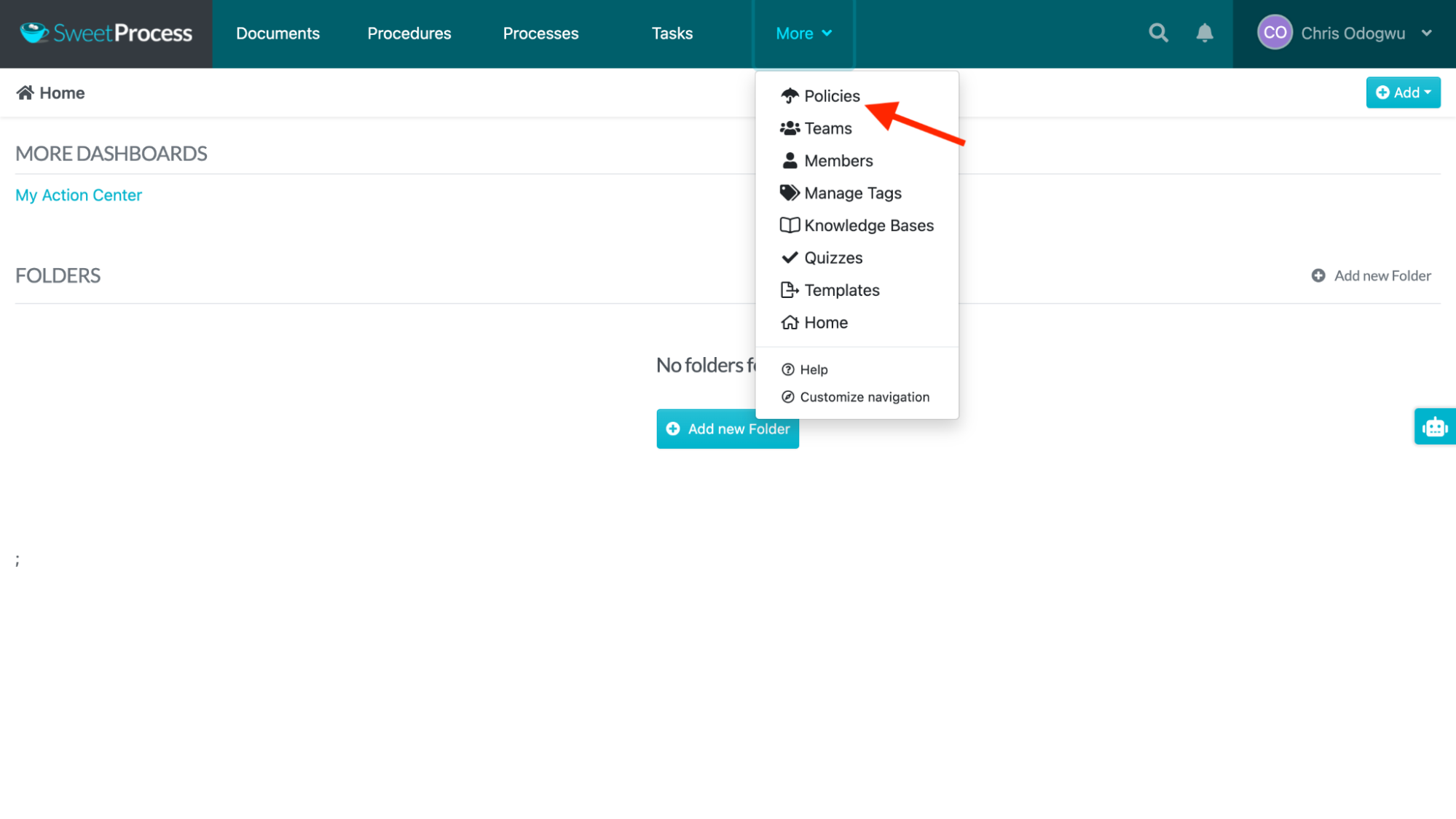
Click “Create Policy.”
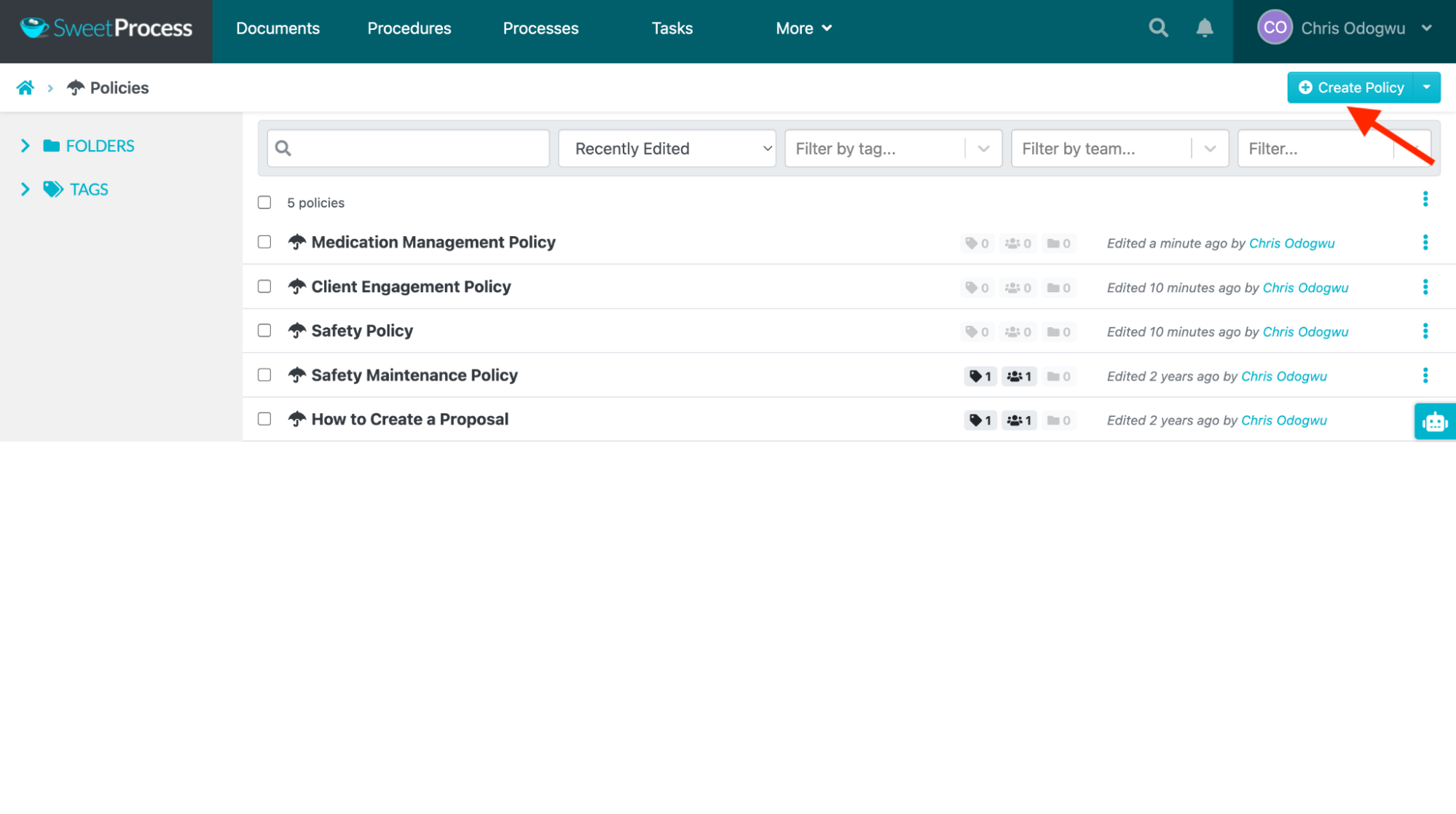
Enter the policy title and the niche.
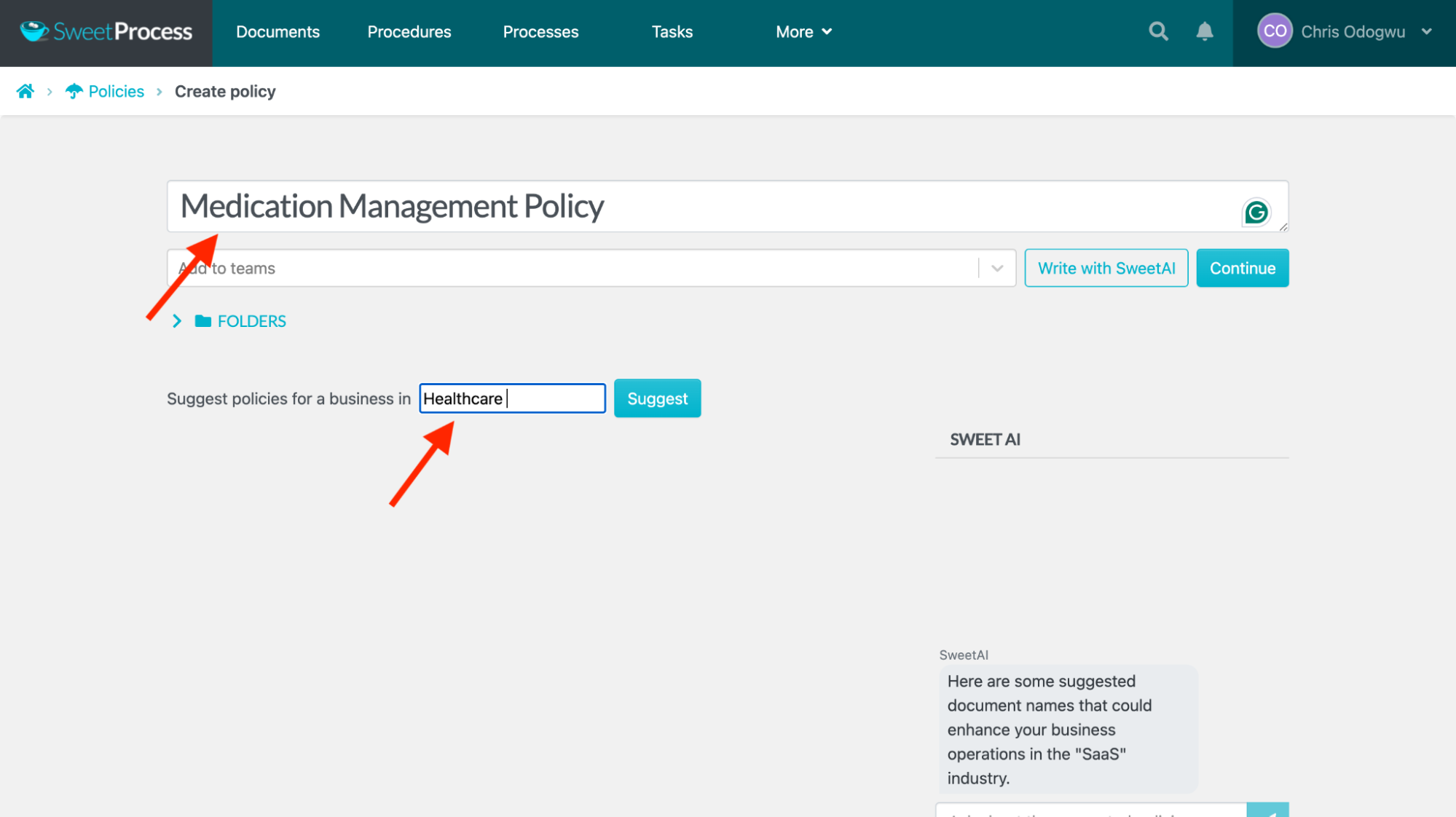
Click “Continue.”
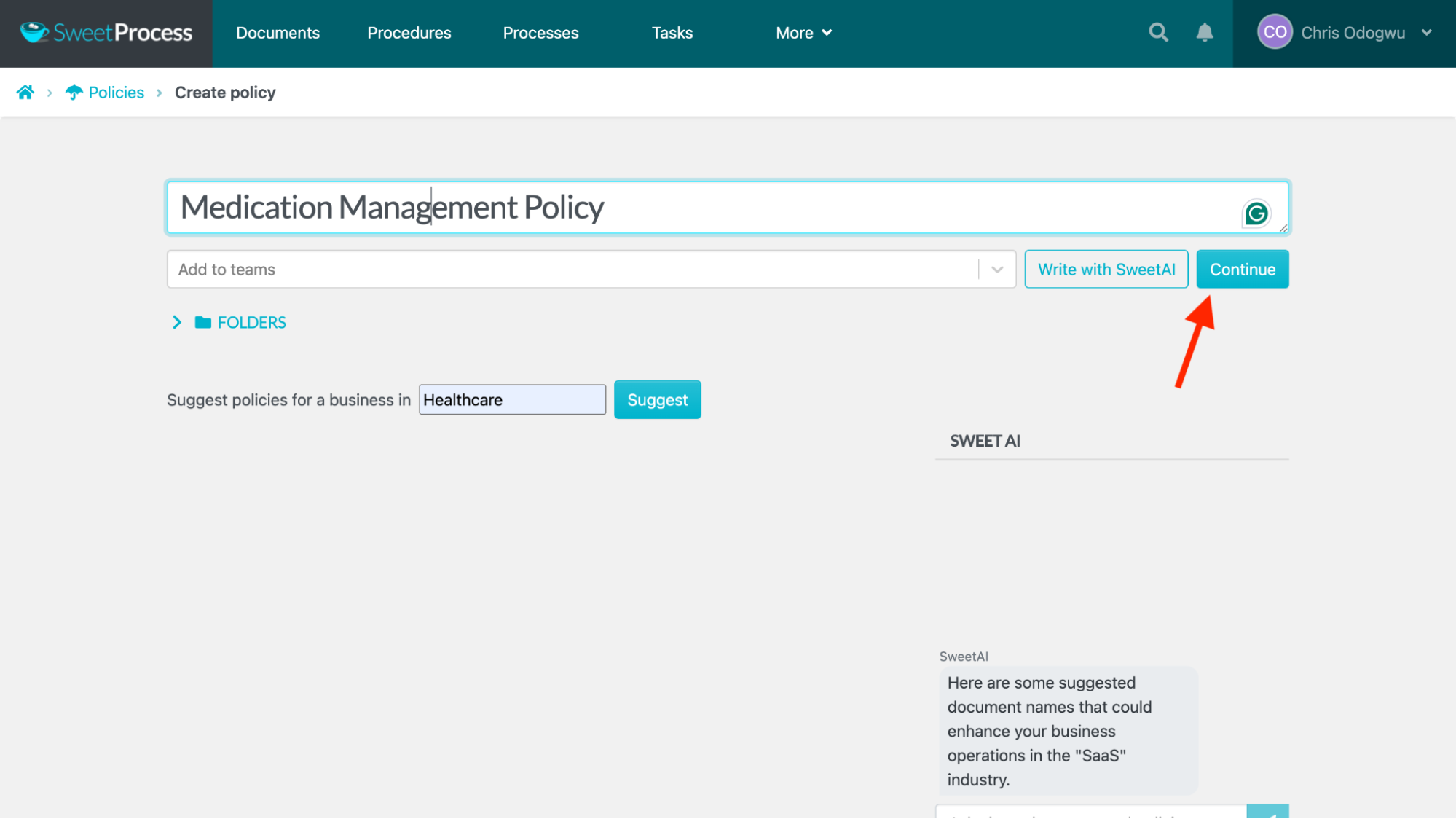
Select “Click here to edit policy content” to edit the document, if you want to.
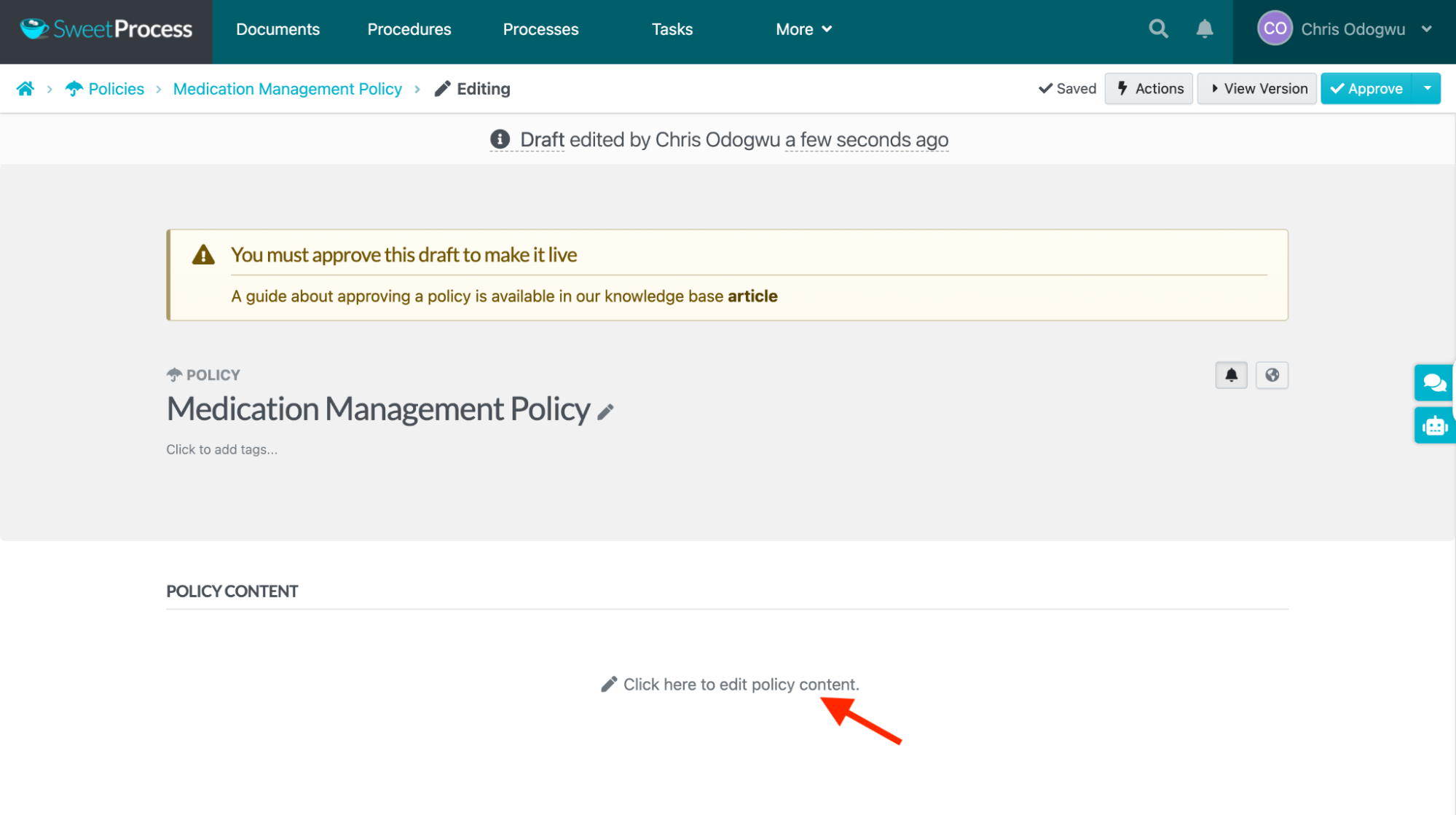
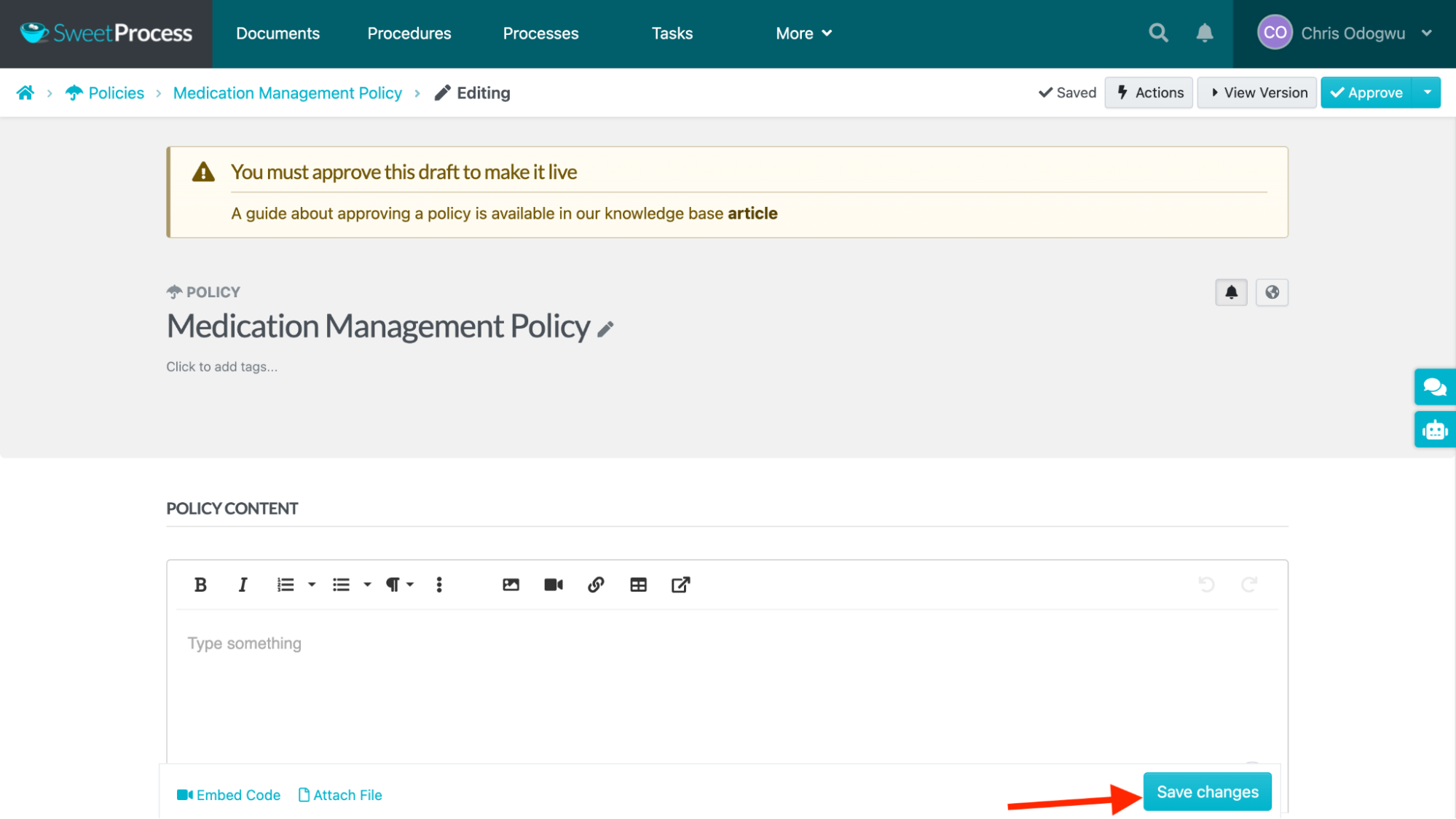
Create the document, using the various features available in the page, and then click “Save changes” when you’re done.
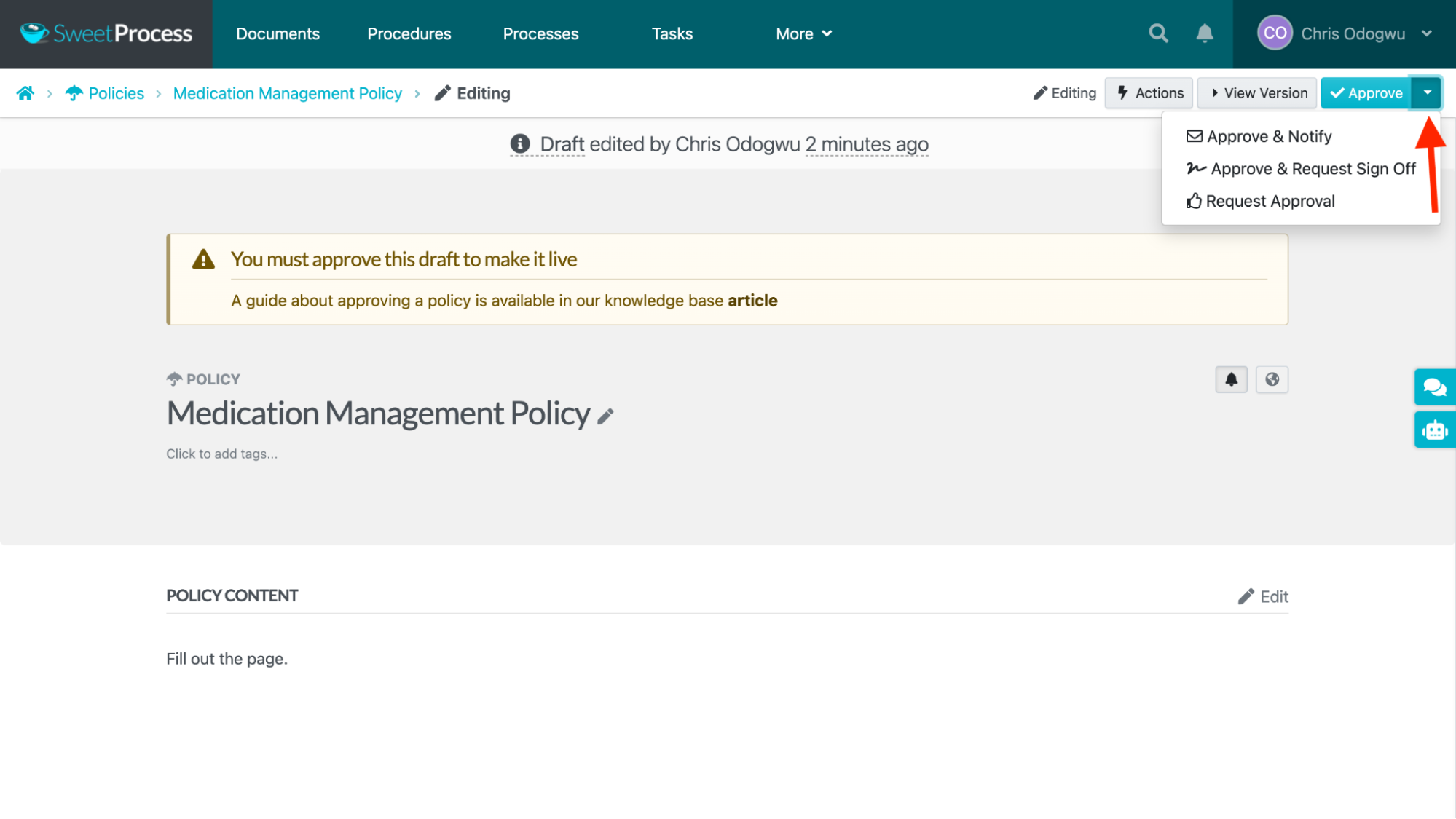
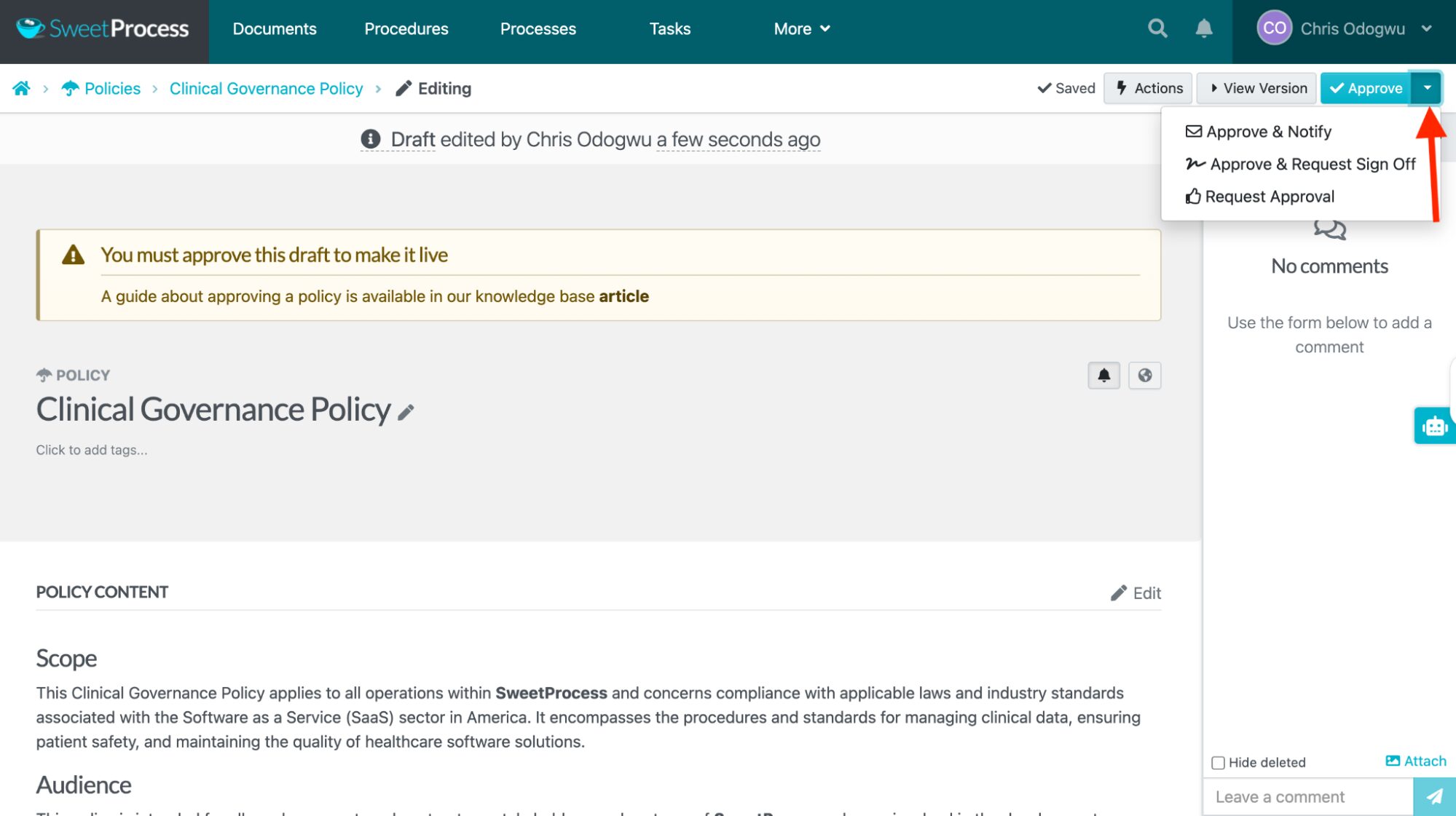
Click the icon beside “Approve” to select a preferred action.
How To Create a Policy Automatically With SweetProcess
Navigate to your dashboard and click “More” in the top menu.
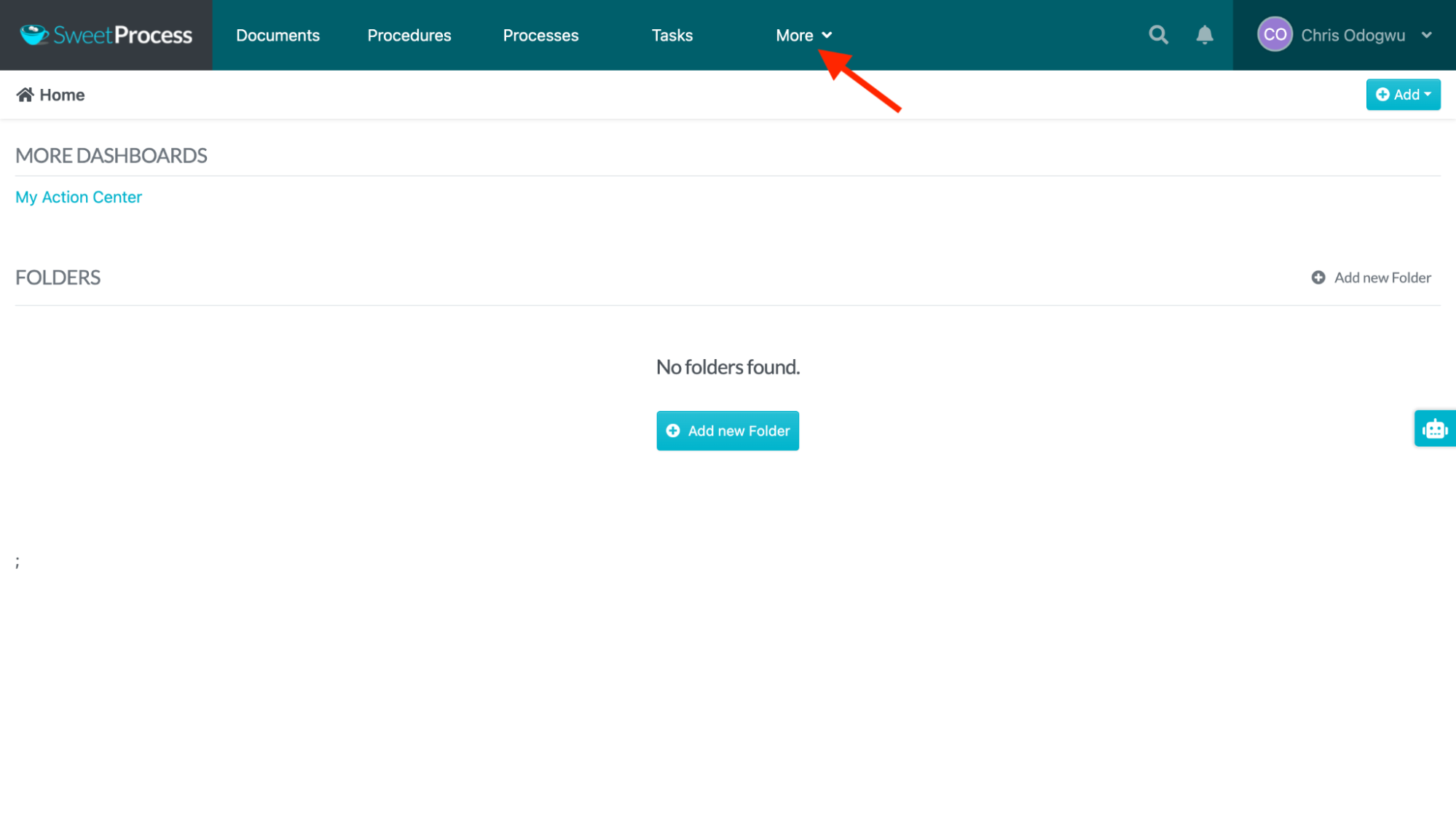
Select “Policies” in the drop-down menu.
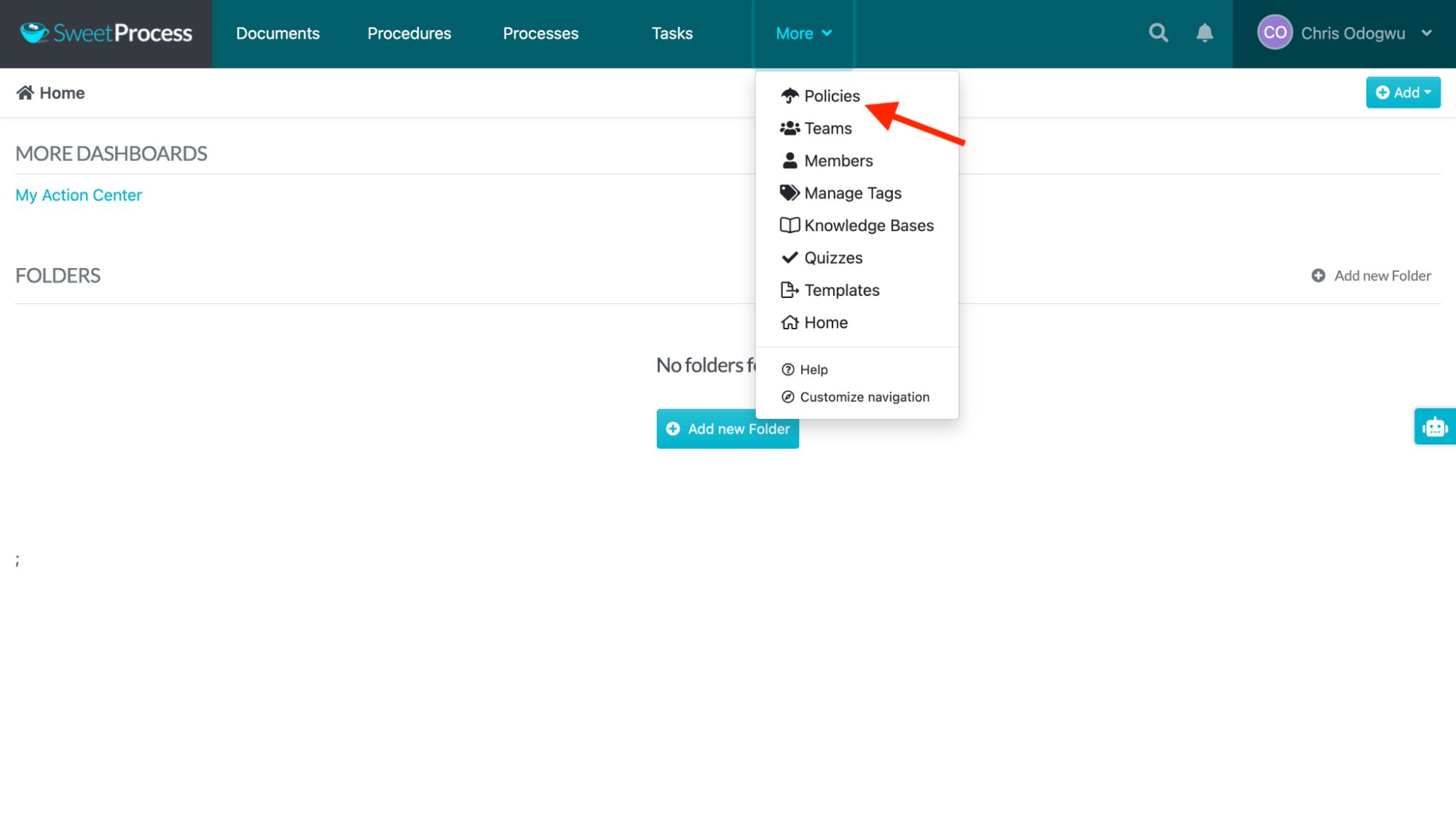
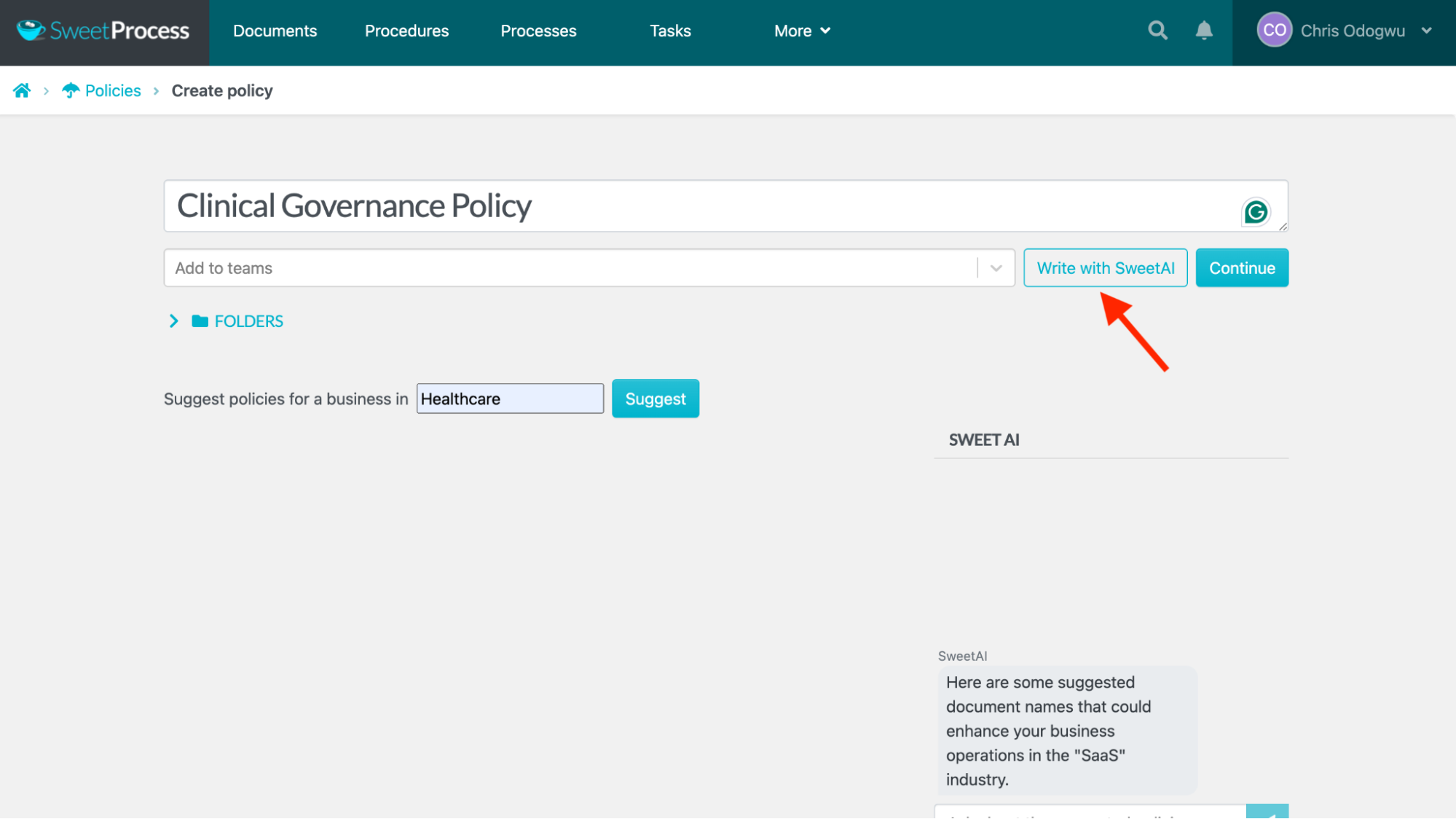
Select “Create Policy.”
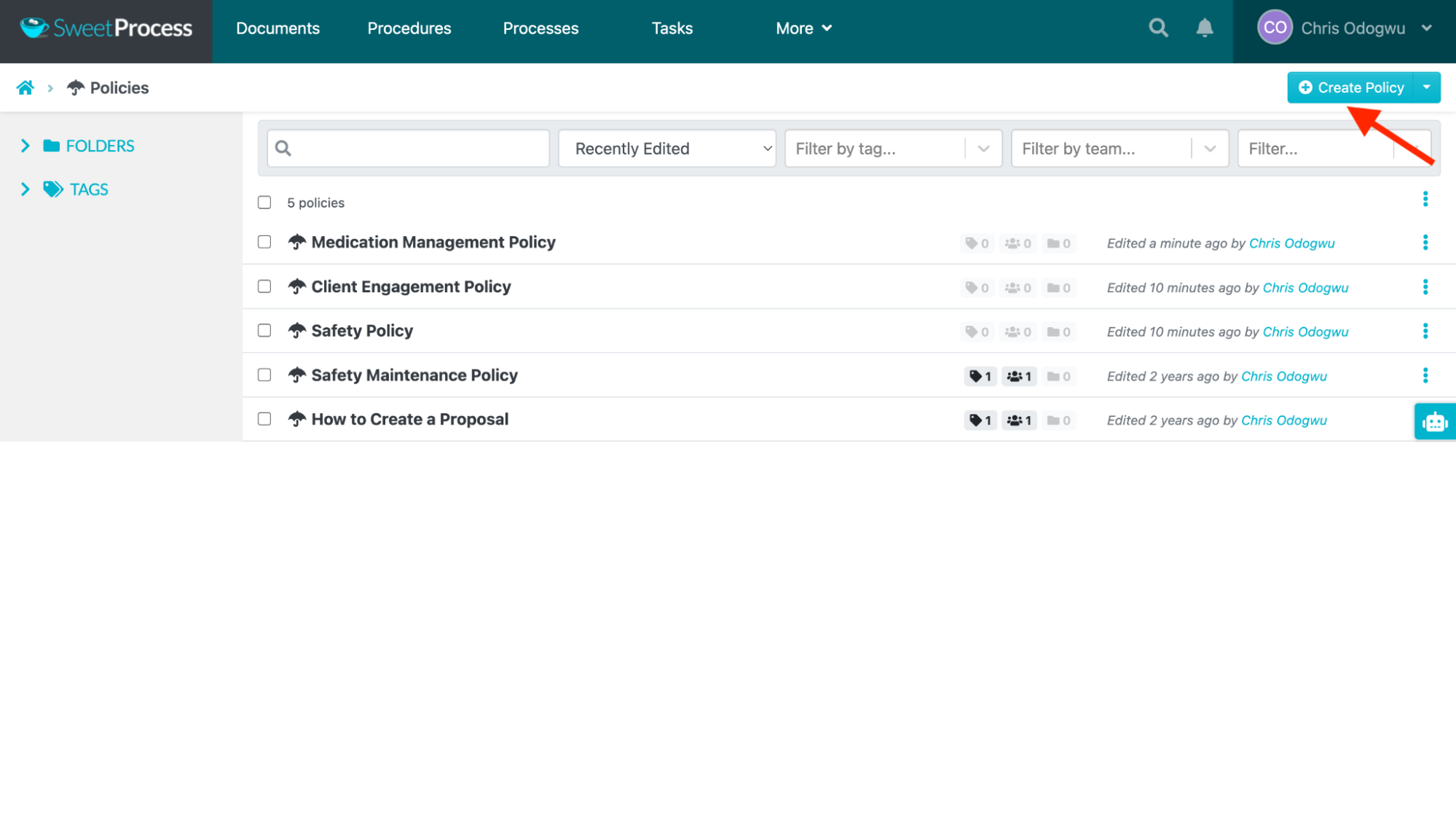
Enter the policy title and niche.
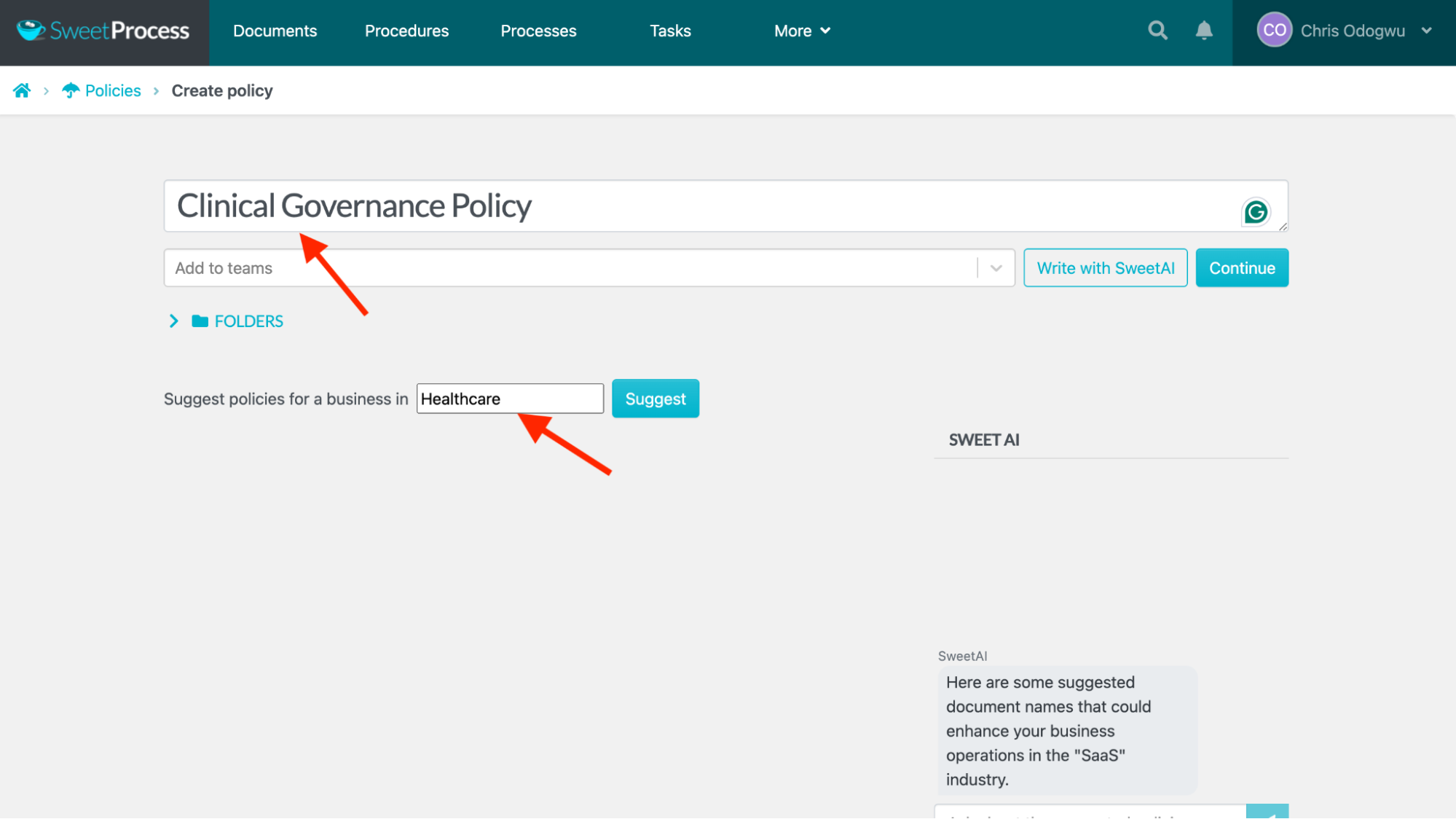
Click “Write with SweetAI.”
Click each section of the document to edit it, if you want, and click the icon next to “Approve” to choose whether to approve it, request sign-off, or request approval.
2. Collaborate With Team Members on Healthcare Policies
Collaboration is key in healthcare as professionals work together to deliver the best services to patients. Such collaborative efforts include working together to create policies, distributing documents, updating patients’ records, and conducting medical reviews—all of which you can do in SweetProcess.
How To Share Policies With Individuals and Teams
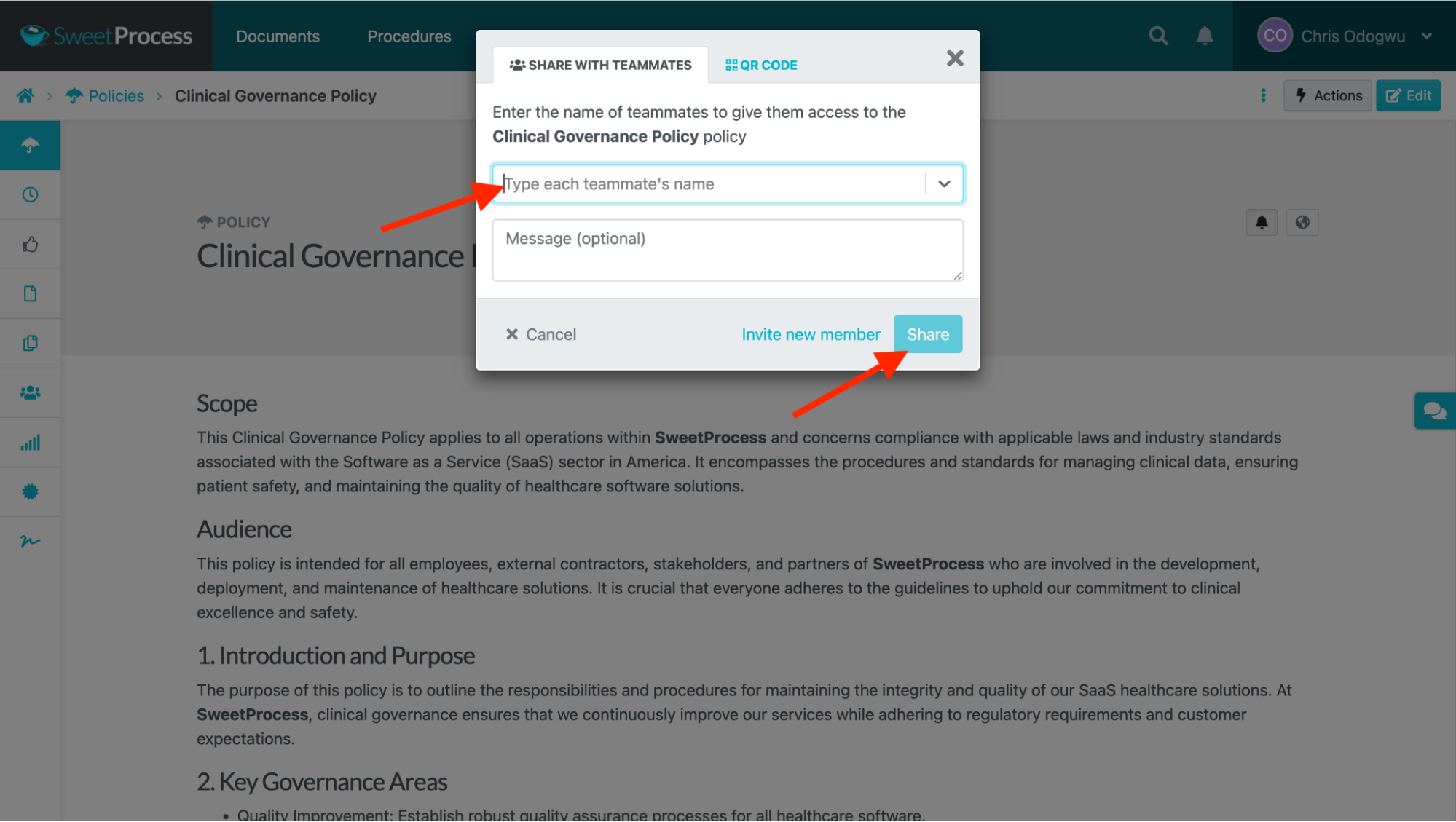
Open the policy document and click “Actions.”
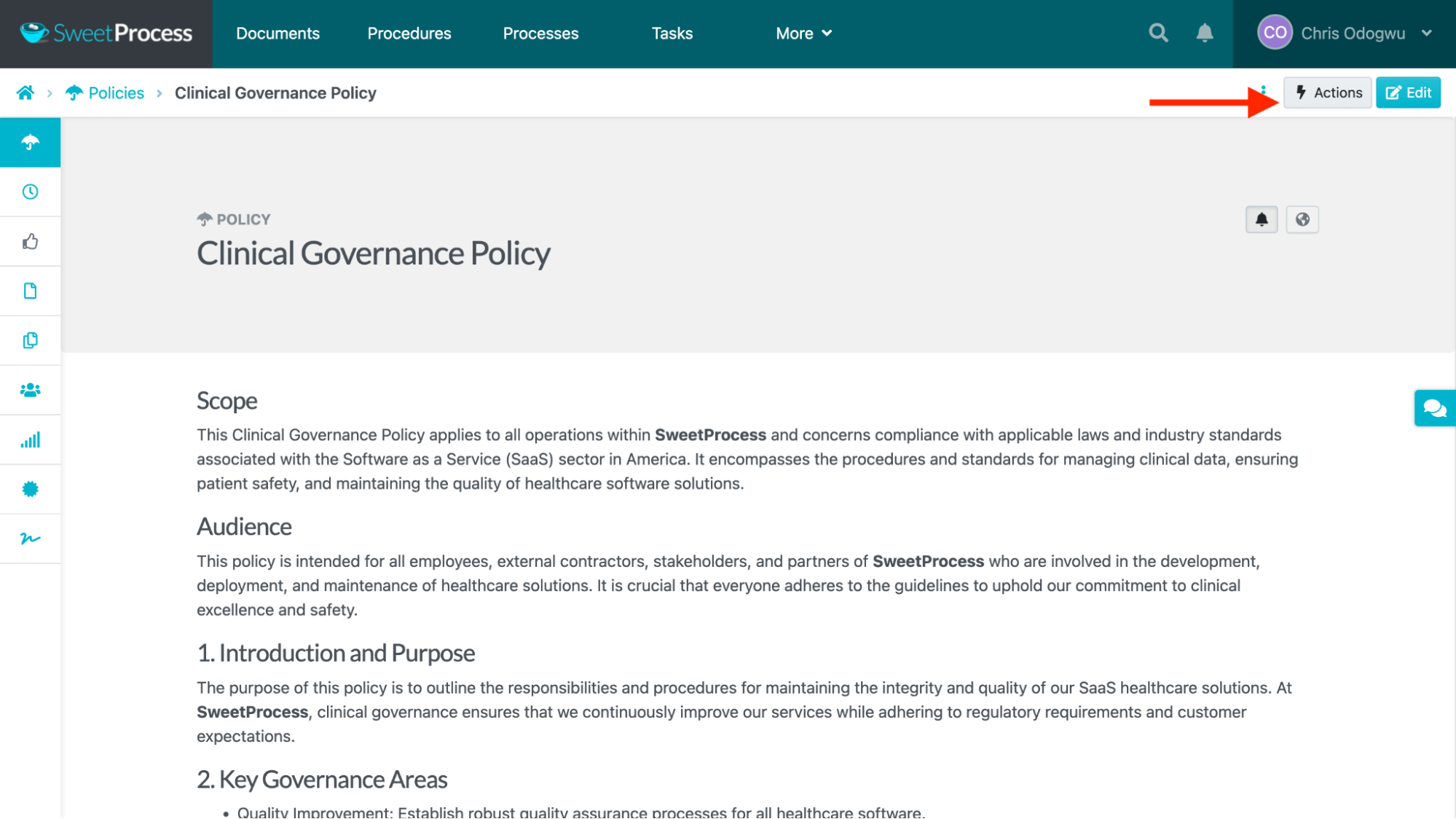
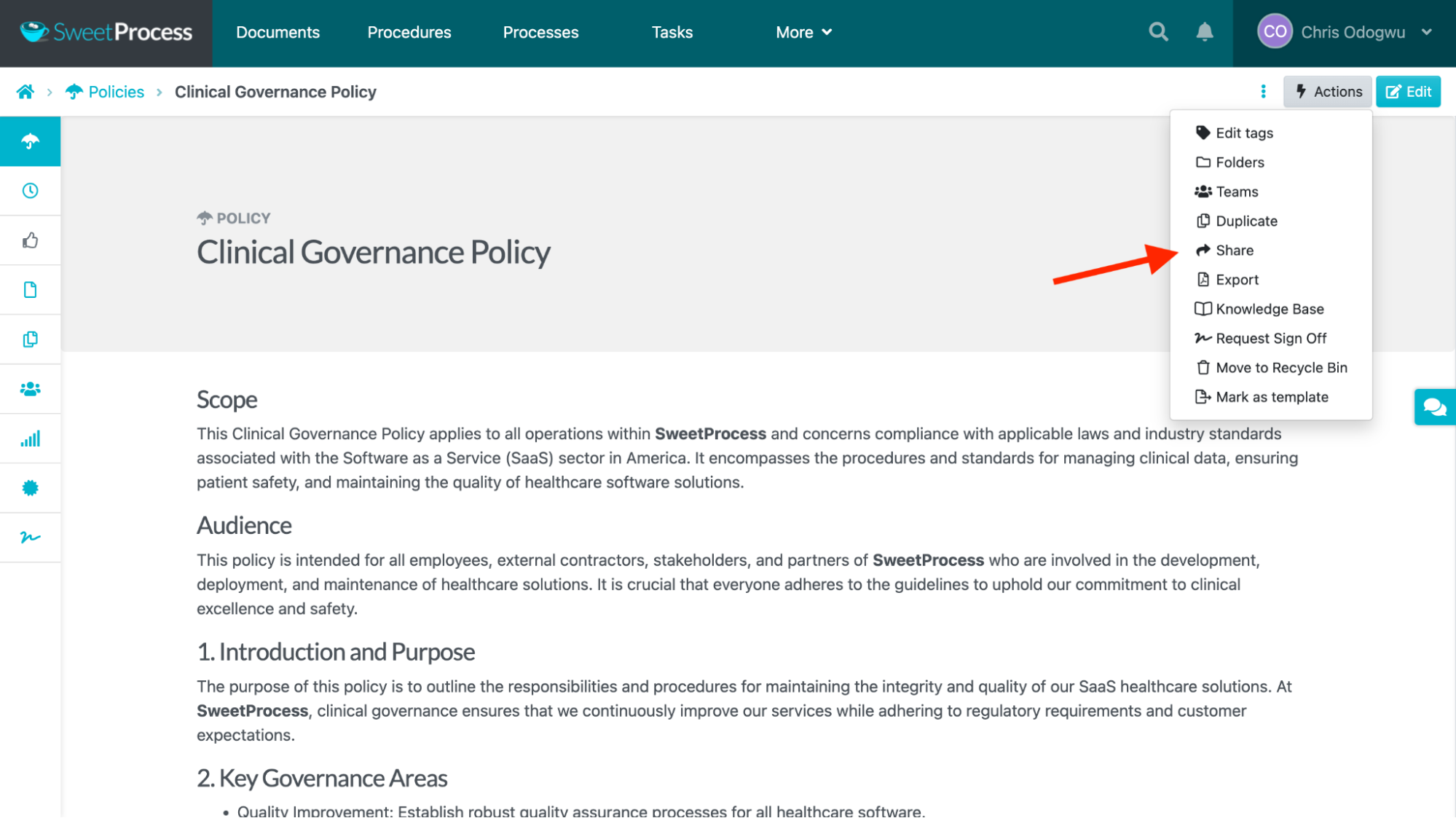
Select “Share” if you want to share the policy with individual team members.
Enter the people’s name(s) and click “Share.”
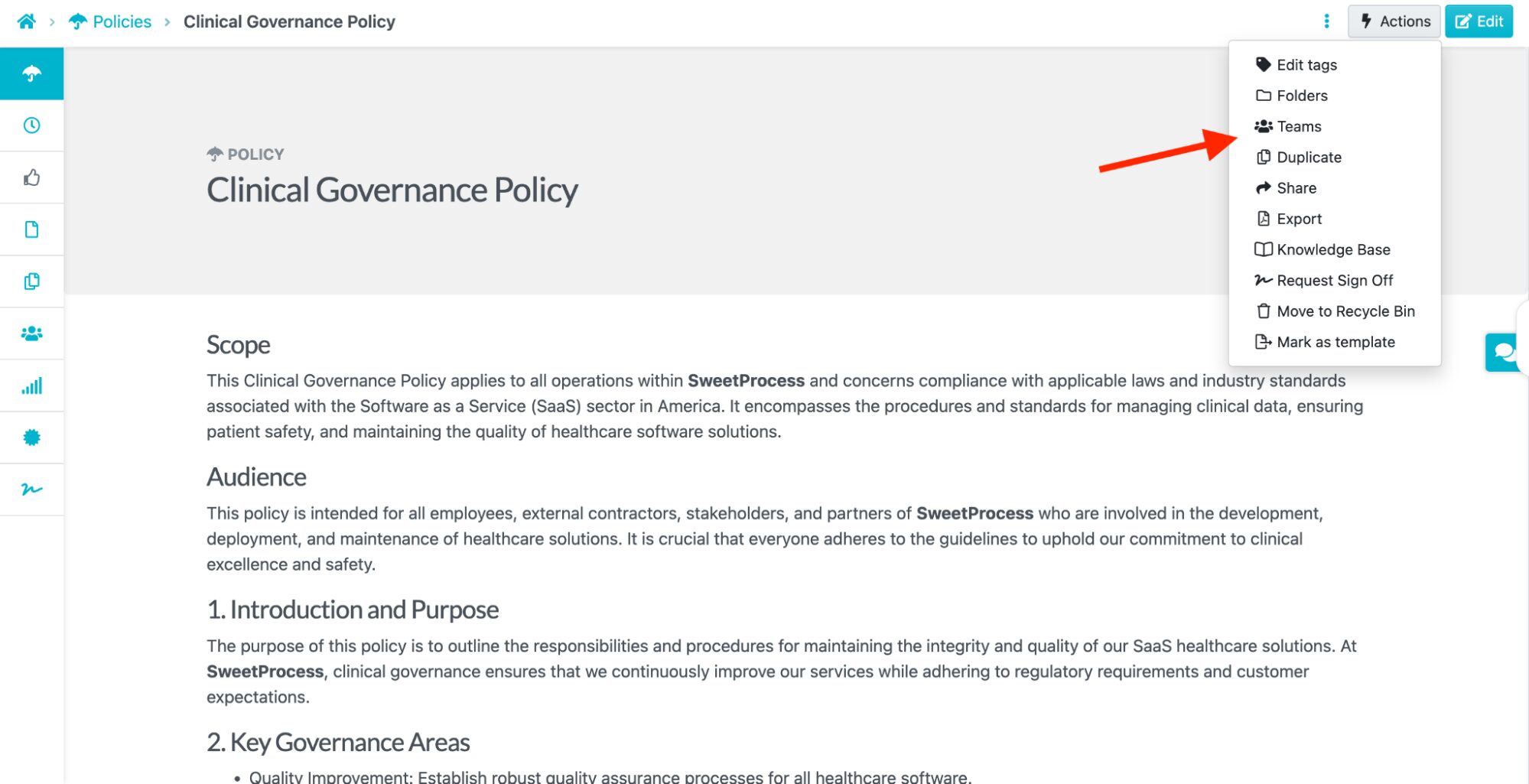
If you want to share it with teams instead, select “Teams” in the drop-down menu.
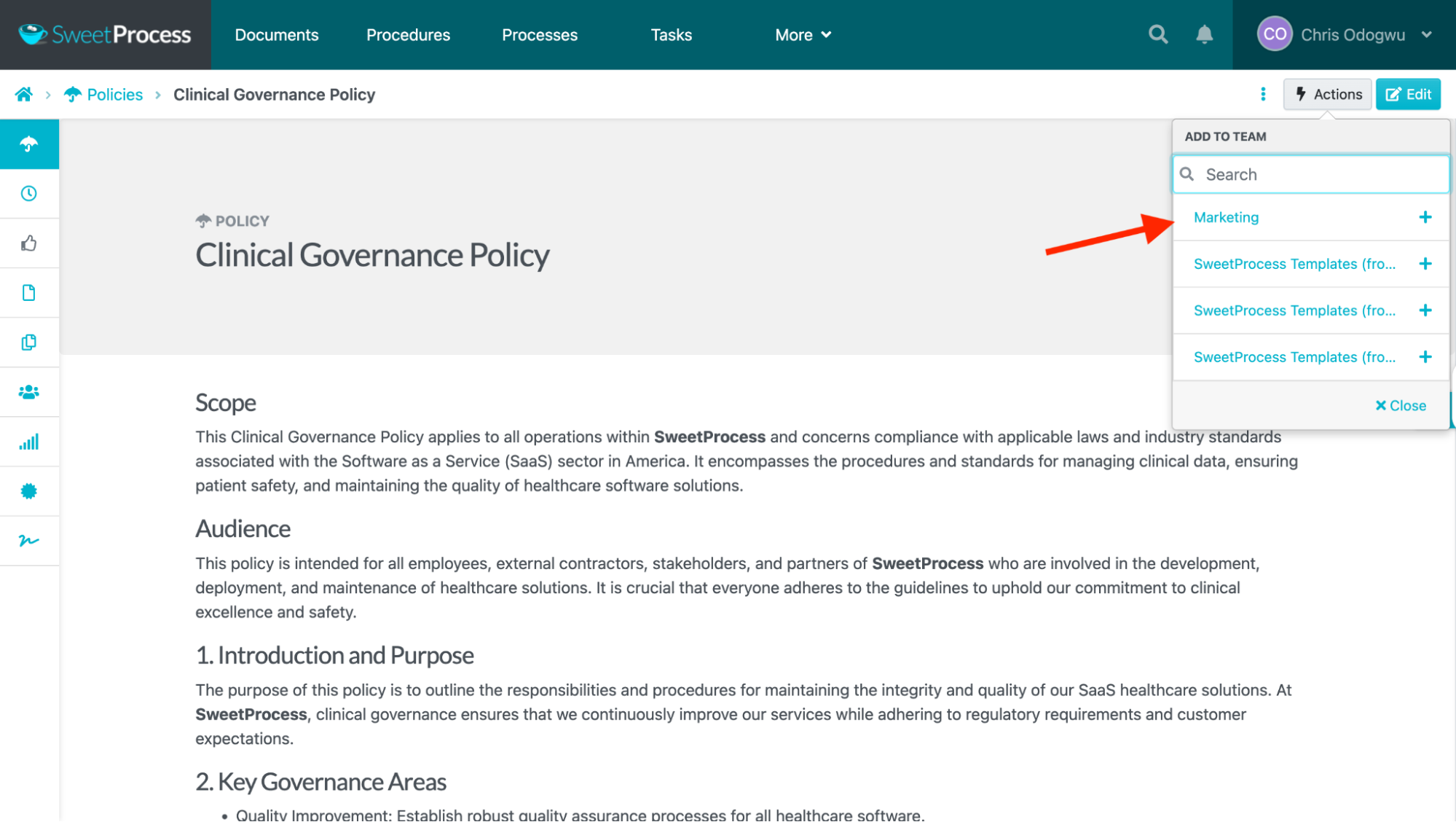
Choose the team(s) in the drop-down menu.
3. Review and Track Changes to Policies
Policy needs may change over time, requiring the review and update of outdated areas. Having your policies in SweetProcess enables you to set reminders to review them periodically.
SweetProcess tracks policy updates, highlighting changes made when they were made, and who made them. The transparency in these updates eradicates confusion and instills confidence in employees.
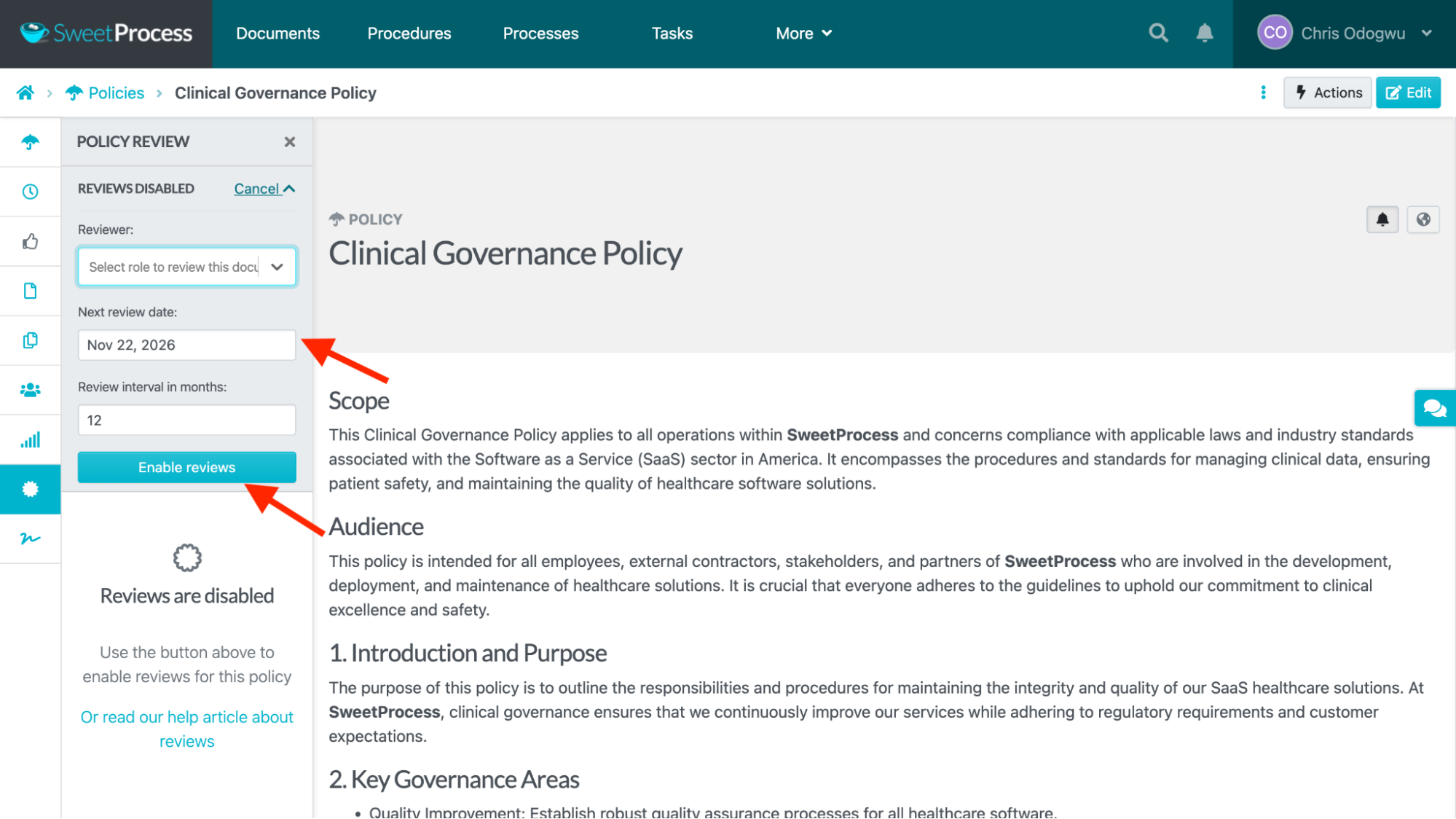
How To Set Policy Reviews
Open the document and click the second icon from the bottom.
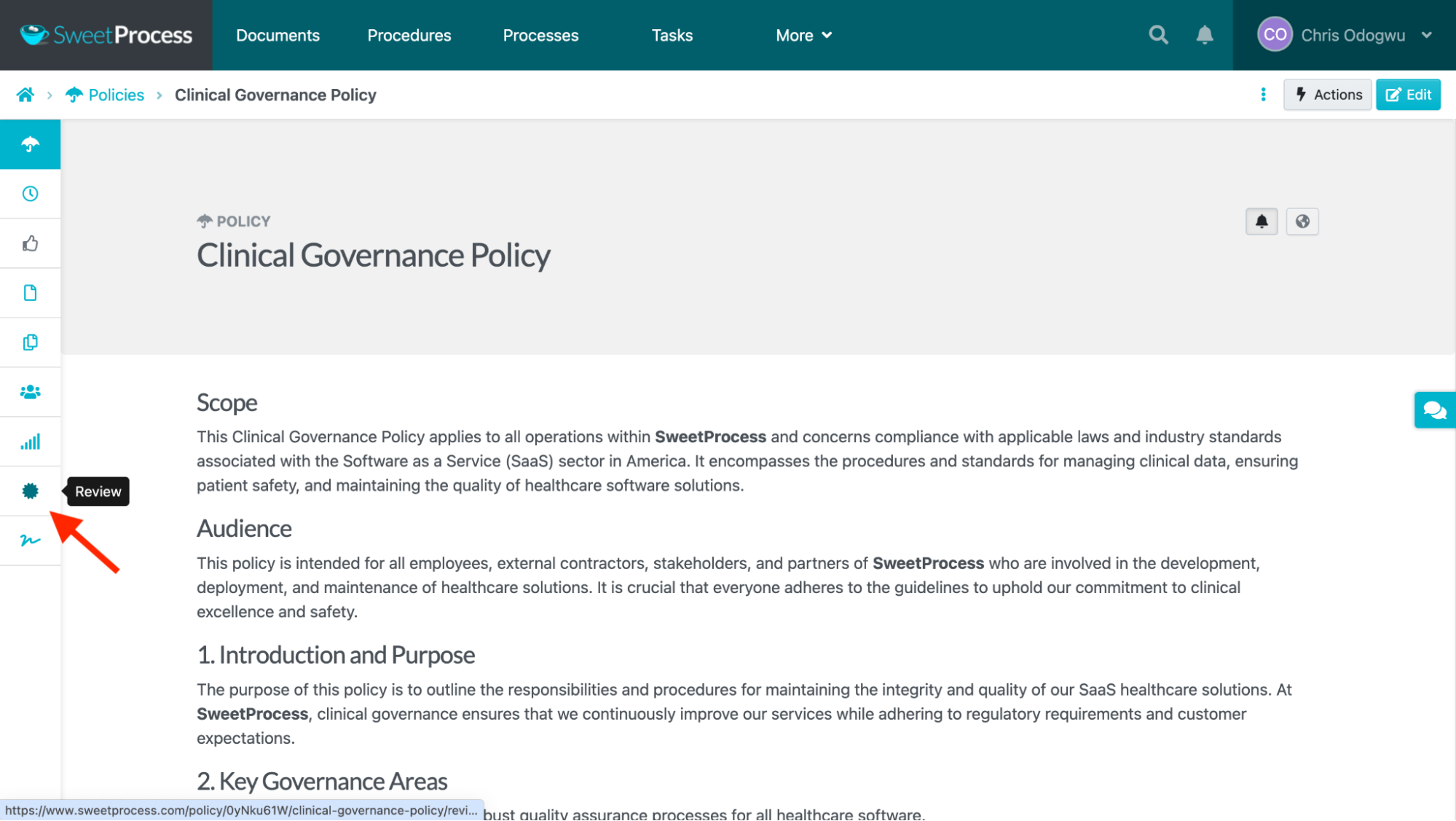
Select the reviewer’s name, fill out the review details on the left, and click “Enable reviews” when you’re done.
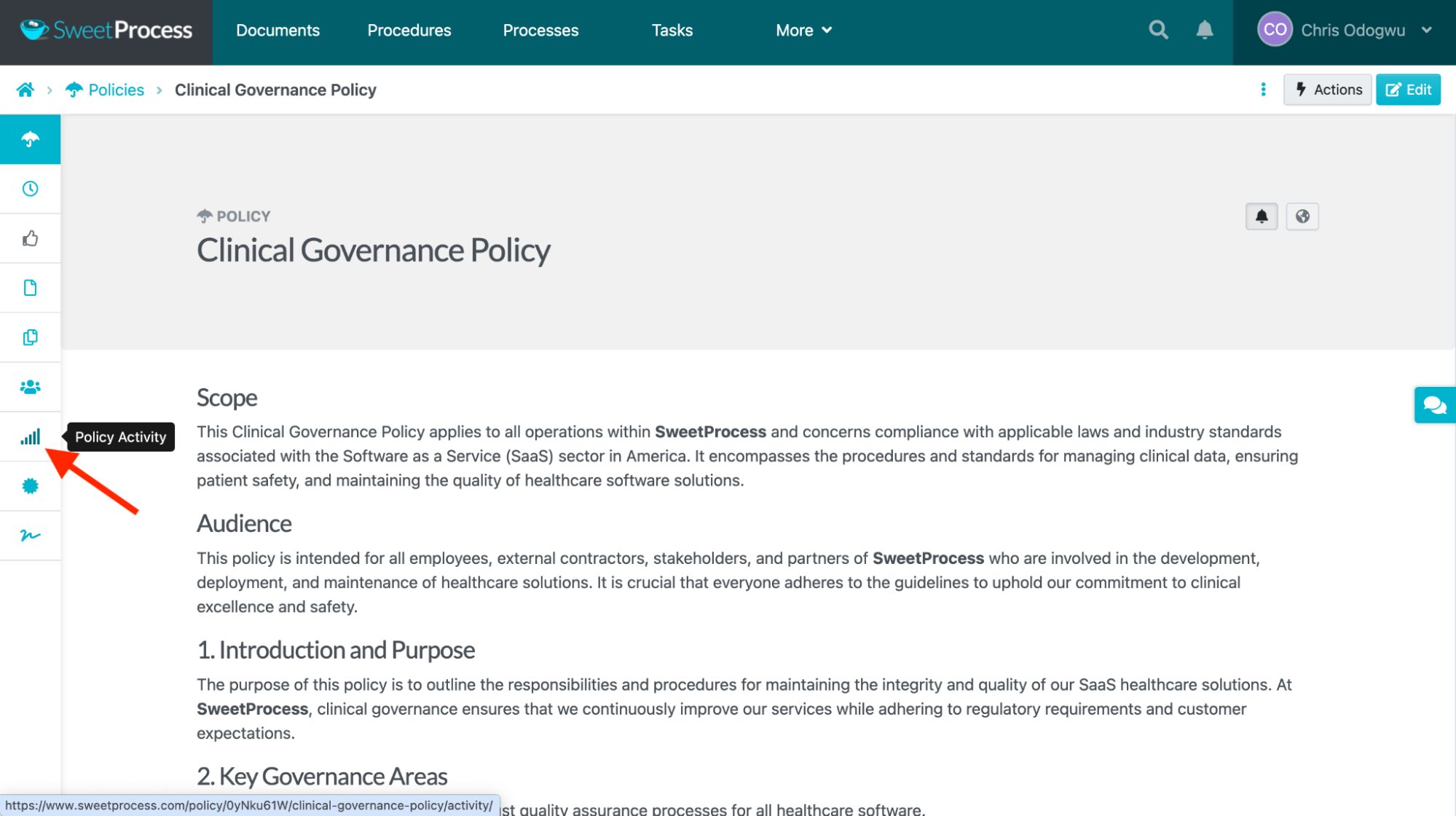
How To View Activities on a Policy
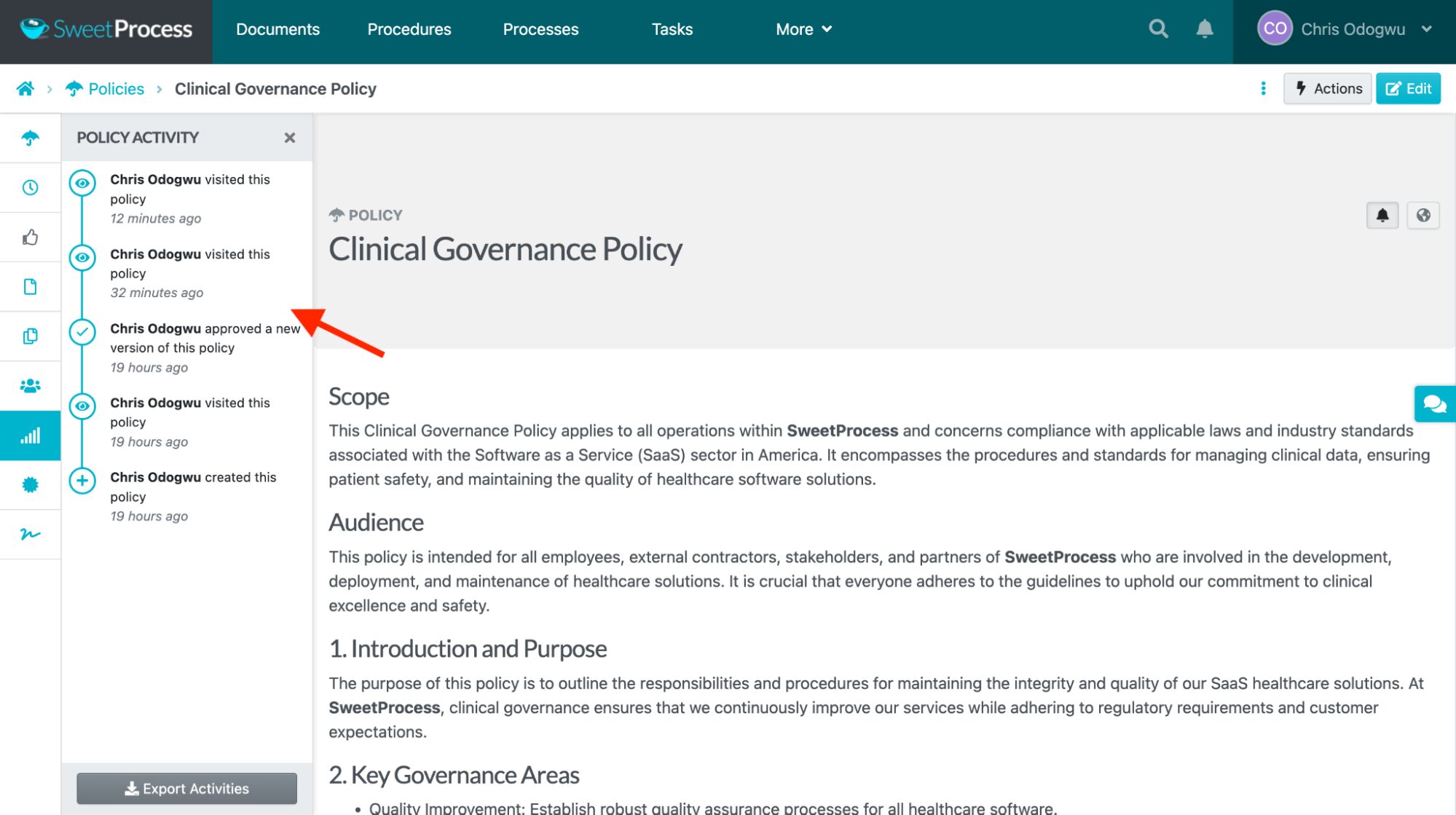
Open the document and click the third icon from the bottom.
View the activities on the left.
4. Manage and Set Access Permissions on Your Policies
The most effective healthcare policies can be redundant if the people they’re intended for don’t use them. To avoid this, SweetProcess lets you instantly distribute policies to authorized individuals or teams. Its access permissions enhance security, as you can provide and withdraw access at any time.
How To Manage a Policy
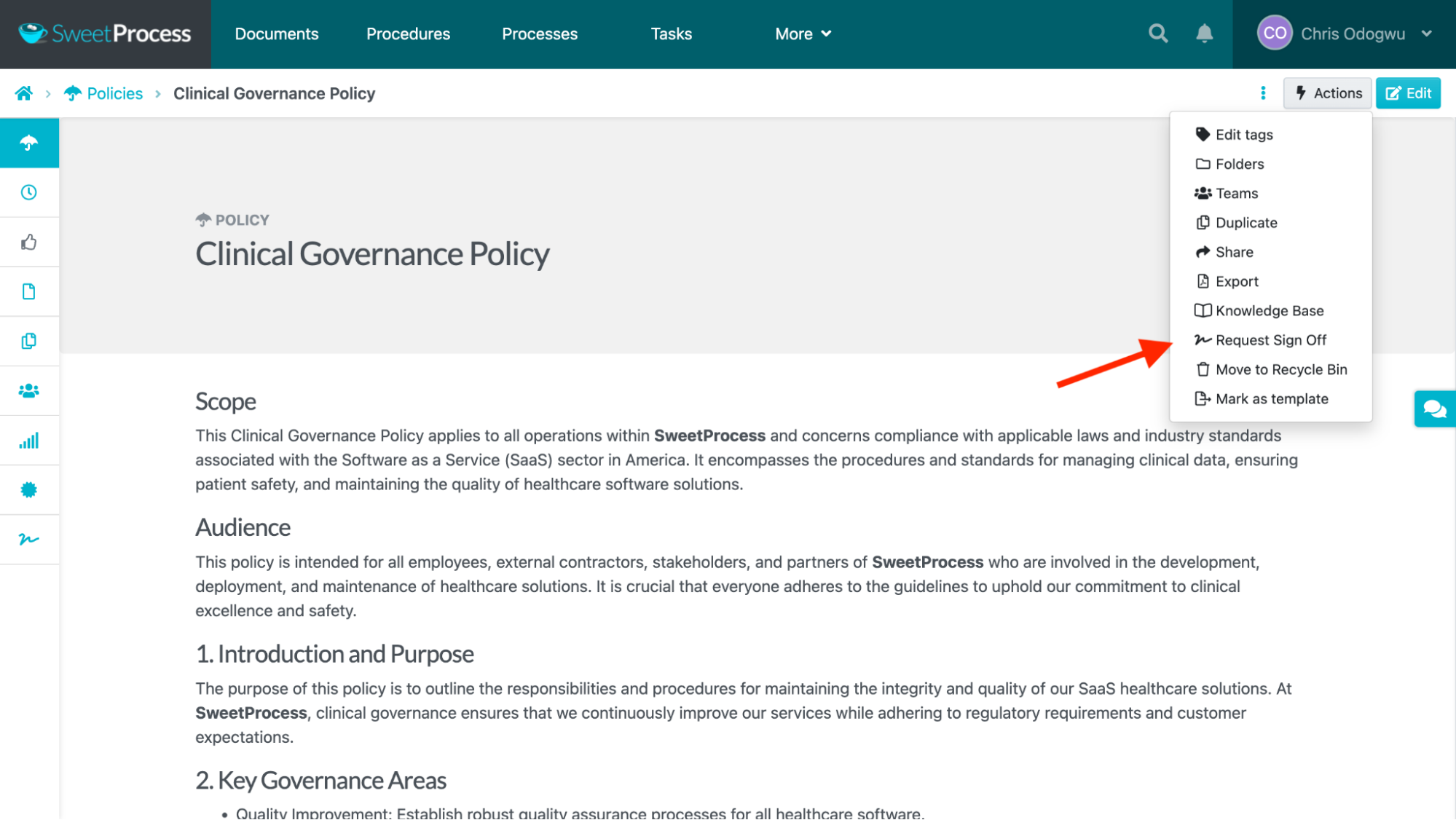
Open the document and click “Actions.”
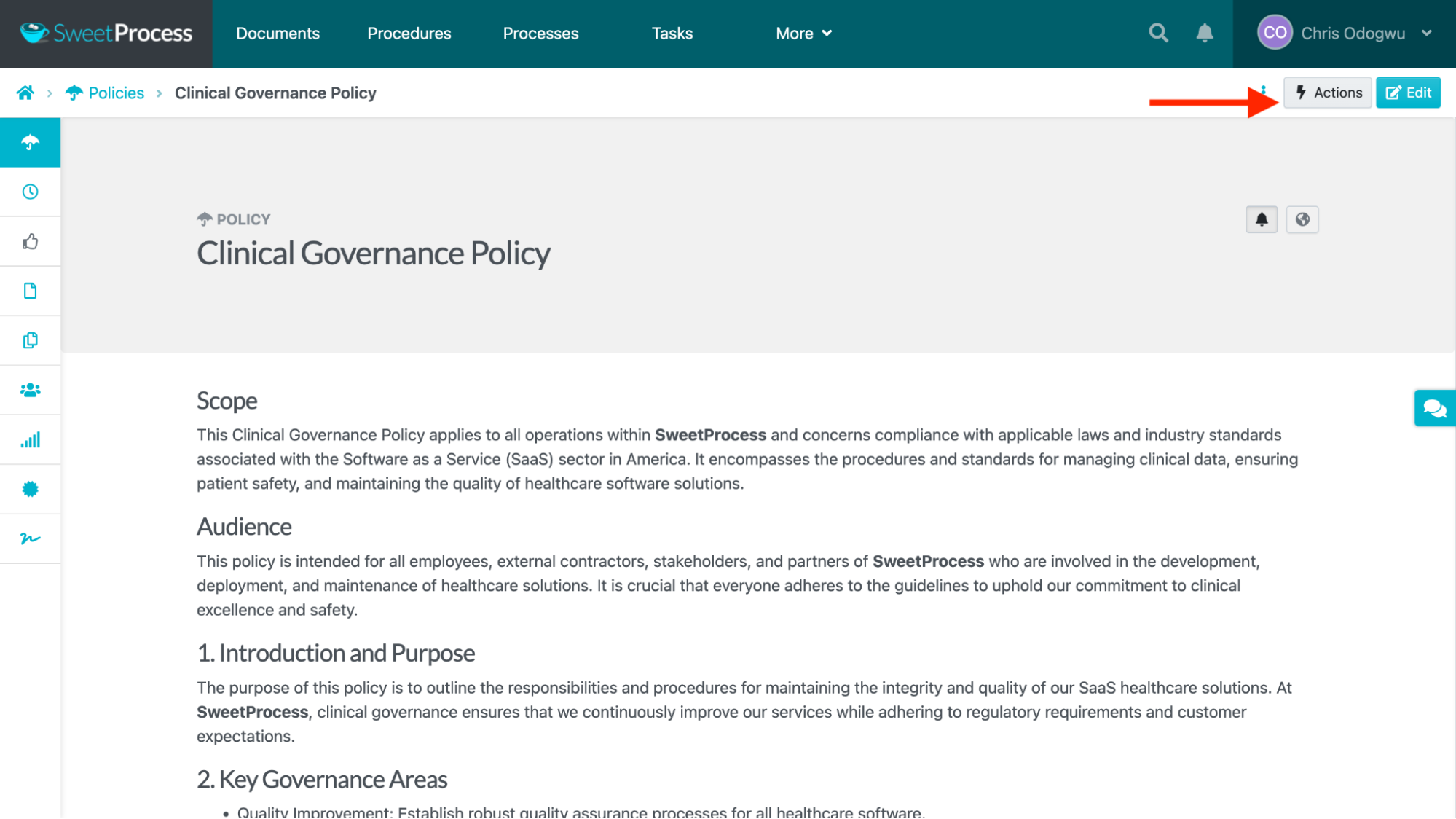
Select any actions you would like to take in the drop-down menu. To request a sign-off, for example, click “Request Sign Off.”
Select the team(s) you would like to sign the policy and click the “Request Sign Off” tab.
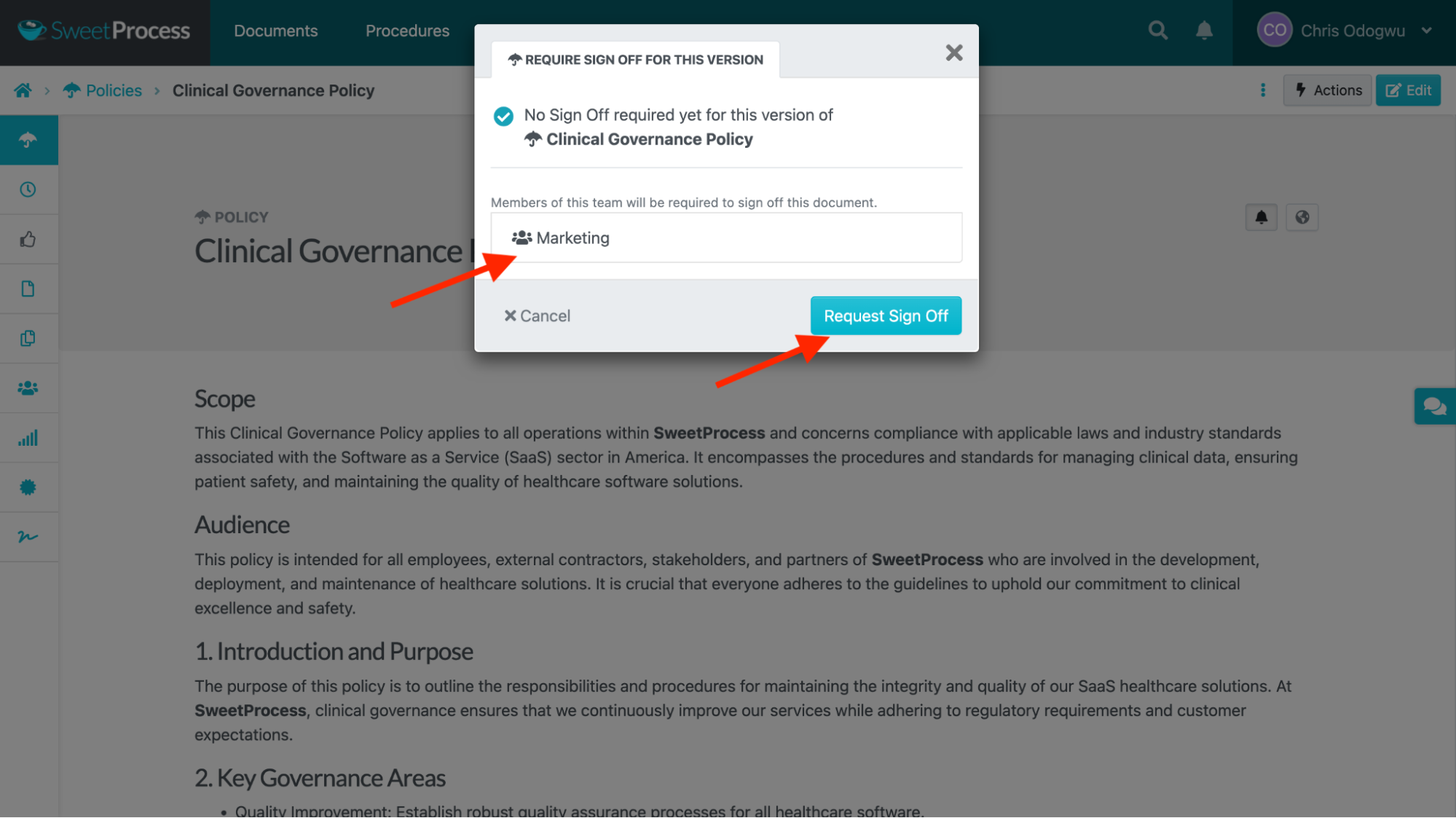
Team members will receive an email prompting them to sign off on the document.
5. Centralized Knowledge Base for Policies, Procedures, and Processes
Healthcare professionals are more likely to follow policies when they are readily accessible. SweetProcess enables you to create centralized, internal, and external knowledge bases for all your relevant policies and procedures. An internal knowledge base is typically for employees, while an external knowledge base is for third parties, such as customers.
How To Create an Internal Knowledge Base in SweetProcess
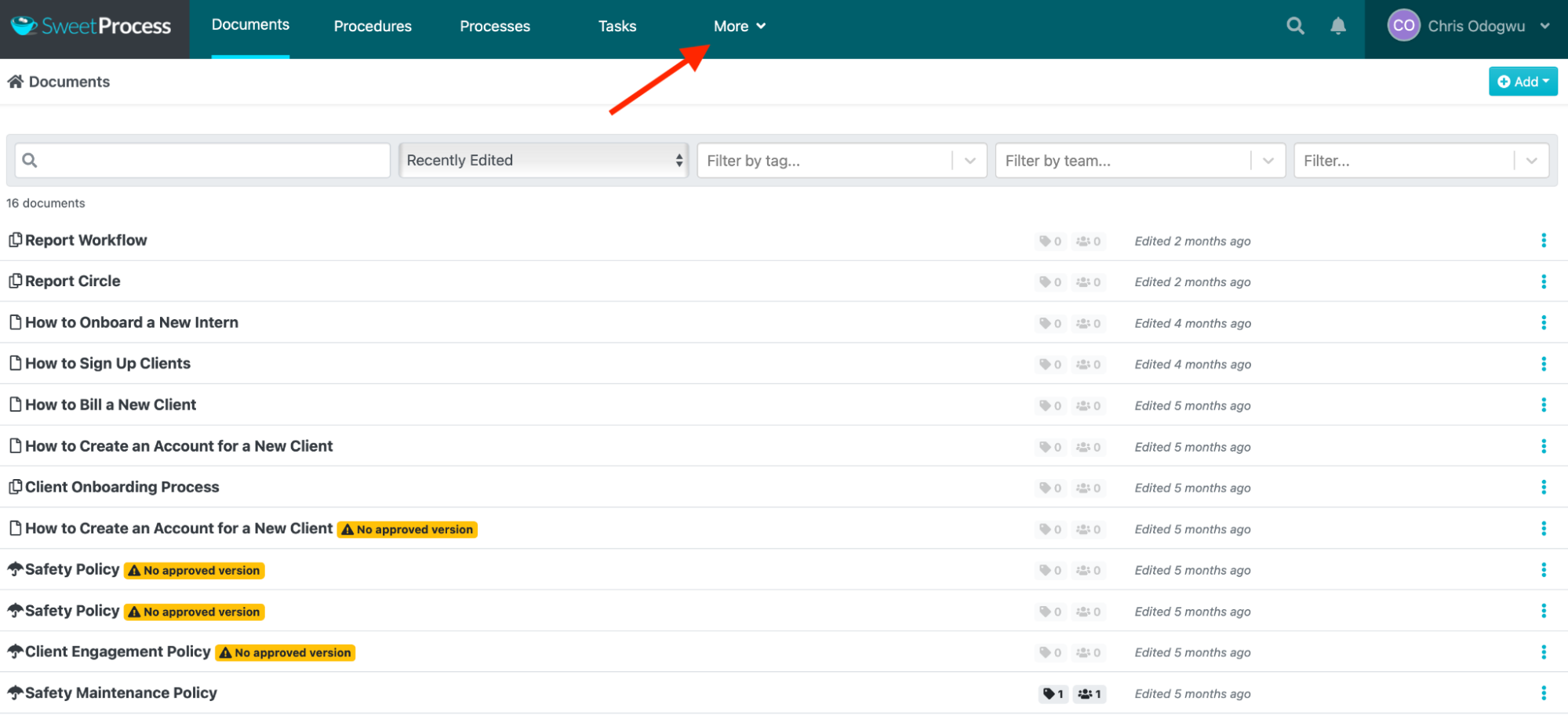
Click “More” at the top of the page and then click on “Knowledge Bases.”
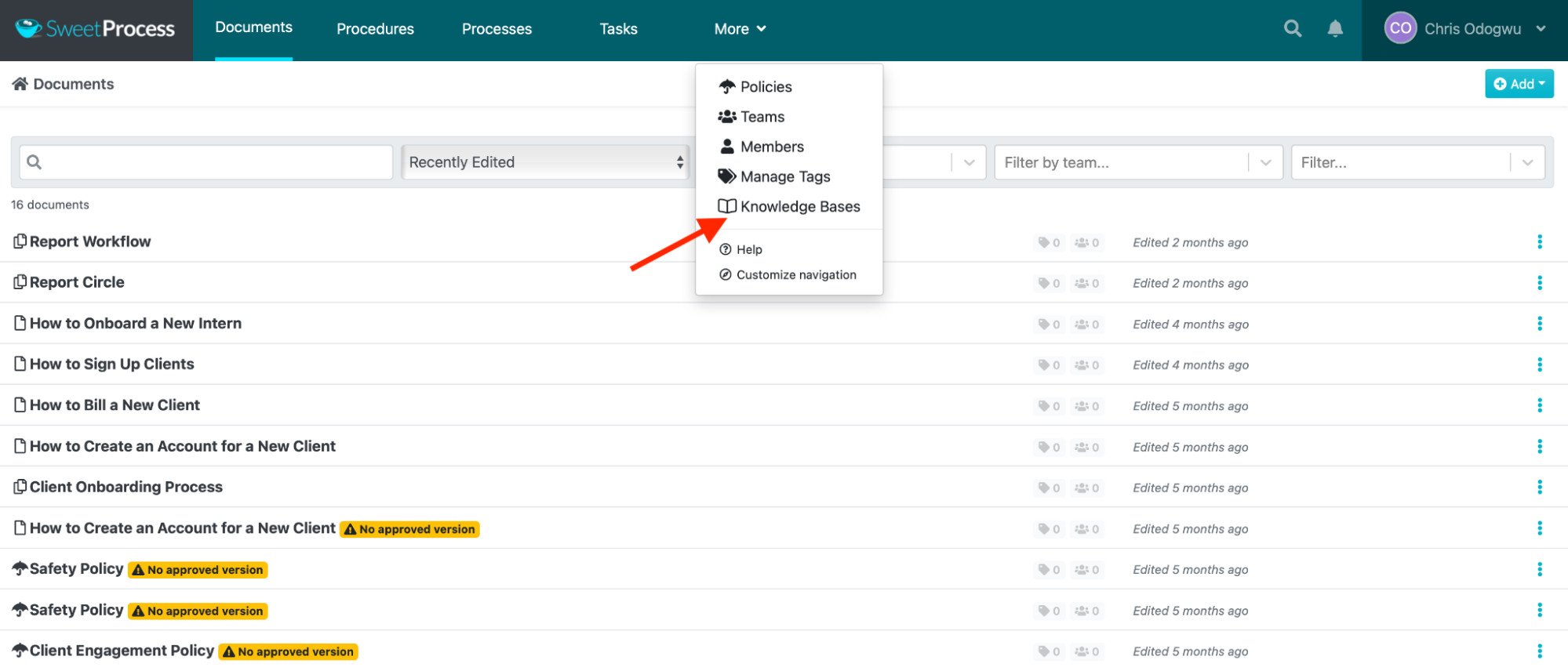
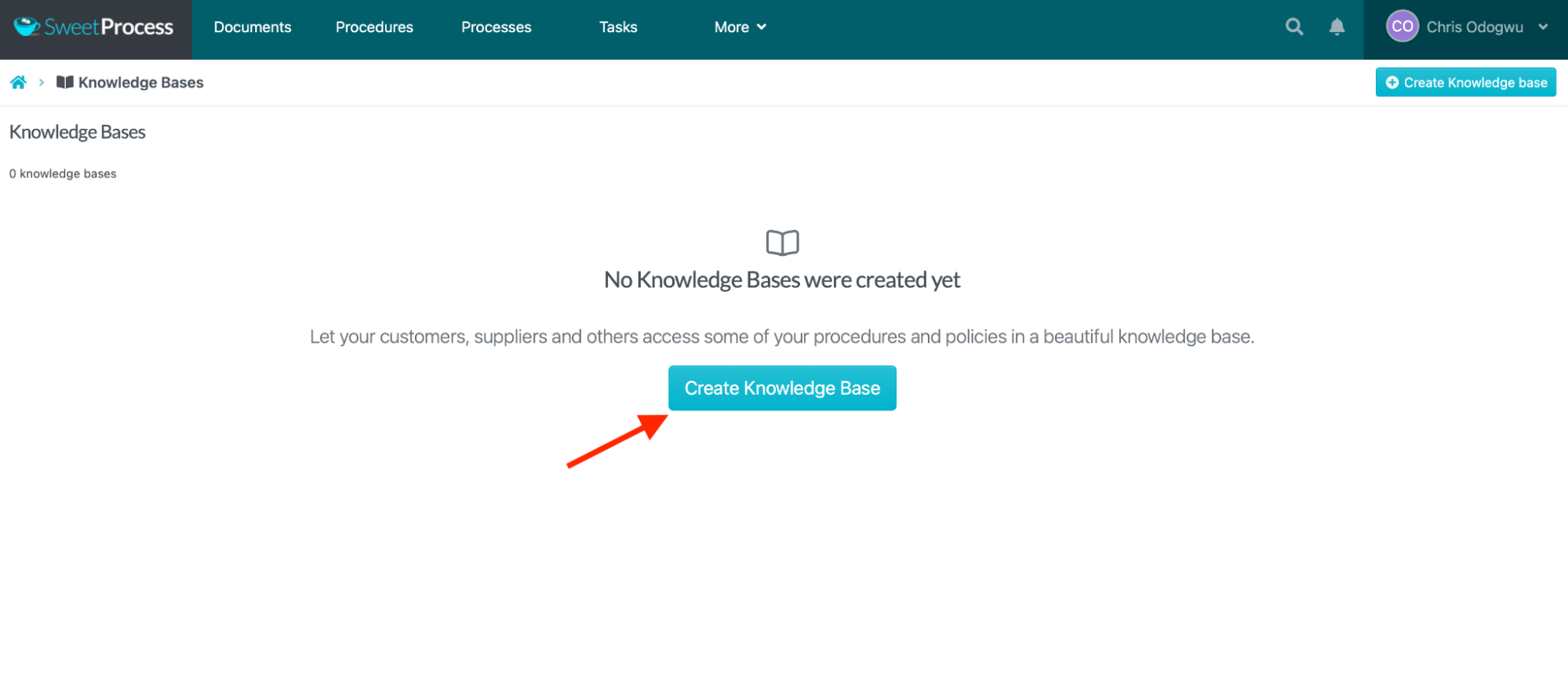
Click “Create Knowledge Base.”
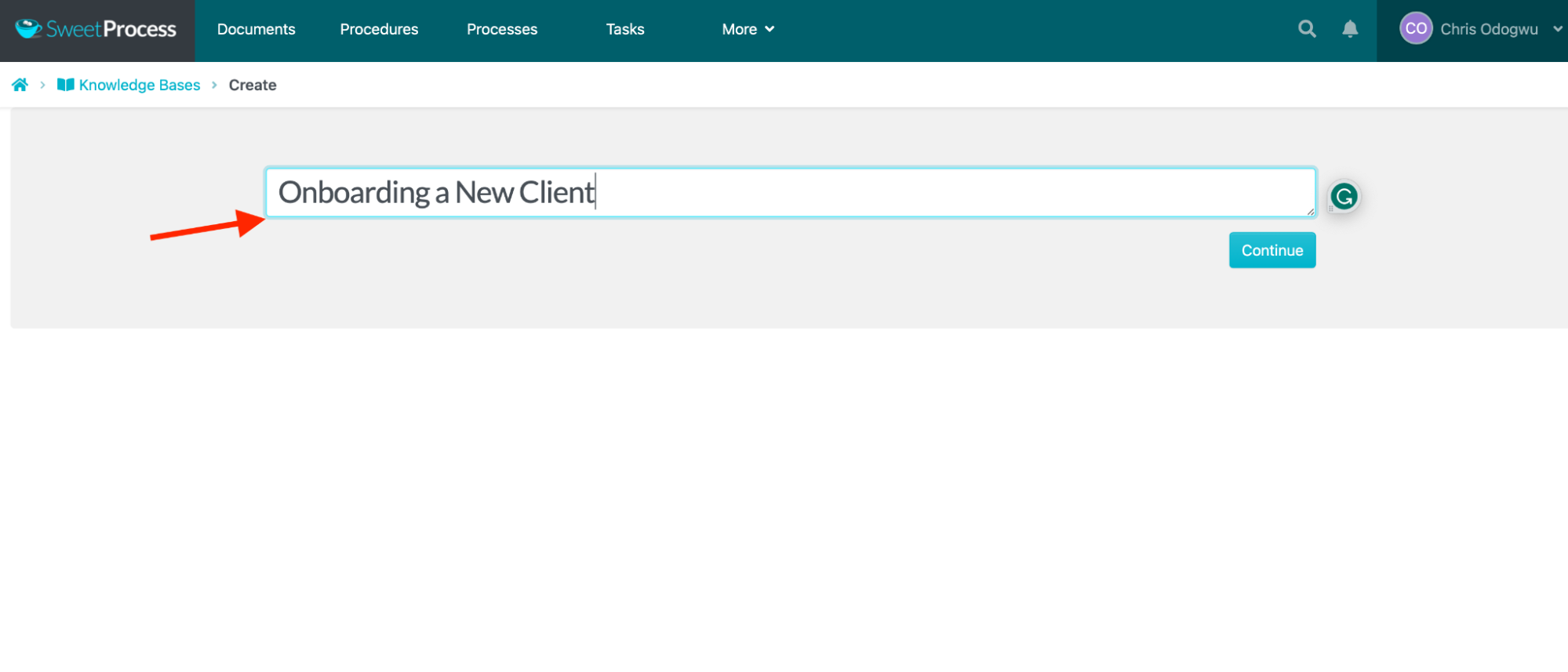
Enter the title of the knowledge base and click “Continue.”
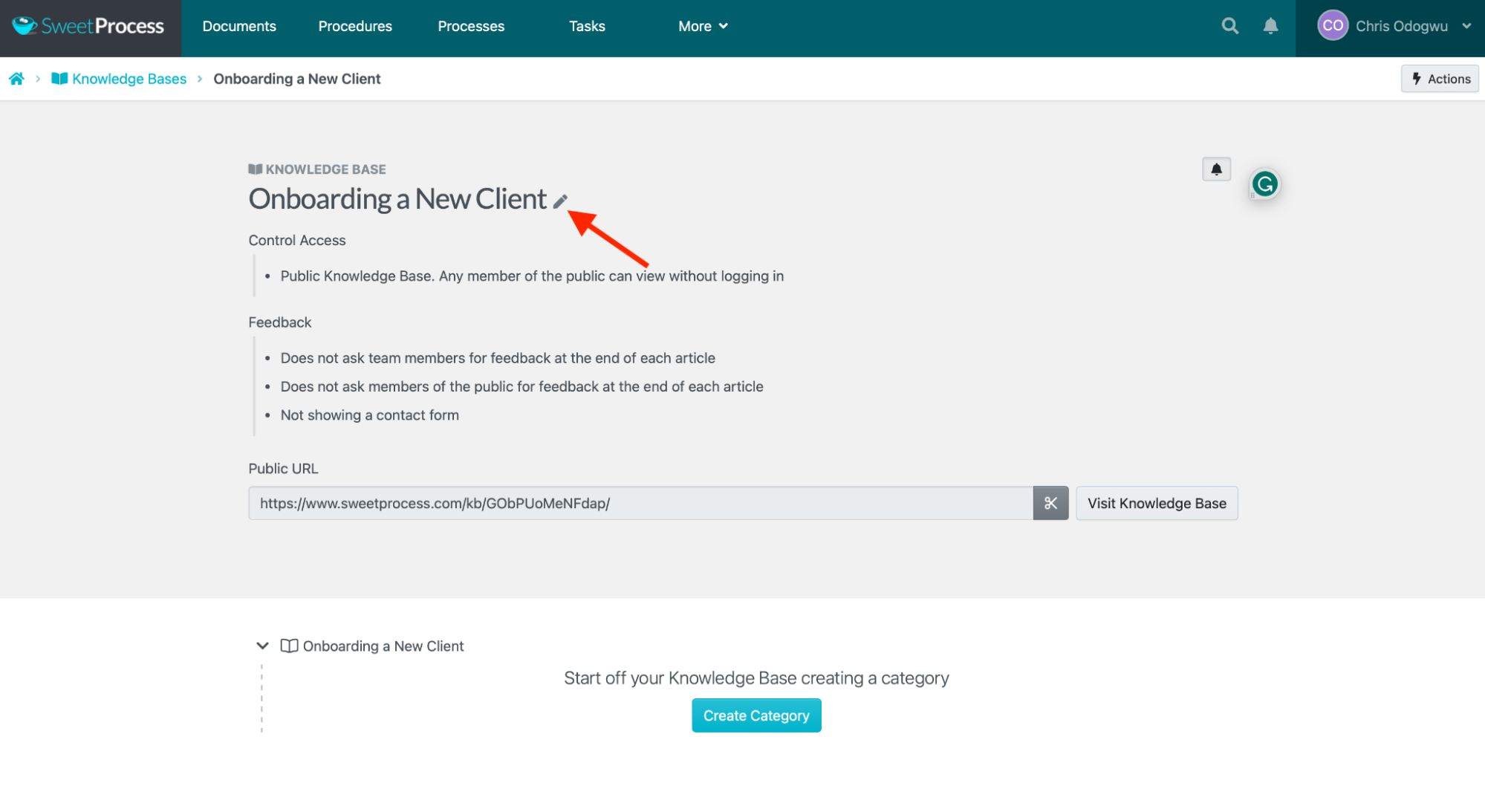
Click the pencil icon beside the title.
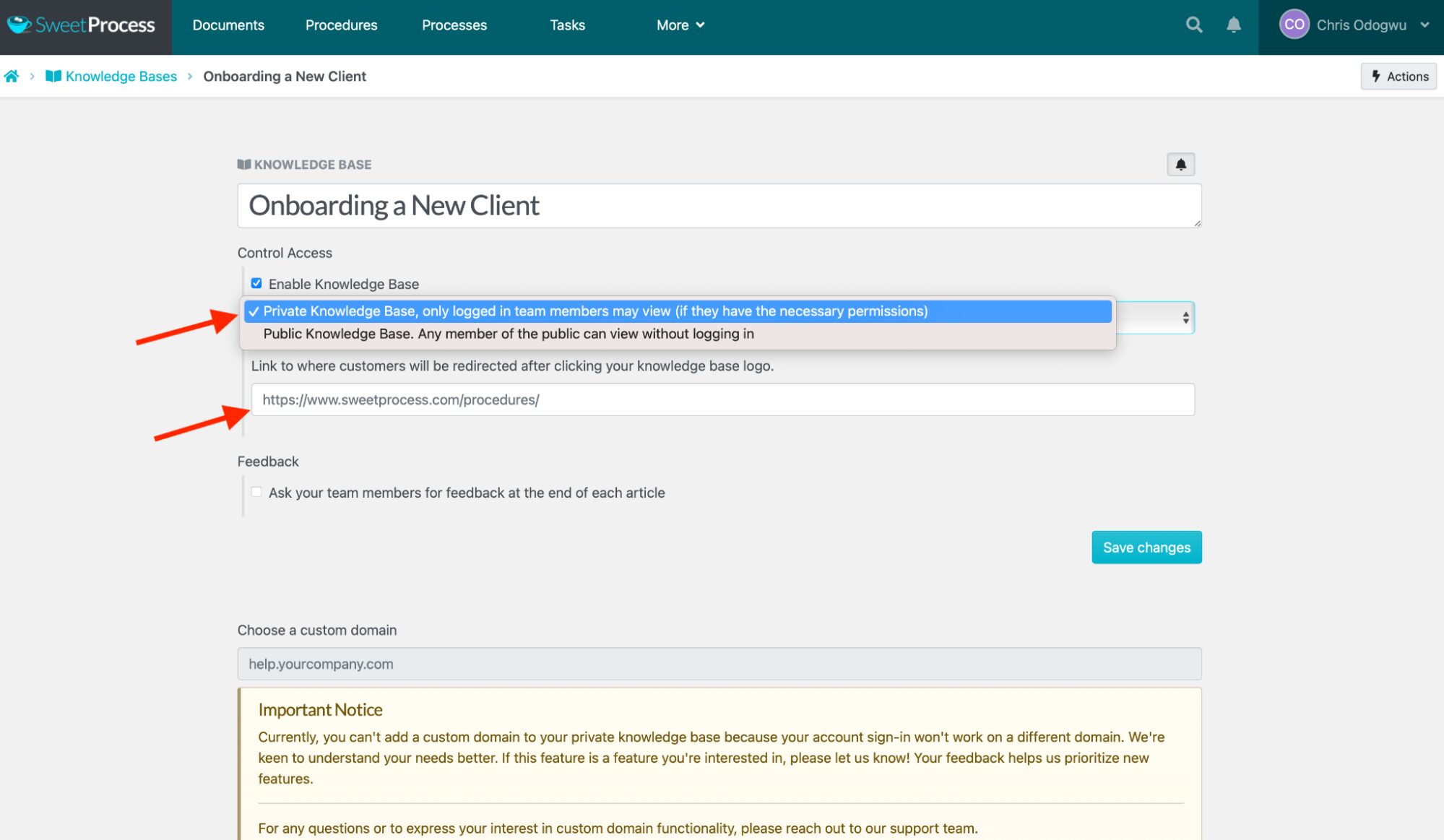
Click the bar below “Control Access” and select “Private Knowledge Base, only logged-in team members may view (if they have the necessary permissions).”
Enter the URL you want team members redirected to when they click the title of your knowledge base.
How To Create an External Knowledge Base in SweetProcess
Navigate to the knowledge base and click the pencil icon beside the title.
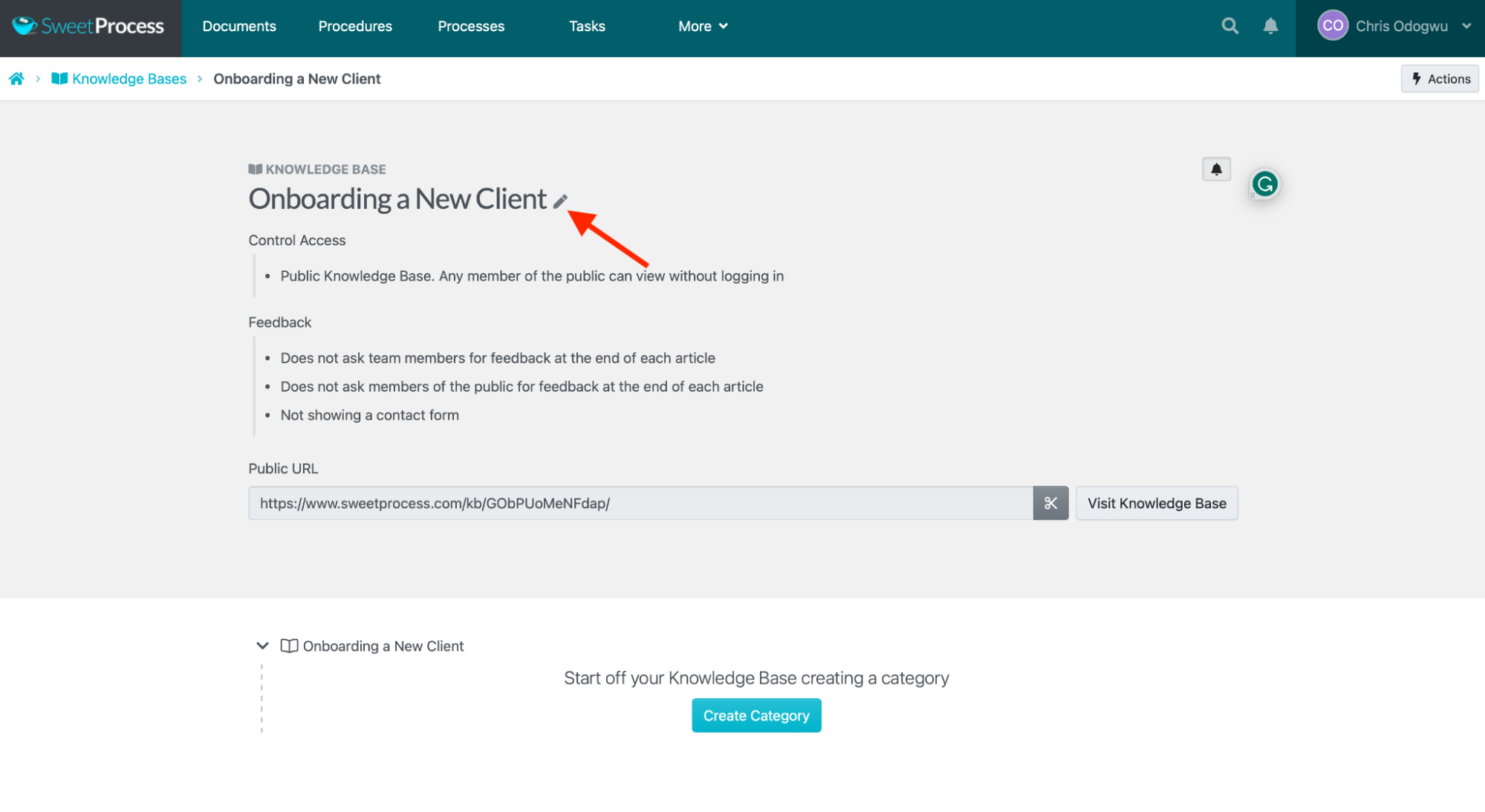
Click on the bar below “Control Access” and select “Public Knowledge Base. Any member of the public can view without logging in.”
Enter the URL you want customers redirected to when they click the knowledge base title, as indicated below.
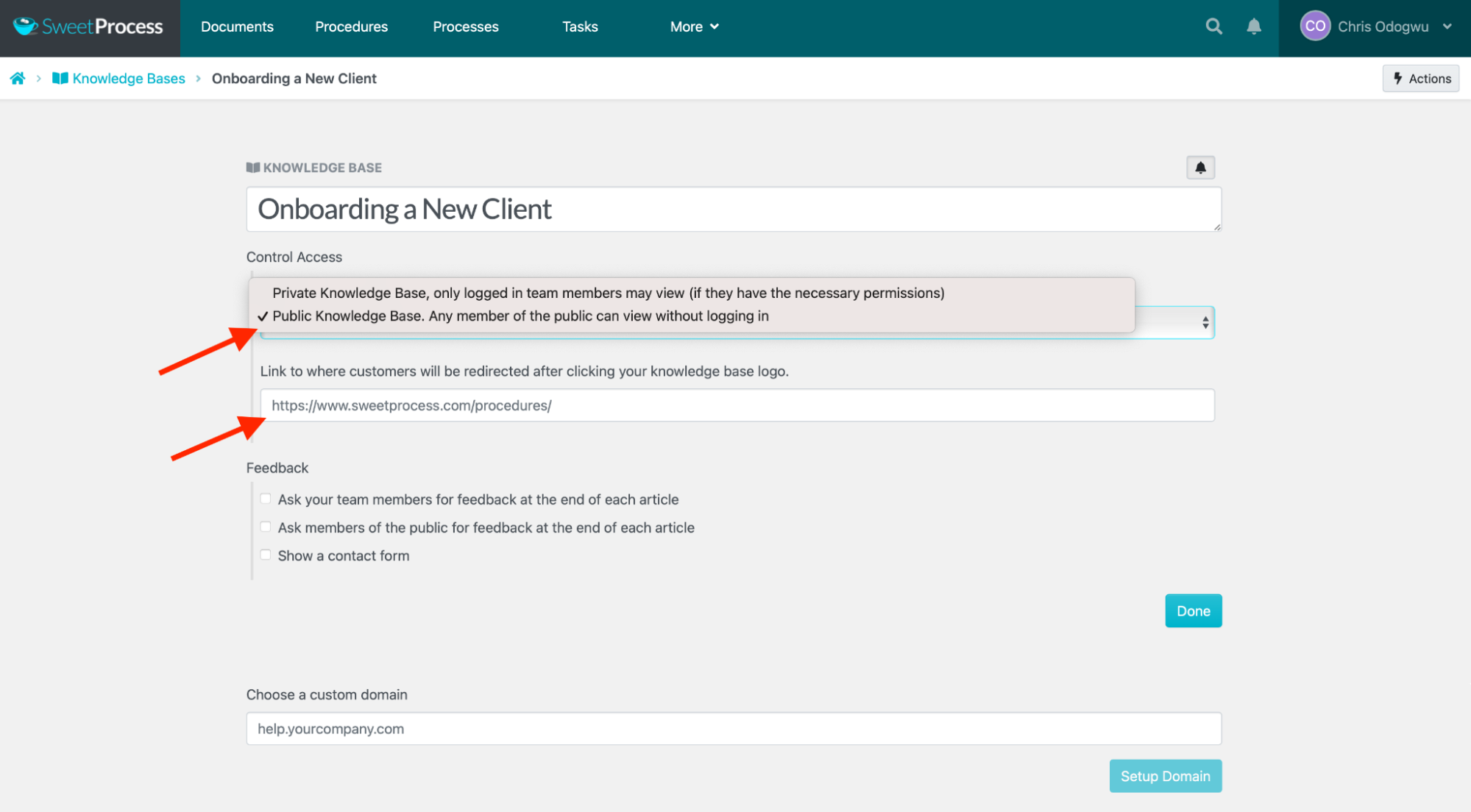
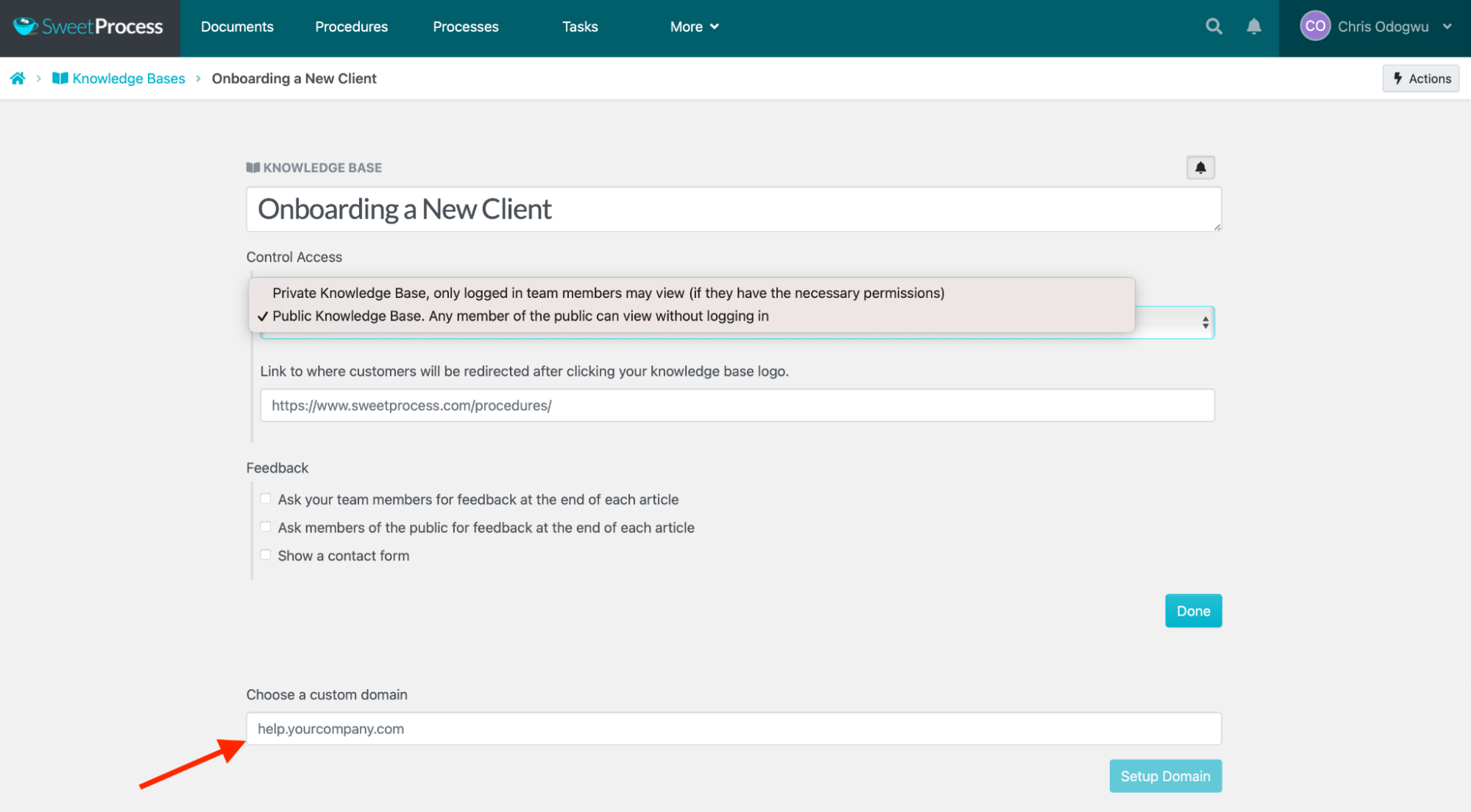
You can redirect customers to a custom domain if you want.
SweetProcess Pricing and Support
SweetProcess offers a free 14-day trial with no credit card required. You get access to all of its features. Sign up for the trial right away and see how it can enhance your healthcare policy management.
Pay $99 per month for a team with up to 20 active members, plus $5 per additional active team member. You can save 16% on this cost with an annual subscription.
SweetProcess is committed to helping users get the most out of their policy management. While the system is intuitive, the team is available to support users in setting it up. It’s also open to user suggestions on how to apply it to unique cases within their practice.
2. Healthstream
Overview of Healthstream
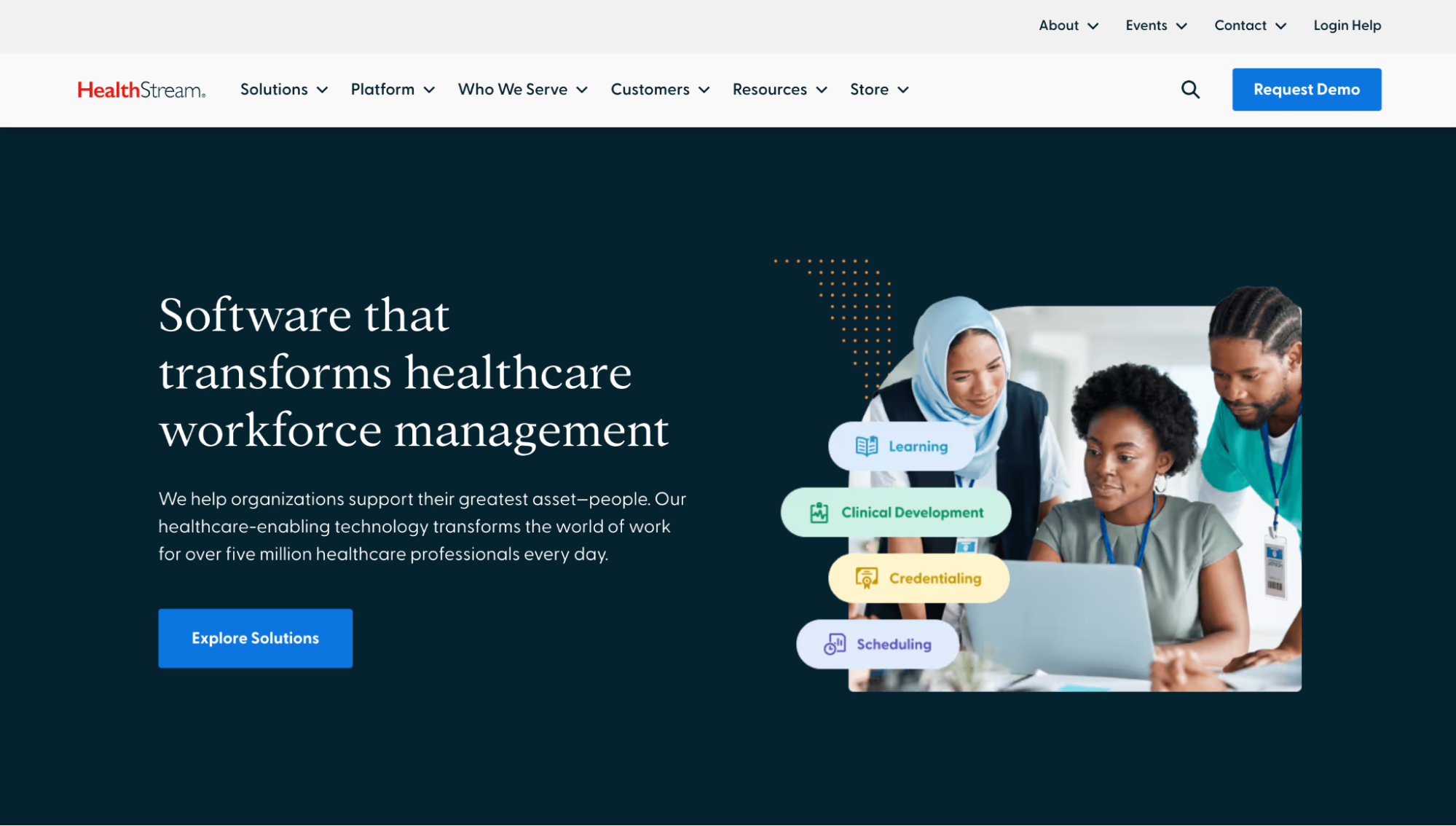
Healthstream helps healthcare organizations better manage their operations by providing a centralized system for organizing administrative work, employee training, and compliance requirements.
Features of Healthstream
- Learning & Performance: Facilitate bespoke learning initiatives tailored to healthcare with a range of tools, including videos, images, and charts. Organize ongoing professional training to improve skills and stay abreast of evolving healthcare needs.
- Clinical Development: Ensure your team members can engage in clinical work while documenting their discoveries in a secure system that tracks their input. Findings can be stored and accessible to authorized parties rather than being saved in a person’s head.
- Credentialing: Utilize a single repository for all healthcare credentials that professionals can consult to deliver patient care swiftly. Enhance service quality by empowering professionals with the information they need to make informed decisions.
- Quality and Compliance: Identify compliance requirements and develop an efficient approach for meeting them. This is also very helpful in mitigating risks and preventing compliance issues.
Healthstream Pricing
Healthstream offers custom pricing upon request.
3. Xoralia
Overview of Xoralia
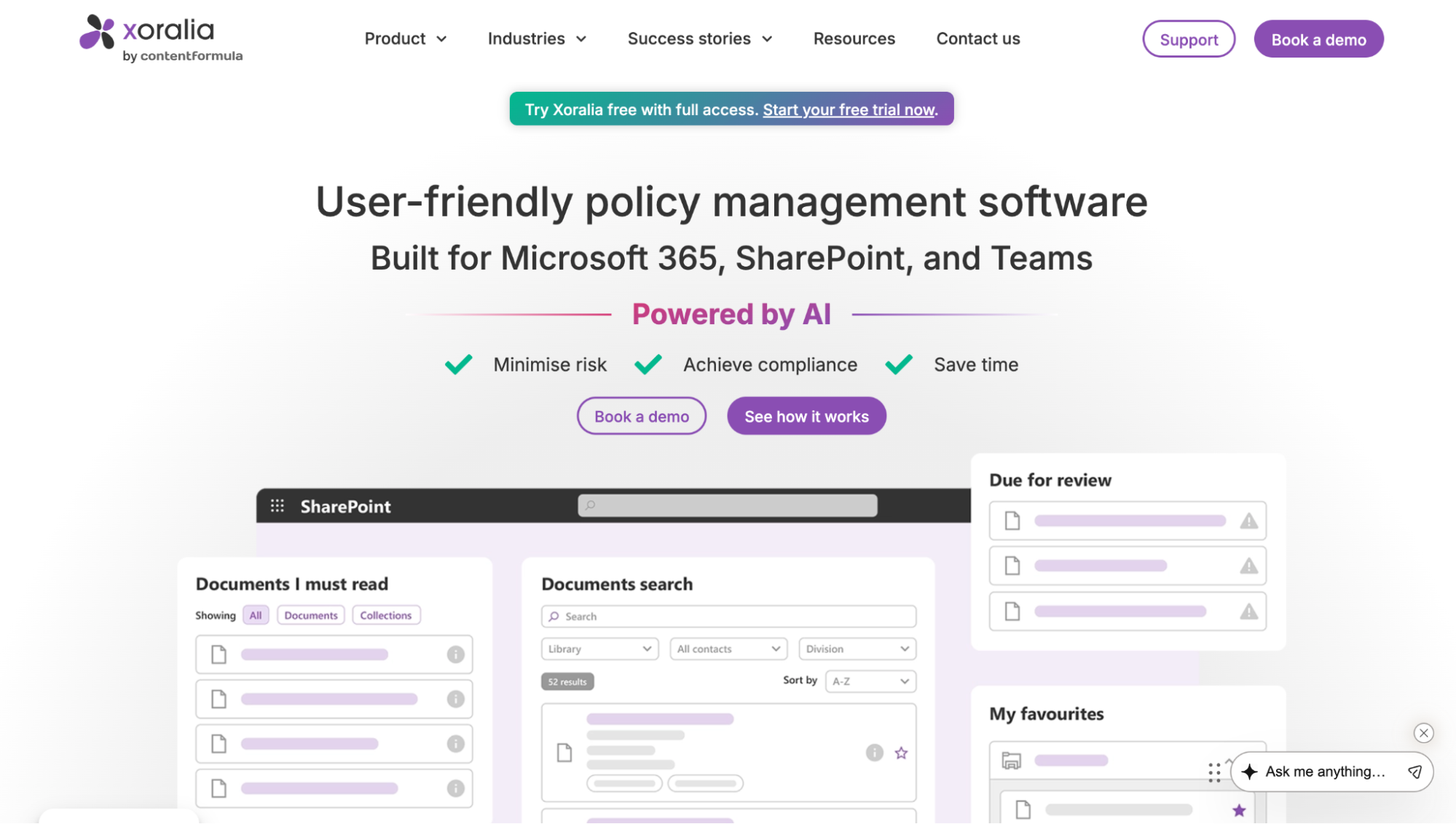
Xoralia bridges the gap between healthcare professionals and workplace policies by providing a centralized knowledge base. Its analytical dashboard allows tracking performance and detecting operational lapses.
Features of Xoralia
- Central Policy Hub: Create and manage policies in one place so that employees can find any information they need on their own. There’s a single source of authority that everyone follows to maintain the much-needed precision required in healthcare.
- Filtered Search: Eradicate endless searching and time-wasting using the advanced searchability to retrieve files in an instant. The use of keywords and tags makes for accurate searching.
- Reporting & Tracking: Keep an eye on your policy implementation by reviewing dashboard analytics on employee engagement. Generated data are presented in a way that’s easy to understand.
- Document Sharing: Share policies with designated team members based on their roles and expertise. This ensures that everyone is aware of their latest job requirements.
Xoralia Pricing
Xoralia offers custom pricing. You can find out about it by booking a demo on their site.
4. Megit
Overview of Megit
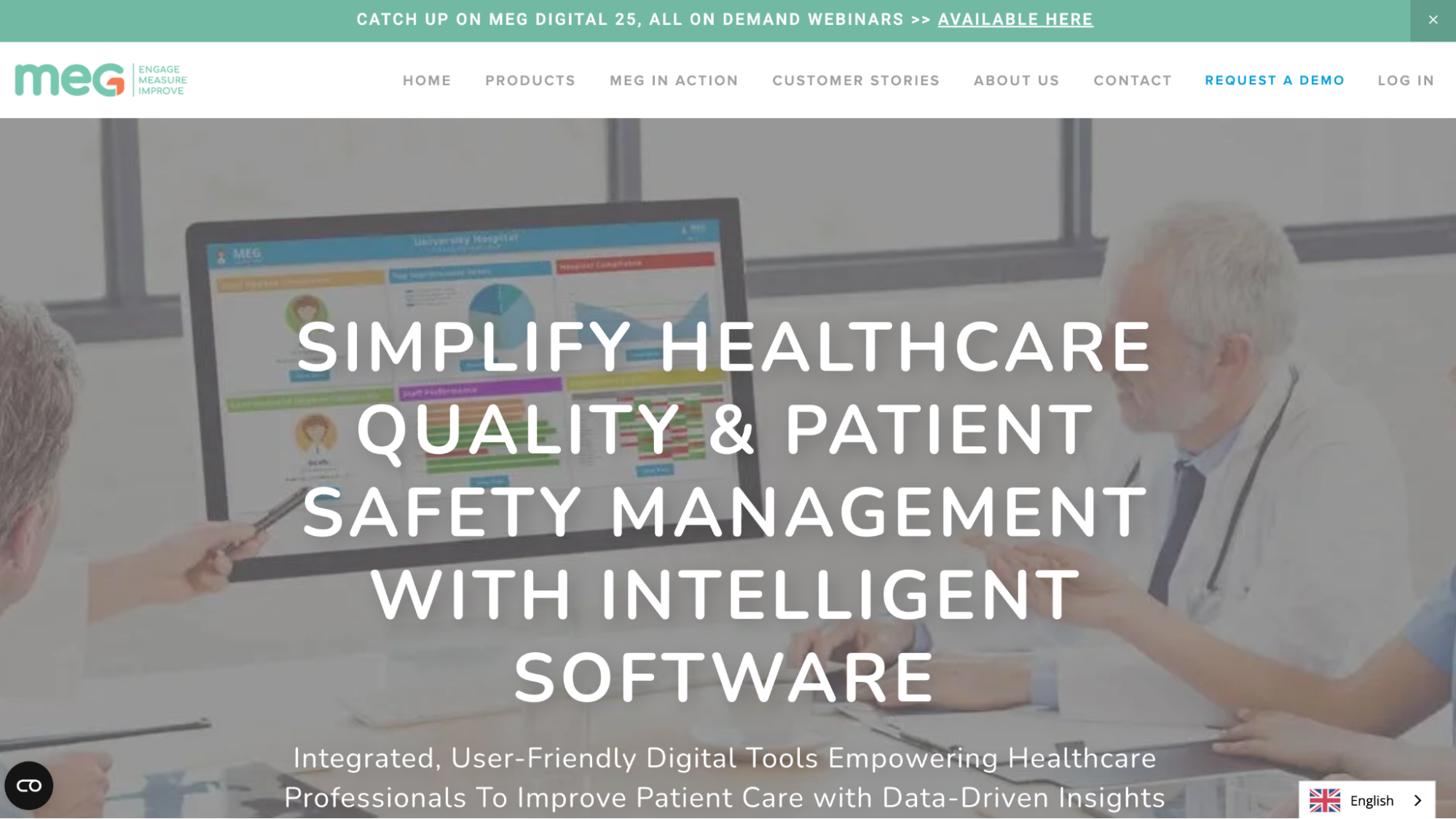
Megit empowers healthcare providers to deliver quality care to customers with a data-driven approach. From documenting policies to monitoring compliance levels, it helps organizations stay in line with regulatory standards.
Features of Megit
- Healthcare Audit Management: Make your auditing seamless with paperless, secure digital documentation. There’s an in-depth audit resource covering various healthcare areas, including infection prevention and control.
- Incident Report and Risk Management: Document incidents instantly with the available incident reporting templates. Capture key details to develop safeguarding and risk mitigation strategies.
- Policy and Document Management: Document and store healthcare policy documents in a flexible software that can be viewed on multiple devices, including mobile. Such flexibility empowers team members to access information remotely.
- Credential Management: Ensure staff and patient credentials are up to date at all times. This prevents operational delays and compliance defaults arising from incomplete credentials.
Megit Pricing
Megit’s pricing is custom-based. You can request a quote on their website.
5. Compliatric
Overview of Compliatric
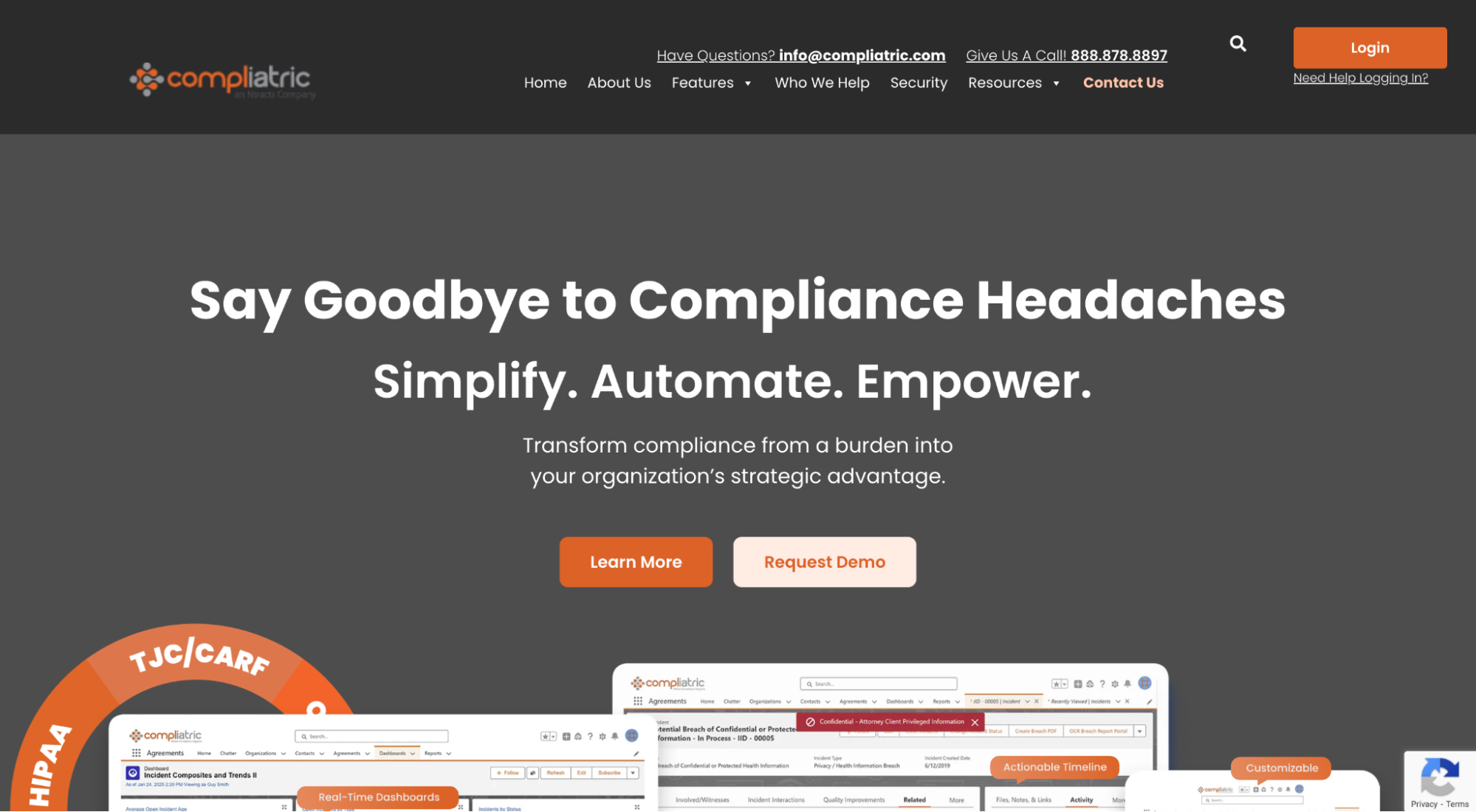
Compliatric streamlines healthcare policy management, eases administrative operations, tracks ongoing activities, and helps automate repetitive manual tasks.
Features of Compliatric
- Real-Time Dashboards: Receive real-time insights on how employees implement set compliance metrics. Notifications for breaches enable you to act before any damage is done.
- Centralized Training Hub: Train new and established staff with documented policies and SOPs in a centralized system. Using the same materials to train everyone ensures consistency in performance across boards.
- Proactive Exclusion Monitoring: Track regulatory events in your industry and stay notified of new developments. This keeps you in tune with the latest compliance needs to avoid sanctions.
- Simplified Policy Management: Easily update policy documents by making changes to the affected areas. You can also implement document versioning, having multiple versions of a procedure for specific use cases.
Compliatric Pricing
Compliatric has a custom pricing policy. Request a quote tailored to your company on their website.
6. SAI360
Overview of SAI360
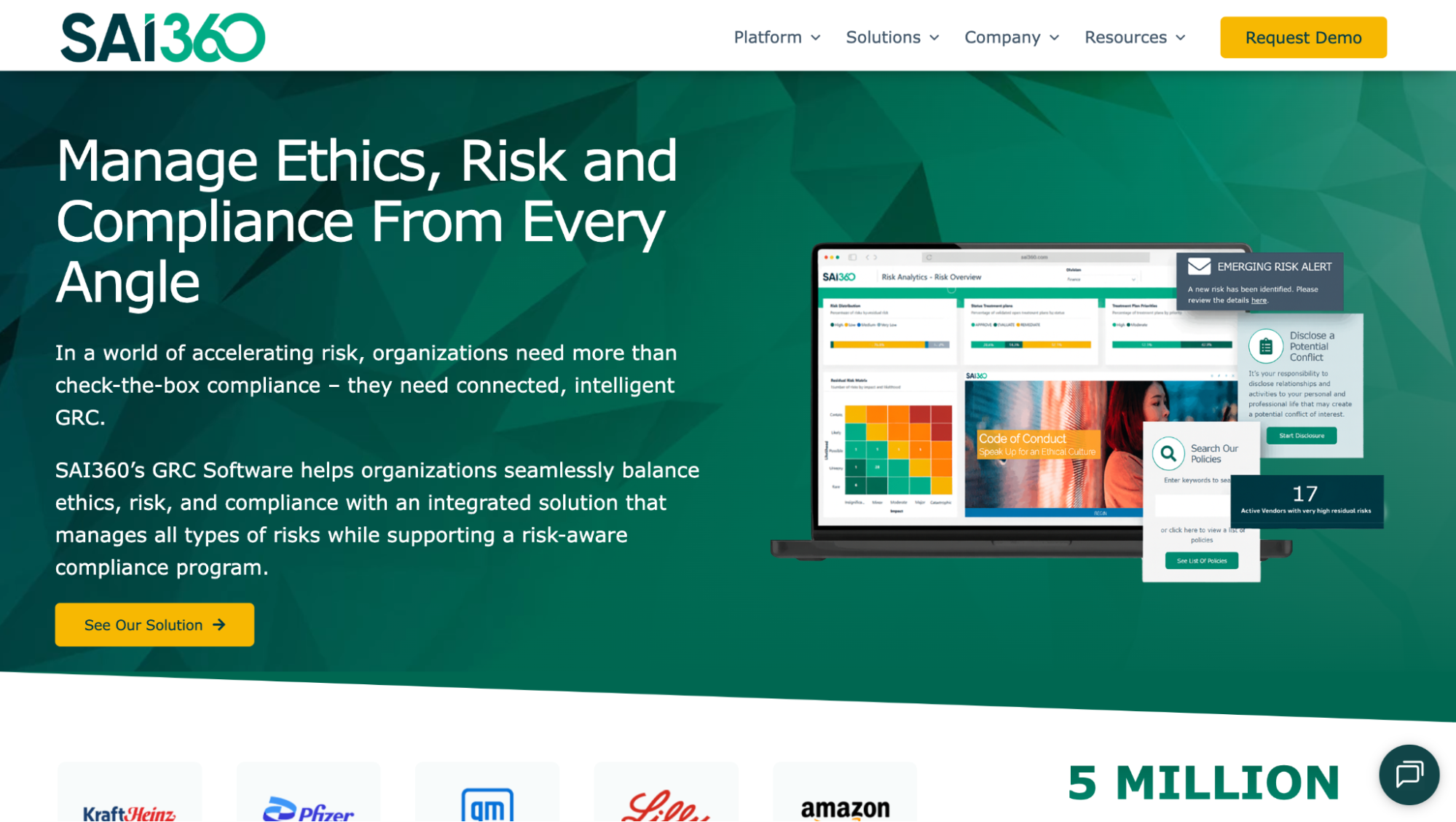
SAI360 focuses on minimizing compliance-related risks to the barest minimum. It empowers healthcare organizations to prioritize risk management as a core practice, uphold compliance standards, and deliver excellent services.
Features of SAI360
- Analytics & Reporting Dashboards: Analyze performance data to identify emerging risks and compliance gaps. Implement strategies to resolve pending issues before they escalate.
- Integrated Workflow System: Have all your policies and procedures connected in a single system. This allows for easy distribution of documents to authorized teams and drives collaboration when needed.
- Smarter Compliance & Policy Automation: Stay audit-ready at all times by leveraging AI-powered content creation tools to automate documentation. Implement updates swiftly ahead of inspections.
- Adaptive Learning & Decision Support: Create personalized learning experiences for team members based on errors detected from their performances.
SAI360 Pricing
SAI360 has a custom pricing model that you can request via its website.
7. Health Matrix
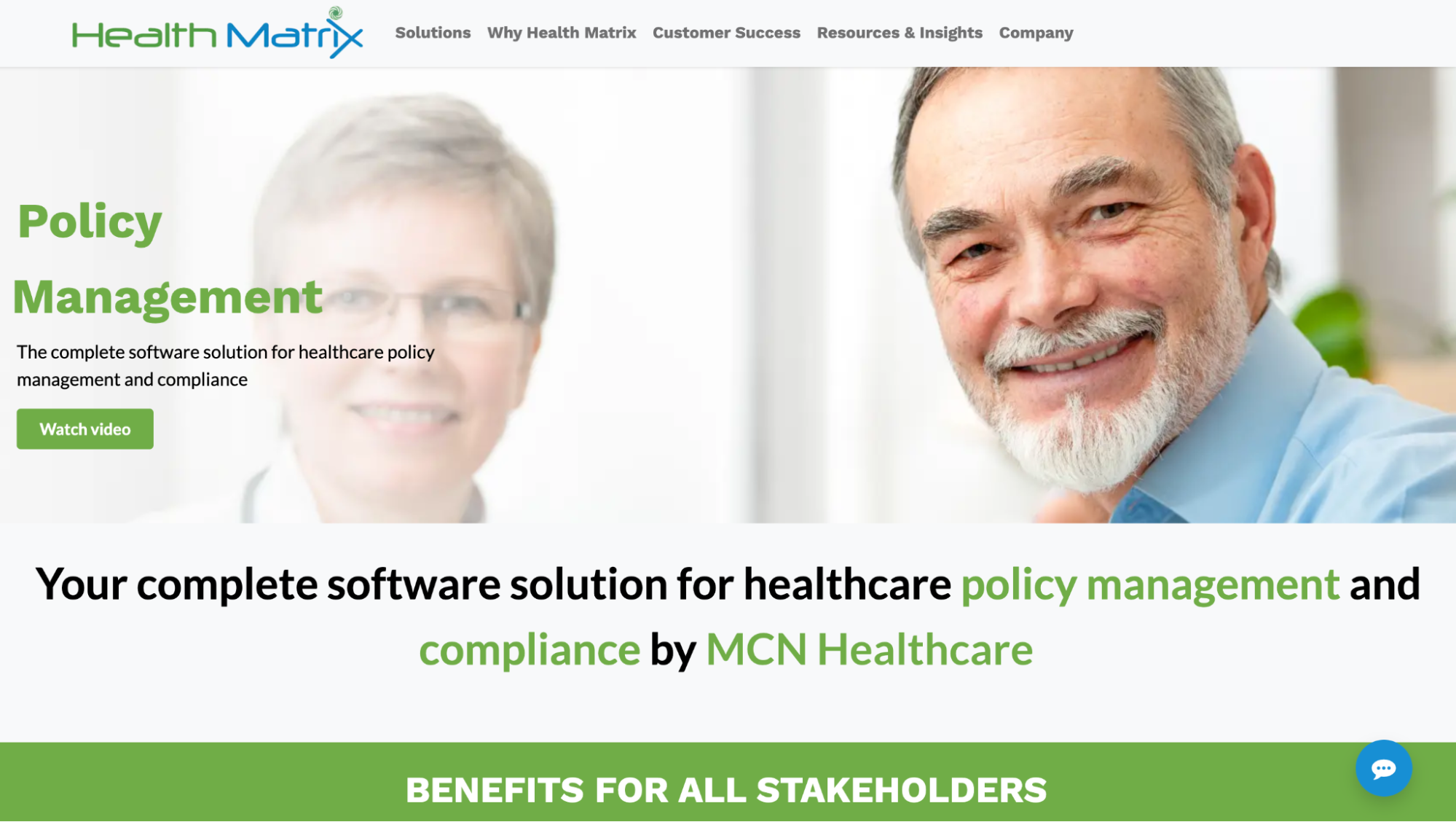
Overview of Health Matrix
HealthMatrix simplifies healthcare policy creation and management with ready-to-use policy and procedure templates, automated content generation, and visual documentation capabilities.
Features of Health Matrix
- Policy Manager: Keep tabs on your policies in a single location, tracking updates and engagements. This will help ensure that all policies are useful and audit-ready.
- Data Analytics: Transform your performance data into visuals such that they are easy to analyze and understand. Operate with complete data visibility about current performances and predict future outcomes.
- Workforce Management: Manage employees by leveraging digital tools to engage with them. Maintain open communication to receive their suggestions to improve policy compliance and overall operations.
- Clinical Surveillance: Gain access to systems that provide near real-time data on healthcare practices, including infection control and medication use. Keep an eye on patients and track their progress to full recovery.
Health Matrix Pricing
Health Matric offers custom pricing to users.
8. Medtrainer
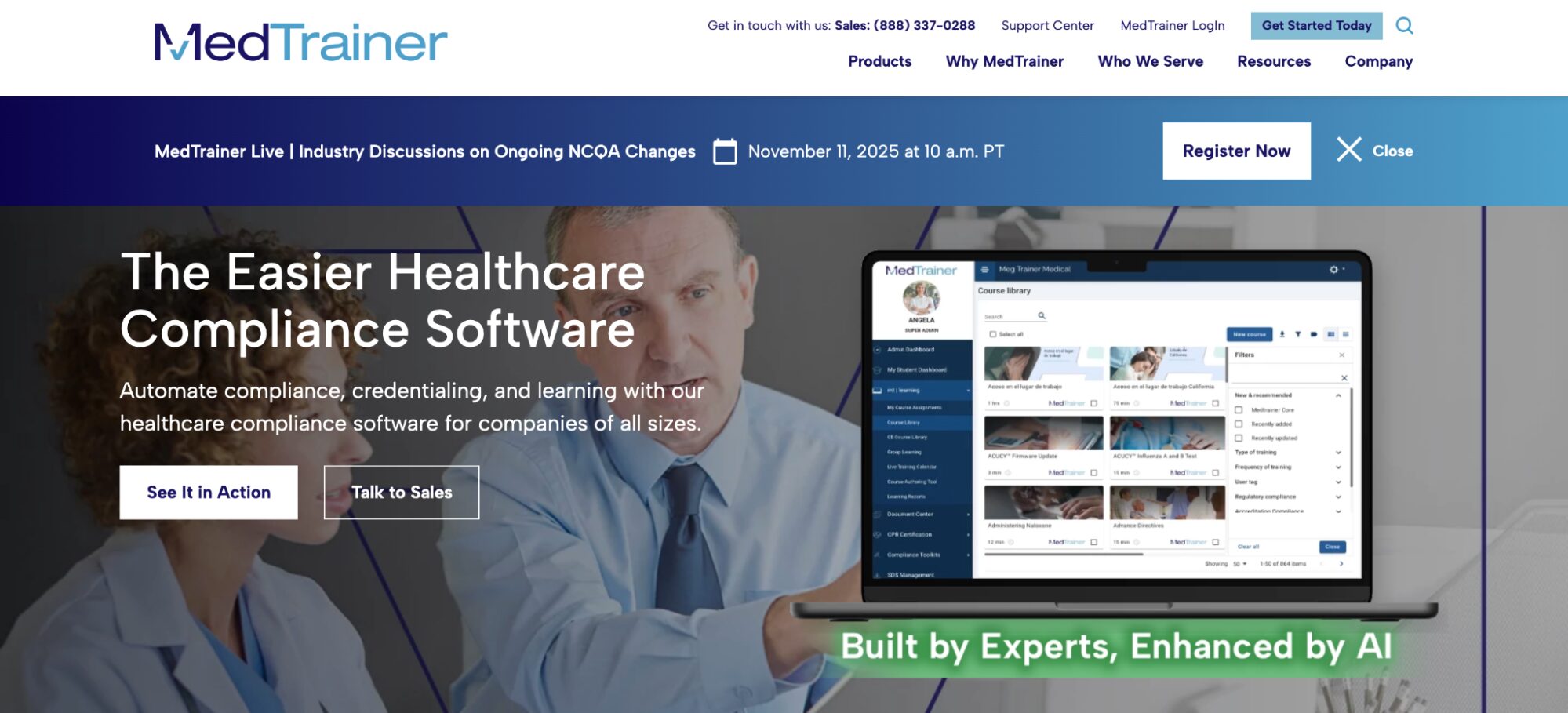
Overview of Medtrainer
Medtrainer automates healthcare compliance through effective policy documentation and distribution, maintaining high-quality standards despite increasing work volume.
Features of Medtrainer
- Credentiling: Automating patient onboarding by fast-tracking the documentation process with AI credentialing tools. You can access patients’ medical history at a go and update their records with ease.
- Operations Tracker: Gain comprehensive insights into your operations, including compliance, patient, and staff management. Having this information at hand allows proactive prevention.
- Medtrainer: Train employees on compliance requirements using an AI-powered enterprise learning management system for various audience sizes.
- Real-Time Tracking and reporting: Understand employee engagement levels through training and task data on your dashboard. Such performance visibility helps identify and address weaknesses.
Medtrainer Pricing
Medtrainer offers custom pricing. Request a demo on their website for tailored pricing.
Despite the promises of healthcare policy management software, it’s penny wise to try it out and see if it’s a good fit for your business. Among all these tools, SweetProcess is the only one offering a free trial.
How SweetProcess Supports Policy Management for Healthcare Companies
In a recent survey of over 1,000 frontline healthcare workers, 98% acknowledged that inefficient technologies pose safety issues. Considering the rigorous tasks healthcare practitioners perform daily, from administration to patient care, SweetProcess offers specific tools to simplify daily operations and organize policy documentation, reviews, and acknowledgments.
1. Automated Policy Creation
Healthcare organizations cannot function effectively without policies. However, creating every single policy document manually takes time and energy. You can use both resources efficiently by leveraging SweetAI to automatically create your policies and other related documents, such as procedures and processes.
SweetAI can generate an initial policy draft for your team to edit. Have qualified clinical, compliance, and legal reviewers check it against your organization’s practices and applicable requirements before approval.
2. Unified SOP and Policy Creation System
Effective standard operating procedures (SOPs) and policies are prerequisites for quality healthcare. SweetProcess empowers healthcare facilities with templates and automated tools to create comprehensive SOPs and policies that are easy to use within a single system.
The flexibility to incorporate multimedia features, such as videos, images, and charts, into texts makes these documents very helpful to users, increasing their use rate compared to untouched files in the system.
Visualizing policies and SOPs has been tremendously beneficial to the team at GDL Systems, helping them maintain consistency across operations. Co-founder and CEO Juan Pablo Roscoe stated that they visualize every document in SweetProcess as a tree with branches, highlighting how each document enhances the workflow.
Streamlining policies and procedures was a relief for the team because they had struggled to get a handle on the many moving parts in their operations. Such visibility can be instrumental in streamlining healthcare operations, as employees’ ability to visualize procedures enables greater precision in healthcare delivery.
3. Built-In Acknowledgment and Activity Tracking
Eradicate assumptions on employees’ knowledge of compliance policies and requirements by using SweetProcess to get their sign-offs on related documents. You can share the documents with authorized team members and request their sign-off.
Employee sign-offs and other activities can be monitored with the automated tracker, recording actions performed with user names and timestamps. This visibility shows engagement levels and promotes accountability.
4. Document Versioning and Audit Trail
Use SweetProcess’s document versioning to track multiple versions of a document for different use cases without confusion. Each version has unique identifiers that show the whole history of changes made and who made them.
Ensuring that policy documents and SOPs are in order helps you prepare for an audit and maintain a record of the documentation you may need to present during it.
5. Simple User Interface
Ease of use is one of SweetProcess’s unique selling propositions (USPs). Anyone with basic computing skills can effectively use it without guidance. The SweetProcess interface has a clearly spelled out description that guides users through each step to perform desired actions, from manual to AI-automated tasks.
Heather MacLean, a management analyst III at the Texas Department of Family and Protective Services, revealed how SweetProcess helped the team simplify their documentation. With a lot of information to process, they tended to overcomplicate things. SweetProcess’s simple documentation interface enables them to add only useful information, saving time.
Key Features To Consider Before Choosing a Healthcare Policy Management Software
The importance of healthcare policy management software can’t be overemphasized, as it concerns saving lives. Healthcare practitioners can deliver high-quality services when they operate in accordance with well-thought-out policies established by regulatory bodies in the best interests of society.
Here are some significant factors to consider in choosing healthcare policy management software for your organization:
1. Centralized Policy Repository
While operational consistency is a requirement across industries, it’s even more vital in healthcare. This enables healthcare providers to deliver excellent services to multiple people with the same standards and precision.
A healthcare management software with a centralized repository allows for all policies and procedures to be saved in a single system accessible to team members. This drastically reduces the frequency with which employees ask their colleagues or managers for help with tasks.
Amber Lehmann, co-owner and manager of Mesquite Chiropractic, an integrated clinic, discussed how implementing SweetProcess cultivated a culture of independence within her practice. Instead of asking her for guidance on what to do, employees now access the answers they need in the centralized repository within SweetProcess.
2. Policy Acknowledgment Tracking
In a fast-paced healthcare practice, information can slip through the cracks, endangering patients’ lives. Prevent that from happening by ensuring that your healthcare management software allows tracking policy acknowledgment.
The tracker shows who has signed off on documents, building confidence within the practice that they are informed of the latest regulatory standards and will uphold them when executing tasks.
3. Automated Policy Creation, Approval, and Review
Time is of the highest essence in healthcare. It’s integral to seize any opportunity to save time, and an automated healthcare management tool helps do just that. Software like SweetProcess, for instance, can help workers save several hours a day by using its AI tool to create unlimited policies and procedures.
The system can be automated to notify team members about documents requiring their review and approval, and it continues to do so until they address the documents. This was instrumental to the team at Dentist Off Main, a dental services provider, upholding high-level safety standards in the wake of the COVID-19 pandemic.
According to its founder, Dr. Olesya Salathe, SweetProcess enabled them to create policies and SOPs that minimized physical touchpoints for both patient and staff safety while delivering effective care. After the documents were approved, each team member had to sign off, indicating they understood them.
4. Real-Time Updates
Good medical care requires a cohesion of the various personnel working on projects. A lack of information in any aspect of a patient’s care can be harmful. The right healthcare management software allows teams to enter details of treatment progression, which are available to authorized team members in real time. Everyone works with the latest information toward providing the best care.
5. Secured Cloud-Based Storage
Healthcare organizations often handle large confidential datasets. An effective cloud-based storage solution allows healthcare practices to store unlimited data. It provides flexible access with robust security features, including data encryption, that prevent unauthorized parties from accessing encrypted files even when they are exposed.
6. Intuitive Interface
Healthcare practitioners work under tight deadlines. Spending excessive time figuring out how to navigate a software application is counterproductive. Implementing an intuitive, easy-to-navigate application enables employees to use it independently for work, thereby enhancing performance. An increase in performance invariably increases the quality of patient care and hastens service delivery.
7. Integration With EHR and HR Systems
Electronic health records (EHR) and human resources (HR) systems contain vital staff and patient information. Integrating both systems into a single software puts information at the fingertips of authorized staff. Having such software saves time juggling between multiple applications and promotes seamless data sharing during treatments.
You may not need to streamline COVID-19 management protocols in your healthcare practice as Dr. Salathe did, but as someone in healthcare, you’d agree that there are other pressing needs for policy management.
SweetProcess makes policies accessible to practitioners and records requested sign-offs, helping your team track acknowledgment of the published guidance.
Why Policy Management Is Critical in Healthcare
Healthcare is one sector that affects everyone, either directly or indirectly. Whether you’re receiving active treatments or undergoing periodic checkups, it’s reassuring to know that you’re in good hands. This is more attainable when service providers have effective policy management systems.
Compliance: HIPAA, OSHA, and Joint Commission
The sensitivity of healthcare services puts it under the watchful eyes of regulatory agencies and laws. In the United States, these include the Health Insurance Portability and Accountability Act (HIPAA), the Occupational Safety and Health Administration (OSHA), and the Joint Commission.
Implementing a robust healthcare management tool helps organizations comply with regulatory requirements. Failure to do these could lead to severe penalties and sanctions.
For hospitals managing HIPAA, OSHA, and Joint Commission requirements simultaneously, hospital policy management software provides the structured system needed to keep policies current, staff accountable, and documentation audit-ready at all times.
Consistency Across Departments and Locations
Effective policy management entails documenting SOPs and policies. This provides employees with a single set of instructions across the organization, thereby maintaining consistency. Being able to duplicate services and treatments with high-level precision allows many people to be successfully treated.
Continuous Improvement
Prioritizing policy management is a prerequisite for continuous improvement. The goal is to implement the most effective policies within an organization at any given time. Observing the efficiency of current policies helps identify gaps that can be closed to improve services further. With tools like SweetAI, you can easily update a policy automatically.
Improved Patient Safety Through Standardized Policies and Procedures
Policy management in healthcare enables organizations to offer patient-centric care by seeking the best ways to meet and exceed patients’ expectations through effective policies. While the focus is on the patients, it reflects positively on the organization as it propels them to streamline their services.
The stakes are high for healthcare service providers. While employees have a responsibility to adhere strictly to healthcare policies, organizations have a responsibility to create an environment in which those policies are readily available.
Implementing a tool like SweetProcess resolves policy management issues by allowing you to document policies and distribute them to team members immediately.
Which Policy Management Software Is Best for Your Healthcare Organization?
Adopting policy management software is one of the most critical decisions healthcare organizations have to make in today’s digital-driven society. It’s not a question of whether they need one, but how they can find the best one for them.
The goal is to find a system that enhances your service delivery while securing your data, and SweetProcess does that. You can automatically create policies, distribute them to team members, and collaborate in a single cloud-based system with advanced features. Interestingly, you can confirm this yourself without making any financial commitment yet. Sign up for a 14-day free trial without a credit card and see if it’s effective in managing your healthcare policies.