Last Updated on July 29, 2026 by Owen McGab Enaohwo
What happens to your operations when the most experienced team manager leaves? Most organizations start scrambling because the key processes existed in her head, not on paper.
Once that knowledge walks out the door, the cracks show. Teams handle the same situation five different ways, and a compliance auditor’s visit becomes something you dread. New hires take twice as long to get productive because they can’t find company information in the collection of outdated Google Docs.
With standard operating procedure (SOP) management software, you can build a system where all your procedures are documented and followed. We evaluated 25+ tools and narrowed this list to nine. For each one, you’ll find an honest breakdown of what it does, the pricing, and the exact team type it fits best, so you can make an informed decision.
Table of Contents
What Is SOP Management Software?
What Makes the Best SOP Management Software?
SOP Management Software Comparison Table
9 Best SOP Management Software
Core Features To Consider in SOP Management Software
Benefits of Using SOP Management Software
How To Manage Your Company’s SOPs Using SweetProcess
How To Choose the Right SOP Management Software
FAQs About SOP Management Software
Manage Your Company’s SOPs With SweetProcess
What Is SOP Management Software?
SOP management software is a dedicated platform for creating, organizing, versioning, and optimizing standard operating procedures across an organization. It goes beyond general document management, where files are stored and retrieved, by connecting SOPs to the workflows and accountability systems to ensure they are followed.
SOP software also differs from business process management (BPM) software, which typically models and automates complex cross-system workflows. SOP management tools focus on documenting repeatable human processes, such as how your team:
- Onboards a new hire
- Handles a customer complaint
- Closes out a shift
- Follows a compliance checklist
The best platforms in this category also support SOP documentation with features like version control, approval workflows, task assignment, sign-offs, and audit trails.
Most teams lack a system for making those processes stick. SweetProcess gives you a centralized hub for all the SOPs your team needs, with built-in task assignment and sign-offs. Sign up today for a free trial!
What Makes the Best SOP Management Software?
As you choose an SOP management tool for your organization, evaluate whether it’s a good fit. Here’s the criteria we used to separate useful platforms from simple document editors.
Ease of SOP Creation: AI-Assisted vs. Manual
How fast can your team get a process written down? Some tools require you to manually type the step-by-step procedures, while others offer AI writing assistants, screen recorders, or both. For teams with dozens of undocumented processes, speed of creation matters. Evaluate whether the tool supports multiple input methods and whether it has AI suggestions to save you time.
Version Control & Approval Workflows: How Are Updates Managed?
SOPs need to be refreshed frequently. A platform without version control forces teams to guess which document is current. Look for tools that help you with SOP management, including log revision history, approvals before publishing changes, and notifications. All these features are vital for companies in regulated industries.
Team Accessibility & Mobile Access: Can Frontline Workers Use It?
Your documented SOP is useless if your warehouse team can’t access it from the floor. The best platforms are mobile-optimized or provide an SOP app to make it easy for employees to use. Some of the tools on this list also offer browser extensions for better accessibility.
Training & Accountability: Quizzes, Sign-offs, Task Assignment
Writing an SOP and assigning it as a task are two different things. Platforms that connect creation to accountability through sign-offs confirming staff have read and understood a process and quizzes testing retention are more powerful than those that only store documents.
Integration Depth: Zapier, Slack, MS Teams
Your SOP tool shouldn’t exist in a vacuum. Check whether it integrates with key tools, including Slack, Microsoft Teams, Zapier, or your human resources information system (HRIS). Consolidating all processes into a single software reduces friction and makes it easier for employees to adopt.
How the Top SOP Management Software Compare
| Tool | Best For | Starting Price | Free Trial | Key Differentiator |
| SweetProcess | Centralized SOP documentation & team accountability | $99 per month (10 users) | 14 days | Tasks & sign-offs connect SOPs to enforcement |
| Whale | AI-powered SOP creation & employee training | Free plan (up to five users); paid from $249 per month | Yes | AI screen recorder & contextual browser extension |
| Process Street | Checklist-based SOP workflows & automation | Contact the sales team for a quote | Yes | AI-monitored compliance workflows with conditional logic |
| Trainual | Employee onboarding & SOP-based training | Contact the team for a quote | No | Role-based training paths and quiz accountability |
| Waybook | All-in-one SOP & knowledge base for growing teams | From $99 per month | Yes | AI creation, visual capture & onboarding playbooks |
| SafetyCulture | Mobile-first SOP compliance in field operations | Free up to 10 users; paid from $24 per user per month | Yes | 100,000+ inspection templates, mobile-first |
| Scribe | Auto-capturing SOPs from screen recordings | Free plan; Pro from $35 per seat per month | Yes (free tier) | Browser extension captures clicks into instant step guides |
| Tango | In-app SOP guidance during software rollouts | Free plan; Pro from $20 per user per month | Yes (free tier) | “Guide Me” overlay delivers SOPs inside live web apps |
| Connecteam | Frontline team SOP management | Free up to 10 users | 14 days | All-in-one ops, HR, and communication for deskless teams |
9 Best SOP Management Software & Tools
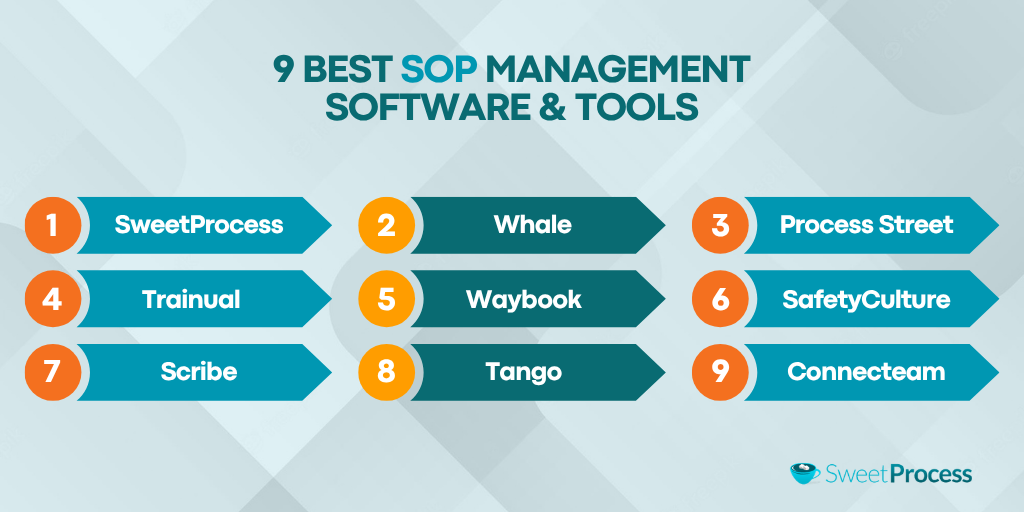
These SOP tools cover a wide range of use cases. While some excel at AI-powered SOP creation, others are meant for teams that require mobile-first field compliance.
What separates the strongest options from the rest is whether the tool helps your team follow the documented procedures.
1) SweetProcess: Best for Centralized SOP Documentation & Team Accountability
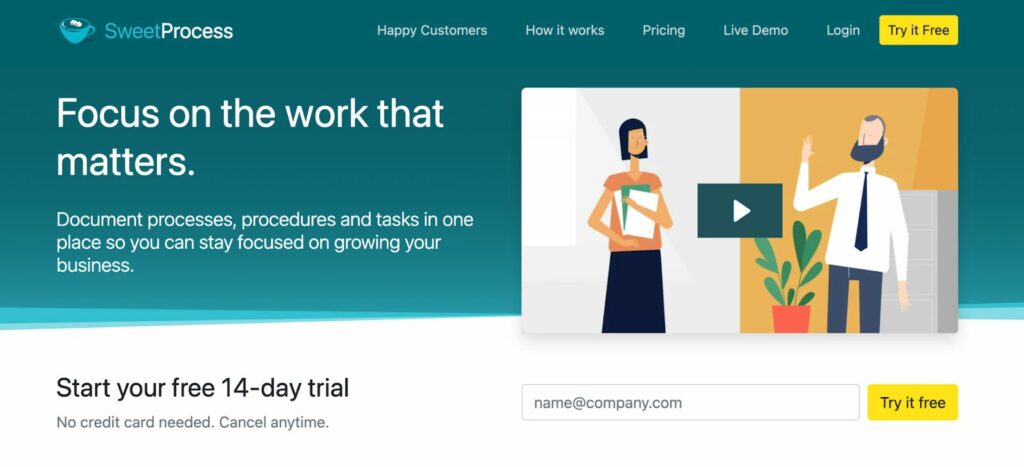
Overview of SweetProcess
SweetProcess is a comprehensive SOP management platform designed for operations-focused teams. Where most tools in this category stop at documentation, SweetProcess extends into execution, enabling managers to assign SOPs as tasks, require team sign-offs, and track completion across the organization. The interface is straightforward and simpler than newer AI-first tools, making it ideal for all types of teams.
The platform is particularly well-suited for operations managers, HR leads, and founders who are scaling. If your team is experiencing inconsistency or losing institutional knowledge whenever someone leaves, SweetProcess provides a single source of truth that connects documentation to accountability.
Key Features of SweetProcess
With SweetProcess, you can access these core capabilities:
Assigning SOPs as Tasks
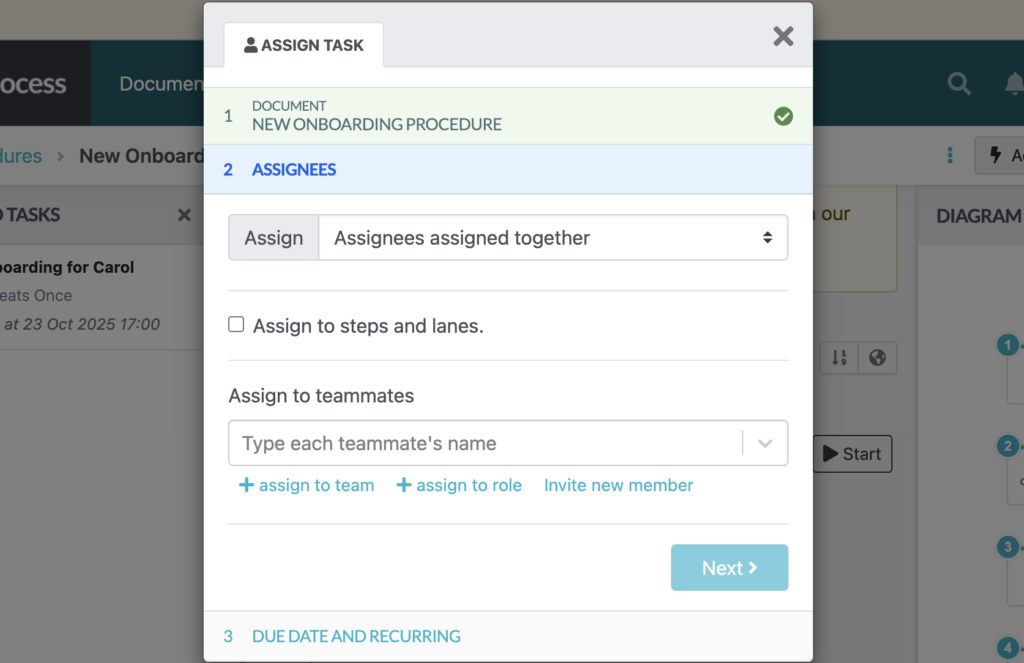
Once an SOP is documented, managers can assign it directly as a task.
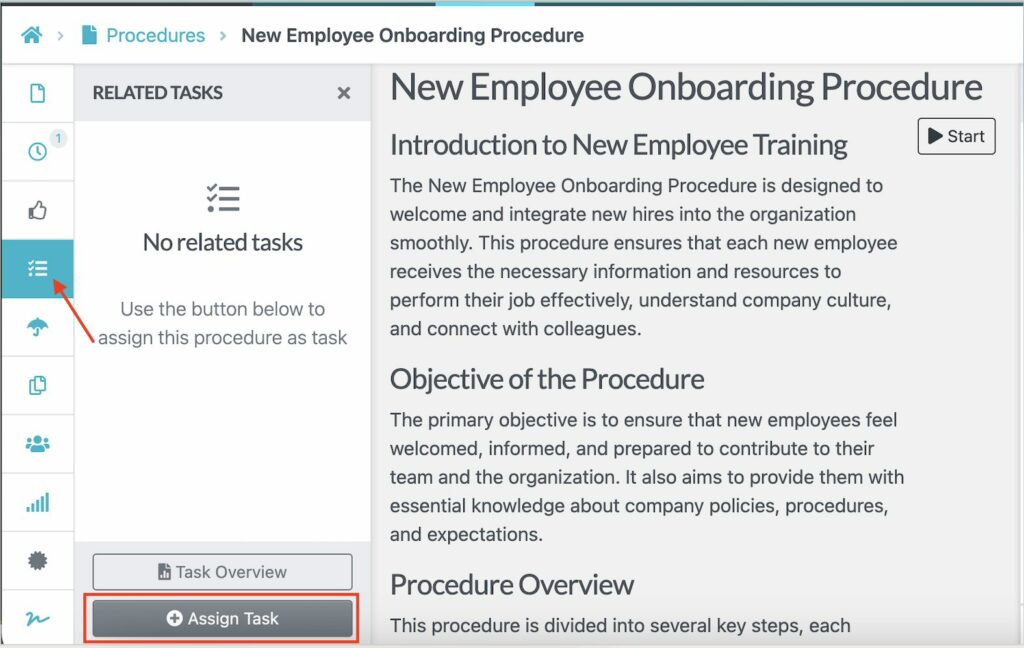
SweetProcess allows managers to add due dates and employees’ names for better accountability.
Managers can also see real-time completion status across the whole team from the “Tasks” dashboard.
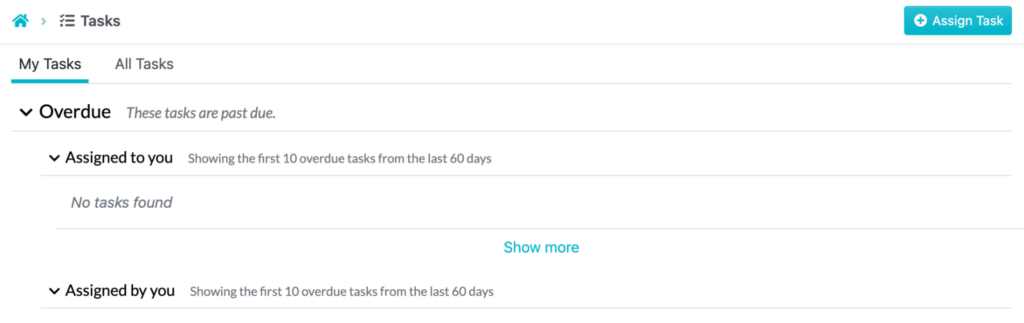
This feature is the core of SweetProcess’s accountability model.
Creating SOPs With SweetAI
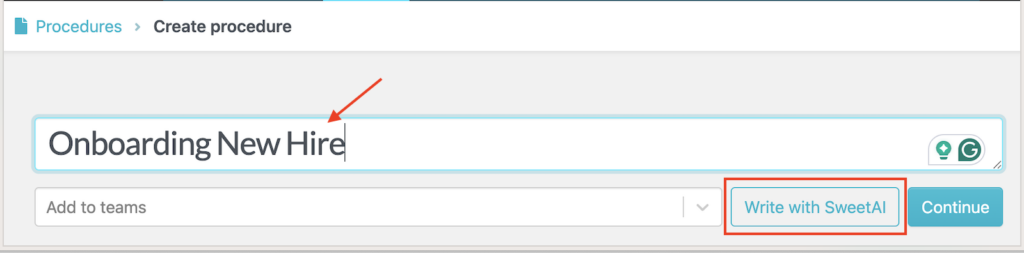
With SweetAI, you can speed up process documentation. SweetAI lets you generate a structured SOP draft by entering a topic or procedure name.
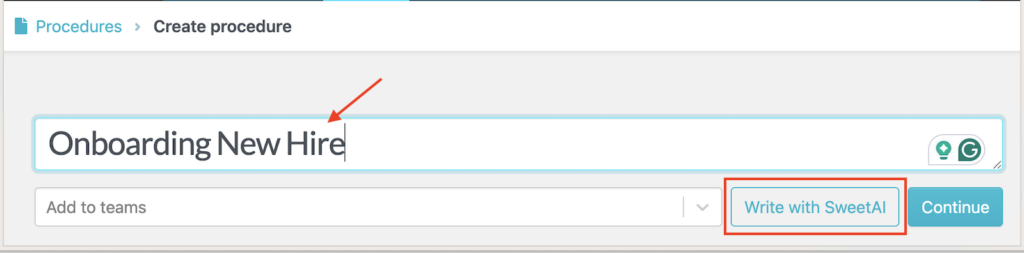
The AI assistant builds a draft, adding the relevant context that you can customize to fit your operations.
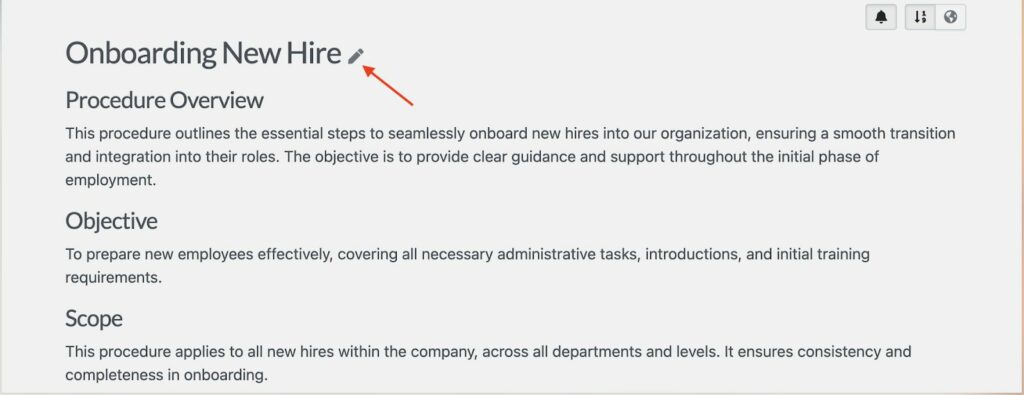
You also get key steps that your team should follow. You can edit these according to your company’s needs.
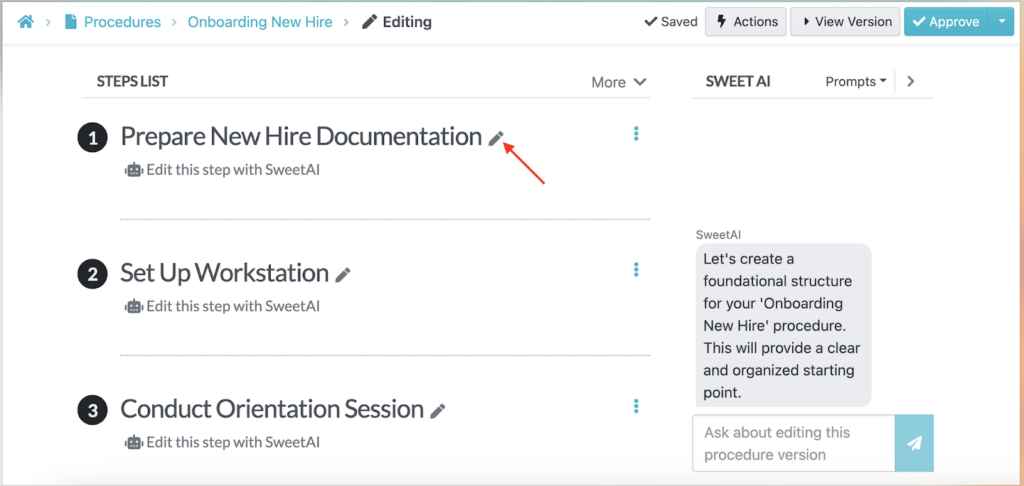
This feature is useful for teams starting from scratch or those converting informal tribal knowledge into documented procedures.
Juan Pablo Roscoe, the co-founder and CEO of GDL Systems, encountered challenges as the company began to scale. The procedures were mostly documented in Google Docs, which most employees found difficult to access. As a result, the team worked without adhering to the SOPs, leading to errors and inconsistencies.
Switching to SweetProcess simplified the tasks as everyone knew what to do. He shares, “In SweetProcess, you just create a procedure and write the steps… You can create a procedure in two minutes and refine it later.”
Documenting SOPs With Chrome Extension
Alternatively, you can use the SweetProcess Chrome extension to record your screen activity and turn this into an SOP. The steps attach automatically, saving time on creating a visual procedure.
Start by installing the browser extension and clicking the SweetProcess icon at the top-right corner of your browser, and tap “Capture Procedure.”
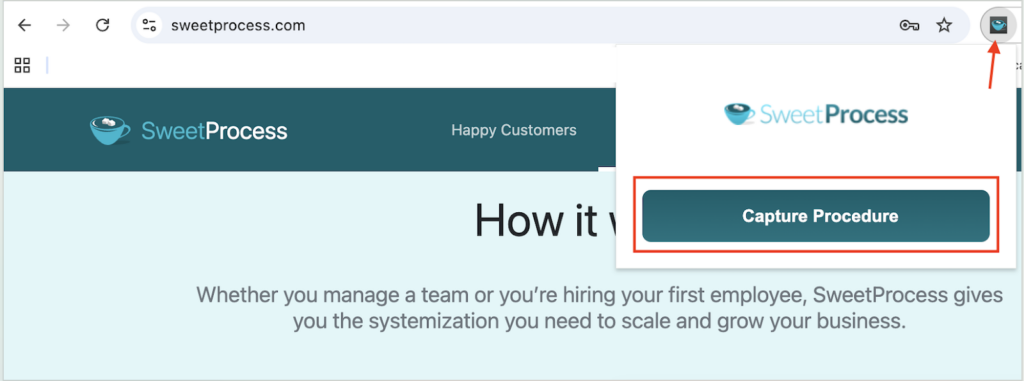
The recorder captures all the steps until you click the “Stop Capturing” button.
You can then review the captured steps and rearrange them to fit your company’s SOP.
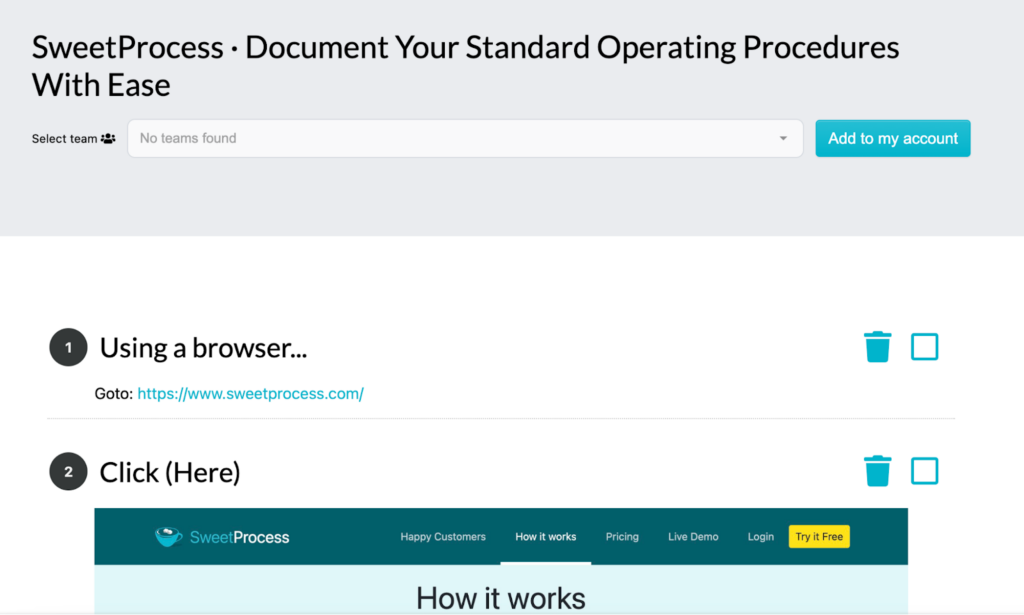
This SweetProcess feature comes in handy when documenting software-heavy workflows.
Managing Version History
Every edit to an SOP automatically creates a new version. With SweetProcess, you can view exactly what changed, when it changed, and who made the change, and roll back to an older version if needed.
As you edit the SOP, you can click the clock icon to view the available versions.
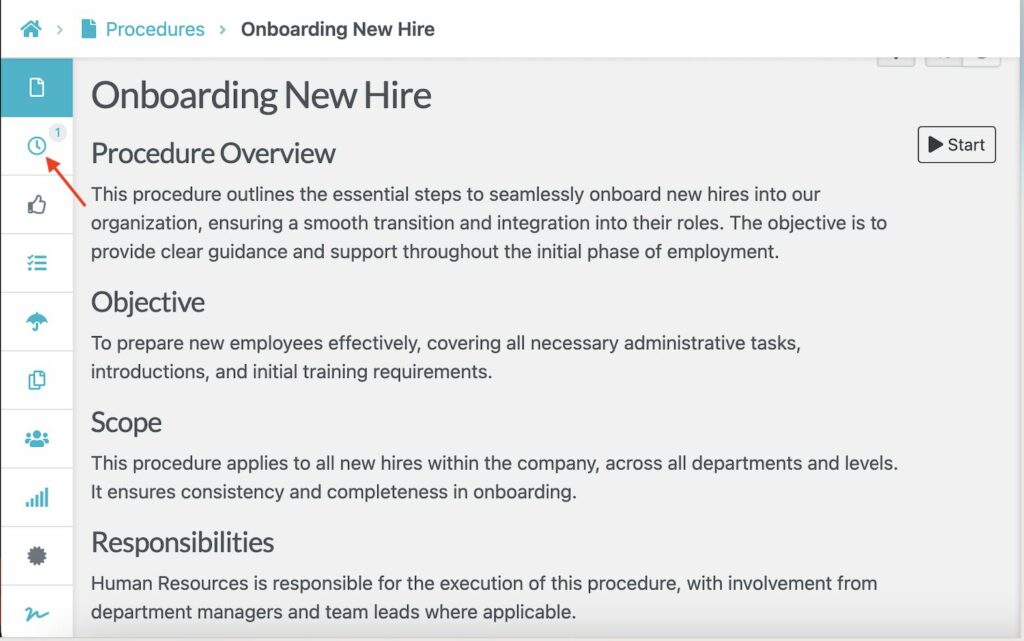
This feature gives compliance-conscious teams a clean audit trail.
Sigray is one of the organizations that has used this SweetProcess feature after struggling with operational inconsistencies for years. The team members kept notes on Google Docs and binders, making it hard for everyone to access them. The director of operations, Nam Kim, realized that it was hard to track changes.
He shares, “A lot of times, we would go into Google Docs, make changes, but you wouldn’t even know you made changes. But at least SweetProcess tells you what’s been changed.”
Requesting SOP Sign-offs
SweetProcess is designed for accountability. If you are collaborating with multiple employees on SOPs, you can request sign-offs to ensure everyone has read and acknowledged the procedures.
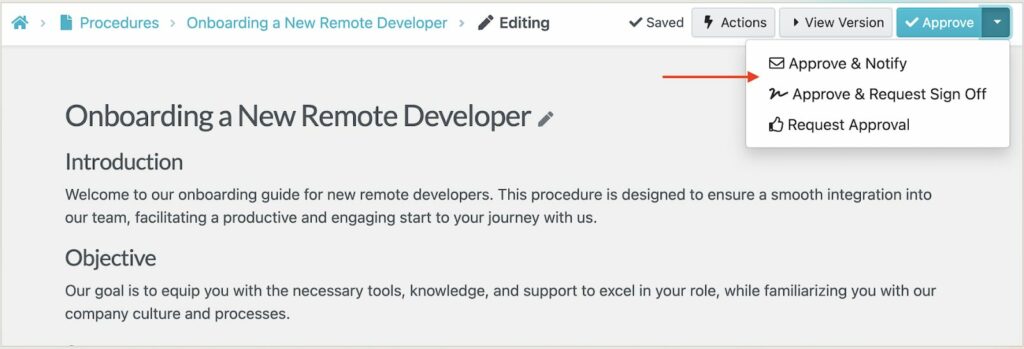
SweetProcess Pricing
SweetProcess provides transparent pricing. The plans start at $99 per month for up to 10 users. If you prefer to pay annually, it will cost you $990 for 10 users, with a pro-rated fee of $50 per additional user. This option saves you up to 16.7% on costs.
If your team has five users, SweetProcess offers an annual plan at $495 per year. Every additional user will be charged $50.
You also get a 30-day money-back guarantee and a free one-hour consultation if you are not satisfied with the platform. All plans come with a 14-day free trial.
2) Whale: Best for AI-Powered SOP Creation & Employee Training
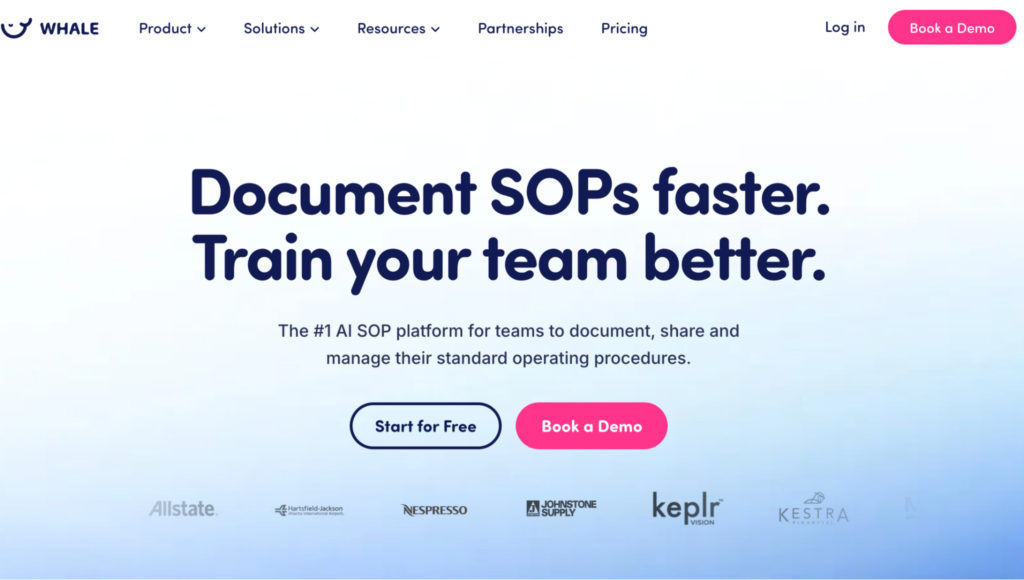
Image source: Whale
Overview of Whale
Whale is a platform that combines AI-assisted SOP creation with a built-in learning experience. This capability makes it ideal for companies that need to document processes and train teams simultaneously. It auto-captures screenshots while you work, while Whale’s AI assistant answers employee questions by drawing on your workspace’s SOP library in real time.
Whale is best for operations and HR teams that want a modern, AI-forward documentation experience. Reviewers consistently cite limited editing capabilities, which prevent users from editing videos and images as part of their documentation. Compared to SweetProcess, Whale leans harder into AI training flows, while SweetProcess offers deeper task assignment and sign-off accountability.
Key Features
- Step recorder that captures each action as a screenshot while you work through a process
- Alice AI Assistant that’s trained on your workspace content to answer questions
- Role-based training flows with quizzes and built-in progress tracking
- You can import documents and convert them into an editable Whale card
Whale Pricing
Whale offers a free plan for up to five users. The paid plan, Scale, starts at $249 per month, billed annually. You can also opt for the Advance plan at $499 per month or request a custom quote for the Enterprise option.
3) Process Street: Best for Checklist-Based SOP Workflows & Automation
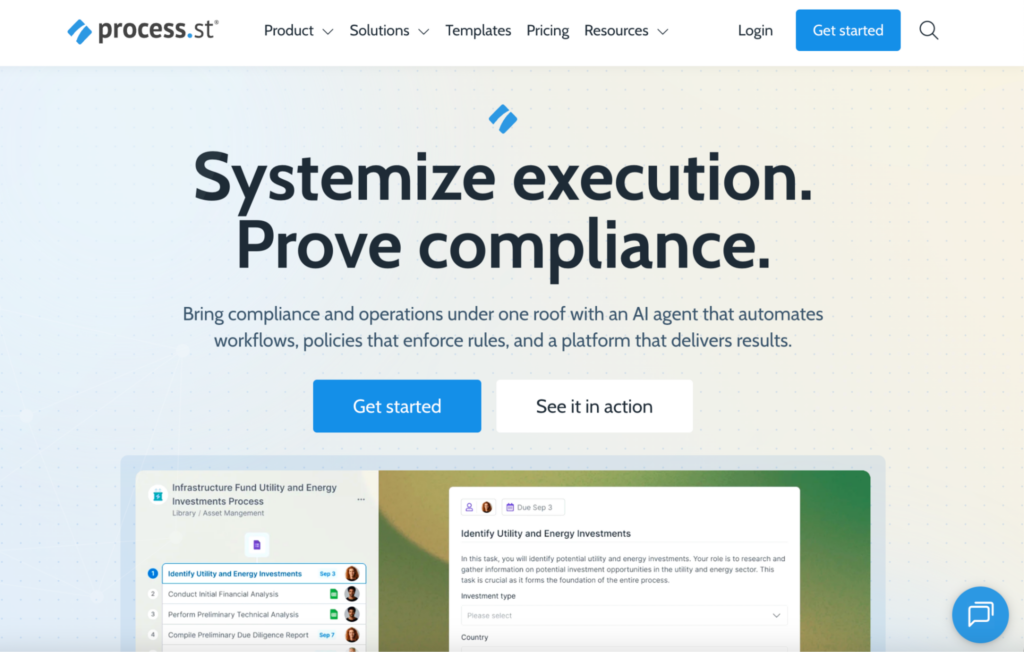
Image source: Process Street
Overview of Process Street
Process Street is a compliance operations platform that automates business workflows. Once you write your procedure, this tool turns it into a trackable, auditable workflow thanks to the conditional logic, form fields, role-based assignments, and an AI compliance agent, Cora, that monitors execution in real time.
These features make it ideal for compliance-heavy industries such as financial services, healthcare, legal, and manufacturing teams that need to prove every step was completed. However, users report that Process Street has a learning curve before one can fully master its features. This limitation is not a problem with tools like SweetProcess, which prioritizes simplicity.
Key Features
- Conditional logic that creates dynamic workflow runs based on inputs
- The AI compliance agent Cora monitors workflow execution in real time and optimizes processes
- Clear approval chain before tasks move forward, with full audit logging
- A suite of apps to power your workflows from anywhere
Process Street Pricing
Process Street offers tiered pricing. They have a Startup, Pro, and Enterprise plan. However, you have to contact the sales team for the specific quote.
4) Trainual: Best for Employee Onboarding & SOP-Based Training
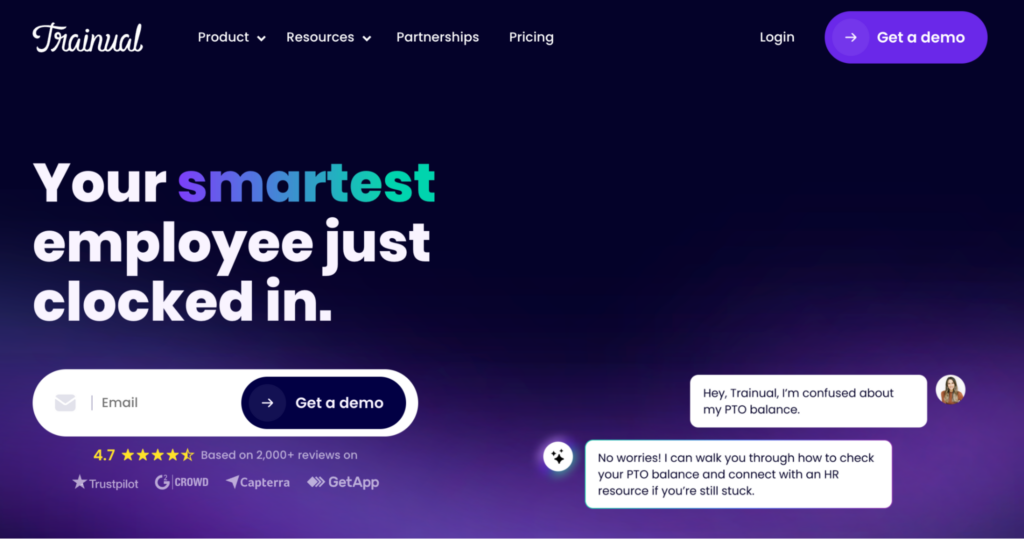
Image source: Trainual
Overview of Trainual
Trainual is a training-first platform that includes SOP management as part of a broader employee onboarding and knowledge management system. It excels at building role-based training programs and assigning learning paths by department or job title. This tool is a good fit for HR teams and founders who want to turn SOPs into structured onboarding programs.
It also integrates with multiple tools, making it practical for growing companies with connected tech stacks. Trainual users note that it can be challenging to find information after you’ve created it, slowing down work. Compared to Whale, Trainual’s AI content creation is more limited, since Whale focuses more on step-by-step and video recorders.
Key Features
- AI-built quizzes to test knowledge retention after every training module
- Role-based training paths to help managers and HR teams assign onboarding content
- AI assistant to transform your policies and SOPs into training materials
- Centralized hub that allows teams to collaborate and leave comments on SOPs
Trainual Pricing
With Trainual, you can choose between the Core, Pro, Premium, and Enterprise plans. Since they don’t have a public listing of the actual costs, you’ll need to contact the team for a quote.
5) Waybook: Best for All-in-One SOP & Knowledge Base for Growing Teams
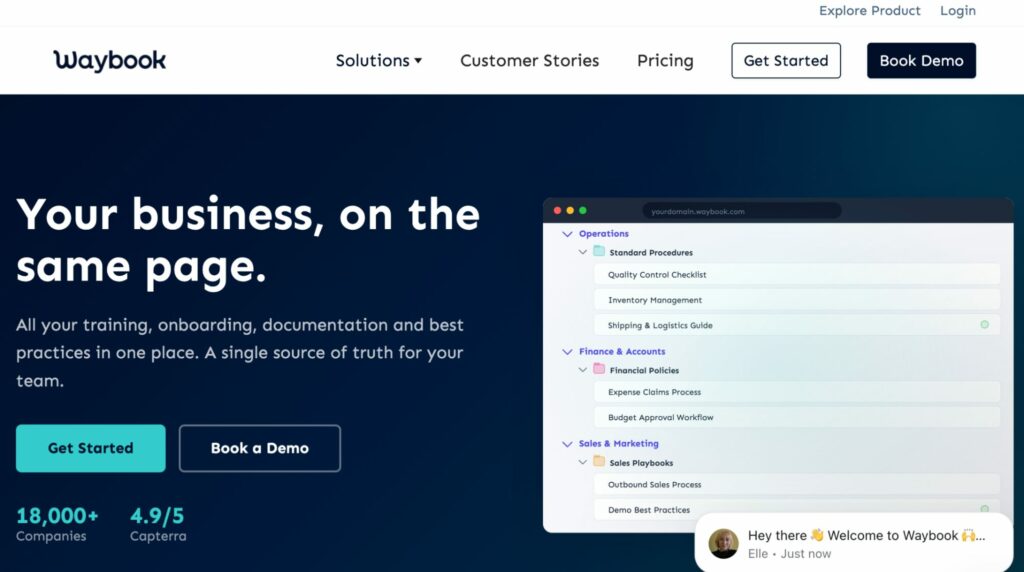
Image source: Waybook
Overview of Waybook
Waybook is an SOP creation software that acts as a single source of truth for all training and onboarding documentation. It combines AI-assisted writing and acknowledgment tracking to ensure that your procedures are consistent across the entire organization. The Waybook knowledge base enables teams to capture tribal knowledge from all employees.
However, Waybook’s native integrations are more limited than competitors like Process Street or Trainual, which can create friction for teams running a connected stack. Some reviewers also note that formatting could be improved. While Waybook offers a modern interface, SweetProcess is more reliable if you are looking for a tool that offers sign-off accountability after the SOP has been published.
Key Features
- An extensive template library to help you create policies and company information much faster
- Structured playbook that allows teams to build onboarding sequences
- Revision history to track changes on SOPs
- Progress tracking to ensure every step is completed
Waybook Pricing
To use Waybook for SOP management, you can choose between the Core, Pro, and Enterprise plans. The Core option costs $99 per month, and the Pro option costs $198 per month. You’ll need a custom quote for the top-tier Enterprise option.
6) SafetyCulture: Best for Mobile-First SOP Compliance in Field Operations
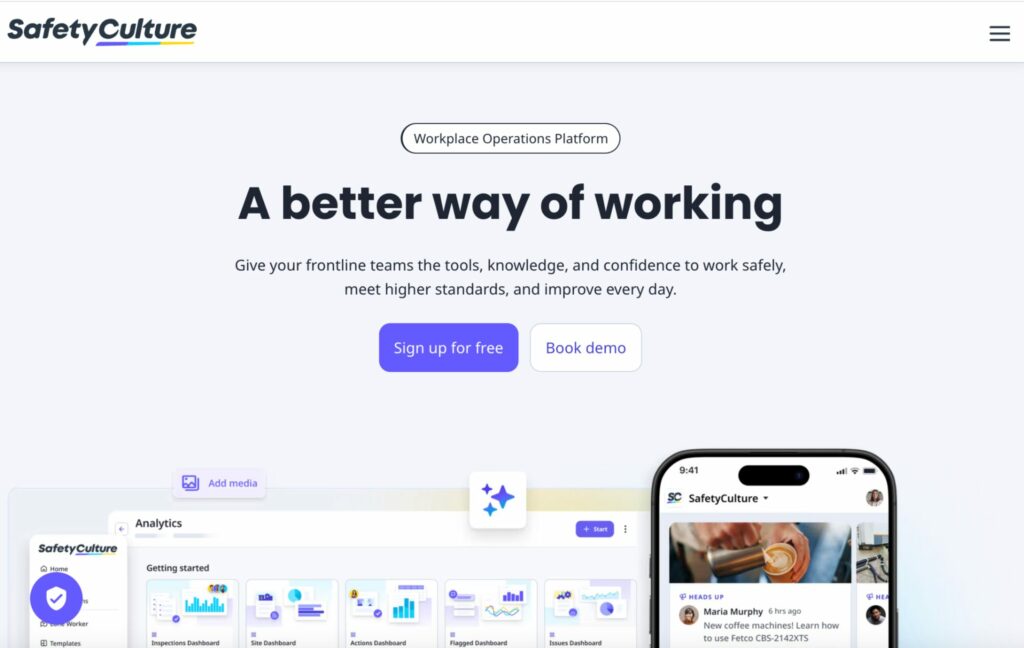
Image source: SafetyCulture
Overview of SafetyCulture
If you’re considering a mobile-first SOP management tool, SafetyCulture is a good fit. It offers over 100,000 customizable inspection templates and a mobile app purpose-built for frontline workers. SafetyCulture is dominant for inspection-driven SOP compliance in industries such as construction, manufacturing, hospitality, retail, and logistics.
However, there’s a limitation when setting up complex workflows. Building advanced dashboards can be confusing for users. While both SafetyCulture and Connecteam are designed for frontline teams, Connecteam also handles broader workforce management, including scheduling, time tracking, HR admin, and SOPs.
Key Features
- Built-in AI tools to create checklists and training materials for your team
- Centralized digital platform to track and manage company information from one place
- Analytics dashboard to monitor trends and spot areas of improvement
- Pre-built templates across industries, plus an AI generator for custom templates
SafetyCulture Pricing
SafetyCulture offers a free plan for up to 10 users, with limits on the number of active inspection templates. The Premium plan starts at $24 per user per month, billed annually. Enterprise pricing is available for larger organizations.
7) Scribe: Best for Auto-Capturing SOPs From Screen Recordings
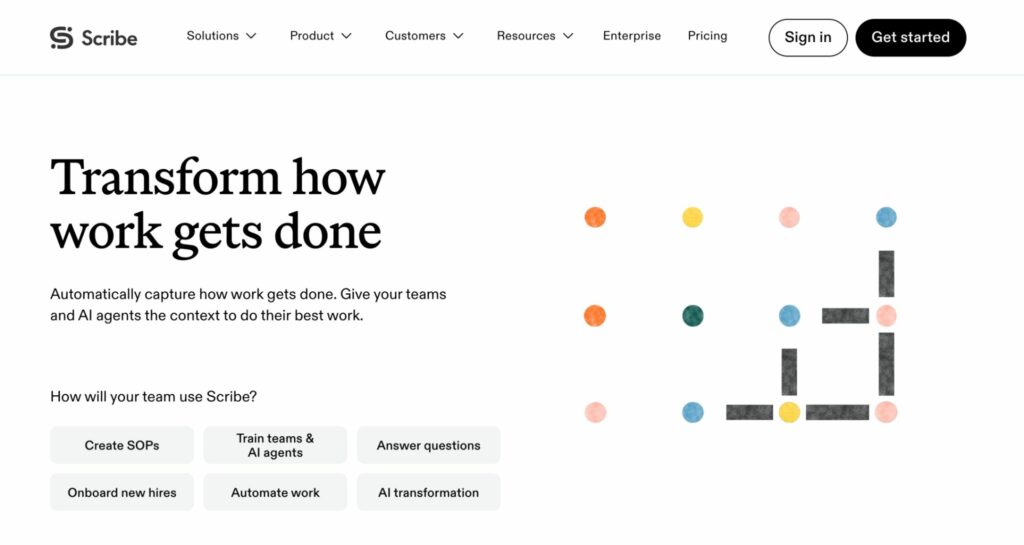
Image source: Scribe
Overview of Scribe
Scribe is an SOP software that turns your screen captures into a step-by-step guide. Once you install the Chrome extension, you can walk through any process as Scribe generates a shareable guide with screenshots of each step. This tool cuts documentation time when centralizing high volumes of digital workflows.
While Scribe does the heavy lifting while building an SOP, it falls short when it comes to editing. Adjusting captured screenshots requires more manual work. Compared to Tango, which offers a similar capture experience, Scribe offers broader use-case coverage, including a more established enterprise track record.
Key Features
- Chrome extension capture that records every click and generates annotated screenshots automatically as you work
- Published Scribes can be shared via link, embedded in wikis, or exported to PDF
- Team collaboration features that allow multiple creators to contribute to a shared library
- Integration with multiple tools that centralize operations
Scribe Pricing
Scribe offers a free plan limited to basic features. The Pro Personal starts at $35 per seat per month, while the Pro Team, which starts at five seats, goes for $17 per seat per month. You can also request a custom quote for the Enterprise plan.
8) Tango: Best for In-App SOP Guidance During Software Rollouts
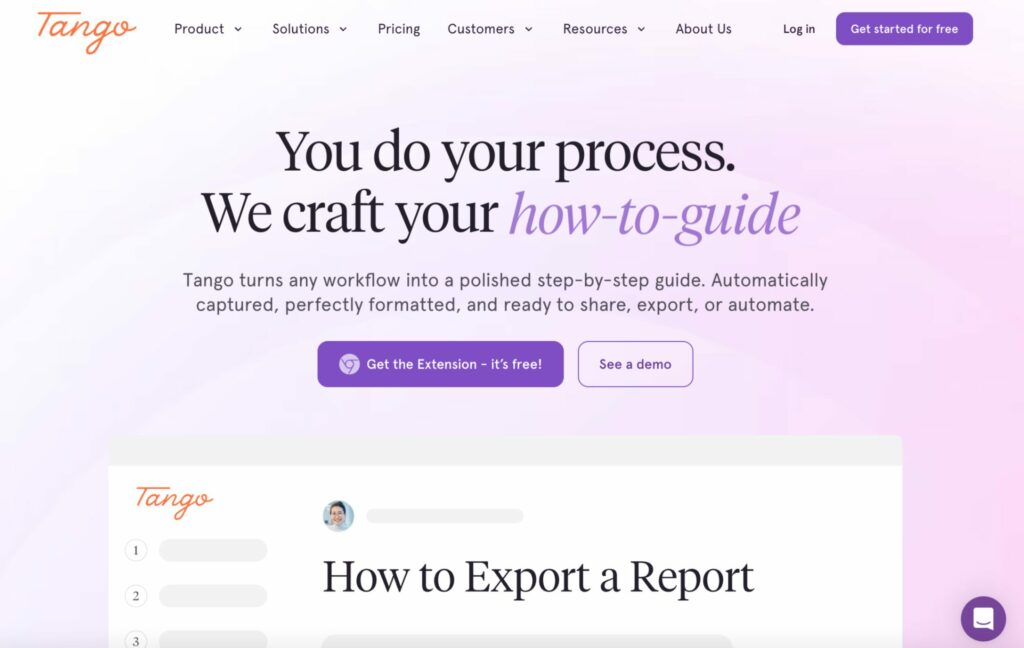
Image source: Tango
Overview of Tango
Tango’s SOP delivery focuses on creating step-by-step guidance. With this SOP management tool, you’ll need to install the browser extension, then click through your workflows to instantly build guides that your employees should follow. Tango is ideal for managers and operations teams looking to capture tribal knowledge and build a comprehensive knowledge base.
Its “Guide Me” overlay feature shows employees the next step of a process. However, according to Tango users, this tool can be limiting when documenting long or complex processes. It also needs more customization options for formatting the final guides. While this tool works like Scribe, Tango’s guided in-app walkthroughs are a differentiator for organizations.
Key Features
- Auto-screenshot capture to record browser-based workflows into annotated step guides
- The “Guide Me” feature delivers step-by-step SOP instructions directly inside live web applications
- Version history to track changes to workflows over time
- You can turn your guides into automations for repetitive tasks, such as filling out forms
Tango Pricing
Tango offers a free plan that caters to up to 10 users per workspace. The paid Pro plan is divided into two: the Team plan costs $20 per user per month, and the Personal costs $26 per user per month. You can also get a quote from the Tango team if you prefer the Enterprise plan.
9) Connecteam: Best for Frontline Team SOP Management
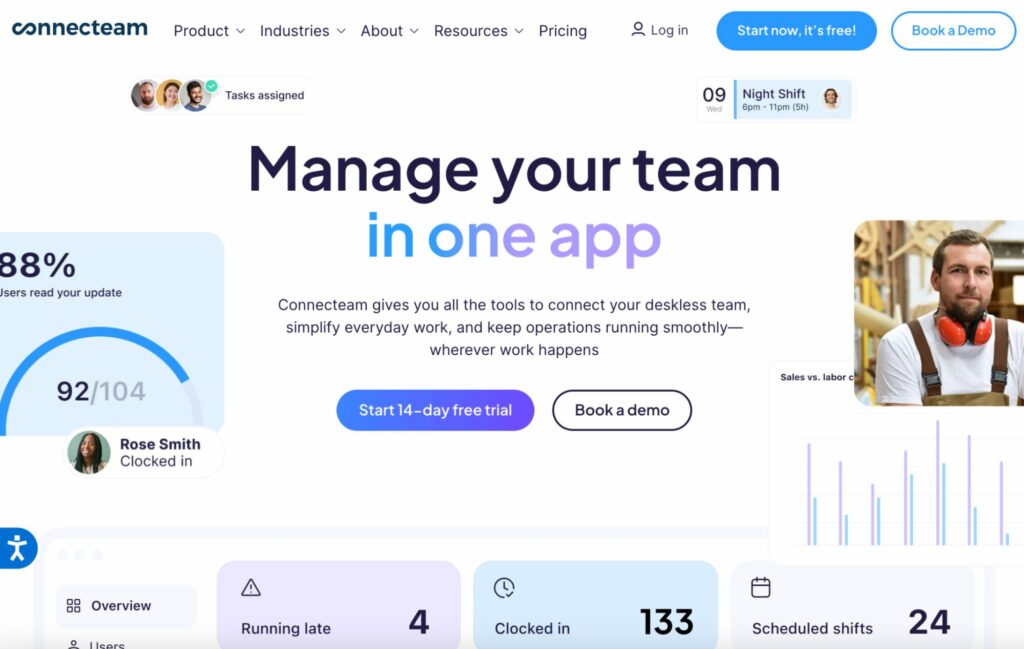
Image source: Connecteam
Overview of Connecteam
Connecteam is an all-in-one SOP and employee management platform built for deskless and frontline teams. It handles scheduling, GPS time tracking, team communication, training, and knowledge-base management in a single mobile app. With Connecteam, your team can reduce the number of tools required to work.
However, if you are building automations for a larger team, the tool can feel limited. Additionally, although Connecteam’s SOP and knowledge-base features are functional, they are not specialized for SOP management like SweetProcess. Compared to SafetyCulture, Connecteam offers far fewer inspection templates for compliance teams.
Key Features
- Mobile-first training modules to help managers build onboarding courses and make SOPs accessible
- You can create and assign process checklists for shift tasks and compliance checks
- Centralized library for policies, manuals, and SOPs with role-based access permissions
- Time tracking capabilities, including native scheduling and location tracking
Connecteam Pricing
Connecteam offers a free plan for teams with up to 10 employees. The paid plans start at $29 per month for the first 30 users. They also offer an Advanced plan at $49 per month and an Expert option at $99 per month. The Enterprise plan is customized to your organization.
Core Features To Consider in SOP Management Software
The right SOP platform for your team depends on which capabilities you’ll actually use. Here’s what each core feature does and why it matters.
SOP Creation (Manual vs. AI vs. Screen Capture)
Writing SOPs manually takes time, especially if you’re starting from scratch. AI-assisted drafting tools generate a structured starting point from a topic prompt. On the other hand, screen capture tools document digital processes automatically as you work through them. Teams with dozens of undocumented workflows benefit most from this form of automation.
Version Control & Audit Trails
When a procedure changes, you need to know what changed and who approved it. This information is vital for operational clarity and compliance purposes, especially in regulated industries. Platforms like SweetProcess, Process Street, and SafetyCulture maintain full version histories automatically.
Approval Workflows
Before a revised SOP goes live, someone should review it. Approval workflows route draft changes to a designated reviewer, such as managers or the CEO, and prevent publication until sign-off is received. This feature enables the managers to manage every step.
Centralized Repository & Search
As part of your SOP best practices, you need to centralize all your company information. The best platforms give your team a single, searchable location for all documented procedures, organized by department, role, or tag. Fast search reduces the time employees spend hunting for information.
Mobile Access
For any team with field workers or remote employees, mobile access is a necessity. Confirm that your chosen platform has a purpose-built mobile app and, ideally, supports offline access or QR code retrieval in environments with limited connectivity.
Compliance Tracking & Sign-offs
This is the accountability gap most SOP tools leave open. Sign-offs are a vital digital confirmation that a team member has read and understood a procedure. They are also essential for proving compliance in audits and ensuring SOPs are followed.
Integrations, Reporting & Analytics
The more your SOP platform integrates with your existing stack, the higher the adoption rate. Your team doesn’t have to switch between multiple tools. You also need reporting and analytics features that show which SOPs are accessed and where gaps exist.
SweetProcess covers every feature on this list, from creation, version control, approvals, to sign-offs, and a centralized searchable library, all in one platform. Start your free 14-day trial and take advantage of these capabilities.
Benefits of Using SOP Management Software
Still unsure of whether you should implement SOP management software in your business? Here are the benefits you should expect.
Operational Consistency
When every team member follows the same procedure, customer outcomes become predictable. For instance, if every technician at your IT firm follows the same onboarding checklist, you’ll see fewer errors and escalations. SOP software makes it easier to maintain consistency, regardless of who performs the task.
Faster Onboarding
During employee training, you want a tool that speeds up your onboarding process. With the best SOP software, you can document procedures and provide new hires with a self-service resource that gives them everything they need to execute their tasks.
Compliance & Audit Readiness
Compliance-sensitive industries such as healthcare, financial services, construction, and food safety need a paper trail. SOP management platforms with sign-offs and audit logs automatically produce that trail. For instance, when an inspector asks whether an employee followed the right procedure on a specific date, you don’t have to search through multiple folders. You can easily pull records that show you are compliant.
Knowledge Preservation
A Gartner study found that 47% of workers struggle to find the information they need to do their jobs. In most organizations, that information lives in the heads of a few key people. SOP software makes it easy to transfer tribal information from employees into a centralized system that remains accessible even as the team changes.
Reduced Errors & Rework
How many times does your team redo tasks because the first attempt missed a step? Documented, enforced procedures reduce the rate of process errors by eliminating ambiguity. Your team has a reference point to eliminate the need for multiple reworks.
Documented SOPs only solve the problem if your team actually follows them. SweetProcess connects documentation to accountability, ensuring you enjoy these benefits. Start your free 14-day trial.
How To Manage Your Company’s SOPs Using SweetProcess
Here’s how a typical SOP management workflow looks in SweetProcess, from creation to accountability.
Step 1: Create Your SOP
Start by creating a new “Procedure” in SweetProcess. With SweetAI, you can generate a first draft from a topic prompt or build it manually using the editor. You can embed images, videos, links, and files to make the SOP more detailed.
Step 2: Assign the SOP as a Task
The published SOPs can be assigned directly as tasks to individual team members or groups.
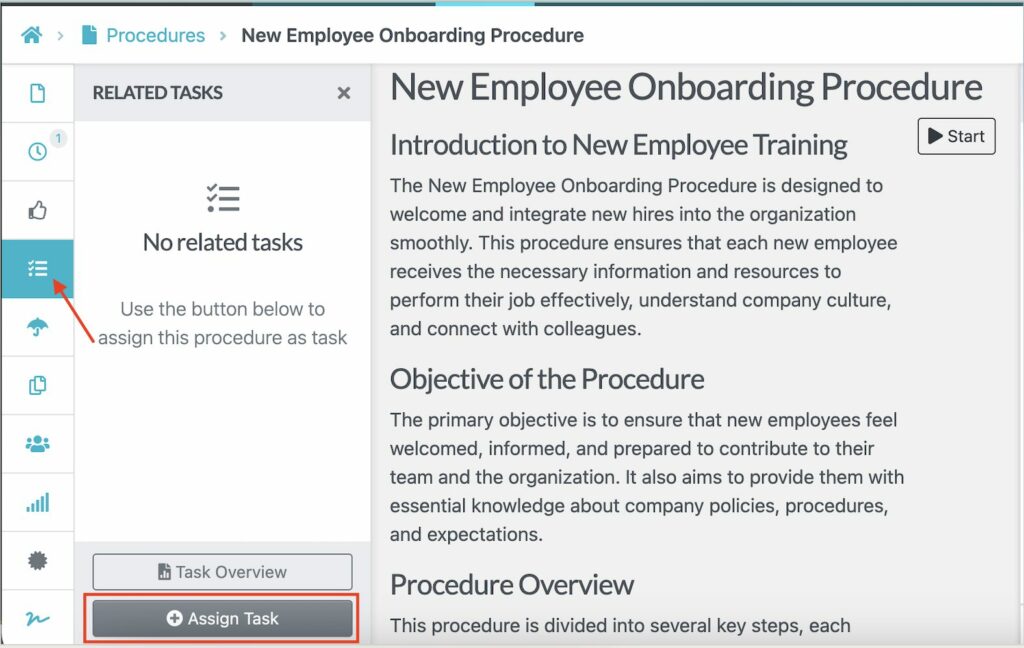
Here you can add a due date for easy tracking. The assignee receives a notification, and the manager can view the progress as the employee works. SweetProcess makes workflow management easier since everyone can collaborate on tasks from the same platform.
Step 3: Team Review & Sign-off
Once team members complete each step of the assigned SOP, they can sign off digitally to acknowledge the information. As you share the SOP, choose the option to add a sign-off.
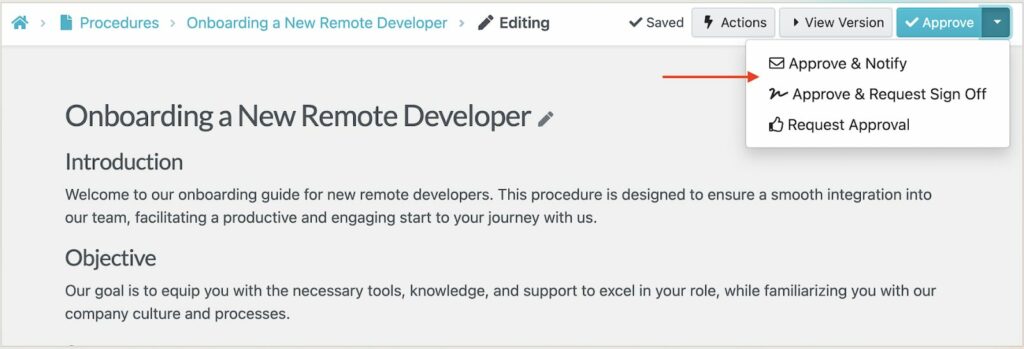
The team member can complete the step to demonstrate they understand the procedure or have completed the task.
Step 4: Version Updates & Review Scheduling
When a process changes, you need to update the SOP in SweetProcess. Version history records every change automatically. You just need to click the clock icon to view the existing versions.
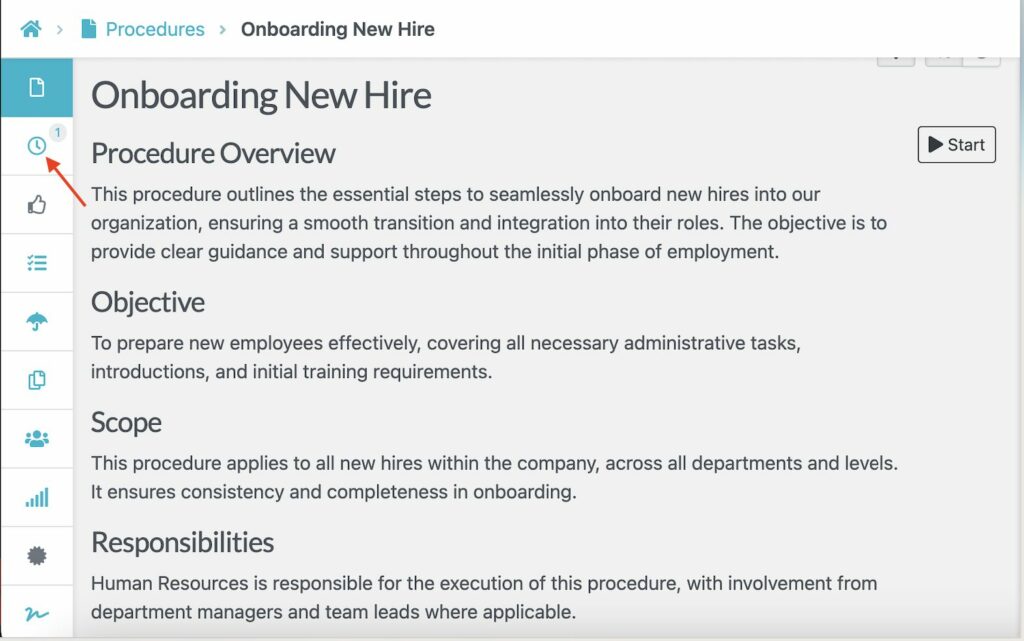
For a team like CloudTech24, SweetProcess helped them manage their SOPs in a single platform. Initially, the team had documentation that was specific to the IT team. Andrew Dale, the technical director, needed a platform that also worked for the HR and sales teams. The switch to SweetProcess allowed the team to:
- Track and report on the company’s repetitive tasks
- Reduce the time it takes to train and onboard employees
- Build a centralized hub of knowledge for the entire team
How To Choose the Right SOP Management Software
Different team structures and budgets point toward different tools. Here’s a practical decision framework.
Small Teams (Less Than 20 Employees)
If you have a small team, you probably need a tool like SweetProcess or Waybook. These tools both offer a straightforward setup, a clean SOP library, and immediate accountability features without a steep learning curve.
Training-Heavy Organizations
For teams that are more into training, Trainual and Whale are purpose-built for that. These SOP management tools offer role-based learning paths and quizzes to ensure that your new hires and seasoned employees stay up to date on company information.
Field and Frontline Teams
Deskless and frontline workers need mobile-first tools. SafetyCulture is the strongest option for inspection-driven compliance in field environments. On the other hand, Connecteam is the right choice when you need a broader operations platform for scheduling and communication.
Software Training and IT
Are you primarily documenting digital workflows? Teams such as customer support, IT departments, SaaS operations, and finance will get more value from screen-capture tools like Scribe and Tango. Step-recorder software simplifies workflows.
Process-Heavy Operations
Process Street is your best pick here. This SOP tool offers approval chains and AI compliance agents to streamline the documentation process.
Budget Guidance
What’s your budget? Tools such as Connecteam, Tango, Scribe, and SafetyCulture offer free plans. Others, like SweetProcess and Waybook, start at $99 per month, while Whale costs $249 per month. For Trainual and Process Street, you have to request a custom quote. Pricing information can guide your decision-making process.
Industry-Specific Needs
Industry context shapes which features matter most. For instance, restaurant and retail teams need mobile access available on Connecteam or SafetyCulture. Construction and facilities management teams doing compliance inspections need SafetyCulture’s depth, while healthcare teams under regulatory scrutiny need Process Street’s audit trail.
SweetProcess offers a mix of all these features. Sign up today and start documenting your SOPs!
FAQs About SOP Management Software
What is SOP Management Software?
SOP management software is a dedicated platform for creating, organizing, versioning, and enforcing standard operating procedures across an organization. It provides the structure to document how work gets done and connects those documents to task assignment and completion tracking, ensuring the procedures are actually followed.
What’s the Difference Between SOP Software and Document Management Software?
Document management software stores files. SOP software is purpose-built for processes. They structure SOPs in a consistent format and connect documentation to training and accountability features.
How Much Does SOP Management Software Cost?
Pricing varies. Free plans exist for small teams of up to 10 users for tools such as Connecteam and SafetyCulture. Mid-range platforms like SweetProcess and Waybook start at $99 per month for a team. Some tools are custom-priced and require a sales call with the team.
Can SOP Management Software Help With Compliance?
Yes. Platforms with version control, approval workflows, sign-off tracking, and audit logs create a documented paper trail proving that procedures were followed on specific dates by specific team members.
Is There Free SOP Management Software?
Yes. SafetyCulture, Tango, and Connecteam offer a free plan for up to 10 users. Whale offers a free plan for up to five users. These free tiers are generally sufficient for very small teams testing the software.
Manage Your Company’s SOPs With SweetProcess
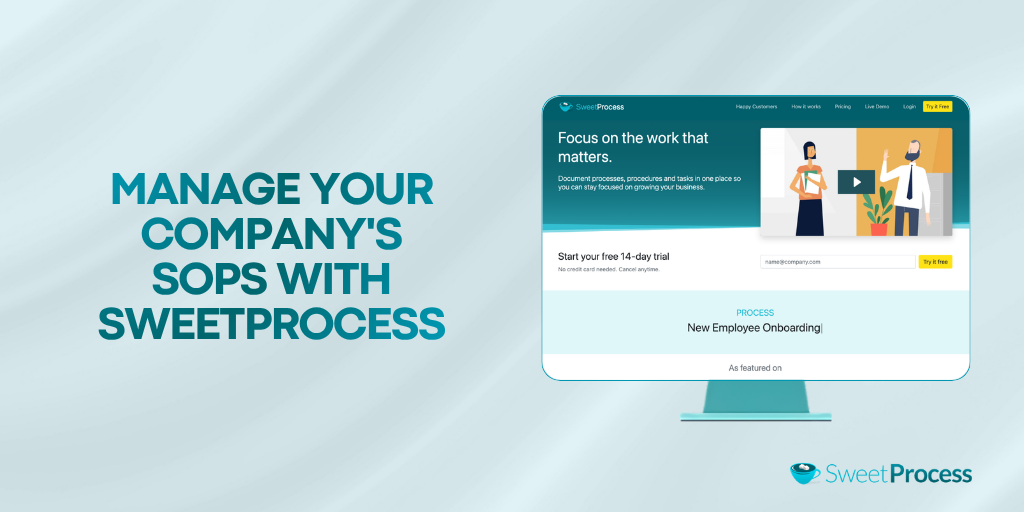
Most standard operating procedure software solves the creation problem. The real challenge is getting your team to follow these procedures consistently, which requires more than just a document library. SweetProcess closes the accountability gap.
When an SOP is created, it can be assigned as a task, completed step by step, and signed off digitally, all within the same platform. SweetAI helps you document faster while the Chrome extension automatically captures workflows.
With SweetProcess, you get access to all features, transparent pricing, and a free trial to evaluate the platform on your own terms. Start your 14-day free trial of SweetProcess here. No credit card is required.