Last Updated on September 28, 2026 by Owen McGab Enaohwo

Your business already has multiple documents, notes, existing processes, and recordings that detail how work should be executed. But are they centralized? Writing these standard operating procedures (SOPs) used to take hours, especially if you were doing it manually.
With SOP writing software, you can now consolidate your company’s scattered documents into clear instructions and steps much faster. These tools have AI SOP generators that can create a first draft within minutes. However, generating an SOP with an AI assistant is not the final step. The draft may leave out important steps that need to be reviewed by the employees who are doing the actual work.
The useful distinction is what happens after the first draft. Your team still needs to check the steps, approve changes, and keep the procedure accessible. These nine SOP writing tools and AI generators offer different ways to handle that work, with the features, costs, and limitations to help you build a shortlist.
SweetProcess stands out as the top SOP writing software for teams that want AI drafting and document management in the same place. Sign up to start your 14-day free trial today!
Key Takeaways
- AI SOP generators and SOP writing software are now the same category. Searching for one and searching for the other puts you in front of the same shortlist, so compare tools on what happens after the draft, not on whether they have AI.
- The best SOP writing software can do more than generate documents. With the right tool, you can organize, update, share, and maintain your procedures on a single platform.
- AI-generated SOPs are starting points that need human input. Your team still needs to check and edit the draft for accuracy, missing steps, and the context only the person doing the work has.
- As you choose the right tool, keep in mind some SOP writing platforms focus mainly on AI-assisted writing, while others combine authoring with ongoing SOP management.
- ChatGPT can draft an SOP for your business. However, it cannot store it, assign it, version it, or keep it up to date. You need software with more capabilities.
- The AI SOP generator you pick is useful only if it gives your team access to the document and options to update, share, and collaborate on it in real time. Start your free trial to see how the SweetProcess SOP writing software works.
Table of Contents
- Quick Comparison: The Best SOP Writing Software and AI SOP Generators
- The Nine Best SOP Writing Software Tools and AI SOP Generators
- What Is AI-Assisted SOP Writing?
- Can ChatGPT Write SOPs?
- What You Want in an SOP Writing Software
- How to Choose SOP Writing Software
- Why You Need an SOP Writing Tool
- How to Implement Your Team’s SOP Writing Software
- Which SOP Writing Software Should You Choose for Your Business?
- Frequently Asked Questions
Quick Comparison: The Best SOP Writing Software and AI SOP Generators
| Tool | Best For | Starting Price | Free Plan or Trial? |
| SweetProcess | AI SOP writing and document management in one place | $99 per month (up to 10 users) | 14-day free trial |
| AirManual | Guided checklist-style onboarding | $99 per month, billed annually for up to four users | 7-day free trial |
| Scribe | Fast screen-capture documentation | $13 per seat per month, billed annually (five seats) | Free plan |
| Whale | AI-powered SOPs plus training and quizzes | Team plan from $99 per month; Scale $249 per month, billed annually | Free plan (10 members, one creator) |
| Tallyfy | Workflow automation with tracked approvals | $10 per month, per Light Seat | 14-day free trial |
| Waybook | Small teams wanting an all-in-one playbook | $99 per month, billed annually | 7-day free trial |
| CheckFlow | Interactive, trackable checklists | $9 per user per month, billed annually | 14-day free trial |
| Guidde | Video-based, AI-narrated SOPs | $19 per creator per month billed annually | Free plan. 7 -day free trial on the Business plan |
| Manifestly | Recurring, scheduled workflows | $10 per user per month | 14-day free trial |
All prices are as of September 5, 2026, sourced from each vendor’s pricing page.
The Nine Best SOP Writing Software Tools and AI SOP Generators
To draft clear and consistent procedures, you need to pick the right SOP writing tool for your organization. You also need to evaluate the key features, support, and pricing plans before deciding on a platform. Here are the nine best SOP writing software tools, in the order we would look at them.
SweetProcess
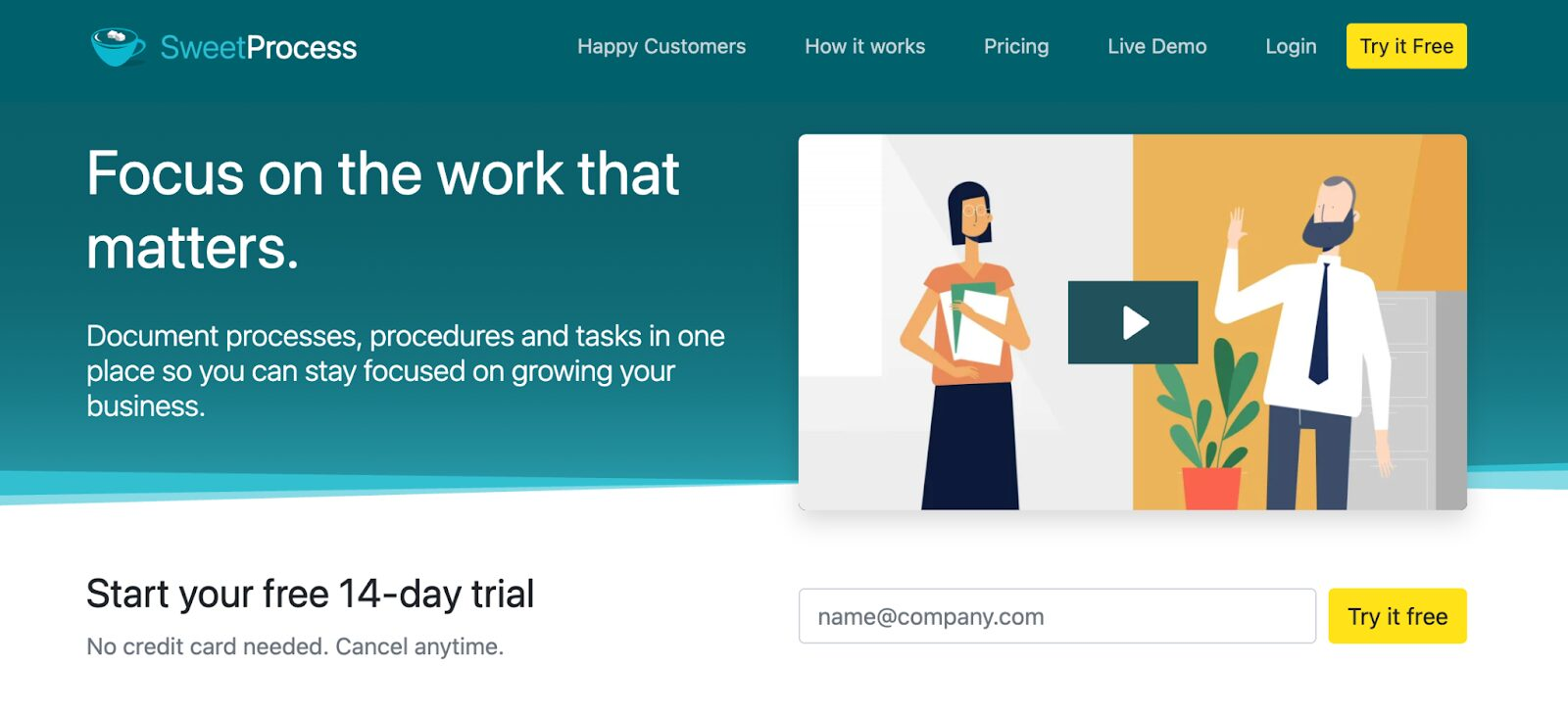
Overview of SweetProcess
SweetProcess is an SOP writing software that helps teams document and organize their operations. With this software, you do not need multiple solutions to write your procedures. The easy-to-use interface lets you build them from scratch or use the SOP generator to create a first draft that you can refine later.
What makes SweetProcess stand out as SOP documentation software is that it is comprehensive enough for large teams yet still straightforward for first-time users moving over from Microsoft Word or Google Docs. You can add multimedia elements to your text to make procedures easier to follow. Once the first draft is saved, other employees can edit and update the SOP from the same dashboard, which makes the software a good fit for collaborative teams.
Features of SweetProcess
Here are the core features of SweetProcess that make it a strong option for SOP writing:
Write and Edit Your Company’s Standard Operating Procedures
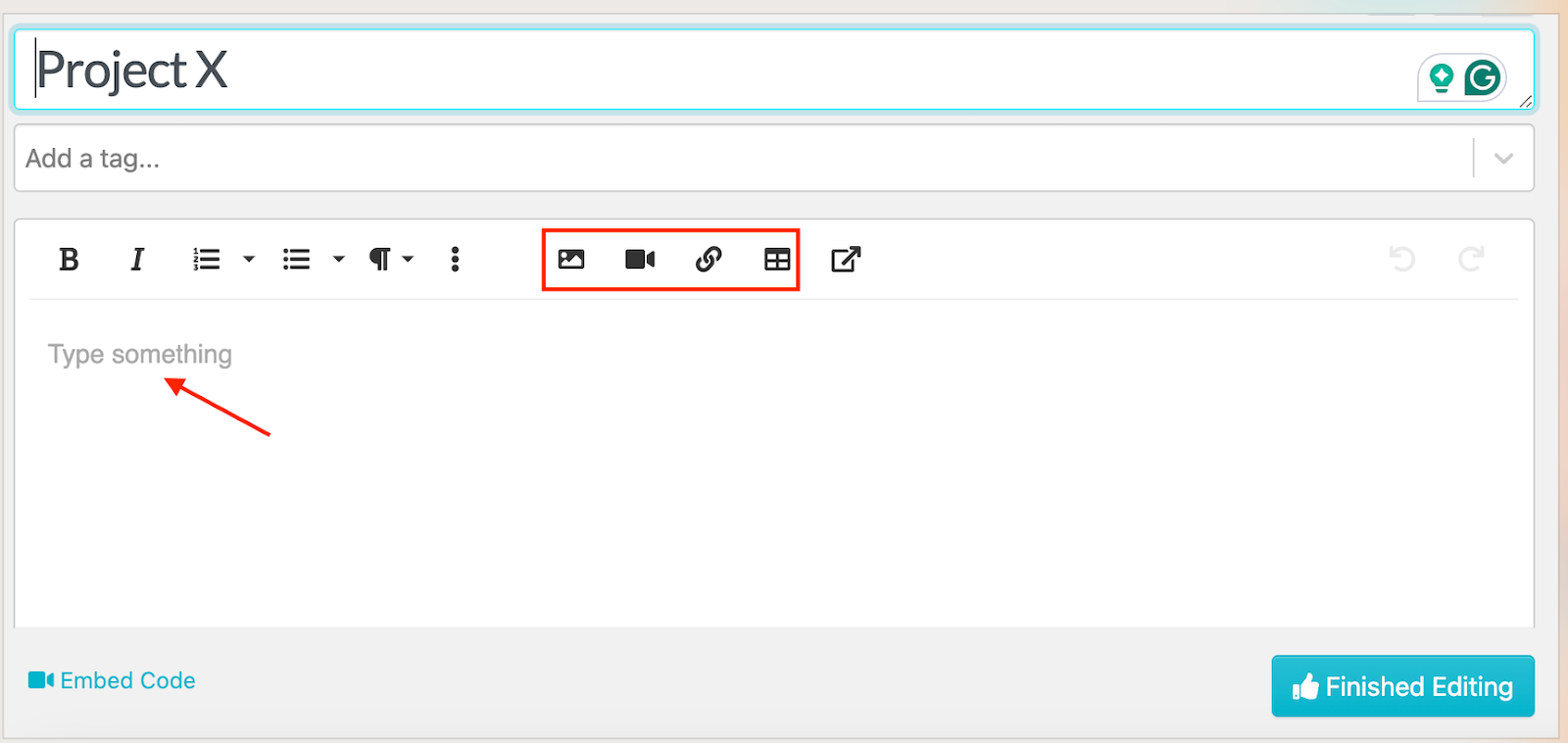
Once you create a SweetProcess account, you can start creating detailed SOPs immediately. The editor is easy to use, even for first-timers.
As you create the procedure, you can add bullets, steps, tables, videos, and images to make your instructions engaging.
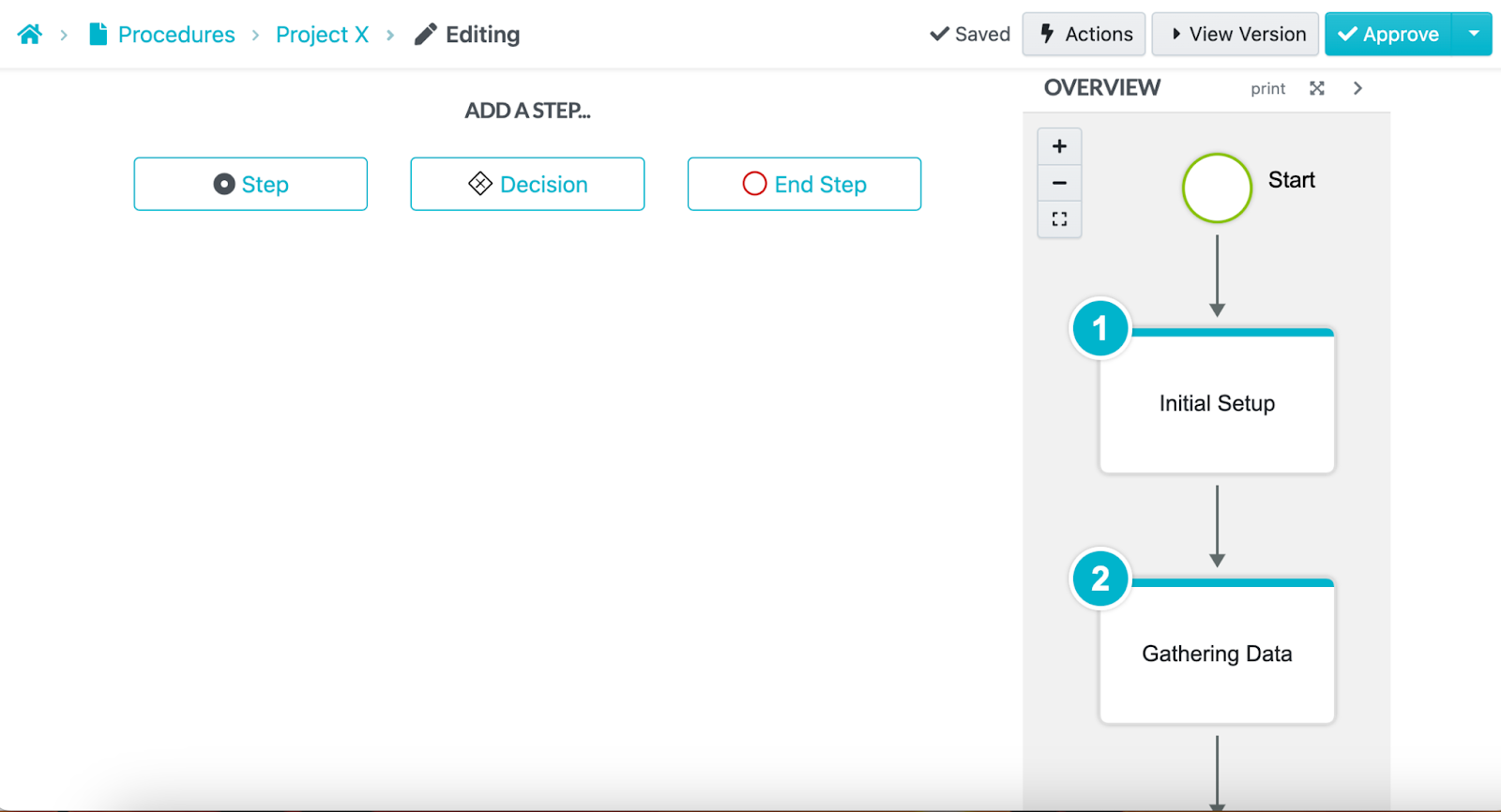
The steps are created in order as you add your text. This way, your team knows what to do at each stage without much supervision.
Automatically Write and Edit SOPs With SweetAI
Need to create procedures faster? SweetAI, the built-in AI assistant, helps you draft SOPs automatically.
You add a procedure title and wait for the AI SOP generator to create a structured SOP draft.
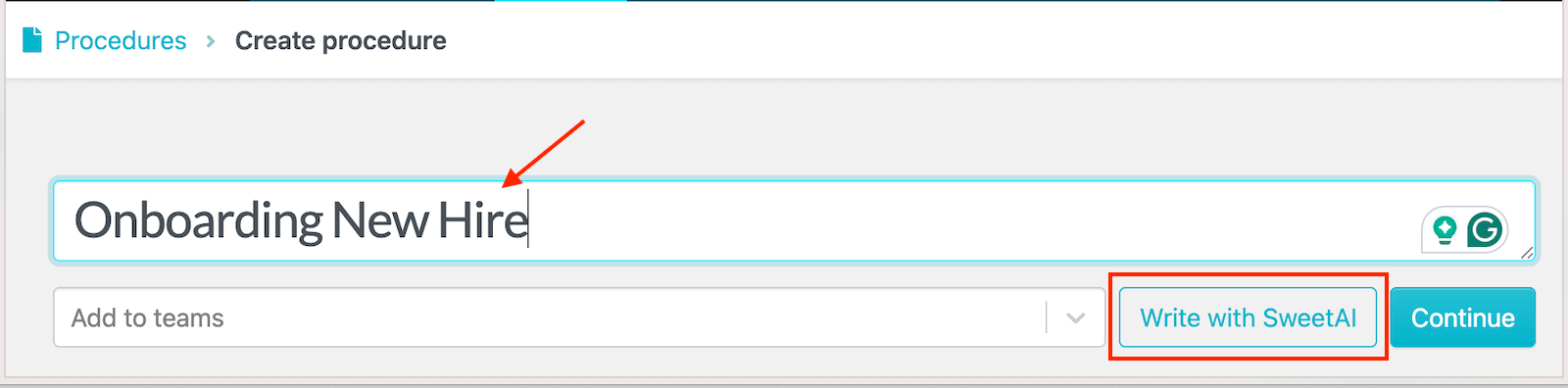
While SweetAI provides the first draft, you need human input to edit the content and add details that reflect your business.
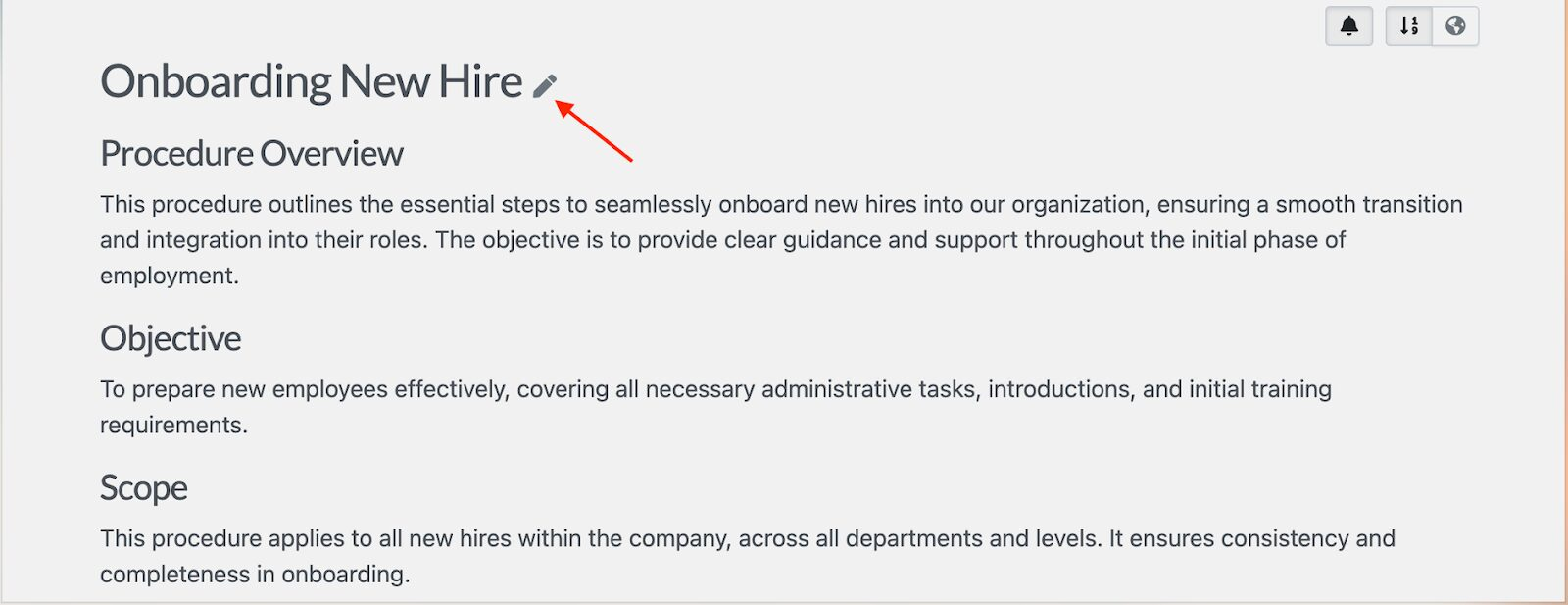
The feature also generates key steps that you can refine to match your goals.
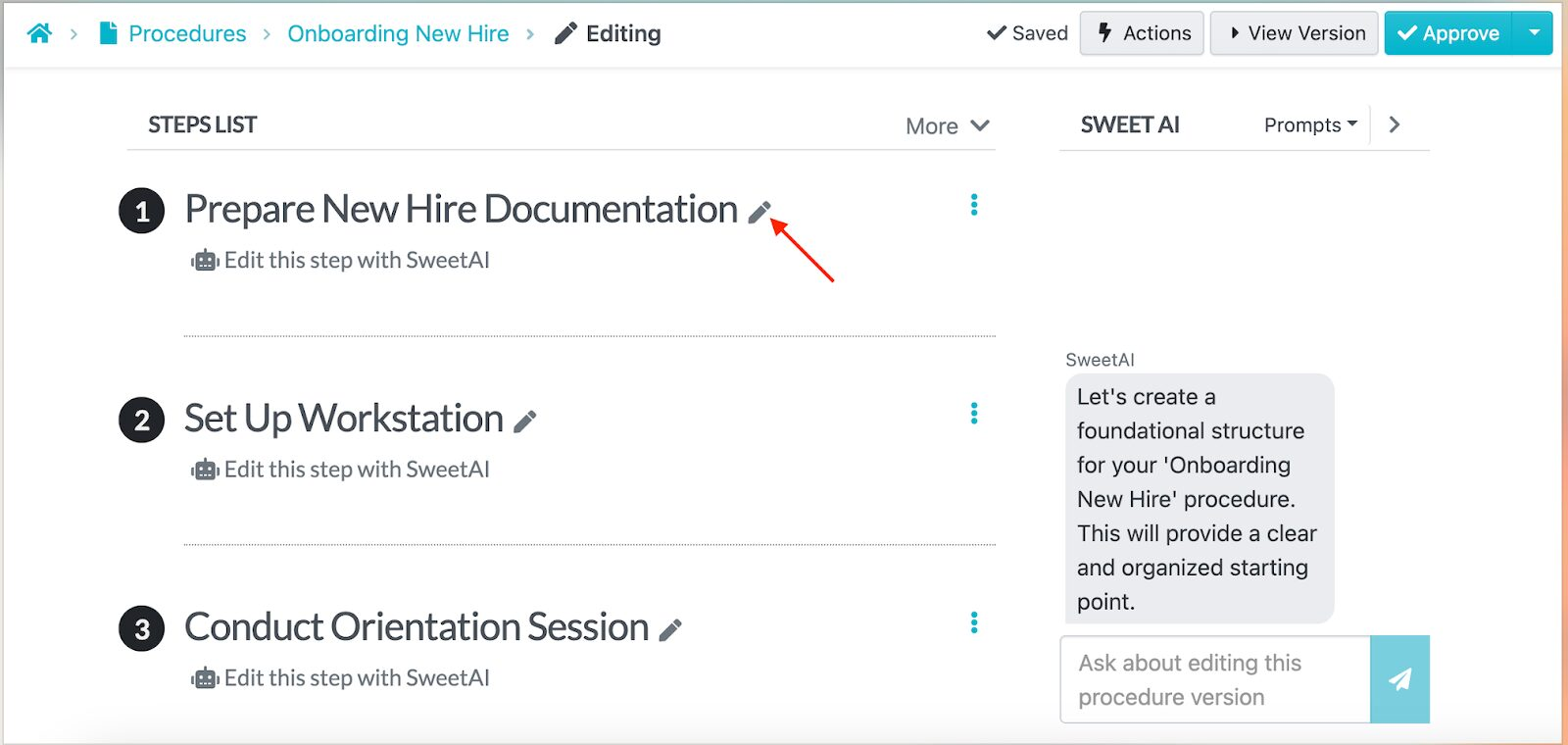
This generator is useful for teams that need to standardize processes quickly or turn undocumented workflows into official SOPs without starting from scratch.
Collaborate With Team Members on Your Company’s SOPs
With SweetProcess, your team can co-create and edit SOPs at the same time. If the HR manager and the IT lead are refining the employee onboarding process for new developers, they can both work on one document without version mix-ups or lost feedback.
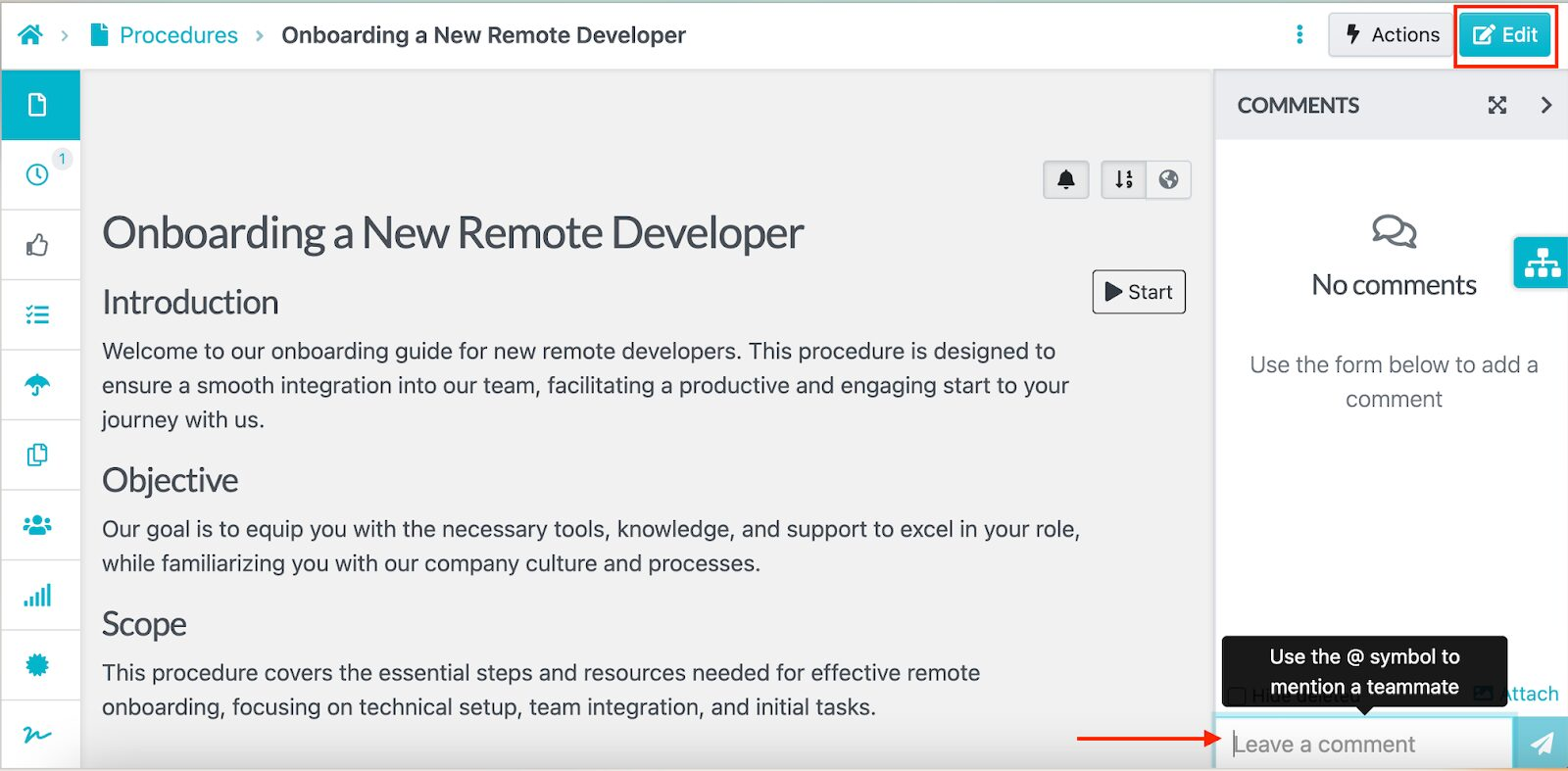
Every contributor can open a procedure and click the “Edit” button, as long as they have the right access permissions. They can also add a comment to tag another team member.
Format, Review, and Track Changes on SOPs in Real Time
SweetProcess tracks every update, giving you full visibility into who made changes.
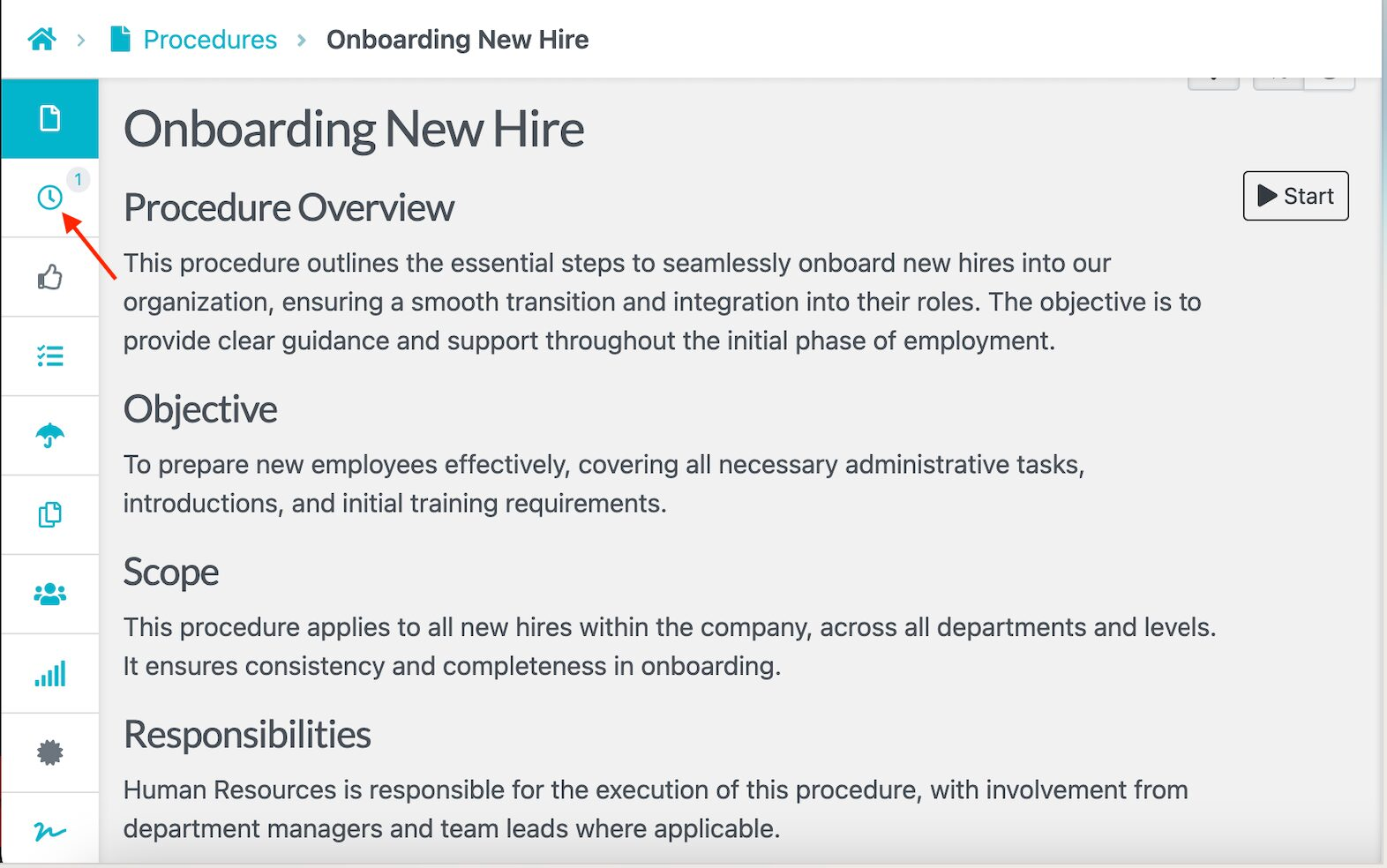
You can review previous versions and revert edits before the SOP is shared, using the version history feature marked with the clock icon on the left-hand menu.
SweetProcess also offers built-in approval workflows so the right people review every procedure.
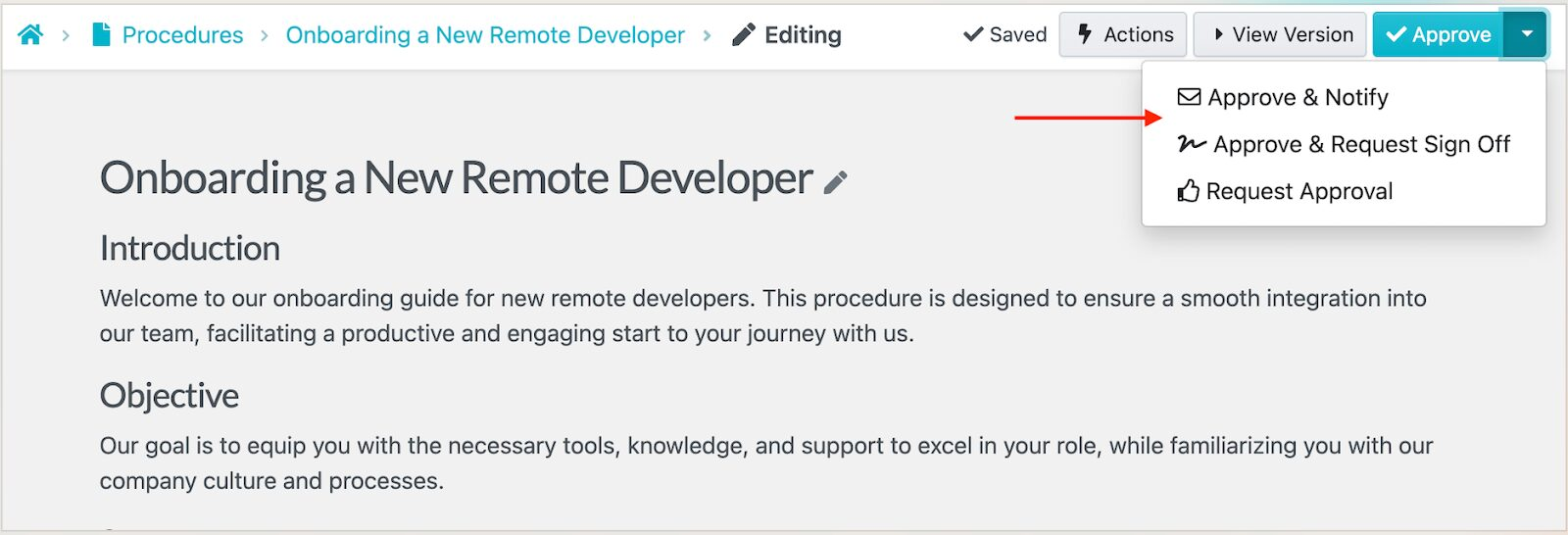
The record shows who signed off on a procedure, which version they approved, and when. That record sits with the document, so you can see at a glance whether the version your team is following is the approved version.
Manage SOPs, Policies, Workflows, and Knowledge Bases in One Place
Apart from writing SOPs, you can use SweetProcess to manage your policies, knowledge bases, and recurring workflows.
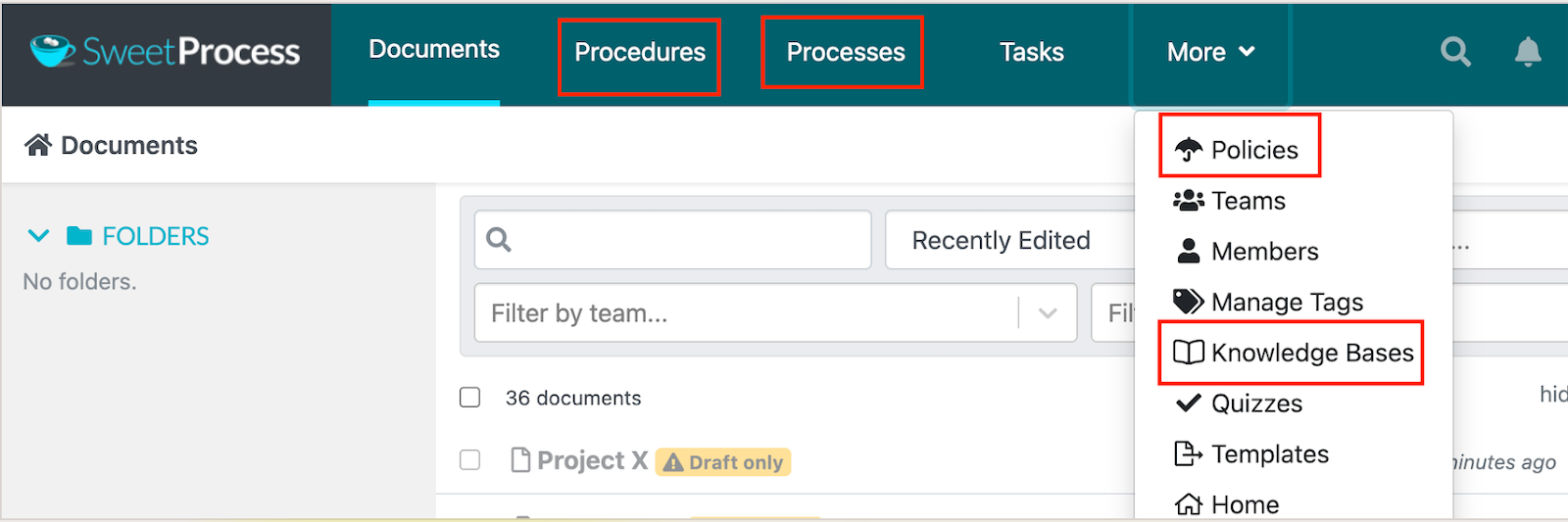
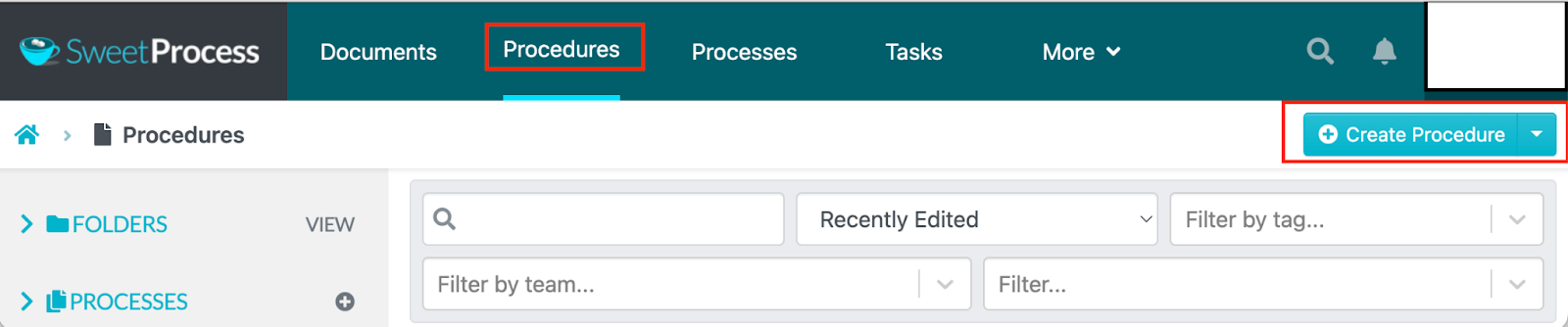
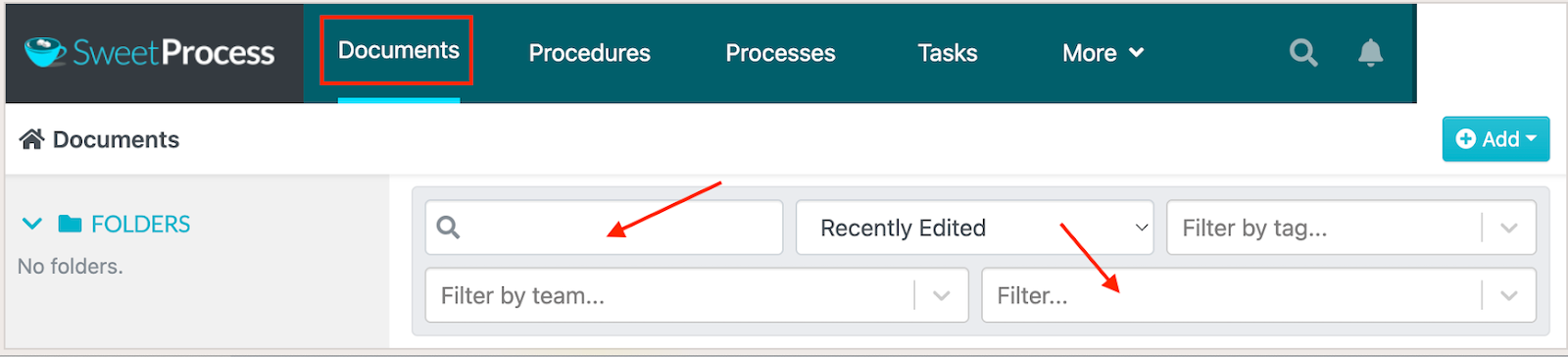
The dashboard is simple to navigate. From the main menu, you can switch to the tab you need.
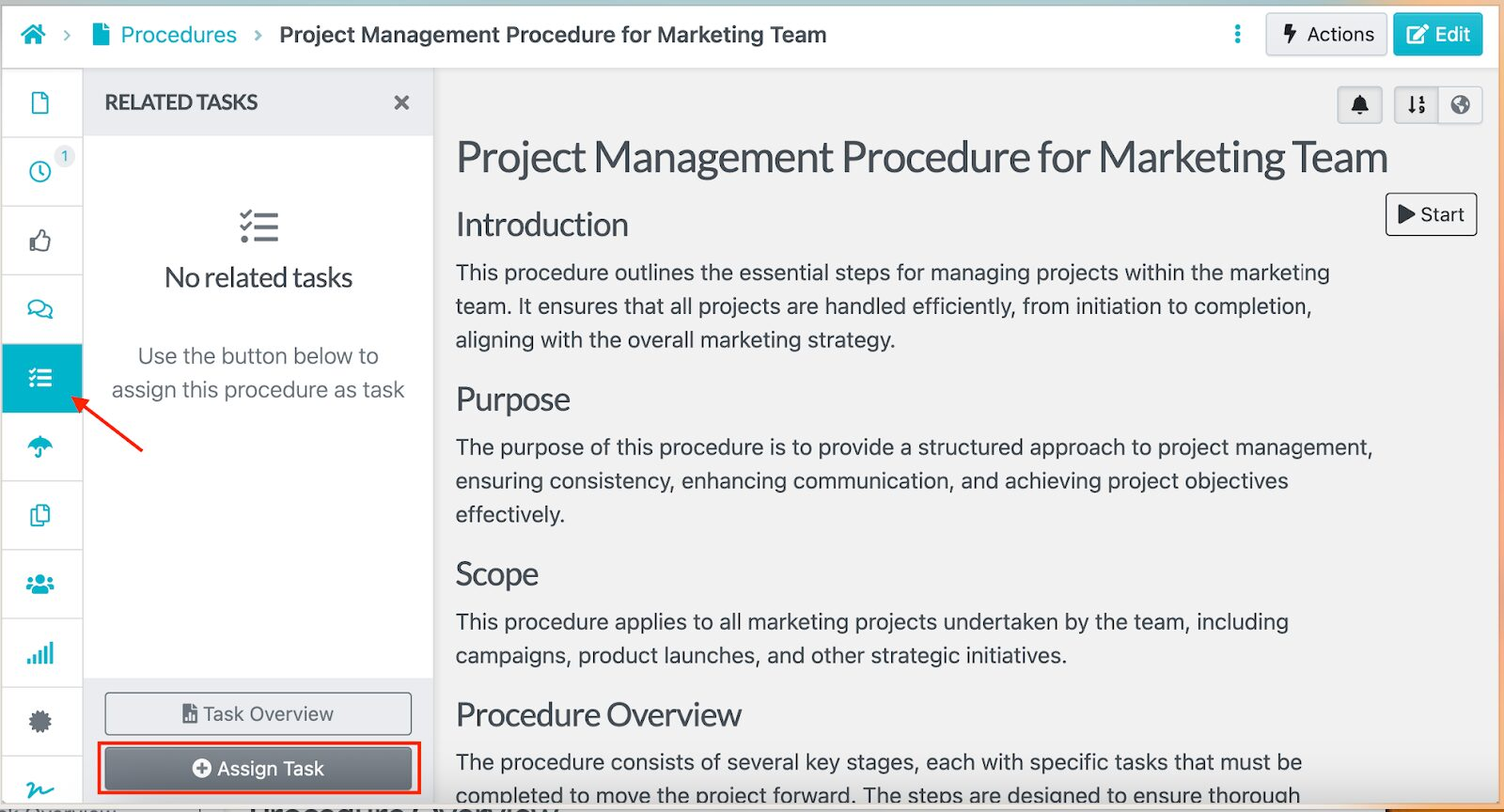
You can also link related SOPs or assign them as tasks to keep everything together. A remote team can build a shared knowledge base where SOPs, company guidelines, and training materials sit side by side for quick reference.
Everything is searchable from the dashboard. You can filter results by team, tag, or recently edited to find what you need.
SweetProcess Pricing and Support
Start with the 14-day free trial to see how SweetProcess works. After that, it is $99 per month or $990 per year for up to 10 users, plus $5 per month for each additional user, or $50 per year on the annual plan. Teams of up to five users can take the Small Team plan at $495 per year instead, plus $50 per year for each additional user.
Every feature, including SweetAI, is on every plan. We also offer a 30-day money-back guarantee if you are not satisfied.
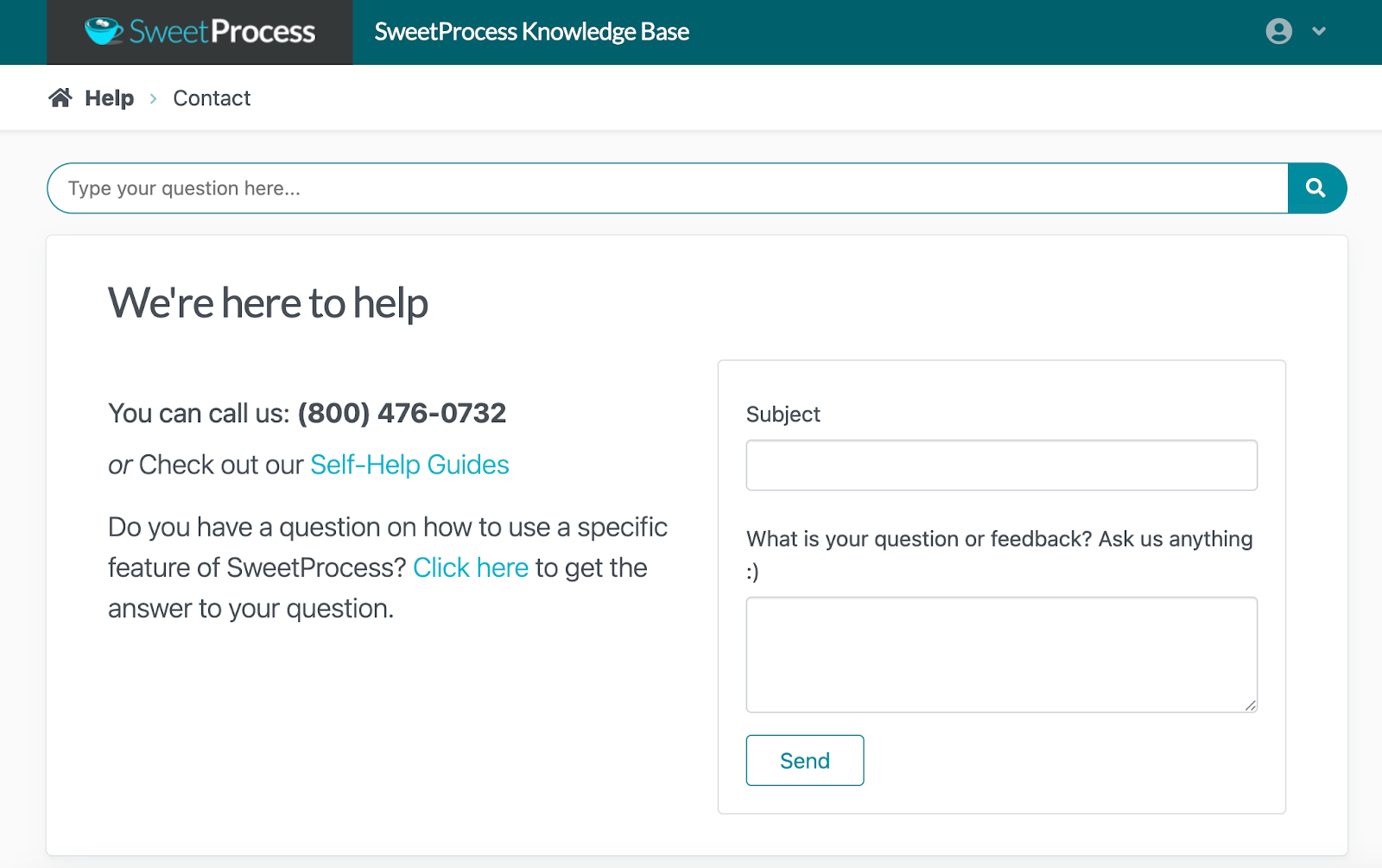
If you need to contact the SweetProcess team, you can reach us by phone, email, or social media. You can also check the knowledge base and self-help guides for support on common topics.
AirManual
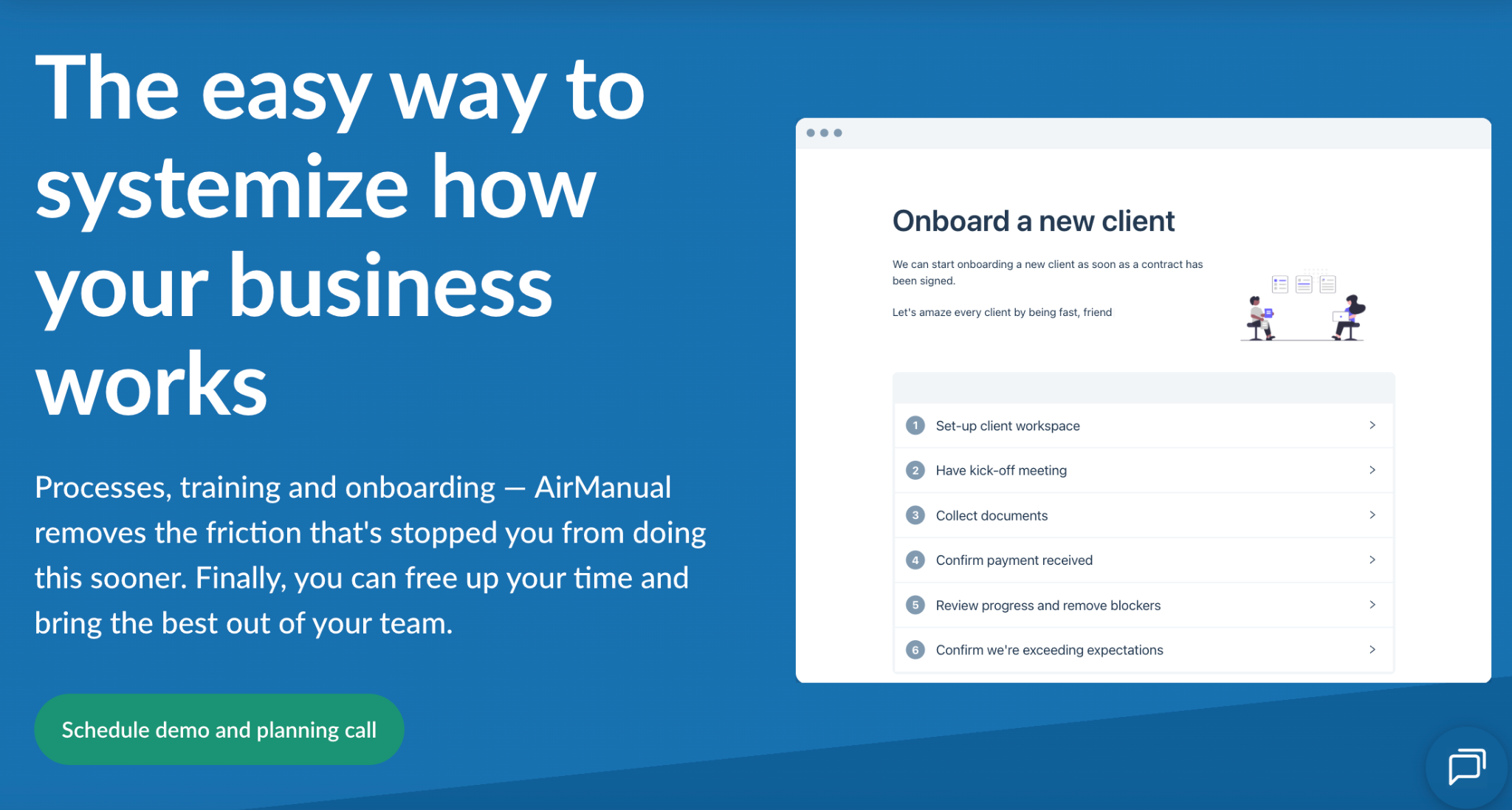
Image source: AirManual
Overview of AirManual
AirManual is an SOP writing software that helps you systemize your processes and improve training and onboarding. With this tool, you can simplify how your teams capture and share procedures by using guided checklists. The interface suits new users who need to understand how to carry out their tasks.
With AirManual, you can onboard new hires faster and maintain consistency across departments the way any SOP management platform should.
What Makes AirManual a Good SOP Writing Software?
Here are the key features that make this tool an option for businesses looking to draft SOPs:
- Guided checklists: You can create interactive checklists that your team members follow, reducing confusion.
- Multiple integrations: You can connect AirManual to more than 5,000 apps through Zapier, including Google Workspace, Trello, and Slack, to embed SOPs in your daily workflows.
- Onboarding and training tools: You can use interactive guides and checklists to onboard new employees faster. Creating an SOP for training also means every new hire follows the same structured process.
- Continuous reviews: If your SOPs need improvement, you can review and update them on a regular cycle to keep them aligned with company goals.
AirManual Pricing
AirManual offers four pricing plans. As of September 5, 2026, the Startup plan is $99 per month for one to four employees, while the Standard plan is $299 per month and includes 20 users. The Professional plan costs $599 per month and includes 50 users. All these costs are billed annually. If your team is larger than 250 members, you need to request a quote.
Scribe
Image source: Scribe
Overview of Scribe
Scribe captures your screen recordings and turns them into step-by-step guides. This platform is built for busy teams that want to capture and share processes quickly without writing everything manually. With a single click, Scribe records your workflow and generates a procedure with text instructions and visuals.
That workflow automation saves the time you would otherwise spend documenting repetitive tasks. Once a guide is created, you can edit and brand it. You can also embed it or share a link with the rest of the team.
What Makes Scribe a Good SOP Writing Software?
With Scribe, you do not have to write SOPs manually. You can use it as an AI SOP writer. Here are the core features:
- Automated process capture: You can record procedures and have Scribe convert them into step-by-step guides.
- Customization: The guide can be tailored to your organization by adding company logos, colors, and easy-to-follow GIFs.
- Text redaction: If you have sensitive data in your screenshots, you can hide it before sharing.
- Advanced insights: You can track who views your SOPs and collect feedback on whether a document is out of date.
Scribe Pricing
Scribe has a free plan. The Pro Team plan is $13 per seat per month, billed annually, with a five-seat minimum. There is also a Pro Personal plan for individual users at $25 per month, billed annually. The Enterprise plan is available on request. These prices are as of September 5, 2026.
Whale
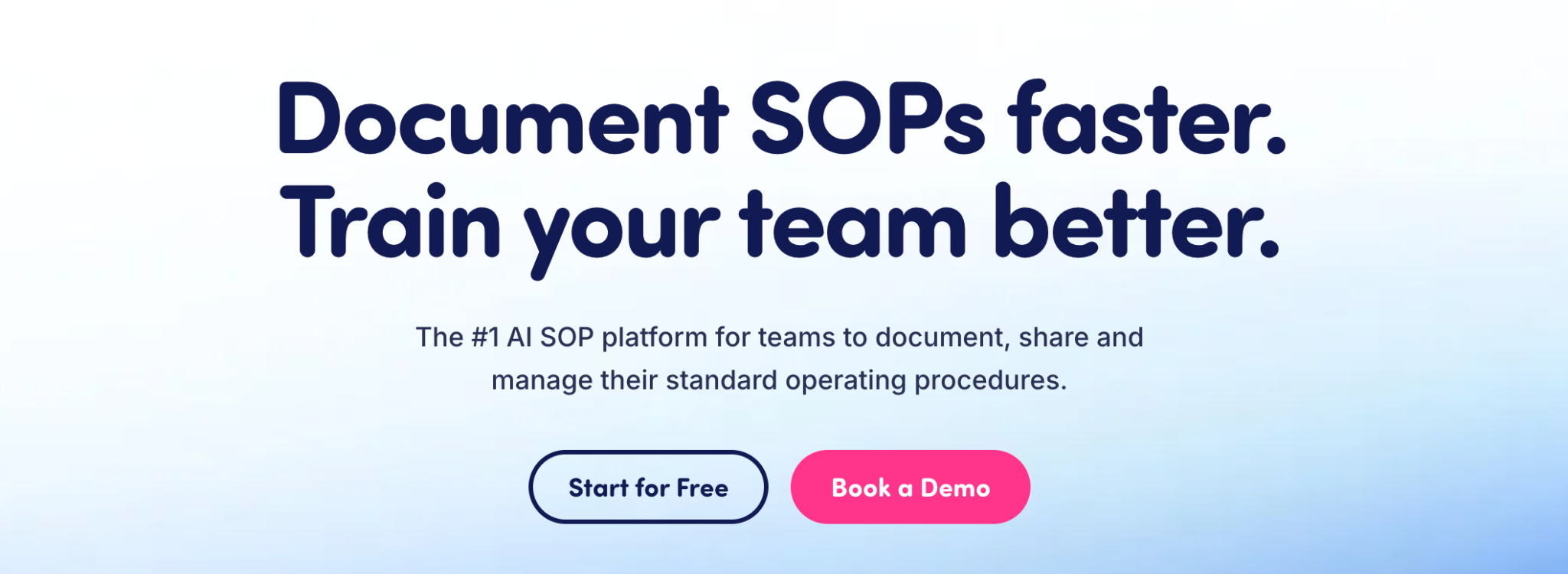
Image source: Whale
Overview of Whale
Whale is an AI-powered SOP tool that lets organizations capture processes in minutes. Once a procedure is documented, you can use it to train and onboard employees without switching platforms.
Whale stands out because it lets you record your screen and your voice as you explain the steps your team should follow. That keeps employees on the same track and cuts down on questions.
What Makes Whale a Good SOP Writing Software?
Whale is built to make documenting and scaling company knowledge easier. Here are its key features:
- Built-in templates: The platform ships with templates that help you create procedures faster.
- Video recordings: If you prefer to explain a procedure on video, you can record the steps in Whale and convert them into a written SOP.
- AI-powered SOP creation: Whale’s AI assistant helps you generate SOPs from scratch or update existing ones from a short prompt.
- Centralized knowledge base: Store your procedures, policies, and how-tos in one searchable space.
- Fast import: If you already have PDF and Word documents, you can convert them into editable Whale cards.
Whale Pricing
As of September 5, 2026, the Whale free plan covers 10 members and one creator. The Scale plan is $249 per month, billed annually, and covers up to three creators. The Advance plan is $499 per month, billed annually, for unlimited members and five creators. For more integrations or a larger organization, you can request an Enterprise quote.
Tallyfy
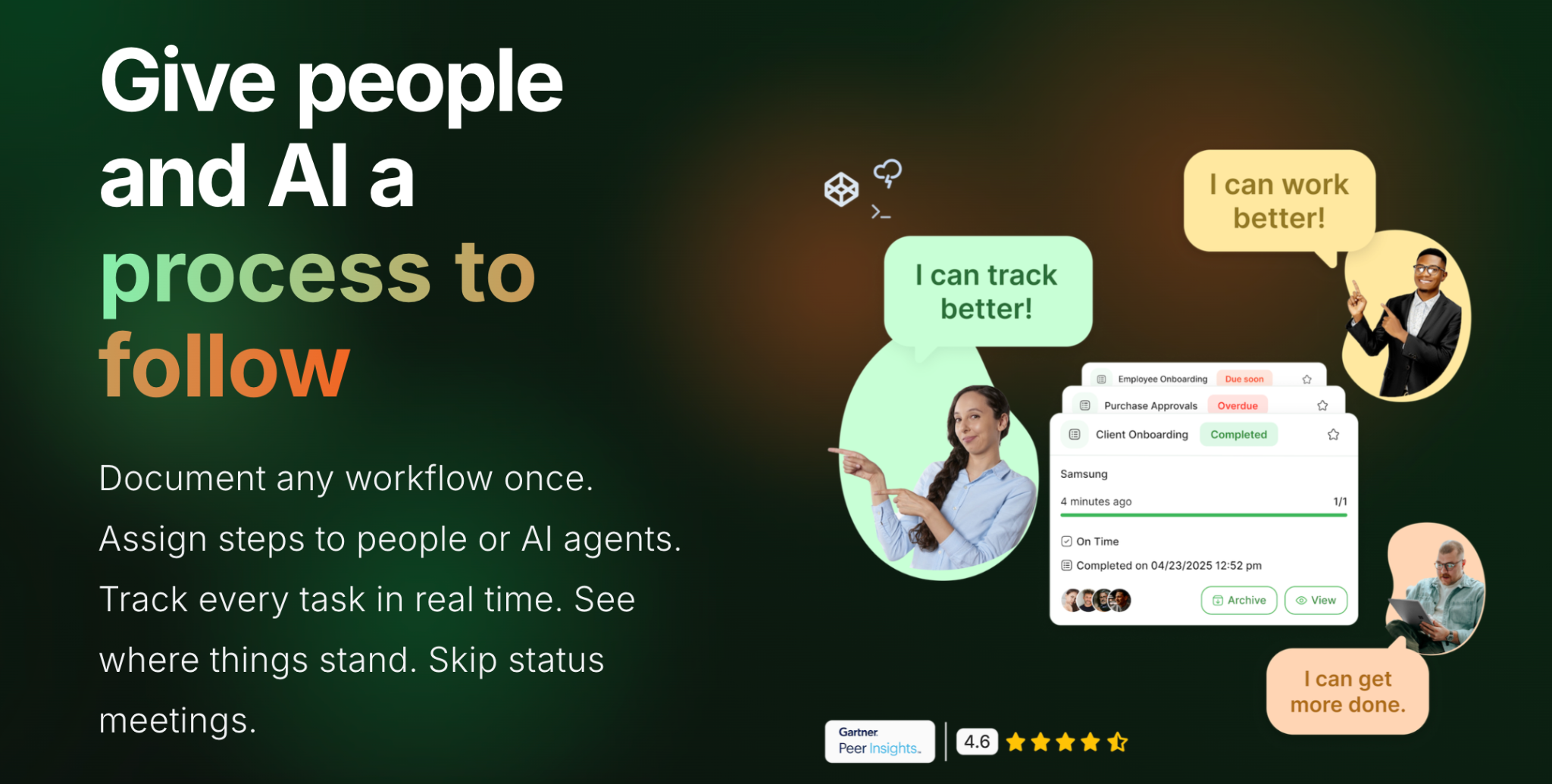
Image source: Tallyfy
Overview of Tallyfy
Tallyfy is a workflow management tool that simplifies how teams document and automate recurring work. You can upload existing documents from your device or use its AI to generate a new SOP from scratch. Your team does not need coding or technical experience to draft procedures in Tallyfy.
Alongside drafting SOPs, Tallyfy lets you set automated reminders for approvals. As you run your processes, you can track them in real time so no step is missed.
What Makes Tallyfy a Good SOP Writing Software?
If you are evaluating Tallyfy as an SOP writing tool, here are the key features:
- Collaborative documentation: You can write and share SOPs together, with built-in commenting and feedback for real-time input.
- Integrations: Tallyfy connects with apps including Slack, Microsoft Teams, and Zapier to sync workflows with your existing tools.
- AI templates: Instead of drafting from scratch, you can start from an AI-powered template.
- Auto translation: If you have teams in several regions, you can translate documents inside Tallyfy to keep everyone aligned.
- Progress tracking: After you assign tasks, you can monitor them and spot the steps causing bottlenecks.
Tallyfy Pricing
You can pay for Light or Full membership. As of September 5, 2026, the Light option is $10 per month and the Full option is $30 per month. You can also sign up annually and add extras at an additional cost.
Waybook
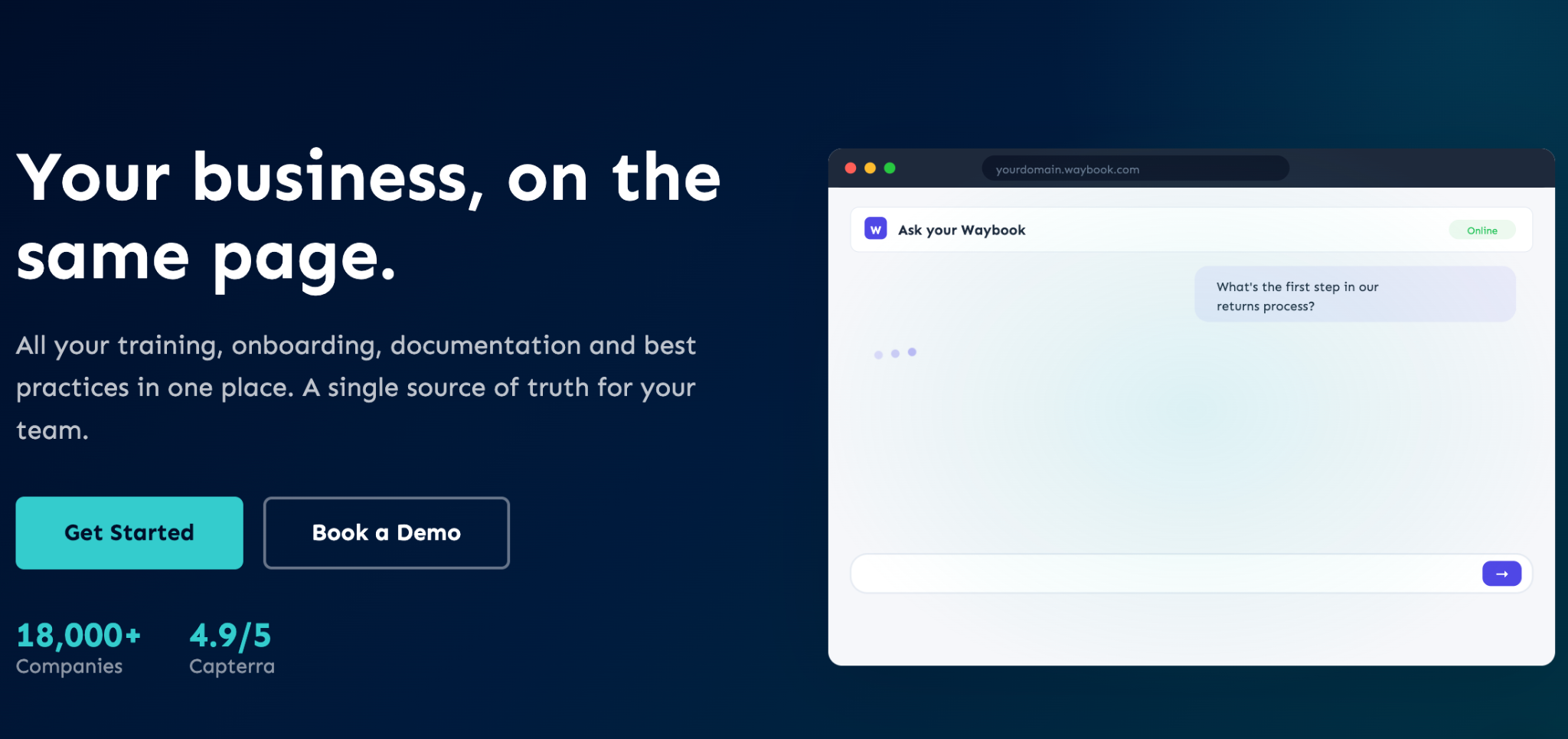
Image source: Waybook
Overview of Waybook
Waybook keeps your company’s guides, SOPs, and processes in one place. It is easy to introduce to new hires. As a central source of knowledge, Waybook is built around a collaborative interface where everyone works on the same SOP documents.
It also has a rich content editor for images, videos, and checklists, and a Waybook AI writer for generating procedures faster.
What Makes Waybook a Good SOP Writing Software?
Here is a closer look at what you get from Waybook:
- Template library: Waybook offers ready-made SOP templates for common business operations.
- Content editor: Beyond text, you can add video embeds, images, GIFs, or PDFs.
- Access permissions: You can set permissions and roles so only the right employees can open a given procedure.
- Organized dashboard: Waybook shows all available documents and their progress in one view, which makes updates easy to track.
- Progress tracking: You can assign SOPs and training modules to specific team members, then check understanding with quizzes.
Waybook Pricing
Waybook has three pricing plans. As of September 5, 2026, the Core plan is $99 per month, billed annually, for up to 20 employees. For advanced permissions, enhanced support, and audit logs, you need the Pro plan at $198 per month, billed annually. Waybook also offers custom terms through an Enterprise plan.
CheckFlow
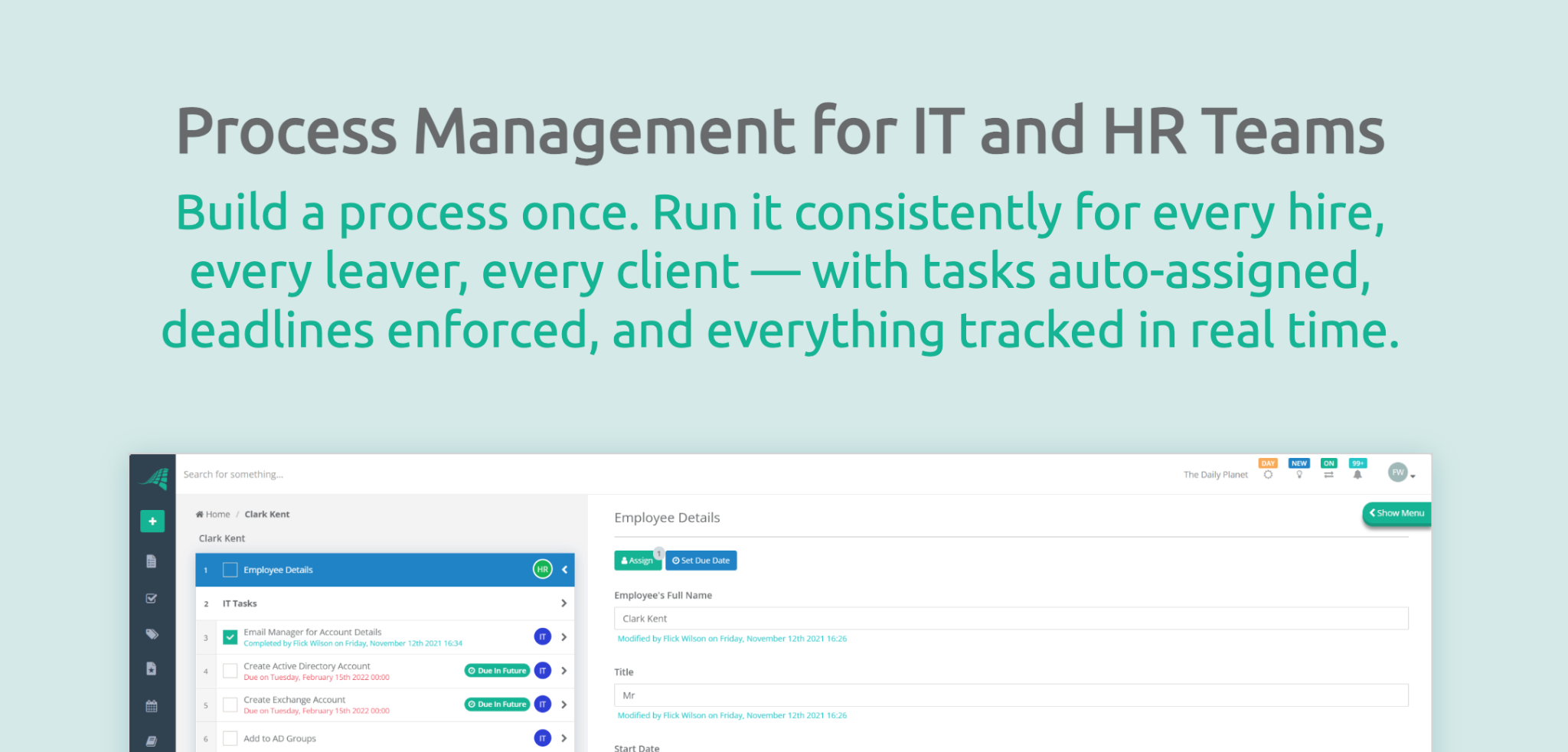
Image source: CheckFlow
Overview of CheckFlow
CheckFlow turns your company’s SOPs into interactive workflows. This business process management tool automates recurring checklists and gives your team a clear guide for carrying out tasks. To write procedures, you can use CheckFlow’s no-code drag-and-drop builder.
The tool stands out for responsive SOP checklists that are simple to use, and its real-time dashboards make it easy for managers to track progress.
What Makes CheckFlow a Good SOP Writing Software?
Here are the key features CheckFlow offers:
- Conditional logic: You can automate complex workflows by setting rules that trigger specific steps or approvals based on earlier actions.
- Checklists: This SOP writing software converts your SOPs into reusable checklists that you can track to completion.
- Multiple integrations: CheckFlow connects to more than 2,000 apps through Zapier.
- Analytics dashboard: You can view the data in real time to see which procedures need improvement.
CheckFlow Pricing
CheckFlow has two pricing tiers, Business and Enterprise. As of September 5, 2026, the Business plan is $9 per user per month, billed annually, and suits teams of any size. The Enterprise plan is $16.20 per user per month, with a five-user minimum, and is billed annually.
Guidde
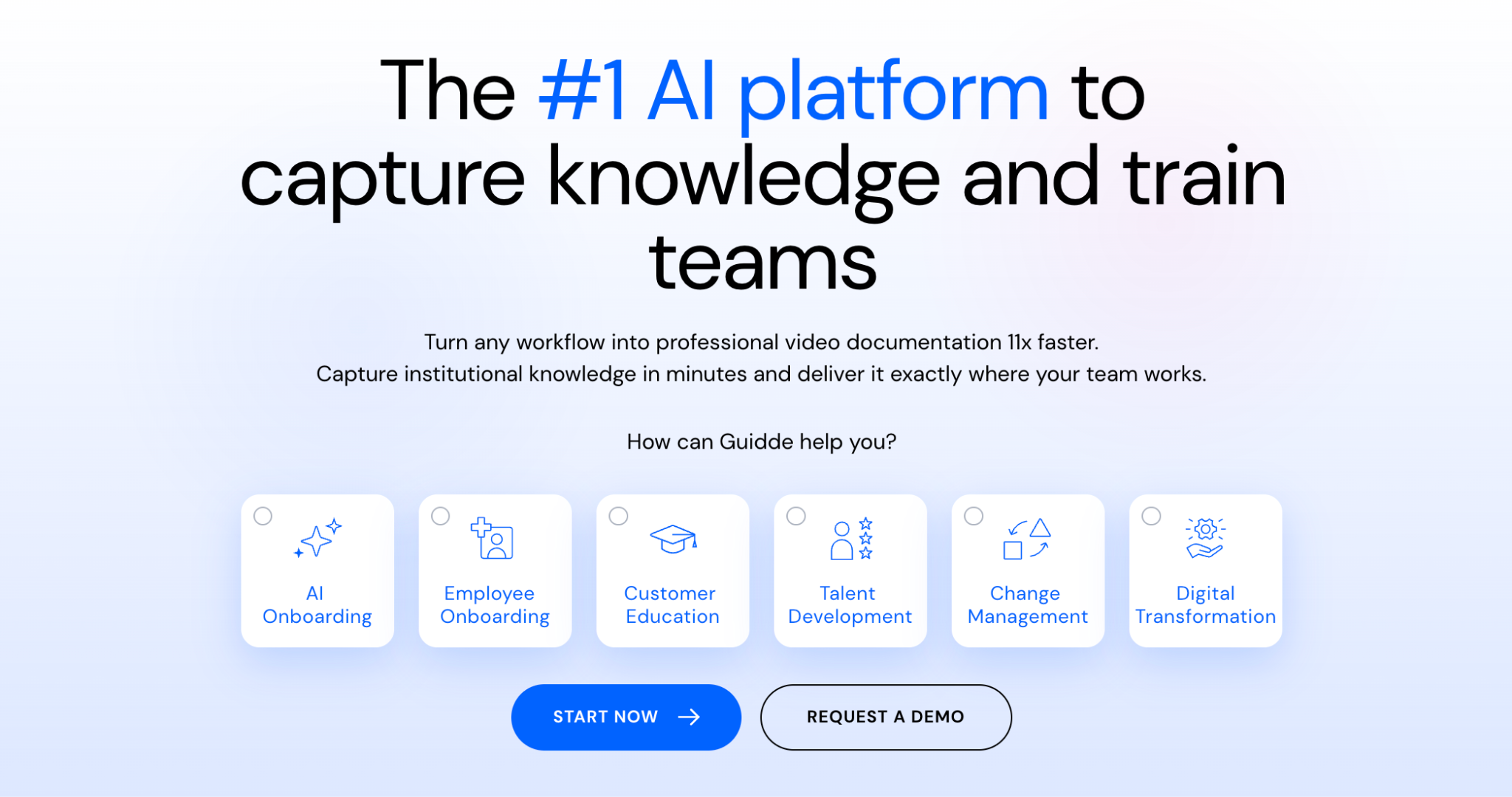
Image source: Guidde
Overview of Guidde
If you want to write your SOP as video documentation, Guidde is the place to start. This generative AI tool breaks complex workflows into step-by-step guides in seconds. Instead of typing your work instructions, you can have Guidde turn a video recording into a tutorial.
That suits teams that rely on visual learning or need to document digital processes quickly, such as software onboarding, product demos, or customer support workflows. The editing tools are simple enough that you do not need design or video skills.
What Makes Guidde a Good SOP Writing Software?
Guidde is visual and AI-driven. Here are the features that stand out:
- Magic capture: You can use the browser extension or the desktop app to capture what you need for your SOP.
- Voice-overs: As you record the steps, you can pick from more than 200 languages and voices.
- Editing: You can edit the visuals directly in Guidde.
- Embed and share: Once your SOP is ready, you can share it by link or embed it in a company wiki or knowledge base. Guidde works with several wiki software tools, which makes it easier to centralize process documentation.
Guidde Pricing
New users can start on the Free plan. As your team grows, you may need to blur sensitive information, export videos, and brand your output, which are available on the Pro plan at $19 per creator per month on the annual plan, as of September 5, 2026. Guidde also offers a Business plan at $39 per creator per month, billed annually, and a custom Enterprise plan.
Manifestly
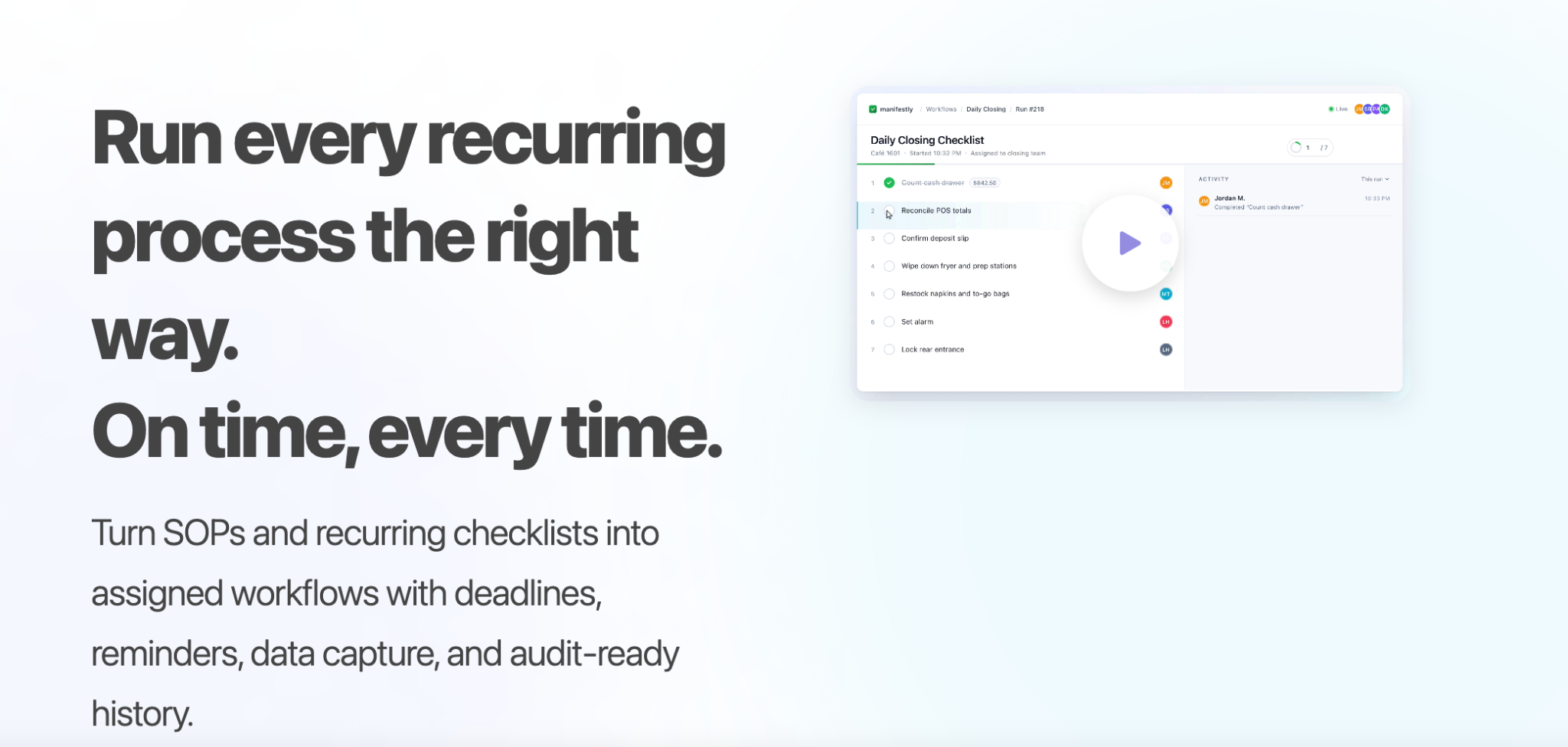
Image source: Manifestly
Overview of Manifestly
Manifestly is a checklist and workflow management tool built to help teams standardize recurring processes. It turns traditional SOPs into interactive checklists that guide employees through each step and track progress in real time.
Manifestly suits teams that run repeatable workflows, such as onboarding, client management, internal checks, or daily operational routines. Pairing checklists with task automation helps your team capture the details that get skipped.
What Makes Manifestly a Good SOP Writing Software?
Here are the key features of Manifestly:
- Customized workflow: You can simplify an SOP by adding links, images, and videos.
- Centralized SOP management: Your team can draft, edit, and share SOPs on one platform.
- Zapier automations: Manifestly connects to multiple business apps through Zapier.
- Collaborative platform: Employees can mention and tag colleagues while reviewing SOPs.
Manifestly Pricing
As of September 5, 2026, Manifestly has two pricing tiers. The Business plan is $10 per user per month. The Enterprise plan is $2,000 per year for up to 10 users; it scales as your team grows.
While each of these SOP writing tools brings something useful, SweetProcess is the most comprehensive option for creating and managing your company’s procedures. Start your 14-day free trial today!
What Is AI-Assisted SOP Writing?
An AI SOP writer turns your company documentation into a structured SOP in about a minute. The first draft will not match how your team actually works, so a person has to check and refine it. Keep that in mind as you choose a tool from this list.
What AI SOP Generators Get Right
If you are starting from scratch, an AI SOP generator means you are not staring at a blank page. Add a procedure title and the generator returns a draft with a sequence of steps in minutes.
If you have scattered documents sitting in Word or Google Drive, these tools can convert them into a structured procedure. From that first draft, you refine it to fit your business.
What AI SOP Generators Leave Out
AI SOP generators simplify documentation, but they do not know the specifics of your business. If you generate a procedure on “Team Collaboration,” the AI writer will not know which employee covers the work when the owner is on leave. You add those details based on how your company is set up.
After the draft, what next? You have to keep the procedure accurate as the team, the market, and the process change. An AI generator does not know that the procedure you wrote in January is wrong by October. Schedule regular reviews and give every document a reviewer.
If you want to test this yourself, SweetAI will draft a document for you from just a title. Try it and judge the output against your own process.
Can ChatGPT Write SOPs?
Yes. ChatGPT can write your company’s SOPs if you prompt it with a clear description of what you need. It will not store the document, assign it to your employees, or track versions. For that, you need SOP writing software.
To create an SOP with a ChatGPT SOP generator, give it:
- The process description
- The steps involved in the work
- An overview of your company and team
It will return a structured document with steps in a minute or two, which makes it a fast way to get a first draft.
Past that, ChatGPT does not keep organizational memory between sessions unless you paste the information back in. You cannot use it to assign an SOP to an employee, which matters when you are onboarding a new hire and need them to acknowledge a document. For that, you need software that tracks the current version and shares it in real time.
What You Want in an SOP Writing Software
Before you start testing tools, it helps to know what matters. The right features are the difference between SOPs that gather dust and SOPs your team actually opens. Here is what to look at closely.
Document-Writing Features, Tools, and Templates
Picture your operations lead documenting a multi-step manufacturing process. If the tool only supports plain text, they will spend more time reformatting, inserting screenshots, and adjusting layout than writing the process. A tool with good document-writing features lets you:
- Embed visuals like images and videos
- Add diagrams
- Use templates
- Format sections
- Add checklists
- Apply style controls such as bullets, fonts, and headings
Continuous Improvement Engineer El Houssine Raji captured this. He described how his team’s laminated SOP boards looked good on the wall, but nobody used them, and what changed when they moved to on-screen versions that updated in real time.
He says, “Usage is up, mistakes are down, [and] people talk about the SOP during shifts… visual SOP isn’t about decoration. It’s about real-time relevance.”
Templates matter because they give you structure from day one. Whether you are building an onboarding SOP or a safety checklist, a template holds the look and feel steady. Tools that let you customize templates cut confusion, because every employee follows one SOP format.
Artificial Intelligence Assistance
Drafting procedures from scratch takes time. An AI SOP builder helps by generating an initial draft from your description or suggesting a step outline. You spend less time staring at an empty screen and more time refining.
An AI assistant also helps with consistency, grammar, and tone when several people contribute to one document. It can condense a long section into simple points. That matters most on a fast-moving team.
Role-Based Approvals and Access Control
Say several department heads are editing the same SOP and one of them removes a critical step. Suddenly the procedure your team relies on is missing the part that mattered. That is why role-based permissions matter. Only certain users should be able to edit, approve, or publish, while others view or comment.
Role-based editing and handoffs also matter when contributions come from across the team. As leadership coach Suky Sodhi puts it, “Leaders shouldn’t write the SOPs themselves… you are often too far removed from the day-to-day process. SOPs should be developed ‘bottom up,’ meaning the people actually doing the work should be involved in mapping out the steps.”
That approach improves accuracy and gives your team ownership.
You also want approval workflows. You can set up a document to move from draft to review to approved to published. That gives you a record of who approved what and when. It also keeps quality control and accountability inside the team.
Version Control and Audit Trail
When employees follow an outdated SOP, the errors are expensive: the wrong product ships, or the wrong part gets fitted. You want a tool that shows you every version of a procedure, so you can roll back and restore the content you need.
Alongside the versions, you can see timestamps, user logs, and the changes made. That trail is useful for internal reviews, and it builds trust because everyone can see who contributed what.
Task Assignment and Checklist Features
An SOP is only useful if the tasks get done. When you embed checklists or turn steps into assignable tasks, more of the process happens on time. A marketing SOP might carry a checklist of approvals, content reviews, and publishing steps, each tied to a named person.
The best SOP software lets you assign tasks from inside an SOP, notify the assignees, and set deadlines. Your team stops reading the SOP passively and starts working through it.
Mobile Compatibility
Suppose a field technician needs an SOP on site, or a remote sales rep needs a procedure on their phone. If your platform is not mobile-friendly, it will not help in those moments.
Choosing an SOP app with native mobile support and offline access lets your team view procedures and work through checklists wherever they are.
SweetProcess gives you every one of these features in a simple interface. Sign up for a 14-day free trial and start writing your SOPs with SweetAI.
How to Choose SOP Writing Software
Here is a selection framework you can use to choose the best SOP writing software for your business.
Does It Offer AI-Assisted Writing?
A good SOP writer produces a first draft and gives your team a place to edit and reference the document later. With an AI SOP generator, you get relevant procedures faster and free your team for other work.
Can You Assign the SOP as a Task?
Your SOPs are only useful if your team can find them and follow the steps. Task assignment keeps people accountable, because everyone can see progress. Look for tools that let you assign tasks to named people and add due dates.
Does It Track Versions?
Procedures change. You need a tool that lets you add new developments and see exactly what changed and who changed it. That is what stops your company from running on an outdated SOP.
Does the Pricing Model Scale With Your Team?
Per-seat pricing gets expensive for teams that add creators often. Flat, tiered pricing can work out cheaper for larger teams. Match the pricing model to your growth pattern before you commit.
SweetProcess is built to meet these criteria. You can generate SOPs, assign them as tasks, and check versions on one platform. Sign up today, and it is free for the first 14 days.
Why You Need an SOP Writing Tool
Every growing business reaches a point where what used to work starts breaking down. Verbal instructions, quick chats, and scattered documents get confusing. A central SOP writing tool pulls all of it together.
Here is why you need one.
Faster SOP Drafting and Review
If your team takes too long to write and approve a procedure, it is time to look at an SOP writing tool. These platforms come with structured editors, built-in templates, and AI-assisted writing.
You can also use one to build an SOP manual that shows your team how to write these documents. Editors and reviewers comment inside the document, which ends the email back-and-forth.
Consistent Formatting and Style
Picture training your new hires using SOPs that all look different. Some information sits in spreadsheets, some in email threads, some in Word documents. A good SOP writing tool holds one structure and layout no matter who writes the document.
When you are training employees on company procedures, you can draft SOP examples inside the same software to serve as a reference. You can also add visuals and brand the documents so they are easy to use.
Centralized, Searchable SOP Library
Have you ever lost half an hour hunting for the latest version of a process? Plenty of people have. That is why a searchable SOP library is worth having. Every document sits in one place, easy to find, update, and use.
Take Maxwell Counters, a countertop fabrication company that once ran on paper binders and scattered Word documents. According to General Manager Austin Maxwell, “It took too long to find things, and when you wanted to update the procedures, you never knew how many copies were flying around.”
After moving to SweetProcess, the company put everything into one searchable library. Employees could find accurate information straight away, which cut repeat questions. As Austin puts it, “The best result has just been consistency, being able to point people toward one website and make sure that they know that’s where they need to go for questions on anything.”
Better Onboarding and a Clear Record of Changes
Hiring and training should not mean repeating the same explanation every time. Businesses without clear, accessible SOPs spend too long training new hires. With an SOP writing tool, new employees learn at their own pace from procedures that show them exactly what to do.
If your industry is regulated, version control, approvals, and change logs give you a record of which procedure was in force on a given date and who signed it off. That record is an input to your own review process, not a substitute for it.
For Adi Klevit, CEO and co-founder of Business Success Consulting Group, the challenge was not just creating SOPs. She wanted to help clients build systems they would actually use, after seeing binders full of procedures nobody followed. Since switching to SweetProcess, her consultancy has helped hundreds of businesses capture knowledge and keep their processes current.
As Adi explains, “Our clients are accomplishing their dream of scaling their businesses in a sane and orderly way. We see it all the time.”
One of her clients, a construction company owner, worked 60-hour weeks until his business was fully systematized. With documented construction SOPs setting out clear responsibilities, he handed daily operations to a general manager.
You have seen how the right SOP writing software helps teams document faster and train better. You can do the same for your business with SweetProcess. Try it today for free!
How to Implement Your Team’s SOP Writing Software
Moving from Google Docs or Word to a dedicated SOP writing tool is a big step. It is easier if you work through these steps with your team.
Step 1: Audit Existing Processes
Before you can improve your systems, you need to know what already exists. Gather the documents, guides, and how-to files your team uses now. Go through email, drive folders, and notes to find the procedures you already follow.
Then brainstorm with your team: Which processes do we repeat often? Where do mistakes usually happen? What instructions are missing or out of date? Mapping this out shows you which SOPs need rewriting, which can be reused, and which do not exist yet.
Step 2: Choose a Tool That Fits Your Team and Budget
Not every SOP writing tool is built the same. The right software depends on your company’s size, complexity, and workflow style.
If you are a small team getting started, look for a clean interface and a quick setup. For large teams, check that the platform scales and connects to the tools you already run. Use the free trials to test how the software feels in real use.
Step 3: Rewrite the Procedures Worth Keeping
Treat this like moving house. You do not need to bring every old box. Review your current documents and decide which are still relevant, because outdated or duplicate procedures will clutter the new system.
Assign a few team members to handle the move. Have them work through the documents in categories such as HR, operations, sales, or customer support, and use tags or folders to make searching easier later.
Step 4: Write Your First SOP
With the older SOPs in the system, draft your first new procedure. Start with something simple and important, like onboarding new employees or handling customer inquiries. That gives everyone a shared example of what good looks like.
Use templates or an AI SOP generator to speed up the draft. Once it is ready, get feedback from the people who do that task every day. Their input is what makes the SOP usable.
Step 5: Customize Access and Review Cycles
You would not hand editing rights for company policy to everyone, and SOPs deserve the same care. Set permissions so specific people can edit, review, or view. That keeps your documentation secure and prevents accidental changes.
Policies and industries keep changing, so set a review cycle to keep procedures accurate. Use built-in notifications to remind reviewers when it is time to look at a document again.
Whether you are moving off Google Docs or starting from scratch, the right platform helps your team draft SOPs faster. Start your 14-day free trial of SweetProcess.
Which SOP Writing Software Should You Choose for Your Business?
Choosing an SOP writing tool is not only about features. It is about finding the one that fits how your team works. A startup might want something quick and visual. A manufacturer may want structured workflow control. A consulting firm may lean toward training, documentation, and mobile access in one place.
If you want a single platform that balances simplicity and collaboration, SweetProcess is where to look first. It is built for teams that want to document procedures and keep everything accessible in one reliable system. Whether you are writing your first SOP or refreshing old ones, it adapts to how you work, and SweetAI drafts your documentation for you.
It is time to create SOPs your team will actually use. Sign up here to start your 14-day free trial of SweetProcess. No credit card required!
Frequently Asked Questions
Short answers to the questions people ask before they pick a tool.
What Is the Best SOP Writing Software?
Start with SweetProcess if you want AI drafting and document management in one place. Scribe suits teams that document browser work by screen capture, and Whale suits teams that pair procedures with training and quizzes. The best tool is the one your team opens without being asked twice.
Can AI Write an SOP?
Yes. An AI SOP generator turns a title or a screen recording into a structured draft in about a minute. It cannot know who covers a task when the owner is away, or which exception your team makes every Friday. Treat the output as a first draft, then have the person who does the work correct it.
Can ChatGPT Write SOPs?
Yes, if you prompt it with the process description, the steps involved, and an overview of your team. It will not store the document, assign it, or version it. The section on ChatGPT above covers the full answer, including what to paste into the prompt.
Is There Free SOP Writing Software?
Yes, with limits. Scribe, Whale, and Guidde all publish free plans, usually capped by creator seats or by how many documents you can publish. SweetProcess has no free plan. It runs a 14-day free trial with no credit card, plus a 30-day money-back guarantee if you change your mind.
What Is the Difference Between an SOP Generator and SOP Writing Software?
An SOP generator drafts. SOP writing software drafts and then keeps the document: version history, approvals, permissions, search, and task assignment. In practice, the line has collapsed, because the tools that sell as generators now ship the management layer too, and every tool on this page ships a generator.
How Much Does SOP Writing Software Cost?
Across the tools on this page, per-seat plans run about $10 to $20 per user per month, and flat team plans run from $99 to $599 per month. SweetProcess is $99 per month or $990 per year for up to 10 users, with each additional user at $5 per month or $50 per year.
What Should an SOP Include?
A title, the purpose, the reviewer, the scope, and the numbered steps in order. Add screenshots or a short video where a step is easy to get wrong. Record the version, the date, and who approved it, so anyone reading knows whether they have the current instructions.