Last Updated on October 28, 2026 by Owen McGab Enaohwo

Your team drafted new standard operating procedures (SOPs) a few months ago. Since then, keeping operations consistent has become harder. Your employees cannot tell when the procedures were last checked against how the team actually works, or whether the version a new hire just followed is the current one.
Creating the procedure is the first step. After that, you have to manage it, month after month. SOP management software gives you a place to control permissions, watch revision history, schedule reviews, and assign procedures to named employees. The best SOP management tools give your team one place to look for how a task is done.
There is a second thing worth knowing before you shortlist anything. Six of the nine tools below publish a price on their own website, including Whale. Three of them, Trainual, Dozuki, and Process Street, ask you to book a demo or contact sales instead. That difference is worth weighing early, because it decides whether you can compare costs on your own or have to sit through three sales calls first.
The right choice depends on who owns your procedures, how often they change, and what your team needs to prove was reviewed. These nine SOP management tools take different approaches to that work. Their features, published prices, and trade-offs make it easier to see which fits your operation.
Key Takeaways
- SOP management covers the whole life of a procedure after it is drafted: ownership, reviews, updates, approvals, and access.
- SOP management software is not the same thing as SOP creation software. Creation tools help you write the procedure. Management tools keep it accurate once it is live.
- Of the nine tools on this page, six publish a price on their own site, including Whale, and three do not. Trainual, Dozuki, and Process Street ask you to book a demo or contact sales.
- Before you choose, weigh your team size, ease of use, collaboration, versioning, and what you can find out about the cost before you talk to anyone.
- Start with SweetProcess for documenting, collaboration, review cycles, version history, permissions, training, and knowledge management in one place.
Table of Contents
- SOP Management Software vs SOP Creation Software
- How We Chose These SOP Management Tools
- SOP Management Software Comparison Table
- Nine Best SOP Management Software Tools for Your Business Needs
- How To Choose the Best SOP Management Software for Your Business
- Key Features To Consider Before Choosing SOP Management Software
- Why Use SOP Management Software for Your Team?
- Which SOP Software Is the Best for Your Business?
- FAQs
SOP Management Software vs SOP Creation Software
SOP creation software helps you write a procedure. It gives you an editor, templates, screen capture, and formatting, and its job ends when the document exists. SOP management software takes over from there. It assigns an owner, schedules the next review, routes changes to an approver, keeps a dated version history, controls who can see each procedure, and records who signed off on the current version. Creation is a one-time act. Management is the ongoing one.
Some tools do both. Most of the nine below lean one way. That is the first filter to apply to your shortlist: if the procedure exists and nobody trusts it, you have a management problem, not a writing problem.
How We Chose These SOP Management Tools
We judged every tool against the same five SOP management criteria.
Version Control and Revision History
Does the tool keep a record of every edit, who made it, and when? Without that record, you cannot tell a current procedure from a stale one, and nobody can be held to either.
Approval Workflows
Can a procedure be routed to a reviewer before it goes live? We checked whether each tool lets you define approval steps, and whether those steps fire again when a procedure changes.
Access Control
Your SOPs need permissions that decide who can see each document. We checked whether each tool lets you control who can view, edit, or approve a procedure. That matters as soon as your documentation is role-specific.
Ease of Collaboration and Task Assignment
A procedure only gets followed if it reaches the person doing the work. We looked at whether each tool connects procedures to people, so a manager can see who has read an update and who has not.
Pricing
If you are working to a budget, you need the cost up front. Some of these platforms publish their pricing. Others ask you to contact sales for a quote. We have noted which is which for every tool, with the date we checked.
SweetProcess meets these criteria. Sign up for a 14-day free trial and test it yourself.
SOP Management Software Comparison Table
Here is how the nine tools compare on the things that actually separate them.
| SOP Feature/Tool | SweetProcess | Process Street | Whale | Tallyfy | Waybook | Notion | Tango | Trainual | Dozuki |
| Ideal Use Case | Full SOP lifecycle: documentation, training, management | Workflow & checklist automation for operations teams | SOPs + training for employees and AI agents | Workflow automation with role-based access & template editing | SOP + onboarding + knowledge base for teams | Wiki/docs + SOPs for teams already using the environment | Capturing software-based workflows & tasks visually | SOPs + employee training platform | Industrial-grade visual work instructions for frontline/manual teams |
| Document SOPs Manually | ✔️ | ✔️ | ✔️ | ✔️ | ✔️ | ✔️ | ✔️ | ✔️ | ✔️ |
| Automatic SOP Capture | ✔️ | ✔️ | ✔️ | ❌ | ❌ | ❌ | ✔️ | ❌ | ✔️ |
| Collaboration on SOP | ✔️ | ✔️ | ✔️ | ✔️ | ✔️ | ✔️ | ✔️(Limited) | ✔️ | ✔️ |
| Formatting + Rich Media Support | ✔️ | ✔️ | ✔️ | ✔️ | ✔️ | ✔️ | ✔️ | ✔️ | ✔️ |
| Review Cycles + Approvals | ✔️ | ✔️ | ✔️(approval flows on Enterprise) | ✔️ | ✔️(read receipts) | ⚠️(minimal) | ❌ | ✔️ | ✔️ |
| Version Control | ✔️ | ✔️ | ✔️(paid plans) | ✔️ | ✔️ | ❌ | ✔️ | ✔️(in higher tiers) | ✔️ |
| Access & Permissions | ✔️ | ✔️ | ✔️(paid plans) | ✔️ | ✔️ | ✔️ | ⚠️(minimal) | ✔️ | ✔️ |
| Workflows/Task Automation | ✔️ | ✔️(strong) | ✔️(checklists and read assignments) | ✔️(role-based) | ⚠️ (less automation focus) | ⚠️ (minimal) | ❌ | ✔️ | ✔️ |
| Training & Onboarding Features | ✔️ | ⚠️ (more operations-focused) | ✔️strong | ⚠️(minimal) | ✔️ | ⚠️(minimal | ❌ | ✔️strong | ✔️(frontline) |
| Knowledge Base Included | ✔️ | ⚠️ (library only) | ✔️ | ❌ | ✔️ | ✔️ | ❌ | ✔️ | ✔️ |
| Pricing Style | Team-based pricing, published openly | Quote-only, no public pricing | Creator-based pricing, published openly | Member role-based (Full/Light), published openly | Team-pricing, published openly | Per-user subscription, published openly | Per user, published openly | Quote only | Custom quote, not published |
| Free plan or trial | ✔️14-day | ✔️14-day | ✔️Free plan | ✔️14-day | ✔️7-day | ✔️ | ✔️ | ❌ | ❌(requires demo) |
Product details and pricing were checked on September 5, 2026. Whale’s pricing was checked on October 7, 2026.
If you want documentation, version control, training, approvals, automation, and a knowledge base in one place, SweetProcess covers all six. Start your 14-day free trial and see how it handles your first procedure.
Nine Best SOP Management Software Tools for Your Business Needs
Here is the breakdown, starting with the one to look at first.
SweetProcess
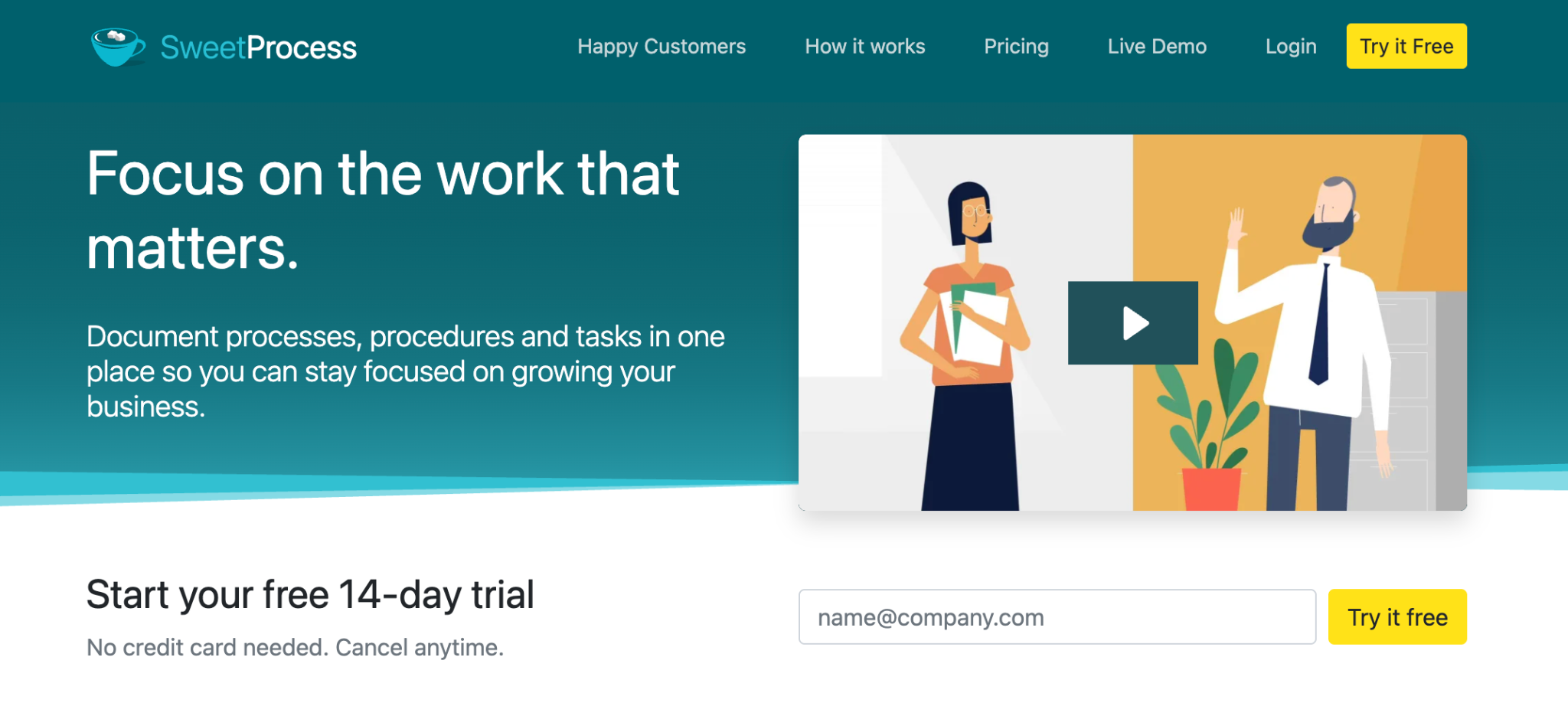
SweetProcess is an SOP software for small teams built for small and mid-sized businesses that are ready to scale. Instead of procedures living in scattered Google Docs, spreadsheets, and inboxes, everything sits in one structured system your team can update, review, share, and follow.
For what SweetProcess is, what it does, and what it costs in full, see the SweetProcess SOP software page. This section stays on the comparison question: how it stacks up against the other eight tools here.
What SweetProcess Does Well for SOP Management
- Documenting by hand or drafting with SweetAI. You build a procedure step by step in the editor, or have SweetAI draft a first pass you then correct.
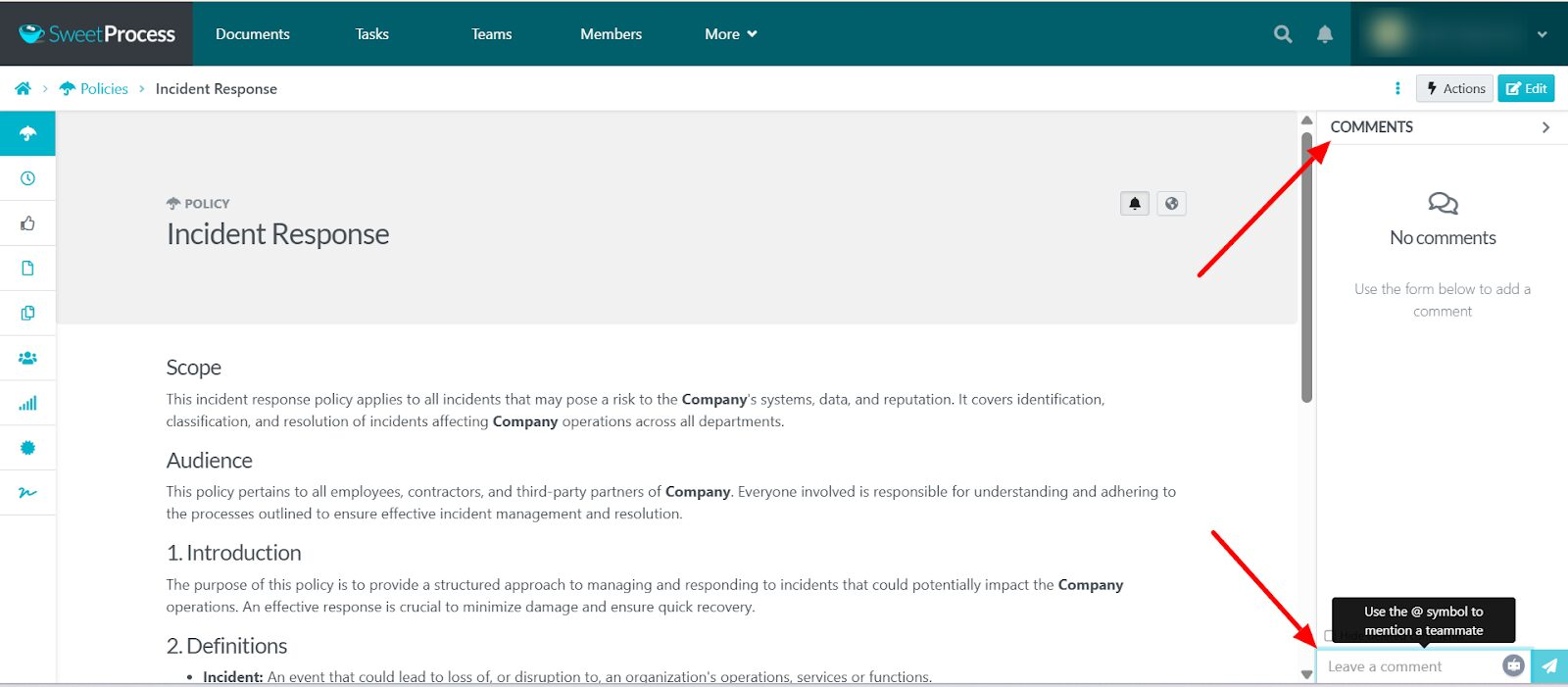
- Collaboration on the procedure itself. Team members co-write, comment, tag colleagues, and attach screenshots or video, so the people who do the work shape the instructions.
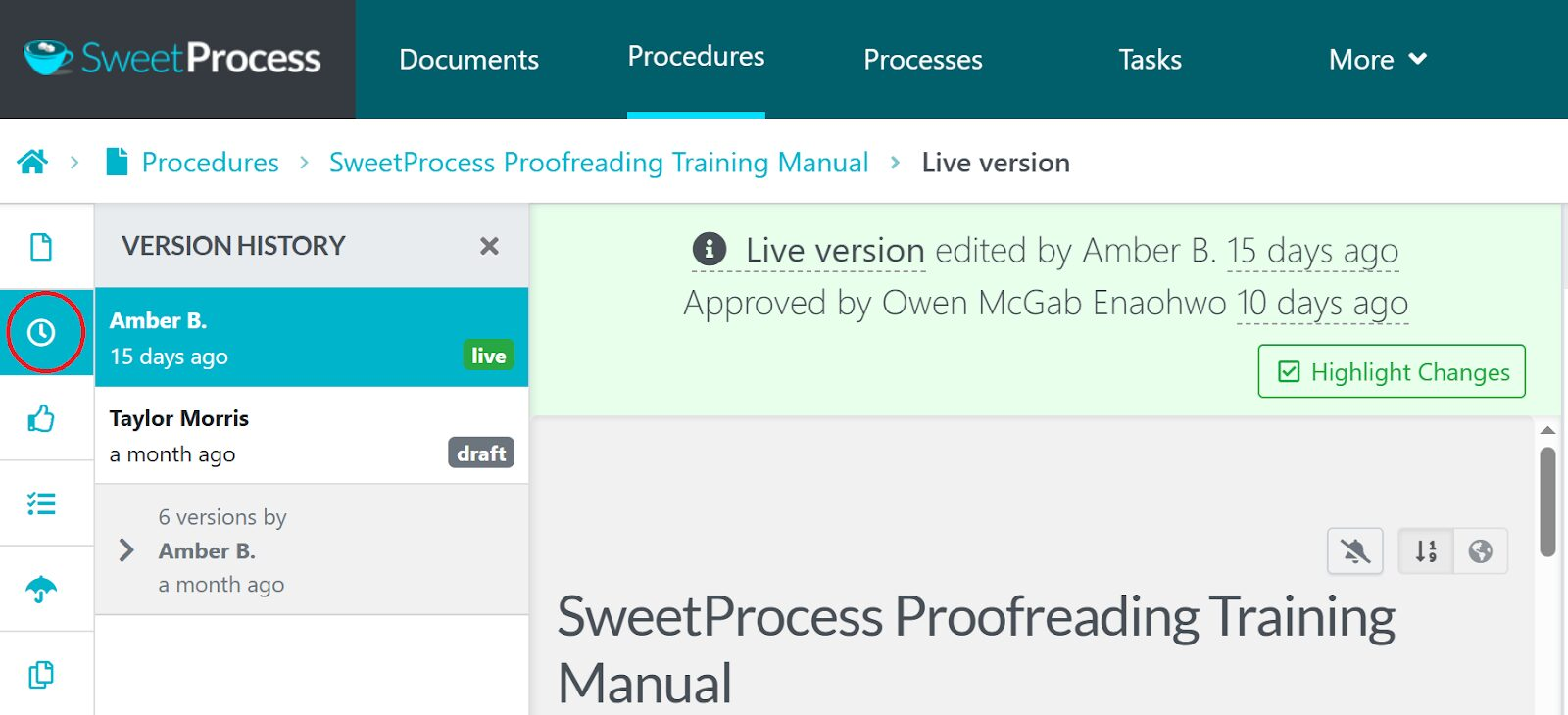
- Review cycles, approval routing, and a full version history. You assign a reviewer, approve a draft, and see every edit in order. The record shows who changed what, when, and which version was live at the time.
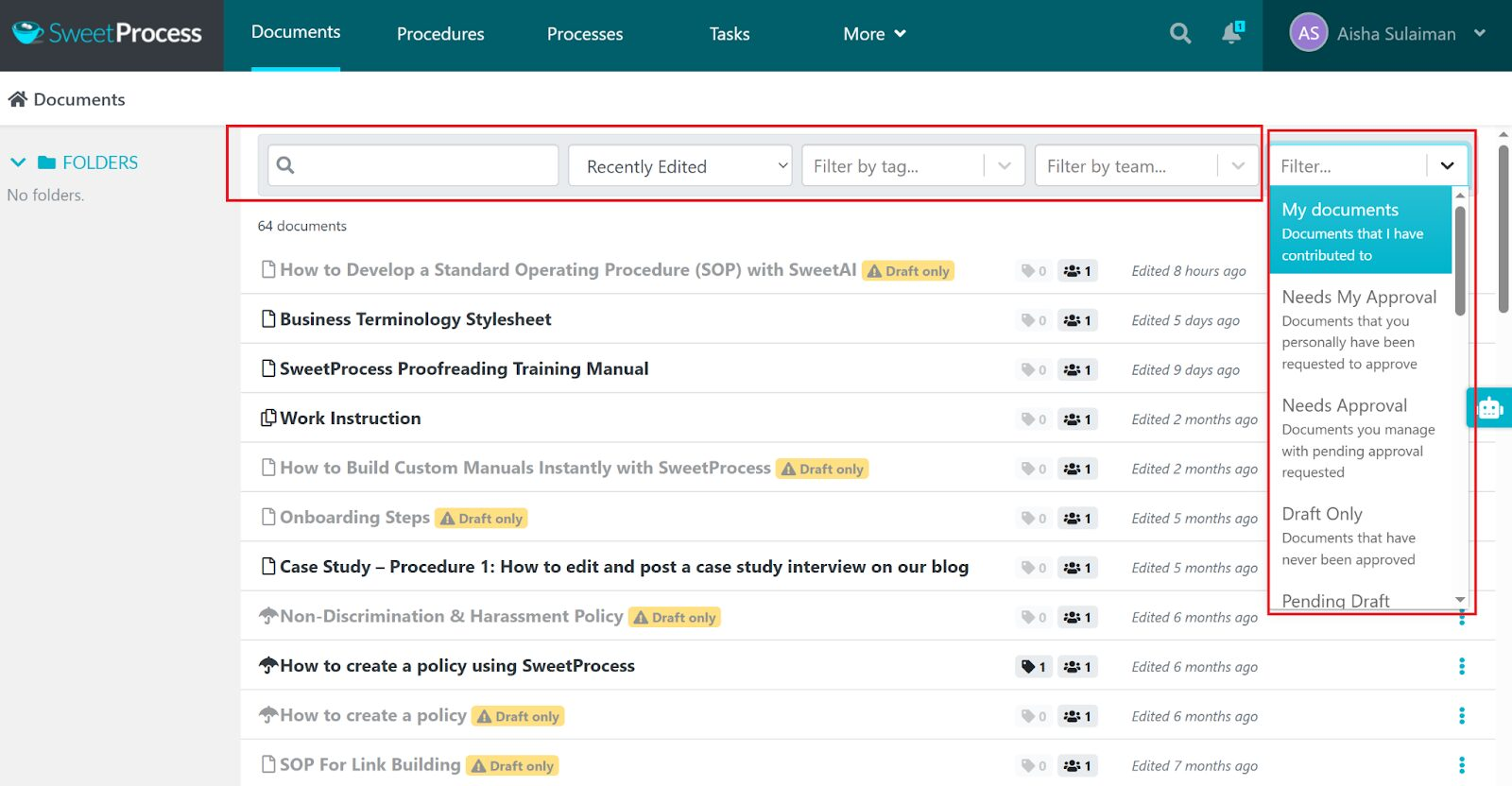
- Access and permissions. You control who can view, edit, or approve each procedure, and you can share with a new hire or an outside partner without exposing everything else.
- Procedures, policies, and a searchable knowledge base in one place, so you are not paying for a separate onboarding tool and a separate policy tool.
Payroll and business administration services company 3rd Arm Admin moved its payroll procedures out of Word documents and into SweetProcess.
“Payroll is one of the biggest services that we provide. We pay nearly 1,500 people a month across all the businesses that we do that for. One of the first projects of mine was to get all those payroll processes written up and put into SweetProcess. They were already written up, but they were written up in a Word document…. SweetProcess made that easy because of its step-by-step process that allows you to put in pictures and images.”
Candice Burgess, Practice Manager at 3rd Arm Admin
Countertop fabricator Maxwell Counters has 35 full-time employees working across shifts and needed the same result every time.
“When someone asked me how to do something, I’d have to answer or try to find it on the network folder or try to find the binder, but now I’m able to, instead of walking them through everything, just say: did you look it up in SweetProcess?”
Austin Maxwell, General Manager at Maxwell Counters
Where SweetProcess Is Not the Right Pick
SweetProcess lets you assign a procedure or process as a task and track that instance through to completion. If your priority is more complex conditional logic or cross-app automation, compare those requirements with Tallyfy and Process Street. Direct integrations are thin: the connections come through a public API and more than 1,000 Zapier integrations rather than native links to each app. And if the work happens in a browser, a capture-first tool such as Tango will document it faster.
SweetProcess Pricing and Support
SweetProcess costs $99 per month, or $990 per year, for a team of up to 10 users. Additional users are $5 per month each, or $50 per year each. A team of five can use the Small Team plan at $495 per year, annual billing only, with additional users at $50 per year each. One price list, no feature tiers. That is the whole price list.
The trial runs for 14 days with no credit card and gives you every feature. If you leave within 30 days, you get your money back, plus a free one-hour consultation call.
Support is available by email and a direct phone line, and the platform ships with a searchable knowledge base of step-by-step guides. You can also reach out via SweetProcess’s active Twitter, Facebook, and LinkedIn channels.
Want to see it before you commit? Start your 14-day free trial and document one real procedure.
Process Street
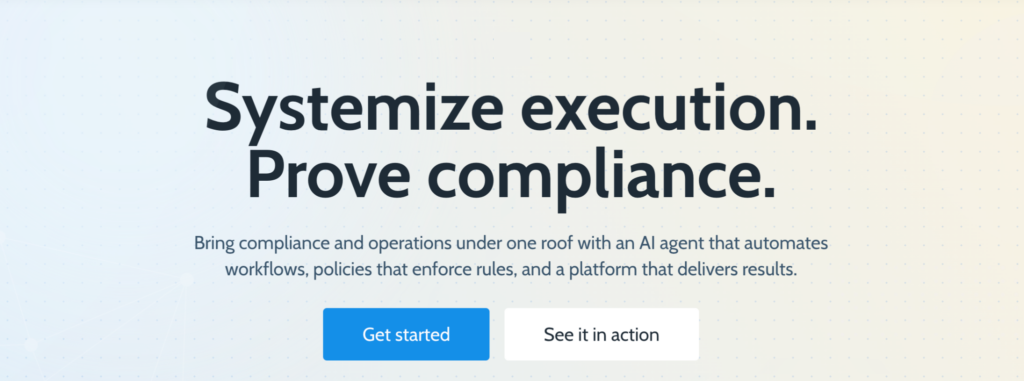
Image source: Process Street
Process Street is a workflow and checklist platform for teams managing recurring procedures. It’s included because it excels at process automation and is widely used to standardize workflows across departments.
Process Street pulls ahead of SweetProcess if your team needs heavy conditional logic and automations running across many connected apps.
How it manages SOPs: each procedure becomes a live checklist rather than a static document.
- Interactive workflow templates. Build procedures as task-based templates with subtasks and data fields.
- Conditional logic. Show or hide steps based on what the user enters.
- Automations and integrations. Connect to Slack, Asana, Airtable, and CRMs natively or through Zapier.
- Approvals and assignments. Add sign-off steps and the name of the employee who is responsible.
- Form fields and data capture. Collect text, uploads, dates, or dropdown selections inside a workflow.
Process Street Pricing
Process Street does not publish pricing on its site. All three plans, Startup, Pro, and Enterprise, ask you to contact sales. There is a 14-day trial on the Pro plan with no credit card required.
Whale
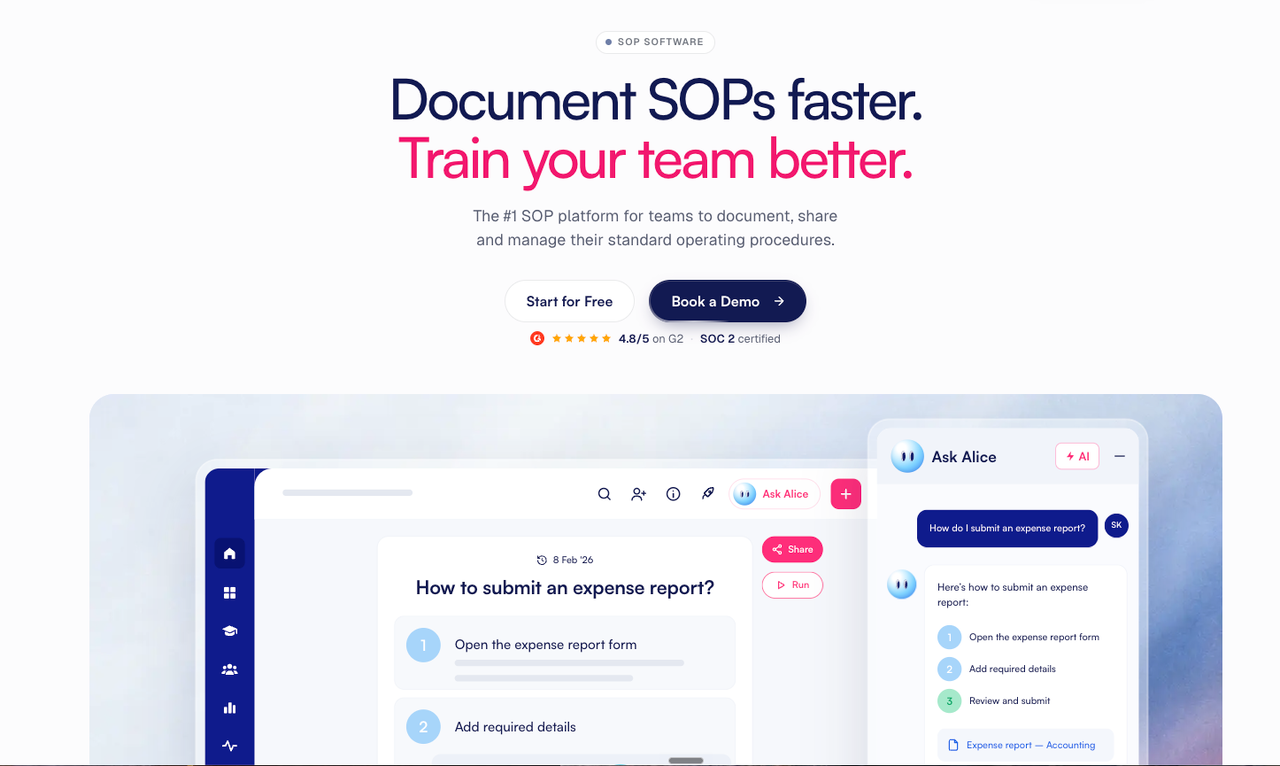
Image source: Whale
Whale is an AI-powered SOP and training platform that documents procedures, assigns them as training, and lets both employees and AI agents get answers from the same documentation. It is here because it covers SOP management and employee training while adding an MCP server, so the procedures you maintain can also be read by compatible AI tools. Whale suits teams that want to connect their procedure library with employee training and AI-assisted knowledge access.
How it manages SOPs:
- Boards, libraries, and playbooks. Organize documentation by team or function, with libraries and playbook items such as SOPs, processes, policies, and checklists.
- AI-assisted capture. The Step Recorder turns a recorded screen session into a guide with annotated screenshots, and an AI writer helps draft procedures that happen off screen.
- Training flows and read assignments. Assign procedures to roles, add quizzes, send read assignments with due dates when something changes, and see who has completed what.
- Version history and permissions. Track changes, run expert review cycles, and control access on paid plans. E-signatures are available on Advance and Enterprise; approval flows require Enterprise.
- Alice and Whale MCP. Alice answers questions from the procedure library. Whale MCP lets compatible AI tools work with that documentation within the user’s existing permissions, with drafts reviewed before they are filed.
Whale Pricing
Whale’s Free plan includes one creator, up to 10 members, and 20 playbook items. Scale costs $249 per month billed yearly and includes three creators. Advance costs $499 per month billed yearly and includes five creators. Additional creators cost $29 per month on Scale and $39 on Advance when billed yearly; those charges rise to $39 and $49 respectively with monthly billing. Member limits apply to Free, Scale, and Advance. Enterprise has custom pricing and unlimited members. Features and limits vary by plan.
Tallyfy
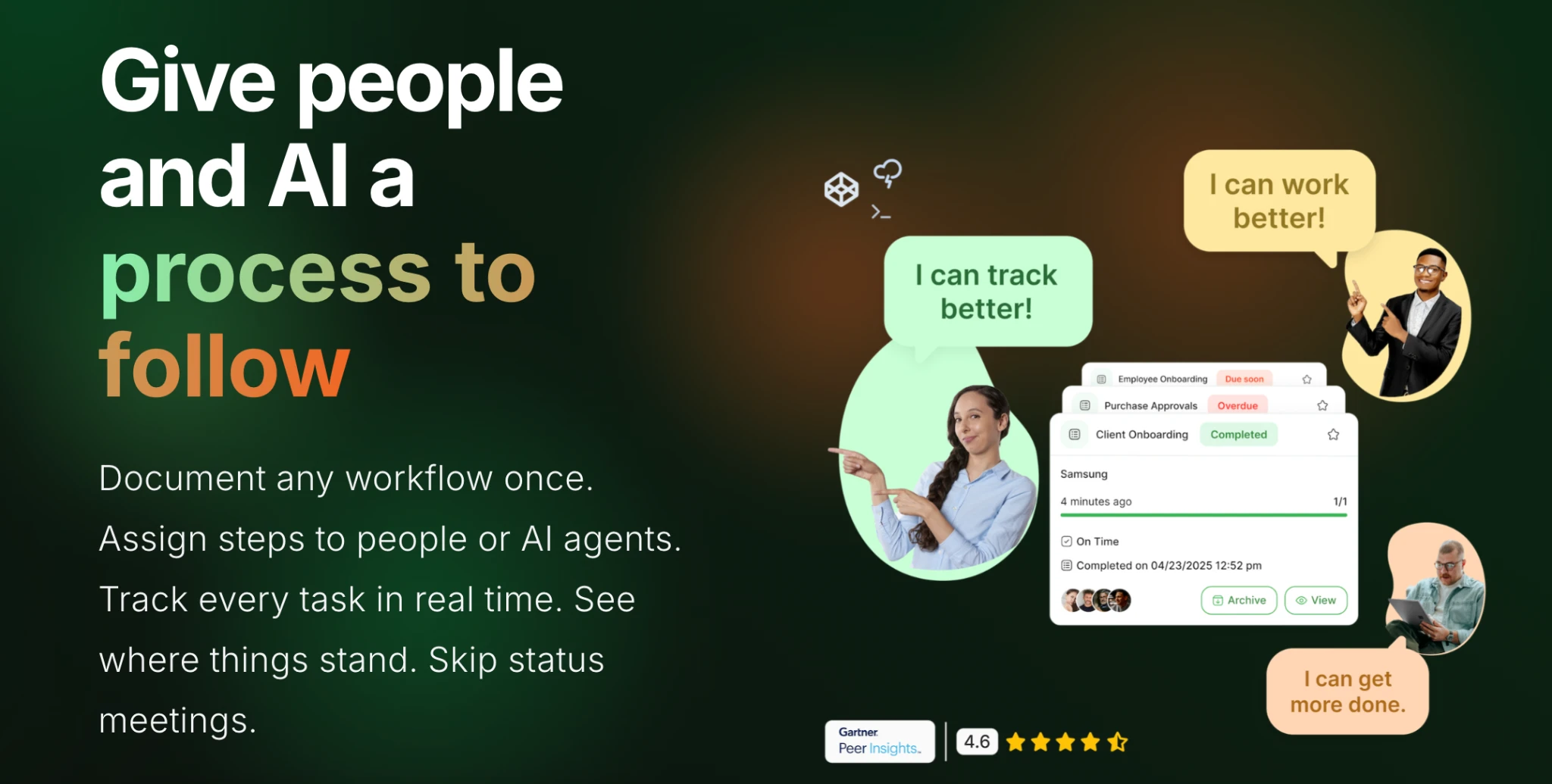
Image source: Tallyfy
Tallyfy is a workflow and business process automation platform for documenting, running, and improving recurring procedures and approvals in one visual system. It is here because it moves teams past static documents into live workflows with conditional logic and real-time visibility. Compared with SweetProcess, Tallyfy suits teams whose main problem is getting assigned steps completed rather than getting procedures written.
How it manages SOPs:
- Live workflow templates. Reusable templates launched as individual runs for each client, project, or case.
- Kickoff forms. Capture structured inputs at the start so the right steps and data are gathered up front.
- Roles and permissions. Light and Full member roles separate who can build templates from who only runs tasks.
- Real-time tracking. Task status, overdue items, and responsibilities on one dashboard.
- Data feed add-on. Push process data into BI tools for reporting.
Tallyfy Pricing
Tallyfy prices by seat type. A Light seat is $10 per month, or $100 per year. A Full seat is $30 per month, or $300 per year. The analytics data feed is an extra $20 per seat per year on annual billing. There is a 14-day trial.
Waybook
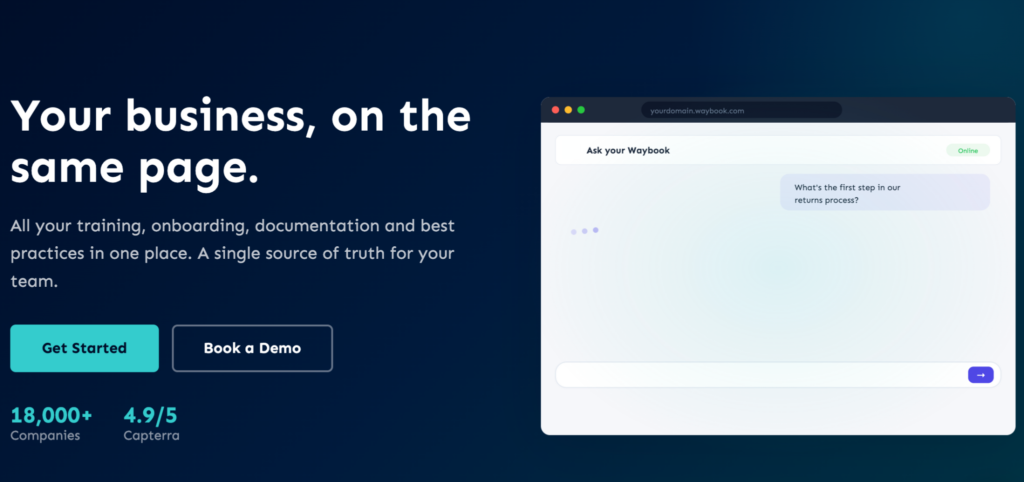
Image source: Waybook
Waybook puts procedures, policies, and onboarding training in one place. It is here because it covers SOP management plus employee training and knowledge base needs. Among these nine, it stands out for including an AI content writer on its lower-priced tier, which helps when you are updating a procedure rather than writing one from scratch.
How it manages SOPs:
- Subjects, documents, and steps. Structure a playbook by department or function with nested documents under each subject.
- Assign and track progress. Allocate procedures to people and see who has read them.
- Tests, quizzes, and read receipts. Confirm the team has read and understood, not just opened.
- Notifications on updates. When a procedure changes, Waybook can notify readers and track who has seen the new version.
- Rich content editor. Video, images, GIFs, and interactive checklists.
Waybook Pricing
The Core plan is $99 per month, billed annually, and includes 20 team members, with additional members at $5 per month each. Pro costs $198 per month, also for 20 team members. Enterprise is quoted on request. Every plan comes with a 7-day trial.
Notion
Image source: Notion
Notion is a flexible workspace that combines documents, wikis, databases, and tasks. It is here because teams often run their procedures inside it, building structured pages and linking workflows rather than adopting a second platform. If your team already lives in Notion, that is its real advantage over SweetProcess for SOP management.
How it manages SOPs:
- SOP templates. Ready-made templates in the template gallery.
- Custom databases and properties. Build a database of procedures with owner, status, last updated, and department, then filter or sort by team.
- Linked pages and embeds. Embed images, video, checklists, links, and other pages.
- Page history and comments. Notion is not a workflow engine, but you can track edits, comment, and archive old versions.
- Collaborative editing. Team members edit together, tag each other, and open version history.
Notion Pricing
Notion has a free plan. The Plus plan is $10 per member per month. The Business plan is $20 per member per month and adds the full AI features. Enterprise is quoted on request. Yearly billing saves you up to 20 percent.
Tango
Image source: Tango
Tango is a documentation tool that records your screen activity and turns it into a step-by-step guide with annotated screenshots. It is here because it is the fastest way in this list to turn a routine browser task into a visual how-to. Tango can also capture different paths through the same task inside one guide, so your team does not rebuild a separate workflow for every variation.
How it manages SOPs:
- Automatic process capture. Tango records your actions and generates an annotated guide.
- On-screen guidance. Embed guides in the apps your team uses, with tooltips that walk a user through in real time.
- Adoption analytics. See which guides are used, where people get stuck, and who has not finished.
- Export and sharing. Share guides externally or embed them outside the internal knowledge base.
Tango Pricing
You can choose between the Free, Pro, and Enterprise plans. The free plan covers up to 10 users and five shared workflows. Pro Team is $15 per user per month on annual billing for three or more users, and Pro Personal is $22 per user per month on annual billing for one or two users. Monthly billing is $20 and $26, respectively. Enterprise is available on request.
Trainual
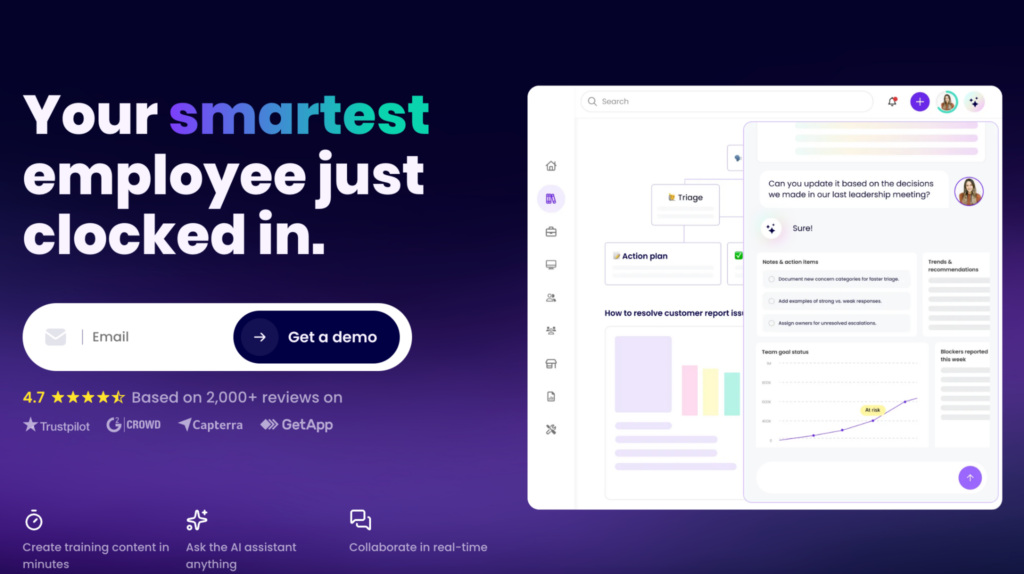
Image source: Trainual
Trainual is a playbook-style platform that keeps every process, policy, and procedure in a searchable hub. It sits where training, knowledge base, and SOP management overlap. Compared with SweetProcess, it leans further into training, with structured training paths and a large template library.
How it manages SOPs:
- Subjects and processes. Build subjects such as Sales Process or Customer Support Intake and add step-by-step content inside each.
- Procedures inside training paths. Assign to roles or groups and track completion, quiz results, and views.
- Templates and AI assistance. Trainual’s own SOP templates page says it offers more than 400 SOP templates. It also uses AI to help draft procedures and training content.
- Progress reporting. See who has completed each procedure or training module.
Trainual Pricing
Trainual does not publish prices. Four plans are listed: Core, Pro, Premium, and Enterprise, and each one asks you to book a demo.
Dozuki

Image source: Dozuki
Dozuki is a connected-worker platform for manufacturing and industrial teams. It turns traditional work instructions into digital, visual procedures a frontline worker can follow at the machine. It is here because when your operations involve physical work, machinery, or shift handovers, visual instructions and training tracking matter more than document formatting.
Dozuki has an advantage over SweetProcess for manufacturing and industrial work, including regulated environments, because that is what it is built for.
How it manages SOPs:
- Digital work instructions with version control. Step-by-step instructions with embedded photos and video, plus revision history.
- In-field authoring. Workers record video or photos and update procedures where the work happens.
- Training and competency tracking. Assign procedures as training, monitor completion, and trigger retraining when a procedure changes.
- Mobile and frontline access. Instructions on tablets and phones at the point of action.
Dozuki Pricing
Dozuki does not publish pricing. The site asks you to request a quote or book a demo.
Nine tools, one shortlist. If the thing you actually need is one place where procedures are written, reviewed, approved, kept current, and taught to new hires, that is the job SweetProcess is built for, at a price you can read before you talk to anyone. Start your 14-day free trial.
How To Choose the Best SOP Management Software for Your Business
If you know you need an SOP management tool but not which one, work through these five steps to shortlist, test, and decide.
Step 1: Match the Tool to Your Team and Industry
For a small or fast-growing team, weight ease of use and how quickly people adopt it. If you work in a regulated industry, weight version control and permissions. For manufacturing or field teams, look for visual, mobile-friendly instructions. The best tool is the one that fits how your team already works, not the one with the longest feature list.
Step 2: Find Out the Price Before You Fall in Love With the Product
Pricing models vary. Some tools charge per user, which gets expensive as you add seats. Others put the features you need behind a higher tier.
There is a faster filter than that. Of the nine tools on this page, six publish a price on their own site: SweetProcess, Whale, Tallyfy, Waybook, Notion, and Tango. Three do not: Trainual, Dozuki, and Process Street. If you want to compare costs this week rather than next month, start with the six you can price without a sales call.
Weigh the exit as well as the entry. SweetProcess is $99 per month for 10 users; the trial runs for 14 days with no credit card, and if you leave within 30 days, you get your money back plus a free one-hour consultation call.
Step 3: Run a Real Free Trial
Narrow to two or three tools and test each one properly. Document one real process, invite a few teammates, and watch how naturally they use it. Ask support a real question and time the reply. What you are testing is whether your team will adopt the tool without a long onboarding.
Step 4: Write Something New and See How It Feels
Write a new procedure from scratch in each tool you are testing, and judge the editor on it. You should be able to add steps, media, and approvals without fighting the interface. Then take one of your existing procedures and rebuild it, so you can see how much work the move will actually be. Alternatively, if you have an existing document with your procedures saved on your device, you can upload it to SweetProcess and then format it to match your current procedures.
Step 5: Check the Use Cases and the Learning Curve
Make sure the tool covers what you actually do day to day: onboarding, recurring tasks, client delivery, internal handoffs. Then look at how fast your team picks it up. If the interface feels heavy, adoption will be slow, and a tool nobody opens is worse than a folder nobody opens.
SweetProcess is built to be usable by non-technical staff, which determines whether a rollout sticks. Use the 14-day trial to test that with your own team.
Key Features To Consider Before Choosing SOP Management Software
When you compare tools, these are the features that change how the work actually goes.
Centralized and Easy Documentation
Your tool should give you one hub where every procedure, policy, and workflow is stored and easy to find. If your team is still hunting through folders and chat threads, you lose time and consistency.
“When you get in and you start creating these SOPs, it’s very clear. It’s very step-by-step. In a Google Doc, it’s a blank slate. It’s like, I have to add this, stop, and then renumber all the other numbers. It’s just a pain. In SweetProcess, you go in, and you create it. You could see this step-by-step.”
Dr. Jeremy Weisz, Co-Founder at Rise25
Multimedia and Formatting Support
Clear procedures need more than text. Look for images, video, checklists, diagrams, and real step formatting. Teams learn faster when a process is shown, especially for technical steps, onboarding tasks, and software workflows.
Collaboration and Version Control
Procedures change. Your tool should let several people contribute and keep a record of what changed. Version history, drafts, and approvals are the difference between a document you trust and one you have to double-check with a colleague.
Process Tracking
Knowing a procedure exists is one thing. Knowing it is being followed is another. Look for tools that show task completions, overdue items, progress by role, and completion rates for each procedure.
Permissions and Security
Not every procedure should be visible to everyone. Your tool needs to let you set access rights, control who can edit, and keep sensitive procedures restricted. Teams handling client data or working across several sites also want a record of who viewed and changed each procedure.
Automation and Integration
The tool should store instructions and also move information. Think review reminders, approval routing, alerts when a procedure changes, and connections to your CRM or project management system. With SweetProcess, those connections run through a public API and more than 1,000 Zapier integrations rather than native connectors.
Ready to build procedures your team will actually use? Start your 14-day free trial and write your first one today.
Why Use SOP Management Software for Your Team?
SOP management software puts your documentation in one place, keeps procedures consistent as the team grows, speeds up onboarding, records who approved which version, and keeps institutional knowledge in the business when people leave.
One Place to Look
When procedures live across Google Docs, email, spreadsheets, and people’s memories, your team burns time working out which version is the right one. SOP management software puts everything into one searchable system.
Before SweetProcess, Neon Buddha, a Canadian women’s clothing brand of about twenty years’ standing, had its procedures spread across Word documents and Excel sheets, which slowed people down and held back its growth plans.
“It’s easier for us to scale quickly so we can have people all across the globe. We have employees in the Philippines, Thailand, the United States, and Canada.”
Jonathan Harvey, Chief Operating Officer at Neon Buddha
Consistency as You Grow
Standardization keeps teams aligned and stops quality drifting as you add people. When everyone works from the same steps, you get fewer errors and clearer accountability. Maxwell Counters had performance varying between staff and shifts, and needed the same steps followed every time. After adopting SweetProcess, they could see what had changed and keep everyone on the current version.
Faster Onboarding
New employees can follow a written procedure from day one instead of shadowing someone or asking the same question three times. That gets them productive faster and takes the interruption off your experienced staff.
A Record of Who Approved What
If your work is high stakes or regulated, you need to be able to show how a procedure was set and who agreed to it. SOP management software records who approved which version and when, and keeps the earlier versions alongside it.
Knowledge That Stays When People Leave
When an experienced employee leaves, undocumented processes leave with them. Procedures written down in a structured system survive the handover, so the business does not depend on one person’s memory or availability.
Want your documentation in one place, your procedures consistent, and onboarding faster? Start your 14-day free trial and see what a dedicated SOP platform can change.
Which SOP Software Is the Best for Your Business?
It depends on your team size, your industry, and how much structure you want. Each tool here solves a different problem. Tallyfy and Process Street run workflows. Tango captures browser work. Dozuki serves the factory floor. Notion suits teams already living in Notion. Trainual leans into training. Waybook covers onboarding and a knowledge base.
If you want one place for documenting, version control, permissions, collaboration, process tracking, onboarding, and knowledge management, start with SweetProcess. It is built for small and mid-sized teams that need one system their staff will open every day, and its price is on the page before you talk to anyone.
Start your 14-day free trial and get your scattered documents into a system your team will actually use.
FAQs
Can ChatGPT create SOPs?
Yes. ChatGPT can draft a first version of a procedure if you describe the steps clearly. What it cannot do is track approvals, keep a version history, enforce permissions, or tell your team when the procedure has changed. For that, you need SOP management software.
Which AI is best for SOPs?
For a first draft, a general AI writer such as ChatGPT is fine. For ongoing management, you want the AI built into the tool where the procedure lives. SweetAI drafts and updates procedures inside SweetProcess, so the draft lands where the version history and approvals already are.
What Microsoft tool is used to create SOPs?
Microsoft Word, usually. Word writes a procedure well enough. What it does not do is show everyone the current version at the same time, route a change to an approver, or record who has read it. That gap is the reason SOP management software exists.
What is SOP management software?
SOP management software keeps a procedure accurate after it has been written. It gives you approval routing, a dated version history, access permissions, scheduled reviews, and a record of who signed off on the current version.
What is the difference between SOP creation and SOP management?
Creation is writing the procedure: steps, formatting, screenshots, tables, video. Management is everything after that: naming an owner, setting a review schedule, tracking edits, routing approvals, and controlling who can see it. Creation happens once. Management runs for as long as the procedure is in use.
How much does SOP management software cost?
It ranges widely. SweetProcess is $99 per month for up to 10 users, or $990 per year, with additional users at $5 per month each. Tango and Notion have free plans with paid tiers above them. Tallyfy charges by seat type. Waybook starts at $99 per month for 20 team members. Trainual, Dozuki, and Process Street do not publish prices and ask you to contact sales.