Last Updated on March 18, 2026 by Owen McGab Enaohwo
From your experience managing company staff, you already know how much training impacts onboarding, productivity, and compliance. You also know that you need a digital tool to train your staff more effectively, because manual staff training methods and tools—like MS Word, GoogleDocs, PDFs, printed physical manuals, and emails—have failed you. They are unscalable and inefficient at a certain level of growth.
If you’re searching for the best staff training software for your organization, then you’re at the right place. In this article, you will learn about the top nine staff training software out there, including what makes them great staff training software and their pricing.
Here’s your invitation to try SweetProcess for absolutely free for 14 days—you don’t even need to enter your credit card to get started, and you’ll have access to every single SweetProcess feature during your trial.
Click here to try SweetProcess for the next 14 days just to see if it’s a good fit for your staff training needs.
Table of Contents
9 Top Staff Training Software For Your Team
Benefits of Using Staff Training Software for Your Team
Core Features To Consider Before Choosing Staff Training Software
Which Staff Training Software Is Right for Your Company?
9 Top Staff Training Software For Your Team
After comparing dozens of staff training software and tools, here are the top nine we found, based on your company’s needs and specific use case.
This comparison table highlights the key strengths and best use cases for each of the training software we listed in this guide.
Staff Training Software Comparison Table
| Software | Best For | Key Strengths | Starting Price | Free Trial |
|---|---|---|---|---|
| SweetProcess | Process-driven training & onboarding | Combines training, SOPs, and knowledge base in one platform; AI-assisted procedure creation; task assignments with progress tracking | $99/mo (up to 20 users); +$5/user after | 14-day free trial |
| Trainual | Structured onboarding & SOP training | Centralized training and SOP documentation; quizzes and assessments; integrates with Slack, Zoom, and HR tools | From $249/mo (10 seats, billed annually) | No free trial (demo available) |
| Litmos | Scalable corporate training with AI | Large ready-made course library; AI-powered content authoring and playlists; gamification; multilingual and mobile support | Custom pricing (quote required) | 14-day free trial |
| TalentLMS | Flexible course-based learning | AI course builder (TalentCraft); AI Coach and AI Translator (40+ languages); gamification; SCORM-compliant | From $149/mo (1–40 users) | Free plan (up to 5 users) |
| Moodle | Budget-friendly, customizable training | Free open-source LMS; highly customizable via plugins; scales affordably for large teams | Free (self-hosted); MoodleCloud from ~$163 USD/yr | 28-day free trial (MoodleCloud) |
| Bridge LMS | Employee development & performance | Built-in authoring tools; AI-enhanced skill development; employee engagement features (feedback, surveys, goals); built-in analytics | From $12,500/yr (custom pricing) | Contact for demo |
| 360Learning | Collaborative, team-driven learning | Anyone on the team can create courses; AI-powered course creation; automated enrollment and compliance workflows | $8/user/mo (up to 100 users) | 30-day free trial |
| Kallidus | Compliance-heavy organizations | Robust audit tracking and certifications; blended learning paths (e-learning, webinars, classroom); role-based training assignments | Custom pricing (demo required) | Contact for demo |
| LearnWorlds | Interactive, multimedia-rich training | Advanced interactive video tools; white-label branding; strong course creation and engagement features | From $29/mo ($24/mo billed yearly) | Free start on first 3 plans |
Now, let’s dive deep into each tool.
1. SweetProcess
Overview of SweetProcess
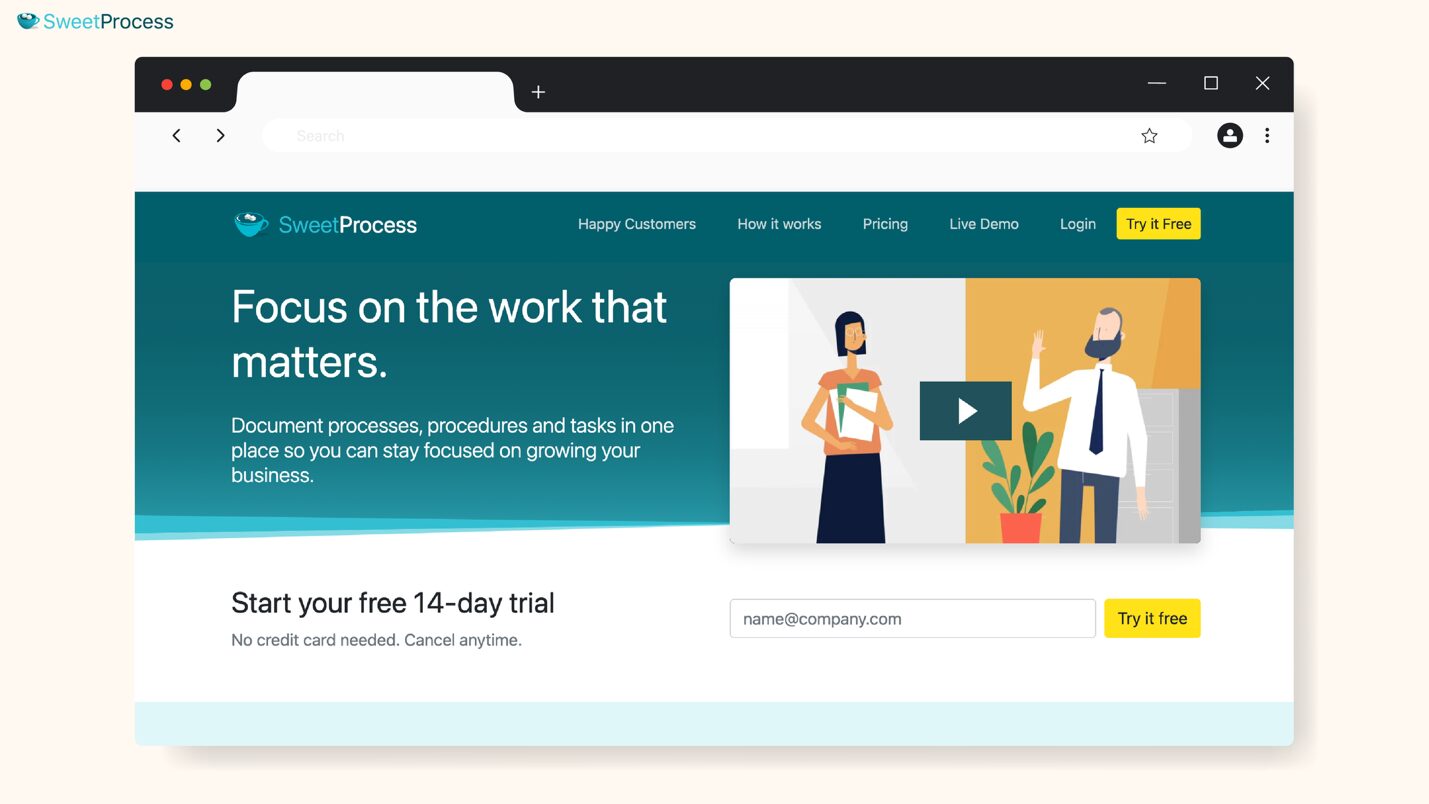
SweetProcess is a process documentation and staff training software designed to help growing teams onboard faster, train employees consistently, and streamline operations.
While traditional learning management systems focus mainly on course creation, SweetProcess combines staff training, business process documentation, and knowledge management in one centralized platform.
This makes SweetProcess especially useful for businesses that want employees to not just consume theoretical training content but also learn how work is actually done.
If you want a simple but structured way to train staff without complexity, then SweetProcess is your best bet.
Features of SweetProcess
SweetProcess offers a set of staff training features that not only help onboard employees seamlessly but also support ongoing performance improvement.
- Create Procedures and Policies for Staff Manually and With AI
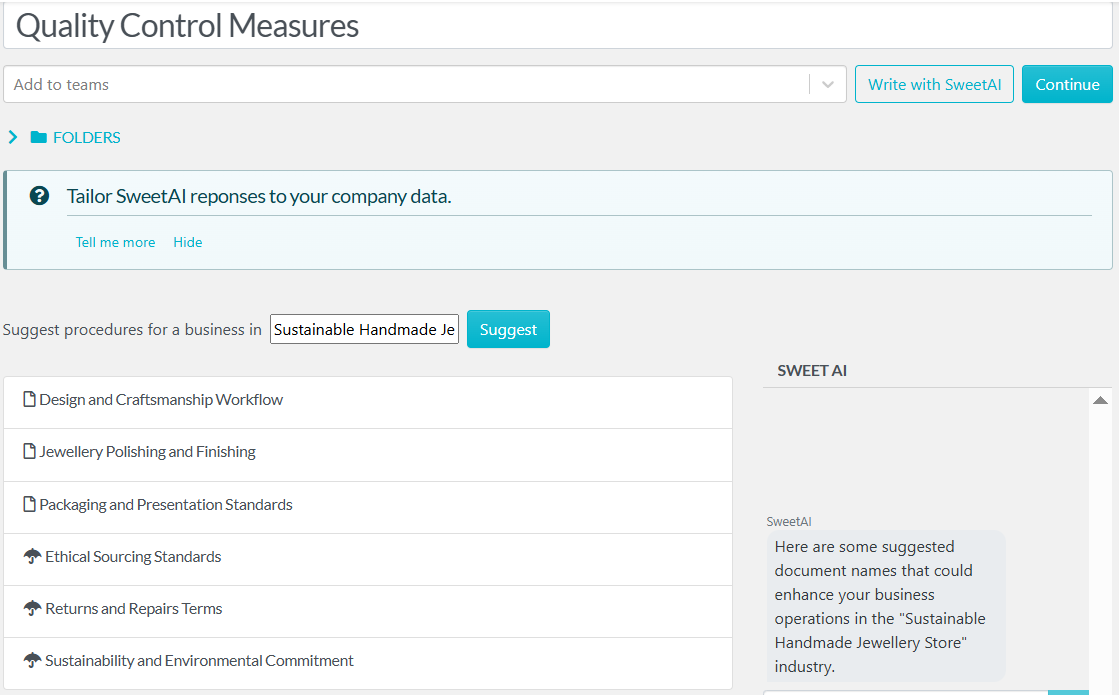
SweetProcess allows you to either document your procedures and policies step-by-step from scratch or quickly generate drafts using SweetAI, the platform’s resident AI tool.
- Build a Knowledge Base for Staff Using SweetProcess
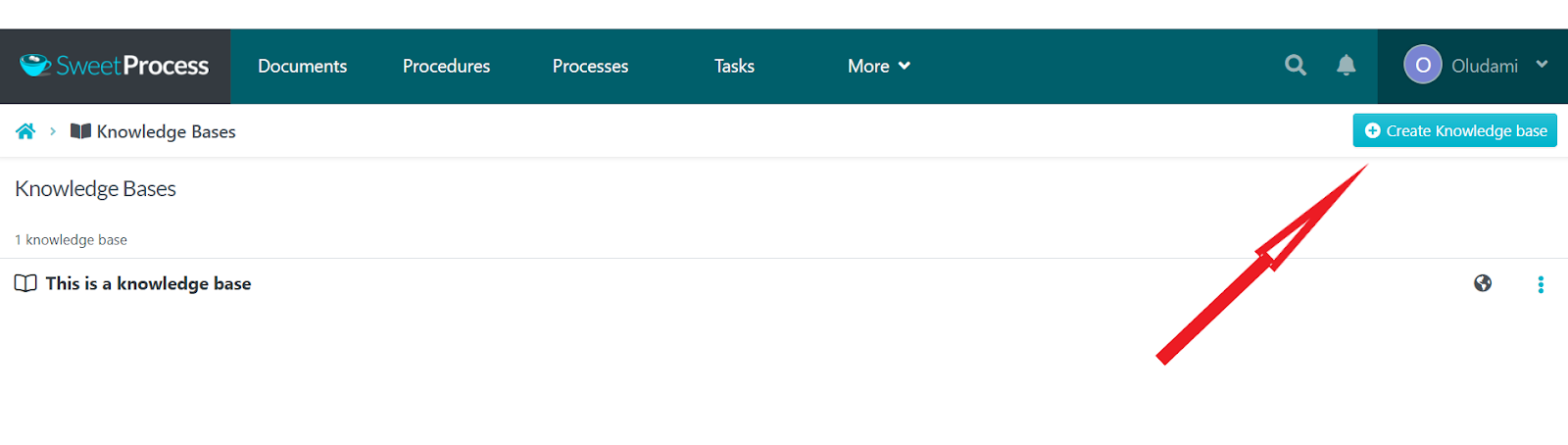
With SweetProcess, you can easily turn your processes, procedures, and training content into a searchable knowledge base accessible to staff at any time.
This means that employees will always have a reliable reference point even long after onboarding ends.
- Customize Staff Training Materials With Multimedia, Tables, and Forms
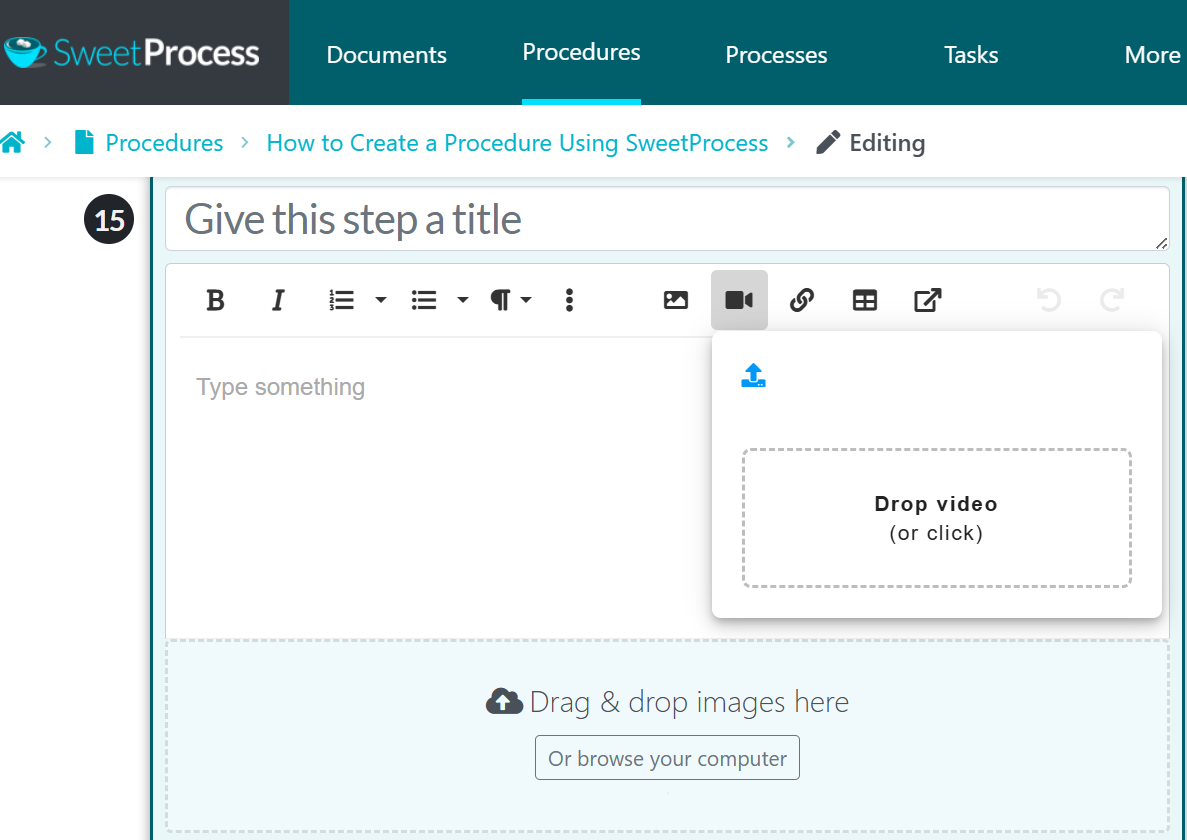
To make your training more flexible, engaging, and easier to understand for all types of learners, you can add images, videos, tables, forms, checklists, and more, instead of just plain, boring text.
- Assign Training Tasks to Staff on SweetProcess
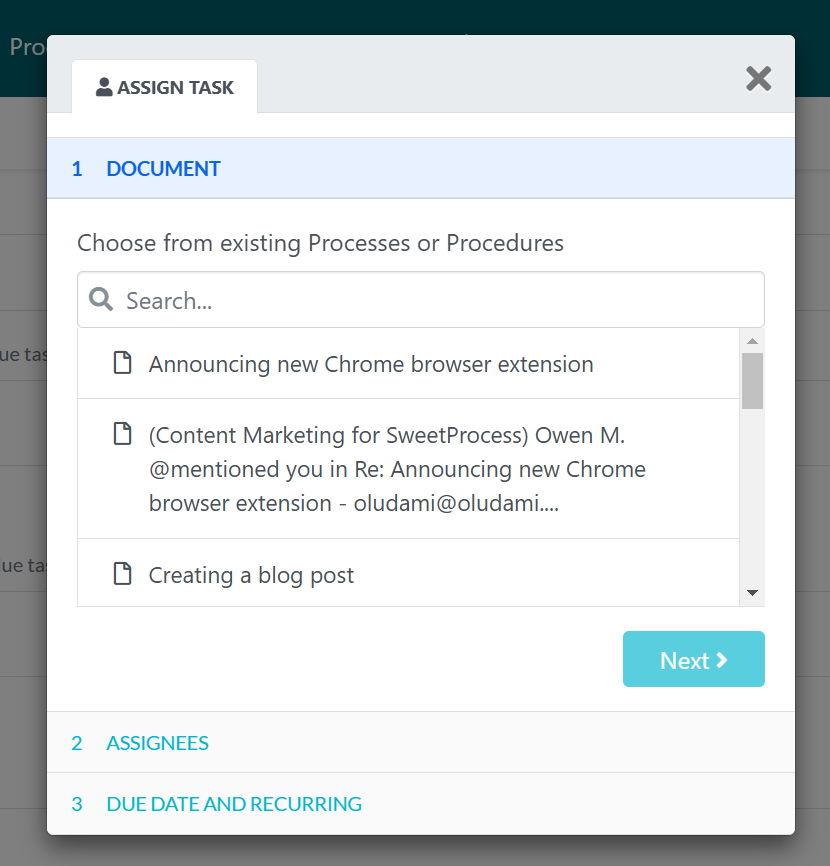
SweetProcess allows you to assign specific training tasks to individual staff members. With this feature, you can assign onboarding tasks with due dates to new hires and also track their progress. Your online training will indeed become actionable and not remain merely static information.
- Monitor and Assess Training Progress on SweetProcess
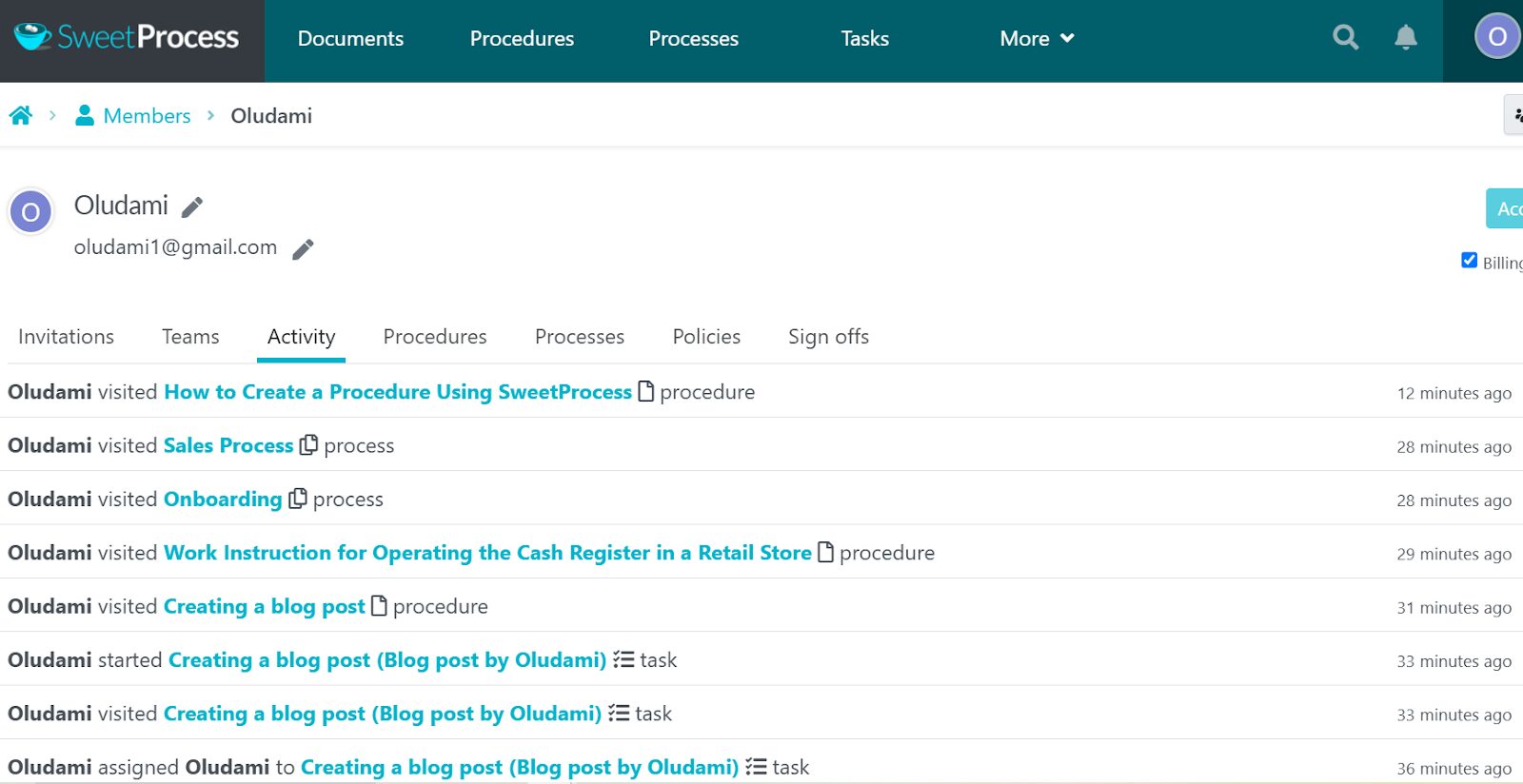
With SweetProcess, managers can track staff’s progress and completion of assigned training in real time. You can also set quizzes to assess each staff member’s understanding of the internal training content.
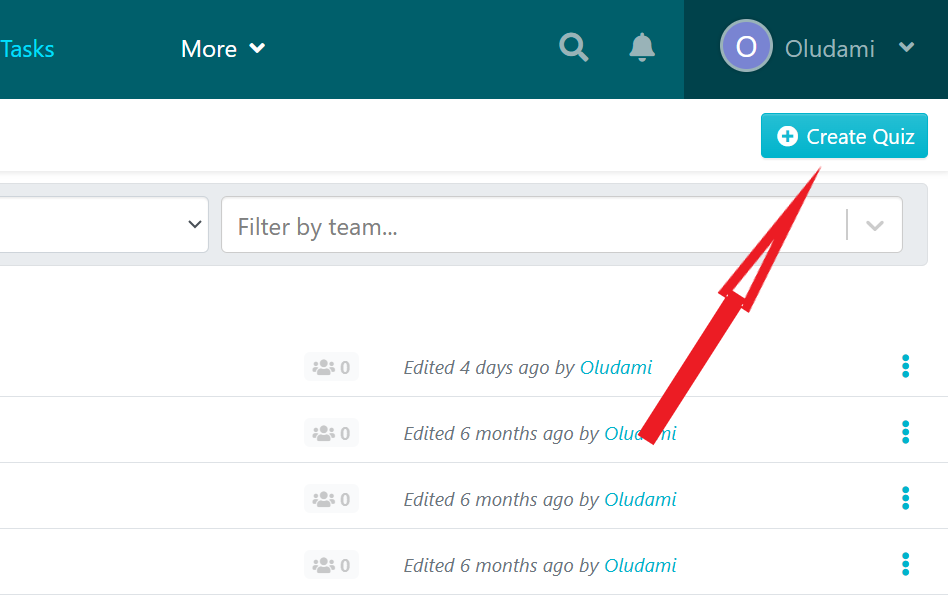
This way, you can identify gaps or delays early and also ensure accountability without micromanagement.
- Manage Training With Company Policies and Procedures in One Place
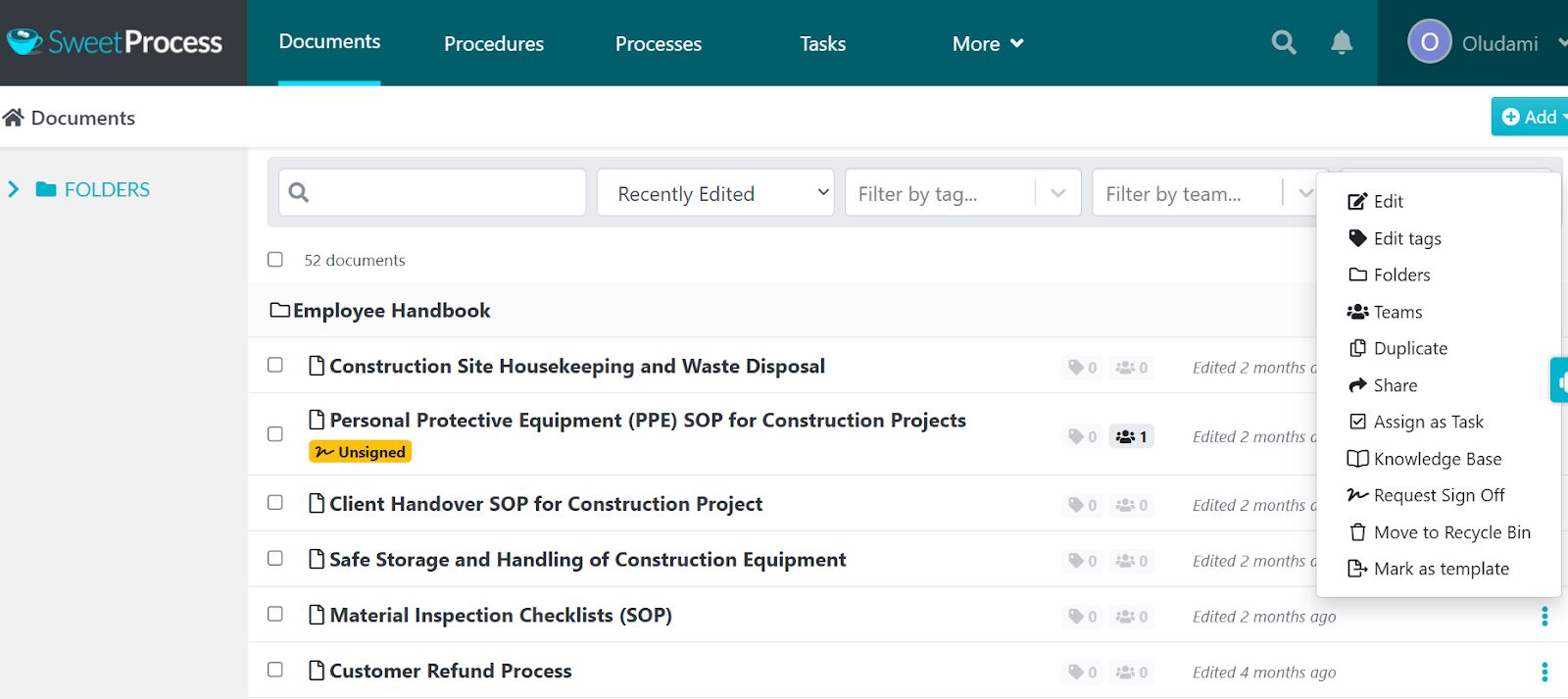
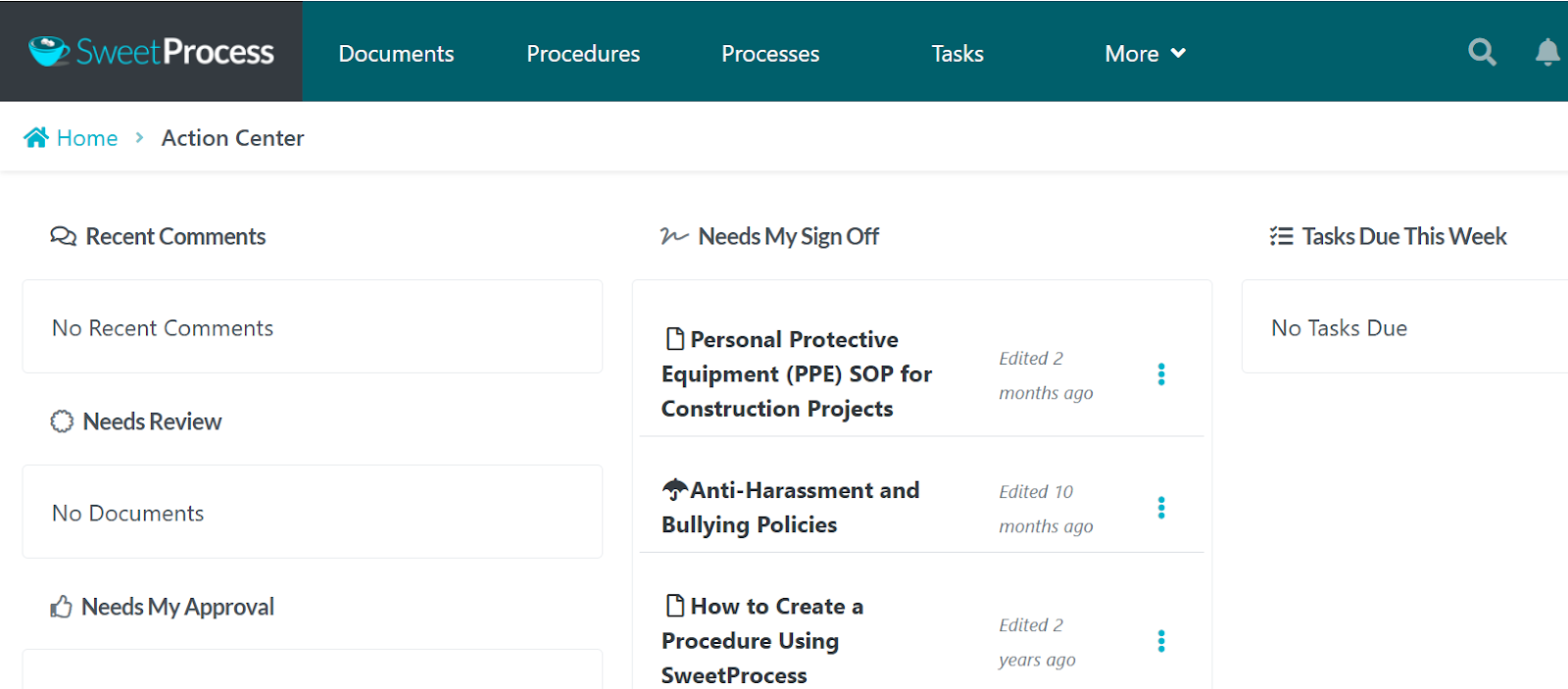
Consolidation is one of SweetProcess’s biggest advantages. SweetProcess keeps everything: training materials, processes, and procedures in one place. From the Documents tab, you can easily manage (edit, delete, assign, etc.) every training material or content created with the click of a button.
SweetProcess Pricing and Support
SweetProcess’s pricing is simple and transparent.
It’s $99 per month (or $82.50 when billed yearly) for a team of up to 10 team members. You pay an extra $5 per month for each additional team member.
And if you have fewer than 10 employees, you can sign up for the annual small team plan, which costs $495 per year for up to five users.
SweetProcess also gives several support options:
- Phone support [(800) 476-0732]
- Email (support@sweetprocess.com)
- Online form
- Live Chat
- Self-help guides/knowledge base in their comprehensive help center
Most importantly, SweetProcess offers a free trial for you and your team to test the platform before committing.
If you’re in the market for staff training software and comparing options to get a solution that helps you to train staff consistently, document your processes, and scale without breaking anything, then SweetProcess is a great place to start.
2. Trainual
Overview of Trainual
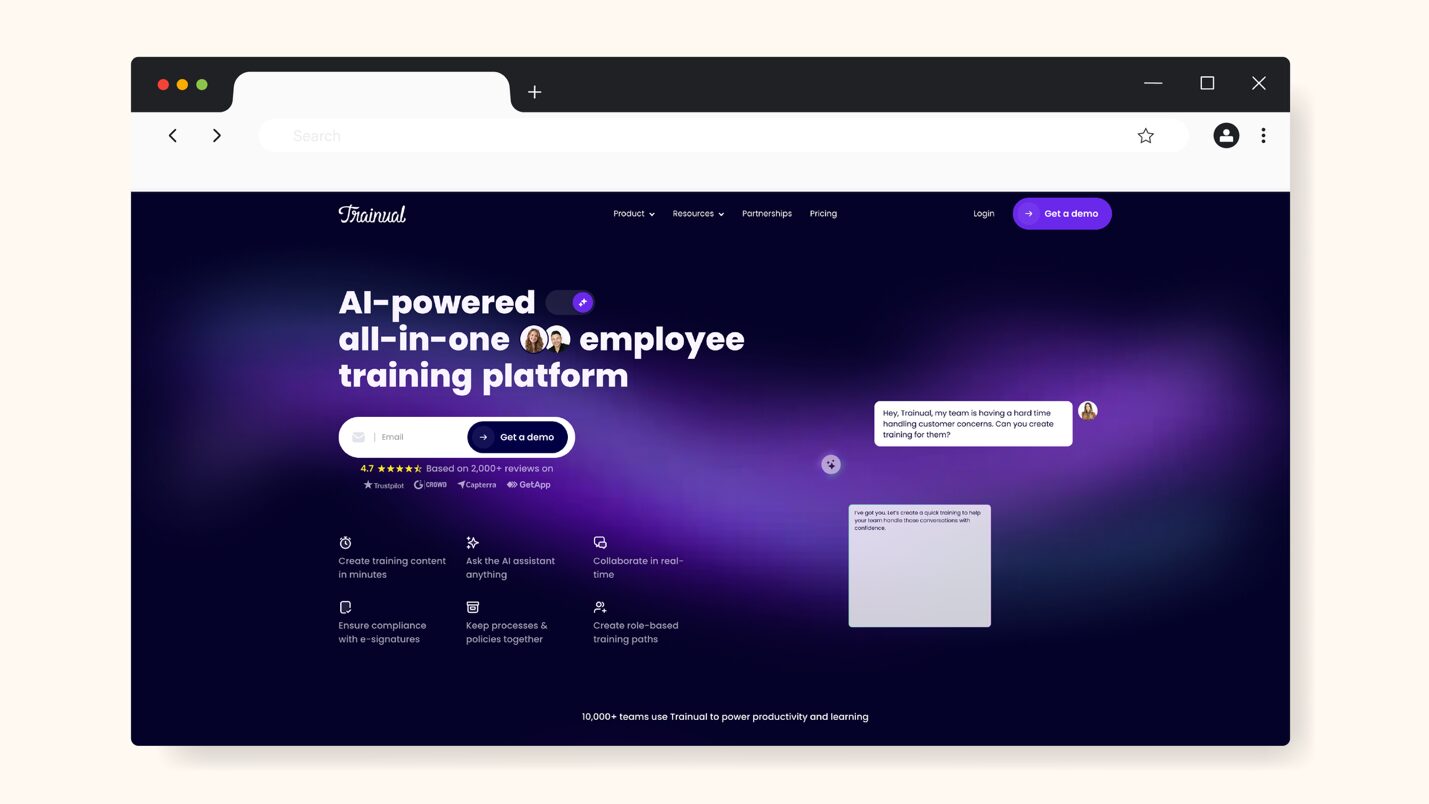
Trainual is an employee training and knowledge documentation platform designed to help businesses standardize training, onboarding, and SOPs in one place. It combines the features of an LMS (learning management system) with SOPs (standard operating procedures), and this makes training part of everyday workflow instead of a separate task.
What Makes Trainual a Good Staff Training Software?
Trainual is great at helping teams build structured training around both processes that aid operations and workflows that help with onboarding. Its features include:
- Centralized system for creating, organizing, and managing training (onboarding content) and SOPs documentation.
- Customizable training content with images, videos, and other multimedia, and checklists to make staff training more engaging.
- Quizzes and assessments to validate learners’ understanding.
- Integration with HR systems and work tools like Slack, Zoom, etc., to make training more efficient.
- Progress tracking and reporting to monitor progress, completion, and compliance with assigned tasks.
Trainual Pricing
Trainual offers four plans: Core, Pro, Premium, and Enterprise. Plans start at $249 per month for 10 seats (billed annually).
There’s no free trial, but the Trainual team offers a demo to get a hands-on look at how Trainual works for your team.
3. Litmos
Overview of Litmos
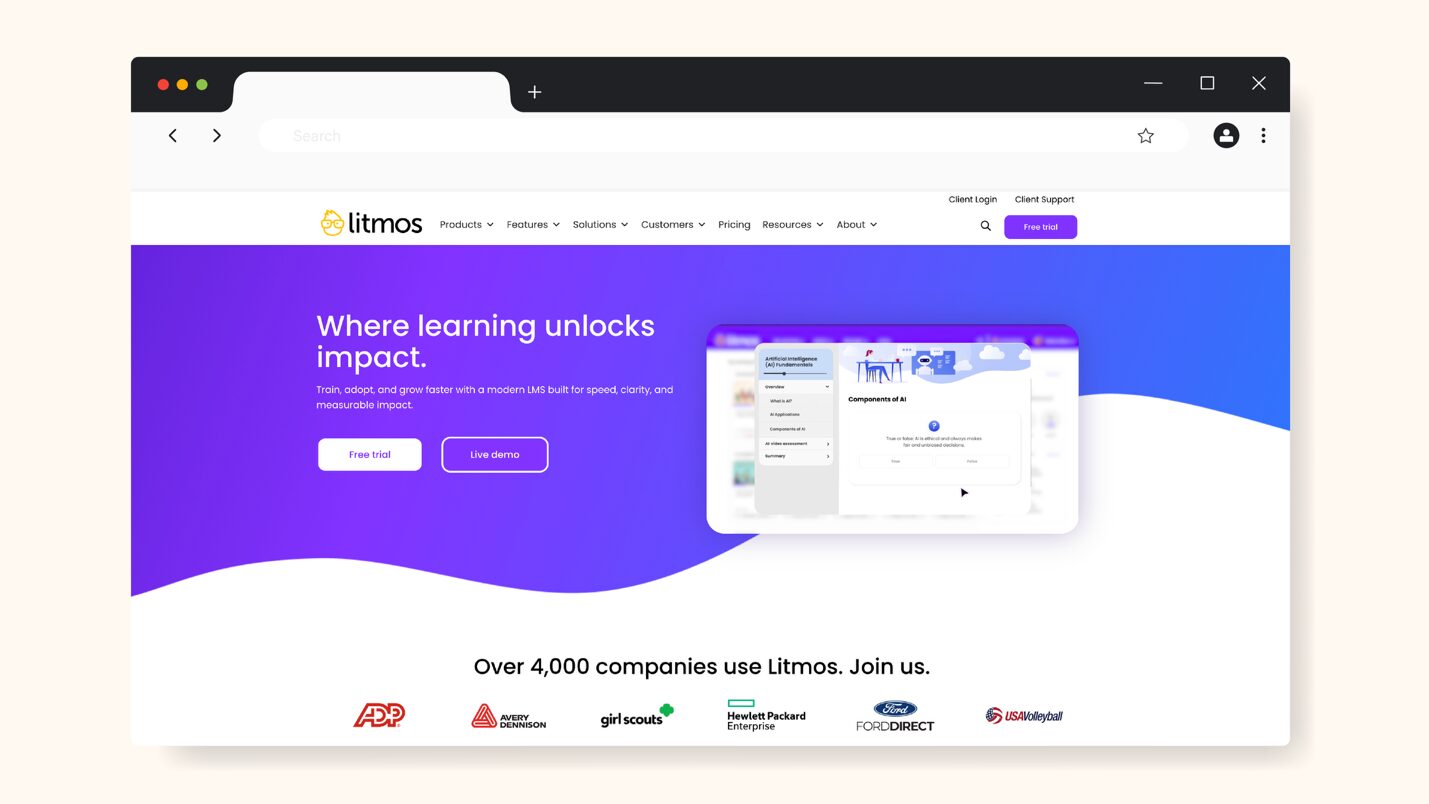
Litmos is a cloud-based learning management system (LMS) designed for corporate training and used by companies to create, deliver, automate, and track learning for their employees, partners, and customers.
It is AI-powered and user-friendly, with built-in authoring tools, a robust training library, and numerous integrations and APIs, all to make learning engaging and more personalized.
What Makes Litmos a Good Staff Training Software?
Litmos’s comprehensive training ecosystem that supports both formal learning and operational training makes it stand out as staff training software. It’s powerful and scalable with features that support robust training programs, some of which are:
- AI tools that enable easier content authoring and personalized learning paths—including content recommendations, like AI Playlists.
- A large training content library with thousands of ready-made courses on a variety of topics, including compliance, leadership, and skill development, to help teams launch quickly without building everything from scratch.
- Gamification and learner engagement features like badges, certificates, and leaderboards to drive engagement, motivation, and completion.
- Integration with numerous tools like CRM, HRIS, ERP, and collaboration tools to help embed training into existing workflows.
- Supports multilingual training and mobile learning, which is great for teams spread across several countries.
Litmos Pricing
Litmos offers three plans: Foundation, Platinum, and Platinum AI.
Their pricing is, however, only available on request and custom-quoted based on your needs, especially your organization’s size.
Litmos also offers a 14-day free trial.
4. TalentLMS
Overview of TalentLMS
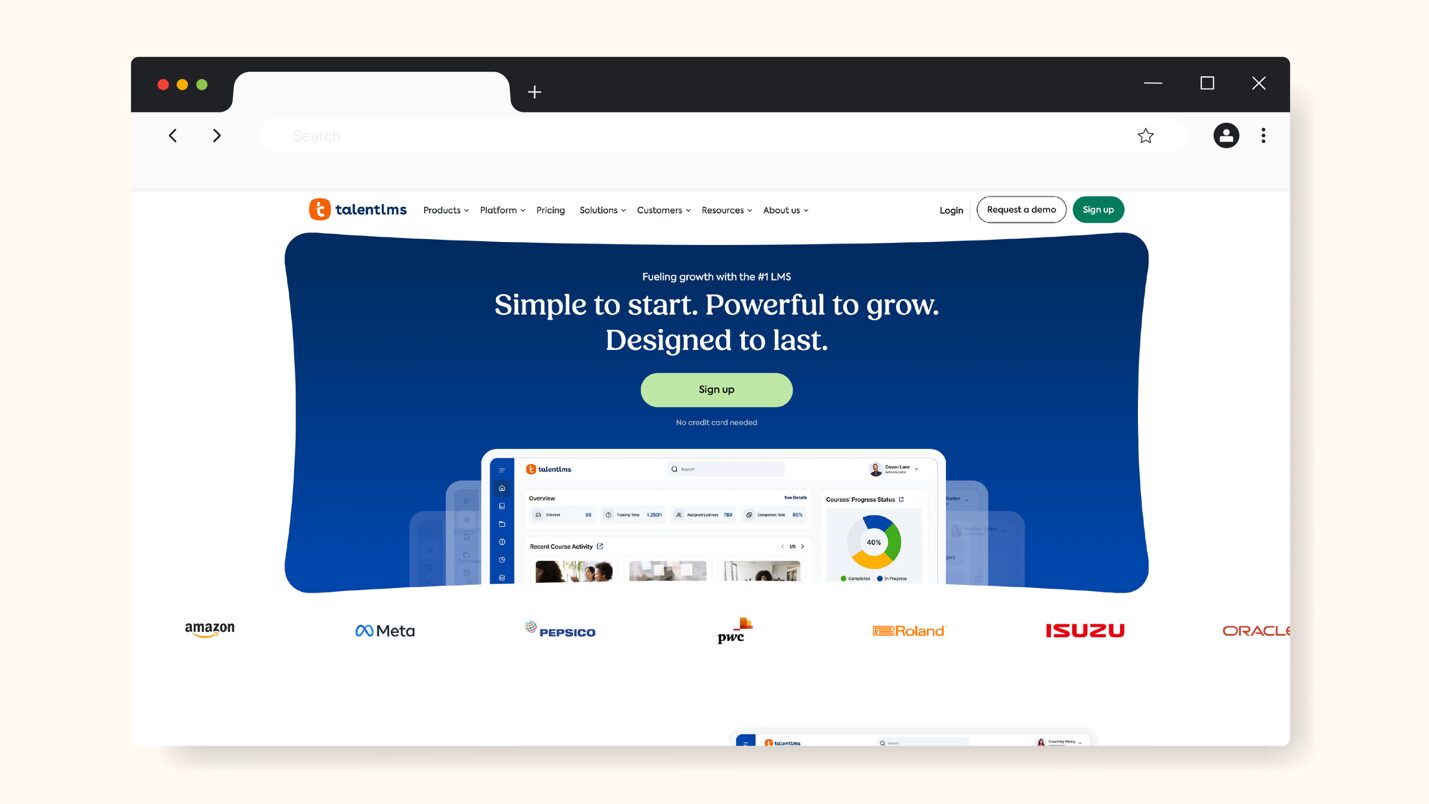
TalentLMS is a cloud-based learning management system (LMS) that is user-friendly and designed to simplify corporate training for all business sizes.
Features like its AI-powered course creation tool (TalentCraft) and built-in library of courses (TalentLibrary) make TalentLMS users enjoy quick setup, ease of use, and a high learner engagement rate.
What Makes TalentLMS a Good Staff Training Software?
TalentLMS offers a comprehensive set of features for businesses that want structured learning environments. Some are:
- Intuitive and flexible course creation with their inbuilt AI-assisted tool, TalentCraft, to generate multimedia-rich course content, quizzes, and custom learning paths.
- Integration with productivity and HR tools to streamline workflows and support SCORM compliance.
- Learning aid AI tools like AI Coach to guide learners in real time, and AI Translator for 40+ languages.
- Gamification tools like badges, points, and leaderboards can help improve learner participation and completion.
TalentLMS Pricing
TalentLMS has four plans:
- Core: 1-40 users at $149 per month (or $119 per month, when billed yearly)
- Grow: 1-70 users at $299 per month (or $229 per month, when billed yearly)
- Pro: 1-100 users at $579 per month (or $449 per month, when billed yearly)
- Enterprise: starts at 1,000 users, and the price is available on request.
You can start with a free plan with limited features for up to 5 users.
5. Moodle
Overview of Moodle
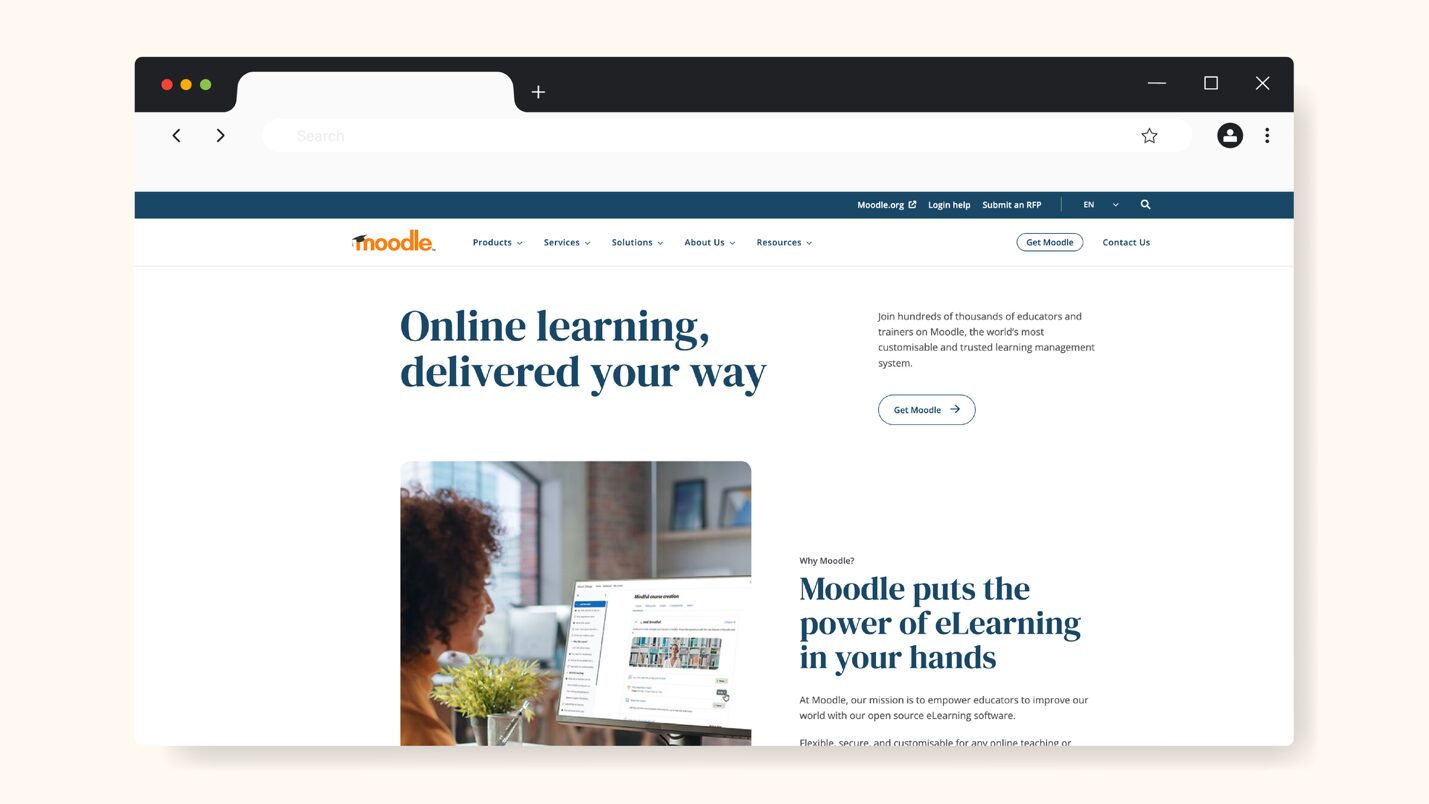
Originally developed for educational institutions but now widely adopted for corporate training because of its flexibility, Moodle is a free, open-source learning management system used globally by educators to create personalized learning environments online.
What Makes Moodle a Good Staff Training Software?
Moodle’s customizability and cost-effective scalability make it stand out from other employee training software. It has several advantages:
- Moodle’s open-source flexibility gives you control over customization and costs, as you can host Moodle yourself or through Moodle partners who offer managed hosting.
- Comprehensive course creation capacity that allows you to create multimedia courses, quizzes, assignments, and also activity tracking to customize and structure staff training.
- Wide integration and plug-in ecosystem for extended functionality tailored to your workflow.
- Affordably scalable, as it can support very large user bases without an increase in licensing costs.
Moodle’s cost-effectiveness and customization attract many organizations, though it requires more technical expertise than other LMSs in this list.
Moodle Pricing
While Moodle itself is free as an open source software, you pay for hosting and optional support.
There is, however, MoodleCloud for organizations that want an easy way to get started with Moodle platforms without needing technical setup or server management, and it has five plans:
- Starter: 50 users, $230 AUD ($162.74 USD) per annum
- Mini: 100 users, $380 AUD ($268.87 USD) per annum
- Small: 200 users, $700 AUD ($495.29 USD) per annum
- Medium: 500 users, $1,700 AUD ($1202.84 USD) per annum
- Standard: 750 users, $3,000 AUD ($2122.65 USD) per annum
MoodleCloud offers a 28-day free trial.
6. Bridge LMS
Overview of Bridge LMS
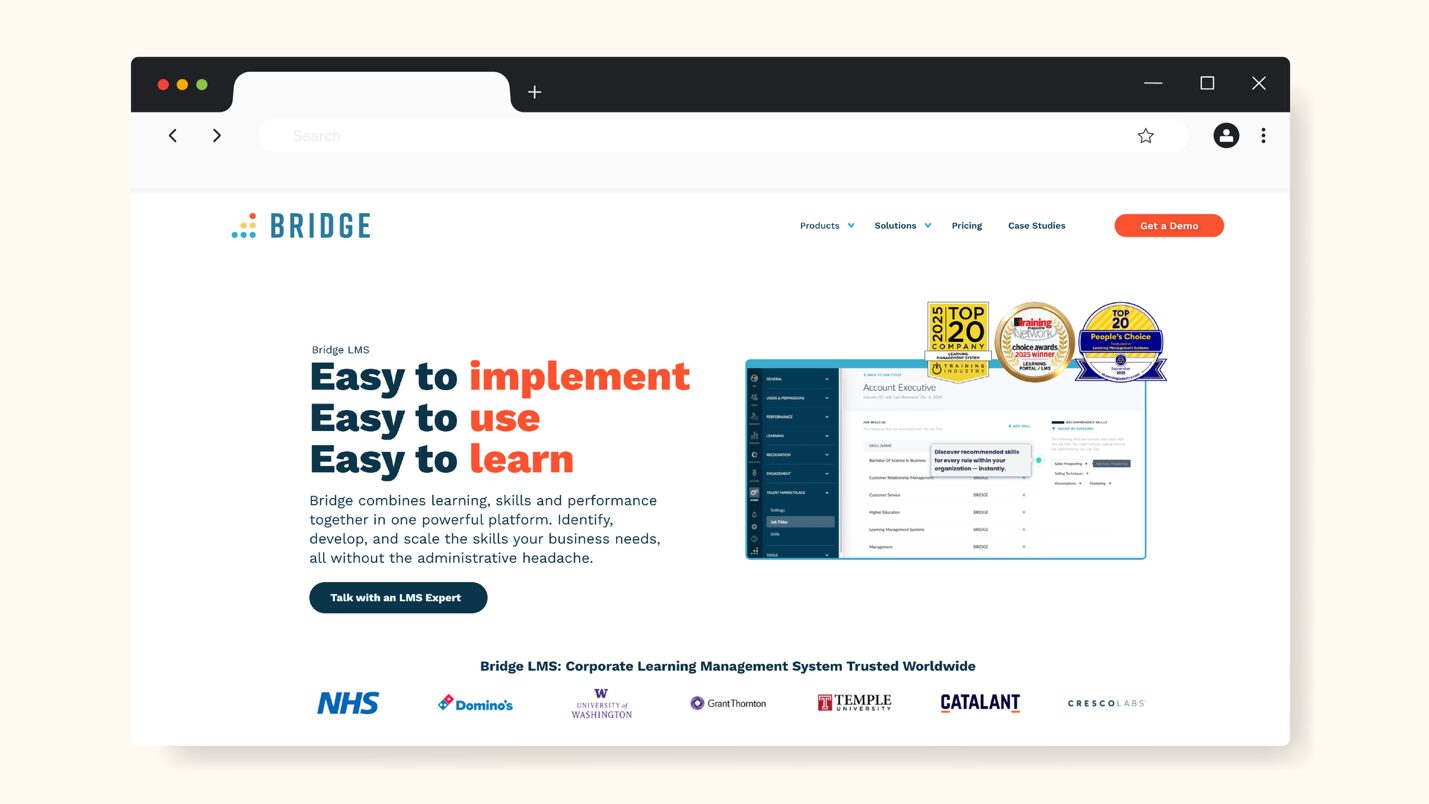
Bridge LMS is a corporate learning management system (LMS) designed for simplified employee training, development, and performance management.
It helps organizations to standardize employee onboarding, compliance, and skill development, while also giving managers insights into training outcomes.
What Makes Bridge LMS a Good Staff Training Software?
Bridge LMS provides an array of staff training features that make it attractive to managers and employees alike:
- Intuitive in-built authoring tools to create and deliver training programs quickly and with ease.
- AI-enhanced skill development and training management tools, including a pre-populated library tagged by skills.
- Supports employee engagement and career development with feedback, surveys, and goal tracking.
- Built-in analytics and progress tracking dashboard to keep teams on track and monitor enrollments, completion, and overdue training.
Bridge LMS Pricing
Bridge LMS offers custom pricing based on users and features, even though it’s stated clearly on their website that annual agreements start at $12,500.
They offer three plans: Learn, Talent Suite, and Full Suite, but you have to contact Support to get a quote.
7. 360Learning
Overview of 360Learning
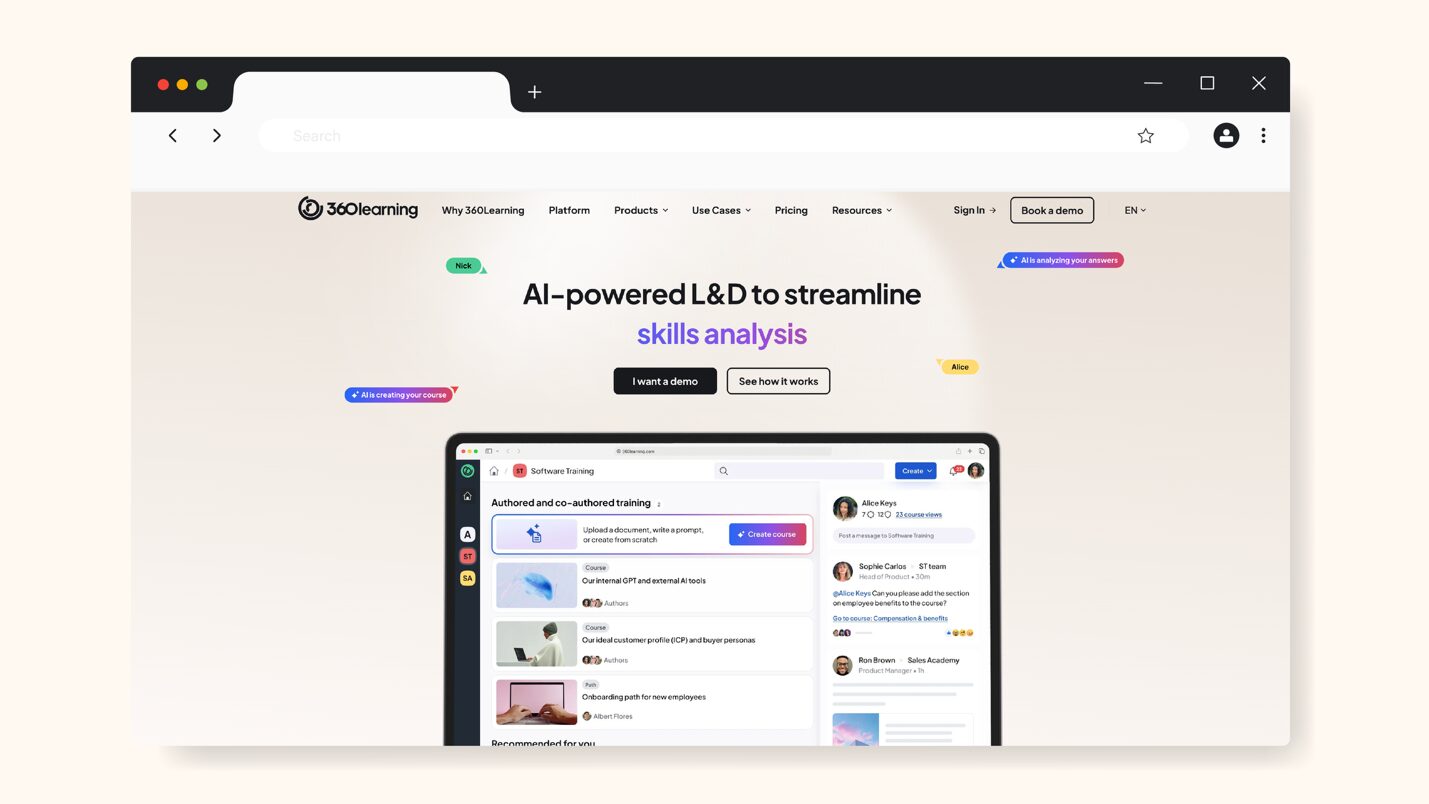
360Learning is an AI-powered learning management system (LMS) and collaborative learning platform designed for creating, sharing, and scaling staff training and developing skills by leveraging internal experts and AI tools.
It combines LMS with social learning tools like video and discussion forums to help teams create interactive training content for employers and customers.
What Makes 360Learning a Good Staff Training Software?
Collaboration and automation are the combination that makes 360Learning stand out from other LMS tools:
- Collaborative course creation, where anyone on the team can contribute to training content, and knowledge is captured quickly from internal experts.
- AI-powered tools that assist with course creation to speed up employee development.
- Functionalities like automated enrollment and compliance workflows to help keep training on track without so much manual input.
- Robust reporting and analytics tools to monitor training progress.
360Learning Pricing
360Learning offers two plans:
- Team: $8 per user per month for up to 100 users
- Business: Request a demo
They also offer a 30-day free trial on the Team plan.
8. Kallidus
Overview of Kallidus
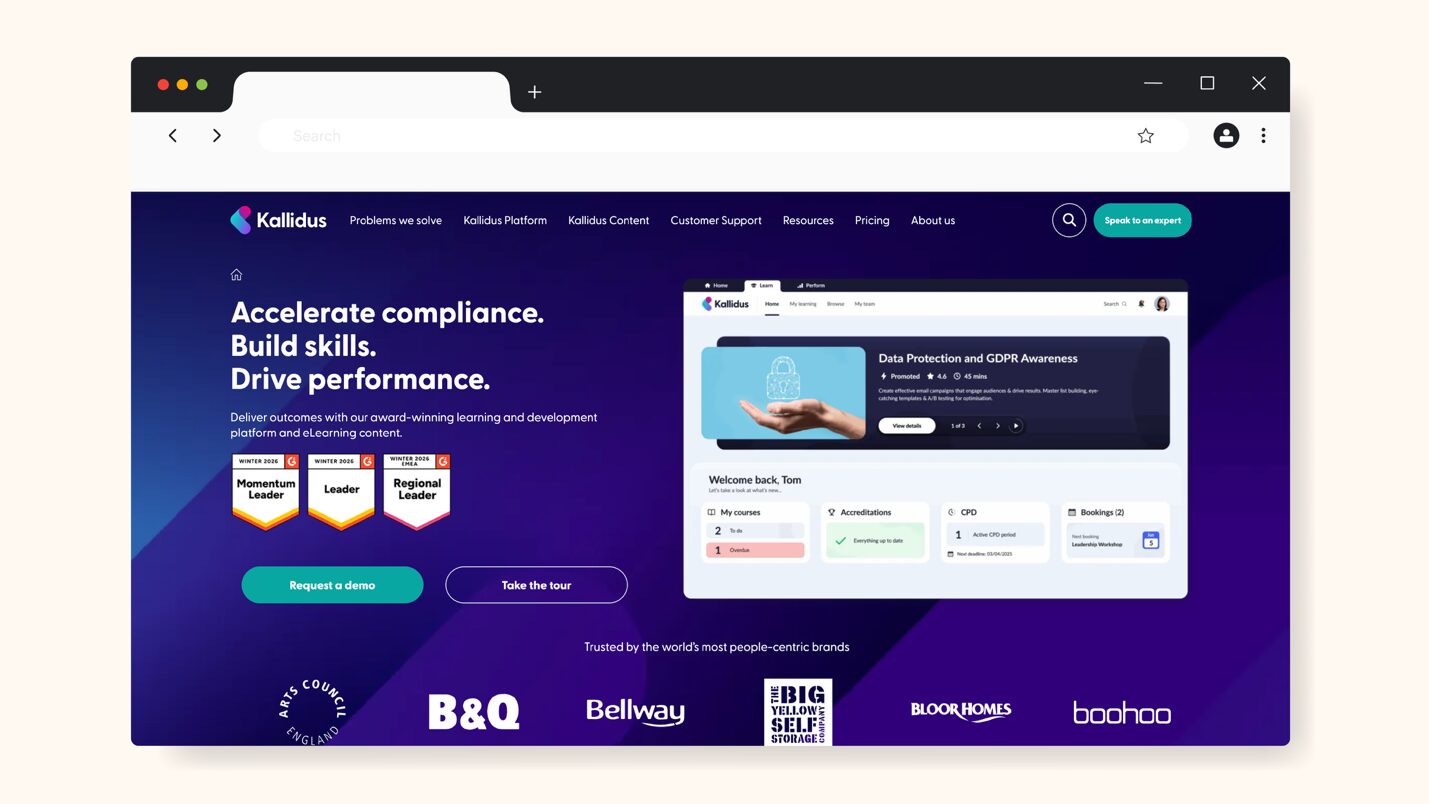
Kallidus is a cloud-based learning and talent management system designed to help organizations develop skilled and compliant employees through a combination of LMS, eLearning content, performance management, and analytics.
It is primarily suitable for mid-sized to large organizations and particularly popular in highly regulated industries, due to its heavy focus on compliance.
What Makes Kallidus a Good Staff Training Software?
Kallidus has structured learning capabilities, but it is also very compliance-driven. This makes it suitable for organizations requiring formal training. Some of its strengths include:
- Robust compliance and audit tracking that allows compliance-heavy organizations to assign mandatory training to employees, track completions, manage certifications, and generate audit reports.
- Ability to create a structured learning path that combines e-learning, live webinars, classroom training, and assessments for teams.
- Affords managers advanced reporting and analytics to monitor employees’ progress and overall training effectiveness.
- Training can be assigned by role, department, and other parameters, to ensure employees only see what is relevant to them.
Kallidus may, however, feel unnecessarily complex for smaller teams that primarily need simple staff training and onboarding.
Kallidus Pricing
Kallidus doesn’t publish its pricing publicly. They have 4 plans, each of which requires that you book a demo. They are: Content, Essential, Growth, and Advanced.
9. LearnWorlds
Overview of LearnWorlds
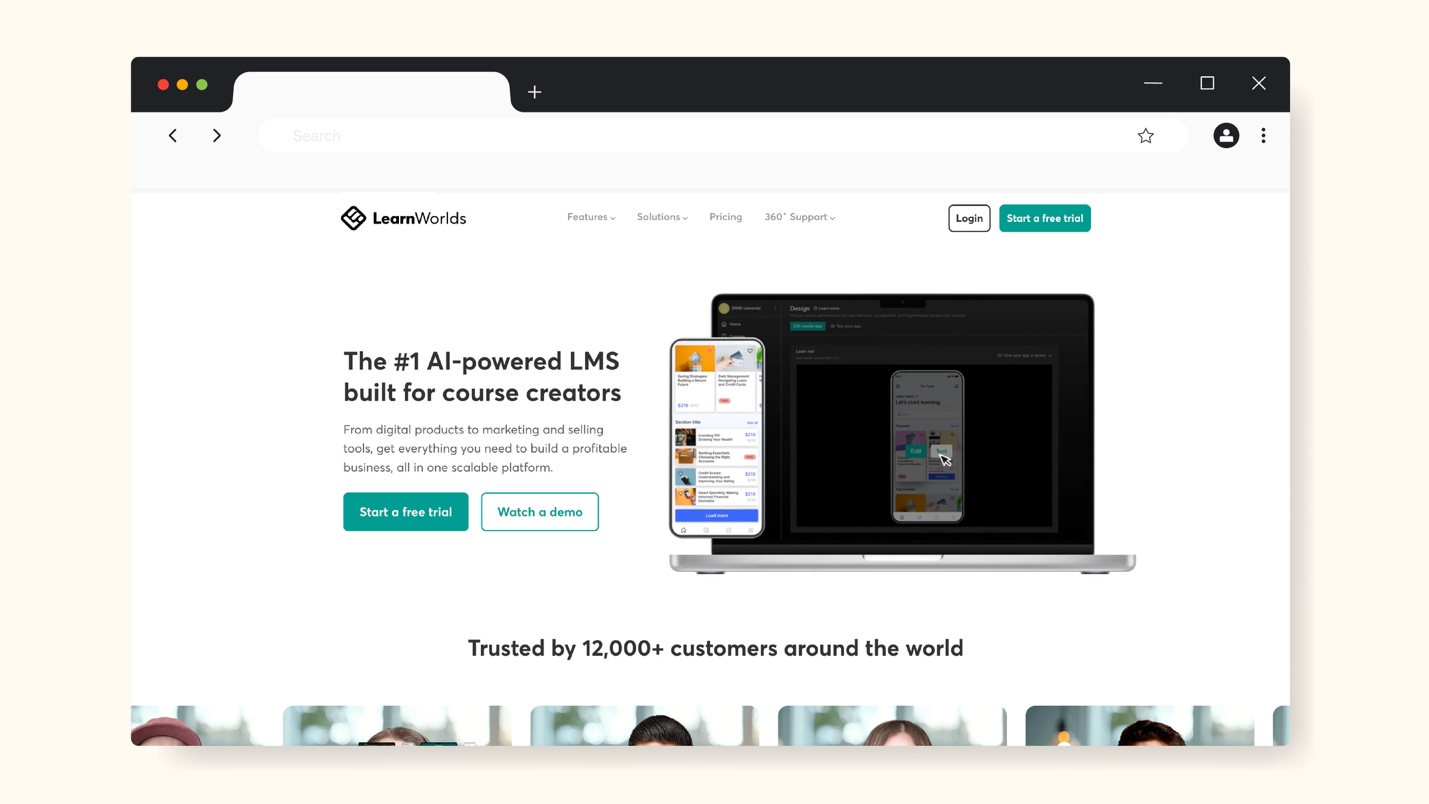
Originally built for course creators and digital product businesses and now used by businesses of all types and sizes, LearnWorlds is an online course platform designed for staff training, onboarding, and customer education.
It is attractive to teams that prioritize polished and interactive training content because of its heavy focus on course creation, multimedia, and a branded learning experience.
What Makes LearnWorlds a Good Staff Training Software?
Some notable features of LearnWorlds are:
- Advanced tools for creating interactive courses with videos (with buttons and overlays), e-books, quizzes, certificates, etc.
- Supports highly visual, strong multimedia and interactive training experiences that improve engagement and completion rates.
- Custom branding and white-labeling are available for businesses to fully brand their learning portals.
- Managers can track staff progress, course completion, quiz results, and other activities.
LearnWorlds is, however, less focused on operational process training and SOP documentation, and so might not be suitable for businesses that rely on procedures, policies, and workflows.
LearnWorlds Pricing
LearnWorlds offers 4 plans:
- Starter: $29 per month ($24 per month when billed yearly), plus $5 per course enrollment
- Pro Trainer: $99 per month ($79 per month when billed yearly)
- Learning Center: $299 per month ($249 per month when billed yearly)
- High Volume & Corporate: Speak to sales
You can start the first three plans for free.
Benefits of Using Staff Training Software for Your Team
Using the right staff training software offers measurable benefits to your staff and organization, especially in operations, finance, and people management.
Below are a few more specific benefits of using staff training software for your team:
1. Faster Staff Onboarding
The most obvious advantage of staff training software is the ability to onboard new hires faster. Instead of relying on manual onboarding methods that are time-intensive, like physical training or shadowing, you can onboard employees with structured programs that are:
- Pre-built
- Standardized across the board
- Repeatable
- Accessible at anytime and from anywhere
- User-friendly
Everyone wins this way. New employees get on board quicker, managers spend less time repeating training, and teams become more productive and get things done faster.
As a growing digital products company, AEJuice struggled with onboarding new customer support staff. Staff training was largely informal, and knowledge lived in people’s heads afterward.
This made new hires take too long to become confident in doing their jobs, especially handling customer issues. It slowed down response time and placed extra pressure on senior team members.
The company then realized they needed a centralized training system that was easy to follow and new hires could rely on without unending supervision—hoping such a system would also be easy to scale as support grew.
AEJuice found SweetProcess and built a structured training and knowledge base inside it. This gave new hires clear processes to follow from their first day at work. As a result, staff onboarding became faster, support agents quickly reached full proficiency, and overall team performance and confidence improved—all while decreasing managerial workload.
2. Reduced Training Costs
The cost of staff training delivery usually becomes very significant in the long term, but staff training software helps to reduce this cost to a large extent.
Once you centralize your training materials in one platform, you’ll see a noticeable reduction in costs otherwise related to in-person training sessions, hiring of external trainers or consultants, printed and/or outdated training materials, and so on.
Most importantly, however, is the reduction of costs otherwise accrued through waste of time and productivity from poorly organized training.
The great thing about staff training software is that once training programs are built, they become permanent. They can be reused, updated, and even scaled with minimal cost. With this, staff training software makes training more cost-effective over time.
3. Improved Staff Performance & Retention
Poorly trained employees bring more harm than good to the organization. They perform poorly and leave as soon as the next opportunity comes.
On the other hand, employees who are well-trained perform better overall and are more likely to stay. They are integrated into the organization and adopt the culture as their own.
Staff training software can help you improve staff performance and retention. With it, you can not just deliver training seamlessly, you can also:
- Track skill development
- Identify performance gaps
- Deliver ongoing training to reinforce learning
- Offer a clear growth path through targeted learning
When you support employees and make them feel competent and confident in their roles, job satisfaction increases, and retention improves overall.
4. Compliance Confidence
Compliance is non-negotiable for teams that operate in regulated industries or handle sensitive processes. Staff training software offers the benefit of keeping teams and their organizations compliant with local laws and industry standards. This is because there will be consistency in training content, and each employee will learn everything required to stay compliant.
Staff training software provides compliance-enabling features like:
- Updated functionality to keep policies compliant
- Version control for updated policies
- Centralized compliance training records
- Sign-offs and quizzes to ensure content consumption
- Proof of training for audits or inspections
This gives leadership the confidence that training requirements are consistently met across the organization and compliance risks are reduced.
5. Scalability With Team Growth
One major setback of traditional, manual staff training methods is scalability. They are almost impossible to scale. Training systems that work for 10 employees often break down at 50 and become simply unmanageable at over 100 employees.
Staff training software solves this problem as it is usually built to scale with growth. With staff training software, you can onboard large volumes of staff effectively and still maintain training consistency even as teams expand.
Rolling out updates is instant with staff training software; so is supporting all types of teams—remote, hybrid, etc.
This scalability was the experience of ShipCalm, an e-commerce-focused logistics company.
Training new staff became increasingly chaotic as ShipCalm grew. Processes weren’t documented clearly, employee onboarding took too long, and scaling was nearly impossible, as it meant repeating the same explanations over and over again.
They needed a scalable workflow system that could support growth and prevent any confusion, while also reducing training costs and time.
ShipCalm found SweetProcess and documented its core processes in it in an organized fashion. This allowed new hires to acquire the necessary knowledge faster and existing staff to work more independently.
With SweetProcess, onboarding became repeatable and training costs dropped significantly. The business was able to grow smoothly without operational bottlenecks.
Click here to read the full ShipCalm case study and listen to the interview with the CEO, Ted Fogliani.
6. Consistent Learning Experience
Consistency is critical but often overlooked in growing or distributed organizations. And we all know what lack of consistency can do to an organization—confusion, low productivity, lack of growth, and so on.
Using staff training software prevents these and ensures that:
- Every employee receives the same training
- Best practices and SOPs are documented and shared
- Knowledge doesn’t get lost when staff leave
- Training quality doesn’t depend on the individual trainer or manager
This creates a unified learning culture and reduces variability in performance across the board.
Zen Media had its processes documented all over the place—some weren’t documented at all—and this led to inconsistent employee performance. Team members handled similar tasks differently, which led to avoidable errors and quality gaps.
The company needed a single source of truth where all staff members could access up-to-date procedures and processes, to ensure that everyone worked the same way, no matter their role or location.
Using SweetProcess, Zen Media created a standardized knowledge base that aligned the team around clearly documented processes. This led to more consistent staff training, thereby reducing mistakes and giving management confidence that employees were following approved procedures.
You can click here to read the whole Zen Media case study and listen to the interview with their CMO.
Core Features To Consider Before Choosing Staff Training Software
Not all staff training software is built with the various business sizes in mind. Many platforms pose as having all-in-one functionality, but the real value of staff training software lies in how practical and easy the features are to use and in how scalable the platform is.
Here are the key features to consider when choosing staff training software:
1. Easy Course Creation & Content Uploads
Staff training software should reduce workload, not create more.
Look for an option that allows you to create training content, upload documents, videos, checklists, and other materials easily and without technical skills.
Your ideal staff training software should also give you the ability to update content quickly so you can stay compliant as processes change.
If creating courses or uploading content feels complex, it will be hard to adopt. The best staff training software lets you turn existing documents and workflows into structured training with less effort.
2. Onboarding Checklists & Progress Tracking
Employee onboarding is one of the most important processes in running a business. Unsurprisingly, it’s also the most repetitive. You should therefore ensure that your staff training software offers step-by-step onboarding checklists.
More so, there should be progress tracking for managers to be able to see what each new hire has completed.
These features ensure that new hires don’t miss any critical steps, while managers can monitor the onboarding progress without micromanaging.
3. Compliance Management
Compliance mistakes can be costly for most businesses and should therefore be avoided at all costs.
You should look out for staff training software that allows you to set policy review schedules, assign the review, and set mandatory training for team members.
Good staff training software should also be able to track changes and keep records for audits and internal reviews.
Even if you’re not currently concerned about compliance, having it built into your business protects your business as it grows.
4. Progress Tracking and Assessment
Training only works if it can be measured. Look for staff training software that provides progress tracking across courses and other training materials. You should also be able to create quizzes to confirm understanding.
You also want reports on how they are performing with assigned content and tasks. This allows you to improve training content over time and intervene when staff need support.
5. Mobile Access for Frontline Staff
Frontline staff need to be able to access knowledge at any time from anywhere. If your business relies on frontline or non-desk workers, your ideal staff training software should be mobile-friendly and offer users non-restrictive access.
Your employees should be able to learn without needing a computer or office setup, and they should be able to complete onboarding or refresher training on their own schedule.
6. Integration With HR Tools
You want to ensure that your staff training software can integrate with other tools that make the onboarding experience seamless. Tools you already use, such as HR or payroll systems, project management tools, and communication tools, should integrate seamlessly with your staff training software.
Integrations keep data consistent and help to make staff training a part of your existing workflow and not a separate system to manage.
7. Role-Based Access Permissions
Giving new hires access to your staff training content shouldn’t give them access to your entire business. Access should be restricted only to what they need to see to function well in their role. They shouldn’t be able to access or edit everything.
Your staff training software should be able to assign training based on job roles and allow you to control who can access, create, edit, or approve content.
Which Staff Training Software Is Right for Your Company?
The right staff training software for your company is not necessarily the one with the most features. It should be the one that actually fits how your business currently operates, and how it plans to operate in the future.
The most important factors to look out for in an ideal staff training software usually come down to a few essentials:
- Ease of Use: The tool should be easy to use, and training creation should be simple so that training or onboarding doesn’t become another burden on the organization.
- Speed: Onboarding should be quick, both to set up and to consume, so that new employees become productive quickly.
- Clear Progress Tracking: To ensure accountability and reduce manager workload.
- Centralized Documentation: For training materials, procedures, processes, and policies, to avoid confusion.
- Role-Based Access: So that staff only see what is relevant.
- Scalability: That supports company growth, without rising costs or complexity.
You must have noticed that most staff training software tools are learning management systems (LMS) that focus primarily on course creation and content management. Unfortunately, businesses often need more than just that.
And even though enterprise LMS platforms are great for advanced analytics and compliance, they might feel overwhelming for teams that simply want to train their staff properly.
This is where SweetProcess comes in.
It’s a balance of both extremes. SweetProcess nicely brings together staff training, employee onboarding, and documentation of procedures, processes, and policies, all in one place. This makes it easier for teams to:
- Onboard and train new employees easily, effectively, consistently, and scalably.
- Ensure skill development, clarity, compliance, and accountability.
- Ensure training aligns with real business needs and goals.
Instead of juggling separate tools for staff training, employee onboarding, and SOPs, SweetProcess helps businesses to keep everything in one place to keep them connected and easily manageable.
If your goal is to train staff faster and more consistently, reduce errors, and build a team that operates confidently and independently, then SweetProcess is a practical place to start.
Staff Training Software FAQs
Staff training software is a digital tool that helps businesses to train, onboard, and develop their employees in a structured and repeatable way. It replaces less effective manual training methods with a centralized system that saves time and improves productivity.
A learning management system (LMS) is usually designed for formal, course-based learning, usually with certifications.
Staff training software, on the other hand, focuses more on business operations and emphasizes onboarding, SOPs, and processes training, and day-to-day execution of roles.
Good staff training software should at the very least have the following features:
– Easy creation and updating of training materials
– Onboarding checklists and quizzes for assessments
– Progress tracking and reporting
– Mobile access for staff, especially frontline and remote staff
– Integration with HR and other tools
– Compliance management
– Role-based access permissions
SweetProcess is a great staff training software tool because it combines training, procedures, and policies in one platform.
It’s especially effective because of the following features:
– Easy creation of procedures and policies manually and with AI
– Quick building of a knowledge base for staff
– Training task assignments and progress tracking
– Role-based access to training and procedures
– Management of training and operations in one central place
SweetProcess makes learning more practical and immediately applicable for businesses that need employees to correctly and consistently learn what work is actually done, not just consume abstract content.
Sign up for SweetProcess today and try it for free for 14 days to see for yourself exactly how it helps to train your staff with clarity and consistency.