Last Updated on July 29, 2026 by Owen McGab Enaohwo
Your newest hire made it through week one. They signed the paperwork, attended the welcome lunch, met with their manager, and set up their laptop. By HR’s definition, onboarding was complete. But from the new hire’s perspective, it had barely started. They start the next week feeling unprepared to do the job.
According to Gallup, 12% of employees believe their employer provides an outstanding onboarding experience. That fact means 88 percent of new hires walk into work confused or under-supported.
The problem with most organizations is that they lack the necessary tools. Those that do have employee onboarding software only automate HR admin work, such as collecting e-signatures and setting up taxes, but leave out the actual job knowledge.
Without documented procedures or a searchable knowledge base, new hires have nowhere to turn when they need to handle their first customer call or approve a vendor invoice. The right employee onboarding software closes this gap by creating a comprehensive structure to follow.
We evaluated 25+ platforms to find the nine best employee onboarding software tools for 2026, with honest assessments for each one.
Table of Contents
What Is Employee Onboarding Software?
What Makes the Best Employee Onboarding Software?
Quick Comparison: Top Employee Onboarding Software
9 Best Employee Onboarding Software for 2026
Core Features To Consider in Employee Onboarding Software
Benefits of Using Employee Onboarding Software
What Happens When You Start Using a Real Onboarding System
How To Choose the Right Employee Onboarding Software
FAQs About Employee Onboarding Software
Which Employee Onboarding Software Is Best for Your New Hires?
What Is Employee Onboarding Software?
Employee onboarding software guides new hires from their first day through full productivity. It replaces scattered checklists, email threads, PDF documents, and multiple handoffs among managers with structured, repeatable workflows that employees can follow.
When implemented well, it automates multiple company tasks, including document collection, task assignment, training delivery, and progress tracking. This process continues until the employee is fully integrated into the company culture.
How does employee onboarding software differ from general HR software? General HR tools manage the employee lifecycle, including payroll and performance reviews. On the other hand, employee onboarding software is specifically focused on the critical first window after a new hire has reported to work and is still deciding whether they made the right choice.
There are three broad categories of employee onboarding software that you should know:
- HR-admin tools like BambooHR and Gusto handle forms, e-signatures, tax documents, and payroll setup.
- Process documentation tools like SweetProcess and Trainual mostly focus on documenting and managing standard operating procedures (SOPs), training workflows, knowledge bases, and task tracking, teaching new hires how work actually gets done.
- Hybrid platforms like Rippling Bridge HR and IT Provisioning, automate both the paperwork and the system access that a new hire needs.
Most companies need at least one of these, while some organizations may benefit from two.
If you have the HR-admin layer covered, you now need a tool that goes further to document training workflows, knowledge bases, and SOPs that guide new hires. SweetProcess is built for this. Try it here!
What Makes the Best Employee Onboarding Software?
Before comparing tools, here are the five criteria we used to evaluate each platform on this list.
Ease of Setup and Learning Curve
Can a non-technical HR manager configure and launch onboarding workflows in a day? We examined whether both employers and employees can navigate these tools easily. The best tools are usable immediately.
Workflow Automation
The onboarding process involves many moving parts. You need to introduce new hires to team members, handle administrative tasks, assign work, send reminders, and share documents with people across multiple departments. For this, you need a platform that automatically triggers each step to eliminate errors.
Training and Knowledge Delivery
Employee onboarding doesn’t stop at signing contracts; you need to provide company information that new hires need to do their jobs. The onboarding software should allow you to do more, including sharing SOPs, role-specific procedures, videos, and work-related quizzes.
Integration Depth
Does the employee onboarding tool connect to your Human Resources Information System (HRIS), payroll platform, Slack or Teams, and IT provisioning tools? Onboarding is a cross-functional process, and the software you choose should reflect that.
Pricing Transparency
It’s common for pricing to be hidden behind a “contact sales” wall. Some employee onboarding platforms don’t show you a number before a demo, making budget planning harder than it needs to be. We’ve indicated which tools publish their prices publicly to give you a clear picture as you evaluate.
Quick Comparison: Top Employee Onboarding Software
| Tool | Best For | Starting Price | Free Trial | Key Differentiator |
| SweetProcess | Documented, repeatable onboarding processes | $99 per month (up to 10 users) | 14-day, no credit card | SOPs, knowledge bases, task tracking, and quizzes for new hires |
| BambooHR | Small business HR onboarding | From $10 per employee per month | Yes | All-in-one HR suite with polished UX |
| Trainual | Team knowledge transfer and training | Contact the team for a demo | No | Structured training playbooks with built-in quizzes |
| Rippling | Automated IT + HR onboarding | Custom quote | No | Auto-provision of apps, devices, and payroll from one tool |
| Gusto | Payroll-integrated onboarding | $49 per month | Free until the first payroll | Employee self-service for paperwork and benefits |
| Deel | Global and remote team onboarding | From $599 per employee per month | No | EOR services and onboarding in 150+ countries |
| Waybook | Structured onboarding learning paths | From $99 per month | 7-day | AI-assisted SOPs with clean progress tracking |
| Connecteam | Deskless and frontline workers | Free for less than 10 users | 14-day | Mobile-first; built for teams without desks |
| Enboarder | Employee experience-first onboarding | Custom quote | Demo only | Human-connection workflows with manager and buddy orchestration |
9 Best Employee Onboarding Software for 2026
Most employee onboarding tools solve one piece of the puzzle, while others bring all those tasks together to document how work gets done. Here are nine tools worth considering, along with their core features, honest limitations, and pricing so you can match the right platform to your onboarding needs.
1) SweetProcess: Best for Documented, Repeatable Onboarding Processes
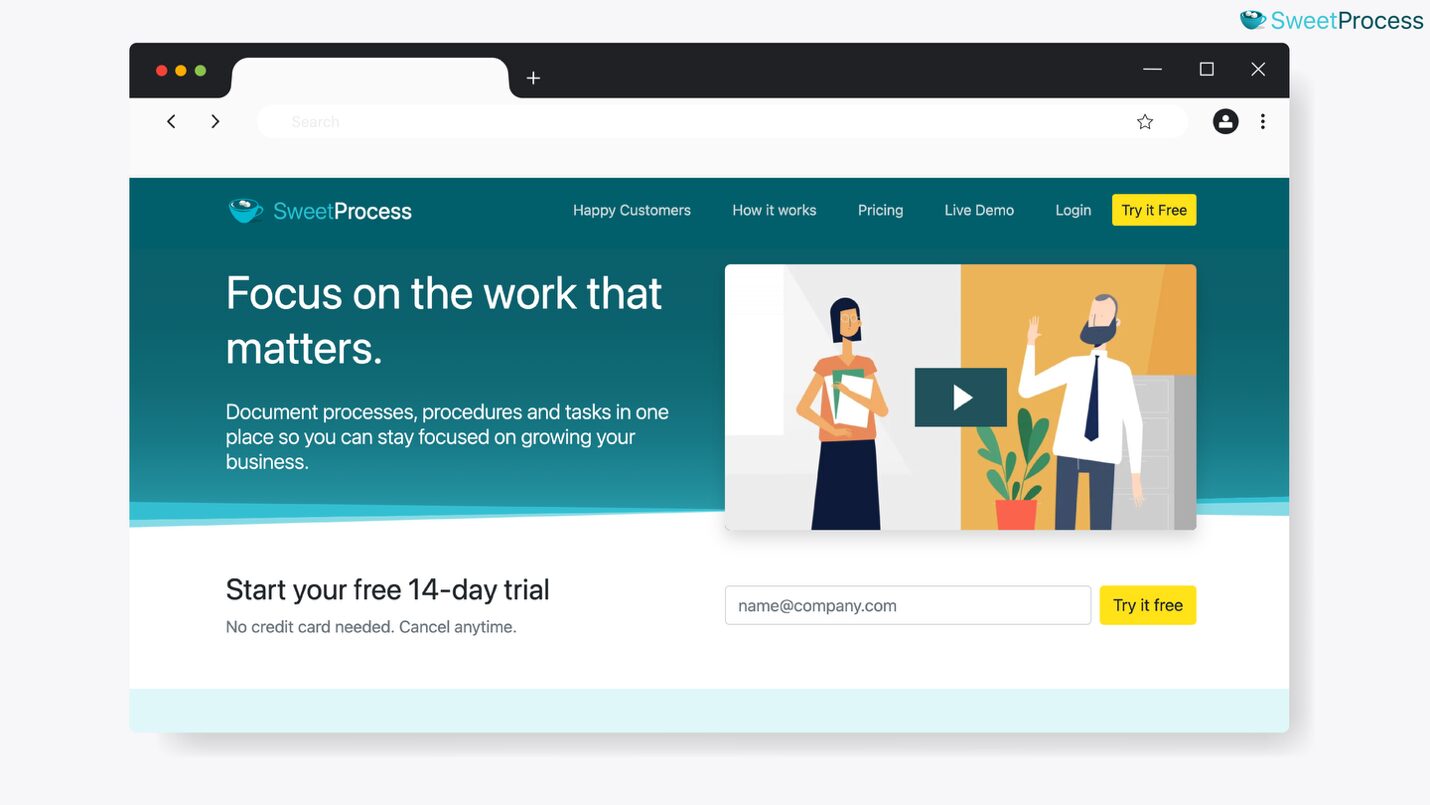
Overview of SweetProcess
SweetProcess automates how work gets done. While most onboarding software automates HR paperwork such as offer letters, SweetProcess handles the SOPs, training workflows, and knowledge bases that turn a new hire into a confident employee. It’s purpose-built for companies that want onboarding to be driven by documented, repeatable processes.
Its extensive feature set makes it ideal for organizations across industries. Managers can create quizzes, assign tasks, embed videos, and collaborate with all new employees on the same platform.
Key Features of SweetProcess
Here are the core capabilities you get from SweetProcess:
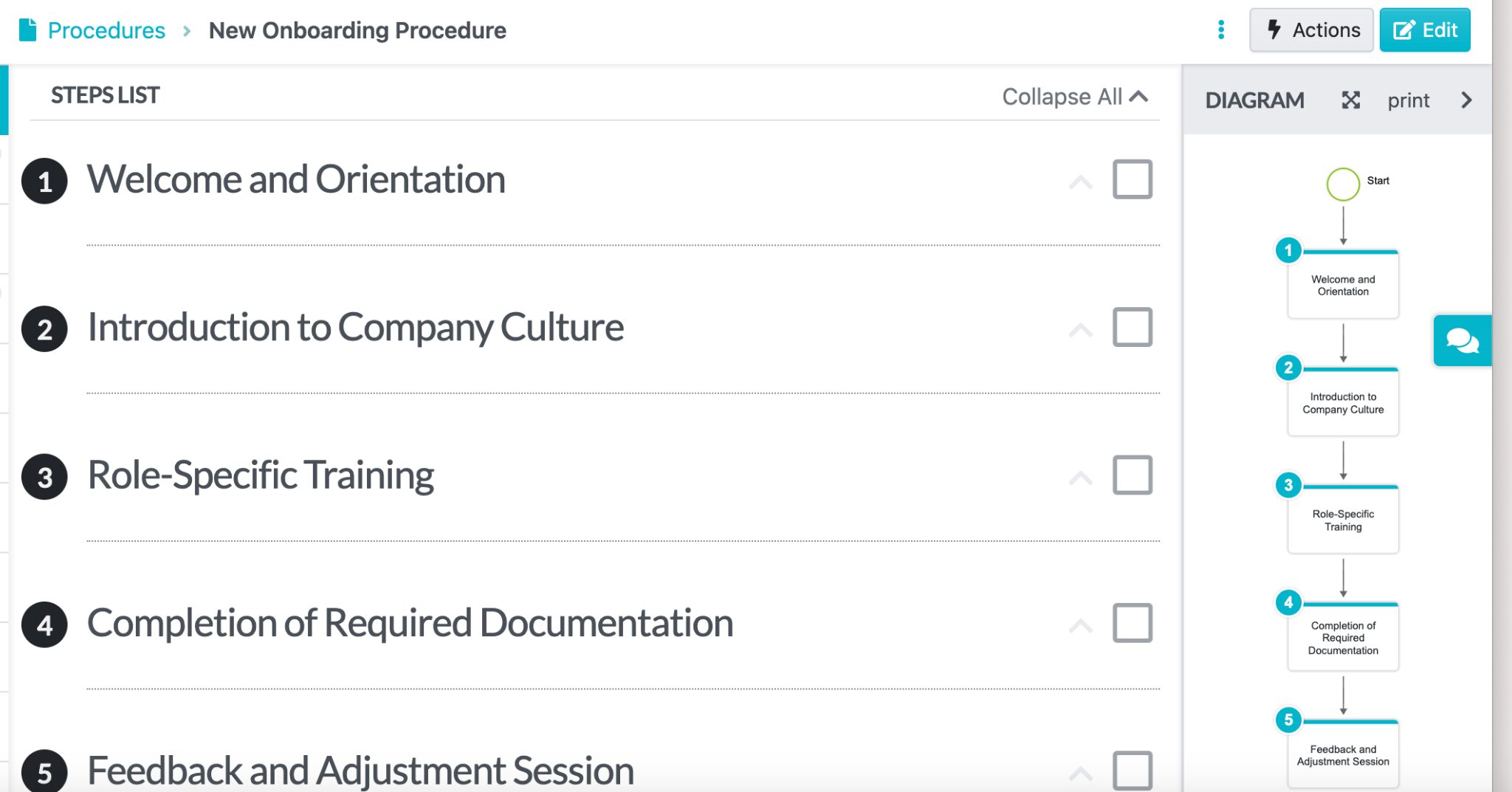
Creating Step-by-Step Onboarding Procedures
One of the biggest onboarding challenges is ensuring every new hire receives the same training and information. SweetProcess solves this by allowing you to document step-by-step onboarding workflows.
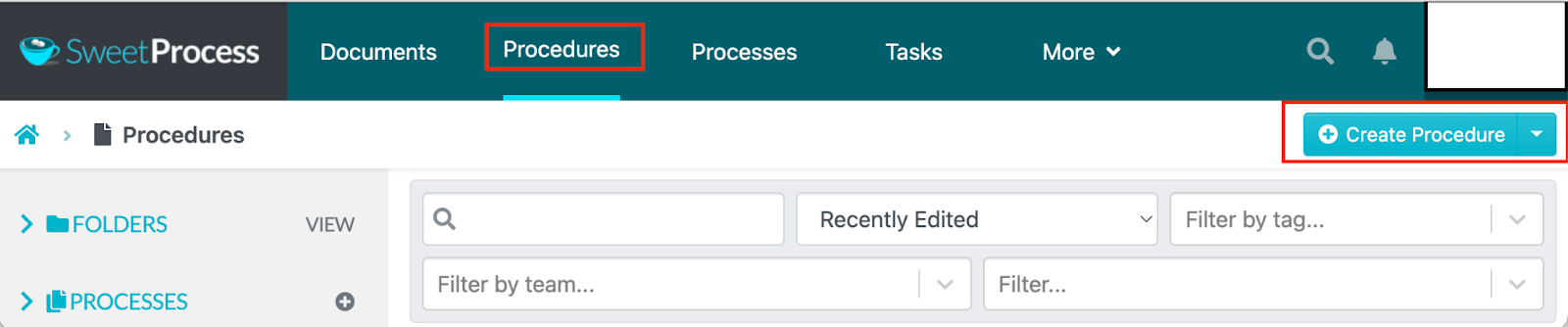
To start building a step-by-step onboarding workflow, navigate to “Procedures” on the dashboard and click “Create Procedure”.
Each procedure can include text, images, videos, decision trees, and embedded checklists, which is the information a new hire needs to execute a real task.
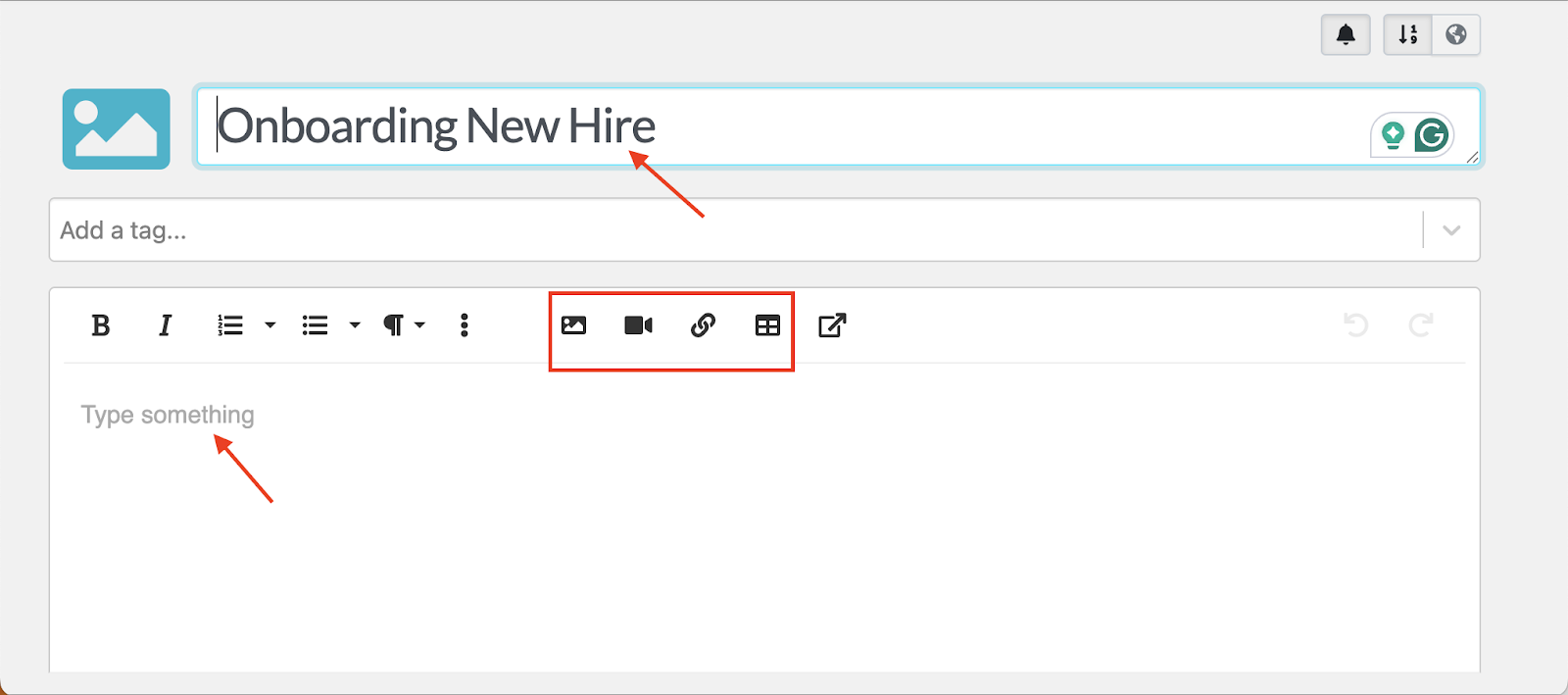
You can also include screenshots, links, and decision points within each procedure, making it easier for employees to follow instructions without constantly having to ask managers for help. Managers can also follow the onboarding checklist on the same platform.
Documenting Onboarding Procedures With SweetAI
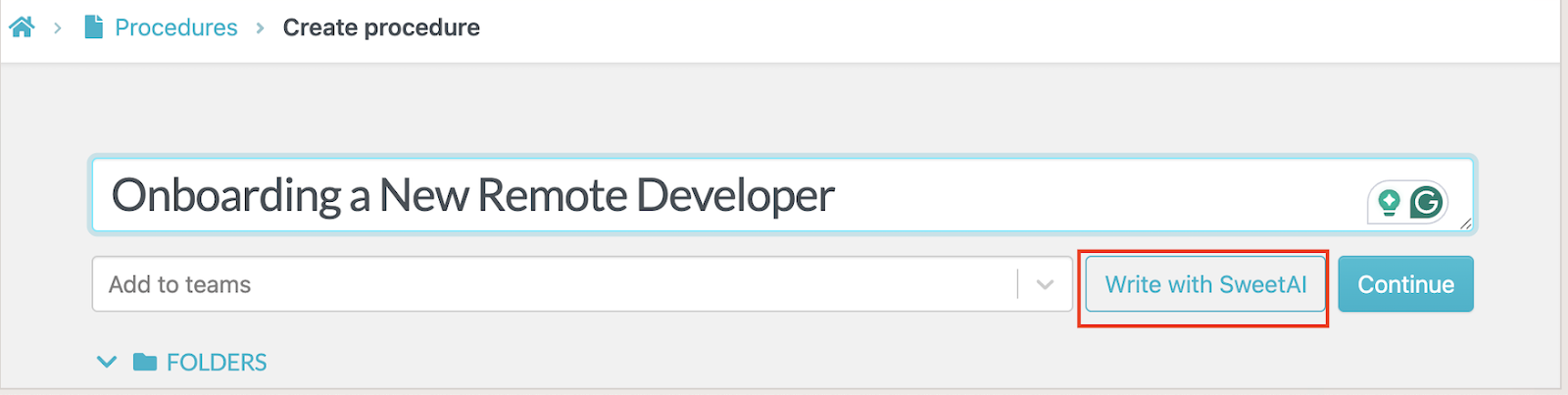
Creating onboarding documentation from scratch can be time-consuming, especially for growing businesses that need to document dozens of processes quickly.
With SweetAI, you can describe the process you want to document, for instance, “how to onboard a remote employee.”
SweetAI generates a complete and structured procedure in minutes, which you can edit and publish without migrating across scattered wikis.
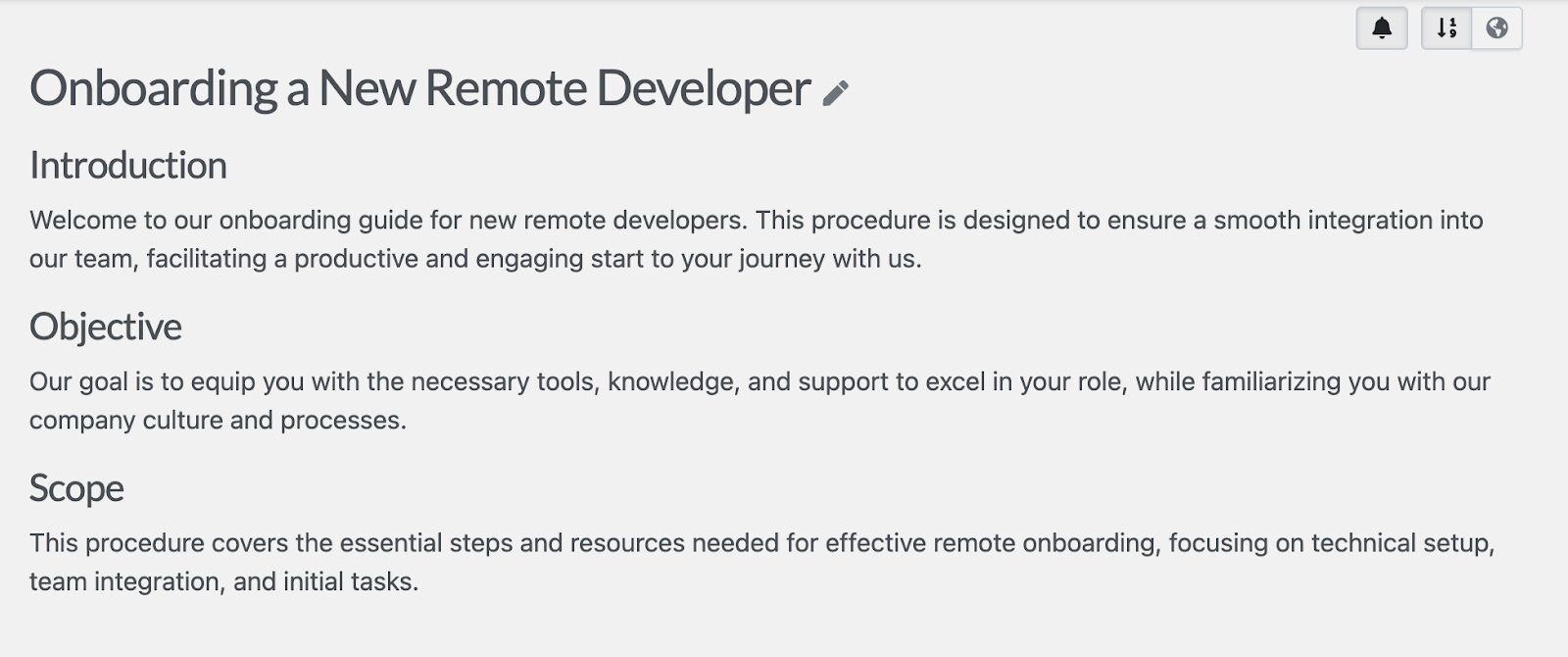
This SweetProcess feature helps businesses build onboarding documentation faster while reducing the effort required to capture institutional knowledge.
Turning Onboarding SOPs Into Branded Knowledge Bases
New employees often have the same questions during their first few weeks. Rather than relying on managers to answer them repeatedly, SweetProcess enables organizations to publish procedures and policies in a centralized, searchable knowledge base that new hires can access independently.
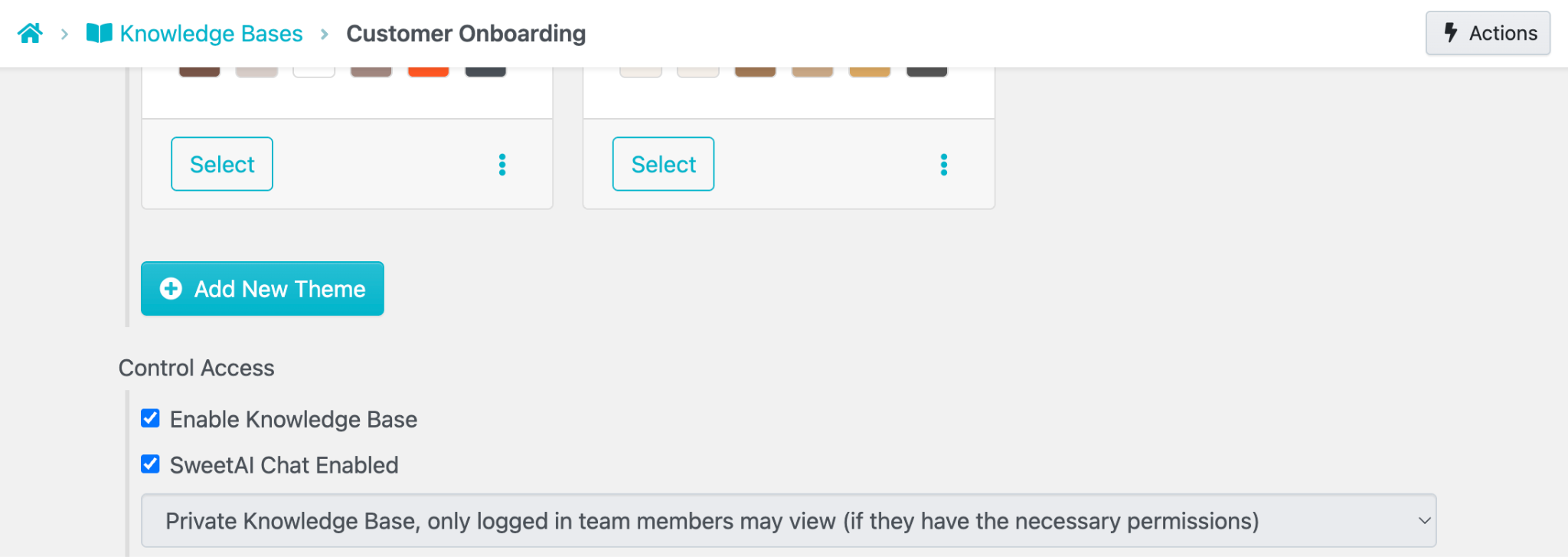
From the SweetProcess dashboard, navigate to “More” and “Knowledge Bases,” and name your knowledge base for easy tracking.
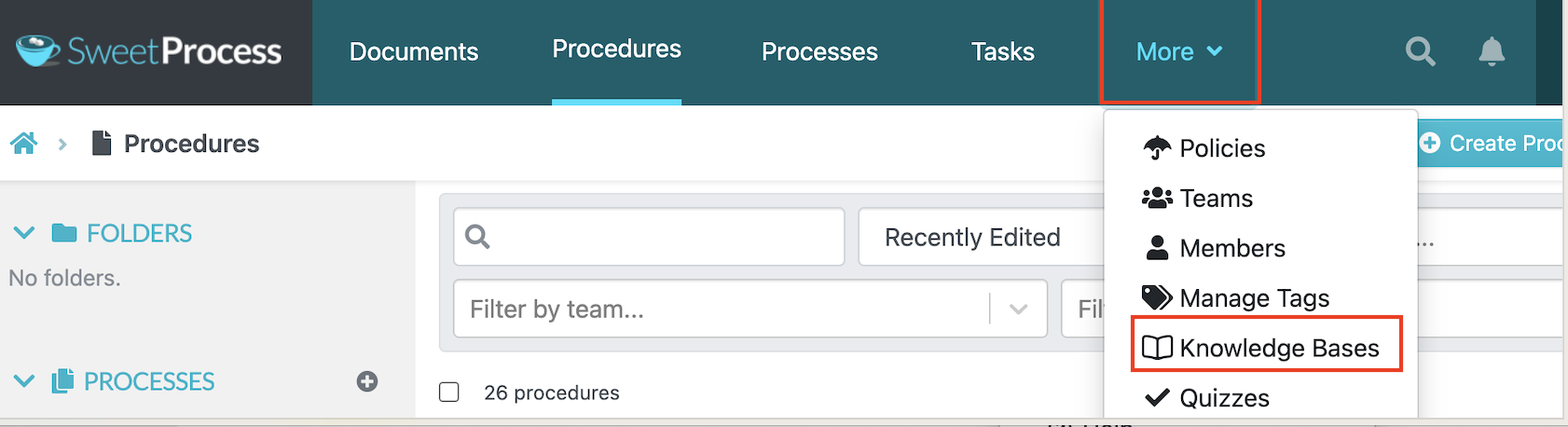
You can set visibility to public or private and organize procedures by department or role.
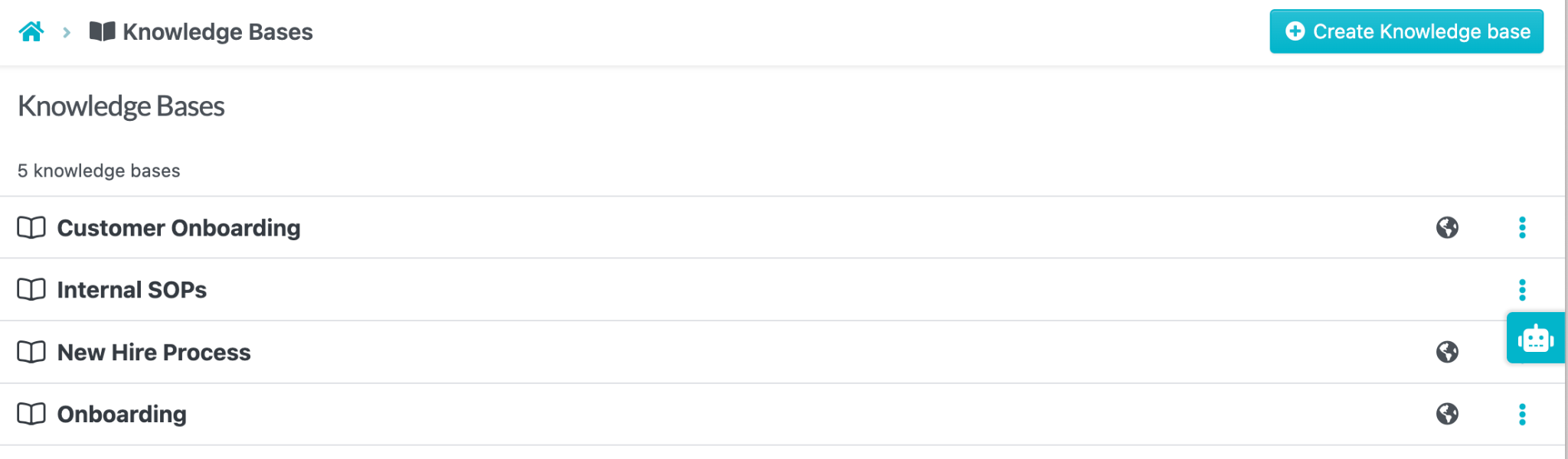
From the dashboard, you can view all your knowledge bases to access company information.
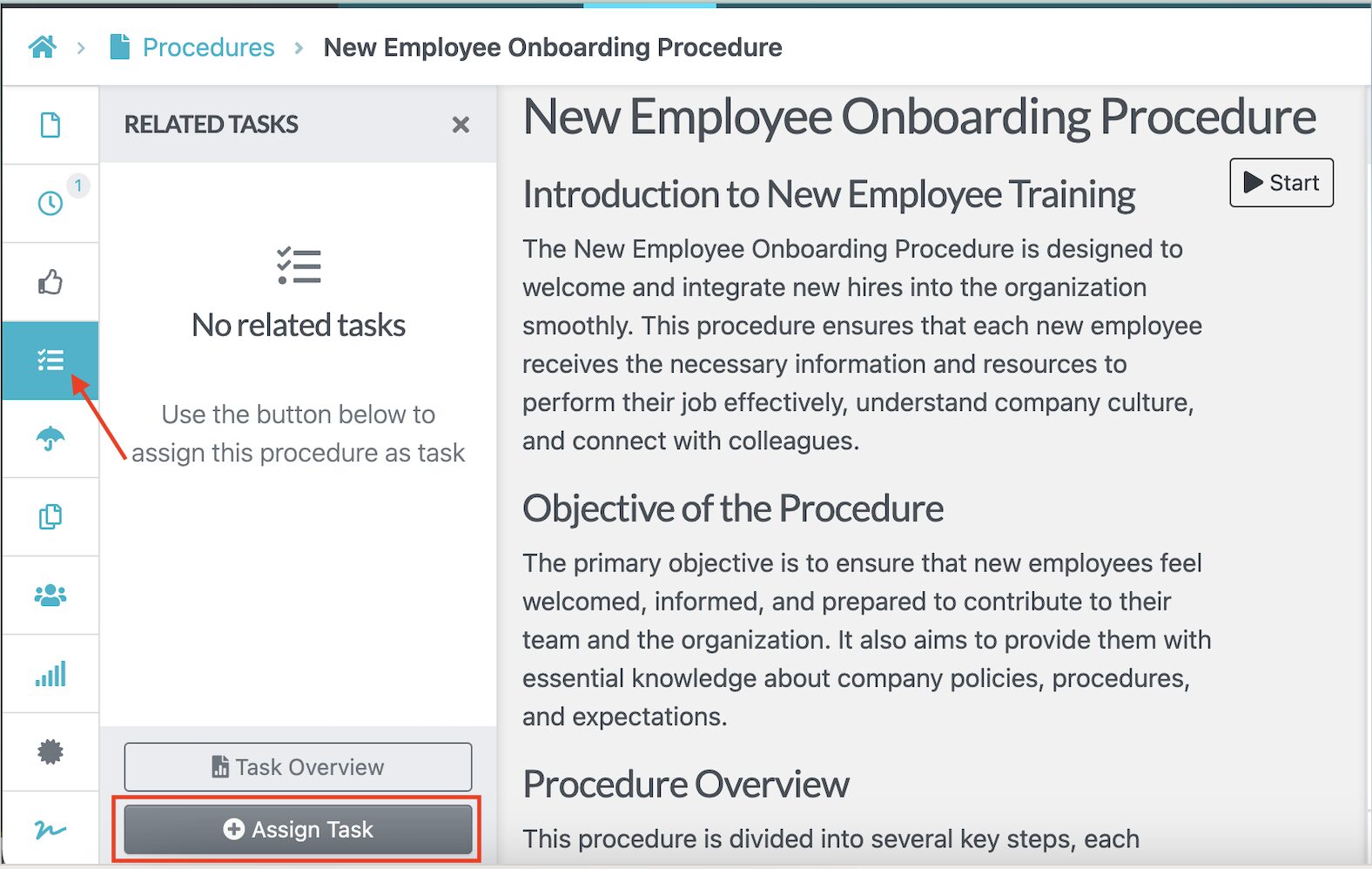
Assign and Track Onboarding Tasks
With SweetProcess, you can assign onboarding procedures as trackable tasks with due dates and assignees.
From the “Tasks” menu part of the dashboard, managers can see at a glance which steps have been completed, which are overdue, and where a new hire is stuck. The employees can also view their pending assignments from the same dashboard.
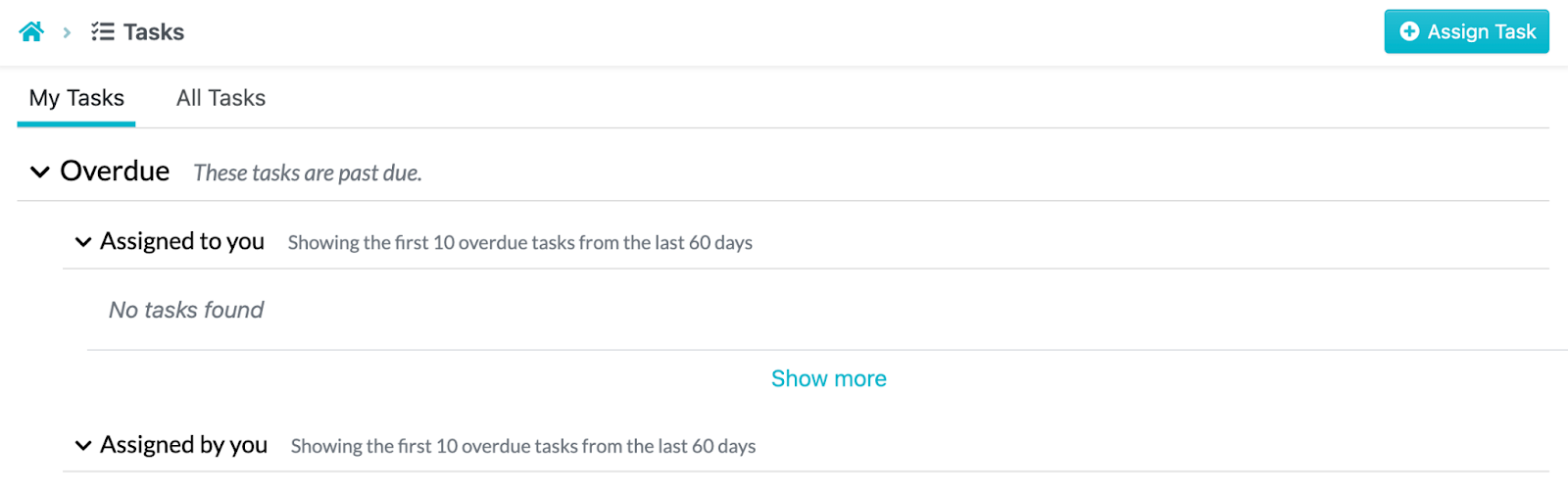
This feature replaces follow-up emails with real-time visibility.
Building Onboarding Quizzes
After a new hire completes a training procedure, you can create quizzes to verify comprehension.
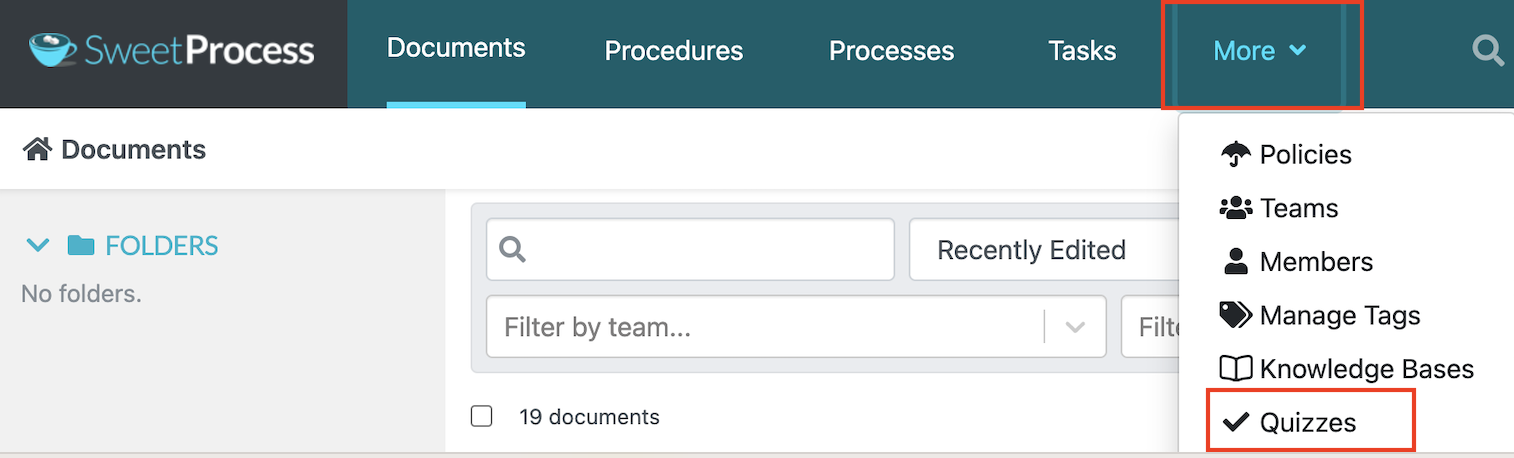
For instance, you can test their knowledge of the return policy or safety protocols to identify gaps before they become performance problems.
With SweetProcess, you can add a test duration and a pass mark for easier tracking.
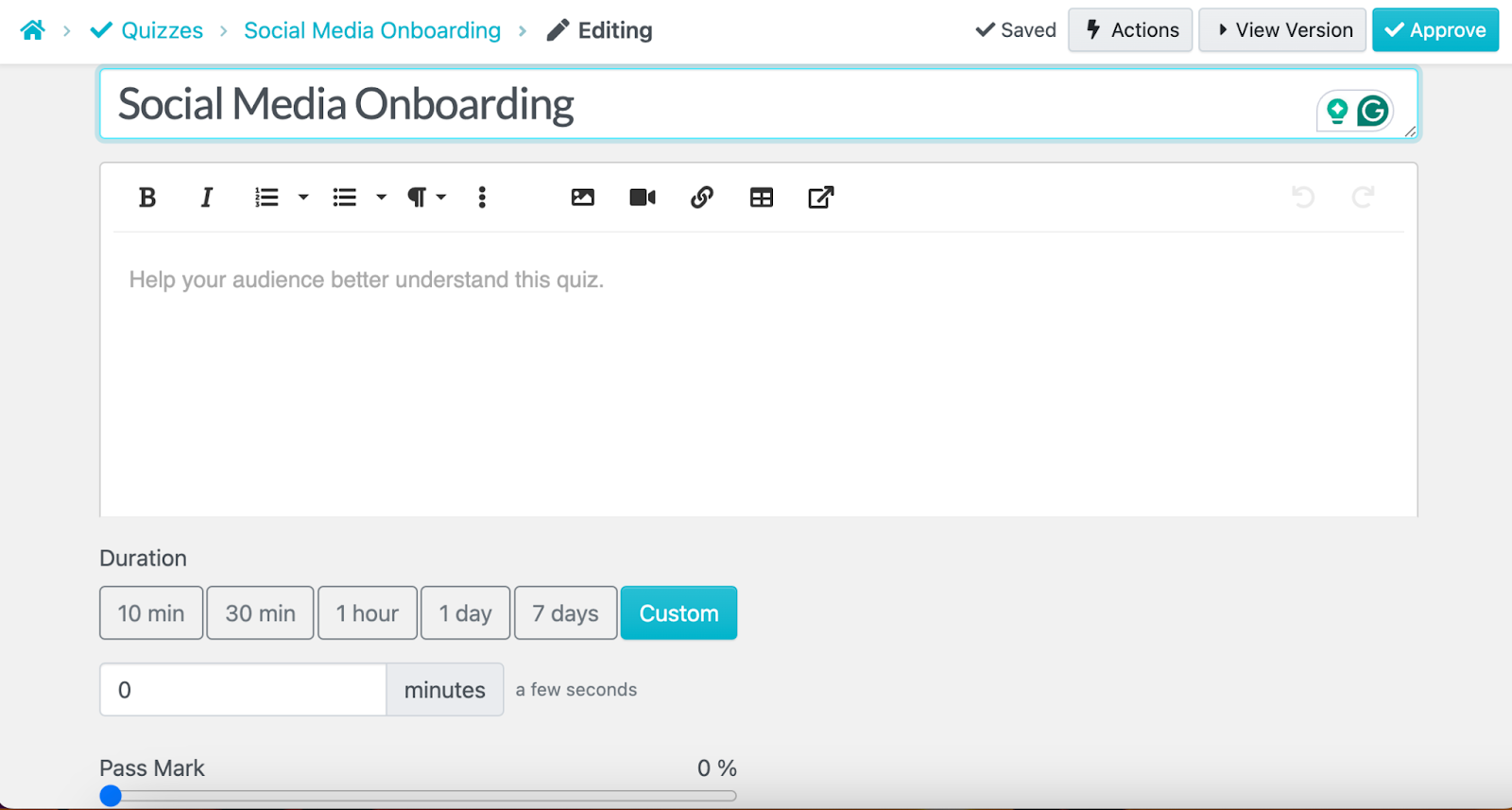
Additionally, you can include a document with more information about the quiz and choose an ideal quiz format that suits your needs.
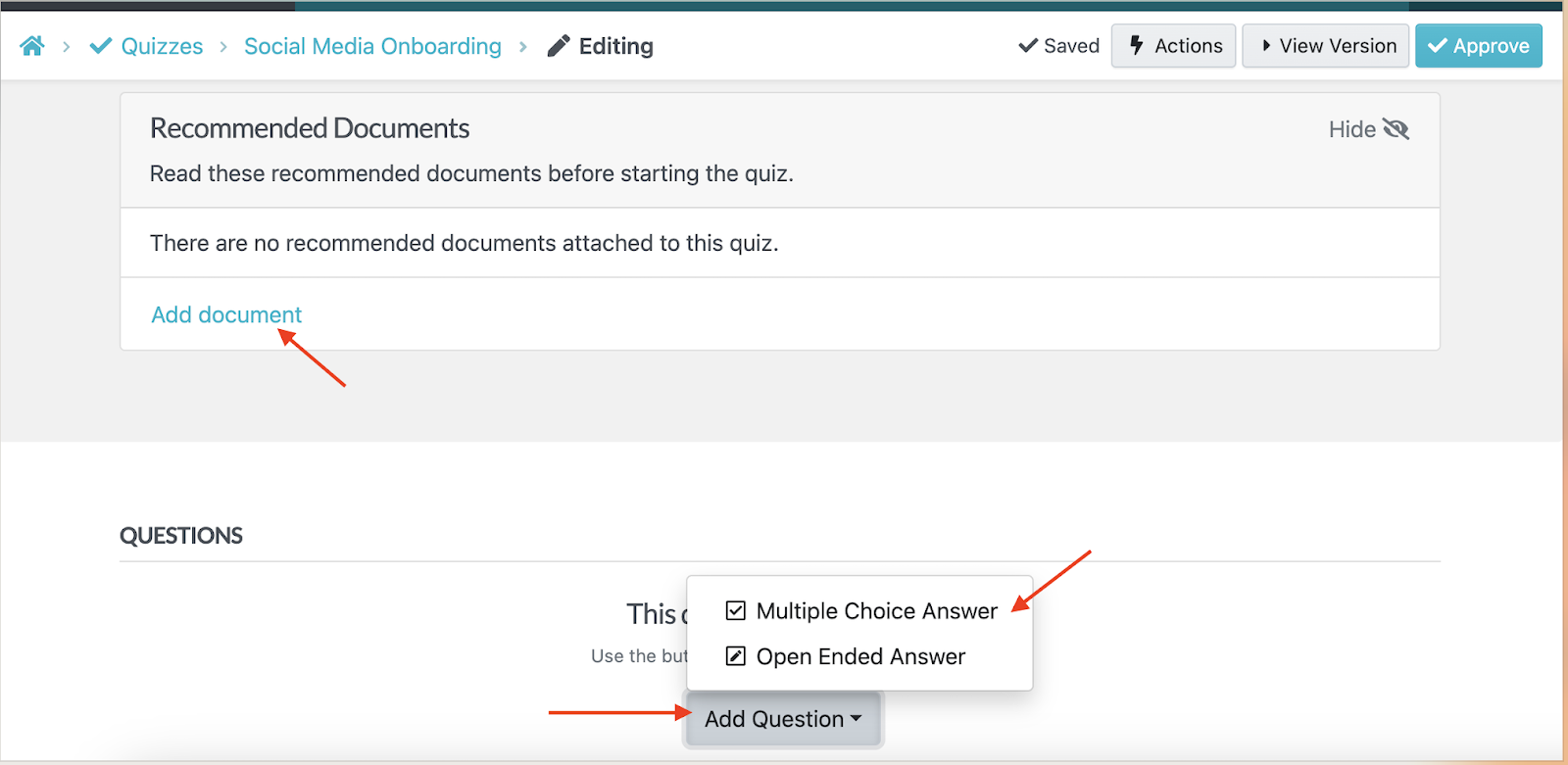
SweetProcess Pricing
SweetProcess costs $99 per month for up to 10 users. Every additional user is billed at $5 per month. Alternatively, you can opt for an annual plan for $990 for 10 users, which offers a 16.7% discount.
If you have a small team of up to five users, SweetProcess offers an alternative plan at $495 per year, with $50 per additional user. All plans include a 14-day free trial and a 30-day money-back guarantee. You also get a one-hour free consultation call to learn more about the employee onboarding software.
2) BambooHR: Best for Small Business HR Onboarding
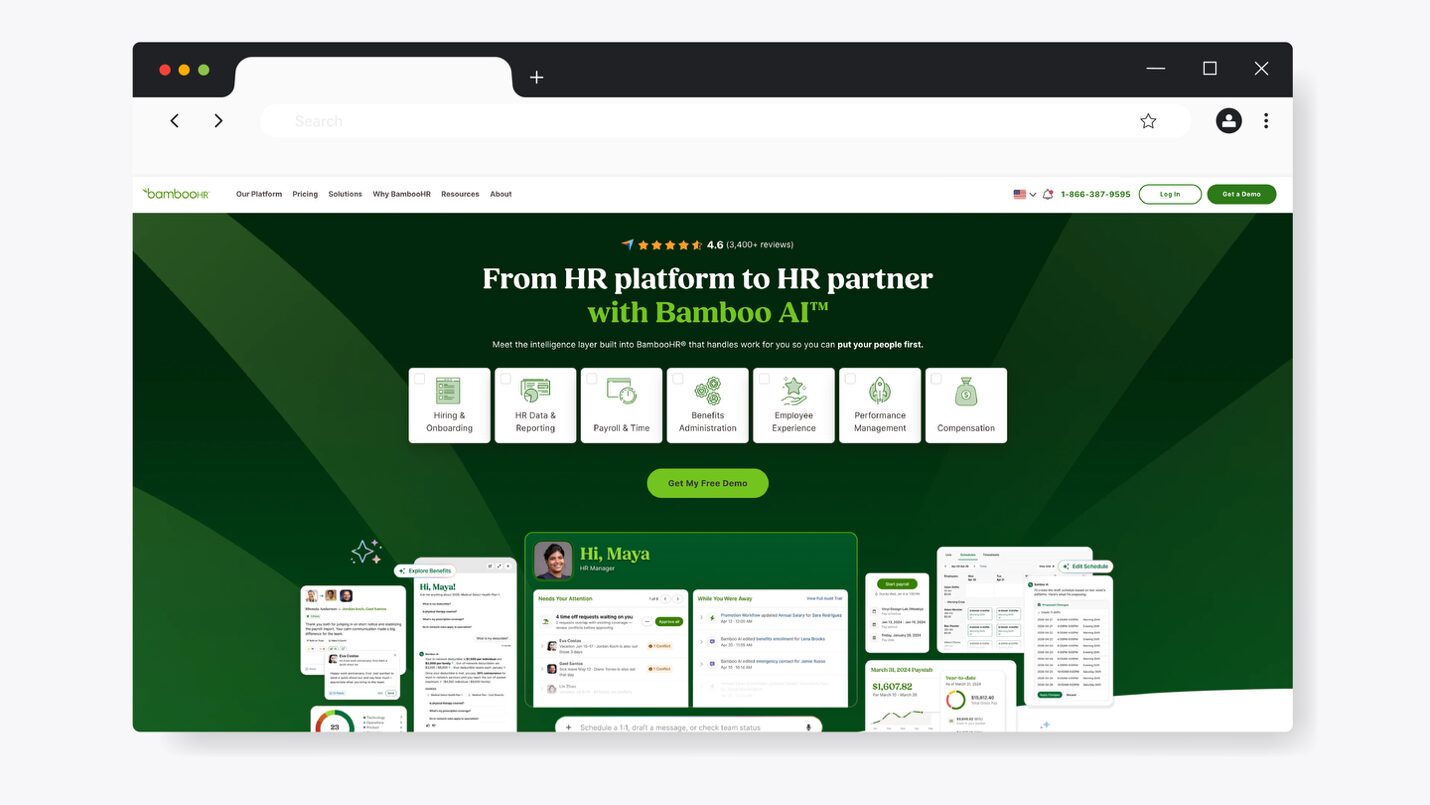
Image source: BambooHR
Overview of BambooHR
BambooHR is one of the most recognized names in HR software for small and medium-sized businesses (SMBs), and for good reason. It handles the full employee lifecycle from hiring, onboarding, time off, benefits, payroll, and performance through a clean, polished interface that business owners can navigate without a consultant.
While it’s a strong all-in-one solution for users looking for an onboarding platform, it has its limitations. Reviewers note that adjusting user access levels can be challenging and that the reporting tools can be rigid when you need data. Compared to SweetProcess, BambooHR handles the HR-related onboarding tasks, but it doesn’t help document the actual procedures that new hires need. Pairing the two together fills this gap.
Key Features
- New hire packet automation that ensures digital tax forms and onboarding tasks are delivered before day one
- Employee self-service portal for new hires to complete paperwork independently
- Onboarding task checklists with automated reminders and manager visibility
- Integration with multiple tools, such as payroll and time tracking
BambooHR Pricing
BambooHR publishes its different pricing plans on its website. You can choose between the Core plan at $10, Pro at $17, or Elite at $25; all cover per employee per month.
3) Trainual: Best for Team Knowledge Transfer and Training
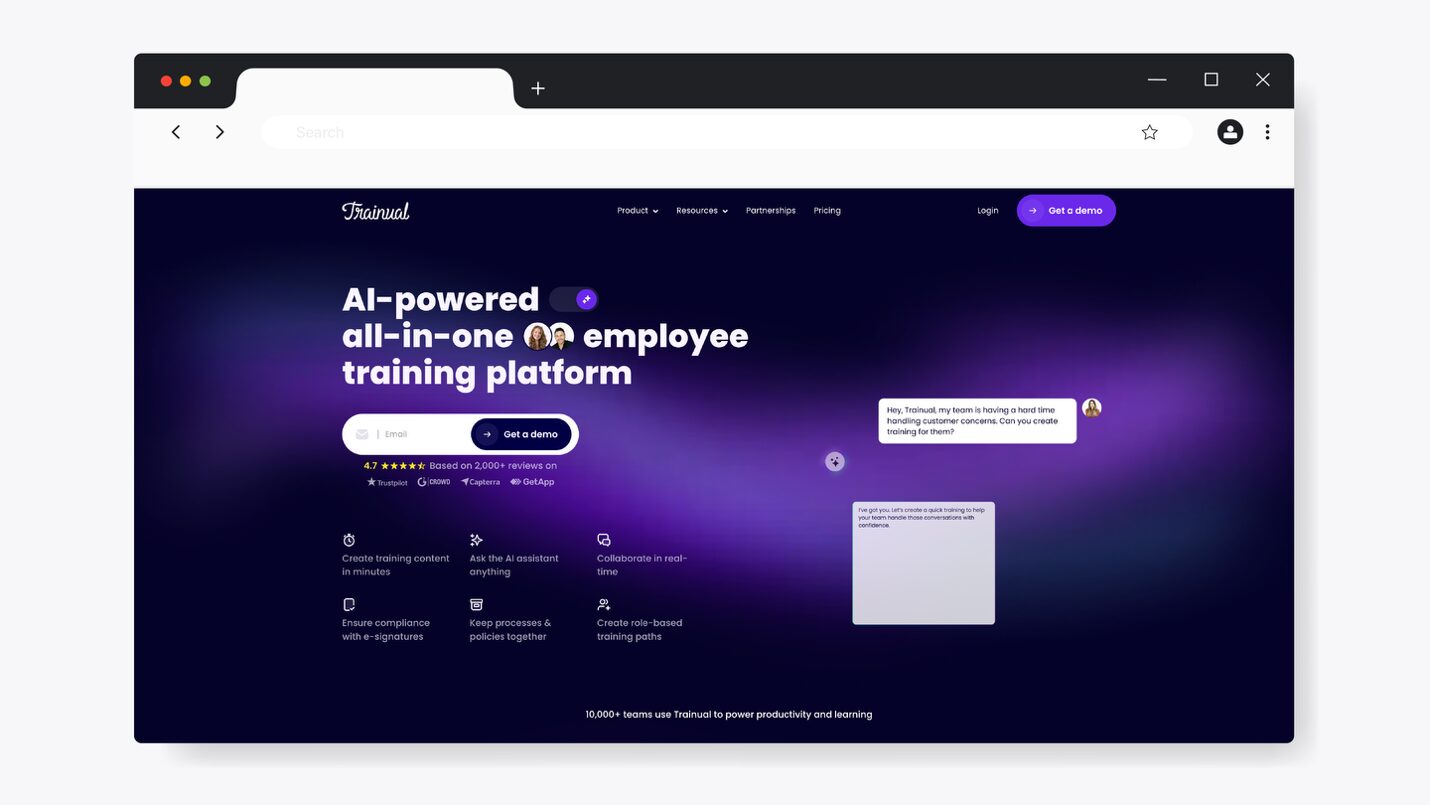
Image source: Trainual
Overview of Trainual
Trainual sits in the same category as SweetProcess. It’s a process-documentation and training platform that helps you build structured playbooks for your new hires. You can also use this platform to create subject-based content with embedded videos and libraries, ensuring every new hire follows the same learning path.
The honest limitation noted in reviews about difficulty uploading videos is not an issue with SweetProcess. SweetProcess has a stronger procedure-to-task assignment and is built to create multiple training formats.
Key Features
- Customized learning paths based on role, location, or team
- Built-in quizzes and completion tracking verify new hire knowledge
- AI assistant to create training materials much faster
- Expert-built courses on crucial business topics
- Integrations with tools such as Gusto, Slack, Google Workspace, and Zapier
Trainual Pricing
Trainual has four pricing plans: Core, Pro, Premium, and Enterprise. However, you’ll need to book a demo to get a quote from the team.
4) Rippling: Best for Automated IT + HR Onboarding
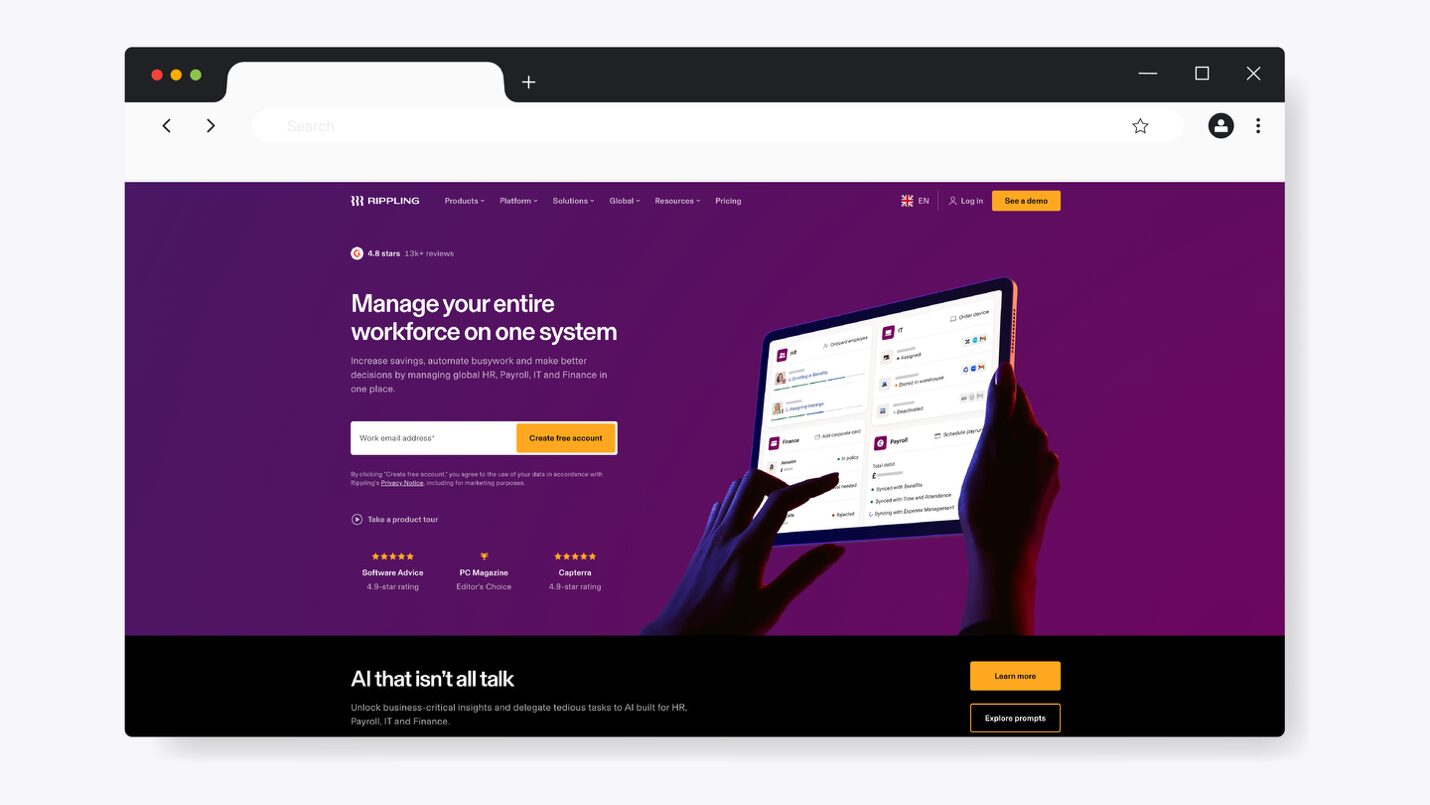
Image source: Rippling
Overview of Rippling
Rippling’s core value proposition is unification. When you confirm a new hire in Rippling, the onboarding platform automatically triggers payroll enrollment, benefits setup, app provisioning, and device shipping, all from one action. This way, you can automate all your work and manage your global HR, finance, payroll, and IT tasks on a unified platform.
This tool has the strongest IT provisioning capability on this list. New hires get accounts and devices with no manual tickets. The tradeoff is that users have reported occasional bugs and stability issues that disrupt workflow. For small teams where payroll and benefits setup are the primary needs, Gusto delivers similar self-service onboarding without a sales call to get a number.
Key Features
- Automatic app provisioning and device configuration triggered from one hire event
- Workflow Studio for building custom approval chains and automated reminders
- Policies based on roles or location.
- 650+ integrations with HRIS, payroll, and enterprise tools
Rippling Pricing
Rippling doesn’t publish its pricing on the website. You’ll need to request a custom quote from the team tailored to your business needs.
5) Gusto: Best for Payroll-Integrated Onboarding
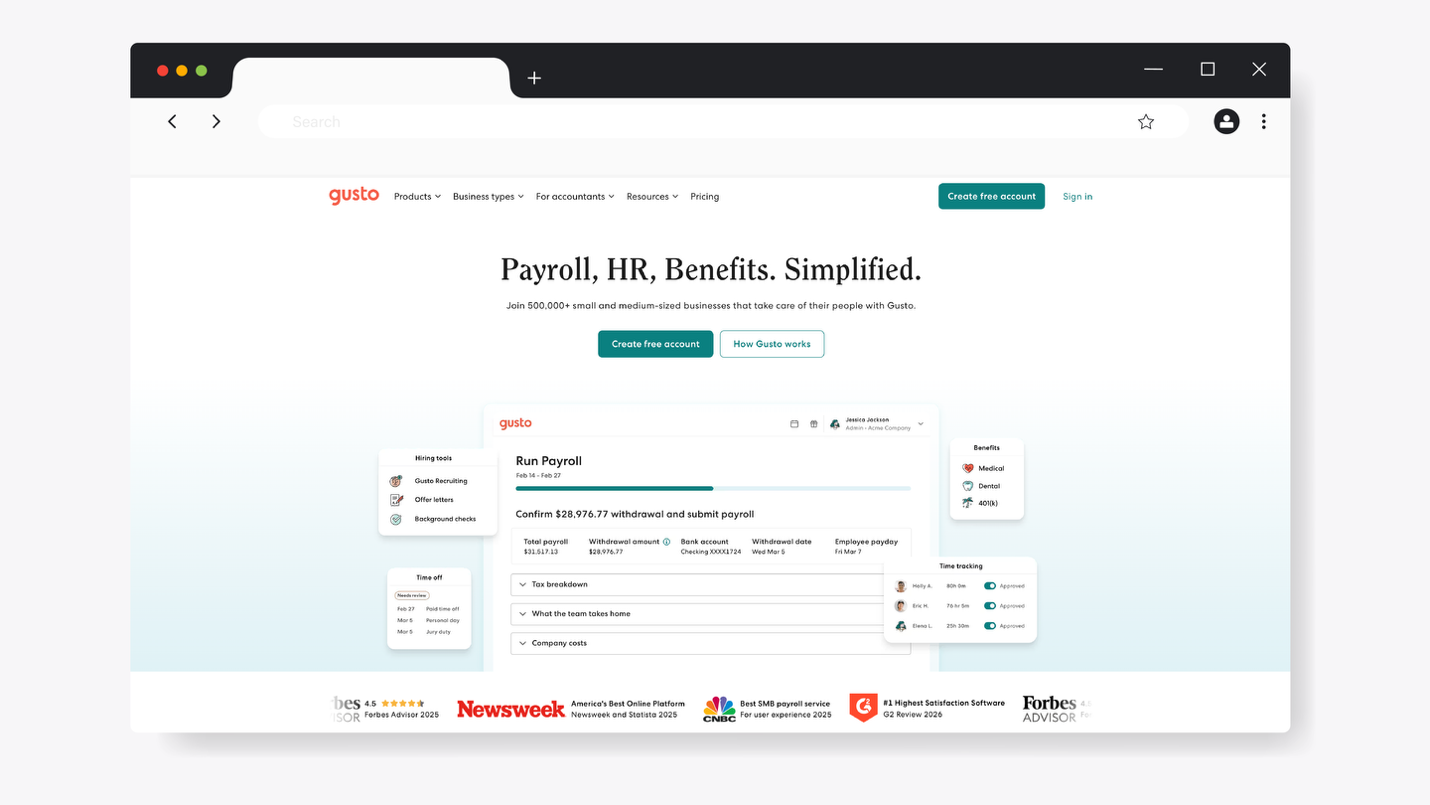
Image source: Gusto
Overview of Gusto
Gusto is an employee onboarding software for small businesses that want payroll and basic HR tasks in one easy-to-navigate platform. Its onboarding module is specifically designed to minimize HR burden. New hires can self-onboard once they receive an email invitation and complete their tax forms and benefits enrollment.
While this tool has its strengths, users consistently note limited customization options. If your organization has unique payroll structures or complex benefits, Gusto may not be flexible enough. It also doesn’t natively handle international payroll in most countries. Gusto Global Employer of Record (EOR) operates through a partner. Therefore, for teams with complex structures or global hires, Rippling or Deel may be a stronger fit.
Key Features
- Gusto integrates with multiple tools such as Asana, Dropbox, Zoho Books, and HubSpot
- Employee self-onboarding enables new hires to complete the onboarding documentation much faster
- Automatic sync with payroll to manage team hours
- Time tracking and benefits brokerage are available on higher tiers
Gusto Pricing
To use this employee onboarding tool, you can pick the Simple, Plus, or Premium plans. The Simple plan starts at $49 per month, Plus at $80 per month, and Premium at $180 per month.
6) Deel: Best for Onboarding Remote and Global Teams
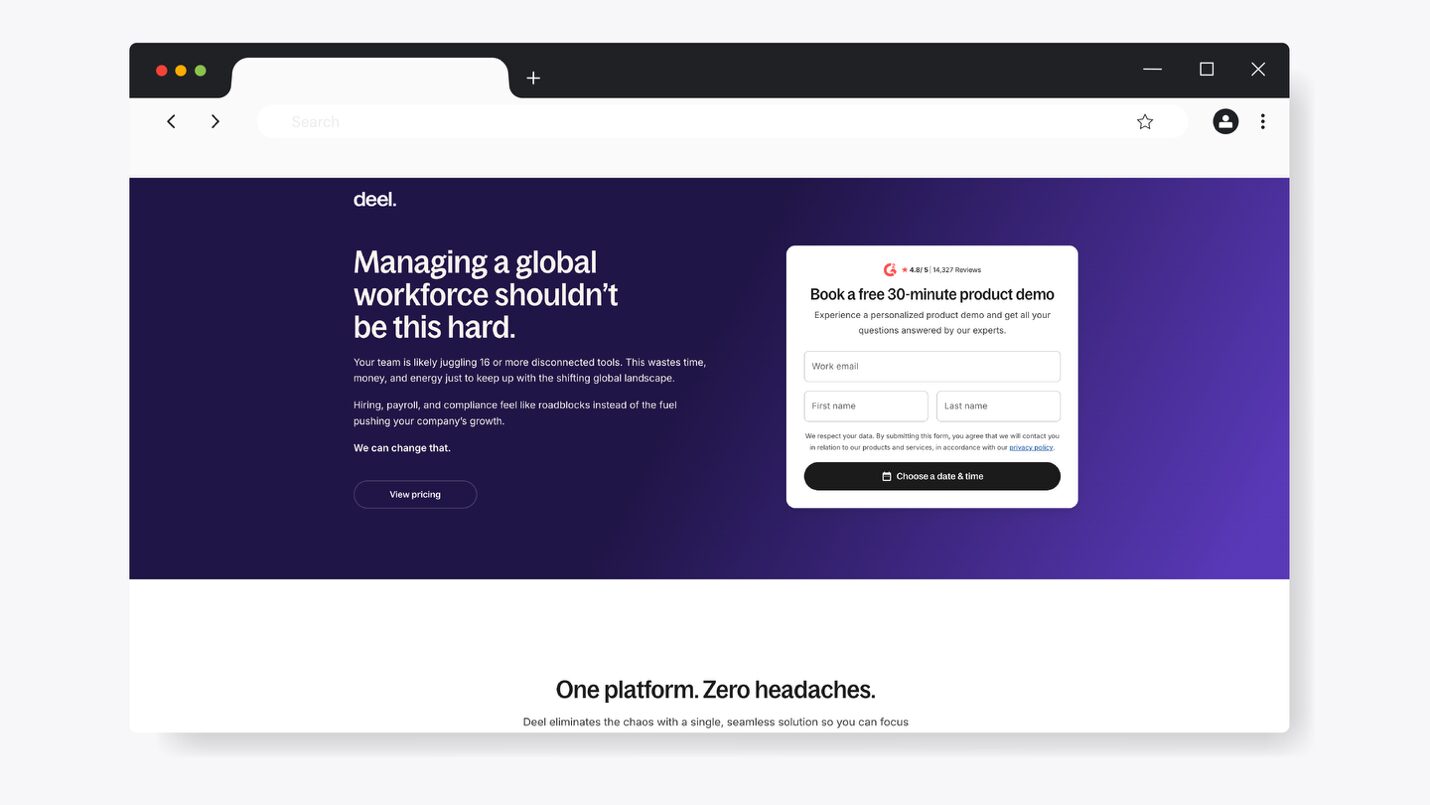
Image source: Deel
Overview of Deel
Deel is the go-to employee onboarding platform for companies hiring across borders. Through its EOR services, Deel handles employment contracts, compliance, payroll, and onboarding in 150+ countries, making it ideal for remote-first companies or organizations expanding internationally. The free HR tier makes it accessible for small teams managing distributed workforces who don’t yet need full EOR services.
Despite these strengths, Deel users have raised issues with the payments on the platform. There are payment delays, confusion about which methods to use, and inconsistent withdrawal fees. Compared to SweetProcess, Deel doesn’t offer a comprehensive SOP and knowledge base documentation that new hires need.
Key Features
- EOR services in 150+ countries with locally compliant employment contracts
- Automated onboarding document collection and e-signatures with built-in IT provisioning
- Contractor management alongside full-time employees on one platform
- Free HR tier for HRIS management
Deel Pricing
Deel’s pricing is tiered depending on your needs.
- Contractor hiring starts from $49 per contractor per month
- EOR for full-time employees starts from $599 per employee per month
- US employees from $19 per employee per month
Deel also offers separate pricing for HR services, managed payroll, or IT.
7) Waybook: Best for Structured Onboarding Learning Paths
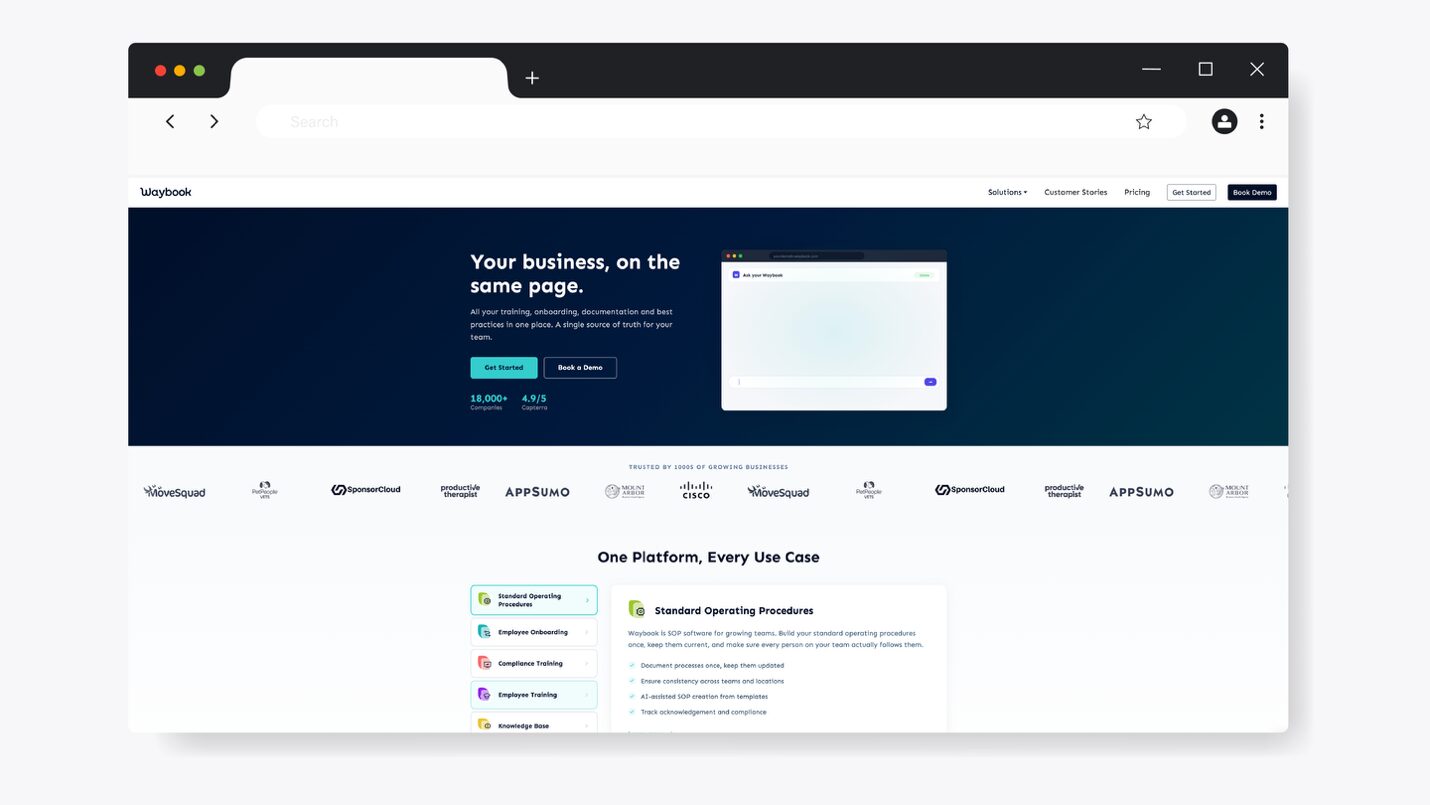
Image source: Waybook
Overview of Waybook
Waybook is an employee onboarding platform that centralizes all your company training documents, providing a single source of truth for new hires. With an intuitive interface and AI-assisted content creation, this software also enables you to manage your company’s processes and create easy-to-access knowledge bases.
The primary drawback noted in reviews is formatting constraints. Automated reporting features also lag, with some users pointing out that completion tracking could be more detailed. SweetProcess outshines Waybook by offering a direct link between documented procedures and assignable tasks, making it easier to track whether a new hire has completed each onboarding step.
Key Features
- AI-assisted content creation generates onboarding documentation quickly from prompts or existing materials
- Structured learning paths with progress tracking and completion verification
- Custom branding during the onboarding process
- Role-based content assignment with email reminders for incomplete steps
Waybook Pricing
Waybook has three pricing tiers. The Core plan costs $99 per month, while the Pro option costs $198 per month. If you are scaling your organization, you can opt for the Enterprise plan, which comes with a custom quote.
8) Connecteam: Best for Onboarding Deskless and Frontline Workers
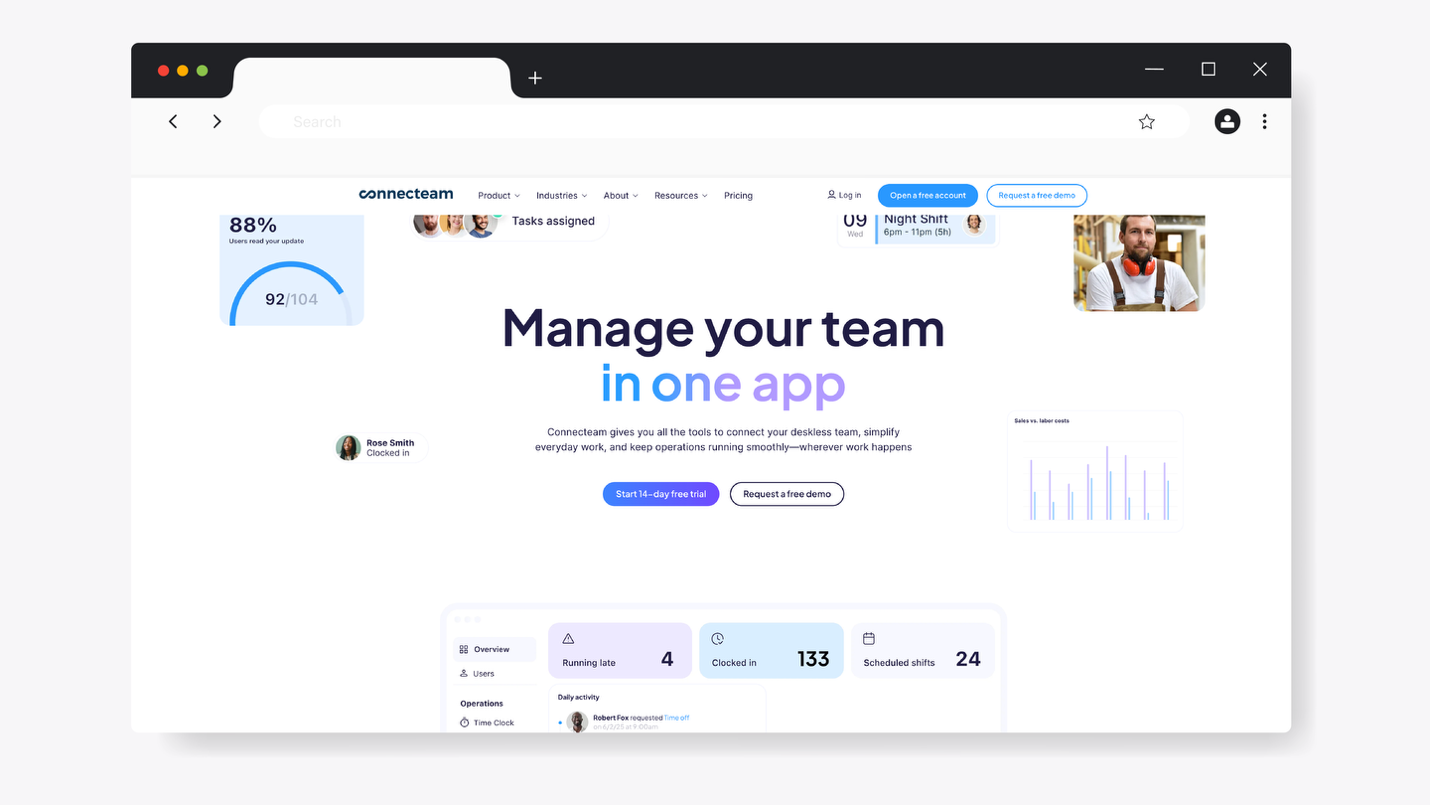
Image source: Connecteam
Overview of Connecteam
If your workforce includes non-desk employees such as warehouse staff or field technicians, Connecteam is purpose-built for them. This employee onboarding software is mobile-first. All training courses, onboarding checklists, compliance acknowledgments, quizzes, and team communications live on an app for everyone to access.
Although Connecteam is an excellent operational platform for deskless teams, it’s lighter for SOP-heavy businesses. Users note that the customization options may feel limited depending on the workflow. There’s also a learning curve when building automations for larger teams. This is not an issue with SweetProcess, which caters to all types of teams.
Key Features
- Mobile-first training courses with AI-assisted content creation
- Onboarding checklists and compliance acknowledgment via smartphone
- Built-in communication hub and time tracking alongside training
- Free plan for up to 10 users and affordable per-seat pricing on the premium tiers
Connecteam Pricing
If you have a small team of up to 10 employees, Connecteam offers a free plan for life. Once your team grows to 30 employees, you can sign up for the Basic plan at $29 per month, the Advanced plan at $49 per month, the Expert plan at $99 per month, or contact the sales team for a customized quote for the Enterprise plan.
9) Enboarder: Best for Employee Experience-First Onboarding
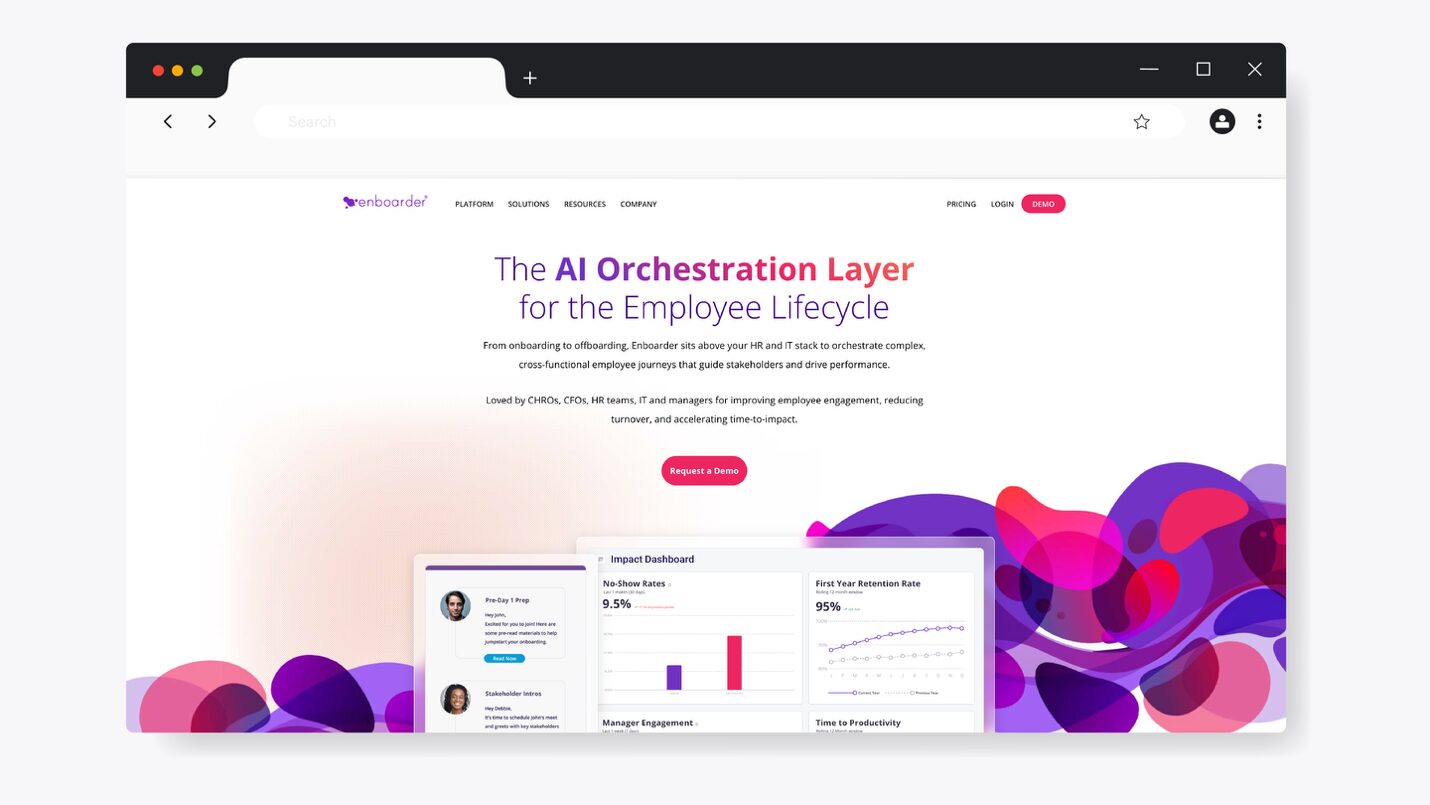
Image source: Enboarder
Overview of Enboarder
Enboarder takes an AI-driven approach to employee onboarding. Its workflow builder orchestrates the process from the welcome message to IT provision, orientation, training, performance check-in, and the exit interview. This unified system, from pre-boarding to the employee’s departure, provides support for the new hire as they settle into their role.
While the Agentic AI system streamlines the onboarding process, some users have complained about additional costs that came with new features. Compared to SweetProcess or Waybook, Enboarder also doesn’t handle the process-documentation or SOP layer. It mostly focuses on engaging the new hires.
Key Features
- Drag-and-drop workflow builder orchestrates the entire onboarding process
- Messages sent from named individuals rather than system bots for a human-first experience
- Progress tracking and analytics dashboards for HR visibility
- AI-assisted content creation for personalized onboarding messaging
Enboarder Pricing
To use this employee onboarding software, you’ll need to request a custom quote from the Enboarder team.
Core Features To Consider in Employee Onboarding Software
You now have the list of employee onboarding software to choose from. But what should you look out for? Here are the core features to keep in mind when selecting a tool.
Automated Workflow and Task Assignment
The best onboarding software automatically triggers tasks, reminders, and document routing based on a new hire’s start date or role. For HR teams managing multiple hires at once, you need HR employee onboarding software that automates every task to make the process more seamless.
Training and Knowledge Delivery
Signing a form is not the same as learning how to do a job. Look for employee training software that can deliver content in multiple formats, including:
- Step-by-step procedures
- Videos
- Role-specific SOPs
- Quizzes to verify comprehension
This feature makes it easy for your new hires to absorb company knowledge. It also keeps your onboarding documentation centralized.
Document Management and E-Signatures
You want an employee onboarding software that enables you to collect signatures before and when the new hires report. It should also be a tool for managing and sharing vital documentation, such as signed policies and training materials. Additionally, for regulated industries with specific compliance requirements, you need to check whether the platform supports audit-trail requirements.
Real-Time Collaboration and Progress Tracking
Onboarding involves multiple stakeholders. You need to collaborate with HR, IT, the hiring manager, and the new hire. The best platforms give each party visibility into what’s been completed and what’s pending. Before subscribing to an employee onboarding tool, confirm that the dashboard lets you assign and track tasks in a single platform.
Integrations with HRIS, Payroll, Slack/Teams, SSO, and IT Provisioning
Your onboarding software will need to work with your payroll system, communication tools, device management platform, and other providers relevant to this process. It’s important to consider the tool’s integration capabilities to eliminate scattered documentation across multiple tools.
SweetProcess offers each of these core features. You can automate processes, train your employees, manage documentation, collaborate, and integrate with other systems without leaving your dashboard. Try it today!
Benefits of Using Employee Onboarding Software
Here are the benefits you get once you start using employee onboarding software in your organization.
Faster Time-to-Productivity
According to Gallup, new employees typically take at least 12 months to reach their full performance potential. When you have structured onboarding with documented procedures and clear task sequences, you can reduce the learning curve and get your new hire up to speed much faster. This way, they have instant access to company information that helps them be productive.
Higher Retention Rates
Organizations with a strong onboarding process improve new hire retention, according to a Brandon Hall Group Onboarding Study. Employee onboarding software contributes to this metric by providing a platform to structure the first 90 days for new hires. With this kind of support, they get the right skills and training to do their job, reducing the churn rates.
Reduced Administrative Burden
Manually coordinating onboarding for even one new hire involves dozens of micro-tasks. You have to send forms, follow up on signatures, schedule check-ins, and track what’s been done. An HR manager at a 50-person company using onboarding software spends a fraction of the time on administration compared to one working from email and spreadsheets.
Consistent Experience Across Hires
Does every new employee get the same quality of onboarding? If you have noticed inconsistencies in the past, an employee onboarding tool can help correct them. You can standardize processes and provide a similar onboarding experience. For instance, if your company must comply with strict regulations, you can use the same training format for everyone.
Measurable ROI
Modern onboarding software tracks completion rates, quiz scores, task progress, and time-to-productivity, giving you real data on what’s working and where new hires are getting stuck.
As the founder and CEO of Enboq, Dexter Versluis shares that when choosing an onboarding tool, it’s increasingly important for managers to see what’s working and whether the experience adapts to role and seniority without becoming a configuration nightmare. The ones with real ROI are built for employee behavior.
What Happens When You Start Using a Real Onboarding System
If you are still considering whether an employee onboarding system is a necessary tool for your business, here are two companies that faced the same core problem with their onboarding system and how SweetProcess fixed their issues.
Awesome Dynamic, a 20-person Amazon consulting agency, initially used Google Sites and Google Docs to organize its procedures. However, employees couldn’t find documents to perform their work. This created a problem since they had to train the same people on the same things over and over.
Timothy Dworianyn, the senior Amazon consultant, and Nicole Terborg, the director of marketing, started evaluating tools to standardize their documentation. What tipped them toward SweetProcess was the ability to maintain a single updatable version of each process.
Since adopting SweetProcess, the company has:
- Cut employee onboarding and training time by 50 percent
- Created one searchable knowledge base
- Employees can now self-serve information without waiting for a manager
- When Amazon’s platform changes, the team updates one document, and everyone has immediate access
The Life Coach School, a personal development company, had tried to address onboarding by storing video processes in Basecamp. While this worked, it required new hires to sit through five- to 10-minute videos for every task. Additionally, they lost company knowledge when employees left.
With time, Kimberly Job, the executive director of marketing and customer support, recognized that video documentation alone wasn’t sustainable. The team needed written procedures that paired with existing videos and didn’t require a manager to repeat instructions every time, which led her to SweetProcess.
SweetProcess helped the team:
- Introduce a structured 30-60-90 day delegation framework
- New hires train themselves, reducing dependence on managers during the critical first months
- Documentation keeps the company cohesive when employees leave, because the knowledge stays
If your team is scaling as well, SweetProcess is your go-to onboarding tool. The all-in-one platform documents all the processes your new hires need. Start your 14-day free trial today!
How To Choose the Right Employee Onboarding Software
The best onboarding tool depends on your specific bottleneck. Here’s how to match the tools to your situation:
Fewer Than 20 Employees, No Dedicated HR Department
You can start with SweetProcess, which enables you to document your processes. This tool goes beyond HR admin work, allowing you to build procedures, create a knowledge base, and assign tasks from day one.
HR Paperwork and Payroll Setup Are Your Biggest Headache
BambooHR and Gusto are your best picks here. Both handle new hire e-signatures and tax forms efficiently. Gusto is better if payroll integration is the priority, while BambooHR is ideal if you need a broader HRIS.
Hiring Globally or Remote-first
A tool like Deel fits this role thanks to its EOR infrastructure and multi-country compliance. It also has contractor management tools that are purpose-built for distributed organizations.
IT Provisioning Is a Bottleneck
Rippling ensures new hires automatically receive their accounts and devices. You won’t need manual IT tickets, which delay onboarding.
Deskless or Frontline Workers
You need a mobile-first, affordable employee onboarding software like Connecteam. It’s built for the employees who never open a laptop at work.
Need Structured Training Programs With Tracking
If you want a training-playbook format, Trainual or Waybook is a good fit. Both platforms offer a platform to share and transfer knowledge to the new hires without using multiple tools.
Enterprise Culture-Driven Onboarding
If your team is handling onboarding for an enterprise, consider a tool like Enboarder. It’s designed for organizations large enough to support multi-stakeholder workflow orchestration.
Budget Is the Primary Constraint
Connecteam is free for up to 10 users, while Deel has a free HR tier for small teams. You can also sign up for SweetProcess, which offers a 14-day free trial at $99 per month for up to 10 users.
Still weighing your options? SweetProcess fills these onboarding gaps by providing a comprehensive tool for all types of teams. Sign up here!
FAQs About Employee Onboarding Software
What Is Employee Onboarding Software?
Employee onboarding software is a platform that automates and structures the process of integrating new hires into an organization. It replaces manual checklists and scattered emails with documented workflows and task management, ensuring every new employee goes through the same onboarding process.
How Much Does Onboarding Software Cost?
Pricing varies by tool. Process-documentation tools like SweetProcess cost $99 per month for up to 10 users. At the same time, a tool like Connecteam is free for up to 10 users. For some tools, you’ll need to contact the sales team for a custom quote.
Can I Use Onboarding Software for Remote Employees?
Yes, most platforms on this list are designed for remote onboarding. Deel is the strongest option for international remote hires. SweetProcess, Trainual, and Waybook deliver documented procedures and training materials that remote employees can access independently.
What’s the Difference Between HR Onboarding Software and Process Documentation Tools?
HR onboarding software like BambooHR and Gusto focuses on administrative tasks like collecting tax documents and e-signing offer letters. On the other hand, process documentation tools such as SweetProcess and Trainual focus on operational knowledge, including SOPs, training workflows, and the step-by-step instructions new hires need.
Is There Free Employee Onboarding Software?
Connecteam offers a free plan for up to 10 users, while Deel has a free HR tier for basic team management. SweetProcess, BambooHR, and Waybook all offer free trials that you can use to test the tool.
How Long Should the Onboarding Process Last?
Effective onboarding processes should continue past week one and include 30-, 60-, and 90-day checkpoints. This approach ensures new hires get continuous support and enough knowledge to execute their tasks.
Which Employee Onboarding Software Is Best for Your New Hires?

Each of these employee onboarding tools serves a different problem. If your bottleneck is HR paperwork and payroll setup, BambooHR or Gusto will solve it well. If you’re hiring globally or building a remote-first team, Deel removes the compliance complexity while Rippling simplifies IT provisioning.
But if your real problem is that new hires don’t know what to do or can’t find the information they need for months, you have a documentation problem that most HR admin tools don’t solve. SweetProcess bridges the gap by providing a tool to manage all your SOPs and training. You can create repeatable processes by centralizing all your onboarding documentation.