Last Updated on February 19, 2026 by Owen McGab Enaohwo
Most small business owners searching for standard operating procedure (SOP) software already understand the value of documented processes. Their main challenge? Finding a free SOP software that offers key features essential to their business operations.
Investing in SOPs keeps your team consistent and provides a guide to help you train and onboard employees. Had issues with tribal knowledge (know-how that only exists in someone’s head and isn’t written down) in the past? These SOPs ensure that critical knowledge is distributed among the team, so you don’t have to explain the same processes over and over.
Your organization needs a tool that can handle all of this without forcing you into an expensive subscription before you’re ready. But here’s the catch. Some free standard operating procedure software tools aren’t built for comprehensive process documentation. They come with trade-offs, from limited users and features to restricted storage and missing data export options, which can make your SOPs harder to manage in the long run.
But what if you could access forever-free plans or premium SOP platforms without incurring any upfront costs? You can with these tools.
Before we dive in, you can skip the trial and error and get instant access to every SweetProcess feature for free. Sign up for the 14-day free trial here!
Table of Contents
7 Free SOP Software To Create and Manage Procedures
Limitations of Free SOP Software
How To Choose the Best Free SOP Software
Which Free SOP Software Should You Choose for Your Business?
7 Free SOP Software To Create and Manage Procedures
Before you invest hours testing random tools or trying to force Google Docs into becoming an SOP system, it helps to know exactly which free options can actually support real process documentation.
The tools in this list offer either free forever plans, open-source functionality, or full-featured free trials, making them ideal for managers who want structure without immediate costs. Let’s take a closer look.
1) SweetProcess
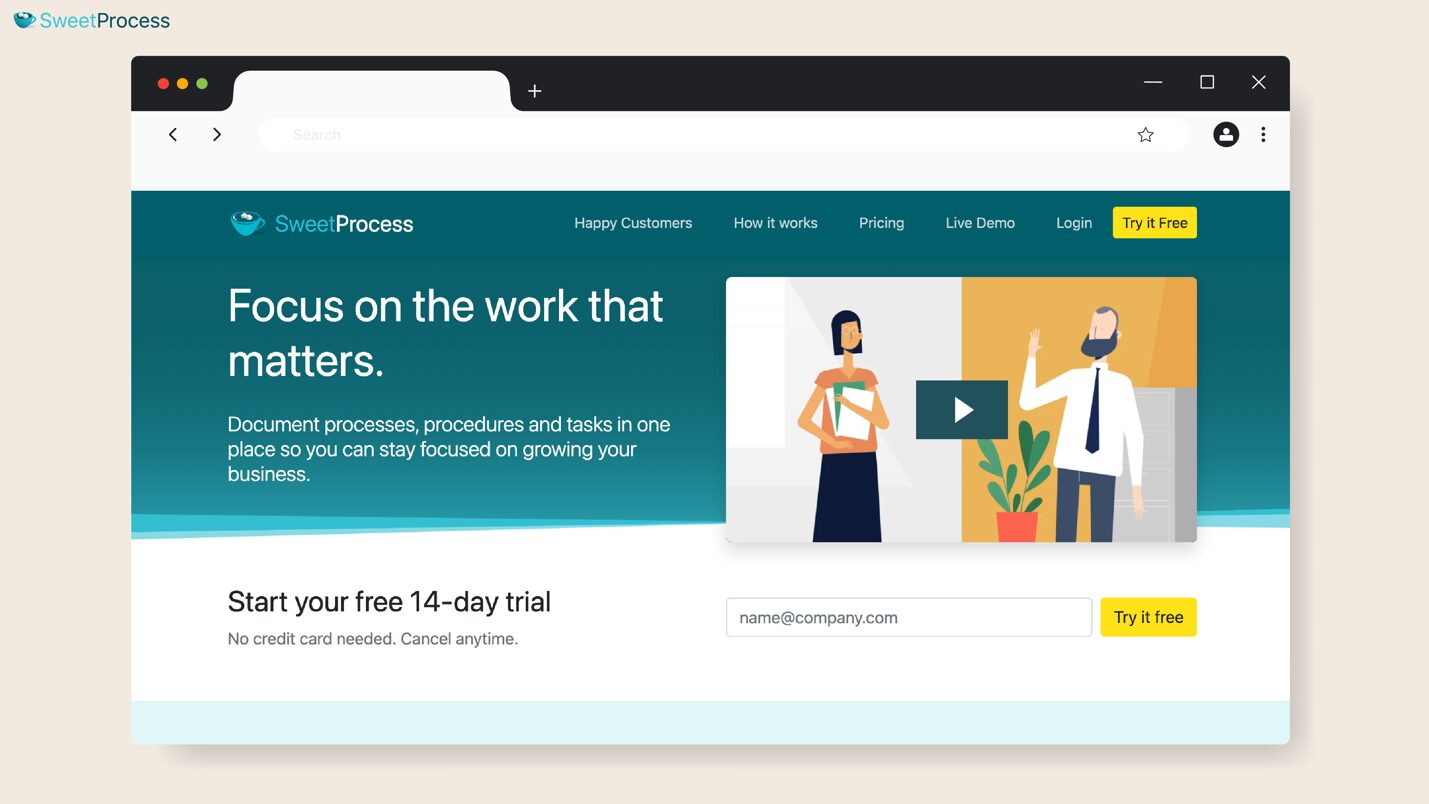
Overview of SweetProcess
SweetProcess gives you a dedicated system designed for creating step-by-step procedures, processes, and policies. With the all-in-one platform, you can assign tasks and track to keep your team accountable. The interface is straightforward, allowing even non-technical team members to start documenting processes from day one.
Whether you’re onboarding new employees or creating repeatable workflows, SweetProcess gives you the structure you need without overwhelming your team with features they’ll never use.
SweetProcess Pricing
While most SOP platforms offer limited free plans with restrictions on users or features, SweetProcess is different. You gain complete access to all premium features with no credit card required.
Typically, SweetProcess offers a 14-day free trial as standard. As soon as you sign up for an account, you can use all features to create and manage your processes. However, there’s now a secret backdoor offer that gives you access to every premium feature for 28 days for free.
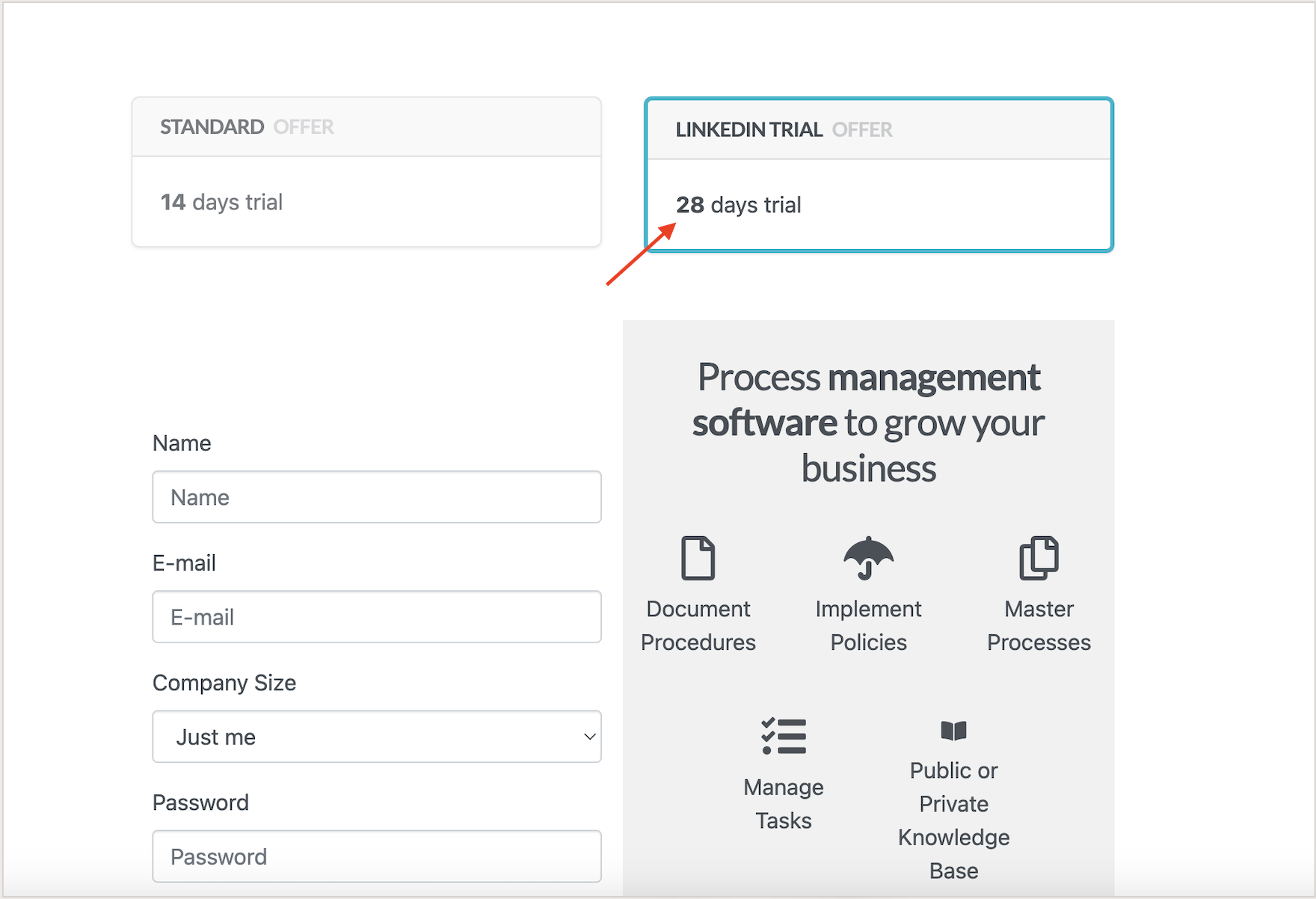
This means if your team is budget-conscious, you can document unlimited SOPs and test every workflow automation feature risk-free for four full weeks. This is enough time to create a solid foundation for your entire operations system.
Features of SweetProcess
Below are the core features that make SweetProcess stand out as the best free SOP software.
Claim a Free Trial Account With All the Features
When you sign up for SweetProcess’s free trial, you’re not getting a watered-down version of the platform. You’re getting user access, unlimited procedures and policies, workflow automation, team collaboration tools, version control, and export capabilities.
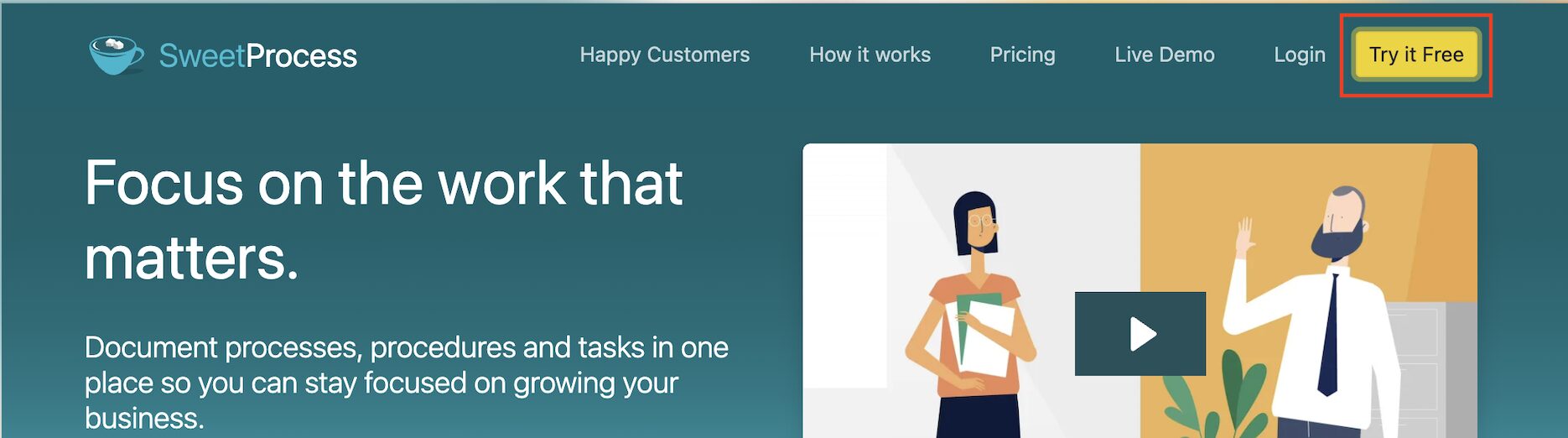
You can test everything as if you’re already a paying customer. Once you pick your free trial option, you can fill in your contact details to get started.
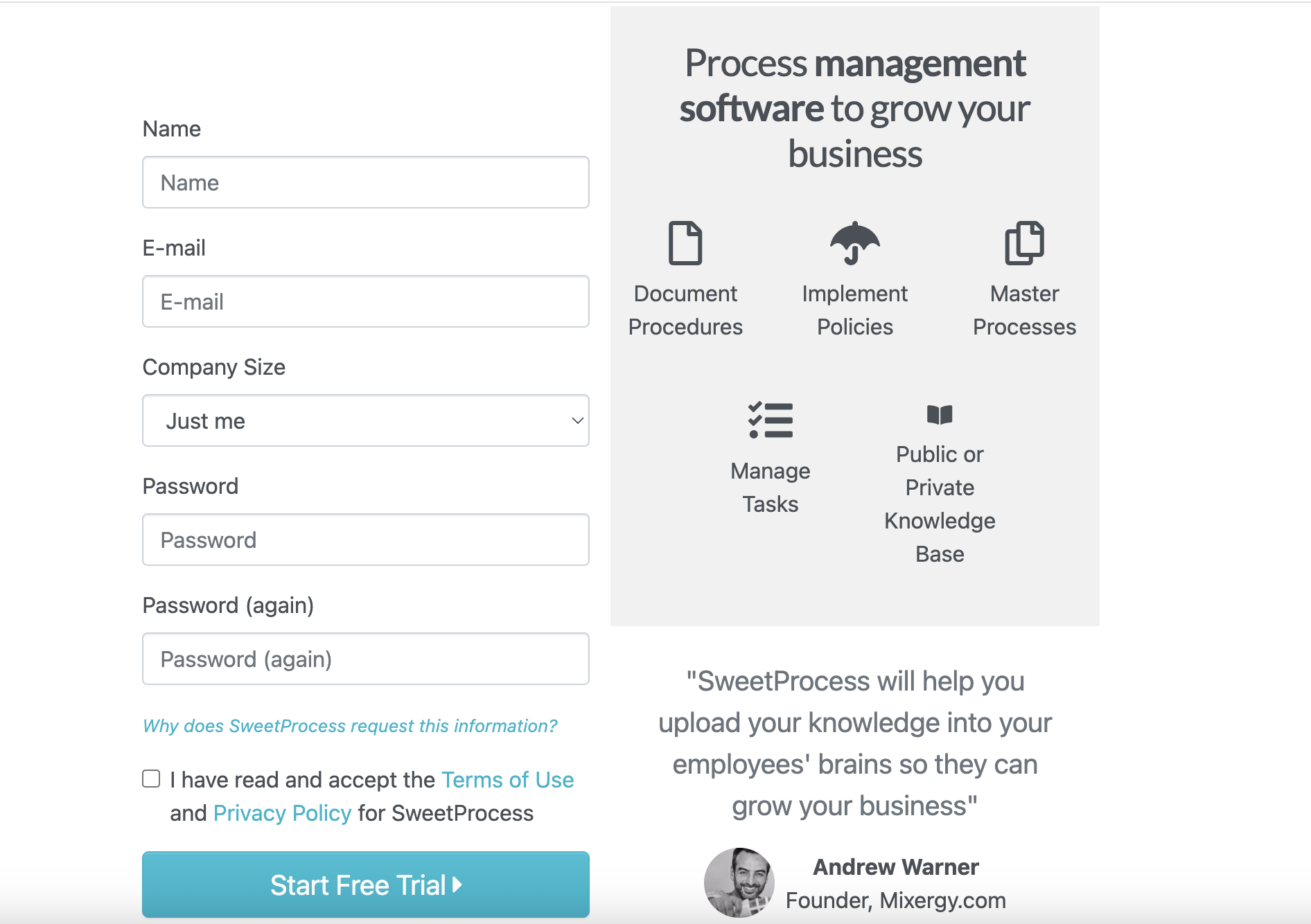
This feature makes it ideal for teams that want to set up real processes and see how the platform would actually fit into their day-to-day operations.
Document Your Company’s Standard Operating Procedures Manually and Automatically
SweetProcess provides two options for building your SOP library. You could use manual creation or the SOP AI for an AI-assisted documentation.
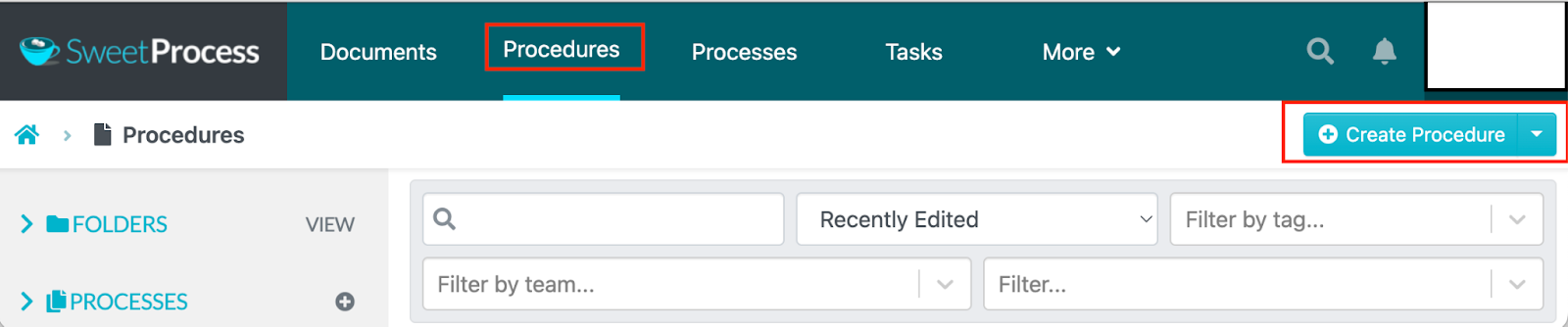
For manual creation, you’ll work with an intuitive editor to write your procedure. It allows you to add images, videos, and file attachments.
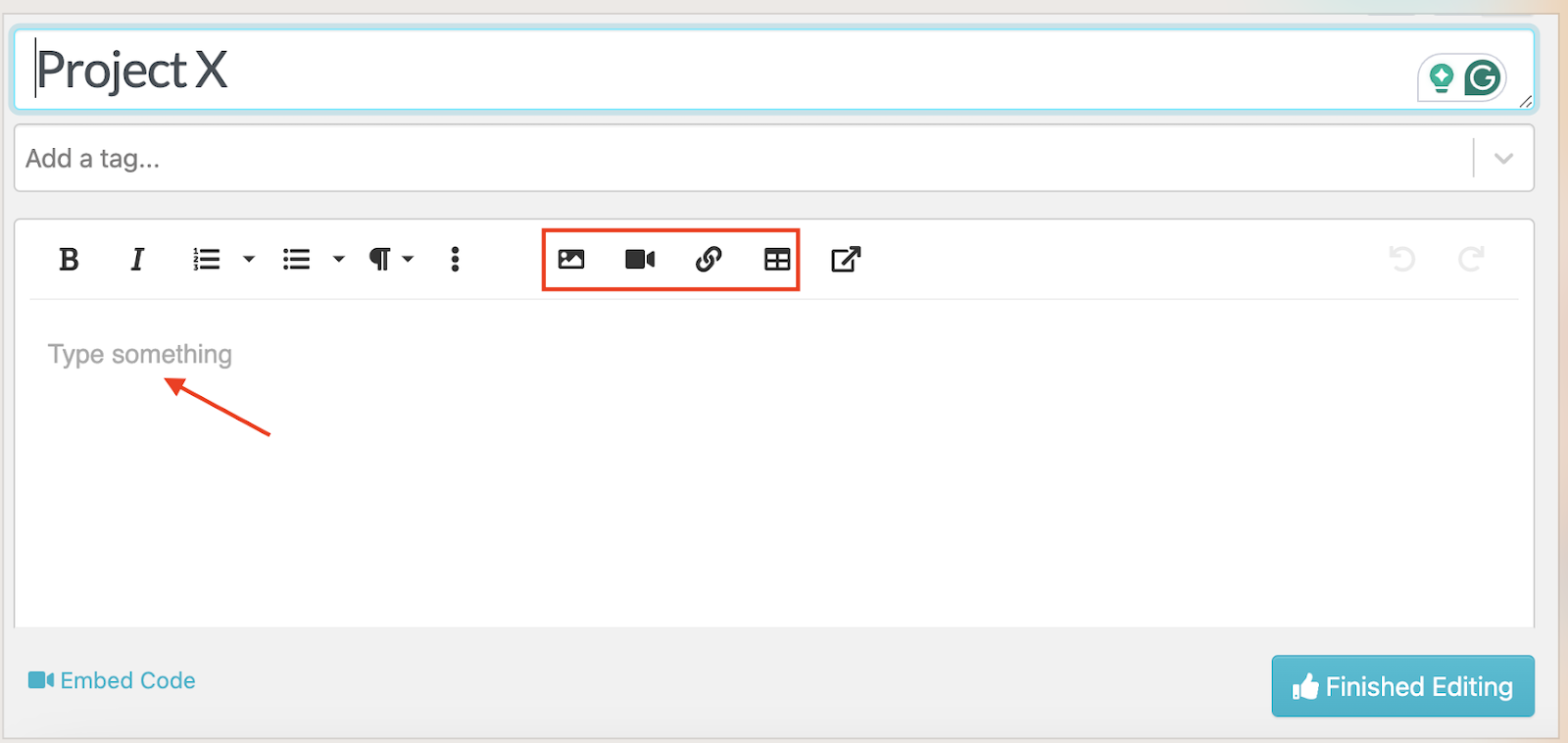
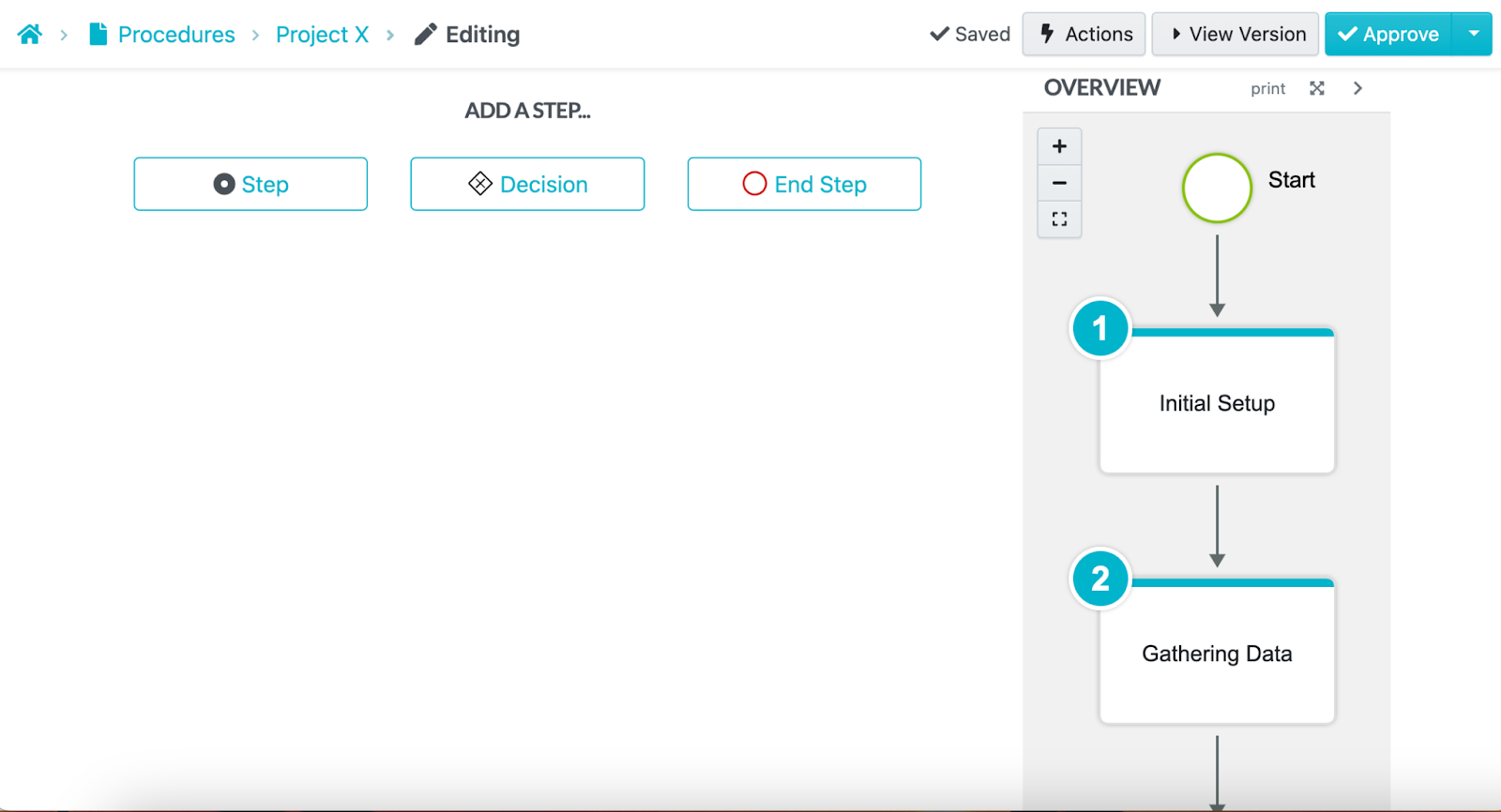
You can also add steps to make the process comprehensive.
Alternatively, you can use the AI SOP generator to speed up documentation.
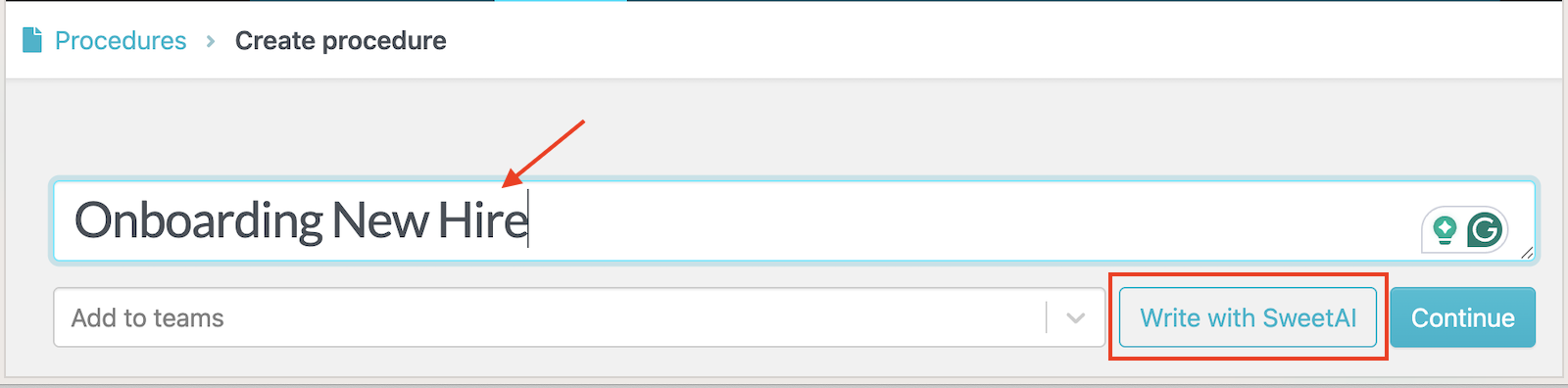
The SweetAI feature automatically generates the content for your process once you add a title.
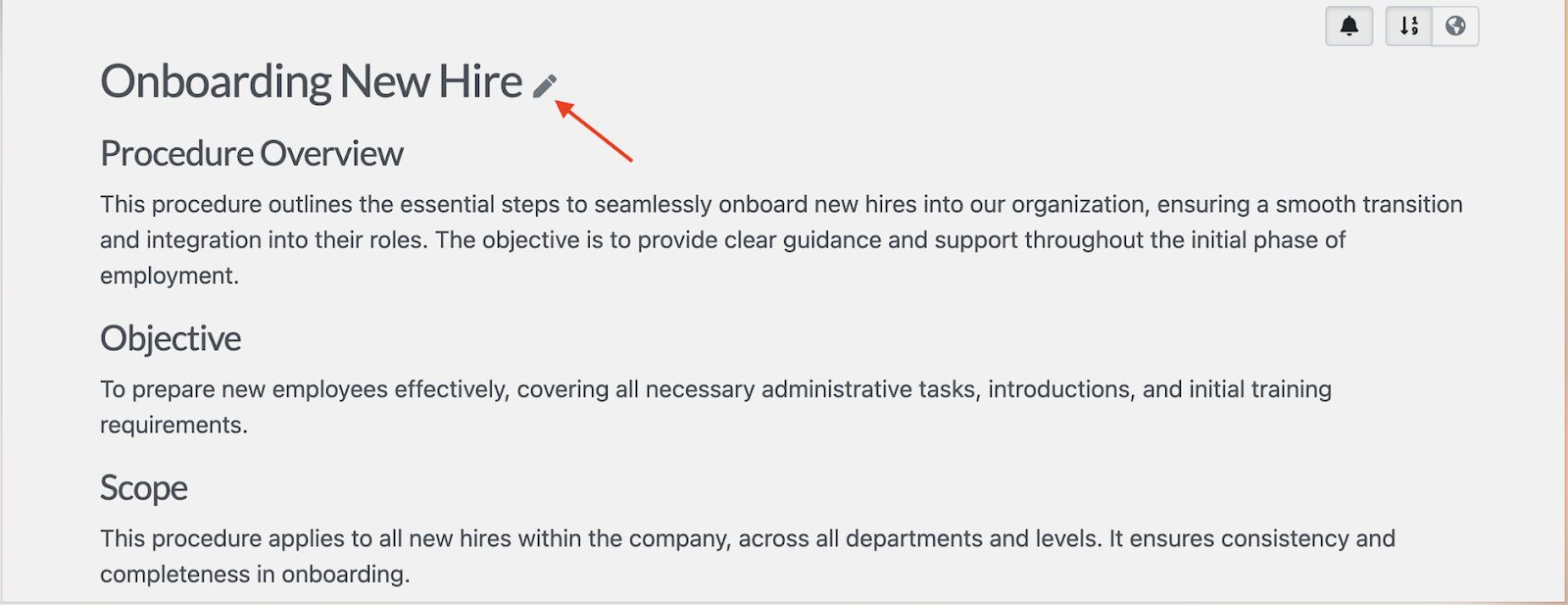
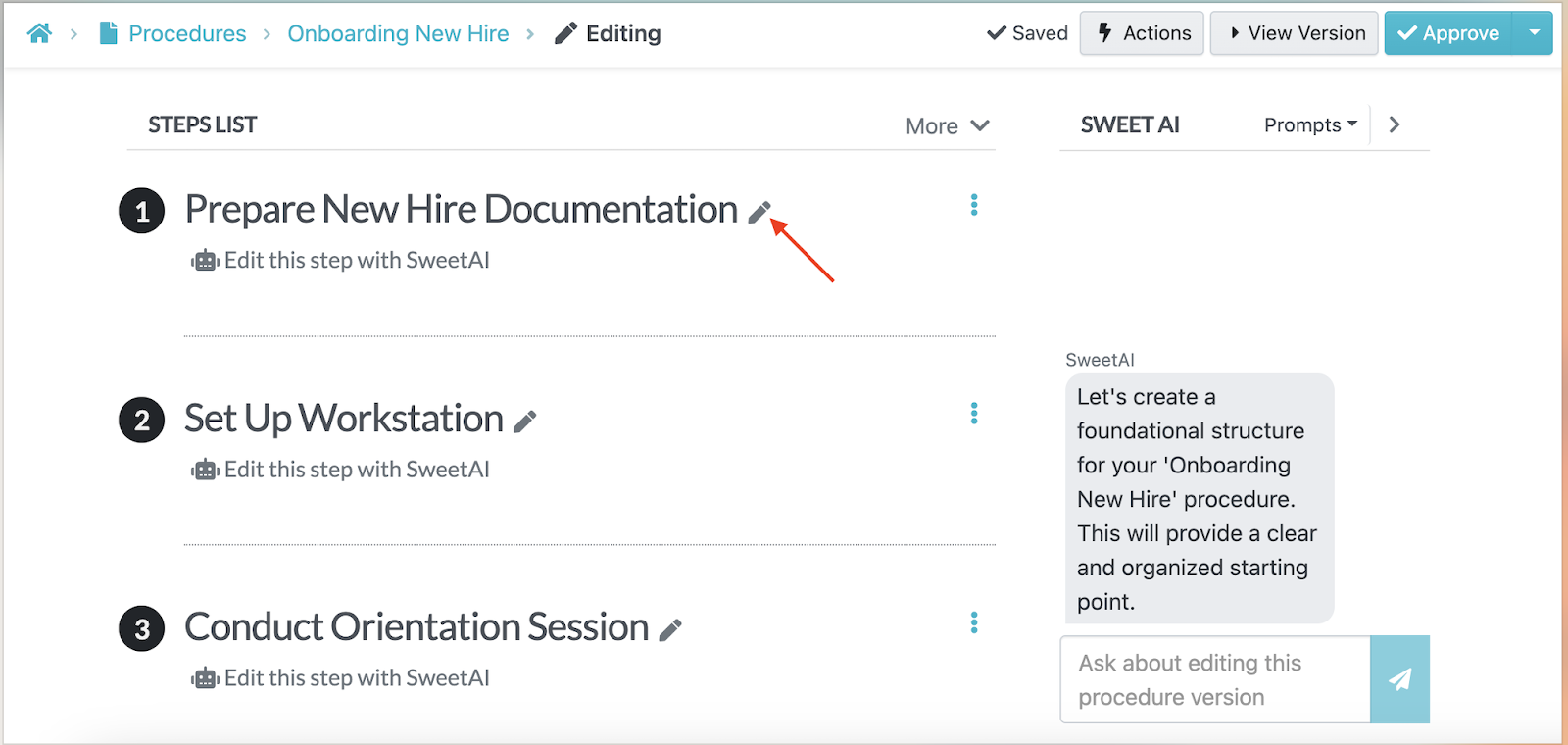
You can refine and edit the text and steps to align with your business goals.
If your team prefers visual SOPs, you can install and use the SweetProcess Chrome extension to capture the steps. As you complete a task in your browser, the extension captures screenshots and records each action.
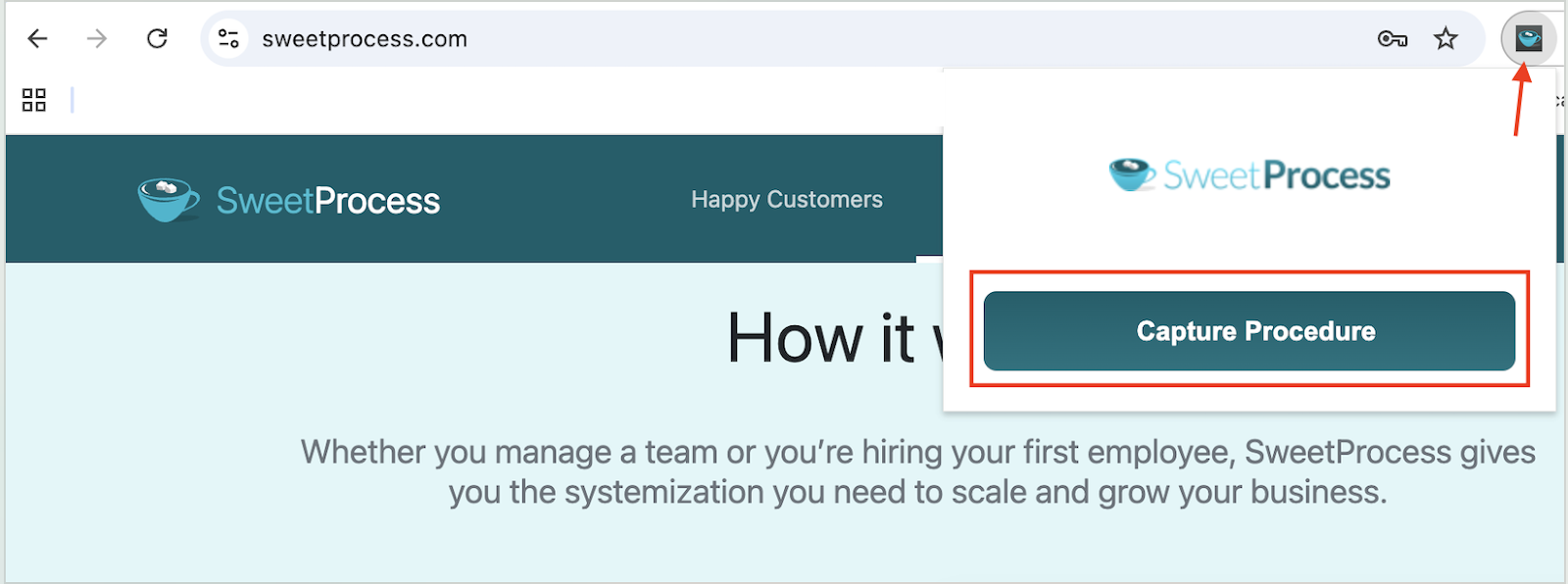
When you’re done, SweetProcess automatically generates a draft procedure with annotated images and descriptions.
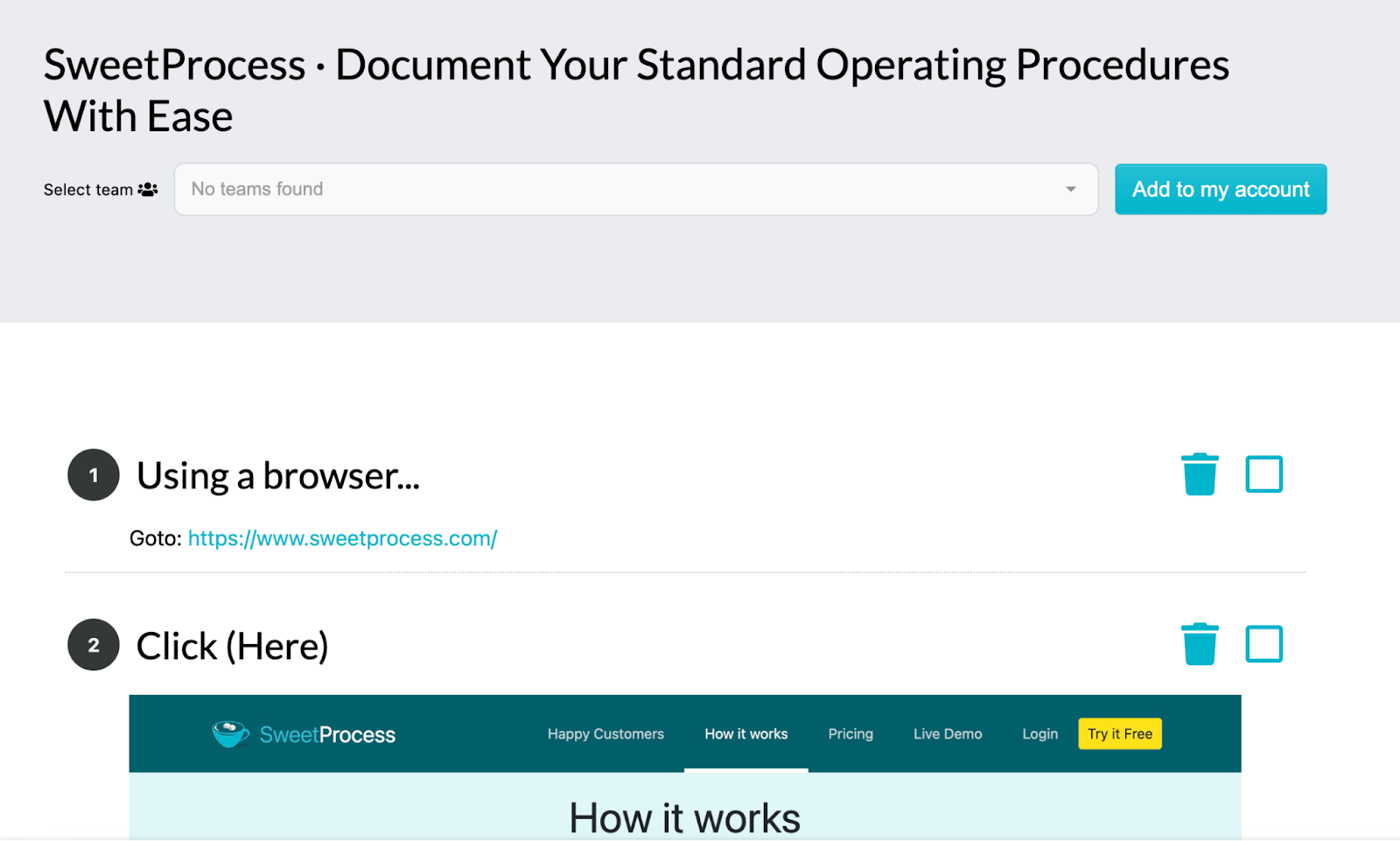
This is ideal for teams that need documentation but can’t find the time to write everything from scratch.
Collaborate With Team Members on Your Company’s SOPs
SOPs are rarely created alone. You need input from the people who do the work. SweetProcess makes collaboration simple. You can co-edit SOPs with other team members from the same platform.
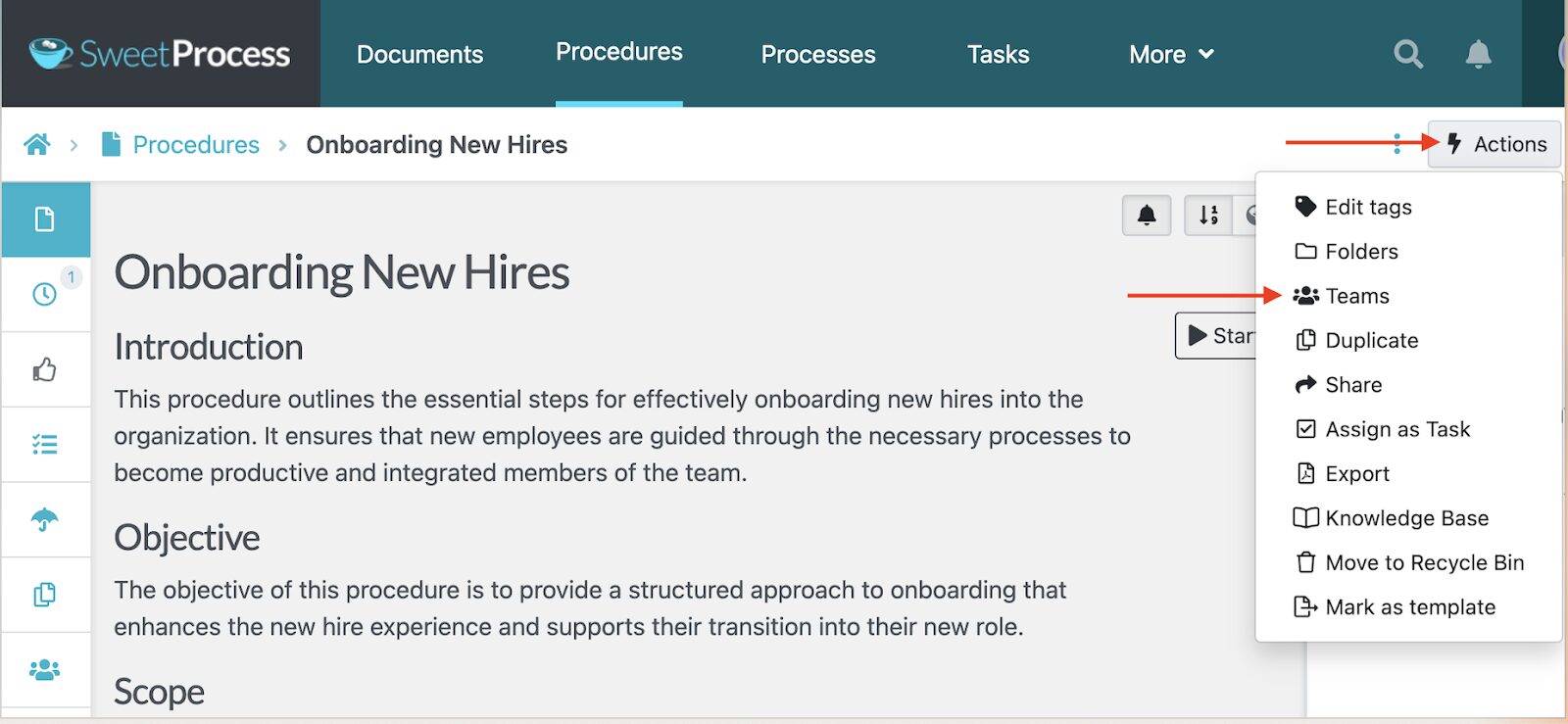
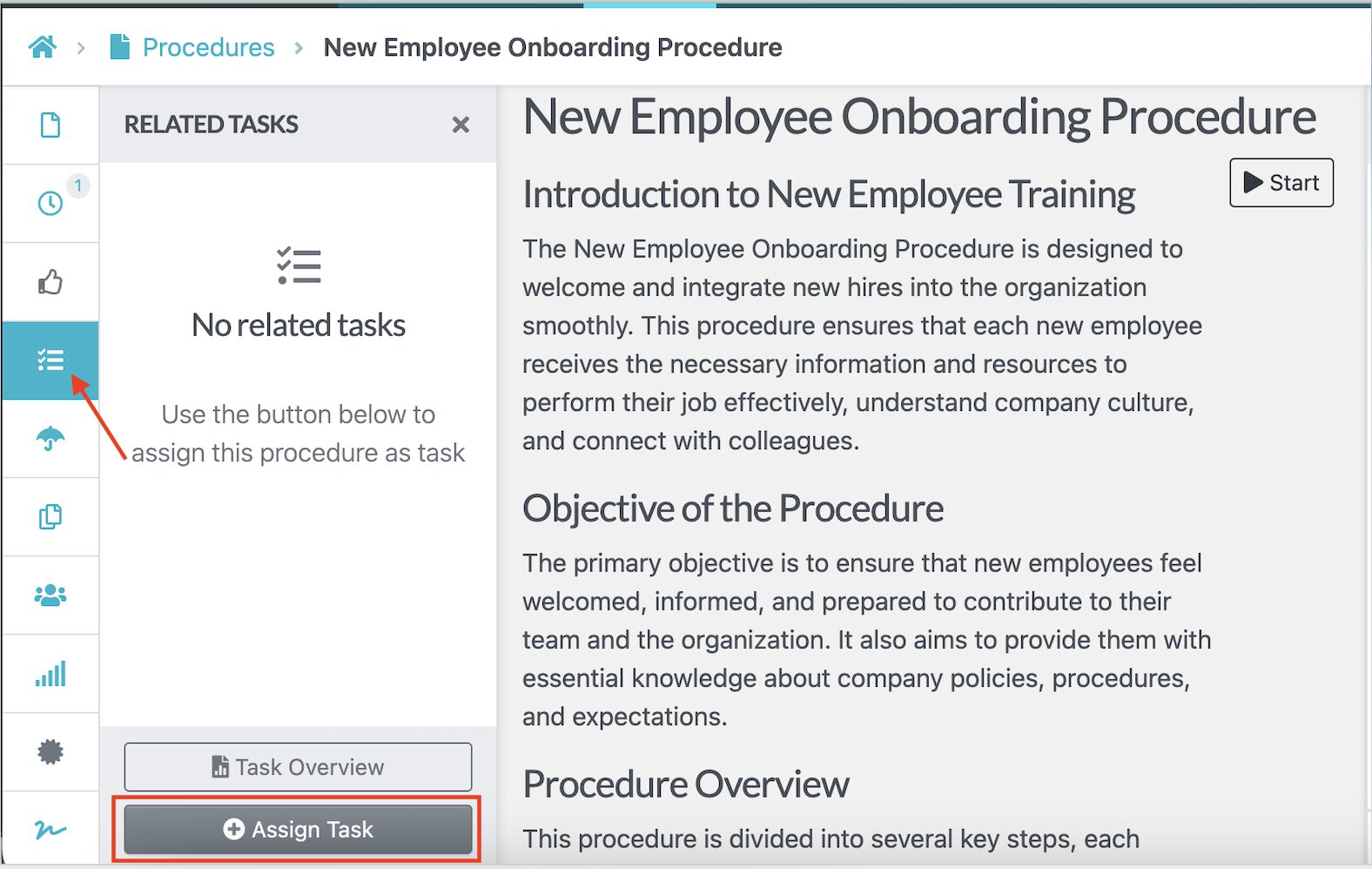
You can also assign procedures to specific team members for review and gather feedback to ensure that all relevant stakeholders have a voice.
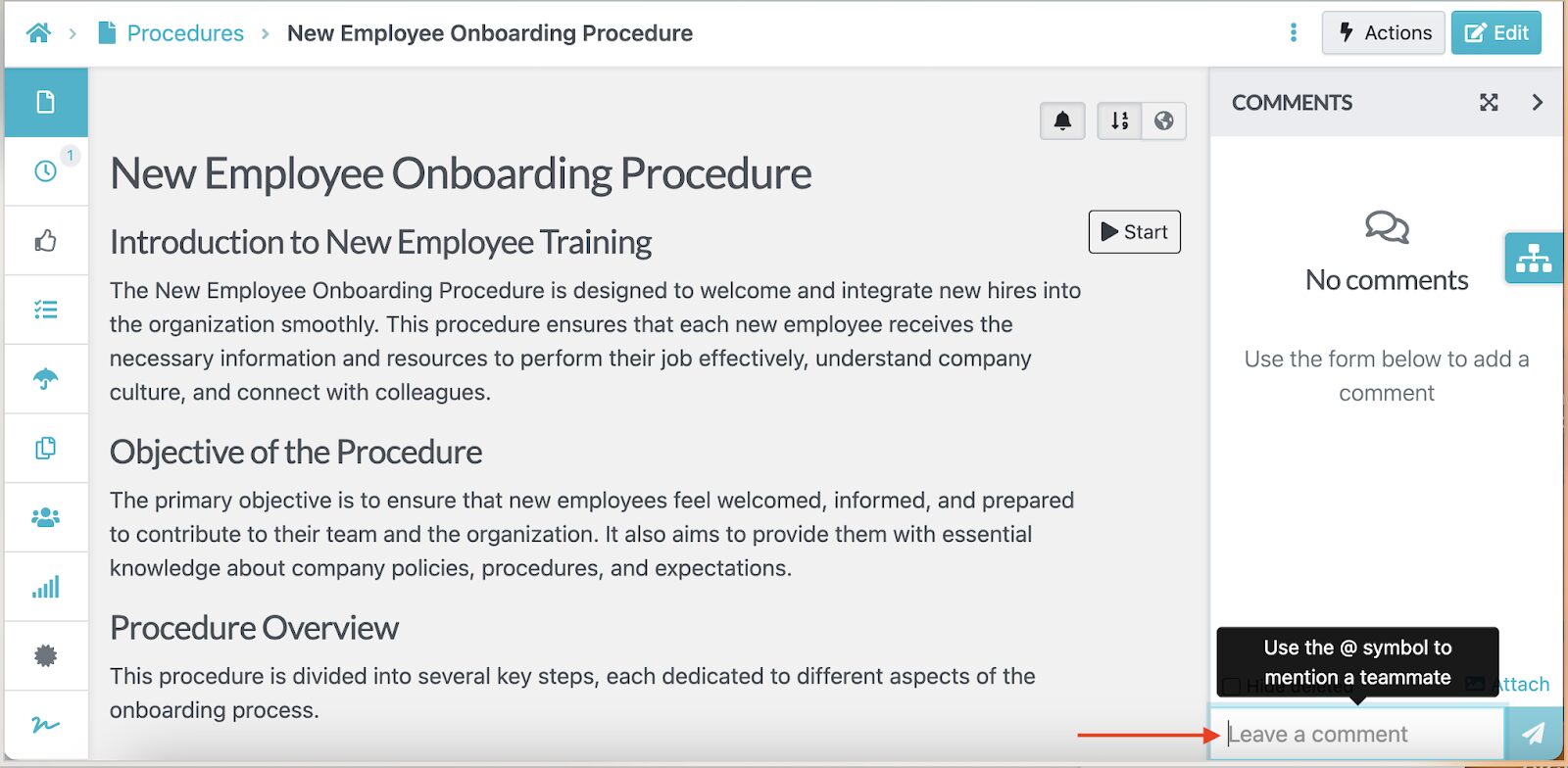
Additionally, you can leave a comment by tagging a team member, allowing them to contribute to the SOP.
During your free trial, you can add your entire team and start building procedures collaboratively.
Format, Review, and Track Changes on SOPs
One of the biggest challenges with process documentation is keeping it up to date. Regulations change, and new tools emerge in the market; therefore, your documentation should reflect these updates.
SweetProcess includes built-in version control that tracks every change made to a procedure. With this feature, you can view who made the edit, when it occurred, and what changes were made. This way, you can revert to an older version if necessary.
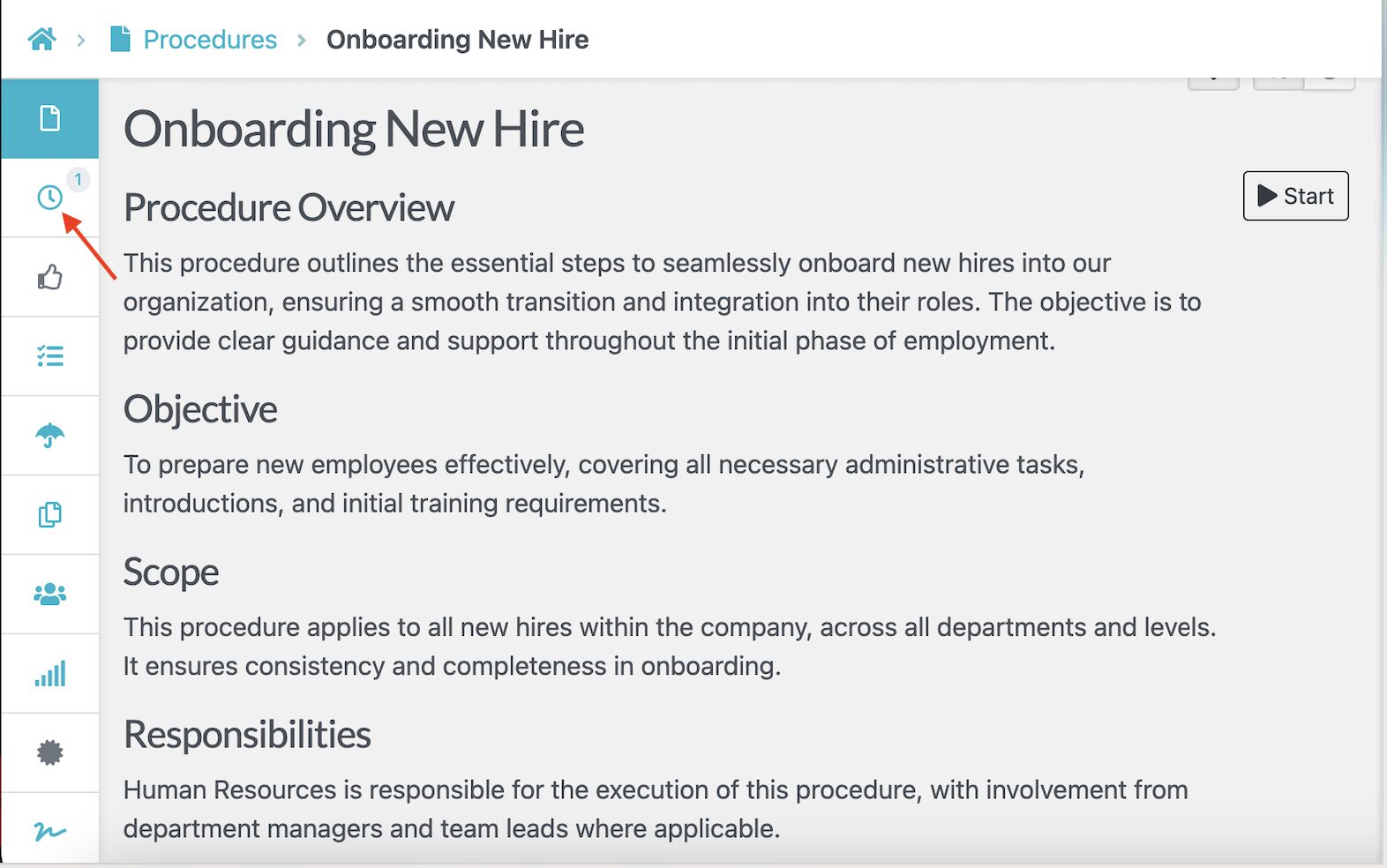
Additionally, you can create an SOP format that your team can follow without any hiccups. As you draft the document, you can add rich text formatting, embed images and videos directly into steps, or create numbered or bulleted lists to highlight critical steps or warnings.
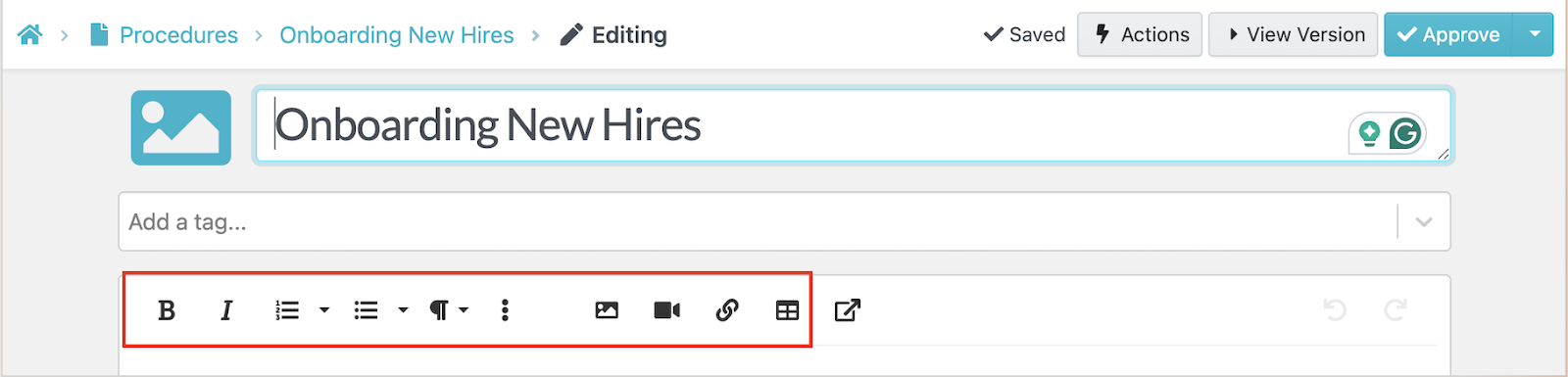
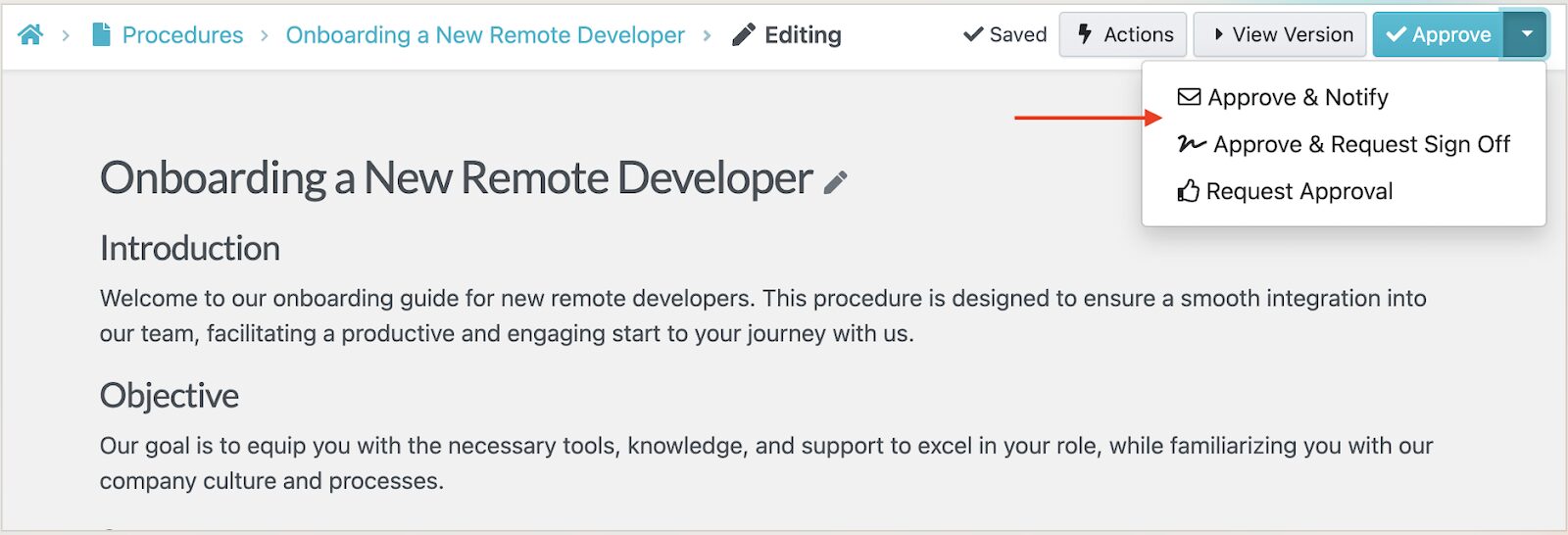
To further keep the process transparent, SweetProcess allows you to assign reviewers for approvals. For instance, if you need an onboarding procedure to be approved by the team lead or managing director, you can assign the task from the dashboard.
Export Documented SOPs to Word Docs, PDF, and HTML
Sometimes you need your SOPs outside the platform for offline training or sharing with contractors or partners.
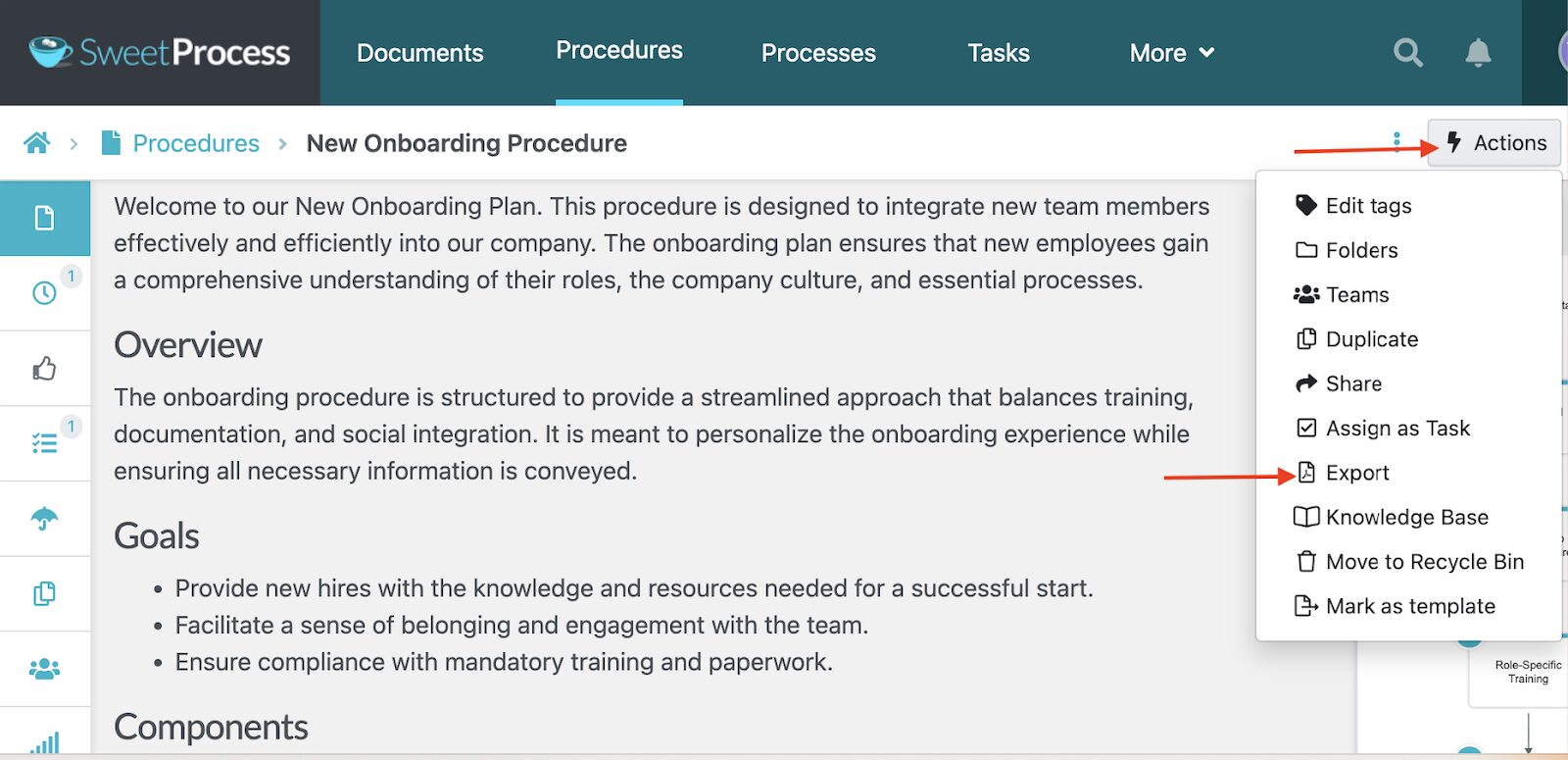
With SweetProcess, you can export your procedures in multiple formats, including Word documents, PDF, and HTML.
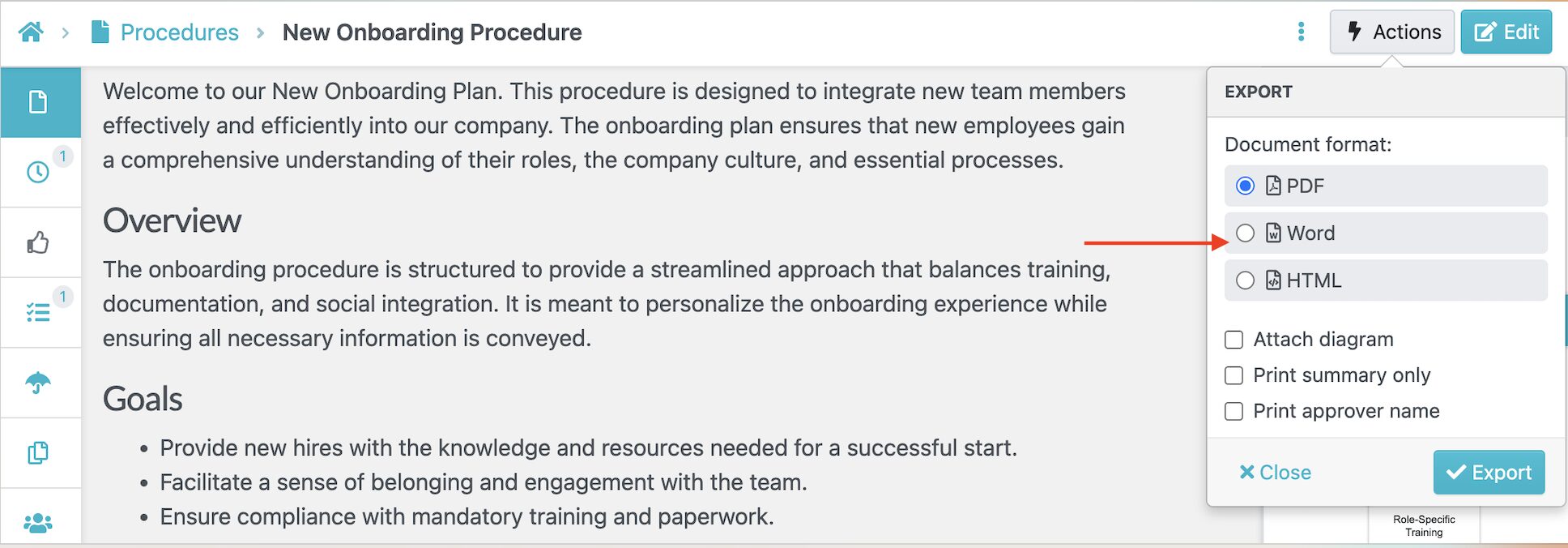
This export flexibility ensures that your documents are ready if you need to provide them for audits and compliance checks.
Create and Manage Multiple SOPs, Policies, Workflows, and Knowledge Bases for Free
During your free trial, there are no artificial limits on what you can create. Need 10 or 80 SOPs? SweetProcess has the capacity to handle it. You can also use the tool to document policies, build multiple workflows, and establish an internal or external knowledge base at no cost.
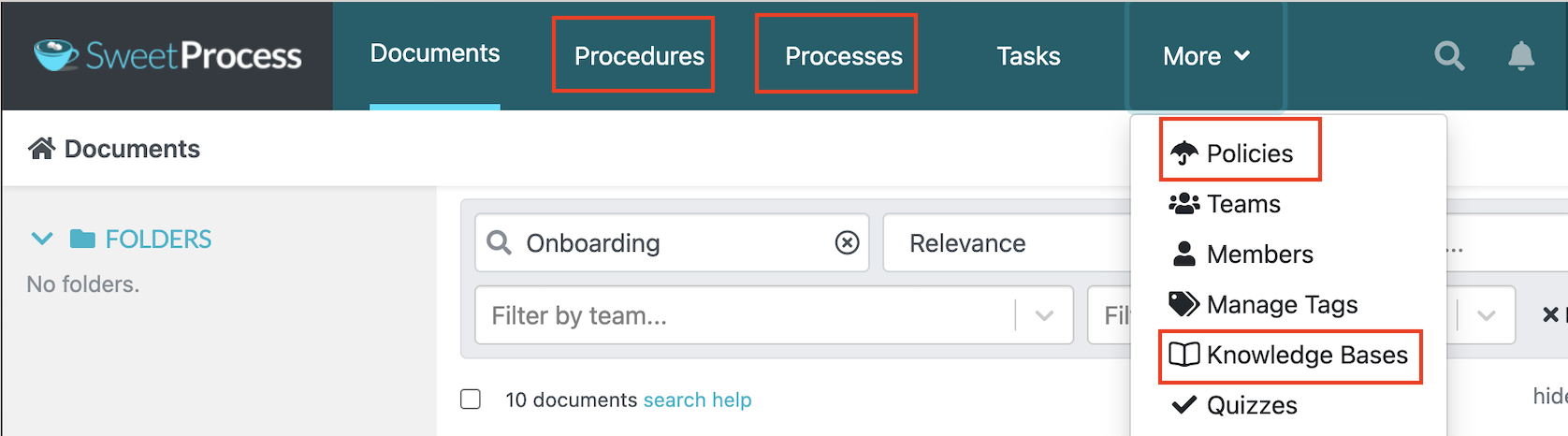
All these documents are searchable and accessible from the dashboard. This way, your team can find any information, even as your documentation library grows.
2) Process Street
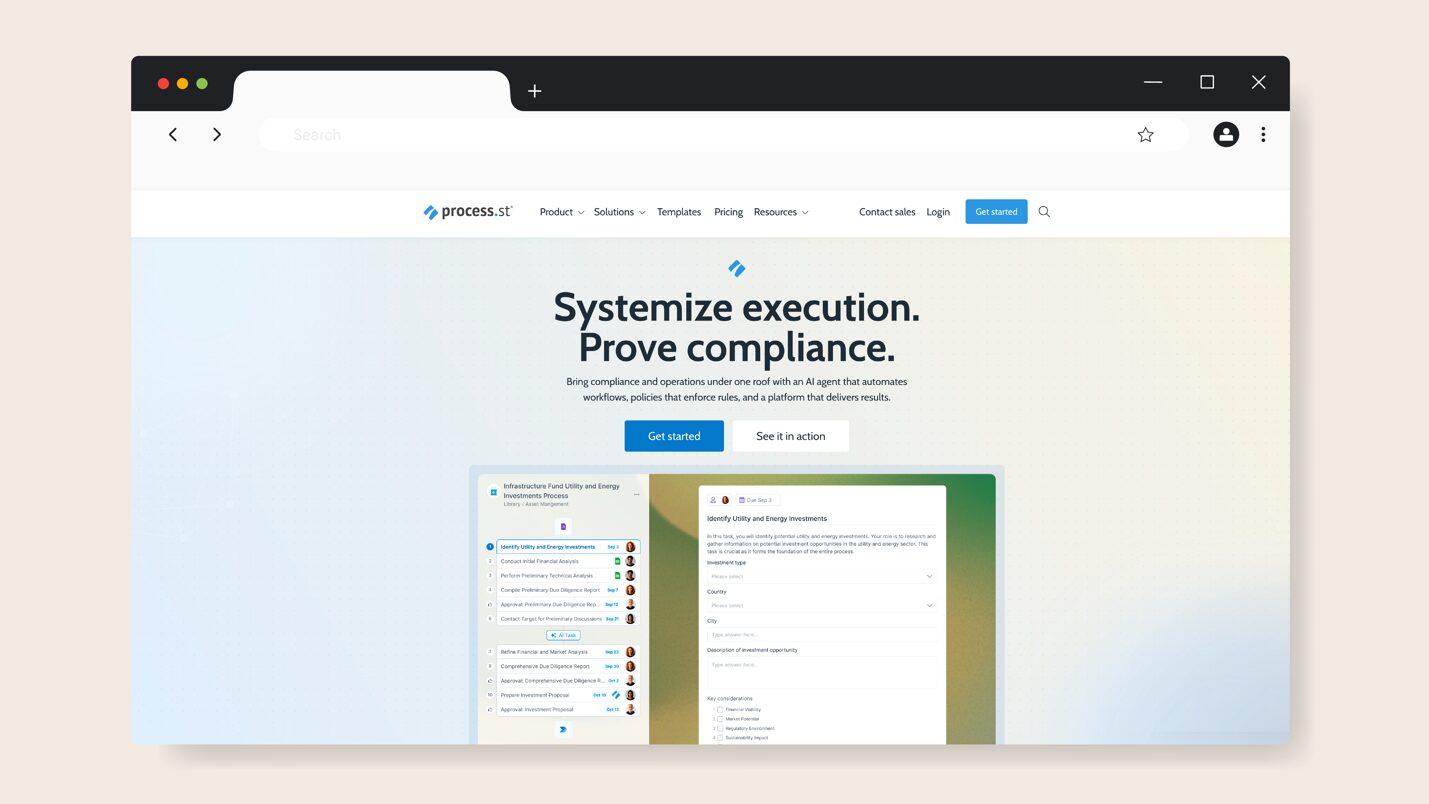
Image source: Process Street
Overview of Process Street
Process Street is an AI-powered workflow management platform that automates compliance for small businesses. All the SOPs are centralized to speed up onboarding and company audits. The platform is designed for organizations in different sectors, including healthcare, finance, manufacturing, and real estate.
Process Street Free Offer and Limitations
Once you sign up for a Process Street account, you can access a 14-day free trial period for the Pro plan. During this time, you get unlimited workflows and tasks. Therefore, you can test full features during the trial, but once it expires, you’ll face restrictions such as:
- Limited storage: The amount of file storage available varies depending on the plan you select.
- Customization: You have to pay to add brand colors to your SOPs.
- Less support: Premium users have access to priority support and dedicated success managers.
Best For?
Process Street is a great fit for micro-teams or solopreneurs who have a small number of critical processes that need structure. You can take advantage of the free trial if you run a consultancy with repeatable client workflows or you’re managing a small remote team with a handful of standard procedures.
3) Notion
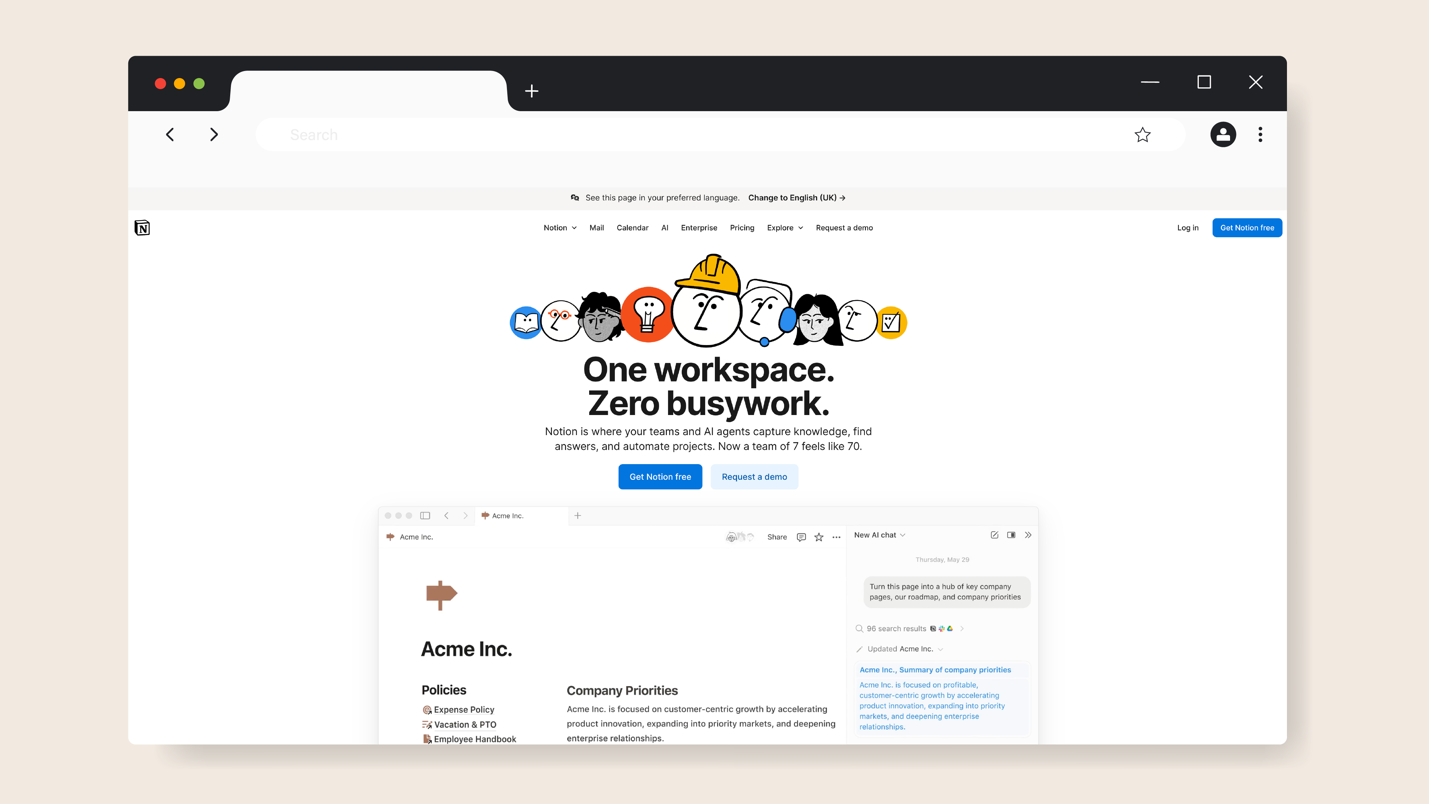
Image source: Notion
Overview of Notion
Notion is a comprehensive workspace that allows organizations to manage databases, notes, company wikis, and project documents in a centralized repository. It goes beyond SOP documentation by providing a platform that automates repetitive tasks to boost team productivity.
Notion Free Offer and Limitations
If you’re looking for a forever-free SOP software, Notion offers this. The free plan gives you access to features such as Notion AI, the Notion calendar, databases, basic sites, and forms. This option is ideal for individuals looking for a flexible tool at no cost. However, it comes with some limitations:
- File upload limits: Large videos or image-heavy SOPs may not fit within the free tier.
- Limited flexibility: You can’t customize your forms and sites unless you upgrade to premium plans.
- Restricted integrations: The free plan only syncs with Gmail. You have to pay for the Plus, Business, and Enterprise options to access multiple integrations.
Best For?
Notion is ideal for solo entrepreneurs, freelancers, and early-stage teams who need a simple, flexible system to capture SOPs. You can easily organize processes and build a central knowledge hub without incurring software costs. As your operations become more complex, you’ll outgrow the free plan.
4) Whale
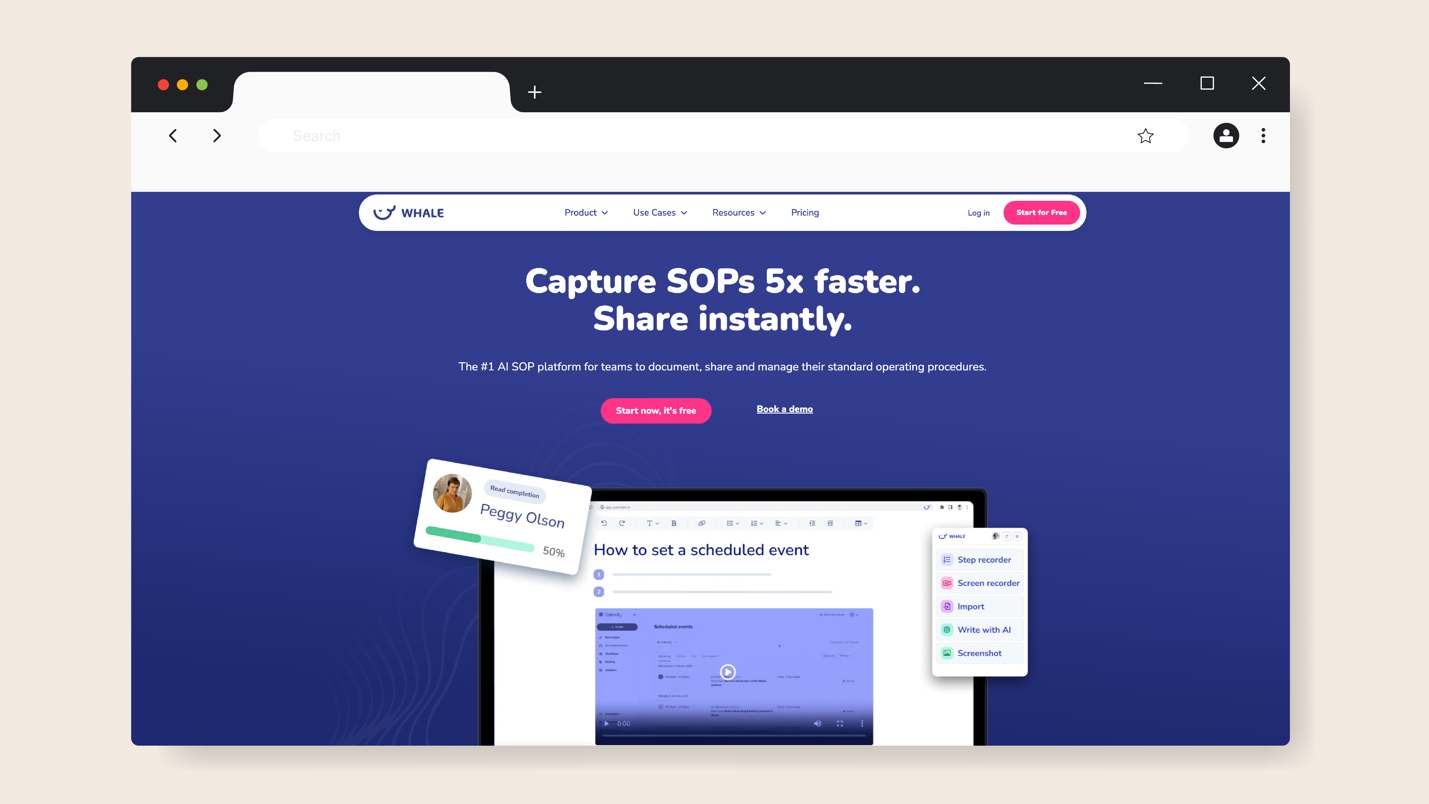
Image source: Whale
Overview of Whale
Whale is an SOP documentation platform that enables you to capture company information and transform it into procedures your team can follow. Once documented, you can also share these guides with the relevant stakeholders.
This AI-assisted tool comes in handy when training and onboarding new employees, since you can centralize all the resources and create quizzes.
Whale Free Offer and Limitations
With Whale, you can use the Free plan for life. This option caters to five users and gives you access to 20 AI tokens, unlimited documentation, a step recorder, an image editor, and SOP templates. While it provides enough features to test the platform’s structure, it comes with several constraints:
- User limitations: There’s a cap on the number of users who can use the plan.
- Limited support: You don’t get migration support, user training, or any implementation help from the Whale team.
- No mobile app access: You have to pay for a premium plan to use the app for SOP documentation.
- Limited integrations: You can only integrate Whale with Google and Microsoft.
Best For?
Whale’s free plan is best suited for small teams of 10 or fewer who don’t need advanced integrations or automation. It works well for startups in the early documentation phase or small agencies building their first knowledge base. You can use this SOP software if you need an organized and training-friendly tool.
5) ClickUp
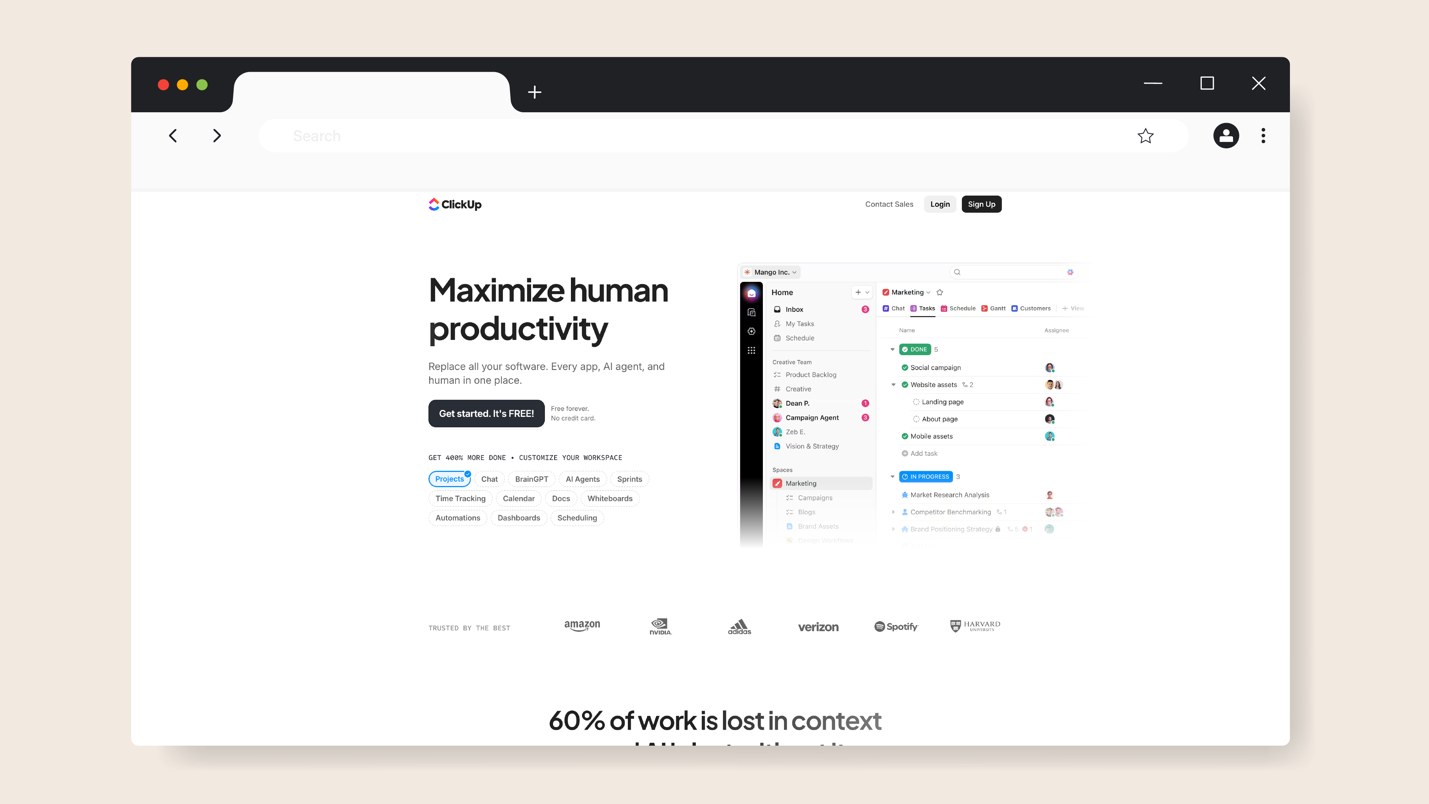
Image source: ClickUp
Overview of ClickUp
ClickUp is an all-in-one workspace that helps organizations manage tasks and projects in one place. The robust documentation features can be used to create detailed SOPs for your team. Additionally, they offer the ClickUp AI agents that can connect to your existing business tools to streamline processes.
ClickUp Free Offer and Limitations
While the tool offers four pricing plans, it has a free plan that’s available forever. This option comes with features such as 60MB storage, Kanban boards, 24/7 support, unlimited free plan members, and video recording. However, this free plan restricts:
- File storage: You can access a specific amount of storage, while the premium plans have unlimited options.
- Views: As a free user, you can’t access Gantt charts and timeline views.
- Customization: To access advanced customizations, roles, and exporting, you’ll need to subscribe to a paid plan.
Best For?
ClickUp’s free plan is ideal for small teams who need to consolidate project management and process documentation. It’s best for individuals and startups that require structure with simple documentation needs. However, the 60MB storage limit makes it less practical for teams with media-heavy SOPs that include lots of images or training videos.
6) Keeni
Image source: Keeni
Overview of Keeni
Keeni is a process management software built for businesses that want to document their operations. You can create procedures with interactive elements and run checklists with this tool to keep your team collaborative. Keeni’s interface is easy to navigate for all users, making it ideal for organizations that want to create a knowledge base for training purposes.
Keeni Free Offer and Limitations
To use Keeni to document your SOPs for free, you can sign up for the Individual plan. With this option, you can create procedures, access templates, export documents to PDF, and share SOPs. To access more features, you’ll need to pay for the premium plan and start with a 30-day free trial period. This is enough time to learn more about how the tool operates.
The free plan comes with these limitations:
- Access restrictions: With the Individual plan, you don’t have control over user permissions.
- Limited customization: You also can’t tailor key items such as form elements.
- Security issues: Users don’t have access to two-factor authentication or audit logs, which puts your information at risk.
Best For?
This free SOP software is ideal for individuals and small teams that require a tool to store and share process documents. If you’re comparing a few platforms, Keeni’s trial period gives you time to familiarize your team and evaluate whether the simplicity matches your needs.
7) Scribe
Image source: Scribe
Overview of Scribe
Scribe takes a different approach to SOP creation by automating the documentation process. You need to install the browser extension or desktop app to perform any task. Scribe automatically captures every click and navigation step, generating a visual step-by-step guide complete with screenshots and written instructions.
Scribe Free Offer and Limitations
Scribe offers a free Basic plan to all its users. You can generate how-to guides immediately without incurring any costs. With this free plan, you have access to customization, a shareable link, and the ability to use any web app. While these features are ideal for SOP documentation, they might not be enough for all types of teams. The free plan comes with these restrictions:
- Limited editing: Users can’t redact and edit the screenshots.
- No export capabilities: If you need to print your SOPs for training or audits, you can’t export them to Word or PDF documents in the free plan.
- Customization issues: You can’t incorporate your company branding in the SOPs.
Best For?
This SOP tool is ideal for individuals who want to document digital workflows. You can capture simple processes that have a few steps to organize information. However, if you need to manage a larger team and organize hundreds of detailed procedures, Scribe’s free limitations will prompt you to upgrade to a paid plan relatively quickly.
Why Use a Free SOP Software?
Creating a comprehensive SOP doesn’t have to be expensive or complicated. For many small teams, the biggest hurdle is finding a tool that helps them get organized without stretching the budget.
Free SOP software fills that gap. It provides businesses with a low-risk way to test features and gain operational clarity before committing to a paid plan. Here’s why your organization should start with a free SOP tool:
Budget Constraint
Ever feel like you want to systemize your business but simply can’t justify another software bill? For startups or small businesses with a limited budget, it could become too costly to spend hundreds of dollars, even when you know documentation would save time and money long term.
Free SOP software designed for small businesses eliminates this barrier to entry. You can start documenting processes immediately without any pressure. The free trial period allows you to prove whether the tool is worth it before allocating a budget.
Ease of Assessing the Features and Learning Curve
Think about the last time you committed to software only to discover it was far more complex or more limited than advertised. When choosing SOP software, the main goal should be, “Can my team actually use it?” Free access lets you test the platform and determine if it has a steep learning curve.
It’s also the best time to reveal any deal breakers, such as missing integrations or export limitations.
Legal technology company Lawvex took advantage of this by signing up to SweetProcess. The team was growing and had almost doubled in size, making it hard to manage all the internal processes. The organization reached a breaking point when its internal processes became too scattered on Google Drive and hard to manage.
Gary Winter, the managing attorney, and the chief operating officer, Tisha English, heard of SweetProcess and decided to test out the features.
They say, “Having processes and procedures written down in a place where everybody can find them is so important to us now, especially bringing on new people and onboarding them…. The team can go to one spot and answer their own questions without having to come to ask me. They are empowered to be able to go and seek all the information that we have written down, and they prefer that.”
Centralized Company Documentation
Imagine having all your procedures scattered across multiple Google Docs, Slack messages, and emails, or stored only in your warehouse manager’s head. No work will be executed accordingly. But with a free SOP tool, you can centralize processes, policies, checklists, and workflows in a single accessible system.
When your SOPs live in one place, team members no longer depend on managers for every small question.
This was one of the main challenges for Consortium Private Wealth. The founder, Robert Goudie, initially managed all the business processes in Microsoft Word. But as the number of employees increased, it was becoming hard to operate while relying on tribal knowledge. He needed an SOP tool to centralize the information.
Robert encouraged the team to always document their tasks on SweetProcess and make it accessible to everyone. He says, “No one ever saw it as a threat that they were on the way out…. It was more of a ‘Let’s bulletproof the business’ mindset.”
Team Consistency
How many versions of “the right way” exist in your business right now? One team member processes orders by checking inventory first, another starts with payment verification, while a third has developed their own hybrid approach. All three methods get the job done eventually, but the inconsistency could lead to problems in the quality of work.
It also creates confusion, since there are standardized steps. You can avoid such issues by selecting a free SOP tool that enables you to create guidelines that everyone should follow. You can create SOP manuals and checklists and share them. This way, your team works more confidently, and your customers receive the same high-quality products and services.
Faster Onboarding
What does onboarding look like at your company right now? If you’re honest, it probably involves a lot of shadowing and repeated explanations. Having such an onboarding system can pull your best people away from productive work and be frustrating for new hires. What if you had a month with a free SOP tool? This is enough time to create an onboarding plan.
You can use the SOP builder to generate step-by-step procedures for your new employees much faster. Instead of asking supervisors the same questions, the new hires can learn independently by referring to the company’s knowledge base.
Limitations of Free SOP Software
Although free SOP tools are a great starting point, they’re not perfect. They have some restrictions that will slow down the business as it grows. Understanding these limitations upfront will help you make informed choices. Here are the common limitations:
Feature Limitations in Freemium Options
Have you ever tried using a “free” tool only to discover some features you actually need are locked behind a paywall? That’s standard in most freemium SOP platforms. Tools like Notion offer forms and sites, but you have to upgrade to get unlimited options. On the other hand, ClickUp requires a premium plan to access more automations and customizations.
Therefore, if your documentation needs are growing and you need more storage or collaboration features, you can’t access this on the forever-free plans. In contrast, SweetProcess grants full access to all premium features during its 28-day trial, enabling you to build your entire SOP structure.
Security Issues in Open Source Options
Picture this: you’re documenting sensitive company procedures such as HR workflows in an open-source tool. Who’s responsible for securing that data? With many open-source options, the burden falls on you or your IT team. These platforms often lack enterprise-grade security or controlled access permissions.
A tool like Keeni, for example, offers great workflow features but may limit advanced admin controls, making sensitive documentation harder to safeguard. Only Enterprise users have access to two-factor and Google authentication.
SweetProcess, on the other hand, provides secure hosting and access controls even during the free trial. This way, your SOPs stay protected from day one.
Migration Issues
Let’s say you created multiple SOPs, only to realize when you try to switch tools that you can’t easily export them. This scenario could affect your operations and team collaboration. Some free options, like Scribe and Whale, restrict users by not providing migration support.
The risk here is that you become stuck with a tool you’ve outgrown. Additionally, rebuilding from scratch can delay important improvements and increase the chances of errors. SweetProcess eliminates this frustration by offering full export options during the free trial, whether you need them in Word, PDF, or HTML. You’re free to copy and back up your SOPs.
Risk of Losing Company Documentation
You could build your SOP library over several months, and then one day, the platform limits your access or your account hits a cap that locks older files. This often occurs with freemium plans that have minimal storage. Therefore, if you’re using free SOP tools like Process Street, ClickUp, or Notion, you may need to upgrade to a premium plan to accommodate your information.
SweetProcess mitigates this risk by giving everyone a dedicated SOP system with guaranteed access and reliable backups, even during the free trial.
Don’t gamble with your business documentation. You need a platform that won’t limit your growth or put your business at risk. Try SweetProcess free for 28 days!
How To Choose the Best Free SOP Software
Not all free SOP software will work for your business. You need to understand your current and future needs and select the right SOP tool that can sustain you. Here are the key things to consider before signing up.
Consider Team Size
Are you a solo founder or a department of twenty?
The size of your team matters when you pick SOP software. For a small team, you only need basic access and simple workflows. But if you anticipate dozens of users or multiple editing roles, you’ll want a tool whose free tier doesn’t limit collaboration.
As your team grows, you’ll need features like:
- Multiple editors
- Simultaneous commenting
- Approval workflows
- Team roles
This is where many free tools start to show their limits.
Agency co-founder Nick Shackelford highlights that most SOPs fall apart because they aren’t written or structured with the actual users in mind. New hires need clear, step-by-step guidance, experienced staff need streamlined instructions, and leadership needs high-level clarity. When different people rely on the same SOP, the software supporting that system must be able to handle a diverse team with diverse needs.
That’s why choosing a free SOP tool that can support a growing organization is essential if you want your processes to stick as your team expands.
Picture Scaling and Growth Plans
Your company already has a growth plan for the next few years. When selecting an SOP tool, choose one that integrates with these scaling plans. For instance, if you plan to hire more employees or open more branches, your documentation and storage needs will also increase.
If your SOP software cannot scale, you might find yourself locked in or forced into a costly migration.
Realtor and business owner Diante Lawrence shared that once the team created a structured SOP for the business, everything became easier to manage as they grew. Tasks became more predictable, and they could track deliverables. According to him, every organization, even small ones, should design SOPs if they want to grow.
Plan Upgrade and Migration
What’s your exit strategy if the free tool stops working for you? You may need to migrate your documents to a different system. But if your freemium plan doesn’t accommodate this, you’ll lose data and have to start afresh on new software.
When selecting a free SOP tool, check for these:
- Can you export easily?
- Are backups supported?
- Is there a path to upgrade without losing your work or recreating your library?
Which Free SOP Software Should You Choose for Your Business?

Every free SOP tool on this list comes with its own strengths. Some offer flexible workspaces, others have structured interfaces, visual SOPs, and all-in-one systems to handle all business operations. However, they can be limiting if you’re looking for a tool that will integrate into your operations as you scale.
On the other hand, SweetProcess offers a standard 14-day free trial and an extended 28-day free trial with full access to all premium features. You can access the dashboard, create your knowledge bases, and manage your processes and workflows without restrictions.
If you want to implement a platform that grows with your business, SweetProcess is the go-to option. Try SweetProcess free for 28 days and build a complete, scalable SOP system. No credit card is required!