Last Updated on February 1, 2026 by Owen McGab Enaohwo

Did you know that smartphone users spend 85% of their time on apps? On top of that, 51% of those surveyed open their apps one to 10 times a day, a clear sign that mobile phones are part of our everyday routine.
Now think about your employees. If they’re already reaching for their phones multiple times a day, why not make your company’s standard operating procedures just as accessible? A standard operating procedure app provides instant answers and checklists, whether your employees are in the warehouse performing equipment checks, managing tasks on a retail floor, or working remotely.
With the right SOP mobile app, your team doesn’t need to scroll through long email attachments or zoom in on PDF documents that don’t display correctly on mobile. Let’s take a closer look at how the SweetProcess SOP app can work for your organization.
Give your team the freedom to access, follow, and complete SOPs on the go. Download the SweetProcess SOP app on Google Play and the App Store!
Table of Contents
How To Use the SweetProcess Mobile App
Create and Manage SOPs Efficiently With SweetProcess
Use Cases for the Mobile SOP App
Why Use a Mobile App To Manage Your SOPs?
How Stone & Wood Uses SweetProcess To Document and Manage Its SOPs
FAQs on the SweetProcess SOP App
How To Use the SweetProcess Mobile App

Getting started with the SweetProcess mobile app is easy. The app is designed for teams looking to switch to mobile-first SOP management. Once the procedures have been created, employees can run and track them from anywhere.
Before diving in, please note that you’ll need to set up your SweetProcess account on a desktop first. That’s where you’ll organize your company procedures and build SOP checklists that automatically sync to the app.
Here’s a simple step-by-step guide to get started:
Create a Free SweetProcess Account
To create an account,
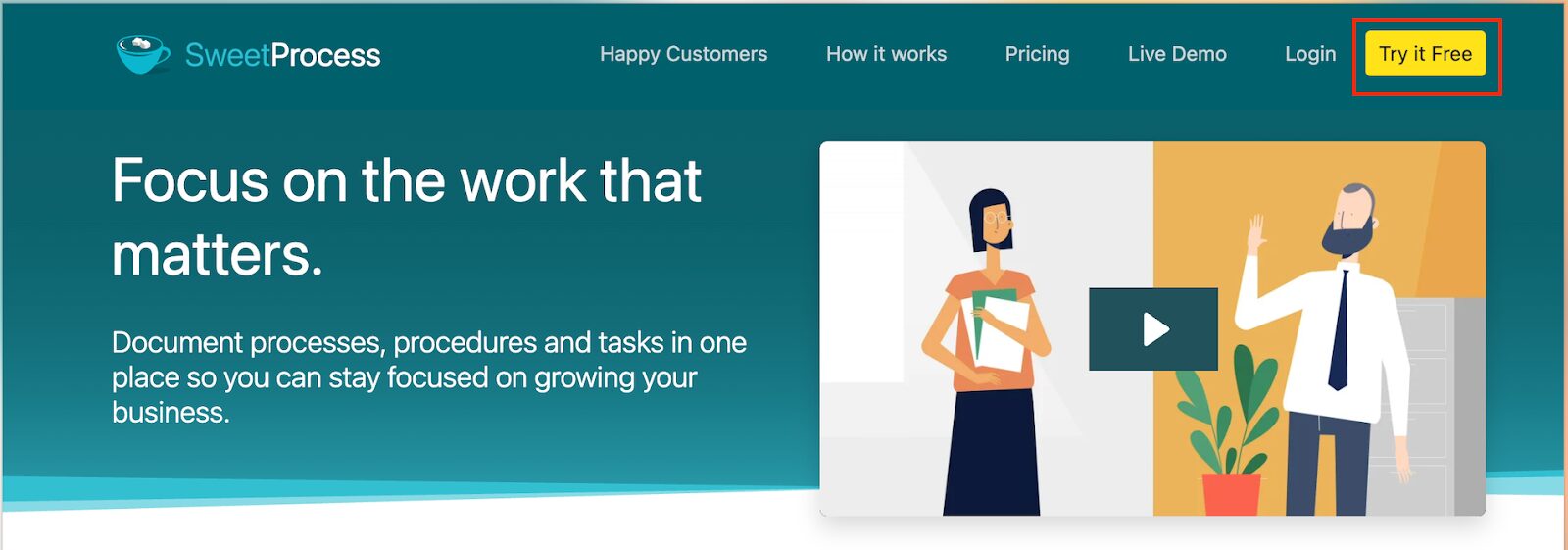
- Open the SweetProcess website and click the “Try it Free” button.
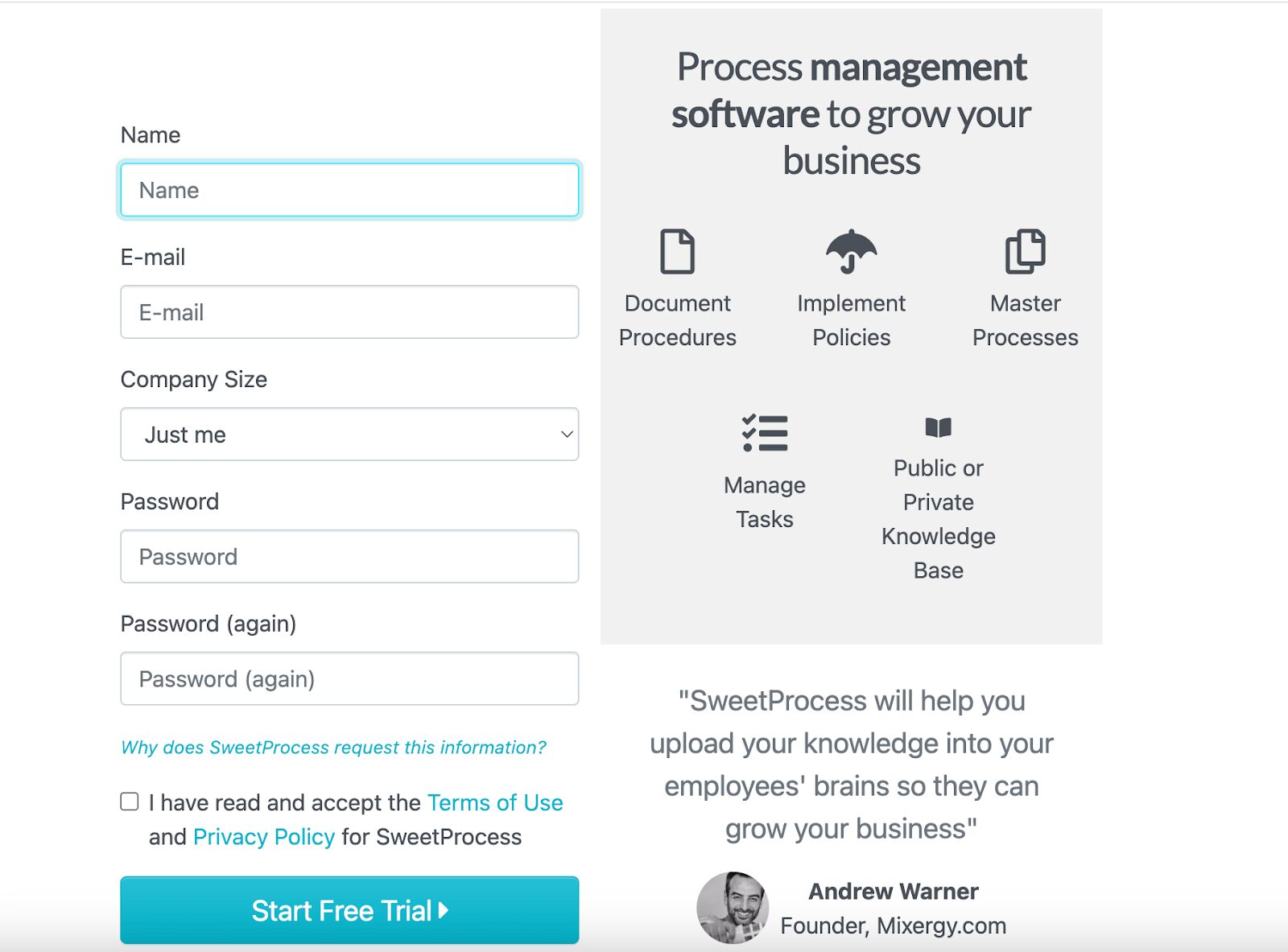
- Once the next tab opens, fill in your contact and company details to start the trial.
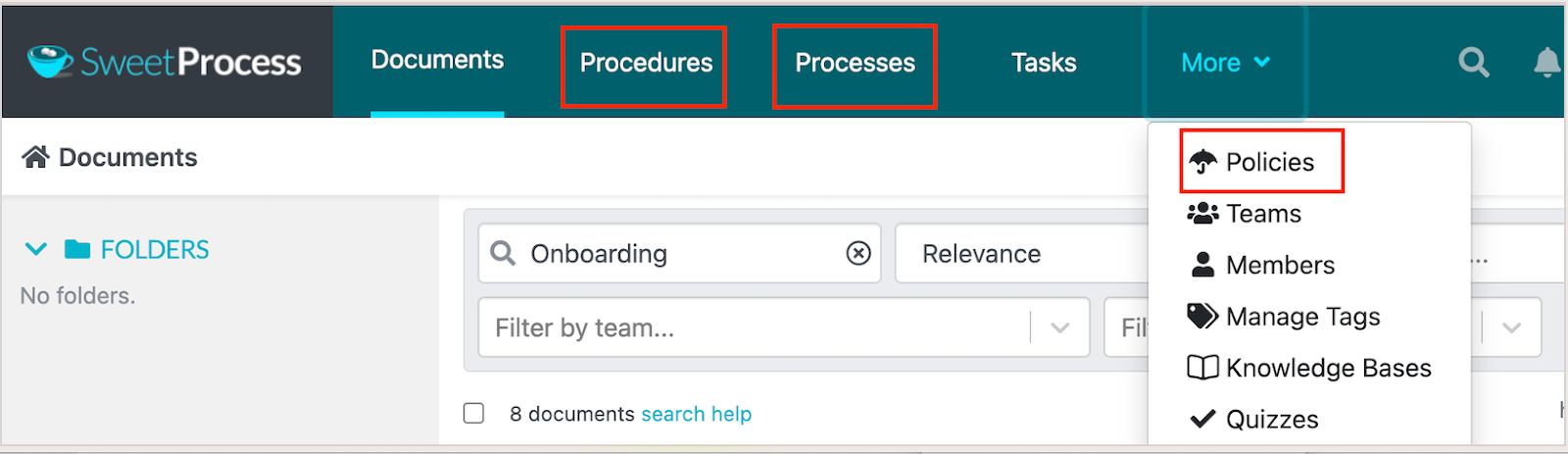
This gives you access to the dashboard where you’ll manage your digital workflows and draft procedures.
Import and Create SOPs in SweetProcess
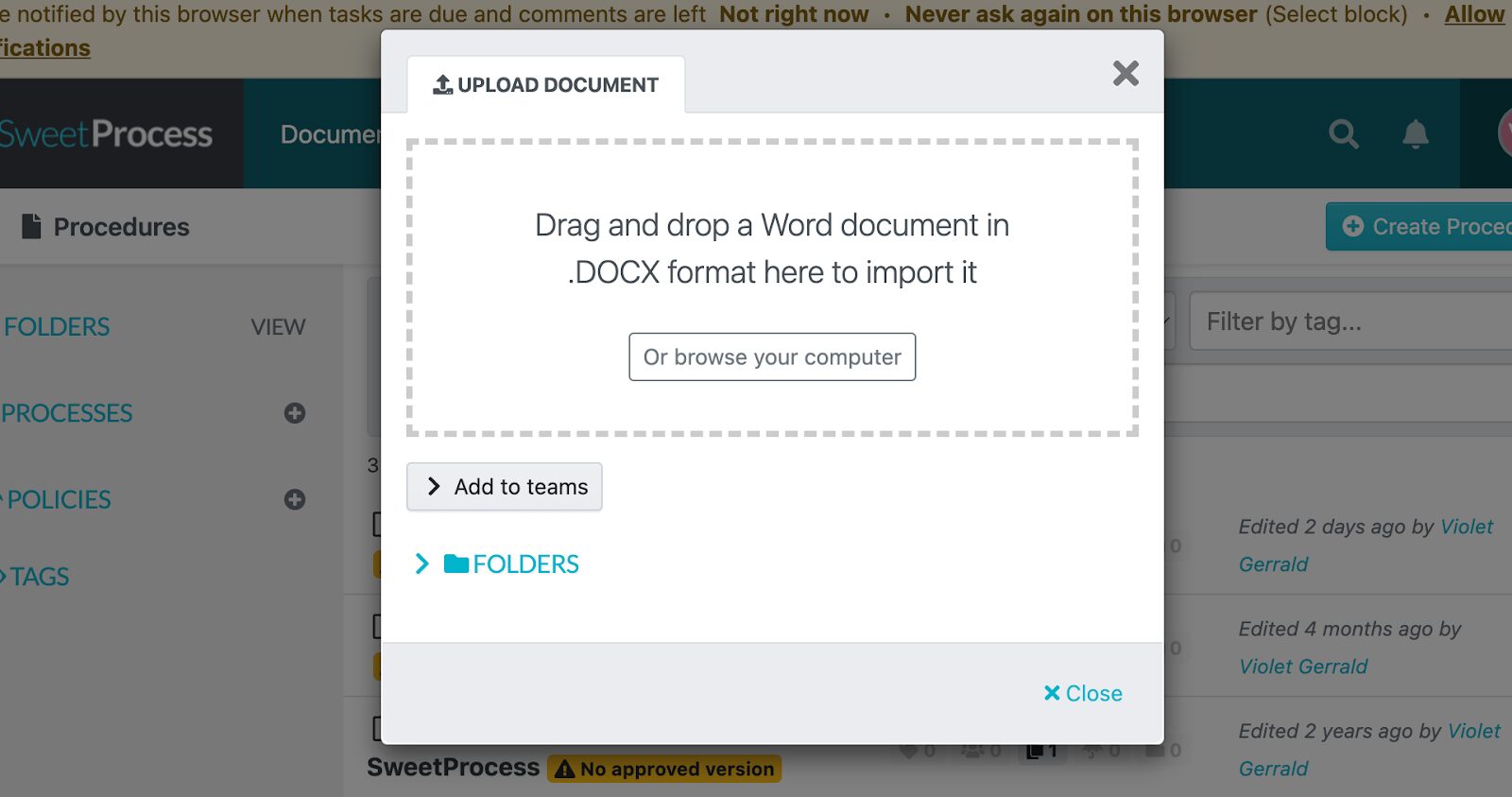
If you already have documented procedures, you don’t need to start from scratch. SweetProcess allows you to import existing SOPs from Word, PDF, or Google Docs.
- Open your procedures on the dashboard.
- Under the “Create Procedure” tab, select the drop-down menu to upload your document.
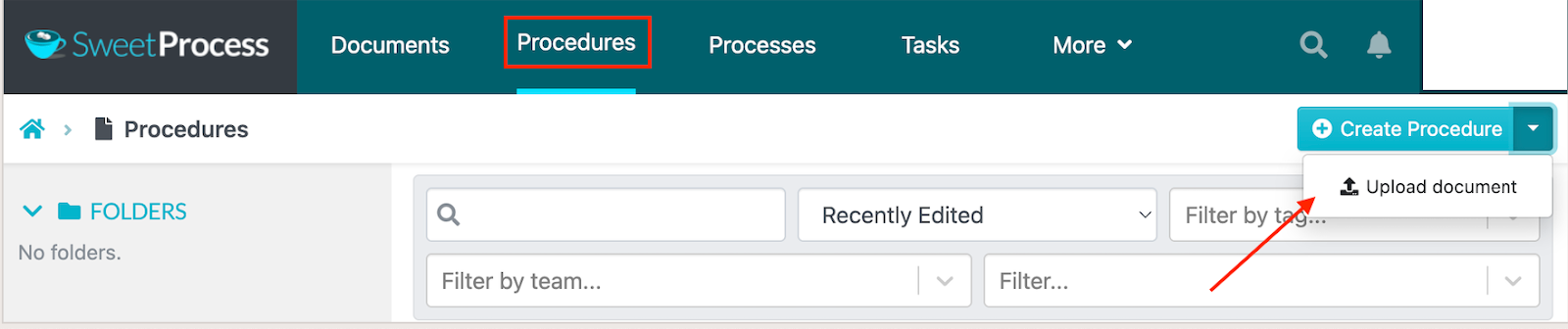
You can then select the document and import it into SweetProcess.
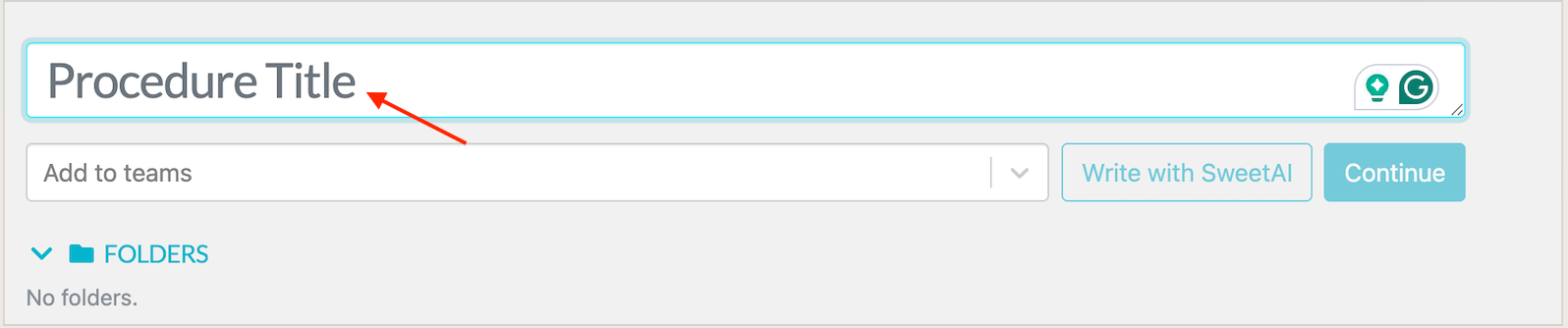
Alternatively, you can draft your procedures directly, either manually with an AI SOP generator.
To make your SOPs more comprehensive, you can add text, images, screenshots, videos, and checklists for your team to follow.
Download the SweetProcess App on Android and iPhone
Once your SOPs are ready, open your preferred app store and search for “SweetProcess.” Android users can download the app from Google Play, and iOS users can get it from the App Store.
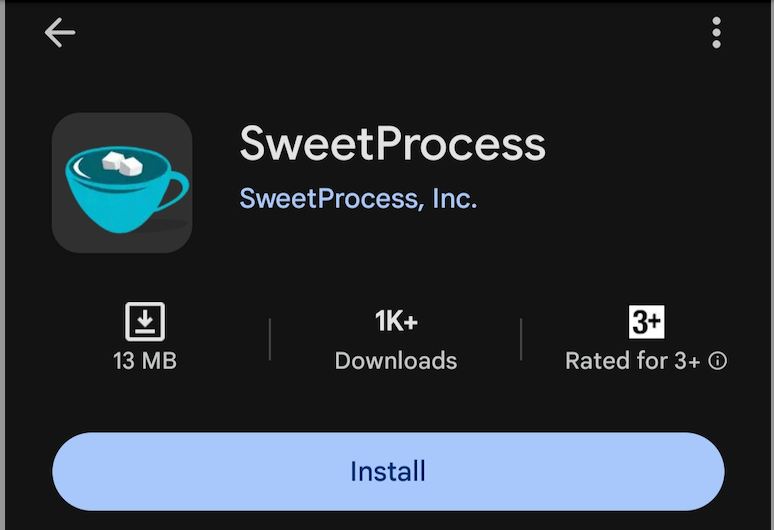
Log in using the same credentials you used on the desktop. The app will automatically sync all your procedures, policies, and tasks so you can pick up right where you left off, but on your phone.
Access Your Mobile App and Set Preferences
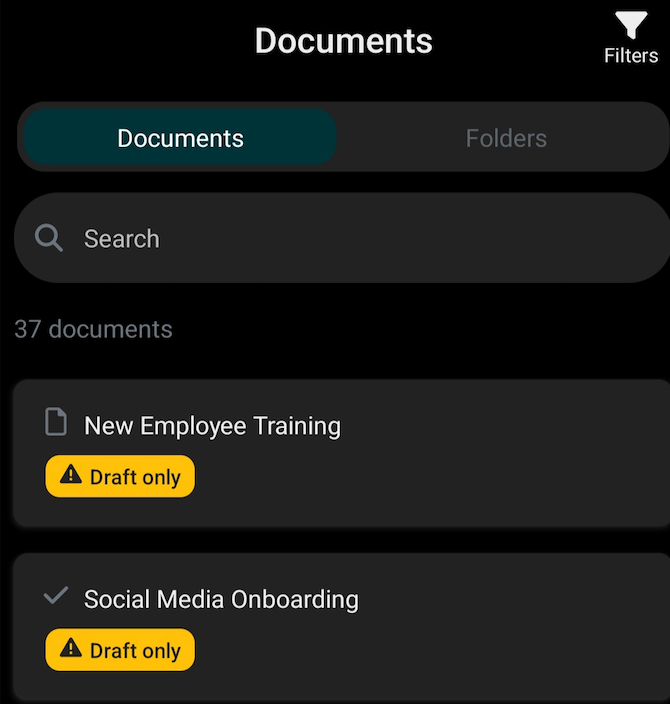
When you log in, you’ll land on your mobile dashboard, showing all the procedures and tasks you have access to. You can adjust settings under your profile to your liking.
Review Tasks and Assignments
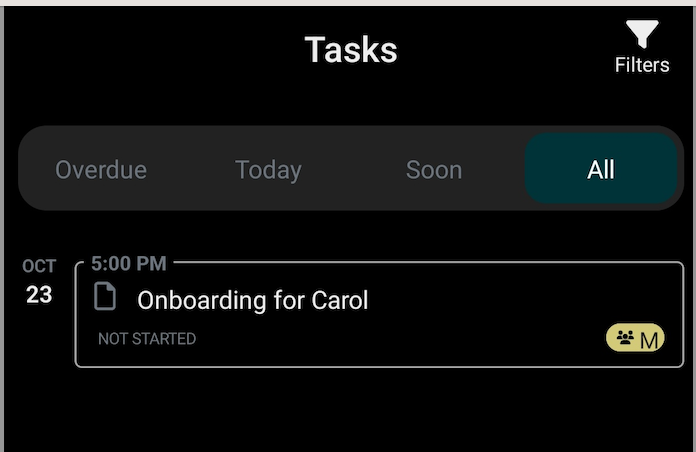
From your dashboard, tap “Tasks” to see what’s assigned to you or your team. The task tab displays overdue activities, those due today, and those due soon.
When you have assignments, you can tap on a specific task to view detailed steps.
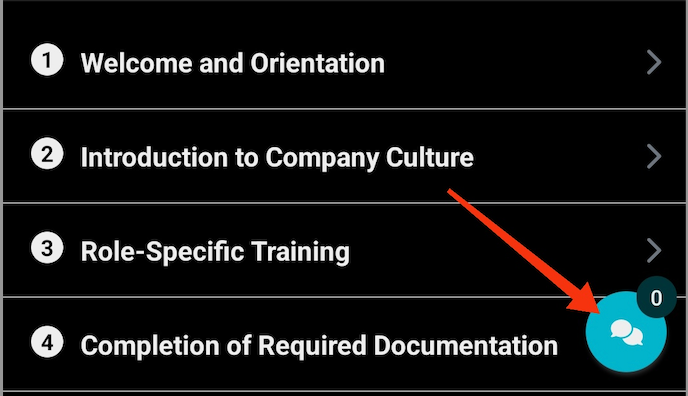
This tab is also ideal for managers when they need to track progress in real time. You can add a comment directly on the procedure to align with the team.
Run and Complete Checklists on the Go
The SweetProcess mobile app will transform your SOPs into interactive to-do lists. This way, your employees have a roadmap to follow from start to finish on their phones.
The checklist has all the steps in order. Your team can check off items as they go.
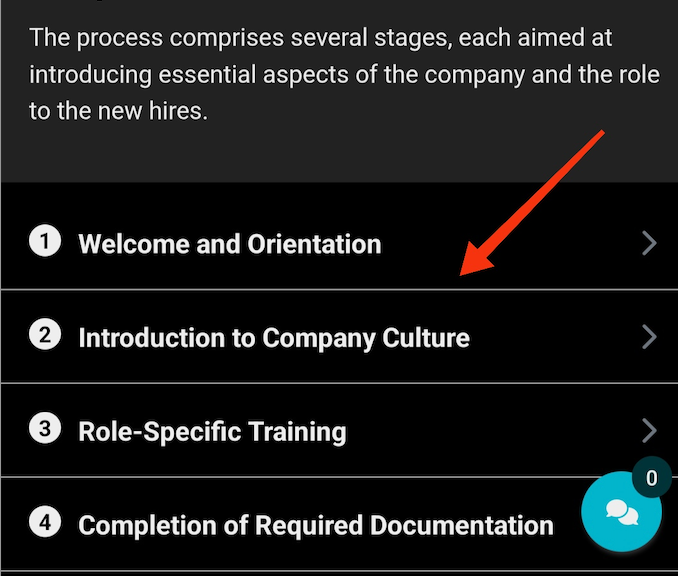
This keeps work standardized and traceable, especially for field or customer-facing teams who need to record proof of completion.
Receive and Monitor Notifications
The app keeps your team in sync through real-time push notifications. For instance, you’ll be alerted when:
- A new task or SOP is assigned
- A teammate comments or updates a checklist
- A due date is approaching or overdue
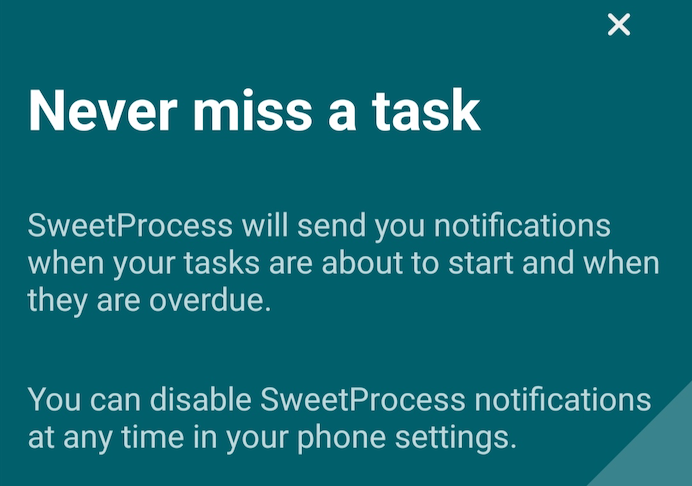
These notifications help managers maintain visibility without micromanaging and ensure employees always know what’s next.
Turning on your notifications keeps you on track.
Create and Manage SOPs Efficiently With SweetProcess
If your current SOPs are disorganized and inconsistent, you need to invest in the best SOP software to manage them. As your business grows, you need an SOP management software that centralizes documentation and structures work so everyone can understand it.
SweetProcess is the right solution for this task. This all-in-one SOP management platform helps you draft procedures from scratch or using the AI generator. It goes a step further and provides a system that’s easy to navigate. Multiple users can update the procedures, and these documents become visible to everyone with access permissions, whether you’re using a mobile phone or a desktop.
Here are the key features of SweetProcess that make SOP creation and management effortless.
Create and Format SOPs Manually and Automatically
Once you create an account, you can draft your SOPs in two ways. For manual creation, you’ll need to open the procedure tab and click “Create Procedure” before adding a title.
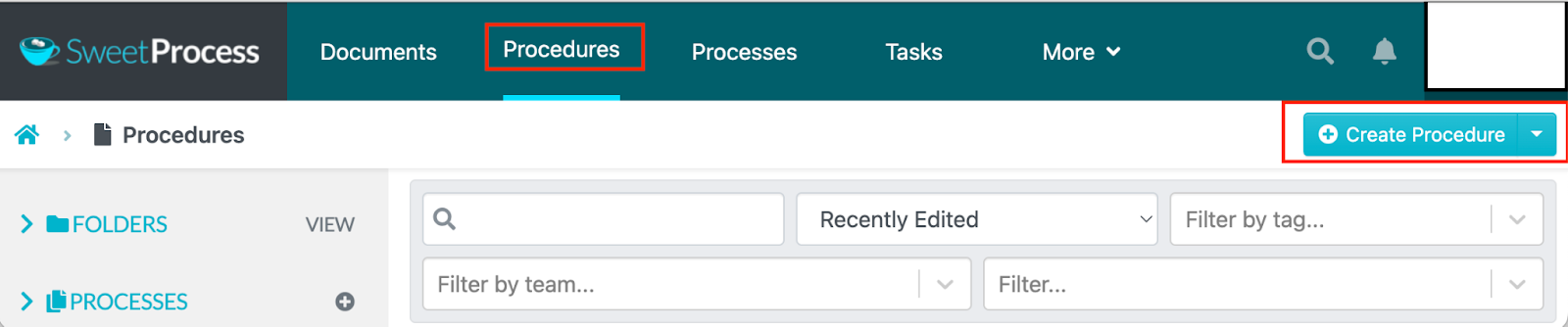
Next, you’ll type in the step-by-step instructions. As you do this, you can also embed screenshots or videos, and format the procedure to increase readability. You can organize your company’s content into sections and save drafts as you go.

Once done, you can save the procedure and share it with your team.
On the other hand, for automatic creation, SweetProcess offers an AI-powered SOP generator called SweetAI. You just need a procedure title to get started.
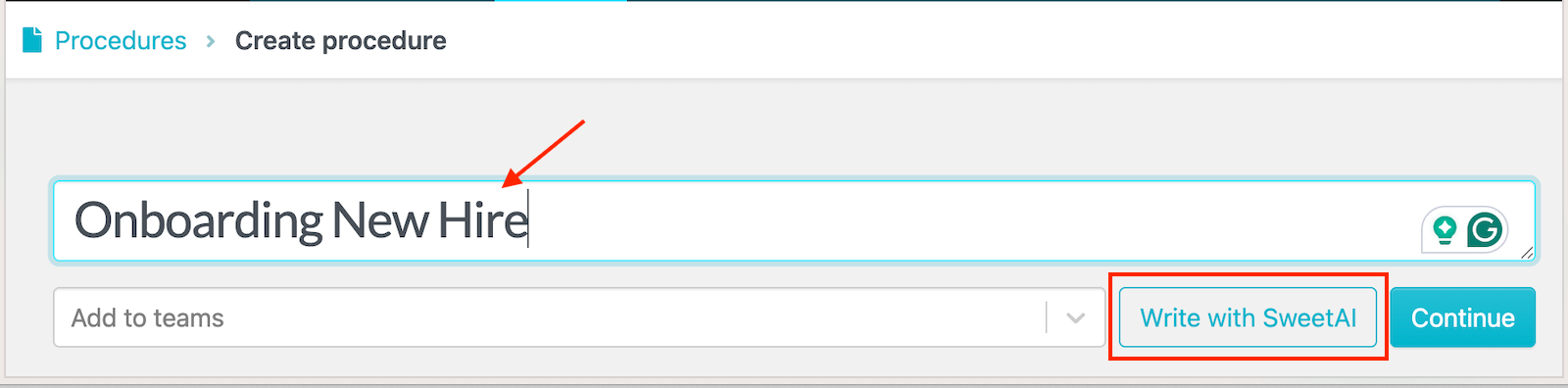
The AI assistant drafts an SOP within minutes. You can click on the pencil icon to refine the document.
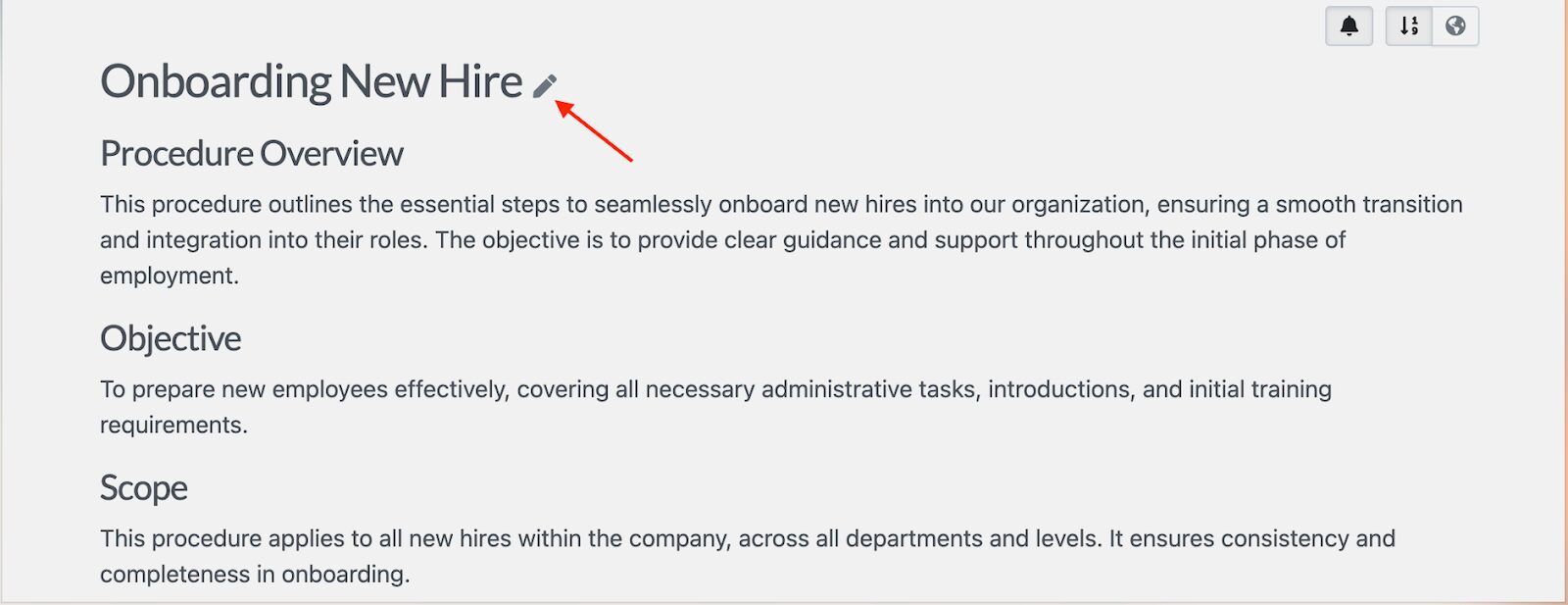
This draft also comes with a checklist. You can update any missing steps and remove what you don’t need.
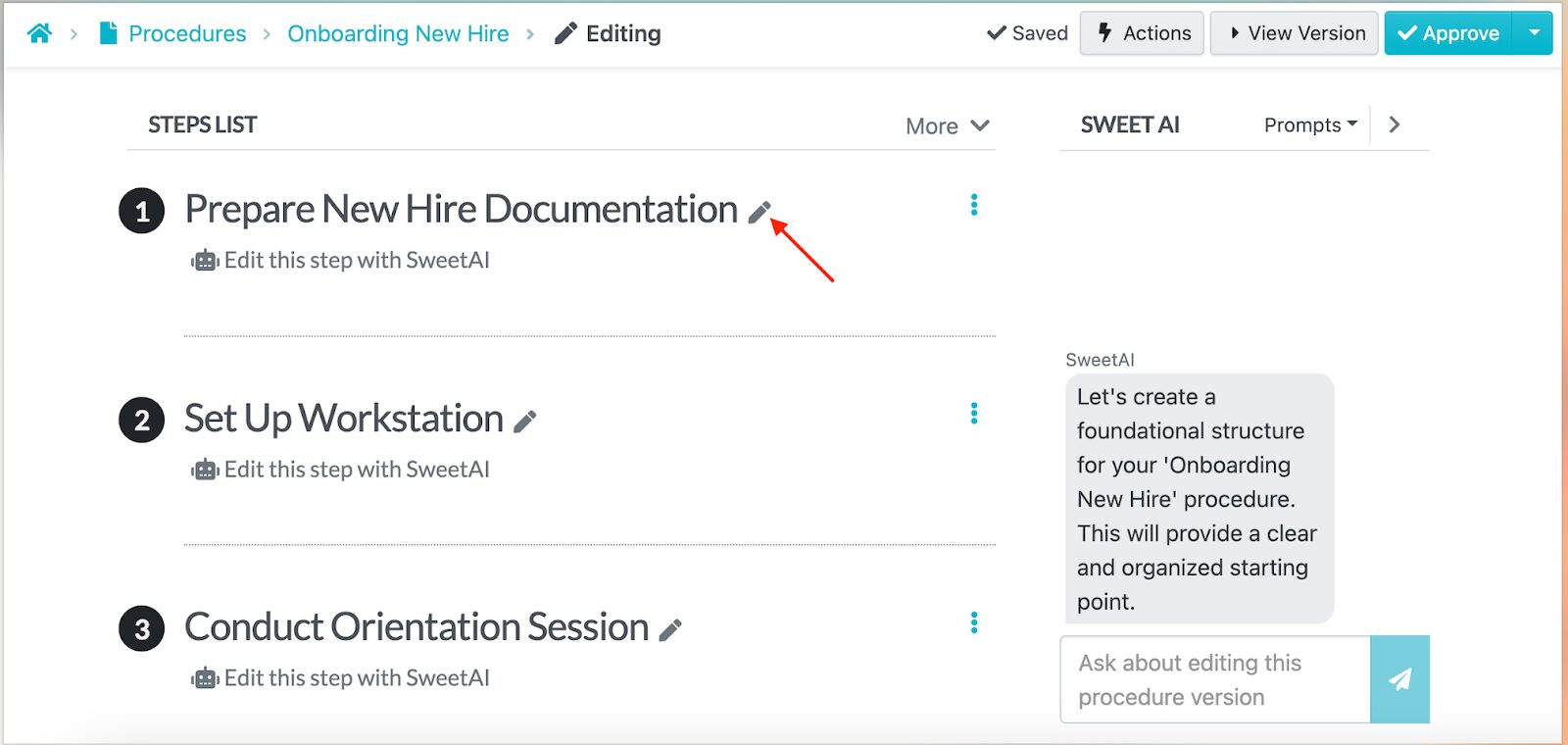
Once saved, these SOPs sync automatically to the mobile app. Employees can view and follow the steps on their phones and execute their tasks.
Use Pre-Built SOP Templates From SweetProcess Marketplace
If you’re unsure where to start, SweetProcess offers a template marketplace packed with ready-to-use SOPs checklists nd templates across multiple industries.
You can search for templates, preview them, and import any directly into your account. Each SOP template can be customized with your company’s branding or attachments.
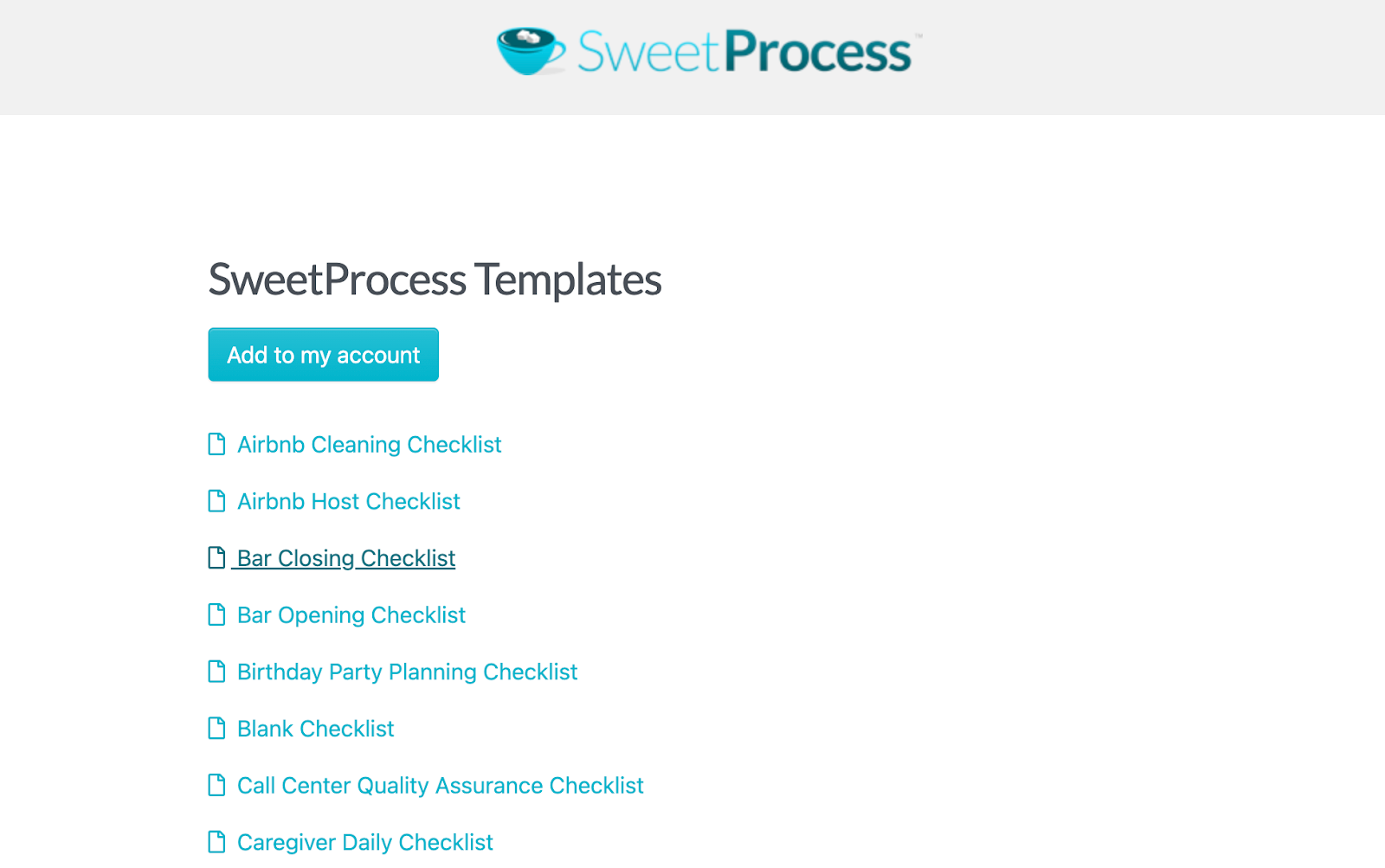
Additionally, if you scroll down the SweetProcess website, you can see more free templates. You can download the one you need and tailor it to your team.
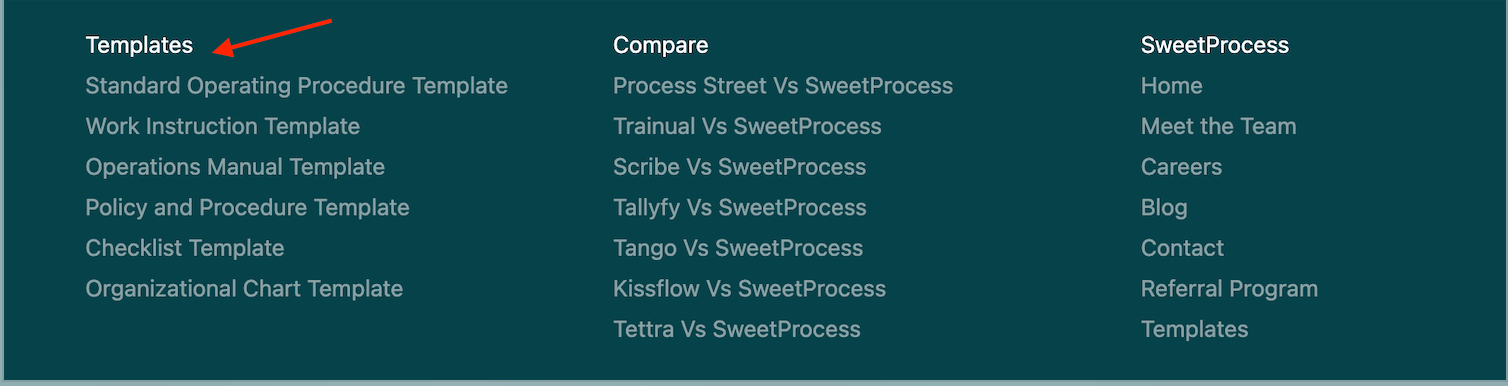
These templates save you hours of setup time.
Capture On-Screen Activities With SweetProcess Capture
If your employees prefer visual learning, SweetProcess Capture allows you to record your screen and turn it into an SOP. With this feature, you automatically take screenshots as you perform activities.
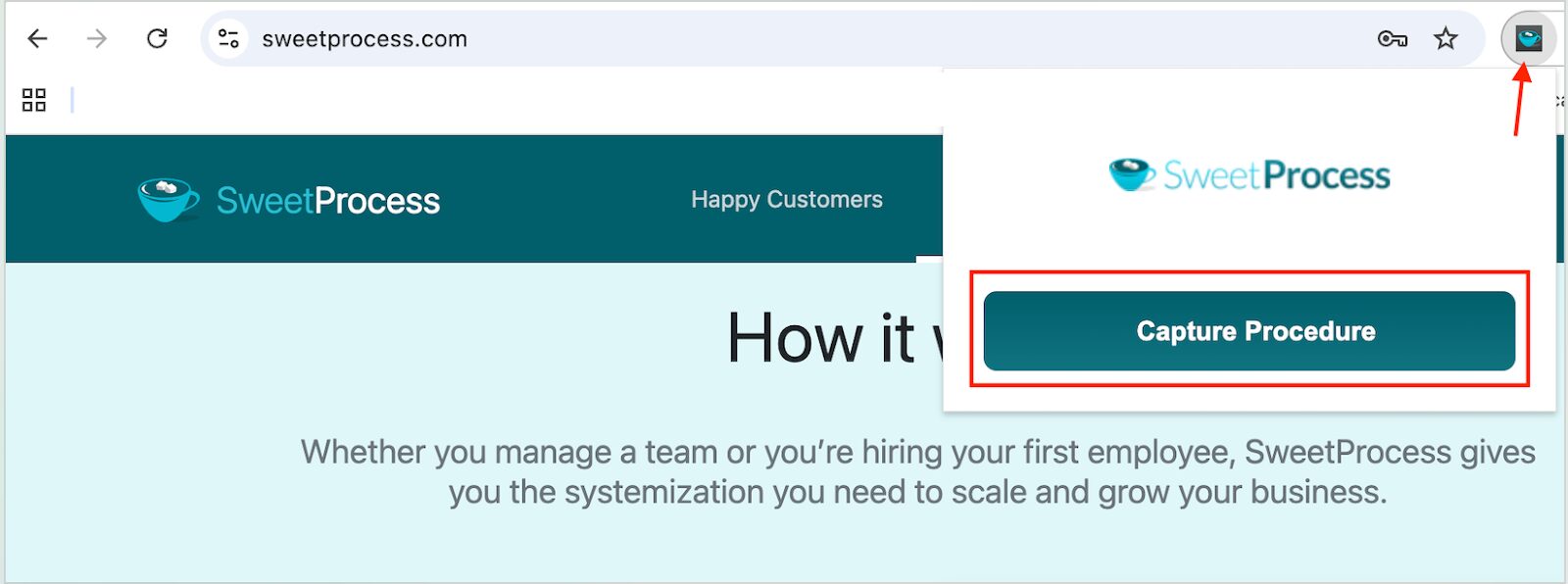
This recording is then compiled into a step-by-step guide.
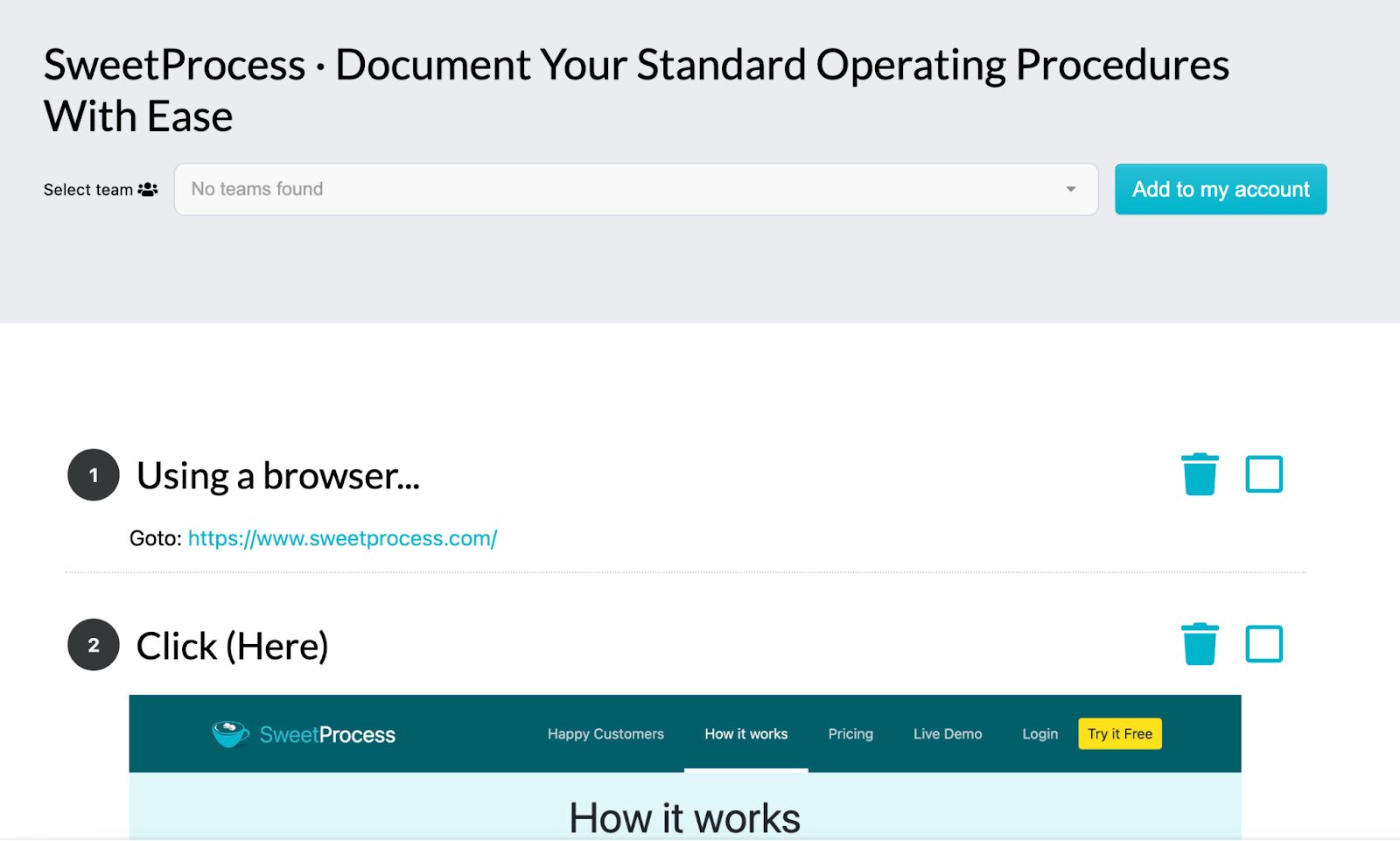
Once you finish capturing, you can edit the steps to make them more systematic. You can use this feature for video walk-throughs and to explain repetitive tasks.
Generate Automated Flowcharts
The other way to visualize SOPs is to create flowcharts. SweetProcess enables users to draft procedures using AI, which also automatically creates flowcharts. These tools give a clear overview of how steps connect.
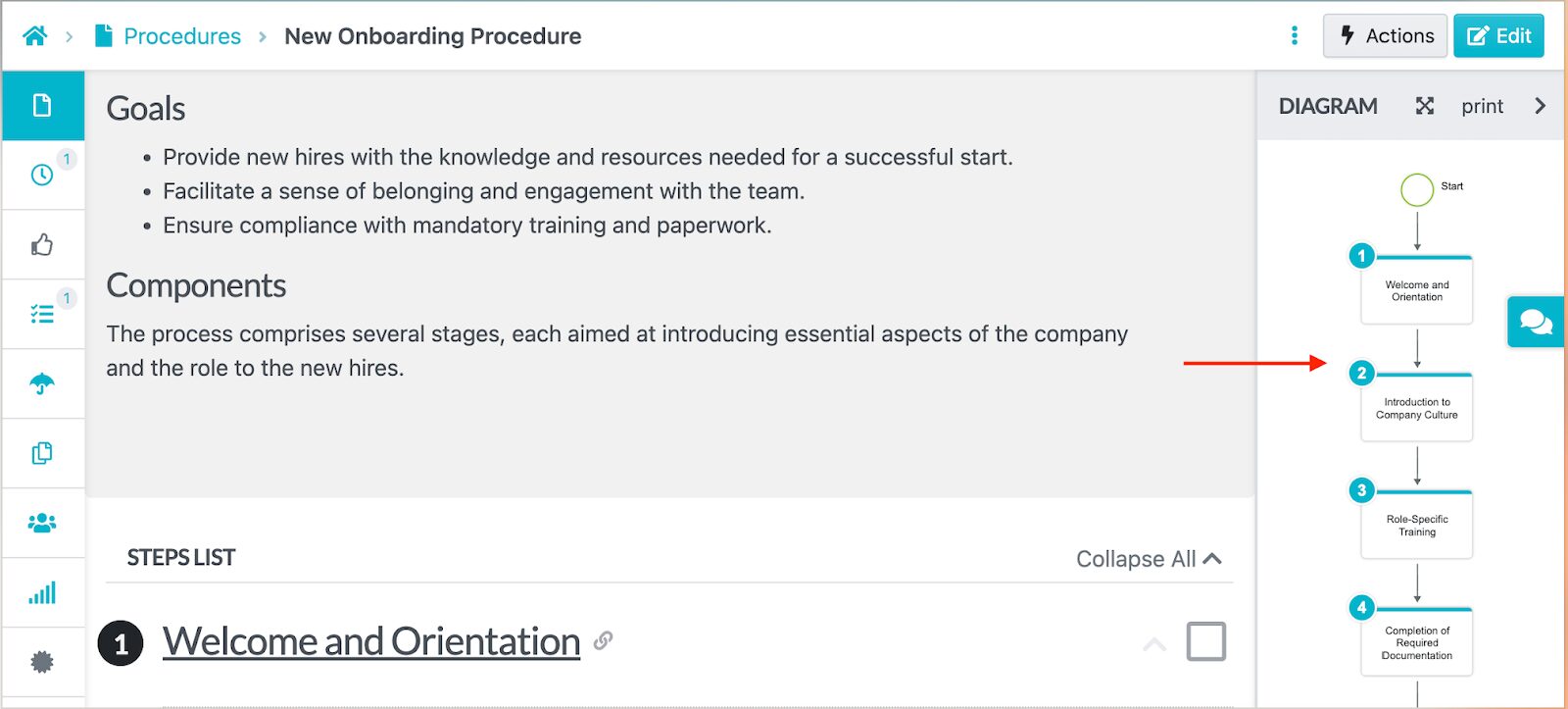
These flowcharts make it easier to spot bottlenecks or overlapping responsibilities.
Collaborate Seamlessly on Tasks With Team Members
With SweetProcess, SOP creation is a collaborative effort. You can assign responsibilities in real time.
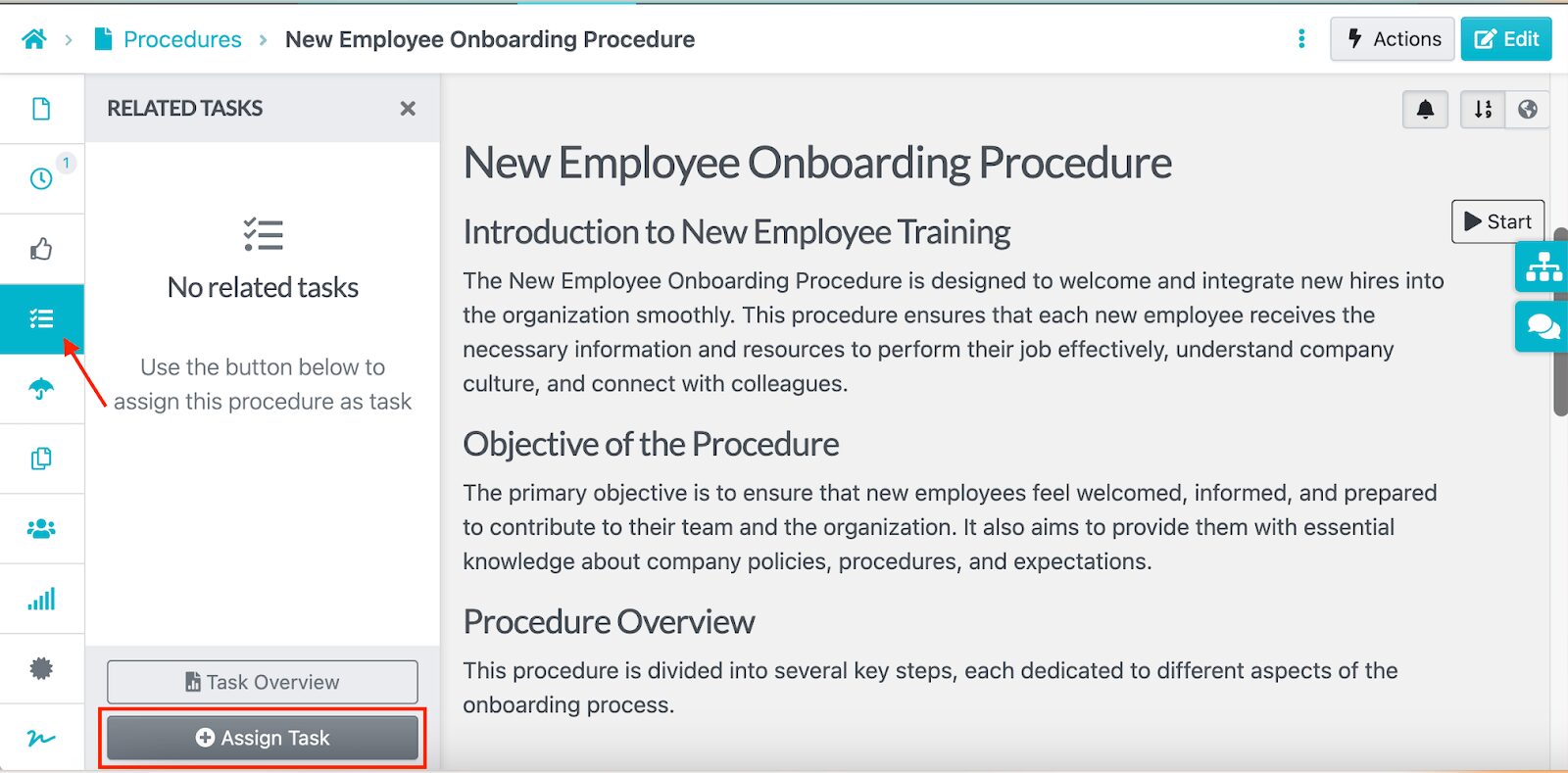
The platform allows you to add due dates for easier tracking.
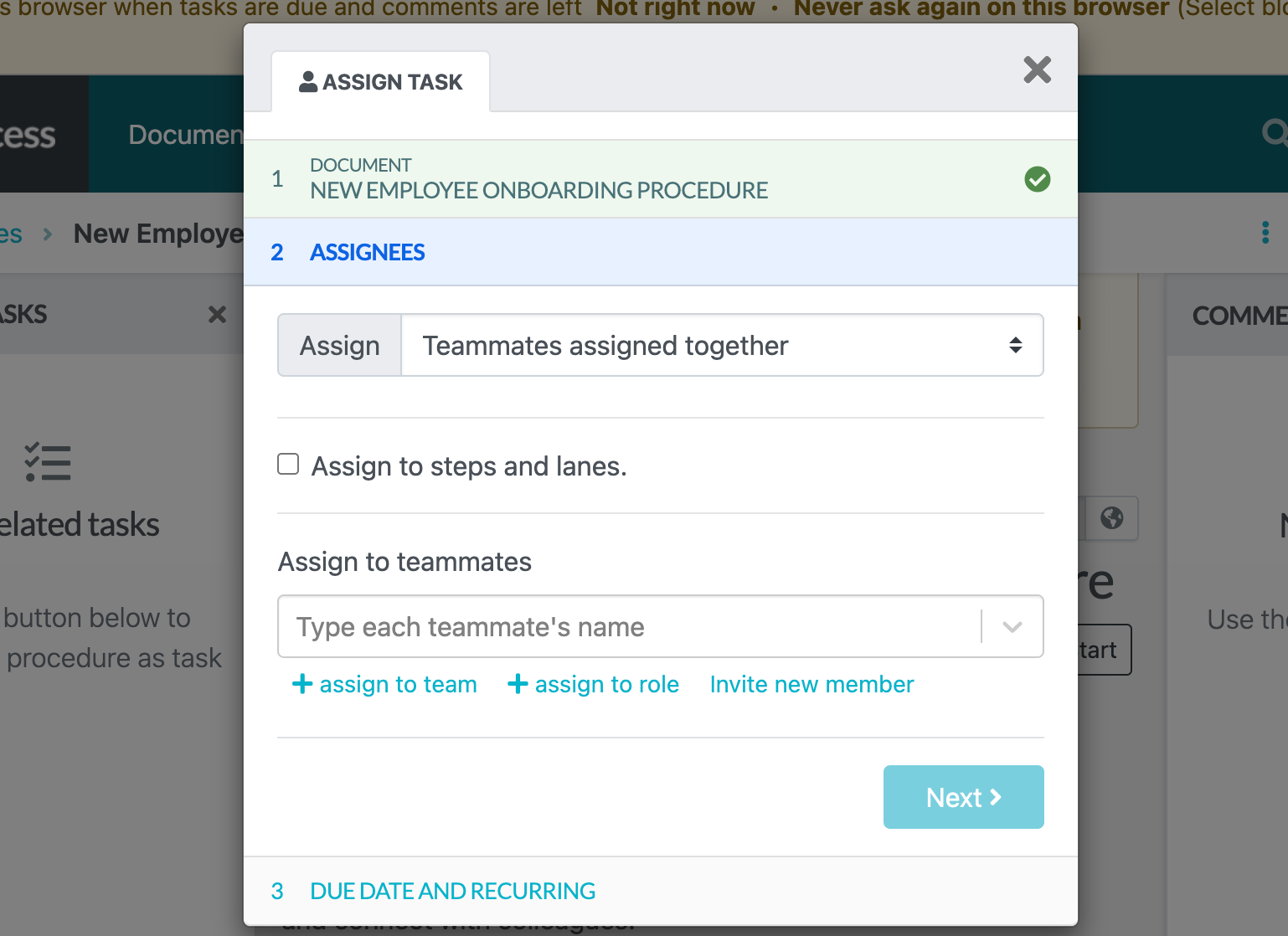
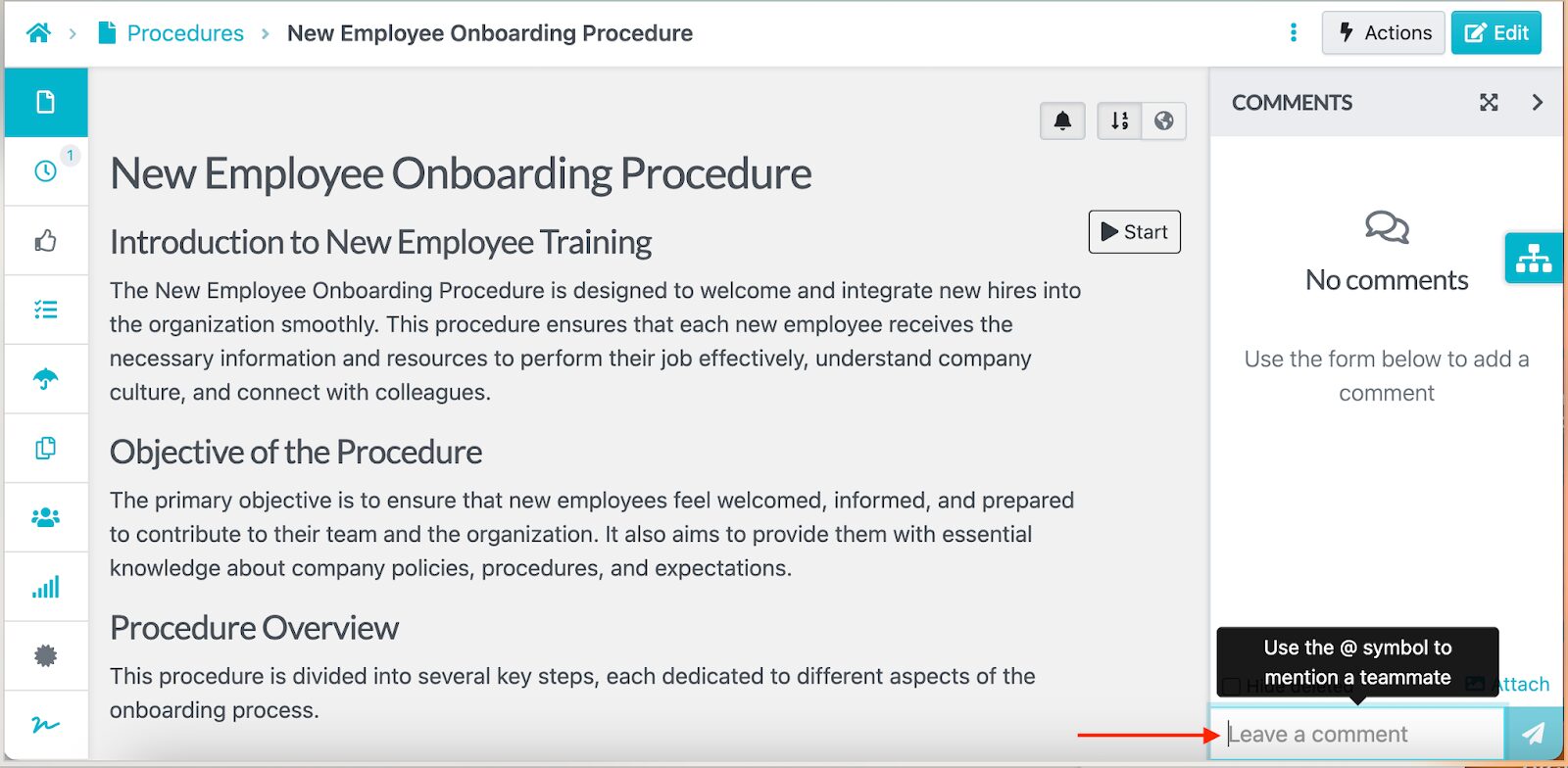
You can also invite colleagues to co-edit documents and add comments when they have a suggestion.
The version history tab also comes in handy during collaboration. Every stakeholder can view document versions and track changes.
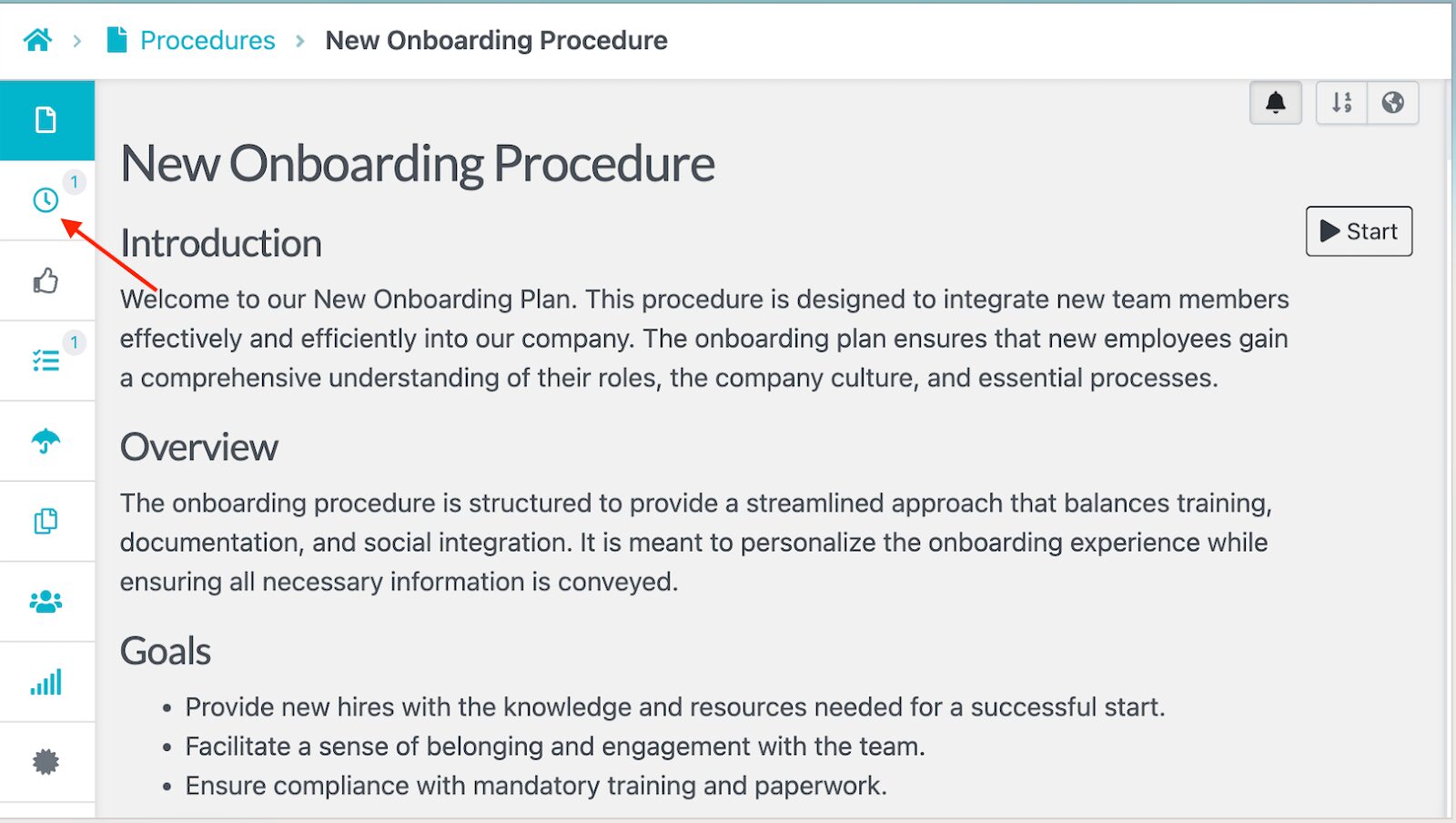
All these updates are visible to all users, either on mobile or desktop.
Manage All Procedures, Processes, and Policies in One Place
SweetProcess brings your procedures, processes, and policies under one organized dashboard.
Your team doesn’t need to switch between folders or apps. You can group procedures by department and tag them for easy search.
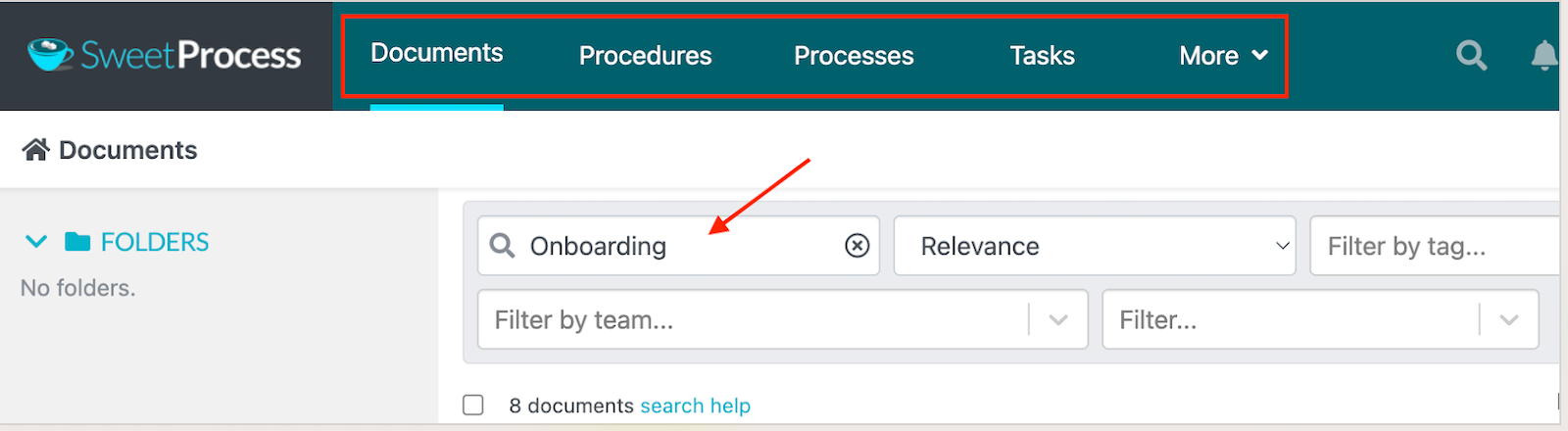
Thanks to the search features, employees can find the exact procedure they need in seconds, even on the app.
Use Cases for the Mobile SOP App
While every organization relies on set processes, they need to be accessible and well-structured. A mobile SOP app delivers the company’s procedures and checklists directly into your employees’ hands. This way, tasks get completed safely and accurately.
Here’s how different teams can use this app:
Equipment Checklists for Field Service Technicians
Imagine a technician arriving at a client’s site without access to a laptop. They need to verify tools, test equipment, and record inspection notes in real time. Instead of using paper checklists, they can open the app, type “Field Equipment Inspection” SOP, and follow each step on their phone.
These technicians can then mark items as complete and add notes in case they need to follow up later. These mobile apps also make it possible to upload photos as proof. Additionally, managers back at the office instantly see progress and receive timestamps for each completed step. That means fewer delays and faster service calls.
This has been the case for Aizer Group. The company specializes in the construction and building industry and has more than 20 employees working remotely. As the offshore team grew, the group general manager, Lisa Phillips, realized that their existing processes were not effective. They needed the best SOP management software to create step-by-step instructions for employees to follow.
Adopting SweetProcess has been vital for the team. Lisa says, “(With SweetProcess) you can screen share and you take them through the processes….Once you take the teams through that process, they can see how it actually helps them get through their day-to-day steps in their tasks. They can see the benefits coming through on it.”
Opening/Closing SOPs for Retail Floor Staff
If you run a retail business, you know how hectic it can get, especially if you’re busy. Having an opening and closing checklist ensures that your team follows a structured routine from their phones. For instance, you can add these key steps to your list:
- Inspect the store to confirm everything is in order
- Turn on your equipment, including point-of-sale systems, cash registers, and sound systems
- Conduct an inventory count and confirm products are properly displayed
- Clean the store
- Review team shifts and brief the employees on any new changes
- Restock at the end of the day
- Turn off the electronics before leaving
- Check all store windows and doors to confirm they are locked
Business improvement specialist, Paul Deane from Australia Post, shares that for your employees to easily access work instructions, “SOPs should be easy to read & accessible to avoid errors and support front line staff.”
When these checklists are available in a mobile app, store managers and staff can tick items off faster. This way, you don’t miss any step and the process is less chaotic during those busy morning and evening hours.
Safety and Equipment Checks for Warehouse Operators
Warehouses are high-risk environments. Because of this, it’s important to follow every safety measure; otherwise, you could increase the risk of accidents or downtime. With a mobile SOP app, your operators can run daily safety and equipment checklists.
Before starting a shift, workers can follow guided steps to inspect forklifts, verify emergency exits, or even PPE compliance on the factory floor. With such a plan, supervisors can verify safety compliance and provide these records during an audit.
Preventive Maintenance Checklists and Logs for Maintenance Facilities
A mobile SOP app can be used by maintenance teams who conduct inspections. Failing to follow the key steps can cause costly breakdowns. With accessible procedures on the phone, your technicians can follow consistent, repeatable processes on the go.
This is the perfect tool to ensure that the team:
- Follows maintenance schedules
- Logs equipment readings
- Notes any wear or damage
- Provides recommendations and feedback
Any photos and comments are synced instantly, keeping the entire team up to date. Over time, these logs create a full maintenance history that helps predict and prevent future failures.
Troubleshooting Scripts and Escalation Flows for Support Agents
When customers call your support team, they require fast customer service. To make the business process seamless, you need to write procedures and centralize them so that all agents can access them. In your documentation, ensure that you add troubleshooting scripts and escalation procedures that are available on mobile.
With such an app, it becomes easy to access FAQs and escalate issues from a mobile device. It also keeps operations streamlined, whether agents are working remotely or on the company floor.
Shift Checklists and Compliance Forms for Restaurant Staff
Running a restaurant involves managing dozens of moving parts. You have to maintain food safety, create cleaning routines, draft end-of-shift reports, and monitor records. An SOP app helps your restaurant teams stay organized and compliant with digital restaurant SOPs and checklists that are easily accessible.
For instance, before and after service hours, the staff must complete cleaning tasks and log in shift and sales records. Managers can review this information and checklists anytime, since it’s synced across the phone and desktop.
New Hire Onboarding Checklist for HR Teams
For HR teams, onboarding new employees can involve multiple tasks and reminders. They have to send offer letters, prepare employment contracts, set up onboarding steps for the first days and months, as well as create welcome materials. These steps can be easily documented into a mobile checklist and shared with the new hires.
An accessible step-by-step guide keeps everything trackable. HR managers can easily send reminders and create a smooth, welcoming experience for every new hire.
Field Completion Records for Quality and Compliance Teams
If you have a field team, you need to receive reports and data to update your records and meet compliance. However, without a centralized system, it’s difficult to consolidate this information. Using an SOP mobile app fixes this issue. Your quality inspectors and compliance officers can fill out mobile forms during inspections and attach photos when necessary.
All entries include a timestamp and version control, in case you need to submit these records for an audit. A digital trail shows when and how the compliance tasks were completed without sending multiple back-and-forth emails.
From retail floors to factory floors, SweetProcess helps every team turn procedures into actionable checklists. With the mobile app, your team can actually follow SOPs on the go.
Why Use a Mobile App To Manage Your SOPs?

Employees are constantly on the move, whether it’s a technician visiting client sites or a team lead approving a process update during their commute. This is why it’s important to prioritize mobile SOP documentation. Here’s how these tools make a difference:
Procedures in Your Pocket
What happens when an employee needs to confirm key company information? Do they walk across the warehouse floor to check the SOP binder or their computer? This kind of system kills productivity. However, with a mobile app, the procedures are literally in your pocket and accessible with just a few taps.
You need a mobile app to manage your SOPs, so the team can instantly view a task and follow the correct procedure with confidence.
Higher Execution Rate
It’s one thing to have well-documented procedures. It’s another for people to actually follow them. Mobile SOP apps bridge this gap. When processes are available directly on an employee’s device, the completion rates rise because it’s faster and easier to stay on track while working.
Think of how many times tasks get delayed because employees can’t access the latest procedure or checklist until they’re back at their desks. When you start using the SOP app, you can send reminders on pending items, and managers can track progress instantly to keep work moving.
Faster Onboarding
Remember your first week at a new job—did you have to memorize company policies and daily routines? You don’t need to put your team through the same experience. Creating an SOP for onboarding and making it accessible on a mobile app helps new hires get up to speed faster and with less friction.
Instead of sitting through lengthy presentations or flipping through outdated binders, new employees can open the app to access training SOPs or watch short how-to videos tailored to their role. These SOP apps are especially valuable for remote and field employees who don’t work from a physical office, allowing you to assign tasks and track execution in real time from day one.
Real-Time Evidence

What happens when something goes wrong in the field? Without reliable records, it’s nearly impossible to pinpoint where the issue started. Mobile SOP apps solve that problem by capturing real-time evidence of every completed task or checklist.
Every action is logged in, and you can view the version history. Employees can directly upload photos and add notes using their phone. Since all the information is timestamped, managers can review work in real time. Additionally, these details are important for audits and compliance checks to verify that steps have been completed.
Reduced Friction
Switching between scattered notes and desktop files to find one procedure is frustrating. You’ll waste company time that could be used for other core activities. You need a mobile SOP app that centralizes everything in one accessible space.
Employees don’t need to pause their workflow to hunt for files or wait for approvals. This is because all the checklists, tasks, and knowledge bases are on one dashboard. Apart from saving time, this SOP app boosts morale and reduces friction within the organization, since everything is streamlined.
How Stone & Wood Uses SweetProcess To Document and Manage Its SOPs
As businesses grow, managing processes manually becomes nearly impossible. Relying solely on desktop files can slow operations, especially when teams are working in the field or remotely. That’s why more companies are turning to mobile SOP apps to bring consistency to their daily workflows.
One of them is Stone & Wood, an independent Australian brewery. The company was facing challenges in managing its production because the procedures were stored in binders and Word documents. After testing multiple tools, Tom, the quality assurance and sensory coordinator, found a solution in SweetProcess. Its intuitive interface and mobile accessibility allowed his team to standardize procedures and meet quality standards without slowing operations.
The turning point came when Tom began using the mobile app in the production environment. Instead of taking photos and editing Word documents later, he could now update and edit SOPs on the app.
“The biggest win for me is, I’ll go out to review a particular facet of the process, and I’ll be able to pull up the procedure on my phone and edit it on the spot, and take photos on the spot. So, having it as a mobile platform out in the production environment that we exist in is an invaluable tool.”
Since adopting SweetProcess, Stone & Wood has:
- Replaced outdated binders and manual files with accessible mobile SOPs
- Enabled on-the-spot updates and photo uploads, reducing delays in documentation
- Simplified employee onboarding with instant access to processes and checklists
- Improved quality assurance and compliance with tracked sign-offs
FAQs on the SweetProcess SOP App
What Phones Are Supported by the SOP App?
The SweetProcess SOP App is available for both Android and iOS devices. You can download it directly from the Google Play or the App Store. It’s fully optimized to give you a seamless experience.
Does the SOP App Allow Image Attachment?
Yes. You can upload images to your procedures or checklists from your phone’s camera. This feature is useful for documenting on-site inspections or uploading visual proof of completed tasks in real time.
What Are the Basic Features of the SOP App?
For your SOP app to be effective, it needs key features that let you view and run checklists. You should also be able to access tasks, add comments and notes, and receive notifications for new assignments and updates. Additionally, all the information should sync automatically to keep the team aligned.
Does the SOP App Ensure Data Security?
Just like the desktop version, the SweetProcess SOP app uses secure encryption protocols to protect your company’s data and user information. The access permission features ensure that only authorized users can view or edit procedures. You can also track all actions via the app.
Can I Create an Account on My Mobile Device?
While you can log into your account through the mobile app once it’s created, the initial setup must be done on a desktop. That’s where you’ll organize your team, create procedures, and import documents before syncing them automatically to the mobile app. After setup, all users can access and manage SOPs from their phones at any time.
Ready to put your company’s processes in your team’s hands? Download the SweetProcess SOP App and start documenting, managing, and executing procedures from anywhere.
Download on Google Play!Download on the App Store!