Last Updated on April 4, 2026 by Owen McGab Enaohwo
Can you name everyone on your team who completed their annual safety training last month? That simple question can get complicated fast when your company needs to prove team compliance in a quarterly cybersecurity audit.
And it’s even worse if your learning management system (LMS) has conflicting data.
This situation demonstrates why employee training tracking software exists. This centralized system automatically monitors and documents every aspect of employee training, from onboarding to compliance certifications and ongoing skill development. This way, you don’t have to dig through emails and spreadsheets to see which employees have completed their training sessions and what’s still pending.
We’ve compiled the nine best training tracking software for employees, their key features, and pricing to help you pick a tool that’s a good fit for your company.
Table of Contents
9 Best Employee Training Tracking Software
Core Features of Training Tracking Software
Track Your Employee Training Programs With SweetProcess
Why Your Business Needs a Training Tracker for Employees
Which Employee Training Tracking Tool Is Right for Your Company?
9 Best Employee Training Tracking Software
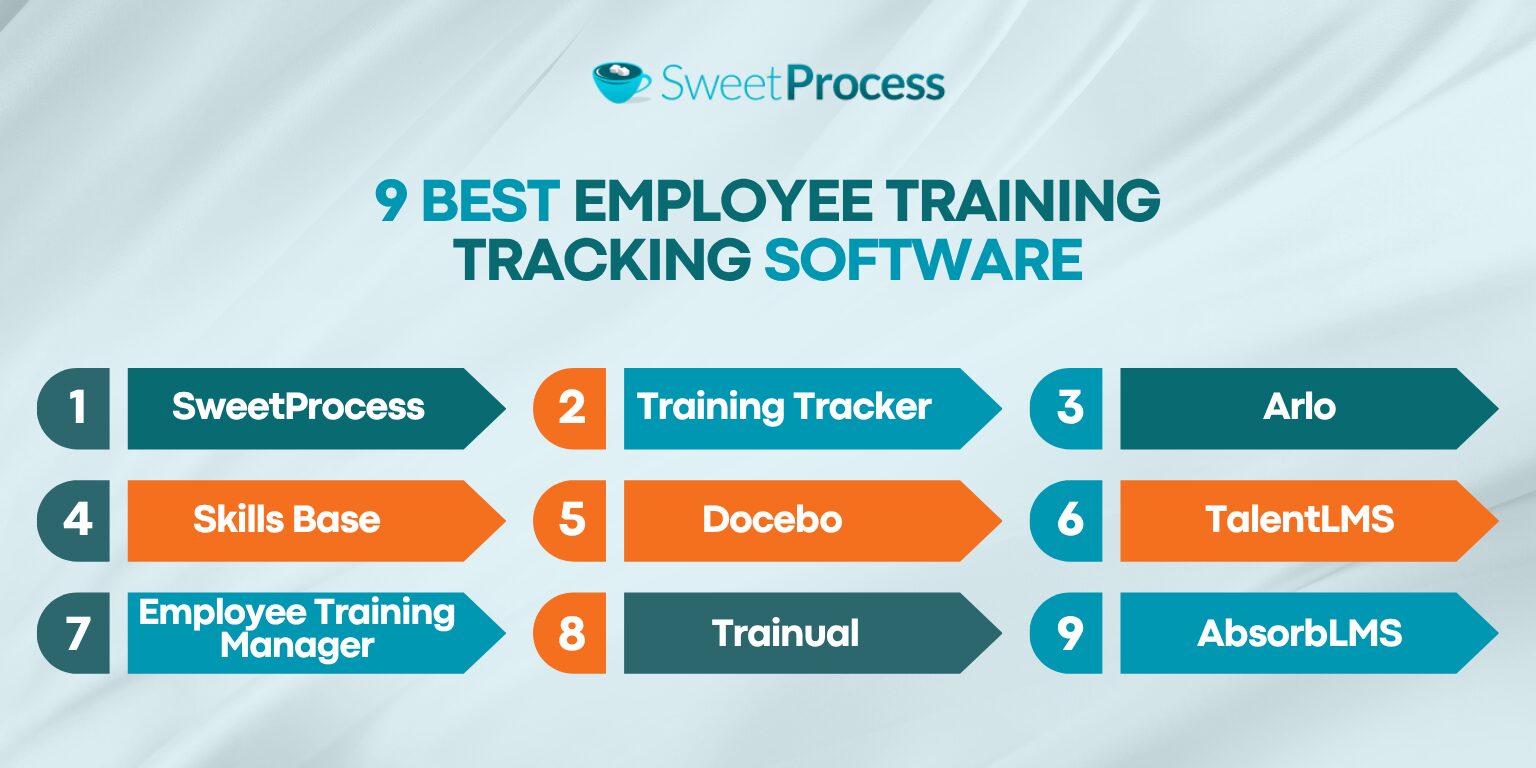
Employee training is one of the most critical investments you can make in your organization. However, you need to select the right training tracking software to determine if the onboarding and upskilling sessions are making an impact. But which is the best option? Here’s a closer look at nine tools you can consider.
SweetProcess: Best for Documenting and Standardizing Employee Training SOPs
Overview of SweetProcess
SweetProcess is a comprehensive employee training software that combines procedure, policy, and process documentation on a single platform. This tool is designed for businesses of all types that need a centralized system to manage and monitor operations, including employee onboarding and training.
With SweetProcess, you don’t need a standalone LMS or multiple spreadsheets to share knowledge with your team. It integrates directly into your documented procedures and workflows, enabling employees to learn from the same place. Additionally, you can track completion rates and update your training materials in real time, without switching tools.
Core Features of SweetProcess
Here are the core capabilities you get with SweetProcess:
Manually and Automatically Create SOPs and Policies for Employee Training
To effectively train your employees, you can use SweetProcess to create SOPs and policies that everyone should follow. These documents can also serve as training materials on how work should be done in the organization.
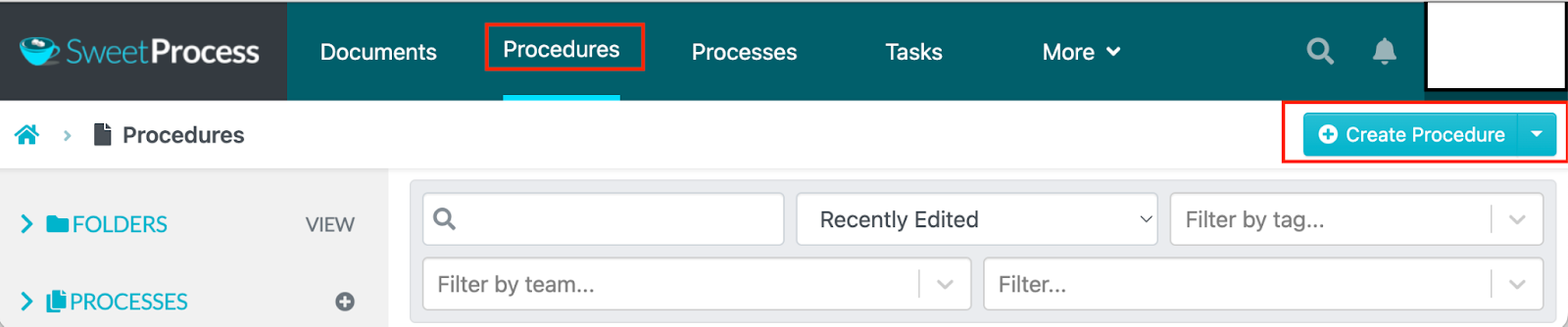
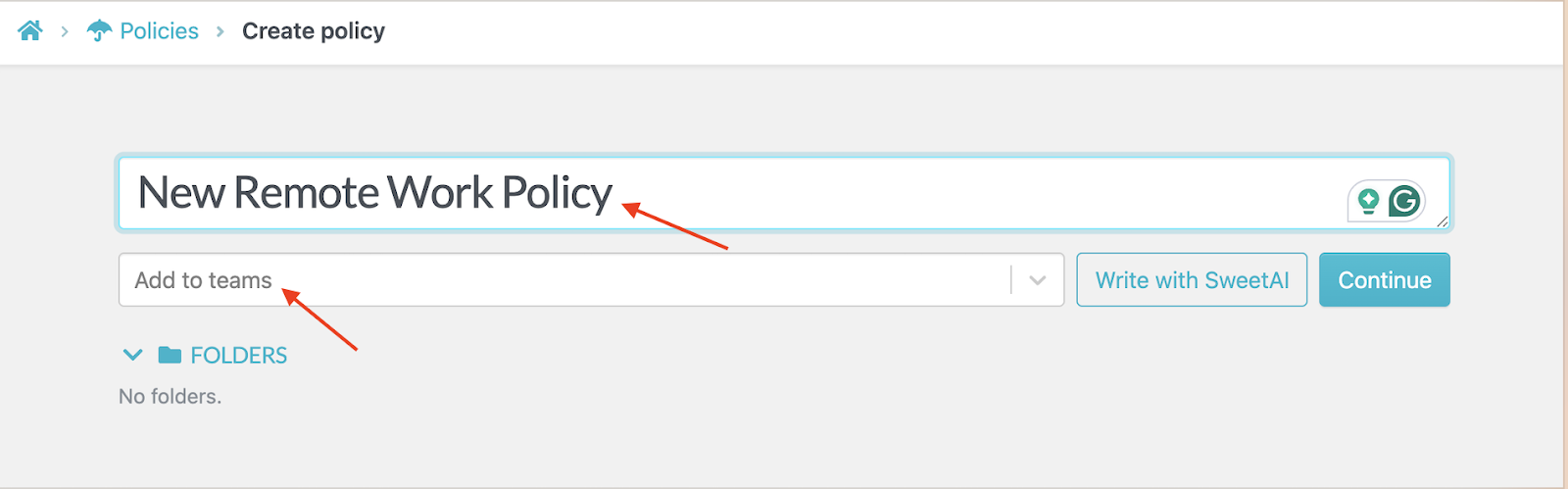
If you’re creating the SOP manually, you have to draft all the information yourself.
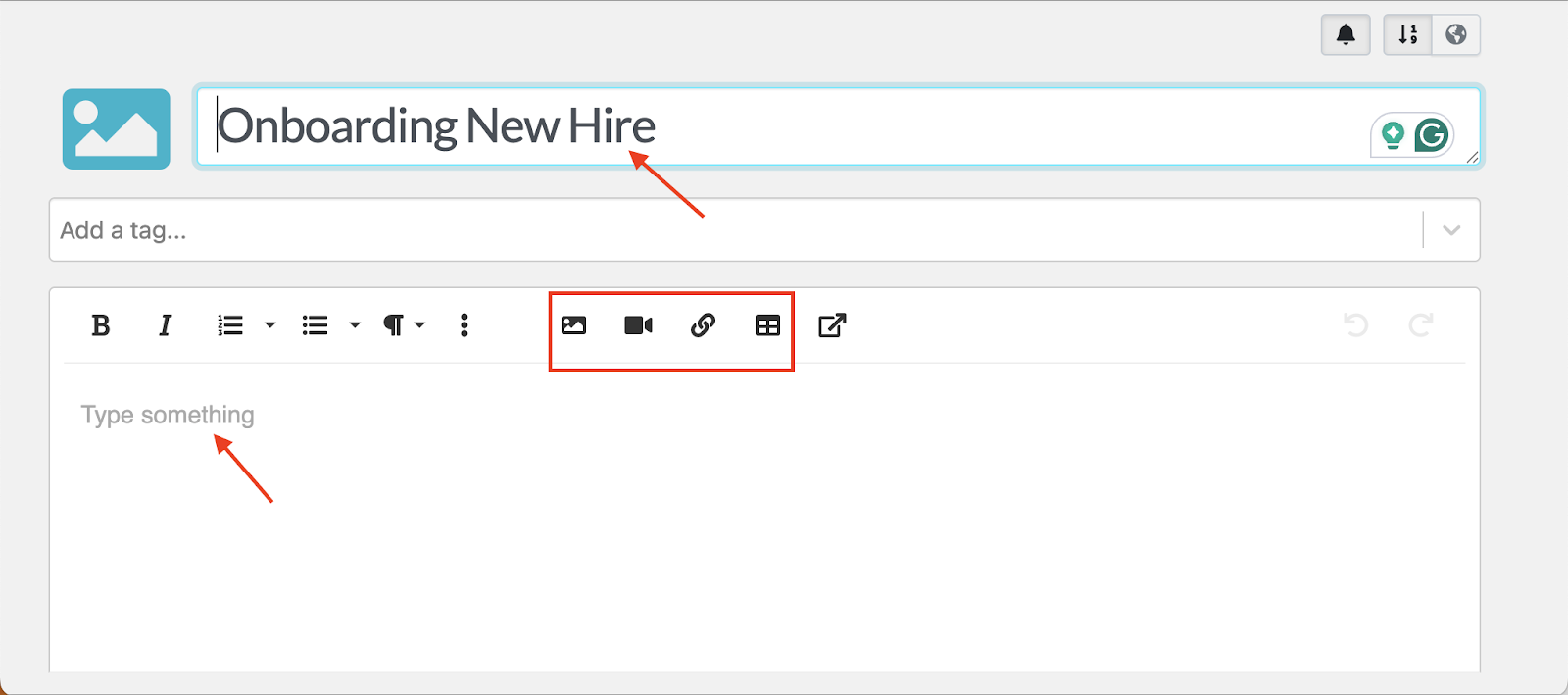
Once you add a title, you can type the training materials and add relevant images, videos, or tables. These visual elements make it easier for employees to understand the step-by-step process.
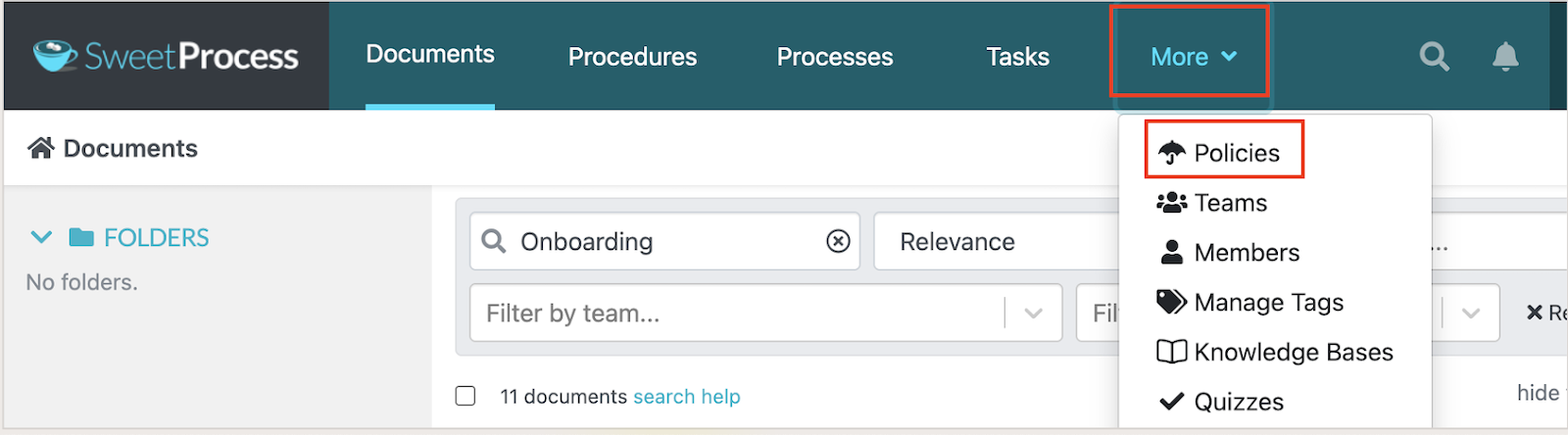
You can also manually document policies following the same steps.
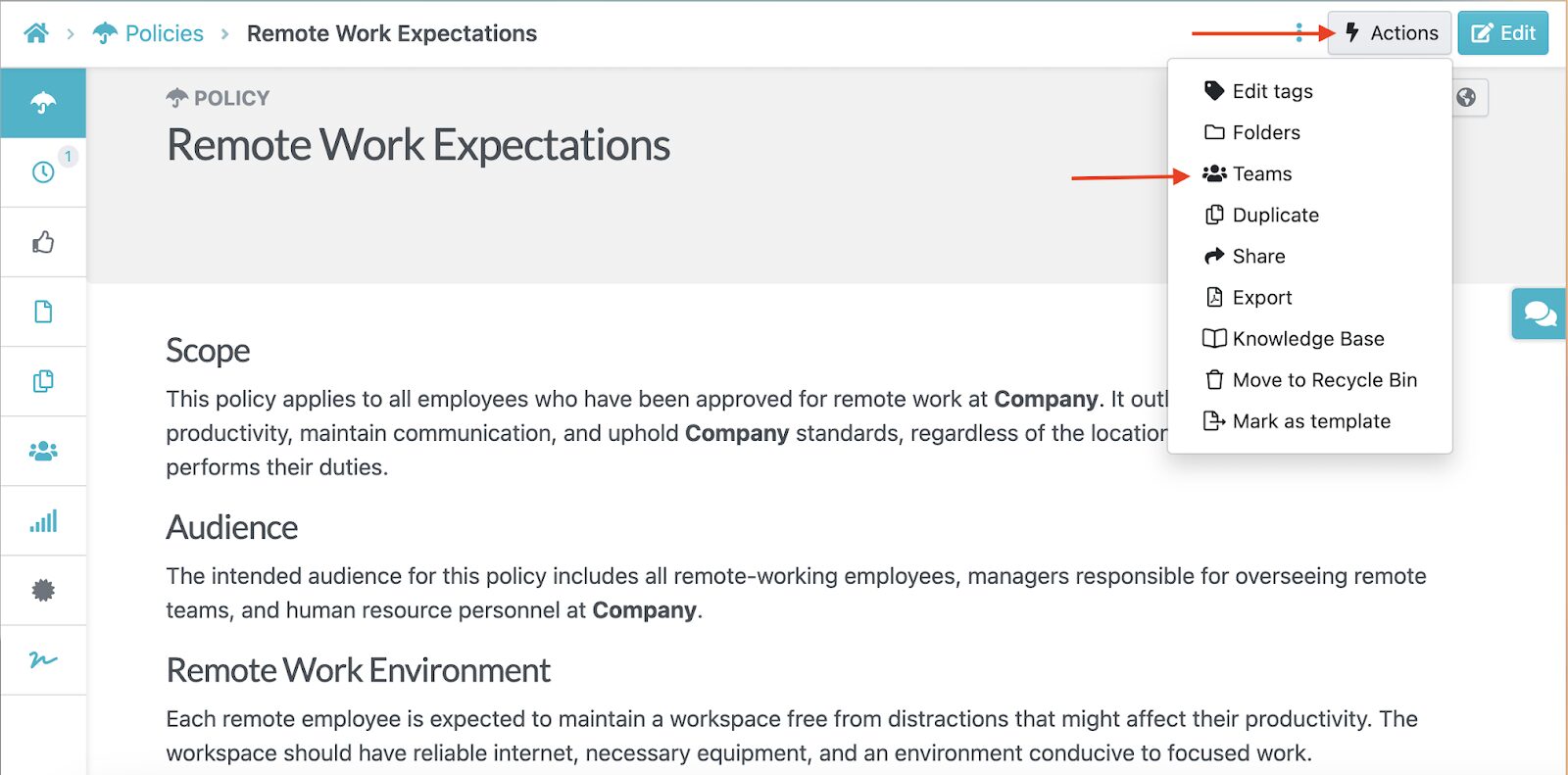
If you’re collaborating with multiple teams or you want to assign the policy to a new hire, you can add the team as you draft the document.
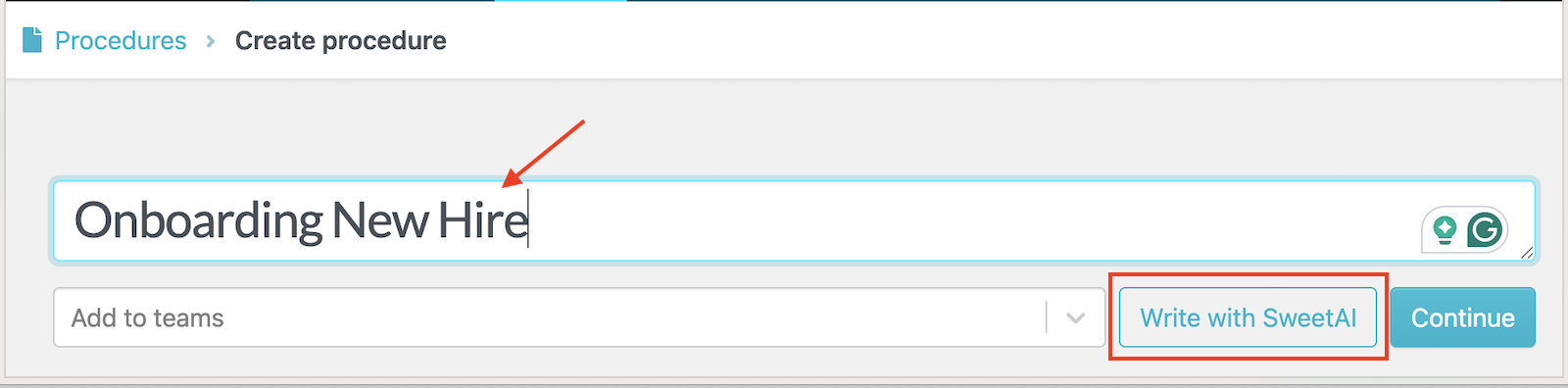
SweetProcess also offers AI assistance to speed up the process. Instead of writing all the information manually, you can add a title and use SweetAI to create a first draft.
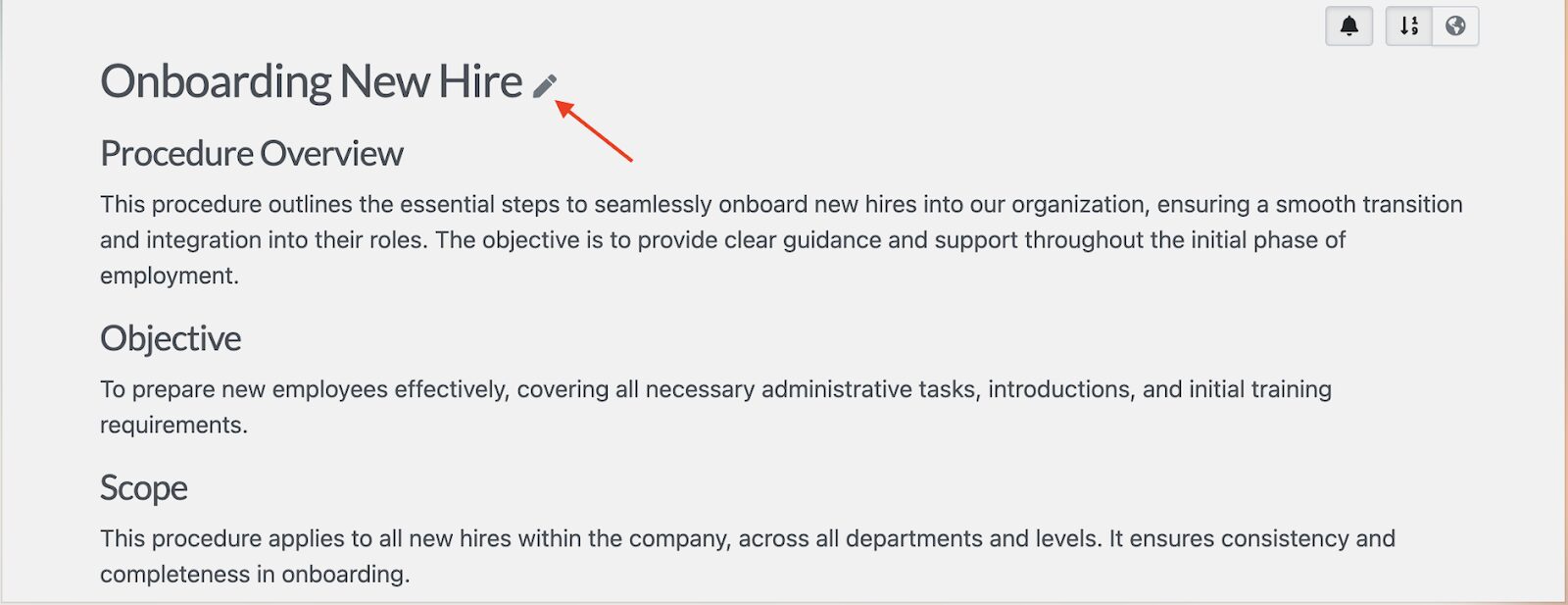
If you want to add more information, you can edit the SOP or policy in real time.
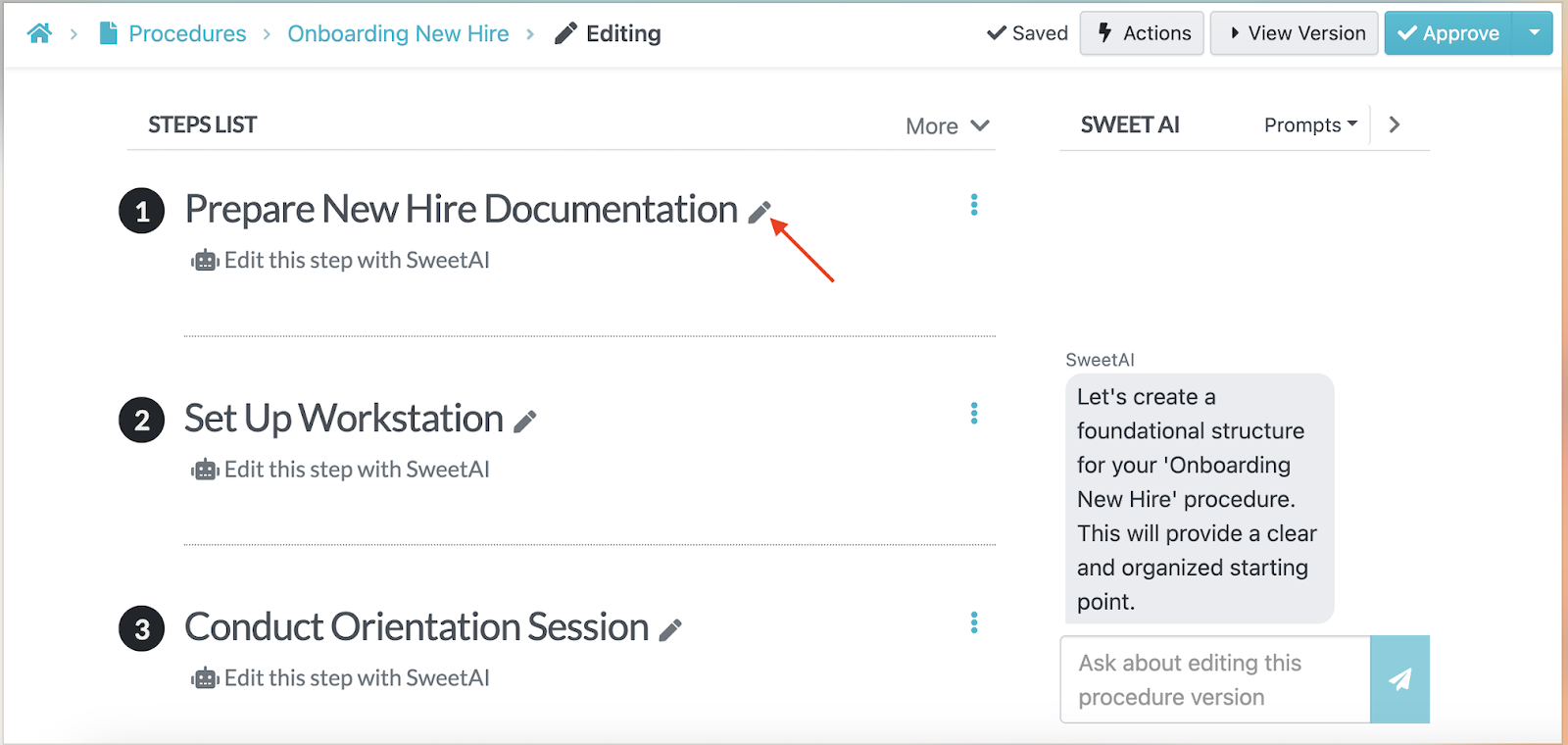
In addition to text, the AI assistant also generates steps that employees can refer to. Team leads can edit these steps as the processes evolve.
Invite Team Members and Collaborate on Training Documents
A single person shouldn’t own your training documentation. Multiple team members can contribute to policy creation and updates.
Once you draft an SOP or policy, you can invite other departments to contribute. These can be subject-matter experts, managers, and HR leaders. For instance, your warehouse manager can add more details about forklift safety procedures, while your HR lead can work on the policy on remote work expectations.
Alternatively, SweetProcess also allows your team to leave comments on a document by tagging colleagues.
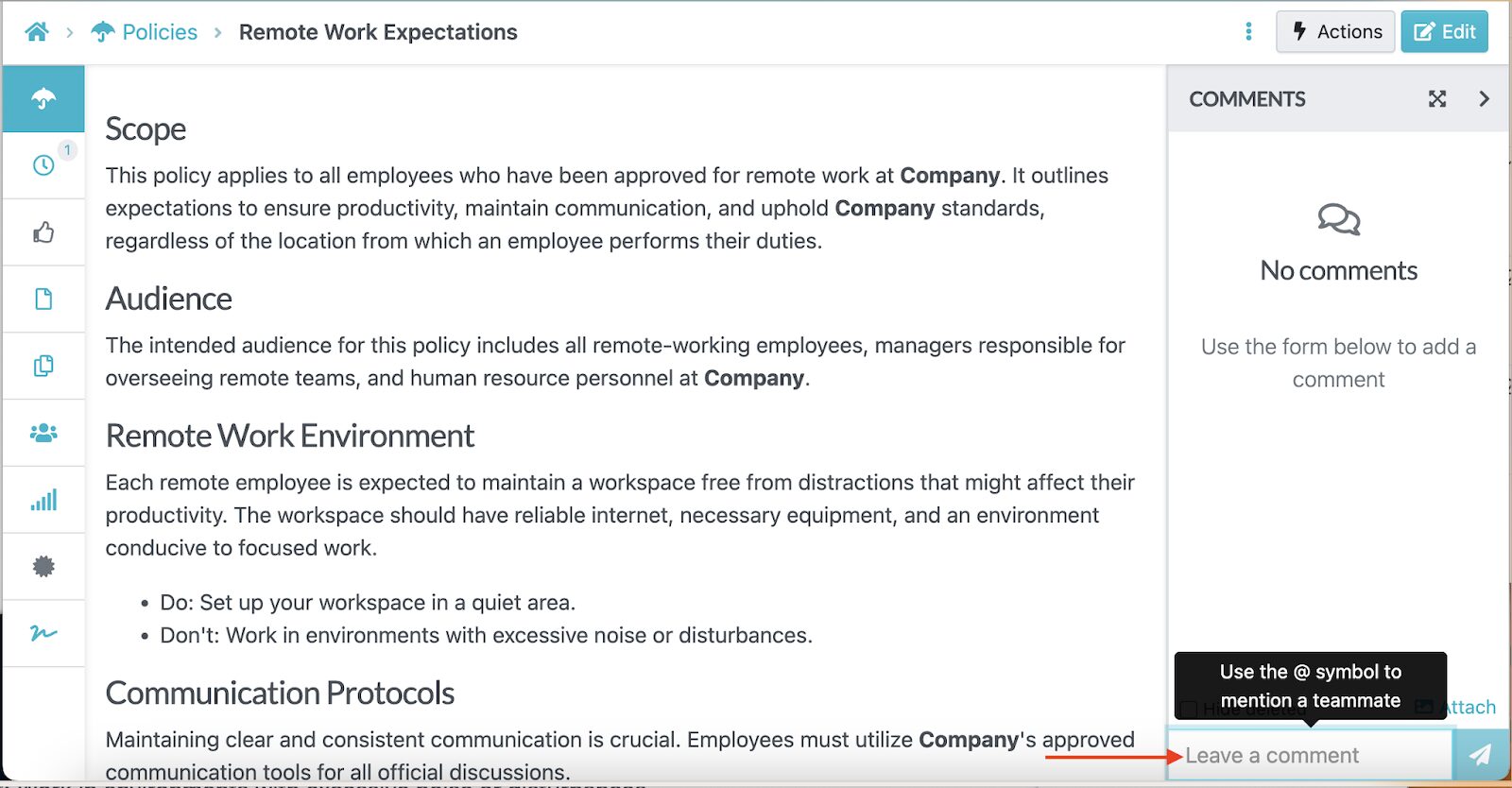
This collaborative approach keeps training materials accurate and aligned with real workflows. Instead of using outdated manuals, employees learn from living documents that reflect how work is actually done.
Assign Training Materials As Tasks to Employees
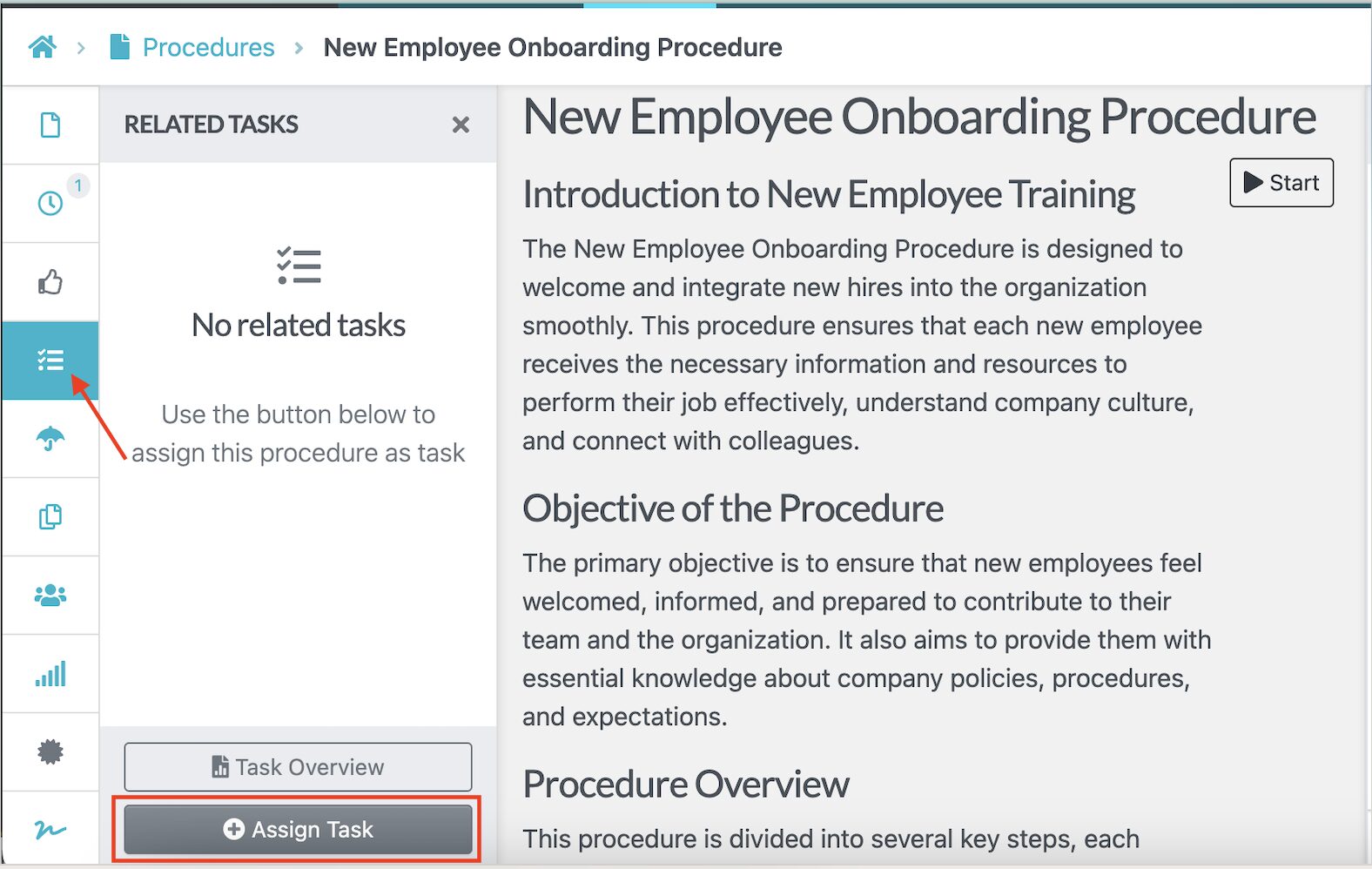
SweetProcess turns any procedure, policy, or process into tasks. For instance, if you just want to hire new employees and implement SOP training, you can draft your procedure and assign it to department heads.
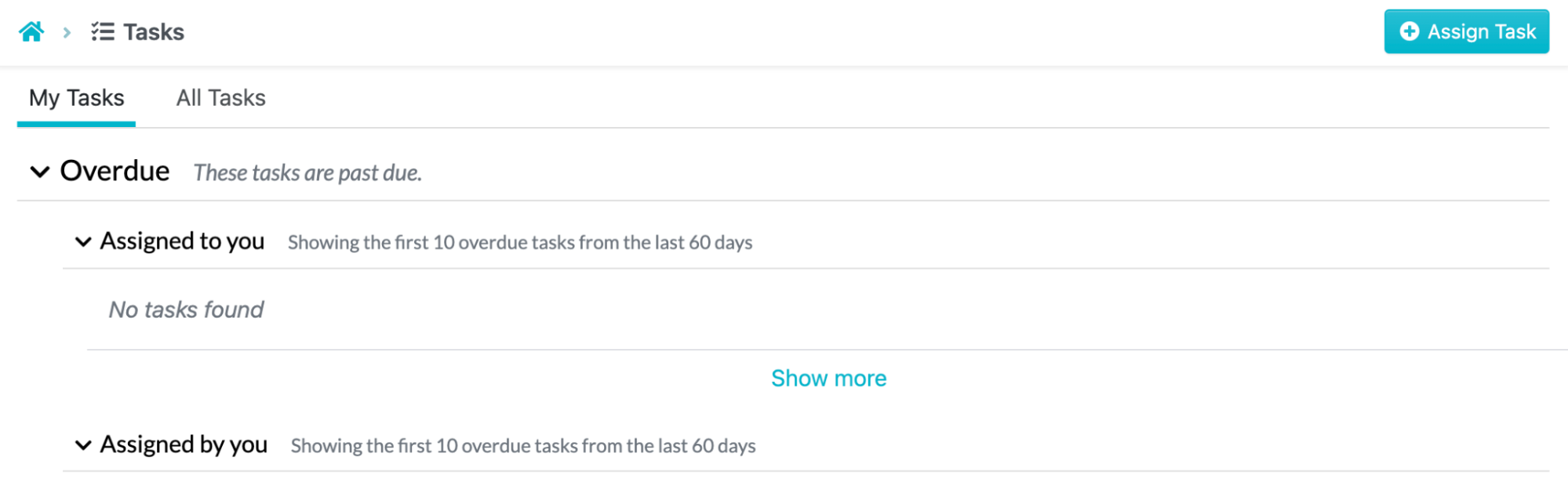
Each task includes due dates and the name of the specific employee.
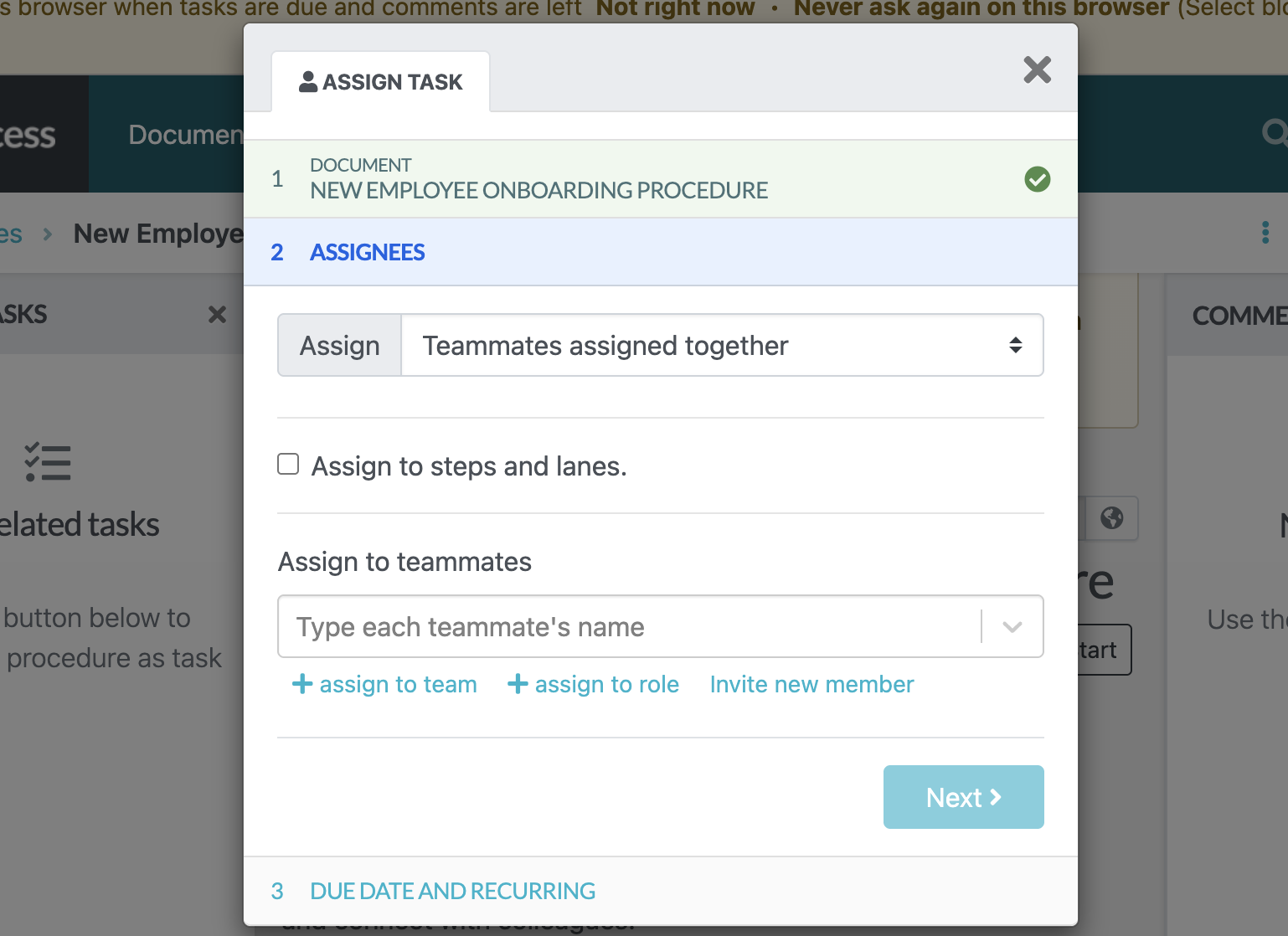
This way, it’s clear what each employee needs to complete and by when.
From the “Task” dashboard, you can view what’s assigned, what’s in progress, what’s completed, and what’s overdue.
Request Sign-Offs for Training Acknowledgement
Whether you’re training new hires or existing employees, you need confirmation that they’ve read and understood the company policies or procedures. SweetProcess enables managers to request formal sign-offs that verify employees have reviewed and acknowledged specific training materials.
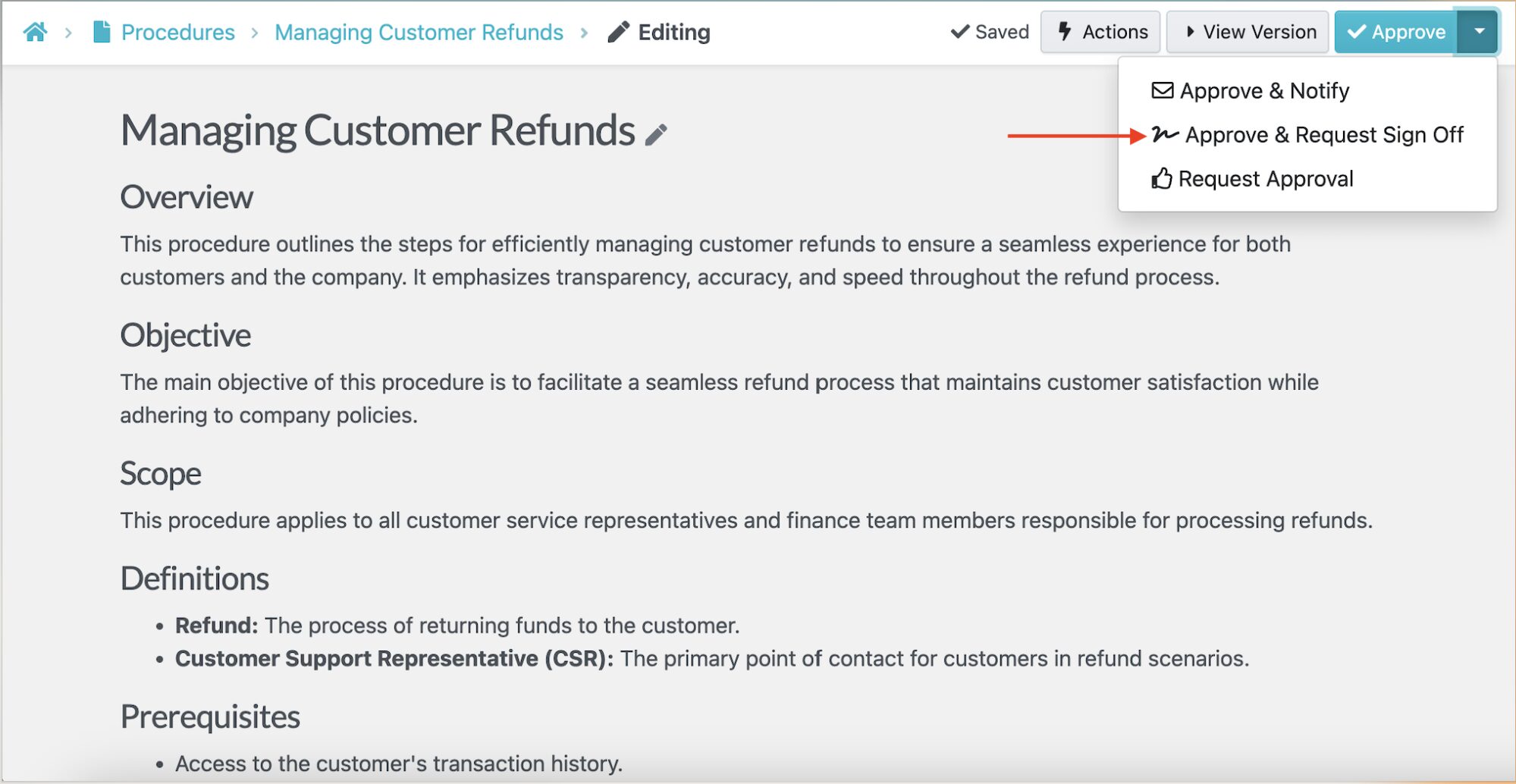
These acknowledgements are automatically recorded, creating a clear compliance trail. This feature is particularly valuable for safety and regulatory training where proof of employee awareness is required during audits or internal reviews.
Assess Training Progress With Quizzes
SweetProcess offers built-in quizzes that help managers assess whether employees truly understand the training.
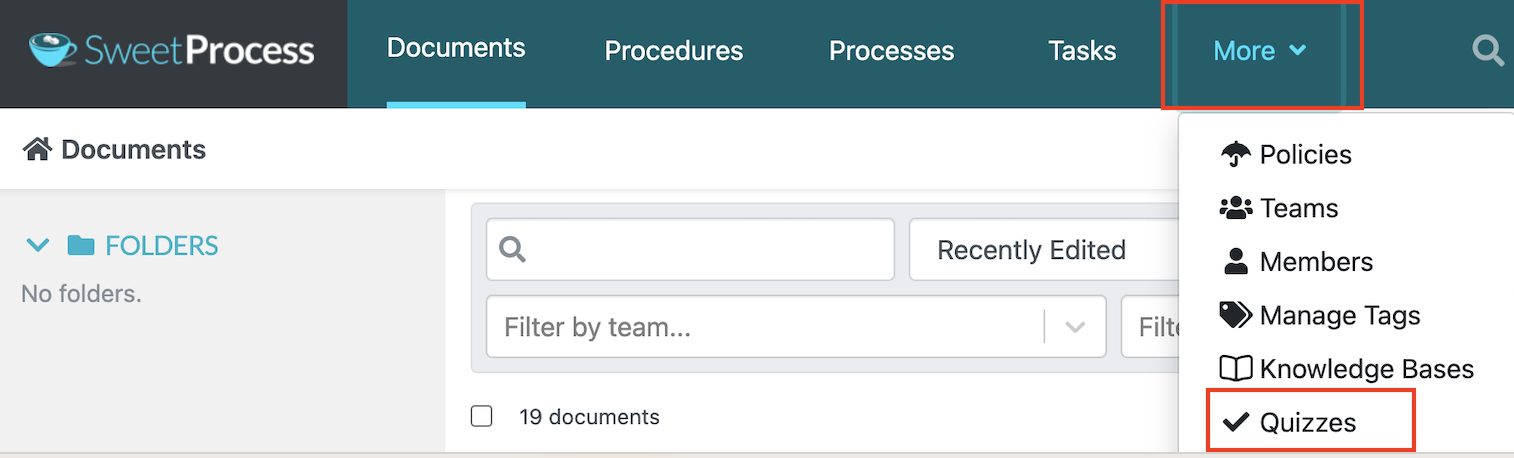
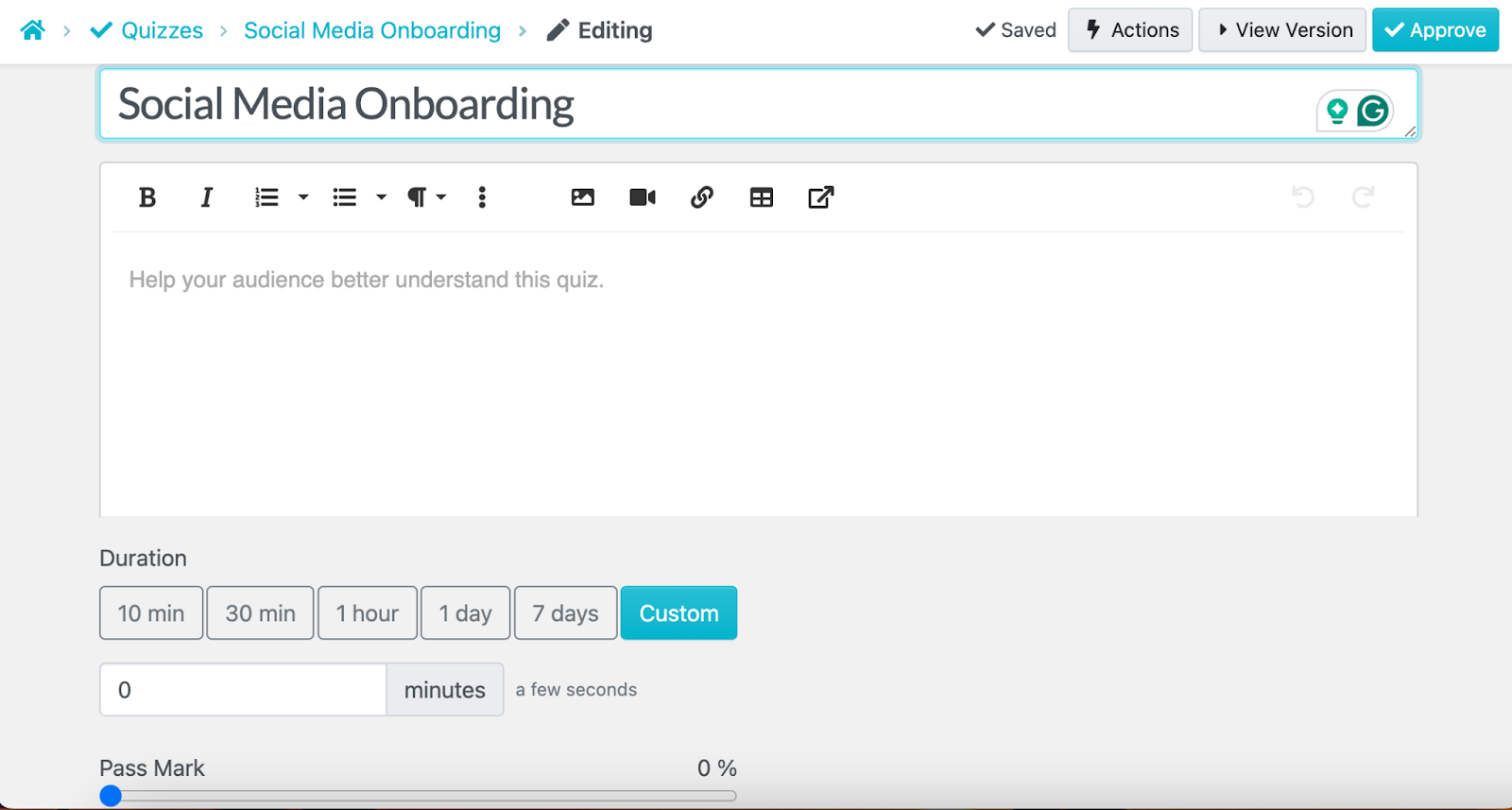
To differentiate quizzes, give them a unique name and assign them to specific teams.
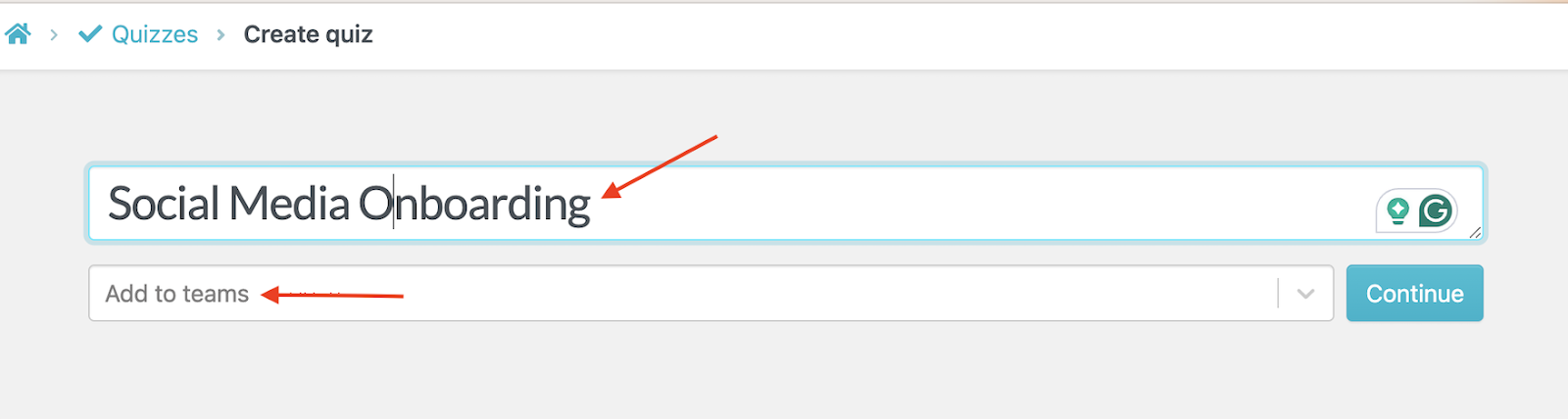
You can also add more details about the quiz, a pass mark, and duration, and attach visuals to make it more detailed.
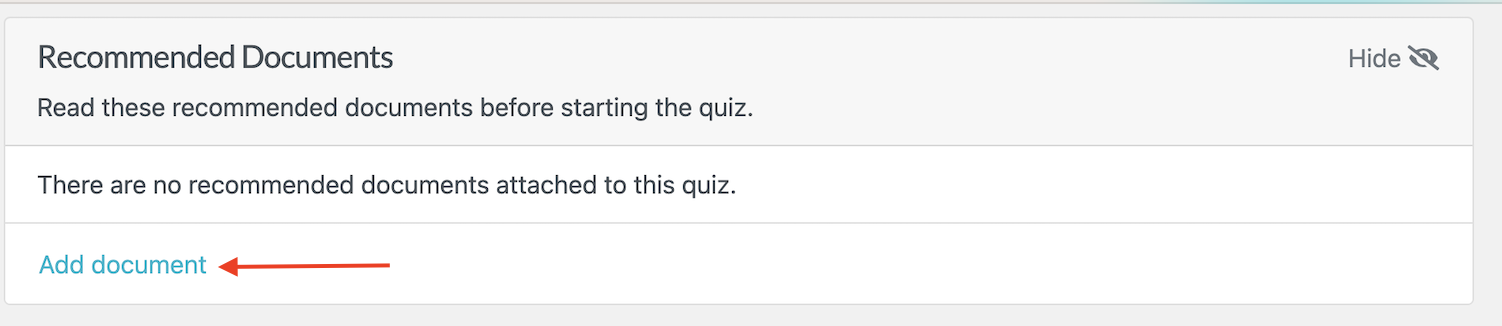
Quizzes can also be attached directly to SOPs or training materials to reinforce learning and identify knowledge gaps early.
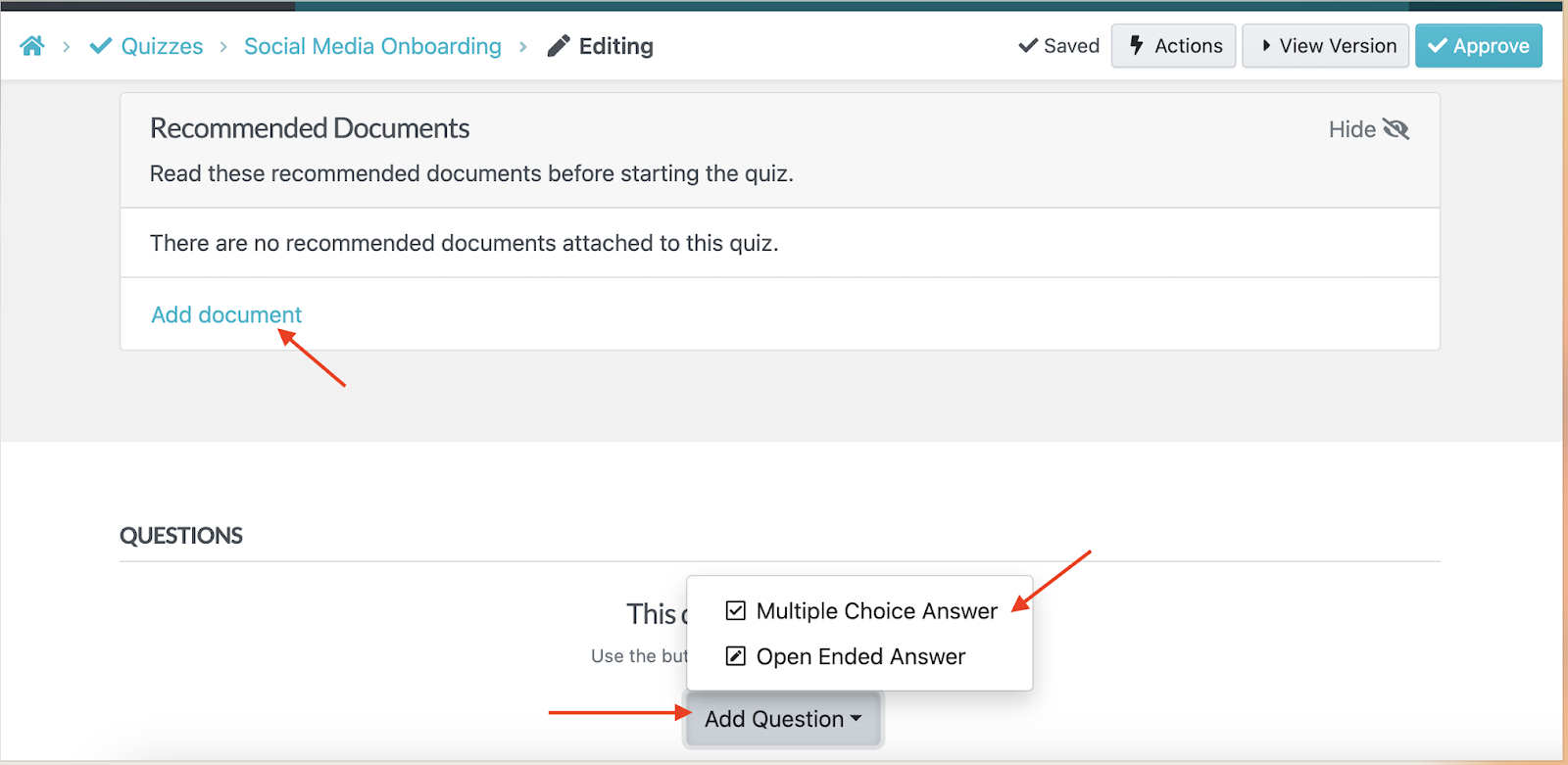
With SweetProcess, you can create multiple-choice or open-ended questions, depending on your goals.
By combining documentation with assessment, SweetProcess enables managers to spot patterns and provide targeted support to employees who require it.
Review Employee Activity on Training Materials
SweetProcess gives managers full visibility into employee training activity. You can use the version history feature to see who has opened a document and how far they’ve progressed.
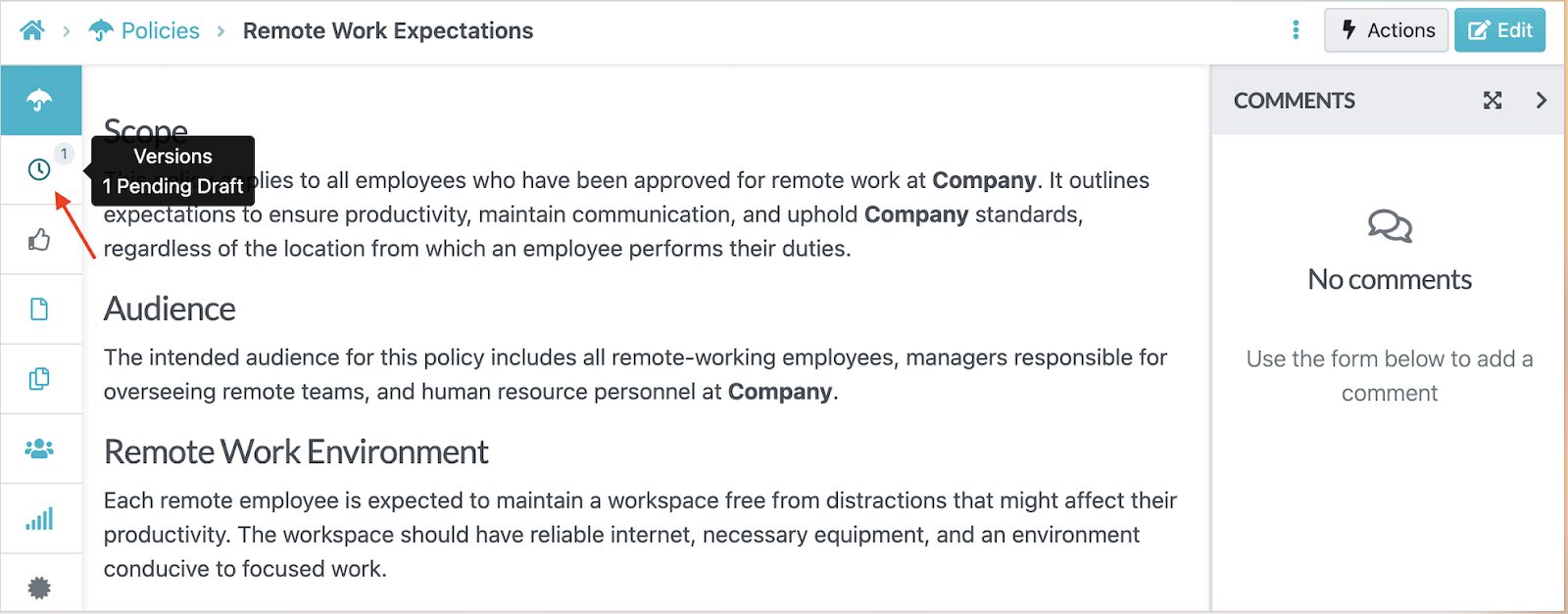
This transparency removes guesswork from training management. Instead of chasing updates, managers can rely on accurate activity data to make informed decisions and track the training sessions.
Training Tracker: Best for Compliance and Certification Tracking
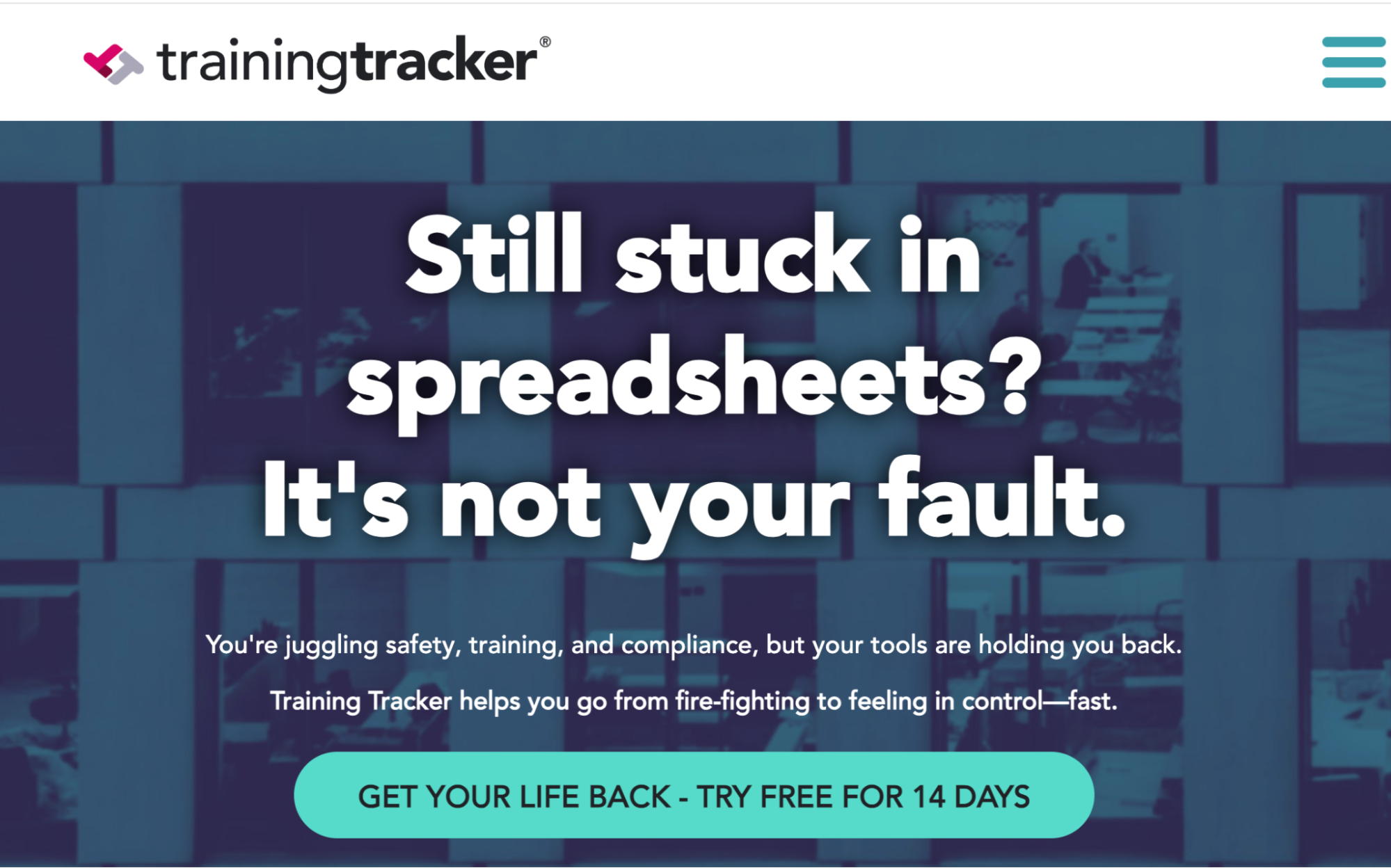
Image source: Training Tracker
Overview of Training Tracker
Training Tracker is a dedicated employee training management system designed to replace spreadsheets and manual recordkeeping. It centralizes all training requirements to ensure your team is always up to date on the latest version. This software is ideal for companies in compliance-focused industries such as manufacturing, construction, healthcare, and utilities.
Additionally, the platform is highly automated and sends reminders about training sessions to employees. This feature gives managers more time to focus on essential company tasks.
Features of Training Tracker
Here are the core features of this training tracker tool:
- Centralized training assignment tracking: Managers can assign required training to employees or groups and monitor completion status from a single dashboard rather than managing multiple files.
- Automatic renewal and expiration tracking: Training Tracker calculates expiration dates for certifications and recurring training, helping teams stay ahead of renewals.
- Automated reminder notifications: The system sends email reminders to employees and supervisors when training is due or overdue.
- Compliance reports: The platform maintains detailed training histories, including timestamps and completion records, making it easier to produce documentation during audits.
- Role-based access: You can assign training materials to specific employees and set permissions to control access.
Training Tracker Plans and Pricing
Training Tracker offers three pricing plans. The Basic plan, at $34 per month, is ideal for businesses looking for basic employee training tracking. The Pro version gives you more automation at $49 per month, while the more comprehensive option, Enterprise, costs $74 per month.
Arlo: Best for Managing Blended Training Programs
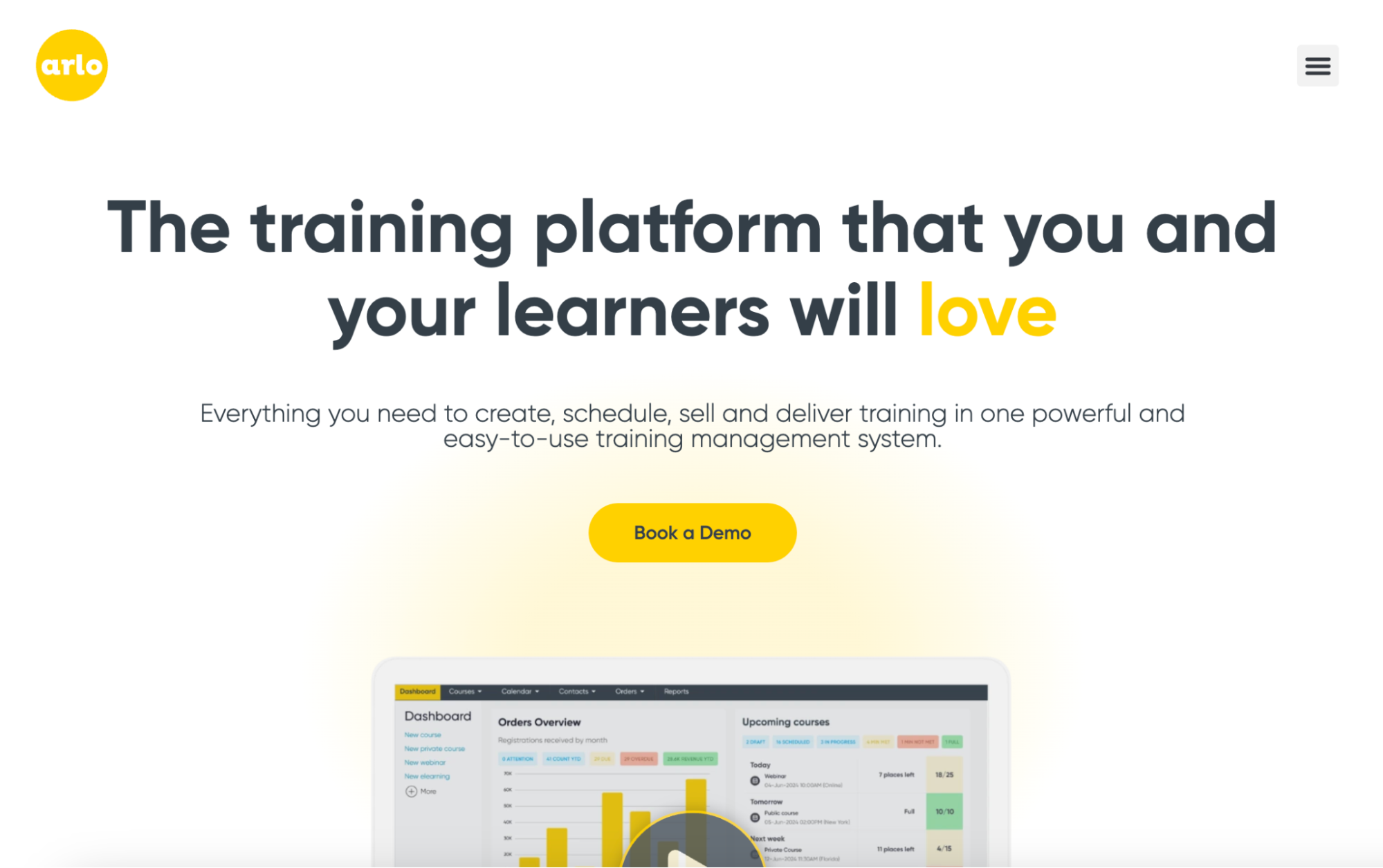
Image source: Arlo
Overview of Arlo
Arlo is a training management system built to help organizations coordinate and deliver structured learning experiences. It’s ideal for training providers and teams that run recurring courses or blended learning programs. Arlo handles the entire training lifecycle from course creation and event scheduling to registration management, payment processing, and certificate delivery.
Its centralized system helps teams manage everything from one place, making it a strong choice for businesses or departments that need visibility across multiple training programs. You can also integrate it with your current e-learning programs to streamline training.
Features of Arlo
Once you sign up for Arlo, here are the core features you get:
- Event scheduling: With Arlo, you can manage multiple training sessions and recurring events, reducing your workload.
- Online registration and payment processing: You can allow employees or external participants to self-register for training sessions using the integrated payment collection system.
- Blended learning tools: Arlo offers e-learning and other delivery formats to suit your target audience.
- Extensive reporting: Built-in reporting tools that provide visibility into course enrollment, attendance, upcoming courses, and revenue.
- Certifications: From the Arlo system, you can renew and approve licences and certifications for all training programs.
Arlo Plans and Pricing
Arlo uses a tiered pricing model designed for different training volumes and operational needs. The entry-level Simple plan costs $132 per license per month, while the Professional option costs $227 per license per month. As you scale, you can upgrade to the Enterprise plan at $302 per license per month or contact support to get a quote for the Scale plan.
Skills Base: Best for Tracking Employee Skills and Competency Gaps
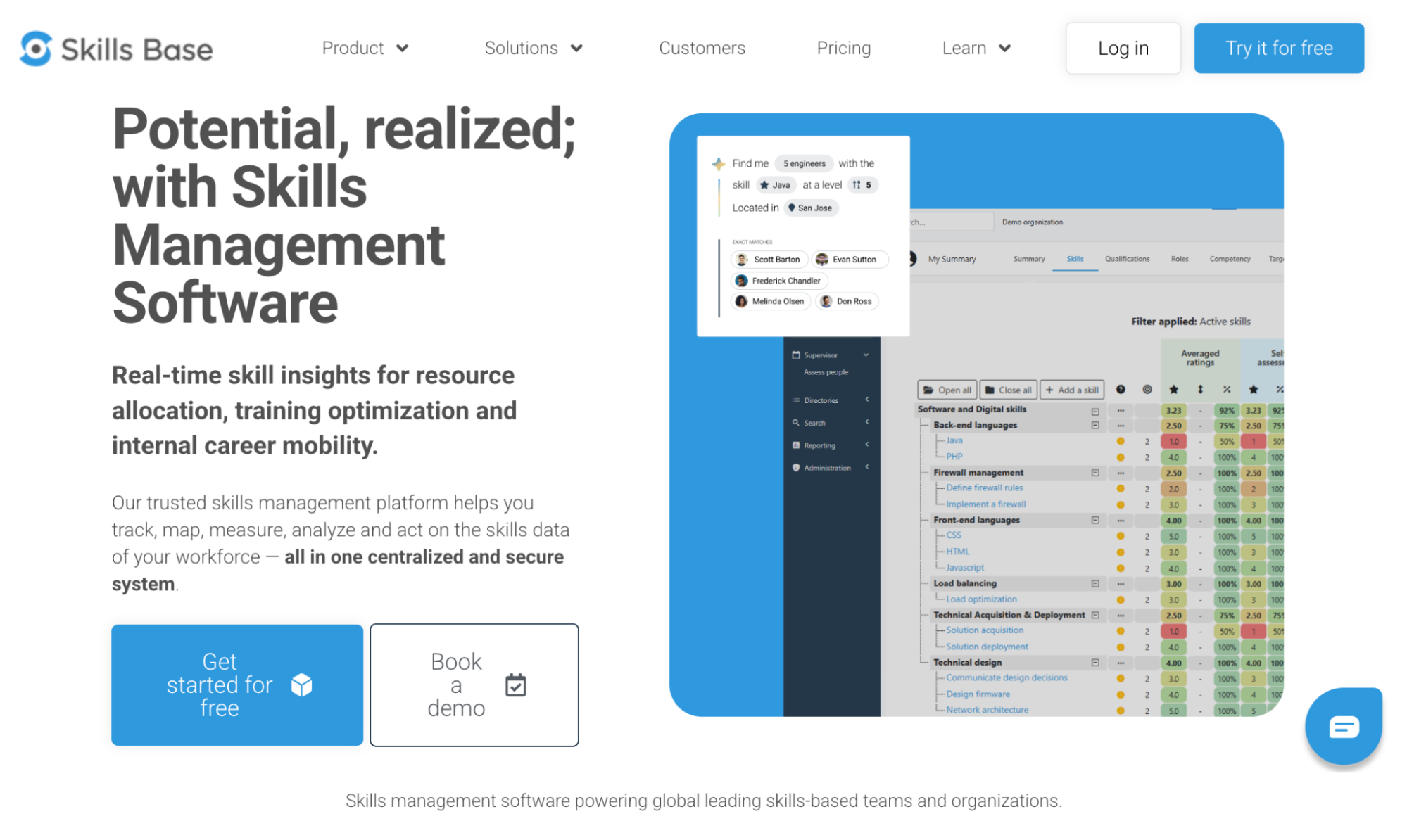
Image source: Skills Base
Overview of Skills Base
Skills Base is a skills and training platform that maps employee competencies and identifies skill gaps to help you develop training activities. Unlike most training tools that focus solely on course delivery, this software prioritizes skills development to support employee growth. Skills Base also provides real-time insights to help your business allocate resources to the right training programs.
If you already have LMS or other relevant business intelligence tools, this tool will integrate into your tech stack, centralizing all training operations. It can be used in IT, manufacturing, engineering, and learning and development.
Features of Skills Base
With this tool, you can access these capabilities:
- Skills mapping: You can use this training tool to build a visual skills inventory for individuals and teams, helping you identify learning gaps and training priorities.
- Skills matrix: Skills Base allows you to define competencies for each role and use the data collected to plan training sessions and upskilling.
- Advanced search: From the dashboard, you can search for specific information using filters such as location, skill level, roles, or qualifications.
- Tracking completion: You can view whether employees have completed their assigned training materials.
Skills Base Plans and Pricing
As a new user, you can start with the Free plan, which gives you access to unlimited assessments and skills data templates. If you need more capabilities, such as API access and data import, you can sign up for the Teams plan at $2.25 per person per month (billed annually). They also offer an Enterprise plan for larger teams at $4 per user per month, and an Ultimate plan that’s available on request.
Docebo: Best for AI-Powered Enterprise Learning Management
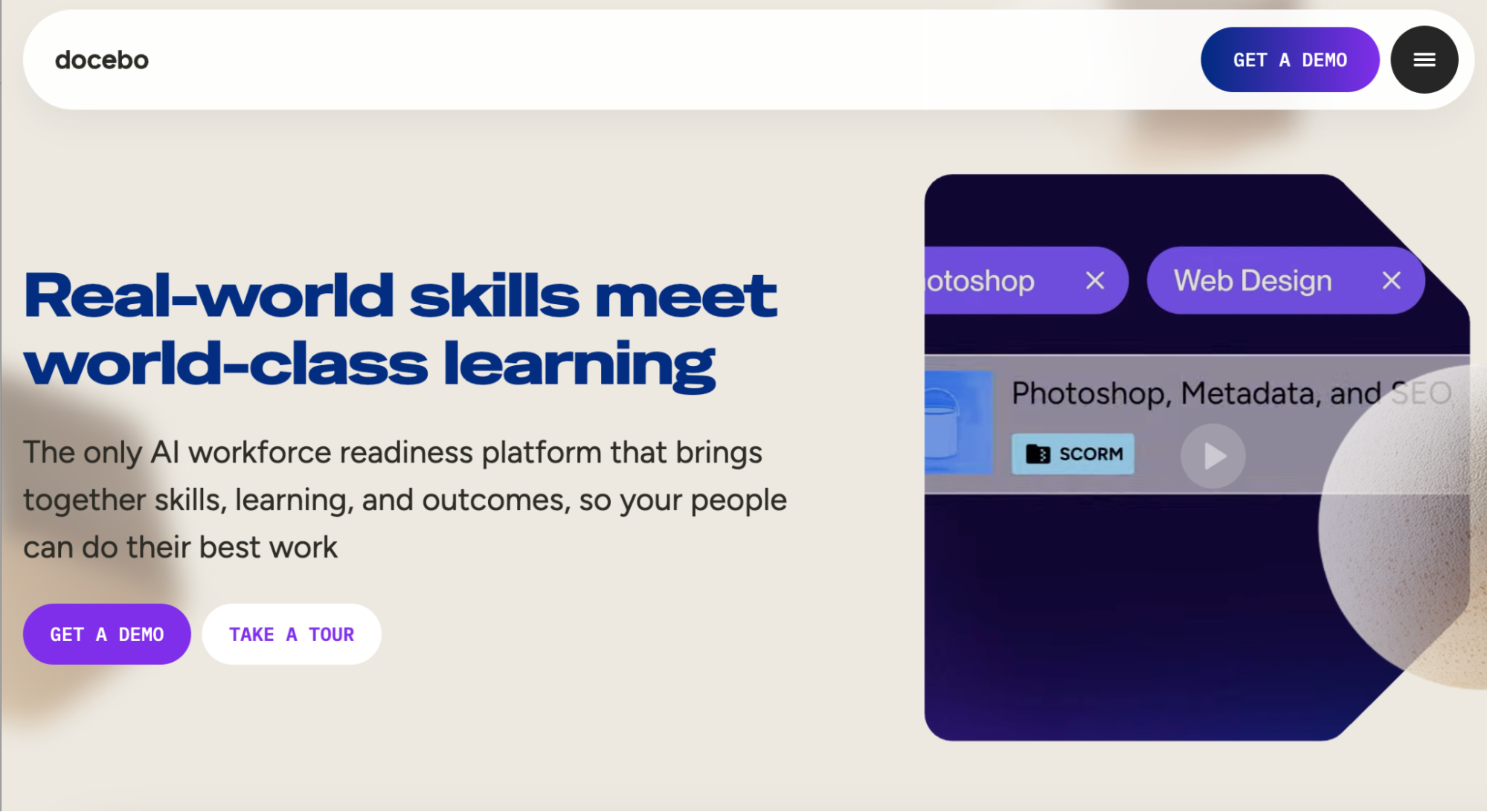
Image source: Docebo
Overview of Docebo
Docebo is an AI-powered learning management system that organizations use to manage and deliver training programs. With this tool, you can access content management tools and extensive analytics to help you build a comprehensive learning experience. Docebo is ideal for small organizations, mid-sized teams, and enterprise organizations that want to integrate their business tools.
You can build interactive courses within seconds using the AI assistant on Docebo. In addition, this feature enables you to customize and scale training programs for different learners, all on the same platform.
Features of Docebo
Here are Docebo’s key features:
- AI capabilities: With the AI assistant, Harmony, you can get personalized learning recommendations, 24/7 intelligent support, custom training content, and automated training content.
- Skills intelligence: You get a snapshot of your team’s capabilities to help you make decisions such as hiring, retention plans, project staffing, and upskilling.
- Social and collaborative learning: Employees can share knowledge through discussion forums and user-generated content that supplements formal training.
- Advanced reporting: Docebo offers detailed dashboards that show completion rates, engagement metrics, learning paths, skills development, and ROI across your entire training program.
- Extensive integrations: You can connect Docebo with HR systems, video conferencing platforms, content libraries, and business tools through 400+ pre-built integrations and API access.
Docebo Plans and Pricing
Docebo’s pricing is determined based on the number of active learners. You can choose between the Elevate and Enterprise plans. However, the company doesn’t publish its pricing on its website; you have to contact the team for a custom quote.
TalentLMS: Best for Simplified Online Training Courses
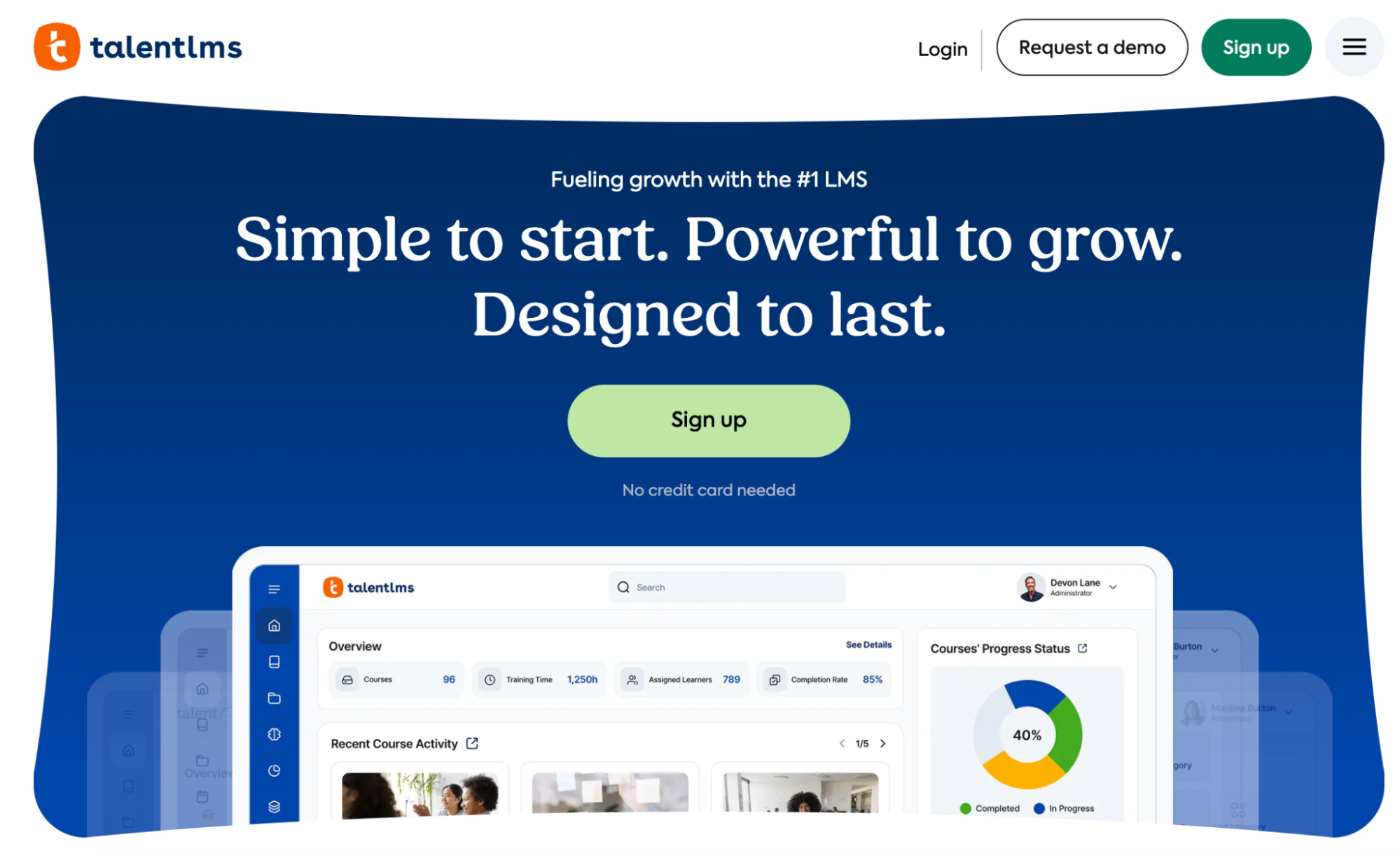
Image source: TalentLMS
Overview of TalentLMS
TalentLMS is a cloud-based learning management system that helps organizations to train employees and partners. It’s easy to set up and use, making it ideal for all types of businesses looking for a tool to create courses and track completion rates in a centralized system. TalentLMS appeals to growing businesses, thanks to its balance of functionality and simplicity.
You get essential LMS features without the complexity that comes with enterprise platforms. Since it has little to no learning curve, your employees or customers can start learning immediately after they sign up.
Features of TalentLMS
With TalentLMS, you get these core features:
- Assessments: You can use this training tool to build surveys and quizzes and then award certificates based on performance.
- AI functionality: TalentLMS offers AI-powered content and test creators to instantly generate assessments or create professional courses.
- Blended learning: There are multiple learning paths to suit your needs. You can combine instructor-led sessions with self-paced courses for the best results.
- Gamification: To keep your team engaged, TalentLMS offers badges, rewards, and leaderboards. These gamification features motivate teams to stay on track with their training programs.
- Mobile access: Learners don’t have to worry about accessing courses on the go. TalentLMS delivers training programs on smartphones as well as offline, making it ideal for remote or hybrid teams.
TalentLMS Plans and Pricing
TalentLMS offers four pricing options. If your team has 40 users, you can start with the Core plan at $149 per month. For teams with up to 70 employees, you can subscribe to the Grow plan at $299 per month. The Pro option caters to businesses with up to 100 employees. However, if you have over 1,000 users, you can opt for the Enterprise plan.
Employee Training Manager: Best for Internal Employee Training
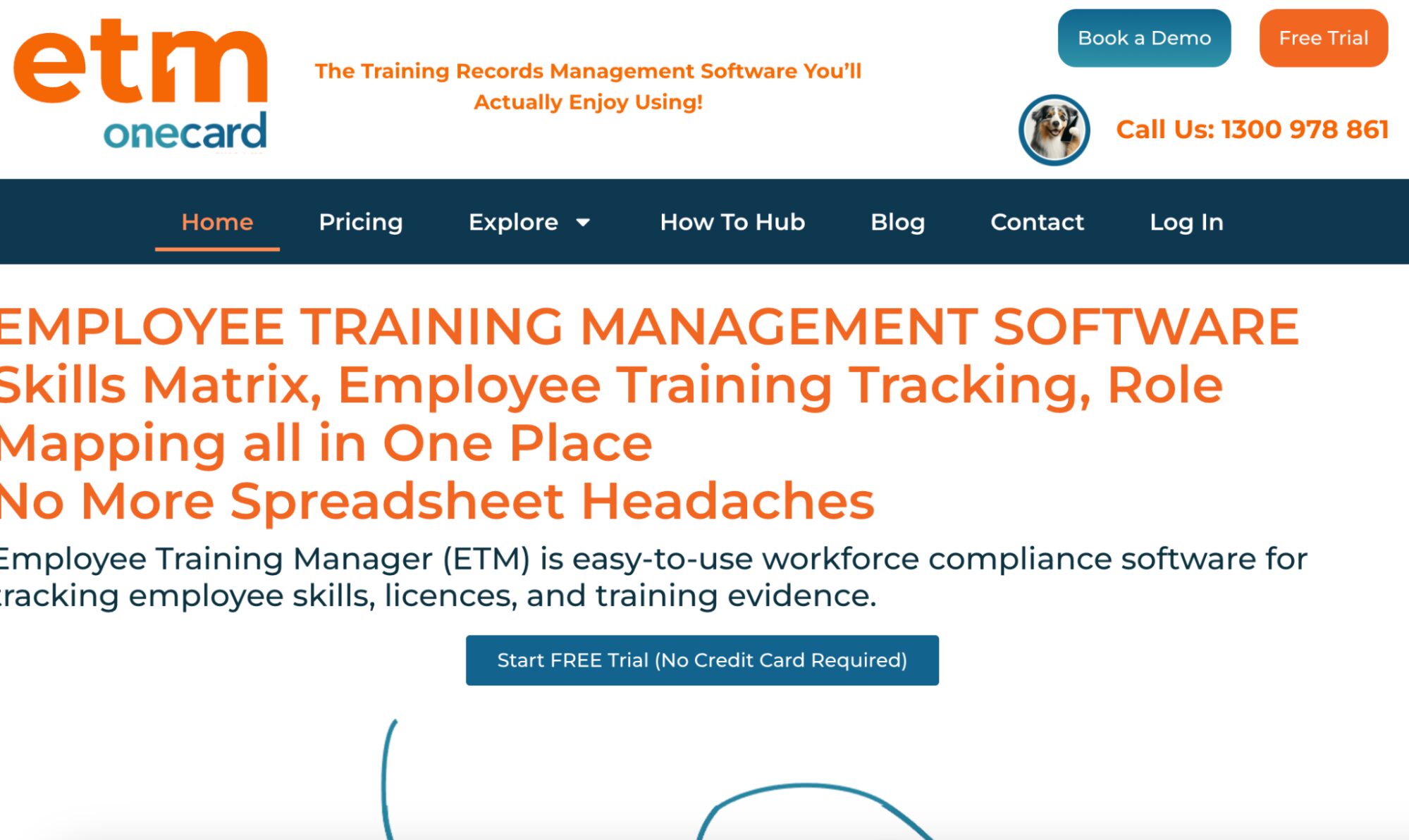
Image source: Employee Training Manager
Overview of Employee Training Manager
Employee Training Manager is a purpose-built training, tracking, and compliance platform that helps businesses centralize all employee training records, qualifications, licences, and certifications in a single system. Instead of using multiple spreadsheets to organize your training records, you can use this software to manage and generate audit-ready records.
From the interface, you have clear visibility of which certificates are expiring and can close those training gaps early. Its focus on automated record-keeping and role-based requirements makes it ideal for industries that deal with safety regulations and recurring training obligations.
Features of Employee Training Manager
This tool offers these core capabilities:
- Centralized training records: All employee training histories, certifications, and qualifications are stored in one system, making it easy to manage training data.
- SOP linking: If you have existing work instructions or SOPs, you can convert them and add them to the skills matrix. This way, all training information is easy to find.
- Role mapping: Training requirements can be linked to specific roles, so employees automatically receive the training they need to remain qualified for their positions.
- Audit-ready reporting: Custom reports make it easier to demonstrate compliance during audits or internal reviews. All updates can be tracked using version control.
Employee Training Manager Plans and Pricing
Employer Training Manager offers six pricing plans. The Starter plan costs $49 per month for up to 30 employees. You can also pay for the Growth plan, which costs $149 per month, the Professional option at $299 per month, or the Executive option at $499 per month. If your team has more than 500 employees, you can request a custom quote for the Corporate or Enterprise plans.
Trainual: Best for Process-Based Training
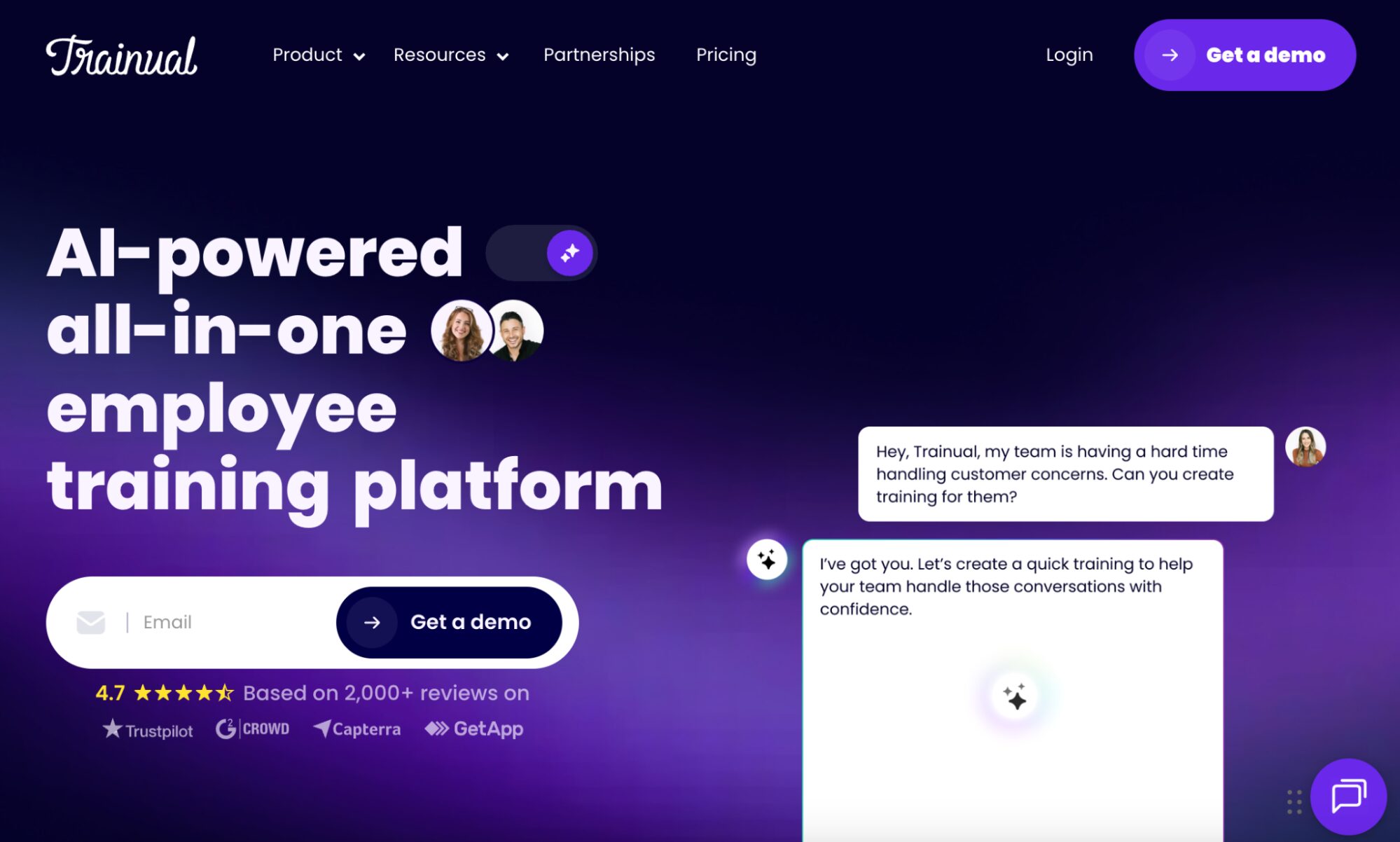
Image source: Trainual
Overview of Trainual
Trainual is a training and operations platform that helps teams document processes, onboard new hires, assign tasks, and track employee training progress in one place. This AI-powered platform standardizes how work gets done by ensuring that team members are trained on up-to-date procedures and expectations. Trainual lets you create training content tied to roles and responsibilities.
One of Trainual’s strengths is its simplicity, which makes it ideal for many small and mid-sized businesses. Additionally, it can be used in multiple sectors, including real estate, healthcare, legal, and construction.
Features of Trainual
Here are the features you get from this software:
- Pre-built courses: With Trainual, your team can access 400+ premium courses to keep the company compliant with industry regulations.
- Centralized knowledge base: All processes, policies, and training documents are managed in a searchable knowledge base, making it easy to share information with the entire team.
- Role-based assignments: Assign training and tasks based on employee roles so new hires and existing team members automatically receive the content relevant to what they do.
- Interactive training content: You don’t have to draft the training materials in blocks of text. Trainual provides videos and GIFs that will help your team retain the knowledge.
- Integration capabilities: Trainual integrates with multiple HR systems, making it easy to centralize information during employee onboarding and training.
Trainual Plans and Pricing
To use Trainual for employee training tracking, you can choose from four pricing plans: Core, Pro, Premium, and Enterprise. The pricing starts at $249 per month for up to 10 seats (billed annually). You can get a detailed quote from the team.
AbsorbLMS: Best for Scalable Learning Programs
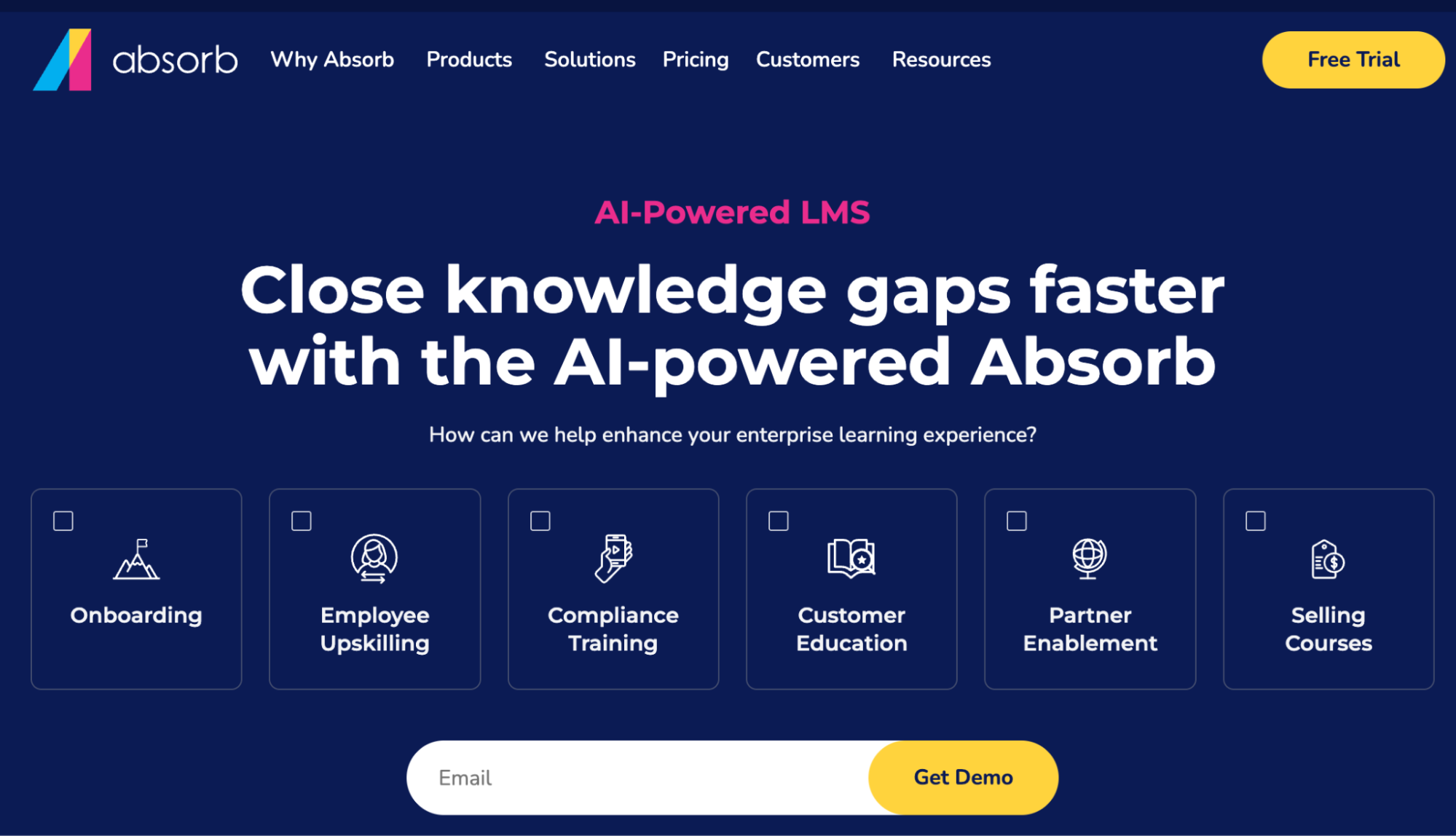
Image source: AbsorbLMS
Overview of AbsorbLMS
AbsorbLMS is a comprehensive learning management system that supports enterprise-grade training programs and scalable learning initiatives. Your organization can use this tool to manage and measure learning across multiple formats, whether online or instructor-led. AbsorbLMS integrates AI to build courses faster and streamline admin tasks.
Employees can use this software to assess their competency levels based on their roles. In addition to training your employees, this platform is an e-commerce tool that you can use to sell your online courses.
Features of AbsorbLMS
AbsorbLMS offers these features:
- Personalized learning paths: With the AI tools, you can tailor training content to each team member and individual goals.
- Extensive integration: AbsorbLMS connects seamlessly with learning management tools, allowing you to manage everything from a single platform.
- Mobile learning: Employees don’t have to be in the office to learn. This training system is available to field and remote teams that need to access resources on the go.
- Extensive content libraries: There are multiple ready-to-use content libraries that your business can use for its training programs.
- Social learning: To keep learners motivated and engaged, this tool has leaderboards, polls, forums, and integrates with social media platforms.
AbsorbLMS Plans and Pricing
AbsorbLMS does not publish standard pricing publicly and requires organizations to request custom quotes.
Core Features of Training Tracking Software
When choosing training tracking software, you need to evaluate whether it offers capabilities that will solve your company’s problems. Let’s take a closer look at the core features to consider.
Course Creation and Management
Can your team leads create training content without calling IT for help? This is the fundamental question that determines whether your training tracking software is a useful tool. Before subscribing to any software, evaluate whether it’s easy to use and whether your employees can independently build structured courses and assessments.
These features help with training management, ensuring that all your courses and completion records are easily accessible and centralized. Effective course management goes beyond just uploading files. You need to organize content by department, role, skill level, or topic so employees can find relevant training without scrolling through irrelevant courses.
Performance Tracking and Reporting
During audits and performance reviews, you may need to provide evidence that your team completed specific training programs. The only way to prove this is to use a tool that lets you track performance and report insights. Your training tracking software should give visibility into:
- Which team members have taken the training sessions
- When they finished the sessions
- How long they spent on it
- Whether they passed the associated assessments
With this data, you can identify knowledge gaps and make better decisions. For instance, if the reports show that new hires are consistently failing your product knowledge quiz, you can refine the onboarding content to make it more digestible.
Automated Course Scheduling
How much time does your training coordinator spend manually enrolling new hires in onboarding courses or reminding employees about upcoming deadlines? They could be using this time to focus on other core activities, such as improving content quality and developing strategic training initiatives.
You need a training tracking tool that automates everything from task assignments to reminders and recertification triggers. It allows training to be triggered based on roles or timelines, such as onboarding, promotions, or compliance cycles. This way, you don’t have to miss any sessions, and employees receive training at the right time.
Centralized Course Database
The primary advantage of having training manual software is that it lets you manage all training resources on a single platform. Your team doesn’t have to scroll through multiple folders or emails looking for content. In addition to training materials, this centralized course database also stores procedures, policies, knowledge bases, and processes that employees need to perform their work.
Centralization eliminates the inconsistencies that emerge when the same information exists in multiple places. For instance, if your refund policy is documented in three different locations with three slightly different versions, employees will follow whichever one they find first, creating inconsistent customer experiences. For training teams, this feature also simplifies management.
Mobile Access & Automated Notifications
If you’re running warehouses, retail locations, field services, or manufacturing operations, a big percentage of your workforce is working away from their desks. For such teams, you need a tool that gives you mobile access. This feature enables employees to complete training and acknowledge policies from their smartphones or tablets.
In addition to mobile access, you need a tool that provides automated notifications to remind employees of upcoming deadlines and new assignments. The productivity impact of mobile-enabled training is immediate. Field technicians can review equipment procedures on-site before attempting repairs, while retail teams can reference the return policy while helping a customer instead of calling a manager each time.
Integration & API Capabilities
You already have existing business tools or basic learning management systems. To avoid using multiple tools, you should select an employee training tracking tool that integrates with your tech stack. You can connect the software to HR systems and communication tools to make it easy to notify employees about certifications or assignments.
For instance, if you promote an employee to a new role in your HR system, this change can trigger automatic assignment of role-specific training in your tracking platform. Additionally, APIs future-proof your training tools. As your organization grows, you need integration capabilities that keep your training information in sync across systems to keep your records accurate.
Track Your Employee Training Programs With SweetProcess
Training works best when it’s easy to follow and easy to track. SweetProcess helps teams turn everyday processes into structured training experiences. Instead of managing your training resources in multiple LMS, it brings training delivery and progress monitoring in one platform.
Here’s how to use SweetProcess to track your training programs:
Document Training Procedures and Policies
Effective training starts with clear documentation. SweetProcess allows you to create and manage company policies and transform them into training materials. From the dashboard, employees can access these documents.
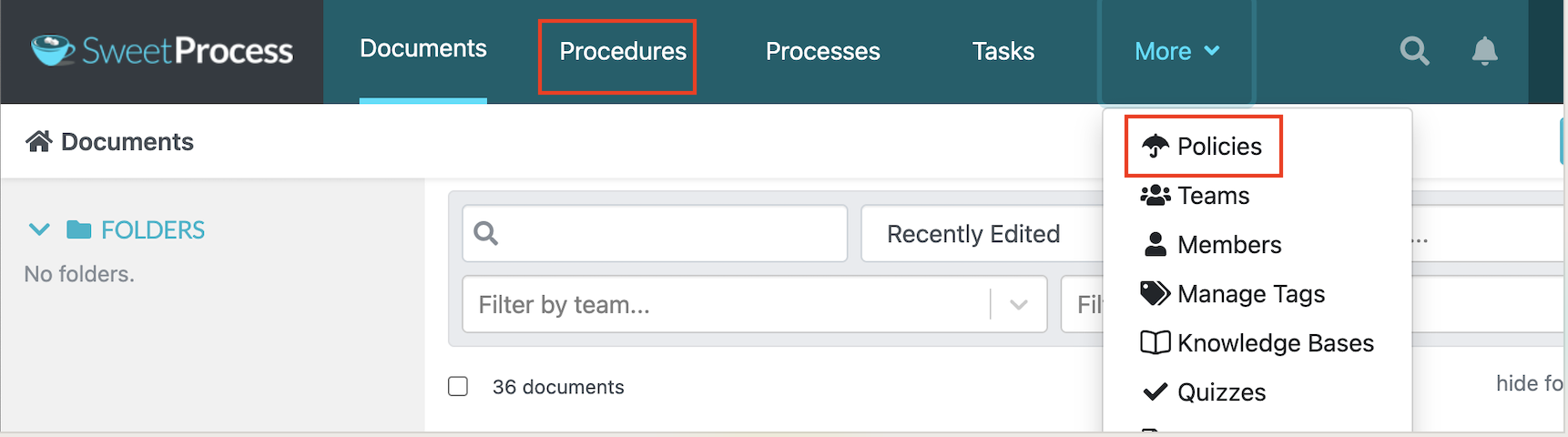
Teams can access the most recent versions at any time because the documents are updated in real time. Furthermore, the procedures and policies are valuable for onboarding new hires since they can be tied to training assignments.
Aid Learning With Multimedia Elements
Not everyone learns the same way. Some employees will understand a procedure much better if you add visuals. For instance, if you’re creating a training and development plan for your factory team, you can embed a 90-second video in SweetProcess that demonstrates safety procedures.
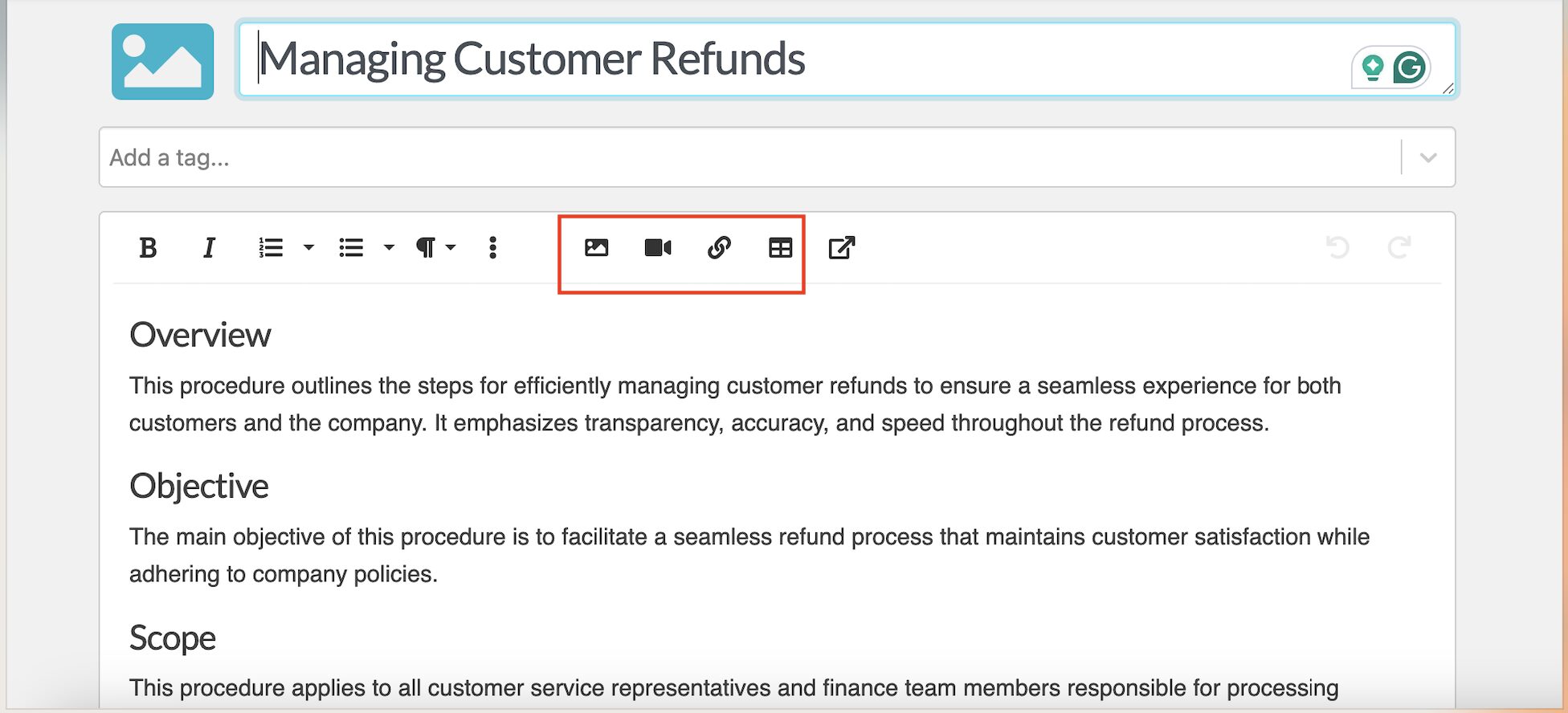
New hires can watch these videos and reference them when they encounter a new challenge. You can also add images, attachments, or tables to show employees exactly how tasks are performed in real situations.
Alternatively, you can use SweetProcess’s screen recording feature to capture screenshots and create a visual SOP for your team to follow. Once you install the Chrome extension, you can start creating a step-by-step procedure.
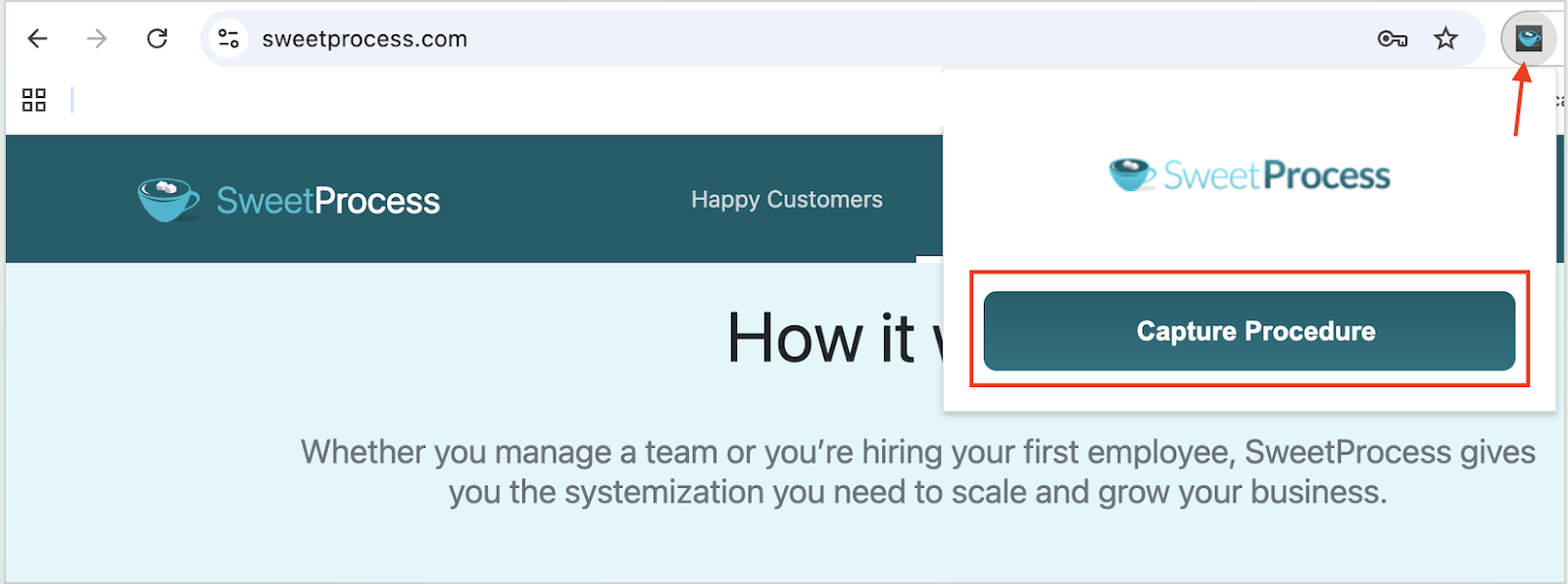
This multimedia approach reduces guesswork and helps employees achieve higher productivity without constant supervision.
These features have been instrumental in multiple organizations. One of them is Atlantic Sapphire. The company was expanding from Denmark and opening a new facility in the US; therefore, they needed to transfer critical operational knowledge. The technology process coordinator, Stanley Kolosovskiy, started looking for software to help the company document critical processes.
Thanks to SweetProcess, he could track activities. He says, “I like to be able to check who has checked something. I’d say I really like how thorough it is in recording data. I want to see what somebody has done, or if they even visited the page, or if they have ever opened it before. That’s huge for me and being able to assign tests as well.”
SweetProcess offered the following benefits:
- Streamlined cross-facility knowledge transfer: Documentation created at the Denmark facility could be instantly accessed by employees at the new location, ensuring both teams followed identical procedures.
- Eliminated knowledge silos: Complex procedures that previously existed only in employees’ heads were documented with step-by-step instructions and visual aids.
- Shorter training times: New employees could read procedures, watch embedded training videos, and take comprehension quizzes all within SweetProcess, reducing training time.
- Simplified compliance documentation: The platform’s activity tracking and acknowledgment features created audit trails showing exactly when employees reviewed procedures.
SweetProcess has also enhanced employee performance at Altvia. Despite being a process-driven organization, Chief Operating Officer Ben Hendershot faced a problem. They had created too many processes scattered across too many systems. With documentation spread across an internal wiki, Google Docs, and various departmental systems, employees struggled to find the correct, current version of procedures.
New hires were also overwhelmed by the need to navigate multiple repositories, leading to inefficiencies. Ben implemented SweetProcess after recognizing it could enforce single-version procedure management at an affordable price point.
Since switching to SweetProcess, the company started enjoying these benefits:
- A centralized repository for all procedures: SweetProcess became the single source of truth for repetitive processes, eliminating confusion from multiple document versions.
- Version control: Employees could access the latest procedure, which helped maintain operational consistency.
- Accelerated employee onboarding: Training new hires became simple as the managers could direct them to the SweetProcess account.
- Real-time collaboration: Cloud-based access with approval workflows enabled team members to submit updates while managers reviewed changes before publication, keeping documentation up to date.
- Eliminated knowledge bottlenecks: When employees were out sick or on vacation, work continued smoothly because anyone could access the procedures.
Why Your Business Needs a Training Tracker for Employees
As teams grow, informal training stops working. If you previously relied on verbal instructions or spreadsheets, you start experiencing inconsistent performance. Here’s why you need to invest in a training tracker.
Streamlines Onboarding and Skills Training
If your newest hire starts Monday, you should have a centralized system that provides information about your products and everyday procedures. A training tracker streamlines onboarding by giving every new hire a clear, consistent learning path from day one. They don’t have to piece together information from different teammates since they know where to find everything.
Beyond onboarding, skills training becomes easier to manage. As roles evolve, employees can be assigned targeted training without having to start from scratch. This shortens ramp-up time and helps both new and existing team members contribute more quickly.
As technical support leader Jason McCutcheon explains, training software only delivers value when businesses are clear on the outcomes they expect. He emphasizes the importance of understanding how individual learning contributes to overall team performance and how participant feedback continuously improves training programs. This approach helps organizations design onboarding and skills training that evolves with team needs.
Standardizes Knowledge and Reduces Errors
Failing to track your training programs, you’ll notice that your employees have different versions of the same process. The new hires may follow the policy they learned during onboarding, while the seasoned employees might be using the latest policy update they received via email. This inconsistency translates to service delivery and can lead to multiple errors.
When you standardize training, employees follow the documented processes. A training tracker shows who has acknowledged the update, leading to consistency.
Ensures Compliance
What happens in your organization when you have a surprise audit or inspection? Can you provide proof that all employees have completed specific industry training? With a training tracker, you can easily open the dashboard and generate a comprehensive report showing every employee’s training completion dates, quiz scores, policy acknowledgments, and certification renewals within minutes.
The tracker maintains permanent records with timestamps and activity logs that satisfy regulatory requirements across different industries.
Tracks Training Progress and Knowledge Retention
Assigning training is only half the job. You still need to know whether employees understand the content and can apply it in their daily roles. Training trackers give managers real-time insight into who has completed training and where additional support is needed.
Embedded quizzes test comprehension immediately after training, showing whether employees can recall and apply what they supposedly learned. When you see that a huge percentage of employees are failing the same quiz question, you can use this actionable data to clarify that section of your training. This feature is essential for long-term skill development.
As HR executive Olga Fedoseeva points out, effective training evaluation goes beyond checking whether employees completed a course or passed a quiz. She emphasizes that comparing improvements in productivity and real-world skill application is what truly reveals training effectiveness. When businesses track how employees apply newly acquired skills in their daily work, they gain practical insight into whether training aligns with team goals and improves performance.
Training trackers transform your learning system. SweetProcess helps businesses document training, assign it clearly, and track completion with confidence. Sign up for a SweetProcess account today and take control of employee training from day one.
Which Employee Training Tracking Tool Is Right for Your Company?
The right employee training tracking software is the one your team will actually use every single day without bottlenecks.
If you’re running large-scale corporate training programs with complex learner journeys, an LMS like Docebo or Absorb LMS gives you the depth and customization you need.
If your priority is delivering structured online courses to a growing team, TalentLMS or Arlo are worth a close look. For teams focused on closing skills gaps and mapping competencies, Skills Base offers a more targeted approach.
But if your core challenge is consistency, you need more than a tracking tool. That’s where SweetProcess stands apart. It lets you build the training directly from your SOPs.
You can create your company’s policies and procedures, then turn them into training resources that equip teams to perform their tasks. It’s also scalable, making it easy to track employee training and assess comprehension. It also integrates with multiple tools, so you don’t have to switch between different learning platforms.
Start your free 14-day trial of SweetProcess today and discover how training tracking works when it’s built into the system your team already relies on to get work done. No credit card required!