Last Updated on April 27, 2026 by Owen McGab Enaohwo
Employees spend about two hours a day searching for information or people to help them complete their work.
A Harris Poll on hybrid workplace habits found that all that searching adds up to nearly 25% of the workweek lost to digital clutter and the hidden cost of scattered standard operating procedures (SOPs).
SOPs outline how employees should handle business operations to maintain quality and consistency. But they quickly become outdated and hard to follow when they live in:
- Word files stored by the departmental heads and team leaders
- Email attachments that never get updated
- Old PDF documents that no one remembers to revise
Choosing the right SOP documentation software can make all the difference. It keeps all your procedures centralized and searchable. But which tool is the best one for your organization?
Table of Contents
9 Best SOP Documentation Software for Team Accountability
Key Features To Consider Before Choosing an SOP Documentation Software
Why You Need an SOP Documentation Software
SOP Documentation, Writing, and Management: Where Lies the Difference?
Which SOP Documentation Software Should You Choose for Your Business?
9 Best SOP Documentation Software for Team Accountability
With so many tools promising to simplify process documentation, it’s essential to carefully evaluate each before choosing one. In this section, we’ll review the top SOP documentation tools that make it easier to document and manage processes while keeping your team accountable.
1) SweetProcess
Overview of SweetProcess
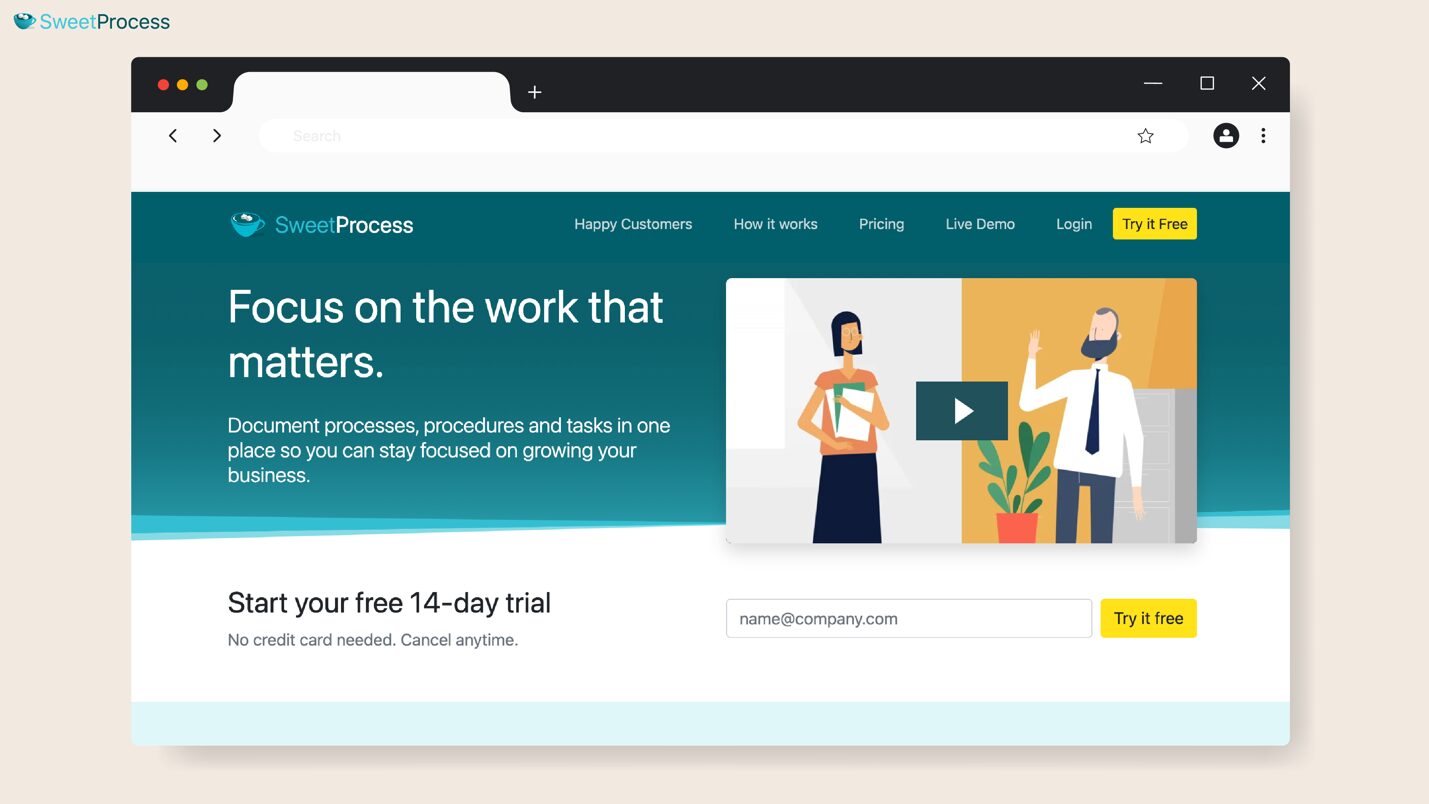
SweetProcess is an all-in-one SOP documentation tool that teams use to document, organize, and track their procedures in one central hub. Whether you need to onboard new hires or improve operational consistency, you can use this tool to capture and share all your procedures with all employees.
The intuitive interface means SweetProcess has no learning curve, making it easy to use even for new hires. Each standard operating procedure can be broken down into clear, step-by-step instructions with SOP checklists and visuals so your team knows exactly what they need to do. SweetProcess also offers a comprehensive knowledge base to store all your company SOPs.
Features of SweetProcess
Once you sign up for a SweetProcess account, here are the features you can access:
Document Your Company’s Standard Operating Procedures Manually and With AI
SweetProcess gives you flexibility in SOP creation. You can write them manually from scratch using the intuitive editor or leverage the built-in AI SOP generator to speed up the process.
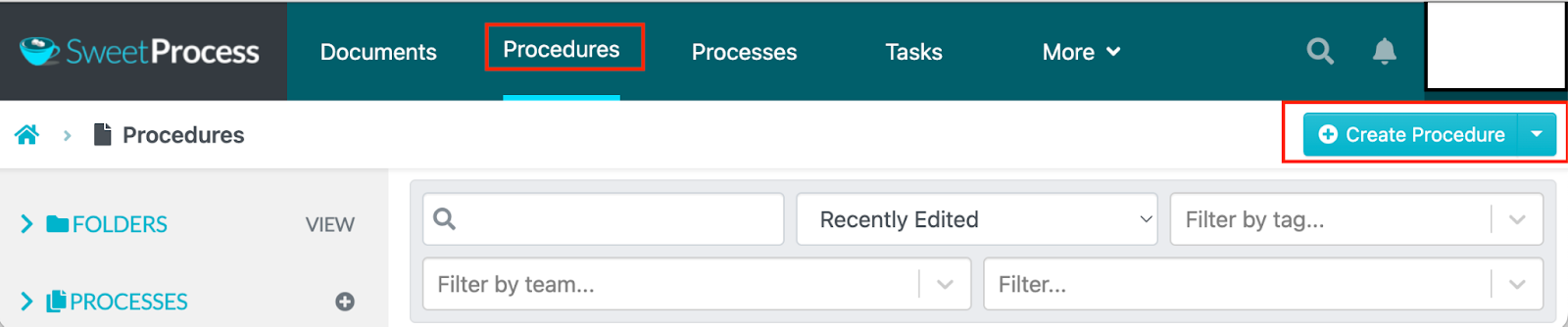
To create them manually, you’ll need to add a procedure title.
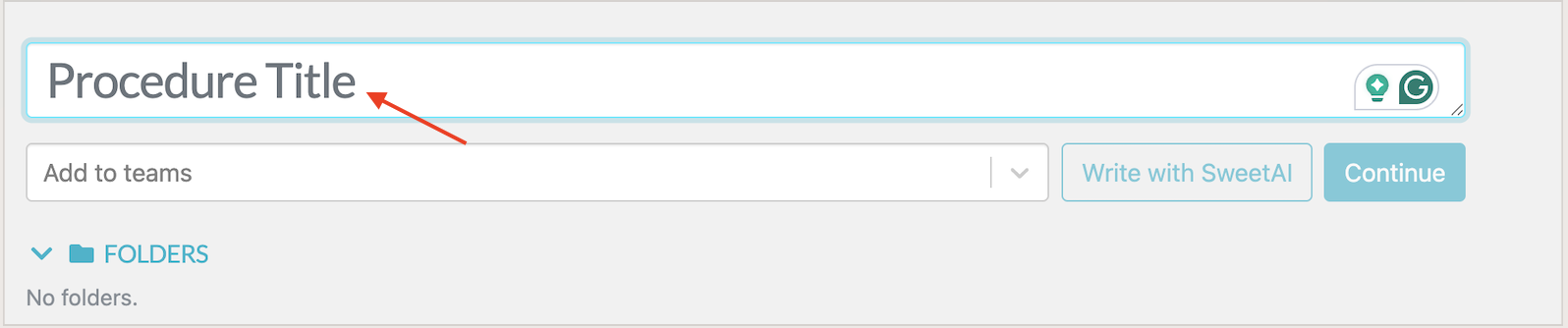
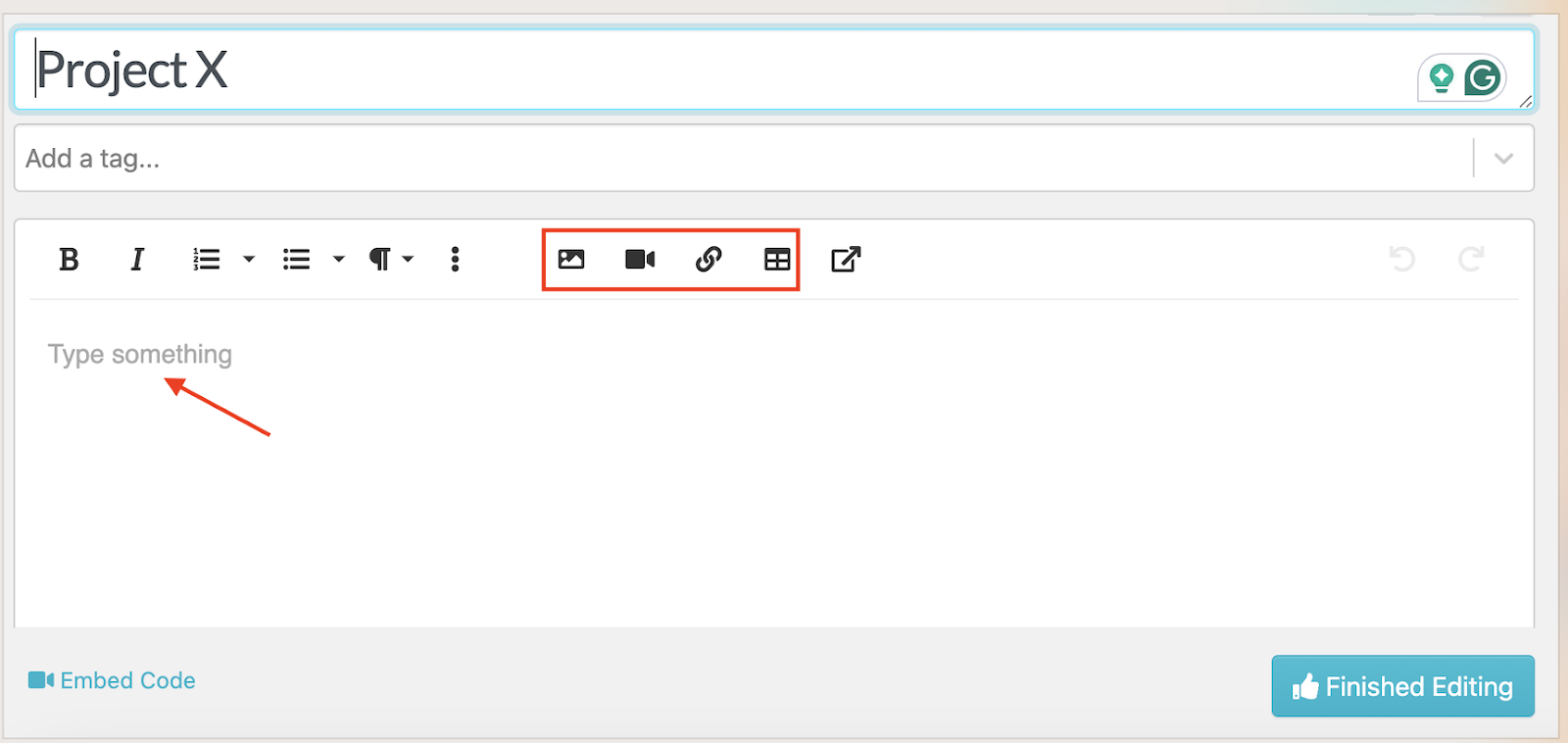
Next, describe the workflow in your own words and incorporate images, tables, videos, and links to support the SOP.
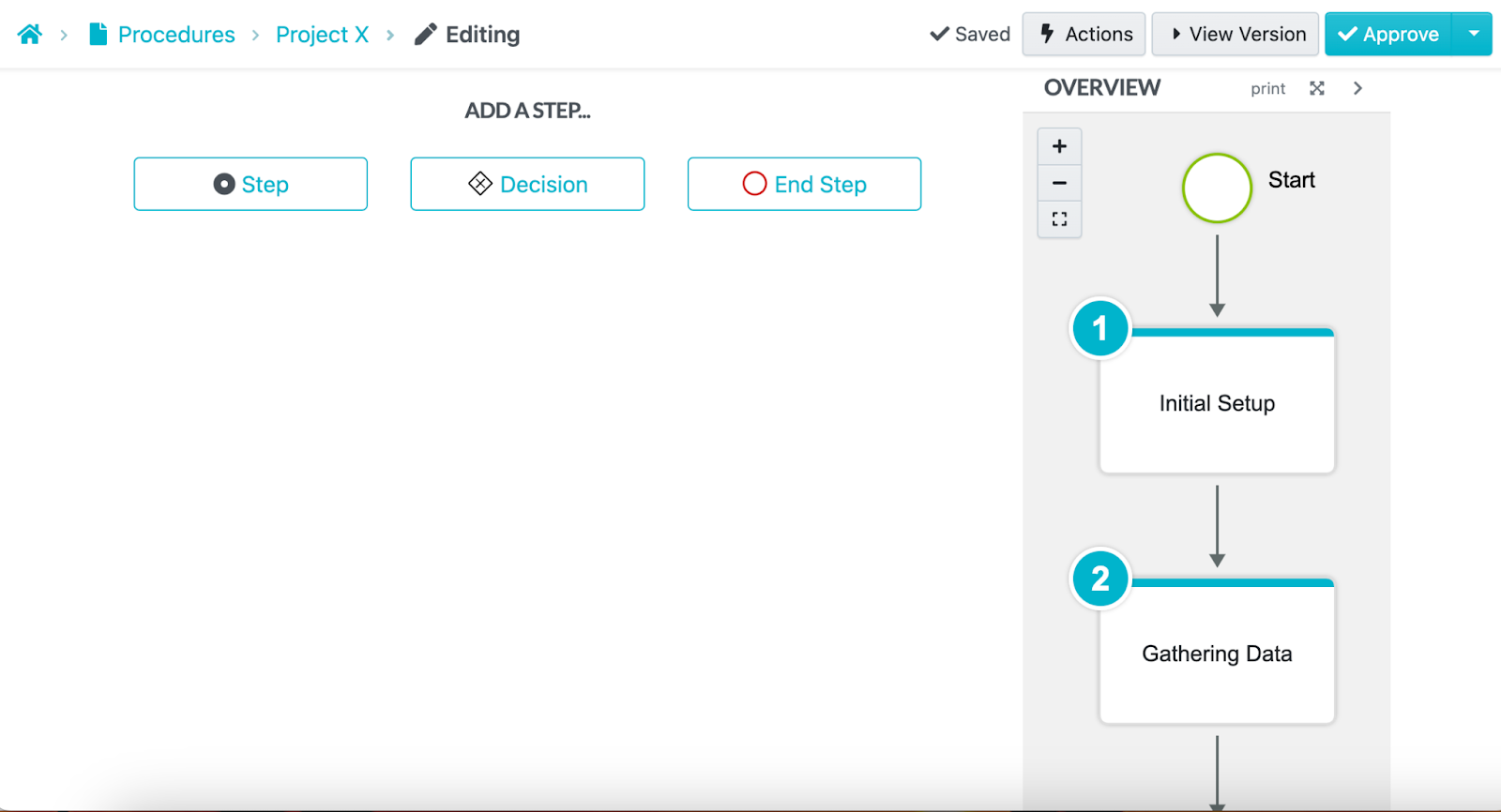
Once you’re done editing the steps, you’ll see a list of steps below that your employees can follow to execute their tasks.
Alternatively, with SweetAI, you’ll just need to add a procedure title such as “How To Onboard a New Hire.”
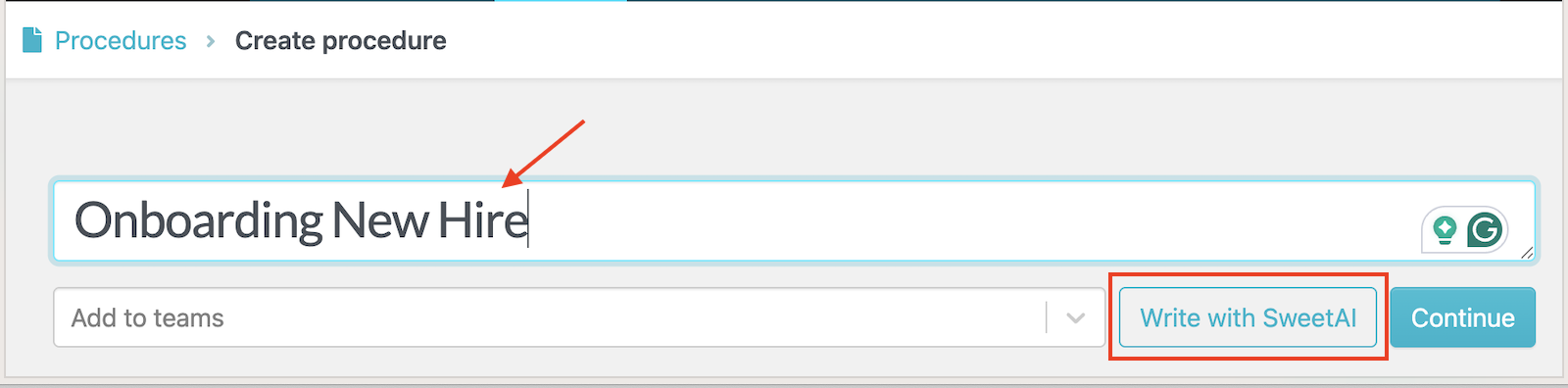
The SOP generator will automatically draft a detailed SOP outline that you can edit and publish.
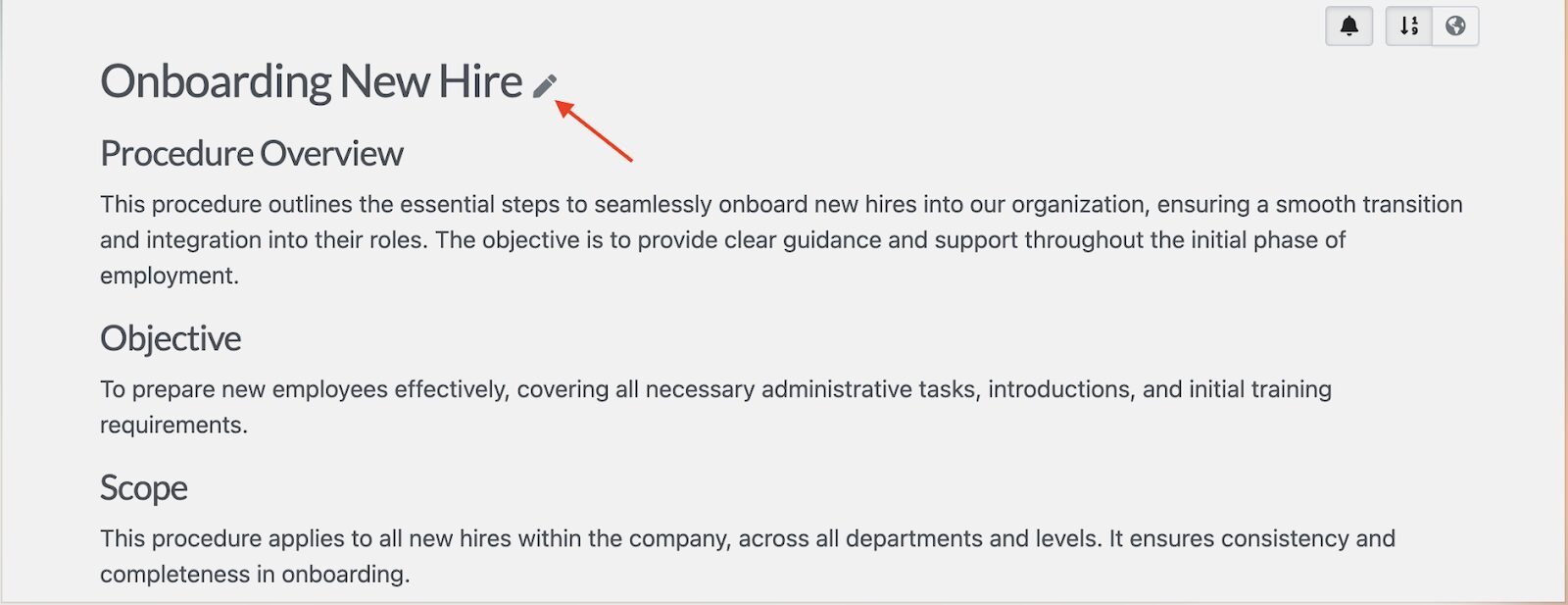
The key steps will also be generated automatically. You can refine them to align with your vision.
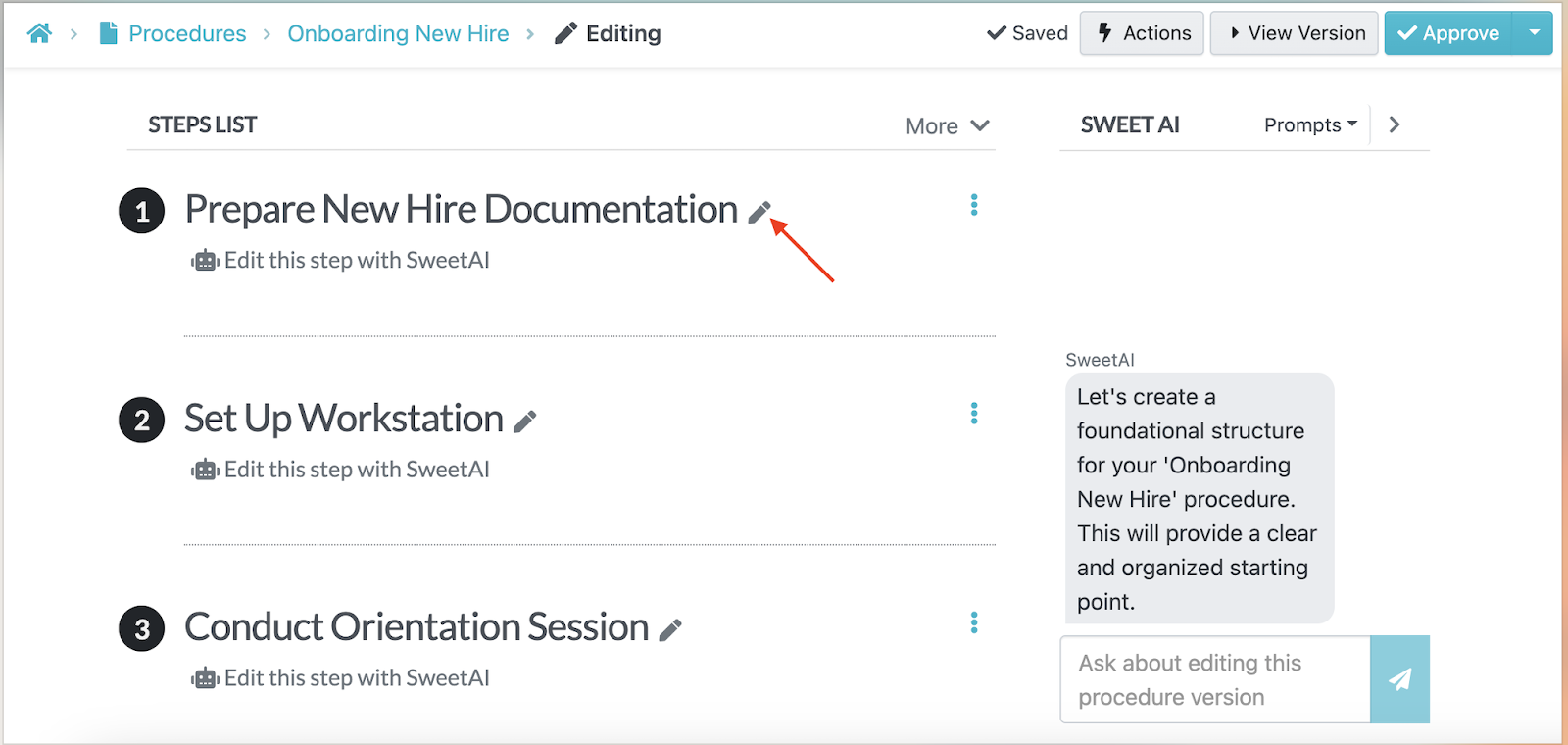
This feature saves hours of manual writing, allowing you to focus more time on scaling the business. In addition, it builds consistency across departments since the workflows are standardized.
Powerful Tagging and Search Functionality
As your business grows, so does the number of SOPs. SweetProcess makes it easy to locate the right one by providing tagging features and search filters. As you create a procedure, you can tag SOPs by department or keyword, which allows team members to instantly find what they need.
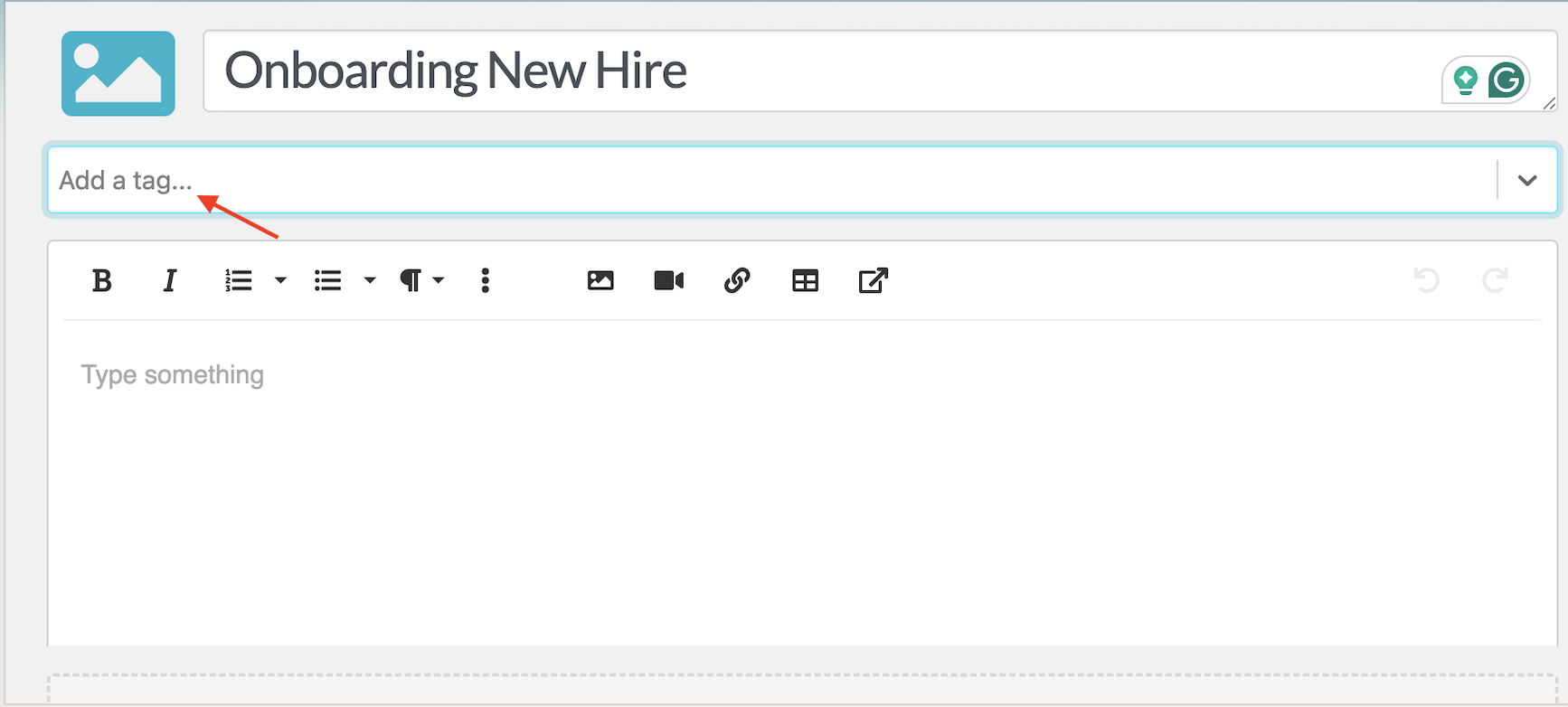
For instance, if a new hire needs the “Onboarding Checklist,” they can type “Onboarding” into the search bar and instantly access all related procedures and policies.

Users can also filter by team, which eliminates wasted time scrolling through folders or outdated links. This feature ensures employees see only what’s relevant to their job.
Collaborate With Team Members Based on Roles and Access
SweetProcess was built with accountability in mind. As you work with a team, you can assign user roles, such as admin, editor, or viewer, and control who can create, edit, or approve SOPs. For example, HR managers might draft a new exit-interview procedure, but only the HR director can review and publish it.
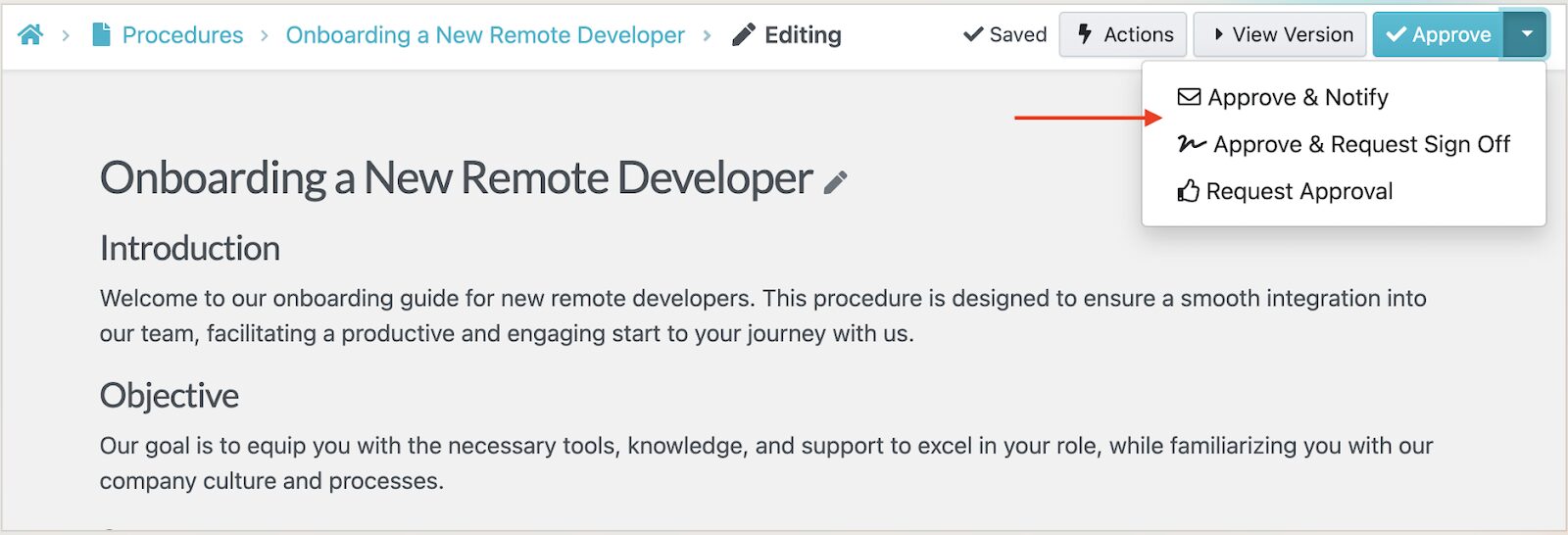
You can also assign the SOP to a specific team, making it easy to collaborate across departments.
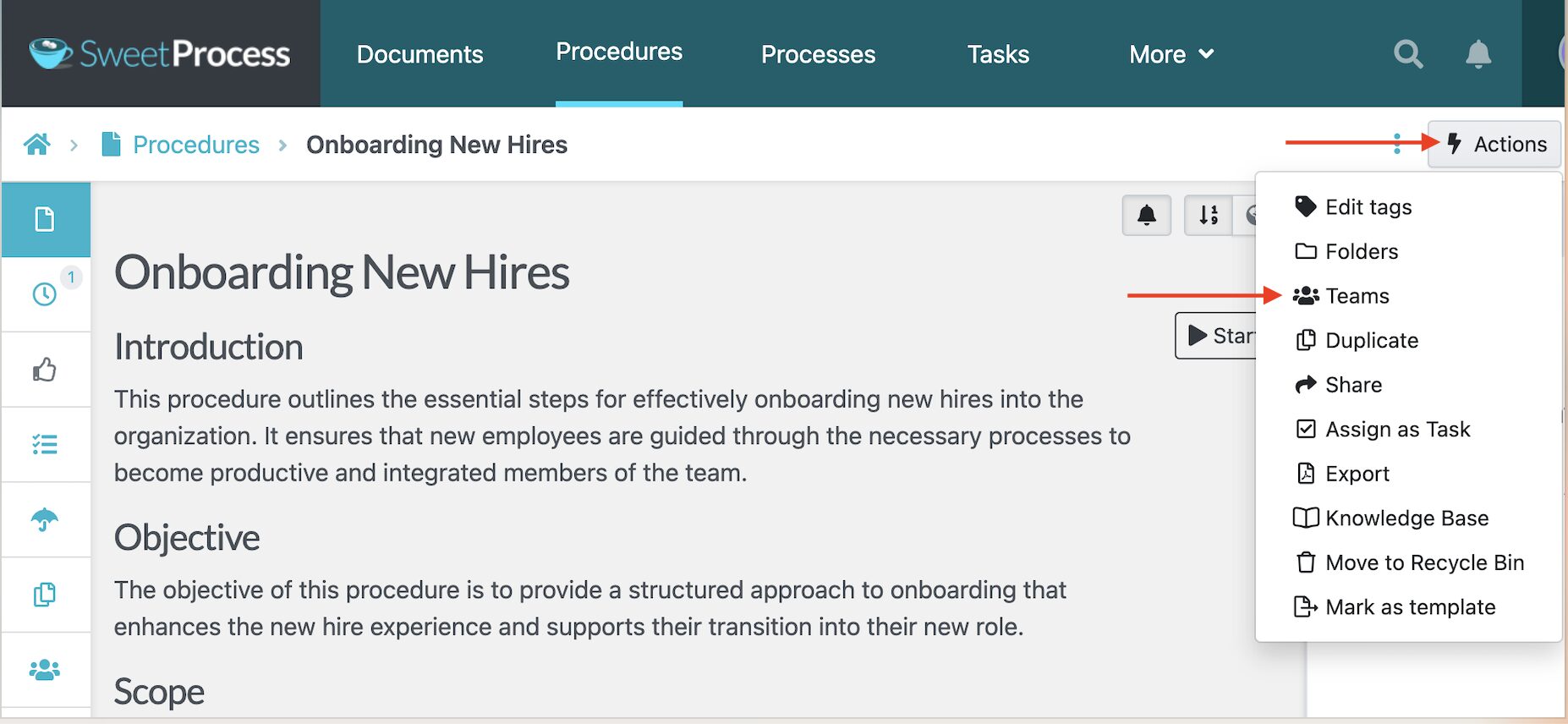
The role-based workflow prevents unauthorized edits and keeps everyone accountable for their part in the documentation process. Additionally, the approval requests ensure that SOPs go live after being reviewed by the right people.
Format, Review, and Track Changes on SOPs in Real Time
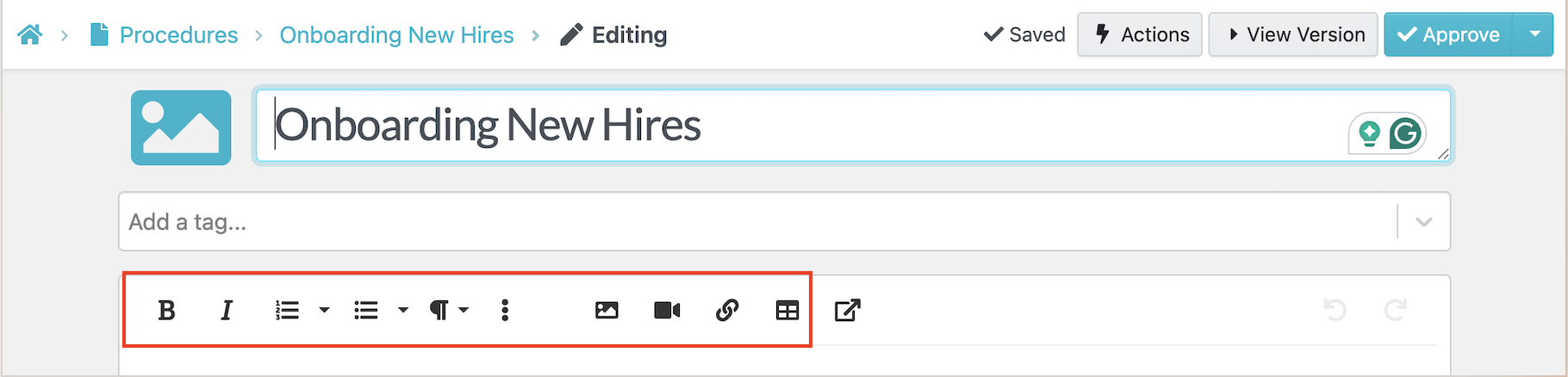
When creating procedures, you can choose from various SOP formats, including step-by-step instructions, videos, checklists, flowcharts, or a hybrid approach. Using an online SOP software, such as SweetProcess, makes this easier by allowing you to format your procedures based on your goals while reviewing and tracking changes in real-time.
You can use different editing styles to format your procedure.
Once a team member makes changes to the procedure, you can see the latest version or revert to older versions from the main menu. Every change is logged and visible in the version history.
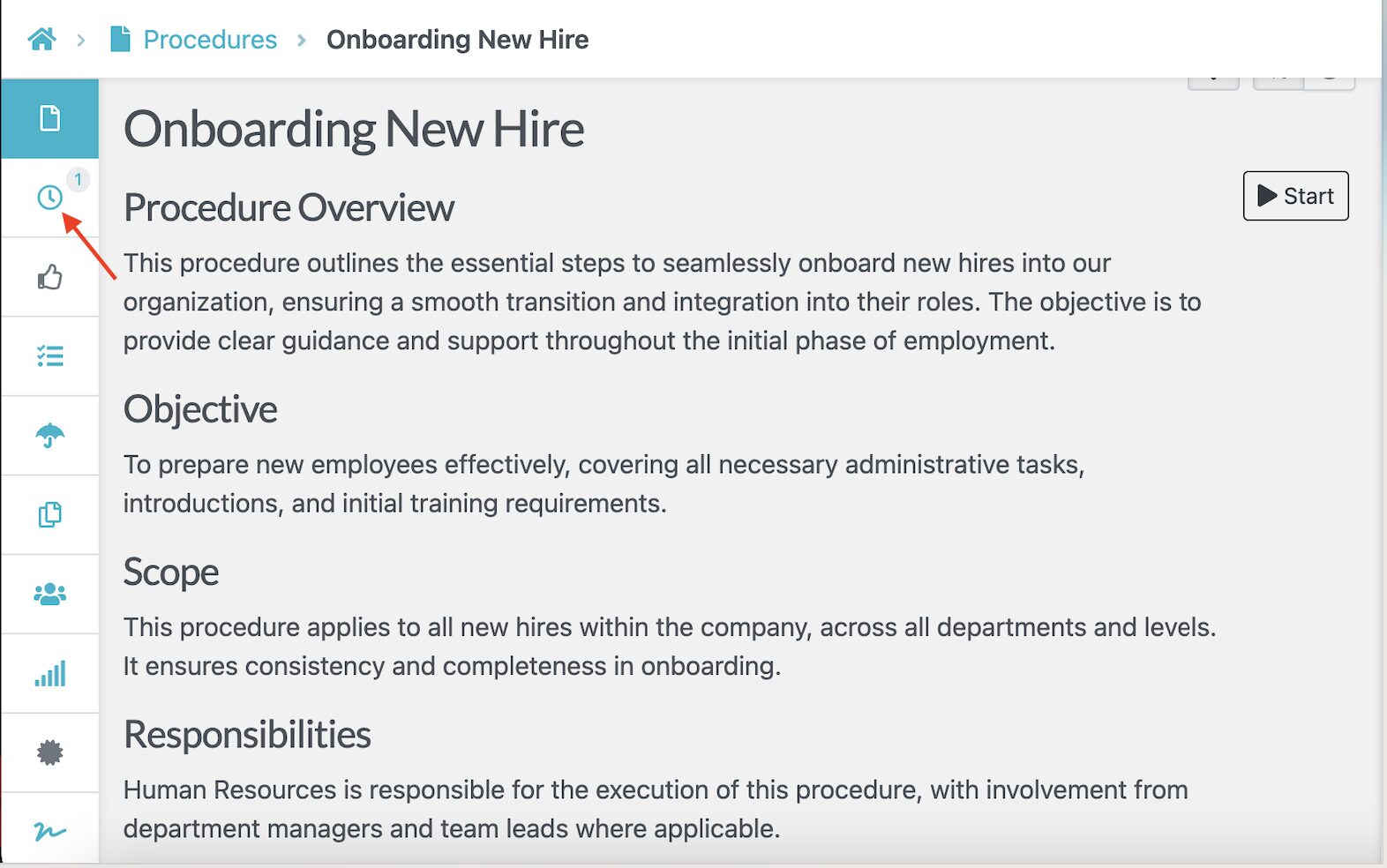
This transparency simplifies audits and fosters trust within teams, as everyone works from the same approved version.
Capture On-Screen Activities and Use as SOPs
Sometimes words alone aren’t enough to explain a task. SweetProcess Chrome extension lets you record on-screen activities while performing a procedure and convert those recordings into clear, visual SOPs.
To capture this, you’ll need to install the SweetProcess browser screen recorder. Once you open the screen you want, click the SweetProcess icon displayed in the right corner of your Chrome browser and then tap “Capture Procedure.”
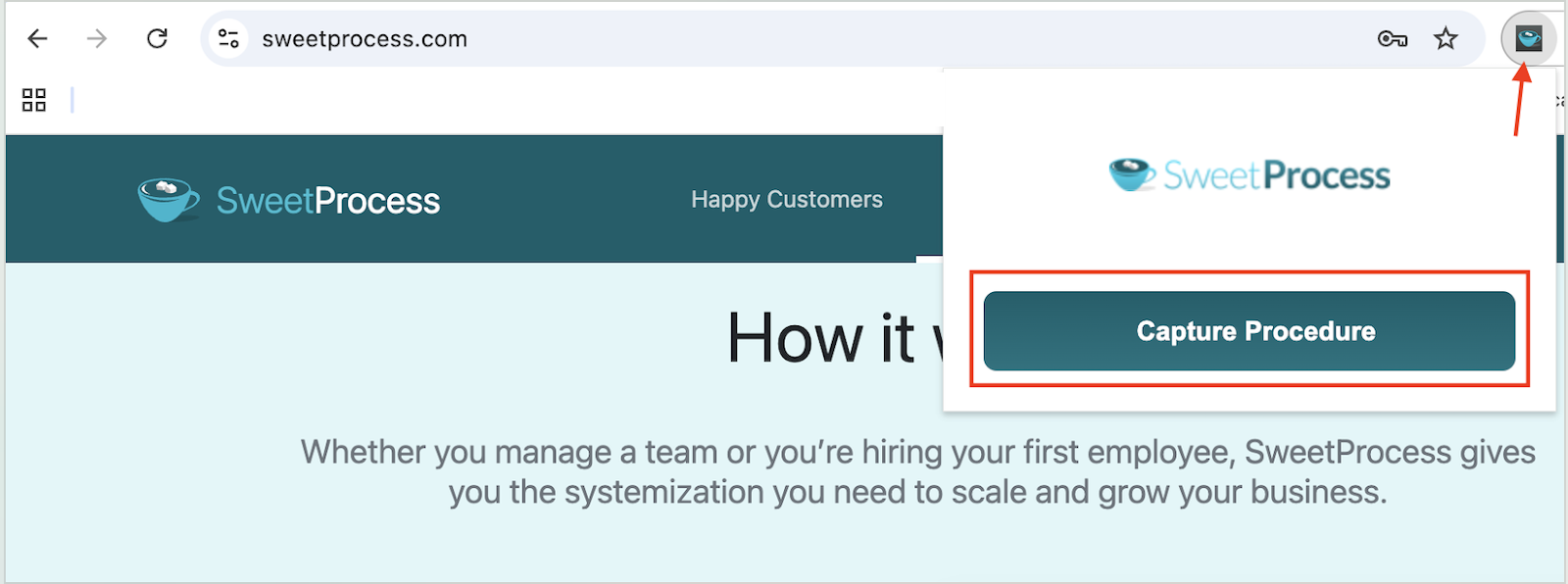
This recorder takes screenshots as you browse. Once you’ve captured everything, you can click the “Stop Capturing” button.
On the next tab, you can review the steps captured, rearrange and edit them, and then share this procedure with your team.

This feature is particularly useful for onboarding and technical walkthroughs, as it reduces the learning curve.
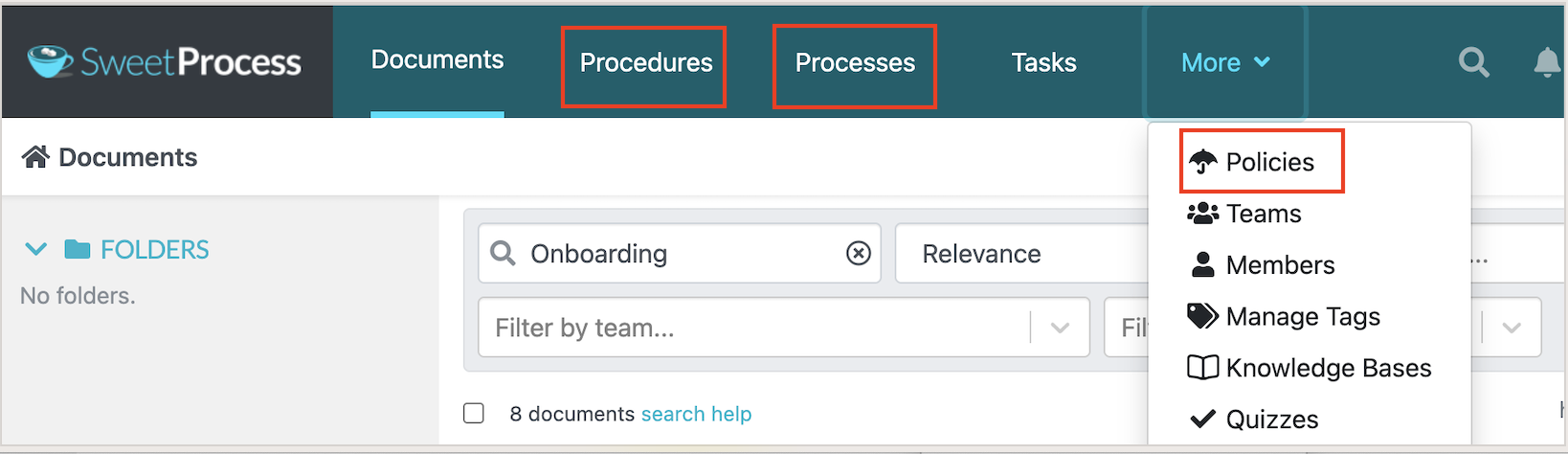
Manage SOPs, Policies, and Processes in One Place
Apart from managing SOPs, SweetProcess also provides a central hub for documenting your procedures and policies. Your team can eliminate the need for multiple tools and have everything organized on a single dashboard.
You can switch between the different tabs and create the specific document you need.
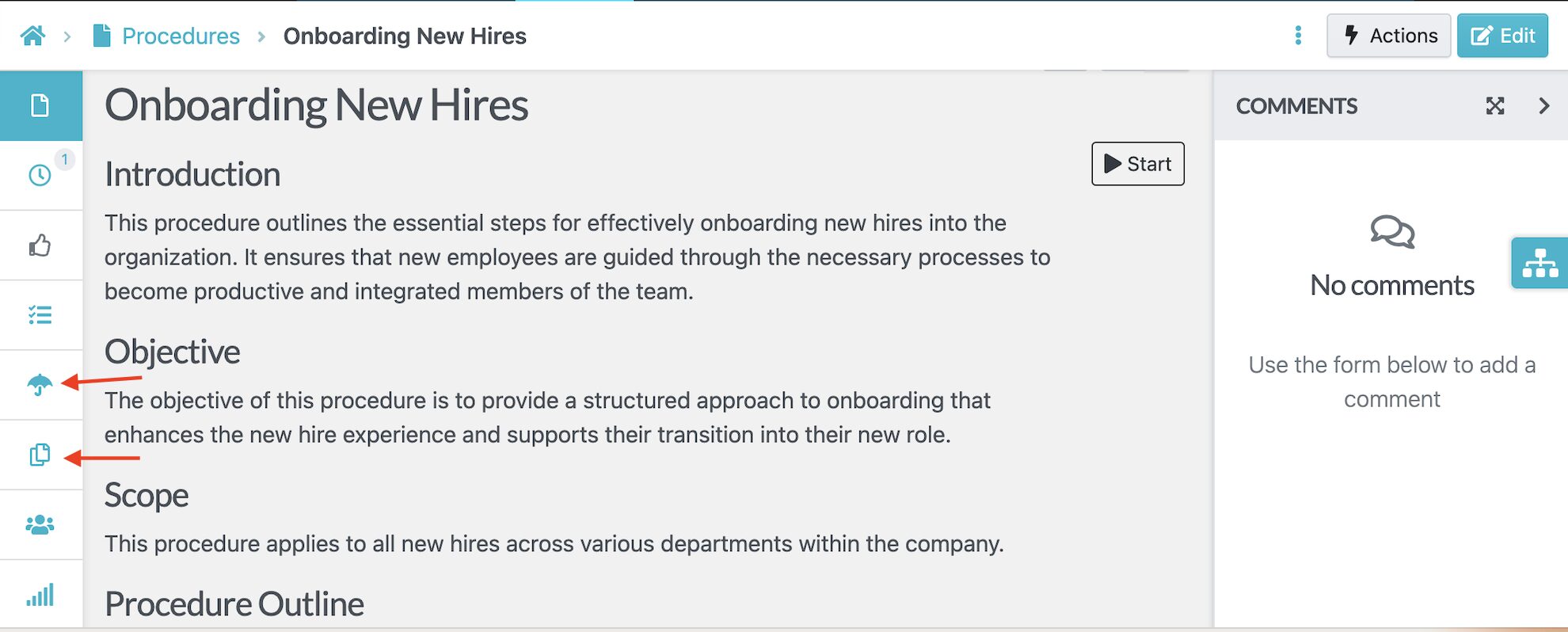
Additionally, you can link your procedures to related policies and processes by clicking on the icons on the left-hand side menu to maintain a single source of truth.
SweetProcess Pricing and Support
As a new user of SweetProcess, you’ll start with the 14-day free trial. Once this period is over, the price increases to $99 per month, which is suitable for companies with up to 20 employees. However, if your team is growing and you want to add more team members, you’ll need to pay $5 per month for each of them.
You can opt for the annual plan at $82.50 per month and save 16%. We also offer a 30-day money-back guarantee if the SOP documentation tool isn’t meeting your needs.
For more information and support, please contact the SweetProcess team via email, phone, or our social media accounts. You can also access the self-help guides at any time in case you have questions.
2) SystemHUB
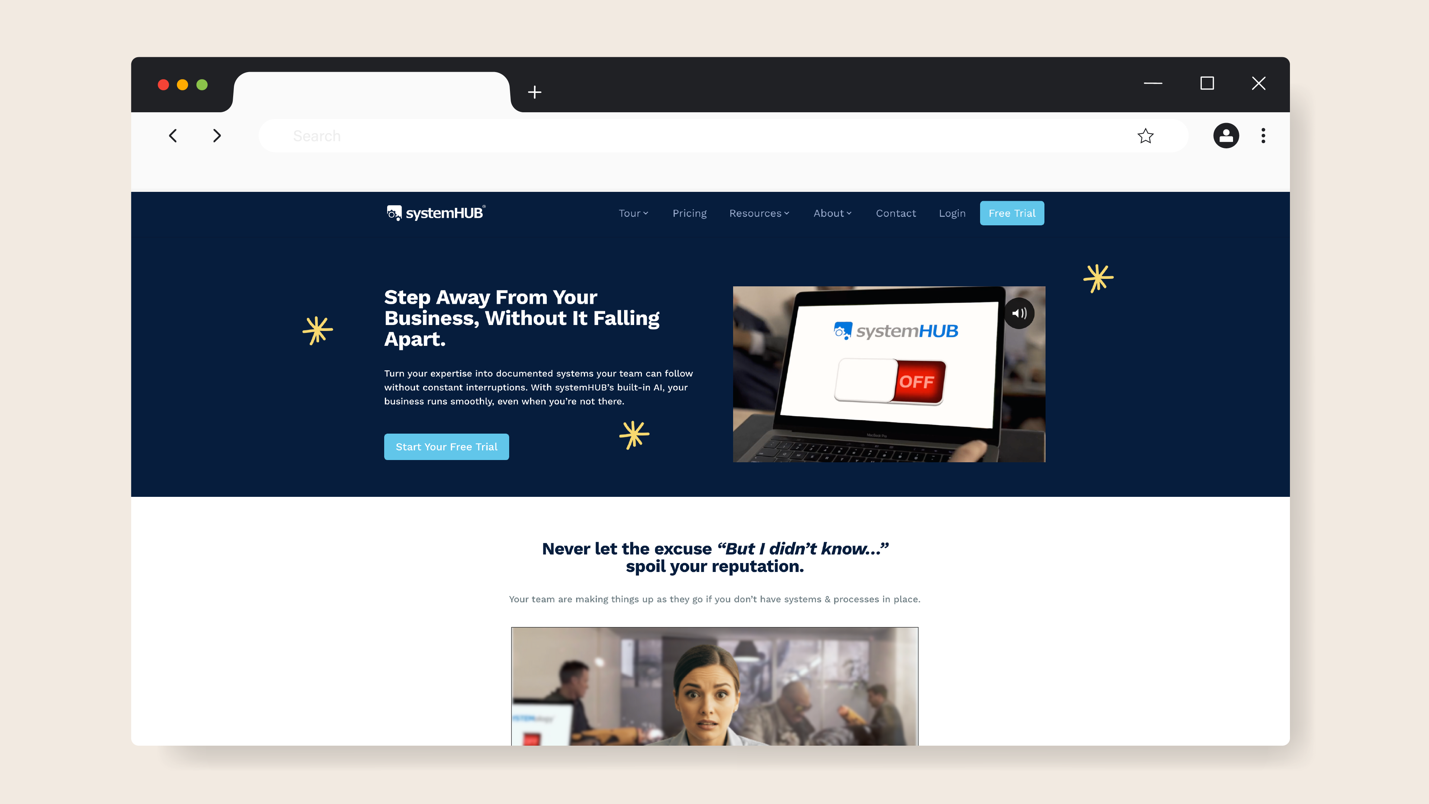
Overview of SystemHUB
SystemHUB is a cloud-based platform designed to help small and medium-sized businesses document, organize, and maintain their SOPs in one central place. It’s an ideal tool for organizations that want to eliminate scattered SOPs across drives and email threads, consolidating them in a dedicated space.
The SOP template library on SystemHUB makes it easy to start creating procedures. Once you draft these documents, you can organize them in folders and add tags to make them searchable. SystemHUB also comes equipped with collaborative features to keep the team aligned.
What Makes SystemHUB a Good SOP Documentation Software?
Here are the key features and strengths that make SystemHUB stand out for managing SOPs:
- Ready-to-Use Templates: You don’t have to build your SOP from scratch; the templates give you an advantage to achieve this much faster.
- Unlimited File Storage: With SystemHUB, you can create and store an unlimited number of processes, documents, and files to simplify instructions for your team.
- Role-Based Permissions and Access Control: If the company documents are designed for a specific team or department, you can assign user roles to control who has access to view or edit them.
- SYSTEMology Methodology: This SOP documentation tool is tied to this framework that helps businesses structure and evolve their operational systems.
SystemHUB Pricing
To use SystemHUB, you can choose between the three pricing plans. The Starter option provides access to the software only, at $95 per month for up to 10 users. The Accelerator package includes software, templates, and training for $195 per month, for up to 20 team members. The Champion plan costs $695 per month and gives you access to live support and implementation assistance.
3) Process Street
Overview of Process Street
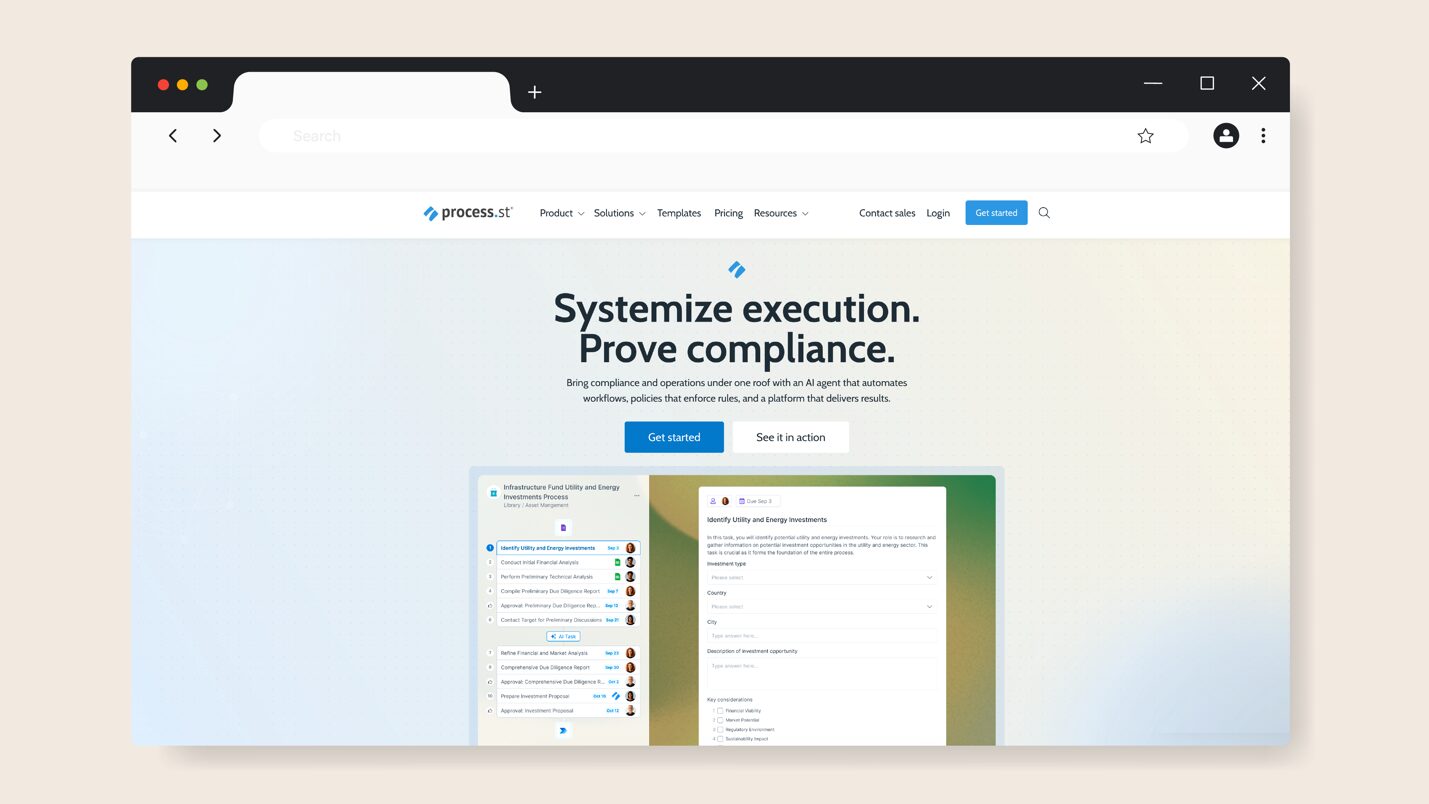
Process Street is a go-to tool for businesses looking to automate and standardize their critical compliance operations. This AI-powered SOP documentation tool streamlines repetitive processes, such as client setup and quality assurance, enabling your team to deliver the best results. Additionally, the tool offers AI capabilities to help you generate an SOP in seconds.
With Process Street, you can also manage the company’s knowledge in a single interface. All the SOPs and policies are stored in a searchable platform to streamline work.
What Makes Process Street a Good SOP Documentation Software?
Here’s how Process Street supports effective SOP documentation and accountability:
- Interactive Workflow Design: You can break down procedures into checklists and use conditional logic to customize your structured SOP.
- Process AI: Your team can use the AI workflow generator to personalize workflows. This feature can be used to assign tasks, pause a workflow, or analyze documents.
- Automated Emails: Once a task is complete, you can send custom emails and focus on other business activities.
- Scheduled Workflows: You don’t have to run your company’s SOP workflows manually; the scheduling feature automates the process for you.
- Integrations: Process Street connects with popular tools like Slack, Zapier, Salesforce, and Google Workspace, allowing SOPs to trigger actions automatically.
Process Street Pricing
The Startup plan is ideal for small businesses with about five users, while the Pro and Enterprise options can be customized for larger teams. Process Street doesn’t list its prices on the website, but you can contact the sales team for a quote.
4) Whale
Overview of Whale
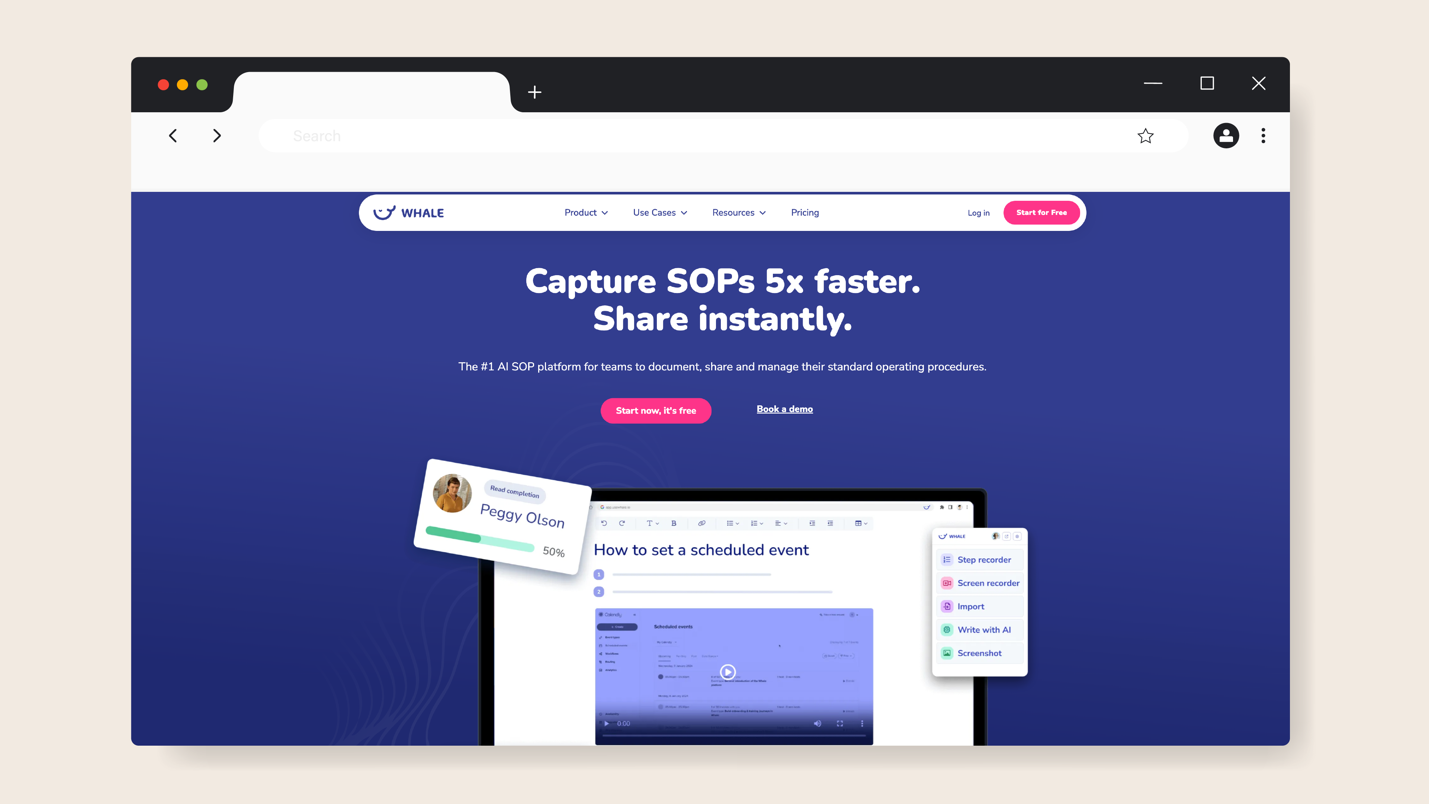
Whale is an SOP documentation system that will help you keep your team accountable. Powered by AI, this software captures all your company processes so that you don’t have to use multiple tools. It’s also a good training and onboarding tool, thanks to the features that make it easy to share company information.
From Whale’s central hub, you can view the how-to guides and important procedures, saving your team time. All the updated documents are in one place, so you don’t have to worry about version control.
What Makes Whale a Good SOP Documentation Software?
Here are the standout features that you need to know as you evaluate this SOP documentation tool:
- Video Screen Recorder: Instead of creating your SOPs using text only, Whale enables you to record your screen as you explain how the tasks should be executed.
- SOP Templates: If you have recurring procedures, you can use the templates to draft the SOPs much faster.
- AI Assistant: Whale comes with an AI assistant that helps users retrieve information from the knowledge hub.
- Export and Import: You can upload your existing documents to Whale for everyone to access, as well as export the SOPs into PDFs for offline access, especially if you have field teams.
- Automated Training Flows: Whale automates each learning journey for your team members according to their role.
Whale Pricing
Whale has three pricing tiers: Free, Scale, and Enterprise. If you have a small team of up to five users who are new to SOP documentation, you can use it as a completely free SOP software. As you upgrade to start training your team, you’ll need to pay for the Scale option at $149 per month. The Enterprise plan is ideal for larger organizations.
5) Bizmanualz
Overview of Bizmanualz
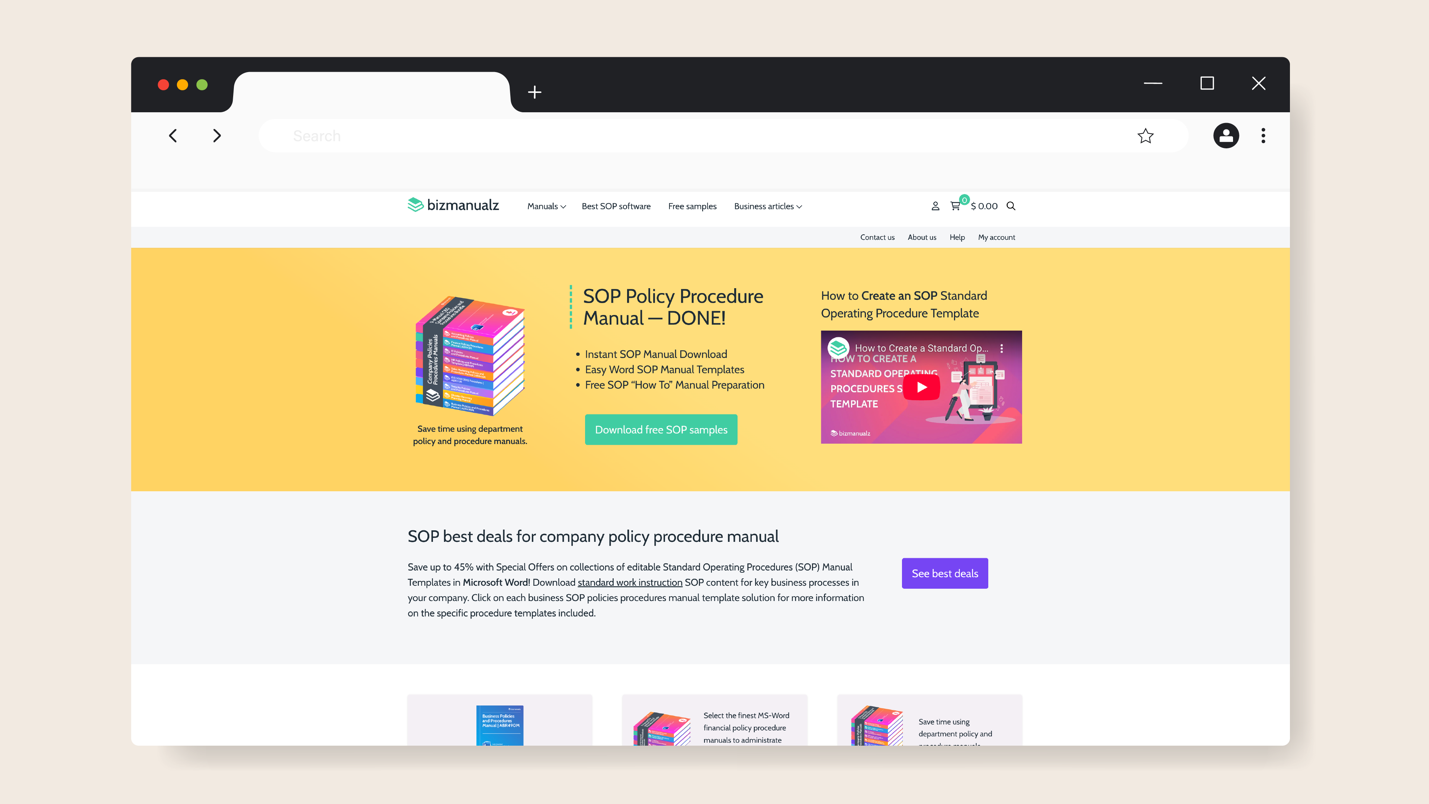
Bizmanualz is an SOP and policy solution focused on helping organizations build formal procedure manuals and policy libraries. This tool offers structured and comprehensive policy and procedure templates that your business can download and use, eliminating the need to create them from scratch.
The easily editable manuals follow SOP best practices and can be easily customized to align with your brand. Bizmanualz can be used for different departments, including HR, accounting, finance, sales, and marketing.
What Makes Bizmanuals a Good SOP Documentation Software?
While its style differs from some cloud-based tools, Bizmanuals offers these features to help you document your SOPs:
- Rich Template Library and Manuals: Bizmanuals offers a broad collection of prebuilt standard operating procedure templates and manuals to help you standardize documentation.
- Policy and Procedure Integration: Instead of isolating your SOPs from your company policies, this tool helps you link them.
- Knowledge Resources: The Bizmanualz site offers hundreds of articles on procedure and policy management to guide writers as they create these resources.
- Free Manuals: If you or your team are new to creating SOPs, you can follow these manuals to get started.
Bizmanualz Pricing
While most tools have a subscription format, Bizmanualz offers manuals that you can purchase. Each of them varies in price, depending on your specific needs. For instance, the 9-Manual CEO Company Policies and Procedures Bundle costs $2,495, and the Small Business Policies and Procedures Manual costs $595.
6) SafetyCulture
Overview of SafetyCulture
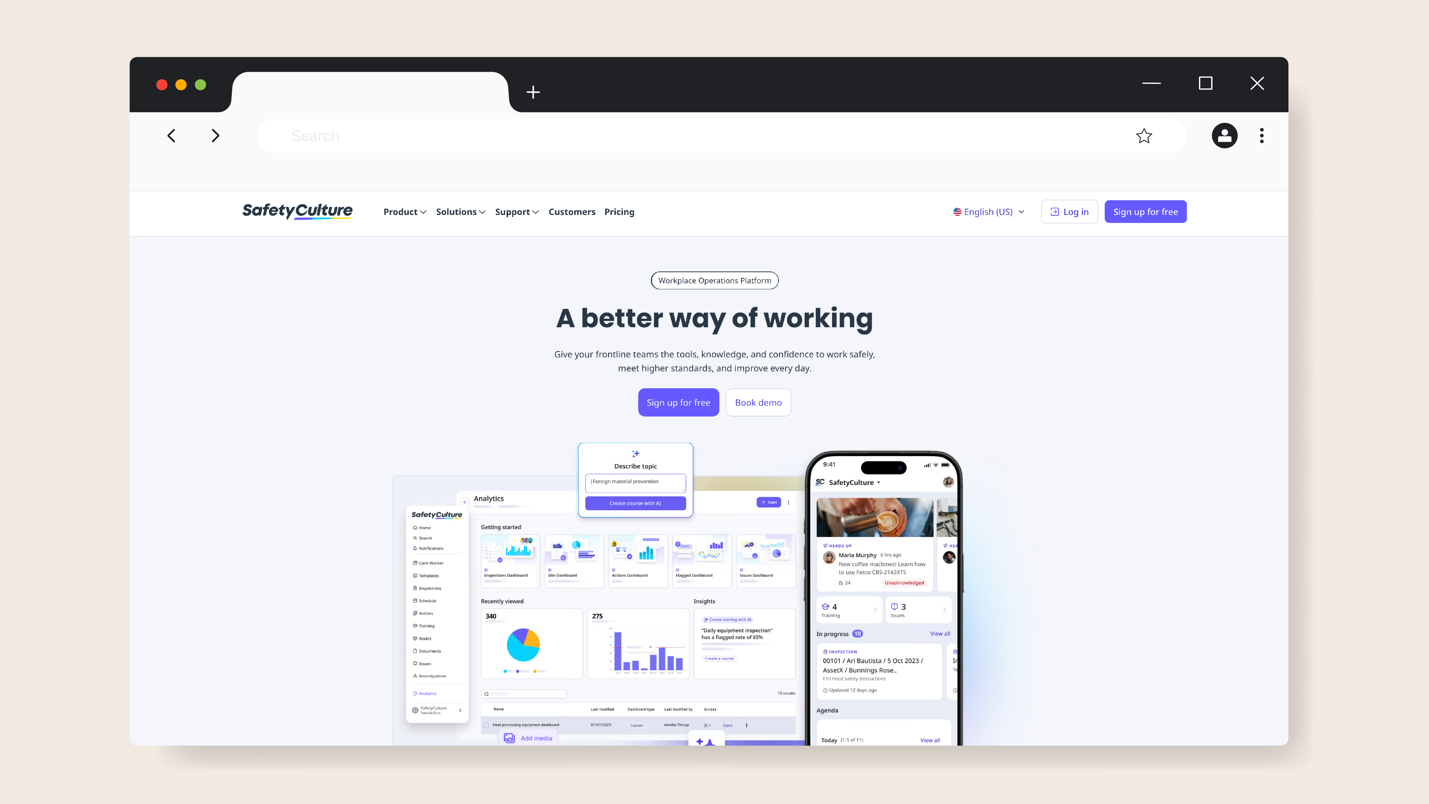
SafetyCulture is a workplace operations software designed for organizations that want to capture, regulate, and improve how work gets done, especially in matters of safety, regulatory compliance, and quality. This AI and mobile-first platform is essential for industries such as manufacturing, construction, hospitality, retail, and facilities management, where field-level inspections and audits are routine.
On top of being a document repository, SafetyCulture is focused on creating checklists, tracking actions, and ensuring that all operational standards and SOPs are followed.
What Makes SafetyCulture a Good Software for SOP Documentation?
SafetyCulture offers a set of features that keep teams accountable and compliant:
- Checklist and Template Builder: You can take existing SOPs or paper checklists and transform them into digital templates using the drag-and-drop editor. These templates include logic and conditional fields to adapt them based on prior responses.
- Inspection Audits: SafetyCulture enables field teams to run inspection workflows using the automated workflow.
- Built-in AI: The AI capabilities allow users to get instant answers and create SOP checklists within seconds.
- Mobile Support: Field or remote teams can complete inspections even without network connectivity. Using an SOP app makes this especially effective, allowing teams to follow procedures, complete tasks, and collaborate seamlessly, even in offline or low-connectivity environments.
- Training Features: SafetyCulture offers modules to assign training content, track progress, and introduce new SOPs to the learning material.
SafetyCulture Pricing
This SOP management software offers three pricing options. The Free plan is ideal for up to 10 users, while the Premium option offers unlimited seats and costs $29 per month per seat. However, if you have a large enterprise in multiple locations, you can request a quote for the Enterprise plan.
7) SOP Tracker
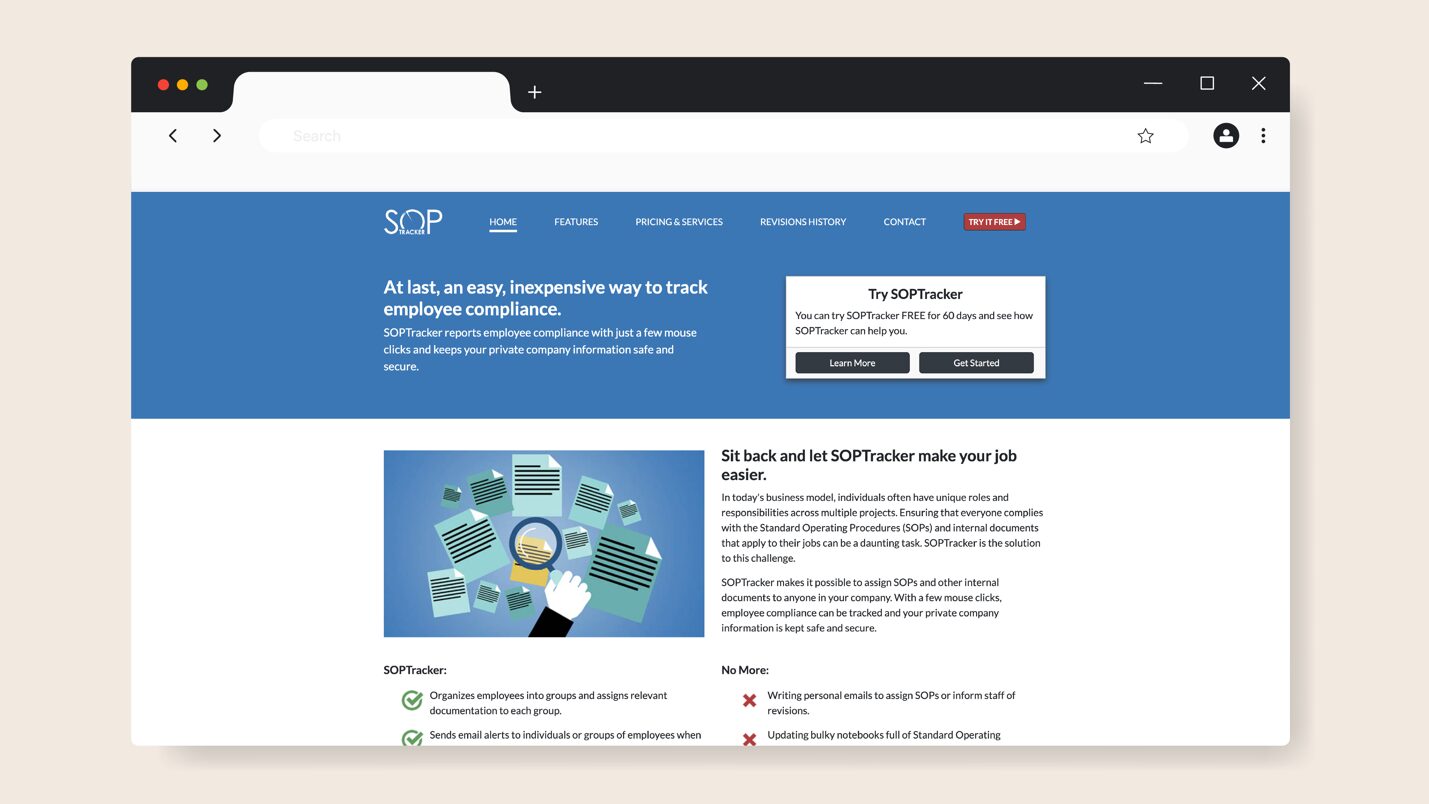
Overview of SOP Tracker
SOP Tracker is a compliance-focused SOP management tool that helps employees follow the latest procedures. This tool focuses on compliance tracking and auditability, making it ideal for companies in highly regulated industries.
With SOP Tracker, administrators can assign SOPs and other controlled documents to individuals or groups. The system is web-based, meaning it operates through a browser, allowing team members to access procedures from anywhere, whether they’re in the office, remotely, or in the field.
What Makes SOP Tracker a Good SOP Documentation Software?
SOP Tracker features make it a good option when considering a tool to help you maintain audits and accountability. Here are the core ones:
- Cloud-Based Tool: Your documents are stored on secure cloud-based servers, making them accessible across multiple locations.
- Configurable System: Company admins can customize the SOPs to match the organization’s style and structure.
- Compliance Tracking: SOP Tracker monitors whether employees have opened and signed off on important documents, sending reminders to keep everyone aligned.
- Quizzes: You can track whether your employees have understood the SOPs by using the available online tests.
- Reporting Dashboards: The SOP Tracker system generates compliance reports with a few clicks. You can see who passed quizzes, document histories, and assignment logs.
SOP Tracker Pricing
The pricing is offered in annual packages and is tiered based on the number of users. For organizations with fewer than 75 employees, the Starter option starts at $1,000 per year, excluding document hosting, and at $1,500 per year with hosting. If you have 200 employees, you can opt for the Small plan, while the Medium option is suitable for companies with up to 400 users.
The Large plan is designed for organizations with 600 employees, and X Large for those with up to 1,000 users.
8) Clueso
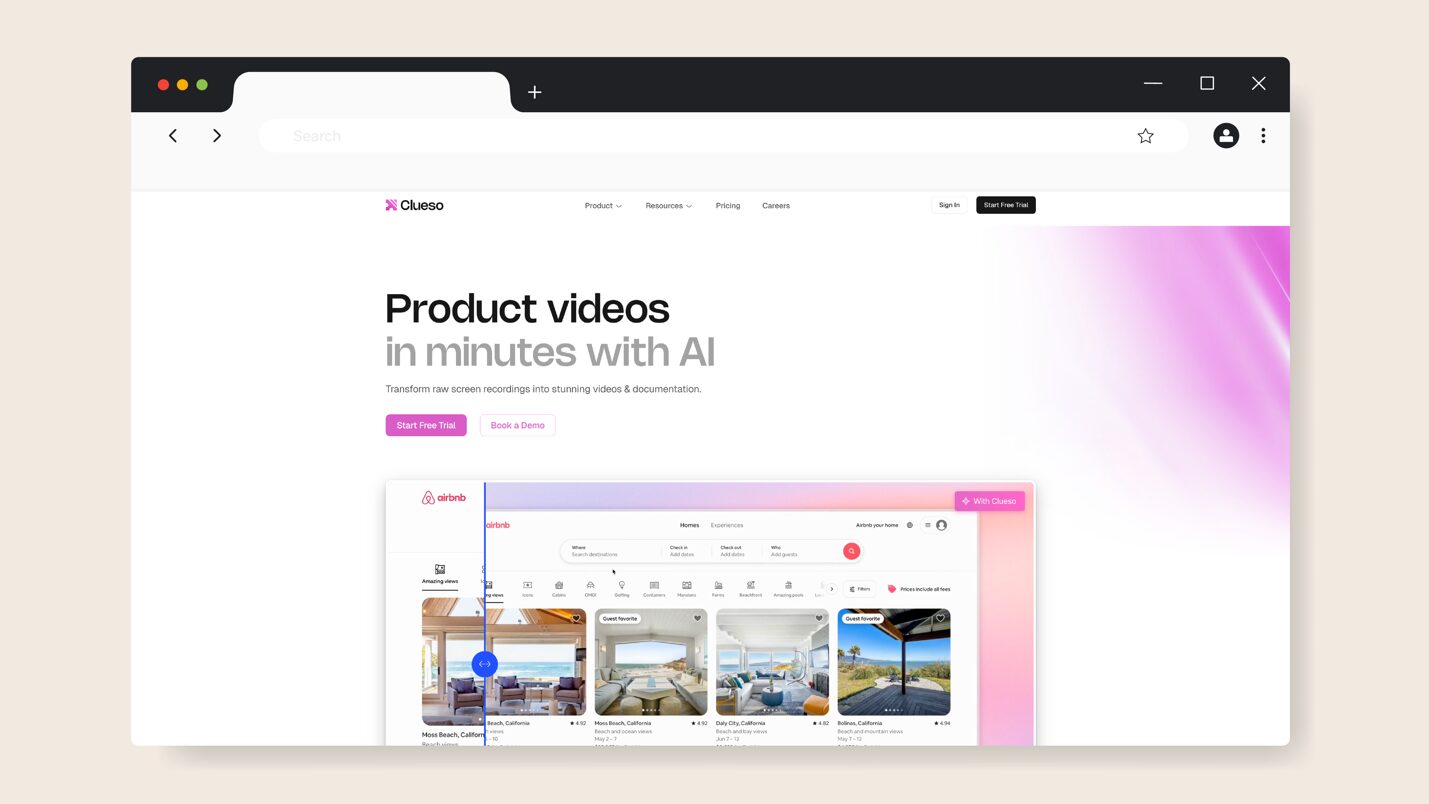
Overview of Clueso
Clueso is an AI-powered video and documentation tool that helps teams create, share, and manage process training materials and SOPs in a visual format. With this software, you can record screen activities and automatically convert them into step-by-step video guides and written procedures.
This tool is ideal for organizations that want to make their SOP documentation more interactive. Once you record or upload a video, Clueso’s AI refines your script and voice to make it easier to understand.
What Makes Clueso a Good SOP Documentation Software?
Here are the core features of Clueso that make it effective for documenting and managing procedures:
- Smart Screen Recording: You don’t have to manually draft all your SOPs. Clueso records your screen as you perform a process, making it more visual.
- AI Transcription: Clueso polishes your script and phrasing to ensure that every SOP is professionally done.
- Multilingual AI Voiceovers and Subtitles: If you have global teams, Clueso offers multiple accents and languages so that everyone can understand.
- Searchable Knowledge Base: Once the videos are ready, they can be stored on Clueso’s central hub, ready for sharing.
- Customization Options: You can add company branding, logos, and other visual effects that align with your brand identity.
Clueso Pricing
Clueso offers four pricing tiers. You can start with the Free plan, which covers two users, and later upgrade to the Starter plan for $150 per month to access additional features. As the team grows, you can sign up for the Growth plan at $250 per month or request a quote for the Enterprise tier.
9) Speach
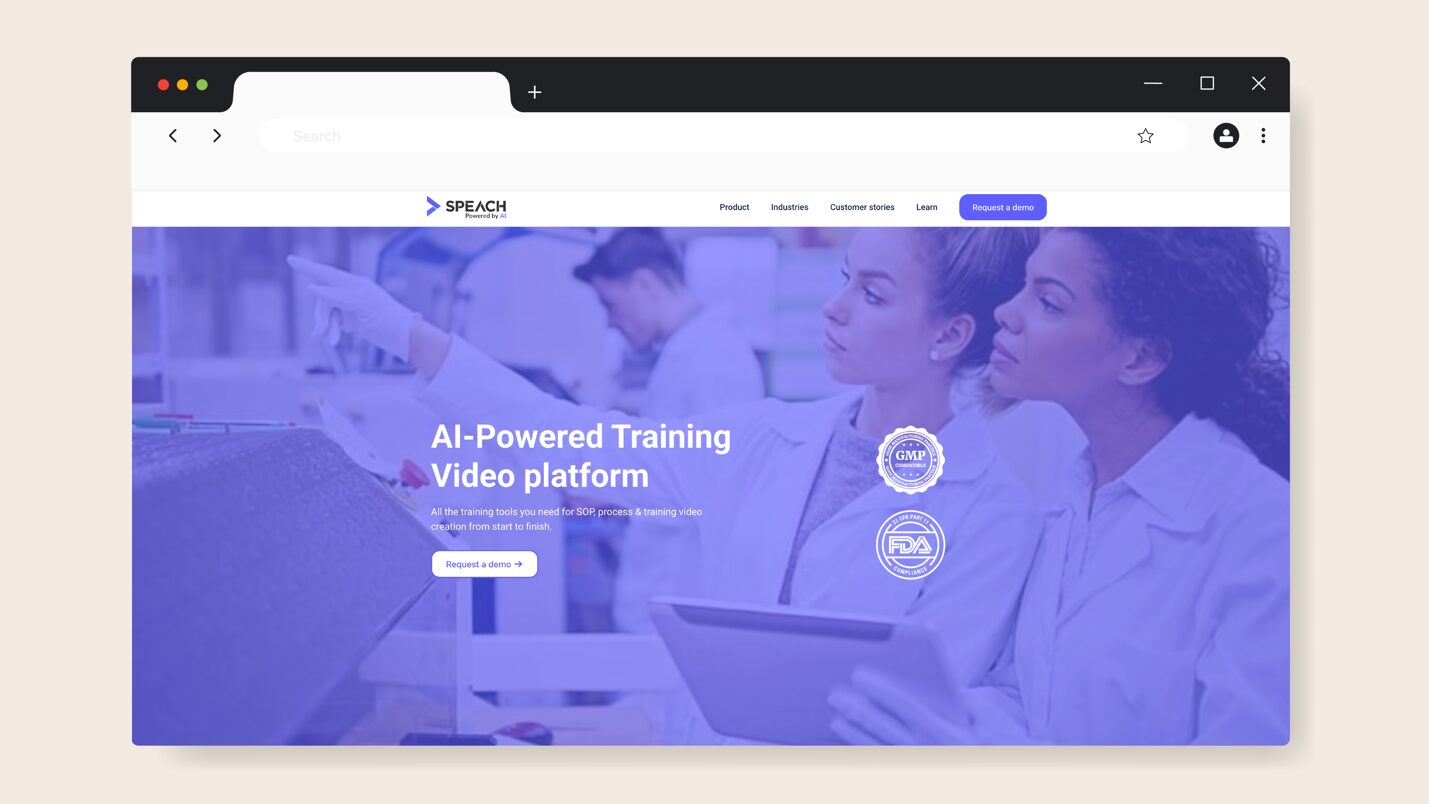
Overview of Speach
Another SOP documentation tool to consider is Speach. This AI-powered software delivers SOPs and training content in video-first formats. It transforms long standard procedures and training materials into interactive, bite-sized video modules that employees can comprehend.
Speech allows teams to record their screens and add quizzes to their videos, while centralizing all training and SOP content into one hub. The system is designed to make process documentation more engaging and easier to consume over time.
What Makes Speach a Good SOP Documentation Software?
Signing up for a Speach account gives you access to these key features:
- AI Video Conversion: If you have lengthy SOPs, you can convert them into video content in minutes.
- Interactive Editing: After recording your video, you can trim, add subtitles, or translate it without using additional video editing tools.
- Detailed Analytics: You can assign SOP videos to your team and monitor completion and engagement rates
- Multilingual Support: Thanks to AI, Clueso can generate voice-overs and subtitles in over 70 languages, making it ideal for multinational organizations.
Speach Pricing
The company doesn’t list its pricing structure on the website. However, you can request quotes from the team based on your specific business needs.
Regardless of the size of your team or industry, selecting the right SOP documentation software can have a significant impact on how your operations run.
Key Features To Consider Before Choosing an SOP Documentation Software
Choosing an SOP documentation software should extend beyond just pricing and the popularity of the tool. You need to identify the right features that make it easy to document and update procedures.
As Arvid Kahl, founder of FeedbackPanda, puts it:
“Documenting your processes starts with the right tool. That can be as simple as a Word Document or a collaborative Google Doc…or a specific tool for SOPs like SweetProcess or Trainual, which are focused on providing a collaborative business handbook solution.”
His perspective captures the real goal: not just buying software, but finding a platform that evolves with your team’s processes. With that in mind, here are the key capabilities to consider when evaluating your options.
SOP Templates and Easy Editing
Have you ever started documenting a procedure, only to realize how long it takes to format and structure it properly? Templates will solve this problem. An ideal software comes equipped with ready-made templates that you can customize for different departments or industries.
These tools give your team an SOP format to follow and maintain consistency when you have multiple contributing team members. Once you have a template, you need an intuitive editor. It should be simple enough for all stakeholders to use. You can check for drag-and-drop editors and the ability to insert multimedia elements. These features keep your SOP interactive.
Artificial Intelligence Assistance
Imagine describing a workflow in plain English and watching your SOP builder automatically generate the documentation. AI assistants can produce a draft procedure within seconds that you can refine until you meet your goal. This feature is crucial, especially when converting your text into simplified content that your team can easily understand.
Additionally, it also comes in handy when you need an SOP tool for a small business. You can create detailed procedures and summarize others into simple steps in a fraction of the usual time without incurring heavy costs.
Role-Based Permissions, Collaboration, and Approvals
When working with multiple teams, you need a proper access system. For instance, if the HR team updates the current remote policy, no one in other departments should have permission to edit it. An SOP documentation software with these features ensures that only authorized users can create, edit, review, or publish documents.
In addition, it should also come with collaboration features that allow colleagues to tag each other and request approvals. This approach keeps your team accountable and provides an audit trail for your organization.
Tagging and Searchability
As businesses grow, consistency becomes critical. Dr. Tamer Shahin, founder & CEO of CEO Entrepreneur, emphasizes how SOPs preserve efficiency and continuity as teams expand:
“As you begin to grow and hire sales or marketing people, you will have a process of what’s actually worked in the past and a set of steps that they can go in and try and improve on… They can start from the get-go and do exactly the same things that you would have done to make their sale and to generate those leads. So if you happen to go away on holiday or if something happens, you’ve got people in there who can pick up straight away and keep making those sales and bringing in that revenue for your business.”
His point explains why structured, searchable SOPs are so valuable. Your team shouldn’t waste time figuring out where things live or how they were last done. An SOP tool that allows you to tag and search documents will keep your team working, regardless of changes in the business.
Instead of relying on memory or guessing file names, employees can type keywords or filter by department or role and instantly find what they need.
Formatting and Multimedia Support
You want your team to pay attention and use the SOP. To achieve this, consider breaking down your procedure into visual elements and incorporating videos, images, or screen recordings. As you edit and format, you can also include bullet points and tables to simplify complex text.
For instance, you can use a short video showing the correct way to handle machinery, or a customer service guide with screenshots of the CRM tool. Visuals make SOPs easier to follow and reduce training time.
Integration With Training and Project Management Tools
If your team is already using other business tools, adding another platform can feel costly or overwhelming. However, choosing an SOP system that integrates seamlessly with your existing workflow makes everything easier. This is especially helpful when you’re building an SOP for training, because employees can access procedures directly within the same environment where they complete tasks and track progress.
By keeping everything in one place, you reduce errors, improve consistency, and ensure every team member follows the same up-to-date processes—without switching between multiple platforms.
Why You Need an SOP Documentation Software
With the key features in mind, let’s take a look at why investing in an SOP documentation tool can completely transform how your team operates:
Centralized and Up-to-Date SOP Library
How frustrating is it to search your shared drives for the “latest” version of a procedure only to find five different copies? When this happens, it becomes hard to determine which steps to follow. And when this extends to your team, you increase the risk of making costly errors.
A centralized library of documents will help you avoid such problems by ensuring that your team has access to the latest SOP. With version control, you can easily see the new updates.
Faster Onboarding and Training
When you hire a new employee, you want to get them up to speed fast. With SOP documentation software, onboarding becomes self-directed. Creating an SOP for onboarding allows new hires to access clearly written and visual procedures that explain exactly how things are done—reducing the need for constant handholding or repeated explanations from senior staff.
This saves your team time and shortens the learning curve. Additionally, since SOPs are standardized and easy to follow, new employees can start contributing sooner and feel confident finding answers on their own.
That’s exactly what CFO Services Group achieved when they adopted SweetProcess to streamline onboarding and employee training. Before SweetProcess, Manny Cosme, president and CEO of CFO Services Group, struggled to capture each client’s accounting process. As his firm expanded, it became increasingly difficult to train new hires using traditional Word documents.
“When we were a smaller business, it was easy to train one-on-one,” Manny recalls. “But as we grew, I needed somewhere I could put information so new employees could read it, train themselves, and have checklists for their own quality control.”
After discovering SweetProcess, everything changed. The team centralized its workflows and used the tool to create interactive training materials, complete with videos, screenshots, and checklists. New employees can now train independently and master tasks within two weeks, rather than months.
“It’s so much easier. We can actually train a new employee within two weeks now… Week one is shadowing, and week two is them doing it on their own using SweetProcess as a guide.”
Today, Manny jokes that his team calls him the “King of SweetProcess” because his response to every question is the same: “Did you check SweetProcess first?” That’s the power of a well-documented system. It trains your people and reinforces independence.
Improved Compliance and Audit Readiness
Audits can be time-consuming and require a significant amount of effort. One missing or outdated document can lead to costly penalties or damage to your reputation. With an SOP documentation system, you can meet industry compliance requirements because it provides a structured way to track every process.
The sign-offs, revision histories, and approvals show exactly when the updates were made. Implementing this system enables you to generate a report in minutes.
Knowledge Retention and Reduced Errors
When an employee suddenly leaves the organization, does your team feel stuck? Without proper documentation, such team members will leave with valuable knowledge. Your company needs SOP software to capture that know-how in one place and ensure continuity.
Additionally, employees have a reference point for all the procedures. This ensures accuracy and reduces the likelihood of mistakes.
Real companies see these results in practice. Take Maxwell Counters, for example, a countertop fabrication company. Before adopting SweetProcess, the company relied on handwritten binders and Microsoft Word documents stored on shared folders to manage its daily procedures. According to Austin Maxwell, the company’s general manager, this approach created chaos.
“It took too long to find things, and when you wanted to update the procedures, you never knew how many copies were flying around and where they were.”
Employees constantly asked the same questions, processes were repeated incorrectly, and critical documents often went missing. Updating a single SOP meant rewriting it from scratch, and there was no reliable way to track version changes or ensure everyone followed the same procedure.
When Austin began searching for a better solution, he discovered SweetProcess. He shares,
“The best result has been consistency…being able to point people toward one website and make sure that they know that’s where they need to go for questions on anything. It’s really eliminated a lot of repetitive questioning that wasn’t adding value.”
With SweetProcess, Maxwell Counters achieved what every growing business strives for: consistency, clarity, and confidence, even when key employees were unavailable. Task assignment no longer depends on memory or manual documents, as the knowledge remains within the company.
SOP Documentation, Writing, and Management: Where Lies the Difference?

While SOP writing, SOP documentation, and SOP management sound similar, each plays a unique role in how your business captures, organizes, and improves its processes. Think of them as three stages of the same system. Let’s take a closer look.
SOP Writing
This is the creative stage where you draft a written guide that captures your organization’s best practices and key steps. At this point, you compile ideas, employee experiences, and established routines into a single, actionable document. Many teams also rely on SOP writing software to streamline this process, ensuring consistency, clarity, and easier updates as the organization grows. Once all information is gathered, you can refine and scale it according to your company’s goals.
For teams that want AI baked directly into their documentation workflow, an AI SOP writer goes beyond static generation to give you editable, trackable, team-ready procedures from the start.
SOP Documentation
Once your procedures are written, they need a home. SOP documentation involves organizing, storing, and formatting those instructions so they’re accessible, searchable, and easy to update. At this stage, your organization transitions from a collection of scattered files and folders to a single, structured repository.
SOP Management
Just because you’ve documented the procedures doesn’t mean that’s the end. They need to be reviewed and improved over time. SOP management ensures that your documents are consistently aligned with your business operations. This involves setting review dates, assigning ownership, and tracking changes to ensure that employees follow the most current version.
Here’s a table breaking it down:
| Aspect | SOP Writing | SOP Documentation | SOP Management |
| What is it | Turning know-how into clear steps | Organizing SOPs into one accessible system | Keeping SOPs current, accurate, and enforced |
| Primary goal | Capture and define how work gets done | Store and share SOPs for easy access | Maintain consistency and accountability |
| How often | When creating or improving processes | When adding or publishing SOPs | Continuously: ongoing maintenance |
| End result | A clear process guide | A centralized SOP library | A living, evolving system |
Which SOP Documentation Software Should You Choose for Your Business?
Great teams follow systems. Implementing the right SOP documentation software in your operations means that no one has to dig through folders to find a procedure. You can import all your files and have a centralized hub for all checklists and workflows. In addition, the business keeps running even when you’re not in the room, since your team has an accountability tool.
That’s exactly what SweetProcess was built for. It provides multiple features that help you document, organize, and manage your SOPs seamlessly. The AI capabilities speed up your documentation process, so you don’t have to create it from scratch.