Last Updated on October 13, 2026 by Owen McGab Enaohwo
Free standard operating procedure software (SOP) can be enough to document your first processes, especially if you are working alone or building a small SOP library. However, these free SOP software tools may limit your storage, the number of workflows you can keep, the number of guides you can create, file sizes, editing history, or the number of people who can create content.
The useful question is how far a free plan will take your team before you need to pay. Storage, sharing, version history, and export limits can matter more than the price on the sign-up page. Comparing these seven options on those limits, their paid upgrades, and whether they offer a lasting free plan or only a trial gives you a clearer basis for choosing.
Key Takeaways
- Notion, ClickUp, Whale, Scribe, and Tango have free plans, but each has a different ceiling. Notion limits blocks for workspaces with more than one member, ClickUp limits storage and several workspace features, Whale limits the free plan to 10 members and one creator, Scribe limits guide creation, and Tango limits the team library to five workflows.
- SweetProcess and Process Street don’t offer a free plan. You get a 14-day free trial of the paid product.
- Before choosing a free SOP tool, you need to confirm if the platform allows you to export your documents in case you need to switch or upgrade.
- You can generate, manage, control access to, and review SOPs with dedicated software like SweetProcess. The 14-day free trial allows you to test the tool with full access to all features. Start your SweetProcess trial today!
Table of Contents
- Free SOP Software Compared at a Glance
- 7 Free SOP Software Options
- What Happens When Your Free Plan Runs Out
- Free SOP Generator vs. Free SOP Library: Which Do You Need?
- Limitations of Free SOP Software
- Why Use Free SOP Software?
- How To Choose the Best Free SOP Software
- Which Free SOP Software Should You Choose for Your Business?
- FAQs
Free SOP Software Compared at a Glance
Here is what separates genuinely free plans from trials from other SOP tools and the limits you need to know when building an SOP library for your business.
| Tool | Genuinely free, or trial only | Users covered on the free plan | What ends the free plan | What the next tier costs |
| SweetProcess | Trial only, 14 days | Unlimited during trial | The trial ends after 14 days | $99 a month or $990 annually for up to 10 users |
| Process Street | Trial only, 14 days | Unlimited during trial | The trial expires after 14 days | No published price. Request a sales quote |
| Notion | Free forever | Unlimited for individuals | 5MB file uploads, 7 days of page history, 10 external guests, and a block limit once a second member joins | $10 per member a month, billed annually, or $12 monthly on the Plus plan |
| Whale | Free forever | 10 members, 1 creator | More than 10 members, or needing a second creator | $249 a month billed annually on Scale (3 creators, unlimited members) |
| ClickUp | Forever free | Unlimited members | 60MB of total storage, plus limits on Spaces, Wikis, Forms, and activity history | $7 per user per month billed annually. $10 if billed monthly |
| Tango | Forever free | 10 users per workspace | 5 shared workflows, and no export | $15 per user per month, billed annually, for three or more users. $20 for monthly billing on the Pro plan |
| Scribe | Forever free | Individual user | No desktop capture, no export, or custom branding | Pro Personal starts at $25 per seat per month. Pro Team costs $13 per seat per month for five seats, both billed annually |
All prices are as of September 16, 2026.
7 Free SOP Software Options
Before you invest hours testing random tools or trying to force Google Docs into becoming an SOP system, it helps to know exactly which free options can actually support real process documentation.
The tools in this list offer either free forever plans or full-featured free trials, making them ideal for managers who want structure without immediate costs. Let’s take a closer look:
SweetProcess
Overview of SweetProcess
SweetProcess gives you a dedicated system designed for creating step-by-step procedures, processes, and policies. With the all-in-one platform, you can assign tasks and track them to keep your team accountable. The interface is straightforward, allowing even non-technical team members to start documenting processes from day one.
Whether you’re onboarding new employees or creating repeatable workflows, SweetProcess gives you the structure you need without overwhelming your team with features they’ll never use.
SweetProcess Pricing
While most SOP platforms offer limited free plans with restrictions on users or features, SweetProcess is different. You gain complete access to all premium features with no credit card required.
SweetProcess offers a standard 14-day free trial. As soon as you sign up for an account, you can use all features to create and manage your processes. If your team is budget-conscious, you can document unlimited SOPs and test every workflow automation tool risk-free for 14 days. This is enough time to create a solid foundation for your entire operations system.
Once the free trial period is over, SweetProcess costs $99 per month for up to 10 users. You can also save by up to 16.7% if you choose to pay annually, which costs $990 per year.
Features of SweetProcess
Below are the core features that make SweetProcess stand out as the best free SOP software:
Claim a Free Trial Account With All the Features
When you sign up for SweetProcess’s free trial, you’re not getting a watered-down version of the platform. You’re getting user access, unlimited procedures and policies, workflow automation, team collaboration tools, version control, and export capabilities.
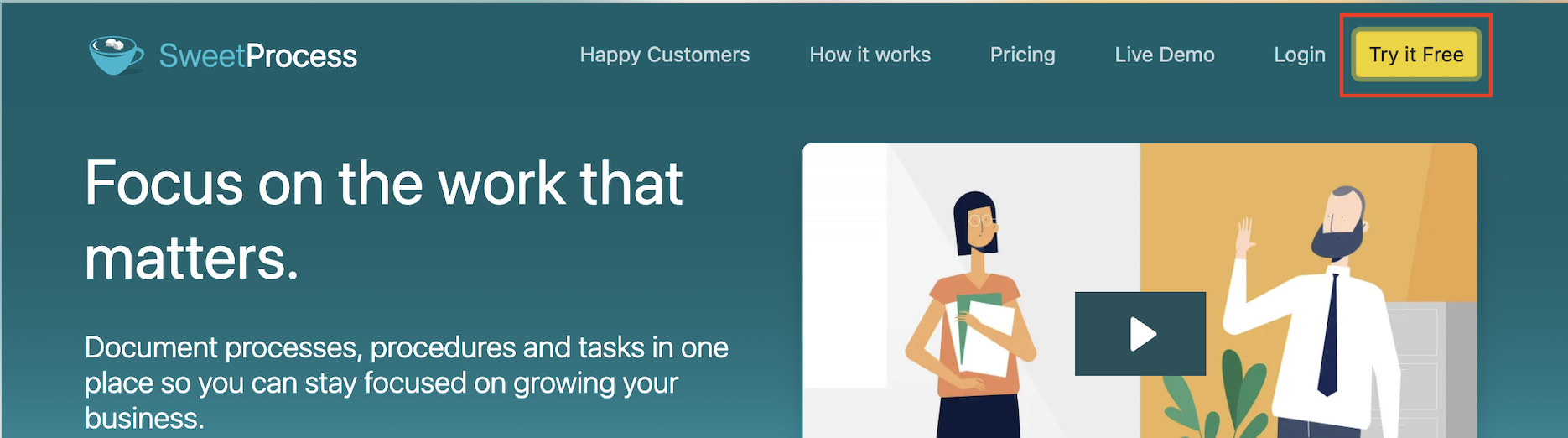
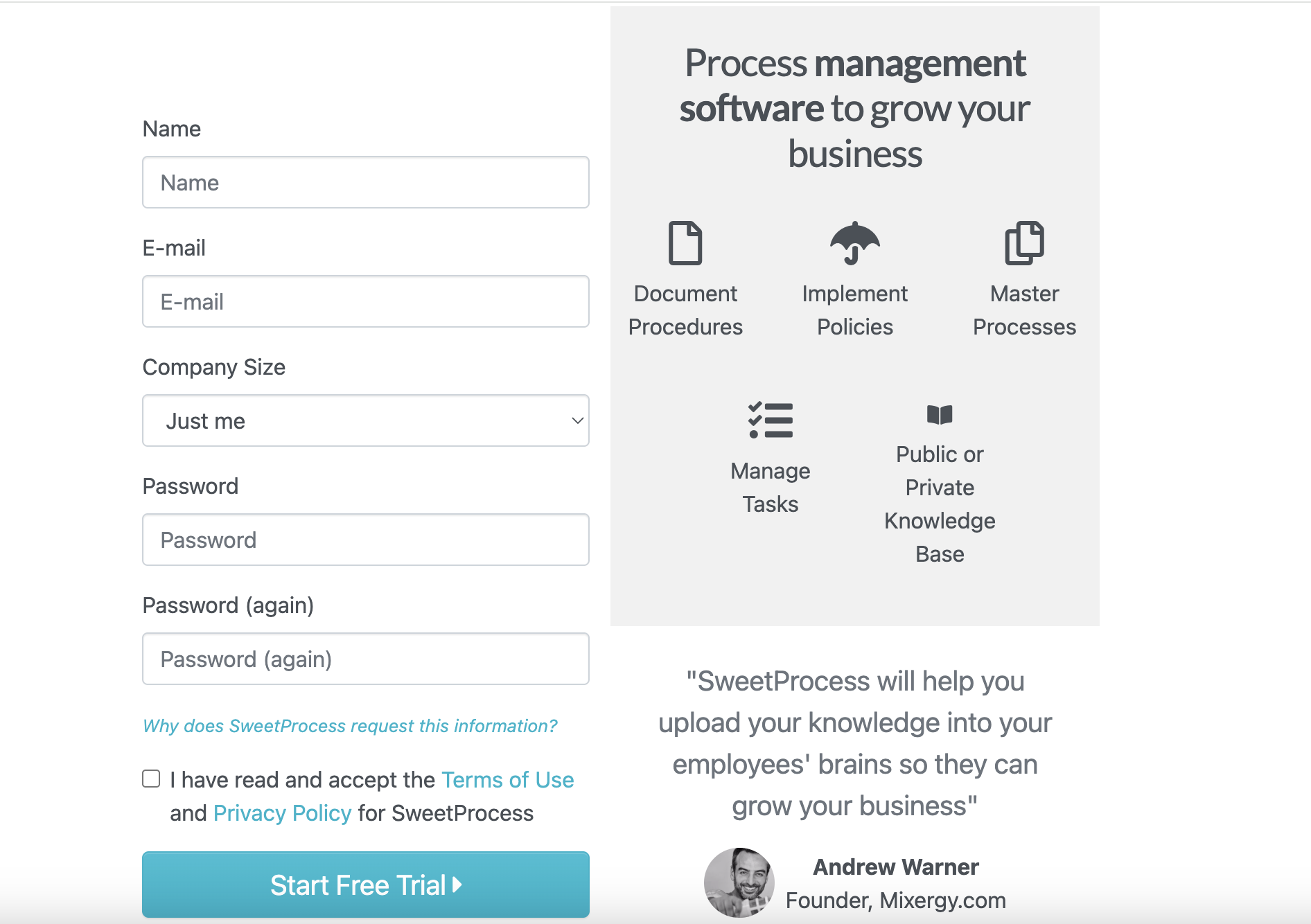
You can test everything as if you’re already a paying customer. Once you pick your free trial option, you can enter your contact details to get started.
This feature makes it ideal for teams that want to set up real processes and see how the platform would actually fit into their day-to-day operations.
Document Your Company’s Standard Operating Procedures Manually and Automatically
SweetProcess provides two options for building your SOP library. You could use manual creation and AI-assisted documentation.
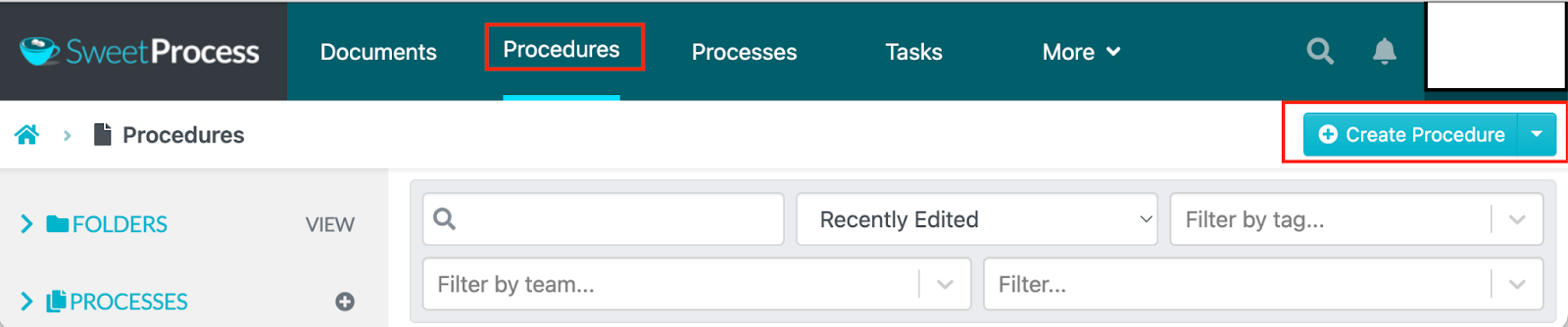
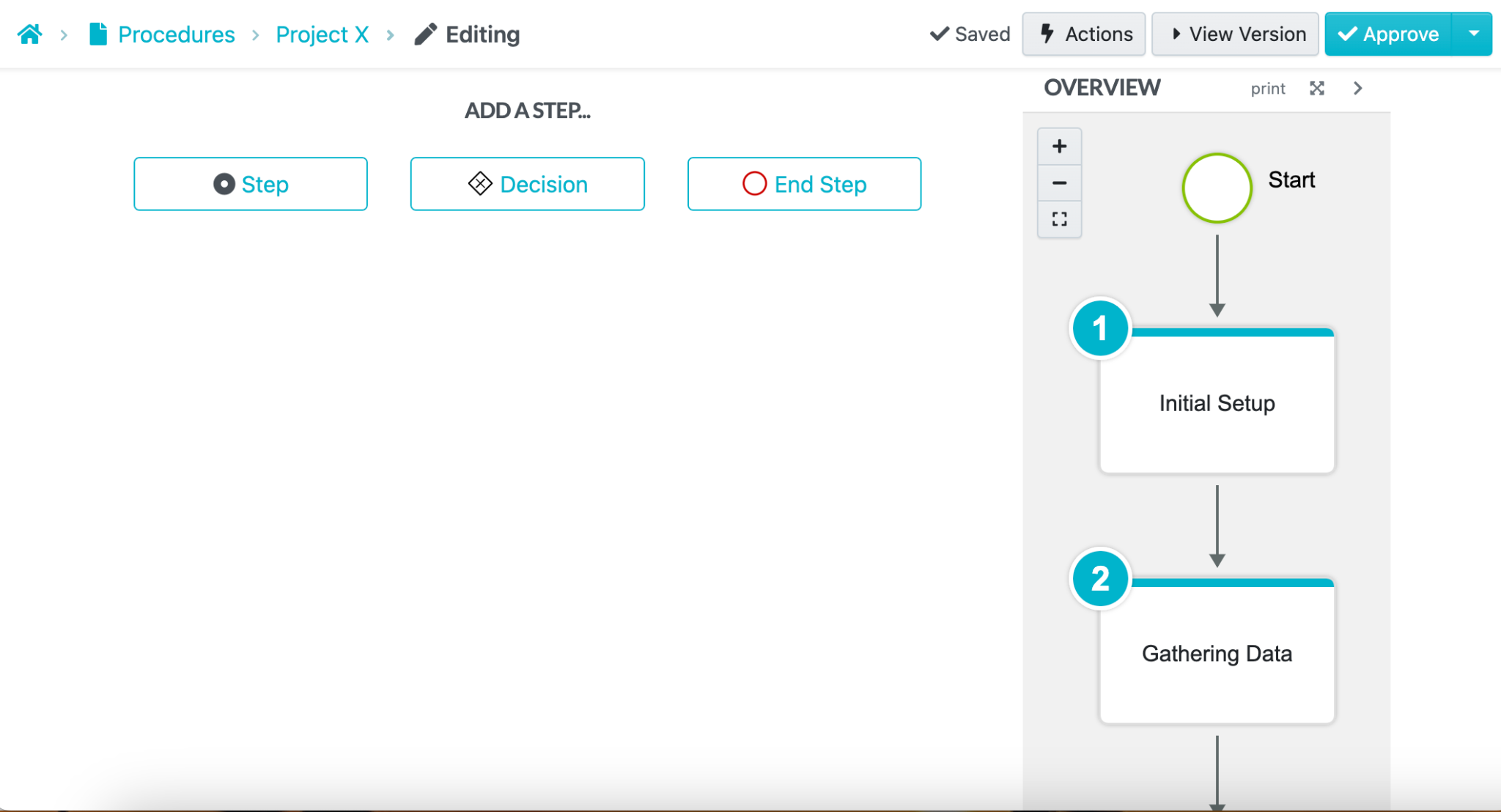
For manual creation, you’ll work with an intuitive editor to write your procedure. It allows you to add images, videos, and file attachments.
You can also add steps to make the process comprehensive.
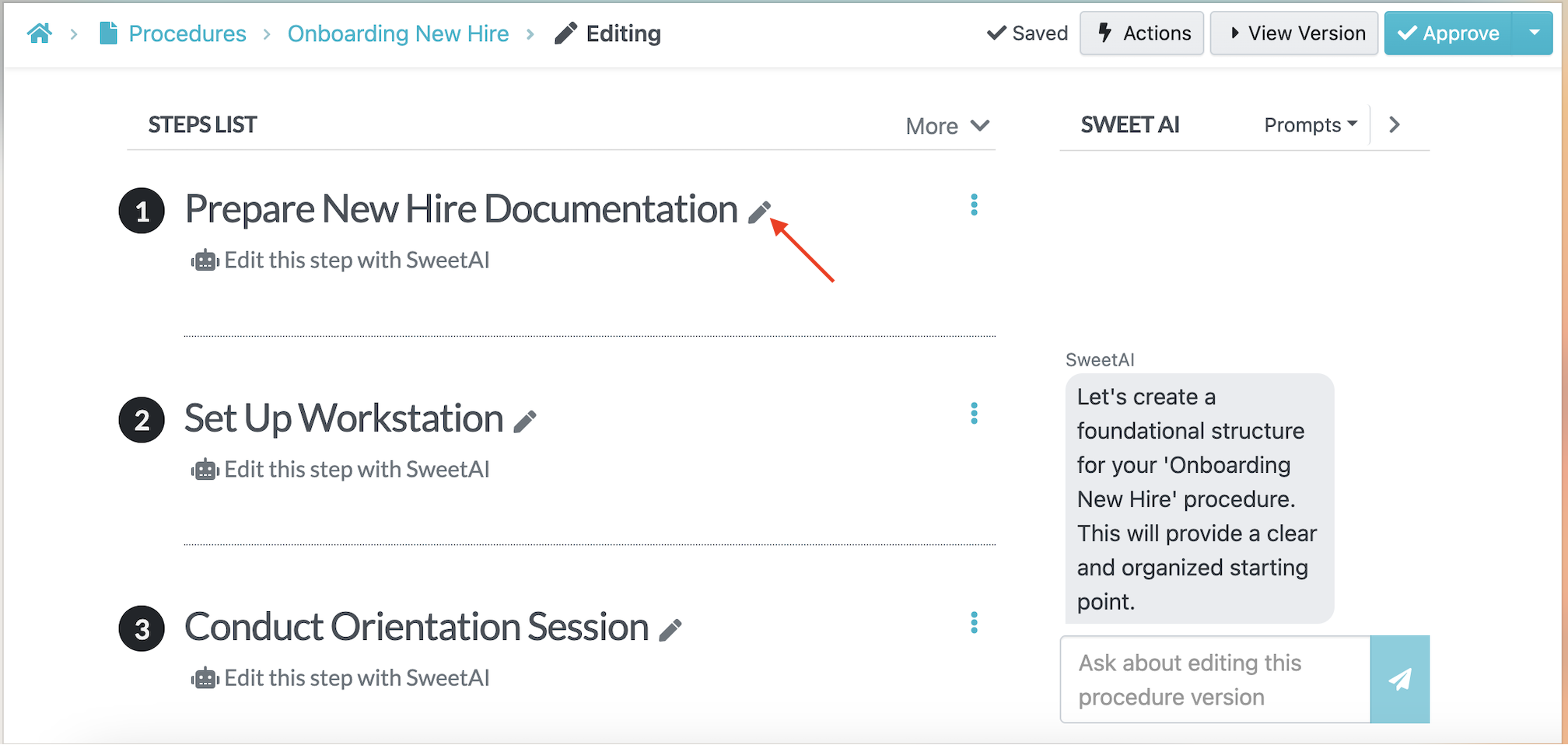
Alternatively, you can use the AI SOP generator to speed up documentation.
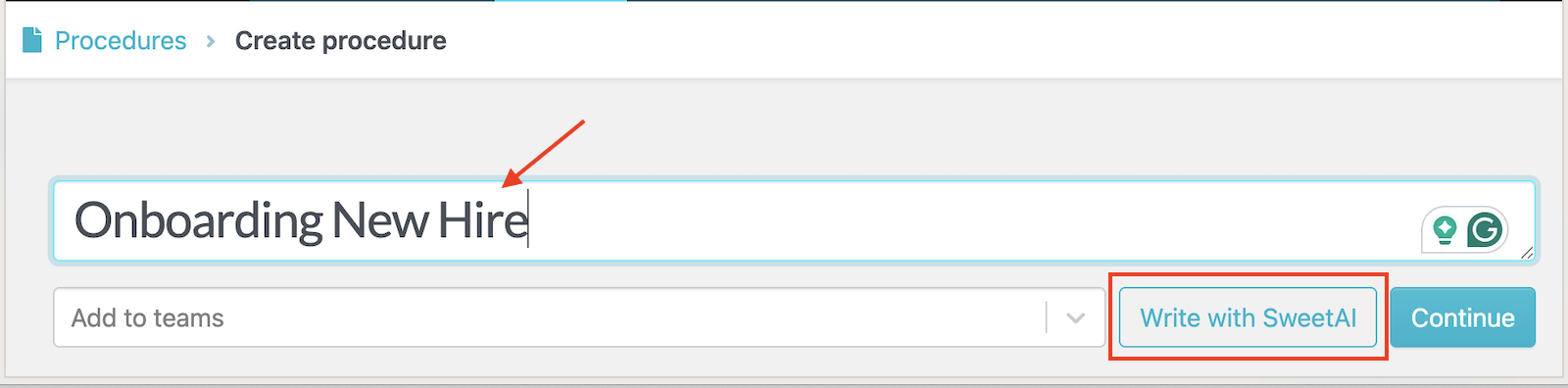
The SweetAI feature automatically generates the content for your process once you add a title.
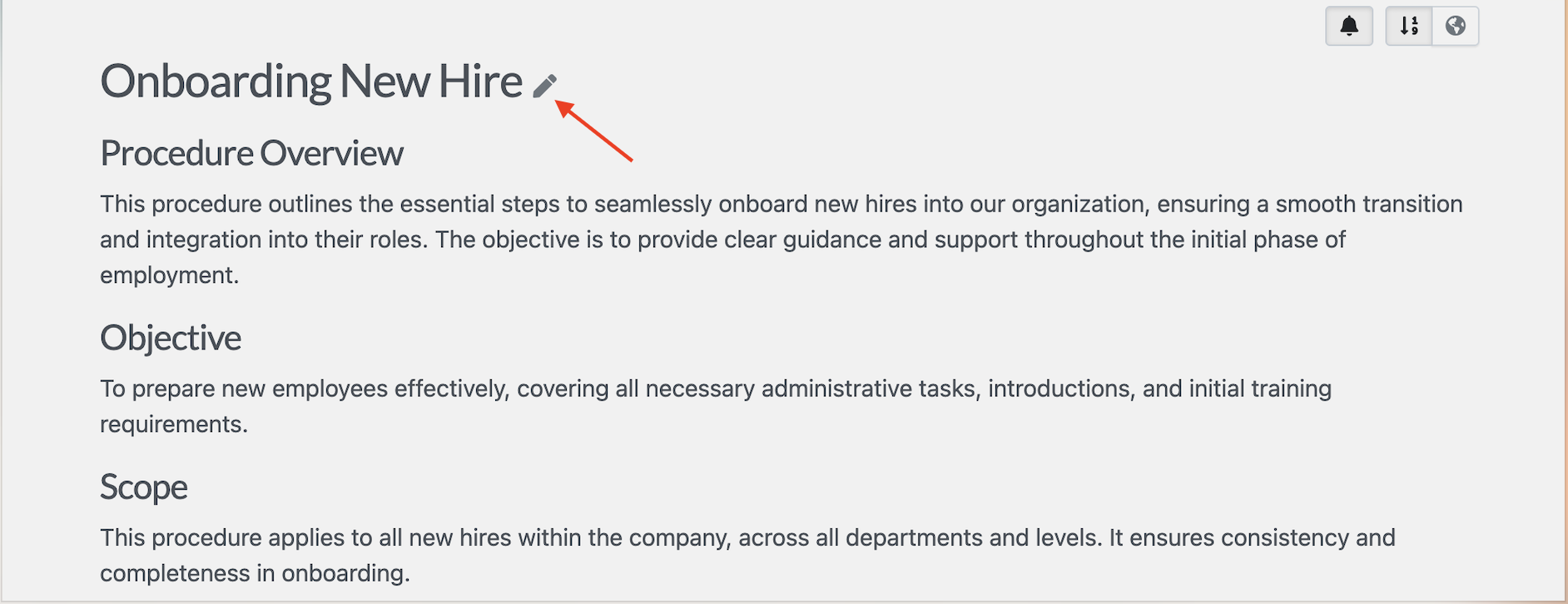
You can refine and edit the text and steps to align with your business goals.
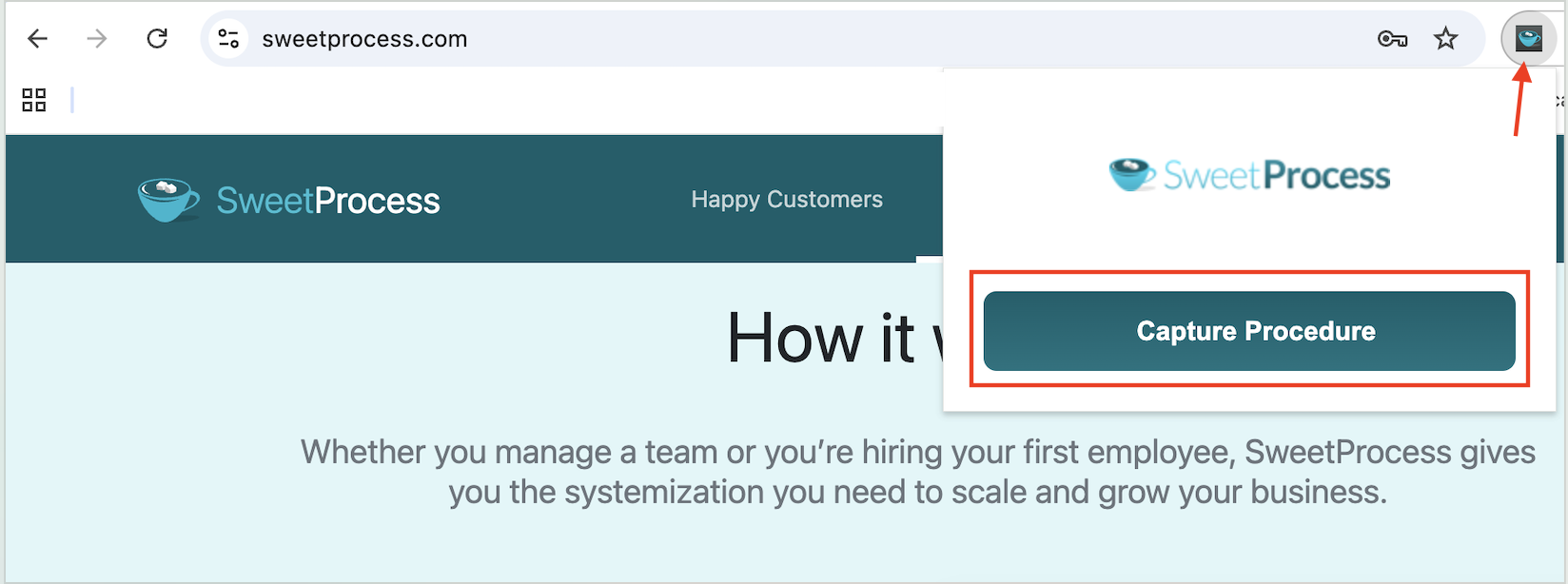
If your team prefers visual SOPs, you can install and use the Chrome extension to capture the steps. As you complete a task in your browser, the extension captures screenshots and records each action.
When you’re done, SweetProcess automatically generates a draft procedure with annotated images and descriptions.
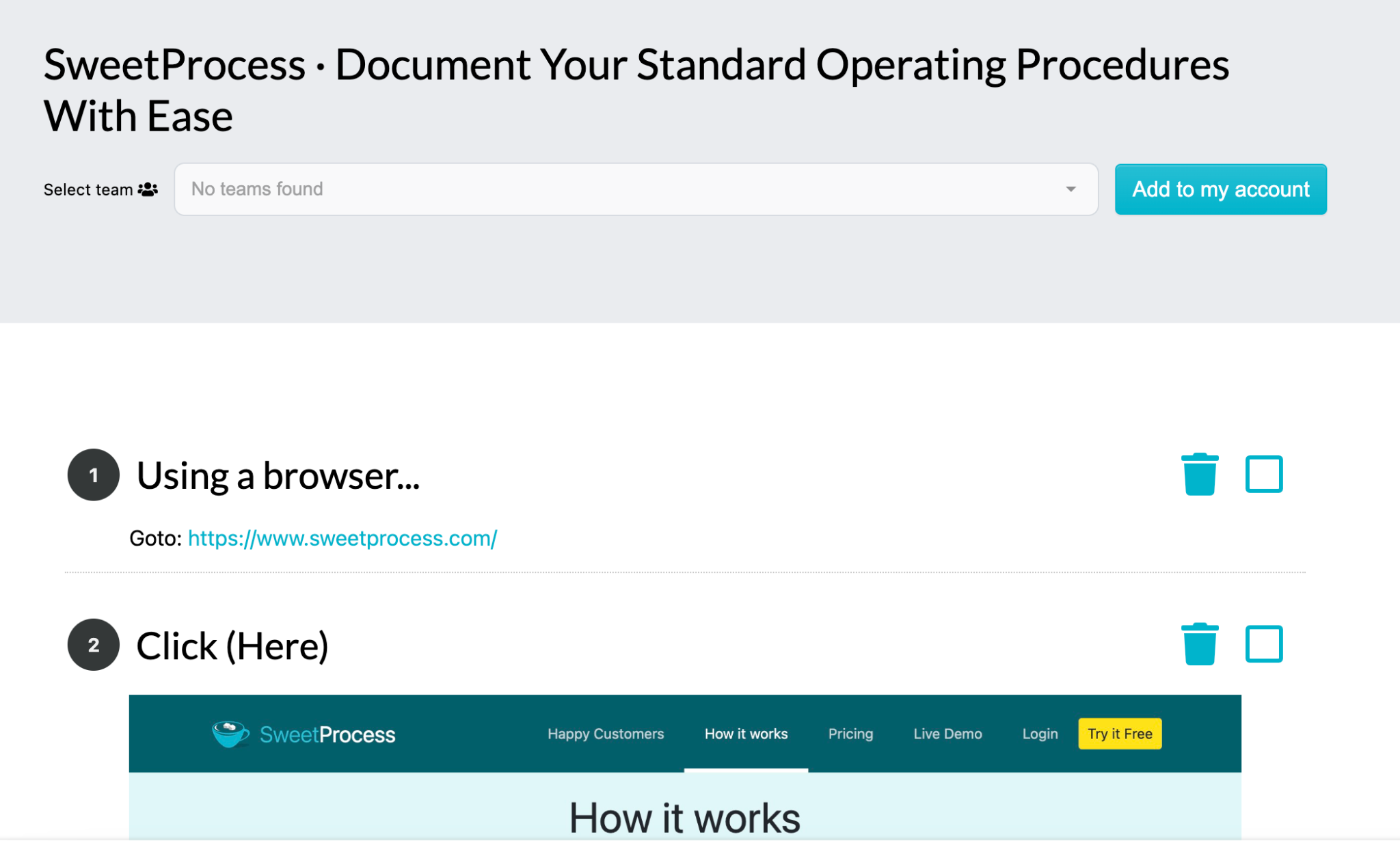
This is ideal for teams that need documentation but can’t find the time to write everything from scratch.
Collaborate With Team Members on Your Company’s SOPs
SOPs are rarely created alone. You need input from the people who do the work. SweetProcess makes collaboration simple. You can co-edit SOPs with other team members from the same platform.
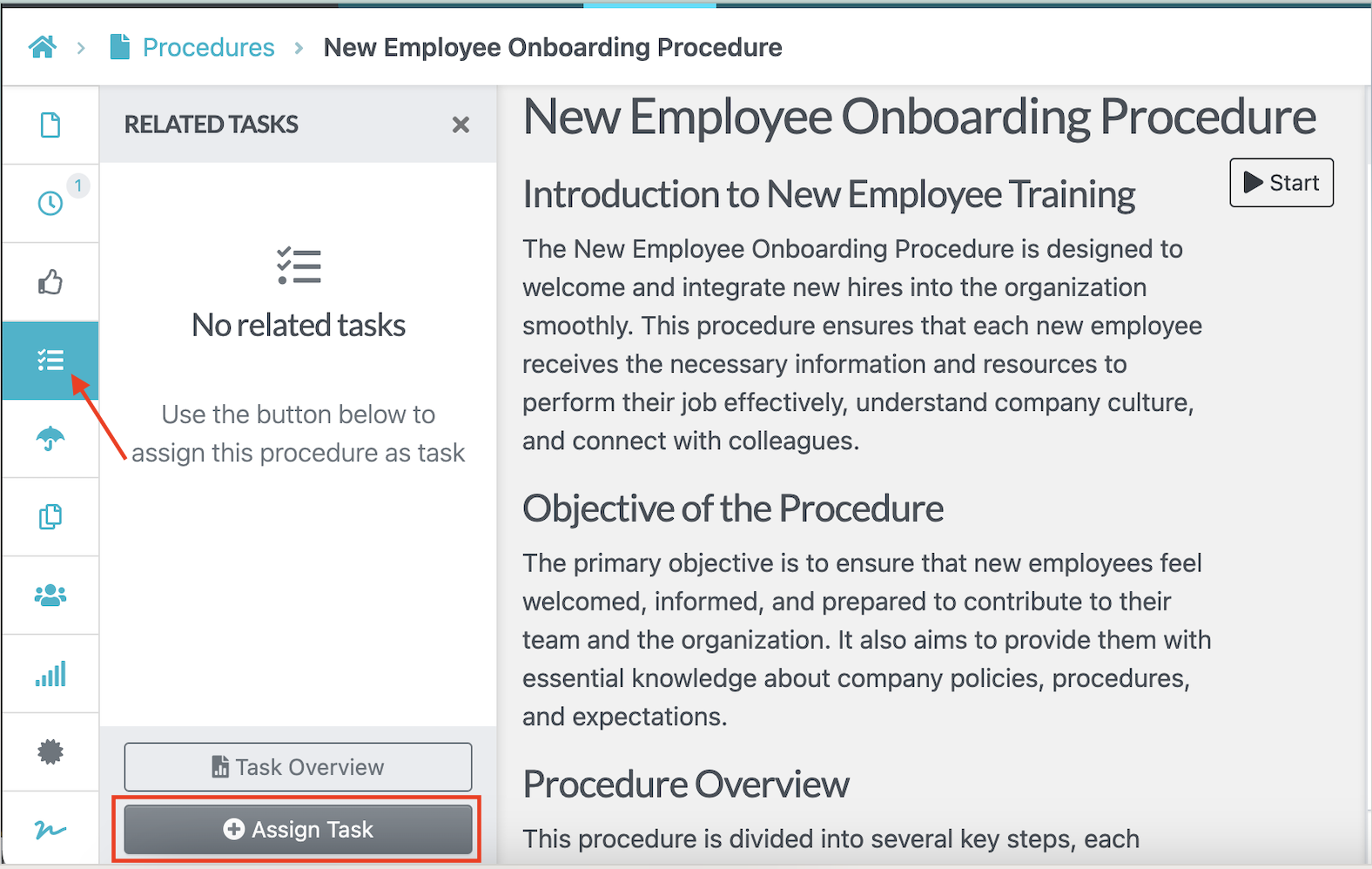
You can also assign procedures to specific team members for review and gather feedback to ensure that all relevant stakeholders have a voice.
Additionally, you can leave a comment by tagging a team member, allowing them to contribute to the SOP.
During your free trial, you can add your entire team and start building procedures collaboratively.
Format, Review, and Track Changes on SOPs
One of the biggest challenges with process documentation is keeping it up to date. Regulations change, and new tools emerge in the market; therefore, your documentation should reflect these updates.
SweetProcess includes built-in version control that tracks every change made to a procedure. With this feature, you can see who made the edit, when it occurred, and what changed. This way, you can revert to an older version if necessary.
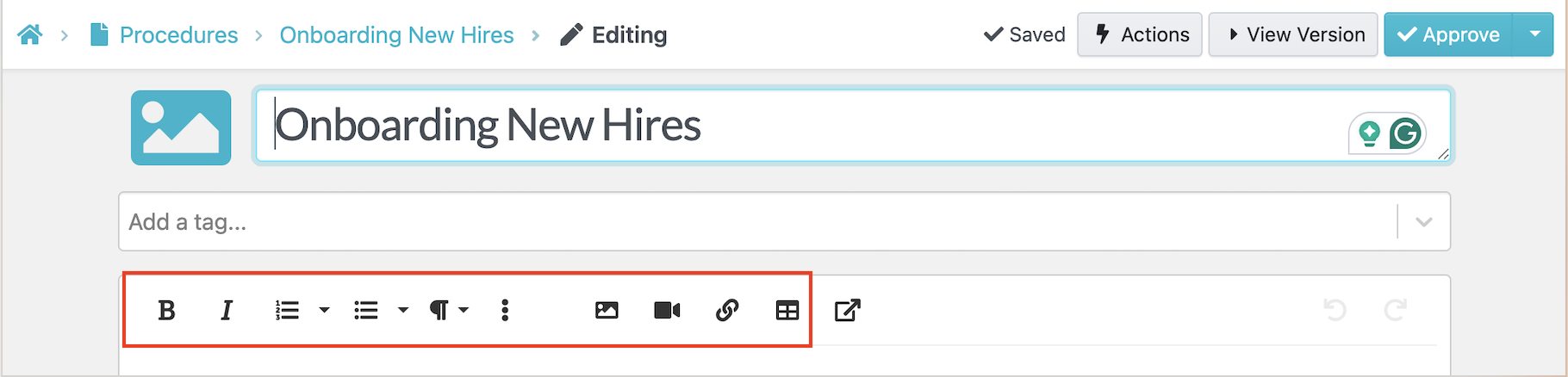
Additionally, you can create an SOP format that your team can follow without any hiccups. As you draft the document, you can add rich text formatting, embed images and videos directly into steps, or create numbered or bulleted lists to highlight critical steps or warnings.
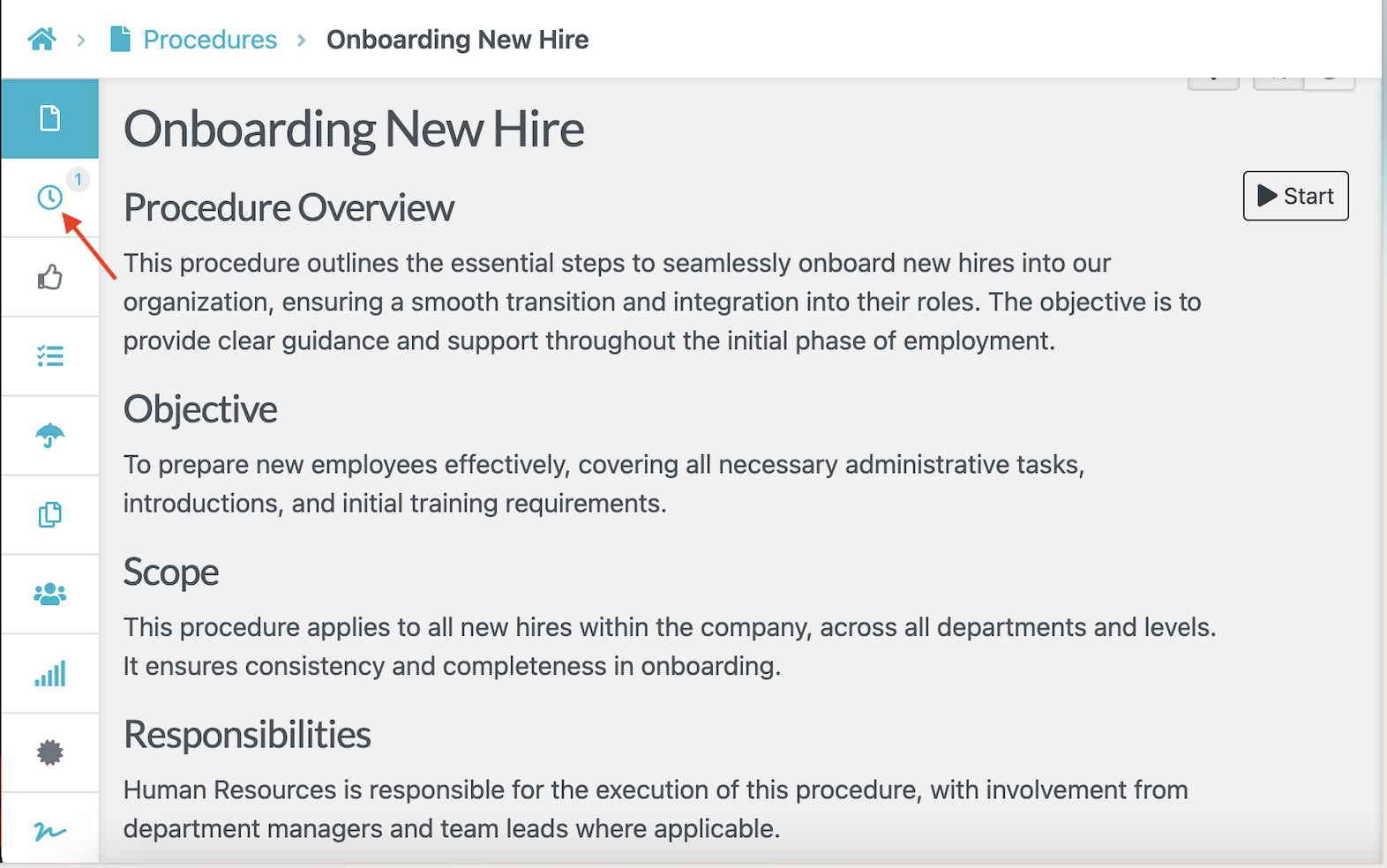
To further keep the process transparent, SweetProcess allows you to assign reviewers for approvals. For instance, if you need an onboarding procedure to be approved by the team lead or managing director, you can assign the task from the dashboard.
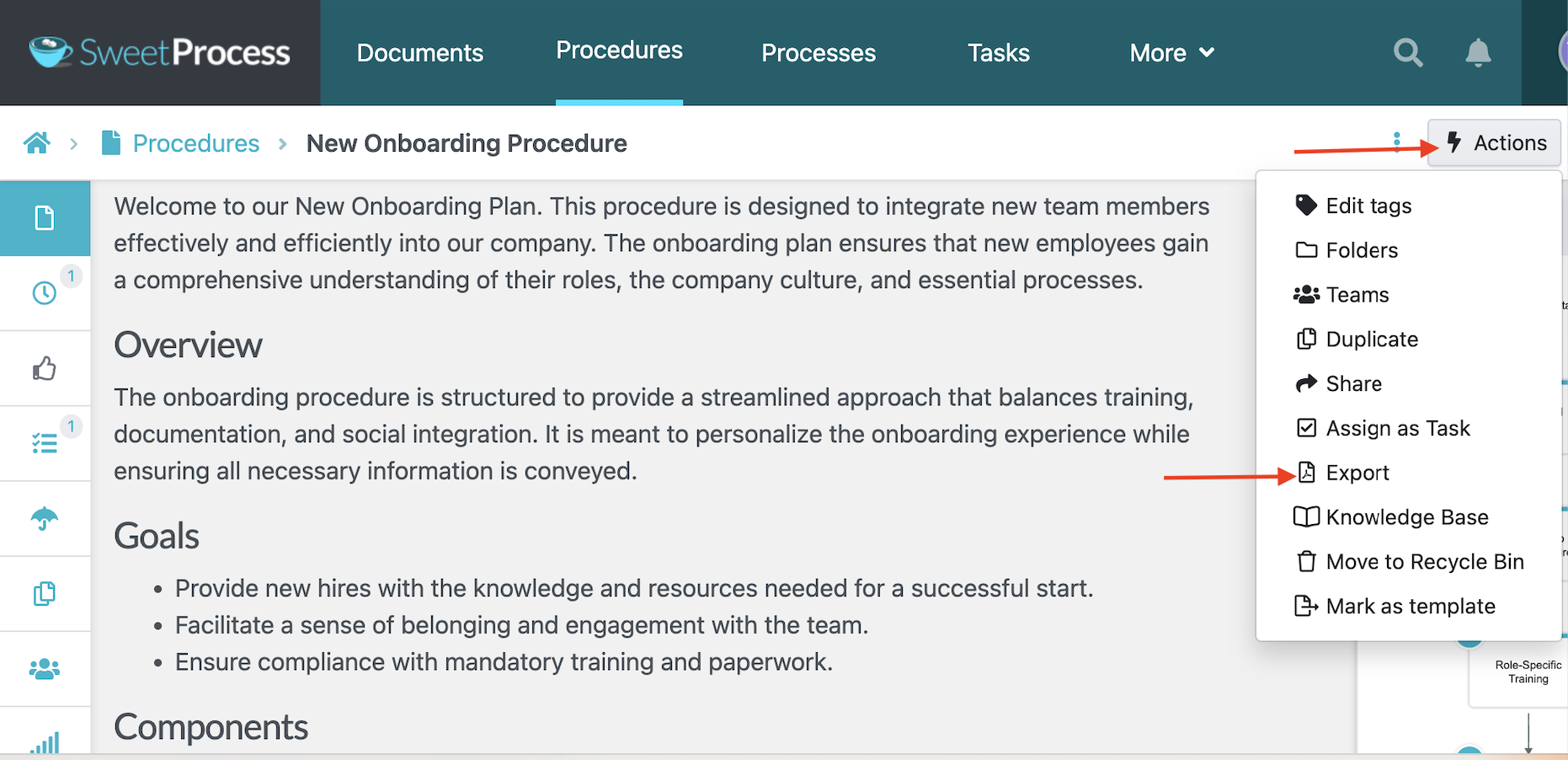
Export Documented SOPs to Word Docs, PDF, and HTML
Sometimes you need your SOPs outside the platform for offline training or sharing with contractors or partners.
With SweetProcess, you can export your procedures in multiple formats, including Word documents, PDF, and HTML.
This export flexibility ensures that your documents are ready if you need to provide them for audits and compliance checks.
Create and Manage Multiple SOPs, Policies, Workflows, and Knowledge Bases for Free
During your free trial, there are no artificial limits on what you can create. Need 10 or 80 SOPs? SweetProcess has the capacity to handle it. You can also use the tool to document policies, build multiple workflows, and establish an internal or external knowledge base at no cost.
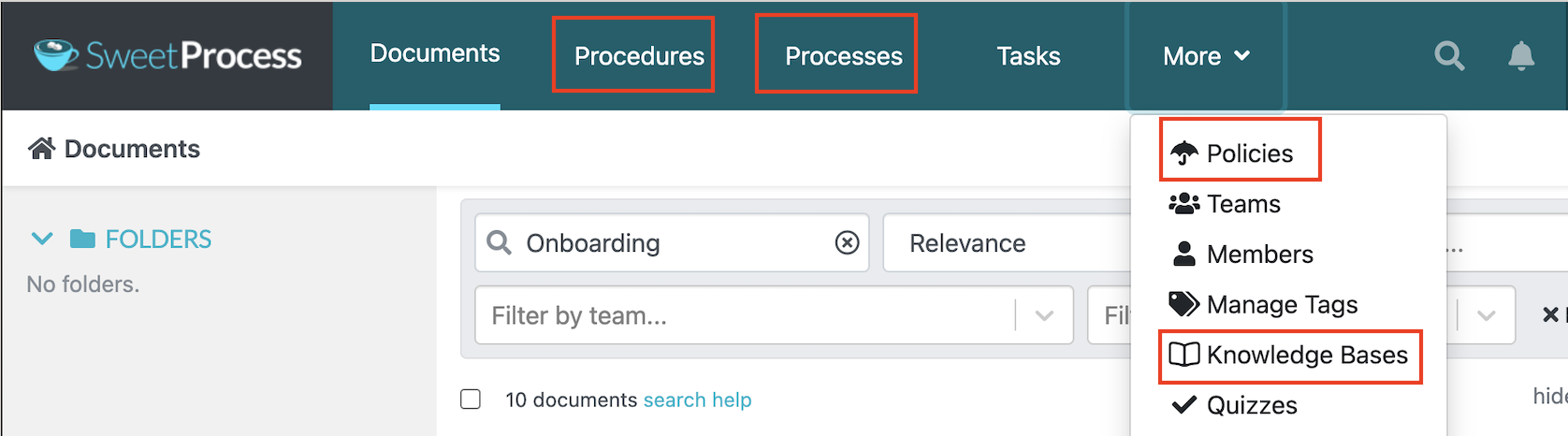
All these documents are searchable and accessible from the dashboard. This way, your team can find any information, even as your documentation library grows.
Ready to document your processes with zero restrictions? Sign up for free for the first 14 days and get full access to every feature.
Process Street
Image source: Process Street
Overview of Process Street
Process Street is an AI-powered workflow management platform that automates compliance for small businesses. It centralizes all SOPs to speed up onboarding and company audits. The platform is designed for organizations in different sectors, including healthcare, finance, manufacturing, and real estate.
Process Street Free Offer and Limitations
Once you sign up for a Process Street account, you can access a 14-day free trial period for the Pro plan. During this time, you get unlimited workflows and tasks. Therefore, you can test full features during the trial, but once it expires, you’ll face restrictions such as:
- Limited storage: The amount of file storage available varies depending on the plan you select.
- Customization: You have to pay to add brand colors to your SOPs.
- Less support: Premium users have access to priority support and dedicated success managers.
Process Street doesn’t publish pricing for the Startup, Pro, and Enterprise plans. You’ll need to contact the sales team for an actual quote.
Best For?
Process Street is a great fit for micro-teams or solopreneurs who have a small number of critical processes that need structure. You can take advantage of the free trial if you run a consultancy with repeatable client workflows or you’re managing a small remote team with a handful of standard procedures.
Notion

Image source: Notion
Overview of Notion
Notion is a comprehensive workspace that allows organizations to manage databases, notes, company wikis, and project documents in a centralized repository. It goes beyond SOP documentation by providing a platform that automates repetitive tasks to boost team productivity.
Notion Free Offer and Limitations
If you’re looking for a forever-free SOP software, Notion offers this. The free plan gives you access to features such as Notion AI, the Notion calendar, databases, basic sites, and forms. This option is ideal for individuals looking for a flexible tool at no cost. However, it comes with some limitations:
- File upload limits: Large videos or image-heavy SOPs may not fit within the free tier. You get a 5MB upload limit.
- Limited flexibility: You can’t customize your forms and sites unless you upgrade to premium plans.
- Restricted integrations: The free plan only syncs with Gmail. You have to pay for Plus, Business, or Enterprise to access multiple integrations.
- Guest limits: You only get 10 external guests, which works for a small team. However, it could become a problem as soon as you need contractors or clients to view SOPs.
Notion offers three paid plans, Plus, Business, and Enterprise. The Plus plan costs $10 per member per month when billed annually or $12 when billed monthly. The Business option costs $20 per member per month with annual billing and gives you access to advanced AI features, while Enterprise offers custom pricing.
Best For?
Notion is ideal for solo entrepreneurs, freelancers, and early-stage teams who need a simple, flexible system to capture SOPs. You can easily organize processes and build a central knowledge hub without incurring software costs. As your operations become more complex, you’ll outgrow the free plan.
Whale
Image source: Whale
Overview of Whale
Whale is an SOP documentation platform that enables you to capture company information and transform it into procedures your team can follow. Once documented, you can also share these guides with the relevant stakeholders. This AI-assisted tool comes in handy for training and onboarding new employees, since you can centralize resources and create quizzes.
Whale Free Offer and Limitations
With Whale, you can use the Free plan for life. This option caters to 10 members and one creator and gives you access to AI-assisted documentation, a step recorder, an image editor, checklists, and SOP templates. While it provides enough features to test the platform’s structure, it comes with several constraints:
- User limitations: There’s a cap on the number of users who can use the plan
- Limited support: You don’t get migration support, user training, or any implementation help from the Whale team.
- No mobile app access: You have to pay for a premium plan to use the app for SOP documentation
- Limited integrations: You can only integrate Whale with Google and Microsoft
If you have more than one creator and over 10 members, you have to upgrade to the Scale plan, which costs $249 per month, billed annually. For teams with five creators, Whale offers the Advance plan at $499 per month, billed annually. For monthly payments, Scale costs $399, while Advance costs $799 per month. Larger teams can subscribe to the Enterprise plan for maximum scalability.
Best For?
Whale’s free plan is best suited for small teams of 10 or fewer who don’t need advanced integrations or automation. It works well for startups in the early documentation phase or small agencies building their first knowledge base. You can use this SOP software if you need an organized and training-friendly tool.
ClickUp
Image source: ClickUp
Overview of ClickUp
ClickUp is an all-in-one workspace that helps organizations manage tasks and projects in one place. Its robust documentation features let you create detailed SOPs for your team. Additionally, they offer the ClickUp AI agents that can connect to your existing business tools to streamline processes.
ClickUp Free Offer and Limitations
While the tool offers four pricing plans, it has a free plan that’s available forever. This option comes with features such as 60MB storage, Kanban boards, 24/7 support, unlimited free plan members, and video recording. However, this free plan restricts:
- File storage: You can access a limited amount of storage, while premium plans offer unlimited storage.
- Views: As a free user, you can’t access Gantt Charts and Timeline views.
- Customization: To access advanced customizations, roles, and exporting, you’ll need to subscribe to a paid plan.
To access unlimited integrations, spaces, custom fields, and permission control, you have to upgrade to the Unlimited plan at $7 per user per month, or Business at $12 per user per month. Both options are billed annually. If you prefer to pay monthly, the two plans cost $10 and $19, respectively. You can also choose the Enterprise option if you have a larger team.
Best For?
ClickUp’s free plan is ideal for small teams who need to consolidate project management and process documentation. It’s best for individuals and startups that require structure with simple documentation needs. However, the 60 MB storage limit makes it less practical for teams with media-heavy SOPs that include lots of images or training videos.
Tango
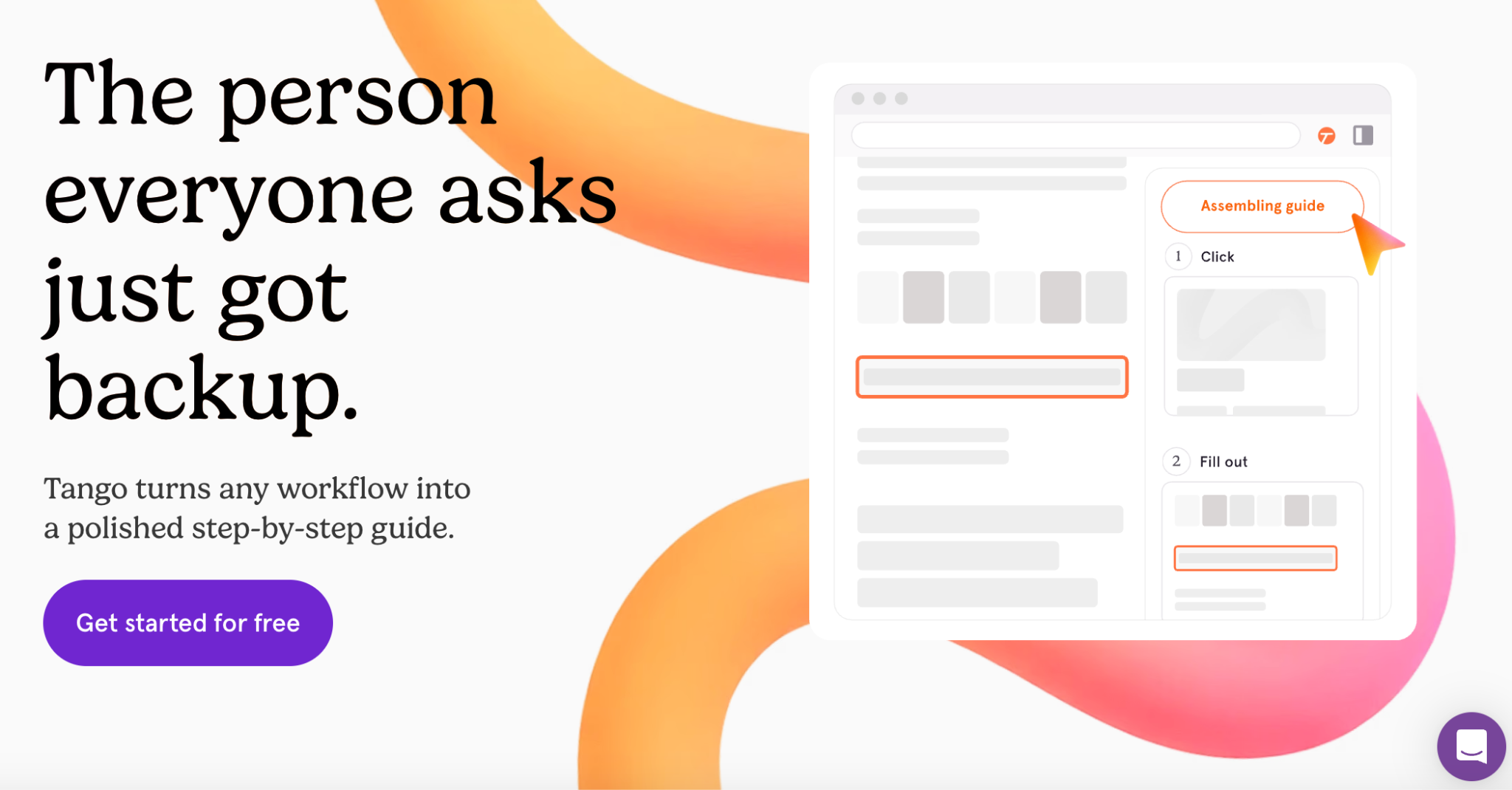
Image source: Tango
Overview of Tango
Tango is a capture-first documentation tool. This SOP tool records the actions you take in a browser and turns them into a step-by-step guide your team can follow. You can use the free plan to generate procedures; however, it limits how many features you can access if you’re building a comprehensive SOP library.
Tango Free Offer and Limitations
Tango’s free plan is permanent and covers up to 10 users per workspace. It includes browser-based capture, link sharing, and embedding. However, if you want to edit, customize, or export your SOPs, Tango has these constraints:
- Five shared workflows: If you have a growing team library and more workflows, you’ll need to upgrade to a paid plan.
- No export capabilities: PDF, HTML, and Markdown export features are available on the paid plans.
- Limited version history: With the free plan, you don’t get version history on your SOPs; the Pro plan gives you 14 days. You have to switch to Enterprise to get the yearly records.
Once you need more than five workflows or need to export, Pro Personal costs $22 a month for workspaces of one or two people, or $15 per user a month billed annually for workspaces of three or more. If you prefer monthly billing, Pro Personal costs $26, while Pro Team goes for $20 per month.
Best For?
This free SOP software is ideal for individuals and small teams that require a tool to store and share process documents. If you’re comparing a few platforms, Keeni’s trial period gives you time to familiarize your team and evaluate whether the simplicity matches your needs.
For a closer look at how Tango compares to a similar capture-first tool, see our Scribe versus Tango comparison.
Scribe

Image source: Scribe
Overview of Scribe
Scribe takes a different approach to SOP creation by automating the documentation process. You need to install the browser extension or desktop app to perform any task. Scribe automatically captures every click and navigation step, generating a visual step-by-step guide complete with screenshots and written instructions.
Scribe Free Offer and Limitations
Scribe offers a free Basic plan to all its users. You can generate how-to guides immediately without incurring any costs. With this free plan, you get customization, a shareable link, and access to any web app. While these features are ideal for SOP documentation, they might not be enough for all types of teams. The free plan comes with these restrictions:
- Limited editing: Users can’t redact and edit the screenshots.
- No export capabilities: If you need to print your SOPs for training or audits, you can’t export them to Word or PDF documents in the free plan
- Customization issues: You can’t incorporate your company branding in the SOPs.
The Scribe paid plans start at $13 per seat per month, billed annually, for the Pro Team plan that covers five seats. Monthly, the same plan costs $17 per seat per month. The Pro Personal option for solo consultants costs $25 per seat per month annually or $35 when billed monthly.
Best For?
This SOP tool is ideal for individuals who want to document digital workflows. You can capture simple processes that have a few steps to organize information. However, if you need to manage a larger team and organize hundreds of detailed procedures, Scribe’s free limitations will prompt you to upgrade to a paid plan relatively quickly.
You’ve seen what the free SOP tools offer. If you’re ready to create clear, organized SOPs without hitting frustrating limits, SweetProcess gives you everything upfront. Start your 14-day trial and see how simple documenting processes can be.
What Happens When Your Free Plan Runs Out
Before you build your entire documentation library in a free SOP tool, check what happens when you reach its limit. Here’s a breakdown of what a team of 10 would pay on the first paid tier:
| Tool | SOP tool cost for 10 users |
| SweetProcess | $99 per month, or $990 when billed annually. Flat rate covers up to 10 users on either billing cycle |
| Process Street | Contact sales team for quote |
| Notion | $100 per month billed annually or $120 when billed monthly on the Plus plan |
| Whale | $249 per month billed annually. Free plan already covers 10 members and 1 creator; Scale adds creators. |
| ClickUp | $70 per month if billed annually on the Unlimited plan |
| Tango | $150 per month billed annually or $200 monthly for the Pro Personal plan |
| Scribe | $130 a month billed annually or $170 monthly |
If you want to migrate or export your SOPs, some of these tools don’t provide this capability with the free plan. Notion exports pages natively at no extra cost. Software like ClickUp, Scribe, Whale, and Tango allows export on paid plans; therefore, if you build extensive documentation on their free plans, you may need to pay to move with the documents.
This cost is a key factor to consider before selecting an SOP tool for your business. If a tool won’t export your work, switching later means you have to draft every procedure from scratch in the new system, which takes time.
Your team needs a platform that works both as SOP writing software and allows you to export your documents to Word, PDF, and HTML even during the trial period.
SweetProcess offers document export options instead of locking your documentation permanently to the platform. Try it here!
Free SOP Generator vs. Free SOP Library: Which Do You Need?
A free SOP generator creates the first draft of a procedure. You give it information about a task, or demonstrate how you complete it, and it helps turn that information into instructions. Scribe and Tango are good examples of generators; they capture digital workflows and turn them into guides.
On the other hand, a free SOP library manages the procedures after you’ve created them. It gives your team a centralized platform to view, edit, track who has read it, and keep a version history of the changes. Notion, Whale, ClickUp, and SweetProcess function as document and knowledge libraries.
If your problem is a blank page, an SOP generator solves it faster. However, if your main challenge is that your team can’t find procedures when they need them, or three versions are floating around, you need a library to manage all your documentation in one place.
SweetProcess makes it easy for teams to create and manage SOPs without switching between multiple tools. Sign up here to test it out!
Limitations of Free SOP Software
Free SOP tools are a great starting point, but they have some restrictions that will slow down the business as it grows. Understanding these limitations upfront will help you make informed choices. Here are the common limitations:
Feature Limitations in Freemium Options
Tools like Notion offer forms and sites in the free plan, but you have to upgrade to get unlimited options. On the other hand, ClickUp requires a premium plan to access more automations and customizations.
Therefore, if your documentation needs are growing and you need more storage or collaboration features, you can’t access these on the forever-free plans. In contrast, SweetProcess grants full access to all premium features during its 14-day trial, enabling you to build your entire SOP structure.
Migration Issues
Some free options, like Scribe and Whale, restrict users by not providing export support. Therefore, if you’ve created multiple SOPs and need to switch tools, you might lose your documentation unless you pay.
The risk here is that you become stuck with a tool you’ve outgrown. Additionally, rebuilding from scratch can delay important improvements and increase the chances of errors. SweetProcess eliminates this frustration by offering full export options during the free trial, whether you need them in Word, PDF, or HTML.
Storage Caps
ClickUp’s free plan caps storage at 60MB across the entire workspace. If your team has heavy SOPs, they can consume this space much faster.
SweetProcess mitigates this risk by giving everyone a dedicated SOP system with guaranteed access and reliable backups, even during the free trial.
Don’t gamble with your business documentation. You need a platform that won’t limit your growth or put your business at risk. Try SweetProcess free for 14 days!
Why Use Free SOP Software?
Free SOP software gives you a low-risk way to test structure and clarity before committing a budget line to it. Here are a few reasons why you should consider these tools:
Budget Constraint
For startups or small businesses with a limited budget, free SOP software eliminates the barrier to entry. You can start documenting processes immediately without any pressure. The free trial period allows you to prove whether the tool is worth it before allocating a budget.
Ease of Assessing the Features and Learning Curve
Free access lets you test the platform and determine if it has a steep learning curve. It’s also the best time to reveal any deal breakers, such as missing integrations or export limitations.
Legal technology company Lawvex took advantage of this by signing up to SweetProcess. The team was growing and had almost doubled in size, making it hard to manage all the internal processes. The organization reached a breaking point when its internal processes became too scattered on Google Drive and hard to manage.
Gary Winter, the managing attorney, and chief operating officer Tisha English heard about SweetProcess and decided to test the features.
They say, “Having processes and procedures written down in a place where everybody can find them is so important to us now, especially bringing on new people and onboarding them…. The team can go to one spot and answer their own questions without having to come to ask me.”
Centralized Company Documentation
With a free SOP tool, you can centralize processes, policies, checklists, and workflows in a single accessible system. This way, team members no longer depend on managers for every small question.
This was one of the main challenges for Consortium Private Wealth. The founder, Robert Goudie, initially managed all the business processes in Microsoft Word. But as the number of employees increased, it was becoming hard to operate while relying on tribal knowledge. He needed an SOP tool to centralize the information.
Robert encouraged the team to always document their tasks on SweetProcess and make them accessible to everyone.
Team Consistency
You can build consistency by selecting a free SOP tool that enables you to create guidelines that everyone should follow. From there, you can create SOP manuals and checklists and share them. This way, your team works more confidently, and your customers receive the same high-quality products and services.
Faster Onboarding
If you had a month with a free SOP tool, this is enough time to create an onboarding plan. You can use the SOP builder to generate step-by-step procedures for your new employees much faster. Instead of asking supervisors the same questions, the new hires can learn independently by referring to the company’s knowledge base.
You’ve seen the benefits of starting with a free SOP tool and how companies just like yours used a SweetProcess trial to transform their operations. You can do the same. Start your 14-day free trial of SweetProcess today!
How To Choose the Best Free SOP Software
Here are the key things to consider before signing up.
Consider Team Size
The size of your team matters when you pick SOP software. For a small team, you only need basic access and simple workflows. But if you anticipate dozens of users or multiple editing roles, you’ll want a tool whose free tier doesn’t limit collaboration.
As your team grows, you’ll need features like:
- Multiple editors
- Simultaneous commenting
- Approval workflows
- Team roles
This is where many free tools start to show their limits.
Agency co-founder Nick Shackelford highlights that most SOPs fall apart because they aren’t written or structured with the actual users in mind. New hires need clear, step-by-step guidance, experienced staff need streamlined instructions, and leadership needs high-level clarity. When different people rely on the same SOP, the software supporting that system must be able to handle a diverse team with diverse needs.
That’s why choosing a free SOP tool that can support a growing organization is essential if you want your processes to stick as your team expands.
Picture Scaling and Growth Plans
When selecting an SOP tool, choose one that integrates with these scaling plans. For instance, if you plan to hire more employees or open more branches, your documentation and storage needs will also increase.
If your SOP software cannot scale, you might find yourself locked in or forced into a costly migration.
Realtor and business owner Diante Lawrence shared that once the team created a structured SOP for the business, everything became easier to manage as they grew. Tasks became more predictable, and they could track deliverables. According to him, every organization, even small ones, should design SOPs if they want to grow.
Plan Upgrade and Migration
What’s your exit strategy if the free tool stops working for you? You may need to migrate your documents to a different system. But if your freemium plan doesn’t accommodate this, you’ll lose data and have to start afresh on new software.
When selecting a free SOP tool, check for:
- Can you export easily?
- Are backups supported?
- Is there a path to upgrade without losing your work or recreating your library?
Don’t wait until you outgrow your free tools. Create your SOPs in SweetProcess with a 14-day free trial and get full access from the start!
Which Free SOP Software Should You Choose for Your Business?
Every tool on this list does something well. Notion and ClickUp offer flexibility if you’re comfortable working within their limits. Whale and Tango are strong if your team stays under 10 people and you don’t need to export soon. Scribe is a solid choice for solo, browser-based documentation.
However, most of them won’t let you migrate your documentation unless you pay for a premium plan. SweetProcess gives you a platform to create and manage SOPs in one place. You can easily export the documentation whenever you need it. While it doesn’t offer a free plan, you can use the 14-day trial period to access all features, including SweetAI and export capabilities.
If you want to implement a platform that grows with your business, SweetProcess is the go-to option. Try SweetProcess free for 14 days and build a complete, scalable SOP system. No credit card is required!
FAQs
Is there a free tool that can create SOPs?
Yes. Tools like Tango and Scribe generate documented procedures automatically by capturing your screen as you perform a task, and both offer permanent free plans. However, neither lets you export the result for free, so you have to budget for an upgrade before you build a large library.
Is there a free app that can create SOPs?
Yes. Several tools have free plans that you can use to create SOPs, including Notion, ClickUp, Scribe, Tango, and Whale. The best fit depends on your needs. Notion and ClickUp are broader workspaces where you can write and organize SOPs, while Scribe and Tango focus more on capturing digital workflows and turning them into guides. Whale focuses on business documentation and training.
Can ChatGPT generate SOPs?
Yes, ChatGPT can draft the text of an SOP if you describe the process, but it can’t manage, format, version, or keep the document updated as your team changes. It’s a starting point for a first draft. You have to provide company-specific information to refine the SOP.
Does Google Docs have an SOP template?
Google Docs doesn’t have a dedicated built-in SOP template, but you can create one manually in a regular document and save it as a reusable template. It works well for a small team with a few text-based SOPs. However, if you need to manage, track acknowledgments, edits, and notify team members when changes are made, you need dedicated SOP software with more tools for managing a larger library.
What does free SOP software cost once you outgrow it?
It depends on the tool and your team size. For tools like Whale, the free plan is limited to 10 members and one creator; you have to upgrade to Scale to add more creators. SweetProcess offers a free trial instead of a free-forever plan. After this period, it will cost your team $99 per month for up to 10 users.