Last Updated on June 15, 2026 by Owen McGab Enaohwo
You roll out a new data privacy policy on Monday. By Thursday, three employees have asked questions about a section you updated last month. Another employee can’t find the document at all. When you finally check your files, you discover three drafts with nearly identical names. And when your compliance officer asks for proof that everyone acknowledged the harassment prevention policy, you realize half your team never opened the email.
It’s not that your team doesn’t want to follow policies. They just don’t have a clear, consistent place to access them. This issue arises when policies live in shared drives and inboxes instead of dedicated software. Policy management ensures you have a proper system for creating, approving, distributing, and reviewing the company guidelines.
But to manage policies effectively, you need policy management software. The best policy management software automates the process by providing reminders, tracking features, version control, scheduled reviews, and centralized policy libraries that all employees can access, ensuring your team knows where to find the latest approved policy.
We tested nine platforms to identify the best options for small to mid-sized businesses ready to upgrade from manual systems.
Table of Contents
9 Best Policy Management Software & Tools for Staff Compliance
- SweetProcess
- PowerDMS
- DocTract
- ConvergePoint
- NAVEX PolicyTech
- LogicGate
- ComplianceBridge
- Mitratech
- VComply
How SweetProcess Supports Policy Management
Key Features To Consider Before Choosing a Policy Management Software for Your Business
Why Use Policy Management Software?
Which Policy Software Is the Best for Your Business?
9 Best Policy Management Software & Tools For Staff Compliance
To streamline your policy management processes, you need to pick the right tool. While each of these platforms offers a unique set of features, you should first evaluate which one fits your company and compliance needs. Let’s take a closer look.
1) SweetProcess
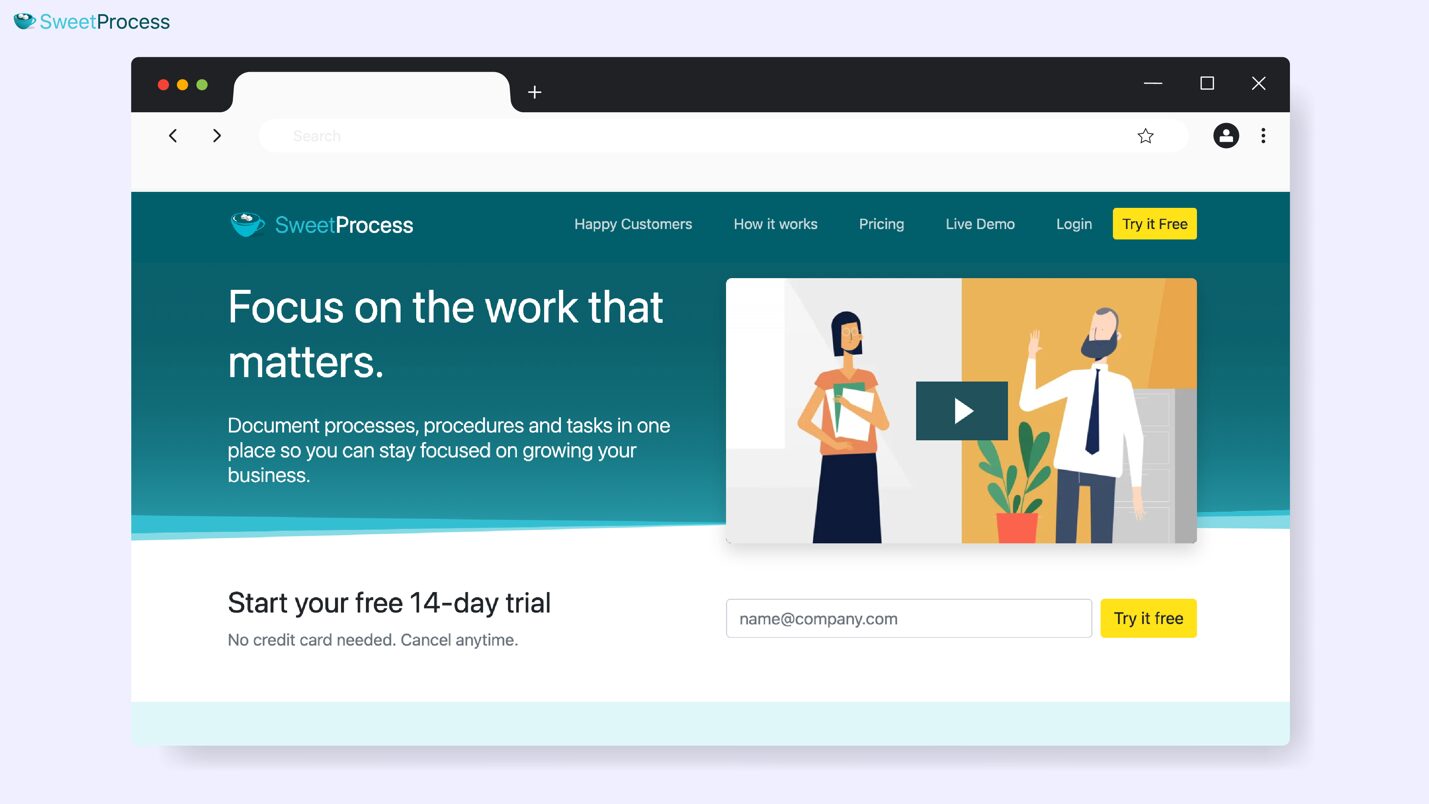
Overview of SweetProcess
SweetProcess is an all-in-one policy management platform that helps businesses streamline operations. Unlike standalone policy tools that exist in isolation, SweetProcess connects your policies directly to the workflows and SOPs your team uses daily. This way, you have a single source of truth for your organization.
It’s the perfect replacement for manual systems, especially if you want to create a centralized searchable policy library. All users, including new hires, can start using SweetProcess to create and manage policies as soon as they sign up since it doesn’t require technical setup.
Policy Management Features of SweetProcess
With a SweetProcess account, you can access these key features:
Document Your Company’s Policies Manually and Automatically
SweetProcess gives you two ways to build your policy library: You can create policies from scratch using the built-in editor or with an AI editor.
When drafting manually, you have to first open the “Policies” menu on the dashboard.
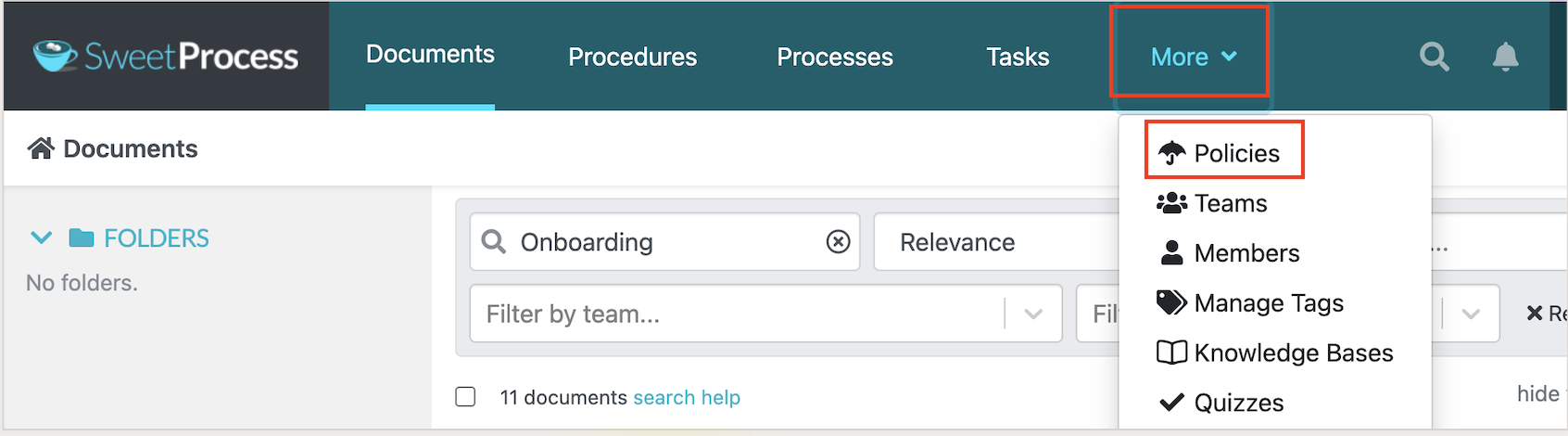
Start the creation process.

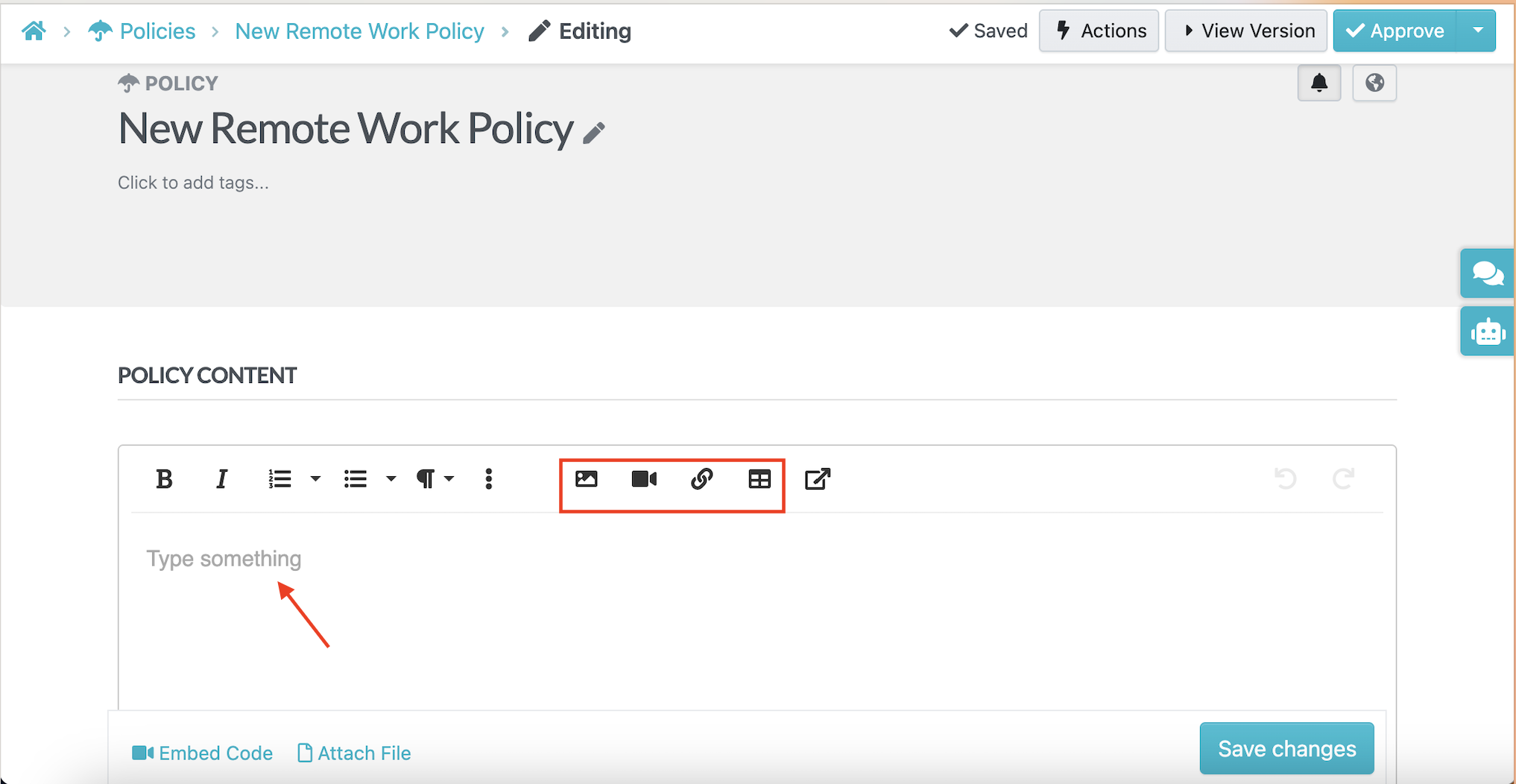
You’ll then need to add a policy title based on your compliance needs. For instance, if you’re drafting a policy on remote work, you can add “New Remote Work Policy” and assign it to the designated teams.
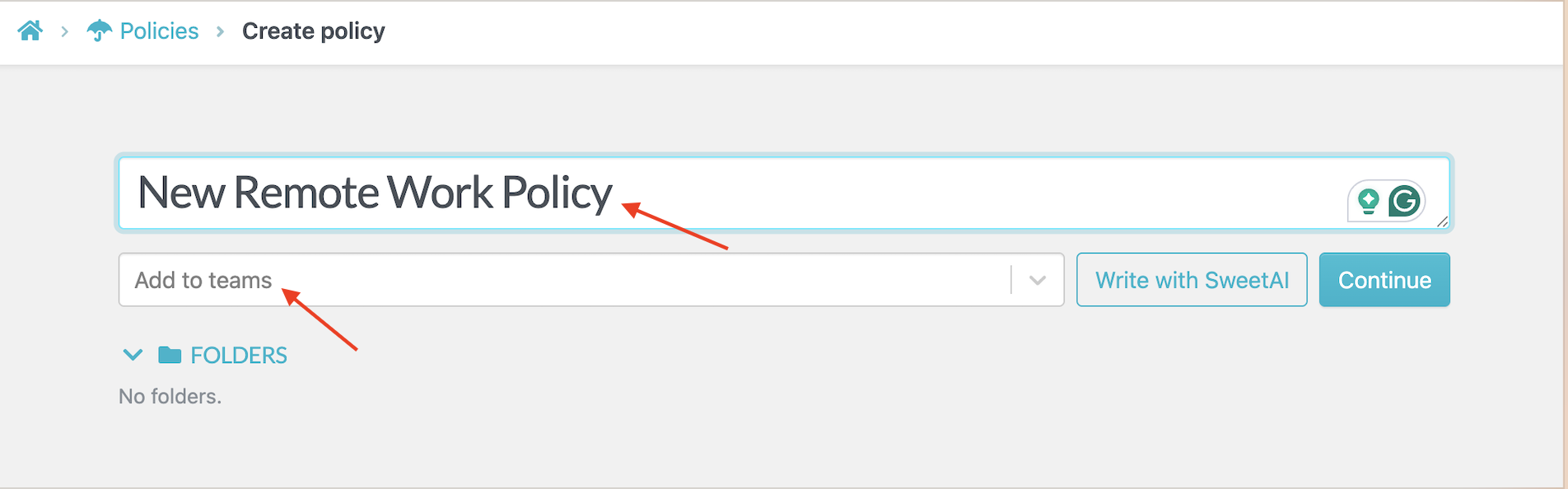
The built-in editor supports rich text formatting, embedded images, videos, and file attachments. This feature works perfectly when you’re documenting new policies or translating existing guidelines into a cleaner format.
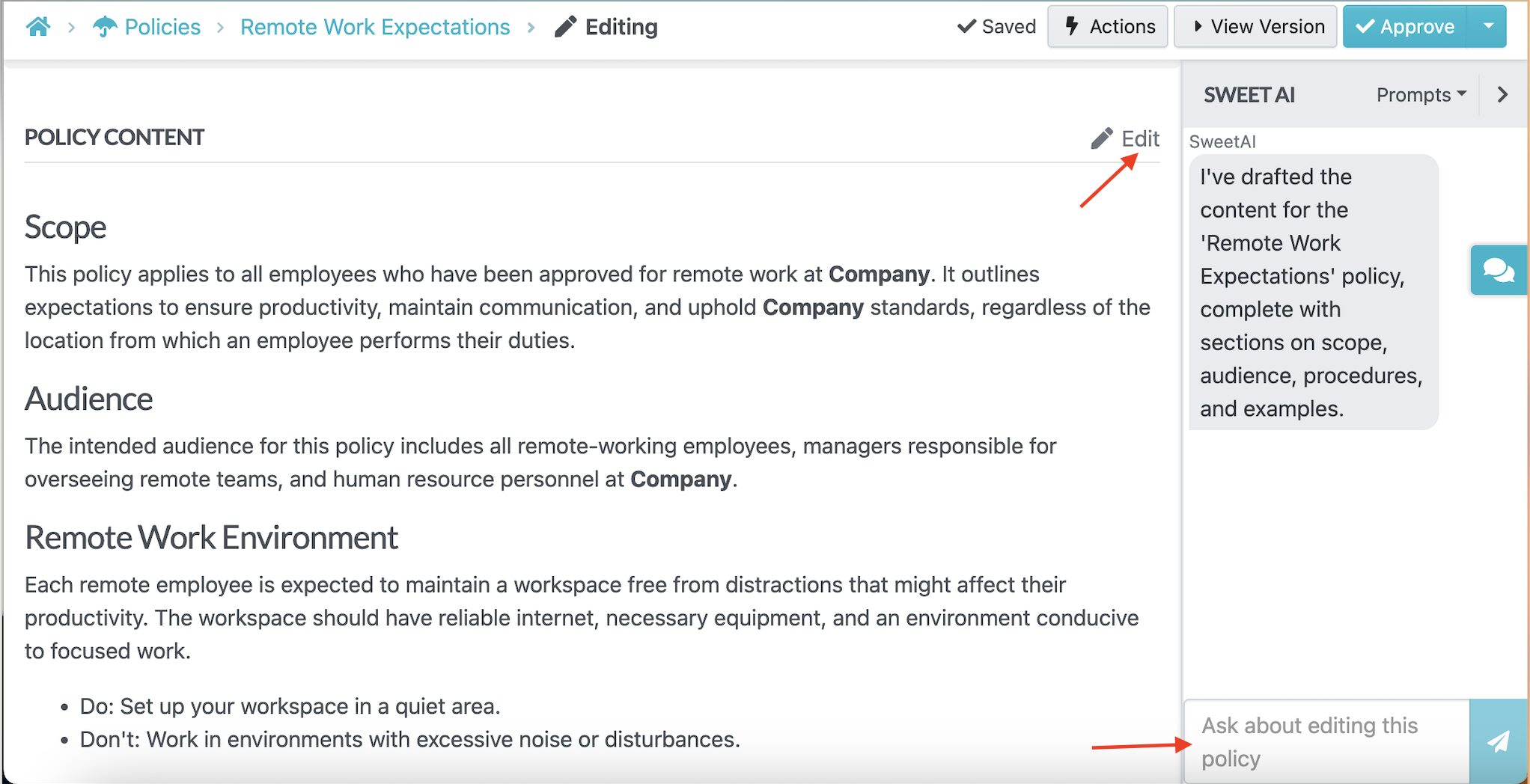
Alternatively, you can write your policy using AI. The AI assistant, SweetAI, generates your policy within minutes, once you add a title.

This feature saves you time by letting you refine the document to meet your requirements.
Once you have the first draft, you can still edit the policy using AI. Use the chat button to prompt SweetAI to add more information or delete some sections.
As an HR manager, you can create a comprehensive employee handbook in a few hours while refining it to match the brand.
Collaborate With Team Members on Policies
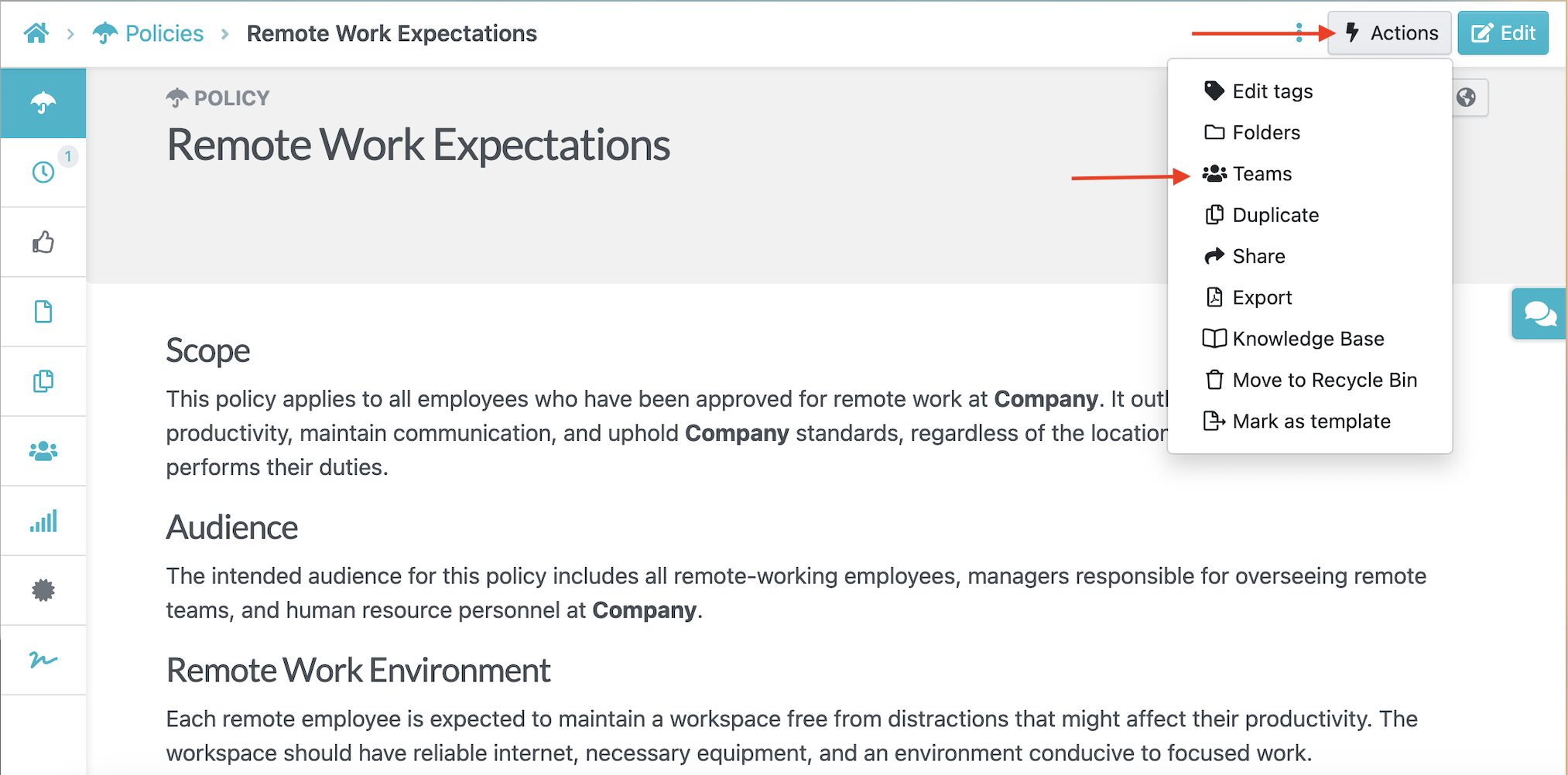
As you create your company documentation, you need a policy writing software that supports collaboration. With SweetProcess, you can assign team members to review tasks and contribute to a policy.
Additionally, you can ask them to leave comments if they have feedback on a policy draft.
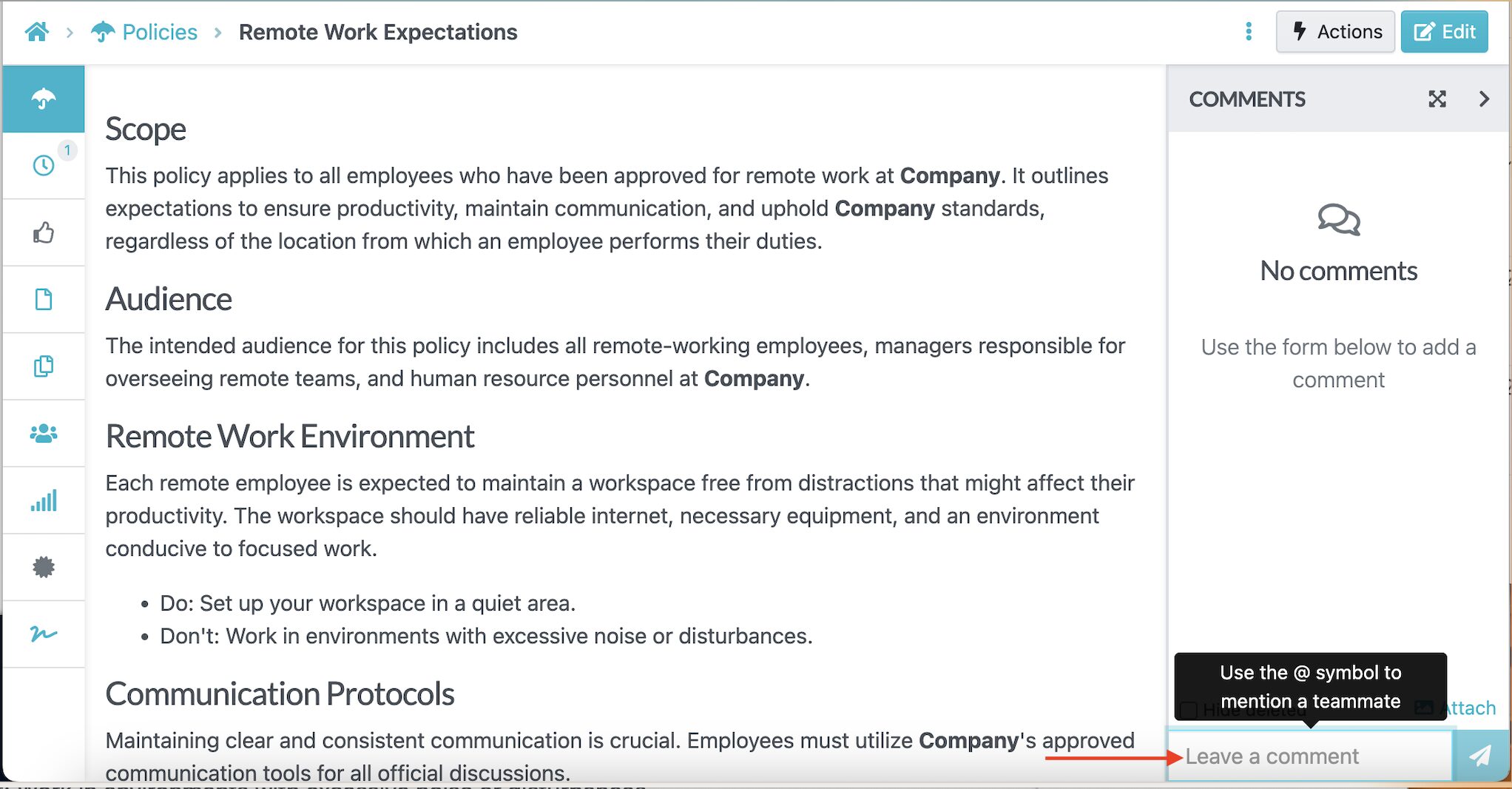
With this feature, it becomes easier to collect all the information in one platform rather than receiving multiple emails. Involving your staff in the policy creation process boosts ownership.
Format, Review, and Track Changes on Policies
Version control is where most manual policy systems fall apart. Someone updates a policy, saves it with a new date, and suddenly you have five versions floating around with no clear indication of what changed or why.
SweetProcess automatically tracks every change made to every policy. You can see exactly who edited what and even revert to previous versions if needed.
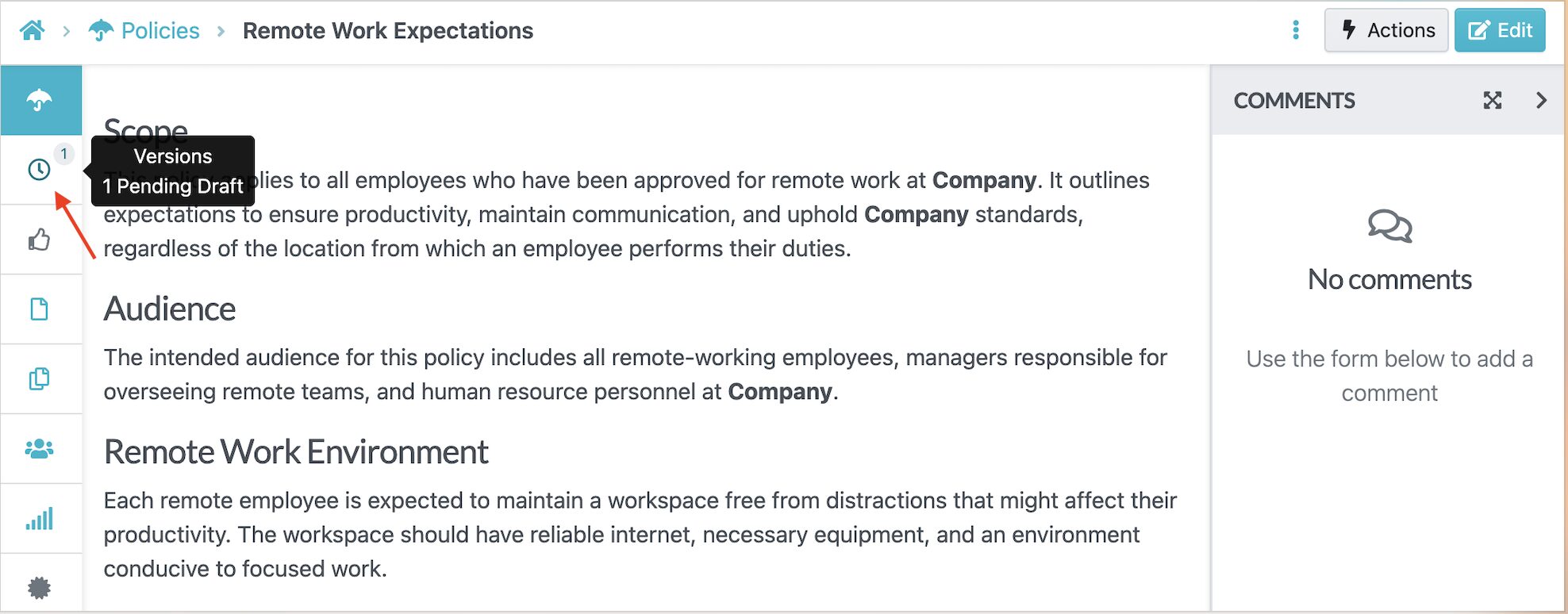
This feature comes in handy during compliance audits. You have a display of the entire revision history, which eliminates disputes and creates accountability within the team.
Additionally, you can assign the policies to reviewers to ensure that they’re within the set guidelines. For instance, your compliance officer can draft the data security policy. Your legal advisor can review it, your IT director can add technical specifications, and your COO can give final approval, all within the same platform.
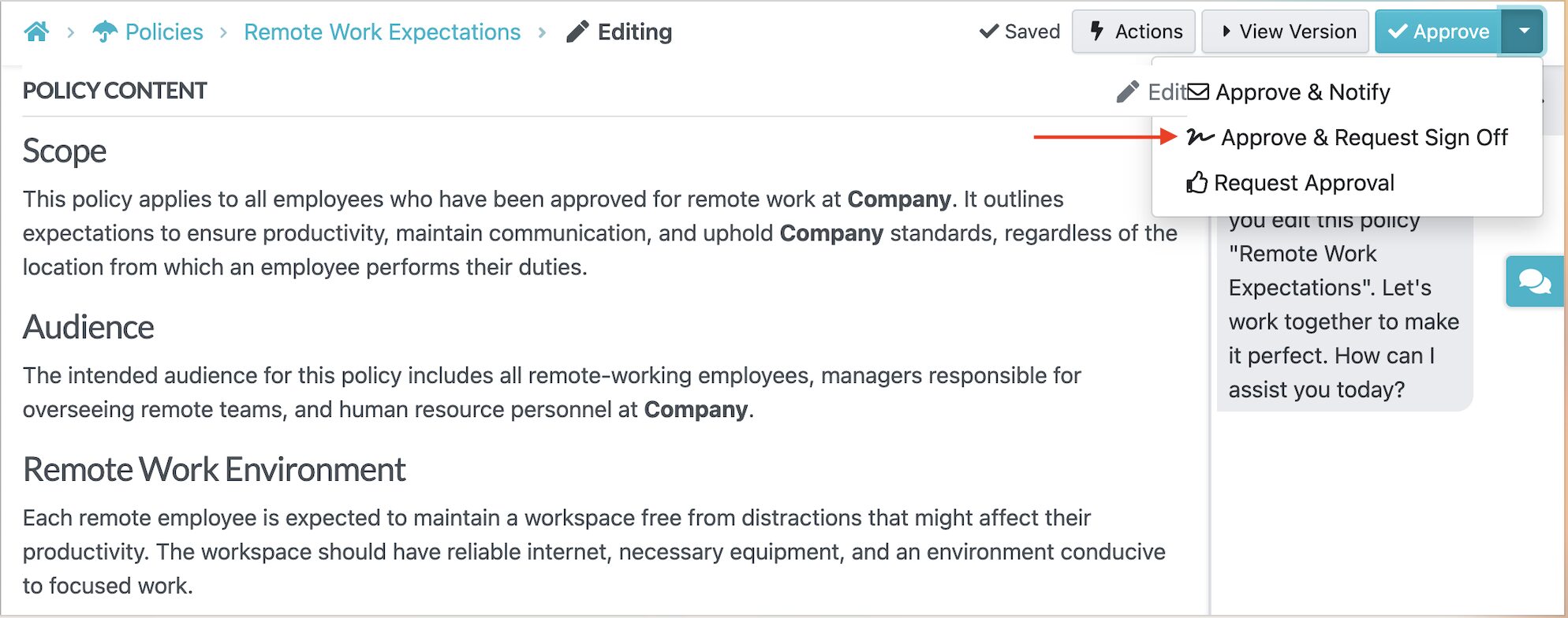
Manage, Distribute, and Set Access Permissions
Once you write your policy, the work doesn’t stop there. You need to get it to the right people.
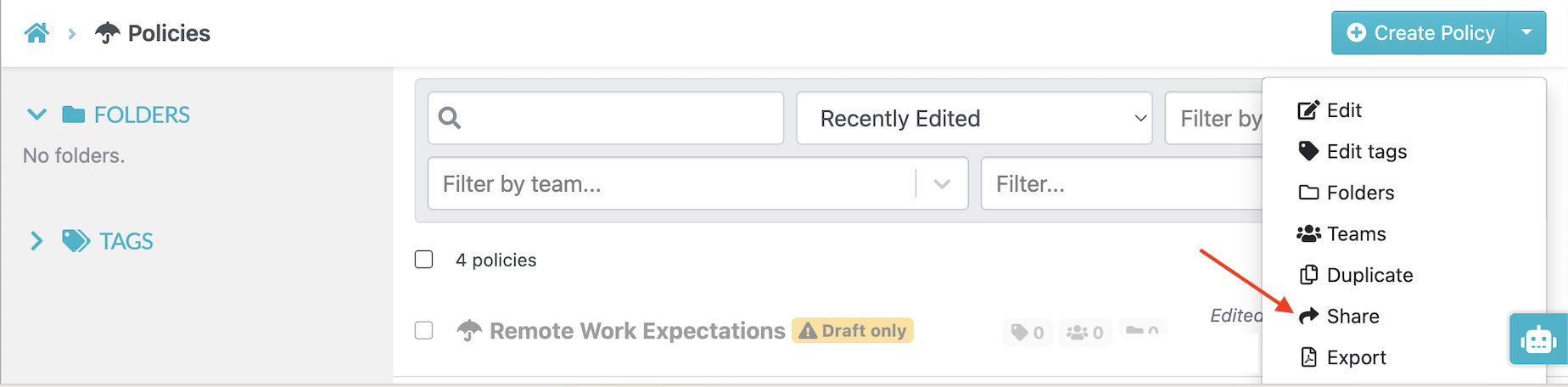
SweetProcess lets you assign policies to specific team members or entire departments. Select the policy you want to distribute from the dashboard and share it.
You can add the specific team member and include a message to give more information about what they need to do.
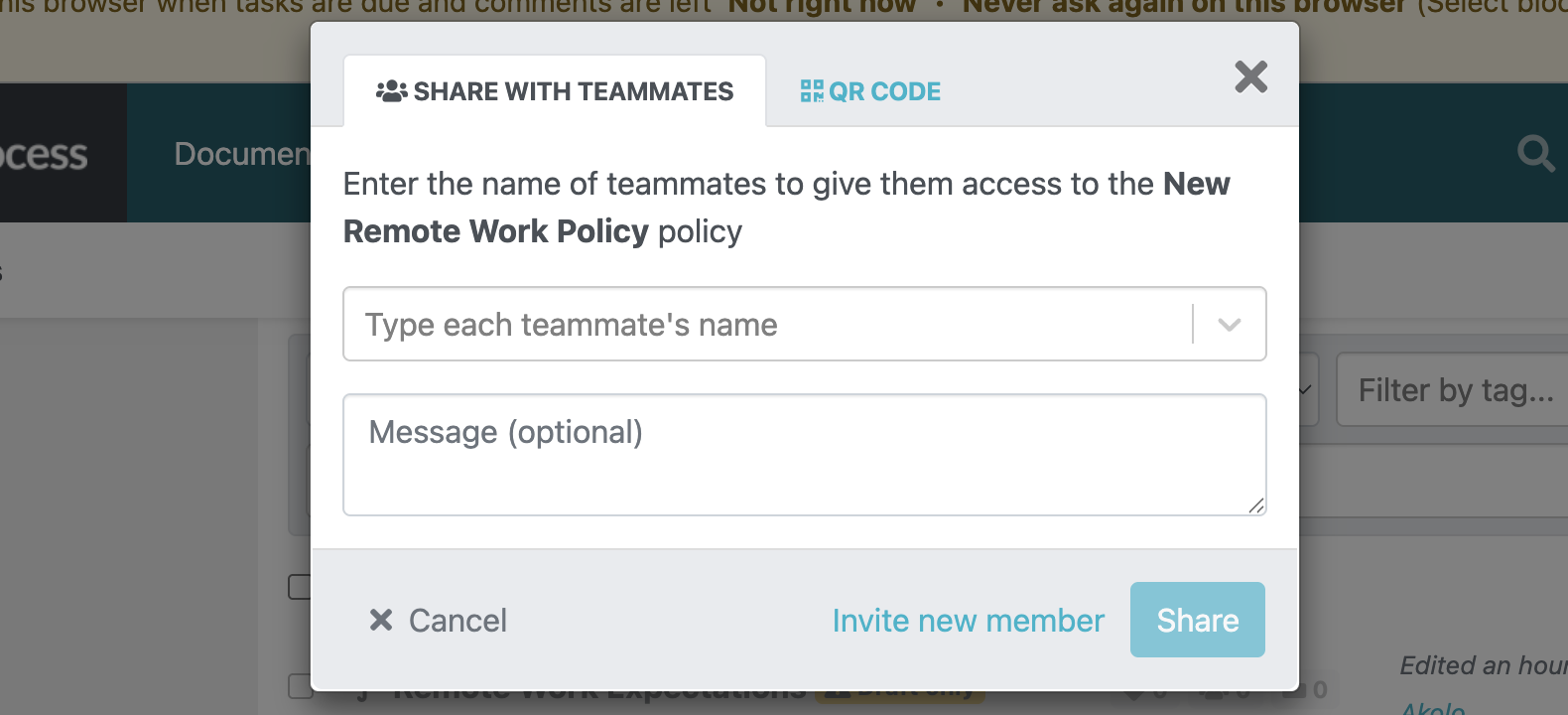
With this functionality, employees receive automatic notifications so that they can take action. It also gives access permissions for sensitive policies. For instance, your compensation policy could be visible only to executives, while the code of conduct could be available to everyone.
Manage Policies, Procedures, and Processes in One Place
You can also manage all policies from the dashboard, including exporting, deleting, editing, or duplicating documents. Instead of juggling multiple tools, SweetProcess brings your entire operations playbook together.
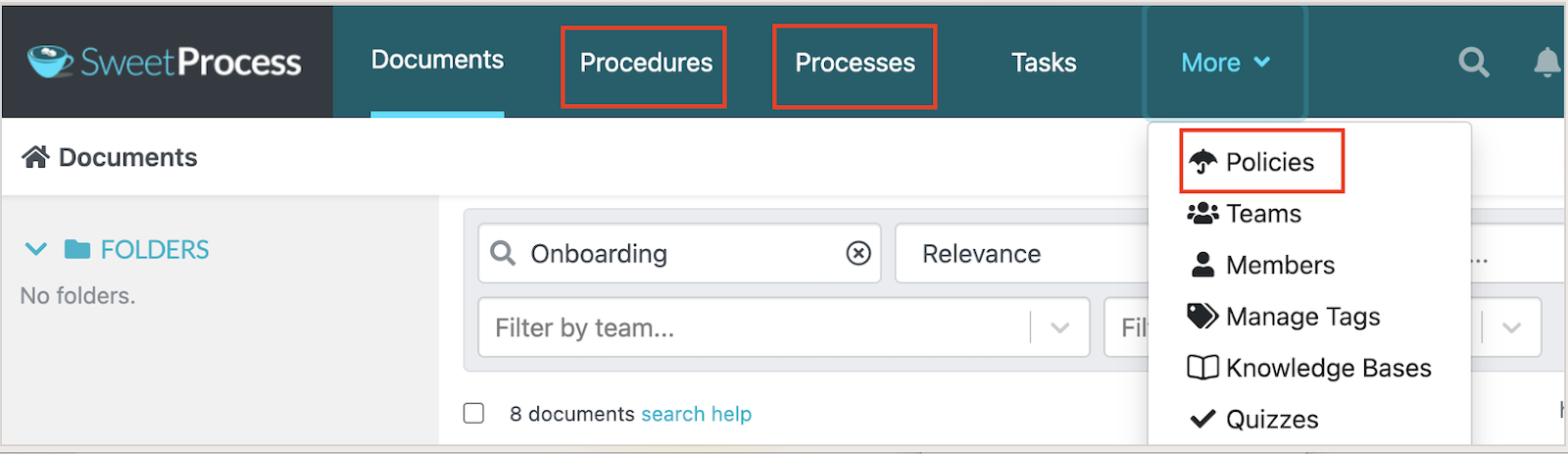
Policies connect directly to procedures and step-by-step guides, giving employees the full context they need to actually follow the rules.
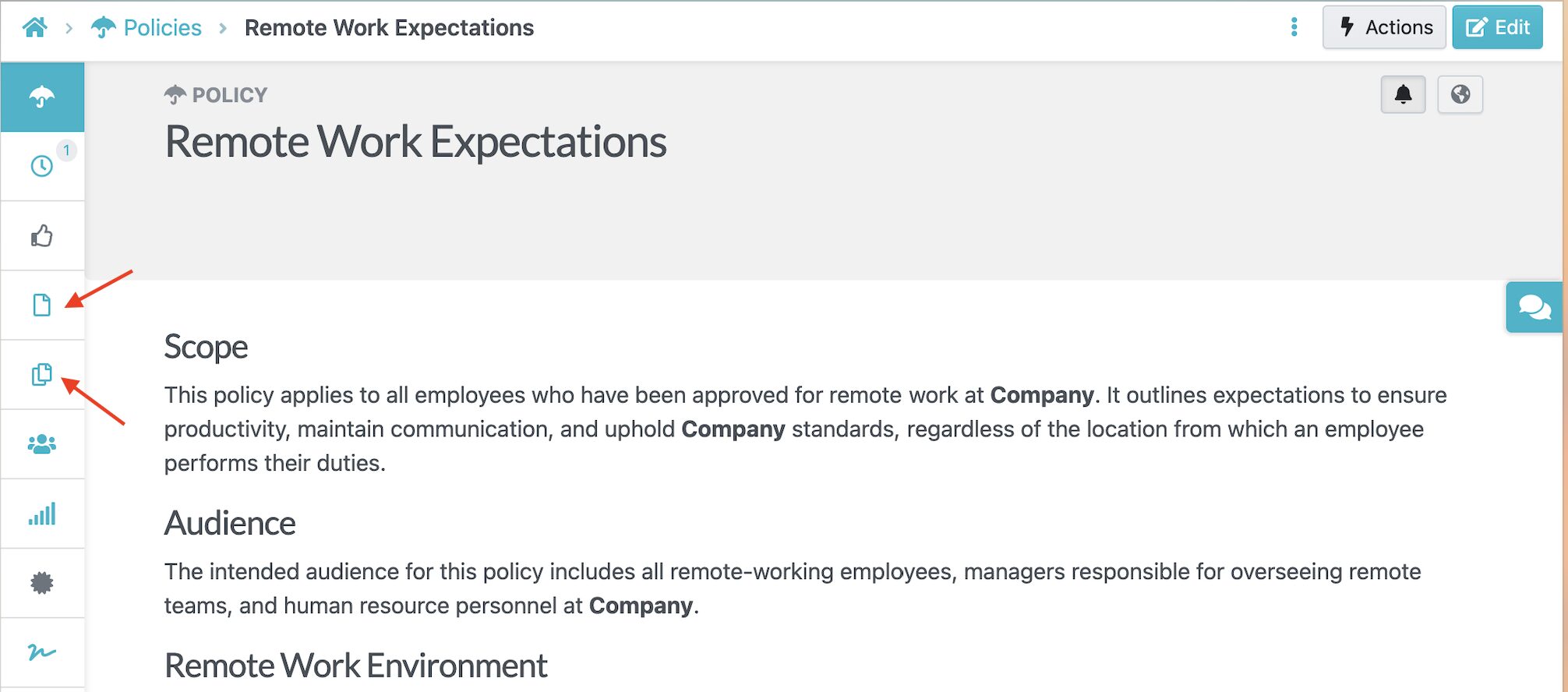
For instance, when an employee needs to understand how to handle customer information, they see the specific steps they should follow documented as procedures linked directly to that policy. This integration creates accountability and keeps operations streamlined.
SweetProcess Pricing and Support
SweetProcess offers value for money thanks to its single pricing structure. Companies pay $99 per month for 20 team members. If you add more employees, SweetProcess charges $5 per month for each additional individual. But if you opt for the annual plan, you can save 16% and pay $82.50 per month.
Additionally, all users can access all features during the 14-day free trial. You can use this period to learn how the AI policy document generator works and aligns with your team.
If you need to clarify details with SweetProcess, you can contact the support team via email, phone, or social media. There’s also a self-help guide and a help page to provide more information.
2) PowerDMS
Overview of PowerDMS
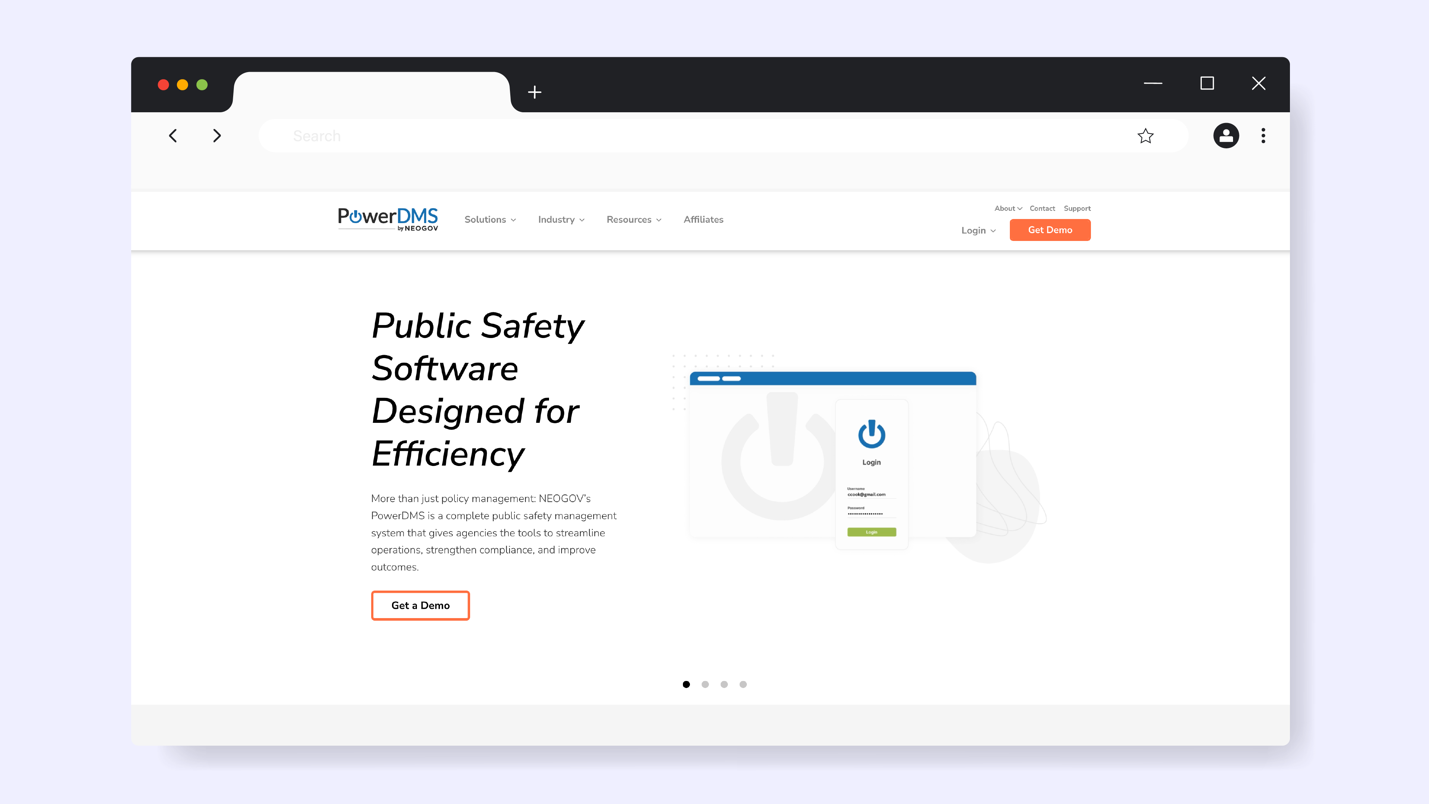
PowerDMS is a public safety management platform designed primarily for high-compliance industries like law enforcement, healthcare, fire and rescue, and government agencies. This tool is designed to handle policy management, complex accreditation requirements, regulatory standards, and strict audit trails that these industries demand.
You don’t need to use multiple tools; PowerDMS integrates systems to support training and documentation, so you’re always ready for audits.
Policy Management Features of PowerDMS
Here are the key features that make PowerDMS ideal for policy management:
- Accreditation Management and Standards Tracking: PowerDMS maps your policies directly to specific accreditation standards, such as CALEA, to alert you when there are changes.
- Automated Policy Distribution: You can route updated policies to specific employees based on their role and department and track acknowledgments.
- Audit Trails: All actions related to the policy are logged with user details to generate comprehensive audit reports.
- Training Integration: You can use this tool for training since it integrates the policies with your modules.
PowerDMS Pricing
PowerDMS uses custom pricing based on organization size and specific feature needs. The company doesn’t publish standard rates on the website. However, you can request a personalized quote through their sales team.
3) DocTract
Overview of DocTract
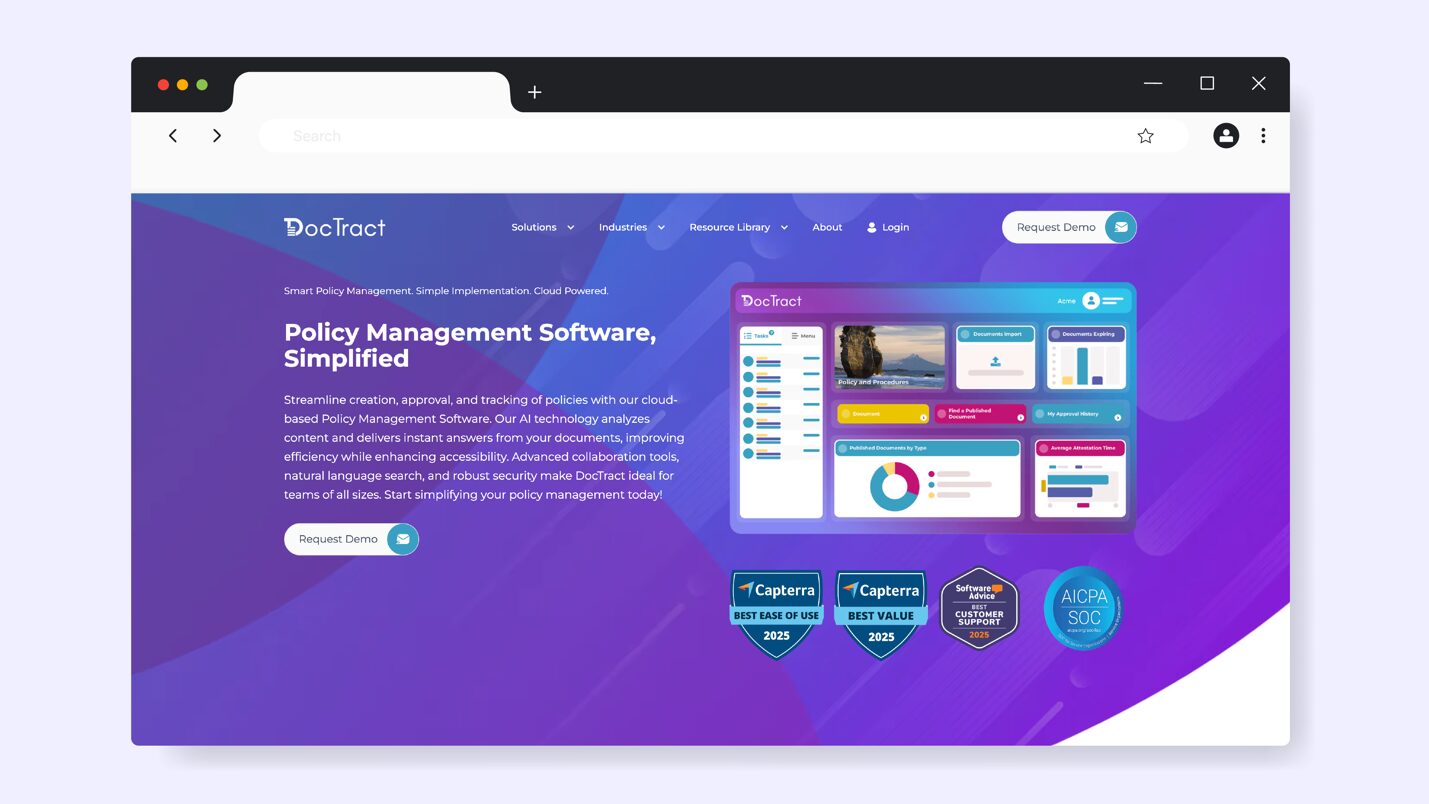
DocTract is a policy and document management platform built for organizations that need a structured way to create and maintain compliance documents. It goes beyond basic policy storage by providing a system to distribute and acknowledge the documents. DocTract uses AI technology to provide instant answers and analyze your company’s content.
This tool works for organizations in industries such as healthcare, law enforcement, education, construction, non-profit, and government agencies.
Policy Management Features of DocTract
When you sign up for DocTract, you’ll have access to these features:
- Document Lifecycle Automation: This tool manages the entire policy lifecycle with automated workflows, sending reminders to policy owners before due dates.
- AI-Powered Search: DocTract AI makes it easy to find specific policies without going through multiple documents.
- Periodic Reviews: Since all documents and messages between team members are stored in a centralized system, you can schedule comprehensive policy reviews.
- Advanced Version Control: To manage your audit trails, you can use the version management feature to track every change and update.
DocTract Pricing
To use DocTract for policy management, you have to contact the team for a quote. You can also book a personalized demo to learn more about how the tool works.
4) ConvergePoint
Overview of ConvergePoint
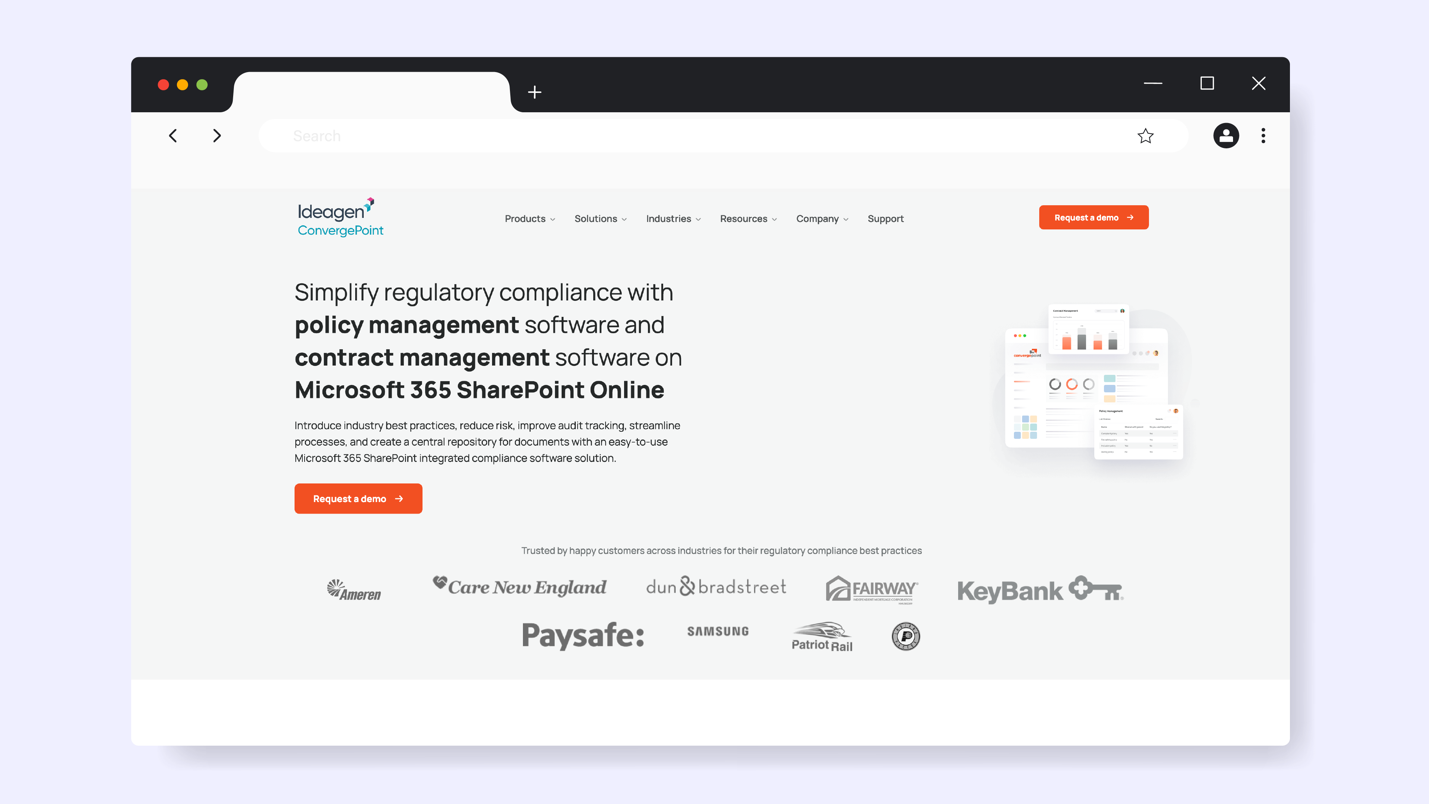
ConvergePoint is a SharePoint-based policy and compliance management solution designed for organizations already using Microsoft 365 and SharePoint. Rather than introducing a completely separate system, ConvergePoint integrates directly into your existing Microsoft environment to help you manage your policies.
You can implement this software in departments such as human resources, corporate finance, quality control, and procurement.
Teams in corporate environments may benefit from dedicated corporate policy management software built for governance and audit trails.
Policy Management Features of ConvergePoint
Here are the core features of ConvergePoint:
- Native SharePoint Integration: If you already use the Microsoft 365 interface, you can incorporate the tool; therefore, there’s no learning curve.
- Policy Attestation: Employees must acknowledge policies and confirm that they have understood the latest documents.
- Centralized Repository: The policy library lets you search and view all documents.
- Activity History: With this tool, you can keep track of all changes and comments from all reviewers, making it easy to maintain audit trails.
ConvergePoint Pricing
ConvergePoint doesn’t disclose its pricing on the website. Users must request a custom quote from the team.
5) NAVEX PolicyTech
Overview of NAVEX PolicyTech
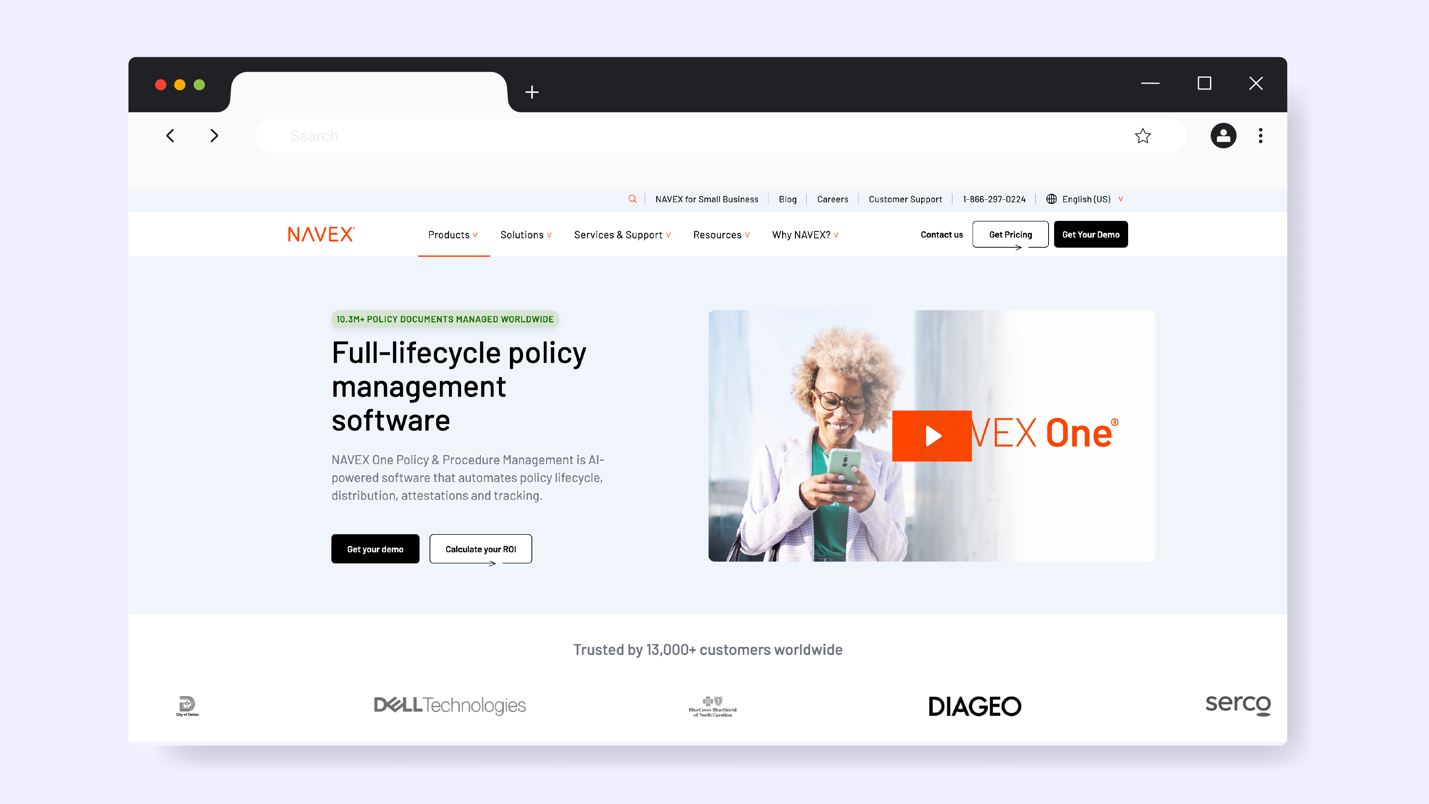
NAVEX PolicyTech is a comprehensive policy and procedure management solution built for organizations with complex regulatory requirements. With this tool, you can centralize the full lifecycle of your policies, from creation and review to distribution and acknowledgment. It’s an ideal tool for companies handling policies across multiple branches and jurisdictions.
PolicyTech integrates with NAVEX’s broader compliance suite, including third-party risk management and incident reporting systems.
Policy Management Features of NAVEX PolicyTech
Here are the core features of this policy management tool:
- Enterprise-Scale Policy Governance: If you have policies for multiple departments and regional branches, you can use NAVEX to manage everything in one place.
- Multilingual Support: The platform allows you to translate policies and make them available to your employees across different regions.
- Lifecycle Management: When switching from manual processes, you can use it to track the entire policy lifecycle from creation to archiving.
- Searchable User Portal: Your team members can easily search and find the policies they need to execute their tasks.
NAVEX PolicyTech Pricing
Since the company doesn’t list the cost on its website, you’ll need to request a quote. The NAVEX PolicyTech team will tailor your costs based on your risk and compliance needs.
6) LogicGate
Overview of LogicGate
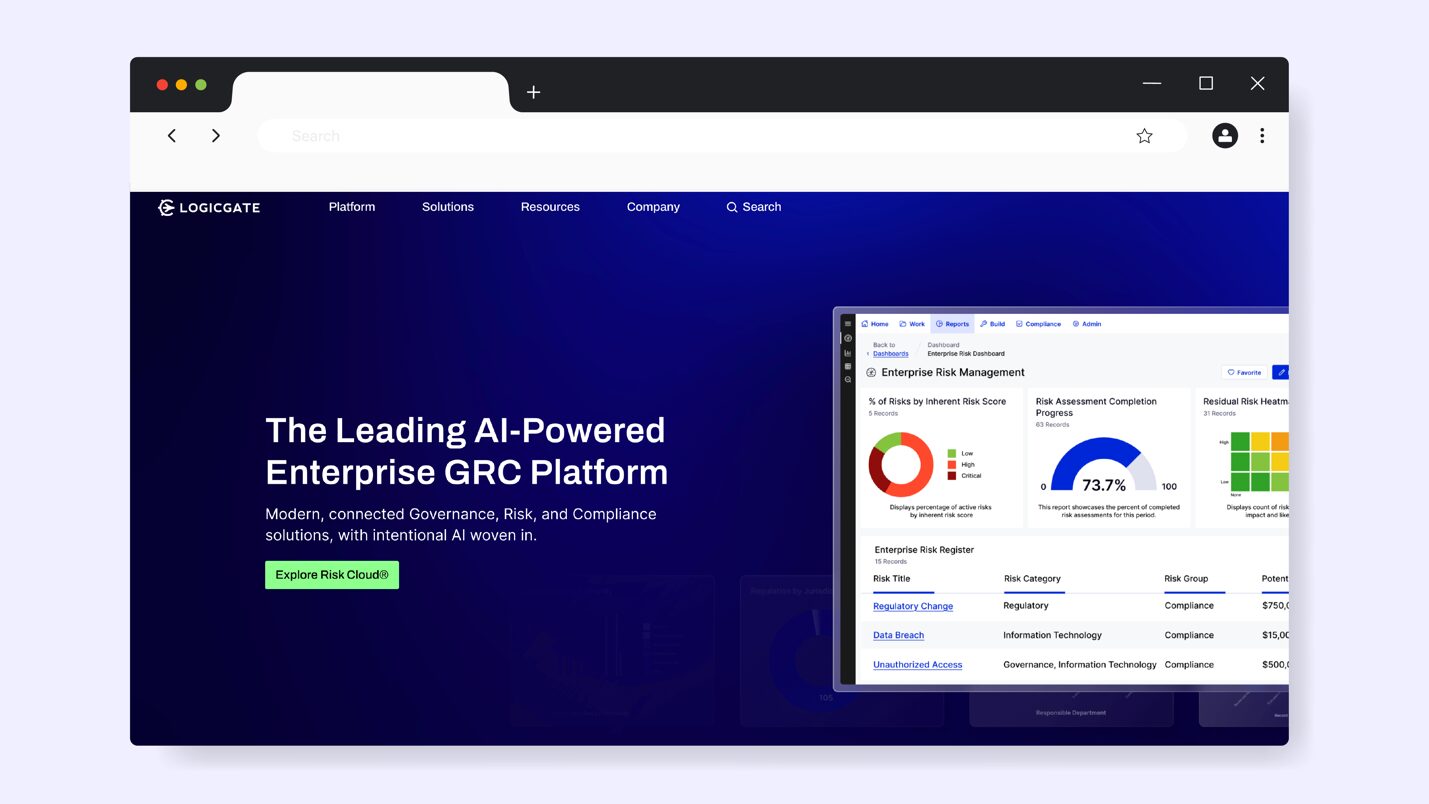
LogicGate is a flexible, no-code governance, risk, and compliance (GRC) platform that organizations use to scale policy management. Because of this, your team can use the tool to customize workflows, even without technical expertise. The software is adaptable, making it easy to tailor your policies to changing organizational needs.
The LogicGate solution will work for you if you need a policy tool to manage data privacy, regulatory compliance, enterprise risk management, and AI governance.
Policy Management Features of LogicGate
With LogicGate, you get these features:
- No-Code Workflow: LogicGate’s drag-and-drop interface lets you set up the policies without any complications.
- Reporting Features: You can use the board-level reporting dashboards to view real-time reports on risk ratings and policy status.
- Cross-Functional Collaboration Tools: With this feature, your teams can easily collaborate on a policy even if they don’t work in the same departments.
- Automated Workflows: Manual processes, notifications, and repetitive tasks are automated to reduce human error. You can easily track projects and ensure that policies are aligned.
LogicGate Pricing
To use LogicGate for policy management, you have to consult the team for a quote. The pricing will be determined by the size of your organization and the issues you want to solve. You can also get add-ons to streamline your compliance work.
7) ComplianceBridge
Overview of ComplianceBridge
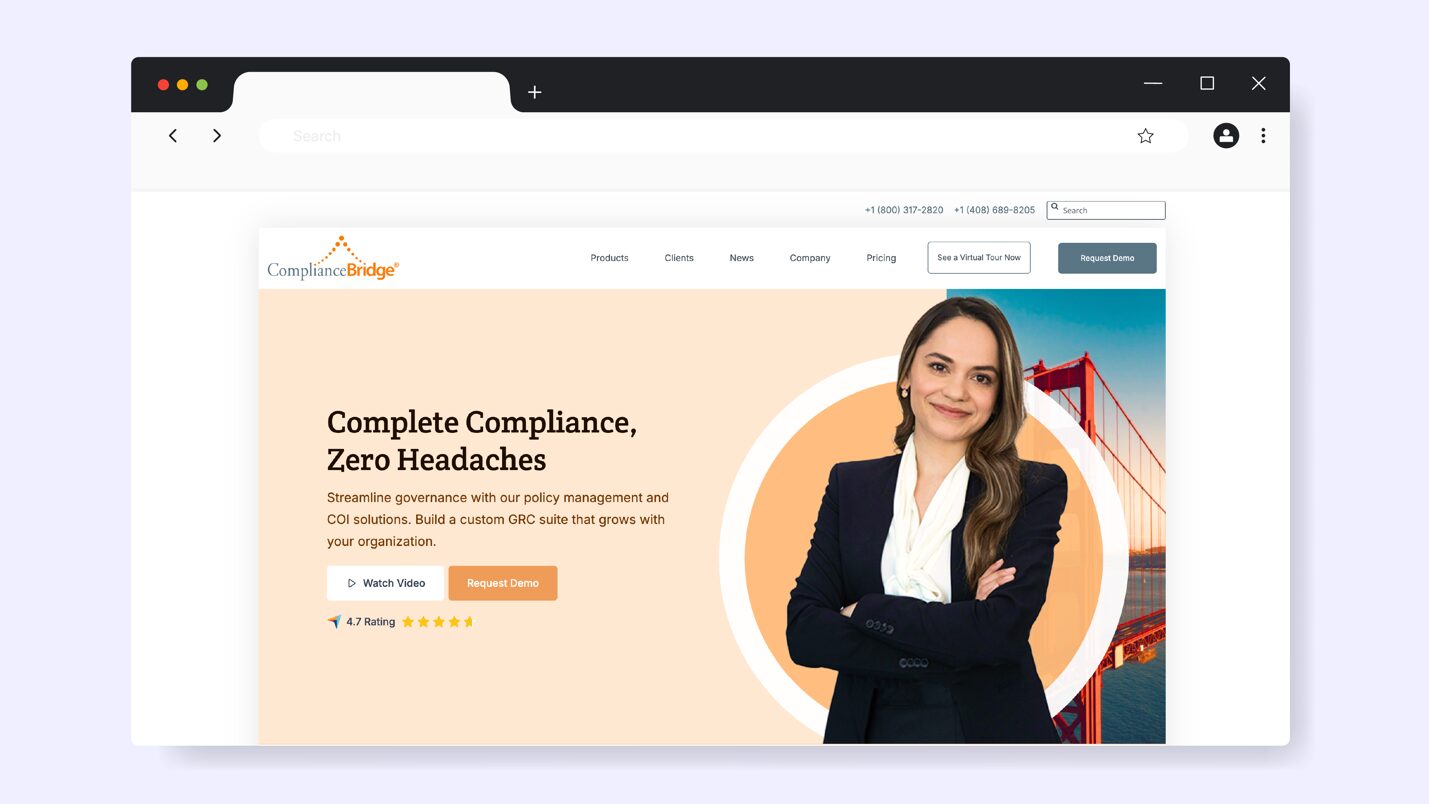
ComplianceBridge is a policy management platform that helps organizations automate the entire lifecycle of their compliance documents. It combines policy administration, learning management, and audit tracking into a single integrated system. With this tool, you can reduce administrative costs by centralizing all company policies.
You can use the platform in industries that require continuous improvement such as manufacturing, higher education, healthcare, and finance.
Policy Management Features of ComplianceBridge
Here are the core features of this software:
- Collaboration Tools: Your team can co-create and revise policies in real time thanks to collaboration features.
- Employee Acknowledgement: Once you make changes to a new policy, the system enables you to communicate with the whole team and get confirmation.
- Policies Import: If you have existing policy templates, you can import them into the system and tailor the documentation.
- Multiple Integrations: ComplianceBridge integrates with tools like Google Docs and Microsoft 365, making it easy to work on a single platform.
ComplianceBridge Pricing
To use ComplianceBridge, you can choose between the three pricing tiers: Silver, Gold, and Platinum. The Silver option offers basic functionality, while Gold and Platinum come with advanced features. You have to contact the team for the actual cost.
8) Mitratech
Overview of Mitratech
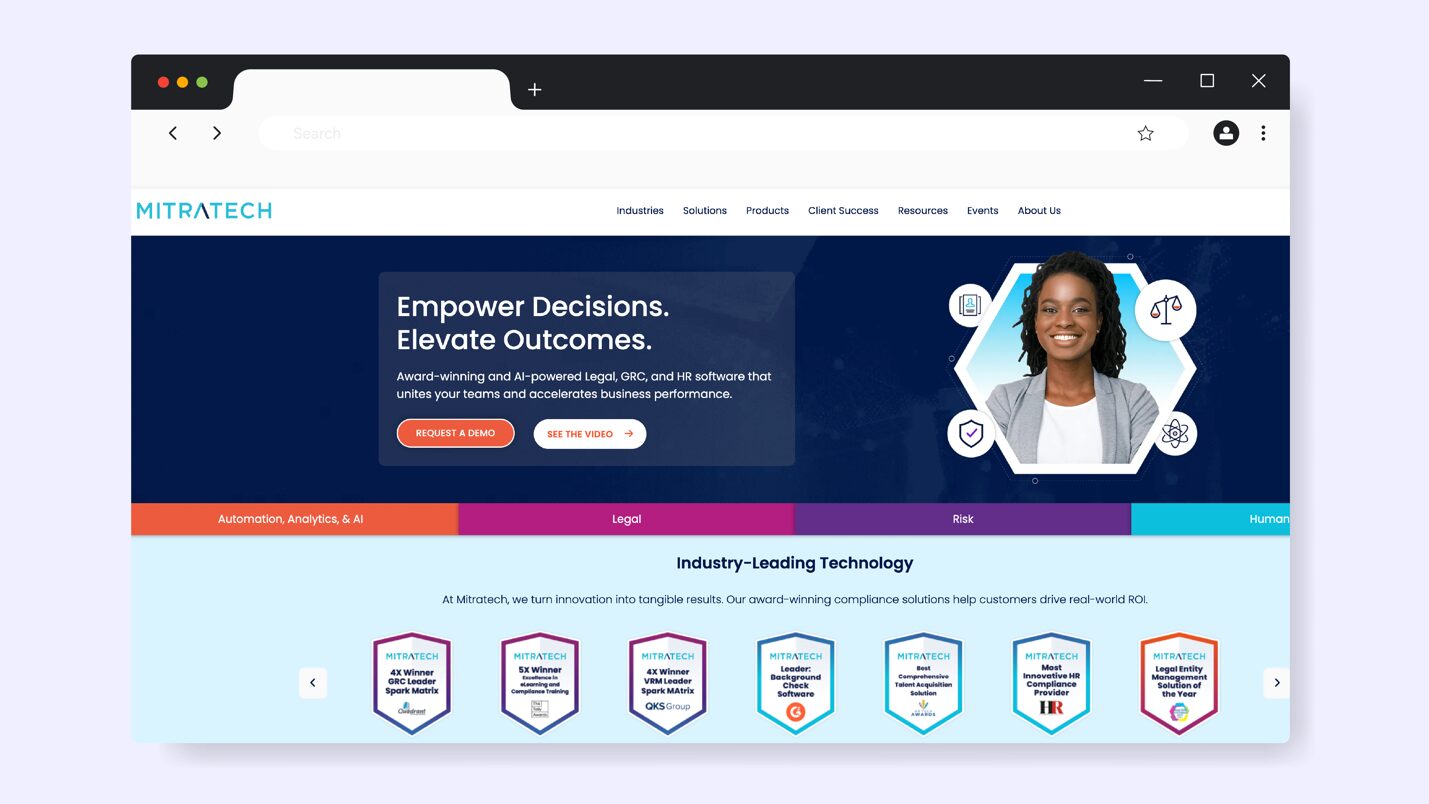
Mitratech is a cloud-based compliance and HR solution that helps you manage policies. By relying on automation and AI-driven analytics, this software reduces the gap between your legal and risk departments. It integrates with enterprise governance platforms and HR tools, making it ideal for cross-functional collaboration.
The platform supports mid- to large-sized enterprises that focus on the legal and regulatory elements of policy management.
Policy Management Features of Mitratech
Mitratech comes with these features:
- Comprehensive Audit Trail: Every action within Mitratech is logged with detailed audit trails that meet legal and regulatory standards.
- Organized Policy Library: Your team can easily find a policy thanks to the platform’s detailed categorization system.
- Legal Workflow Integration: For your policies to be compliant, Mitratch connects with proper legal review workflows.
- Role-Based Access: Users see only the policies relevant to their role to control sensitive information.
Mitratech Pricing
If you want to sign up for a Mitratech account, you have to get a quote from the company.
9) VComply
Overview of VComply
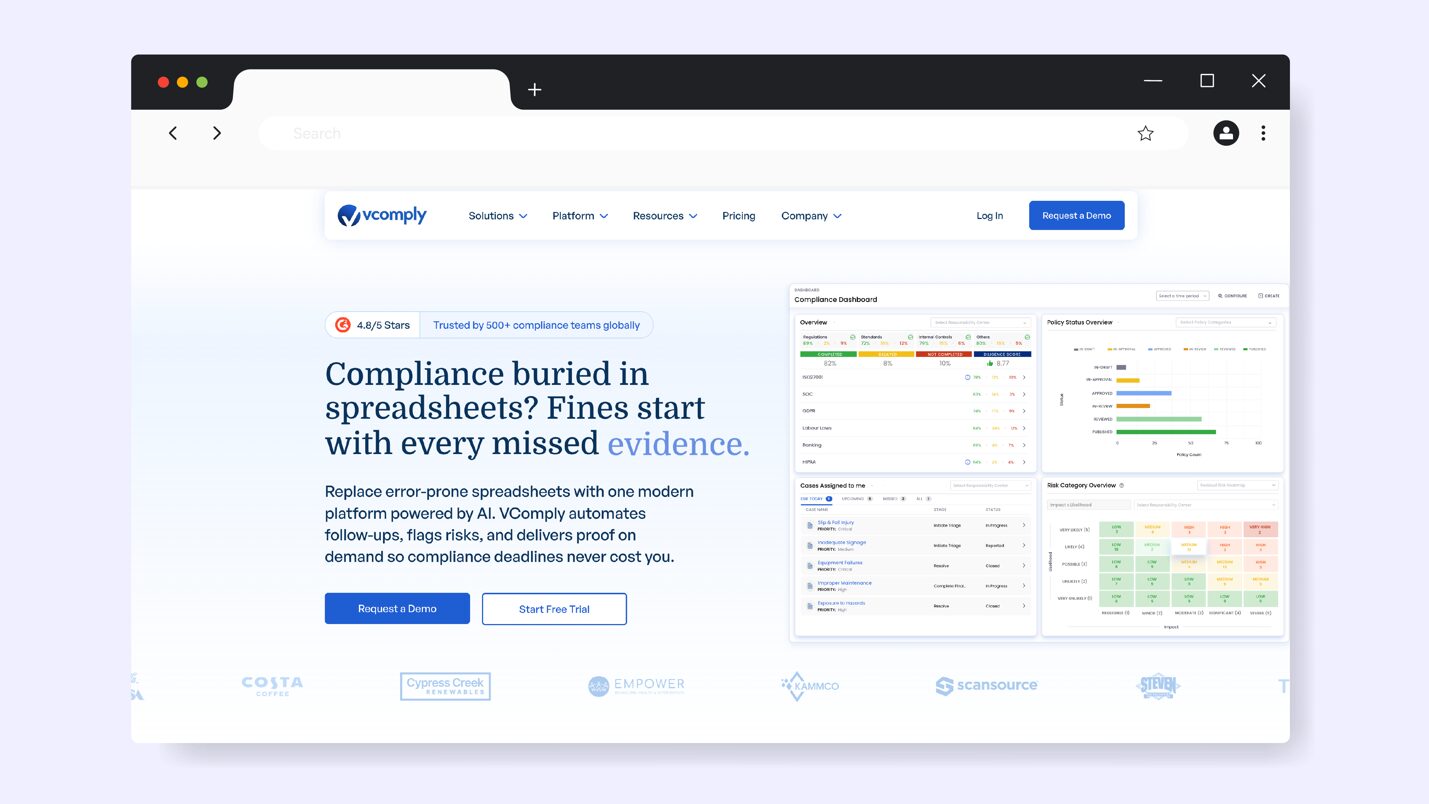
VComply is an AI-powered compliance management platform that helps businesses stay audit-ready. This software offers a user-friendly interface; therefore, your team doesn’t require extensive training to implement it. VComply is ideal for organizations building their first formal compliance program or transitioning from manual spreadsheets and shared drives.
You can use the tool for industries such as financial services, healthcare, energy, food and beverage, technology, and professional services that need structured compliance management.
Policy Management Features of VComply
Here are the key features of VComply:
- Centralized Policy Repository: This tool has a structured policy library with all documents, so you don’t need multiple platforms.
- Task Assignment: To help you achieve compliance, VComply enables you to allocate tasks to the right employees.
- Automated Reminders: The smart alerts and automated escalations are especially helpful when you have a deadline—they keep every employee accountable.
- Easy Uploads: If your team works in the field or remotely, they can upload documents and incident reports to keep your organization compliant.
VComply Pricing
VComply offers three pricing tiers. The Start-Ups & Non-Profits option is designed for growing teams. You have to request a custom price for this plan. The PRO GRC Suite is ideal for companies switching from manual spreadsheets and starts at $1,000 per month. You can also get a custom quote for the Enterprise GRC Suite, which gives you a fully customized solution.
How SweetProcess Supports Policy Management
Now that you know the features of SweetProcess, here’s how this tool consistently supports policy management to help you maintain compliance.
Automated Policy Creation
What if you could draft a complete employee handbook in an afternoon instead of spending weeks staring at blank pages? SweetProcess’s AI makes it easy to write your policies by making it a manageable task. Once you add a title like “Social Media Policy for Healthcare Employees,” SweetAI produces a comprehensive first draft.
This AI assistant considers your business needs and existing steps and procedures to customize a policy that you can refine. You can also access policy templates so you don’t have to start from scratch every time. And once the draft is ready, you can tag the necessary team members to contribute their input and review before publishing.
Unified SOP and Policy Creation System
Your expense reimbursement policy says employees should submit receipts within 30 days. But where’s the actual procedure showing them how to submit those receipts? In most companies, the policy lives in one system while the procedure exists in someone’s email or, worse, only in verbal instructions passed between colleagues.
SweetProcess eliminates this disconnect by storing the policies, procedures, and processes in a single unified system where they can be referenced and linked to one another. Your team doesn’t have to be confused about the differences between the SOPs and policies because they are all clearly defined.
The Belvidere Community Unit School District faced a similar challenge in which all their policies and procedures were scattered across Google Docs, Microsoft Word files, and handwritten notes. As a result, many staff members didn’t even know key processes existed. This situation was risky because the company is required to abide by regulatory requirements.
But once the director of quality assurance, Sarah Brenner, took over, she discovered SweetProcess. The organization could now centralize all the policies and procedures and make them accessible to everyone. She says,
“Our current communication with parents for our district handbook is like a PDF or Google Doc. We are starting to think through putting that in the platform so it can be readily accessible [so] that if parents access a link, instead of reading a huge document that’s 90 or 100-plus pages, which no one looks through the whole thing, they can say, ‘Oh, how are you handling athletics?’ or ‘What’s your policy for this?’ and then they can utilize that search function more readily, finding the information they need.”
Built-in Acknowledgment and Activity Tracking
There’s no point in publishing a policy if your entire team doesn’t read it. You need policy management software like SweetProcess that supports commenting, real-time tracking, and notifications. Therefore, you can assign a policy to a specific employee or department with a single click, and they can receive that alert to start working on the task.
From the “Tasks” menu, you can also view progress to determine who needs reminders and which employees are done. With this level of visibility, you can track every activity and generate audit reports.
Version History and Audit Trail
“But the policy I read last month said something different.” If this statement is a common occurrence in your organization, you might be risking your compliance. Saving files with confusing names or in multiple tools could lead to confusion within your team. SweetProcess automatically tracks every change made to every policy, making it easy to audit your work.
The version control feature allows you to see who edited the policy and the changes they made. You can also revert to an older version. With these records, you don’t have to worry about your compliance.
Simple User Interface
Complex policy software often requires a three-day training course and a long manual to maintain the system. Keep in mind that not everyone on your team is tech-savvy, and that’s exactly why SweetProcess keeps its interface intuitive. Employees can log in and search for a policy in seconds without any training.
Turkstra Lumber implemented SweetProcess into its operations for this reason. Initially, the company had documented processes in Excel. However, there was no coordination within the team, which led to so many inconsistencies. The business intelligence and lean Six Sigma champion at Turkstra Lumber, Jamie Ramsden, turned to SweetProcess to fix the issue.
According to Jamie,
“The thing that caught my attention first was just something simple and visual, which is that SweetProcess automatically makes you a little flowchart as you enter your steps for any process. People understand things in different ways, and a lot of our staff really like that if they can get a visual representation immediately.”
The software was easy for the team to use, and also made it easier to streamline operations.
Key Features To Consider Before Choosing a Policy Management Software for Your Business
Before you commit to any policy management software, it’s important to understand which features will actually make your compliance workflows easier. Here’s what to consider:
Centralized Policy Repository
Imagine trying to find an important policy and discovering five different versions saved across Google Drive, someone’s desktop, printed binders, departmental folders, and an email chain from last year. This fragmentation creates compliance risks, especially when employees follow outdated policies or managers can’t produce current documentation during audits.
A centralized policy repository provides a single, authoritative source for all company policies. Select software that offers robust search functionality and logical organization with tags and categories. Your team should be able to find the latest policy in seconds.
Automated Policy Creation, Approval, and Review
Have you ever spent weeks chasing down approvals for a simple policy update? Automation solves this problem by routing policies to the appropriate approval chains without manual intervention. The policy software automatically notifies the next reviewers to ensure it’s approved immediately and published.
Additionally, you can add automated review schedules to remind you when the policy needs to be updated.
Demchig G, a compliance and project management specialist, points out a fundamental issue that automation helps address. Policies frequently fail because they’re written poorly from the start. When organizations treat policy documents as legal formalities rather than practical communication tools, they end up with content that’s either too vague to be useful or so technical that frontline employees can’t understand it. He argues that effective policies should provide clear starting points and actionable implementation steps.
The best policy management software supports this approach during the creation phase by helping teams draft documents that everyone can understand and follow.
Collaboration and Version Control
Let’s say your compliance officer drafts a new remote work policy. Your legal advisor needs to review it. Your IT director wants to add security requirements. Your operations manager has concerns about the proposed schedule flexibility. How do these four people collaborate without creating four different document versions?
You need a tool that provides clear version control showing who has made edits. Look for platforms that allow multiple stakeholders to contribute simultaneously and leave comments without creating duplicate files.
Compliance Signoff and Tracking
Did everyone acknowledge the updated code of conduct? You need a tool to track who has read the policy and who needs reminders.
As Scott Pepper, an operations leader, puts it: “Smooth operations without compliance = possible short-term gains, but tangible long-term risk. Rigid compliance without operational fluency = cumbersome controls that slow execution and frustrate teams.” This insight captures why acknowledgment tracking matters beyond just checkbox compliance.
The right system makes compliance tracking so effortless that it doesn’t slow down operations or burden employees with complicated processes. Select a policy software that allows you to send reminders and follow up on progress from the dashboard.
Permission and Security
Not every policy should be visible to every employee. For instance, your disciplinary procedures need restricted access, while your general code of conduct should be accessible. If your tool treats all policies the same, it could compromise confidentiality.
As you select a tool, check if it offers granular permission controls that let you define who can view, edit, approve, or manage each policy. Additionally, the best platforms maintain security through features such as single sign-on integration and audit logs that show who accessed sensitive policies and when.
Intuitive Interface
If you hire new employees, can they navigate your policy software? You need a tool that makes adoption easier. If employees can’t find policies easily or if creating a new policy requires ten steps, they may abandon the system.
Invest in a policy documentation platform with:
- Logical organization
- Search functionality
- Actions that require minimal clicks
- Clear instructions
This way, you won’t have a steep learning curve, and employees will actually want to use the software.
Mobile Access
If you have remote or hybrid teams, you need mobile access to keep operations going. This feature is essential because it gives the team access to all policies even if they are on the move. Your software of choice should make it easy to search the documents to find a policy and access linked procedures.
With this feature in place, your team will be more responsive. In addition, you can track assignments and avoid any hiccups.
Why Use Policy Management Software?
The shift from manual policy management to dedicated software will transform operational consistency. Implementing policy management software has long-term impacts on your organization. Here’s what your business stands to gain when you adopt the right platform:
Better Transparency
It’s risky having your team follow different versions of the same policy. You won’t have clear visibility into which document was approved last or which updates have been made. You need a tool that creates a single source of truth. Managers and supervisors can view progress and identify which gaps require documentation. Additionally, the staff now knows where to find the correct version, reducing mistakes.
Enhanced Governance, Risk, and Compliance (GRC)
With manual systems, you can keep up with the pace of regulatory change. There are new standards and guidelines every few months or years that you need to track and implement. Policy management software centralizes your controls, ensures policies align with regulatory standards, and creates clear audit trails, resulting in faster audits and fewer compliance gaps.
Increased Operational Efficiency
If your staff spends hours searching for policies and waiting for approvals, you are building inefficiencies across the organization. You need to automate processes to make it easy to review policies, sign off, and approve changes. You need this tool to help you send reminders and view recent document versions without leaving the platform to send an email. The result? Your team will make faster decisions, and your operations will be more seamless.
Better Employee and Leadership Engagement
Policies often fail because employees don’t feel involved in them. A good policy management system encourages document collaboration. Employees can give feedback and understand why certain changes were made. On the other hand, the leadership team can monitor acknowledgment rates and address concerns proactively. This shared visibility helps employees feel more connected to organizational decisions.
Improved Incident and Crisis Response
When an incident such as a data breach or compliance violation happens, every second counts. You need immediate access to the correct emergency procedures and response guidelines. For instance, if there’s a safety issue at the factory, you need a tool that allows you to quickly check and follow the documented steps. If all the information is centralized, it becomes easier to prevent escalation and solve a crisis.
Which Policy Management Software Is the Best for Your Business?
Every policy management tool listed in this guide offers something valuable. Some platforms shine in compliance-heavy industries that need deep audit trails and advanced approval workflows. Others are better suited for large organizations operating within Microsoft ecosystems or teams that need strong integrations with risk and governance tools.
However, the right choice depends on your company’s size, regulatory environment, documentation needs, and the level of structure required for your policy workflows. But if you’re looking for a user-friendly solution that works for small to mid-sized teams, SweetProcess is the best policy management software with an all-around option. Your policies seamlessly integrate with procedures and processes, making it easy to stay compliant.