Last Updated on June 23, 2026 by Owen McGab Enaohwo

When teams struggle with inconsistency, errors, or slow onboarding, they often assume they have a process problem. In reality, many businesses already have processes. The real issue is that those processes aren’t translated into clear, usable work instructions employees can actually follow.
That’s exactly where work instructions software comes in. It helps you document, standardize, and actually utilize your work processes across your team.
If you’re looking for software that helps you create clear, actionable work instructions and ensures your team actually follows them, then you’re in the right place.
Table of Contents
Work Instruction Software Comparison Table
What Is Work Instruction Software?
What Makes the Best Work Instruction Software?
8 Best Work Instruction Software in 2026
Core Features To Look for in Work Instruction Software
Benefits of Using Work Instruction Software
How To Choose the Right Work Instruction Software
FAQs About Work Instruction Software
Create and Manage Your Work Instruction Using SweetProcess
Work Instruction Software Comparison Table
To help you quickly compare your options, here’s a side-by-side breakdown of the top eight work instruction tools based on pricing, use case, and what makes each one stand out:
| Tool | Best For | Starting Price | Free Trial | Key Differentiator |
| SweetProcess | Cross-industry work instructions | $99 per month | Yes | Work instructions, tasks, training, in one system |
| VKS | Manufacturing digital work instructions | N/A | Yes | Real-time production data + IoT integration |
| Dozuki | Manufacturing procedures | N/A | No | Workforce development |
| Scribe | Auto-capturing browser-based workflows | $35 per seat per month | Yes (Free trial) | Step-by-step guides from recording |
| Poka | Enterprise connected worker platforms | Custom pricing | Yes | Work instructions + skills tracking and analytics |
| SafetyCulture | Safety-focused work instructions | $29 per seat per month ($24 annually) | Yes (Free trial) | Real-time mobile-first inspections |
| Tango | Quick how-to documentation | $15 per month per user | Yes (Free trial) | In-app guidance |
| Dokit | Multilingual work instruction | Starts from 60€ per month | Yes | Strong multilingual support |
What Is Work Instruction Software?
Work instruction software is a digital tool for creating, managing, and distributing step-by-step instructions that guide employees through specific tasks. It helps teams standardize how work gets done by turning complex activities into structured, easy-to-follow digital instructions.
Good work instruction software tools are designed for execution, not just documentation. They offer features that make instructions accessible at any time, ensure everyone follows the same steps, and reduce errors caused by guesswork or ineffective training.
What Makes the Best Work Instruction Software?
Not all work instruction tools are built the same. Therefore, to separate the truly useful tools from the rest, we evaluated each option based on the criteria below:
1. Easy Creation
If creating instructions feels like work, your team won’t do it consistently. The best work instruction tools are user-friendly and make it easy for non-technical users to create or document processes quickly. This is often through the use of templates, drag-and-drop editors, or automatic capture features.
2. Visual & Multimedia Support
Useful work instructions go beyond just text. Instructions are easier to understand and follow when images, videos, annotations, and interactive elements are added. This is especially true—and important—for complex and repetitive tasks.
3. Distribution & Access
Even the best instructions are useless if employees can’t access them when needed. Strong tools make instructions accessible across devices—desktop, mobile, tablet—and in some cases offline. Work instructions should also be easily shared or distributed via links, QR codes, and user mentions. Accessibility ensures instructions are used in real work environments, and not ignored.
4. Training & Compliance Integration
It’s not enough to just publish and distribute work instructions; you need to know they are being followed by employees. That is the essence of features like task assignments and quizzes. sign-offs, and version control.
These will help ensure accountability and make compliance easier, especially in regulated industries.
5. Pricing Transparency
The pricing of an ideal work instruction tool shouldn’t be a mystery. Tools that clearly show their costs upfront make it easier to evaluate, compare options, and make decisions without going through multiple sales calls.
Any tool that meets these criteria has the potential to be great work instruction software. The rest boils down to individual needs and preferences.
8 Best Work Instruction Software in 2026
Choosing the right work instruction software is not so straightforward. Many work instruction platforms in the market are built specifically for manufacturing environments. And even the more flexible ones lack depth in functionality.
To cut through the noise, we evaluated 30+ work instruction tools and narrowed the list down to these eight, based on key criteria like ease of use, flexibility across industries, collaboration features, pricing, and real user feedback from platforms like G2 and Capterra.
Quick note: SweetProcess is our product and is listed first. All other tools were evaluated through product demos, review platforms, and official documentation to ensure a fair and comprehensive comparison. Our goal is to help you find the best tool for your specific needs.
1. SweetProcess: Best for Cross-Industry Work Instruction Documentation & Training
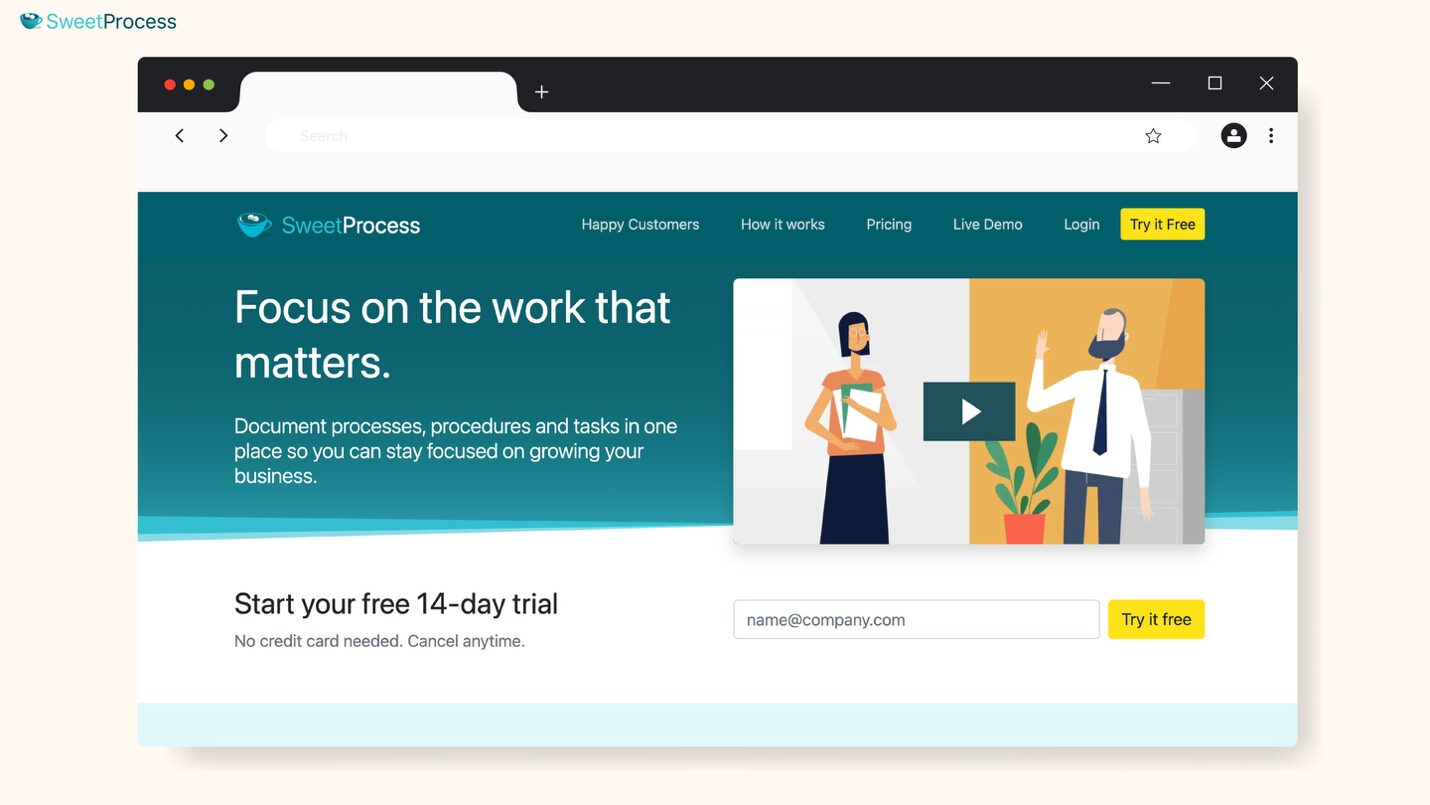
Most work instruction tools are built for specific environments—usually manufacturing. SweetProcess stands out because it’s designed for any team that needs to document, standardize, and track how work gets done, regardless of the industry or department.
What makes SweetProcess different isn’t just documentation; it’s execution plus training in one system. This makes it especially valuable for growing businesses that want structure without being locked into rigid, factory-specific workflows.
Core Features of SweetProcess
Below are the key features that make SweetProcess one of the most versatile work instruction tools available:
1. SweetAI (AI-Powered Work Instruction Generator)
What stands out immediately with SweetProcess is how easy it is to go from idea to fully documented instruction.
SweetProcess’s resident AI, SweetAI, removes the biggest bottleneck in documentation: getting started. Instead of writing from scratch, you simply describe the task, and it generates a structured, step-by-step work instruction that you can refine.
Here’s how it works:
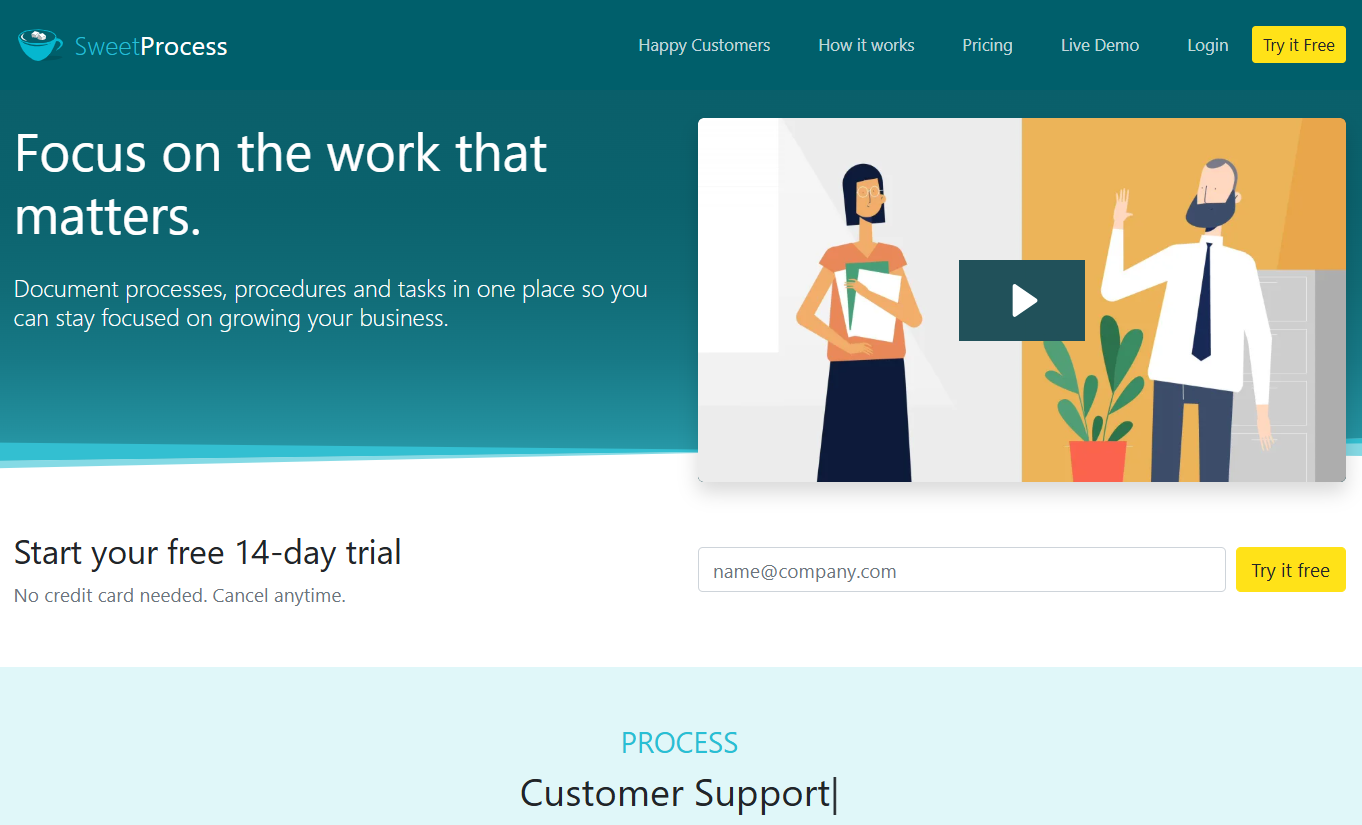
Step 1: From the homepage at www.sweetprocess.com, click “Try it Free” to create an account if you haven’t registered with SweetProcess yet, or click on the “Login” menu if you already have an account.
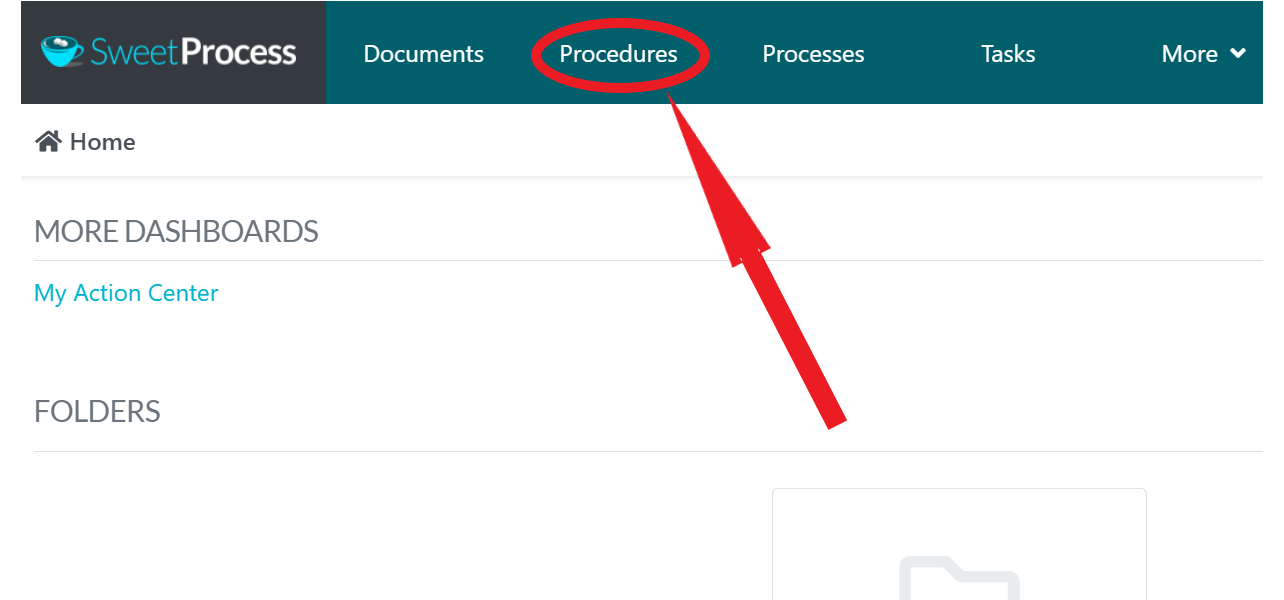
Step 2: After logging into your SweetProcess account, click on Procedures.
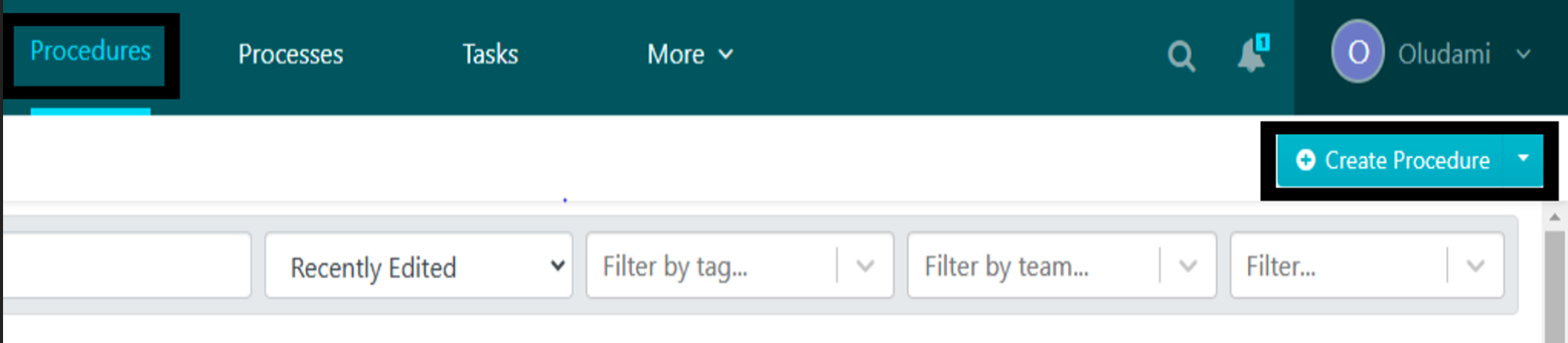
Step 3: At the top right corner of your Procedures page, click on “Create Procedure.”
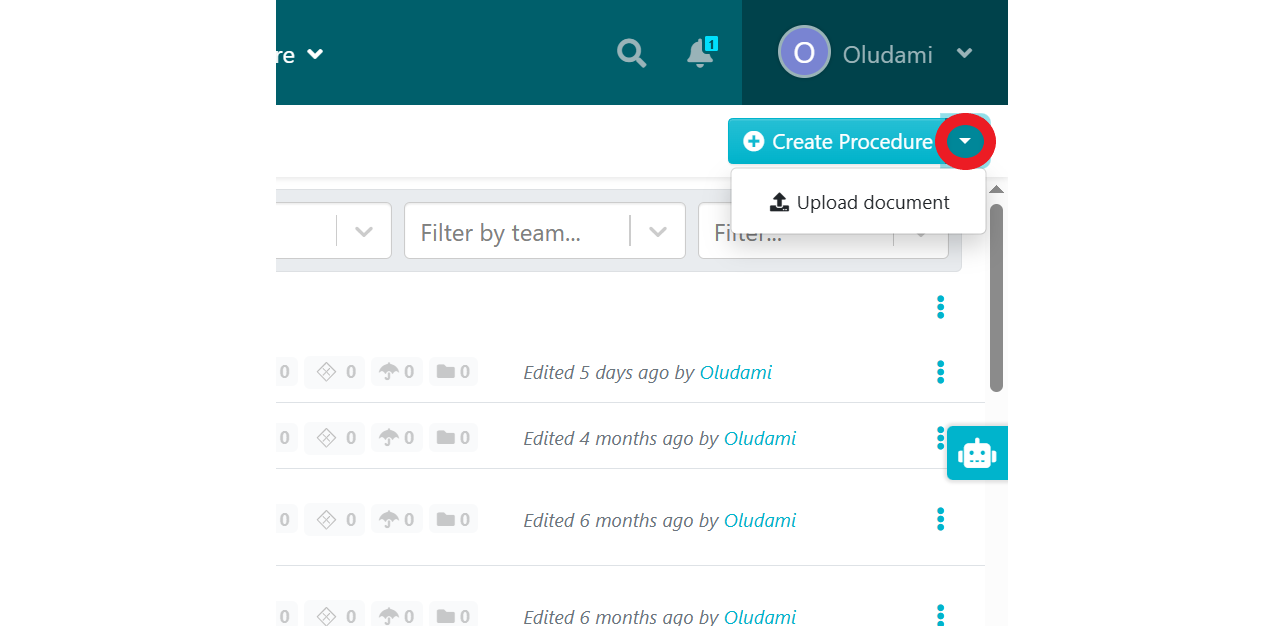
If you already have your work instruction as a file on your computer, you can instead click on the drop-down arrow and click on “Upload document.”
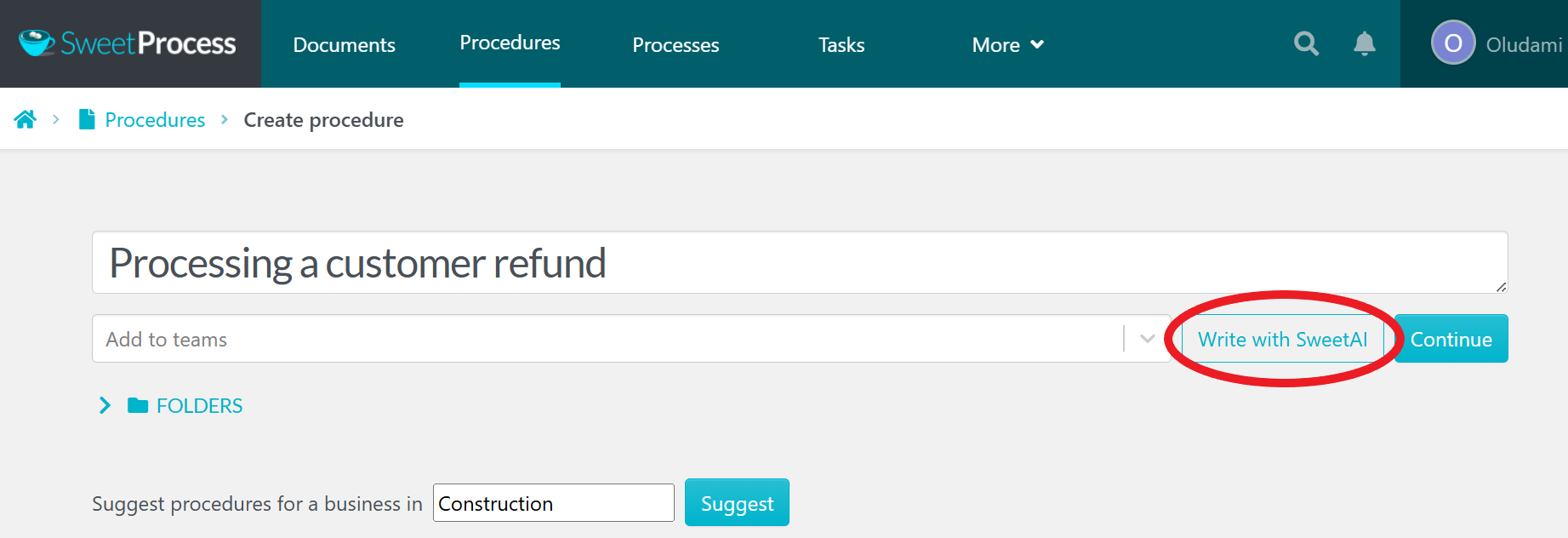
Step 4: You’ll be taken to a page where you can create your procedure. Simply enter the title of the work instruction you want to create—e.g., “Processing a customer refund”—then click on the “Write with SweetAI” button.
Step 5: SweetAI will then give you a full draft, with steps that can be followed to get the specific work done.
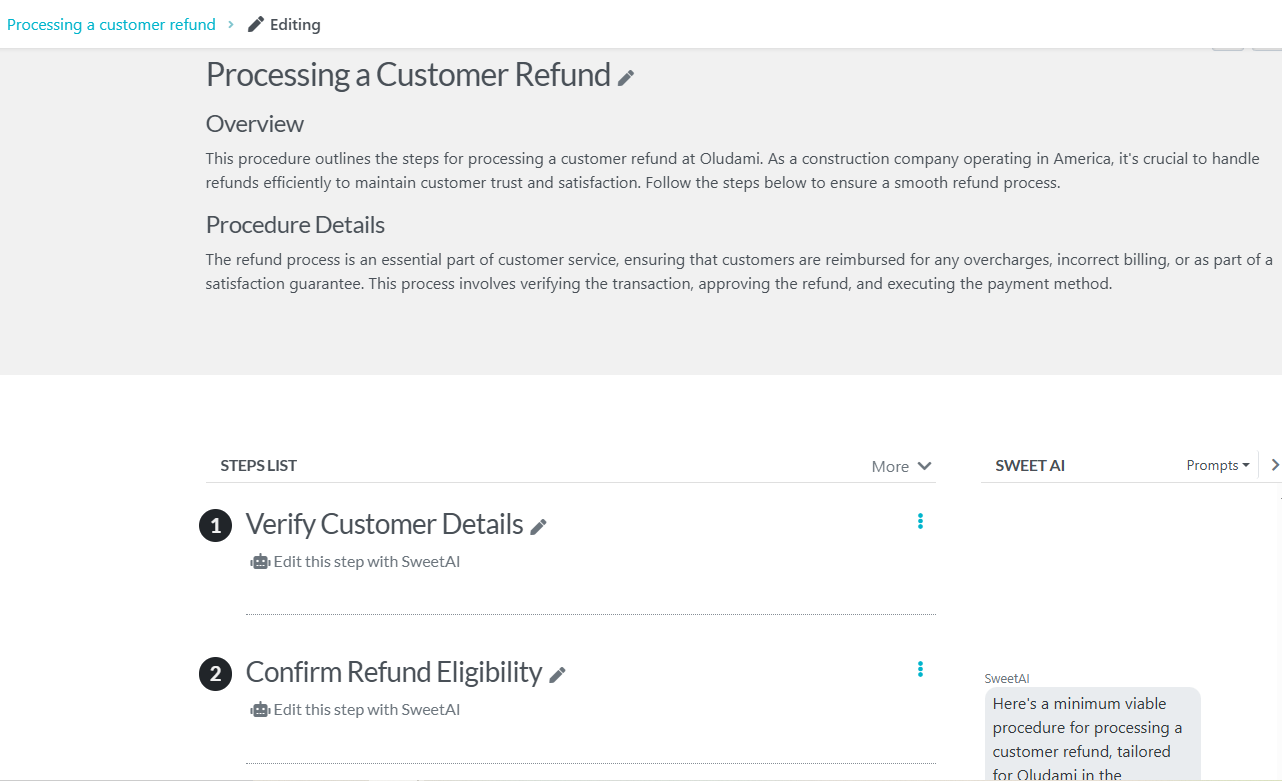
Step 6: Edit the draft by adding more text, images, videos, and other media, to make the instructions relevant to you and to keep the document on brand.
There’s also a box on the right side of your screen, if you’re using a computer, where you can prompt SweetAI to further refine your work instruction.
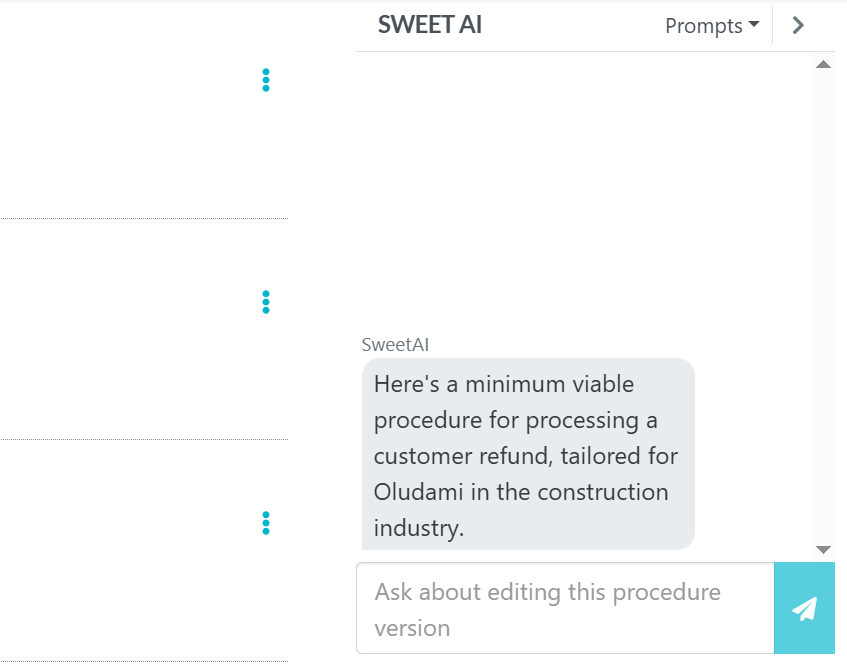
You can also edit each individual step manually or using SweetAI.
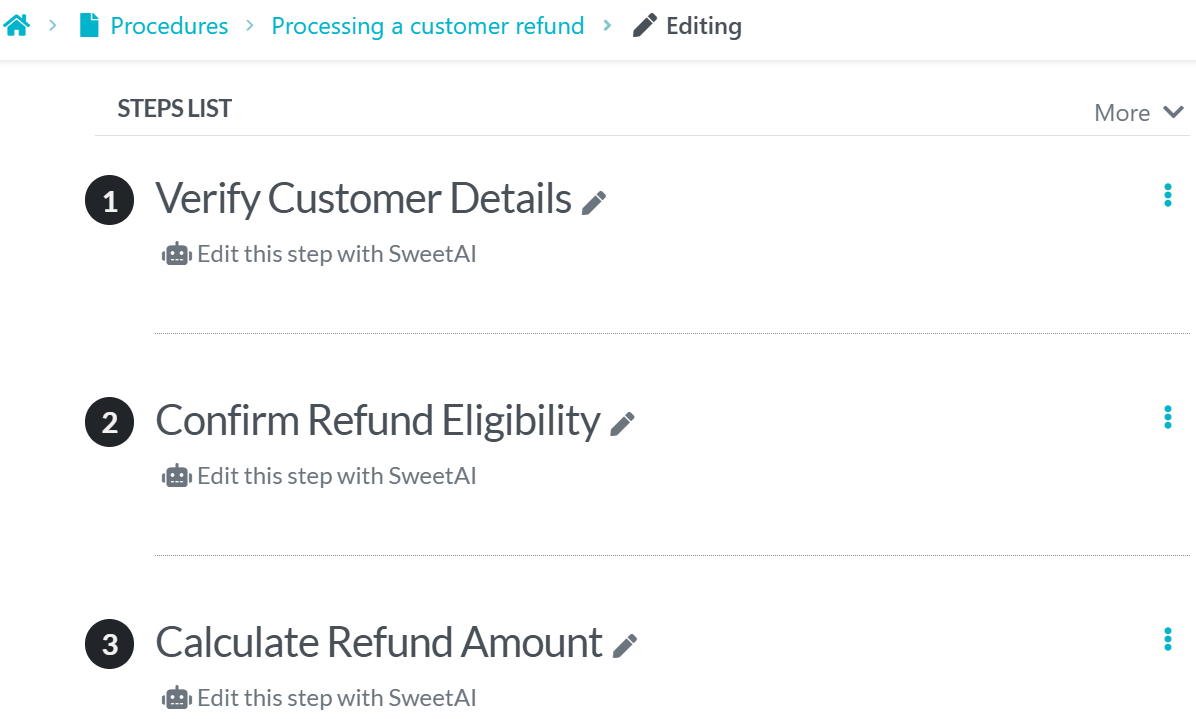
Click the pen icon to edit manually or click on “Edit this step with SweetAI” to use SweetAI. If you choose SweetAI, a box pops up where you can input your prompts.
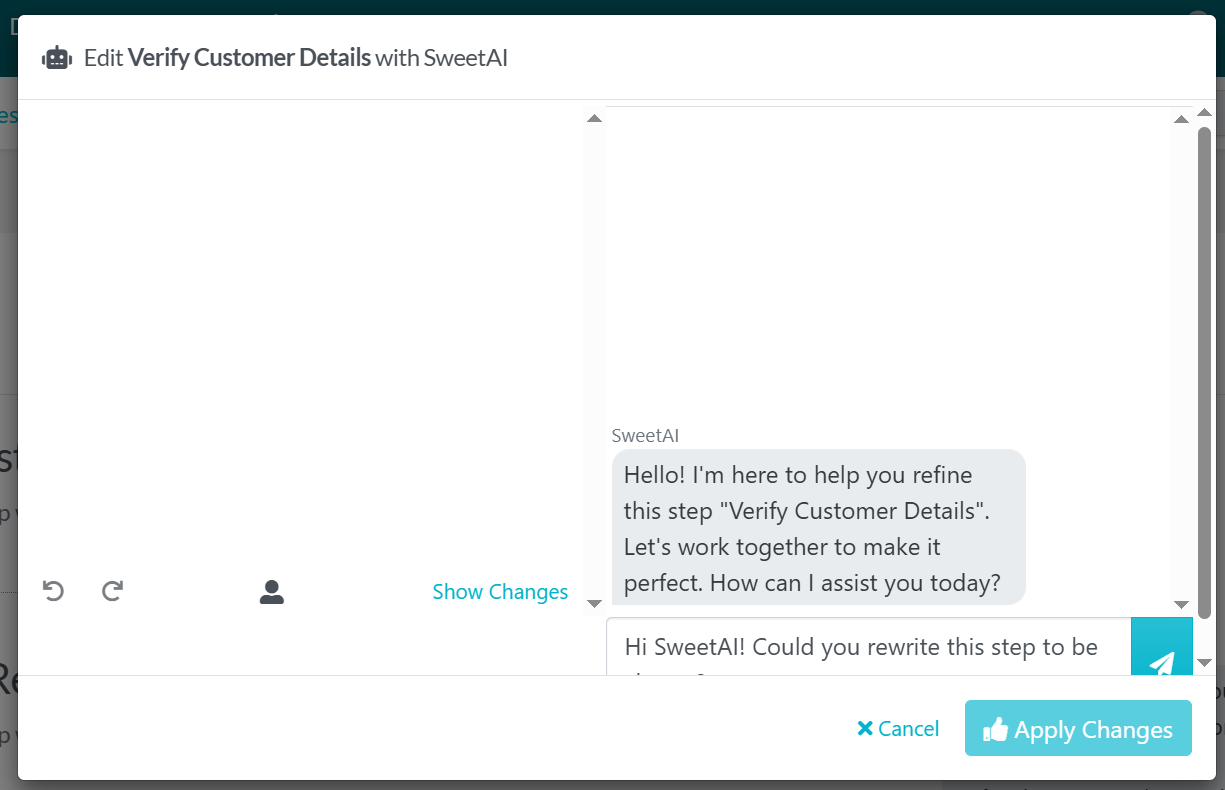
Click on the “Apply Changes” button to apply the edits and exit the pop-up.
Step 7: Once you’re done creating the work instruction to your satisfaction, click the Approve button at the top-right corner of your screen.
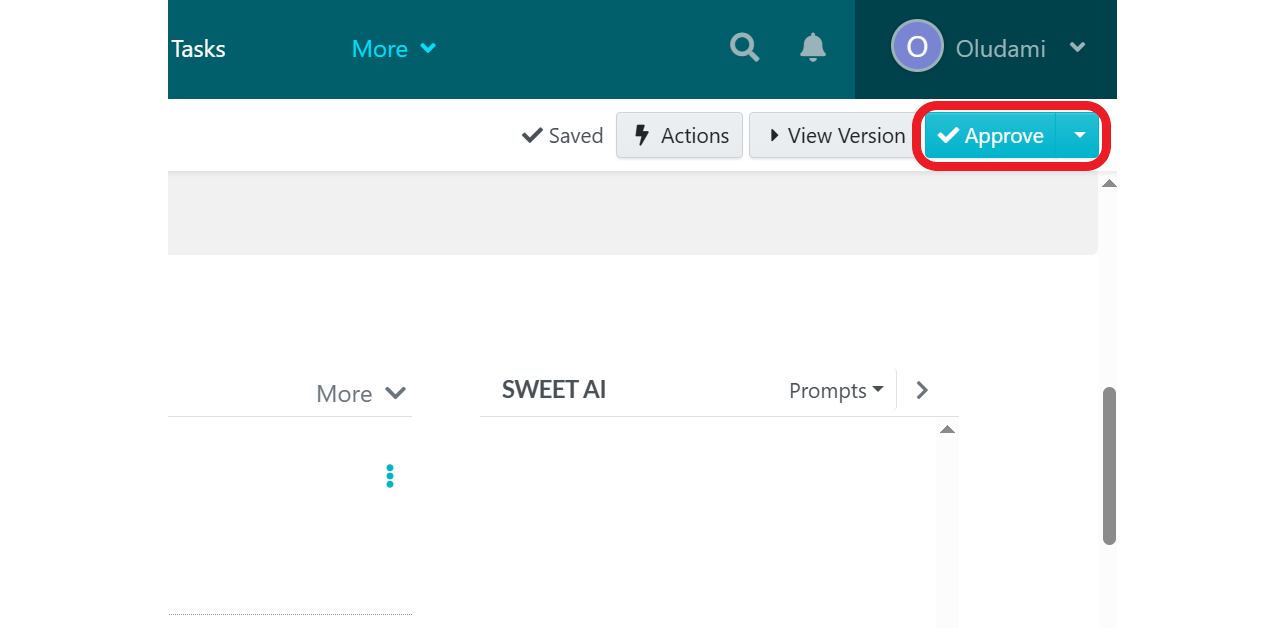
If you don’t have the permission to approve documents, simply click on the drop-down arrow beside the Approve button and click on “Request Approval.”
SweetAI makes it incredibly fast for non-technical users to turn ideas into usable instructions. And that’s something most work instruction tools still struggle with.
2. Chrome Extension (Automatic Step Capture)
Documenting processes or procedures manually can be tedious. The SweetProcess Chrome extension turns this around by recording your work as you perform it onscreen. It then takes screenshots and documents each step, creating an engaging visual story that you can share with your team.
Here’s how it works:
Step 1: Launch the Google Chrome browser on your computer.
Step 2: In the address bar, type “Chrome Web Store” and search for “SweetProcess” in the web store’s search bar.
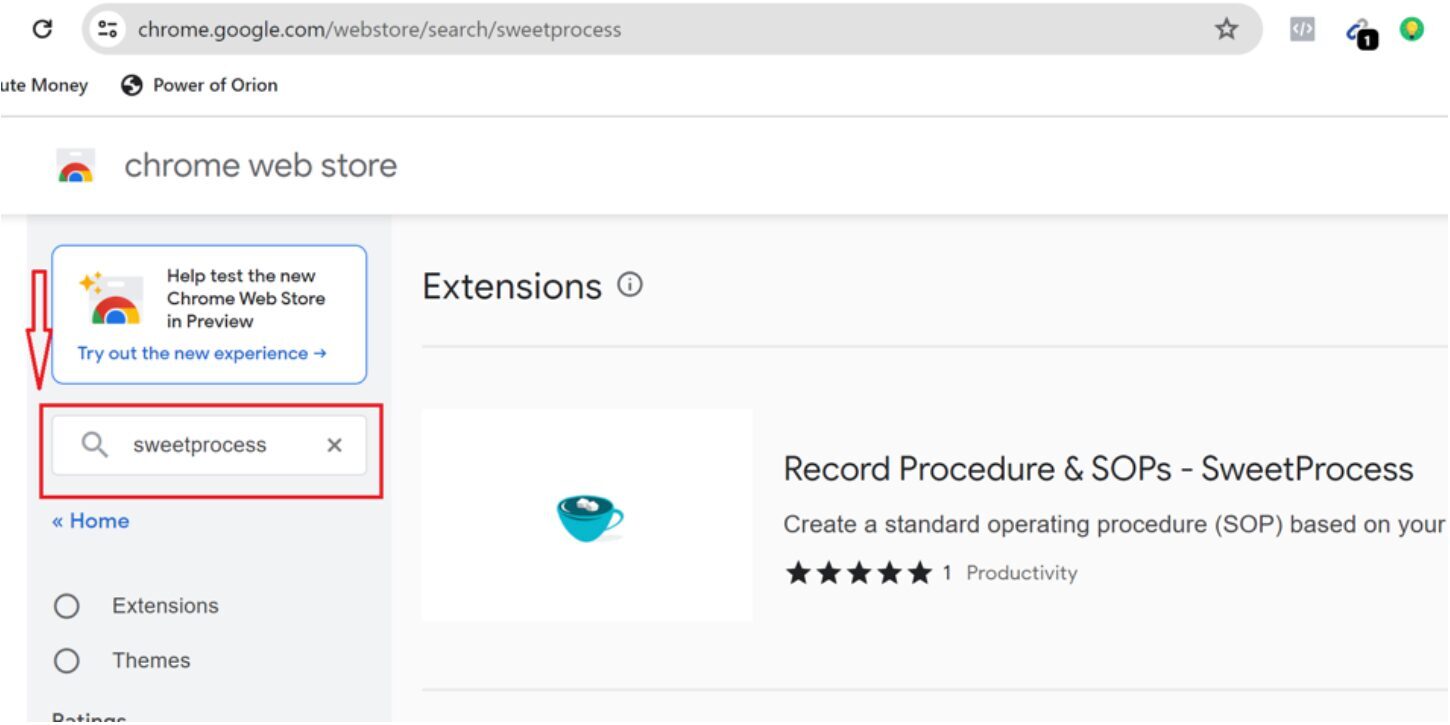
Step 3: Once you find the extension, click on the “Add to Chrome” button.
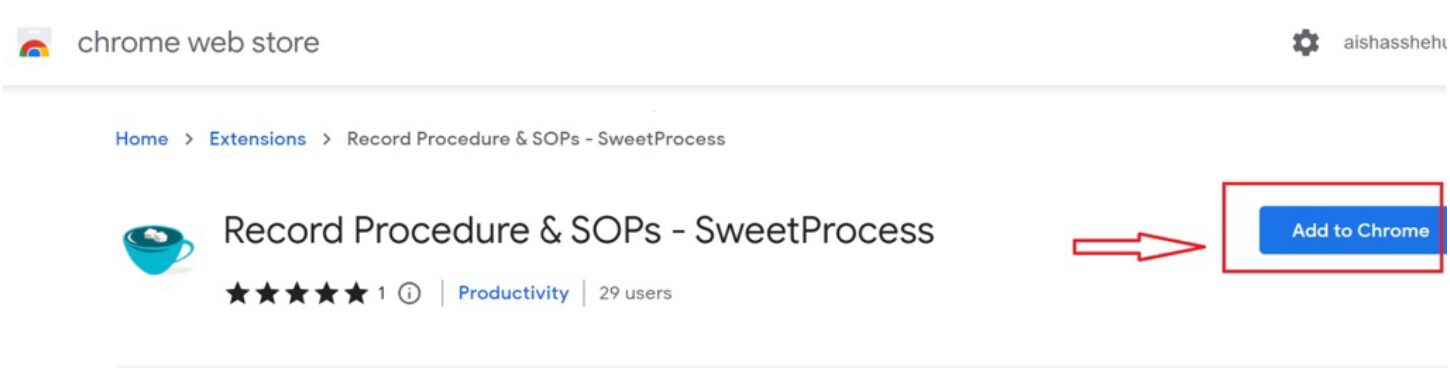
The extension will be installed and then added to your Chrome. You’ll see the extension icon at the top-right corner of your browser.
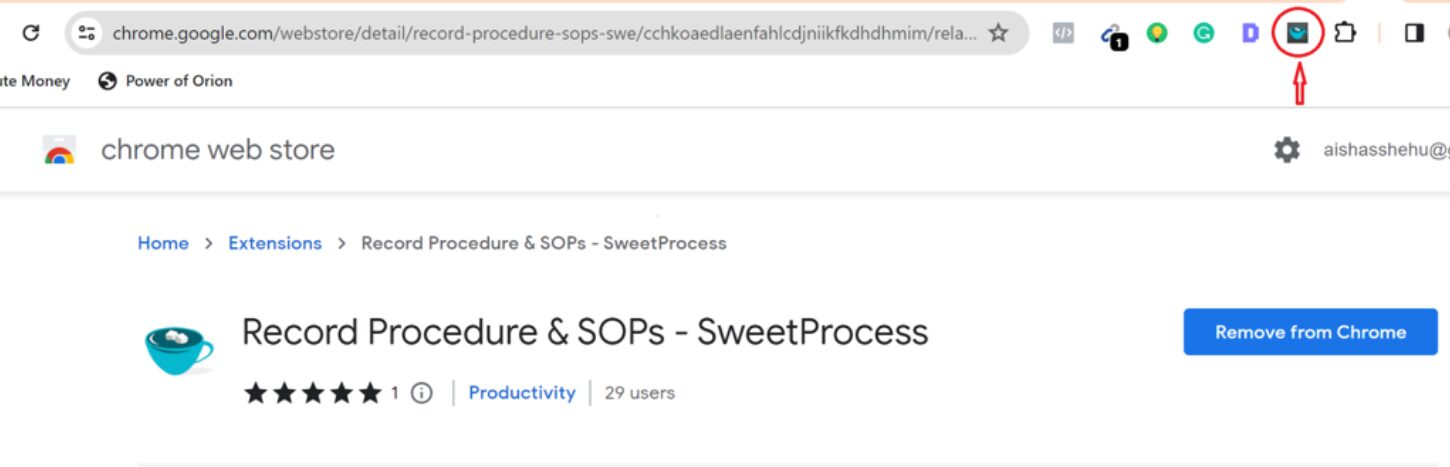
Step 4: Click on this icon whenever you want to record or capture your workflow, then click on “Capture Procedure” from the box that pops up.
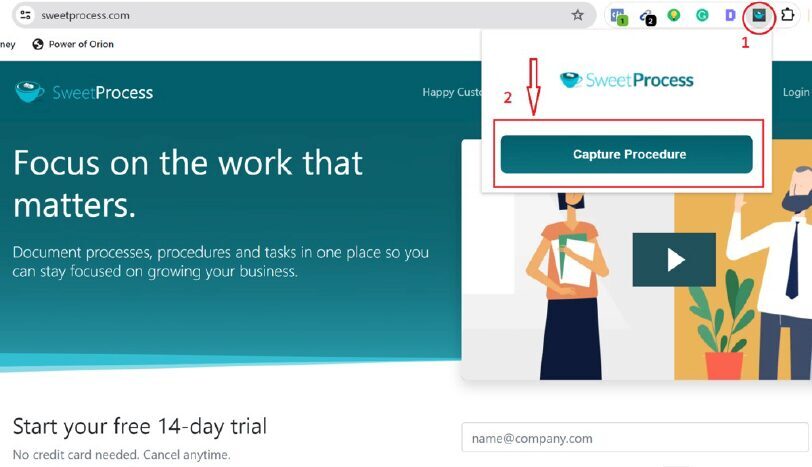
Step 5: Go ahead and perform the task you want to document. As you do so, the extension will automatically record your actions, such as clicks and keystrokes, and also take screenshots of important steps.
Step 6: Once you’ve completed the process you want to document, click on the “Stop” button at the bottom left of your screen.
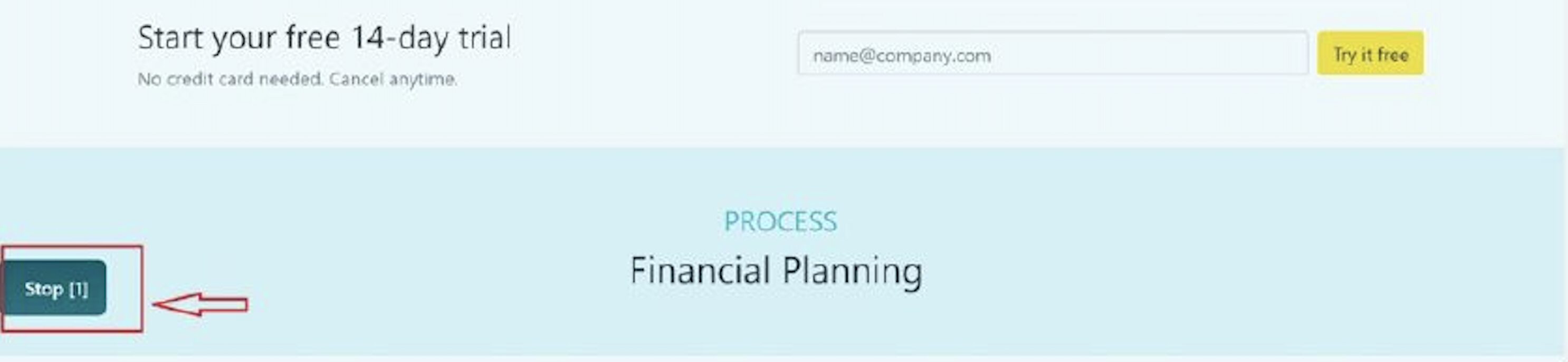
Step 7: You’ll then be able to review, edit the captured steps, and add them to your SweetProcess account. You’ll find this recording in your Procedures page, where you can further edit it to turn it into a full work instruction.
The SweetProcess Chrome extension is especially useful for documenting web or software workflows, onboarding steps, or repetitive digital tasks without slowing down your team.
3. Knowledge Bases (Publish Work Instructions for Easy Access)
SweetProcess allows you to publish your work instructions into a searchable knowledge base.
Here’s how it works:
Step 1: Open the work instruction you want to publish as a knowledge base and click on “Actions” at the top right corner of the page.
Step 2: Select “Knowledge Base” from the drop-down options.
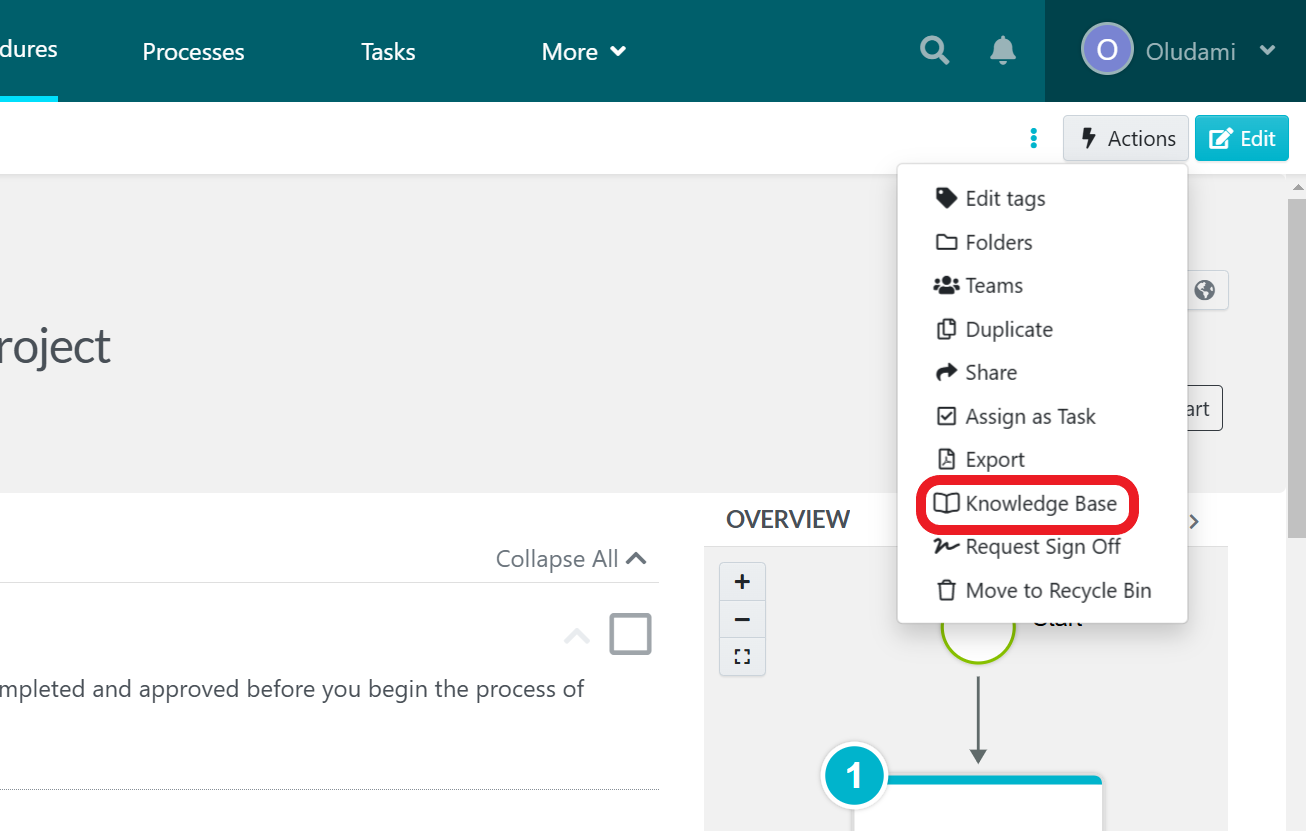
Step 3: Select or create the category of knowledge base you want to add the instructions to.
And just like that, the work instruction is added to the knowledge base.
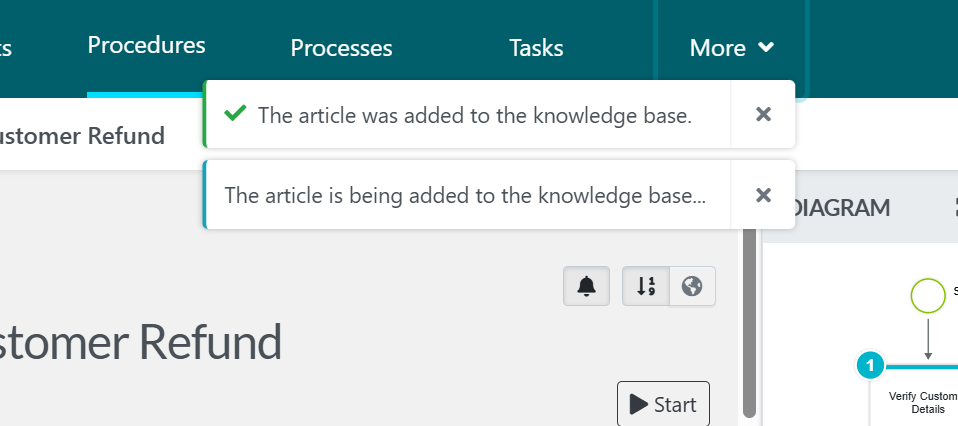
To find your knowledge base, simply click on the “More” menu and click on “Knowledge Bases.”
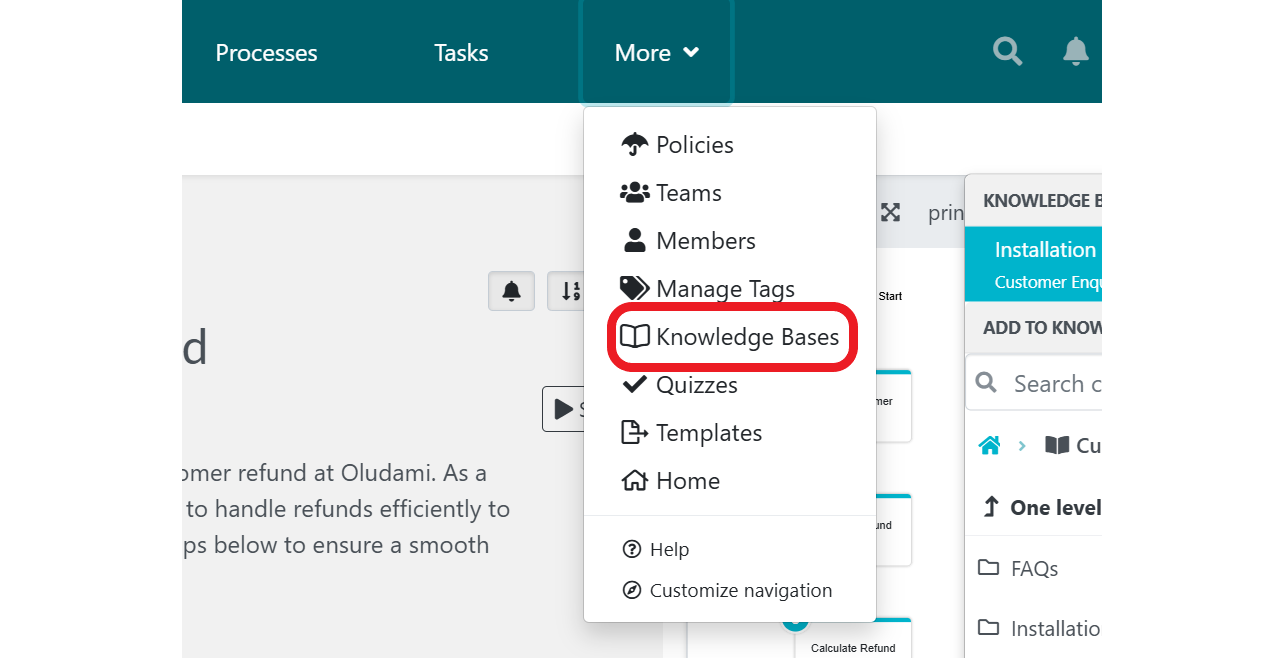
This is what differentiates SweetProcess from other tools. Most work instruction tools stop at documentation; SweetProcess helps you turn instructions into a knowledge base your team can access from anywhere and rely on daily.
Dworianyn and Terborg of Awesome Dynamic always wanted to be available to employees with questions.

But they soon discovered that empowering team members to find what they were looking for in SweetProcess was beneficial. Part of their hiring process involves finding people who are good at problem-solving and finding solutions on their own, and they’ve found SweetProcess to be a valuable tool to that end—thanks to features like search and knowledge base.
One of the biggest results Awesome Dynamic has achieved with SweetProcess is reducing employee onboarding and training time by 50%.
Click here to find the Awesome Dynamic case study and full audio interview.
4. Tasks & Assignments (Turn Instructions Into Action)
Creating instructions is only half the battle. Execution is where most teams fail. SweetProcess allows you to assign procedures as tasks, track progress, and ensure accountability.
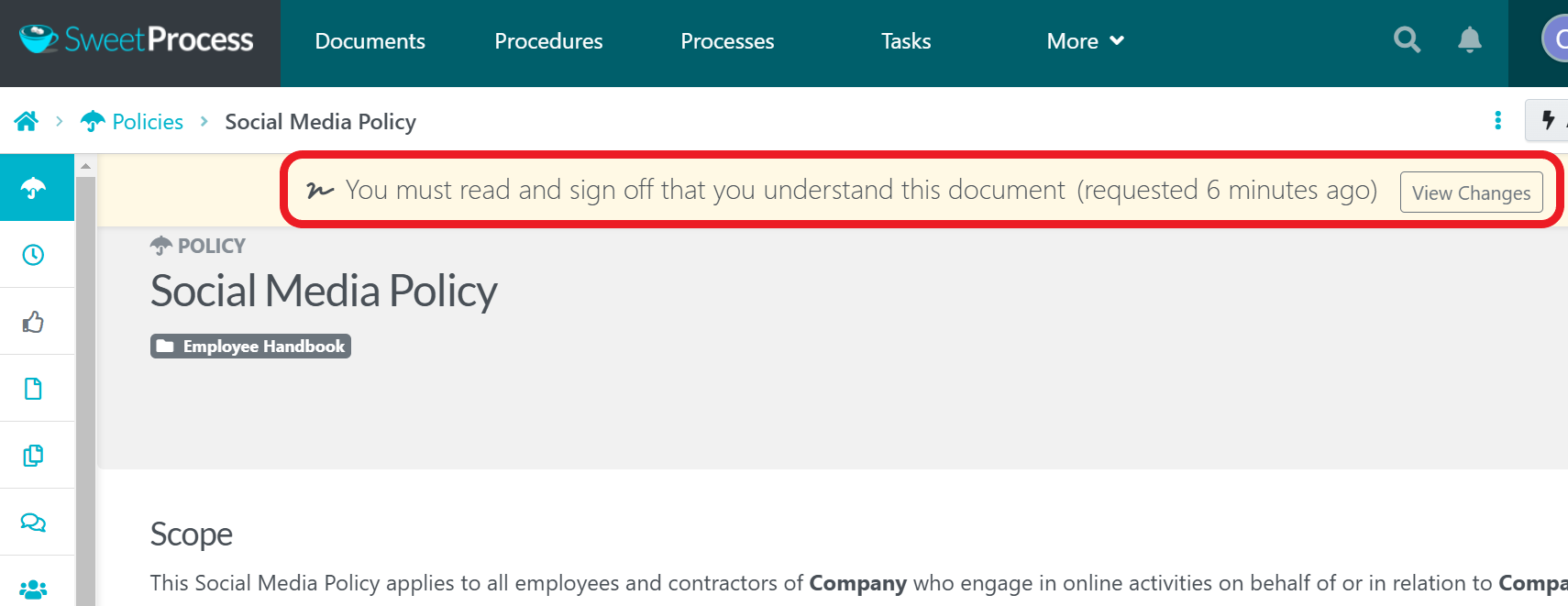
For example, you can add “sign-offs” to ensure teams endorse each work instruction to signify that they actually went through and understand the document.
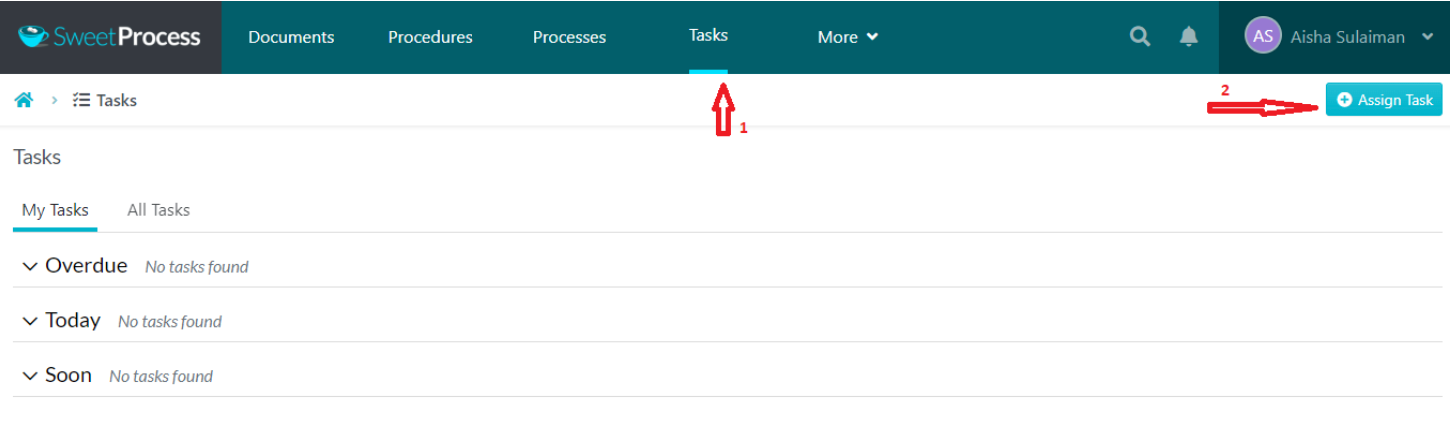
You can manage all tasks in one place. Simply click on the “Tasks” menu to find and manage all tasks.
5. Version History (Full Control & Compliance)
Work instructions evolve. This is why SweetProcess keeps a detailed version history of every change. You can track edits, revert to previous versions, and have knowledge of who changed what.
This is especially important for teams that need consistency and accountability to ensure everyone is always working from the latest approved version.
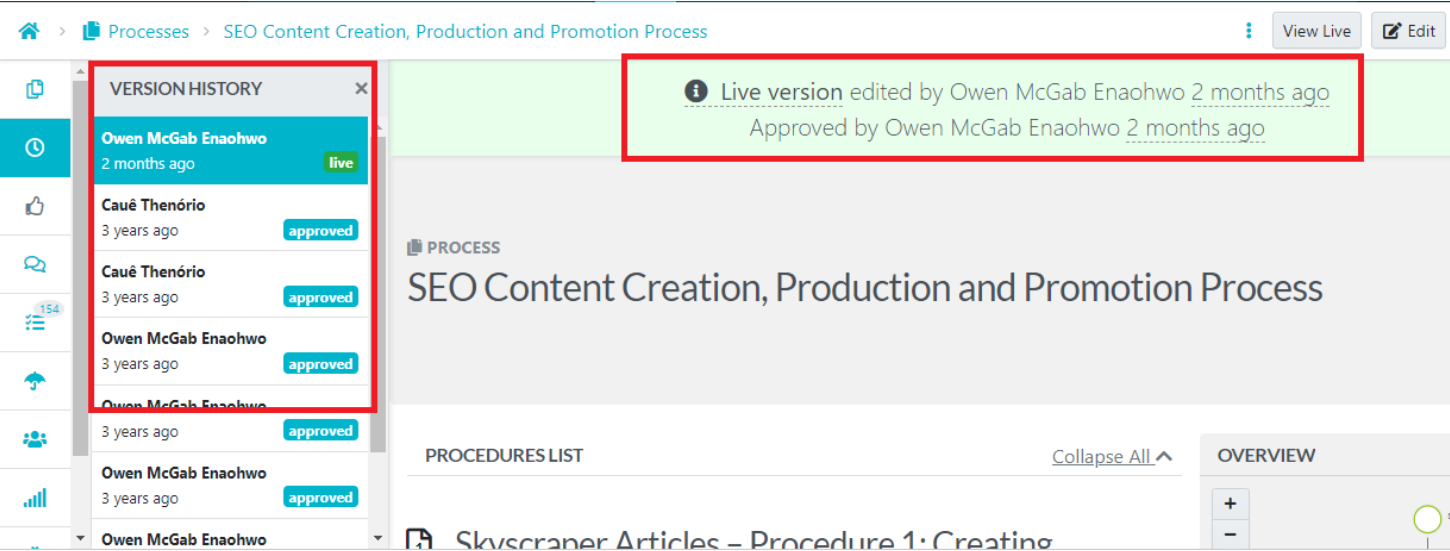
This level of control is critical when processes change frequently or when multiple people are involved in maintaining them. It ensures your team always follows the most accurate, up-to-date instructions without confusion.
That’s exactly what Wistar Group, a company of 235 employees, needed.

Before using SweetProcess, their processes were inconsistent and difficult to track. They eliminated inefficiencies and saved over $87,000 in operational costs by centralizing their workflows and maintaining clear, controlled versions of their instructions. The biggest shift wasn’t just documentation, it was having a single, reliable source of truth everyone could follow.
You can click here to read/listen the full Wistar Group case study.
6. Quizzes (Verify Understanding)
One other great way to ascertain that employees understand work instructions is to attach quizzes that test their knowledge after review.
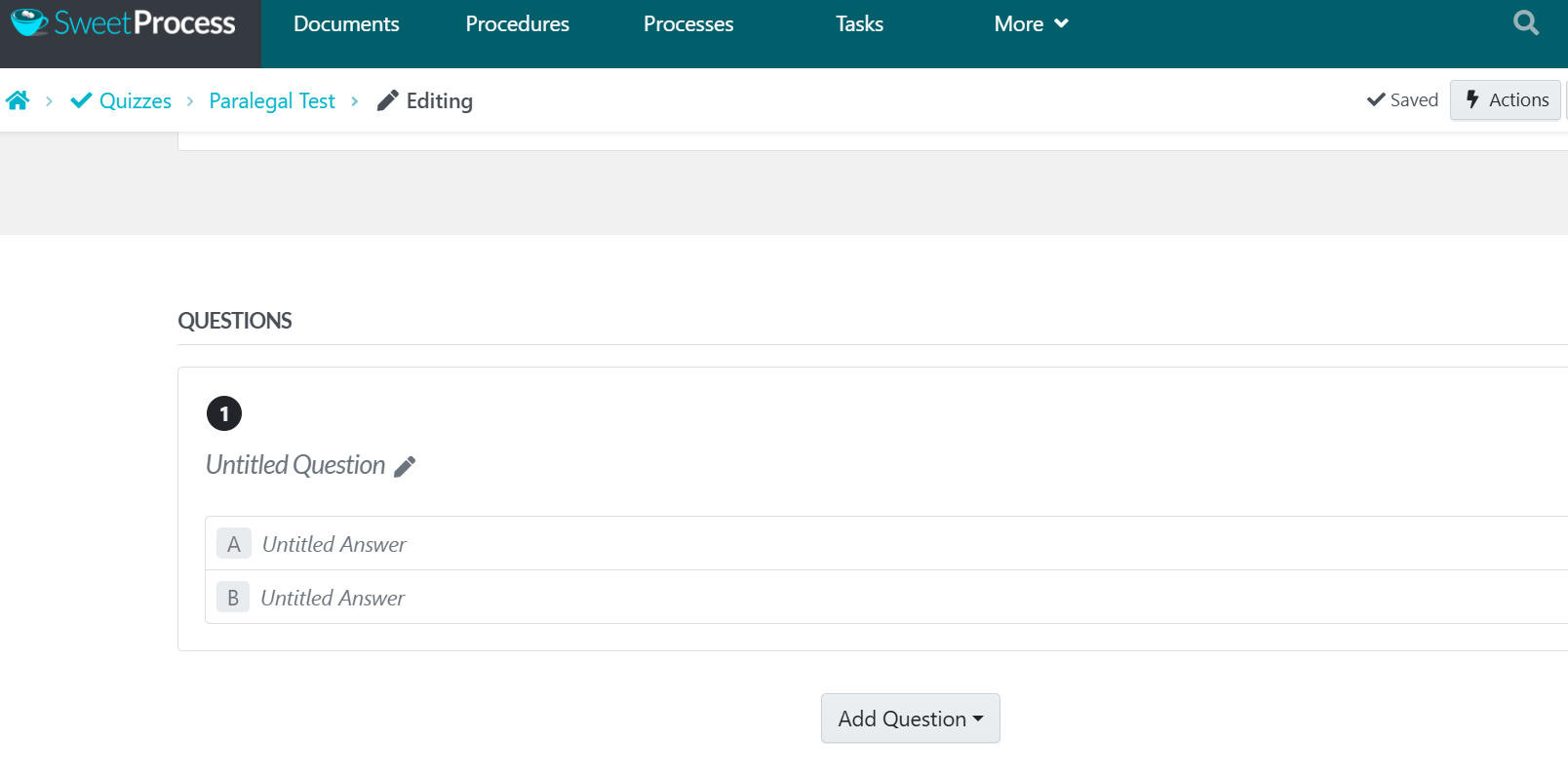
Quizzes help reinforce learning and ensure your team doesn’t just read instructions but actually understands them. This reduces costly mistakes caused by misunderstanding, speeds up training, and builds confidence in executing tasks.
6. Teams (Organize Your Workforce)
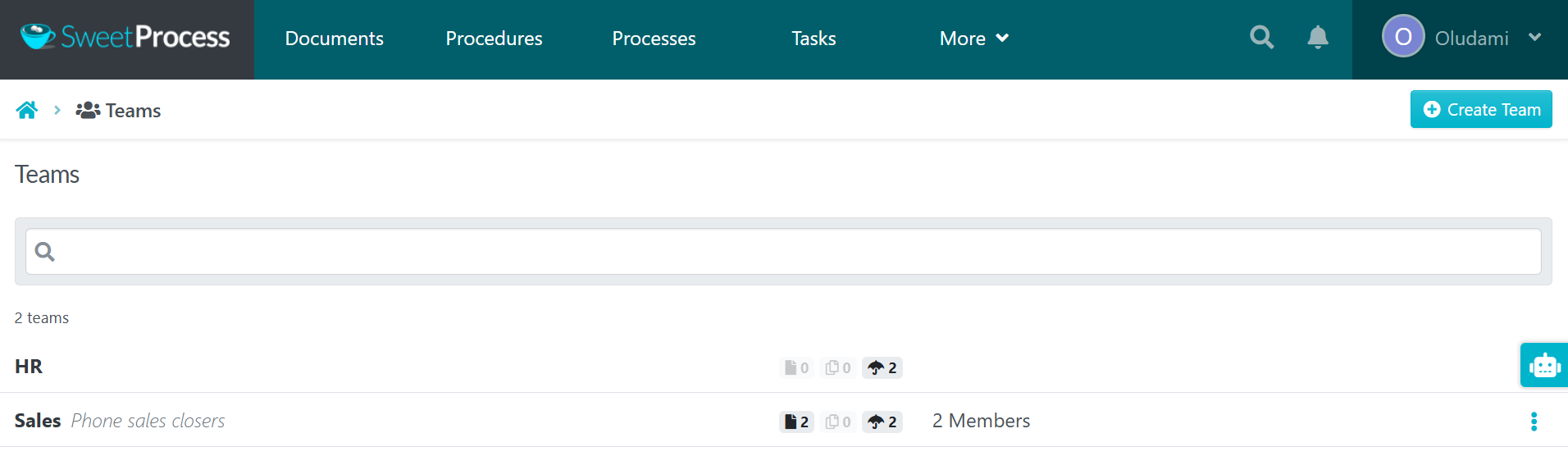
SweetProcess lets you group users into teams based on departments, roles, or functions, as a way to control access to your work instructions—each team can easily access the work instructions relevant to them.
This helps you to prevent disorganization, overwhelm, and information overload.
7. Permissions (Control Access & Accountability)
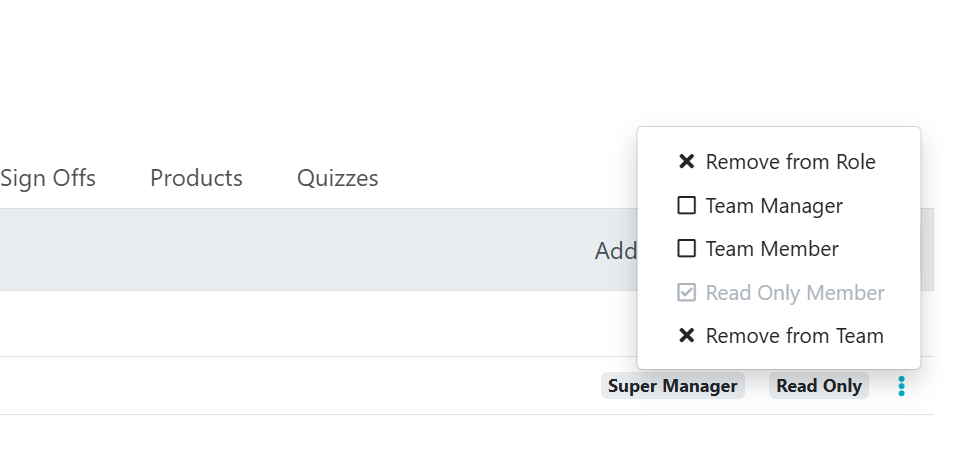
Not everyone should be able to edit or approve work instructions. SweetProcess gives you such control, ensuring your steps stay accurate and secure.
This also helps to maintain quality and accountability, as you can make sure only the right people can make changes to critical instructions.
SweetProcess Pricing
SweetProcess’s pricing is simple and transparent.
$99 per month or $990 per year ($198 saved) for up to 10 users. Each additional user costs $5 per month or $50 per year.
Every user on every plan gets full access to all features—no pro or premium feature gates, and billing adjusts automatically as you add or remove users.
If you’re in the market for work instruction software and need a tool that helps you to easily create, distribute, and manage work instructions effectively, then SweetProcess is a great place to start.
2. VKS: Best for Manufacturing Shop Floor Digital Work Instructions
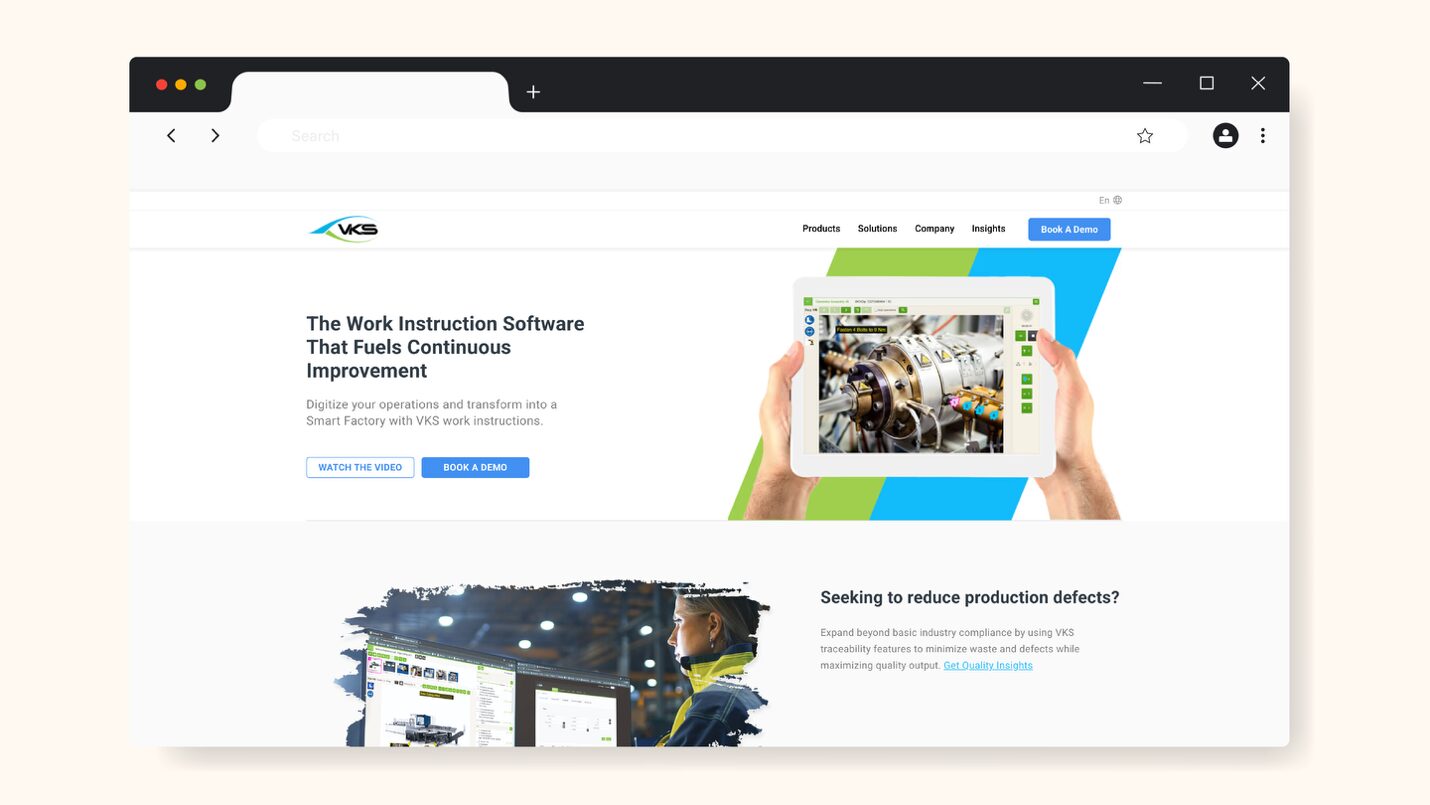
VKS (Visual Knowledge Share) is a digital work instruction tool specifically designed for manufacturing and industrial environments where precision and quality control are critical. It helps teams to create highly structured, visual work instructions that operators on the shop floor can follow.
VKS is often integrated with IoT (Internet of Things) devices and production systems, and it is particularly well-suited to industries such as aerospace, automotive, medical equipment, and food production.
What makes it stand out the most is its depth in execution and data capture. You’re not just documenting steps; you’re collecting production data and ensuring compliance in real time. It’s well-suited to global teams, especially thanks to its multilingual support feature.
VKS’s biggest limitation is flexibility, especially for teams that just want quick, lightweight documentation. Multiple reviews report a steep learning curve for new users and occasional performance lag.
Compared to SweetProcess, which prioritizes ease of use and cross-industry workflows, VKS can feel rigid if you’re outside a production-heavy environment.
Pricing
You have to book a demo to find out.
Best for: Manufacturing teams that need shop-floor execution and real-time production data, not just documentation.
3. Dozuki: Best for Manufacturing Maintenance & Assembly Procedures
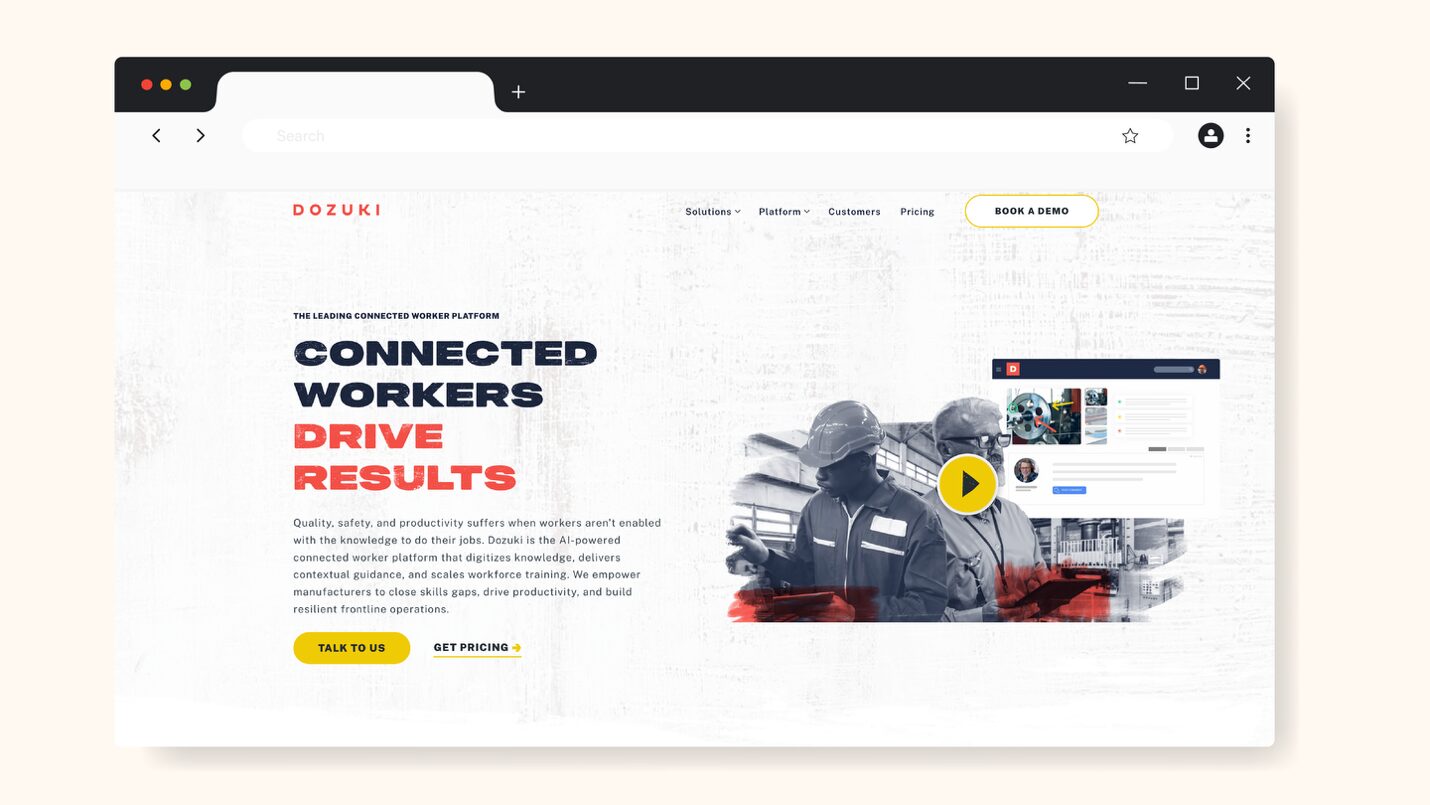
Dozuki is a connected worker platform (CWP) designed to help manufacturers standardize work. It combines work instructions with training, reporting, and continuous improvement tools. This makes it a strong option for maintenance and assembly-heavy operations.
One of Dozuki’s biggest strengths is its structural consistency. Every guide follows a standardized format, and this helps teams scale documentation across multiple locations without confusion.
One major drawback of Dozuki, however, is the platform’s limited reporting functionality that negatively affects tracking of guide usage and user activity.
Compared to VKS, even though they’re both heavily focused on manufacturing, Dozuki offers more structured training and workforce development features.
Pricing
Only available on request.
Best for: Mid-to-large manufacturing teams that need standardized procedures, workforce training, and continuous improvement systems.
4. Scribe: Best for Auto-Capturing Browser-Based Workflows
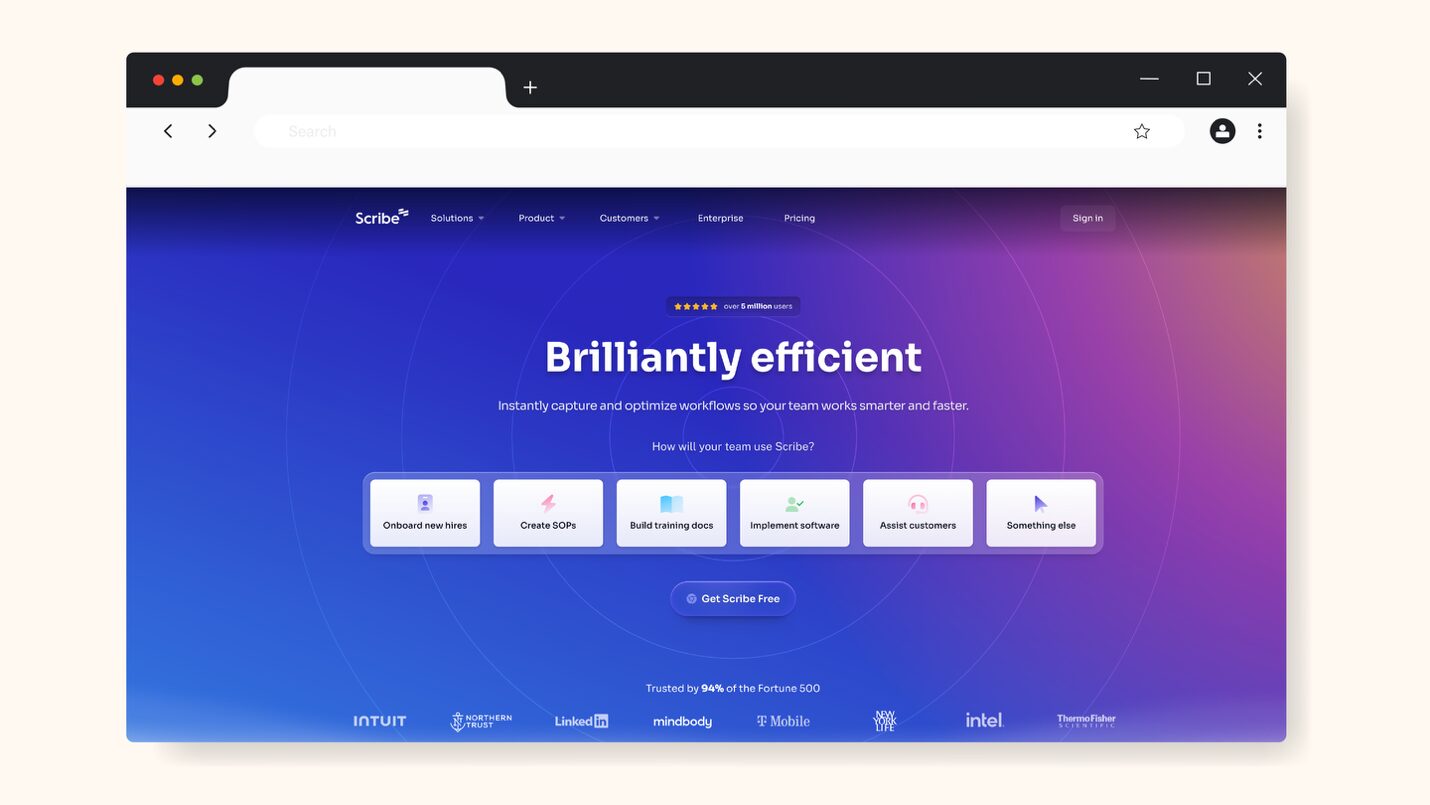
Scribe is a little different from traditional work instruction software. It automatically captures your actions in the browser and turns them into step-by-step guides with screenshots, so there’s no need for manually writing instructions.
Scribe’s speed and simplicity are its standout features, as this makes it one of the fastest ways to document digital workflows. You simply click record, perform a task, and Scribe instantly generates a polished guide you can share through a link, embed, or export.
While Scribe is excellent for quick documentation, the trade-off is depth. It lacks stronger features that support task assignment, structured training, and compliance tracking. For example, compared to SweetProcess, it doesn’t natively support quizzes, approvals, or robust version control.
Some users also note drawbacks such as capturing unnecessary steps and limited customization.
Pricing
Scribe has four pricing packages:
- Basic: Free
- Pro Personal (Starts at 1 seat): $35 per seat per month ($25 if billed annually) → Unlocks customization with company branding
- Pro Team (Starts at 5 seats): $17 per seat per month ($13 if billed annually) → Unlocks collaboration
- Enterprise: Custom pricing → Unlocks advanced security and compliance
Best for: Quickly documenting browser-based workflows without investing time in manual writing or complex setup.
5. Poka: Best for Enterprise Connected Worker Platforms
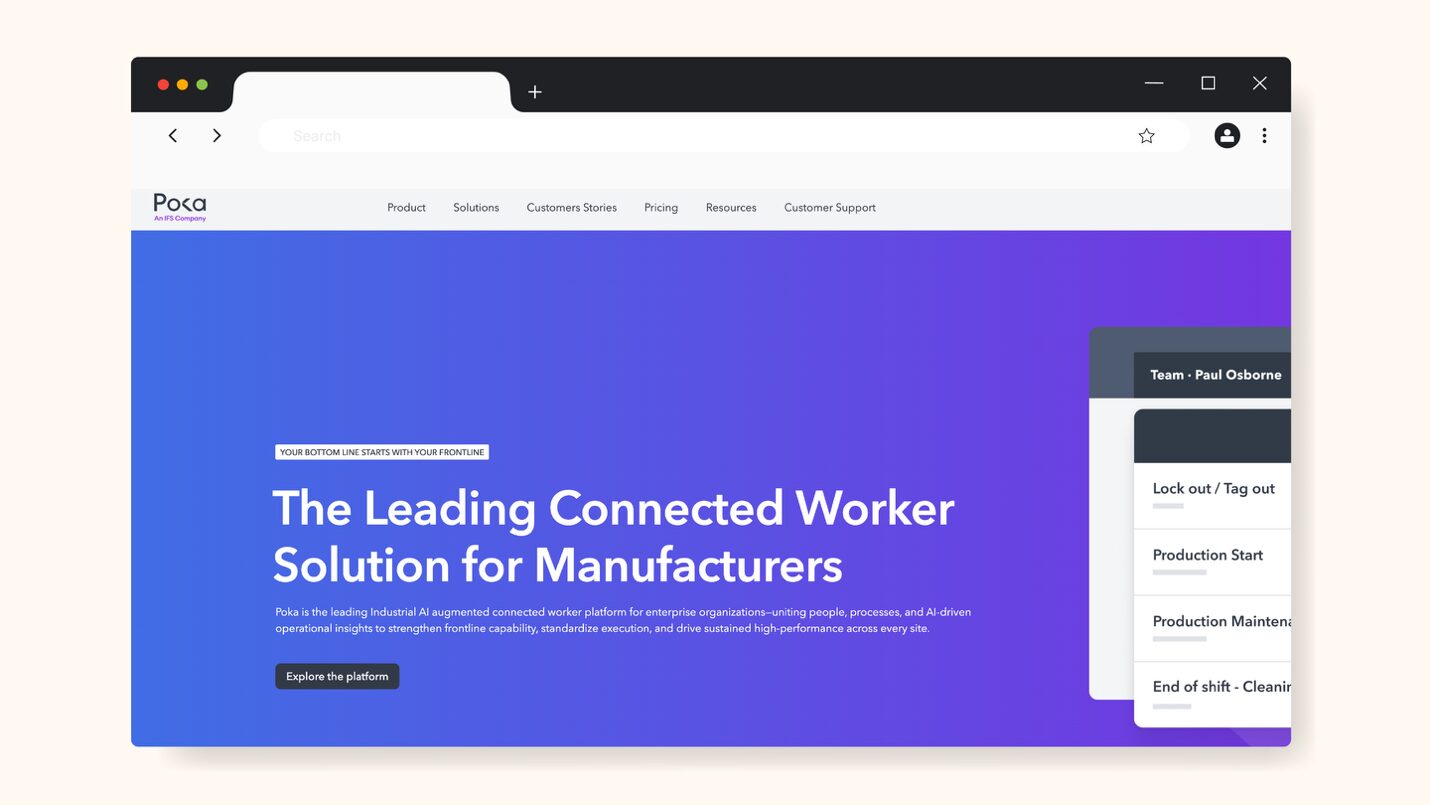
Poka is an industrial full-scale connected worker platform built for large manufacturing enterprises. It combines digital work instructions, training, skills management, issue tracking, and analytics into a single system designed for frontline workers across multiple plants.
Poka deeply integrates training and competency tracking into work instructions, and that’s the advantage it has over most other work instruction solutions. With Poka, you can tie instructions directly to skills, validate employee competency, and track progress over time.
Complexity and pricing are, however, Poka’s downsides. Multiple reviews state that customization and integrations are difficult, and it cannot be used on all devices.
Compared to Dozuki, another manufacturing-centric solution on this list, Poka leans more towards workforce development, while Dozuki focuses more on structured procedures.
Pricing
Only available on request.
Best for: Large manufacturing enterprises that need a connected worker ecosystem, including training, skills tracking, and analytics.
6. SafetyCulture: Best for Safety-Focused Work Instructions & Inspections
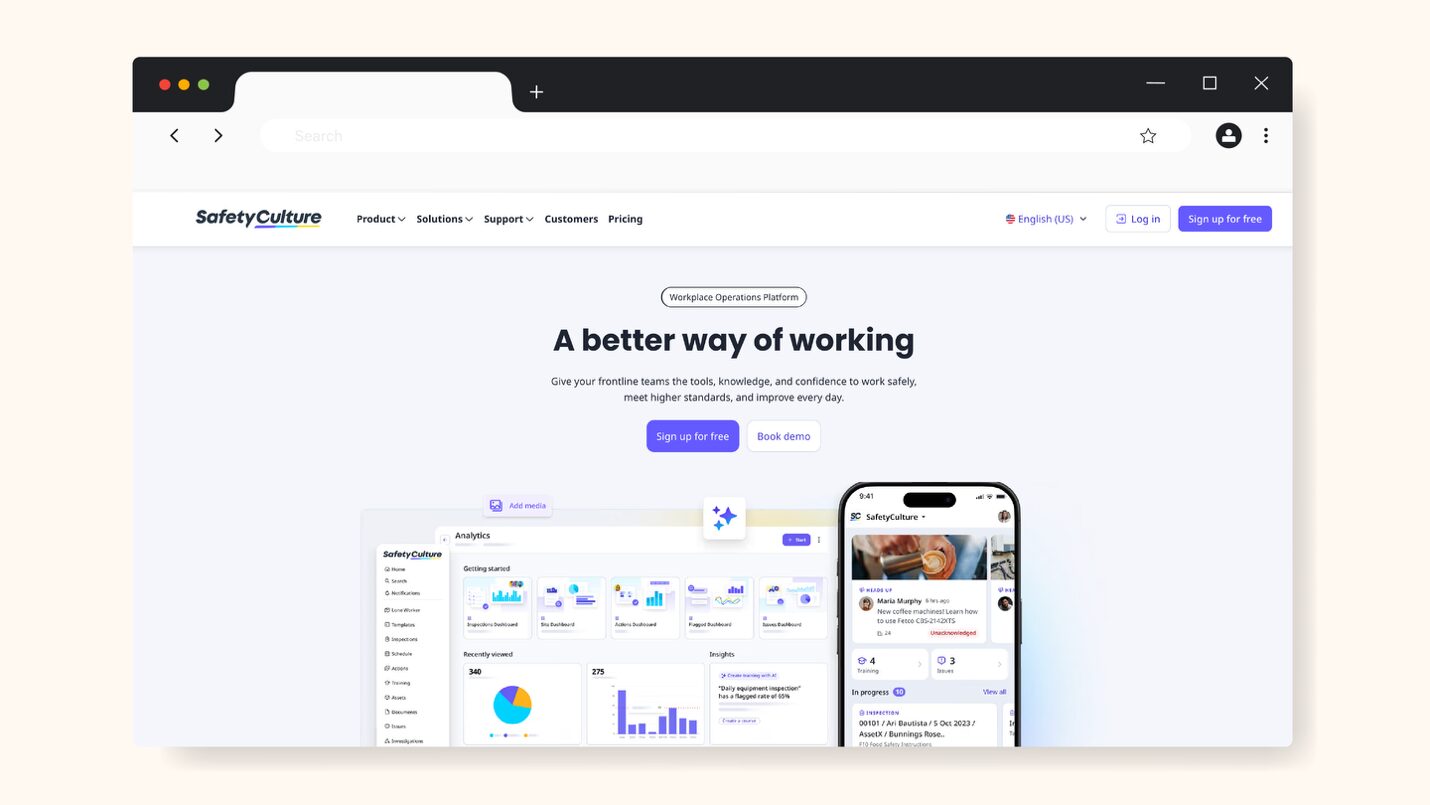
SafetyCulture (formerly iAuditor) is an inspection and safety management platform that has expanded into work instructions, with features like workflows, checklists, and training. It’s widely used in industries like construction, manufacturing, and facilities management to digitize and standardize inspections, audits, and operational safety.
SafetyCulture’s biggest strength is its mobile friendliness. It enables team members to easily complete inspections, attach images, and flag issues immediately, all in real time, whether in the field, on the shop floor, or even offline.
Many users have, however, complained that advanced features are limited unless you upgrade, and customization for reports or workflows can feel restrictive.
Compared to SweetProcess, which focuses on structured documentation and training, SafetyCulture focuses more on real-time inspections and reporting.
Pricing
SafetyCulture has three tiers:
- Free: for a small team of up to 10
- Premium: $29 per seat, per month ($24 annually)—advanced tools for growing teams (11-150)
- Enterprise: pricing and services tailored to large organizations (150+)
Best for: Teams focused on safety and real-time inspections, especially those working in the field.
7. Tango: Best for Quick How-To Documentation With Screenshots
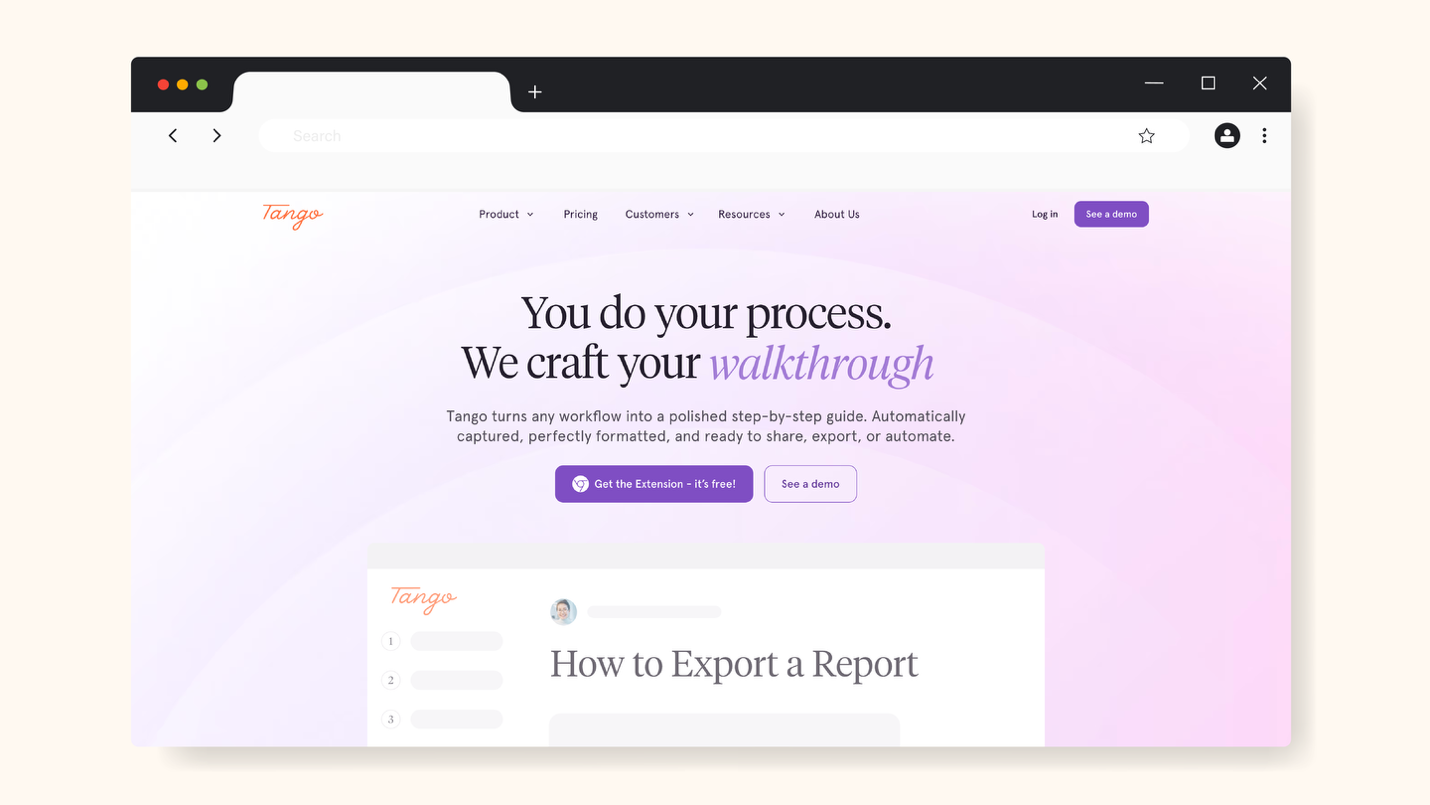
Tango is a workflow documentation platform that helps users automatically capture workflows and turn them into professional-looking step-by-step guides with screenshots.
Tango provides in-app guidance that makes it stand out from other tools in the market. Instead of creating static guides, Tango can use interactive walkthroughs to show users exactly what to do inside the tools they are using.
Some users note that editing and customization options are limited for the work instructions created with Tango.
Tango, however, offers better in-app guidance compared to Scribe, another workflow recording tool.
Pricing
Tango has three tiers:
- Free (trial)
- Pro: $15 per month per user for 3 or more users, or $22 per month per user for 1-2 users
- Enterprise: custom pricing
Best for: Teams that need fast documentation and in-app guidance for software or web workflows.
8. Dokit: Best for Multilingual Work Instruction Distribution
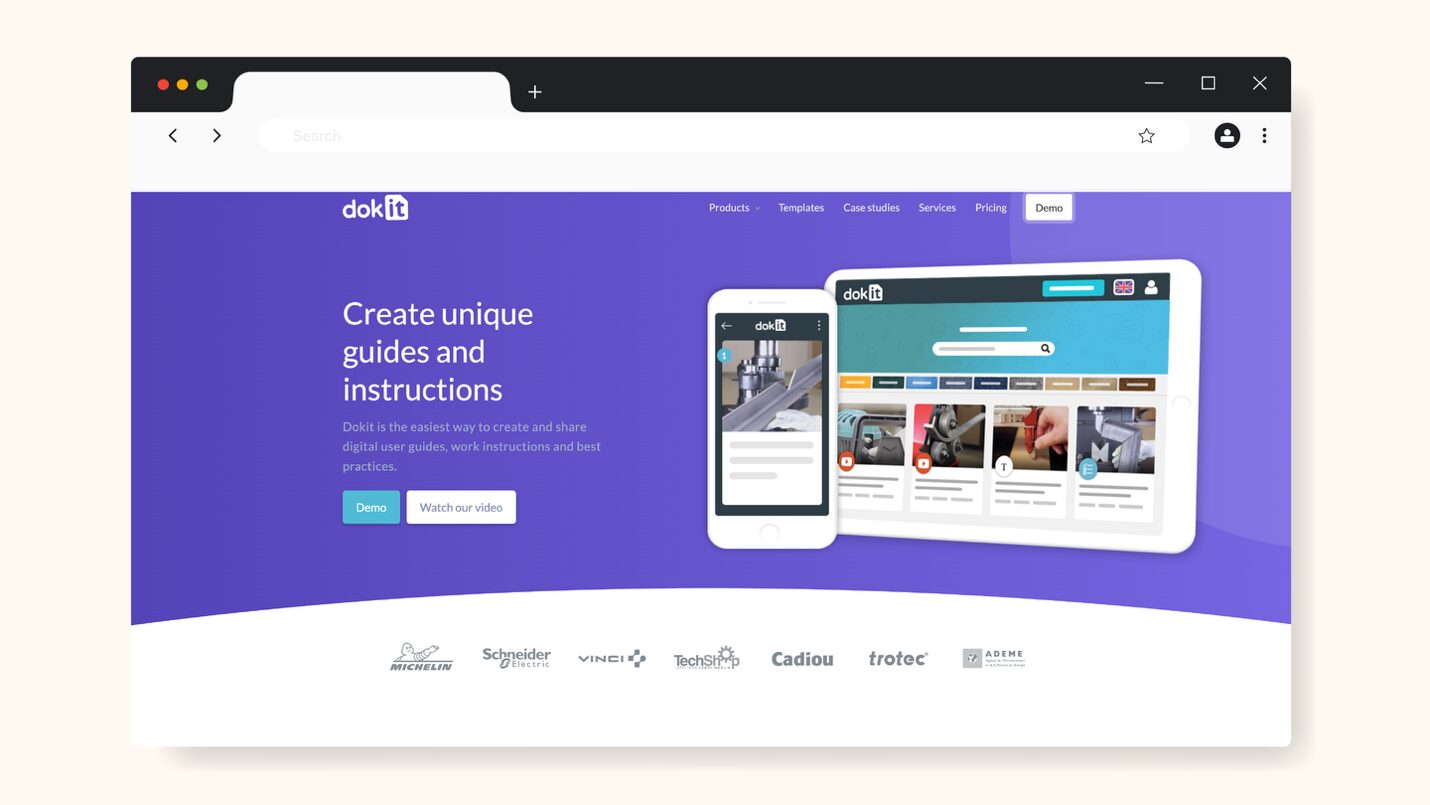
Dokit is a digital documentation platform designed to help global teams create and share visual work instructions, user guides, and best practices. It’s especially useful in environments where processes have to be standardized but the language barrier is a challenge.
This makes multilingual support and accessibility Dokit’s standout feature. It allows teams to create instructions and distribute them across multiple regions while still maintaining operational consistency.
Unfortunately, while Dokit handles distribution well, it’s incomparable to modern tools like Tango or Scribe in terms of automation and ease of creation. More so, users rate Dokit low on customer service and brand experience.
Pricing
Dokit has three tiers:
- Starter: from $70.76 per month
- Enterprise: from $353.80 per month
- Tailor-Made: Pricing on request
Best for: Organizations that need standardized work instructions across multilingual and multi-regional teams.
Core Features To Look for in Work Instruction Software
When choosing work instruction software, you must consider features that support execution, training, and scalability. Below are the core functionalities that matter most:
- Visual & Multimedia Content Support
Text alone isn’t enough to give clear instructions. The best tools let you embed images, videos, links, tables, annotations, and other interactive elements, so users can actually see what to do, not just read about it. Tools like SweetProcess, Scribe, and Tango excel at auto-generating visual guides, but SweetProcess allows richer customization with videos and branding.
- Version Control & Audit Trails
Work instructions evolve. Without proper version control, team members may end up following outdated processes. A strong work instruction tool will maintain a full history of changes, allowing you to track edits, revert versions, and ensure compliance. This is especially important in regulated environments, and tools like VKS, SweetProcess, and Dozuki are ideal here.
- Mobile & Offline Access
Work instructions are more valuable at the point of work than at a desk. With mobile access, teams can follow procedures on-site. Offline functionality is also important in environments with limited connectivity. SafetyCulture stands out here with its mobile-first approach to inspections and on-field workflows.
- Task Assignment & Progress Tracking
Documenting work instructions doesn’t guarantee execution. Assigning instructions as tasks, tracking completion, and monitoring progress ensures completion and accountability. SweetProcess clearly leads in this area.
- Integration Capabilities (ERP, MES, Zapier)
As your organization grows, your work instruction software should allow connection with other systems like ERP (Enterprise Resource Planning), MES (Manufacturing Execution System), or automation tools. Manufacturing-focused platforms like Poka and VKS offer deeper integrations with production systems. SweetProcess, however, leverages integrations for broader business workflows.
- Compliance Monitoring & Sign-Offs
Compliance features are essential for teams that need accountability. Tools like Dozuki and Poka emphasize compliance in manufacturing settings, while SweetProcess is more flexible and works across industries.
These are core features your work instruction tool should ideally have. The best tool is not the one with the most features, however; it’s the one that is best suited to your team, aligns with your goals and ensures instructions are followed consistently.
Benefits of Using Work Instruction Software
Here are the major benefits of using work instruction software:
1. Reduces Errors and Rework
There’s less room for guesswork when work instructions are clear and standardized across the organization. This equates to fewer errors, which in turn means less rework.
For example, using tools like VKS and Dozuki gives teams step-by-step guidance to reduce otherwise costly mistakes on the shop floor. Similarly, using SweetProcess has enabled businesses like Wistar Group to eliminate process inconsistencies, and save over $87,000 in operational costs.
2. Speeds Up Employee Onboarding and Training
With work instruction software, new employees can follow structured guides instead of relying on verbal instructions or shadowing.
Tools like Scribe and Tango help to create training materials fast, while SweetProcess takes it further with quizzes and task tracking. The result? Companies like Awesome Dynamic reduced onboarding and training time by 50%, and new employees became productive much faster.
3. Ensures Compliance and Audit Readiness
Having up-to-date, trackable instructions is critical for regulated industries. Platforms like Poka and Dozuki are strong in compliance-heavy environments, while SweetProcess provides flexible version control and sign-offs that work across industries.
4. Centralizes Institutional Knowledge
Without a central system, knowledge gets scattered or even lost when employees leave. But with work instruction software, teams have a single source of truth where processes can be documented, managed, and distributed.
5. Improves Consistency Across Locations and Teams
Maintaining consistency is a challenge for companies with teams operating across different locations.
Tools like Dokit help distribute work instructions across multilingual teams.
How To Choose the Right Work Instruction Software
The best work instruction software is more about how and where your team works than about features. Comparing every tool side by side is ideal, but the best approach is to match your primary use case to the right tool for it.
Let’s do some sample matching below:
- If you run a manufacturing business with shop-floor integration needs, then you should look at VKS or Dozuki for manufacturing work instructions. They offer structured instructions, traceability, and production-focused features.
- If your team needs cross-industry flexibility with built-in training and a knowledge base, SweetProcess is the better fit. It combines documentation, training, and task management in one system and works across operations, HR, customer service, and more.
- If your team is focused on quick, screen-capture documentation, Scribe, Tango, and SweetProcess are ideal. They’re fast and easy to use, especially for software workflows, but SweetProcess offers deeper training and compliance features.
- If you’re an enterprise manufacturer with a large frontline workforce (500+ employees), Poka stands out as your best bet. It combines work instructions with skills tracking, training, and analytics.
- If safety and inspections are a priority for your organization, SafetyCulture is a great choice. It’s built for mobile-first execution and compliance workflows, especially in the field.
- And if you manage multilingual teams, Dokit is designed to help you distribute instructions and ensure consistency across your different locations and languages.
As you can see, it’s about matching your priorities and environment with the features of the work instruction software you’re considering, and then choosing the one that best fits.
FAQs About Work Instruction Software
What Is the Difference Between an SOP and a Work Instruction?
An SOP (standard operating procedure) outlines a process at a higher level—what needs to be done and in what order. A work instruction goes deeper, showing exactly how to perform a specific task step by step.
What Is the Best Free Work Instruction Software?
Scribe, Tango, and SafetyCulture offer free plans. They are, however, only okay for basic documentation and small teams and often come with many limitations.
What Is Work Instruction Software for Manufacturing?
Work instruction software is used in manufacturing to guide operators on the shop floor with precise, visual, and standardized instructions.
How Do I Create Digital Work Instructions?
Start by breaking a task into sequential steps. Then use a digital work instruction software tool like SweetProcess, Scribe, or Tango to record those steps with visuals. Finally, edit, save, and share or export the created digital work instruction.
Create and Manage Your Work Instruction Using SweetProcess
The tools on this list solve different problems. But if you’re looking for a solution that works across industries and not just the shop floor, SweetProcess stands out. It combines easy creation (with SweetAI and the Chrome extension), structured documentation, task management, and training into one system your team will actually use.
Instead of juggling multiple tools, you can create interactive work instructions and ensure understanding, all in one place. If your goal is to build a system where work gets done consistently without constant supervision, SweetProcess is built for exactly that.