Last Updated on March 20, 2026 by Owen McGab Enaohwo
Your week starts off organized, but by Thursday, your team feels like they’ve lived three different work cycles. Tasks are half done, and every employee swears they “thought someone else was handling it.”
At that point, it’s obvious. You’re not running an efficient business; you’re busy putting out fires.
That’s the exact gap workflow management software fills. It gives you a structured way to map out recurring processes, clearly assign responsibilities, automate routine steps, and track progress from start to finish. In short, it turns messy and scattered work into clear, repeatable workflows your team can rely on.
But not every tool is built for your organization. The best workflow management software stands out with key features, including:
- An intuitive workflow builder that everyone can use and follow
- Real-time collaboration to keep teams aligned
- Built-in automation to reduce manual tasks
- SOP documentation to boost consistency
- Integrations with other business tools that affect operations
We’ve curated a list of workflow tools to help you choose a platform that truly supports your team.
If you’re ready to bring clarity back to your operations, SweetProcess is the perfect fit. Start your 14-day free SweetProcess trial today!
Table of Contents
11 Best Workflow Management Software & Tools
Key Features of a Workflow Management Software
How SweetProcess Streamlines Workflow Management
Types of Workflow Management Software
Benefits of Using Workflow Management Software for Your Business
Which Workflow Management Software Is Best for Your Team?
FAQs on Workflow Management Software
11 Best Workflow Management Software & Tools
Before choosing the right workflow management software, it’s important to understand what truly makes a tool effective. Here’s a breakdown of the best workflow management tools in the market, their key features, pricing, and what makes them effective.
This comparison table briefly highlights the key strengths and best use cases for each workflow management tool we listed in this guide.
Workflow Management Software Comparison Table
| Software | Best For | Key Strengths | Starting Price | Free Trial |
| SweetProcess | Workflow management and process documentation | SOPs, policies, and workflows in one platform; AI document generator; mobile task checklists | $99/mo (10 users); +$5/user after | 14-day free trial |
| Process Street | Recurring checklists and workflow automation | AI-powered workflows; approval steps; Slack and Zapier integrations | Custom pricing | 14-day free trial |
| Monday.com | Visual project and workflow tracking | Kanban boards and Gantt charts; 200+ templates; task automations | Free (2 seats); from $12/seat/mo | Free plan available |
| Wrike | Collaborative workflows | Multiple project views; real-time analytics; prebuilt templates | Free plan; from $10/user/mo | Free plan available |
| Slack | Team communication and workflow coordination | No-code workflow builder; 2,600+ integrations; organized channels | Free plan; from $8.75/user/mo | Free plan available |
| Flowable | Automating complex business processes | Process orchestration; enterprise AI agents; case management | Free (open-source); paid on request | Free open-source option |
| Quickbase | Building custom no-code workflow apps | Low-code app builder; role-based access; automated approvals | From $35/user/mo | 30-day free trial |
| Nanonets | AI-powered document workflow automation | AI data extraction; automated triggers; no-code builder | From $200 credits | Contact for details |
| Avaza | Managing client projects and team workflows | Project management with time tracking and invoicing; 500+ integrations | Free plan; from $11.95/mo | Free plan available |
| Cflow | No-code visual workflow automation | Drag-and-drop builder; automated approvals; built-in analytics | From $22/user/mo | Contact for details |
| ProcessMaker | Enterprise-level workflow automation | No-code process builder; process monitoring; API integrations | From $3,000/mo (billed annually) | Contact for demo |
Now, let’s dive deep into each tool.
SweetProcess: Best for Workflow Management and Process Documentation
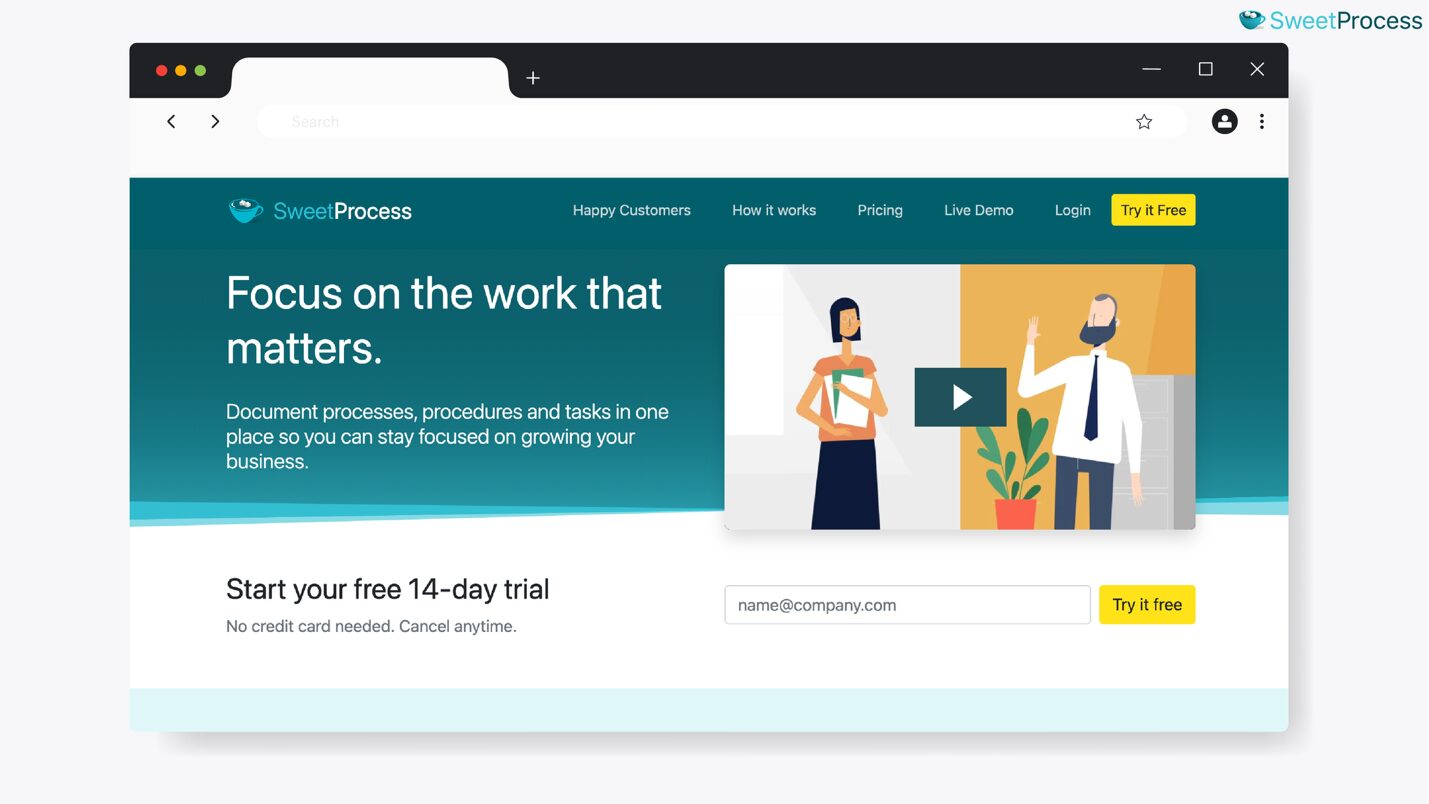
Overview of SweetProcess
SweetProcess is a workflow management tool used by small businesses, mid-sized businesses, growing teams, and established organizations to simplify how work gets done. This software goes beyond task management by providing a platform for organizations to map out their repeatable processes and document every step clearly for the team.
With SweetProcess, you get a simple and intuitive interface that everyone can use, including new hires. Every workflow is predictable. The step-by-step system keeps your teams, whether remote or on-site, on the same page. It’s your go-to workflow management tool if you want structure without complexity.
Workflow Management Features of SweetProcess
Here are the core features that make SweetProcess the best tool to manage your daily business workflows.
Document Procedures and Processes in SweetProcess
SweetProcess makes SOP and process documentation effortless. For instance, instead of repeatedly explaining your onboarding steps, you can create a procedure on SweetProcess, and every new hire follows it without confusion.
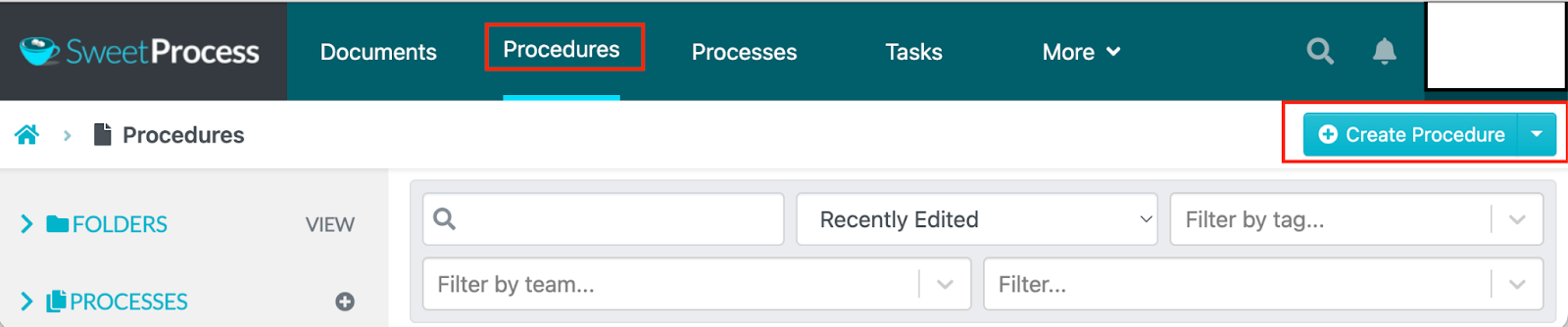
Each procedure can include text, images, videos, or checklists to ensure your team knows exactly how to complete tasks.
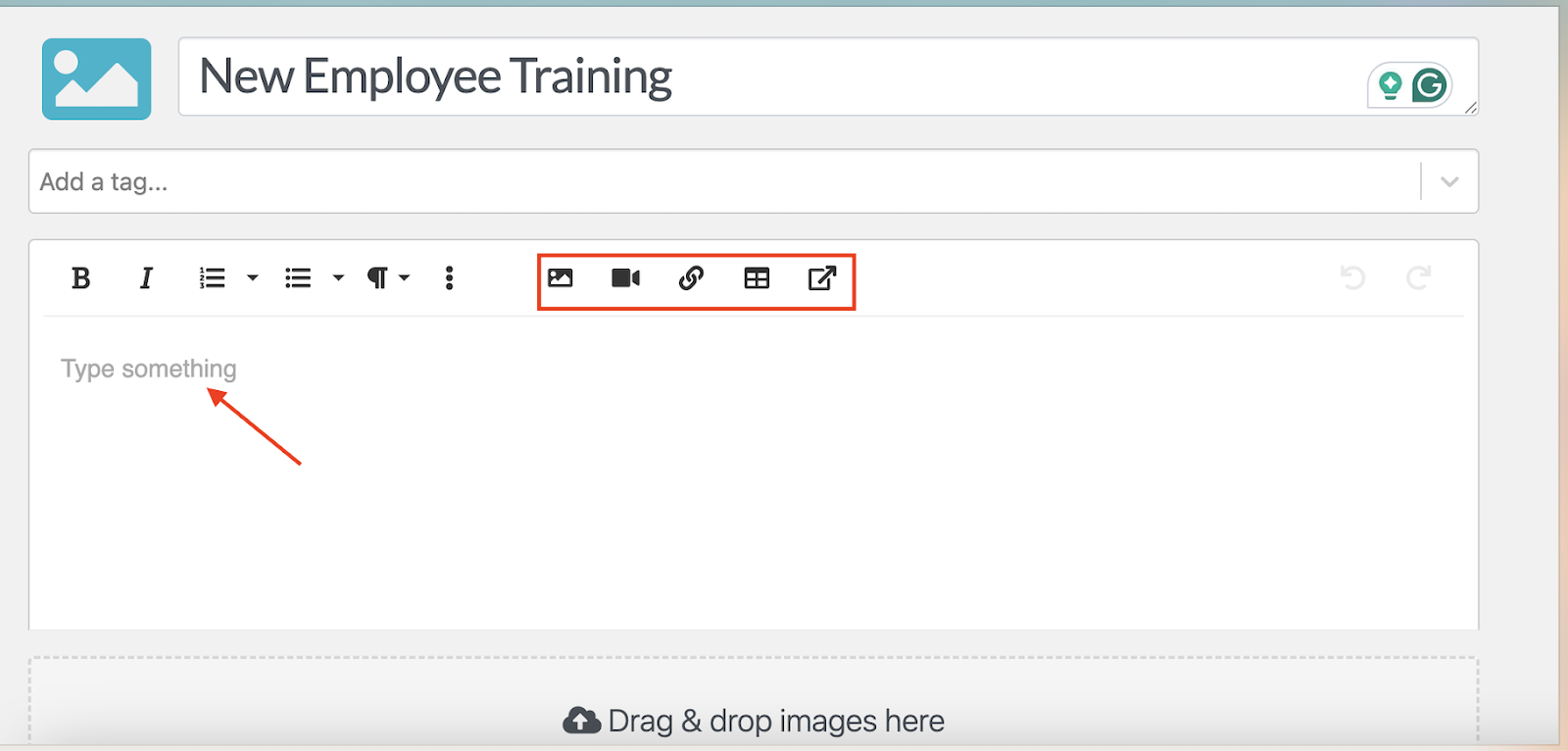
You can either manually draft the procedure or use the AI document generator, SweetAI, to create the document much faster.
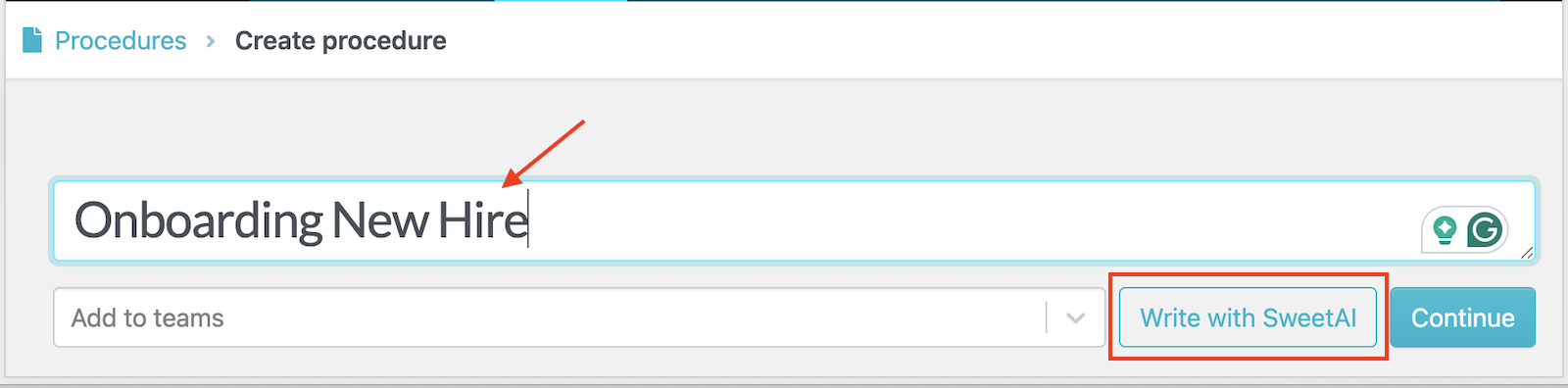
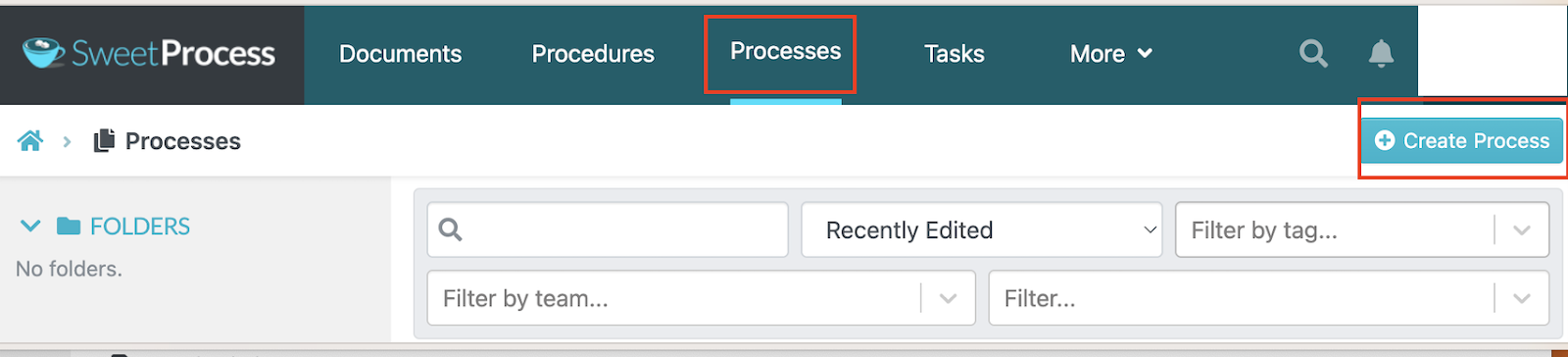
Additionally, SweetProcess is useful for creating and managing business processes, such as onboarding employees and handling customer support.
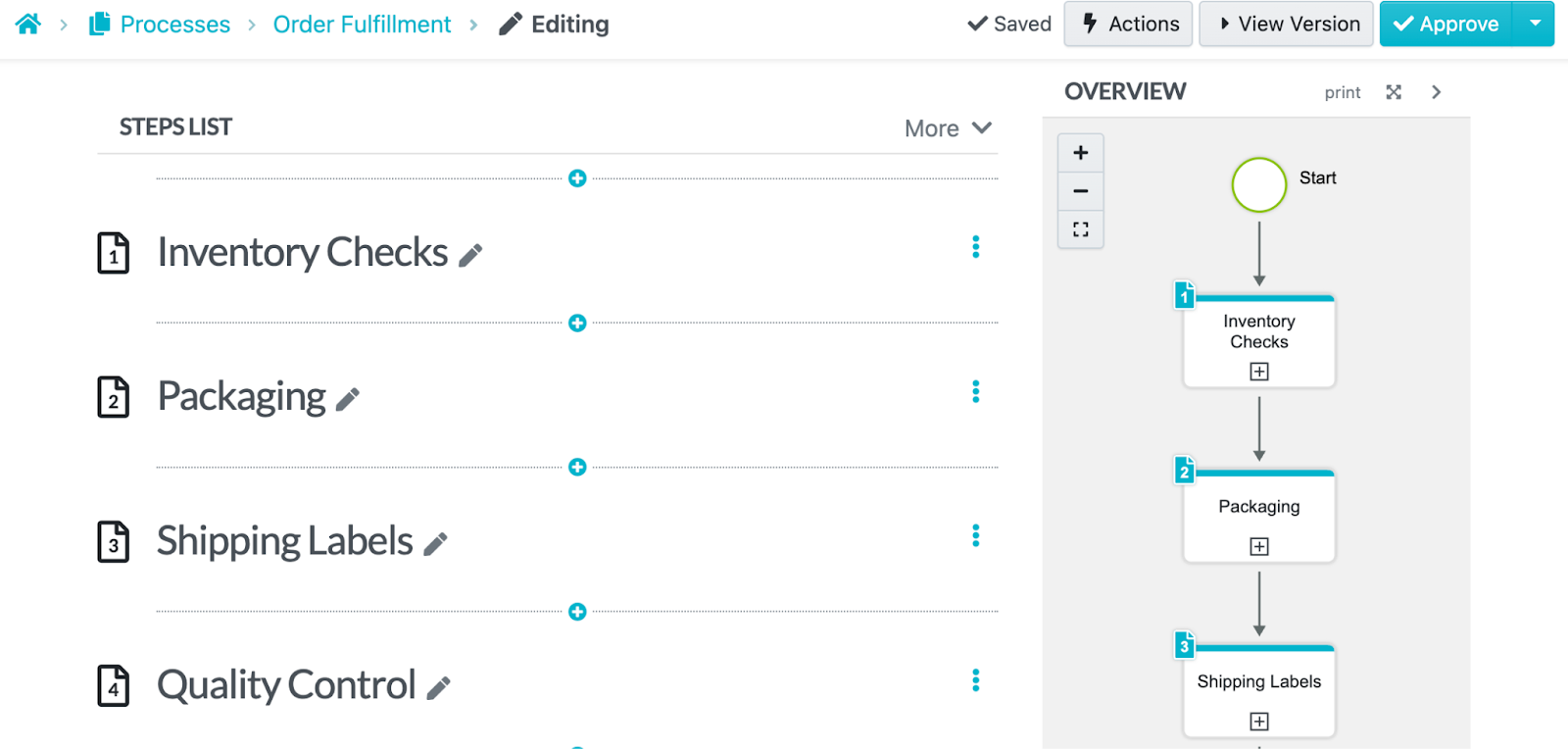
You can also break the processes into clear, visual steps that make it easy for employees to complete their tasks. Here’s a good example of steps your team can follow during order fulfillment.
Assign Processes and Procedures As Tasks to Team Members
Once your processes are documented, they can be converted into tasks and assigned to individuals or teams. SweetProcess is ideal if you want to streamline your task management processes.
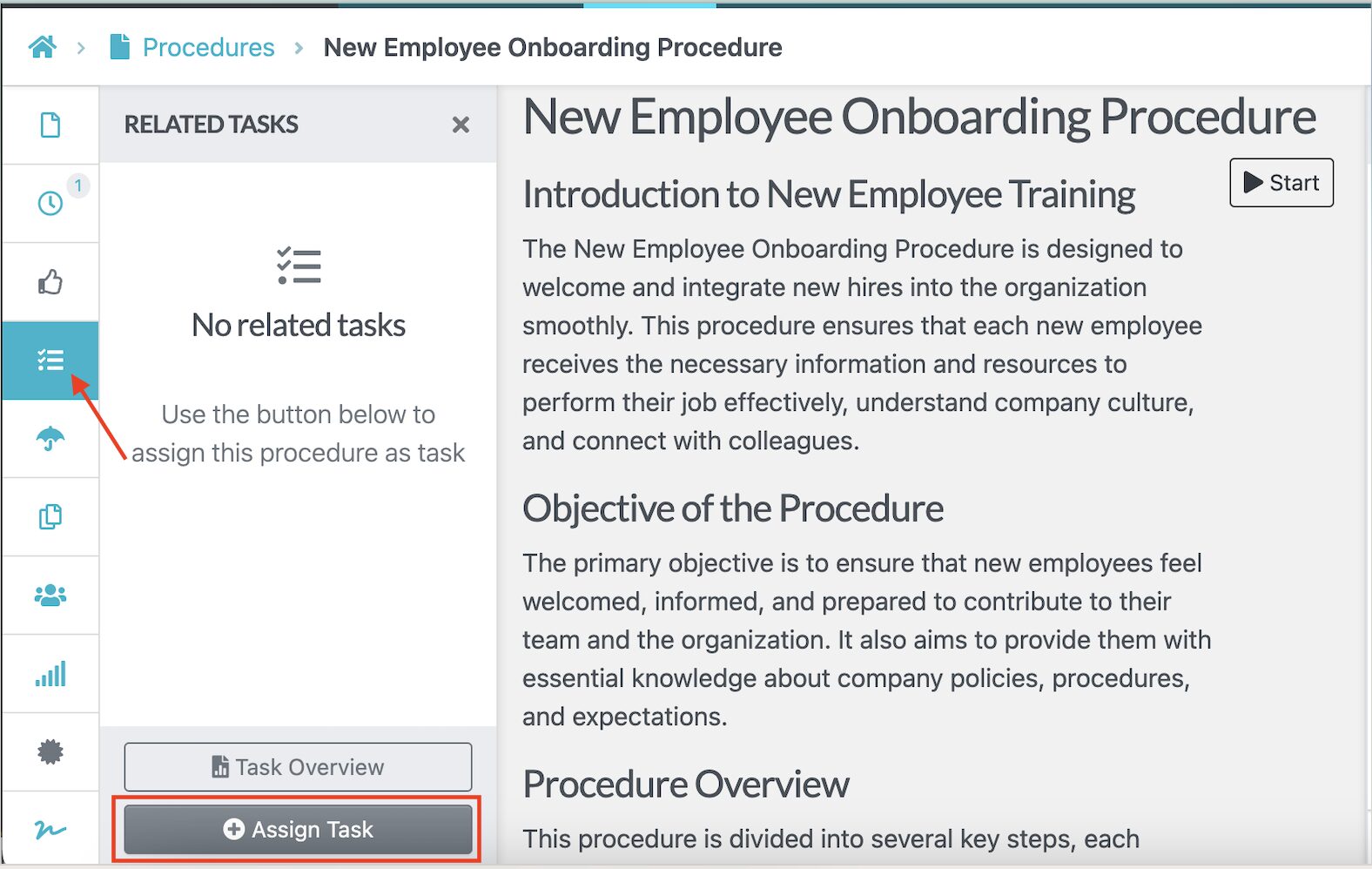
You can choose the specific team member and add dates to help you track progress.
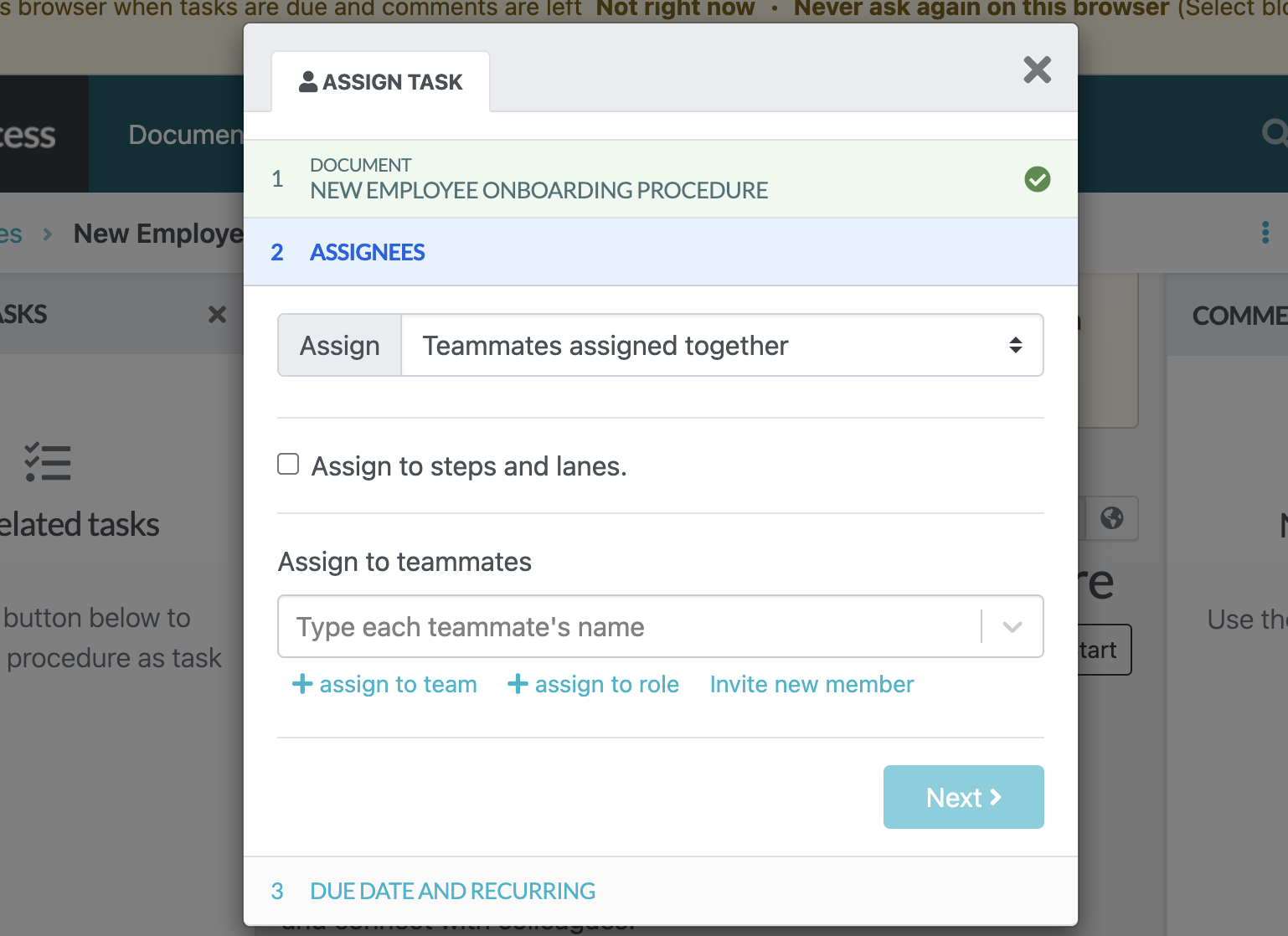
Each task includes step-by-step instructions and progress tracking so everyone knows what to do and when to do it.
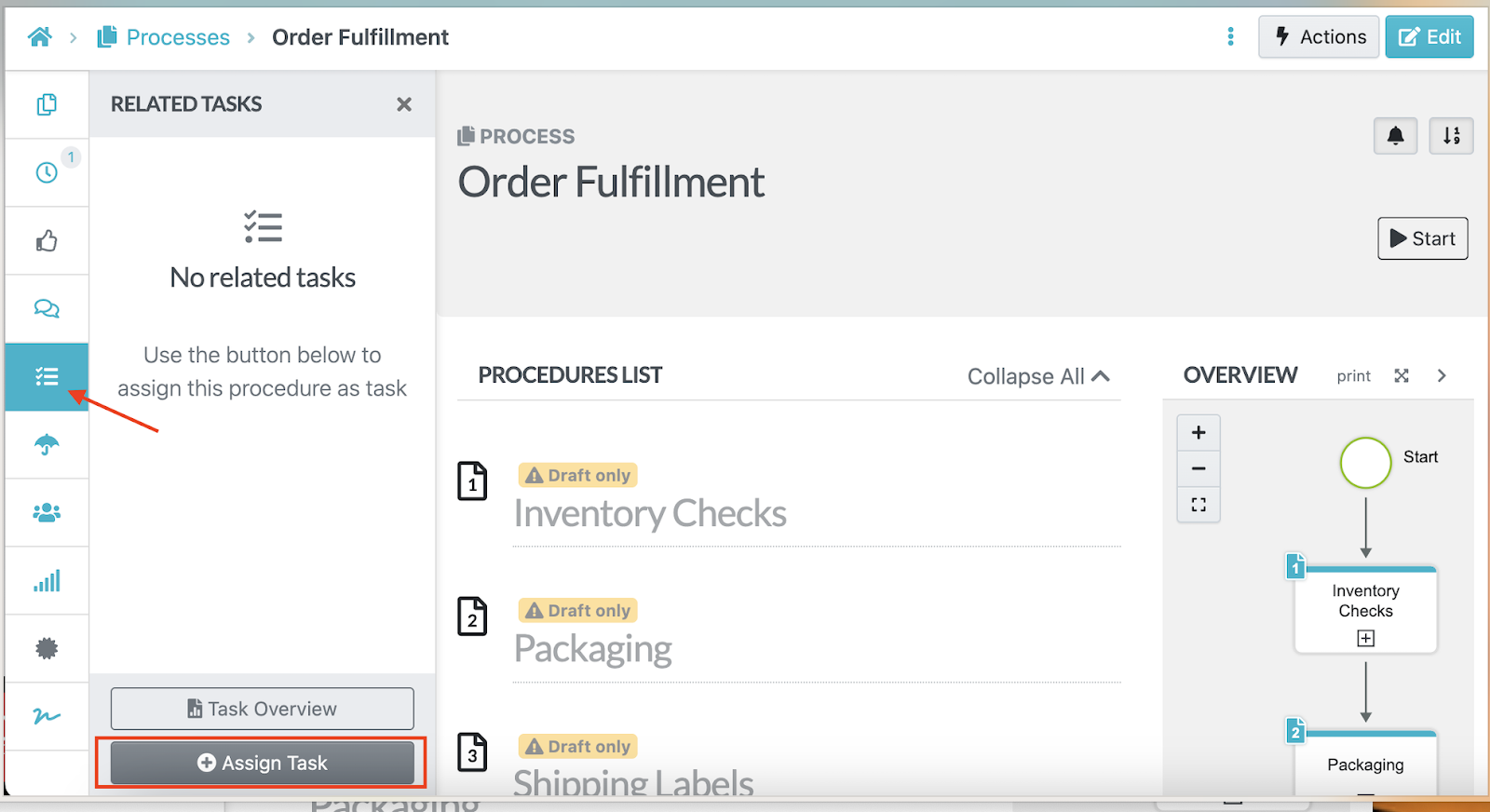
You can also assign processes as you draft them.
Collaborate and Track Progress on Assigned Tasks
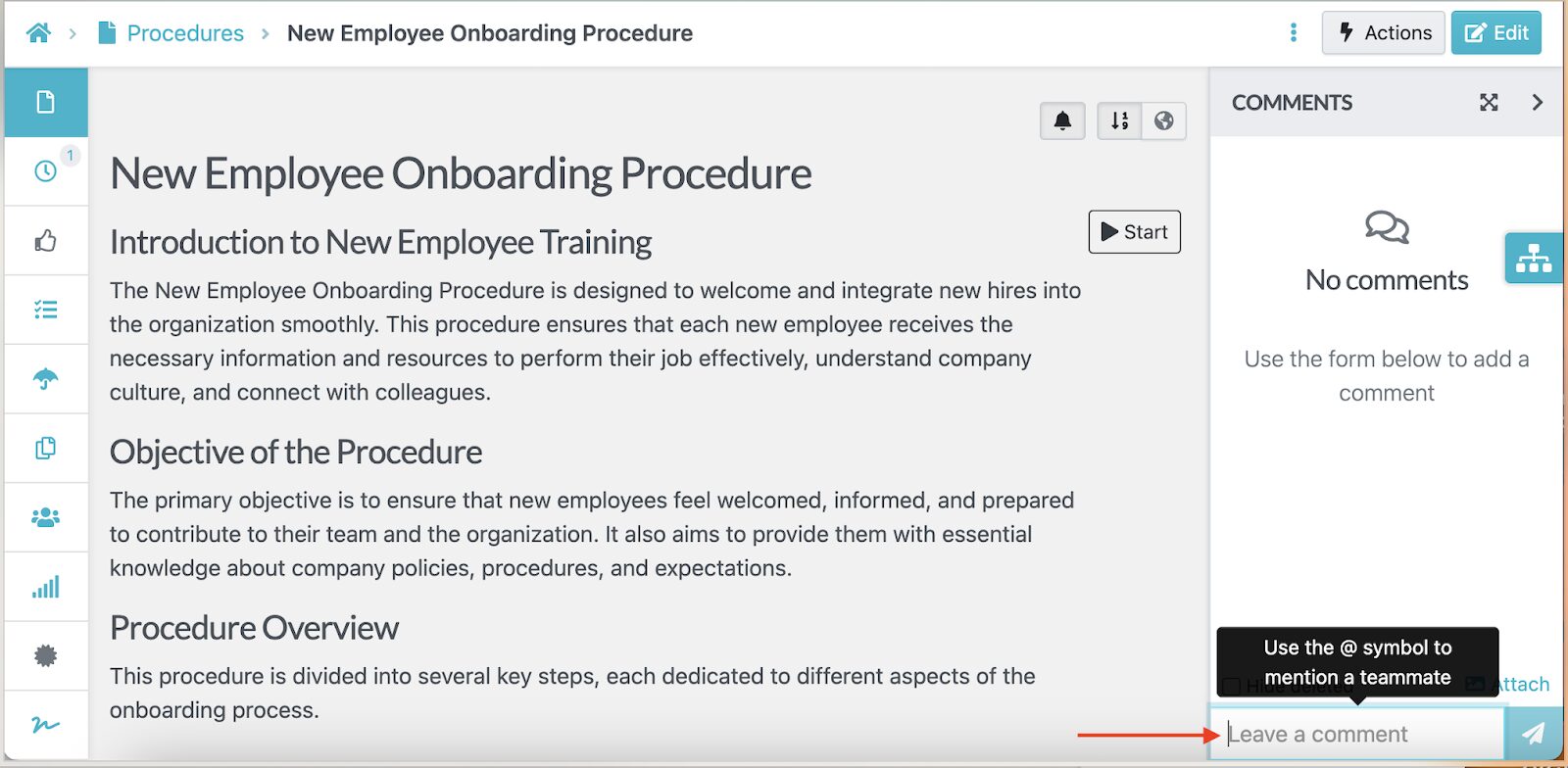
SweetProcess makes teamwork seamless by allowing team members to leave comments, upload files, check off completed steps, and request updates, all within the tasks themselves.
If you’re working on a project with a colleague or another department, you can add a comment to give feedback or assign a task.
Managers also get real-time visibility into what’s completed or what’s pending to ensure there are no bottlenecks.
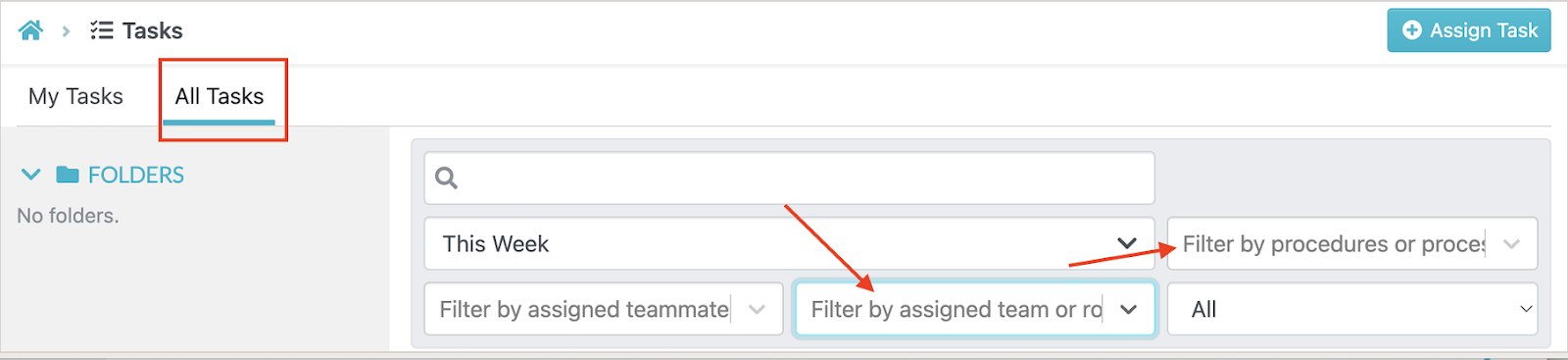
You can filter tasks by team or title to check progress.
Run Task Checklists on the SweetProcess Mobile App
With the SweetProcess mobile app, team members can complete workflows and checklists on the go. This app is especially helpful for field teams or remote workers who need access to SOPs outside of the office.
Once you create SOPs, they are broken down into clear steps that are visible on the SweetProcess mobile app.
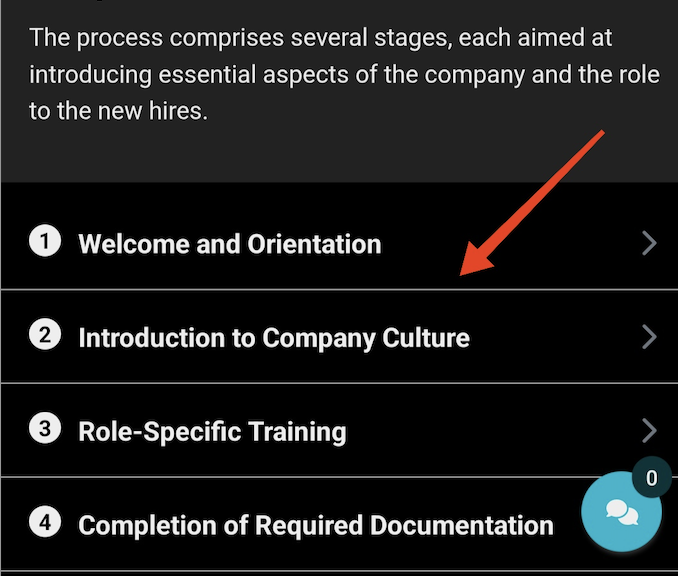
Thanks to this feature, your team can just check their phones to complete their tasks.
Invite Team Members and Collaborate on Documented SOPs, Processes, and Policies
The SweetProcess dashboard displays all the SOPs, policies, and processes. It also supports real teamwork by letting you invite employees and stakeholders to work on tasks. This way, everyone stays aligned.
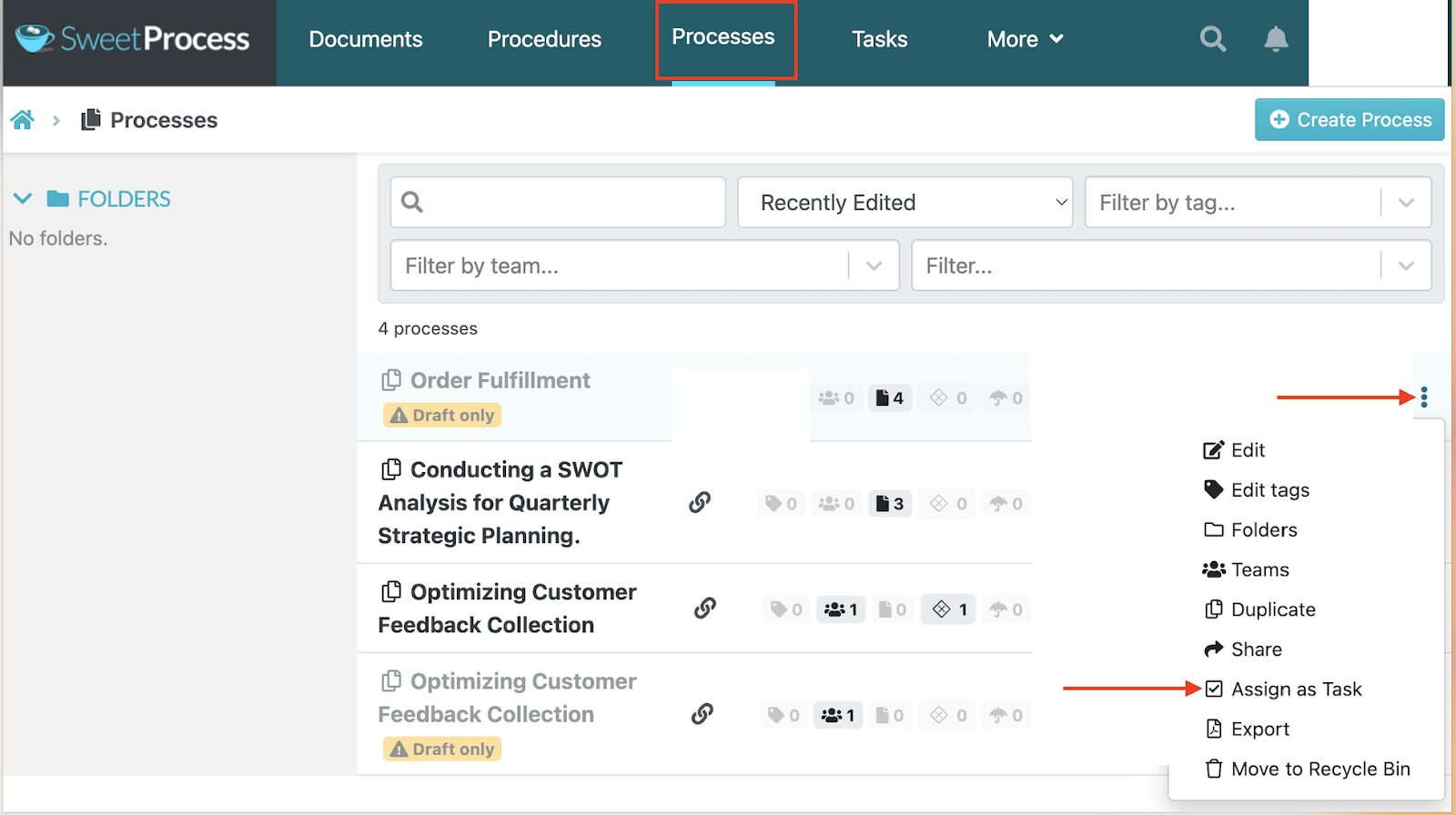
The invited member will receive an alert to provide input on the process. This feature ensures every version of a workflow is accurate and up to date.
This feature eliminates cases of outdated documents buried in Google Drive or shared folders.
SweetProcess Pricing and Support
The advantage of using SweetProcess for workflow management is its transparent pricing model, which gives you access to all features. As soon as you sign up and start your 14-day free trial, you can start documenting workflows. You get access to unlimited processes, procedures, and tasks for easier workflow management.
After the free trial, SweetProcess costs $99 per month for 10 employees. For each additional team member, you’ll be charged $5.
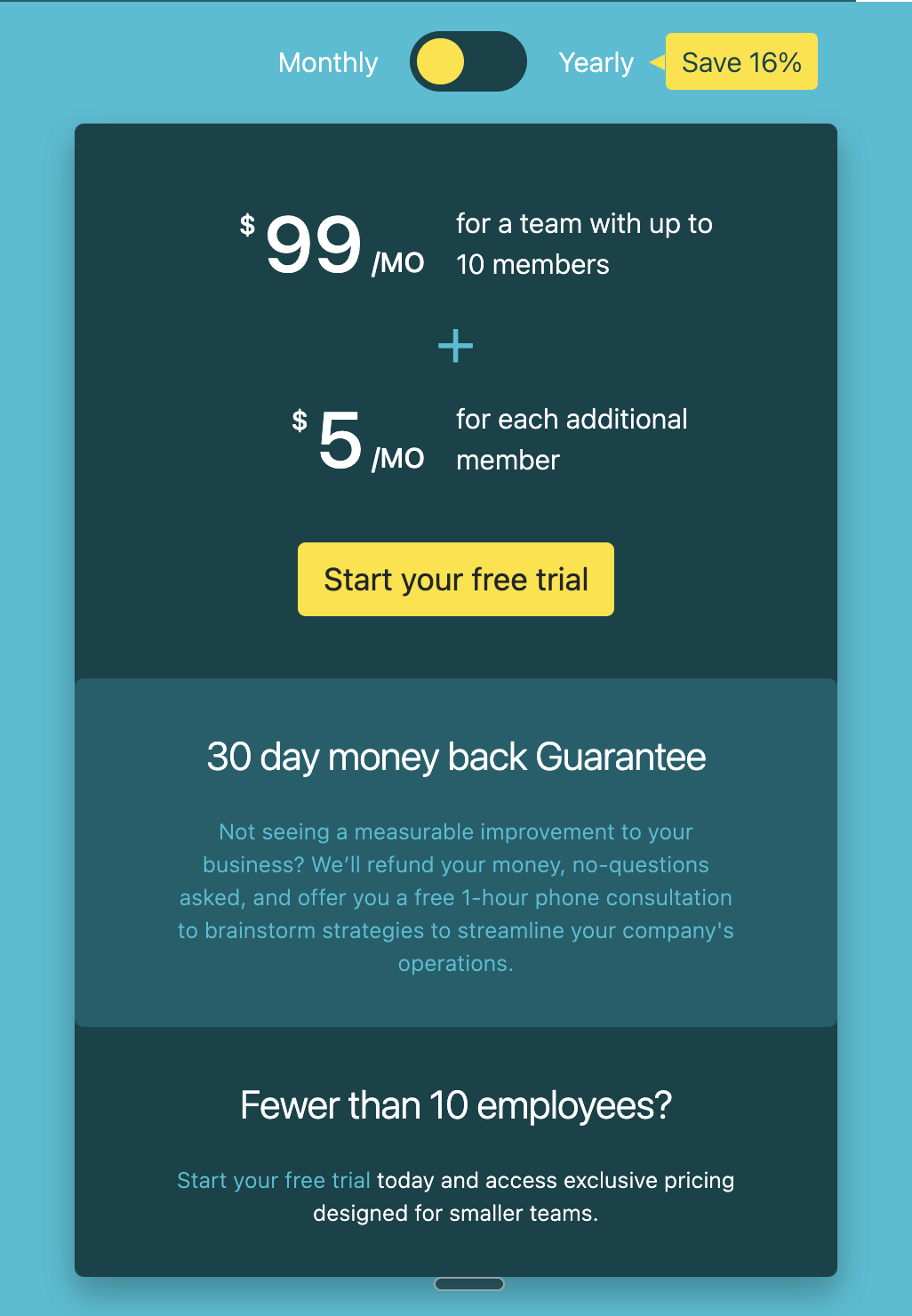
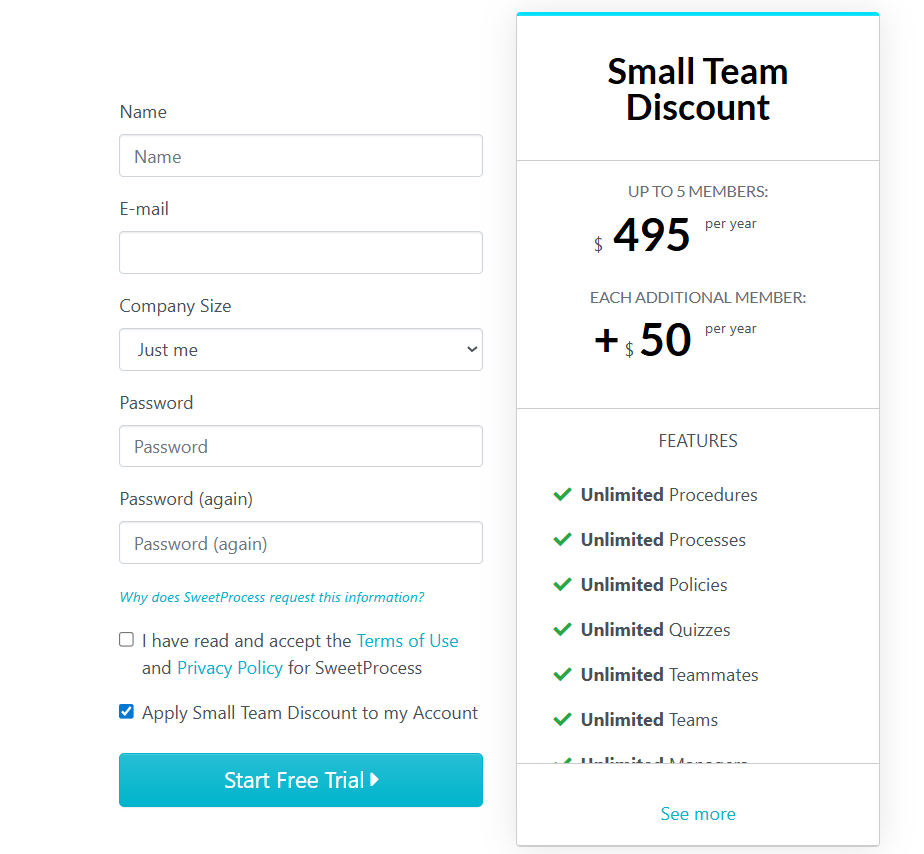
If your team has fewer than 10 members, you can start your free trial and take advantage of our discounted pricing for smaller teams. At $495 per annum, you can use SweetProcess in a team of 5 members, with each additional member costing $50 per annum.
This workflow management tool also includes onboarding assistance and helpful resources to help your team adopt it quickly. Support is available through chat, phone, email, social media, and extensive documentation on the website.
Process Street: Best for Recurring Checklists and Workflow Automation
Overview of Process Street
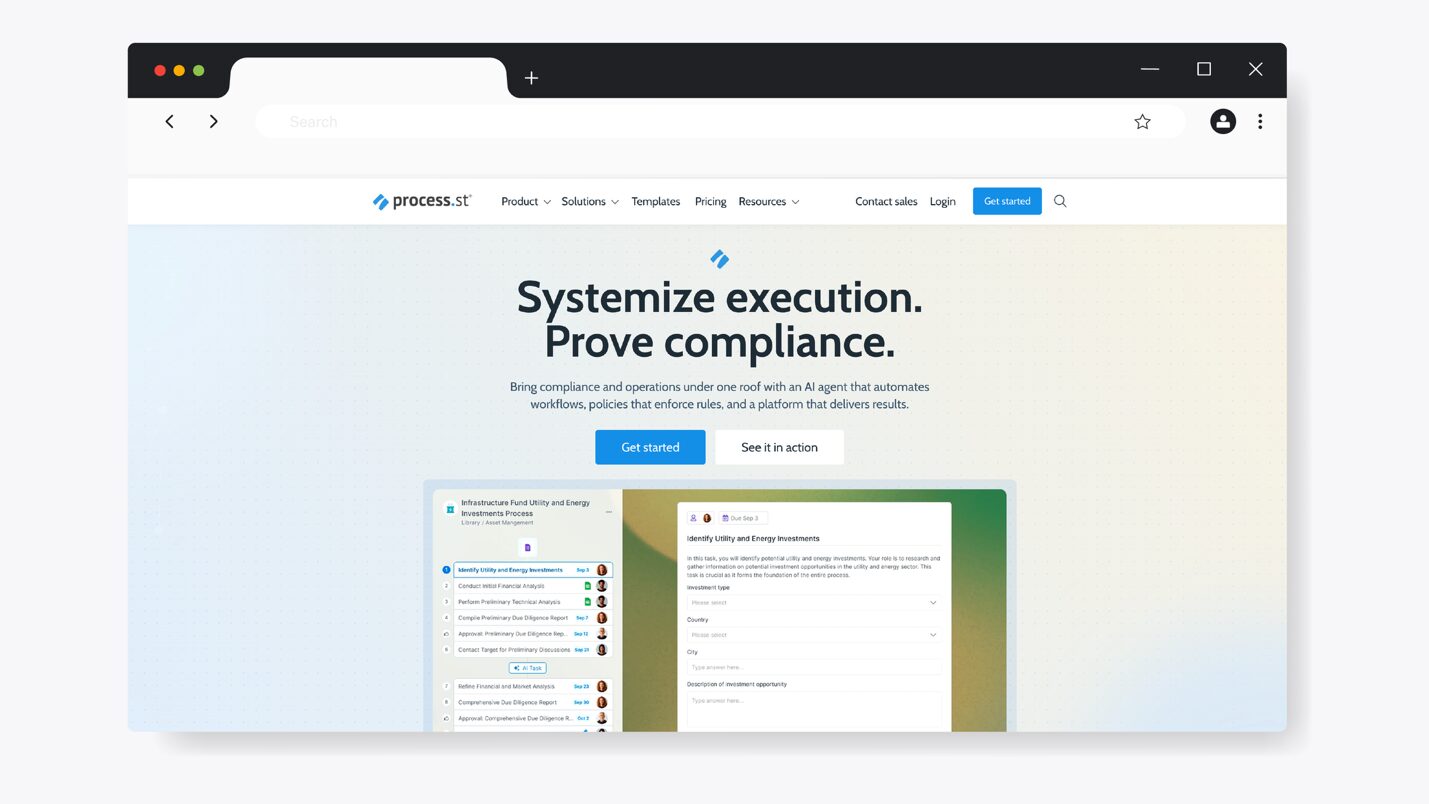
Process Street is a workflow automation tool that helps organizations stay consistent. With this software, you can streamline your operations and compliance needs on the same platform. In addition, you can use AI to power your workflows, ensuring that recurring tasks and critical processes run as they should.
You can use Process Street for multiple business activities, including employee onboarding, quality tracking, ISO compliance, and custom workflow creation. These use cases make it ideal for HR, finance, operations, IT, compliance, and customer support teams that rely on structured checklists to complete routine work.
How Process Street Supports Workflow Management
Process Street supports workflow management through these key features:
- Process AI: You can easily generate tasks and workflows using Process Street’s AI-powered workflows. They adapt to your organization’s needs.
- Approval workflows: Process Street lets you add approval steps to ensure key tasks are reviewed and signed off on before anything moves forward.
- Centralized repository: All your company documentation and data sets are stored in the same platform, making all workflows easily accessible to all employees.
- Project management: Company projects and tasks are managed in a single system, making it easier for teams to execute their roles.
- Multiple integrations: Process Street integrates with tools like Slack, Zapier, Google Workspace, and CRM platforms to keep workflows connected.
Process Street Pricing
To use Process Street, you can choose between three plans: Startup, Pro, and Enterprise. During the 14-day free trial, you can test out possible workflows on the Pro plan before subscribing. The Startup plan covers 10 guests, while you can customize and get more features with the other two options.
Monday.com: Best for Visual Project and Workflow Tracking
Overview of Monday.com
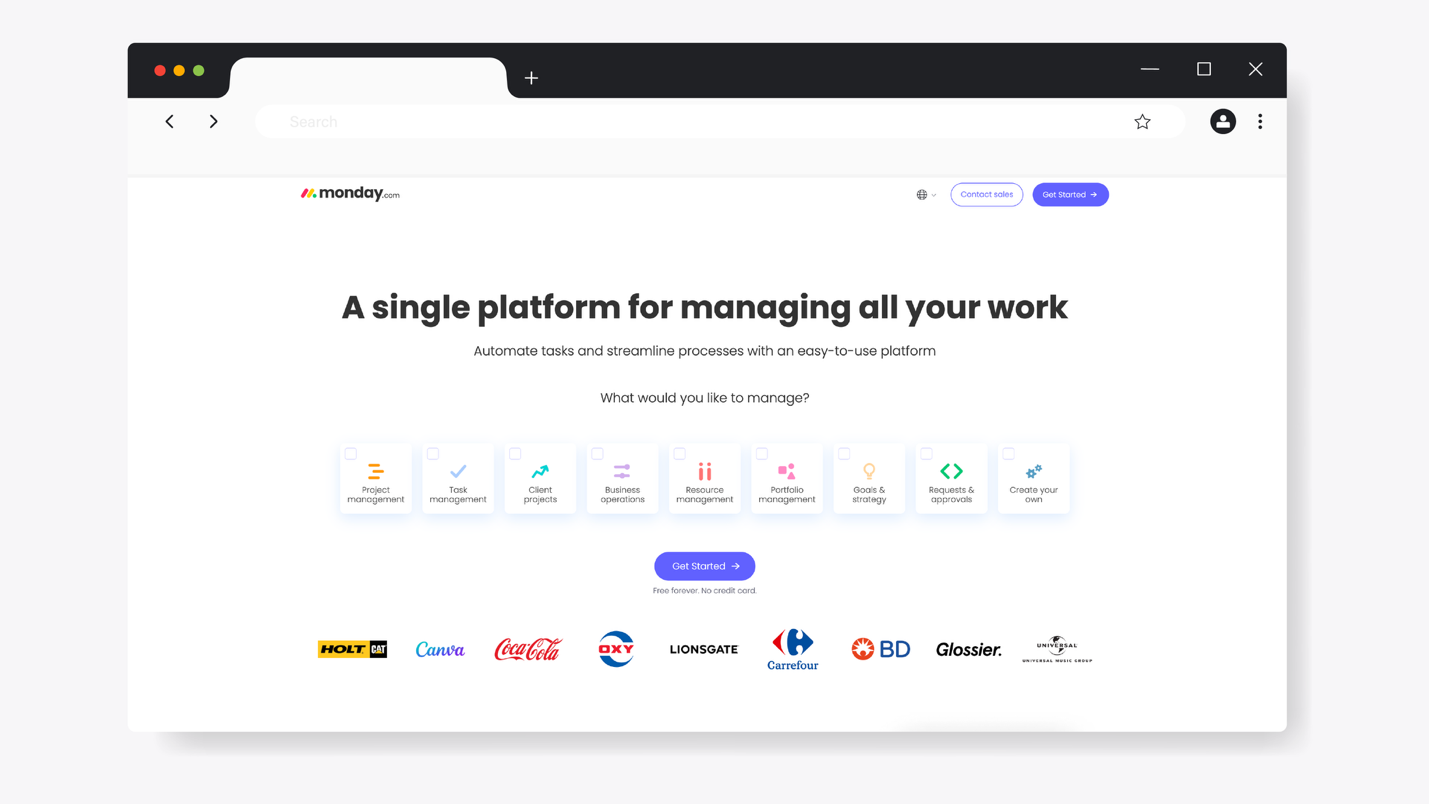
Monday.com (Monday) is a visual workflow management platform that helps teams plan and collaborate on projects in one centralized workspace. It’s widely used by project management, operations, sales, and product development teams that need flexibility in how they manage work. This tool is a customizable work hub thanks to the available boards and templates.
You can build from scratch or use these tools to manage your project timelines and tasks. Additionally, you can take advantage of the AI products to deliver results more efficiently.
How Monday Supports Workflow Management
Here are the core features of Monday that support workflow management:
- AI integration: The Monday AI-first products help your organization with CRM, customer support, and project management.
- Customizable boards and workflows: With this tool, you can access kanban boards and Gantt charts to streamline project management.
- Visual project tracking: The workflow is displayed using timelines and interactive boards to track progress.
- Automations: You can automate repetitive tasks with this software, such as status updates, notifications, and task assignments to reduce manual work.
- Collaboration tools: Team members can comment on tasks, tag colleagues, upload files, and share updates in one place.
Monday Pricing
Monday uses a tiered pricing model based on the number of users and the features you need. At the entry level, you can start with the free plan that covers two seats. With this plan, you can access up to three boards and 200+ templates. However, for premium features, you can choose between Standard at $12 per seat per month and Pro at $19 per seat per month, or request a custom quote for the Enterprise plan.
Wrike: Best for Collaborative Workflows
Overview of Wrike
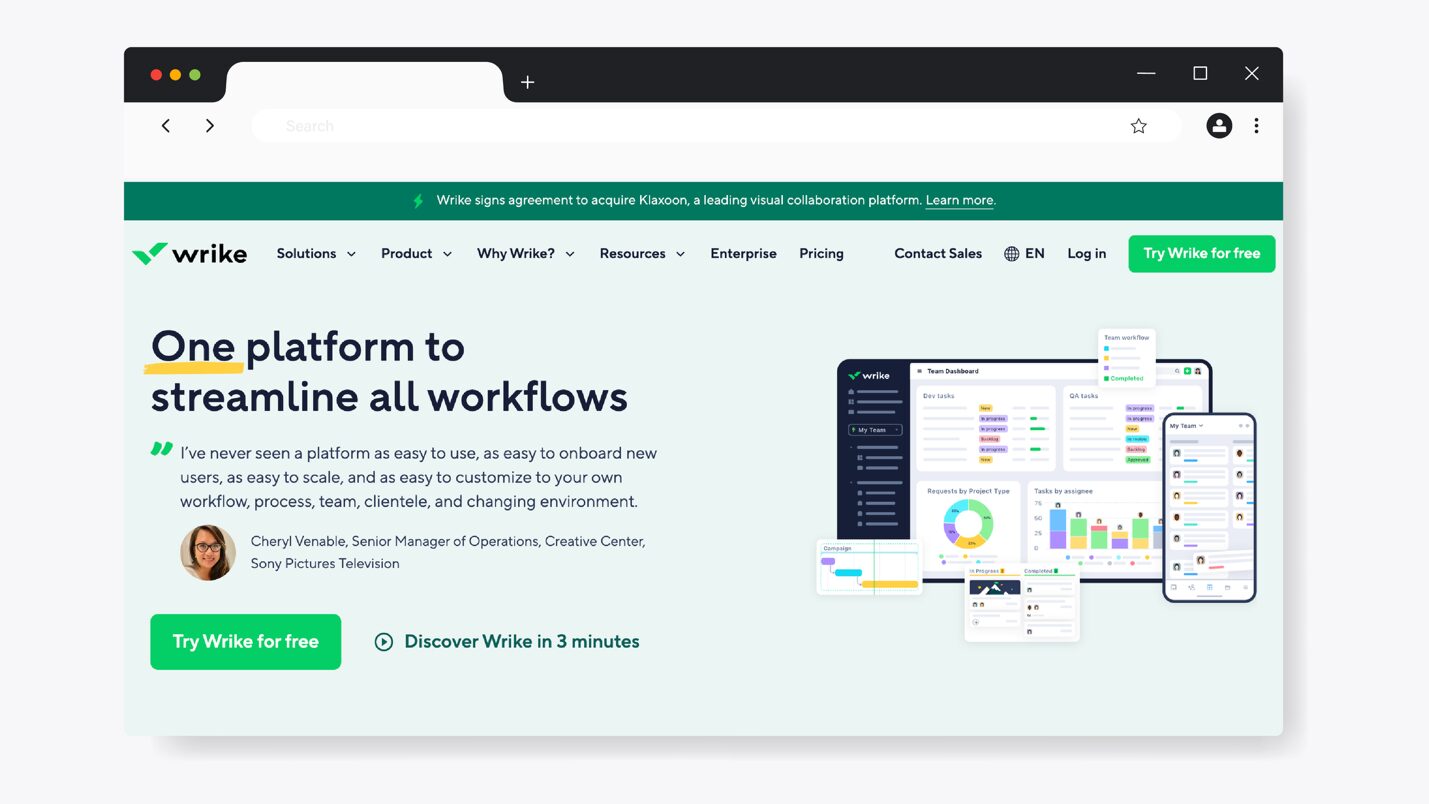
Wrike is a robust workflow management and project management platform that excels in visual collaboration. You can use this tool from idea generation to resource allocation for your projects, work delivery, reporting, and optimization to improve your workflows. Wrike is ideal for organizations of all sizes, whether you have 20 employees or a multinational organization with complex projects.
If you want to scale and automate operations across multiple departments, Wrike is easily adaptable. You can use the built-in AI assistants to personalize support and save time.
How Wrike Supports Workflow Management
With Wrike, you can access these features to help you manage your workflows:
- Prebuilt templates: Your team can build projects much faster using the available templates.
- Centralized project management: Wrike gives you access to all projects, tasks, and folders so your team can see who is working on what.
- Visual charts: Your team can use the calendar view, boards, charts, or table view to instantly track workloads and task progress.
- Real-time insights and analytics: This tool lets you track performance and identify bottlenecks in your workflows.
Wrike Pricing
To use Wrike for workflow management, you must choose from the five pricing plans. There’s a free plan if you’re looking for a simple task management tool. The Team plan starts at $10 per user per month. The Business plan is ideal for companies with multiple departments and costs $25 per user per month. However, you can get a custom quote for the Enterprise plan for large teams or the Pinnacle option if you have complex needs.
Slack: Best for Team Communication and Workflow Coordination
Overview of Slack
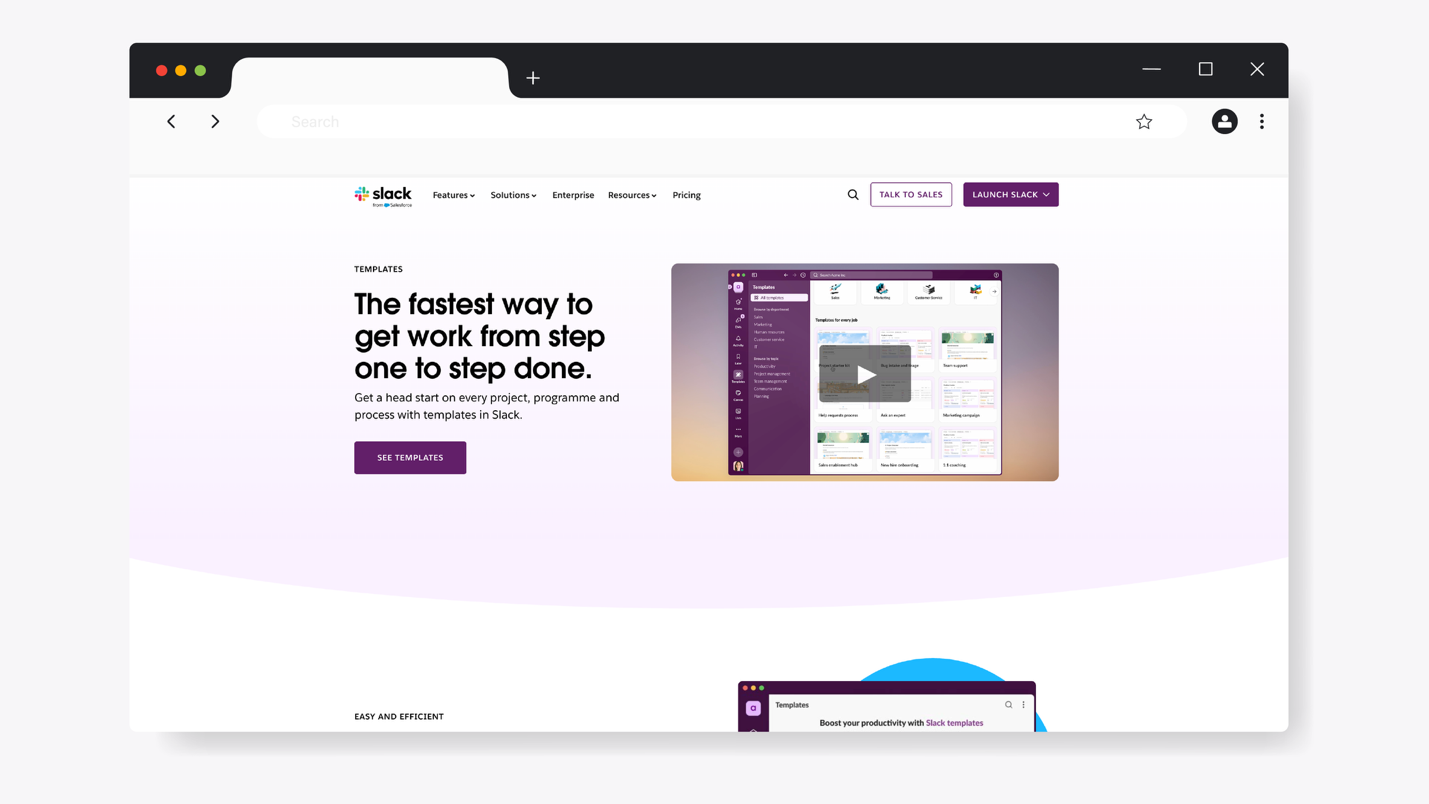
Slack is a team communication platform that centralizes company conversations, updates, files, and information in one place. Distributed and remote teams use this tool. Instead of sending back-and-forth emails on tasks, organizations can use Slack to send faster, more organized messages.
While Slack isn’t a traditional workflow management tool, many teams rely on it as the connective tissue between tasks and people. When paired with automations and integrations, Slack can help coordinate workflows.
How Slack Supports Workflow Management
Slack supports workflow management with these features:
- Workflow builder: Users can create simple automated workflows and approvals without code.
- Slack channels: If you have multiple projects or teams, you can create separate channels on Slack to organize conversations and updates in one place.
- Integrations with workflow tools: Slack connects with over 2,600 apps; therefore, you can access and organize all your task updates.
- Notifications: Your employees can get real-time updates on this platform, while managers receive alerts when tasks are completed.
- Collaboration: You can share documents and other company information instantly within conversations.
Slack Pricing
Slack offers a free plan with limited message history and integrations, making it suitable for small teams. With paid plans, you unlock more features, including automation and unlimited message history. The Pro plan costs $8.75 per user per month, and the Business+ option costs $15 per user per month. You can also get a custom quote if you prefer the Enterprise option.
Flowable: Best for Automating Complex Business Processes
Overview of Flowable
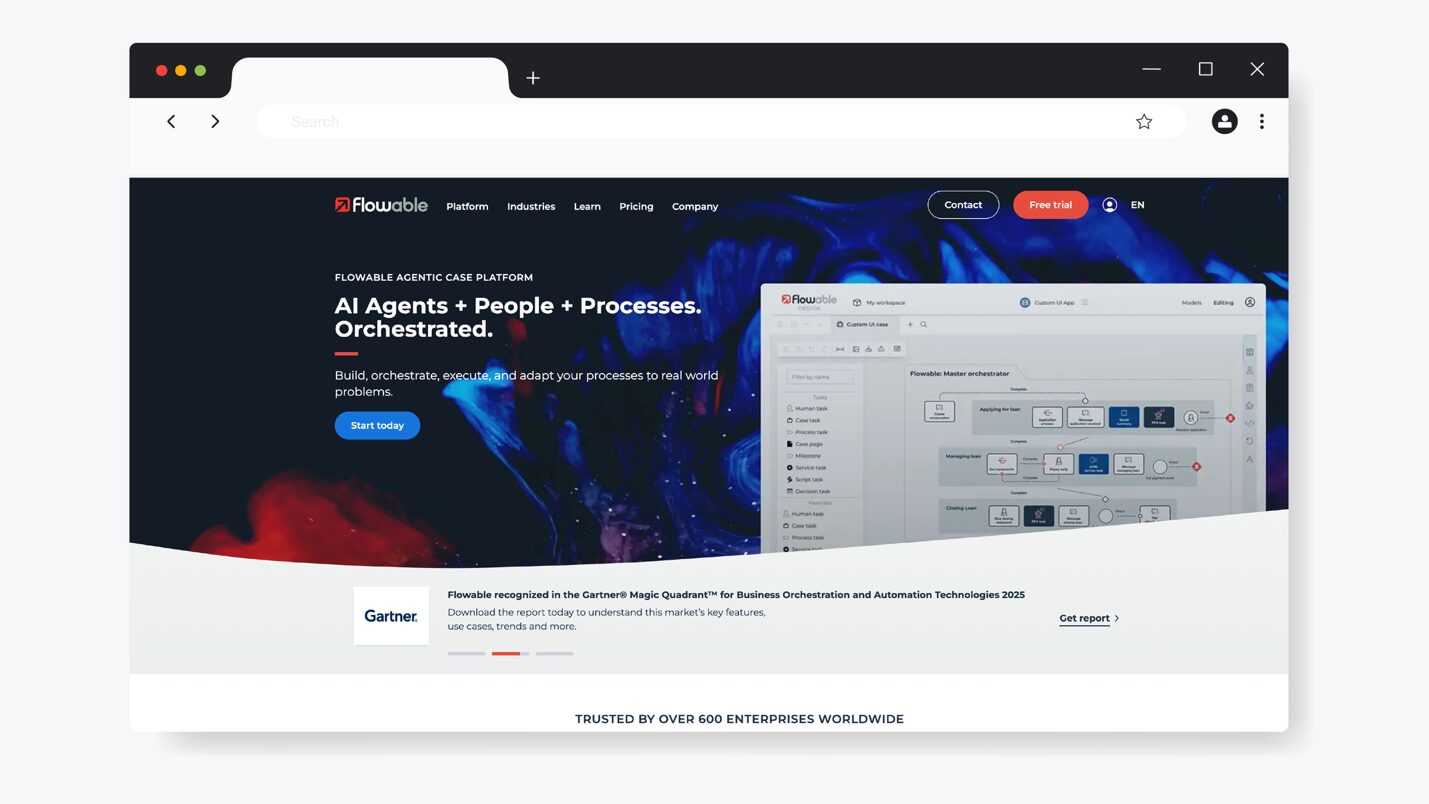
Flowable is a business automation platform to help you execute complex business processes. With the help of agentic AI, this software centralizes all your processes and teams on one platform. You can eliminate all manual processes and focus on growing the business, thanks to AI capabilities that handle the heavy lifting.
This tool goes beyond task management by providing a platform for process modeling, especially for organizations in technical environments. Flowable is commonly used by companies in sectors such as banking, finance, manufacturing, and insurance.
How Flowable Supports Workflow Management
Here are the core features of Flowable:
- Process orchestration: Flowable brings together all parts of your business, including employees, systems, tasks, and data to streamline workflows.
- Enterprise AI agents: These AI capabilities enable you to simplify complex company goals into steps and automatically choose what tasks to execute.
- Case and decision management: You can manage structured and unstructured work using case management and decision rules.
- Multiple integrations: Flowable integrates with enterprise systems and custom platforms through APIs, enabling you to consolidate workflows.
Flowable Pricing
You can choose between the free Flowable open-source option and the premium Flowable platform. The free option is available only for the community, while the paid plan is divided into Silver, Gold, and Platinum options. You can contact the team to get a personalized quote.
Quickbase: Best for Building Custom No-Code Workflow Apps
Overview of Quickbase
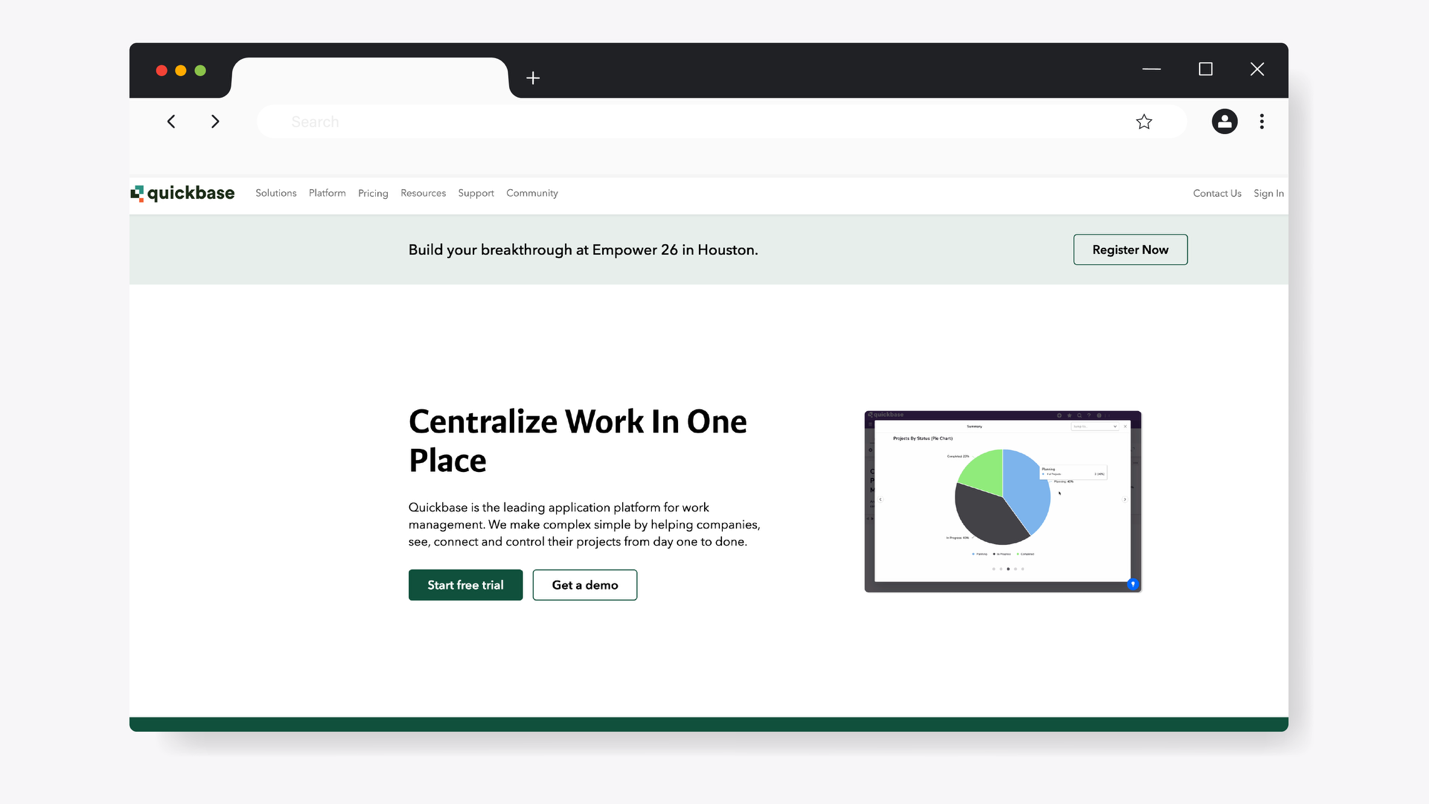
Quickbase is a low-code and workflow platform that your team can use to build custom tools and automate processes. With this software, your organization can connect all systems in one place, helping you deliver your services much faster. It’s commonly used by operations, finance, IT, and project teams that need tailored workflows.
Rather than focusing on simple task management, Quickbase allows organizations to design applications that reflect their unique processes. This capability makes it a strong option for teams that need flexibility and data-driven workflows.
How Quickbase Supports Workflow Management
To use Quickbase for workflow management, here are the key features you get:
- App builder: Quickbase helps you create custom applications to manage complex projects and eliminate manual tasks.
- Integrations: If you have existing business systems, Quickbase enables you to connect all of them and centralize your workflow management.
- Role-based access: You can control who can view or approve workflow steps to maintain accountability.
- Automated approvals: With this software, you can design trigger alerts for approvals and task handoffs based on workflow conditions.
Quickbase Pricing
Quickbase has three pricing tiers. As a new user, you can start with the 30-day free trial. The Team plan costs $35 per user per month, while the Business option costs $55 per user per month. You can also opt for the Enterprise plan, which is fully customizable depending on your organizational needs.
Nanonets: Best for AI-Powered Document Workflow Automation
Overview of Nanonets
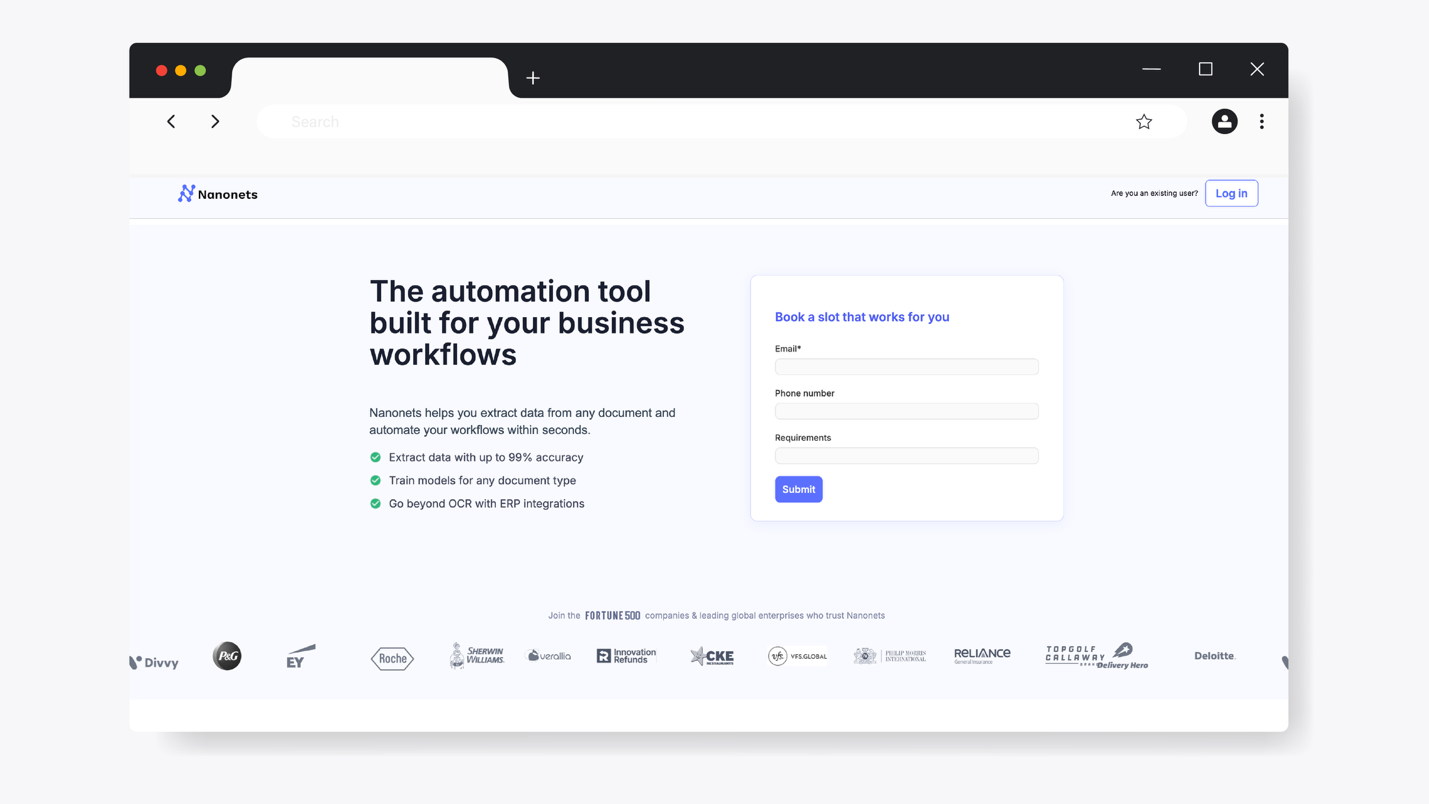
Nanonets is an AI-powered workflow automation platform focused on document processing and data extraction. This tool excels at handling unstructured data. It uses machine learning to extract information from documents and trigger workflows based on that data, making it useful for organizations that want to eliminate manual data entry.
You can use the intelligent automation on this tool to speed up document-driven processes within your business. Nanonets is ideal for HR, legal, supply chain, and customer support teams.
How Nanonets Supports Workflow Management
Nanonets offers these key features for workflow management:
- AI-powered data extraction: You can automatically extract data from invoices, receipts, contracts, and forms with high accuracy.
- Automated triggers: Nanonets allows users to trigger workflows based on approvals or even tasks.
- Extensive integrations: You can easily connect Nanenets with your accounting or ERP systems to streamline end-to-end workflows.
- No-code workflow automation: Your team doesn’t need any technical expertise to build and customize automation flows.
Nanonets Pricing
The standard billing plan, known as Pay as you go, starts at $200 credits. To access premium features, you’ll need to upgrade to the Credits Accelerate, which gives you access to AI blocks and reporting capabilities.
Avaza: Best for Managing Client Projects and Team Workflows
Overview of Avaza
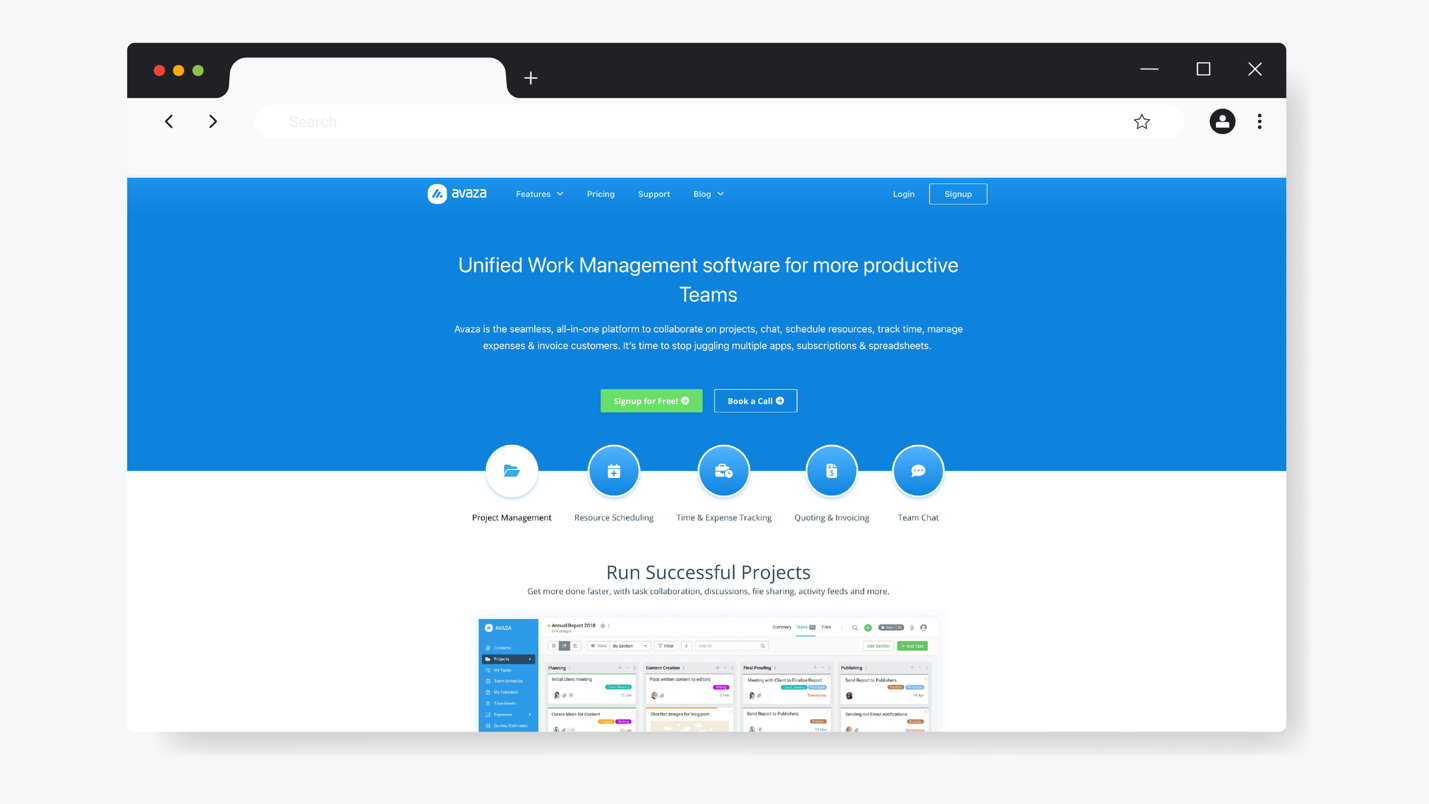
Avaza is an all-in-one work management platform that combines project management, collaboration, time tracking, and invoicing in a single system. It’s commonly used by agencies, consultants, and service-based businesses that need visibility into both work progress and billable time.
With this tool, you can keep track of all your work from task creation to the billing stage. These capabilities make Avaza useful for teams managing client projects and seeking tighter control over productivity.
How Avaza Supports Workflow Management
Here’s how Avaza supports workflow management:
- Project management: With Avaza, you can organize your work into projects and track progress in one system.
- Avaza chat: Once you’ve assigned tasks to your team, you can use the chat feature to share files and feedback.
- Time tracker: To better manage your team, use Avaza timesheets to see how much time employees spend on tasks.
- Multiple integrations: Avaza integrates with 500+ popular apps, including Zapier and Google Workspace, making it easy to streamline operations.
Avaza Pricing
Avaza has four pricing options. The Free plan gives you access to limited features. The Startup plan costs $11.95 per month, while the Basic plan costs $23.95 per month, and the Business option will cost you $47.95 per month.
Cflow: Best for No-Code Visual Workflow Automation
Overview of Cflow
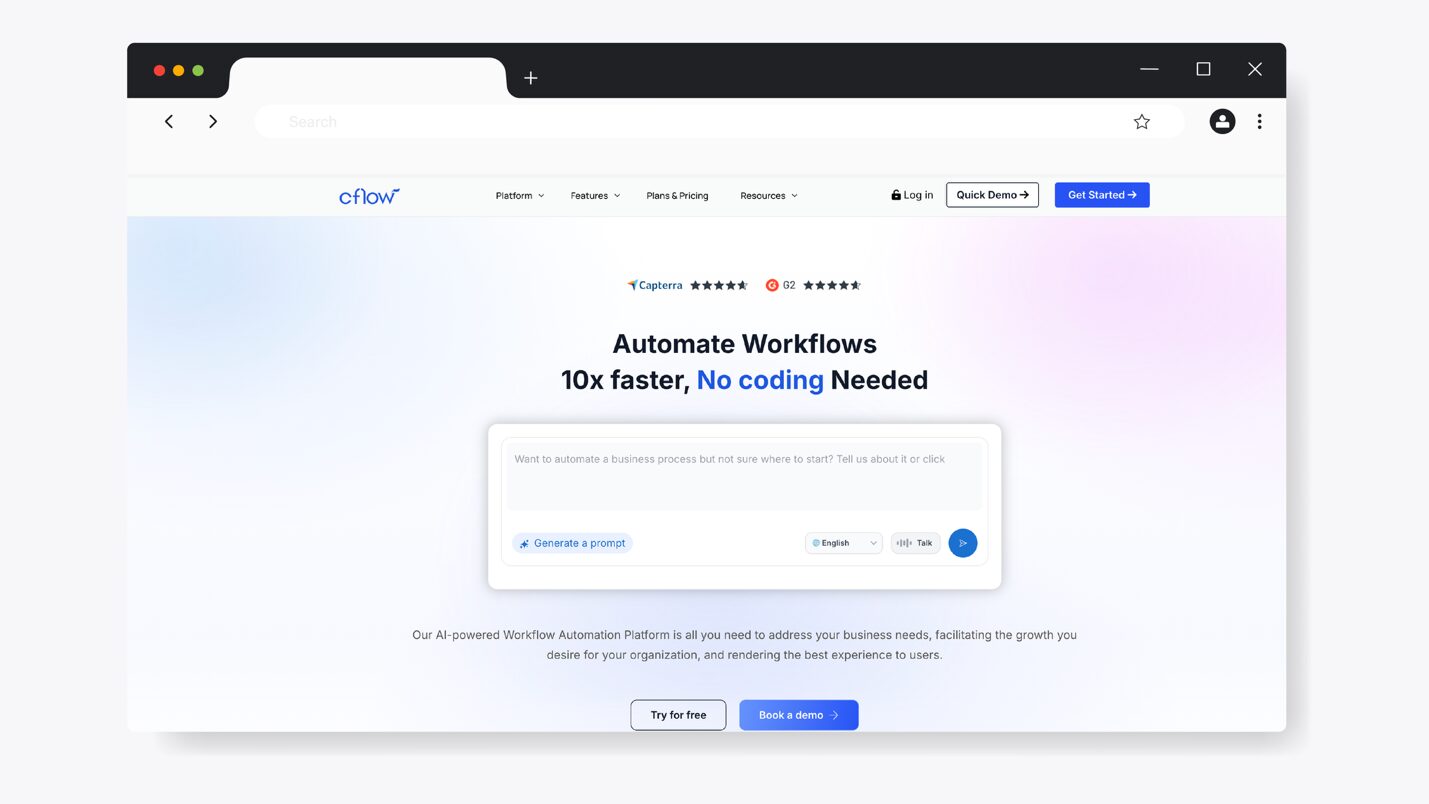
Cflow is a cloud-based workflow automation software that helps you build and optimize business processes. This workflow tool is ideal for all company departments; therefore, you can use it in the operations, HR, finance, and administrative teams to replace manual work with structured workflows.
Cflow focuses on simplicity and scalability. With this tool, your teams can create approval flows and task sequences using drag-and-drop. This feature makes it a good option for businesses that want to automate complex processes without coding.
How Cflow Supports Workflow Management
Here are the core features that make Cflow a flexible tool for your organization:
- Visual workflow builder: You can customize workflows with the drag-and-drop interface. This feature makes it easy to use even for non-technical teams.
- Email notifications: Keep all your team members in the loop in real time when tasks are assigned or completed.
- Automated approvals: Cflow allows you to route tasks by department and role, reducing manual intervention.
- Extensive analytics: With the built-in dashboards, you can track the completion rates and workflow performance.
Cflow Pricing
Cflow has three pricing plans: Joy, Bliss, and Zen. The Joy plan is ideal for small organizations and costs $22 per user per month. On the other hand, the Bliss option costs $32 per user per month for growing teams. If you have a large enterprise with more than 100 employees, contact the sales team to request a quote for the Zen plan.
ProcessMaker: Best for Enterprise-Level Workflow Automation
Overview of ProcessMaker
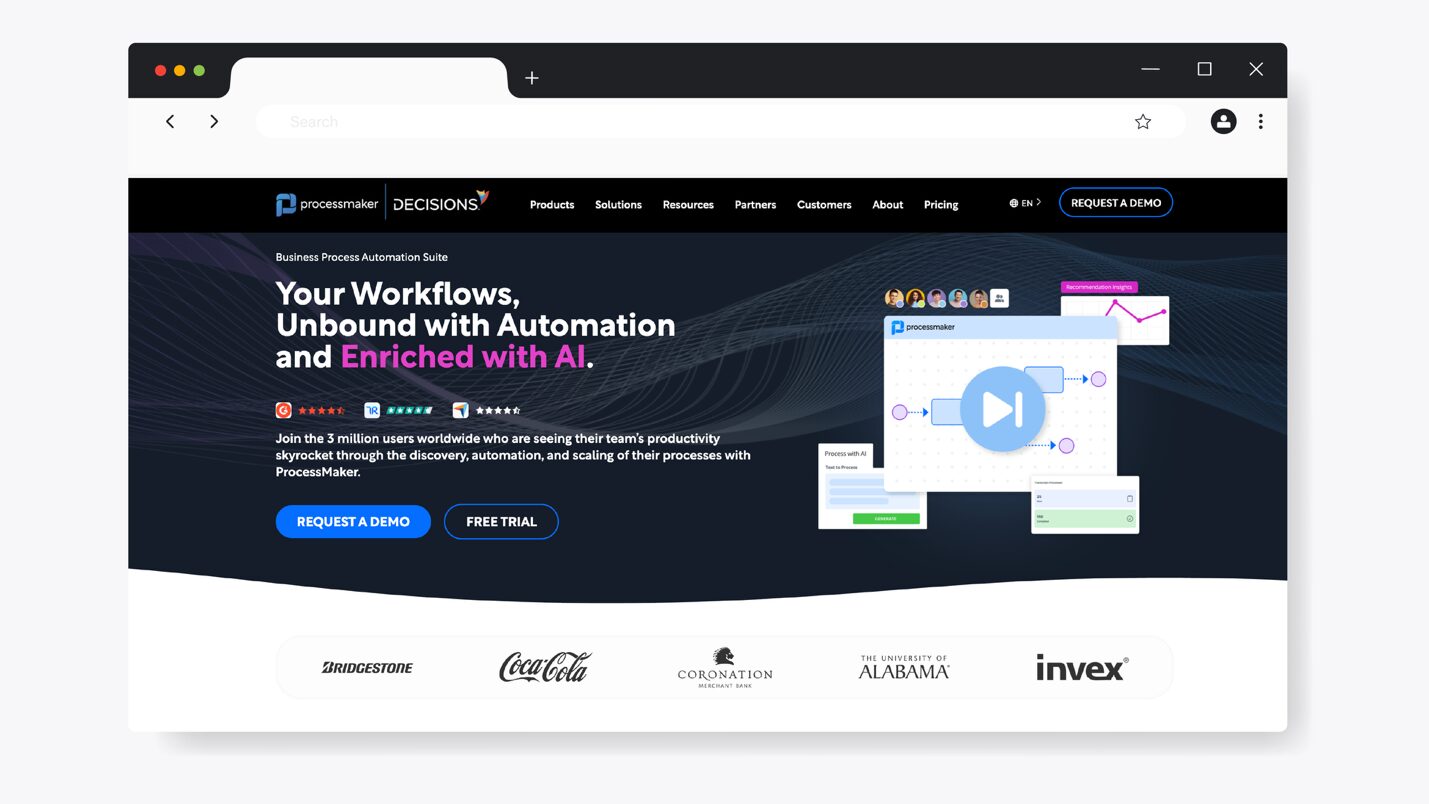
ProcessMaker is an end-to-end business process management (BPM) platform that organizations use to optimize complex workflows. With the help of AI, ProcessMaker will help you create automated steps that every member of your team can follow when executing their roles.
It allows teams to model workflows visually and integrate them with existing systems. As a result, ProcessMaker is well-suited for organizations that manage high-volume processes.
How ProcessMaker Supports Workflow Management
Here are the key features of ProcessMaker:
- Process optimization: With ProcessMaker, you can monitor performance and identify workflows that require improvement.
- No-code process builder: Your team can build and deploy workflows with minimal coding using form builders and logic rules.
- Extensive integrations: ProcessMaker connects workflows with existing business tools via APIs, so you can work on a single platform.
- Automatic approvals: To reduce delays, you can route all your tasks based on team roles and company rules.
ProcessMaker Pricing
To use ProcessMaker, you can subscribe to the Standard plan for $3,000 per month, billed annually. Alternatively, you can request a quote for the Professional and Enterprise plans.
Key Features of a Workflow Management Software
Not all workflow management tools are created equal. Some are more reliable for task management, while others excel in workflow documentation. With this in mind, you need to evaluate every tool carefully to ensure that it has the features your organization needs.
Here are the core features to look out for:
Repetitive Task Automation
Ever notice how the same tasks pop up every week, month, or quarter? If this is common, it’s a productivity killer. Manually recreating tasks wastes time and increases the chances of missed steps. But what should you automate?
As Sreenath M, senior consultant at EY, puts it:
“Before you choose tools and platforms for workflow automation, you need to identify what you want to automate. Look at processes within your business that are repetitive, time-consuming, prone to error, or bottleneck productivity.”
This perspective highlights why the best workflow management software doesn’t just automate tasks—it also helps teams clearly define and document their processes first. When workflows are well-documented, automation becomes meaningful. For instance, you can now know which parts of your onboarding sessions need to be automated to ease operations.
Conditional Logic
Your workflows will not always follow the same path. Some processes depend on decisions or approvals. Without conditional logic, your teams will be forced to manage things manually. You need a tool that allows workflows to adapt to inputs and key decisions.
For instance, if an expense request exceeds a certain amount, it can automatically route to a senior manager for approval. If it doesn’t, it moves forward instantly. This flexibility makes workflows realistic and scalable, especially in growing organizations with complex processes.
Approval Workflows
Approvals can be one of the biggest bottlenecks in any organization. The responsible individuals can slow down operations if they respond slowly to messages or tasks. Instead of relying on email and Slack messages, use a workflow management system to automate approvals.
With such a tool, tasks are automatically routed to the right person. If you need a manager to approve expenses or content, you can see exactly where a task is stuck and take action without chasing people down.
To implement approval workflows successfully, Christopher Mierbach, an AI automation strategist, suggests that organizations should start with a pilot team made up of representatives from different departments. By using a cross-functional group, you can gain diverse insights into your workflows and tailor the software to your operations.
For instance, you can test the approval system with the team leads before sharing it with the rest of the company. This way, you facilitate buy-in and increase the likelihood of successful adoption.
Cloud-Based Technology
Modern teams are no longer tied to one office or a single time zone. Your workflow software shouldn’t either. Cloud-based workflow management tools allow teams to access processes and tasks from anywhere.
This is especially important for remote teams, hybrid workplaces, and businesses with field staff that rely on real-time collaboration across locations. With a cloud-based system, all workflows are centralized, giving everyone access to a single source of truth.
Workflow Automation Across Teams
It’s one thing to automate a task. But to achieve efficiency, you need to automate entire workflows across teams and departments. The best workflow management software lets you automate end-to-end processes, from task creation to completion.
For example, during onboarding, once HR completes a process, it can automatically trigger tasks for IT to set up devices and for finance to add the new hire to payroll. When tasks are automatically generated in this manner across multiple teams, you eliminate duplicate efforts.
Automated Notifications and Due-Date Reminders
Imagine sending an urgent document for approval and waiting two days for feedback. Such delays can be costly to the organization. Your organization needs a tool that supports workflow management and also sends notifications and reminders to keep everyone accountable.
Automated notifications alert employees when tasks are assigned or deadlines are approaching. Managers and supervisors can also be alerted if there are pending approvals. With this system, you can avoid constant follow-ups and allow managers to step back from micromanagement.
Mobile Access
Work doesn’t always happen behind a desk. Teams in the field or on the move still need access to workflows. Mobile access allows employees to complete checklists and follow SOPs directly from their phones. This access is especially valuable for operations and frontline teams that need real-time guidance.
They can also update their task progress on the go. Therefore, as you look for a workflow management tool, consider this feature to keep your team accountable in real time.
Integration Capabilities
The best workflow management software shouldn’t exist in isolation. If it doesn’t connect with your existing tools, it creates more work since you have to switch between platforms.
A tool with strong integration capabilities allows your workflows to sync with popular business systems. Therefore, if you have existing project management platforms and CRMs, you can centralize all information in a single system.
How SweetProcess Streamlines Workflow Management
Workflow management works best when processes are clear and easy for teams to follow. SweetProcess was built with this exact goal in mind: to help your business document how work should be done and ensure it gets executed consistently across the organization. You don’t need to juggle multiple automation tools when SweetProcess comes with the following core features.
Combines Workflow Management With SOP and Policy Management
With SweetProcess, you get the whole deal. Instead of focusing solely on what needs to be done, this software bridges the gap by providing a platform for SOP and policy documentation. From the dashboard, you can switch between the menu and pick the action you want.
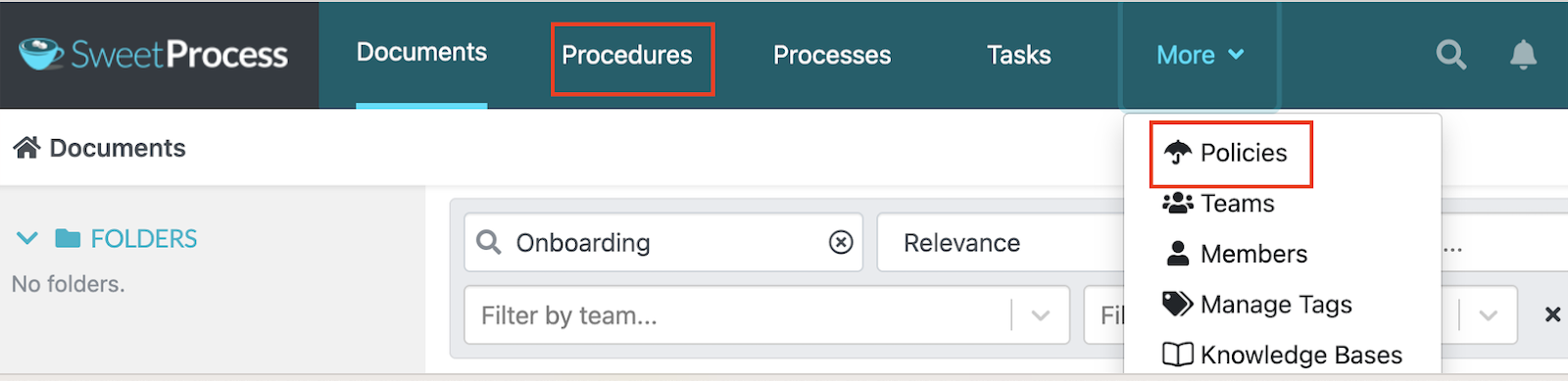
Additionally, teams can document procedures, processes, and policies, then turn them directly into workflows and task checklists. For example, an onboarding SOP can instantly become an assigned workflow for HR and managers, ensuring every new hire has a consistent experience.
Artificial Intelligence Assistance
Building workflows and SOPs from scratch can feel overwhelming, especially for growing teams. SweetProcess uses AI to make this process faster and easier.
With AI assistance, teams can generate first drafts of procedures and structure workflows more efficiently. This feature helps businesses move from undocumented processes to organized workflows quickly.
Visual Process Maps
Sometimes, text alone isn’t enough to explain how a process flows. That’s where visual process maps come in.
With SweetProcess, your teams can visualize workflows using clear, structured process maps that show each step, decision point, and responsibility.
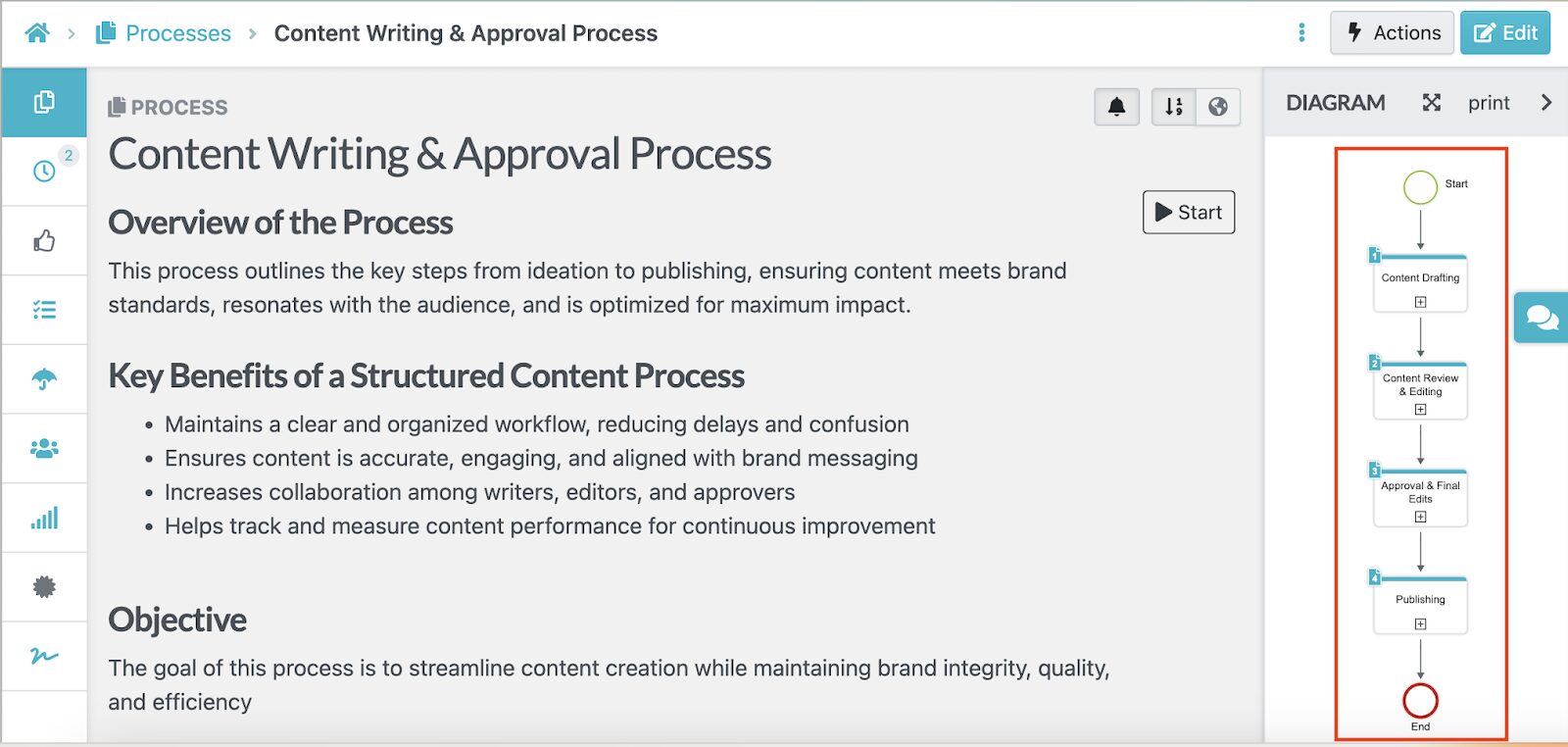
These visuals make it easier for team members to understand complex workflows at a glance.
Notifications and Reminders
SweetProcess helps everyone remember their roles with built-in notifications and reminders. When tasks are assigned or approvals are needed, SweetProcess automatically notifies the right people.
Additionally, you can also tag a specific team member on a workflow document to prompt them to action. These reminders keep workflows moving without managers having to chase updates or follow up manually.
Mobile App
As more companies switch to remote and hybrid working, it’s becoming important to have a mobile app. SweetProcess supports this reality by providing an app that you can either download from Google Play or the App Store.
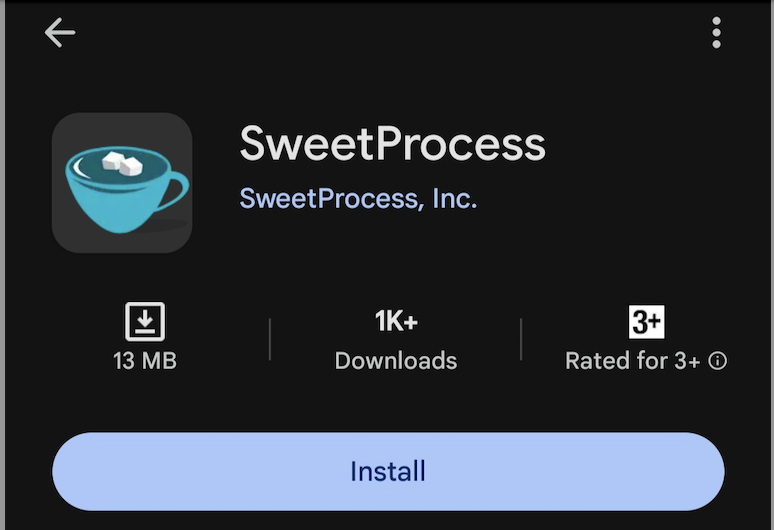
Field workers can also use the SweetProcess app to reference SOPs and policies while working.
Types of Workflow Management Software
While there are many workflow management tools on the market, not all serve the same purpose. You need to understand your business needs before subscribing to any of them. Once you understand the different categories, it becomes easier to choose a solution that fits how your team actually works.
Here are the three most common types:
Cloud Workflow Management System
Cloud workflow management systems are hosted online, allowing teams to access workflows from any device with an internet connection. These tools are ideal for most organizations today that have teams across different locations.
Additionally, they are ideal for mid-sized businesses or growing organizations. You don’t have to rely on local servers or spend hefty IT overhead. Cloud-based tools are ideal for collaborative teams. Your team always has access to the latest documents, eliminating confusion.
Enterprise Workflow System
If your organization manages complex workflows across departments or regions, you need a tool capable of handling the scale of the work. Enterprise workflow systems are designed for such companies since they offer advanced automation, governance, compliance, and reporting capabilities.
You can also get extensive integrations with these tools, which makes them suitable for multinationals and companies in regulated industries. Due to their capabilities, these systems can be expensive and require significant setup and technical resources.
No-Code Workflow Automation System
What if your team could automate workflows without writing a single line of code? No-code workflow automation systems are designed for business users who want to build and modify workflows quickly without relying on developers.
Some of the key features on these platforms include:
- Drag-and-drop builders
- Visual logic
- Prebuilt templates
These features automate processes and are ideal for teams that need flexibility.
Benefits of Using Workflow Management Software for Your Business
As your business grows, it becomes harder to manage verbal instructions and manual follow-ups. You need a tool to create consistent processes and structure your operations. Here are the reasons why this is important:
Standardization
Maybe you’ve noticed how the same task gets done five different ways depending on who’s handling it? This type of inconsistency creates errors and uneven results. With workflow management software, you can standardize how work is done by documenting and enforcing repeatable processes.
You can outline a checklist for teams to follow when onboarding a new employee or handling a customer request to reduce mistakes. Beyond consistency, standardization protects your business as it scales. When processes are clearly defined and built into workflows, it’s easier to maintain quality across teams and ensure customers receive the same level of service.
Next7 IT is one of the companies that achieved consistency thanks to SweetProcess. The organization struggled with scattered documentation and inconsistent service delivery. They used Microsoft Word files to store critical procedures, but those files were hard to find and apply consistently across projects, leading to unpredictable outcomes.
The president, Don Houk, started looking for a better workflow tool, which led him to SweetProcess. Adopting this software came with these benefits:
- Consistent service delivery: Procedures became repeatable and reliable across all teams.
- Faster onboarding: New hires could upskill quickly using documented workflows instead of relying on experienced team members.
- Reduced errors: Clear checklists and procedures cut down mistakes from inexperienced staff.
- Less micromanagement: Managers spent less time worrying about execution and more time on strategy
Transparency and Accountability
When work lives in emails or chat threads, it’s hard to know who’s responsible for what. With the right tool in place, you can view all tasks and deadlines to track progress. Once you have this form of transparency, you can improve accountability because everyone knows what’s expected, and managers can step in before issues escalate.
Over time, this visibility builds trust across teams. Employees are clear on ownership, and leadership can spot bottlenecks early.
Preferred Home Services switched to SweetProcess for this reason. Initially, the business was facing communication gaps. Some of their employees were deployed in the field to handle repairs, but they couldn’t access the procedures or steps needed to complete tasks. This inefficiency slowed response times and made training new hires more challenging.
Under the guidance of their marketing and customer experience director, Katie Sullivan, the company fully adopted SweetProcess to document procedures across departments and make them available for the technicians. They also got these benefits:
- Improved communication: Team members no longer had to chase colleagues for answers.
- Faster task execution: Technicians and remote staff could execute work independently using documented workflows.
- Efficient onboarding: New hires could begin contributing with minimal supervision.
- Central knowledge base: All processes were stored in a centralized system, boosting confidence and reducing mistakes.
Faster Onboarding and Training
Training new employees can be time-consuming, especially when knowledge lives in people’s heads rather than in documented systems. With workflow management software, new hires can follow documented SOPs and checklists from day one. This form of learning reduces onboarding time and helps them become productive more quickly.
Additionally, this structured approach benefits existing employees. Instead of repeatedly explaining the same processes, managers and senior staff can point new hires to clear workflows that guide them step by step.
Ease of Measuring Performance and Compliance
How do you know if processes are actually being followed? You need to measure performance and identify any issues that arise. When you implement a workflow management platform, you can view task completion rates.
If your business is in a regulated industry, you need this feature to track approvals and policy adherence. You can then provide these records during audits to prove compliance.
Automated Process Management
As the volume of your processes increases, so does the possibility of errors. For instance, if your team was handling 20 customers and now needs to support over 150, you need an automated system that streamlines your tasks and approvals.
With workflow management software, it becomes easier to trigger these tasks and notifications. Teams don’t have to manually follow up with every customer or department, since the system works automatically end-to-end.
Which Workflow Management Software Is Best for Your Team?
The truth is, every workflow management tool has its strengths. While some platforms excel at project tracking and collaboration, others shine in automation, integrations, or enterprise-grade process modeling. The right choice ultimately depends on your team’s size, complexity, budget, and the level of structure your workflows require.
Tools like Monday.com and Avaza are excellent for managing projects and coordinating tasks across teams. Others, such as Wrike and ProcessMaker, are designed for organizations that need advanced automation or enterprise-grade process management, while platforms like Slack help coordinate workflows through communication.
If your team needs a solution that combines clear process documentation with practical workflow execution, SweetProcess is worth considering. It goes beyond task management by providing a platform to manage SOPs, policies, and processes. Your team gets workflow execution, team collaboration, notifications, and mobile access on a single intuitive platform. And what’s more, it scales with you as your organization expands.
FAQs on Workflow Management Software

What is workflow management software?
Workflow management software helps businesses create and organize repeatable processes by defining steps, assigning responsibilities, and monitoring progress. It’s an effective business tool if you want your work to flow smoothly from start to finish.
Can small businesses use workflow software?
Yes. Workflow management software is especially useful for small businesses because it replaces manual coordination and helps teams scale without adding unnecessary complexity.
How does workflow management software work?
It works by turning processes into structured workflows with clear steps and owners. You can also include deadlines and triggers to ensure that tasks are executed automatically.
What is the difference between task automation, workflow management, and workflow automation software?
Task automation focuses on automating individual tasks, while workflow management organizes and tracks entire processes. On the other hand, workflow automation software goes a step further by automatically moving work between steps or people based on the set rules and conditions.