Last Updated on June 5, 2026 by Owen McGab Enaohwo
You hired a new operations coordinator who is motivated and ready to contribute. But he spends his first three weeks piecing together how things actually work and getting conflicting answers from seasoned employees.
That’s what inconsistent, undocumented processes cost every single time you hire someone or onboard a client without business process management (BPM) software to close that gap. However, the market has caught up to the problem. The global business process management market was valued at $21.51 billion in 2025 and is projected to reach $70.93 billion by 2032, a growth rate that reflects how many businesses are finally waking up to the cost of operational chaos.
But here’s what most vendor pages won’t tell you: BPM tools solve different problems. Choosing the wrong category can cost you more time and budget than the broken processes you’re trying to fix.
We evaluated more than 20 business process management software platforms and narrowed this list to eight options based on documentation depth, workflow automation capability, pricing transparency, ease of setup, and suitability for small and mid-sized businesses.
Table of Contents
What Is Business Process Management Software?
What Makes the Best BPM Software?
BPM Software Compared by the Numbers
8 Best Business Process Management Software in 2026
- SweetProcess: Best for Process Documentation and Management Without Technical Complexity
- Kissflow: Best No-Code BPM Platform for Mid-Market Teams
- Process Street: Best for Checklist-Driven Recurring Workflows
- Appian: Best for Enterprise-Grade BPM With AI and Low-Code Development
- Bizagi: Best for Process Modeling and Digital Transformation
- ProcessMaker: Best for Technical Teams Needing Flexible Deployment Options
- Pipefy: Best for No-Code Workflow Automation With Kanban Views
- Nintex: Best for Automating Document-Heavy Enterprise Workflows
How Real Companies Use BPM Software
Why You Need Business Process Management Software
How To Choose the Right BPM Software for Your Team
Manage Your Business Processes With SweetProcess
What Is Business Process Management Software?
Business process management software helps organizations design, document, execute, monitor, and improve the repeatable workflows that run their business. That definition includes everything from employee onboarding and purchase approvals to client service delivery and compliance checklists.
BPM software differs slightly from project management software. Tools like Asana or Monday.com are built for managing one-off projects with start and end dates. On the other hand, BPM software handles recurring, standardized processes that your team runs daily or weekly.
Within BPM software, there’s a critical split most buyers miss. Some tools excel at process automation, where the focus is on building automated workflows that connect multiple systems. These platforms are typically built by process architects or developers. Documentation-first tools help teams standardize and assign processes in plain language without requiring IT involvement.
Understanding the difference enables you to choose the best category.
What Makes the Best BPM Software?
The BPM market has multiple tools that claim to do everything. But that’s not always the case: some are enterprise-grade systems while others simplify process management for small teams. Here’s what separates these tools apart.
Ease of Setup and Time-to-Value
Before paying for a BPM tool, you need to ask, “Will my team use this?” The best platforms get your first process documented and assigned within hours, not after a six-week onboarding program. That’s why ease of setup matters so much for all BPM capabilities. Research by Gartner predicted that low-code technology will power 70% of process management applications by 2025, highlighting the shift toward tools that are faster to implement and easier for non-technical teams to adopt.
Process Documentation Depth
Can the tool capture a multi-step process with the level of detail your team actually needs, including images, decision points, form fields, and conditional logic? Some tools are great at high-level flowcharts but fall apart when you try to document a 12-step client intake procedure. Look for visual support and the ability to link procedures with business processes.
Workflow Automation Capabilities
Once a process is documented, can the tool assign tasks, trigger notifications, route approvals, and track completion? Some tools stop at documentation, while others offer full workflow automation capabilities with AI features and system integrations. Know which one your team actually needs before you buy.
Integration Ecosystem
Your BPM tool doesn’t exist in isolation. It needs to connect to your Human Resources Information System (HRIS), Customer Relationship Management (CRM), Enterprise Resource Planning (ERP), or, at a minimum, your email and communication tools. The best BPM platforms connect to your existing stack without requiring a custom development engagement.
Scalability and Team Management
If you’re planning to expand, you need a BPM tool that offers role-based access, team hierarchies, and department-level permissions. This capability is important because it ensures your software remains useful whether you have five or 50 employees.
Pricing Transparency
This is a litmus test for the entire category. Most enterprise BPM platforms hide pricing behind “contact sales.” When evaluating any BPM tool, ask for a written, realistic price for your team size before you invest time in a demo. This way, you get an idea of whether the software is within your budget.
BPM Software Compared by the Numbers
| Tool | Best For | Starting Price | Free Trial | Key Differentiator |
| SweetProcess | Process documentation & execution for non-technical teams | $99 per month (up to 10 users) | Yes. 14-day free trial | Documentation-first BPM. Live in hours, not months |
| Kissflow | No-code BPM for mid-market workflow automation | $2,500 per month | Yes | Unified BPM + low-code app building on one platform |
| Process Street | Checklist-driven SOPs and recurring workflows | Contact sales | Yes. 14-day free trial | AI-powered compliance checklists with Cora AI agent |
| Appian | Enterprise BPM with AI, RPA, and low-code development | Contact sales | Free community edition | GenAI process design |
| Bizagi | Process modeling and digital transformation | Contact sales | Free modeler tool | BPMN 2.0 modeling + Azure-native AI agents |
| ProcessMaker | Technical teams needing flexible, open-source deployment | $3,000 per month | No | Open-source core; cloud or on-premise deployment |
| Pipefy | No-code kanban-style workflow automation | Free (up to 10 users); Business: contact sales | Free plan available | AI Agent Studio for autonomous task execution |
| Nintex | Document-heavy enterprise workflow automation | Contact sales | Yes | Best-in-class document generation + e-signatures + RPA |
8 Best Business Process Management Software in 2026
Now that you know what to look out for when selecting business process management software for your business, let’s discuss the best tools in the market.
SweetProcess: Best for Process Documentation and Management Without Technical Complexity
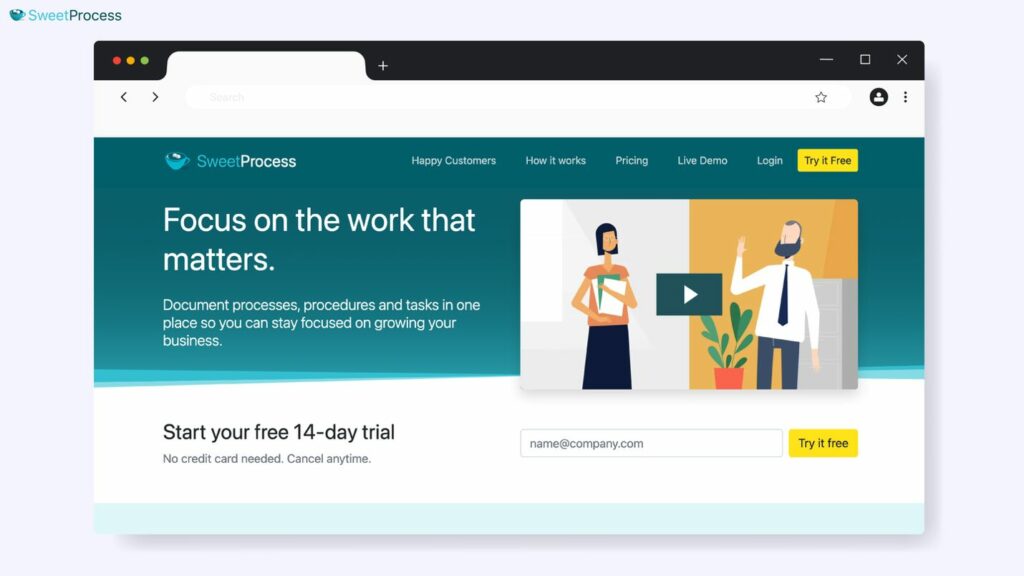
Overview of SweetProcess
SweetProcess is business process management software built for the operations leader who needs every process documented, assigned, and running consistently without waiting on IT or hiring a consultant for lengthy training. With this tool, you can create an account and set it up in a matter of hours.
Its strength is in cross-functional capabilities. Your team can create step-by-step procedures that any employee can follow, then link them into multi-step processes with assigned deadlines. That documentation-to-execution bridge is what separates SweetProcess from a simple wiki or SOP template tool. If you compare this software to other enterprise-grade tools like Appian, you’ll see a clear distinction, since SweetProcess is a documentation-first BPM tool built for non-technical managers.
Key Features
Here are the core features of SweetProcess:
Creating Multi-Step Processes
With SweetProcess, you can build multi-step processes by linking multiple procedures together into a single workflow with sequenced steps and clear ownership.
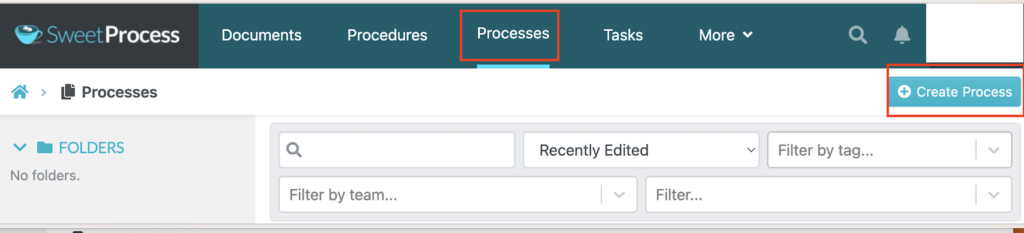
Where individual procedures capture the “how,” processes capture the “in what order,” turning standalone instructions into an end-to-end operational playbook. As you edit your process, you’ll see a list of steps that your team should follow to keep everything on track.
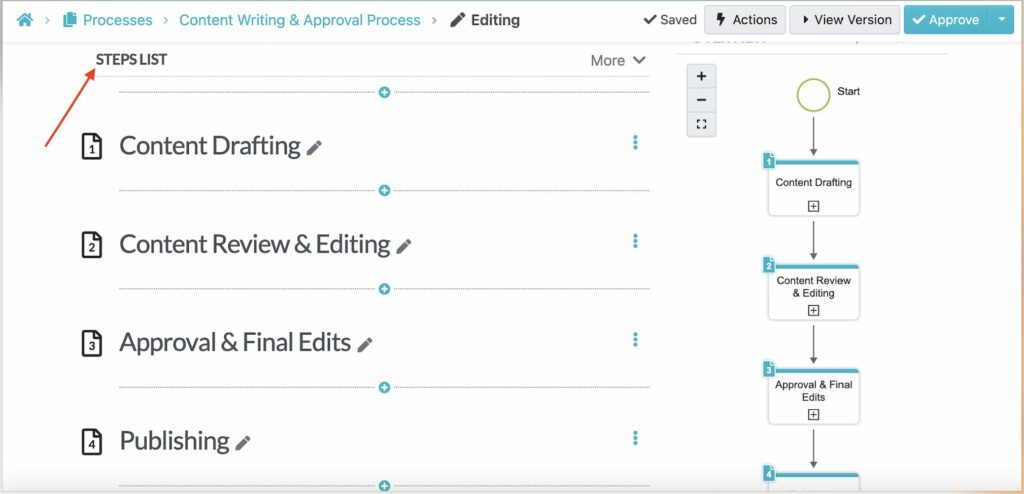
This feature is SweetProcess’s clearest differentiator from basic SOP tools. It can link your process at scale.
Creating Procedures With SweetAI
To lay the foundation for your processes, you can use SweetProcess to build procedures that include rich text, images, embedded videos, form fields, and decision trees. This allows you to convert knowledge into documented instructions that any team member can follow.
You can also use this tool for business process mapping, creating flowcharts that appear alongside your steps.
But manually creating all these procedures can be time-consuming, especially as your team grows. Instead of drafting from scratch every time, SweetProcess provides the SweetAI creation engine to speed things up.
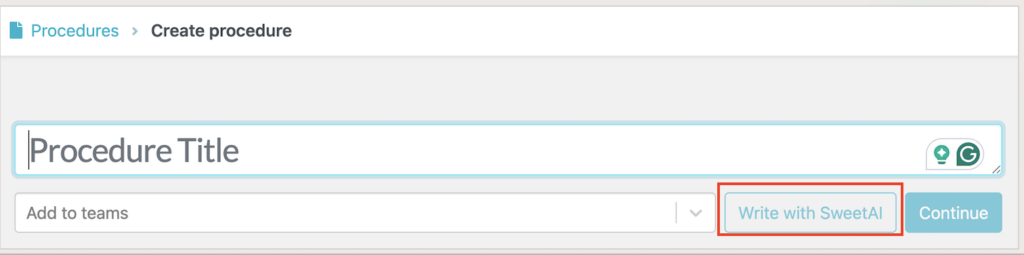
Add a topic or procedure title, and SweetAI generates a structured, editable draft in seconds.
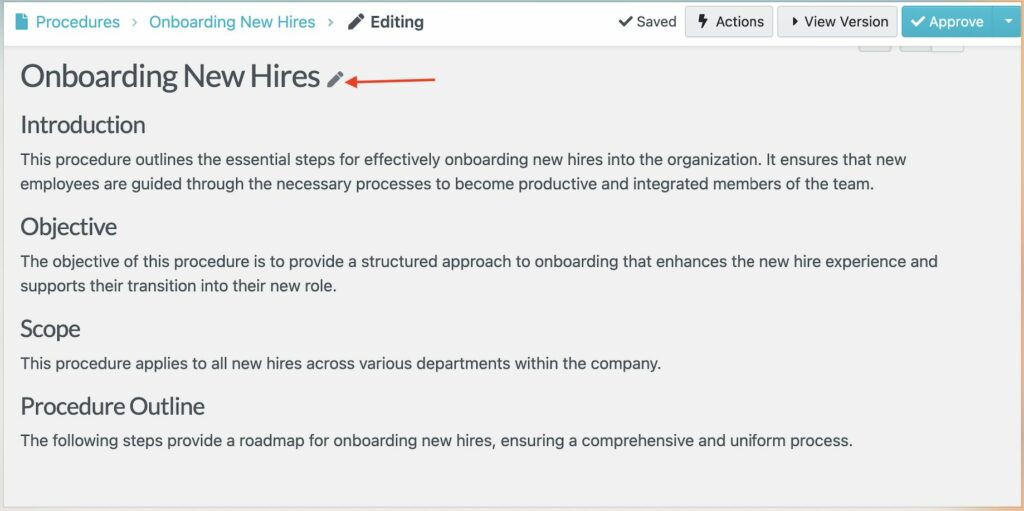
This AI SOP generator can refine your steps to align the procedure with your team.
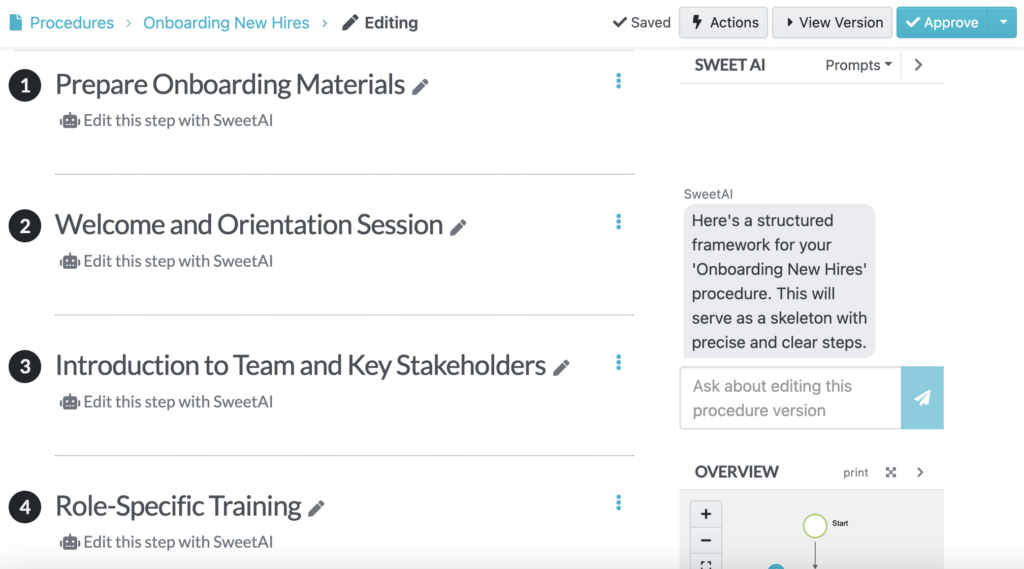
Each procedure supports structured formatting, making complex tasks scannable and accessible without training.
Assigning Processes as Tasks
Another key differentiator of SweetProcess is that you can assign processes as trackable tasks on the same platform. For instance, if you’re implementing business process improvement and you need input from the rest of the team, you can use the “Related Tasks” tab on the left navigation bar to start assigning work.
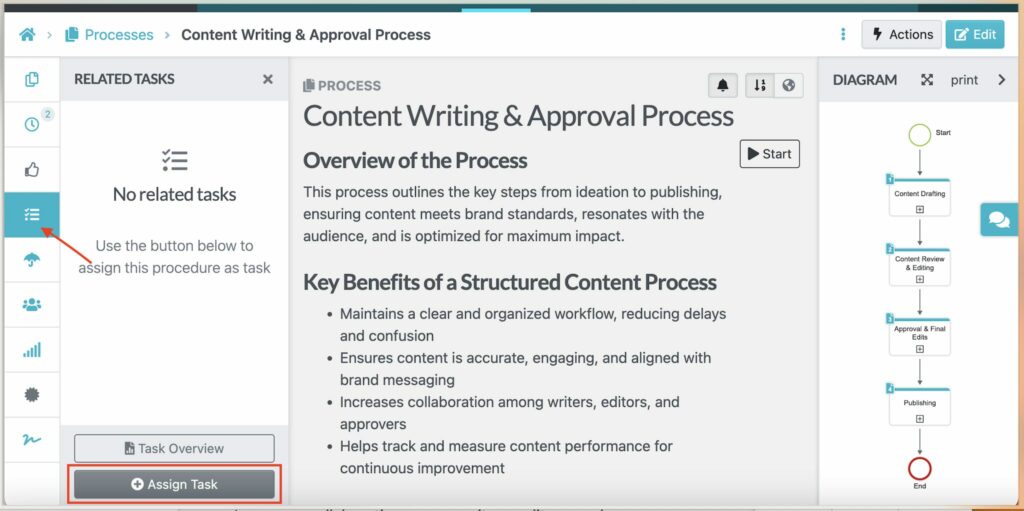
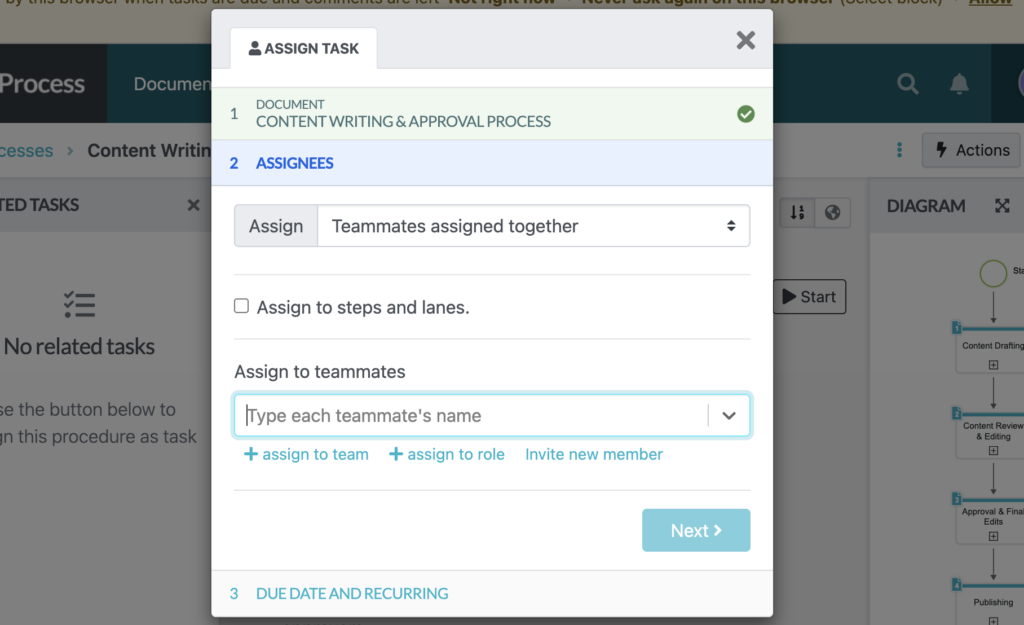
You can add specific employees and due dates to make completion tracking easier.
Once tasks are assigned, use the “Tasks” menu to view what’s overdue or pending.
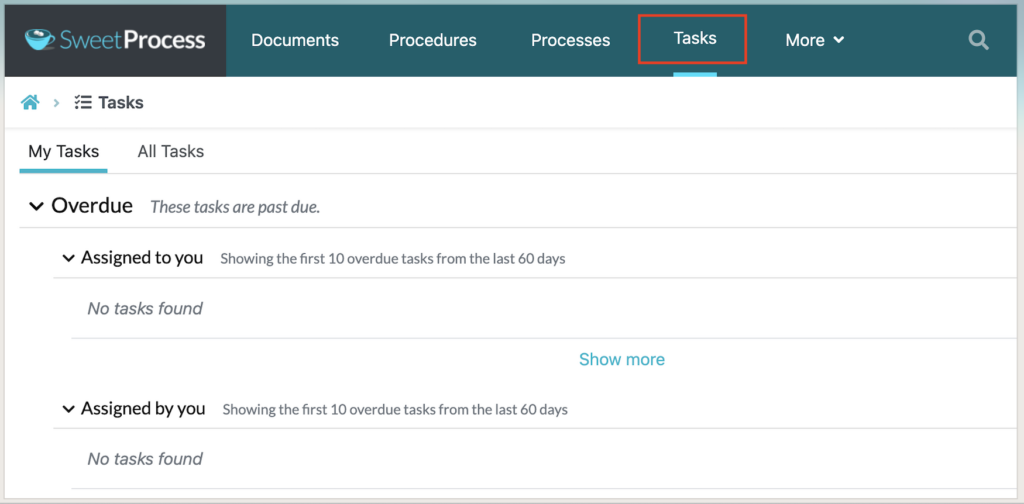
Tasks close the loop between documentation and execution, without requiring automated workflow triggers.
Teams Access and Permissions
SweetProcess helps users manage role hierarchies and team-level access controls to ensure sensitive processes are visible only to the appropriate departments.
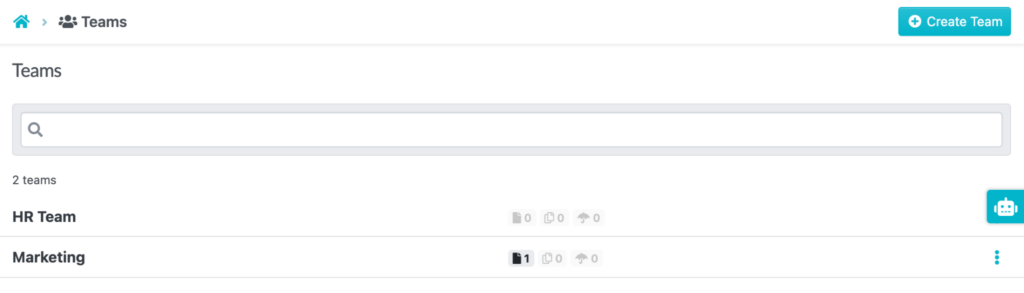
You can create specific teams, such as HR or marketing, and share the process with them.
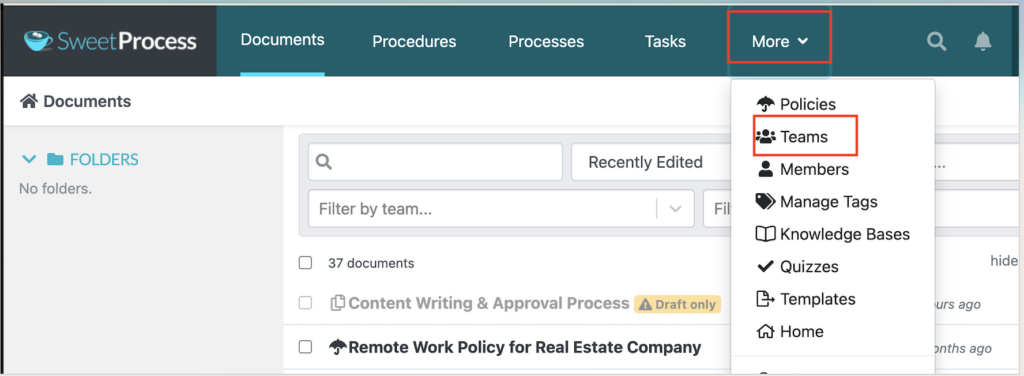
With the feature, you’ll have cross-departmental process management in your organization and meet compliance requirements.
SweetProcess Pricing
Unlike most BPM tools, SweetProcess doesn’t lock features behind higher-priced tiers. Every user on every plan gets access to everything. The pricing starts at $99 per month for teams of up to 10 users, with additional users at $5 per month or $50 per year.
You can also choose yearly billing at $990, which saves you 16.7%. Smaller teams of up to five users get a separate quote at $495 annually.
No-tiered pricing is the most meaningful pricing differentiator in this category. If you’re still unsure about SweetProcess, the 30-day money-back guarantee, which includes a free 1-hour consultation call, has you covered.
Kissflow: Best No-Code BPM Platform for Mid-Market Teams
Overview of Kissflow
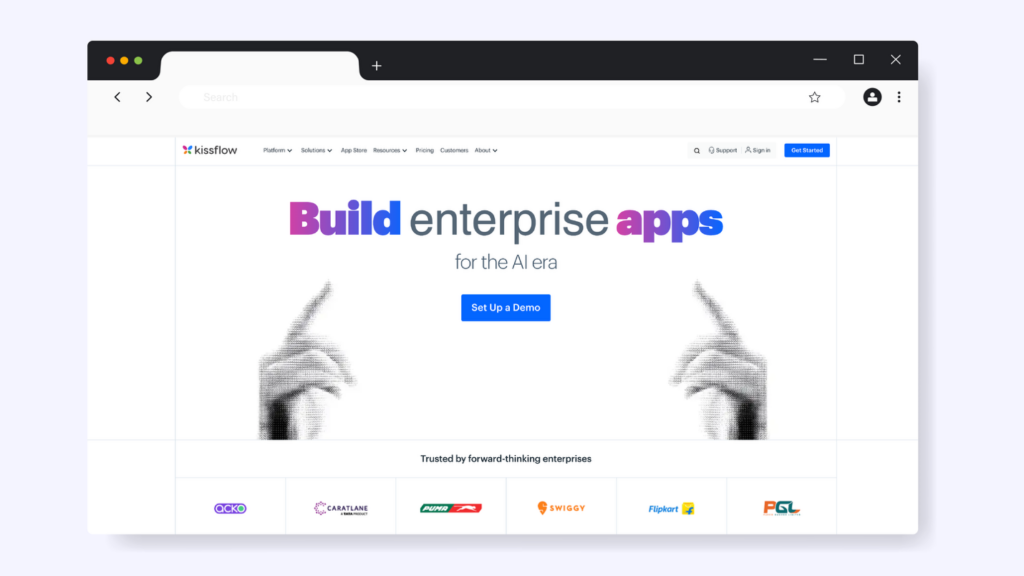
Kissflow has positioned itself as the unified no-code platform for teams that need BPM, workflow automation, low-code app building, and project management under one roof. It has evolved significantly, with the current platform offering AI-driven workflow capabilities and industry-specific templates.
The honest caveat comes directly from Kissflow users who have pointed out that deeper customization can feel restrictive as the team scales. Compared to SweetProcess, Kissflow offers significantly greater depth of workflow automation, but that depth comes with a steeper learning curve for smaller operations teams.
Key Features
- Visual drag-and-drop process designer to build and modify custom workflows without coding experience
- Unified case management for structured and unstructured work alongside standard workflows
- Kissflow’s AI tools generate workflow drafts and surface optimization suggestions
- Role-based controls and approval steps to guide automations across departments
Kissflow Pricing
Kissflow’s Basic plan starts at $2,500 per month with limited features. To pay for the custom Enterprise plan, you have to contact the team. This premium tier gives you access to features such as AI Copilot, unlimited integrations, single sign-on (SSO), and a system for cross-domain identity management (SCIM).
Process Street: Best for Checklist-Driven Recurring Workflows
Overview of Process Street
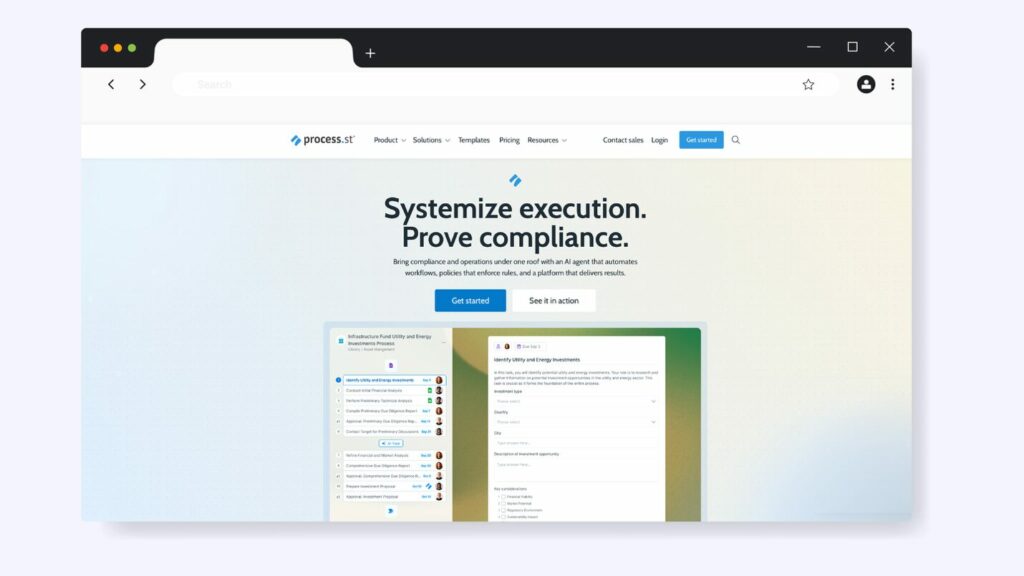
Process Street excels at turning recurring standard operating procedures into structured, interactive checklists. The platform is a compliance operations platform with AI features, including “Process AI” for generating workflows from text prompts and “Cora,” an AI agent built specifically for compliance monitoring. It’s ideal for teams in regulated industries that need audit trails.
Compared to tools like SweetProcess, Process Street has solid compliance-driven checklist workflows, but it lacks the process-linking depth that more complex operations teams need. Users have also flagged the software for occasional bugs and an outdated interface compared to other tools.
Key Features
- No-code workflow builder to create checklists that adapt based on responses
- Cora AI compliance agent that monitors process execution in real time and flags deviations
- Process AI for generating complete workflow drafts from plain-language text prompts
- Role-based permissions and enterprise-grade security across all paid plans
Process Street Pricing
To use Process Street, you can choose between the three pricing options: Startup, Pro, and Enterprise. The Startup plan covers five users, while the premium tiers are customizable to business needs.
Appian: Best for Enterprise-Grade BPM With AI and Low-Code Development
Overview of Appian
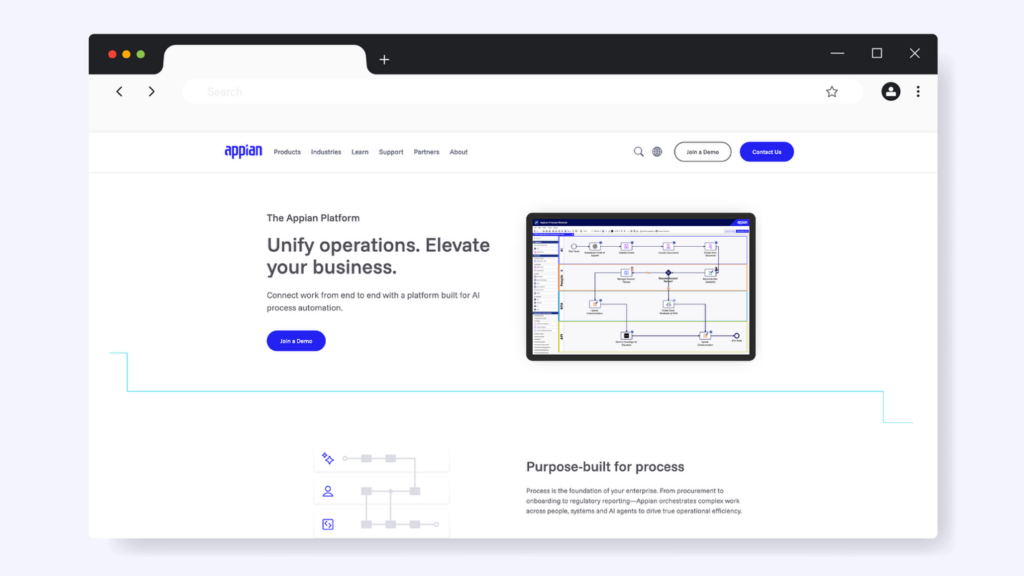
Appian is in a different category from the other tools on this list. It’s a full enterprise low-code platform that combines BPM, process mining, RPA, intelligent document processing, case management, and GenAI-powered process design in a single integrated environment. Appian was named a 2025 Gartner Magic Quadrant Leader for Business Process Orchestration, thanks to its AI-generated process models.
The trade-off is equally significant. Users consistently cite high licensing costs as a primary drawback. The steep learning curve is also a challenge since adopting Appian typically requires dedicated process architects and ongoing IT support. While both Appian and SweetProcess are solid BPM tools, the latter is better suited to operations teams seeking simplicity.
Key Features
- Low-code application development to build complex and data-driven process applications
- Process mining and AI decisioning that helps users to automatically discover process inefficiencies
- RPA and intelligent document processing to handle repetitive system tasks
- GenAI process design to generate workflow models and documentation drafts
Appian Pricing
Appian offers three pricing plans: Standard, Advanced, and Premium. To get a specific quote for each tier, contact the sales team.
Bizagi: Best for Process Modeling and Digital Transformation
Overview of Bizagi
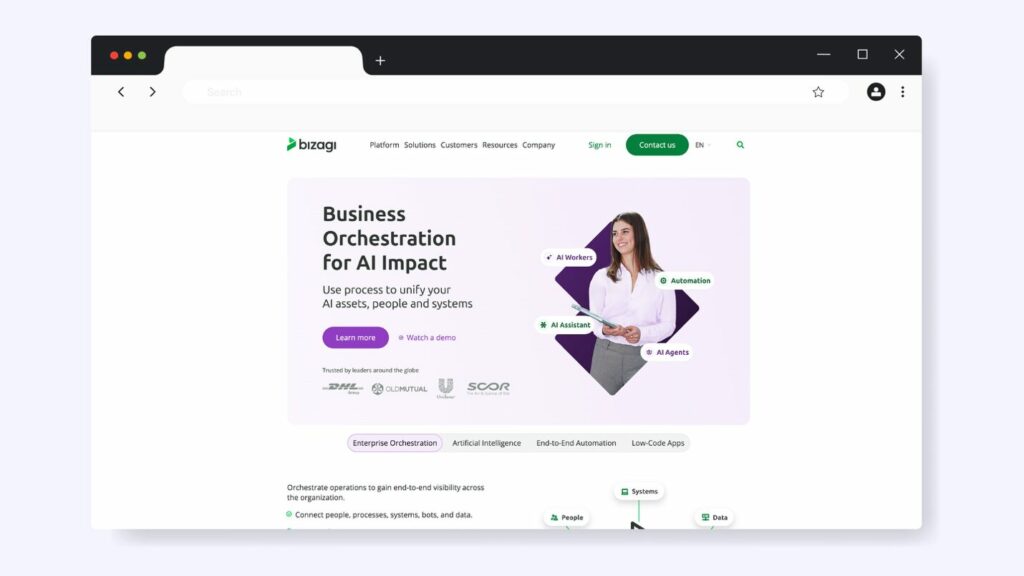
Bizagi’s core strength is process modeling using the Business Process Model and Notation (BPMN) 2.0 standard. The free Bizagi Modeler tool lets business analysts visually map, simulate, and publish processes without any budget, making it a popular starting point for organizations building a formal BPM capability. The paid platform extends that into full low-code process automation.
This BPMN depth also causes friction for non-technical teams. A Reddit discussion pointed out that BPMN 2.0 is powerful for process professionals but intimidating for operations managers, HR coordinators, or finance leads who actually need to build and run workflows. Compared to SweetProcess, Bizagi’s process modeling is an asset for organizations with formal BPM programs but a barrier for teams that want same-day setup.
Key Features
- BPMN 2.0 visual process modeling for designing, documenting, and simulating process optimization and process flows
- Azure-native AI agents are embedded directly inside running processes to enable autonomous task execution
- Low-code application builder to create process-driven apps
- Free Bizagi Modeler available at no cost for teams getting started with BPM
Bizagi Pricing
Bizagi doesn’t publish per-user prices; you must contact sales for a quote based on deployment size and automation scope. However, they mention that they offer consumption-based pricing and that there are no limits on the number of apps or users per subscription.
ProcessMaker: Best Flexible Deployment for Technical Teams
Overview of ProcessMaker
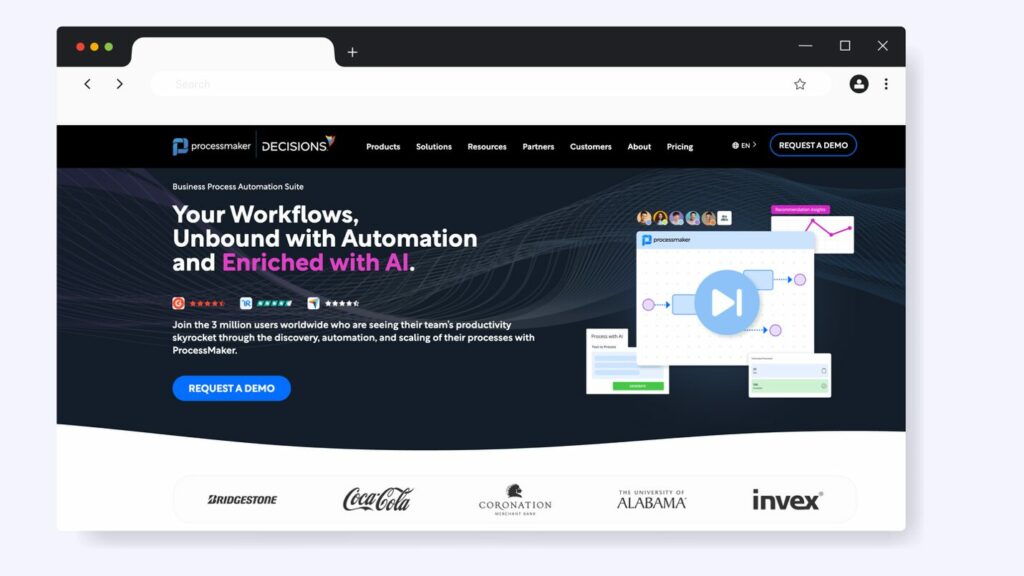
ProcessMaker is an open-source BPM tool that also supports cloud and on-premises deployment options. This feature makes it attractive to organizations in regulated industries that need workflow automation with strict data sovereignty requirements. The drag-and-drop process modeler and BPMN support give technical teams the flexibility to model complex multi-step workflows.
However, ProcessMaker users have flagged the hidden bugs that can disrupt workflow execution. While it offers greater deployment flexibility, it requires more technical investment to unlock its full value. This increases the learning curve for non-technical users compared to competitors.
Key Features
- An agentic AI suite to generate process models from natural language descriptions
- Visual drag-and-drop workflow design with import/export features in standard BPMN format
- Flexible deployment options, including cloud, on-premise, and hybrid deployment
- Unlimited users and unlimited processes on all plans
ProcessMaker Pricing
ProcessMaker offers three pricing plans. The Standard tier starts at $3,000 per month, billed annually. You can also request a custom quote for the Professional and Enterprise premium tiers.
Pipefy: Best for No-Code Workflow Automation With Kanban Views
Overview of Pipefy
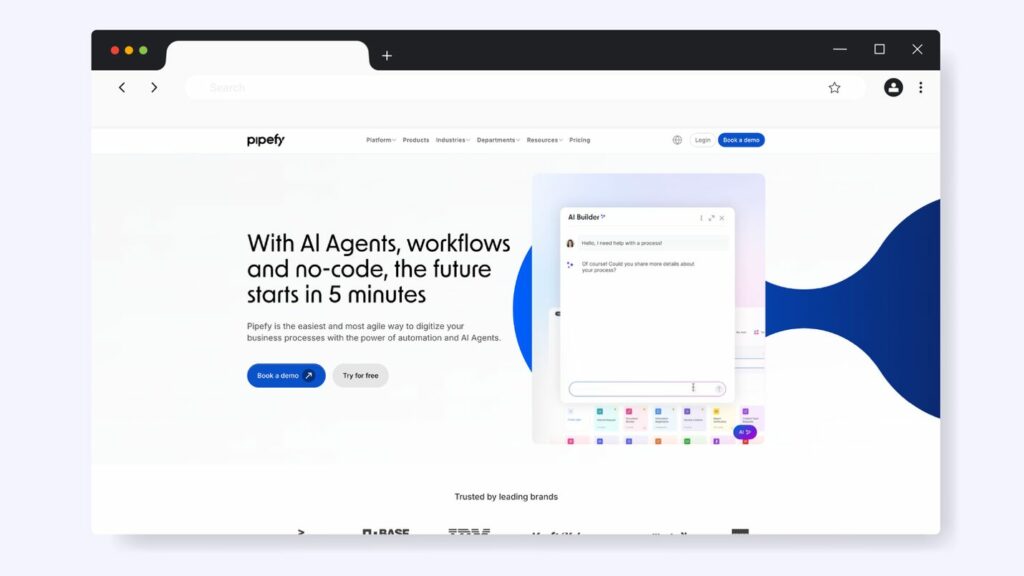
Pipefy has grown from a kanban-style process management tool into a full business orchestration and automation platform, complete with AI agents and no-code forms. With the Pipefy Agent Studio, non-developers can create autonomous AI agents that execute tasks, learn patterns, and route requests without manual intervention.
Some of the biggest limitations of Pipefy, according to users, is that sophisticated features are locked behind add-ons and higher-priced plans. Pipefy is more visually intuitive for workflow automation but weaker in deep process documentation. Therefore, if your primary need is to build a structured knowledge base of documented procedures that employees follow consistently, SweetProcess is the better choice. Read how the two BPM tools compare.
Key Features
- Kanban-style visual workflow builder ideal for intuitive teams
- Agent Studio to build and deploy autonomous AI agents, execute tasks, and route approvals without human input
- No-code forms and public intake portals that automatically generate workflow cards
- Real-time process analytics to track performance and identify bottlenecks
Pipefy Pricing
Pipefy offers a free Starter plan for up to 10 users with up to five processes and basic automations, which is useful for small teams or early-stage testing. The Business and Enterprise plans use per-user billing, and you have to contact the sales team to get a quote.
Nintex: Best for Automating Document-Heavy Enterprise Workflows
Overview of Nintex
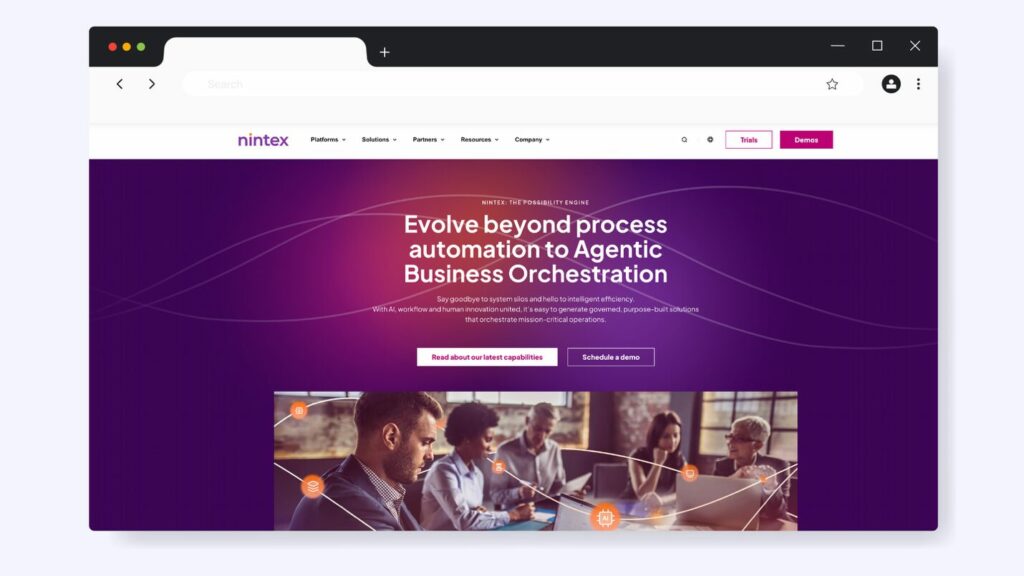
Nintex is a business process management tool that has built its reputation on automating document-heavy workflows. The platform’s document generation, RPA capabilities, and deep integration with the Microsoft ecosystem make it a strong fit for legal, finance, HR, and procurement teams in enterprises already running on Microsoft infrastructure.
The limitation that users call out most consistently is pricing complexity. Nintex’s licensing model can be costly to predict as automation scales. Compared to SweetProcess, Nintex is strongest where document workflows are the bottleneck. However, for process documentation, employee onboarding, and creating SOPs for a non-technical team, SweetProcess is more accessible with transparent pricing.
Key Features
- Document generation and automation to create formatted and legally compliant documents
- Drag-and-drop workflow designer for building multi-step approval workflows
- Native integration with SharePoint and Office 365
- Robotic process automation capabilities that automate repetitive and rule-based task management
Nintex Pricing
While Nintex offers free trials for different products, you have to request a custom quote for the pricing plans.
How Real Companies Use BPM Software

The best argument for business process management software goes beyond a feature list. You need to evaluate what happens when real companies stop managing processes via email and spreadsheets and adopt a dedicated business process management tool.
GDL Systems is a good example. This growing e-commerce agency ran into serious operational bottlenecks as it scaled. Most of its processes lived in Google Docs and were inconsistently followed across the team. Employees struggled to find information, and documentation was tedious to maintain, leading to errors and inconsistent service delivery.
Juan Pablo Roscoe, co-founder and CEO, began searching for a better way to streamline business operations and eventually discovered SweetProcess after testing multiple tools.
With SweetProcess, GDL Systems:
- Standardized daily workflows so every task followed a consistent process
- Created a centralized system where all procedures are documented and easy to access
- Improved accountability using task tracking and performance scorecards
- Built a “systems mindset,” reducing reliance on tribal knowledge
Turkstra Lumber also faced a different version of the same problem. Despite having experienced employees, their processes weren’t documented or aligned, leading to inconsistencies in how work was done. They initially tried to document processes in Excel, but collaboration was difficult, and participation across teams was low.
The shift began when their Business Intelligence & Lean Six Sigma Champion Jamie Ramsden asked an intern to find a better solution. That search led them to SweetProcess.
After adopting SweetProcess, Turkstra Lumber:
- Created clear, visual process documentation that teams could actually follow
- Improved coordination across departments with shared, accessible workflows
- Increased employee efficiency by eliminating back-and-forth communication
- Established consistent procedures across the organization
Why You Need Business Process Management Software

Most teams still treat business process management as an informal part of the company. However, these tools bring in multiple benefits, among them:
Operational Efficiency
When processes exist only in someone’s head or in a Slack thread from eight months ago, the quality of execution depends entirely on who’s working that day. Business process management software converts implicit knowledge into explicit and repeatable steps. This way, you can identify exactly when something goes wrong and optimize your business processes on the same platform.
Reduced Errors
If you have recurring errors in your processes, they compound. A missed step in client onboarding affects every client onboarded using that flawed version of the process until someone notices. BPM software creates a closed loop by documenting the steps and providing a platform to execute tasks, monitor progress, and improve.
Streamlined Onboarding
The processes that worked for 20 people become chaotic at 100. BPM software documents how things are done today and creates the infrastructure that new hires can access for their role on day one. This way, the onboarding time shrinks.
Compliance Management
In regulated industries, following the process needs to be demonstrable. BPM software creates a documented trail of what was done, by whom, and when, making audits faster and compliance gaps visible.
Cross-Team Collaboration
When team handoffs rely on undocumented tribal knowledge, you risk losing critical company knowledge. With a BPM tool, you can create a shared operational language across departments, reducing friction between teams.
How To Choose the Right BPM Software for Your Team

Before you choose a BPM solution, you need to evaluate how well it fits your organization. However, that decision is becoming more complicated as AI enters the conversation.
A recent report from Camunda found that 81% of IT leaders see agentic orchestration as essential to the future of process automation. While AI is shaping the workflow, it shouldn’t be the only factor driving your decision.
Instead of over-indexing on AI features, focus on what actually impacts day-to-day operations. Here’s a practical framework tied to team size and actual use case.
You Are a Small Team
Your priority is getting processes documented and followed. The tools that match this profile are SweetProcess and Process Street. SweetProcess is the better fit if you need a structured knowledge base with linked procedures. On the other hand, Process Street wins if your primary need is compliance-driven checklist workflows in regulated industries.
You Are a Mid-Market Company
If you need workflow automation alongside documentation, Kissflow and Pipefy are worth evaluating. Kissflow is stronger if you need workflow automation and low-code app building on a single platform. Pipefy is worth considering if your team prefers kanban-style visual workflow management and you want a free starting tier to test the tool.
You Are an Enterprise
In this case, Appian, Nintex, or Bizagi are the realistic options. All three are the right choice if you’re building complex, AI-driven process applications that connect multiple enterprise systems. However, you need to “contact sales” for pricing and implementation planning.
FAQs About BPM Software

How much does BPM software cost?
It differs. BPM software costs range from free in the case of Pipefy’s Starter plan to tens of thousands of dollars per month for enterprise platforms. SweetProcess offers the most transparent pricing in this category at $99 per month for up to 10 users. For most enterprise tools, you have to contact the team for a custom quote.
What is the difference between BPM and workflow management?
BPM is the broader discipline that involves designing, documenting, executing, monitoring, and improving repeatable business processes across an organization. On the other hand, workflow management is a subset, specifically the assignment and tracking of tasks within a defined process. Most BPM platforms include workflow management capabilities.
Is BPM software worth it for small businesses?
Yes. Small businesses don’t need enterprise BPM platforms with BPMN modeling and RPA bots. They need a platform to document how their core processes work, assign those processes as tasks, and ensure consistency as they hire. For teams of fewer than 50 people, SweetProcess and Process Street are the best-fit options for non-technical users.
What are the types of BPM?
BPM is categorized into three types. Human-centric BPM focuses on processes in which people are the primary actors, such as approvals and handoffs between team members. Document-centric BPM centers on processes driven by document creation, review, approval, and storage, common in legal and compliance workflows. On the other hand, integration-centric BPM focuses on connecting multiple systems to automate data flow across an enterprise technology stack.
Manage Your Business Processes With SweetProcess

If your team is running business processes on email threads and outdated shared drives, you’re setting yourself up for costly bottlenecks. The BPM software industry is full of tools that promise transformation; however, some require dedicated process architects and consultant-led implementations, which delay deployment.
SweetProcess is the documentation-first BPM tool that non-technical teams can set up in days. In addition, you can see your transparent pricing from day one to determine whether it suits your budget. Once you create those processes, you can assign them to your team immediately to keep operations running.
SweetProcess was built for your growing team. All your procedures, processes, teams, and knowledge bases are on the same platform. Start your free 14-day SweetProcess trial today. No credit card required.