Last Updated on February 4, 2026 by Owen McGab Enaohwo
You finally sit down to write that long-overdue SOP. Two hours go by before you even notice. You look up and realize you’re still polishing step three. It’s a cycle many small business owners and managers know well. Standard operating procedures (SOPs) are essential guidelines that keep your business operations consistent.
Writing SOPs manually is slow and mentally exhausting, especially if your business is evolving fast. Between formatting and trying to recall every tiny step, you can easily burn hours on a single procedure. Multiply that across dozens of processes, and you’ve got a documentation backlog that never seems to end.
SOP AI tools change the way you work. Instead of staring at a blank document, wondering where to start, they can generate a structured SOP document in a fraction of the time.
SweetAI is built precisely for that. It turns messy processes into clean, actionable SOPs within minutes. Start your 14-day free trial of SweetProcess and get full access to SOP AI today.
Table of Contents
Generate Instant SOPs With SweetProcess AI
Why Use an SOP AI To Document Standard Operating Procedures
Why Choose SweetProcess’s SOP AI
How Consortium Private Wealth Uses SweetProcess To Document and Manage Its SOPs in One Place
Generate Instant SOPs With SweetProcess AI

Creating SOPs shouldn’t feel like a full-time job. You need time to focus on other core activities. Fortunately, SweetProcess offers an AI SOP generator that can transform your prompt into a structured document. Here’s how to use SweetProcess AI.
Step 1: Claim a Free Account
Before you generate anything, you’ll need a SweetProcess account, which takes less than a minute to set up.
From the SweetProcess website, click on the “Try it Free” button.
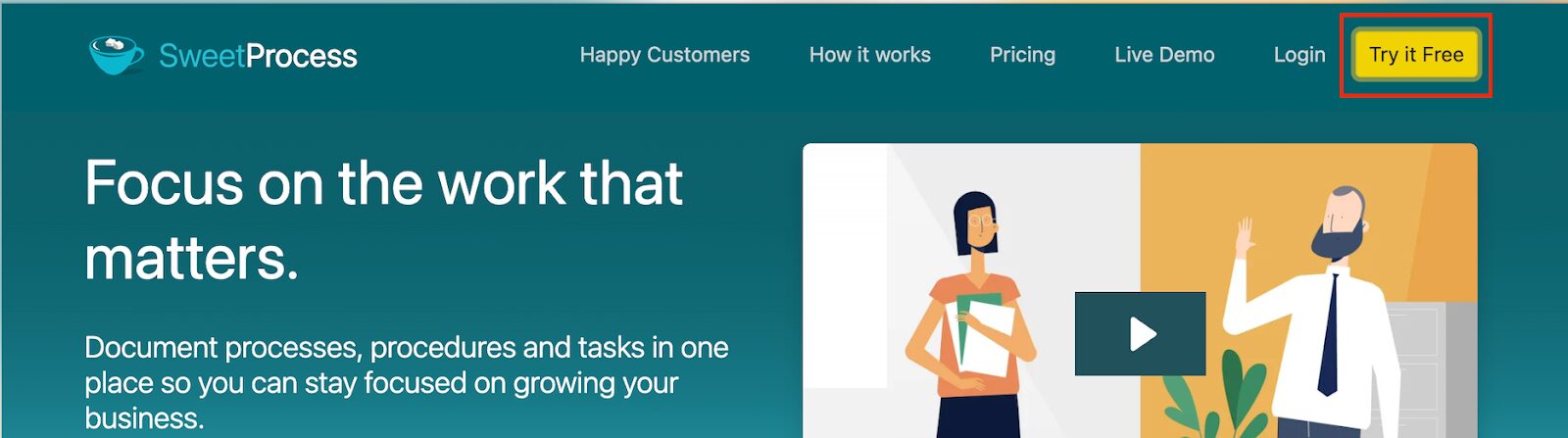
You’ll then need to add your personal details to access the dashboard.
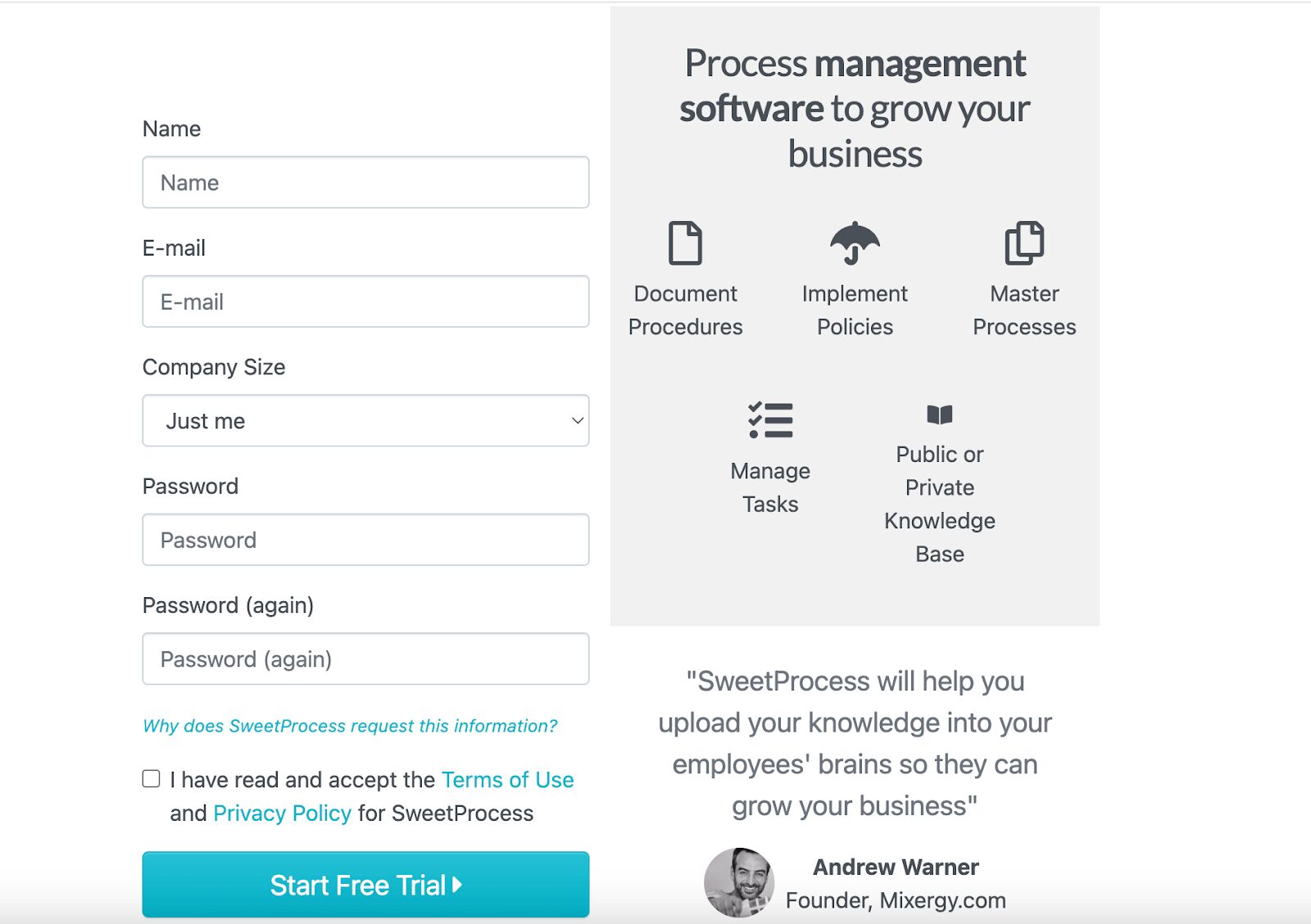
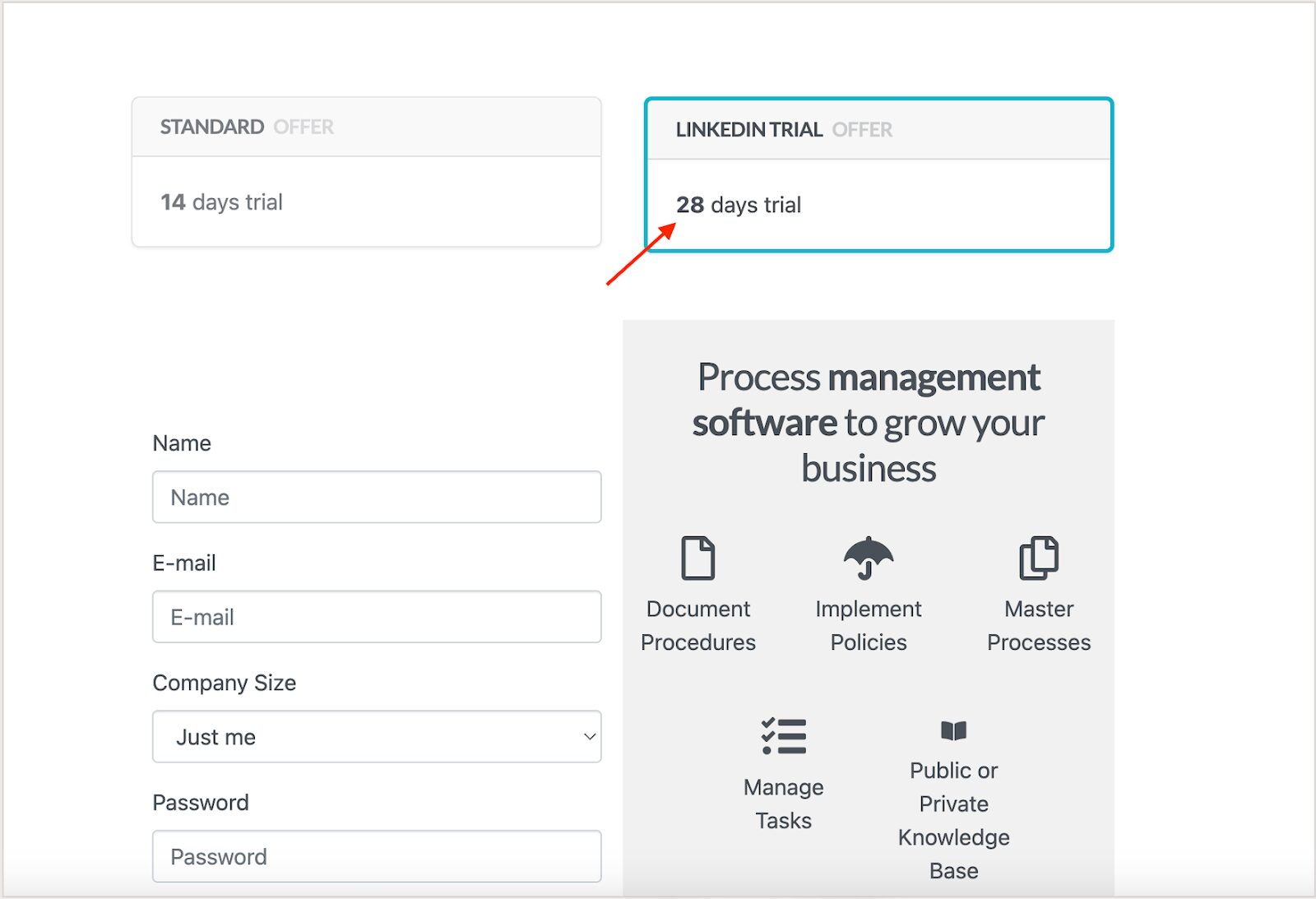
Once you sign up, you get immediate access to SweetAI and all premium features, including SOP creation and team collaboration tools. The process is so straightforward with no learning curve.
Step 2: Generate an SOP With a Simple Prompt
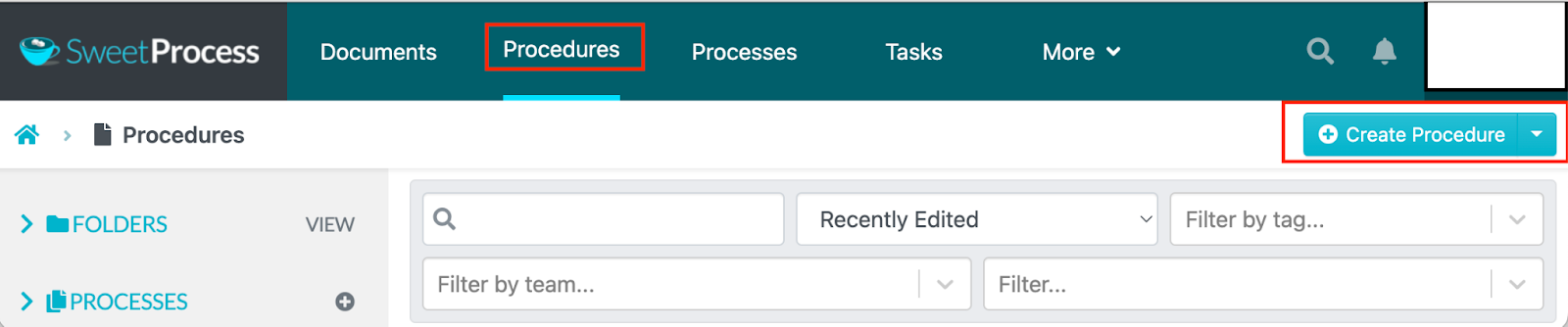
When you are ready to create the procedure, you can start creating a prompt.
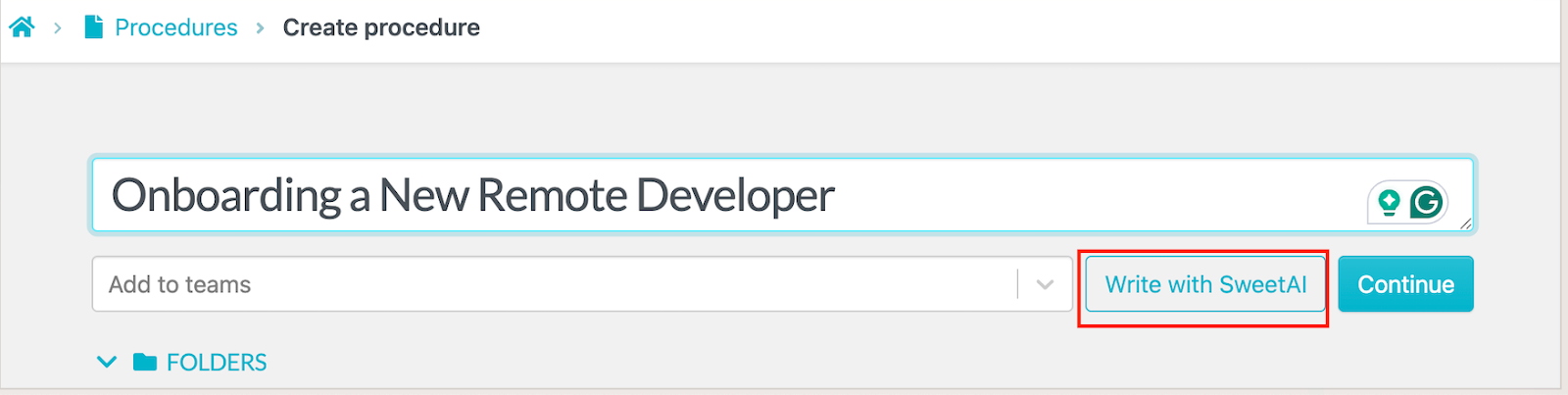
A prompt can be as simple as a procedure title, such as “Onboarding a New Remote Developer.” Choose the “Write with SweetAI” option to generate the draft.
With this title, SweetAI instantly expands your prompt into a structured SOP, including descriptions and placeholder information. For instance, you’ll get an introduction of the SOP, key objectives, and the scope.
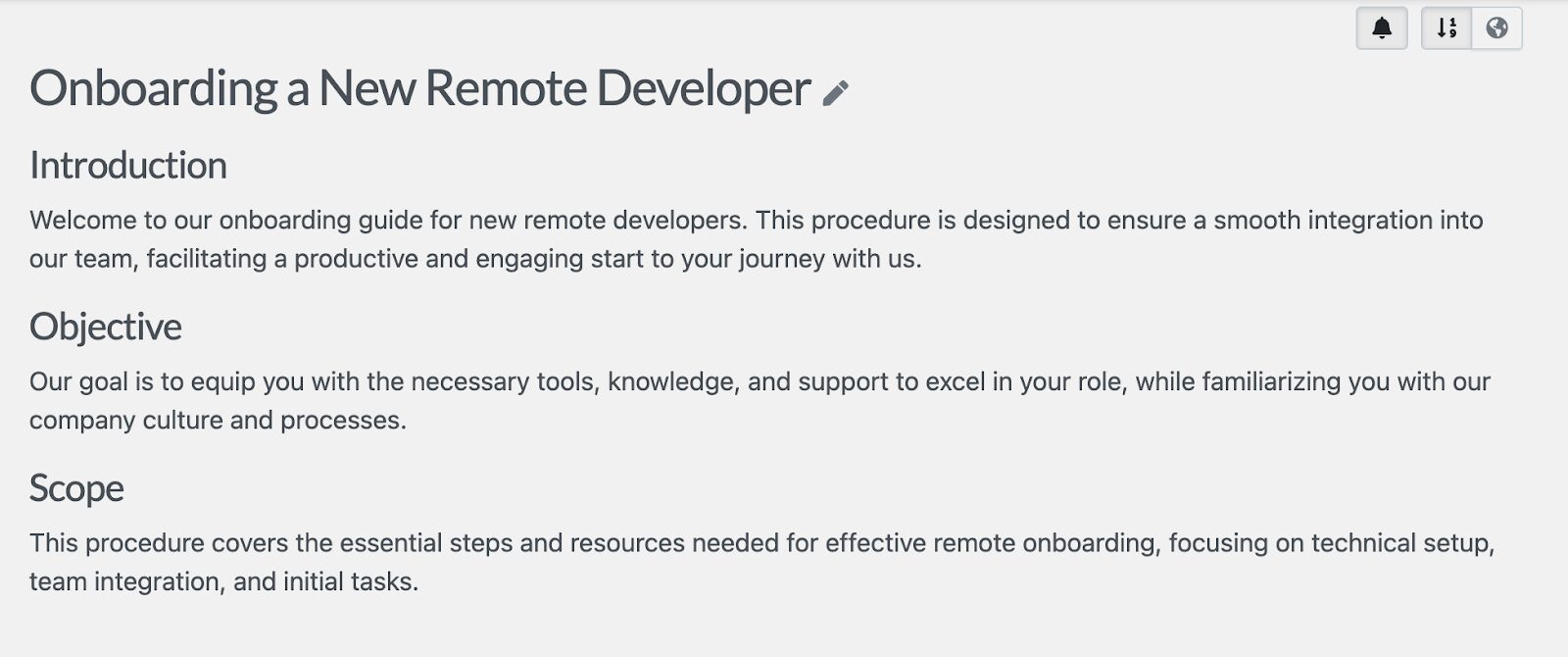
This way, you don’t have to draft everything from scratch.
Step 3: Review and Edit Your SOPs
You’re never stuck with the first draft. This SOP generator makes it easy to edit and add any information to the document. You can adjust it as many times as possible until it fits your brand voice.
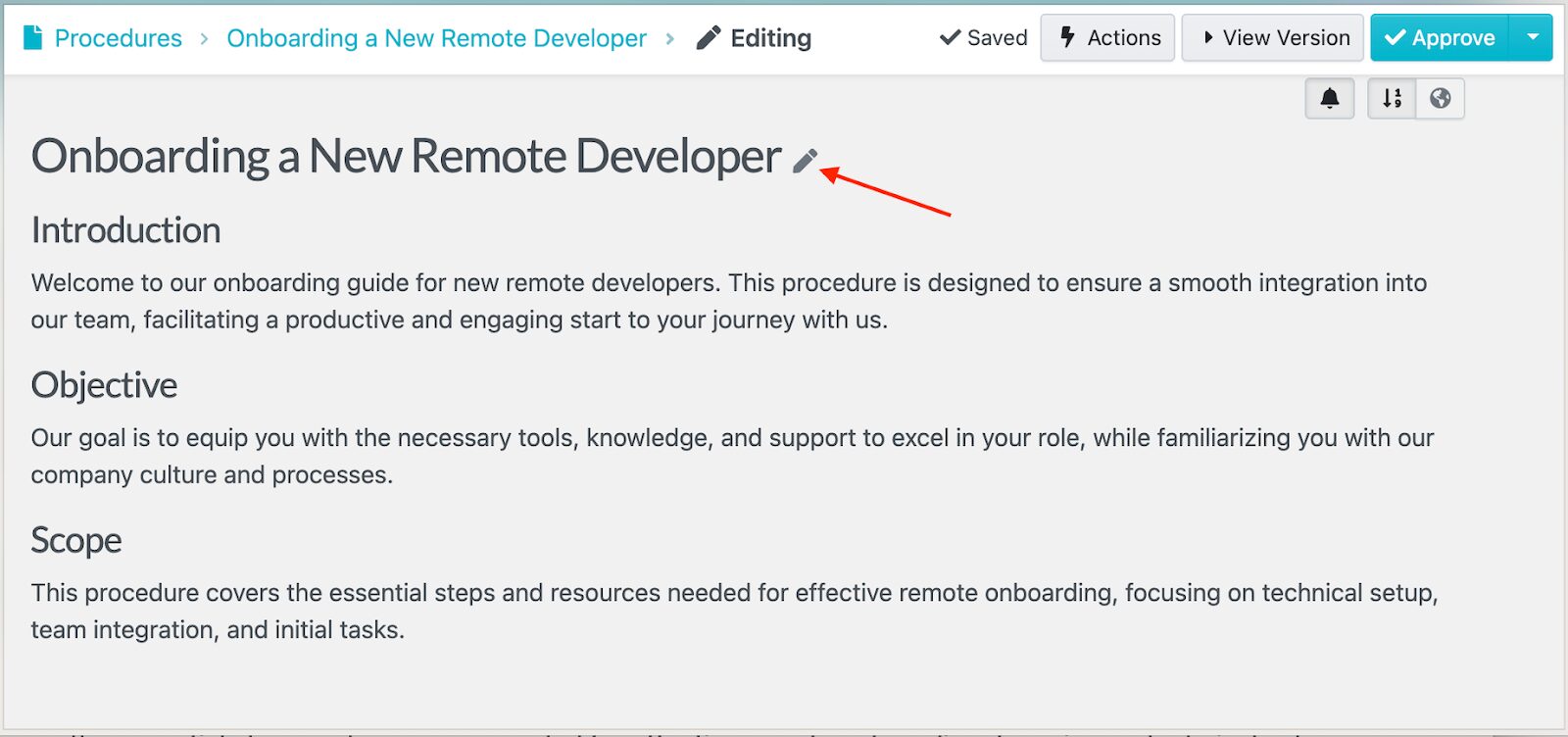
To start editing, click the pencil icon. This action allows you to expand the description.
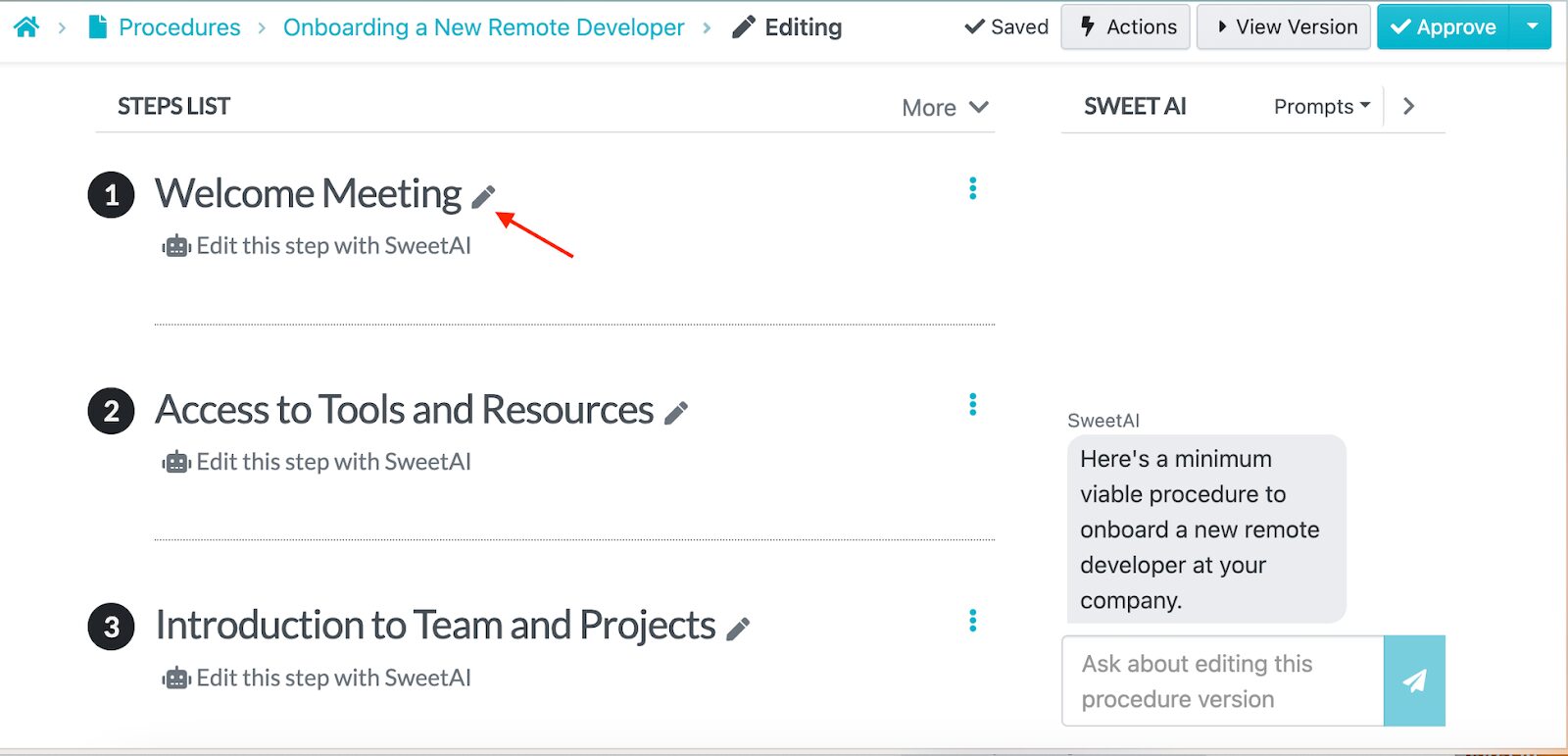
If you scroll down to the “Add Steps” section, you can also edit the section to create a checklist that aligns with your goals.
Your structured SOP doesn’t need to be in text only. SweetAI lets you add multimedia elements, such as tables, videos, and images.
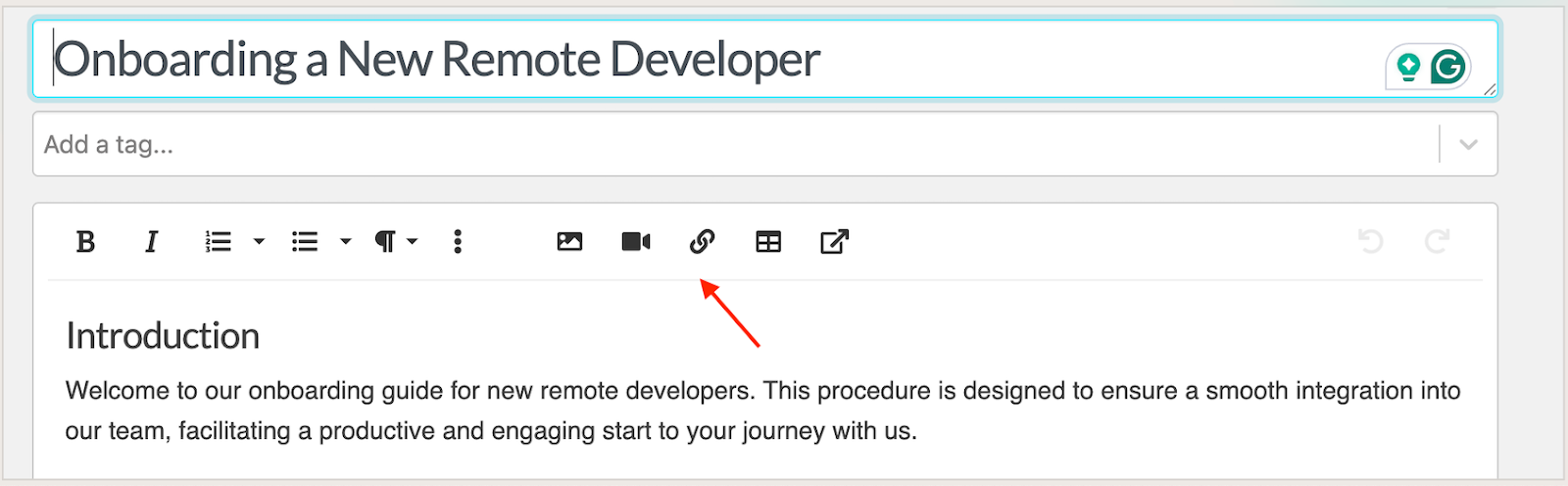
These features come in handy if you want to create a ready-to-use SOP.
Step 4: Customize Your SOPs
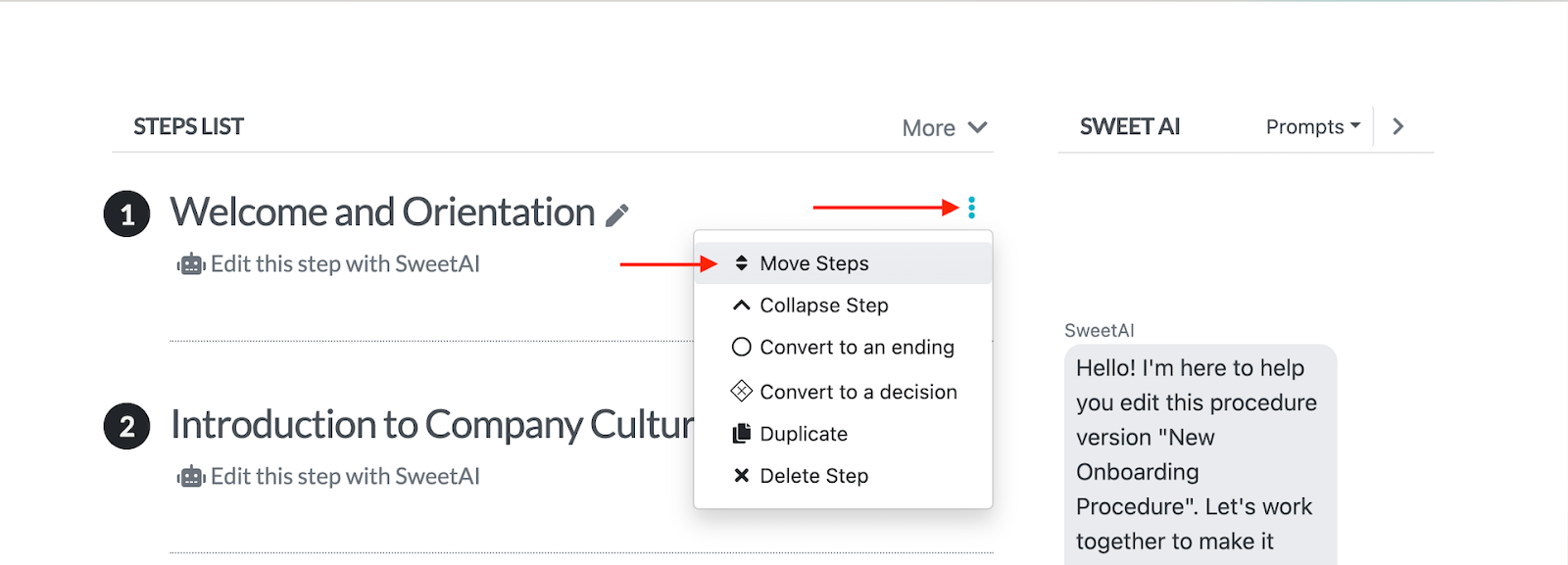
Once the structure is in place, you can personalize the flow to match your company’s workflow. For instance, you can move the steps around. Just select the step you want to move, then rearrange them.
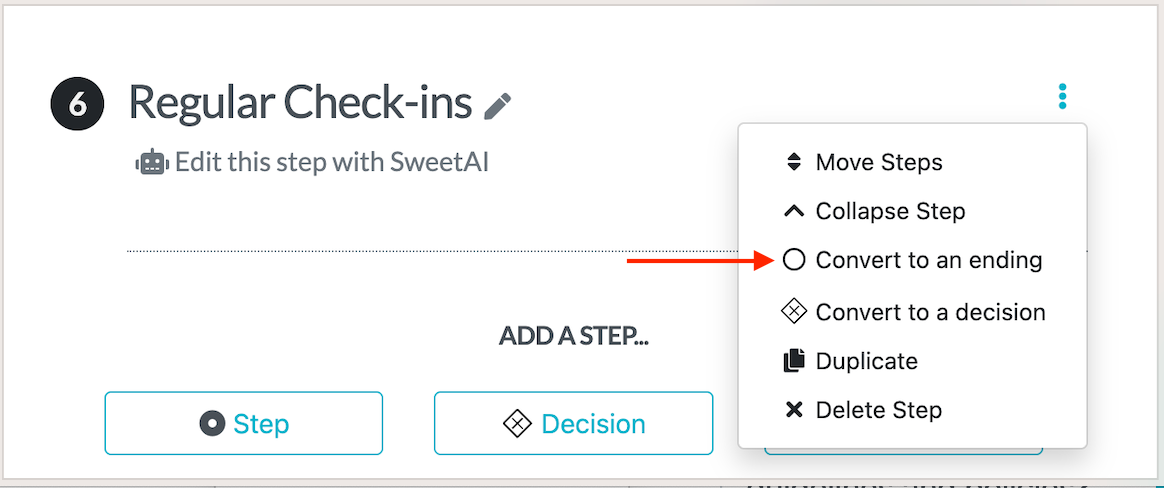
Additionally, you can convert a step into an “ending” if it marks the completion of a task.
Alternatively, you can convert these steps into “decisions” to create branching workflows.
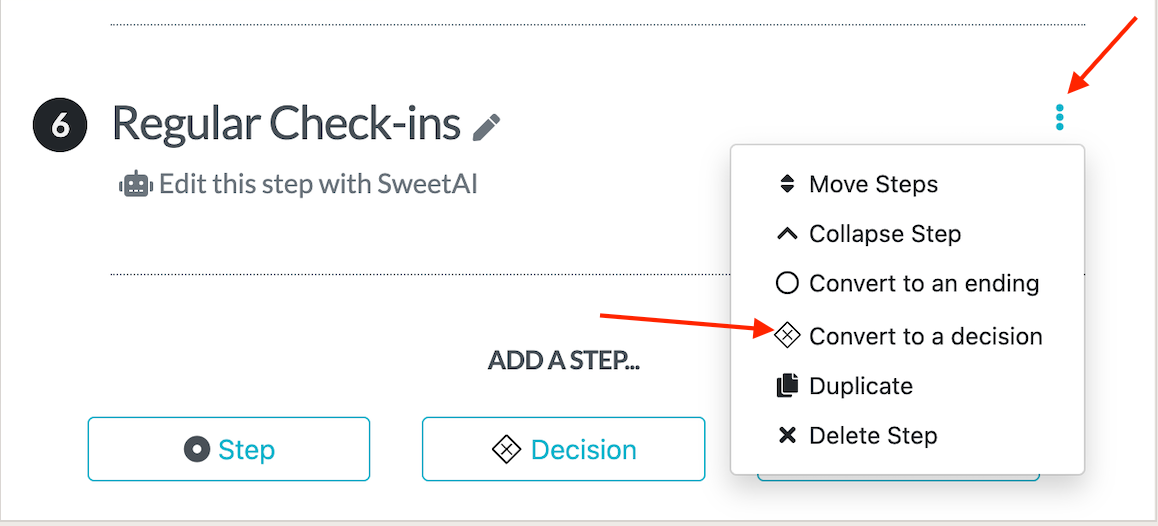
SweetAI excels at this. Instead of creating a simple SOP, you can expand it to be more dynamic and align with your needs.
Step 5: Approve and Share SOPs With Your Team Members
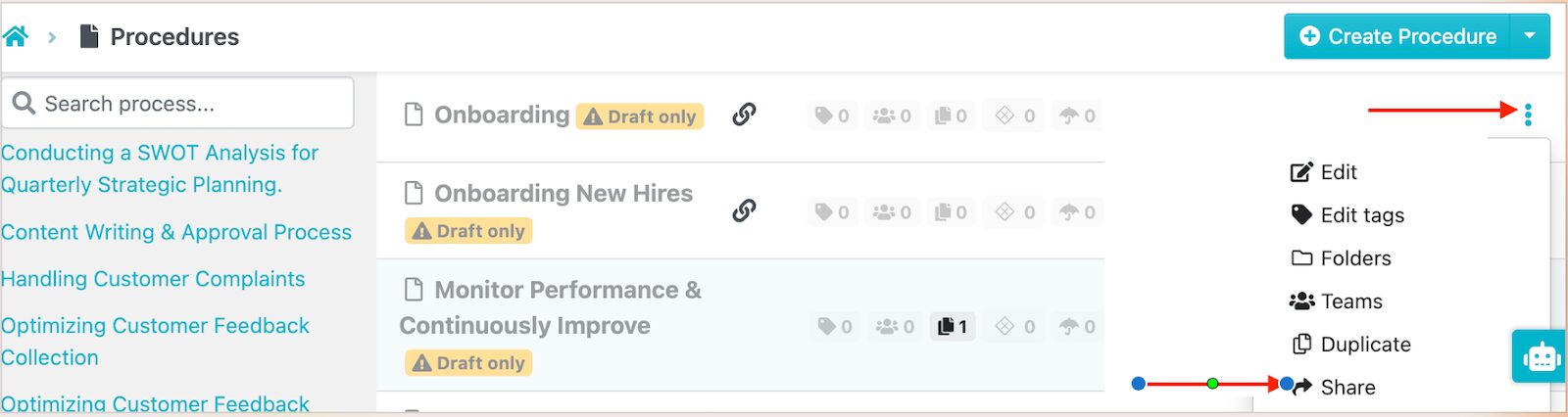
If you’re satisfied with your SOP, you can share it with the relevant managers for approval. Once it’s approved, the procedure goes live on the dashboard.
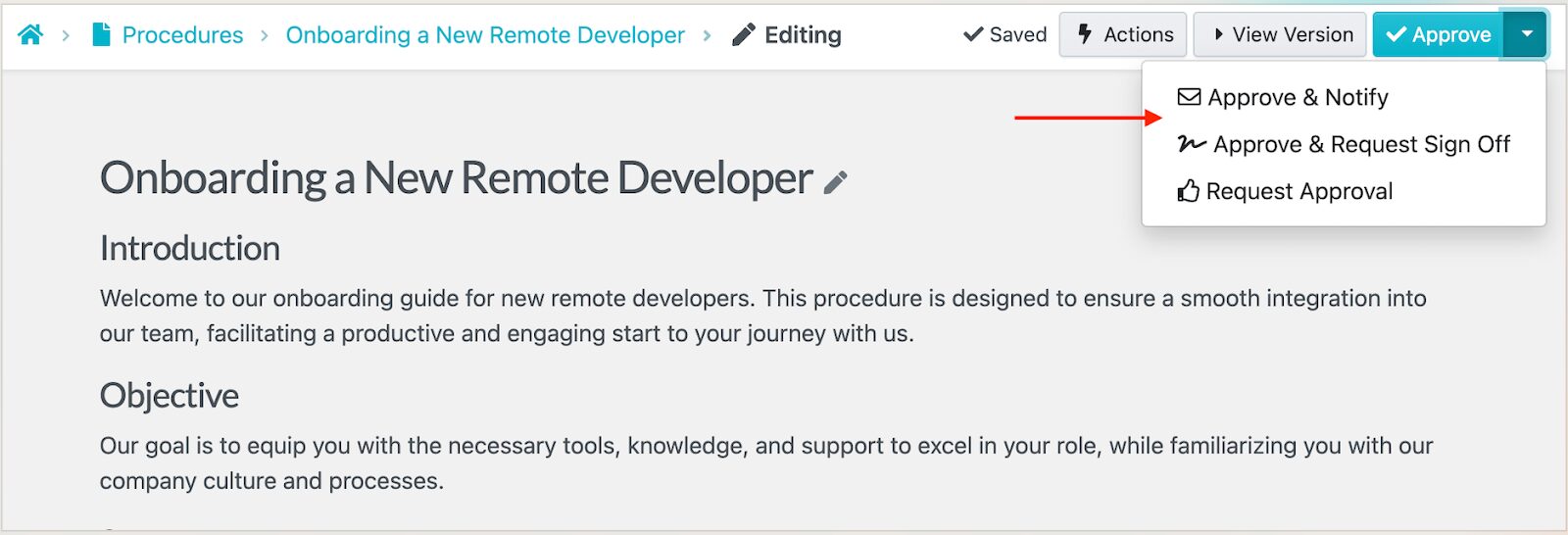
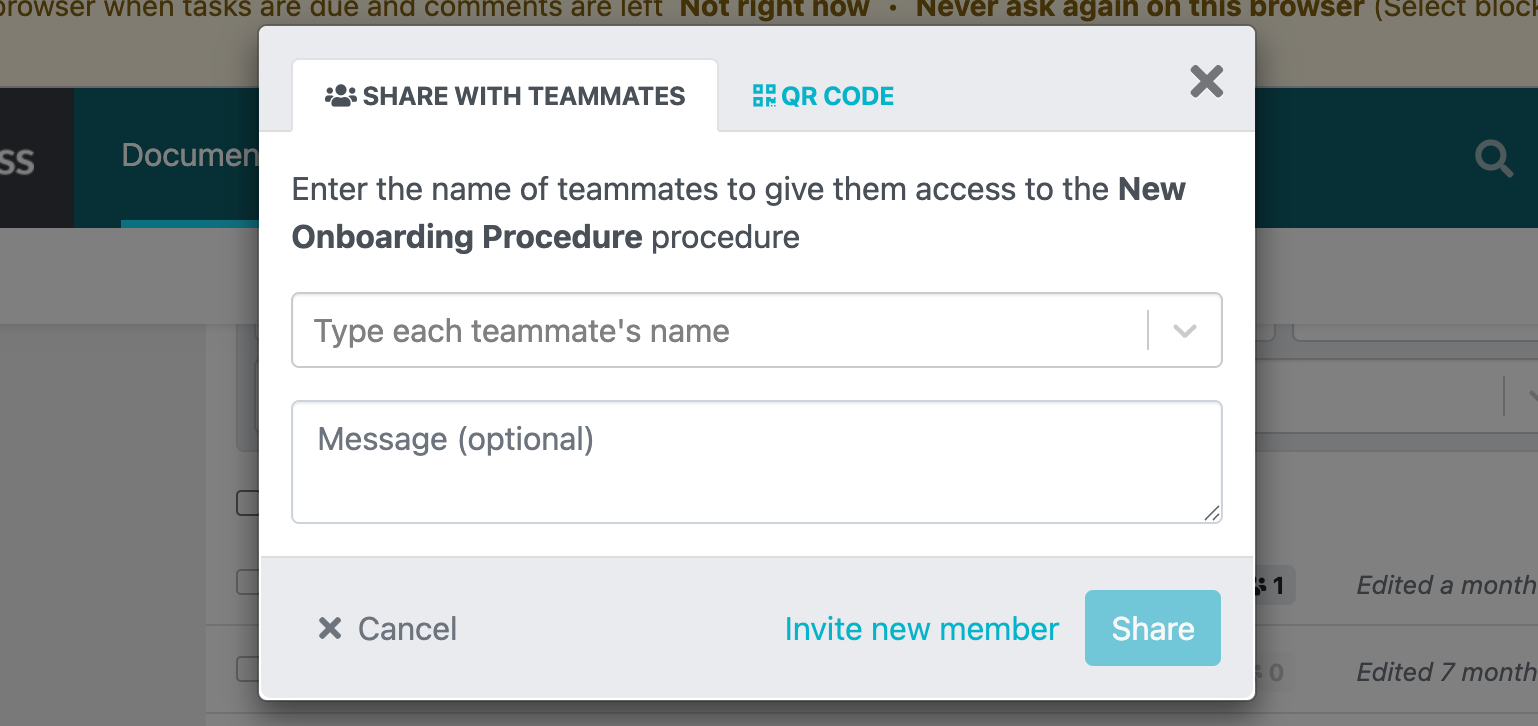
Alternatively, you can share with other team members or stakeholders if you need some input.
You can select the specific team member and add an optional message.
Step 6: Print and Download the SOP & Flowchart
Every procedure you create with SweetProcess is automatically converted into a visual flowchart. This SOP format is ideal for teams that prefer visual instructions.
After creating the procedure, you’ll see the diagram on the right side.
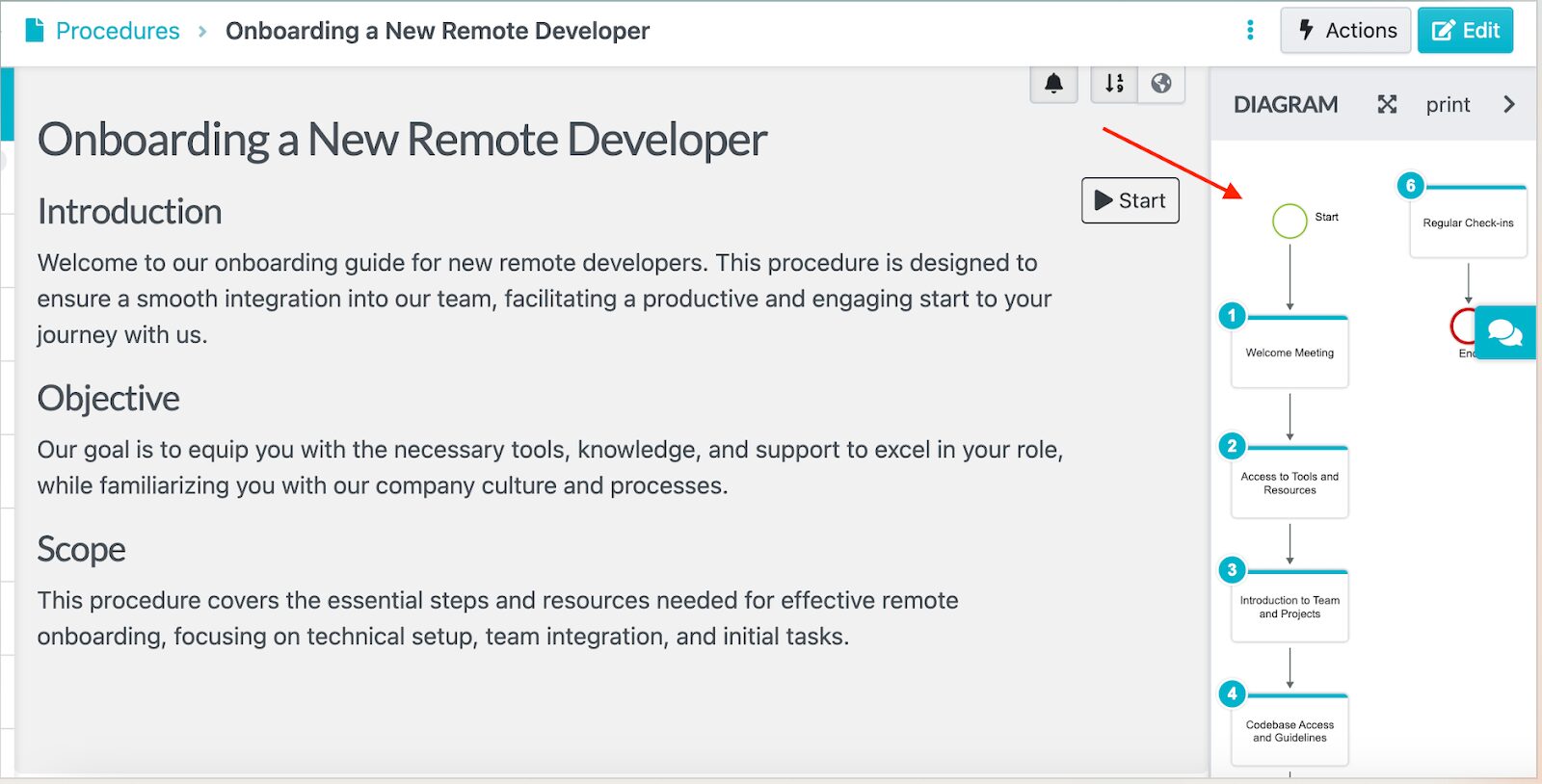
To print this for on-site teams, click the “Print” button to get physical copies.
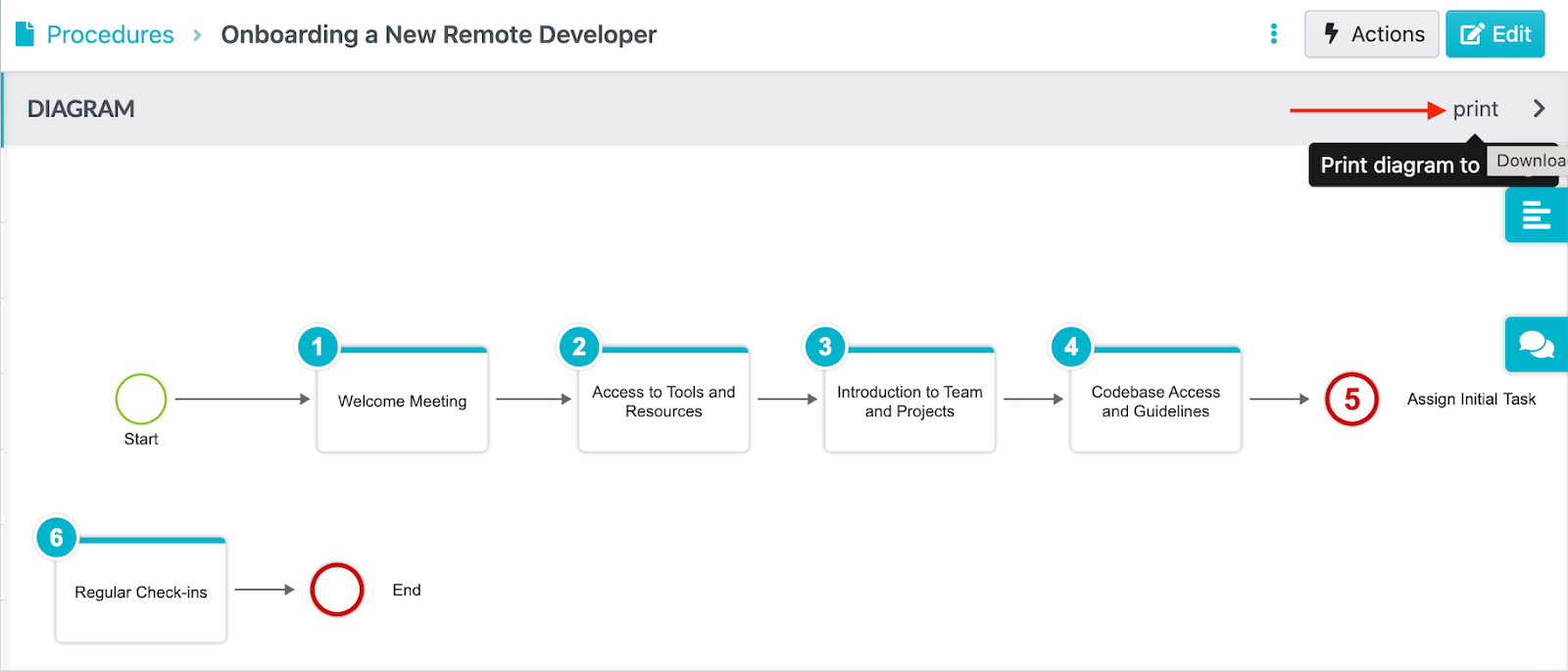
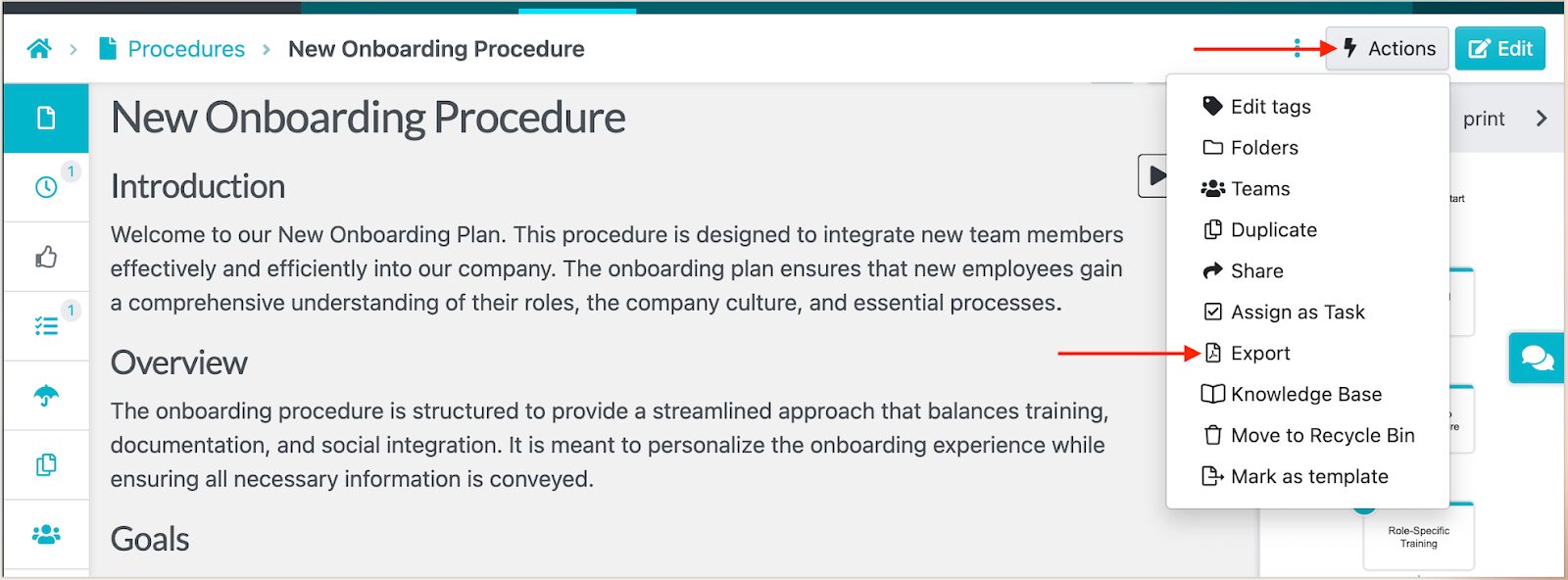
Alternatively, you can export the SOP to a PDF or Word document and then print it.
Why Use an SOP AI To Document Standard Operating Procedures
If you’ve ever tried to create SOPs manually, you already know how overwhelming it can be. SOP AI is here to solve this pain point. Here’s why you should use these tools:
Saves Time and Costs
Manual SOP creation is incredibly time-consuming. This is why your small business needs SOP software to simplify tasks and let you juggle other responsibilities. What used to take half a day now takes 10 to 15 minutes. You enter the key details of your process, and the AI generates a professional SOP complete with clear steps.
SOP AI also cuts operational costs. Instead of hiring consultants and outsourcing documentation work, you can write your first draft and refine it much faster. It’s the most efficient way to scale your documentation without draining your budget.
This is exactly what happened to entrepreneur Ivan Bunin. The co-founder realized he was causing bottlenecks in his own business, spending 10 hours every week handling most projects. But once he started documenting all the processes, he freed up over 500 hours of his time and now focuses on other responsibilities while the team follows the SOPs.
Improves Consistency and Accuracy
Let’s say you have two managers in your company, both creating SOPs for similar processes. One writes in bullet points, the other in paragraphs. One includes detailed screenshots, the other assumes everyone knows the steps. One updates their procedures quarterly, the other hasn’t touched theirs in two years.
This inconsistency creates confusion and increases the chances of making mistakes. But if you invest in AI-generated SOPs, you can restructure the content and keep it consistent. You can use AI to create an SOP template that every manager and employee follows.
Enhances Compliance With Industry Regulations
Missing details in a compliance process can lead to failed audits and costly penalties. You need a tool with features such as version control, approval workflows, access permissions, and audit trails to prove to the regulators that you adhere to the set guidelines.
Instead of scrambling to rewrite documentation under pressure, you can refresh SOPs with just a few prompts. AI also reduces human error, a major cause of compliance issues. Your team has a standardized format at all times.
A good example of a company that benefited from SOP AI is Wistar Group. Jeremy Aspen, the president and principal, noticed that the company lacked high-quality documents and had issues with version control. So he started using Word and ISO-9000-compliant documents to fix these mistakes, but then realized the company still needed a dedicated documentation tool.
A Google search led him to SweetProcess. He started transferring all the processes and procedures to their new SOP tool. Now, the employees have a reference point that enables them to execute their tasks independently.
Supports Frequent SOP Reviews
SOPs aren’t “write once and forget.” Processes change, and teams grow, so your SOP documentation needs to reflect this. But if you were to keep updating the procedures manually, you’d spend too much time doing so. Incorporating an SOP builder makes the job easier. With a few clicks, you can revise or regenerate sections that need improvement, keeping your documentation fresh and relevant.
This way, continuous improvement becomes part of your workflow.
Why Choose SweetProcess’s SOP AI
Yes, plenty of AI tools can be used to create an SOP. But what makes SweetProcess’s SOP AI stand out? Here are the key features you get:
Collaborate Seamlessly With Team Members
Creating a detailed SOP is not a one-person job. You need to collaborate with other departments and teams. As a comprehensive SOP software, SweetProcess makes it easy for team members to comment or add edits within the same platform.
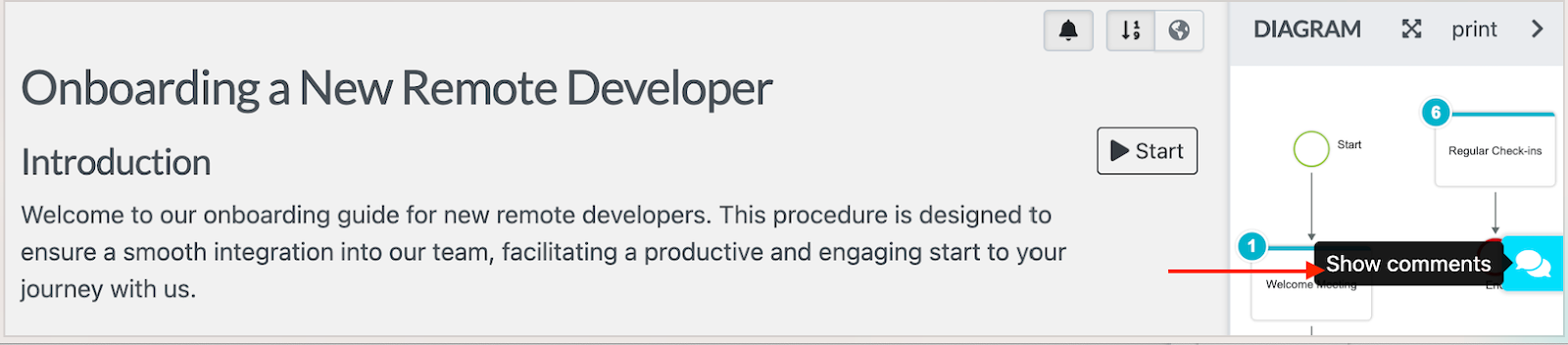
If you need to tag a team member on a procedure, you can add a comment while editing.
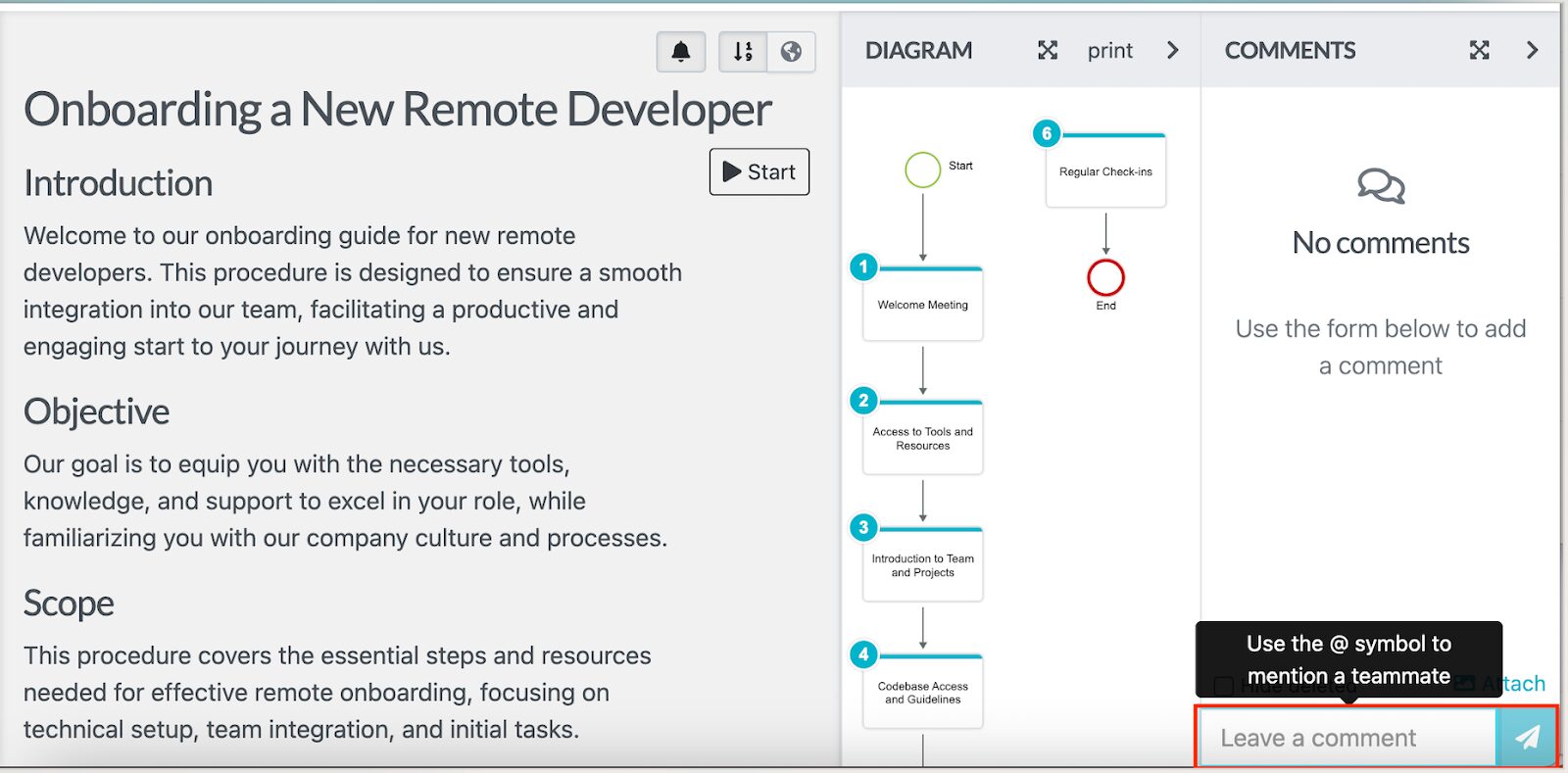
This way, everyone stays aligned without long email threads or scattered Google Docs.
Assign SOPs As Tasks to Employees
You can also turn your SOP into an actionable task. For instance, if you are training new hires or want to ensure that all employees follow a new process, you can assign the procedure.
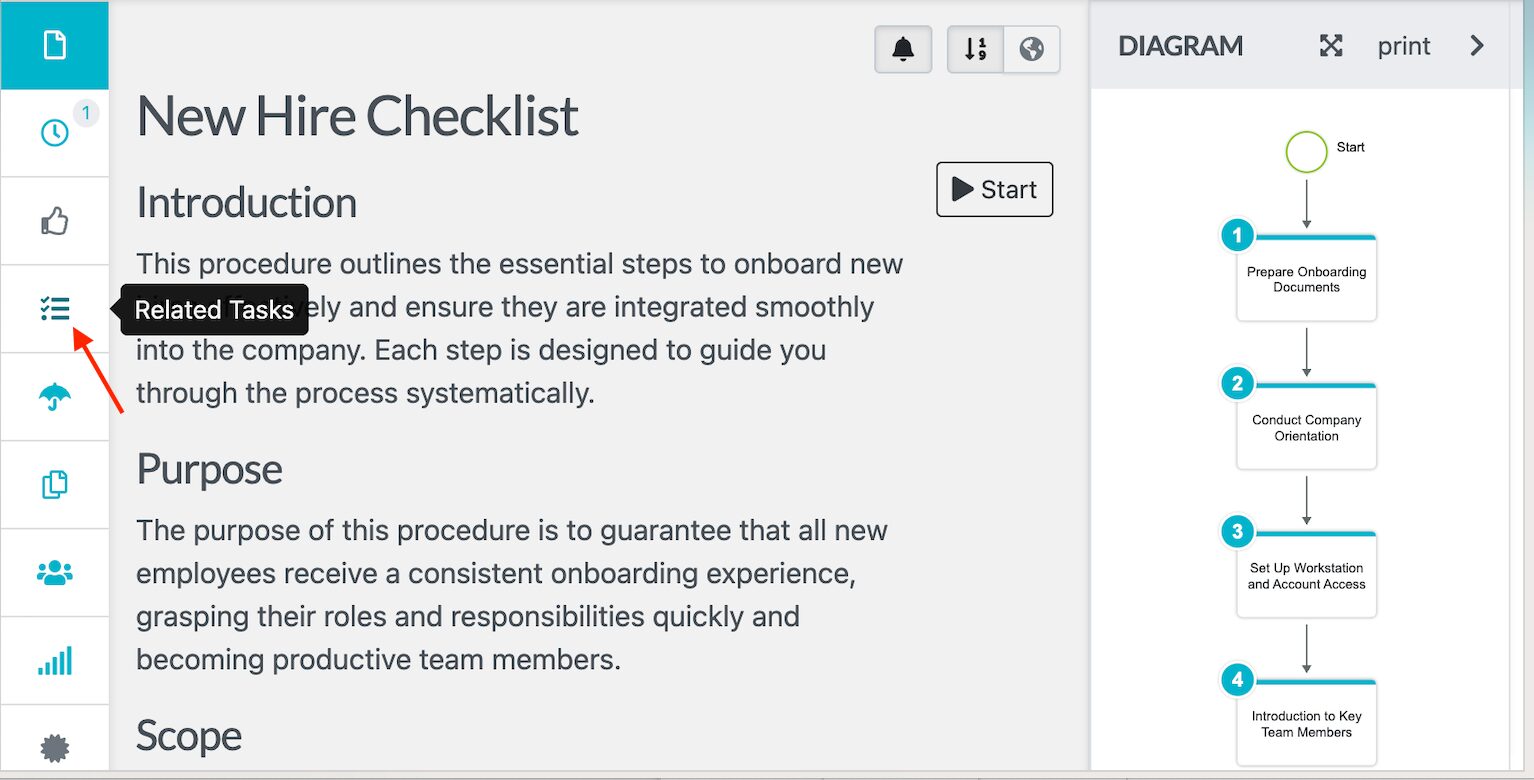
Employees get notified instantly, and you can track their progress from start to finish.
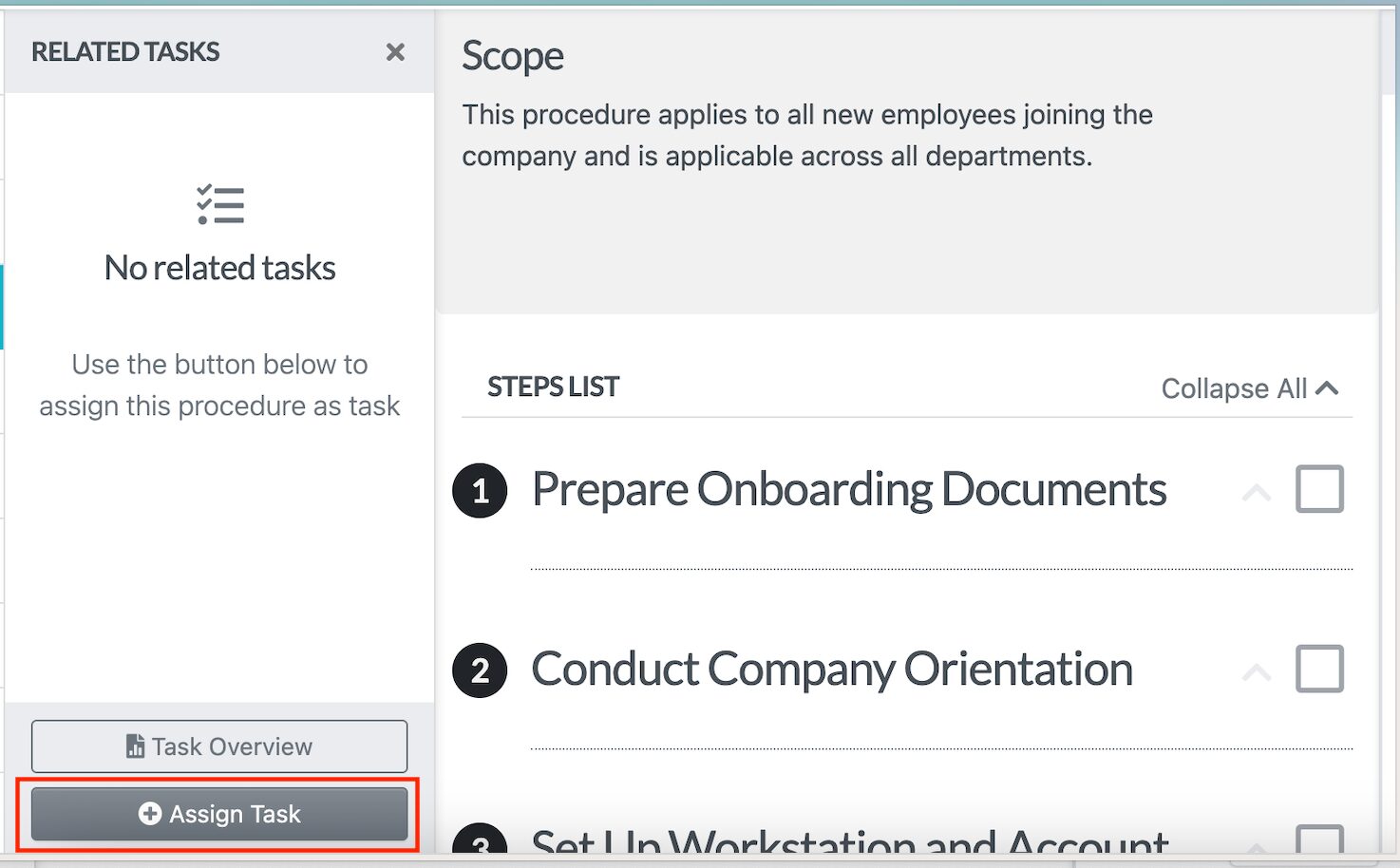
Version Control
As you collaborate, you’ll have multiple edits on the procedure. To avoid multiple versions, SweetProcess provides version control to help you view the latest document.
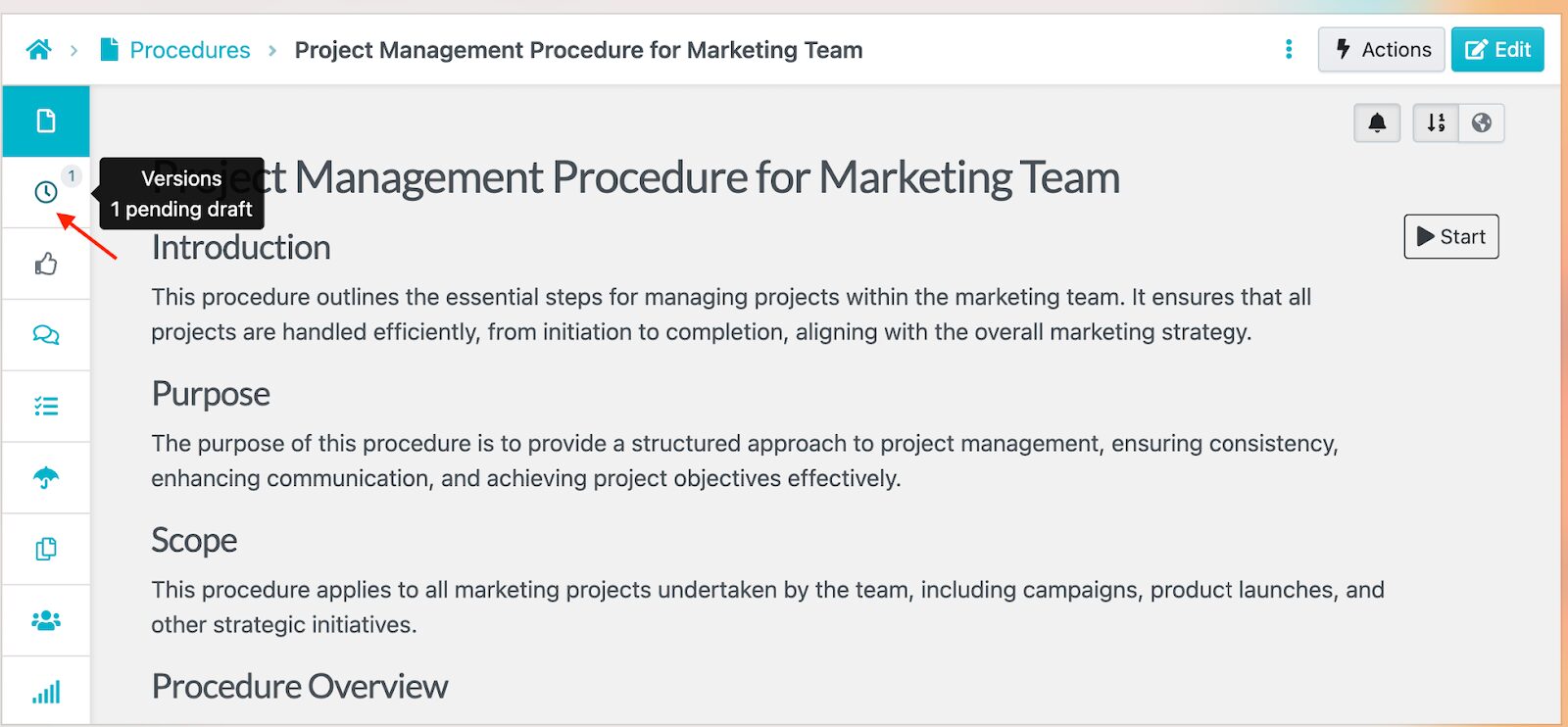
With this tracking process, you avoid confusion among the team. Additionally, you can revert to an older version if necessary.
Format SOPs
Want your SOPs to look polished and easy to read? SweetProcess gives you full formatting flexibility. You can change text colors, adjust headings, style paragraphs, and highlight key points so nothing gets missed.
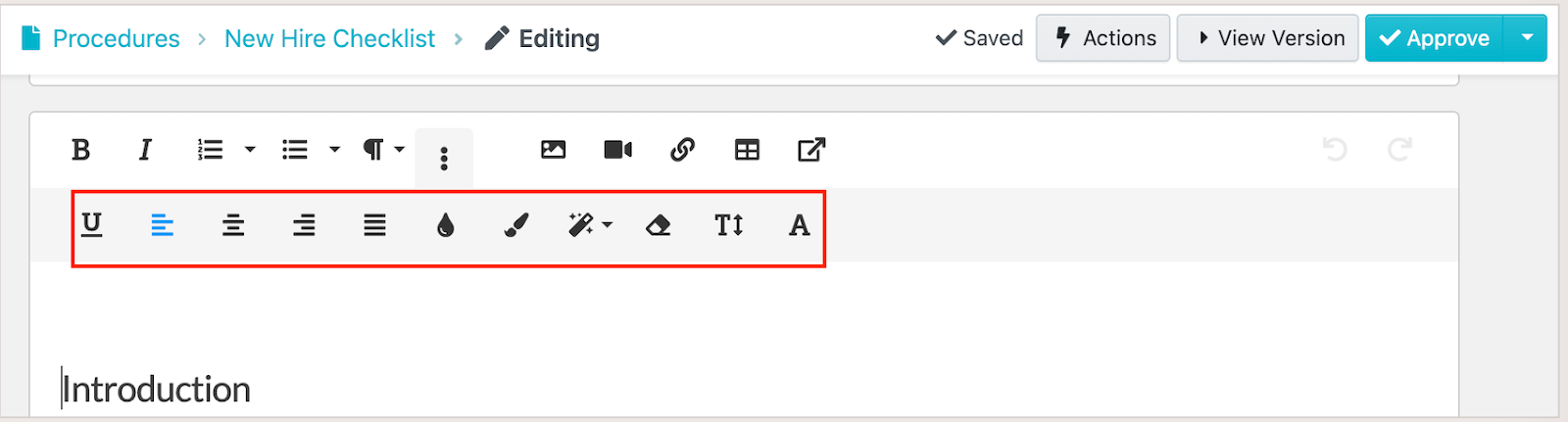
With clear formatting, your SOPs will be easier to read. SweetProcess lets you customize your documentation without leaving the editor.
Add and Edit Multimedia
Some processes are easier to show than to explain. With SweetProcess, you can embed images, upload videos, insert tables, attach forms, and include diagrams inside your SOPs.
For instance, you can create a technical procedure with video and images to show proper equipment handling.

Link to Other Procedures, Processes, and Policies
No SOP exists in isolation. SweetProcess lets you connect related procedures, checklists, workflows, and company policies directly inside your SOPs.
Instead of searching through folders or asking for documents, employees can access everything they need in a single click.
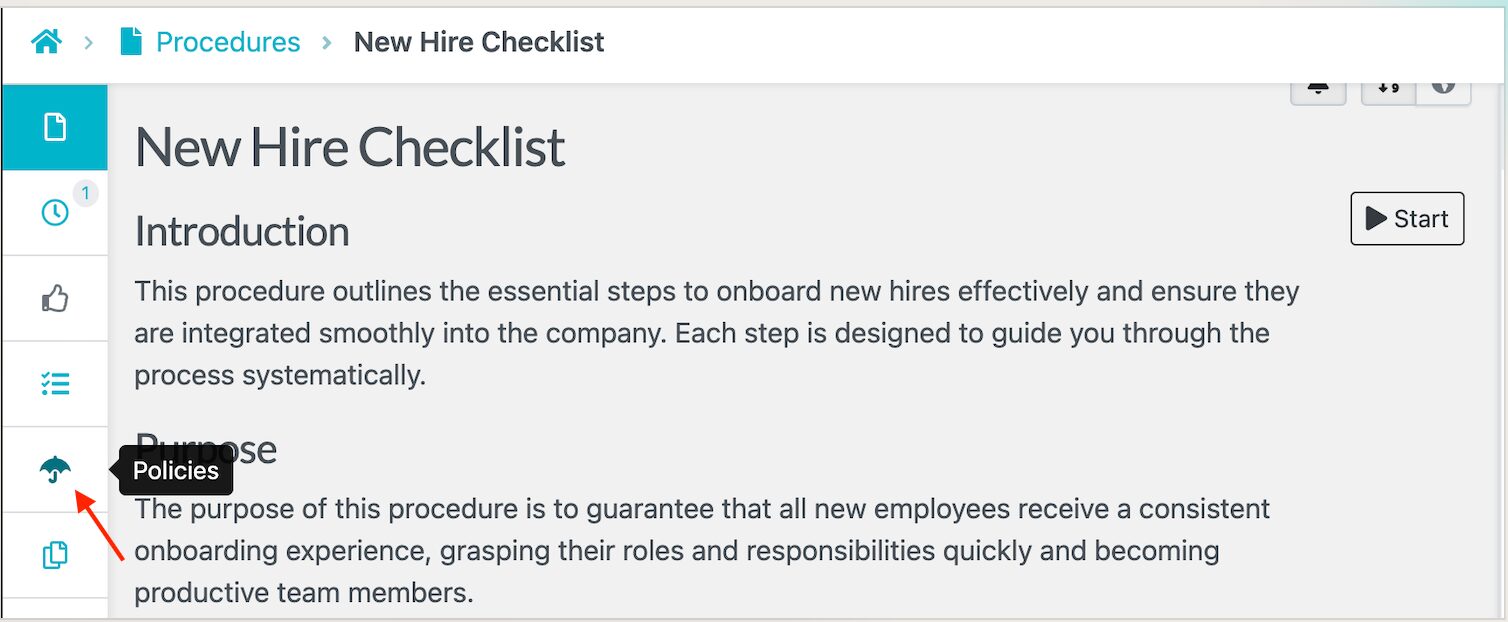
To connect the procedure to a policy, click on the “Policies” button.
You can do the same if you want to link a process.
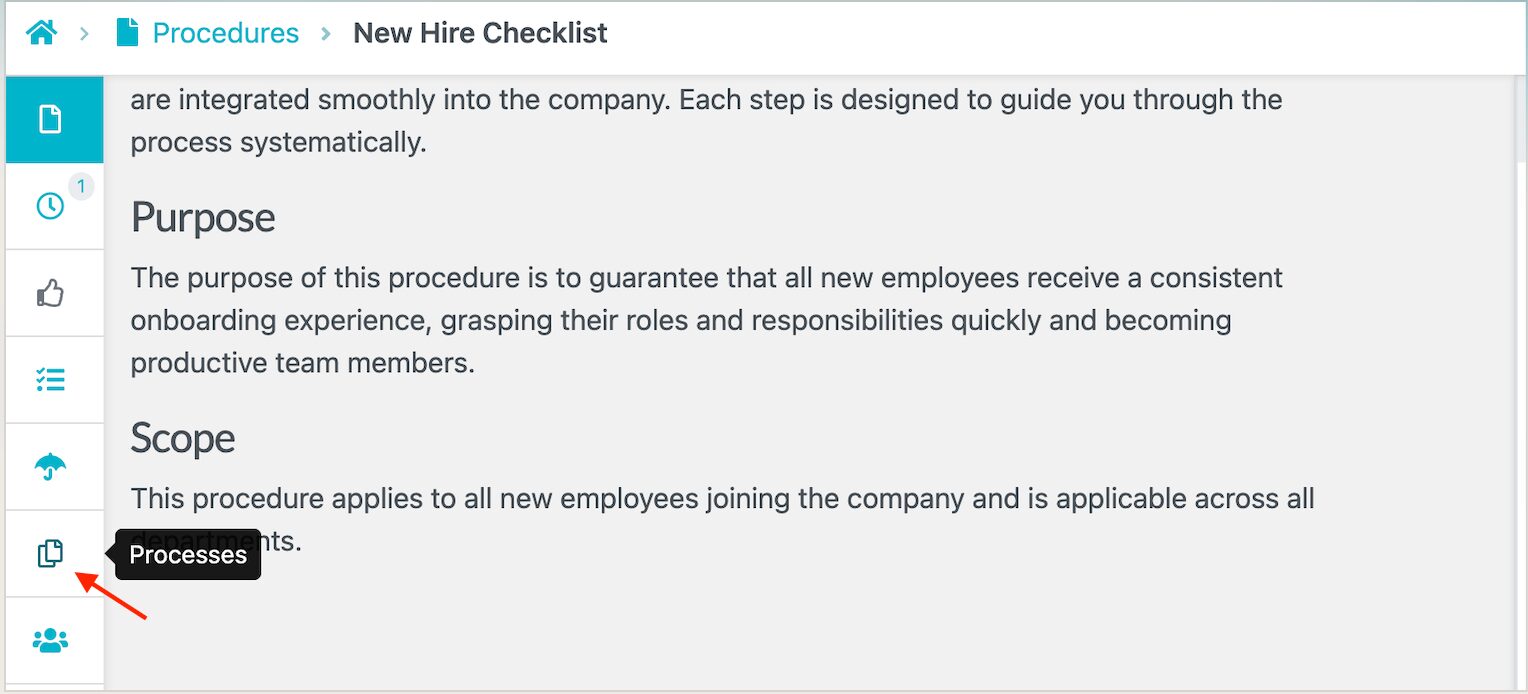
With an interconnected structure, you can boost efficiency since all the information is easily accessible.
How Consortium Private Wealth Uses SweetProcess To Document and Manage Its SOPs in One Place
Modern businesses can’t afford scattered documentation or knowledge that only lives in people’s heads. As teams grow and responsibilities shift, companies need a centralized system to quickly create SOPs and keep them organized and up to date. SweetProcess and its AI-powered SOP generator offer exactly that.
A great example of this is Consortium Private Wealth, a financial advisory firm that struggled for years with fragmented documentation. Their procedures were scattered across dense Word files that were hard to read and nearly impossible for new employees to follow. In addition, most of their information was tribal knowledge; therefore, key details sat in the minds of a few senior team members.
Switching to SweetProcess transformed how they operated. They were able to:
- Create interactive documentation by including images, videos, and links.
- Establish a detailed knowledge base so that operations continue smoothly, even when some employees are absent.
- Start using version control to track SOP updates.
- Address compliance needs by having up-to-date procedures.
Consortium Private Wealth’s experience highlights exactly why SweetProcess stands out. It goes beyond SOP generation. It’s a complete system for creating, managing, updating, and scaling your processes as your company grows.
If you’re ready to eliminate outdated documentation and streamline your operations with this SOP AI tool, start your free 14-day trial of SweetProcess and access SweetAI.
FAQs About SOP AI
What Does an SOP AI Do?
An SOP AI automatically generates structured procedures from simple prompts or descriptions. You don’t have to write the procedure from scratch. The AI will draft steps and clear instructions for you to refine.
How Does the SOP AI Work?
SOP AI analyzes the prompt or process description you provide, then builds a clear, organized procedure based on your workflow patterns. Once the first draft is ready, you can customize and add multimedia and relevant links within the same interface.
Can AI Generate SOPs?
Yes. AI can generate professional SOPs in minutes. As long as you provide a clear description of the task or process, the AI will structure the steps and create a usable first draft. Using an SOP AI reduces the time spent on documentation.
Is ChatGPT the Same As SOP AI?
No. ChatGPT can help you write SOP-style content, but it isn’t built as a full SOP management system. A dedicated SOP AI like SweetAI does more than generate text. It integrates with your knowledge base, links procedures together, and assigns tasks all on the same platform. It’s more comprehensive than ChatGPT.
What Industries and Business Types Does SOP AI Work For?
SOP AI works for any industry that relies on repeatable processes. You can use it for service businesses, healthcare, finance, manufacturing, HR teams, agencies, nonprofits, customer support teams, and small businesses of all kinds.