Last Updated on October 24, 2026 by Owen McGab Enaohwo
TL;DR: Choose SweetProcess to document, maintain, and assign procedures, processes, and policies in one place. Its standard plan costs $99 per month for up to 10 users. Process Street focuses on form-driven workflows with conditional steps and automations, with pricing available on request.
Start your free 14-day trial of SweetProcess.
No credit card needed. Cancel anytime.
Click Here To Try it for Free.
Your team finished the checklist. But did everyone follow the latest instructions?
When procedures are scattered across documents and messages, a completed task can still mean missed steps and extra work. Your team needs an easy way to find the right instructions and keep them current.
SweetProcess gives you one searchable home for procedures, processes, and policies, with approvals and sign-offs built in. This Process Street vs. SweetProcess comparison shows how that approach differs from workflow automation, what each platform costs, and what switching involves.
Key Takeaways
- SweetProcess is documentation-first, with separate procedures, processes, policies, and knowledge bases in one platform.
- Process Street is workflow-first, with checklists, conditional logic, approvals, scheduled workflows, forms, and automation capabilities.
- Process Street can be a better fit when your work depends on high-volume workflow runs, conditional steps, and runs that need to trigger actions in other systems through native integrations.
- If you are migrating from Process Street, export workflows as reference PDFs, prepare DOCX files for SweetProcess import, and rebuild any workflow logic, automations, or integrations that you still need.
- If you need a central place for current procedures, processes, and policies, start a 14-day free trial of SweetProcess and see how your documentation fits.
Product details and pricing were checked on October 2, 2026.
Table of Contents
Process Street vs. SweetProcess: Features at a Glance
SweetProcess and Process Street both help you organize how work gets done, but they approach the job differently. SweetProcess focuses on documenting the knowledge your team needs, while Process Street is built around turning repeatable work into workflow runs.
Here are the notable features of each platform and how you can use them for your business.
SweetProcess vs. Process Street: Features Comparison Table
Capability | Process Street | |
|---|---|---|
Price | $99 per month, or $990 per year, for up to 10 users. The Small Team plan is $495 per year for up to five users | Not published. You have to contact the sales team |
Plans | All features included in the standard and Small Team billing options; no feature-based tiers | Three plans with different limits: Startup, Pro, and Enterprise The Startup plan is designed for five users and 10 guests, with caps on automation apps, automation actions, and API calls |
How billing counts people | Users on the team. Each additional user on the monthly plan is $5 per month, or $50 per year on the annual payment option | Custom quote; ask Process Street for the price and billing basis for your team. |
Free trial | 14 days, no credit card required | 14 days on the Pro plan, no credit card required |
What it is built to do | Write, store, assign, and review procedures, processes, and policies in one platform | Run checklists and workflows, with a separate Docs product for policies and SOPs |
Separate document types | Procedures, Processes, and Policies are separate types | Workflows, Forms, Pages, and Docs |
Sign-off record | Records who signed off on which version and when | Docs lists approval flows, review cycles, change logs, and document history |
Creating documentation | Chrome extension records each click with a screenshot per step and produces an editable procedure. | You can import your documents or use their AI capabilities to design your workflows and processes |
AI drafting | SweetAI drafts a procedure or policy from a title. However, it does not know your business, so someone who does the work should review it | Process AI builds a workflow from a few instructions or an uploaded document |
Integrations | Public API, plus 1,000+ apps through Zapier | Native integrations including Salesforce, Slack, Microsoft Teams, Google Sheets, Jira, and DocuSign, plus an API, webhooks, Zapier, Make, and Power Automate |
Import existing documents | You can upload existing documents when creating a procedure. | Docs supports document uploads. |
Which Job Are You Doing: Running Workflows or Keeping Documentation?
SweetProcess is the place to start when your team needs reliable instructions it can find, follow, and keep current. A Procedure explains how to do a task. A Process brings related Procedures together, and a Policy states a rule the team needs to understand. You can maintain those documents in the same account, give the right people access, and track review and sign-off.
Consider a daily operations handover. The incoming employee needs to know which checks to make, where to find the records, and what to do when something is wrong. A useful Procedure holds those instructions, screenshots, and decision steps together. When the work changes, the owner updates the document so the team can refer to the current version.
Process Street is built around launching and running work. Its workflows combine tasks, form fields, conditional logic, approvals, and automations. That matters when the next step depends on information entered during a run, or when completing a step needs to pass information to another application.
For example, an employee-onboarding workflow might collect the new hire’s role, show the relevant equipment tasks, send an approval to a manager, and trigger an action in another system. The value lies in coordinating each new run, including the people and decisions involved.
You may need both documentation and workflow execution. SweetProcess can assign documented Procedures and Processes as tasks, and Process Street also offers Docs for managing policies and SOPs. Compare the work you need each product to do rather than assuming either label tells the whole story.
Start with a task your team repeats each week. Is the bigger problem knowing the correct way to do it, or moving each new request through the right people and systems? Use that answer to choose which product to test first.
What is Process Street?
Process Street describes its platform as compliance operations software. It lets you build workflows with tasks, forms, conditional logic, approvals, assignments, due dates, and scheduled runs.
The platform has three products, including Docs for document management and policy control, which comes with features such as review cycles, change tracking, and document history. Ops is designed for workflow automation, while Cora is an AI compliance and risk agent.
You can use this software for employee onboarding, client onboarding, quality tracking, and recurring approvals.
What is SweetProcess?
SweetProcess is process documentation software that allows businesses to document all operational knowledge in a single platform. You can organize and manage your processes, procedures, and policies in the dashboard, making it easy for employees to access and execute their tasks.
Once you write a procedure, you can add screenshots, files, and videos to any step, and keep it in a private or public knowledge base that people can search. You can assign a procedure to the people who need it, turn procedures and processes into tasks, and see who signed off on which version.
SweetProcess supports hiring, onboarding, employee training, and daily operations by keeping the steps in one place instead of in someone’s head.
Documenting repetitive tasks in just one place also eliminates guesswork and minimizes back-and-forth emails. You can try it all during a 14-day trial.
Process Street vs. SweetProcess: Features
A platform’s features determine how useful it is for helping your business improve processes.
Let’s take a look at the features of both Process Street and SweetProcess to see how they compare.
Process Street Notable Features
The features of Process Street include:
- Process AI: It allows you to build a workflow from a few instructions or from an uploaded document.
- Data sets: Structured tables you connect to forms and workflows. The Startup plan lists up to 5,000 records, while the Pro plan gives you access to 10,000.
- Conditional logic: Another excellent feature of Process Street is “conditional logic,” which helps users create dynamic, unique checklists that often include popular “if/then” logic. This logic conveniently caters to the varying needs of a team.
- Report generation: Process Street allows you to generate reports from active workflows. You can also use filters to sort workflows by deadline or workflow name. At a glance, you can see the timeline left for each workflow or process.
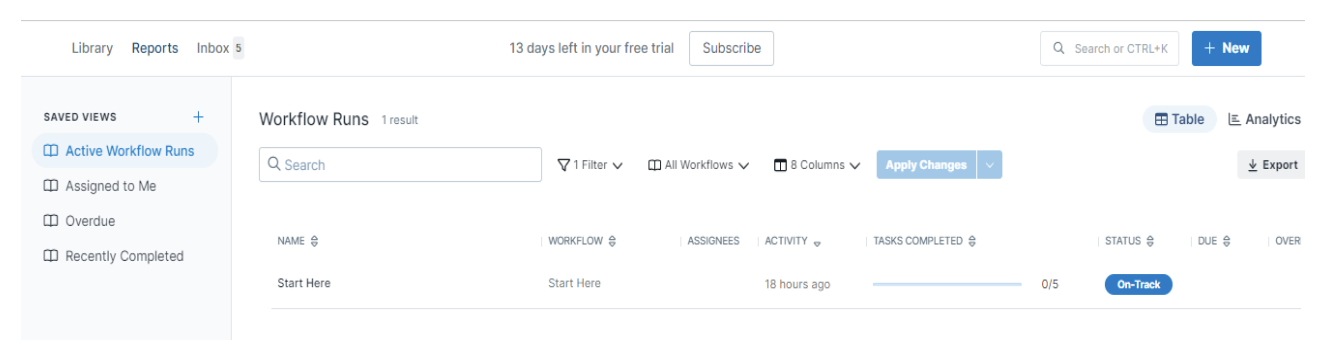
Process Street workflow-run report.
- Scheduling workflows: Process Street lets users create daily, weekly, monthly, and even annual workflow schedules to automate tasks. Users can also add other automation, including scheduled checklists.
- Add media and content: You can easily communicate concepts and visions to every team member by adding audio and visual aids or content, making the content more interactive.
- Forms for structured data: You can gather organized data within your checklists while staying on top of every piece of information or source.
- Ease of approvals: Process Street enables you to restructure activities that require urgent approval by another authorized individual.
- Collaborative workflows: You can assign steps and roles, set dynamic due dates, and track progress on a dashboard, with an activity feed showing who completed what.
SweetProcess Notable Features
SweetProcess is built for documentation. Here are the key features you can access:
- Assign and track tasks: You can turn procedures and processes into tasks, assign them to people, and follow them in one place.
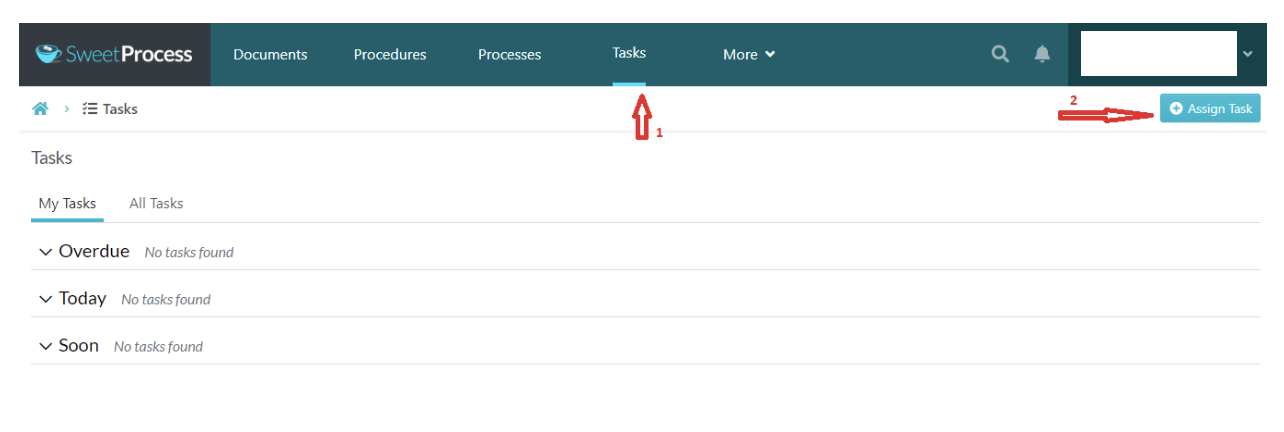
SweetProcess Tasks navigation and Assign Task button.
- Version history: With SweetProcess, you can track changes to your procedures or processes. This is great for tracking what changed and when, so you don’t lose track of your improvements.
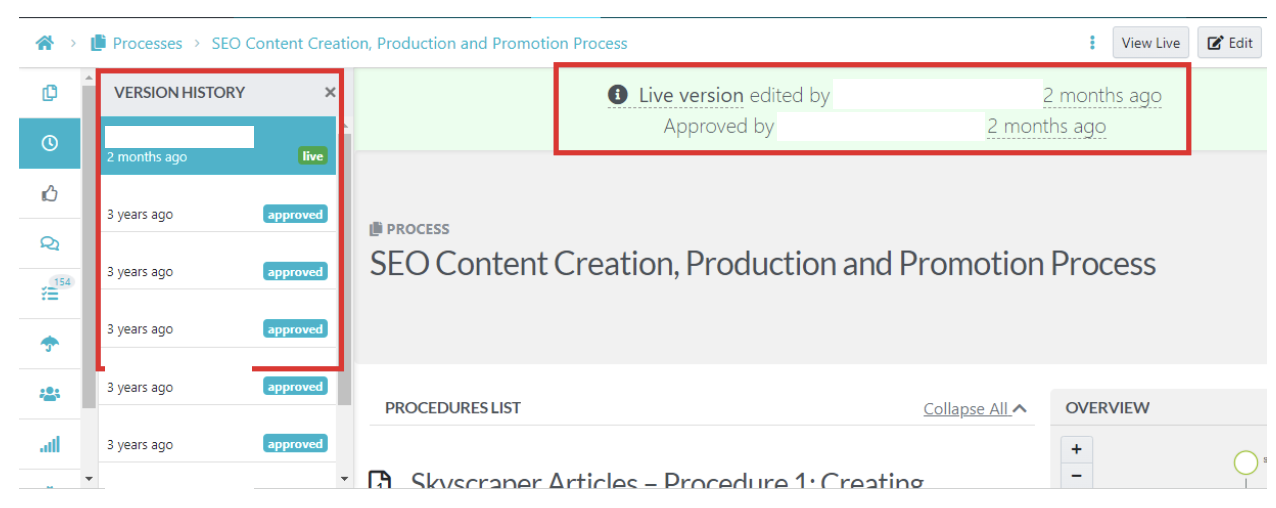
SweetProcess version history.
- Duplicate existing processes, procedures, or policies: Another good thing about SweetProcess is the fact that you can easily duplicate existing processes, procedures, and policies without having to start from scratch. This is great for processes, procedures, or policies that are similar.
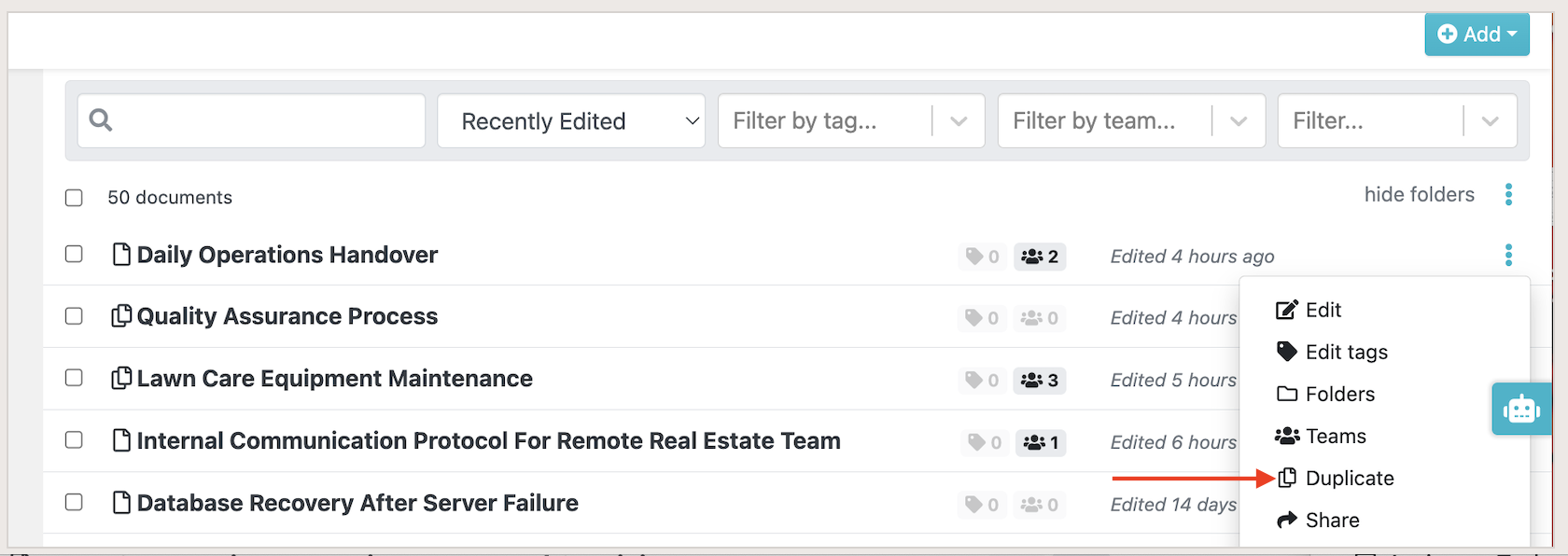
The Duplicate option in the SweetProcess document library.
- Task reporting: SweetProcess lets you follow assigned work and review task progress. Use the task dashboard to see what is due and what has been completed.
- Private and public knowledge bases: With SweetProcess, you can create a private or public knowledge base for your team. This is a great way to share information and keep everyone on the same page. You can also make your knowledge base public so that anyone can access it. This is great for incorporating customer or client support into your process.
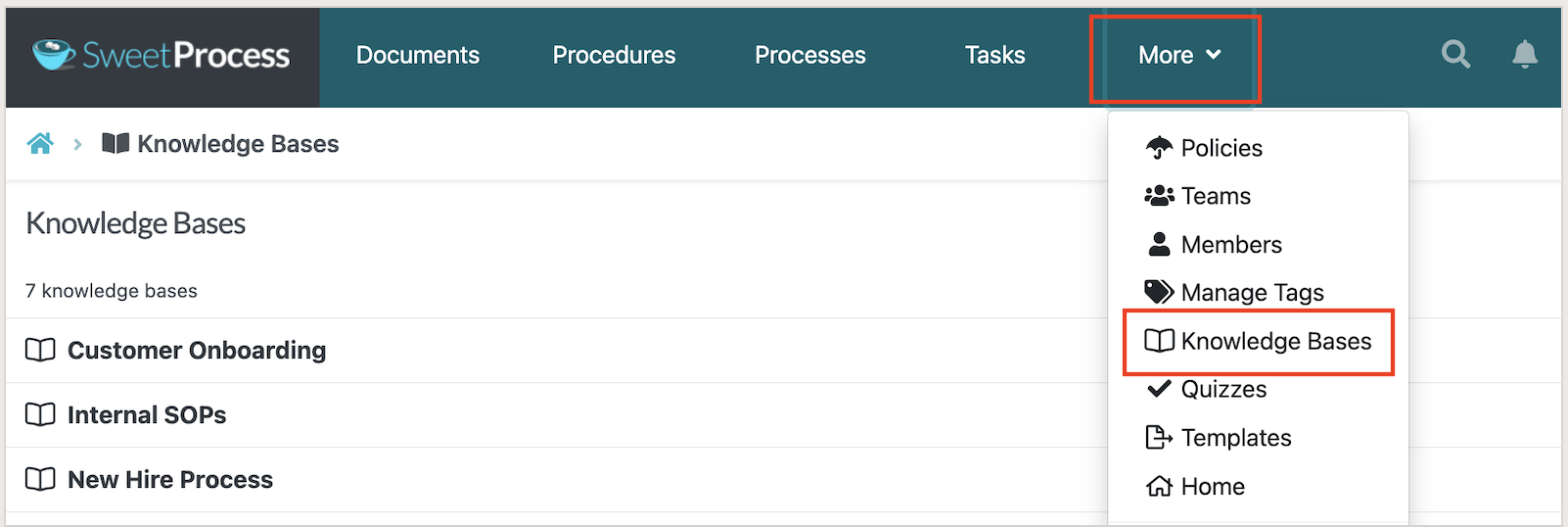
Knowledge Bases in the SweetProcess More menu.
- Embed files and video: You can embed files and videos in your procedures or processes to make them more engaging and easier for your team members to follow.
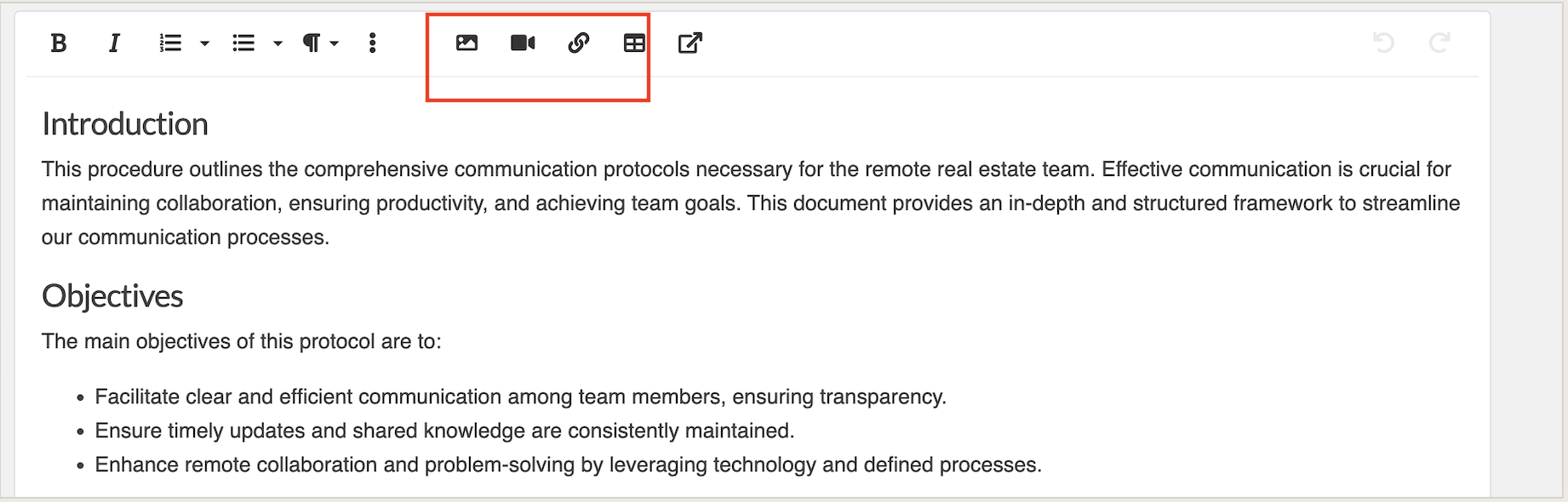
The rich-text editor supports images, video, links, and tables.
- Team management tool: With SweetProcess, you can add team members and assign them roles. This is a great way to manage your team and keep track of who is doing what. This keeps your team on their toes and improves productivity.
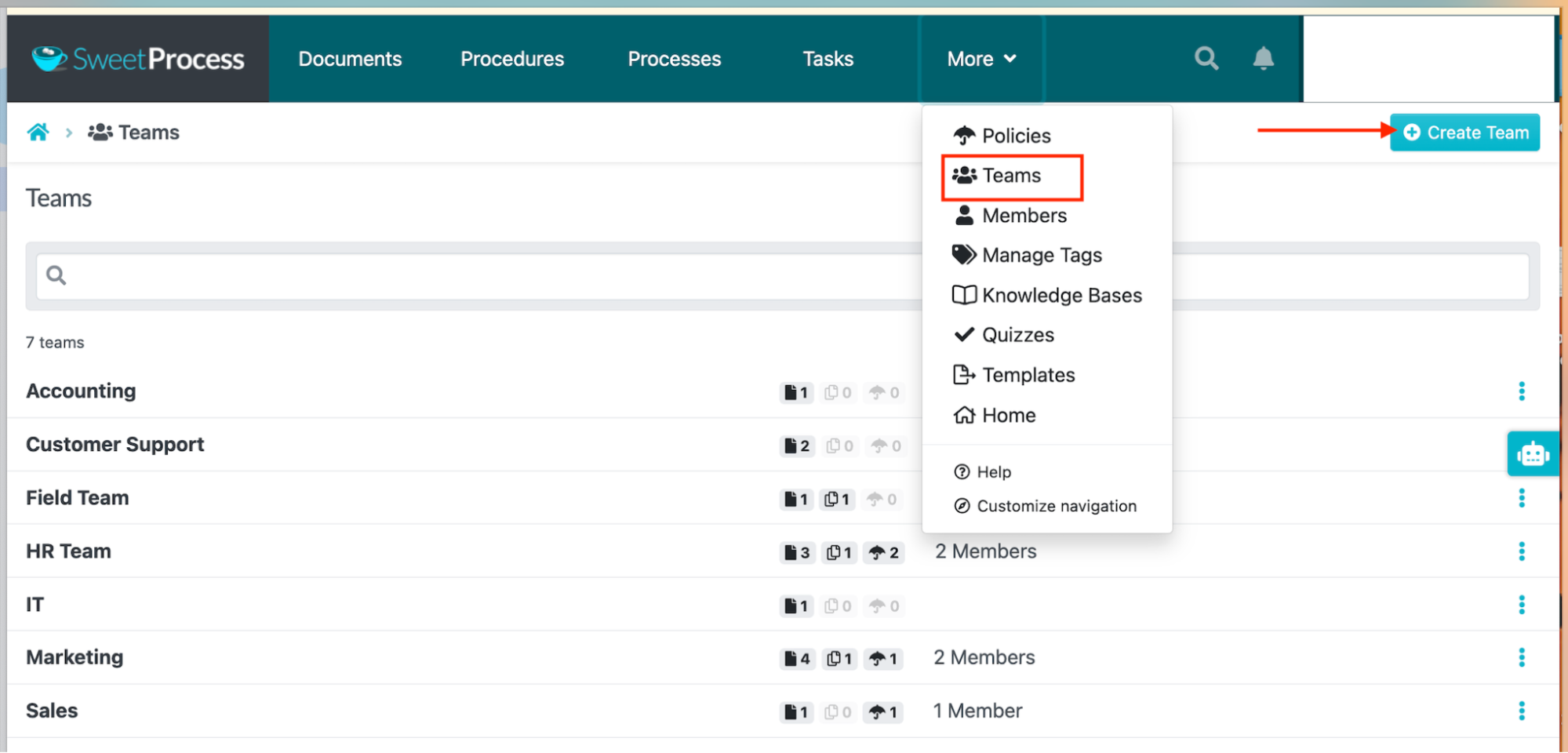
Teams in the SweetProcess navigation.
- Record a procedure from your browser: The SweetProcess Chrome extension records a procedure as you click, takes a screenshot of each step, and produces a procedure you can edit before you share it. If you do the work on screen, you can document it while you do it.
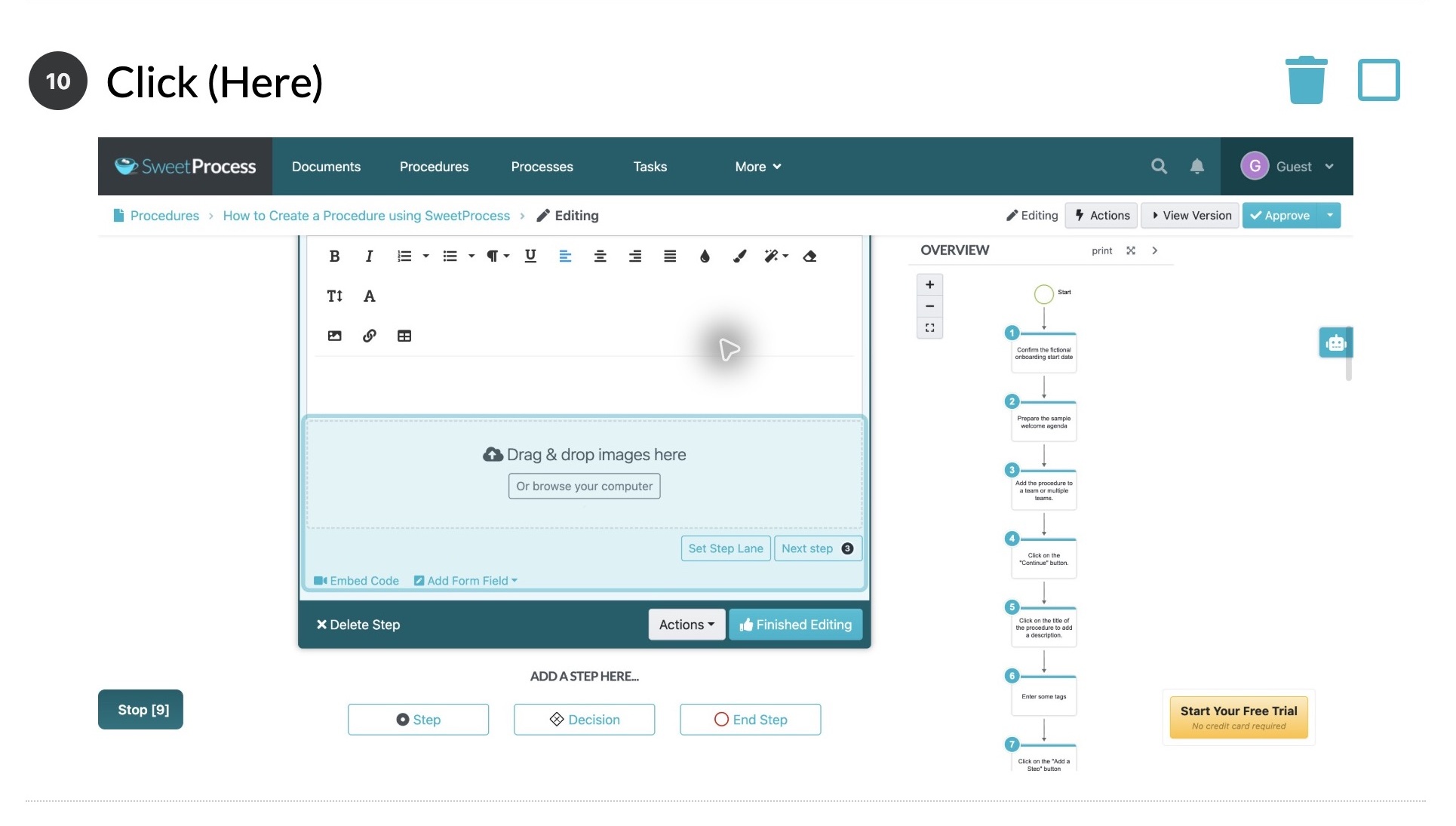
You can then edit this capture to ensure it aligns with your business needs.
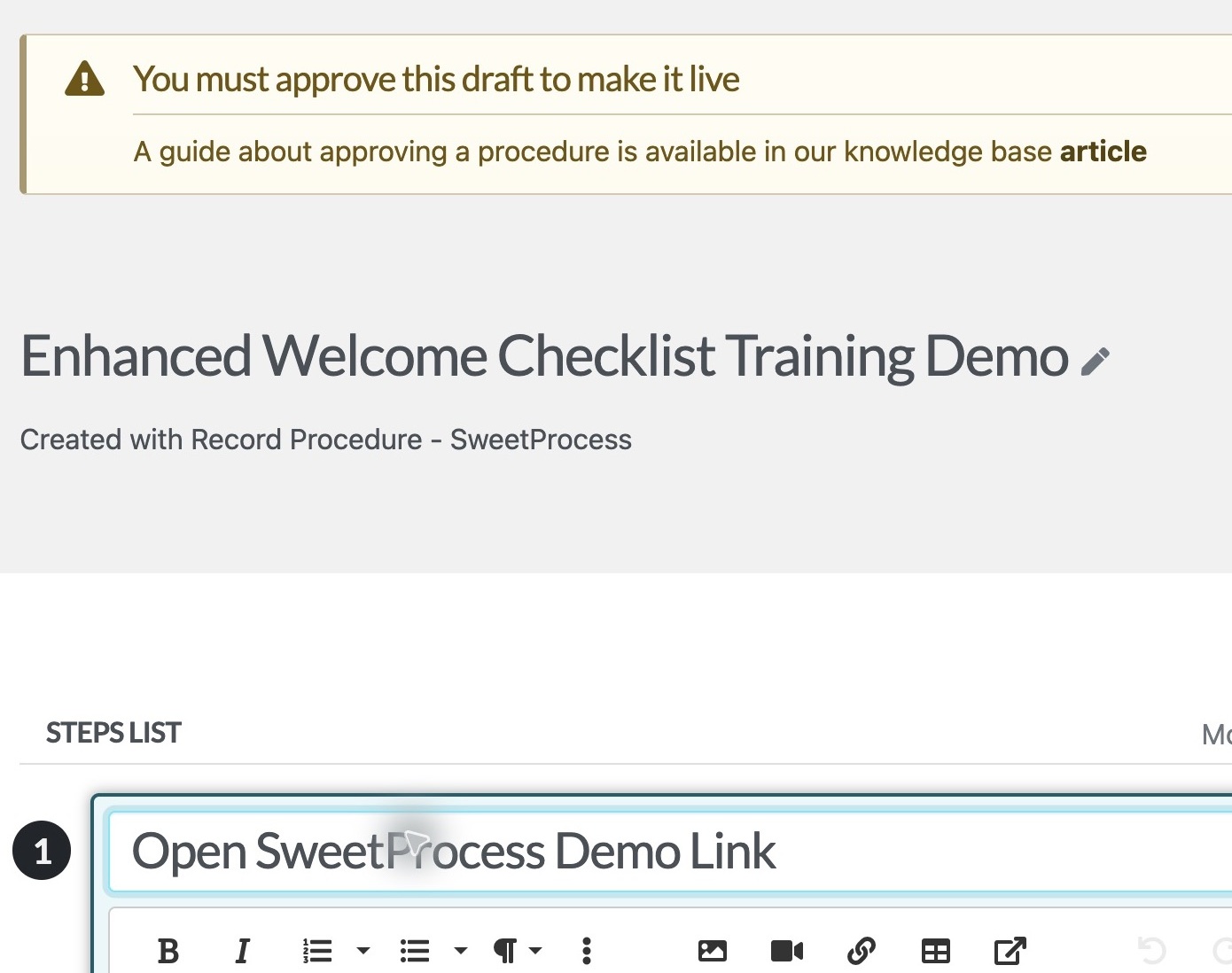
The saved recording opened as an editable SweetProcess Procedure draft, with a step title ready to change.
- Automatic flowchart: As you document a procedure or process, SweetProcess generates a visual flowchart automatically, linear or branching at decision steps.
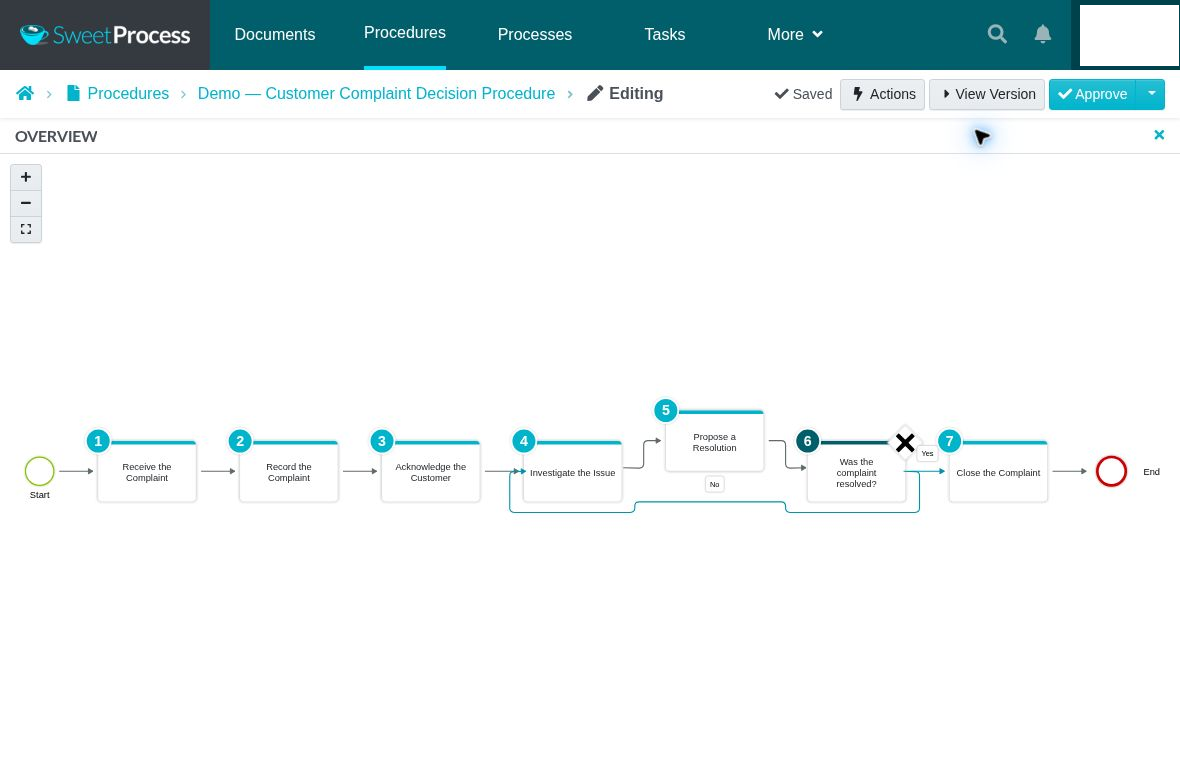
SweetProcess procedure flowchart with a Yes/No decision branch.
- SweetAI to draft your procedure: You type a title, and SweetAI gives you a first draft of a procedure or policy. It does not know your business. Someone who does the work must review and edit the draft before it is shared.
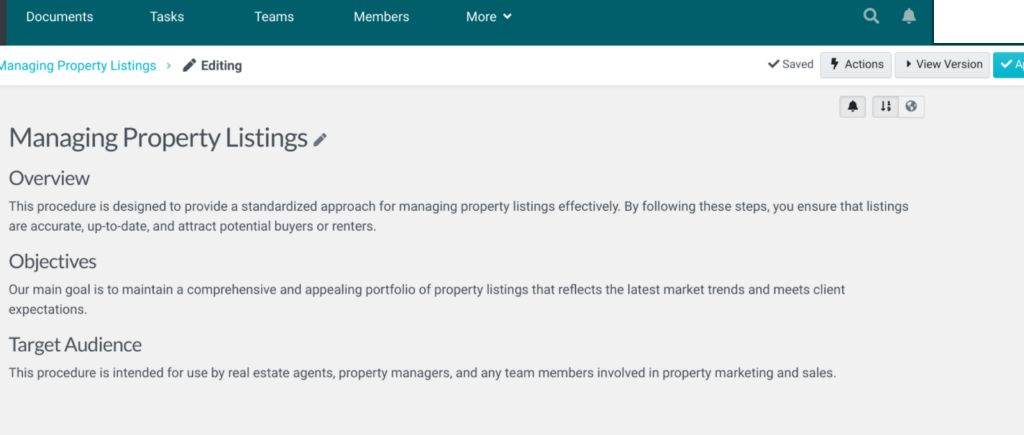
SweetAI-generated procedure draft.
- Import documents: When you create a procedure, you can upload an existing document to SweetProcess instead of retyping it.

The Upload document option for importing supported Procedure documents.
SweetProcess is designed to be user-friendly and offers a free trial so businesses can try it before committing to a subscription.
Process Street vs. SweetProcess: Ease of Use
When it comes to picking the right software for your process management, you want something without a steep learning curve, a platform that will be easy to jump on and get started for your team.
Process Street is a user-friendly workflow and checklist software that allows users to manage business processes efficiently. It is flexible and powers multiple processes ranging from simple office cleaning checklists to complex information security audits. The drag-and-drop interface makes it simple to create and edit processes, and the built-in templates help you get started quickly.
The sign-up process is also hassle-free, and it allows you to sign up using an existing Gmail or Microsoft account, or a work email if you prefer.
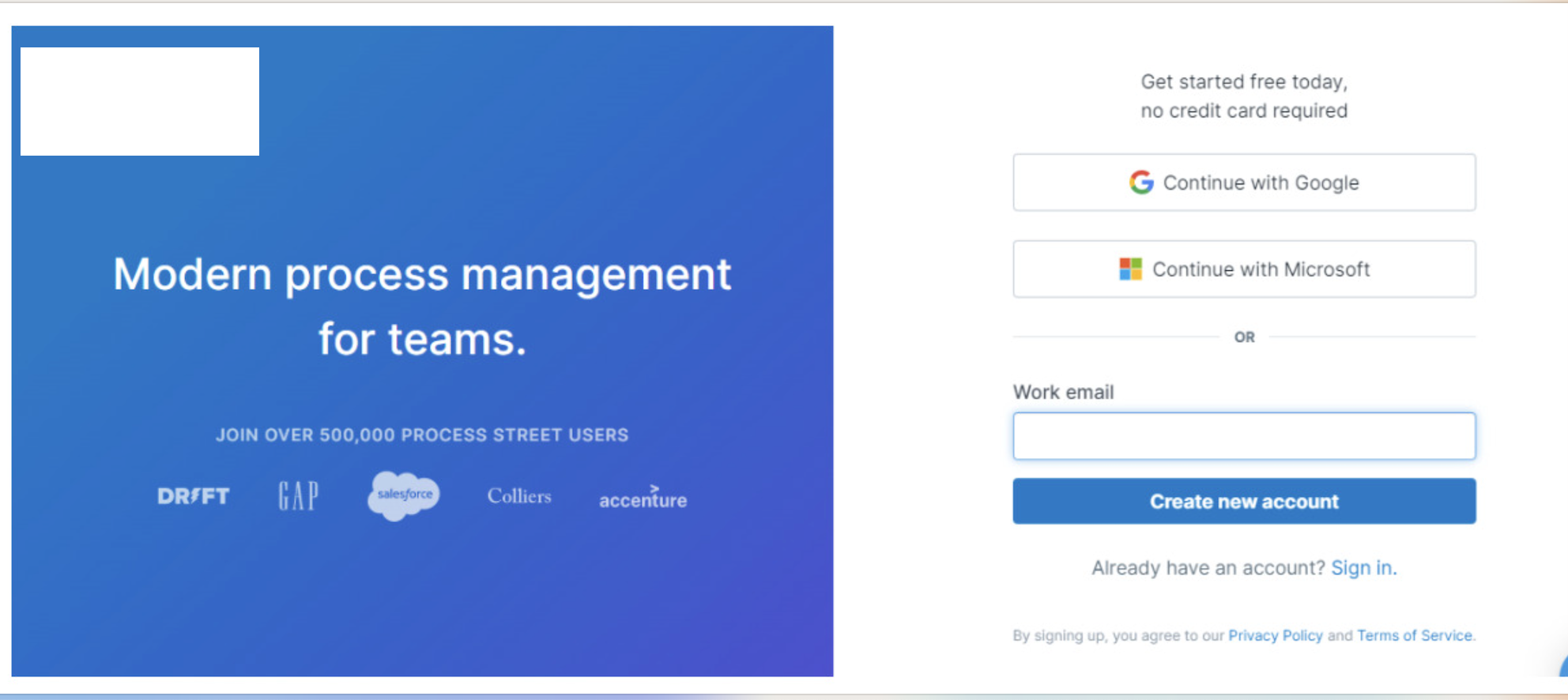
Process Street’s account-creation screen.
New accounts on Process Street also start with a 14-day trial on the Pro plan.
On the other hand, SweetProcess also has a drag-and-drop interface that makes it easy to create and implement standard operating procedures (SOPs), policies, and processes. The built-in approval workflow ensures that the appropriate team members can easily review and approve all changes.
A single click on the yellow “Try it Free” button gives you instant access to sign up for the platform, and you can enjoy the 14-day free trial even without a credit card.
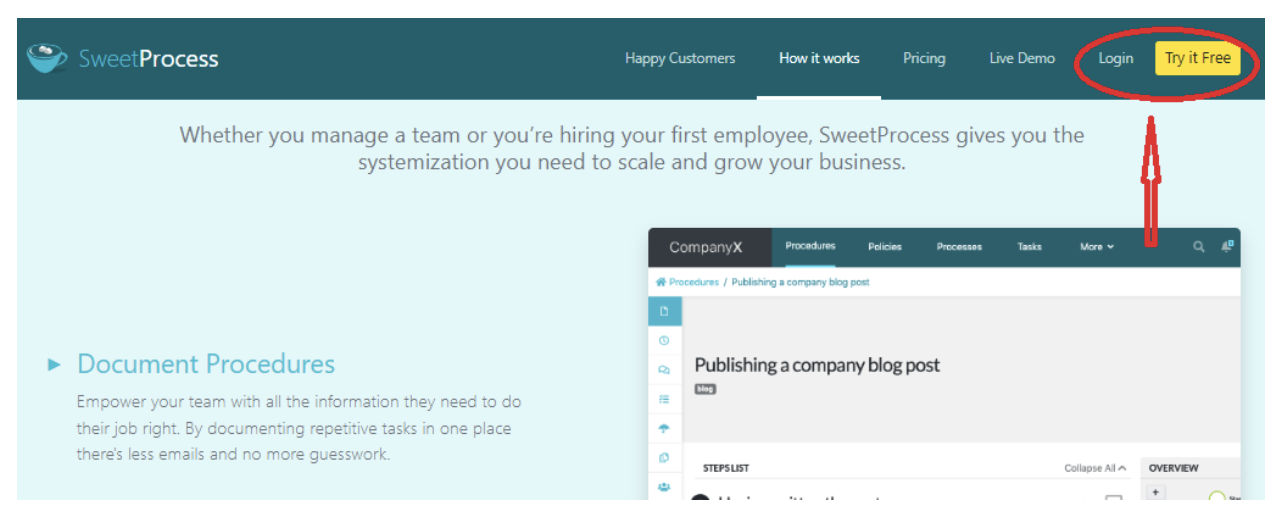
The next step takes you to the sign-up page where you need to fill in your details, add a password, and then accept the terms and conditions to get in.
Signing up for SweetProcess is easy. You can check it out using the 14-day free trial here.
Process Street vs. SweetProcess: Integration
If your work already lives in other tools, integrations decide how much you have to change. The two products handle this differently.
SweetProcess offers a public API and connects to 1,000+ apps through Zapier. On the other hand, Process Street has native integrations with Salesforce, Slack, Microsoft Teams, Google Sheets, Jira, and DocuSign. Beyond those, it offers an API, webhooks, and connectors for Zapier, Make, and Power Automate.
On the Startup plan, there are limits on the number of automation apps, automation actions, and API calls, while the higher plans lift those caps or make them custom.
Process Street vs. SweetProcess: Pricing
SweetProcess costs $99 per month, or $990 per year, for up to 10 users. Process Street does not publish a price and asks you to contact sales.
Process Street offers three plans: Startup, Pro, and Enterprise.
The Process Street pricing page shows a Contact sales button for every plan. Its help center says plans are custom quoted and annual billing offers a lower per-user rate than monthly billing. Which roles count as billable seats depends on when your organization was created, so ask sales to confirm the roles and terms that apply to your account.
The Pro plan has a 14-day free trial with no credit card required. To compare Process Street cost with another product, request a quote for your actual users, workflow requirements, and integrations rather than relying on old public prices.
With SweetProcess, all users access the same features no matter the payment plan. Here are the SweetProcess pricing plans:
- $99 per month for up to 10 users, with every additional user at $5 per month
- $990 per year for up to 10 users, with each extra user at $50 per year
- The Small Team plan is $495 per year for up to five users. It is annual billing only, and each additional user is charged $50 per year.
Annual billing works out to $82.50 per month and saves $198, about 16.7 percent, compared with 12 monthly payments. SweetProcess offers a 14-day free trial and a 30-day money-back guarantee. If you are considering leaving, a free one-hour consultation is available to help you implement the software before you leave.
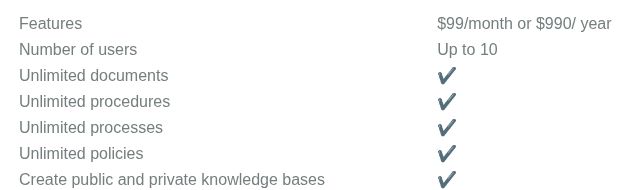
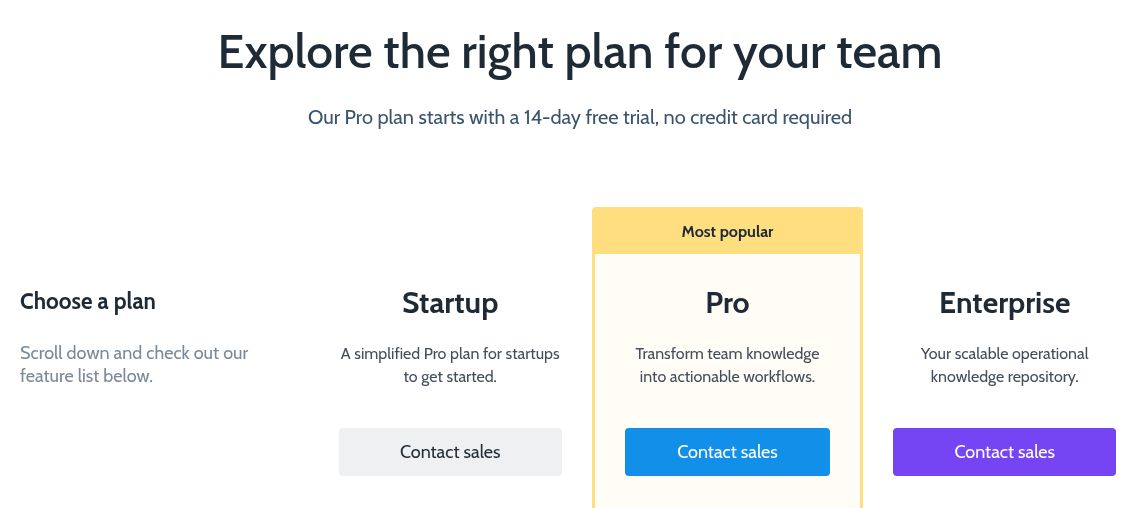
Process Street Startup, Pro, and Enterprise plans.
Process Street vs. SweetProcess: Support and Training
Support and training are essential for software users.
Process Street lists email and chat support on its pricing page. It also offers a help center with step-by-step articles, a community, and webinars. Ask which support services are included in your quote, especially if you need help setting up workflows or integrations.
SweetProcess supports you by email, phone, and through a contact form. We also offer a self-help knowledge base and a live demo, so you can see the product before you sign up. If you are considering leaving, the money-back guarantee includes an available one-hour consultation to help you implement the software before you leave.
Process Street vs. SweetProcess: Reviews
Process Street users praise the tool for its flexibility, ease of use, automation capabilities, process efficiency, and task management features.
Some reviewers describe a learning curve, interface issues, or customization limits. Read those reports alongside your own requirements, then test the workflow you need during the trial.
SweetProcess customers work in several sectors. Brian King, managing partner at King Law, describes using documented procedures to support his firm.
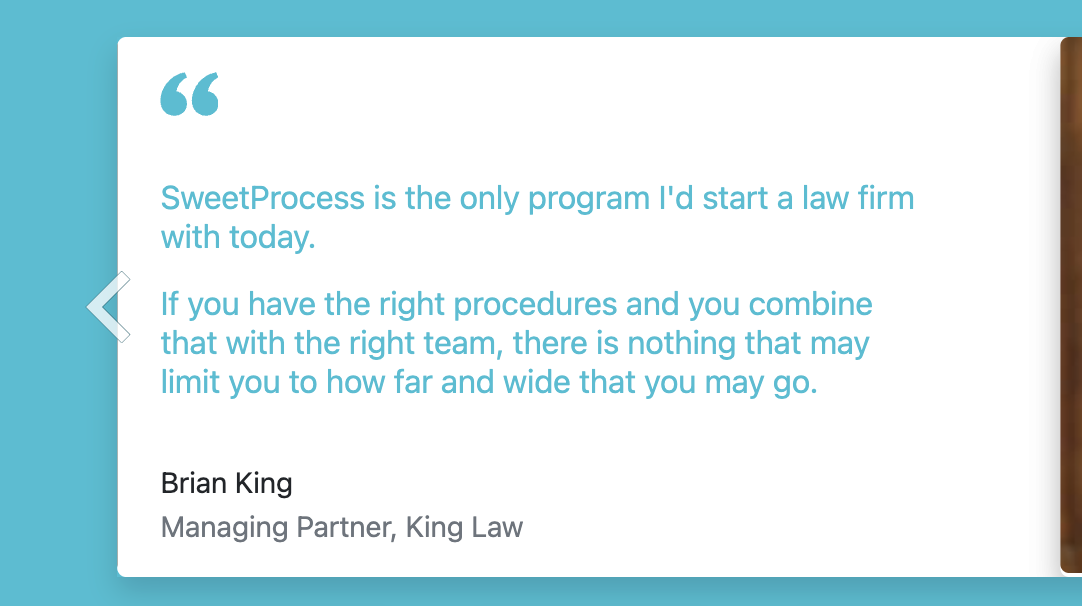
Another review of SweetProcess comes from Manny Cosme, the president and CEO of CFO Services Group. The company documented all its SOPs on Microsoft Word, making it hard to pass expert knowledge to new employees.
Switching to SweetProcess provided a centralized knowledge base for training. He says, “It’s so much easier. We can actually train a new employee within two weeks now, from the time that they start day one. It’s just them shadowing and looking at what we’re doing, and then week two is them doing it on their own using SweetProcess as a guide.”
Process Street vs. SweetProcess: For Documenting Standard Operating Procedures (SOPs)
Documenting your SOPs should not be a hassle. The process involved should be easy to set up and follow for all team members.
How to Document SOPs Using Process Street
The screenshots below show a workflow-based approach to SOP tasks. You can create a workflow from scratch or use a template. Process Street also offers Docs, whose Pages editor is designed for SOPs and policies; these workflow screenshots do not show that separate editor.
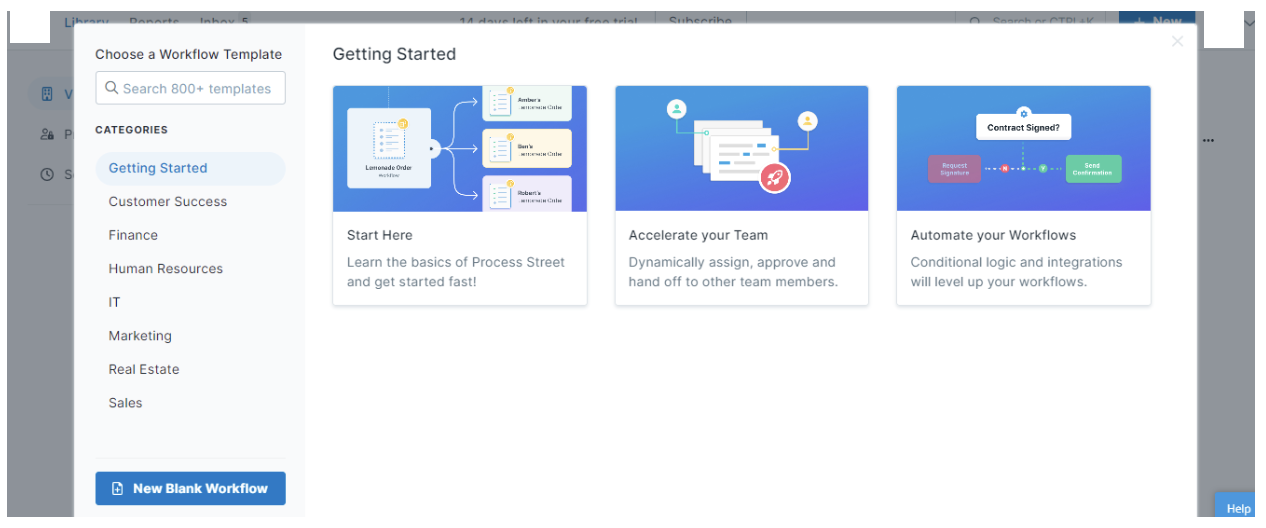
Process Street workflow-template chooser.
There are different categories of templates depending on what you want to achieve for your industry. A quick search for “procedure” pops up with templates that you can choose to use.
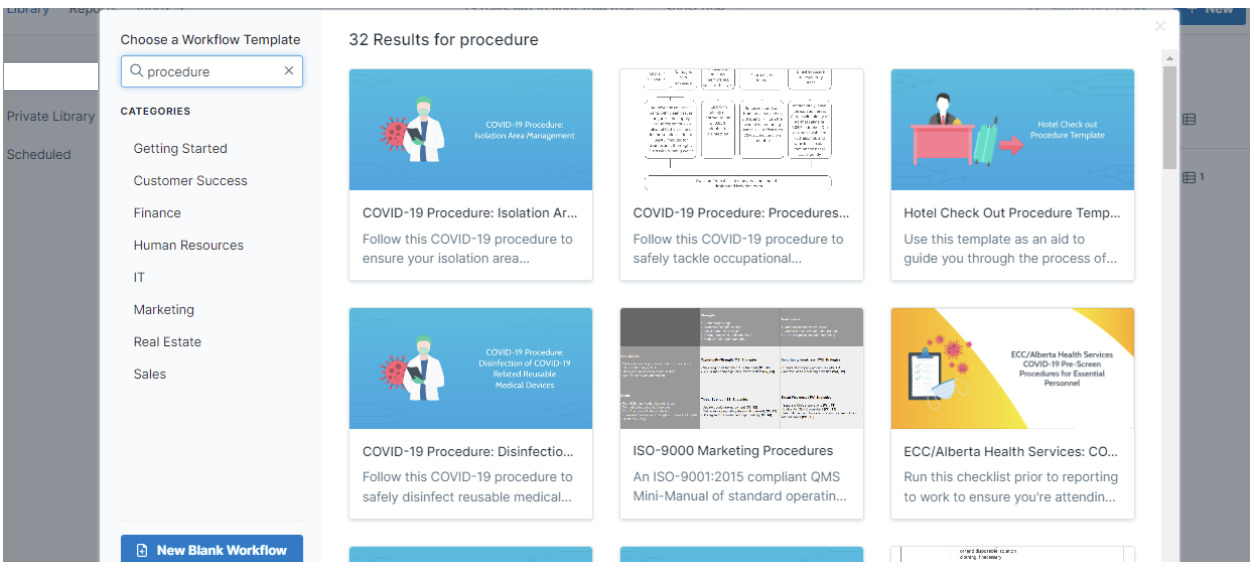
Process Street procedure-template search results.
Once you select a template, you can edit it as needed. If you do not want to use a template, you can also create an SOP workflow from scratch.
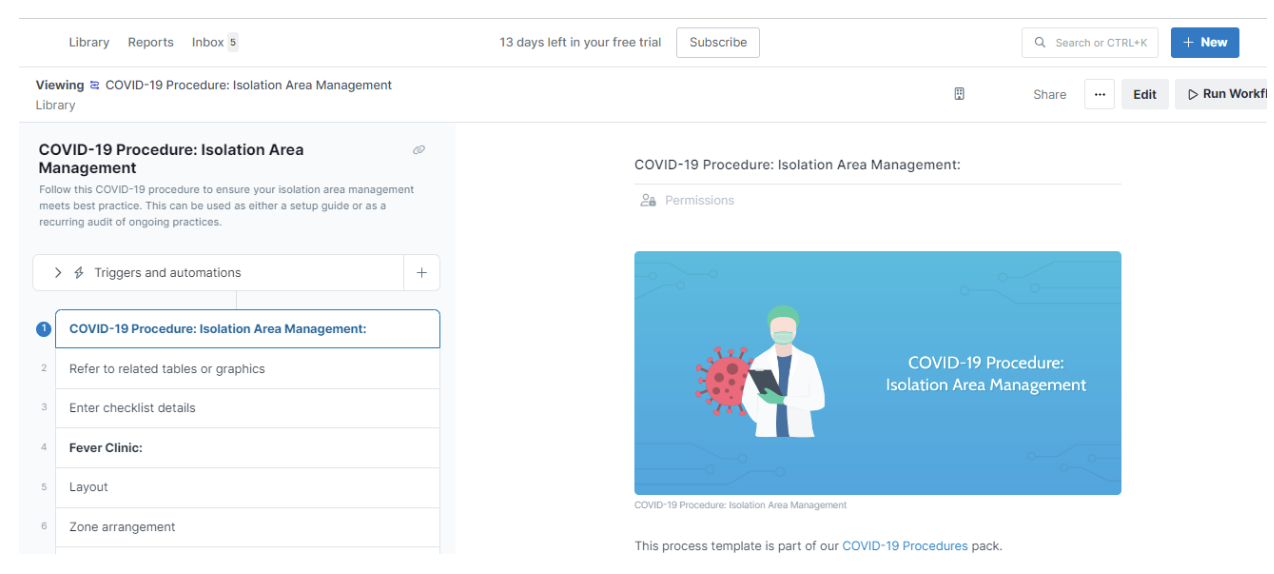
Process Street workflow template with tasks and content.
For a new workflow, give it a name and add the tasks. Add conditional logic if different answers should lead to different steps; it is not required for every workflow.
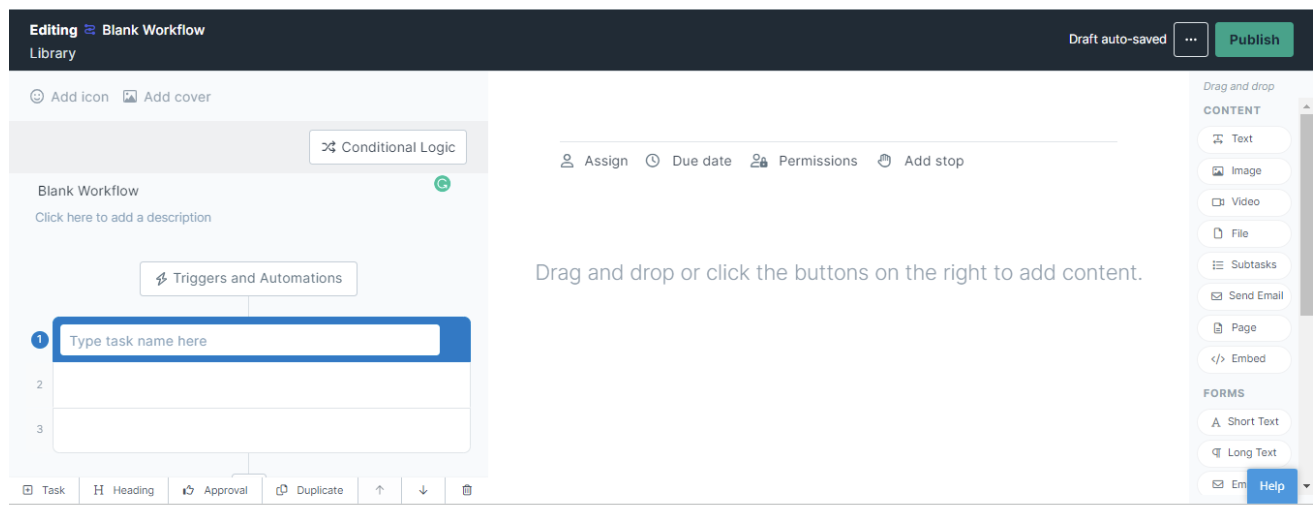
A blank Process Street workflow editor, showing task and conditional-logic controls.
Next, after you have added all the steps to the workflow, you can “Run” the workflow to get it started.
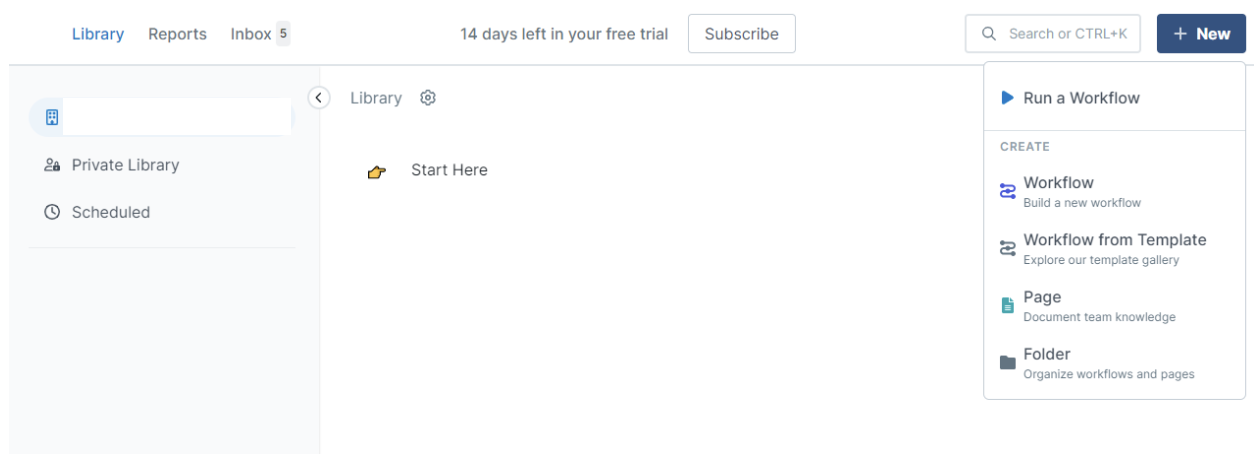
Process Street’s New menu includes Run a Workflow.
You can save the workflow in a folder to keep your work organized.
How to Document SOP Using SweetProcess
SweetProcess has a dedicated interface for Procedures. You can create one from scratch, start from a suitable template, or upload a Word document in DOCX format.
Open the “Procedures” tab, then choose “Create Procedure.”
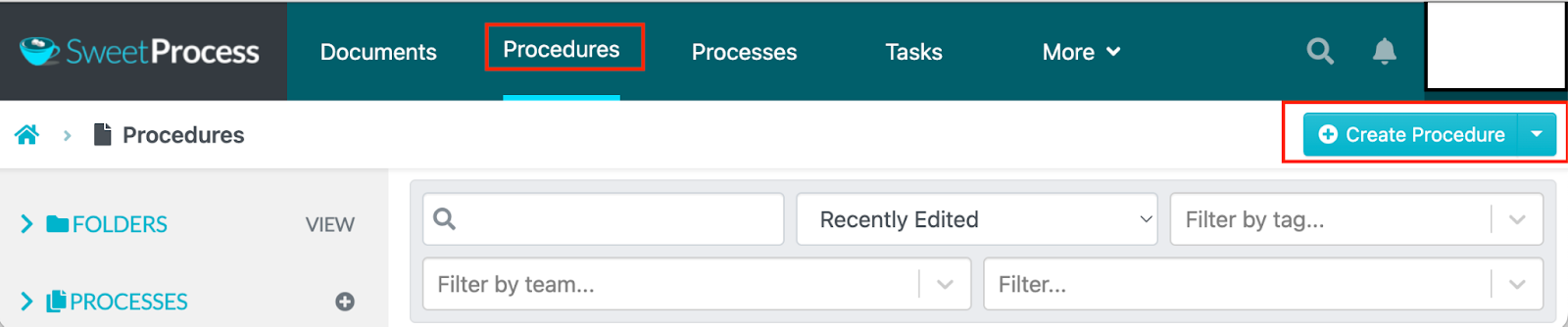
SweetProcess’s Procedures library and Create Procedure control.
Next, you give your procedure a title and add it to a folder where you want to save it. You can add more text in the description and attach images, video, or a table.
After adding the title, click “Continue,” then add and edit the steps. Choose the relevant teams and review the Procedure before approving it for use. Approval and sign-off are separate actions; configure sign-off when you need a record of who read a version.
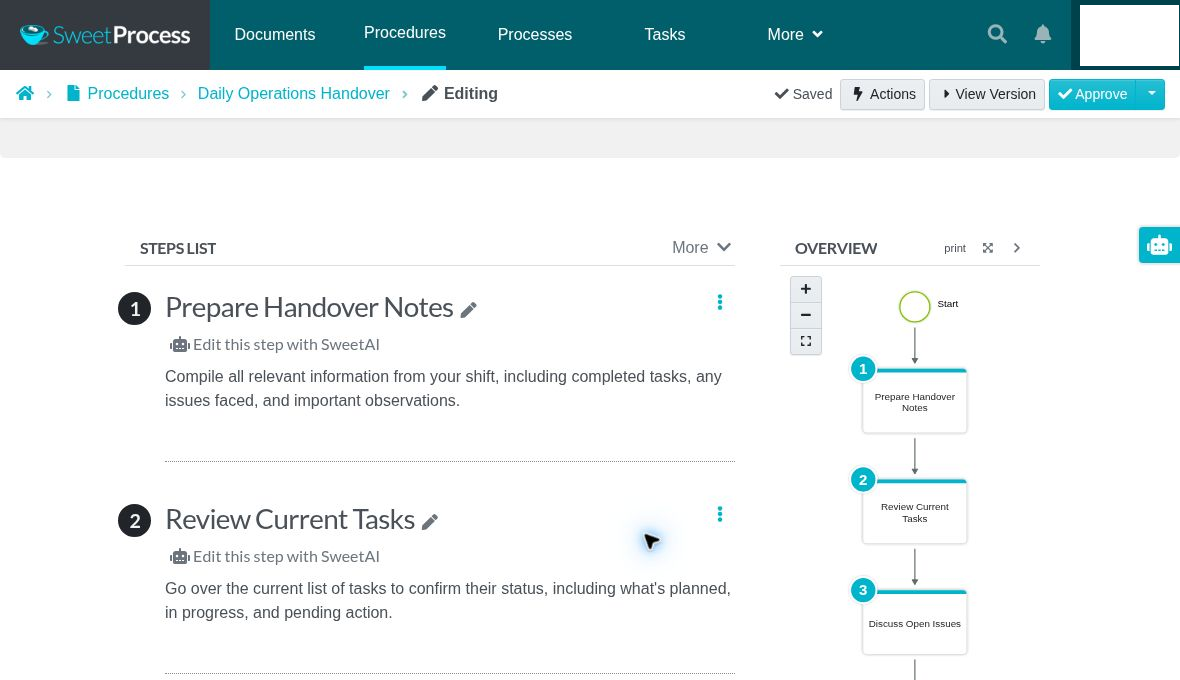
Daily Operations Handover procedure open in the SweetProcess editor.
An overview of the procedure is also generated as you edit it.
SOP creation with SweetProcess is quite detailed and easy for a team leader to implement.
Process Street now has a separate Docs product for policies and SOPs, with approval flows and review cycles.
Process Street vs. SweetProcess: For Documenting Processes
Documenting processes is yet another useful function of process management software.
Process Street typically uses the same workflow interface described for SOPs.
How to Create/Document Processes Using Process Street
Create a workflow, name it, and add the steps involved for the process in question.
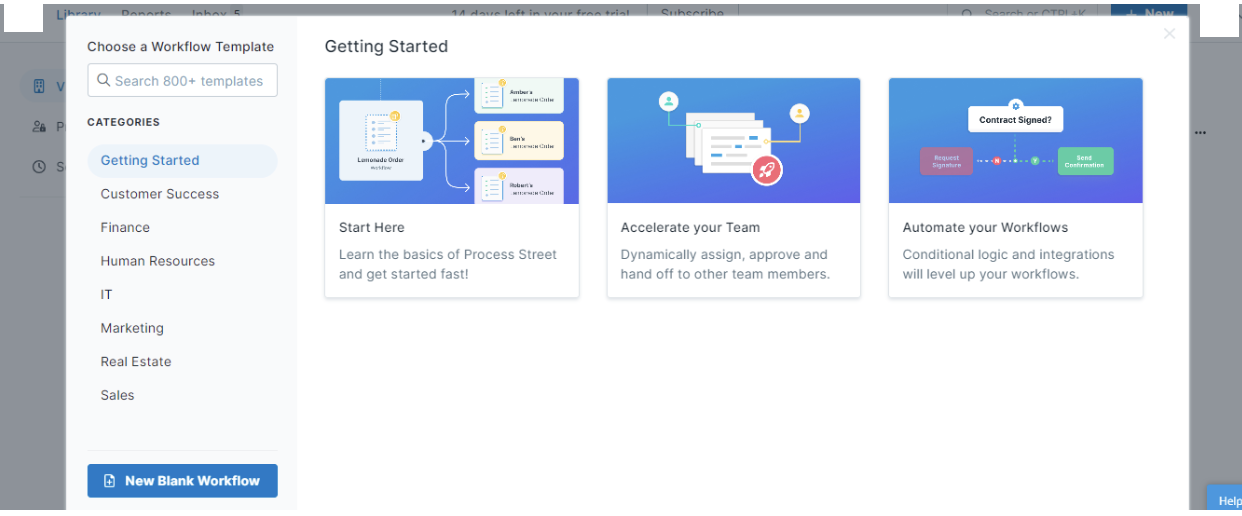
Process Street workflow-template chooser.
Or you can select from the templates for processes available with a quick search for the process from the template library.
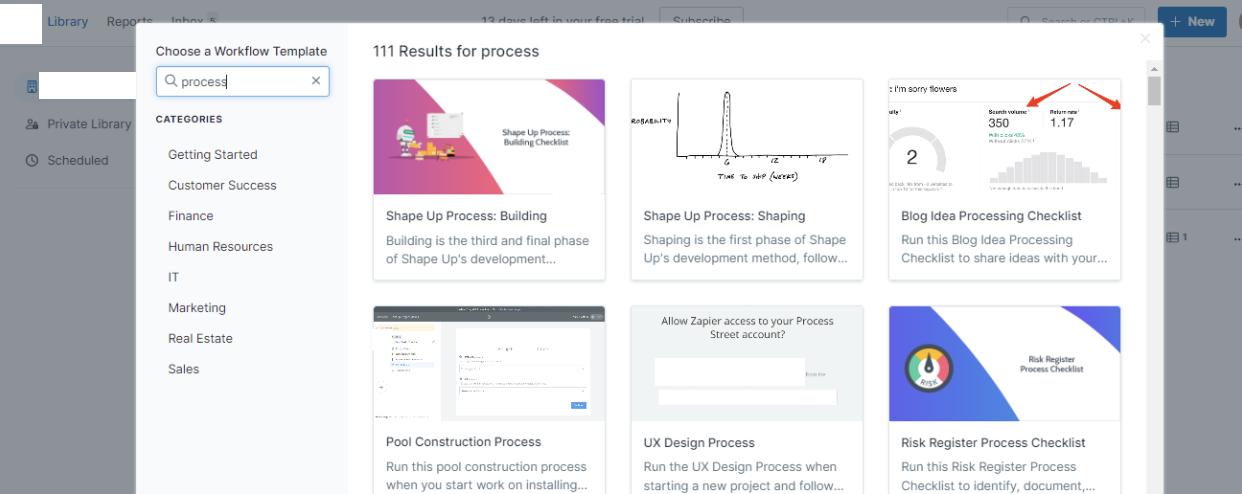
Process Street process-template search results.
If you use an existing template, you can edit the content after selecting one.
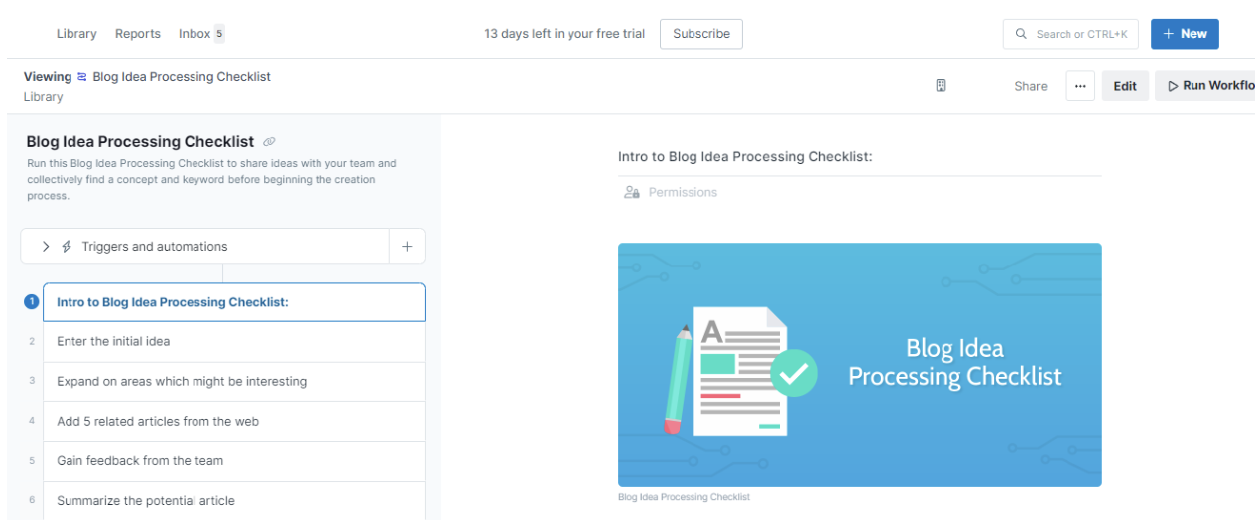
Process Street Blog Idea Processing Checklist workflow.
How to Document Processes Using SweetProcess
Open the “Processes” tab and choose “Create Process.” A Process brings related Procedures together in an ordered workflow.
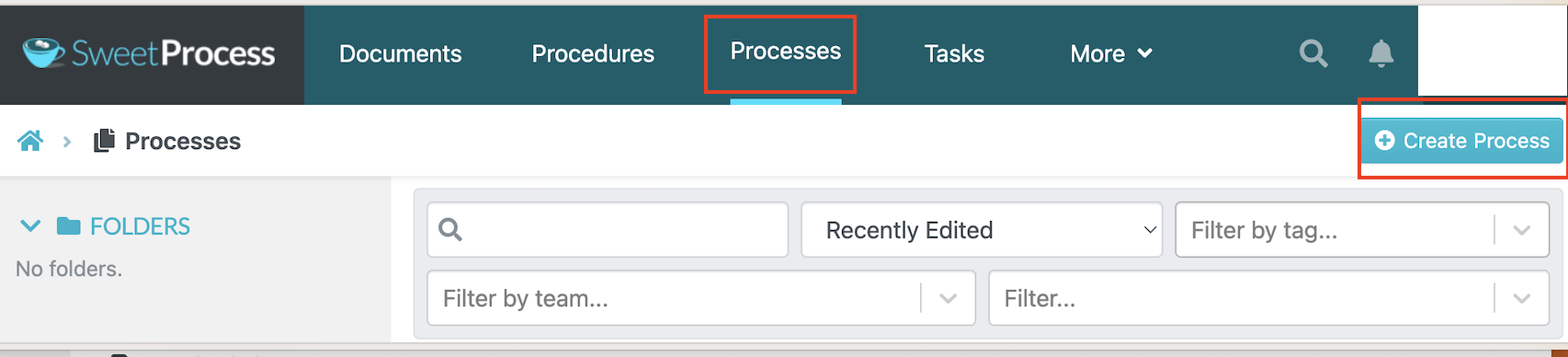
SweetProcess’s Processes library and Create Process control.
Next, you need to name the process and give it a title. This will help you identify and file the process accordingly.
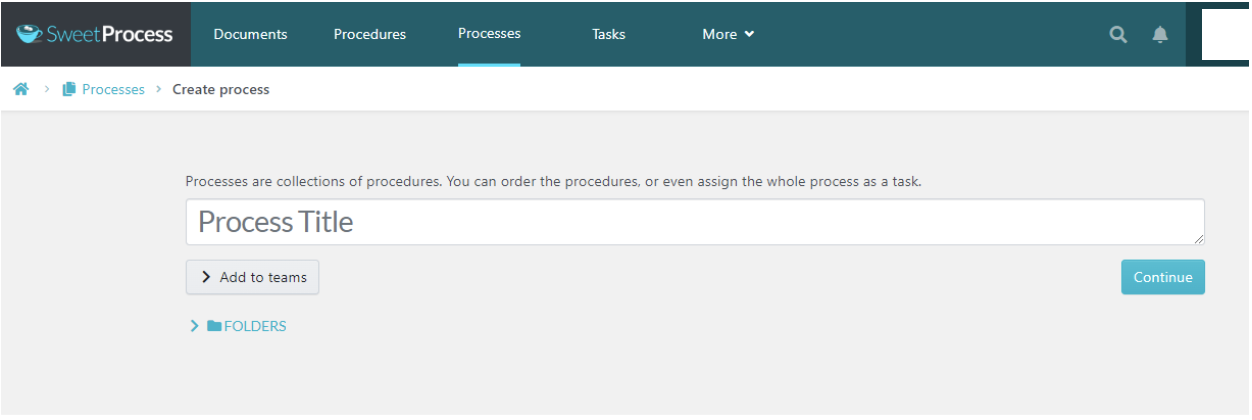
SweetProcess new-process form.
After you create the process title, you can edit it and add the steps involved. You can also add team members and assign tasks associated with the steps in that process.
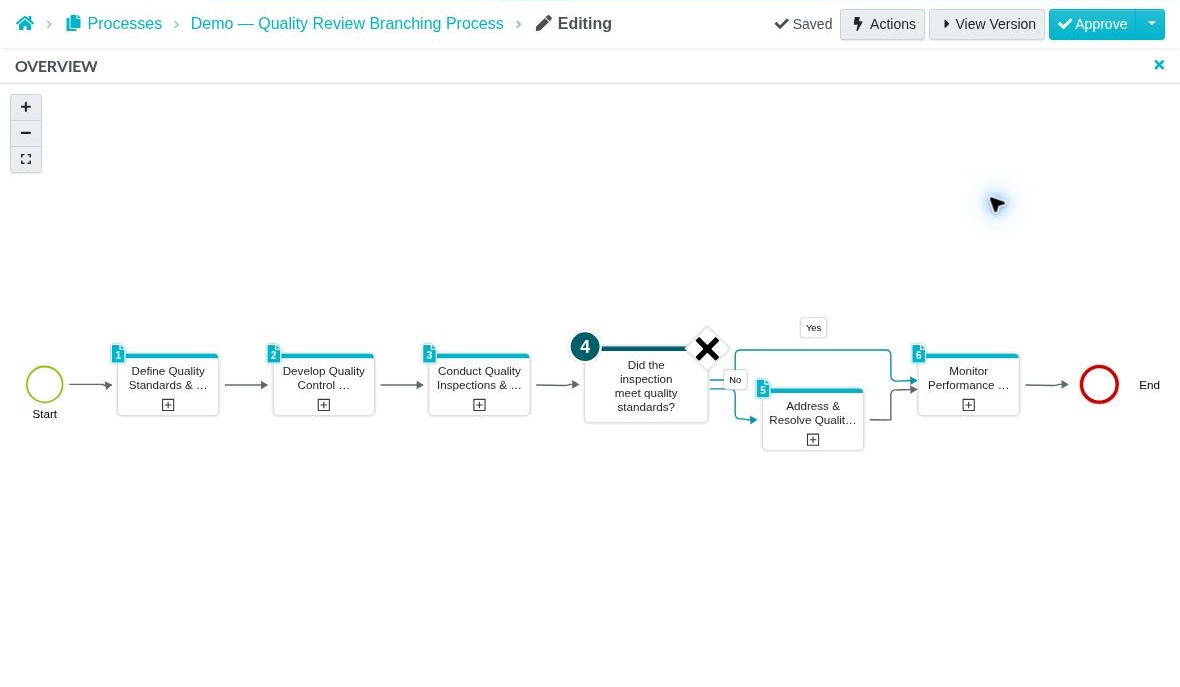
Example Process: a quality-review decision branches to corrective action when an inspection does not meet the required standard.
SweetProcess separates the Process workflow from the detailed Procedures it links to. Test your own example to see how much setup and training your team needs.
Process Street vs. SweetProcess: For Documenting Policies
Company or business policy documentation is yet another thing that you can handle with the right process management software.
Process Street has a Docs product for policies and SOPs, including a Pages editor, approval flows, review cycles, and document history. You can also use workflows to manage policy-related tasks.
How to Manage Policy Tasks Using Process Street Workflows
For a workflow-based policy task, create a new workflow or select an existing template. This example shows policy adherence tasks; use Docs when you need to author and manage the policy document itself.
A quick search in the template library pops up policy templates that you can use.
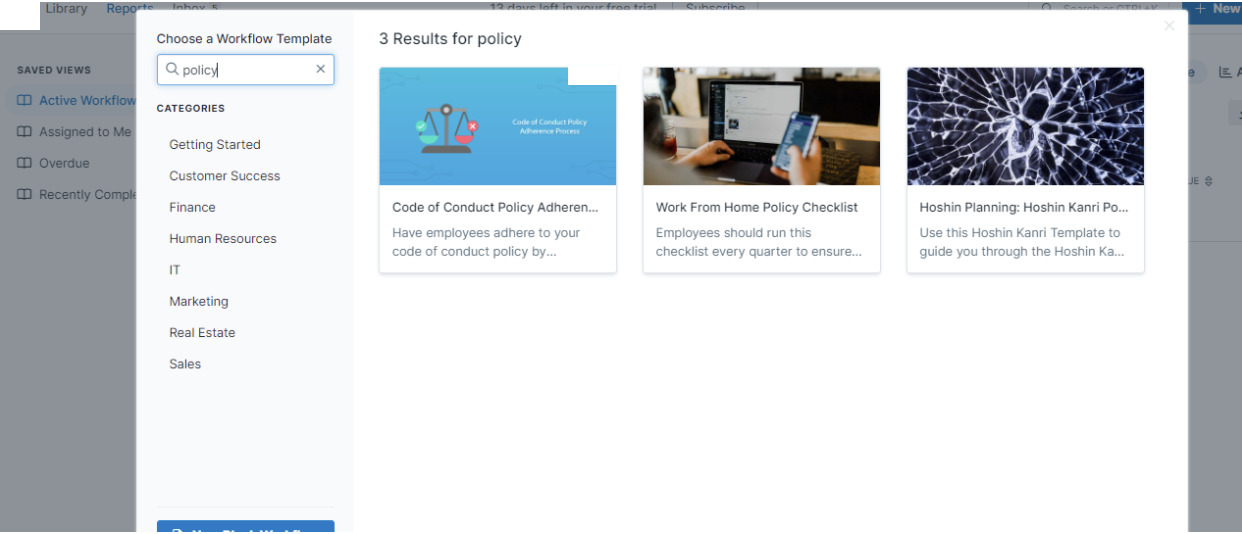
Process Street policy-task template search.
After selecting a template, edit its tasks for your policy-related workflow. If you prefer, start with a blank workflow and add the tasks you need.
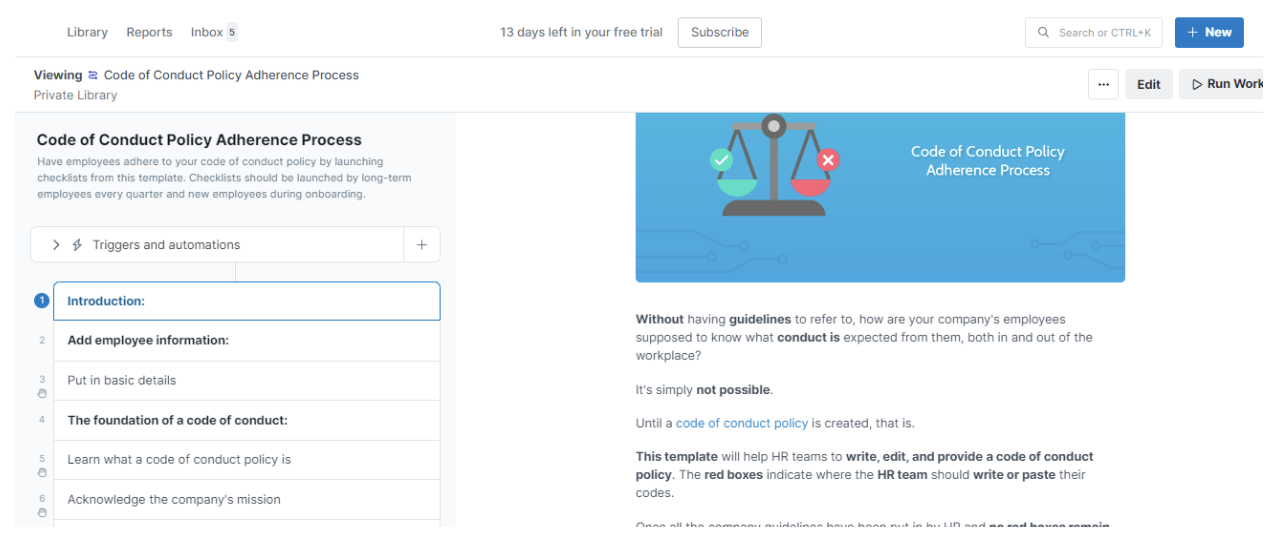
Process Street Code of Conduct Policy Adherence workflow.
Save the workflow in a folder to keep it organized. Maintain the underlying policy in your documentation system, such as Process Street Docs.
How to Create a Policy Using SweetProcess
To create a policy document on SweetProcess, first navigate to the policy tab on your dashboard.
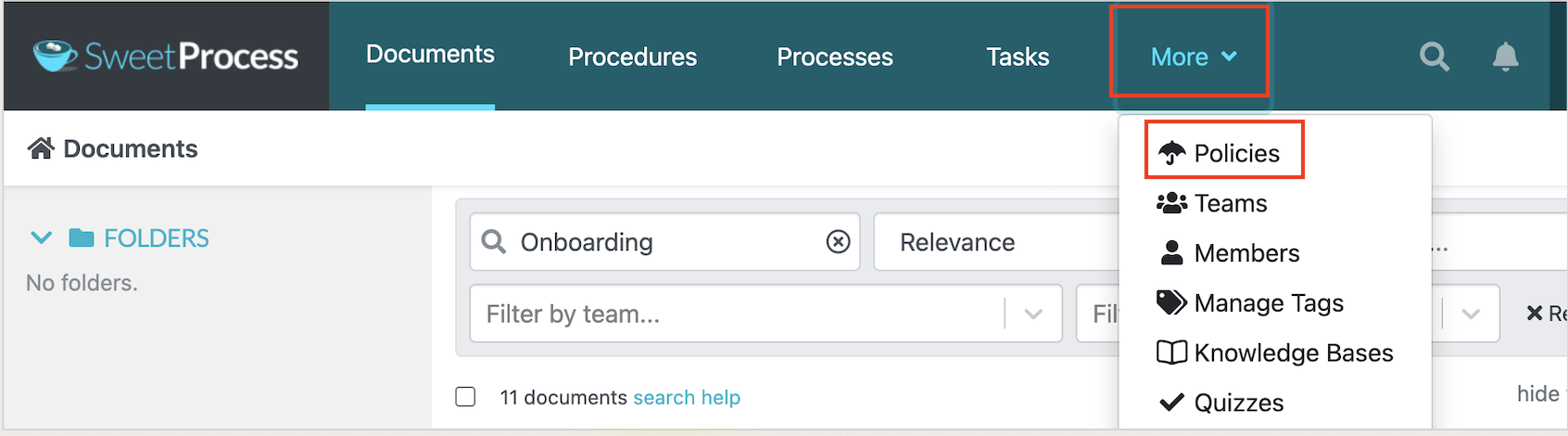
Policies in the SweetProcess More menu.
After you select the policy tab, you can name the policy and assign team members who need to work with it.
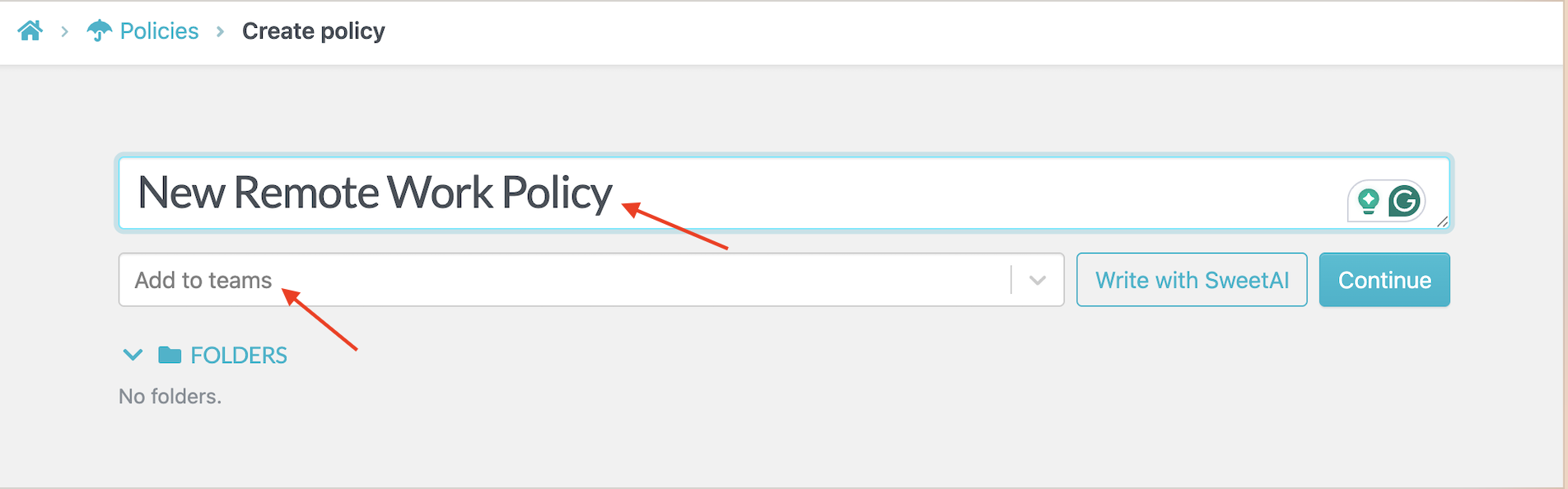
SweetProcess’s new-Policy form.
Next, you can use the editor to type your text as well as add visuals.
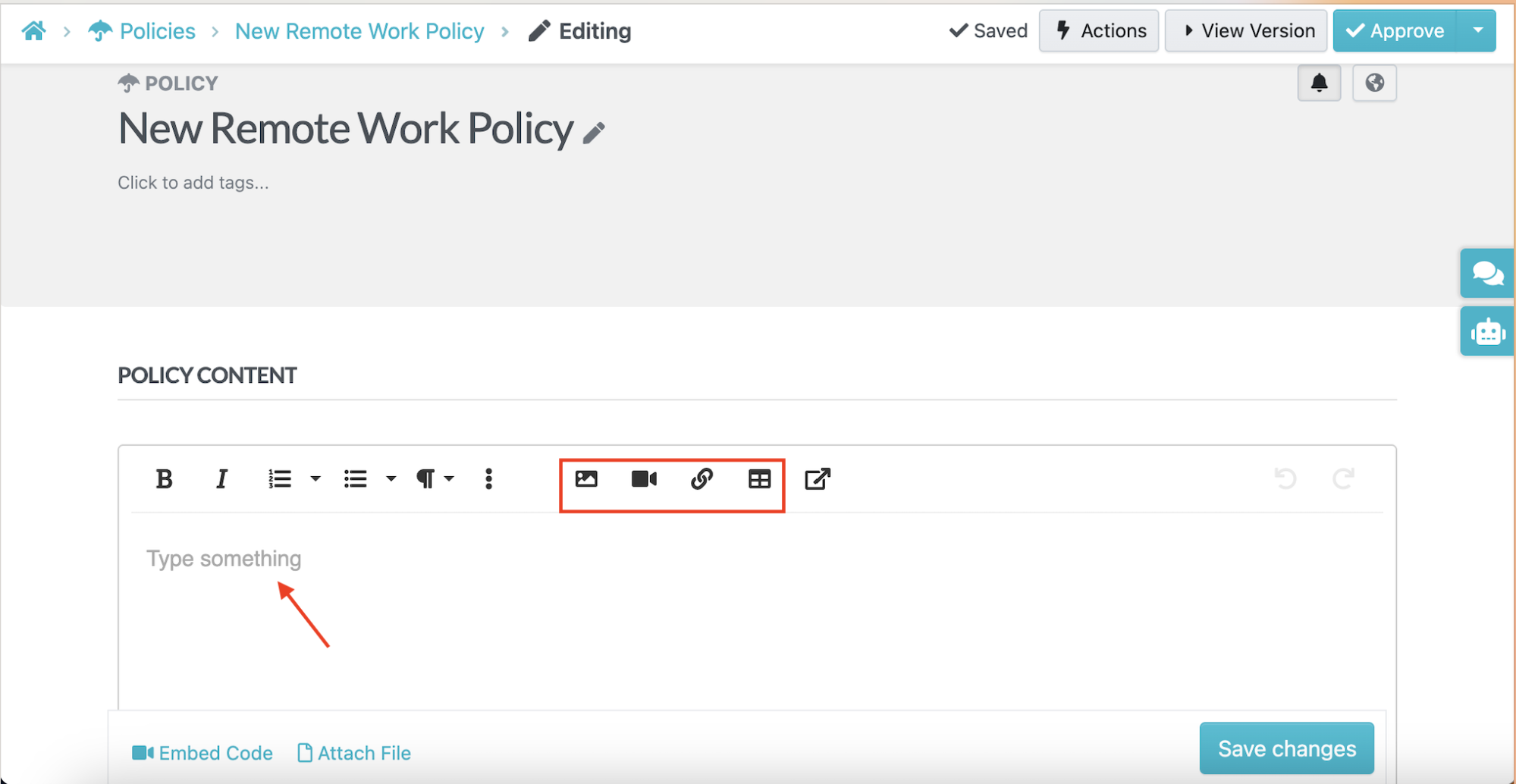
SweetProcess Policy editor with formatting and media controls.
SweetAI can give you a first draft from a descriptive title. It does not know your business, so someone familiar with the policy must review and edit the content before it is shared.
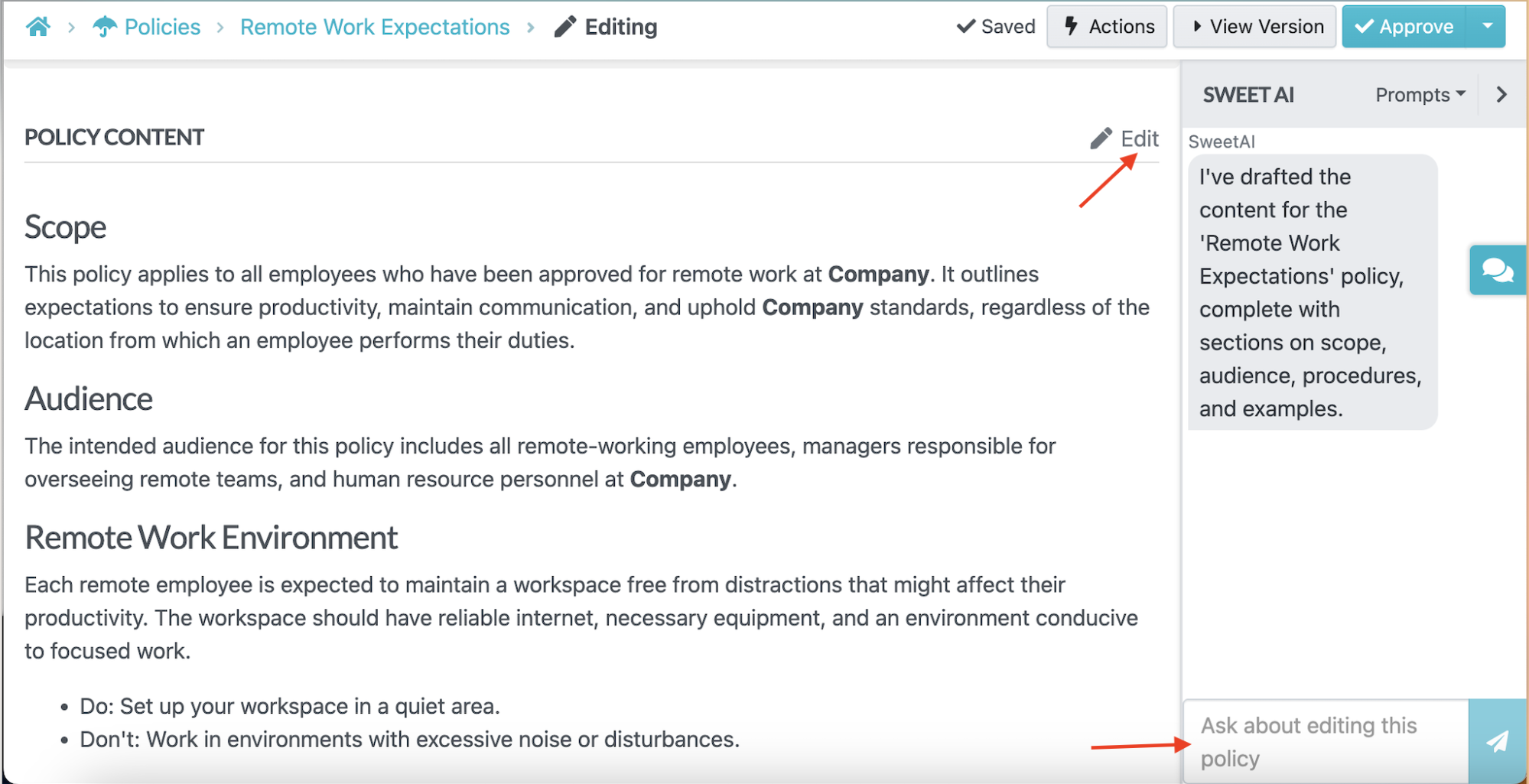
SweetAI-generated policy draft.
You can organize the Policy by team and manage who can access it. These capabilities are included in SweetProcess; they are not a separate team-management add-on.
You can share, edit, and download your policies at any time on SweetProcess, making it easy for your team to access them.
A Policy acknowledgment is linked to the version the employee signed. The export below records when that acknowledgment was made. Signer and policy details have been removed.

SweetProcess policy acknowledgment export with sign-off date and time.
You can get started with your policy creation or documentation using the 14-day free trial here.
Where Process Street Is the Better Fit
Process Street is a better choice when your work is high-volume and form-driven, when the next step changes based on information someone enters, or when recurring work needs to trigger actions in other systems.
For example, consider employee onboarding for a company that hires regularly. One employee may need equipment, another may need access to a particular application, and a third may require additional approvals. A workflow with forms and conditional logic can route those people through different steps.
Furthermore, Process Street may be the better choice if you want integrations that span several applications. This software supports native integrations, API connections, webhooks, Zapier, Make, and Power Automate, making it easy to use with existing business tools.
If your main problem is finding, maintaining, and signing off on the current procedure or policy, compare the documentation features directly. SweetProcess organizes Procedures, Processes, and Policies in one product; Process Street offers Docs alongside its workflow tools.
How To Move Your Content From Process Street
If you already use Process Street and are considering SweetProcess, you need to know what you can export and what you’ll need to rebuild.
Here are the steps to follow:
Step 1: Export What You Can
Process Street’s help center describes PDF exports for workflows and workflow runs, plus CSV exports for workflow-run and form-field data. Use the export options that preserve the records you need.
These exports give you a way to preserve the information contained in your existing workflows and runs.
Step 2: Import the Documents To SweetProcess
SweetProcess imports Procedures from Word documents in DOCX format. Prepare the document with built-in heading styles, then choose “Upload document” from the “Create Procedure” menu. A PDF export from Process Street is a reference record, not a directly executable import.
If the work happens in a browser, you can record it with the Chrome extension. The extension captures the on-screen steps and screenshots, then gives you an editable procedure to review.
Alternatively, SweetAI can create a first draft from a title. It does not know your business, so the employee who does the work must review and correct it. Choose the approach that fits your existing documentation.
Step 3: Rebuild the Workflow
Your import doesn’t automatically transfer workflow logic. You’ll need to rebuild conditional logic, automations, integrations, and scheduled workflow runs.
For each workflow, identify:
- The underlying procedure or process
- The people responsible for each step
- The forms and information collected
- Rules
- Approvals
- External integrations
Want to test out SweetProcess? Start a 14-day SweetProcess trial and bring your first document across.
Process Street vs. SweetProcess: Final Verdict
Choose SweetProcess if your central problem is documenting and managing SOPs, policies, and processes. SweetAI can produce a first draft, but it does not know your business, so someone who does the work must review it. You can also import supported documents. If your work centers on repeated workflow runs with conditional logic, approvals, and automation, consider Process Street.
SweetProcess publishes its price, so you can calculate the subscription cost before speaking to sales. Process Street asks you to request a quote. Its platform includes Docs for document management alongside its workflow products.
Both tools solve different problems; therefore, the best choice for your business depends on the problem that’s causing your team issues.
There is also a middle ground. You may need both documentation and workflow execution. In that case, identify which problem is causing the most friction today or consider other Process Street alternatives that may be a better fit.
How SweetProcess Can Help You With Documenting SOPs, Processes, and Policies
A lot of businesses have been enjoying the functionality that SweetProcess provides for their process management.
Here’s how SweetProcess has positively impacted their businesses:
Benchmark Wealth Management is a financial advising firm. Its team needed consistent procedures that employees could follow and improve, rather than relying on knowledge held by individual colleagues.
According to Sarah Beach, the branch operations manager, “Our situation was a big question mark hanging over our head for a couple of years. We knew our processes in our heads and we would communicate them one by one. Every time we brought somebody new on board, we repeated ourselves a lot, and then, of course, if one person did it differently than the next person, we started running into issues.”
A few years ago, the company decided to invest in process documentation software to help with this. The software was SweetProcess, and it was a big hit. It made creating and updating process documents much easier and helped employees become more familiar with the company’s procedures.
Benchmark’s team described more consistent processes and easier access to shared documentation after adopting SweetProcess.
The co-founder of Rise25, Jeremy Weisz, was having challenges keeping their processes organized and needed a platform that would allow him to share these processes in an organized manner with his team.
He had files all over the place and on Google Drive, but the team found it difficult to locate them. He had become the bottleneck between his team and their processes.
He wanted a platform that would be worth every penny, and SweetProcess delivered on that promise.
Rise25 was able to use SweetProcess to organize its workflow by creating an effective business process document for its team.
MiPA provides virtual personal-assistant support and call-answering services. As the business grew, its team needed a better way to document the different processes it followed for clients.
With SweetProcess in place, MiPA was able to track and monitor its workflows more effectively. Founder Emma Mills describes using it to tailor processes to clients and help new team members learn the work.
MiPA also uses its documented processes as a shared reference. Team members can look up instructions instead of relying on a colleague to answer each question.
Emma Mills, the founder of MiPA, highlighted the ability to amend a process, get it signed off, and see when it changed. Those records helped her team explain how its client work had evolved.
All of these businesses have improved in one way or the other by adopting SweetProcess as their process management software.
These customer experiences show how teams use documented Procedures, Processes, and Policies. Test SweetProcess with your own work to decide whether it fits your team.
Read more customer success stories.
You can get started by signing up for the free trial here. No credit card required.
Conclusion
The choice between SweetProcess and Process Street depends on the job you are doing. If you need to document your procedures, processes, and policies in one place and ensure you get sign-offs, SweetProcess is built for that, all under a single transparent price. To run repeatable workflows with conditional logic, approvals, and automations, Process Street comes in handy.
Whichever product you lean toward, try it with your own work before you commit.
Sign up for the SweetProcess 14-day trial to explore all that SweetProcess has to offer without any commitment. No credit card is required.
FAQs
How much does Process Street cost?
Process Street does not publish a price on its website. Its three plans are Startup, Pro, and Enterprise; contact sales for a quote based on your requirements.
Is Process Street free?
Process Street does not show a free plan on its pricing page. However, it offers a 14-day trial of the Pro plan so users can test the tool.
What is Process Street used for?
Process Street is used to create and run repeatable work as checklists and workflows, such as employee onboarding, client onboarding, and recurring approvals. It also has a separate Docs product that handles policies, SOPs, and other documentation.
How much does SweetProcess cost?
SweetProcess costs $99 per month, or $990 per year, for up to 10 users, and each additional user is charged $5 per month or $50 per year, respectively. The Small Team plan costs $495 per year for up to five users, and every plan includes every feature.
Does SweetProcess have automation or AI?
SweetProcess has SweetAI, which can create a first draft of a procedure or policy from a title. It does not know your business, so an employee who knows the work must review and edit the draft before sharing it. SweetProcess also provides a public API and access to more than 1,000 apps through Zapier.
Can I move my SOPs from Process Street to SweetProcess?
Yes. Export your Process Street workflows as reference PDFs and retain workflow-run data as CSV. For SweetProcess document import, prepare a DOCX file with built-in heading styles. You can also re-record browser tasks with the Chrome extension. SweetAI can help draft text, but it does not know your business, so someone who does the work must review it. Conditional logic, automations, and integrations do not migrate automatically; evaluate and rebuild them in tools that support your requirements.