Last Updated on May 15, 2026 by Owen McGab Enaohwo
You just asked a new hire to follow the company’s onboarding process. They open a Google Doc. It links to another document. That one references a spreadsheet stored in a shared drive. Meanwhile, the team lead mentions there’s an updated version somewhere on her laptop, but no one is sure which one is current.
Sound familiar? This is the reality for many growing teams without process documentation software. Yes, the documentation exists, but it’s scattered across Google Docs, shared drives, email threads, and people’s heads, rather than in a single application.
Process documentation software closes this gap by centralizing your SOPs, policies, workflows, and procedures into a single structured, searchable system. But not all tools are built the same. Some are simple company wikis. Others are built for enterprise business process management (BPM) automation that a 50-person company will never need.
We evaluated 25+ options and narrowed it down to 9 tools that genuinely solve the problem across different team sizes, budgets, and levels of complexity.
See why growing teams trust SweetProcess to transform scattered documents into a structured system for policies, processes, and procedures. Start your free 14-day SweetProcess trial and give your team a system that outlasts any employee.
Disclosure: SweetProcess is our own product. We’ve used the same evaluation criteria as every other tool. We’ve also cross-referenced G2 and Capterra reviews to surface real user experiences. Our goal is to provide an honest, transparent comparison to help you find the best fit for your needs.
Table of Contents
What Is Process Documentation Software?
Quick Comparison: 9 Best Process Documentation Software
What Makes the Best Process Documentation Tool?
9 Best Process Documentation Software in 2026
How ClickFunnels and Wistar Group Use Process Documentation Software
Core Features To Look For in Process Documentation Software
Why Your Company Needs Process Documentation Software
How To Choose the Right Process Documentation Tool
FAQs About Process Documentation Software
Which Process Documentation Tool Is Right For Your Company?
What Is Process Documentation Software?
Process documentation software is a dedicated platform for capturing, organizing, and managing your organization’s operational knowledge. It centralizes standard operating procedures (SOPs), policies, workflows, and step-by-step processes in one place.
Unlike generic tools, purpose-built process documentation systems give your team structure, version control, assignability, and compliance tracking. You can visually map business processes with flowcharts and diagrams, making it easy for employees to follow instructions without having to chase down a manager or dig through a shared drive.
Multiple users can also create, edit, and collaborate on documents in real time, ensuring everyone always works from the latest version. This function is especially valuable for remote and distributed teams where informal knowledge transfer simply doesn’t scale.
According to Microsoft’s Work Trend Index, 62 percent of employees say they spend too much time searching for information during the workday. This problem is a direct result of knowledge scattered across tools, drives, and people’s heads. The right process documentation software prevents this kind of chaos by consolidating all the information and making it accessible to everyone.
Quick Comparison: 9 Best Process Documentation Software
| Tool | Best For | Starting Price | Free Plan? |
| SweetProcess | Structured process documentation | $99/month (10 users) | Yes. 14-day trial |
| Scribe | Automated screen-capture docs | $17/user/month | Yes |
| Confluence | Atlassian-native teams | $5.42/user/month | Yes, for up to 10 users |
| Process Street | Recurring workflow checklists | Contact Sales | Yes. 14-day trial |
| Trainual | Employee training and onboarding | Contact Sales | No |
| Document360 | AI-powered knowledge bases | Contact Sales | Yes. 14-day trial |
| ProcessMaker | Enterprise BPM automation | Starts at $3,000 annually | No |
| Nuclino | Lightweight wiki-style docs | $6/user/month | Yes (50 items) |
| Notion | Flexible all-in-one workspace | $10/user/month | Yes |
What Makes the Best Process Documentation Tool?
Process documentation can be successful if you choose the right tool. But what makes a good tool? Here’s the criteria we used to evaluate every process documentation software on this list:
Knowledge Hierarchy
Does the tool support multiple documentation layers: policies, processes, and procedures? Or does it flatten everything into a single document type? Most tools only handle one dimension. Your business needs all three, which makes it easier to find and maintain information.
Documentation-to-Execution Bridge
Documentation should be actionable. We evaluated these tools based on whether they allow you to assign processes as trackable tasks. The best tools boost accountability by going beyond a simple reference library; they should let you track completion rates and ensure consistent execution.
AI-Powered Creation
According to a McKinsey survey, 88 percent of organizations rely on AI for at least one business function, an increase from 50 percent in 2020. This growth also applies to process management tools. AI tools that draft procedures from prompts or screen recordings dramatically reduce the barrier to documenting processes.
Ease of Adoption
If a tool is hard to use, teams won’t adopt it. We evaluated the onboarding friction and UI experience across all platforms to determine the learning curve. Process documentation software that’s easy to use positively impacts productivity.
Total Cost of Ownership
As you choose a tool, you need to look beyond the base price. We factored in per-user scaling, seat minimums, features locked behind premium tiers, and the effort required to maintain documentation long term.
See how SweetProcess scores on all five criteria. Try it free for 14 days and decide for yourself.
9 Best Process Documentation Software in 2026
Choosing the right process documentation software can mean the difference between a team that operates efficiently and one that constantly deals with process bottlenecks. But with so many options on the market, which one is actually worth your time?
Here’s a closer look at the nine tools you should consider:
SweetProcess: Best for Structured Process Documentation
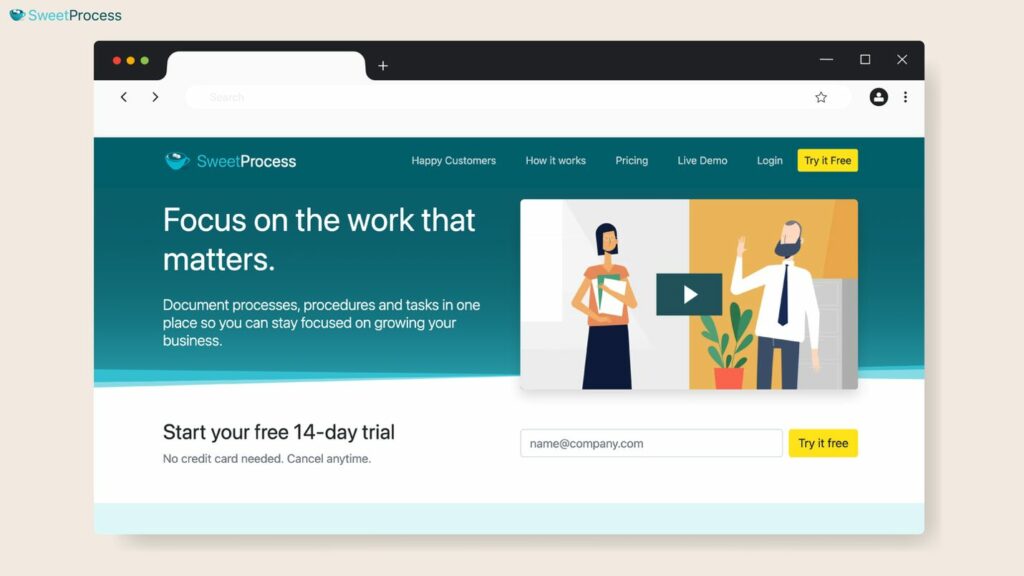
Overview of SweetProcess
SweetProcess is the only process documentation software built around a three-tier knowledge hierarchy: policies, processes, and procedures. Policies define the “why” and provide broad guidelines, while processes outline the high-level sequences of actions, and procedures provide step-by-step instructions your employees should follow.
While most tools flatten all documentation into a single format, SweetProcess mirrors how process knowledge actually exists in real organizations, connecting all information in a single dashboard.
This structure matters most when your team grows beyond 20 people and institutional knowledge starts to live in silos. A policy without a process becomes hard to follow. Additionally, if a policy doesn’t support your procedures, your tasks lack context.
Key Features
How To Document Processes on SweetProcess
You can document your process data at any stage with SweetProcess. After logging in to your account, open the “Processes” tab on the main menu to create a new document.
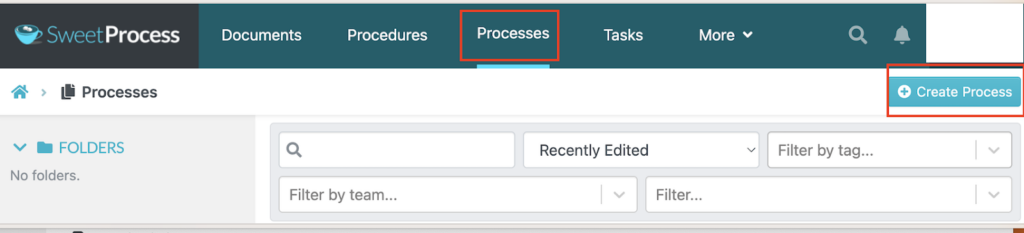
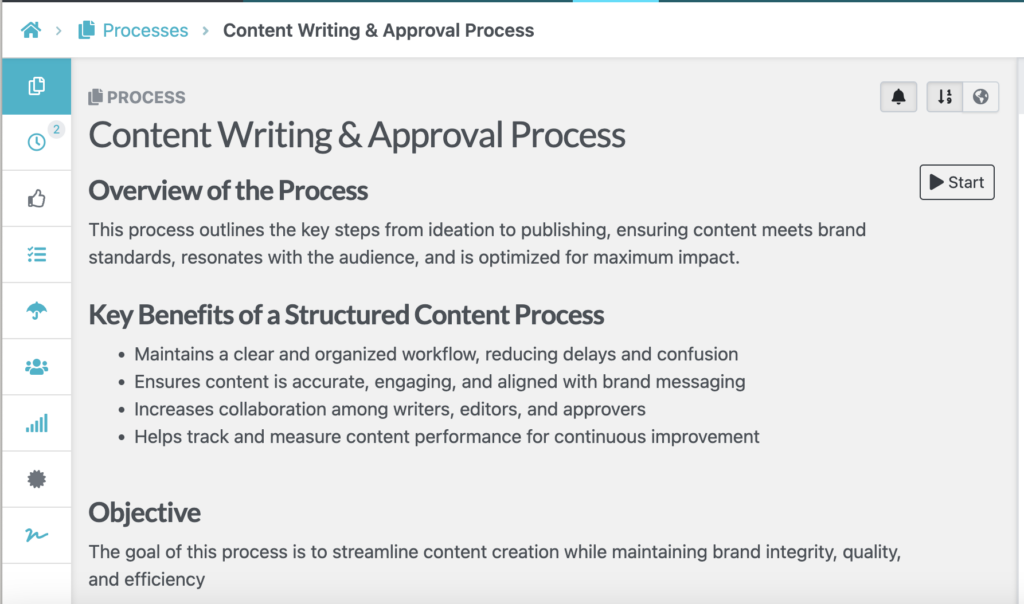
You can add a specific name to your process and assign it to respective teams for easier tracking. Use the text editor to draft the details to ensure there’s no confusion.
Alternatively, instead of drafting the process from scratch, you can use the SweetProcess Chrome extension which records your web browser activity and creates procedures in real time as you’re working.
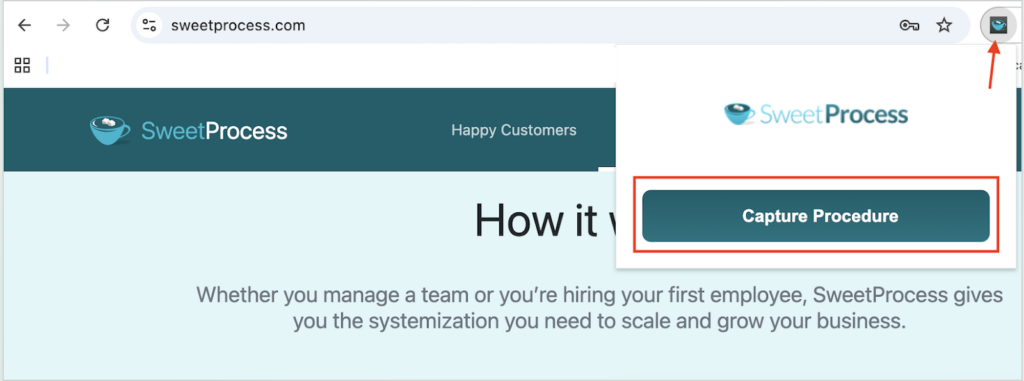
Once you’ve captured your processes, you can edit these steps and provide your team with a comprehensive visual guide.
How To Manage Existing Processes on SweetProcess
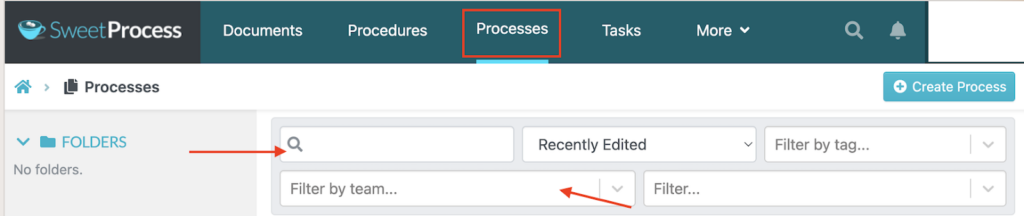
To find specific processes, you can open the “Processes” tab. SweetProcess provides a single source of truth by centralizing the processes, making it easy to access and update in real time.
You can also filter your results to get a specific process. This is why it’s important to name your processes and add the right tags.
How To Create and Manage Policies and Procedures
SweetProcess outperforms other tools on this list by enabling you to document policies, processes, and procedures in a single platform. From the same dashboard, you can also create your policies and procedures and connect them to work together.
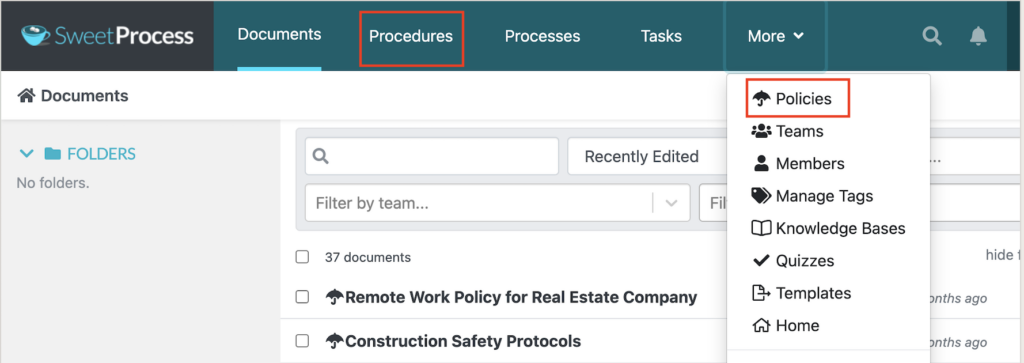
While you can draft them from scratch, SweetProcess offers SweetAI, which generates procedures and policies based on industry context with just one click.

Once SweetAI creates the first draft, you can refine it to reflect the state of your business and sector.
How To Create a Process Map on SweetProcess
As you draft your documents on SweetProcess, this tool automatically creates process maps. You’ll see a flowchart on the right side of your screen showing the conditional steps and decision trees that your team should follow.
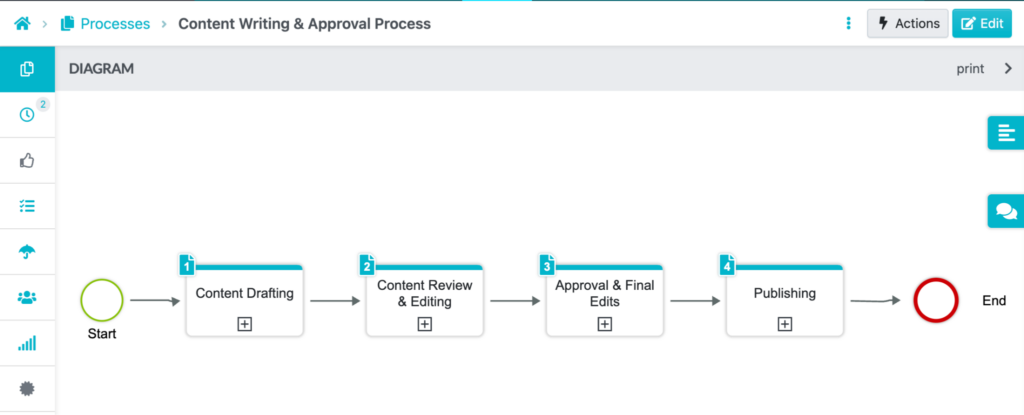
With this visual guide, your employees won’t miss a step.
How To Assign Your Processes as Tasks
With SweetProcess, you can also assign tasks within the same dashboard. On the editing page, click the “Related Tasks” button on the left-side menu.
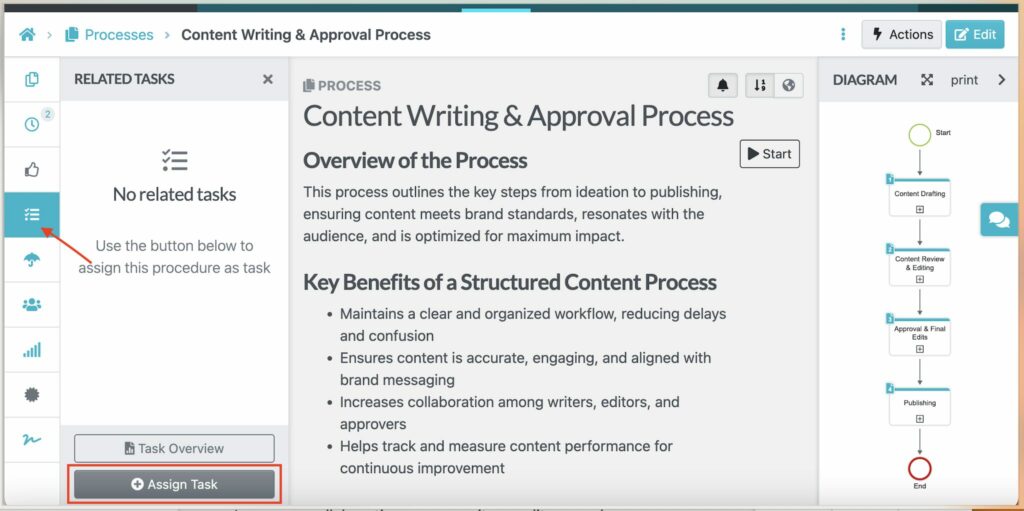
You can then add the due dates and recurring schedules to keep the team accountable.
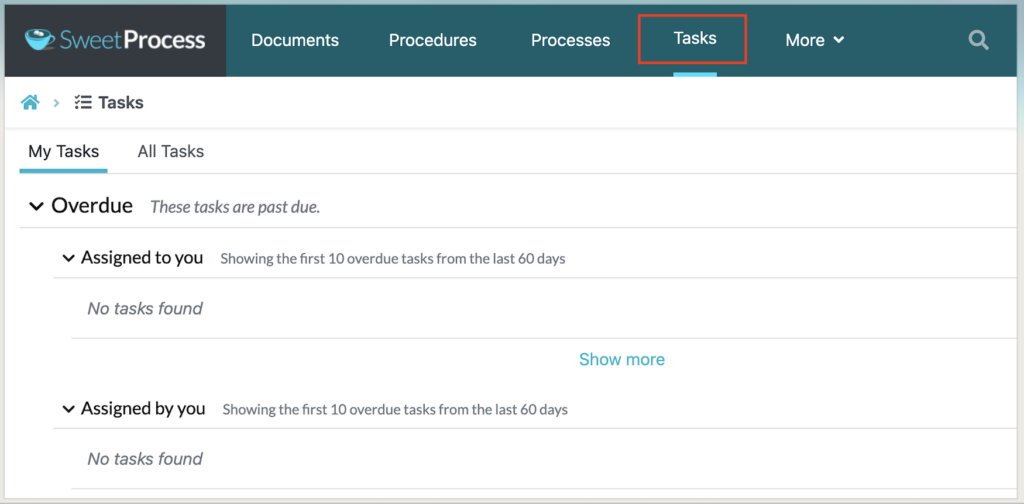
In addition, you can manage all the progress from the “Tasks” menu on the dashboard. This page displays all the pending tasks and what’s overdue.
How To Export a Process on SweetProcess
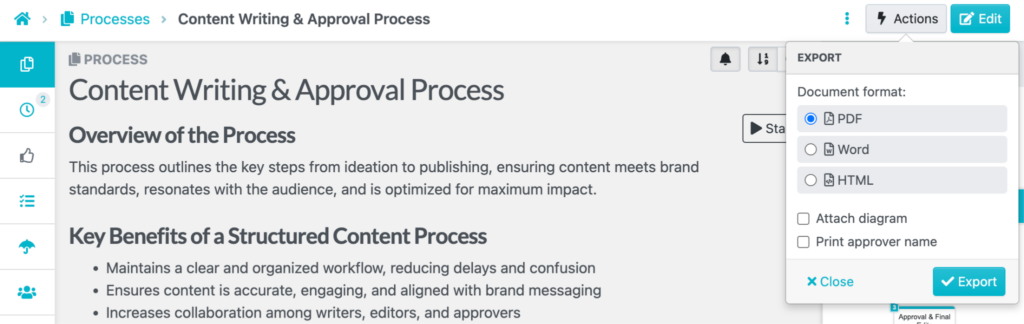
Every process document on SweetProcess can be downloaded in PDF, Doc, or HTML formats. To export a process document, click the “Actions” button on the top right-hand side of the screen and select “Export.”
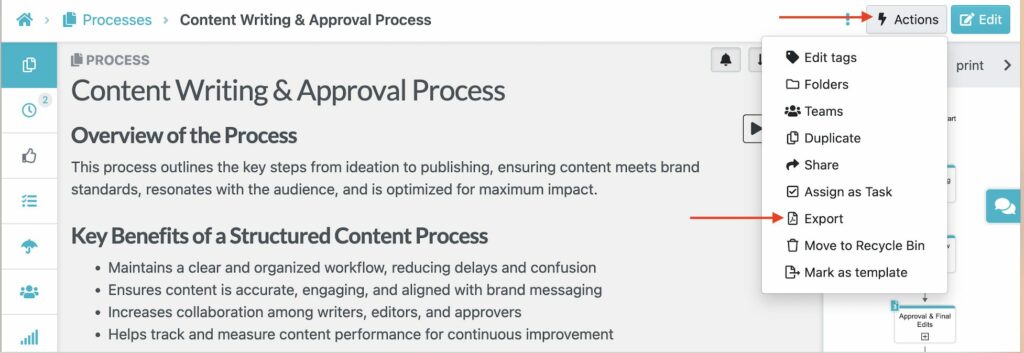
Pick a format and download the document.
How To Track and Review Changes on a Process
SweetProcess is collaborative; therefore, multiple team members can update a process in real time. To keep everyone aligned, use the “Version History” feature to access the latest version of the process.
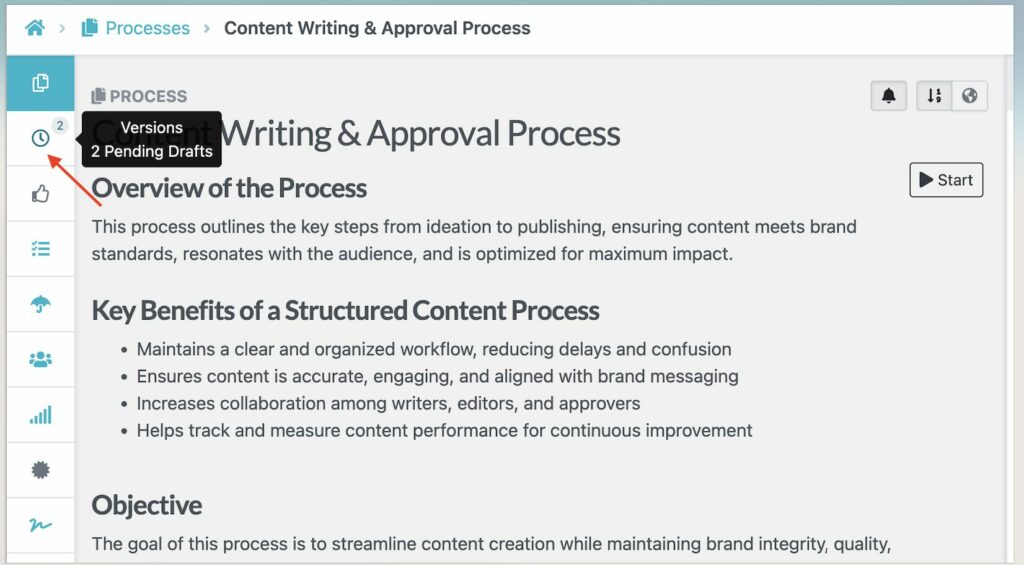
This feature is essential for tracking reviews, especially during audits, to demonstrate your team’s compliance.
Adding Company Documents to a Knowledge Base
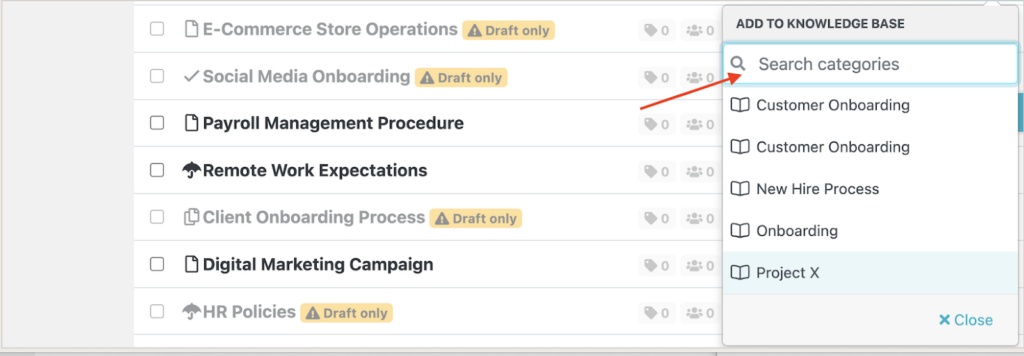
If you want to standardize access to your company’s processes, you can add existing documents to an internal or external knowledge base directly from the dashboard.
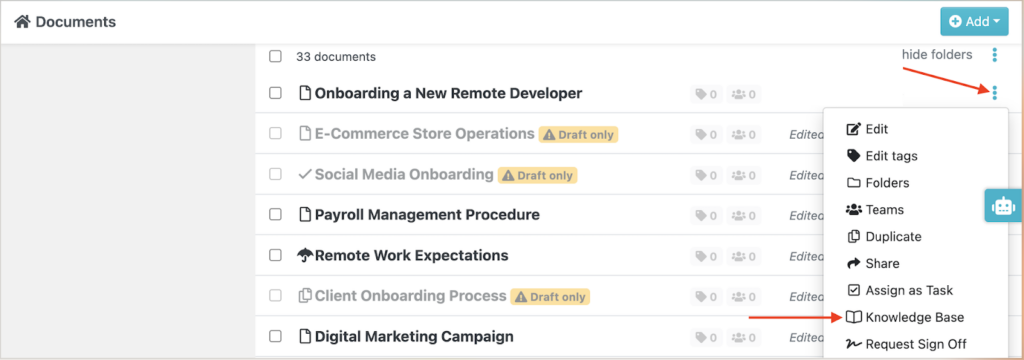
Choose the specific knowledge base to which you want to add documents, and this action will make it accessible to the respective stakeholders.
SweetProcess Pricing
Unlike most other process documentation apps, SweetProcess has a simple pricing structure. You can choose to pay monthly, which starts at $99 per month for up to 10 users. Every additional seat costs $5 per user per month.
Alternatively, you can pay annually, starting at $990 per year for the same team size, with each additional seat at $50 per year. If you have a smaller team of up to five members, SweetProcess costs $495 annually. As a new user, you can use the 14-day free trial to test out the features.
There are no tiers regardless of which plan you choose. Additionally, every subscription is backed by a 30-day money-back guarantee, which includes a free 1-hour consultation call if you decide to cancel.
Start a free trial of SweetProcess today and document your first process without your credit card.
Scribe: Best for Automated Screen Capture Documentation
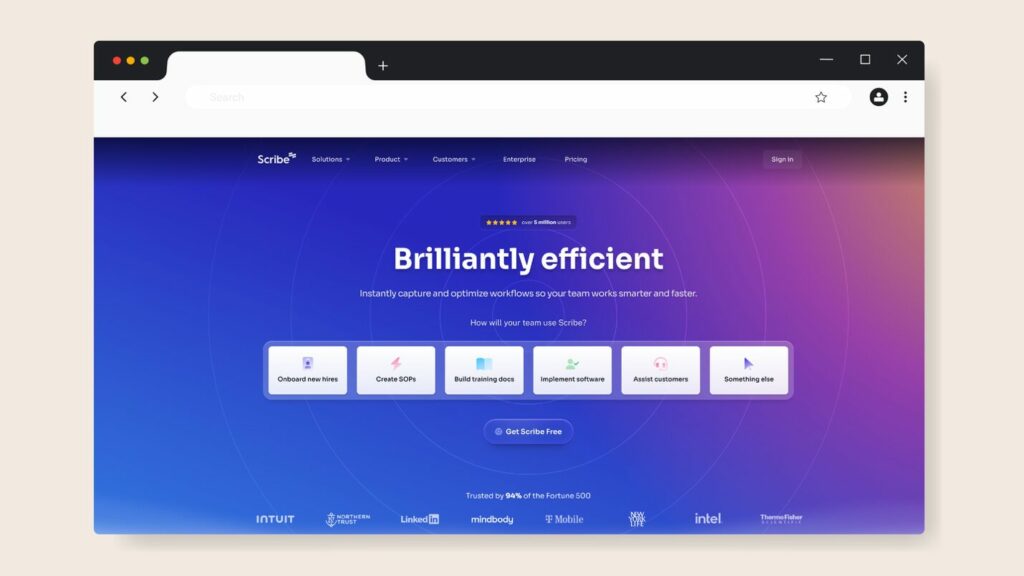
Image source: Scribe
Overview of Scribe
Scribe is a browser extension and desktop app that automatically captures your screen activity and generates step-by-step visual guides. To use this process documentation software for your workflow, you’ll need to install the extension, click record, go through the tasks, and let Scribe build your guide.
Scribe is best suited for teams that need to quickly document software walkthroughs or onboarding steps. SweetProcess’s Chrome extension does the same but goes a step further by allowing you to immediately assign that procedure as a trackable task and route it to team members.
While Scribe excels at real-time process documentation, users note that editing with this tool can be difficult, especially when you need to add more steps or fix captured screenshots.
Key Features
- Browser extension and desktop app for real-time screen capture
- AI-powered guide generation with auto-captured screenshots
- Page builder for combining texts and videos into a single document
- Integrations with key platforms such as Notion, Confluence, and SharePoint
- AI-powered redaction for compliance-sensitive teams
Scribe Pricing
Scribe offers a free Basic plan with browser capture and basic sharing features. To access advanced features such as company branding and the ability to redact screenshots, you have to subscribe to the Pro Team plan at $17 per user per month, or the Pro Personal plan at $35 per user per month. Enterprise pricing is available on request.
Confluence: Best for Atlassian-Native Teams
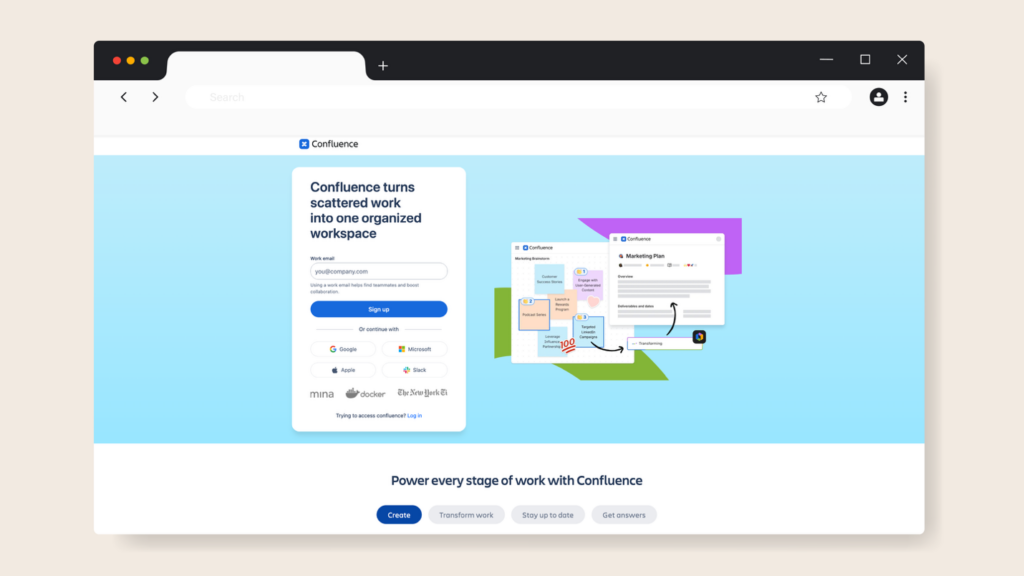
Image source: Confluence
Overview of Confluence
Confluence is Atlassian’s enterprise wiki and collaboration platform. If your engineering or product team is already using a tool like Jira, Confluence is the natural extension, offering pages, spaces, and templates that connect directly to your sprints and boards. This process management tool excels at collaborative documentation and project planning; however, it lacks the structured three-tier hierarchy and execution tracking that SweetProcess provides.
It’s a powerful tool for teams embedded in the Atlassian ecosystem; therefore, if your team isn’t integrated into this system, the setup complexity and pricing premium are harder to justify. Slow performance is a frequent pain point. Multiple reviewers point out that Confluence tends to lag when handling large volumes of content.
Key Features
- Native integration with the full Atlassian suite
- Rovo AI to help with content generation and search
- Extensive template library and marketplace app ecosystem
- Spaces and pages for organized project and team documentation
- Version history and page-level permissions
Confluence Pricing
Confluence offers four pricing plans. The free plan covers up to 10 users. The Standard plan starts at $5.42 per user per month, while the Premium plan starts at $10.44 per user per month and includes advanced permissions and 99.9% SLA. You have to request a quote for the Enterprise tier.
Process Street: Best for Recurring Workflow Checklists
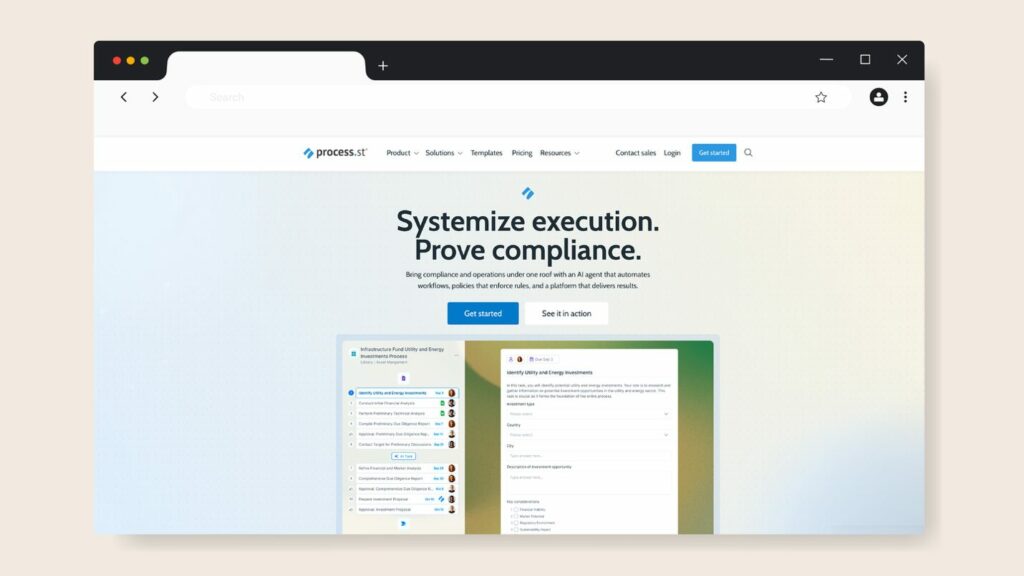
Image source: Process Street
Overview of Process Street
Process Street automates business processes to help businesses maintain compliance. Powered by AI, this process documentation tool transforms recurring operational processes, such as client and employee onboarding, KYC checks, and compliance audits, into structured workflows that keep your teams on schedule.
Process Street’s AI compliance agent, Cora, monitors workflows in real time and flags risks. This feature makes it well-suited for compliance-heavy teams in financial services, healthcare, and real estate.
However, users commonly complain about the steep learning curve when using automations and building complex workflows. Additionally, the platform enforces a five-user minimum, which can be frustrating for small teams.
Key Features
- Checklist-based workflow execution with conditional logic and approvals
- Cora AI compliance agent for real-time monitoring
- No-code workflow builder
- Over 8,000 integrations via Zapier and native connectors
- Full audit trails and compliance-ready reporting
Process Street Pricing
To use Process Street, you can choose between the Startup, Pro, and Enterprise plans. The Startup plan covers five users and 10 guests. You can customize with the other plans. Process Street does not publish its prices on the website; you have to contact the sales team.
Trainual: Best for Employee Training & Onboarding

Image source: Trainual
Overview of Trainual
Trainual is an AI-powered training, learning, and knowledge management platform. In practice, it functions more like a learning management system (LMS), providing structured employee onboarding and training. Organizations can use this platform to create role-based learning paths, track completion, and embed videos, GIFs, and interactive content into playbooks.
However, if you need to document operational processes and assign them as tasks and track execution, you’ll find that Trainual’s capabilities stop at the documentation stage. It’s more of an LMS than a process documentation tool. According to some users, Trainual is not always intuitive. This issue makes it difficult to format content uniformly, making manual adjustments time-consuming.
Key Features
- Role-based training paths with completion tracking
- AI-assisted documentation drafting
- Pre-built template library for multiple business functions
- Quiz assessment features for compliance tracking
- Integrations with Slack, Zapier, and major payroll platforms
Trainual Pricing
While Trainual doesn’t list exact pricing on the website, you can sign up for the Core, Pro, Premium, or Enterprise plans. The actual costs vary based on your team and your company’s needs.
Document360: Best for AI-Powered Knowledge Bases
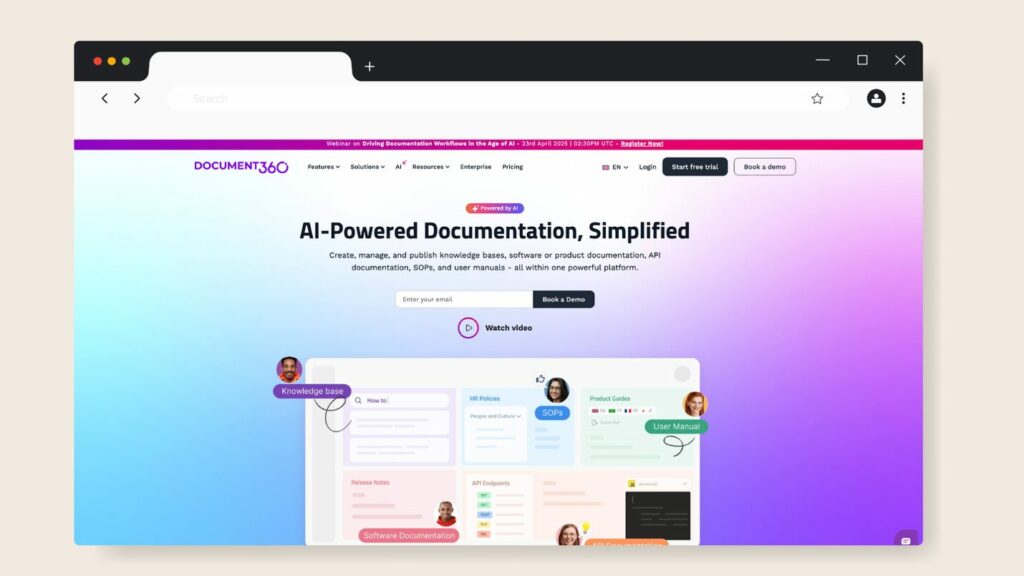
Image source: Document360
Overview of Document360
Document360 is an AI-powered knowledge base platform designed for teams that need to publish both internal wikis and customer-facing documentation. It supports multiple editors, including Markdown, WYSIWYG, and Block. This tool’s primary strength is building customer-facing knowledge bases for support teams.
However, it falls short with its pricing model. Features such as AI search, advanced analytics, and most integrations are locked behind premium tiers. Users have also had challenges with some Document360 features, such as the search functionality and interface navigation, which can become cluttered when managing large documentation sets.
Key Features
- ChatGPT-style search and Eddy AI writing agent for documentation generation
- Multiple editor options
- Category management with hierarchical structure and content reuse
- Support for both internal wikis and public customer-facing knowledge bases
Document360 Pricing
Document360 offers three pricing tiers: Professional, Business, and Enterprise. To get the exact pricing, you can contact the sales team.
ProcessMaker: Best for Enterprise-Grade BPM Automation
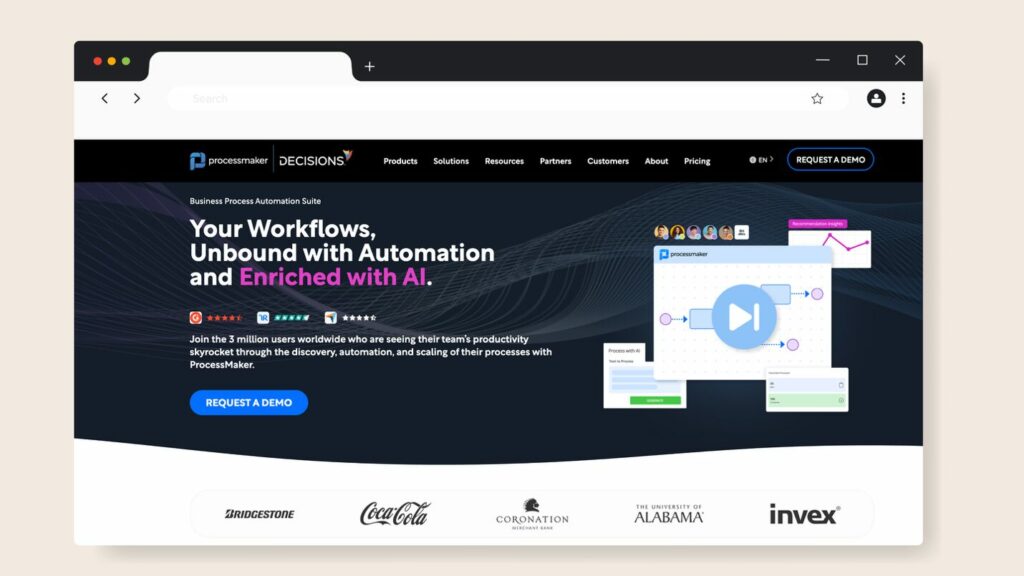
Image source: Process Maker
Overview of ProcessMaker
ProcessMaker is a full-scale business process management (BPM) platform built for enterprises that need low-code workflow automation for complex, multi-department processes. This software relies on agentic AI to help companies build workflows much faster, reducing manual effort.
Your organization can use ProcessMaker to deploy solutions for complex processes without overwhelming your team. This makes it ideal for tasks such as healthcare admissions, loan approvals, insurance claims, or government form processing. However, users have experienced lag and hidden bugs that slow the tool down.
Key Features
- Business Process Model and Notation 2.0 compliant process modeler with drag-and-drop workflow builder
- AI-powered intelligent document processing
- Industry-specific solutions for multiple sectors
- Mobile apps for both iOS and Android
ProcessMaker Pricing
ProcessMaker’s pricing starts at $3,000 per month, billed annually. You can also get a quote for the Professional and Enterprise tiers.
Nuclino: Best for Lightweight Wiki-Style Documentation
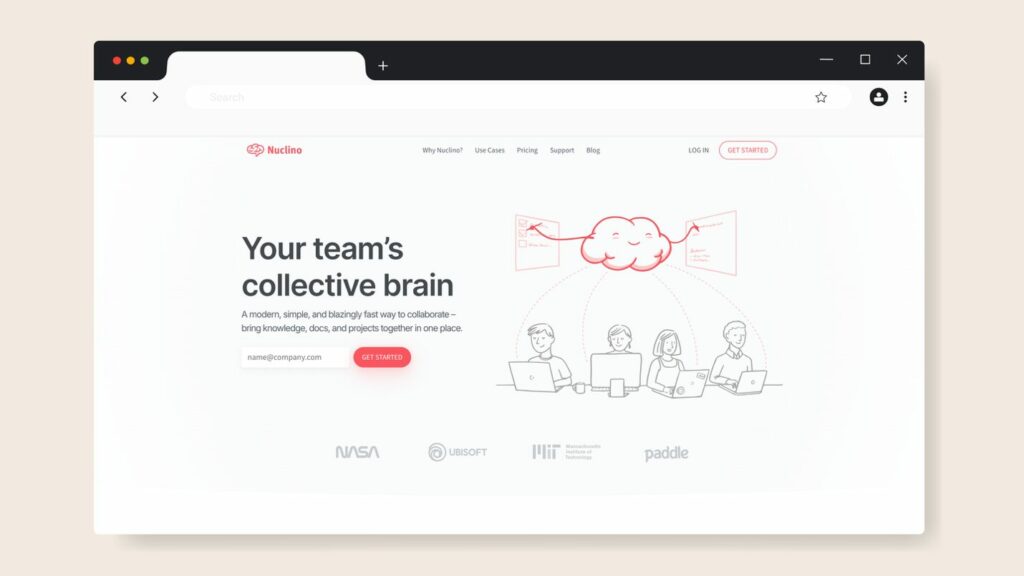
Image source: Nuclino
Overview of Nuclino
Nuclino is a fast, minimalist team wiki. It targets teams that want a clean, fast, low-friction platform to store internal documentation. Its search and page load speeds consistently outperform other process documentation tools. In addition, it has a minimal learning curve; therefore, new users get productive within minutes.
Although Nuclino is great for centralizing team knowledge in a searchable wiki, it’s limited in tracking execution. There’s no native way to assign it as a task, track who has completed it, or schedule recurring reviews; SweetProcess, on the other hand, handles documentation and execution in one platform. Users also note that it’s not easy to link articles with each other on the platform.
Key Features
- Multiple view types, including list, board, table, and graph
- Real-time collaborative editing with fast page load speeds
- Clean, minimal interface with very low learning curve
- Centralized platform for easy access
Nuclino Pricing
Nuclino offers a free plan for up to 50 items. For advanced features, you can pay for the Starter plan at $6 per user per month or the Business plan at $10 per user per month, both billed annually.
Notion: Best for All-in-One Workspace Flexibility
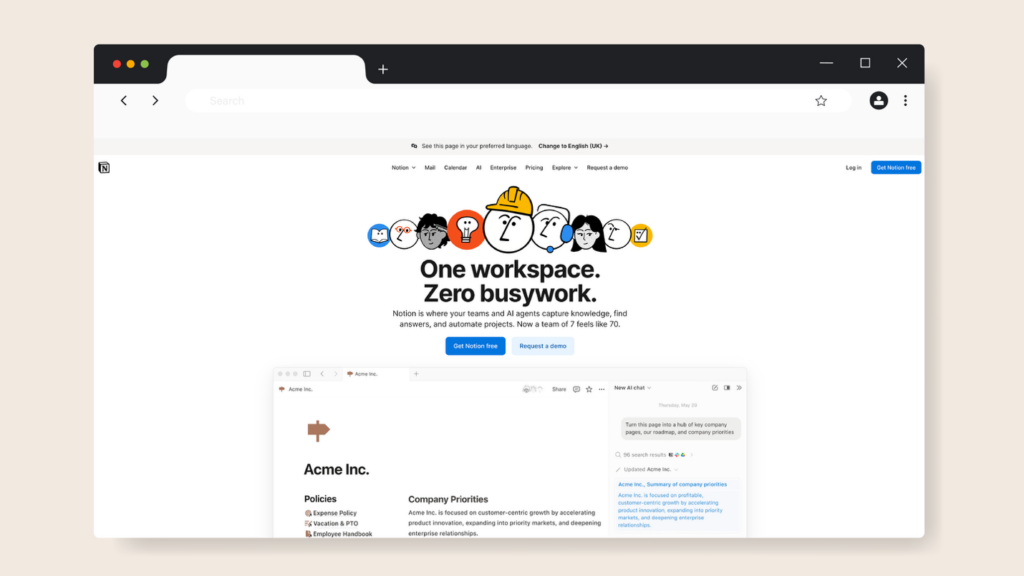
Image source: Notion
Overview of Notion
Notion is one of the most flexible process management tools. You can build virtually anything in Notion, including databases, wikis, project boards, CRMs, and process documentation. Its template library, relational databases, and customizable views make it the go-to choice for teams that want a single tool to replace multiple platforms.
The challenge with Notion is that it gives you building blocks, whereas SweetProcess provides a complete system. Additionally, building a functional process documentation system in Notion requires significant setup from scratch. There’s also no native task-completion tracking that comes with a steep learning curve.
Key Features
- Flexible blocks-based editor
- Relational databases with multiple views
- Notion AI for writing assistance and summarization
- Extensive template library across all use cases
- Integrations with tools such as Slack, Google Calendar, GitHub, and Zapier
Notion Pricing
Notion offers a free plan for individuals and small teams. The Plus plan starts at $10 per user per month, billed annually. The Business plan with AI features costs $20 per user per month, annually, while the Enterprise pricing is custom.
How ClickFunnels and Wistar Group Use Process Documentation Software

Several companies have invested in process documentation tools to transform their operations.
One of them is SaaS company ClickFunnels, which was experiencing explosive growth, scaling from 100 to 350 employees. However, the company’s processes were largely stored in people’s heads, particularly among senior employees, making it hard to standardize operations and train new hires. This was until the company decided to switch to SweetProcess.
Since adopting SweetProcess, the company has reduced training time and has a single source of reference for all company information. According to the senior customer service lead, Clayton Panzeri, “We ensure everything we need is documented and that there are no ‘knowledge hoarders’ keeping key information to themselves.”
The same was happening to property management company Wistar Group. With 235 employees, the company was losing money to process errors and inconsistencies in how properties were managed. Their attempt to use Microsoft Word and Google Drive failed because employees couldn’t access the latest documentation.
The president and principal of Wistar Group, Jeremy Aspen, searched for an alternative and found SweetProcess. Procedures could now be documented. They also had version control and could assign trackable tasks to the relevant team members. The outcome: $87,000 in savings directly attributable to reduced errors and the elimination of process redundancy.
Join such companies that have replaced scattered documentation with a system that drives real execution. Start your 14-day free trial of SweetProcess today.
Core Features To Look For in Process Documentation Software
As you search for process documentation software, here are the key capabilities to consider:
Easy Import/Export
Your documentation tool should work with the files you already have. Look for tools that allow you to import from Word and Google Docs and export to PDF, Word, and HTML. This way, your existing documentation doesn’t become a migration headache.
Version Control
For process standardization, you need a version trail. Version control lets you see what changed, when it changed, who changed it, and roll back to an older document if needed. This feature is critical for compliance teams and any organization where process accuracy is non-negotiable.
Powerful Search
If your team can’t find a procedure fast, they’ll either ask someone or skip it. A good process documentation tool should surface the right document in seconds through full-text search, tags, and filters. Look for a tool that allows you to categorize your knowledge bases for easy access.
Team Collaboration & Permissions
Different team members need different levels of access. Look for role-based permissions that let you control who can view, edit, approve, and publish documents. For instance, the right SOP software ensures that individual steps within a procedure can be assigned to specific people for accountability and security.
Third-Party Integrations
Can you use the process documentation tool with your existing tech stack? Prioritize integrations with Slack, Zapier, Google Workspace, or project management tools your team already uses. Integrations reduce manual overhead and ensure documentation updates flow through the right channels.
Multi-Device Support
Teams today work from different locations. Your process documentation tool should be fully functional across all devices and operating systems, especially if you have field teams, remote workers, or employees across time zones.
Why Your Company Needs Process Documentation Software

Here are key reasons why you should consider adopting a process documentation tool:
Improves Process Consistency
When a process lives only in someone’s head, it gets done differently by different people. Implementing business process management software creates a single, authoritative version of every process that all team members follow consistently. This consistency directly impacts product quality and compliance.
Captures Institutional Knowledge
When senior employees leave the organization, do your operations come to a halt? If the answer is yes, you need to sign up for a process documentation tool that captures their expertise in structured documents.
To keep this process effective, ensure you have a centralized platform for documenting institutional knowledge. This way, the documents can outlast any individual contributor.
Speeds Up Onboarding
New hires who can self-onboard using documented procedures gain expertise faster and more consistently than those who learn through informal knowledge transfer.
According to the co-founder of Spicy SE, Robert Hämisch, making knowledge accessible is crucial for onboarding new hires. He points out that companies need the right tools to ensure documents and modules are up to date and easy to find. This way, senior team members can focus on strategic work.
Increases Compliance
For regulated industries such as healthcare, financial services, manufacturing, and food service, process documentation isn’t optional. You need to show the audit trail. Adopting process documentation software with version history and sign-off tracking provides defensible evidence that the right steps were followed.
With SweetProcess, your team can document processes and scale with confidence. Start your free 14-day trial today!
How To Choose the Right Process Documentation Tool
The best process documentation tool depends on your team’s primary need, size, and existing tools. Use this decision guide:
Conduct a Needs Assessment
Start by identifying the gaps between how your processes are currently documented and how they should be documented. Every organization has competing priorities, and a needs assessment helps you determine which processes need attention now and which can wait. If your priority is training and onboarding, Trainual or SweetProcess would be a good option.
Understand the Interface and Workflow Complexity You Need
Process documentation tools range from simple document-based formats to visual flowcharts to kanban boards. Start by assessing how complex the processes you’re documenting actually are. For instance, if you prefer screen-capture documentation, you can choose between Scribe or SweetProcess. If you have a small team (fewer than 20), you could also consider Nuclino.
Keep Your Focus on Total Cost of Ownership
It’s easy to look at a monthly price and multiply it out. But SaaS tools are notorious for hiding their real cost. Factor in per-user scaling, features locked behind premium tiers, seat minimums, implementation time, and the cost of supplementary tools you’ll need if the platform doesn’t cover all your needs. If you’re already in the Atlassian ecosystem, Confluence would be a good alternative.
FAQs About Process Documentation Software
What is the difference between process documentation and SOP documentation?
Process documentation covers everything from high-level policies to detailed step-by-step SOPs. However, an SOP is a specific type of process document that provides step-by-step instructions for completing a task. Good process documentation software handles both.
Is process documentation software worth it for small businesses?
Yes. Small businesses are more vulnerable to knowledge loss when a key employee leaves. Documenting processes prevents operational errors and standardizes company information and task assignments.
What’s the best free process documentation tool?
Notion offers the most capable free plan for individuals and very small teams. Nuclino’s free plan covers up to 50 items, which is enough for a small team getting started. SweetProcess offers a full-featured 14-day free trial (no credit card) so you can evaluate the product before committing.
How do I migrate existing documentation to a new tool?
SweetProcess allows one-click import of existing documentation from PDFs and Word documents. Before migrating, audit your existing documents and delete outdated content to ensure all your processes are standardized.
Can process documentation software integrate with my existing tools?
Yes. Most tools on this list integrate with Slack, Google Workspace, Zapier, and common HRIS platforms. SweetProcess integrates with over 1,000 apps, and the Chrome extension connects directly to your browser-based workflows. Confluence has native integrations for Atlassian ecosystem tools, while Process Street connects to 8,000+ apps via Zapier.
Which Process Documentation Tool Is Right For Your Company?
The best process documentation tool is the one your team will use consistently across every process and at every level of the organization. Most of these tools in the list deliver specialized needs. Process Street is ideal for compliance automation, Trainual for employee training, and ProcessMaker for enterprise BPM.
However, for the vast majority of small and mid-sized teams, SweetProcess delivers the best combination of structure, AI-powered creation, task execution, and simplicity. Its three-tier hierarchy (policies → processes → procedures) is the only model that mirrors how process knowledge actually exists in real organizations.
Want to test it out for your organization? Sign up for the 14-day free trial of SweetProcess and start documenting your processes. No credit card is required!