Last Updated on May 19, 2026 by Owen McGab Enaohwo
It is Monday morning, and your best operations manager just gave two weeks’ notice. She is the only person who knows how client onboarding actually works. The problem? All the institutional knowledge lives in her head, approvals go through her email, and new hires shadow her because there’s no documented workflow. She is your documented workflow.
In 14 days, all of that valuable information walks out the door with her. This is the moment most teams realize they needed an easy-to-use process management software six months ago. The good news? Adopting business process management software—like SweetProcess—can help you capture these undocumented workflows and consolidate information in days.
Our team of experts evaluated 20+ process management software options, from lightweight SOP tools to enterprise-grade business process management systems. We narrowed this list to the eight best platforms, based on ease of setup, documentation depth, automation capabilities, pricing transparency, and actual user feedback.
Running a 10-person operations team looks very different from managing a 500-person company, but both teams need the right systems. This list covers tools built for both.
Disclosure: SweetProcess is our product and is listed first. We’ve evaluated all the other tools listed in this guide through demos, review sites such as G2 and Capterra, and practical documentation to give you an honest look at every tool.
Table of Contents
Process Management Software Comparison at a Glance
What Is Process Management Software?
What Makes the Best Process Management Software?
The 8 Best Process Management Software in 2026
How Real Companies Use Process Management Software
Core Features To Look For in Process Management Software
Benefits of Using Process Management Software
How To Choose the Right Process Management Software
Which Process Management Software Is Right for Your Company?
Process Management Software Comparison at a Glance
| Tool | Best For | Starting Price | Free Trial? | Key Differentiator |
| SweetProcess | SOP-driven process management | $99/mo (up to 10 users) | Yes (14 days) | AI procedure generation + approval workflows + knowledge base in one |
| Kissflow | No-code workflow automation | $1,500/mo (Basic) | Yes | Visual no-code builder with case management and approval routing |
| Monday.com | Team collaboration & project workflows | $9/seat/mo (min 3) | Yes (14 days) | Flexible visual boards with 200+ templates and built-in automations |
| ProcessMaker | AI-powered process automation | $3,000/month | No | Low-code BPM with AI-driven document intelligence and routing |
| Appian | Enterprise-grade process orchestration | Contact sales | Free community edition | Unified low-code + RPA + AI + data fabric for complex enterprise apps |
| Nintex | Document-heavy process automation | Contact sales | Yes | Deep SharePoint/M365 integration with document generation and e-signature |
| Microsoft Power Automate | Microsoft 365 ecosystems | $15/user/mo (Premium) | Yes (30 days) | Native M365 integration with 300+ connectors and AI Builder |
| Process Street | Checklist-based recurring workflows | Contact sales | Yes (14 days) | AI compliance agent (Cora) with SOC 2-ready audit trails |
What Is Process Management Software?
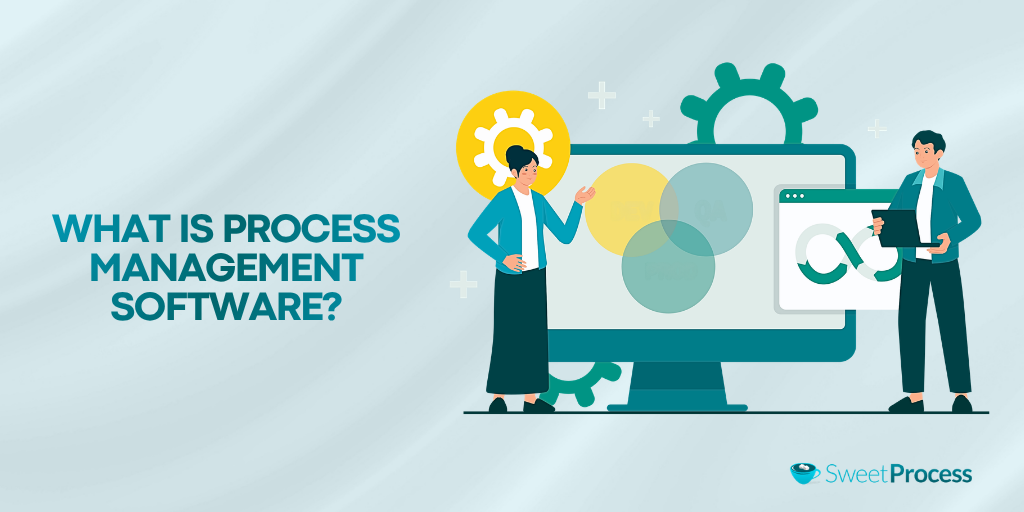
Process management software helps teams document, automate, assign, and track the recurring workflows that keep a business running. It automates routine organization tasks from employee onboarding and client intake to compliance checks and operational handoffs. A key part of this is creating clear process maps. Process maps are visual diagrams that show how work moves across people, systems, and approvals—so teams can spot bottlenecks and standardize the path from start to finish.
As you choose a process management tool, it’s worth distinguishing between two types of tools that get lumped under this label. Enterprise business process management (BPM) platforms, such as Appian, are built for IT departments. They require developer resources to build custom applications and orchestrate complex, system-level workflows. Typically, they are powerful and can be more costly.
On the other end, SOP-driven process tools like SweetProcess are built for operations teams. These platforms prioritize ease of adoption, clear documentation, and consistent execution without needing a single line of code. Choosing the wrong category can waste months and tens of thousands of dollars for your organization.
What Makes the Best Process Management Software?
To consistently evaluate each tool, we’ve used the same criteria across all reviews to show how every software holds up.
Ease of Setup and Adoption
Teams only use tools they can actually figure out. We looked at how quickly a non-technical user can build and run their first workflow, and whether the interface encourages or discourages adoption at scale.
Process Documentation Depth
Not all tools let you document processes in the way operations teams actually understand. We evaluated how well each tool handles step-by-step SOPs, policy documents, version history, and approval workflows, which make up the core machinery of day-to-day process management.
Workflow Automation
Documenting a process is only half the job. The best tools turn those documents into trackable, assignable workflows with automated triggers, reminders, and routing. With such a tool, you can reduce manual follow-up, improving operational consistency.
Collaboration and Access Control
Process management is a team sport. We looked at whether or not these platforms have role-based permissions, real-time collaboration, and team-specific organization. A process needs to be accessible to the right people for the workflows to operate smoothly.
Pricing Transparency
“Contact us for pricing” could be a red flag for operations teams working with real budgets. Some tools offer clear pricing on their website. We also indicated the ones that require users to contact the team, which can lead to unexpected costs as your team grows.
SweetProcess scores well on all five criteria. Sign up for a 14-day free trial to test it yourself!
The 8 Best Process Management Software in 2026
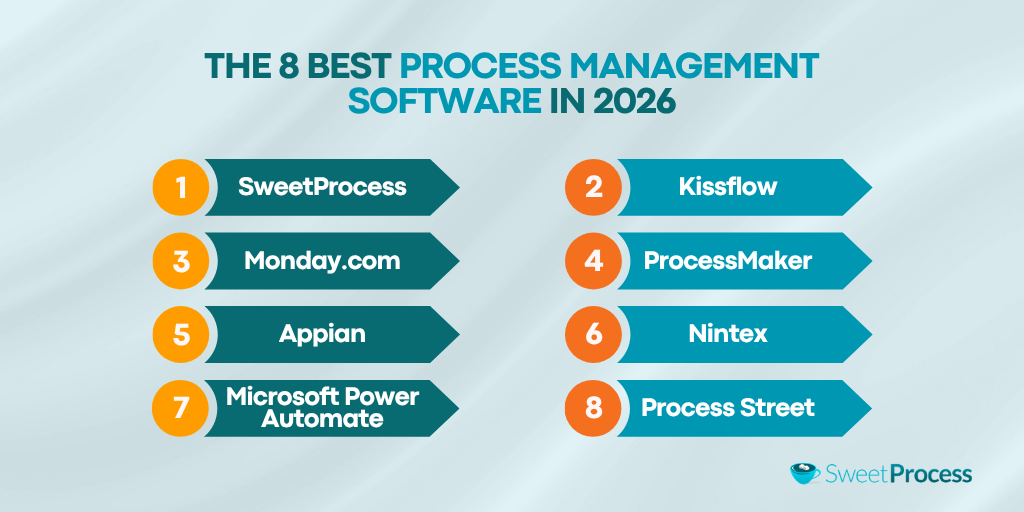
Your organization needs process management software that supports real operational workflows. While many tools claim to “manage processes,” they often focus on just one piece of the puzzle, which could be documentation or automation.
The best platforms bring these elements together to help you document workflows, execute workflows, track tasks, and continuously improve processes over time. Here are the tools to consider, their core features, limitations, and pricing plans.
SweetProcess: Best for SOP-Driven Process Management
Overview of SweetProcess
SweetProcess is a process management platform designed for operations teams, for both small businesses and mid-market companies. What stands out is how tightly SweetProcess connects documentation to execution. Most tools make you choose between documenting your SOPs and managing your tasks. However, SweetProcess does both in a single, coherent workflow.
Another advantage of this tool is that your team won’t need developers or the IT department to implement it, unlike some of the tools. Employees can create an account and start documenting and managing processes immediately. SweetProcess also organizes your workflows into procedures and processes that can be linked together into checklists. This capability makes it especially useful for companies that rely heavily on SOPs to maintain consistency and scale operations.
Key Features of SweetProcess
SweetProcess gives you access to these capabilities:
Build Processes Module
SweetProcess lets you link multiple procedures into sequential and trackable workflows. This feature is the operational core of SweetProcess, making it more than just a documentation tool.
Instead of isolated documents, you get a connected system from the dashboard.
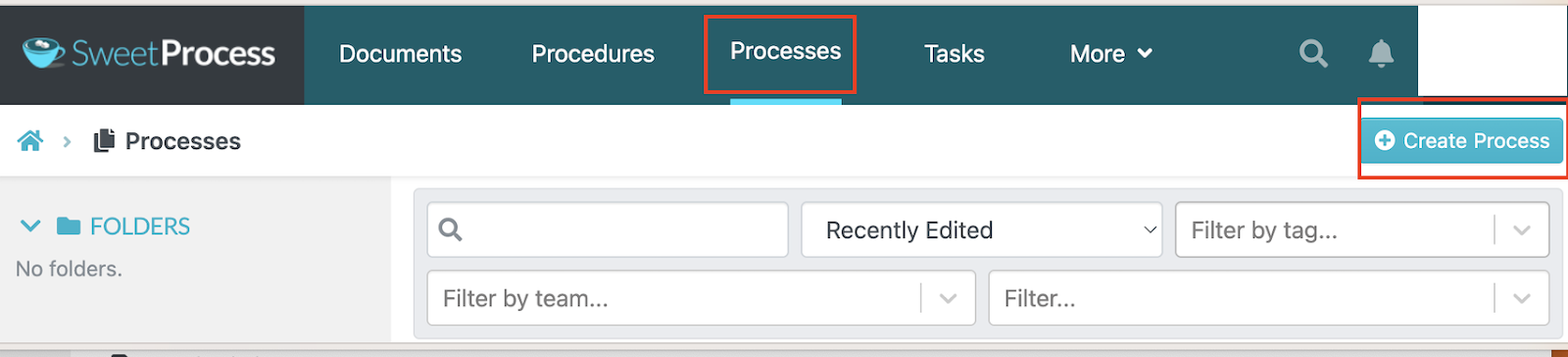
Once you create a process, you can add relevant procedures and arrange them in the correct sequence.
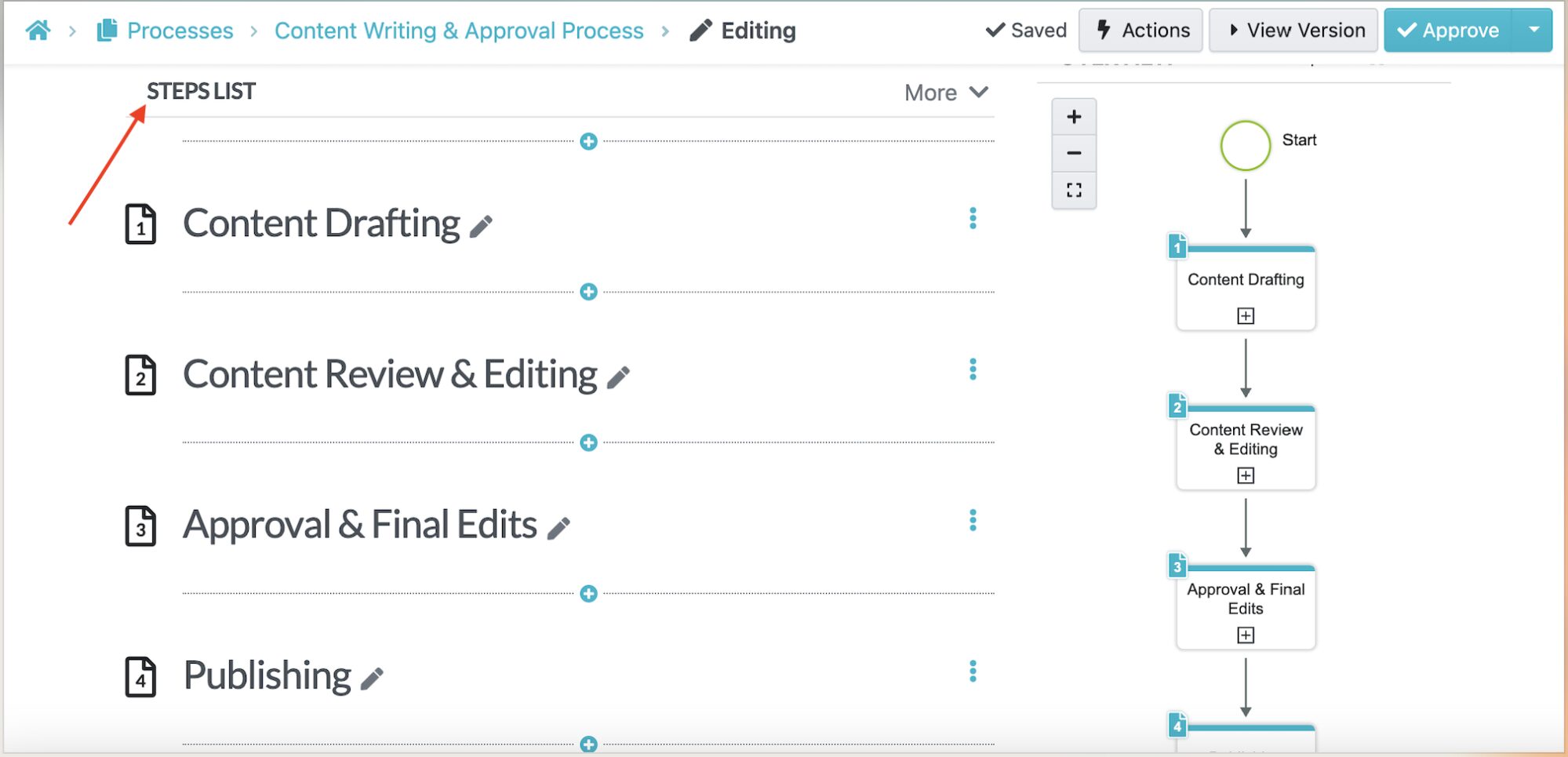
This structured approach ensures your workflows reflect how tasks are actually performed, making it easier for teams to follow and execute processes consistently.
AI-Powered Procedure and Policy Generation
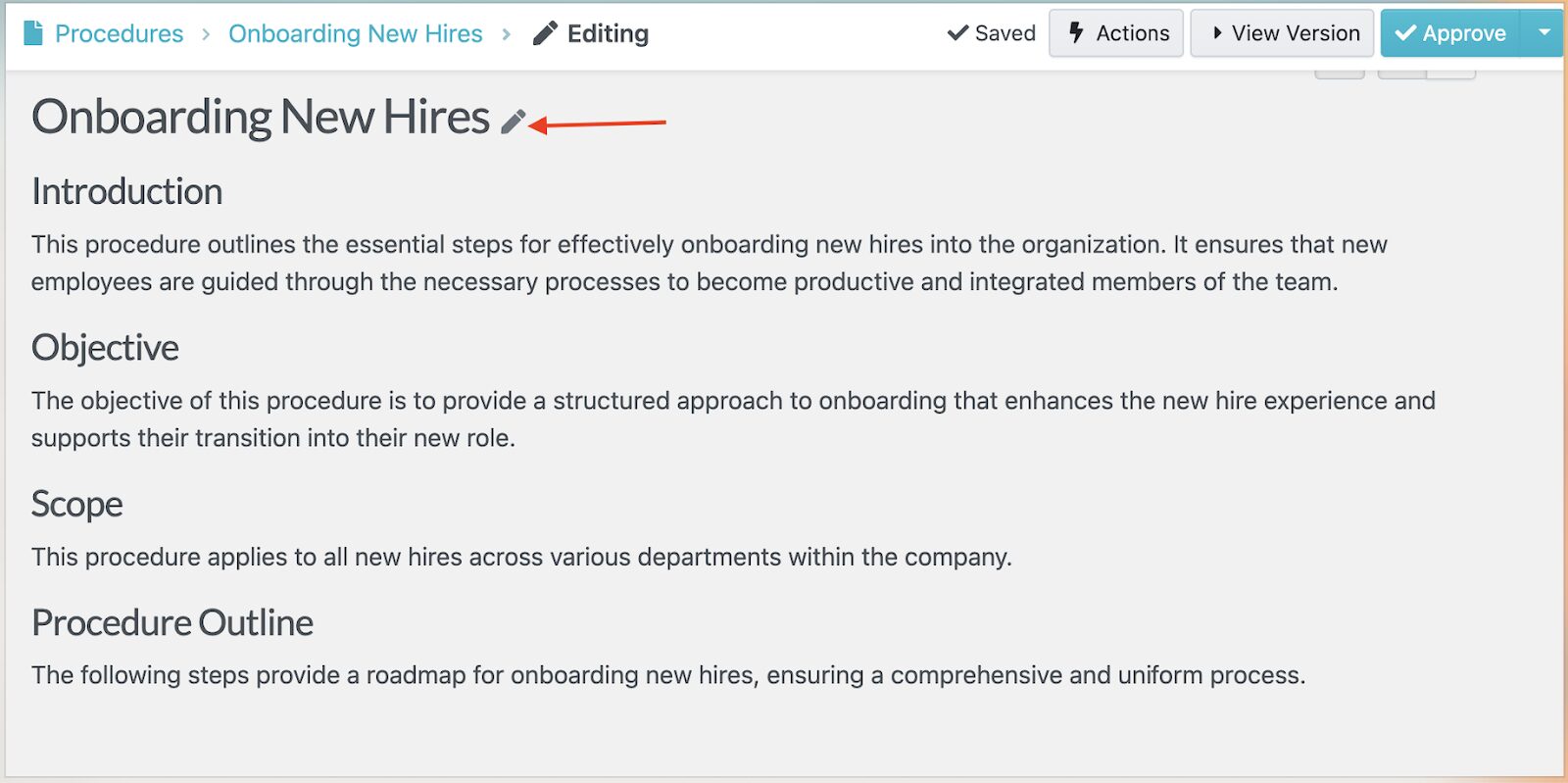
In 2026, AI-powered documentation is a genuine differentiator. SweetAI simplifies process automation by allowing users to create detailed procedures and policies from a simple text prompt.
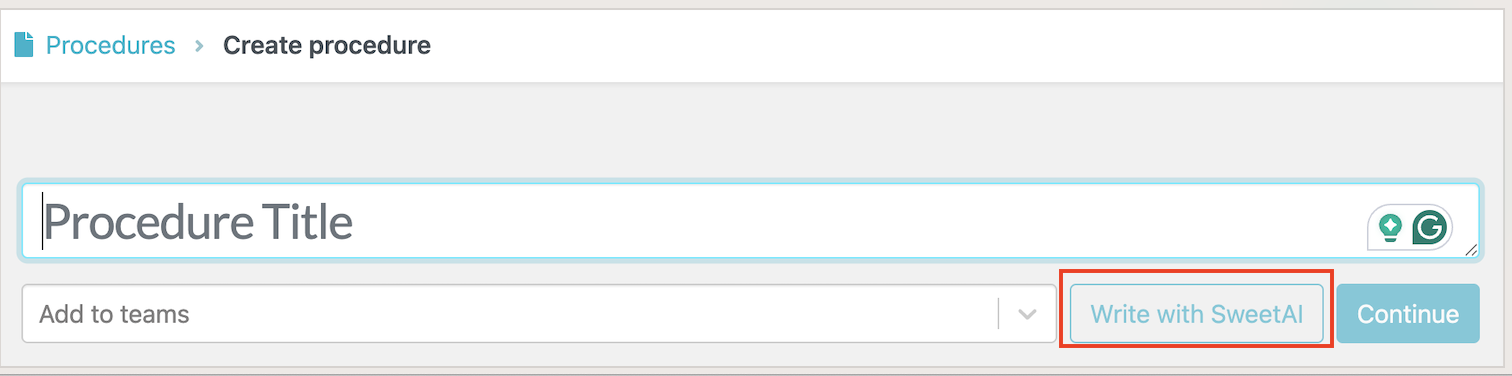
SweetAI creates first drafts instantly, which the operations teams can then refine before publishing.
You can use the prompt buttons on the right side of the screen to edit the procedure or policy until you’re satisfied with the output.
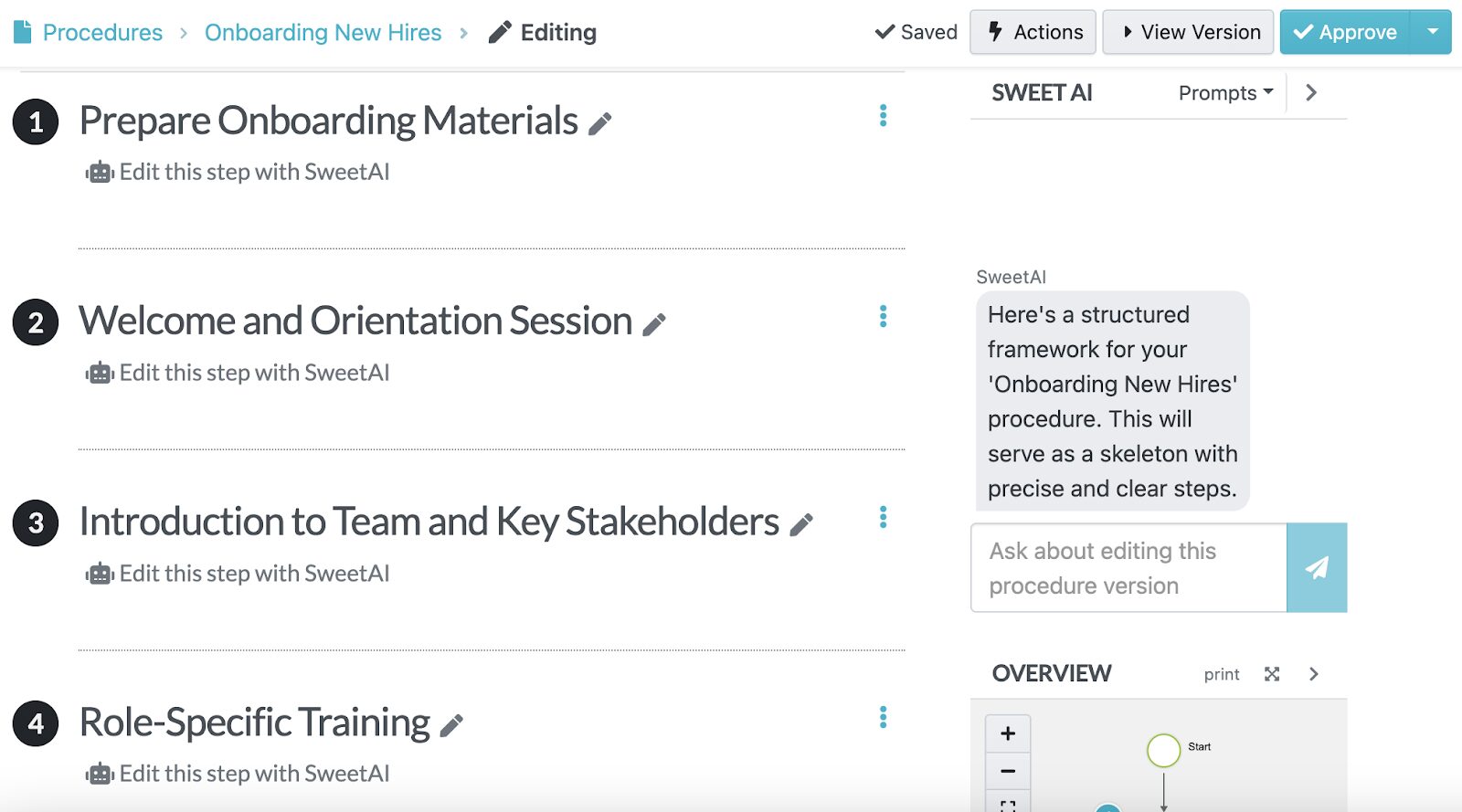
This SweetProcess feature reduces the time it takes to document workflows from scratch.
Assigning Processes as Tasks
SweetProcess lets you assign processes as real-time trackable tasks. Use the “Related Tasks” button to start the process.
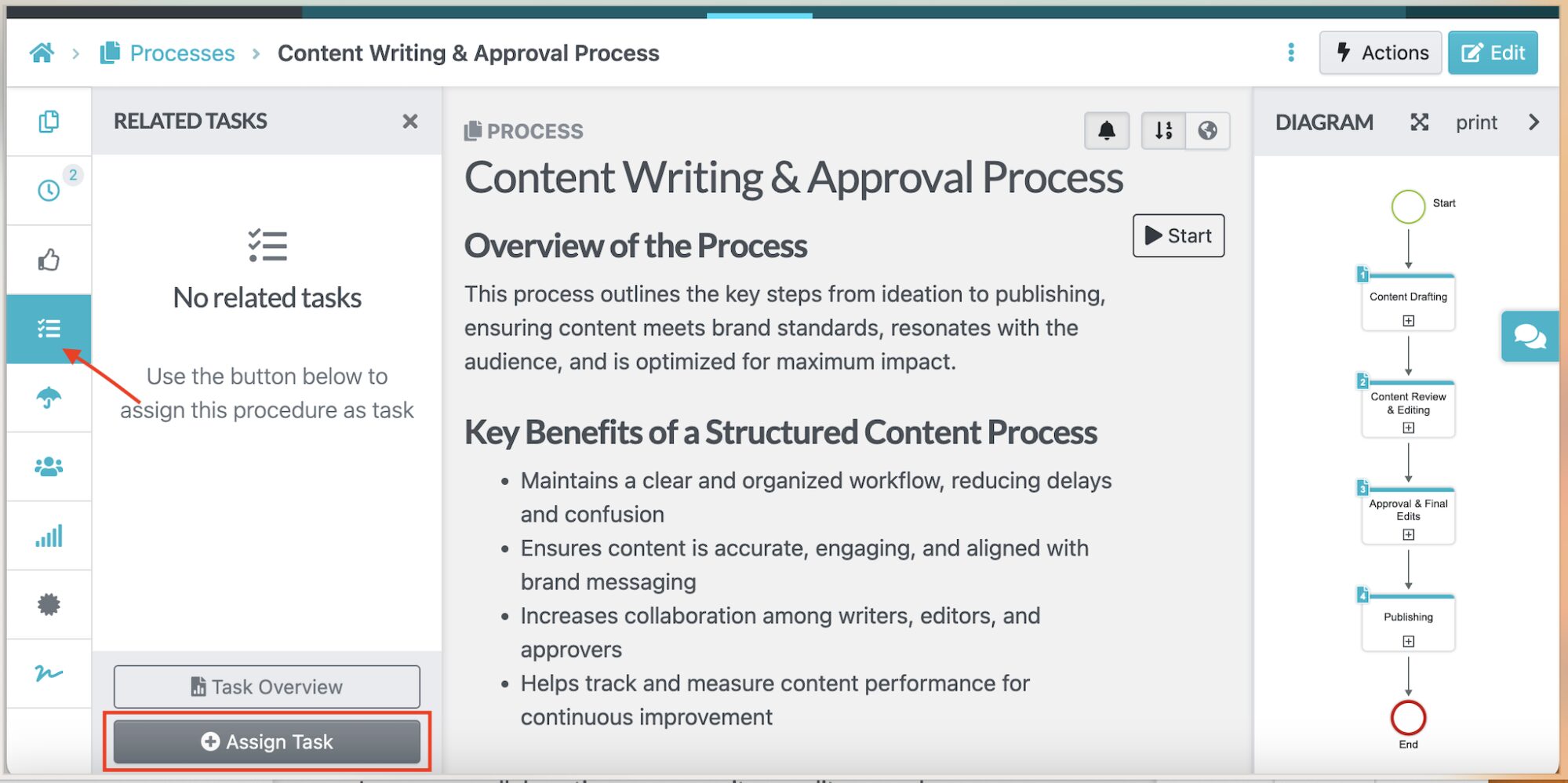
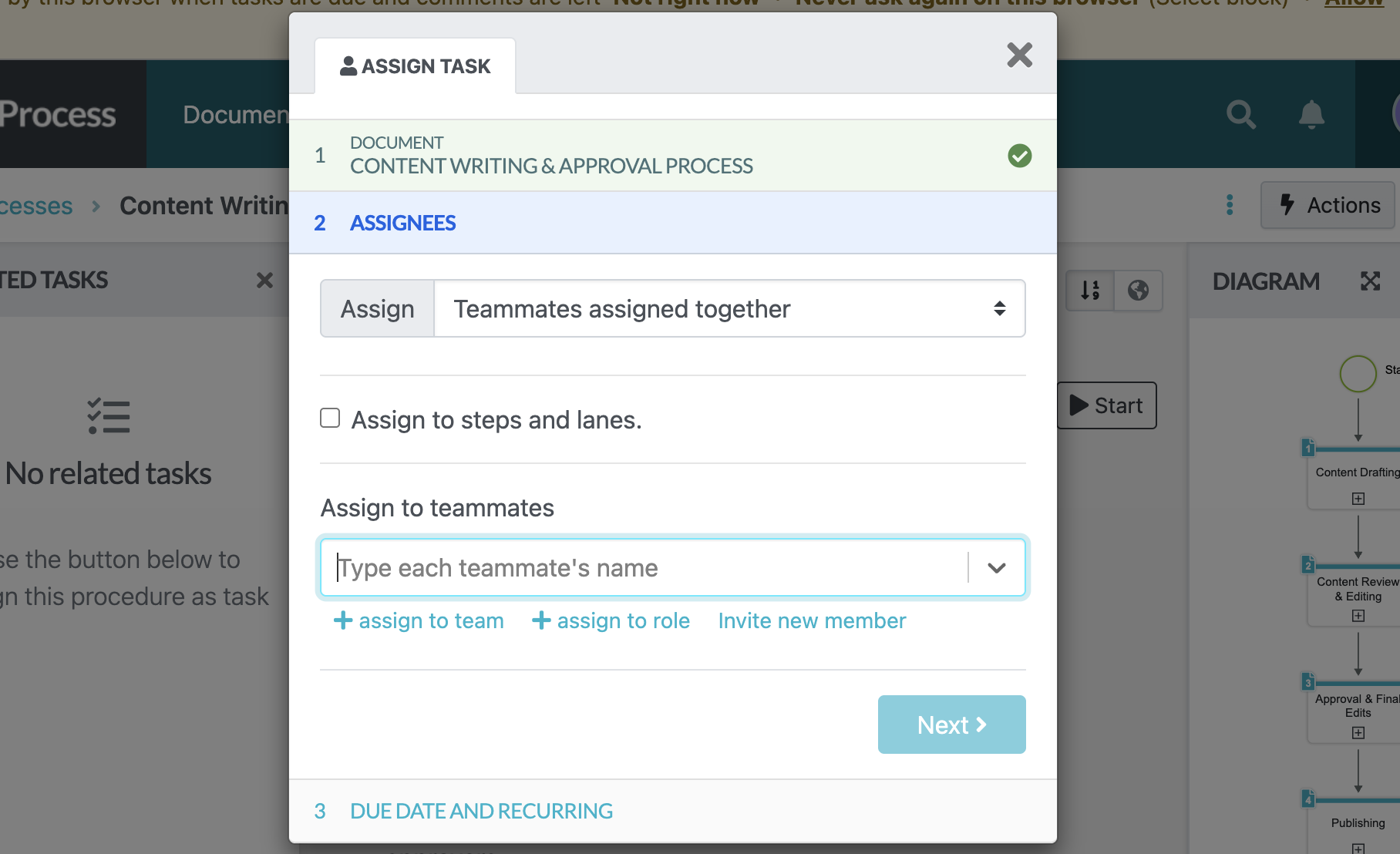
Here, you can add the specific team member and due dates to make management easier.
Team leads can also monitor completion status and spot bottlenecks without picking up the phone or sending an email.
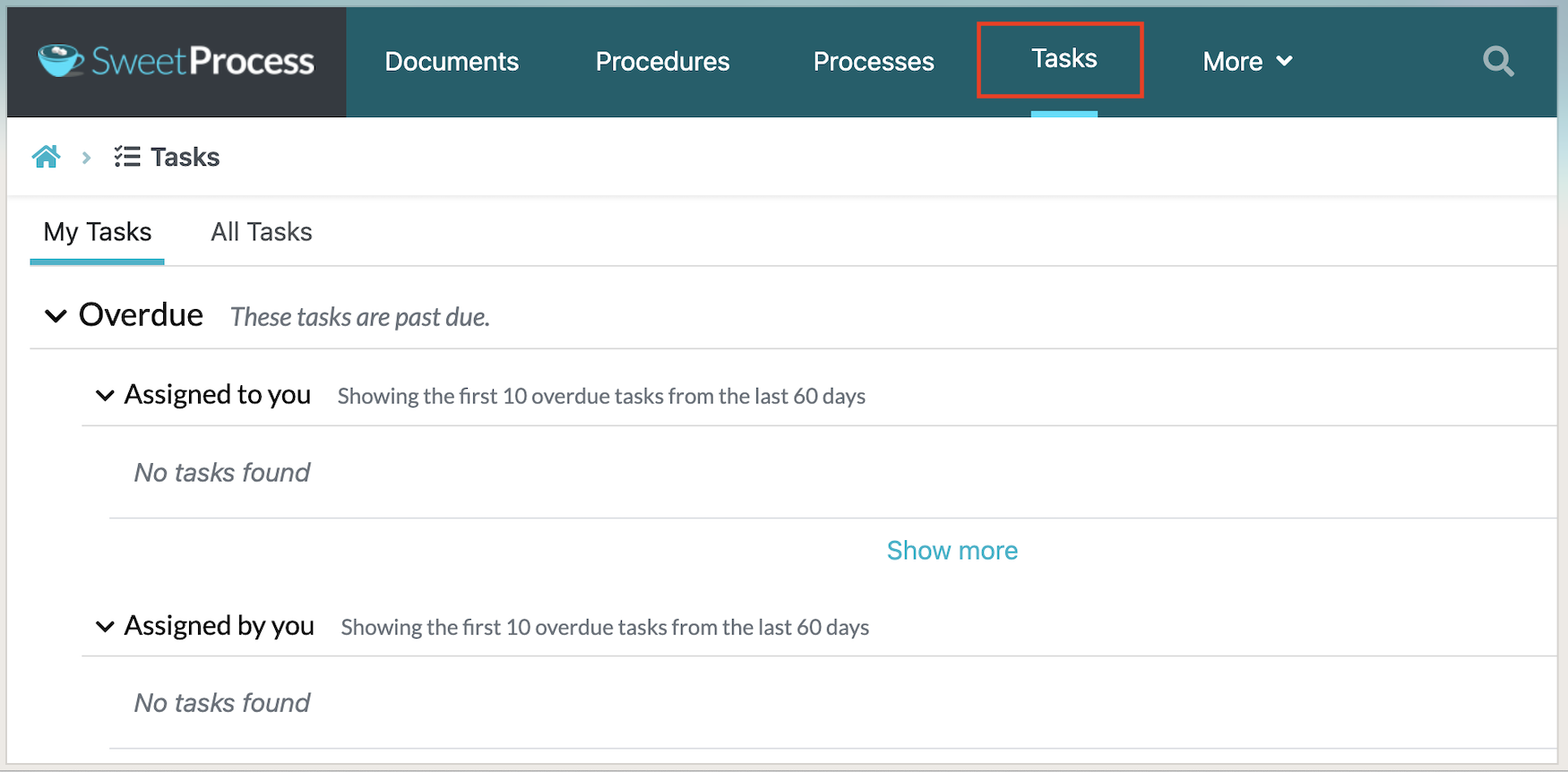
With these features, processes become part of your team’s daily workflow and accountability system.
Recording Procedures Using the Chrome Extension
With the SweetProcess Chrome extension, you can record a workflow as you perform it, automatically capturing each step.
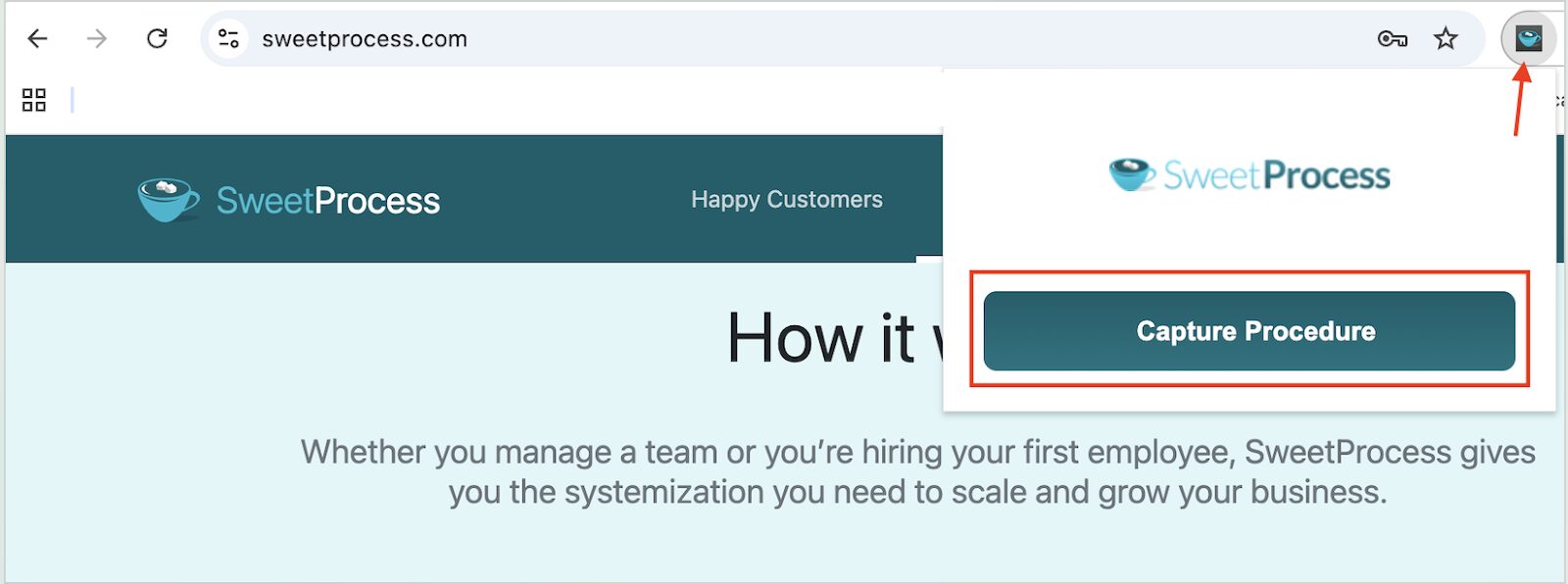
Instead of writing documentation from scratch, you can record and compile the steps into a procedure you can save and share.
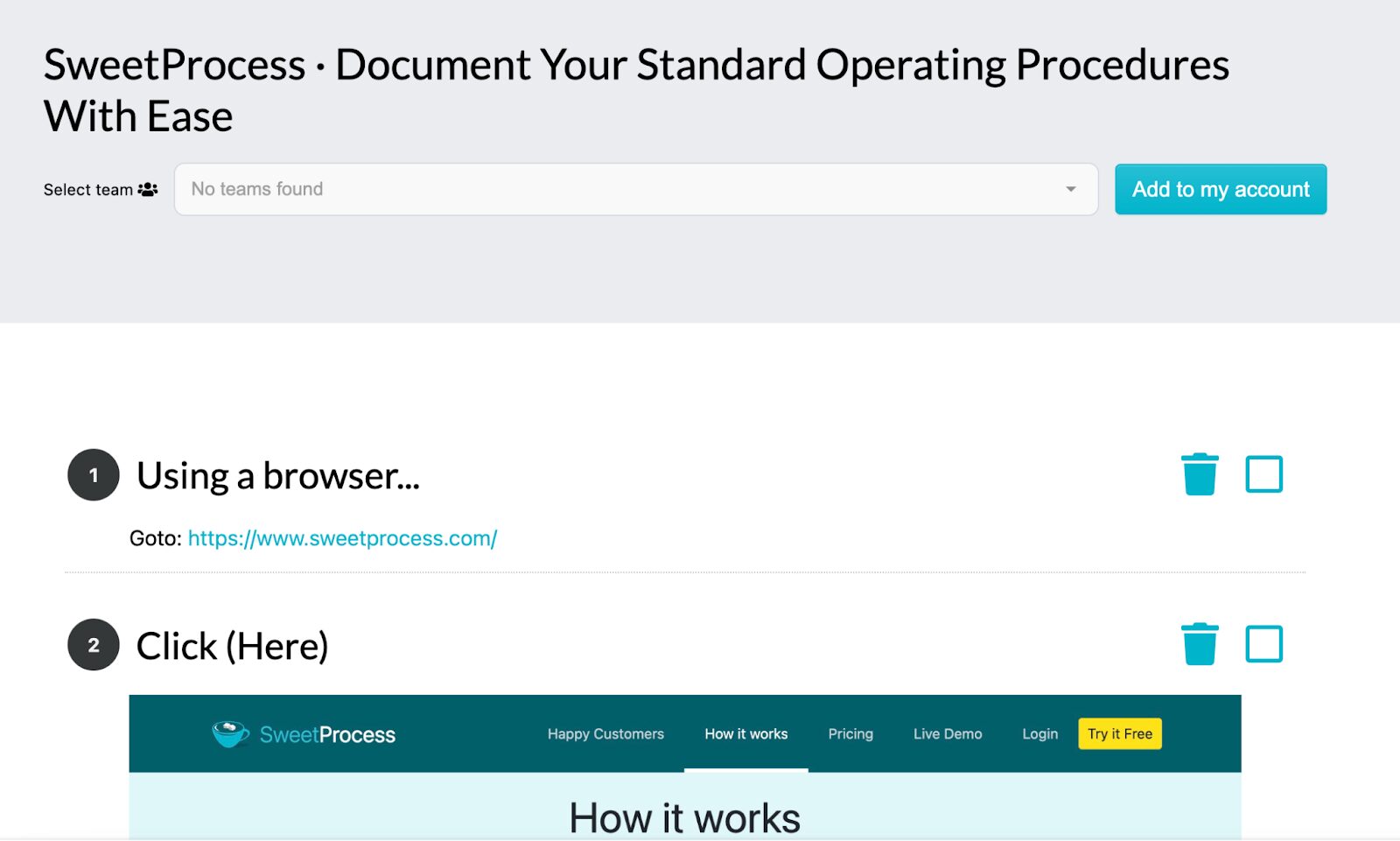
With this Chrome extension, you can make it faster and more accurate to document repetitive tasks, especially for teams that prefer practical learning.
Turn Documented Processes Into Knowledge Bases
Your team needs a centralized reference point for all your company information. SweetProcess enables you to turn your procedures into a branded knowledge base that can be shared internally or externally.
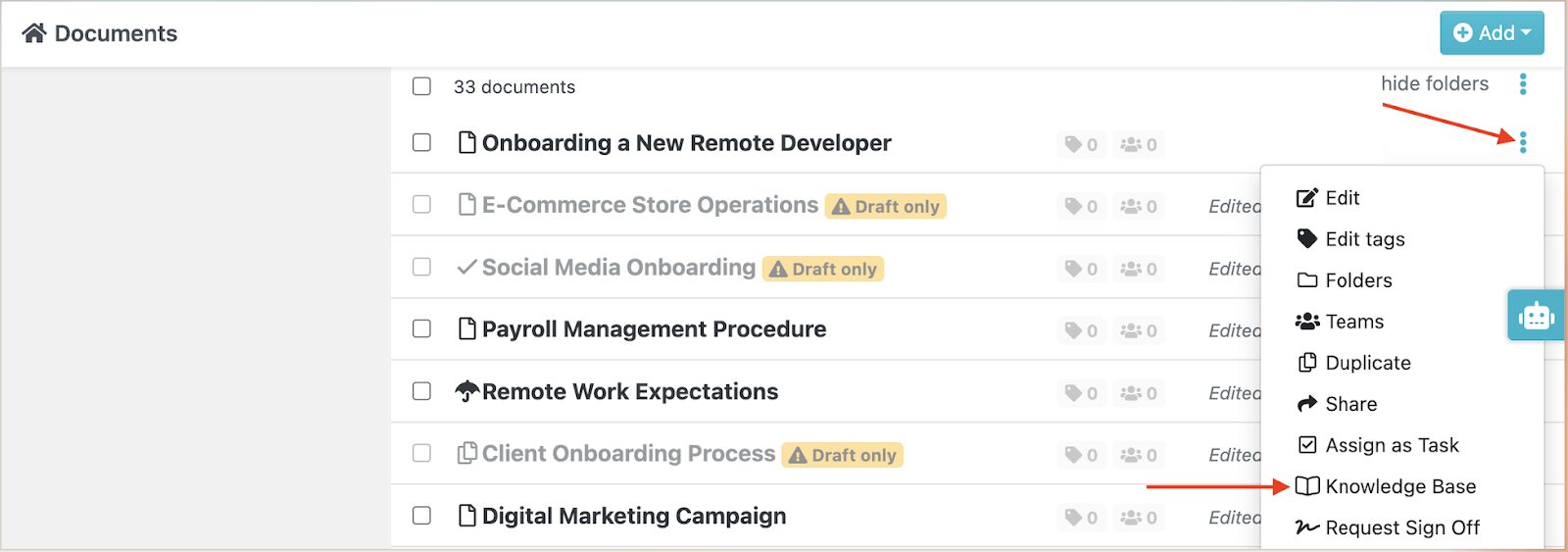
You can select which documents to include and customize access. This way, company documentation is easy to find using the search button on the SweetProcess dashboard. Knowledge bases are essential for business functions such as training and onboarding, since they provide consistent information to clients or teams.
Tracking Version History
SweetProcess gives you full version control with built-in approval chains. Every edit is tracked, every approval is logged.
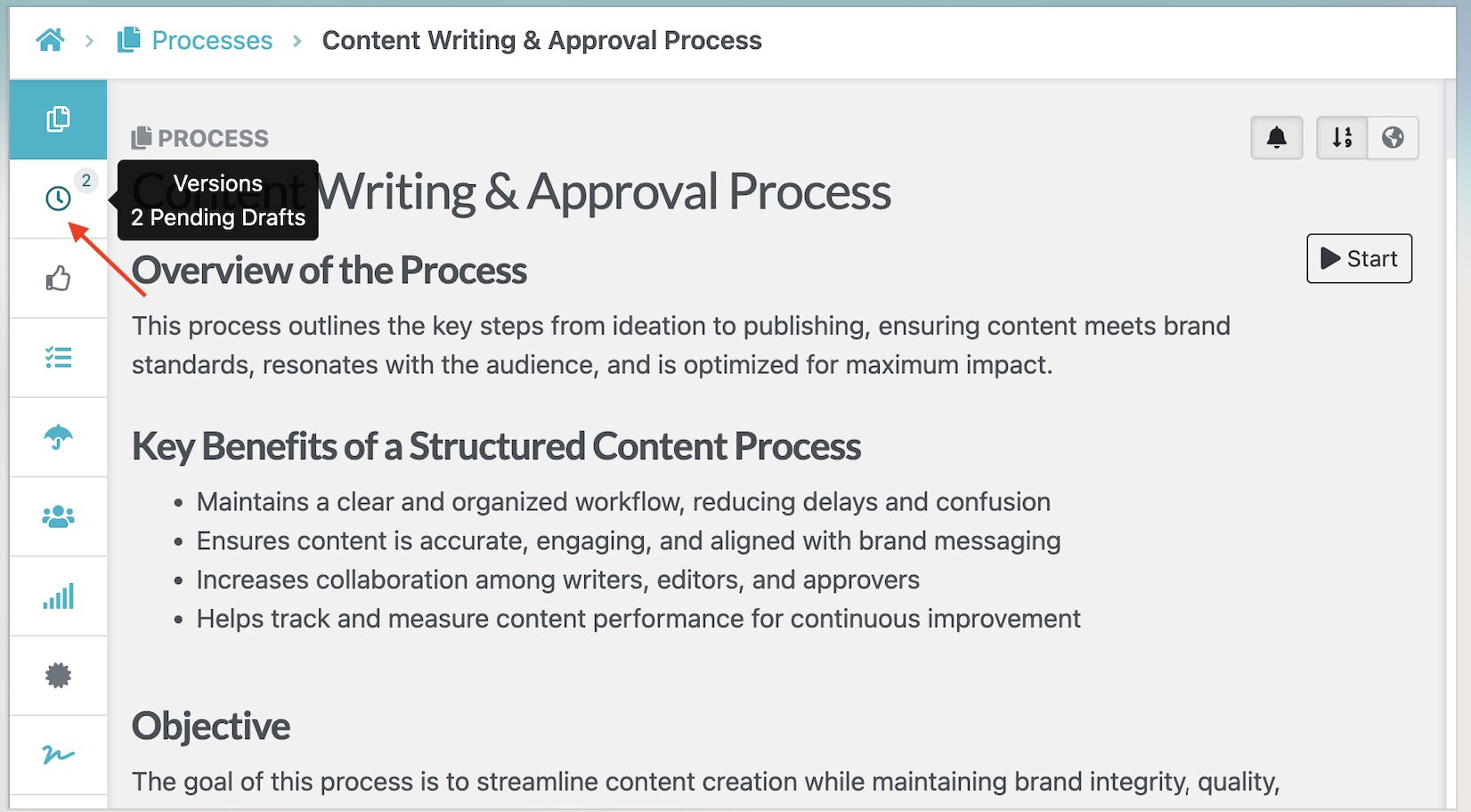
This feature is useful for teams managing compliance-sensitive workflows.
Teams & Role-Based Access
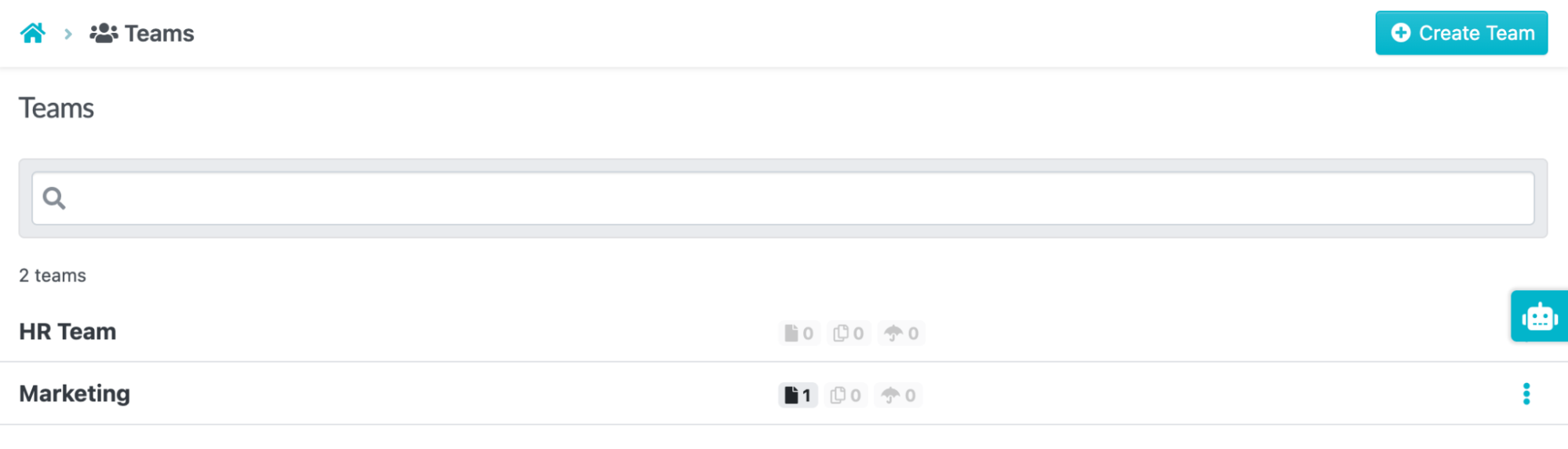
Company processes can be segmented so they are accessible only to specific team members or departments. With SweetProcess, you can create teams from the “Teams” tab and share relevant documents only with them.
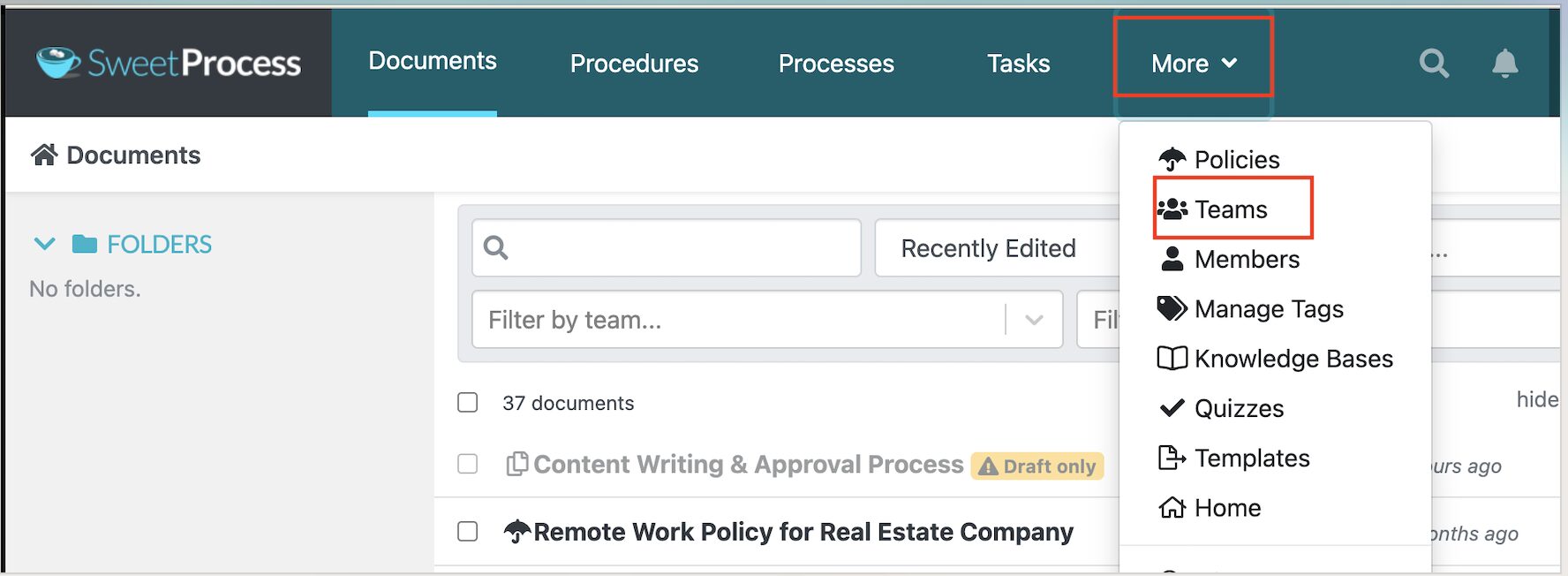
Organizing processes by department controls who sees what and keeps sensitive information secure.
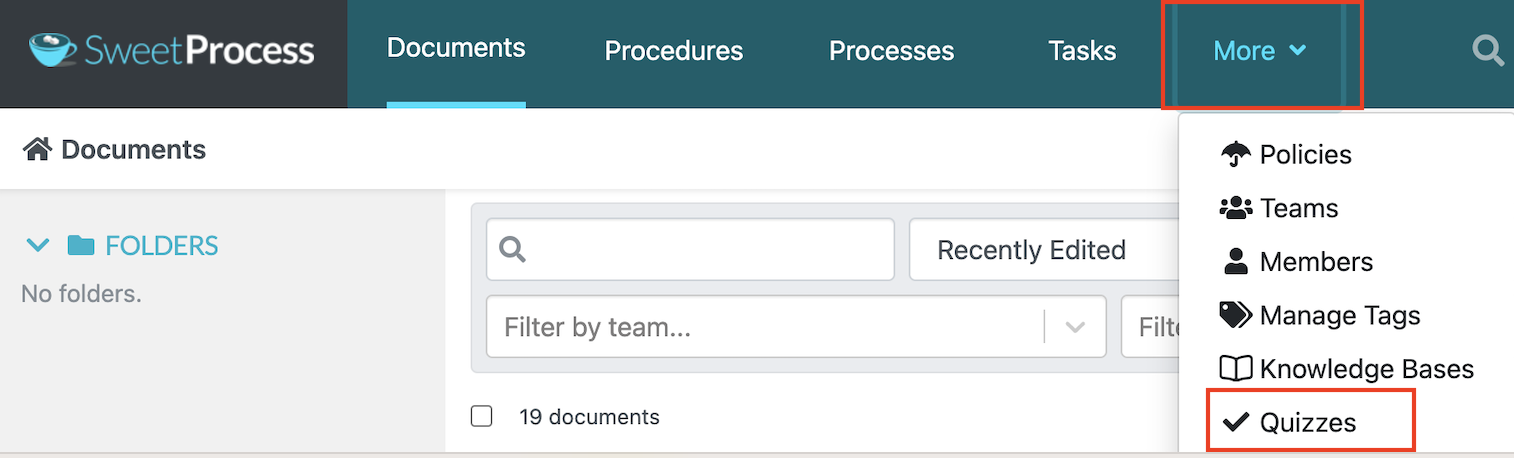
Testing Processes With Quizzes
To test whether employees actually understood the process, you can use the built-in quizzes on SweetProcess.
As you edit the quiz details, you can add a duration and also a pass mark to standardize the tests.
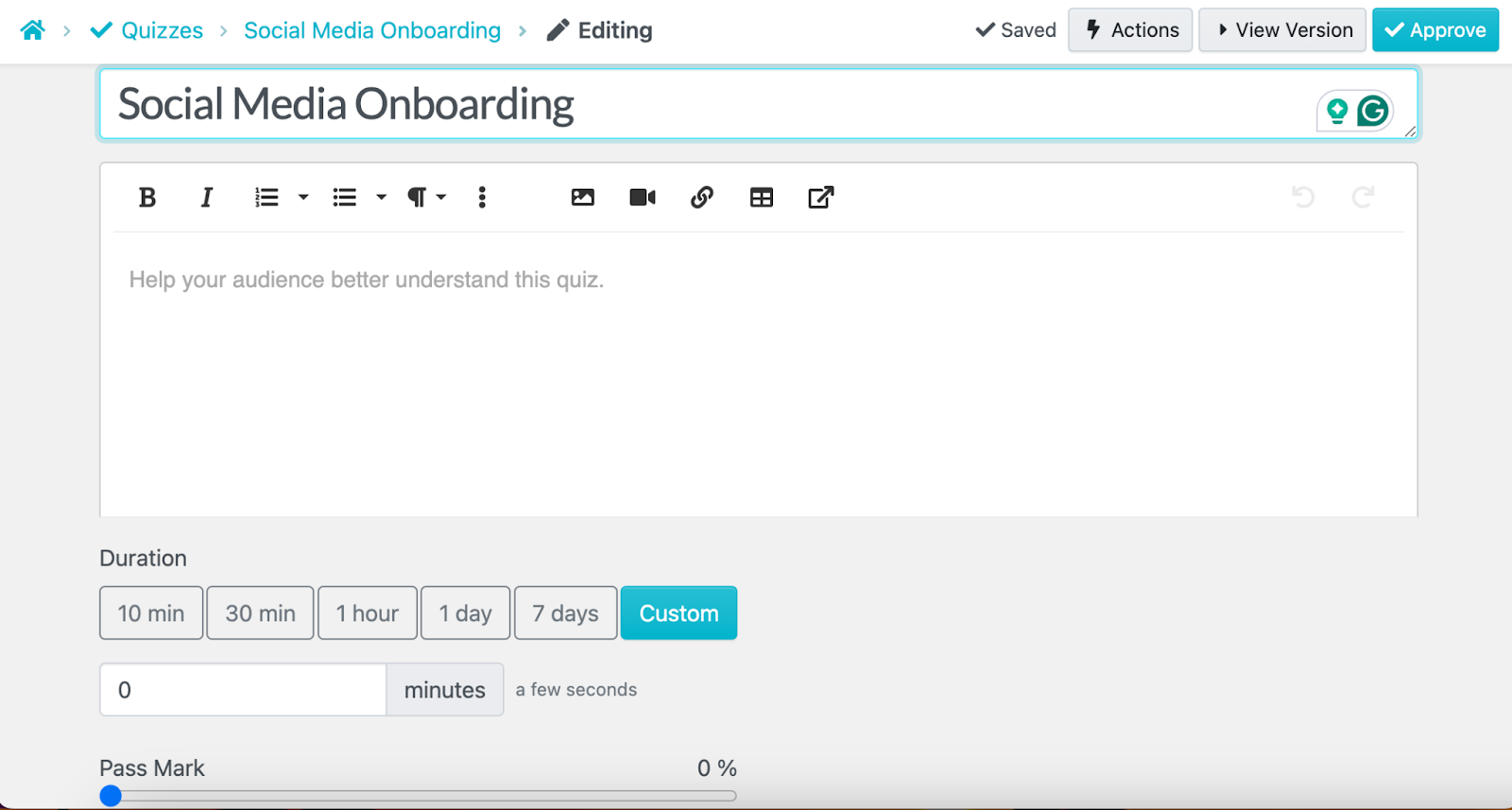
SweetProcess quizzes are quite flexible; you can add open-ended or multiple-choice questions depending on your goal.

Once the team completes the quiz, you can identify which employees require more training and support.
SweetProcess Pricing
To use SweetProcess, you’ll start with a 14-day free trial to familiarize yourself with the tool and determine whether it’s a good fit.
Once you’re ready to upgrade, we offer two simple plans: the Standard Plan at $99/month or $990/year for up to 10 users, and a small team plan at $495/year for up to 5 users. Additional users for the small team will cost $50/year per user. The charges are made based on the number of users on your team, not per active user.
Every user gets full access to all features regardless of plan.
In cases where your team changes, for example, adding or removing a user, the billing will change automatically and efficiently in the next billing cycle. SweetProcess also offers a 30-day money-back guarantee, including a free one-hour consultation call.
Kissflow: Best for Simple No-Code Workflow Automation

Image source: Kissflow
Overview of Kissflow
Kissflow has evolved significantly since it launched as a simple workflow tool. Today, it’s a comprehensive no-code/low-code platform that combines workflow automation, case management, project tracking, and application development in a single interface.
What stands out is Kissflow’s balance of accessibility and power. Non-technical process owners can build and modify automated workflows without IT tickets, while internal developers can extend the platform with more complex logic when needed. The drag-and-drop builder genuinely delivers on the no-code promise.
The biggest limitation, according to multiple users, is the features that can feel rigid when processes become complex. Users are looking for robust integrations and customizations capable of handling extensive operations. SweetProcess wins on SOP documentation depth and ease of adoption for non-technical operations teams.
Key Features
- No-code workflow builder with drag-and-drop process design
- AI-powered process builder to automate tasks
- Automated task routing with conditional logic and approvals
- Centralized dashboard for tracking workflows
- Built-in analytics and reporting for process optimization
Kissflow Pricing
The basic Kissflow plan starts at $1,500 per month and provides access to a limited set of features. To get unlimited integrations, customizations, advanced analytics, and AI Copilot, you’ll need to contact the team for the Flexible plan.
Monday.com: Best for Team Collaboration and Project Workflows
Image source: Monday.com
Overview of Monday.com
Monday.com is one of the most popular work management platforms in the world, and for good reason. Its visual board interface is intuitive, with a template library that covers multiple use cases. This process management tool is highly scalable, making it ideal for both small teams and enterprises.
Its strength lies in the collaboration. If your team already uses Monday.com for project management, it becomes easier to add process workflows to existing boards. However, users have faulted this tool for missing features, as some don’t update automatically. It also has a learning curve for new users trying to understand how to use the boards and workspaces.
Monday.com is a project management tool first. Because of this, it doesn’t offer native SOP documentation depth, knowledge base functionality, or approval workflows that purpose-built process tools like SweetProcess do.
Key Features
- Visual workflow management with boards, including Kanban, timeline, and Gantt
- Custom workflow automation with rule-based triggers
- Real-time collaboration with comments and file sharing
- 200+ integrations with tools like Slack, Jira, and Google Workspace
- Dashboard reporting for tracking projects and team performance
Monday.com Pricing
Monday.com offers five pricing tiers. The Forever Free plan is restricted to two users and up to three boards. To access more boards and AI support, you can opt for the Basic plan at $9 per seat per month, the Standard plan at $12 per seat per month, the Pro plan at $19 per seat per month, or contact the team for a custom price for the Enterprise tier.
ProcessMaker: Best for AI-Powered Process Automation

Image source: ProcessMaker
Overview of ProcessMaker
ProcessMaker is a capable BPM platform for teams that need structured approval routing, AI automations, role-based access controls, and the ability to extend workflows with custom scripts.
What stands out with this tool is its AI-powered document intelligence. Teams in data-heavy environments such as finance and insurance can extract structured data from uploaded documents using AI classification and automatically feed that data into workflow logic.
The biggest limitation is that ProcessMaker offers no free trial; the pricing starts at $3,000 per month, billed annually. Reviewers also flag bugs on the platform that can be a significant barrier to operations. While it caters to complex, multi-department automation, SweetProcess is faster to deploy and better suited for task tracking without a development backlog.
Key Features
- AI-powered automation with generative AI tools and agents
- BPMN-compliant workflow and process modeling with drag-and-drop builder
- Pre-built process templates for faster deployment
- Centralized process management with access controls and audit trails
- Enterprise-grade security and compliance features
ProcessMaker Pricing
ProcessMaker pricing typically starts at around $3,000 per month. However, you can upgrade to the Professional or Enterprise plans which give you access to more automations as well as Process Intelligence. Contact the team for the premium plans.
Appian: Best for Enterprise-Grade Process Orchestration
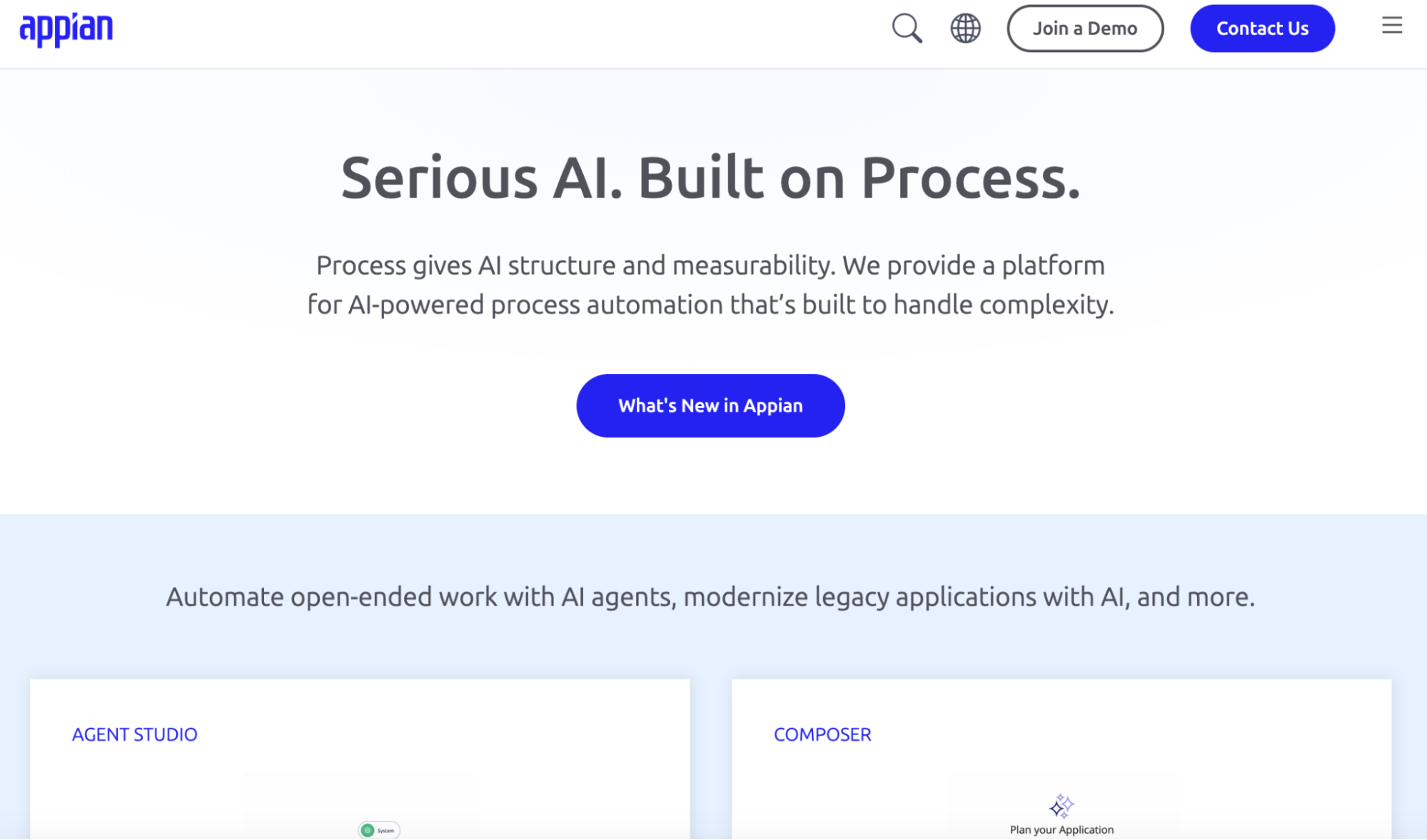
Image source: Appian
Overview of Appian
Appian unifies workflow automation, case management, RPA bots, AI modules, and a data layer that connects information from multiple enterprise systems without requiring full data migration. These features make it powerful for large organizations with multi-department process orchestration needs.
With Appian, you can automate processes across ERP systems and custom databases while maintaining strict audit trails and compliance controls.
Reviewers consistently point out that Appian has a steep learning curve and limited UI customization compared to modern web frameworks. This alone makes SweetProcess and other intuitive tools like Monday.com a better alternative in terms of usability.
Key Features
- Low-code platform for building workflow and business applications
- Process orchestration across people, systems, bots, and AI
- Integrated robotic process automation (RPA) and decision automation tools
- Real-time analytics and process monitoring dashboards
Appian Pricing
To use Appian for process management, you’ll need to choose between three pricing tiers: Standard, Advanced, and Premium. However, the company doesn’t publicly list any actual prices on the website.
Nintex: Best for Document-Heavy Process Automation
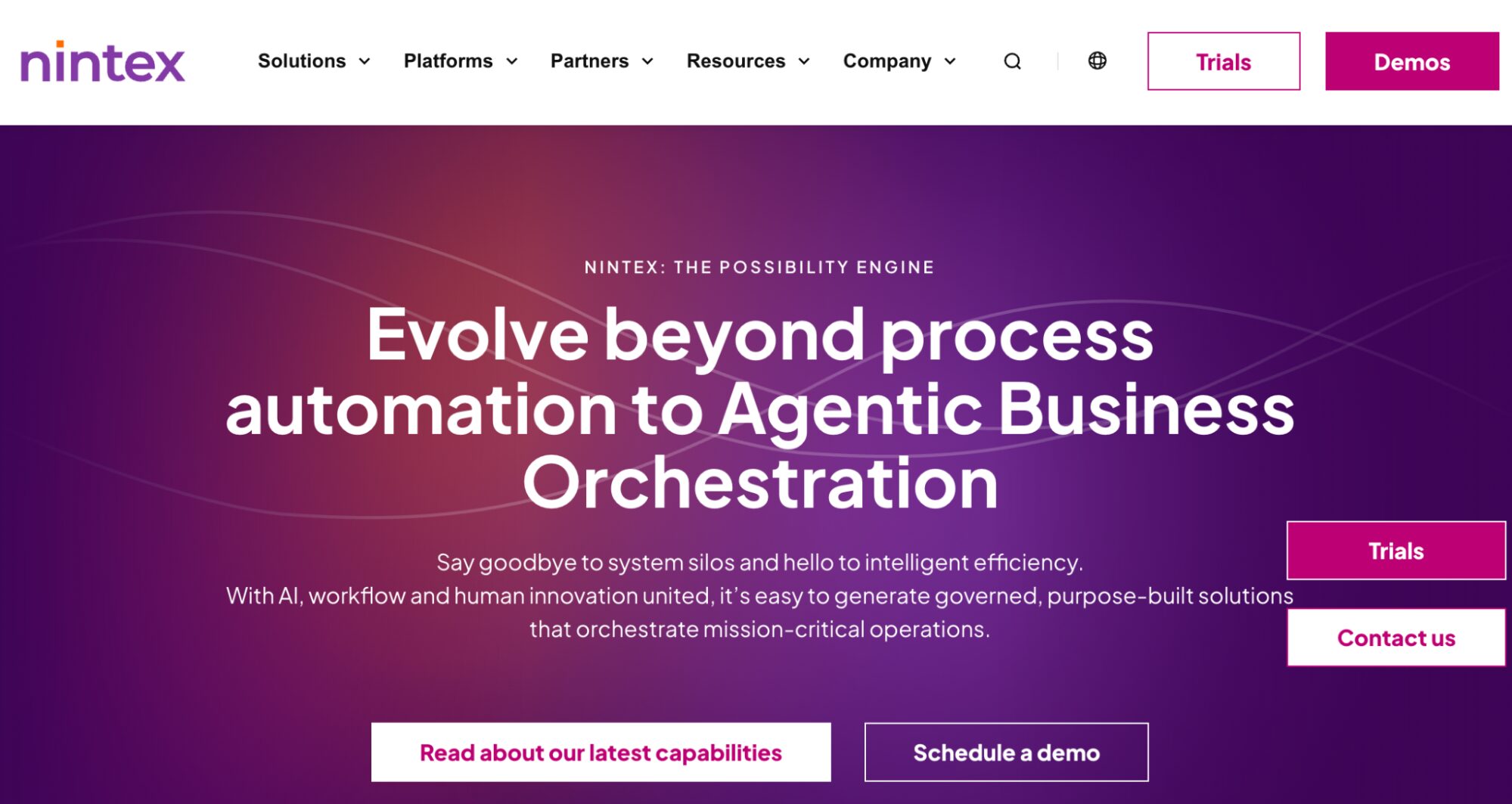
Image source: Nintex
Overview of Nintex
Nintex is purposely built for process automation. This tool has recently introduced agentic business orchestration capabilities to help organizations scale their AI-led automations. Whether you are an IT leader, finance specialist, CFO, in manufacturing, or government, you can use Nintex to eliminate information silos across your company processes.
By bringing people, AI agents, and systems together, Nintex refines workflows in real time while ensuring your team remains compliant with regulations. It also integrates deeply with the Microsoft and Salesforce ecosystems.
According to some Nintex users, licensing can be costly for smaller teams, and complex workflows can be difficult to manage. Therefore, costs can become difficult to manage as automation scales compared with other tools on the list.
Key Features
- Integrations with Microsoft 365, Salesforce, and enterprise systems
- Drag-and-drop workflow automation builder
- Document generation and e-signature automation
- RPA for repetitive task management
- Process mapping and optimization tools
Nintex Pricing
Nintex offers multiple free trials for different products. You can choose the automation that matches your company’s goals. However, they don’t list the product costs; you have to contact the team.
Microsoft Power Automate: Best for Microsoft 365 Ecosystems
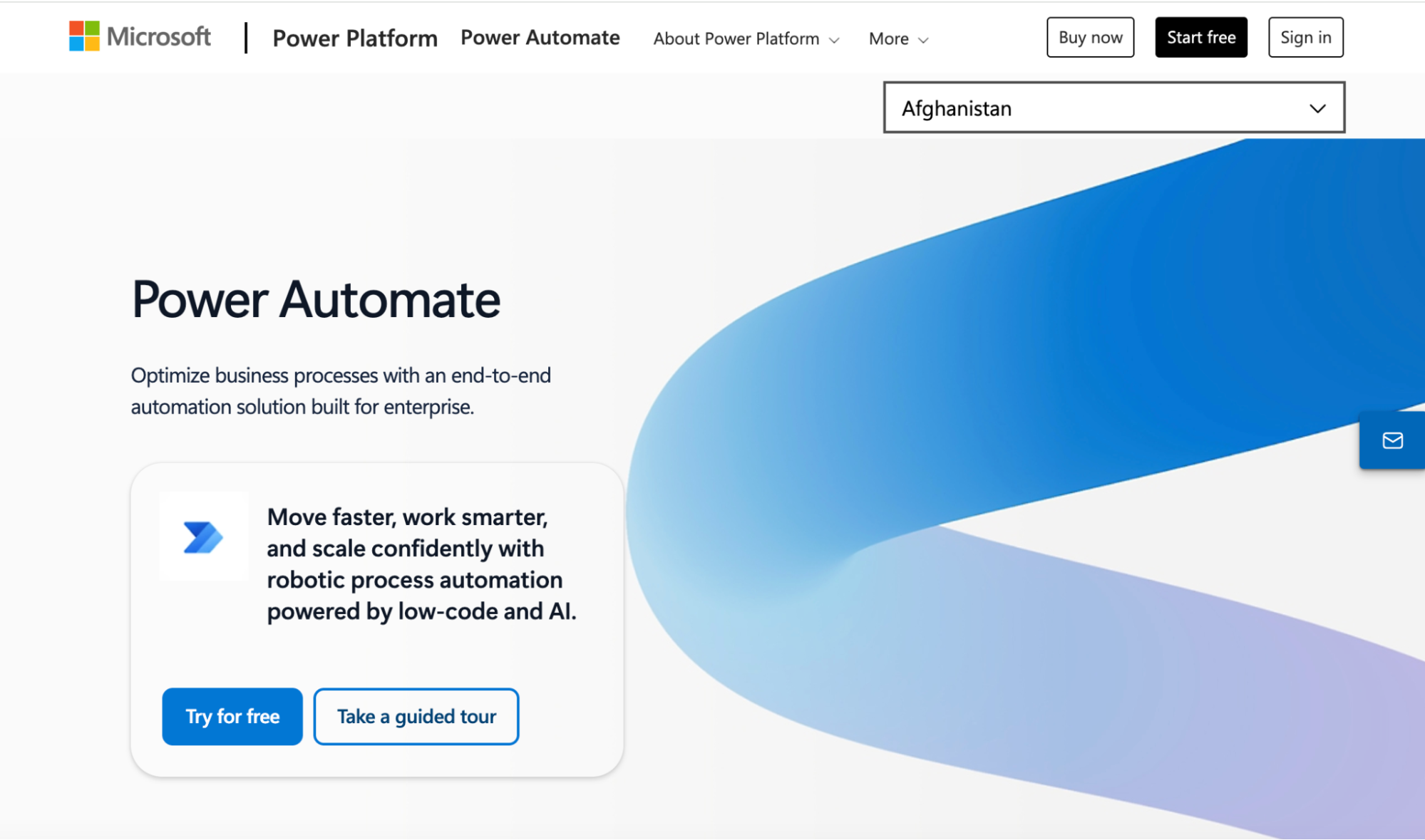
Image source: Microsoft Power Automate
Overview of Microsoft Power Automate
If your team runs on Microsoft 365, Power Automate might be the most natural process automation layer to add. It has native integration with the M365 ecosystem. It also offers 300+ connectors and no-code/low-code workflow building that plugs directly into the tools your team already uses every day.
The biggest limitation with this tool is complexity at scale. Power Automate’s licensing structure can be confusing, and some premium connectors require costly licenses. Users frequently mention that building advanced automations has a steep learning curve. If your goal is a simpler, more structured process management approach, SweetProcess is a great alternative, regardless of your tech stack.
Key Features
- Desktop workflow automation via robotic process automation (RPA)
- 1,000+ connectors across Microsoft and third-party apps
- Cloud digital process automation (DPA)
- AI-powered automation with Copilot and AI Builder
- Process mining and analytics for workflow optimization
Microsoft Power Automate Pricing
This process management software offers a 30-day free trial that gives users access to premium features. You can also subscribe to the Power Automate Premium at $15 per user per month, or the Power Automate Process plan at $150 per bot per month, both billed annually.
Process Street: Best for Checklist-Based Recurring Workflows
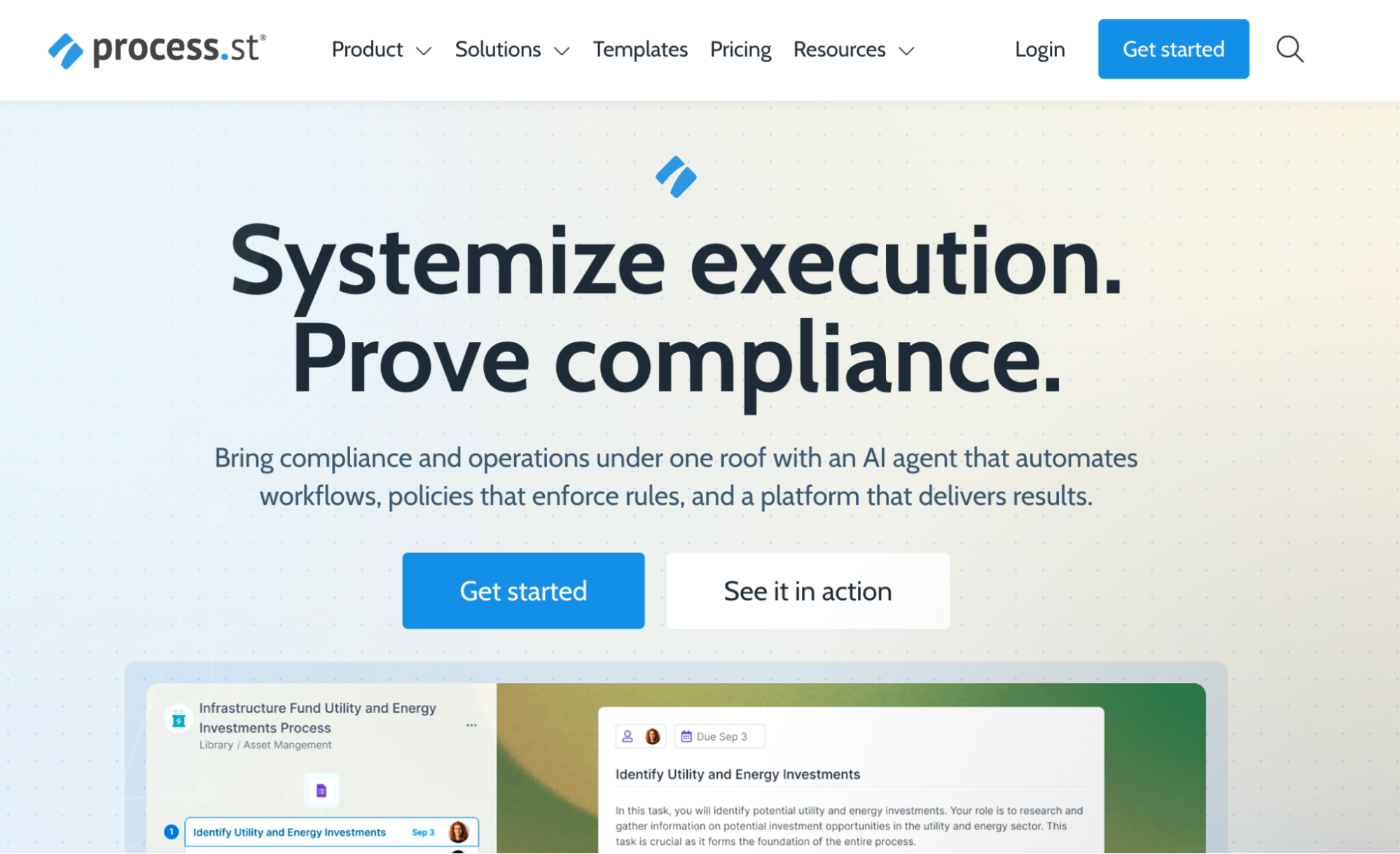
Image source: Process Street
Overview of Process Street
Process Street is a compliance operation platform that uses a checklist model. Organizations can use it for managing recurring, structured processes such as employee onboarding and client intake. In addition to automating custom workflows, it also provides users with Cora, an embedded AI compliance agent that monitors regulations in real time and flags process risks.
Thanks to its conditional logic capabilities and integration with 5,000+ tools, this tool is a capable operations platform for teams that follow strict operational steps. While Process Street excels for compliance-heavy teams, users could benefit from a modernized UI. An improved interface would enhance the experience for technical users.
Key Features
- Checklist-based workflows for recurring processes
- Conditional logic for adaptive workflows
- Task assignments and due date tracking
- Workflow templates for quick process setup
- Real-time collaboration and data capture within workflows
Process Street Pricing
Process Street offers three pricing tiers: Startup, Pro, and Enterprise. If you have a small team, you can start with the Startup plan that covers five users. The other two plans can be customized to suit your business needs. Unlike tools like SweetProcess that list their transparent pricing, you have to contact the Process Street team to get the actual costs.
How Real Companies Use Process Management Software
While features tell you what a tool can do, case studies show you how the software operates once it’s integrated into a real company. Here’s how two companies stopped relying on tribal knowledge and built operational systems with SweetProcess:
Marketing agency GDL Systems had been struggling with ineffective documentation. They initially used Google Docs, but over time, the system became unsustainable because employees didn’t use it, leading to errors that negatively affected service delivery. These bottlenecks led the co-founder and CEO, Juan Pablo Roscoe, to seek a reliable tool, ultimately leading him to SweetProcess.
Once implemented, the team began documenting procedures in a way that was easy to follow and update. He says, “We now have a systems mindset. If you see a problem, you solve the problem, and you document how you solved the problem.” What was once scattered knowledge became a centralized system that the entire team could rely on.
UK-based managed IT service provider CloudTech24 experienced a similar problem. They needed a way to standardize existing processes across departments. The technical director, Andrew Dale, shares, “The system that we used for most of our documentation before was specifically IT-related. It was only relevant to the service test team, and it didn’t make sense for other members of the business to have access to it.”
After searching for a better solution, the team discovered SweetProcess and signed up for a trial. It quickly became their central hub for documenting and managing workflows. With SweetProcess, they were able to track recurring tasks and build a shared knowledge base accessible to everyone. They also created a consistent way of working across the entire business.
You can achieve the same organizational consistency as these two organizations by signing up for a SweetProcess account. Start your free trial here!
Core Features To Look For in Process Management Software
Before you commit to any platform, here are the six features that actually determine whether a process management tool delivers long-term value or becomes an expensive folder nobody opens.
SOP and Documentation Management
The foundation of any process management platform is its ability to capture how work gets done in sufficient detail so that someone who has never done the job before can follow the steps and achieve a consistent result.
Look for a tool that supports SOP management. You should be able to add step-by-step procedures and rich media for employees to follow.
Additionally, it should be a comprehensive process documentation tool that allows you to consolidate all your company information and eliminate tribal knowledge.
Workflow Automation and Collaboration
Documenting a process is step one. The key step is making sure that it runs consistently, on time, with the right people involved. Your choice of process management tool should have workflow automation that lets you trigger tasks based on conditions and approvals.
For instance, an onboarding process should trigger steps from the time a new hire receives a confirmation until they report to work. At the same time, the tool should let multiple people contribute to a workflow simultaneously without creating version conflicts. Effective workflow management should reduce the back-and-forth among teams.
Task Assignment and Tracking
Can you effectively assign tasks and view the progress with your current process management software? Your documented processes require an accountability system. The best platforms let you assign specific steps to specific people, set due dates, and track completion in real time, so managers have visibility into what’s done and what’s in progress without having to ask.
This feature turns your static SOPs into a live, trackable workflow.
AI Capabilities
AI-powered process documentation has become a key differentiator for tools. This technology streamlines processes by eliminating unnecessary steps and reducing errors. For instance, SweetAI by SweetProcess handles procedure and policy generation, significantly reducing the time required to document processes.
As you evaluate tools, it’s important to factor in whether they offer AI documentation capabilities.
Integration With Other Tools
Even though you’re searching for the best process management options in the market right now, you already have some existing business tools. You need to evaluate whether the software has integration capabilities to work alongside what your team uses.
Look for native integrations with communication platforms and automation connectors, such as Zapier, that extend the platform’s reach without custom development. Be realistic about which integrations you actually need versus which look impressive in a demo.
Searchable Knowledge Base
What’s the point of documenting your processes if the team can’t trace them when they need them? It’s essential to implement a tool that provides a searchable, well-organized knowledge base. Look out for:
- Clear navigation
- Search functionality
- Easy-to-use editor to name your documents
- Features to control who sees what based on their role
Most process management tools make you choose between one or two features. But with SweetProcess, you get SOP documentation, workflow automation, task tracking, AI-powered procedure generation, and a searchable knowledge base, all in a single platform. Start your free 14-day trial today.
Benefits of Using Process Management Software
Still not convinced as to why you need to use process management software? Here are the benefits your business will get, each grounded in real outcomes from teams that made the switch.
Standardized Workflows and Procedures
If there’s no process standardization, your company will waste a lot of resources solving problems from scratch. Process management software standardizes workflows by defining and enforcing consistent, documented procedures to ensure predictable, repeatable processes. With this system in place, everyone follows the same, well-defined process.
This was the case for GDL Systems once they started documenting their core service delivery workflows on SweetProcess. All the procedures are now managed in a knowledge base that every employee can access. They can now maintain high-quality services for their customers.
Better Employee Onboarding and Training
A business process management tool standardizes and automates the onboarding process. It eliminates manual tasks such as creating new user accounts and granting system access. Once hired, new employees can quickly familiarize themselves with their roles and start working.
If your employee training is slow, you need to implement a process management tool like Profinium Bank. With documented training materials, employees can also reference the documents independently from day one and reach full productivity faster.
Enhanced Accountability and Transparency
With BPM software in place, it’s easy to see who is responsible for what and to track progress. Team members know their responsibilities and see how their work contributes to the overall process, which fosters a culture of accountability.
Organizations gain real-time visibility into workflows, enabling them to identify bottlenecks and areas for improvement. ClickFunnels used SweetProcess to document everything. When an employee leaves the organization, they have a record of all the responsibilities and how to execute their tasks. This form of transparency keeps employees on track.
Faster Scaling and Process Improvement
What are your growth plans for the next few years? You might need a process management tool to help you identify bottlenecks and areas for improvement. It comes in handy when scaling by giving businesses access to advanced features such as AI capabilities and company-wide management tools.
For a company like CloudTech24, the biggest pain point was that their systems could only cover some departments, such as the service desk. Therefore, to scale and provide this documentation to other teams in the organization, they adopted SweetProcess, which improved their process management.
Ready to turn these benefits into real results for your team? Start managing and scaling your processes with SweetProcess. Try it here!
How To Choose the Right Process Management Software
It’s time to pick a process management tool for your business. What should you factor in? Here’s how to work through that decision.
Evaluate Your Business Needs
Start with the problem you’re actually trying to solve. Process management software covers a wide spectrum, from enterprise BPM platforms like Appian and Nintex to simple checklist systems like Process Street to AI-powered automation on ProcessMaker. If you’re handling multi-system workflows for a large enterprise with complex compliance requirements, a lightweight tool won’t cover it.
Consider Technical Capacity
Be honest about your team’s appetite for complexity. Tools such as ProcessMaker require meaningful setup and ongoing configuration. On the other hand, SweetProcess and Monday.com are designed to be up and running in hours for small teams. If your organization doesn’t have dedicated IT resources to own the implementation, that should weigh heavily in your decision.
Focus on Pricing
As you evaluate the tools on this list, consider the hidden costs. A few tools, such as SweetProcess, Microsoft Power Automate, and Monday.com, list pricing for most of their plans. Before you commit to any platform, map out the cost at your current team size and at twice that size, and make sure no extra costs are waiting to hit you six months in.
Which Process Management Software Is Right for Your Company?
Most business process management software on this list was built for IT departments, enterprise architects, and development teams with months to implement and six-figure budgets. While tools like Appian, Nintex, and ProcessMaker are powerful, they may not be ideal for a 25-person operations team.
SweetProcess is built for the people who actually run the processes: operations managers, team leads, and business owners who need to get processes out of their heads and into a system that their team will actually use without needing a developer or a consulting firm to make it work. You get AI capabilities, checklists, automations, and task tracking in one tool.
If that’s you, the path forward is simple. Start your free 14-day SweetProcess trial, document one process, and see what it feels like when your team follows the same steps every time. No credit card is required; you can cancel anytime.