Last Updated on December 29, 2025 by Owen McGab Enaohwo
Employee training begins with onboarding. Then there’s the actual training session, which could take forever if you prefer to rely on Word or PDF manuals, tribal knowledge, or the popular method of shadowing senior staff. But do your senior staff have the time to train new people and meet all their deadlines? Are your new employees learning the right processes?
What your new hires need is a centralized, cloud-based repository where they can find not just information, but a tool for finding answers, leaving comments, and most importantly, feeling like they are already part of the team. The sooner they feel this way, the more value they willingly and instinctively provide.
Table of Contents
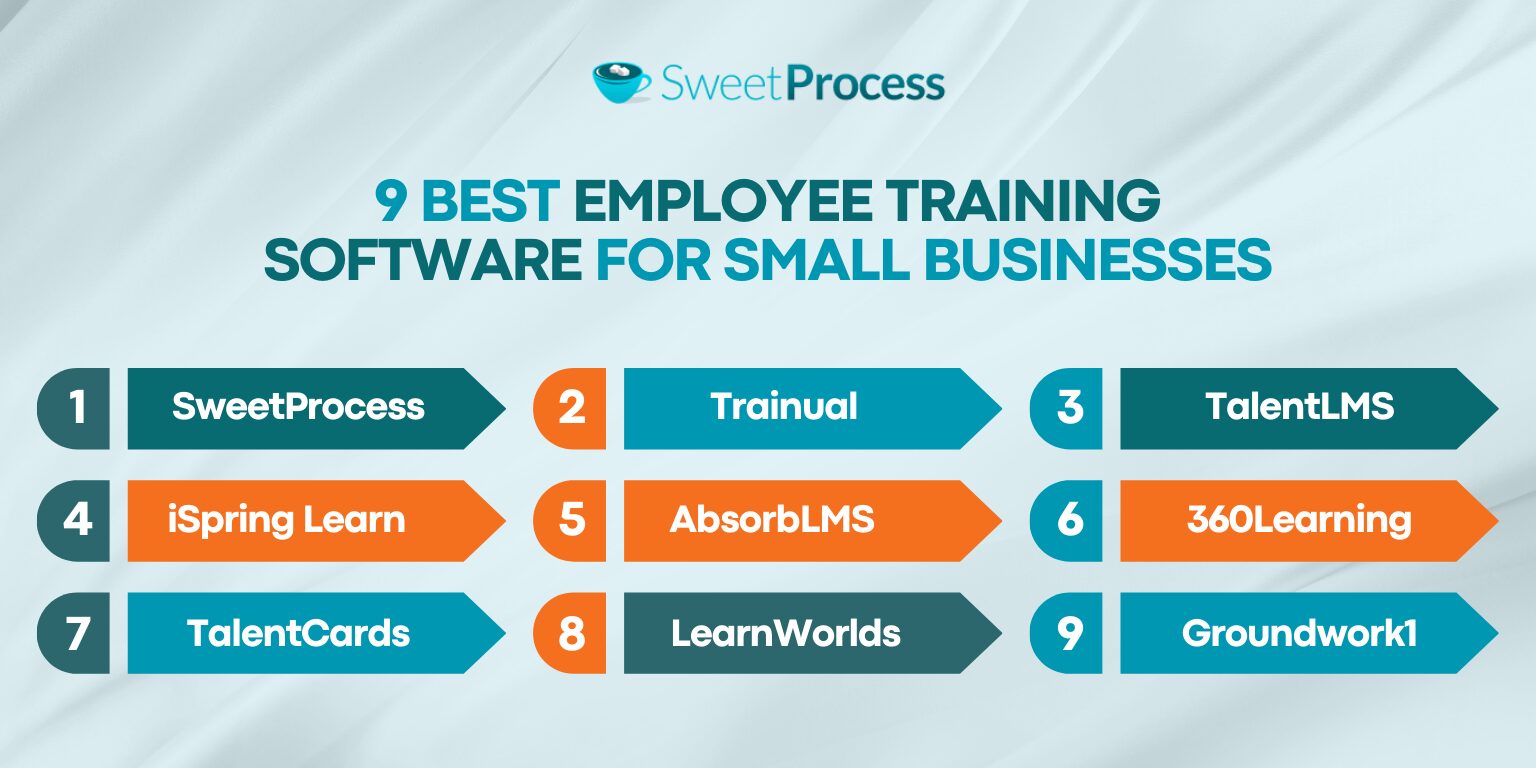
9 Best Employee Training Software for Small Businesses
- SweetProcess
- Trainual
- TalentLMS
- iSpring Learn
- AbsorbLMS
- 360Learning
- TalentCards
- LearnWorlds
- Groundwork1
Core Features To Consider Before Choosing an Employee Training Software
Benefits of Using Employee Training Software for Small Businesses
Which Employee Training Software Is Right For Your Company?
9 Best Employee Training Software for Small Businesses
1. SweetProcess

Overview
SweetProcess is all about “Focus on the work that matters.” Our workspace provides you with exactly what you need at any point in the workflow, with no superfluous options to overwhelm or distract you. As a process management platform, SweetProcess can optimize and organize almost any small business.
And it is affordable. Learn more here:
Features of SweetProcess
Before diving into the individual features, here is a screenshot of our workspace. Everything is in one place (via the top navigation menu), and you can go anywhere you like from here:

Please note the arrows: the Knowledge Bases link will take you to your knowledge bases, and with the Help link you can find answers to your queries in the official SweetProcess Knowledge Base.
Create Procedures and Policies for Employees Manually and With AI
Ideally, you’ll create a draft with AI and then refine it manually to perfection. You’ll be amazed at how fast work gets done when you have SweetAI by your side.
Manual Drafting
Here’s an overview of what you get when you do NOT choose the option to write directly with SweetAI (which you get while filling in the policy name). While we’re at it, we’ll also save everyone some time by pointing out the features of our workspace that our users actually take for granted. Please take note of the screenshot below.
As you can see, in the top-right corner, you’re shown who edited the draft last and when. If you wish to find all versions of the policy, along with who contributed to its creation, click the “View Version” button, top right, before the “Approve” button in blue.
The comments section appears by default, but you can turn it off.
The yellow message box to the left indicates that everything requires approval before publication. If you are new and unsure about the approval process, we’ve included a link to the relevant article below the warning message.
SweetAI appears to the extreme right of the page, along with its most relevant prompts. Additionally, there’s a chat box below with one of the most frequently needed queries already filled in.
Oh, and your work is auto-saved (top right—look at what comes right after the “Editing” button).

SweetAI Drafting
If you had used the option to write with SweetAI, this is a sample of what you’d get for the topic, with zero input about the details regarding your business:

You can edit this draft, insert images, embed videos and links, format the text any way you like—just look at the editing tools bar at the top of the workspace screenshot. As we said, everything you need is in one place.
Build a Knowledge Base for Employees Using SweetProcess
Click on the default “Public Knowledge Base” to reveal the other option:
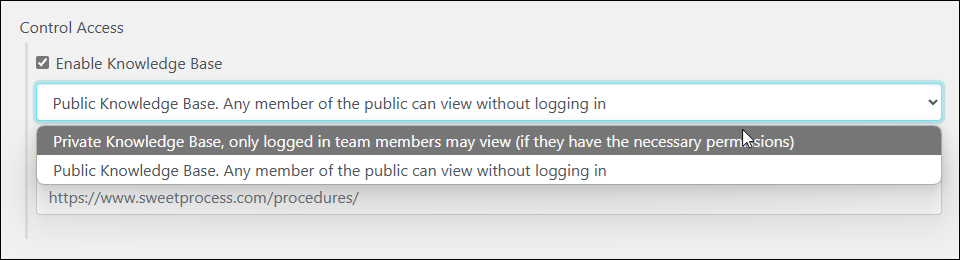
And here’s a screenshot from our SweetProcess knowledge base illustrating how a knowledge base is created:

Customize Employee Training Materials With Multimedia, Tables, and Forms
With our editing tool, you can create a fully formatted digital book if you like.
The screenshot below is of the interface for creating quizzes. It has all the main editor’s capabilities plus the ability to insert multiple-choice questions.
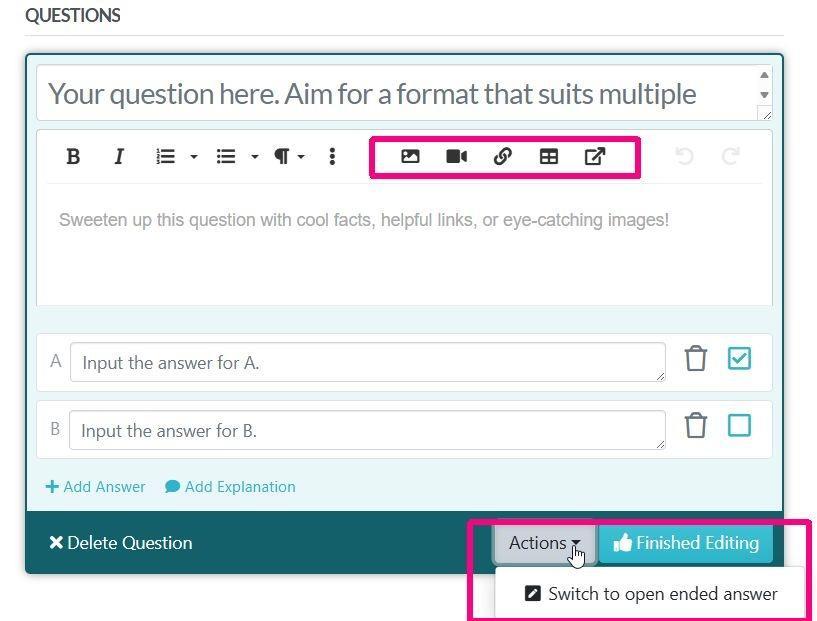
The icons to the left of the area enclosed in a red rectangle, top right, have everything you need to format your text. The icons inside the rectangle, from left to right, are for inserting and embedding images, videos, hyperlinks, tables, and linking to existing procedures, policies, and processes.
The multiple-choice format is visible in the draft. If you look at the other red rectangle, bottom left, there’s the option to switch to an open-ended answer.
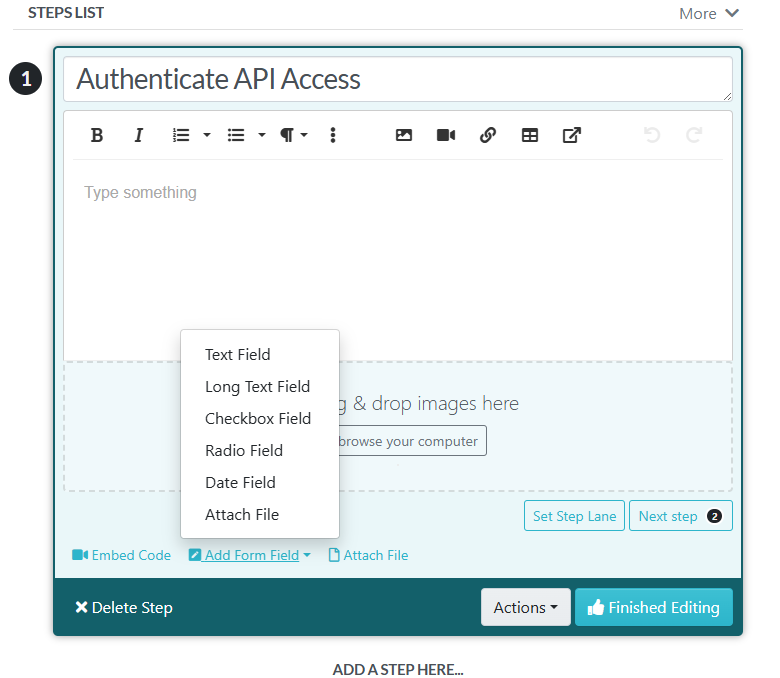
Finally, we have the interface when you’re editing individual steps of a procedure. You can insert forms, and the options for that become visible upon clicking the “Add Form” button:
Assign Training Tasks to Employees on SweetProcess
You can assign any policy or procedure as a task and track the assignment in real time.
Automatic notifications are sent as the task is assigned.
As we’ve shown you, forms can be embedded in procedures for trainees to complete. Since you can export everything, including timestamps and trainee names, this is great for compliance.
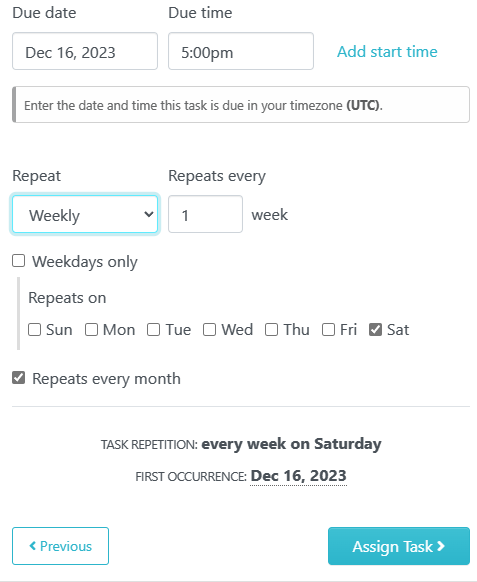
Set deadlines, decide whether a task should be repeated, and assign it to individuals or a group of trainees. Do whatever it takes to set up a training session and monitor it continuously.
Just to illustrate the level of micromanagement we offer, the screenshot below shows you the options for a task that repeats:
Monitor and Assess Training Progress on SweetProcess
Here’s an example of how nothing goes untracked in SweetProcess: note the “Version History” tab, top right, marked with a red rectangle:

If you are concerned about the kitty, click on “Version History” and you’ll get all relevant information about how it got there:

- Scroll through all versions of the document (left panel).
- Changes in the version you’re viewing are highlighted in green.
- One click restores the most recent version (red rectangle below “More”).
- Details of who edited the draft and when are mentioned by default (boxed in red above the procedure title).
To assess progress, you can set up interviews or provide quizzes; however, first, your trainees should agree that they are ready. This is the sign-off feature we have for compliance, and it performs very well in any employee training course.
When you configure the sign-off option, a message displays on the page where you want the trainee to sign off:

The signing space is at the bottom.
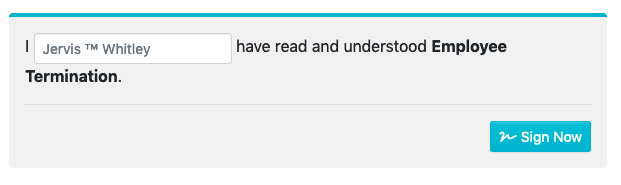
Clicking the “Sign Now” button completes the sign-off process, recording the date, time, and version of the document signed.
SweetProcess Pricing and Support
There is a single plan for all customers:
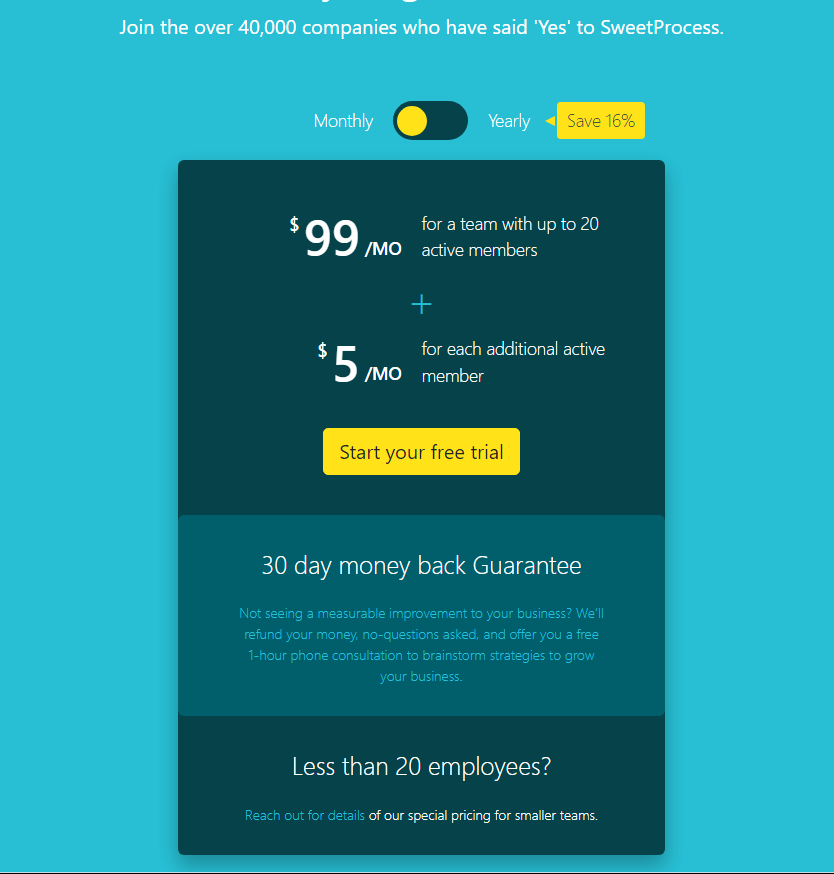
You can get in touch with our support any time you wish using the form on the support page, and even on a call:
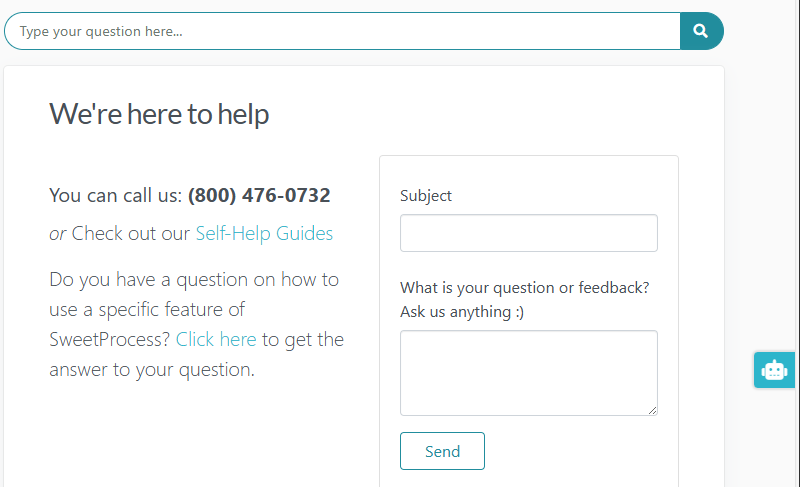
The blue links (“Self-Help Guides” and “Click here”) give you access to the entire SweetProcess knowledge base, which also includes another form where you can post your query if you’re still unsatisfied.
And the cute little robotic head of SweetAI in the blue rectangle to the right of the screen is ever-present to assist you with anything you may need.
This is the support we provide to everyone who visits our website, whether a customer or not.
2. Trainual

Overview
Trainual is a popular training and process documentation platform that helps small businesses create playbooks for onboarding and ongoing learning.
What Makes Trainual a Good Employee Training Software for Small Businesses
It allows businesses to organize processes, policies, and training content in a centralized hub. Employees can access training modules on desktop or mobile, making it useful for distributed teams.
We did not find any significant cons while browsing user reviews. However, it may be overkill for a small business in terms of the feature-to-pricing ratio.
Trainual Pricing
There are four plans, and they don’t come cheap.
Core: Ideal for small businesses looking for a centralized training platform.
$249 per month for 10 seats (each additional seat: $3 per month).
Pro: If your focus is on accountability and a more personalized form of training.
$319 per month for 10 seats (each additional seat: $4 per month).
Premium: For when you require customization and compliance, as well as the scope for scaling streamlined training.
$399 per month for 10 seats (each additional seat: $5 per month).
Enterprise: For large businesses that require an additional layer of security and support along with complete scalability.
Get in touch with their sales department to customize your plan and pricing.
3. TalentLMS

Overview of TalentLMS
TalentLMS is strictly a learning management system software. Sure, you can tweak it to create SOPs, but that’s not what it is about. This means if you’re looking for a cloud-based platform super-specialized for all sorts of training, TalentLMS could be where you end your search.
What Makes TalentLMS a Good Employee Training Software for Small Businesses
TalentLMS is a versatile tool, particularly for businesses without dedicated training staff. You get course templates and an interface that many users report is easy to use and pleasant to the eye.
The downside seems to be that “easy to use” is probably not equal to “intuitive” or “flawless” in this case. There are complaints regarding losing work, problems with editing document names, and difficulty in understanding that a preview feature exists at all.
When replying to negative customer reviews, TalentLMS recommends contacting their support staff and using their knowledge base as a solution.
TalentLMS Pricing
The good news is that TalentLMS offers a free plan for up to five users, with scalable paid options. So, while the paid plans (other than the Enterprise plan) range from $119 to $449 per month, billed yearly, you can always test the waters with the free plan first.
4. iSpring Learn
Overview of iSpring Learn
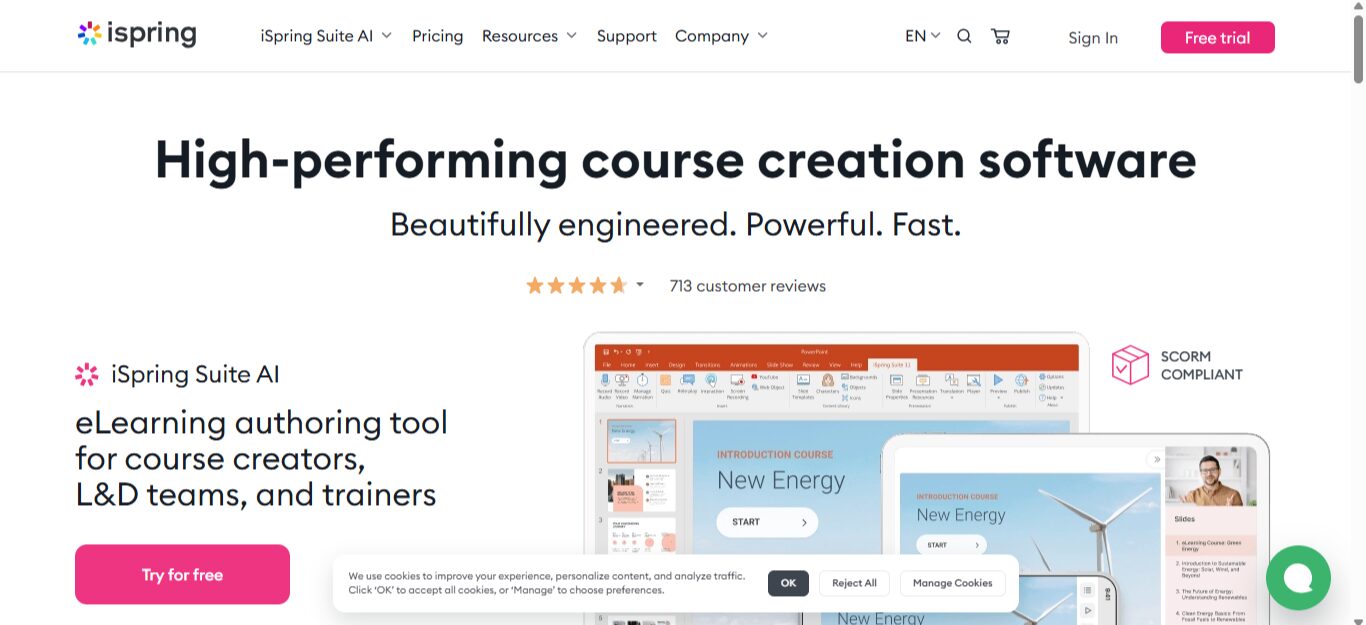
iSpring Learn is a scalable corporate LMS with an on-premise software installation option and customized support for integrating within your specific infrastructure.
What Makes iSpring Learn a Good Employee Training Software for Small Businesses
You can upload Word, Excel, PDF, PowerPoint, and audio and video files, as well as SCORM packages. iSpring Learn will provide you with assessment, content, and people reports in real time, which is great for instant tracking of your training system. There’s also the iSpring Learn app, which facilitates learning on the go.
iSpring Learn Pricing
You get the advantage of registering any number of users but paying only for the ones that are active. Please note, however, that a user is considered active if they log in at least once a month.
Two plans are costing $3.70 and $4.10 per user, per month (billed annually), and there is an option for a customized plan.
There’s also a very generous 30-day free trial, no credit card required.
NOTE: Don’t run if you see something like a $970 per author, per year pricing. That’d be the iSpring Suite area you’ve landed in because some of their anchors are kind of inexact. Calm down, scroll down, and you’ll reach the pricing we’ve mentioned.
Or you can check out our single-plan pricing structure and take the generous 14-day free trial, no credit card required!
5. AbsorbLMS

Overview of AbsorbLMS
As the image above shows, the flawed responsive layout was unexpected. The reviews we read were generally consistent with this initial impression: Users who were otherwise comfortable with AbsorbLMS cited the user interface as a con. There seems to be a steeper-than-acceptable learning curve, a distinct absence of intuitive feel, and some problems with organizing the workspace and material.
Having said that, AbsorbLMS also has high ratings on the review sites we explored from users who found the same UI both useful and “beautiful.”
The only way to find out if this is a good fit for you is through the demo, as they offer no free plan.
What Makes AbsorbLMS a Good Employee Training Software for Small Businesses
AbsorbLMS claims to be a strategic learning system that supposedly outperforms all other similar systems. Some of the other upsides are:
- You can migrate your existing data with the help of their migration support team.
- The software integrates with your existing systems through APIs, third-party integrations, and pre-built connectors.
- It even includes e-commerce features to sell courses globally.
AbsorbLMS Pricing
You will have to customize a plan according to your needs.
There’s no free trial.
6. 360Learning
Overview of 360Learning
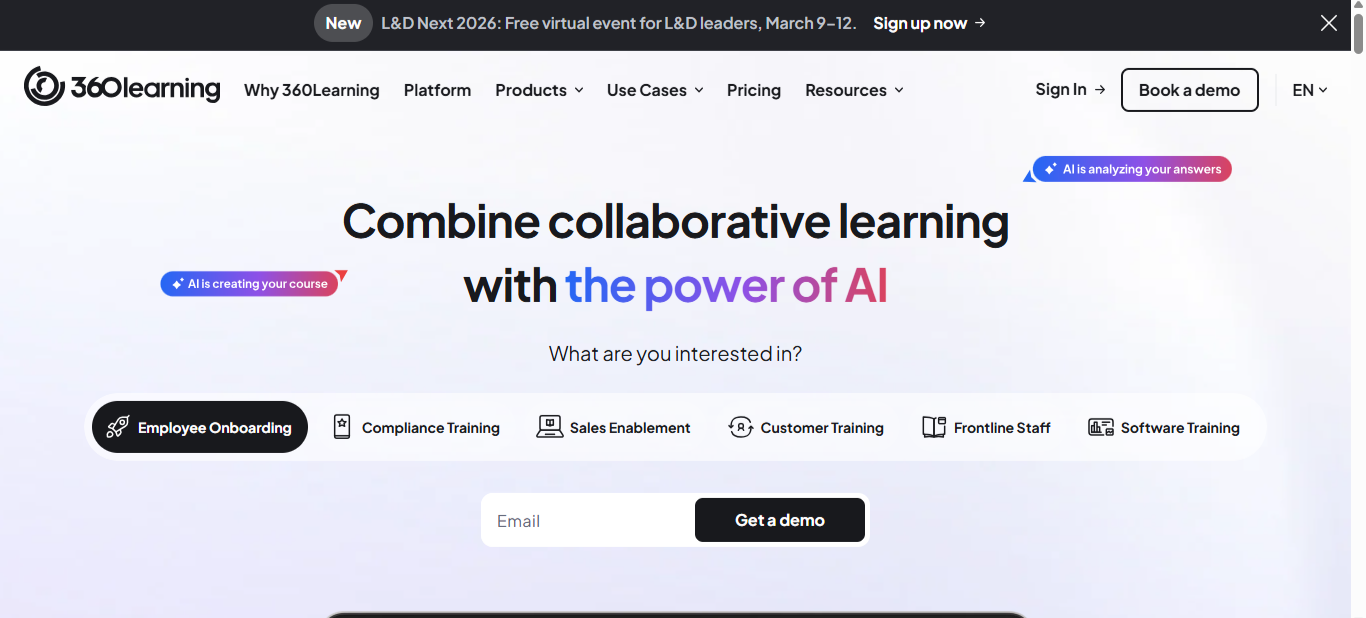
360Learning blends traditional LMS features with LXP (learning experience platform), allowing teams to contribute knowledge. LXP is all about facilitating a personalized learning experience, and that could certainly provide a more customized (and, therefore, more productive) environment for your trainees.
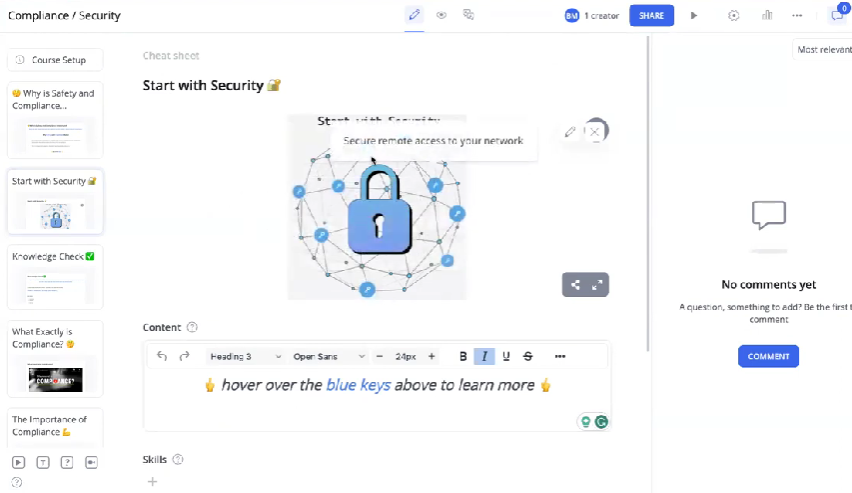
They put a lot of emphasis on their AI, and the user interface with predominantly pastel shades looks both pleasant and intuitive.
What Makes 360Learning a Good Employee Training Software for Small Businesses
A proper combination of LMS and LXP ought to be an excellent foundational feature, as it is expected to deliver the best of personalized and collaborative learning. Most users seem satisfied with what they’re getting.
However, there are some complaints about the limitations with personalization, occasional glitches, login issues, slow loading, and a confusing home page for the work area.
360Learning Pricing
The Team plan will cost you $8 per registered user per month, implying that they do not have a provision for charging only the active users. Also, there’s a limit of 100 users per month.
You can request a demo or opt for their 30-day free trial, which requires you to create individual IDs and passwords for each user.
We found it difficult to understand the legalese used in stating how you can take home the work done during the trial period with you, so here’s what it says:
All data entered into the Services and all customizations made on the Services by Customer during the Free Trial and, more generally, during the Agreement are permanently lost upon termination of the Agreement unless the Customer submits a prior request to 360Learning in a maximum period of 30 days from termination, which shall issue a quote to charge the Customer for the costs related to the retrieval of these data
Here at SweetProcess, we are a bit more relaxed. You can use all the features we offer (including our API) and export your work in a couple of clicks in Word, HTML, and PDF formats, no extra permission required.
7. TalentCards

Overview of TalentCards
TalentCards takes a unique approach to training by delivering bite-sized learning in the form of digital flashcards. Obviously, this is not for everyone, but you can try it out for free if you’re interested.
What Makes TalentCards a Good Employee Training Software for Small Businesses
It’s particularly effective for training deskless workers and frontline staff who need mobile-friendly learning. Your entire course consists of cards that you’ve created. Users are invited to register and download the TalentCards app. You then share the cards with them.
In case you’re wondering, TalentCard does cite the data to back up their claims about this mode of learning being the best for deskless employees. Most users are pretty enthusiastic about its microlearning system. All the complaints seem to center around requiring more languages or translations, and the need for a larger image database.
TalentCards Pricing
There’s a free plan (with limited features) for up to five users.
The two paid plans cost $50 and $75 per month for 50 users in both cases.
Additional users cost $1 and $1.50, respectively.
You have the default option to pay monthly, which is great. And you can opt for the yearly billing and save 20 percent, which isn’t half bad, either.
Overall, we found this a nice platform with a tried-and-tested approach (who doesn’t find flashcards useful?) and a free plan to boot. Mind the pop-ups, though.
8. LearnWorlds

Overview of LearnWorlds
To quote a LearnWorlds tester, it “brings together the functions of a video host, website builder, and payment processor into a single, well-tested system.” It is indeed a versatile software, particularly for professional course creators, and is great for employee training programs as well.
What Makes LearnWorlds a Good Employee Training Software for Small Businesses
LearnWorlds allows small businesses to build interactive courses with videos, quizzes, and certificates. You can create white-label websites, courses, and apps with LearnWorlds, and promote and sell your work from the very same platform.
In the context of employee training, it is actually overkill, but a welcome one. It works exceptionally well for customer-facing teams that need in-depth knowledge. You can segment your courses effortlessly to remove distractions and facilitate privacy and security.
The overkill aspect, apart from a few bugs here and there, is its only negative side. Users do complain about being overwhelmed by choices precisely because it is too feature-rich.
While we actually loved practically everything about it, this is also why we wouldn’t recommend LearnWorlds for employee training. But they offer a 30-day free trial, so you don’t have to take our word for it.
LearnWorlds Pricing
The Starter plan comes at $24 per month with an extra $5 per course enrollment.
The Pro Trainer plan costs $79 per month.
The Learning Center plan jumps to $249, and then there’s the High Volume and Corporate plan, for which you’ll have to discuss your requirements with their sales team.
There’s a 30-day free trial for each of the first three plans, no credit card required.
If you’re interested, we urge you to go through the considerable number of features offered in each plan and try out the one you think might be a good fit for you.
9. Groundwork1
Overview of Groundwork1
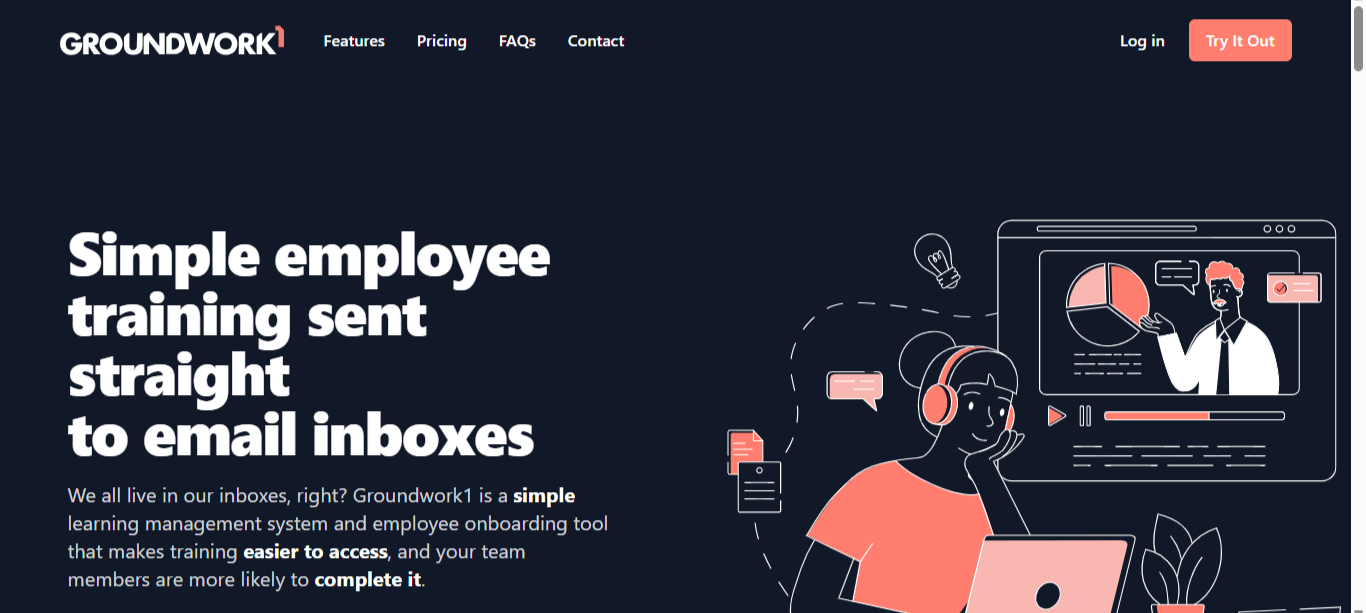
Groundwork1 delivers a training program through email-based courses, making it simple and lightweight. It is quite the opposite of the multi-featured behemoth we just talked about.
What Makes Groundwork1 a Good Employee Training Software for Small Businesses
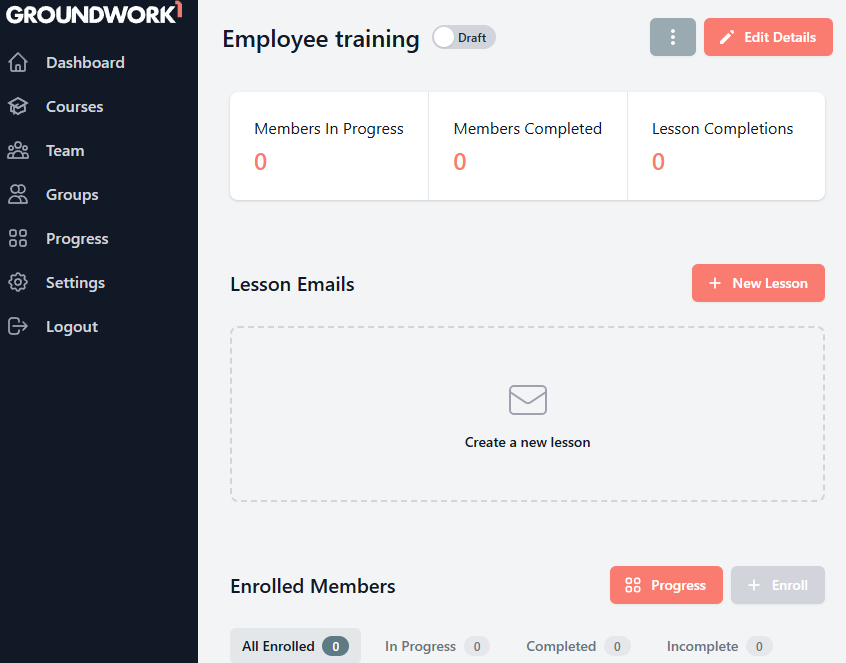
If you want to create the training material, divide it into lessons, send it to your employees via email, and then send them reminders every four to five days, then this is the one for you. They just have to click the link they receive to access the lessons, no password required.
Groundwork1 is a part of Switchback Interactives, and the lessons will probably be as interesting as you can make them.
The dashboard is minimalistic and facilitates focus. It looks like a watered-down version of our workspace with a different color scheme.
Groundwork1 Pricing
For teams up to 50, you pay $29 per month. They don’t say how much an additional member will cost.
For teams with more than 1,000 members, contact them for Enterprise options.
You can get started for free, create your first course, and upgrade from there.
Sounds fair, and definitely worth a try if individual email courses interest you.
Core Features To Consider Before Choosing an Employee Training Software
SweetProcess was created with LMS features because, without a proper employee training tool, a business cannot onboard efficiently or optimize its workflow. All aspects of effective employee training are seamlessly integrated into our overarching process documentation.
Don’t take our word for it. See if what follows next resonates with you, and we’ll show you how SweetProcess measures up.
Easy Course Creation & Content Uploads
Before training comes course creation. If you have a specialized team for that, awesome. But small businesses rarely do. This means you will need something with the lowest learning curve to get the job done as soon as possible.
Also, you will want a solution that lets you upload/import existing online training or resource material without a fuss.
We never get tired of citing the case of Atlantic Sapphire. After ten years of salmon farming in Denmark, they shifted to Florida with a bunch of completely unorganized documentation about their workflow which, again, was based almost exclusively on operational and tribal knowledge.
We imported all that into SweetProcess and turned it into well-documented training material so they had time to successfully shift not just their place of operation but also their mode of farming.
Onboarding Checklists & Progress Tracking
Structured onboarding ensures new hires complete essential training, and managers can track progress. This, of course, means constant accountability which, in turn, implies you must be able to keep tabs on everything in real time.
Compliance Management
Small businesses in regulated industries need tools that log training completion and generate compliance reports. This is a corollary of the previous point, of course. The new hires need to agree they’ve been trained so they can be legally held accountable if something goes seriously wrong.
If this sounds like we’re advocating a dictatorship, you shouldn’t be running a business—or rather, you will not be, once the first bite-sized disaster strikes and skyrockets. Trust us on this: you NEED compliance management.
Progress Tracking and Assessment
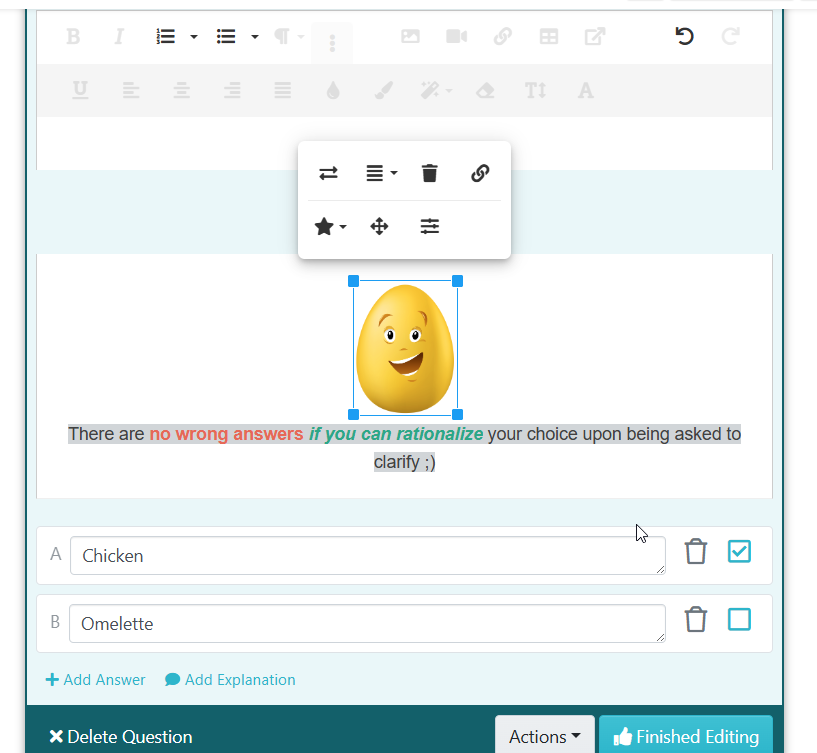
Features like quizzes, reports, and dashboards help measure training effectiveness. Your choice of software must be capable of quite a bit more than inserting and formatting text. Quizzes, in particular, require a special setup, or you end up looking bland (after having wasted a lot of time).
Here’s an example of a very basic quiz using SweetProcess:
Mobile Access for Frontline Staff
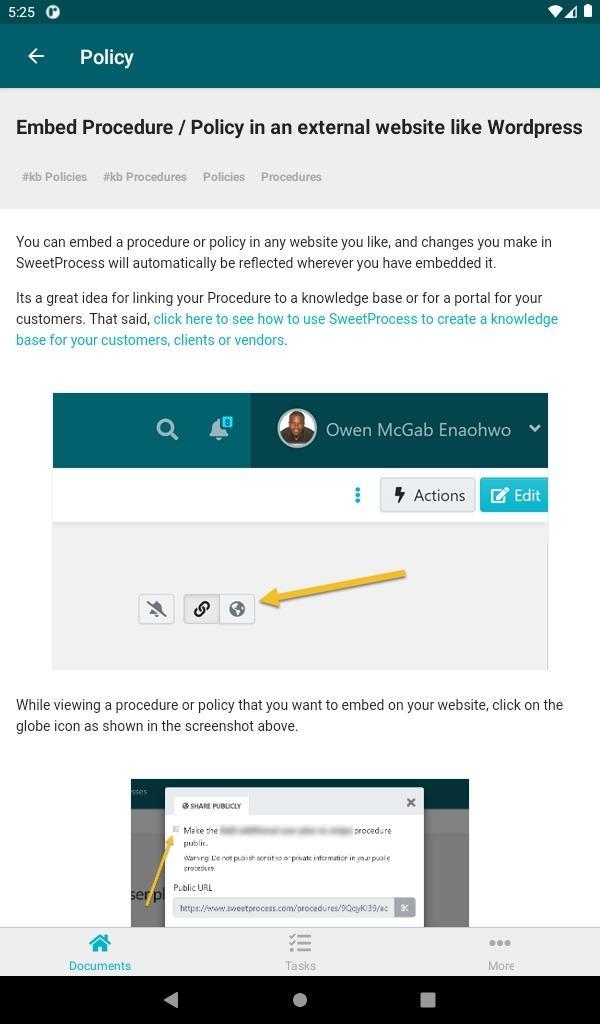
For industries like retail or hospitality, mobile access ensures staff can complete training anytime, anywhere. It would be a huge red flag if this convenience were not available. How complicated is the platform that it isn’t at least partially accessible through a small screen?
The SweetProcess mobile app is available on both Google Play and the App Store. See for yourself how it displays on a phone:
Integration With HR Tools
Integration with HR systems saves time by automatically syncing employee data. Actually, integration with anything—existing frameworks or external resources that you already use—is something we take for granted these days.
SweetProcess, by the way, integrates with just about any app you might have use for, or are already using, and we do that via Zapier.
Role-Based Access Permissions
Protect sensitive information by controlling who can view or edit training materials. This, of course, should be part of the security net for the entire platform. With SweetProcess, you can segregate your training material into permission-based sections.
Resolute Legal is a Canadian-based law firm specializing in disability claims. They earn from a percentage of what the client wins. This means that to make any profit, Resolute Legal needs to win every case if possible.
David Brannen created the firm and chose SweetProcess before he started hiring people, and the onboarding and everything that followed went smoothly because, in his own words, he saw that SweetProcess “is just simple.”
But here’s something else we heard from him, which is more in line with the immediate context:
You can assign [SweetProcess] to team members [and they] don’t have to see the procedures for the whole firm. They only see the procedures that are assigned to their position or to the teams they are on, and that is actually quite good too because it doesn’t overwhelm people.
Benefits of Using Employee Training Software for Small Businesses
Faster Employee Onboarding
It makes sense to have an SOP (standard operating procedure) for onboarding, where things either happen through a series of automated emails or manually, by almost blindly following some tried-and-tested procedures.
The point being, from screening to interviewing and then further screening and finally onboarding and training, if your mode of operation is not clearly laid out, you’d be hard-pressed to run a business.
Actually, almost all parts of your business workflow should be clearly laid out so that if a regular employee is absent, another employee can substitute for them and simply follow the directions to get the job done.
Amy Walls, president and financial advisor at Thimbleberry Financial, used to create excellent MS Word–based documentation. Unfortunately, while her employees praised her skills, they all followed their own personal methods, and then had a hard time figuring things out between themselves. Obviously, this led to an impaired workflow.
Thimbleberry decided to give SweetProcess a try. Things improved drastically overall (full story here), but we’ll quote Amy only on the onboarding aspect:
“Our new employees say they have never gone through a more organized onboarding. We have one or two SweetProcess procedures that they work through. They start on their first day. When they start, we literally have them get access to three things. One is their email. One is SweetProcess, and one was our Slack channel, but now it’s Teams.”
Reduced Training Costs
Every SOP is a one-time investment (admittedly, with scheduled revisions and updates when required) that leads to a seamlessly performing workflow.
Consequently, you don’t need to invest in a dedicated training team or hire one when you’re training your employees with appropriate and automated training methods.
Improved Employee Performance & Retention
Every human being wants peace of mind before anything else, even if they don’t always realize it.
If your employees could find answers to most of their questions on their own and voice their opinion with a couple of clicks, something tells us you’d have a remarkably low attrition rate and a higher level of performance.
Established in 2013, pLink Leadership provides executive coaching and leadership skill development to a global clientele, with all of its team members working remotely.
Jennifer Schneider, chief design officer at pLink Leadership, had created an 85-page Word document that helped everyone get their work done.
This worked for a while. Then, when the document became more extensive and quite a bit of the material became outdated, it was a real ordeal for the employees to find what they were looking for. Eventually, they turned into a group of frustrated individuals trying to keep the business afloat.
Once they adopted SweetProcess, the business became streamlined almost instantly in areas they may not have realized needed attention. Again, we’ll quote them on the most relevant aspect only:
“If something feels unknown, that generates fear, right? And that person feels, from a professional point of view, a huge worry: ‘I’m going to do something wrong. I’m going to make a mistake that gets the company in trouble or I get called out on.’ So then that creates avoidance. SweetProcess’s value for me is that it has drastically eliminated that, I think, cut it by 80 percent so things that used to feel hard feel easy.”
Incidentally, Jennifer’s decision to choose SweetProcess as their go-to software came once she tried us out for free for two weeks.
Compliance Confidence
We’ve referred to this earlier: whichever software you choose, please look into the practicality of the compliance aspect.
It must ensure accountability, remove deniability, and be legally sanctioned in areas where you’re operating.
Something exceedingly complicated may force you to hire a legal team for constant monitoring (because compliance rules don’t invariably remain the same), and that’d be an avoidable cost, really.
No one has ever had a complaint regarding our compliance features. This is probably because we ensure that the answer to practically all compliance-related queries will be completely objective and factual, and in absolutes like yes or no. This is perfect for most small businesses. There is zero ambiguity, and no complications at all.
Scalability With Team Growth
Business is about both stability and growth. And with growth comes the need to scale. It is totally worth your time looking into whether the LMS you’re considering lives up to your expectations of scalability. That is, unless you think switching essential software every five years or so is normal.
Is SweetProcess scalable? You tell us. What does growth mean for you?
Why don’t you take us out for a drive, and you’ll know if we fit your definition of scalable!
Which Employee Training Software Is Right For Your Company?
The purpose of an LMS is to get your new hires up to speed and train all your employees without worrying about how it should be done each time you need a training session.
This saves on time and money, which is great, because time IS money!
And it helps you stay sane.
Make sure the interface does not tire out the eyes, and you don’t need to read or view instructions to use every little element in the workspace.
We’d recommend prioritizing options that offer a free trial: there’s no better way to assess online training software.
Some of the elements that you must double-check are:
- Compliance training
- Privacy
- Security
- Ccalability
- Ease of use, including mobile use
- Probable returns on your prospective investment
We also recommend that you verify (both before and during the trial) if their support team is really as good as they claim it is.
That’s about it.
Our final recommendation is for you to get the full-fledged SweetProcess experience for the next two weeks.
- We don’t ask for your credit card.
- It takes a couple of minutes to register, and then you’re in.
- You can export all the work you do inside: no separate permission required.
- If you choose to buy a plan, there’s a full 30-day, money-back guarantee that comes with it.
- Not just that; we’ll also offer you a free one-hour consultation with a refund.
As for support, which we’ve already talked about, let’s hear it from one of our customers so that you know we believe in walking the talk:
“I have to say that the SweetProcess team has been really supportive. When we’ve had certain little features that we felt might help us out a little, they’ve been right on board in making slight tweaks—helping us rearrange the structure of how we’re using it so that it’s more accessible and easier to use.”
(Stone & Wood, Australia)