Last Updated on February 19, 2026 by Owen McGab Enaohwo
Ever feel like your business runs smoothly only when you’re there to explain things step-by-step? You end up answering the same questions and fixing the same mistakes over and over. That’s usually a sign your standard operating procedures (SOPs) aren’t documented in a way your team can actually follow.
SOPs build consistency in your operations. Every team member, including the new hires, has a reliable structure and reference point to help them complete tasks. They guide all processes and ensure the company doesn’t rely on tribal knowledge held by a single person.
However, SOPs can’t live in random folders. You need to invest in standard operating procedure tools to manage documentation, track revisions, control access, and keep everything compliant. But here’s the catch. With so many SOP tools in the market today, which one aligns with your team size and use case?
Start organizing your processes the right way. Sign up for a free 14-day trial of SweetProcess and experience how easy SOP management can be.
Table of Contents
7 Standard Operating Procedure Tools for Team Documentation and Collaboration
Key Features To Consider Before Choosing a Standard Operating Procedure Tool
Types of Standard Operating Procedure Tools
Benefits of Standard Operating Procedure Tools
Which Standard Operating Procedure Tool Should You Choose for Your Business?
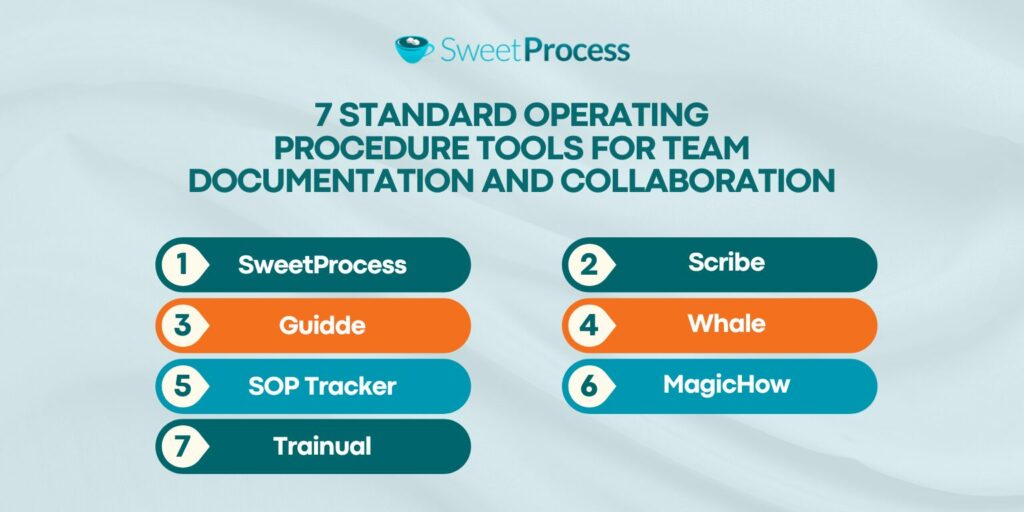
7 Standard Operating Procedure Tools for Team Documentation and Collaboration
Before signing up for an SOP tool, you need to know its features and pricing to determine if it works for your organization. Let’s take a closer look at each software and what makes it stand out to help you select.
1) SweetProcess
Overview of SweetProcess
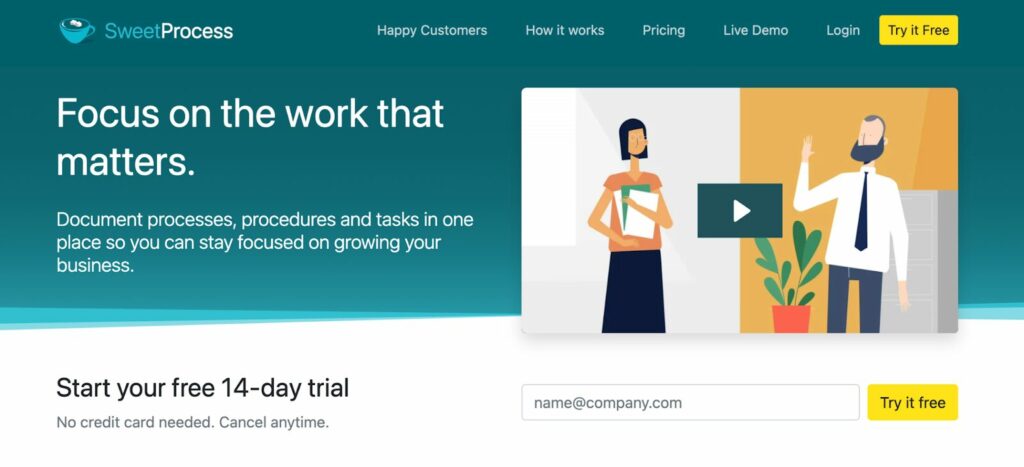
SweetProcess is an intuitive SOP documentation tool for all types of businesses. Designed with a dashboard that’s easy to navigate and use, this software is ideal for teams that want to create and manage procedures, policies, and processes. You can use it for multiple business tasks from new employee onboarding to customer support, accounting, and product development.
As a cloud-based system, SweetProcess centralizes all the activities. If you create a procedure, you can use approvals, monitor updates, build a knowledge base, and integrate it with other existing company tools.
Features of SweetProcess
Here are the core features that come with this SOP tool:
Document Your Company’s Standard Operating Procedures Manually and With AI
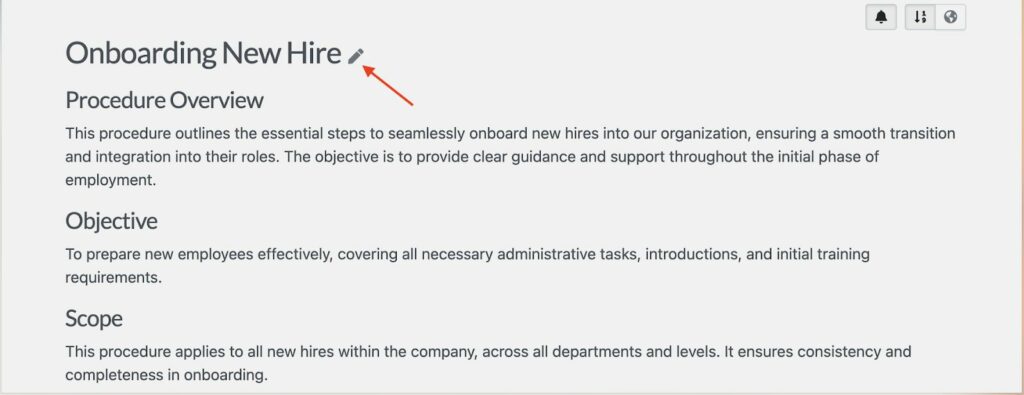
With SweetProcess, you can create your digital SOPs from scratch or with the AI generator, SweetAI.
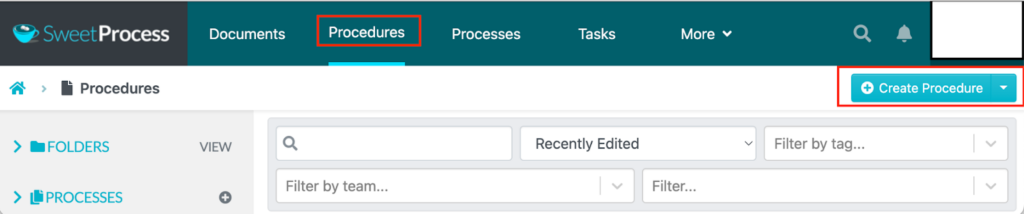
If you want to do it manually, you’ll start with a blank template. From here, you can add text descriptions, embed images, attach files, or insert videos. These features ensure that you give your team an SOP format that’s easiest to follow.
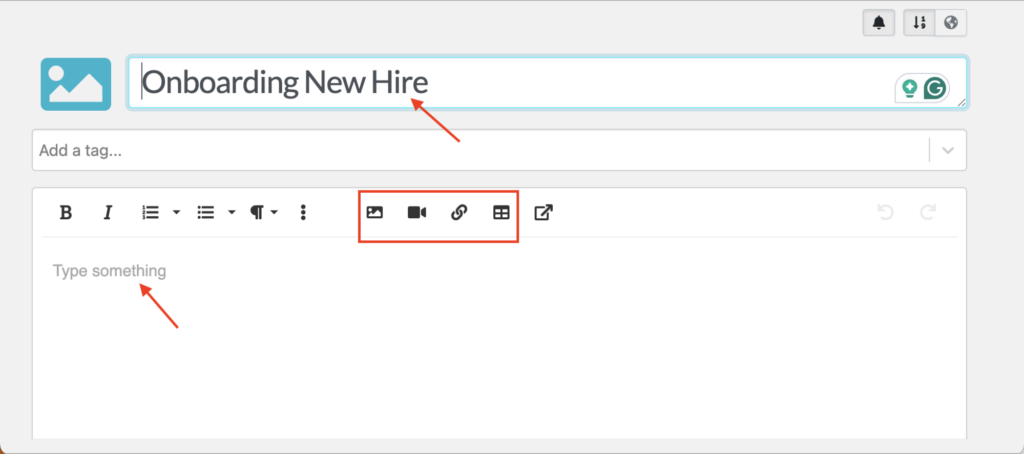
However, if you have busy schedules or need to convert tribal knowledge into documented workflows, you can use the SOP generator to create the text in minutes.
You just need to add a comprehensive SOP title, and SweetAI will create a document that you can edit.
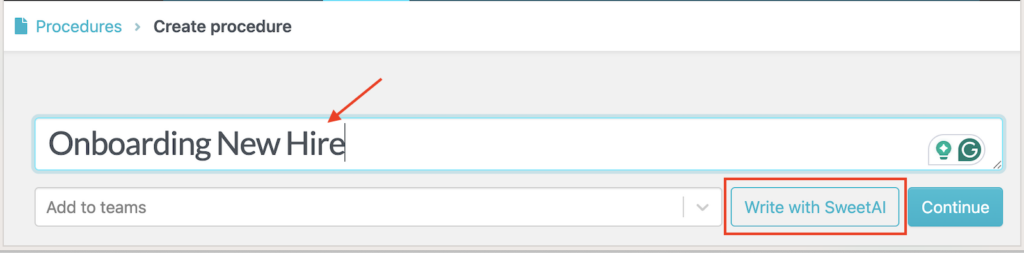
Before sharing this SOP for approval and review, you can refine the language and make additions to make it more detailed and accurate.
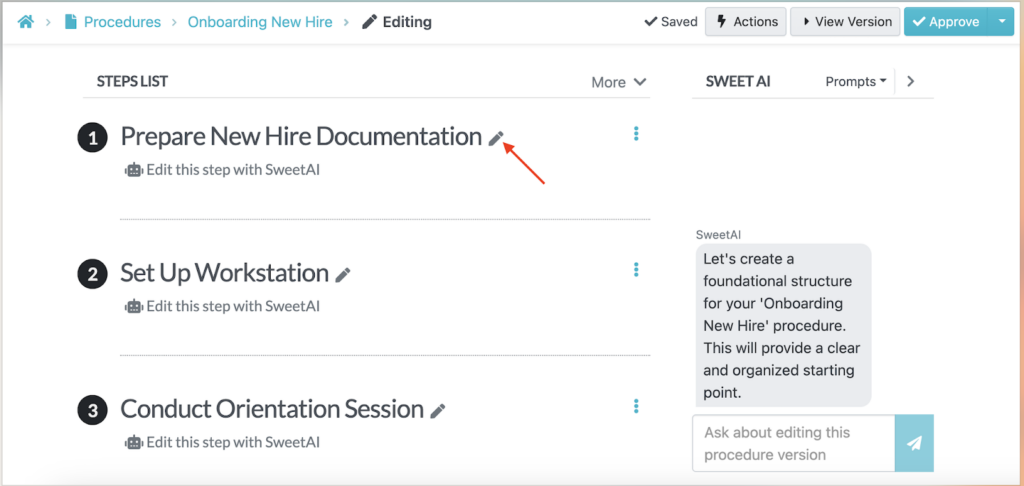
Does your team prefer checklists? The SOP builder also generates steps that your team can follow when executing even complex tasks.
Collaborate With Team Members Based on Roles and Access
While collaboration is a must-have for company teams, not everyone needs full editing rights to every procedure. SweetProcess’s role-based permissions let you control who can view, edit, approve, or manage specific SOPs.
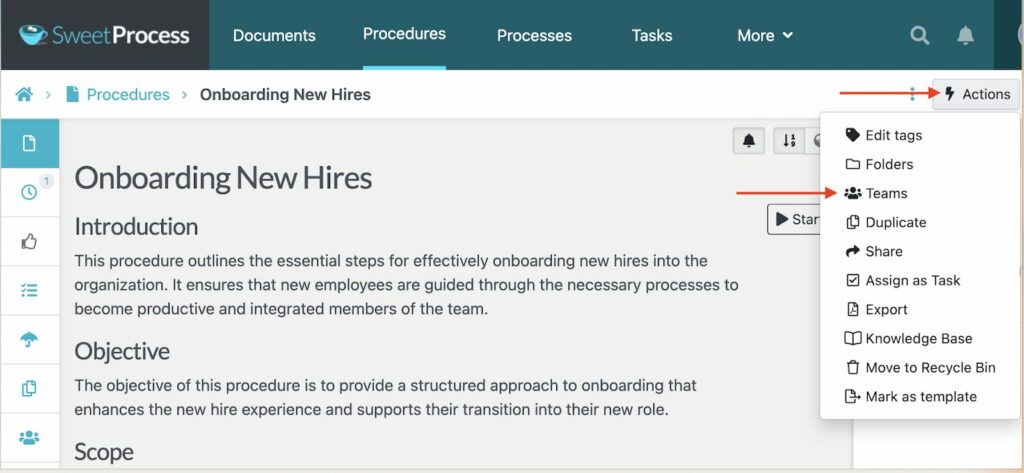
For example, HR can create a “Leave Request Process,” but only managers can approve changes, while employees can view and follow the steps. This structure prevents unauthorized edits and keeps sensitive processes secure.
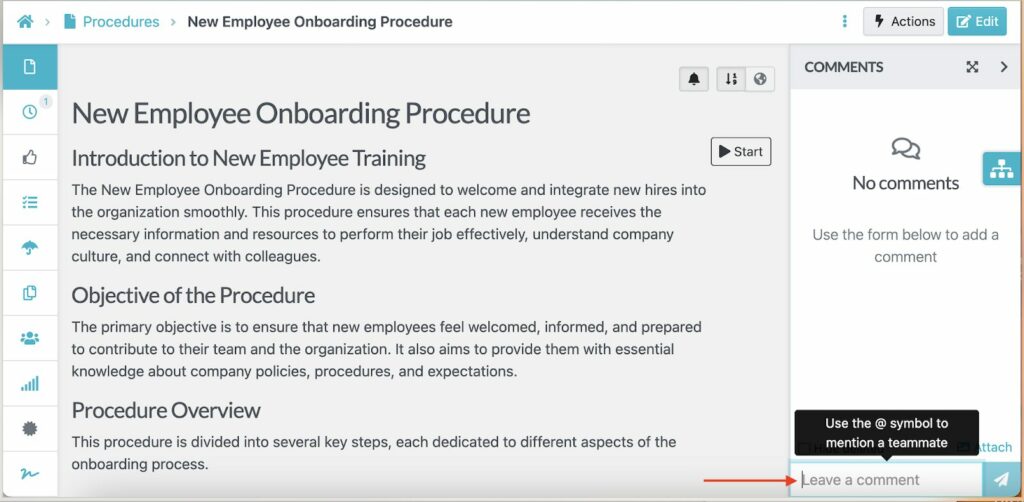
Additionally, you can leave a comment on the specific SOP and tag a team member who should address it.
This feature is especially important for businesses with compliance requirements or multi-location operations. Your frontline staff can access the SOPs they need without accidentally modifying company-wide policies. On the other hand, managers retain oversight and control over documentation standards.
Format, Review, and Track Changes on SOPs in Real Time
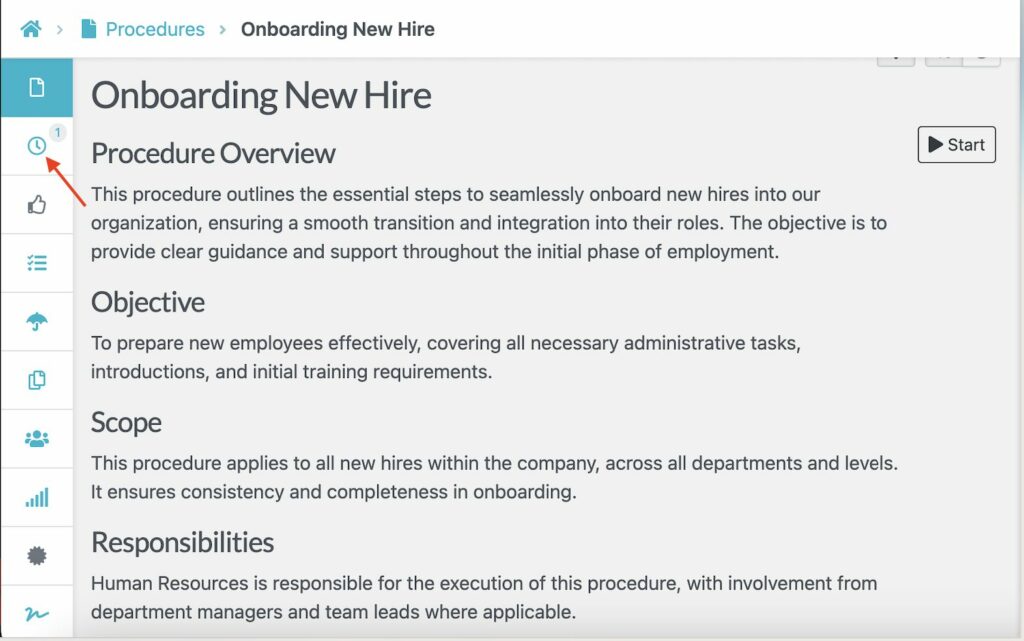
Every time someone updates an SOP in SweetProcess, the platform automatically tracks the change and logs who made it. The version history feature creates an audit trail that you can use for compliance.
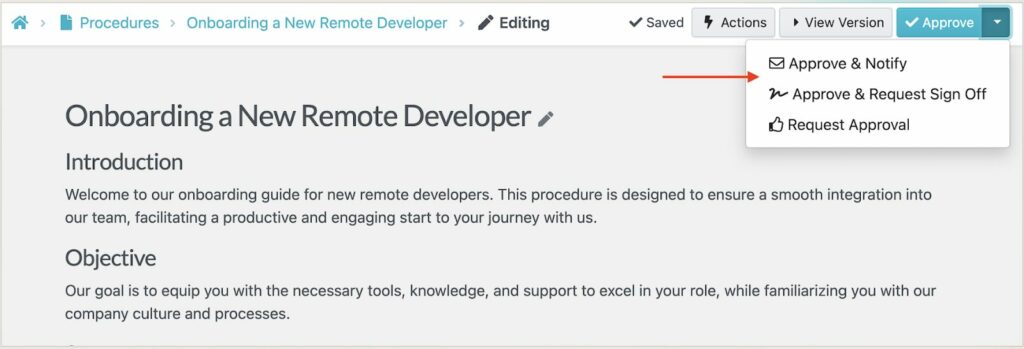
If you need a manager to review and approve an SOP, you can use the built-in SweetProcess features. Once the changes are approved, everyone with access can see the updated procedure immediately.
Capture On-Screen Activities and Use Them as SOPs
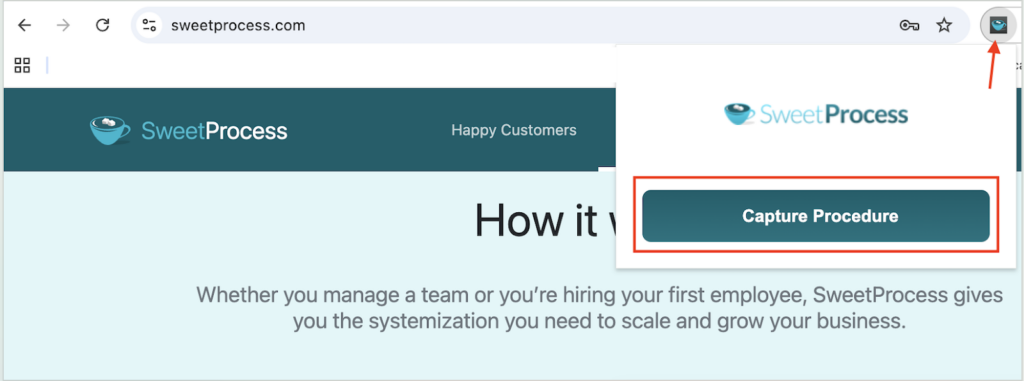
Instead of drafting your procedures in text, you can also capture screenshots and turn them into a visual SOP. The SweetProcess browser screen-recording feature captures all your clicks and keystrokes as you show how to complete a specific task.
You first have to install the Chrome extension to use this feature.
Once you’ve recorded everything you need, the screenshots are arranged into a step-by-step SOP guide that your team can follow.
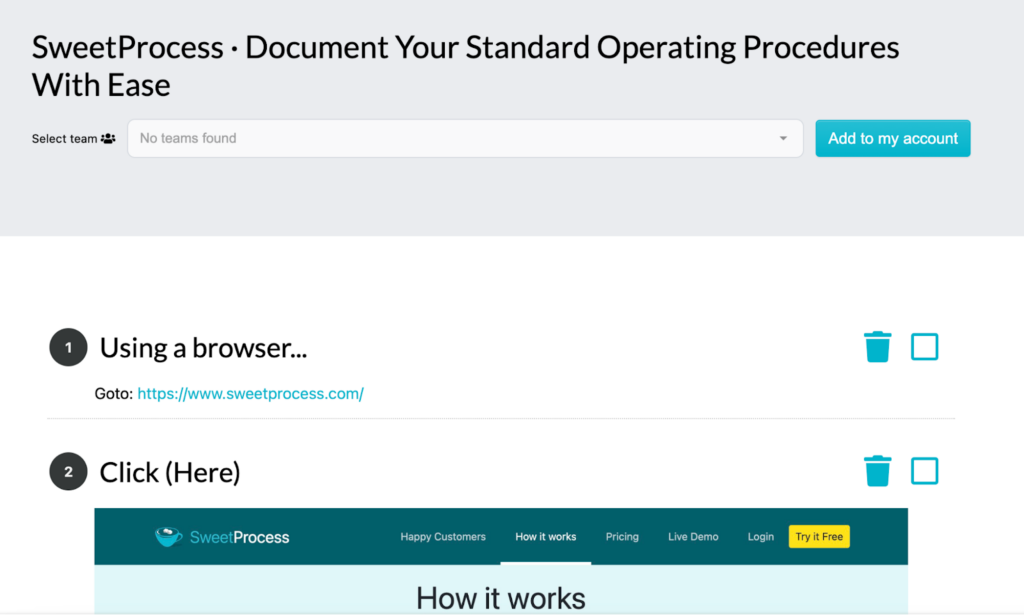
You can edit and remove any step you don’t require.
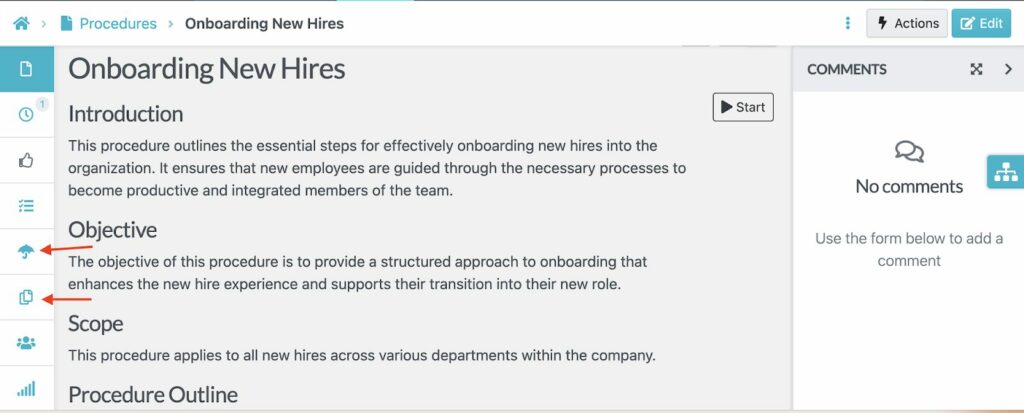
Manage SOPs, Policies, and Processes in One Place
Instead of juggling multiple separate tools, SweetProcess lets you store SOPs, policies, and processes together in one organized system.
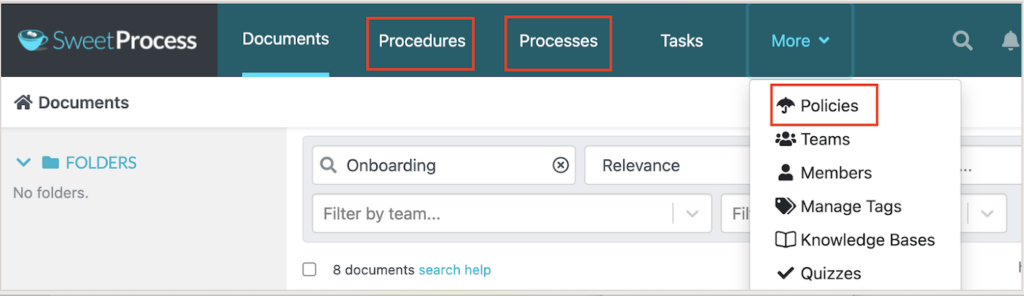
You can categorize them by team, such as HR, operations, or finance, as you draft, to make it easy to search for a specific document from the dashboard.
In addition, SweetProcess enables you to create SOP workflows that link multiple documents, showing how different procedures connect to achieve larger operational goals.
SweetProcess Pricing and Support
When selecting an SOP software, you need to consider your budget. SweetProcess offers new users a 14-day free trial period with full access to all features. After this period, you can choose a monthly or annual subscription depending on your needs and team size. To use this tool, you’ll need to pay $99 per month for 20 active users.
If you opt for the annual plan, it will cost you $82.50 per month (billed annually), saving you 16%.
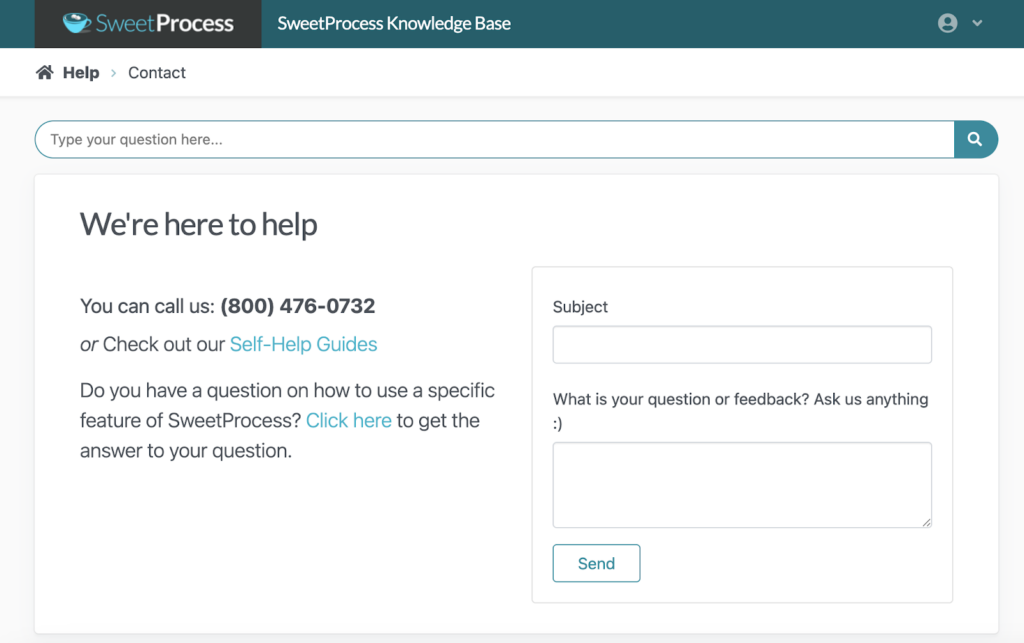
The SweetProcess support team is readily available to guide you if you need help. You can contact the team via phone, social media, or email. In addition, you can send a question from the help page or use the self-help guides to get more resources.
2) Scribe
Overview of Scribe
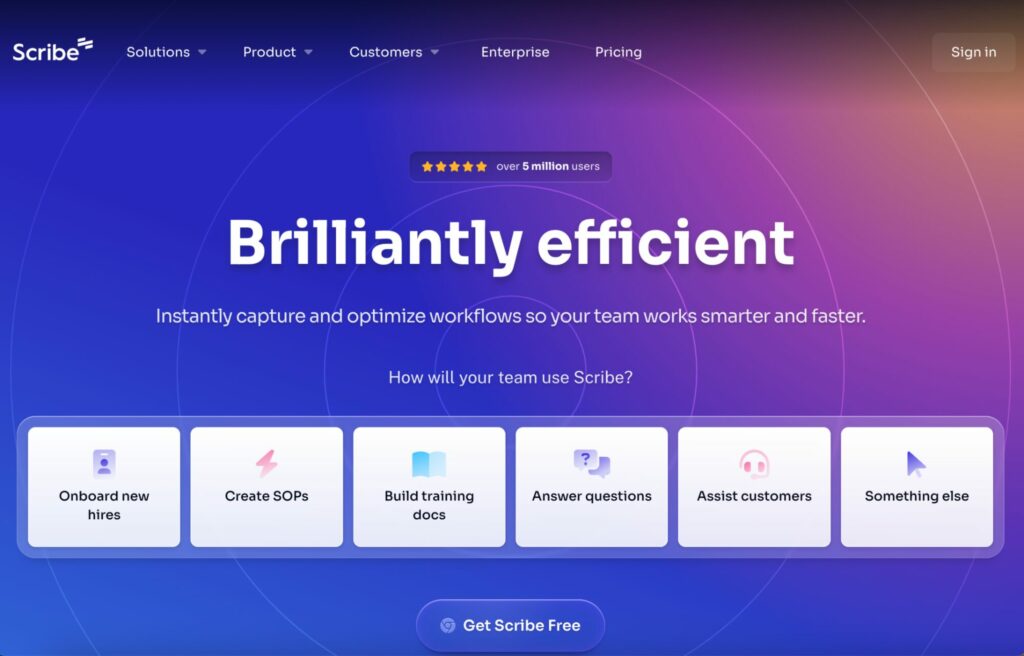
Scribe is an SOP documentation tool that creates visual step-by-step guides by capturing your screen activity as you work. With this tool, you don’t need to write the procedures manually. It records your actions and generates a visual guide that your team can follow.
Once you have the guide, you can redact any sensitive information before sharing it with the respective stakeholders. It’s ideal for operations, IT, customer-facing, and HR teams.
What Makes Scribe a Good Standard Operating Procedure Tool?
Here are the key features you get from Scribe:
- Auto-Generated Guides: When you’re done recording your screen, you have a complete visual guide that shows exactly what to click and what information to enter.
- Editable SOPs: You can edit the steps, add descriptions, blur sensitive information, or replace screenshots to ensure that your SOPs are accurate.
- Easy Sharing: Scribe lets you share guides via a link or embed them in your wiki or knowledge base. This makes SOP distribution simple across the entire team.
- Customization Options: You can add your brand colors to the visual SOP to align it with your existing business documents.
Scribe Pricing
To use Scribe for SOP documentation, you can choose between the four pricing plans. The Basic plan is free for all users, but with limited features. The premium plans include Pro Personal at $23 per seat per month, Pro Team at $12 per seat per month, and the Enterprise option, which has a custom price.
3) Guidde
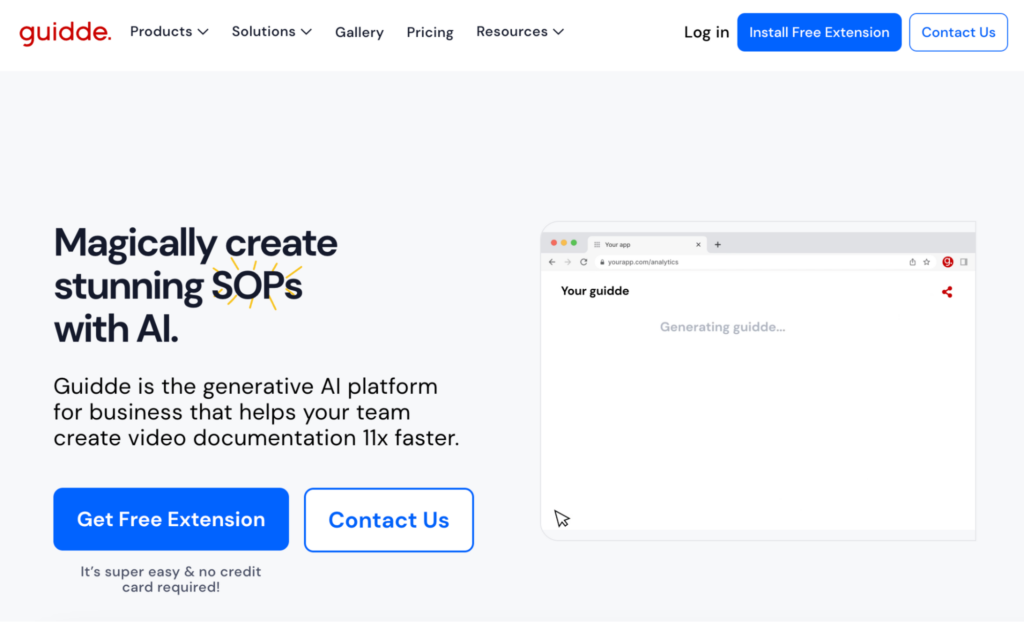
Overview of Guidde
Just like Scribe, Guidde also uses screen capture to create visual SOPs. This tool is a generative AI platform that lets you create documentation with a few clicks. To use it, you’ll need to install the free SOP software extension on your browser and record a walk-through of the process you need.
Guidde automatically turns the recording into a step-by-step video guide complete with captions and AI-generated descriptions. It’s especially useful for teams that rely on visual training materials or need to document software workflows quickly.
What Makes Guidde a Good Standard Operating Procedure Tool?
Here are the key features that come with this SOP tool:
- AI-Powered Video Creation: Once you record your step-by-step video, Guidde uses AI to add descriptions. This makes your workflow easier to follow.
- Personalization: There are over 200 voices and languages to choose from and add to your SOP.
- Design and Editing Options: The tool has a low learning curve. You don’t need design skills to create a visual SOP.
- Embedding and Sharing: If the procedure was created by one team or a manager, they can embed or share the link with the rest of the organization for easier collaboration.
Guidde Pricing
Guidde offers a free plan that lets users create up to 25 how-to videos, share links, and record voiceovers. However, to get unlimited videos and features that allow you to blur information, you’ll need to pay for the Pro plan at $16 per month, the Business plan at $35 per month, or request a custom price for the Enterprise option.
4) Whale
Overview of Whale
Whale is an AI-powered SOP tool that helps teams capture processes and use them for training and onboarding. All the procedures are centralized on the Whale platform, making it easy for your employees to access and update company information.
With this tool, you can transform your procedures into training manuals. This makes it ideal for companies experiencing rapid growth or high turnover.
What Makes Whale a Good Standard Operating Procedure Tool?
Here are the core features of using Whale:
- Templates: You can use the Whale templates to draft your SOPs much faster.
- Export and Import Capabilities: Your team can import existing Word documents into Whale to have uniform SOPs. It’s also possible to export procedures for printing.
- Access Permissions: With Whale, you can control who can view and edit your documents to protect sensitive information.
- AI Assistant: To generate content for your SOPs, you can use the AI prompts to instantly create and refine a draft.
Whale Pricing
Whale has four pricing tiers. The Free plan supports five users and gives you access to core features such as the screen recorder and video to SOP converter. The Team plan is ideal for growing teams, with up to 10 users, and costs $99 per month. If you have 25 employees, you can pay for the Scale plan at $299 per month, or the Enterprise plan, which starts at $1,200 per month.
5) SOP Tracker
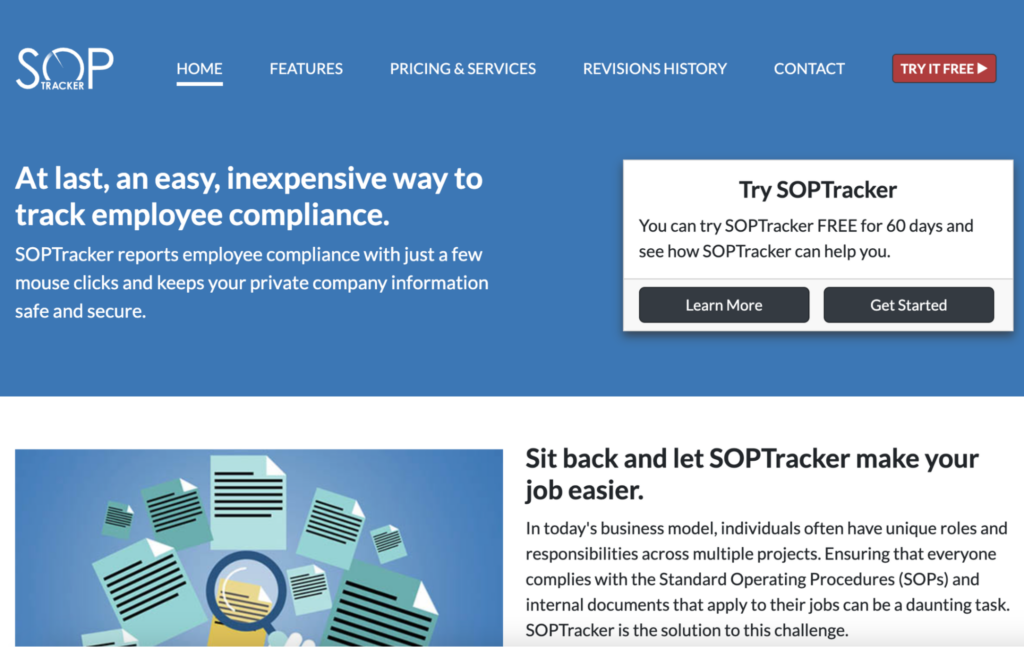
Overview of SOP Tracker
SOP Tracker is a compliance-focused documentation platform. This tool is built specifically for industries with strict regulatory requirements, such as healthcare, manufacturing, pharmaceuticals, and food production.
Unlike the other SOP tools, SOP Tracker focuses on reviews and audit trails. You can use it for your business if you need software to manage your compliance needs. It helps organizations maintain documentation standards, especially if there are scheduled reviews.
What Makes SOP Tracker a Good Standard Operating Procedure Tool?
When you subscribe to SOP Tracker, here are the features you get:
- Review and Approval Workflows: Your teams can assign review cycles, ensuring that all company SOPs are accurate and compliant.
- Audit-Friendly: The tool maintains a full history of updates and approvals, helping organizations stay prepared for audits.
- Clear SOP Organization: With SOP Tracker, all the procedures are centralized, making it easy for employees to access.
- Notification System: Your team receives alerts when the SOPs have been assigned as tasks or revised.
SOP Tracker Pricing
SOP Tracker uses a different pricing approach. They offer annual packages that are based on the number of users. For instance, if you have fewer than 75 employees, you’ll subscribe to the Starter plan, which starts at $1,000 per year. On the other hand, if you have 200 team members, the Small plan starts from $2,000 per year. For large teams with 1,000 employees, the X Large option starts at $8,000 per year.
6) MagicHow
Overview of MagicHow
MagicHow is a browser and desktop extension that turns your screen activity into step-by-step guides. It’s designed for teams that need a simple documentation tool without incurring heavy costs.
In addition to process documentation, MagicHow comes in handy during employee onboarding. Multiple teams, including HR and sales can use it.
What Makes MagicHow a Good Standard Operating Procedure Tool?
If you select MagicHow, here are the core features:
- Instant Step Capture: Users can record a workflow, and MagicHow will automatically convert it into a structured guide complete with screenshots.
- Multiple Export Options: Your team can share the guide via a link, a downloadable PDF, or embed it in other company tools.
- Customization Features: Once you’re done recording your SOP, you can edit by adding brand colors or replacing slides to make it comprehensive.
- Multiple Platforms: You can use MagicHow in your browser or on your desktop, both of which provide an intuitive interface.
MagicHow Pricing
To use MagicHow, you can pay for the Free plan, which can accommodate up to 25 team members and 10 documents. However, if you want unlimited members, guides, and more projects, you’ll need to upgrade to either Advanced Personal at $12.50 per seat per month, Advanced Team at $50 per seat per month, or contact the team for the Enterprise option.
7) Trainual
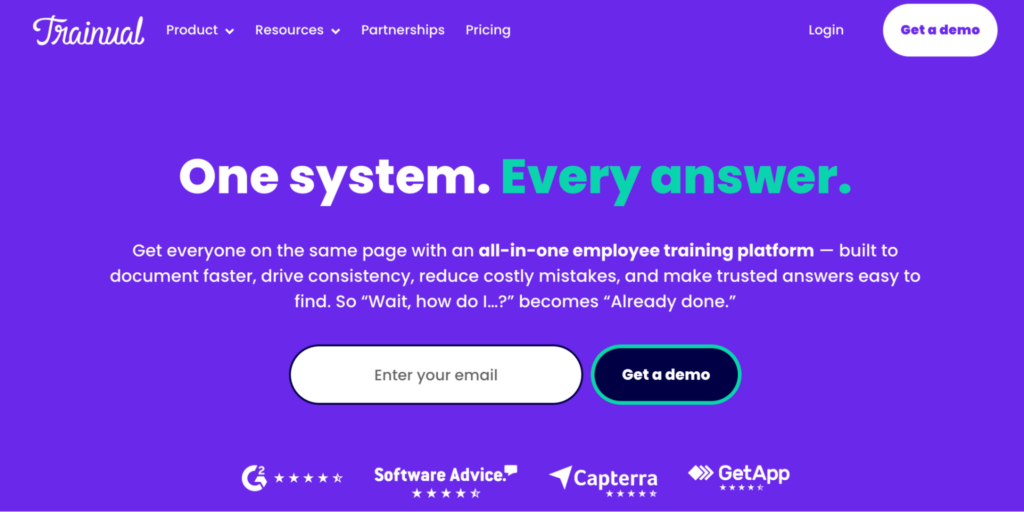
Overview of Trainual
Trainual is an SOP tool that manages your documentation to boost your employee training and onboarding efforts. It’s built for small to mid-sized businesses that want to package their procedures, policies, and processes into structured training programs employees can complete at their own pace.
With this tool, you get quizzes, tracking completion, role-specific learning paths, and knowledge bases to fully equip your team.
What Makes Trainual a Good Standard Operating Procedure Tool?
Here are the key features of Trainual:
- Role-Based Training Assignments: Managers can assign SOPs to specific roles, making onboarding faster and more structured.
- Built-In Quizzes: Your employees can test their knowledge after completing SOPs, ensuring they understand processes.
- Multiple Integrations: Trainual integrates with popular tools like QuickBooks and Slack, so you don’t have to use multiple tools.
- Centralized Wikis: All the company information is easily accessible on the Trainual platform for easier collaboration.
Trainual Pricing
Trainual doesn’t list the specific costs for all tiers on its website. However, it has four pricing plans: Core, Pro, Premium, and Enterprise. The plans start at $249 per month for up to 10 employees.
Key Features To Consider Before Choosing a Standard Operating Procedure Tool
Not all SOP tools are equal. Picking the wrong choice could leave you with expensive software that no one uses. Let’s examine the key features you should look out for before you sign up for a plan.
Document Creation and Editing
Have you ever started documenting a process only to realize that your tool makes everything feel clunky or tedious? A good SOP platform will prevent this. Creating and editing documents should be simple, even for non-writers. This means offering:
- Templates
- Drag-and-drop sections
- Simple formatting options
- Features to break procedures into clear steps
When the writing experience is smooth, your team is more likely to proactively document processes. Additionally, it should allow you to add images, videos, tables, and checklists to make your SOPs feel more interactive. Including screenshots and video walk-throughs as you write your procedure makes the information scannable.
Artificial Intelligence Assistance
AI assistance is quickly becoming one of the most valuable features in SOP tools. Instead of starting from a blank page, an SOP AI can draft your first version of the SOP based on a short prompt or outline. This removes the intimidation of writing and helps teams document processes faster.
For example, an operations manager can simply type “Create an SOP for Weekly Inventory Checks,” and the AI will generate a complete structure for them to refine. Apart from drafting, AI can also improve clarity, expand your steps, shorten texts, or turn long paragraphs into steps. This way, your team develops a comprehensive SOP document much faster.
Centralized SOP Library
You’ve accumulated multiple SOPs over the years. But can your team find a specific document in minutes? That’s why having a centralized SOP library is important. All your procedures should be stored and categorized by project or department, making it easy for employees to find.
Beyond storage, a centralized library also becomes a single source of truth for your entire organization. New hires know where to look, and managers know whether a process is up to date.
Founder and CEO Saul W. Marquez highlights a reality many growing businesses face: scaling without structure, which leads to inconsistency. He shares that sustainable growth becomes possible only when processes are clearly documented, standardized, and easily retrievable. Therefore, companies should create SOPs to boost their operations and revenue.
Version Control
Nothing is more frustrating than realizing you’ve been following an outdated SOP. An SOP tool with version control solves this problem by ensuring everyone always sees the most current version of any process. It tracks every change, including who made it, when it was made, and what was updated.
This transparency is especially essential for teams in compliance-heavy industries where auditors want documented proof of revisions. Beyond compliance, version control prevents confusion. Suppose your IT team updates the “Password Reset Procedure” with new security steps. In this case, the old version is archived automatically, and the updated one becomes the default.
Role Assignment and Approval Workflow
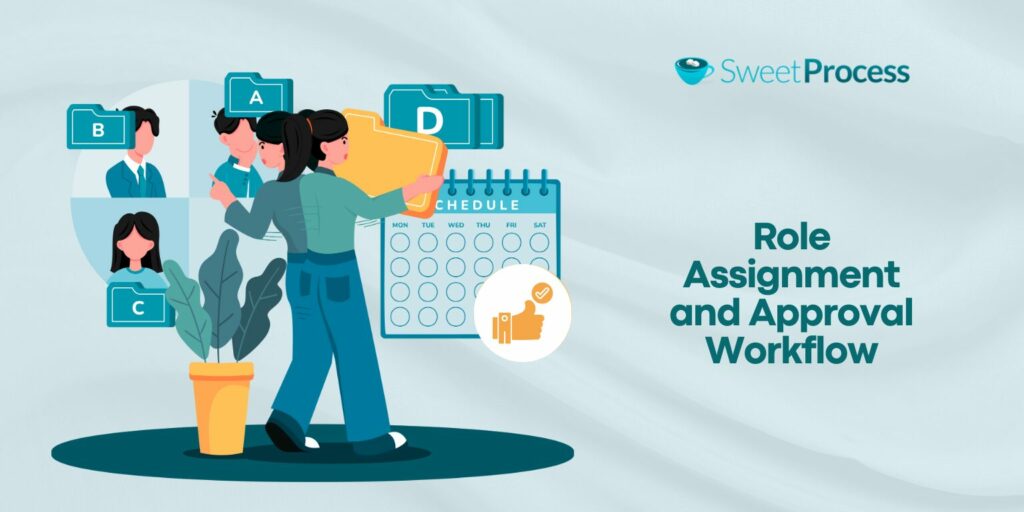
As the founder at The Lever, Justine Parsons points out, SOPs must have assigned responsibility and oversight. Even a brilliant SOP will fail if no one owns it, approves it, and ensures it’s followed. Role assignment and formal workflows ensure someone is accountable for every process, making the document actionable.
Your choice of SOP tool should have role assignment and approval workflows. These features allow you to control who can view, create, edit, and review documents. For instance, if you have a quality assurance team reviewing a “Safety Inspection Protocol,” each update moves through a clear approval chain, ensuring compliance.
This way, you avoid unauthorized changes that could disrupt critical processes and ensure everyone remains accountable for their tasks.
Collaboration and Task Assignment
One of the best practices for creating and managing SOPs is involving your team. They need to share feedback and assign responsibilities to each other. Select an SOP tool that allows your employees to tag team members and leave comments on documents. This feature keeps your documents accurate and helps you gather different perspectives.
Once the SOP is created, the managers and supervisors can assign tasks and track the completion rates. For instance, you can assign training tasks for new hires from your dashboard and view their progress in real time.
Integration With Training and Project Management Tools
If you already have project management tools and communication systems, you need an SOP tool that integrates seamlessly. This way, your employees don’t have to keep switching between systems to complete their tasks.
Integrations come in handy during employee training and onboarding. For instance, you can connect your SOP to an existing learning management system for additional training resources.
Types of Standard Operating Procedure Tools
While some SOP tools focus on simple documentation, others help teams create visual guides. Additionally, some excel at onboarding employees more efficiently. Here are the common types of SOP tools.
General Documentation Tools
These are the tools most businesses start with when documenting their procedures. Think Word documents or Google Docs. They offer features to write and store your SOPs. However, they might be useful for early-stage documentation before the team transitions into more structured systems.
As you scale, you’ll need a tool like SweetProcess, which offers these features and more. You get the basic SOP creation tools and advanced features that your organization requires as you scale.
SOP Management Tools
SOP management tools help teams create and control their processes. They go beyond simple writing tools by offering structure. You can format your procedures, access templates, manage user permissions, approval workflows, and track versions. With these features, your SOP stays consistent across departments and business locations.
Tools like SweetProcess fall squarely into this category. You can create an SOP for your small business and assign it to specific employees for better collaboration. Since you have a centralized single source of truth, your products and services will also be consistent.
Visual Capturing Tools
For some teams and industries, visual guides are more ideal. For instance, in a manufacturing company, employees might follow a diagram, a flowchart, or screenshots with instructions on how to execute their tasks. SOP tools in this category allow you to capture clicks and actions to create a visual guide for the team. This reduces the time it takes to create a procedure.
With SweetProcess, you can embed visuals in your SOP and steps to clarify each step. You can also use the screen recording feature to create a visual procedure that your team should follow.
A good example of a company that used SweetProcess for this is Maxwell Counters. The General Manager, Austin Maxwell, was frustrated by the inconsistency in performance and documentation at his countertop fabrication business. SOPs existed, but they were scattered across paper binders and Word documents, making them hard to follow.
As a result, the business lacked operational consistency and risked quality issues. A Google search on SOP software led him to SweetProcess. Since this transition, the company now has:
- A single accessible knowledge base where every employee can find up-to-date procedures.
- Accessible documentation that reduces “Which version is this?” confusion.
- Enabled teams to perform more consistently day-to-day because they follow documented workflows.
- Improved onboarding and team alignment because new hires can access clear guides and checklists.
Process and Workflow Automation Tools
Some SOP tools excel at automating your workflow. They can assign tasks and initiate trigger actions for repeated tasks. Such systems ensure that your operations flow smoothly. For example, an automation tool might trigger a “New Hire Setup” workflow that alerts IT to create accounts and HR to send onboarding documents.
You can design such workflows with SweetProcess, which provides structured checklists and process flows that users can follow step-by-step.
Training and Onboarding Tools
Your SOPs are only useful if people actually learn them. With a training and onboarding tool, you can design training modules to show new hires how processes work. In addition, you can train existing employees on new policy changes and quiz them on what they know.
SweetProcess is an excellent training tool. It provides a platform to develop a comprehensive knowledge base that employees can refer to. Additionally, you can create quizzes and assess your team’s knowledge on existing and new processes.
Manny Cosme, President and CEO of CFO Services Group, turned to SweetProcess when training new hires became challenging. He says, “When we were a smaller business, and there’s only a handful of us, it was so much easier for me to train someone and explain to them what to do, and then I’d be able to go back and double-check work. But as we grew, that became harder to do. I was looking forward to somewhere I could just put information so they could read it, train themselves, and then have checklists that they can use to do their own quality control work.”
He did a Google search and discovered SweetProcess as the ideal tool to fix the training gaps. Since the adoption, the company has now:
- Reduced new-employee training time. They can train someone in about two weeks.
- Created standardized, easy-to-follow training and operational processes that anyone can access.
- Implemented role-based access, giving each team the precise documentation they need.
- Centralized the company’s procedures into one web-based system, replacing scattered Word docs and manual checklists.
Benefits of Standard Operating Procedure Tools
Implementing an SOP tool changes how your business operates and scales. Here are some of the benefits your organization gets:
Centralized and Updated Library
If your operations manager leaves suddenly, does their institutional knowledge go with them? A centralized library will protect you from losing your tribal knowledge in such situations. You’ll have all the documents stored in one dashboard for employees to access. When updates are made, the changes are saved immediately so that your team is always using the latest version.
Faster Training and Onboarding
Training and onboarding sessions can determine your employee retention rates. You can cut down the time it takes to conduct this exercise by using an SOP tool that has a knowledge base, SOP manuals, training guides, and assessments to help new employees learn faster. Instead of shadowing a colleague for weeks, they can access these resources independently.
Compliance Tracking
One of the easiest ways to provide audit reports for a certain period is to keep a trail of documents. An SOP tool allows you to check your version history and approval workflows, so it’s easier to prove that your processes follow regulatory standards. You can easily manage safety procedures and accounting policies to avoid legal issues.
Knowledge Retention
It’s easy to lose knowledge when your employees resign or change roles. You can prevent this by implementing an SOP tool to document critical company information. Ensure that your team members document their know-how in the internal knowledge base to make it easier to transfer company information.
Limited Errors
Your team is more likely to have errors when the instructions are unclear or hard to find. You don’t want to keep making the same mistakes; otherwise, you’ll lose customers. With an SOP tool, you can create standardized protocols that guide your team. This way, your employees can work confidently and follow the same steps every time.
Which Standard Operating Procedure Tool Should You Choose for Your Business?
With so many SOP tools on the market, the right choice ultimately depends on what your team needs most. If you need quick visual guides, screen capture tools like Scribe, Guidde, or MagicHow offer this. For highly regulated industries where compliance is nonnegotiable, a specialized platform like SOP Tracker is ideal, while Trainual and Whale excel at transforming documentation into structured onboarding experiences.
That said, SweetProcess stands out as the most comprehensive solution for businesses that need more than a single-purpose tool. It provides intuitive document creation, either manual, AI-assisted, or via screen recording, and robust SOP management features. SweetProcess scales with you as you onboard new employees or open new locations.
Your organization needs an SOP tool that works. SweetProcess will streamline your team’s workflow. Start your 14-day free trial today! No credit card is required!