Last Updated on January 25, 2026 by Owen McGab Enaohwo

The growth of your business comes with a bigger team and an even greater struggle to keep up with your processes. Teams start doing things their own way, tasks fall through the cracks, and updates get lost in a maze of old Google Docs and PDFs. That’s usually the moment leaders begin looking for the best SOP management software, a dedicated tool to standardize how work gets done.
Standard operating procedure (SOP) management involves creating, organizing, updating, and distributing your SOPs in a structured, repeatable system. Instead of tracking processes in scattered documents, the right platform lets you collaborate in real time, control permissions, monitor version history, automate reviews, and give employees instant access to the most accurate version of every procedure.
The best SOP management software helps you write your procedure and manage the entire lifecycle, from drafting, formatting, approvals, updates, compliance checks, team training, and performance monitoring. In other words, it removes the manual busywork and gives your team a single source for executing every task.
Want to see how easy SOP management can be? Check out SweetProcess using the 14-day free trial and start organizing your processes in minutes.
Table of Contents
8 Best SOP Management Software and Tools for Your Business Needs
How To Choose the Best SOP Management Software for Your Business
Key Features To Consider Before Choosing an SOP Management Software for Your Business
Why Use an SOP Management Software for Your Team?
Which SOP Software Is the Best for Your Business?
8 Best SOP Management Software and Tools for Your Business Needs
When it comes to picking the best SOP management software for your business, you need to be armed with the knowledge of the features they have and what they can help you achieve.
Here’s a breakdown of the eight best SOP management software:
1. SweetProcess
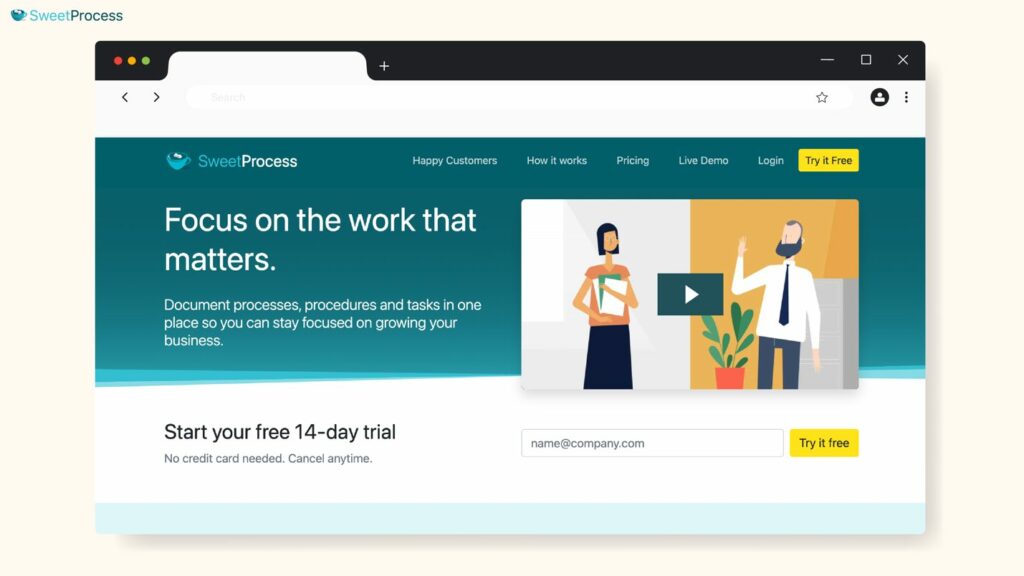
Overview of SweetProcess
SweetProcess is an all-in-one SOP management platform designed for small and mid-sized businesses ready to scale their operations.
Instead of storing processes across random Google Docs, spreadsheets, or employee inboxes, SweetProcess consolidates everything into a structured system where your team can create, update, and follow procedures without confusion.
Whether you’re documenting your first SOPs or systemizing an entire department, SweetProcess gives you structure, clarity, and accountability.
How To Manage SOPs Using SweetProcess
SweetProcess makes SOP management simple and intuitive, even for non-technical teams.
It has a central dashboard that houses all SOPs, and you can manage and collaborate seamlessly.
Below are the core features that make it one of the best SOP management software solutions on the market.
Document Your Company’s Standard Operating Procedures Manually and Automatically
With SweetProcess, you can build detailed SOPs step by step using SweetProcess’s editor, or speed things up with automation using SweetAI, our in-built AI assistance. This eliminates guesswork and helps teams move from undocumented tasks to clear, repeatable processes.
Payroll services company 3rd Arm Admin used SweetProcess to convert messy, inconsistent processes into clean SOPs. This improved accuracy and eliminated duplicated work.
“Payroll is one of the biggest services that we provide. We pay nearly 1,500 people a month across all the businesses that we do that for. One of the first projects of mine was to get all those payroll processes written up and put into SweetProcess. They were already written up, but they were written up in a Word document…. SweetProcess made that easy because of its step-by-step process that allows you to put in pictures and images.”
—Candice Burgess, Practice Manager at 3rd Arm Admin
Collaborate With Team Members on Your Company’s SOPs
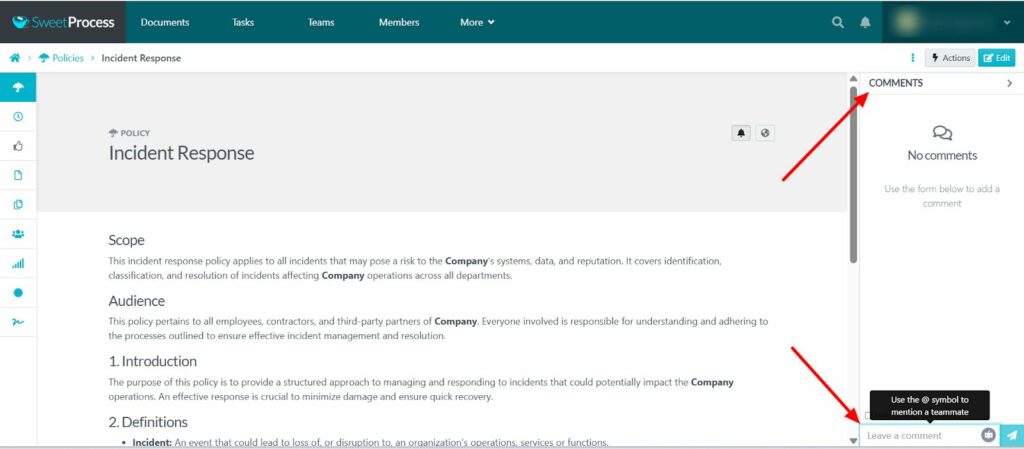
Team members can co-create procedures, leave comments, tag colleagues, and attach screenshots or videos. This collaborative approach ensures SOPs are accurate and practical, since the people who perform the tasks help shape them.
Format, Review, and Track Changes on SOPs
SweetProcess includes structured review cycles, approval workflows, and complete version history. Effective SOPs go through structured review cycles. You can assign reviewers, approve drafts, and track every edit through detailed version history. Every edit is captured, and teams can always refer back to older versions if needed.
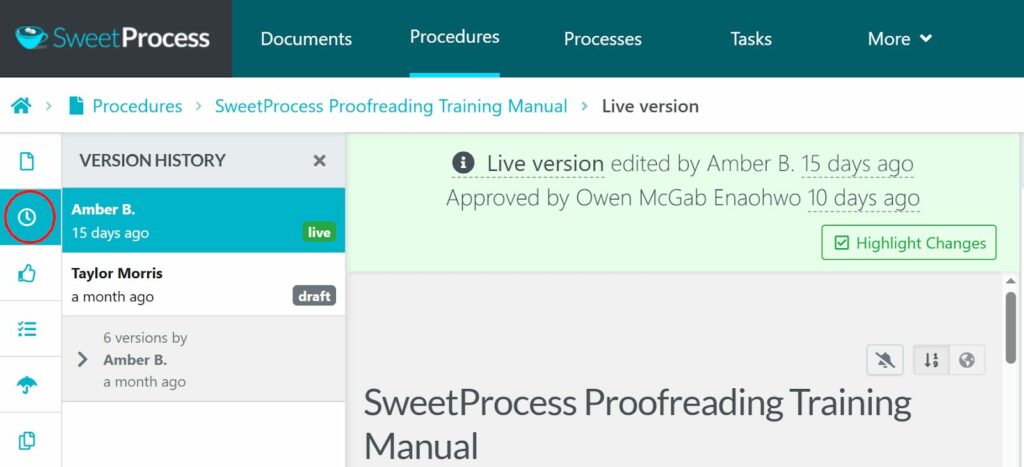
If a procedure changes over time, SweetProcess keeps a chronological record so you always know who changed what and why. This protects your organization from version chaos and ensures compliance-friendly documentation.
Maxwell Counters, a company that specializes in the fabrication, installation, and replacement of countertops, relied on version tracking to ensure consistent quality across teams and shifts. With a team of 35 employees, they needed a system that would guarantee replicated results. This was a major factor in their decision to systematize their operations with SweetProcess.
“When someone asked me how to do something, I’d have to answer or try to find it on the network folder or try to find the binder, but now I’m able to, instead of walking them through everything, just say: Did you look it up in SweetProcess?”
—Austin Maxwell, General Manager at Maxwell Counters
With SweetProcess, they were able to simplify their documentation and had a comprehensive go-to resource for training both new and old employees.
Manage, Distribute, and Set Access Permissions on Your SOPs
SweetProcess allows you to control who can view, edit, or approve SOPs. You can share procedures with internal teams, new hires, or even external partners without exposing sensitive information.
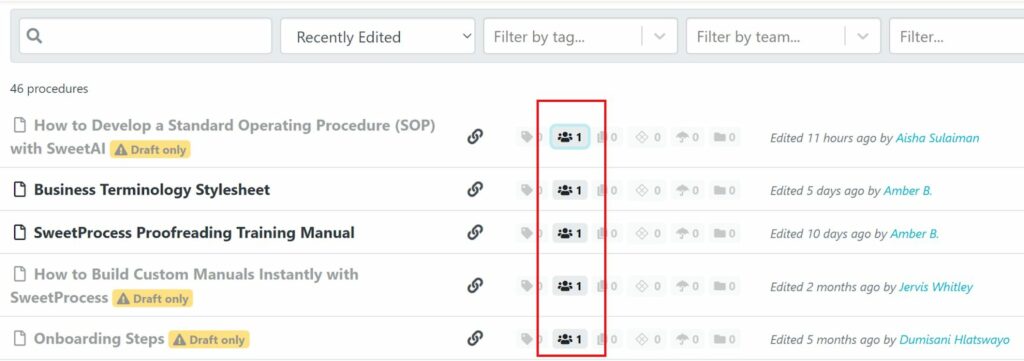
Manage SOPs, Policies, Workflows, and Knowledge Bases in One Place
SweetProcess serves as a complete operations hub. Instead of using one tool for SOPs, another for onboarding, another for policies, and another for training, you house everything under one system.
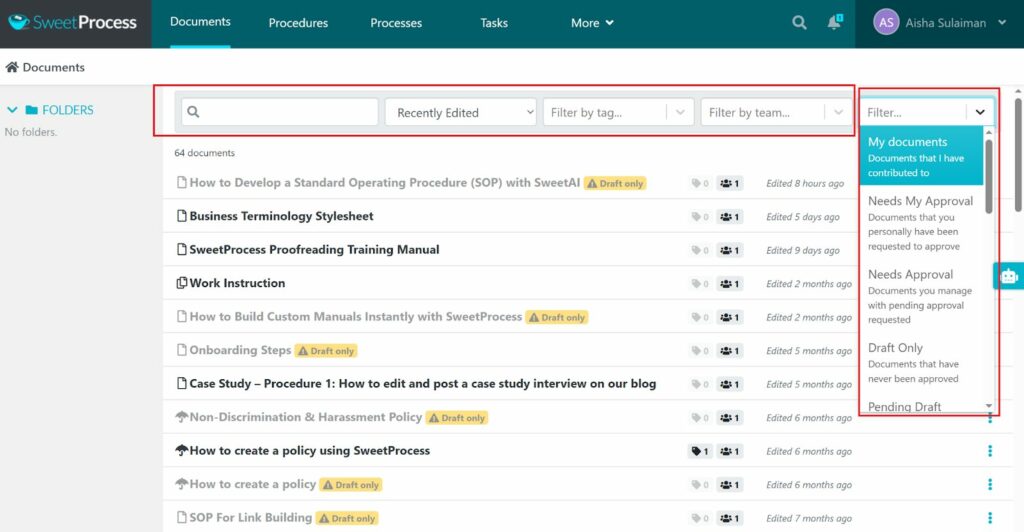
This unified environment makes scaling operations much easier and ensures new hires can get up to speed quickly.
SweetProcess Pricing and Support
Pricing starts at $99 per month for a team of up to 20 active members, billed annually. You can add additional active members for $5 per person per month as your team grows.
SweetProcess also provides strong support and training to help teams get up and running quickly. You can reach out through email support, a dedicated phone line, or via SweetProcess’s active Twitter, Facebook, and LinkedIn channels.
The platform includes a comprehensive and fully searchable knowledge base with detailed, step-by-step guides to walk you through any operational challenge.
2. Process Street
Source: Process Street
Overview of Process Street
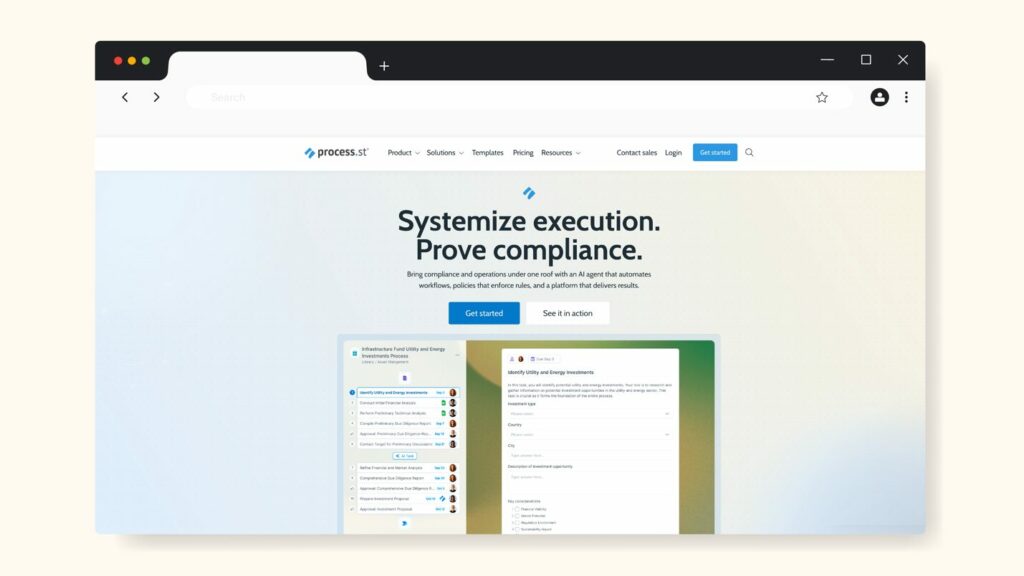
Process Street is a workflow and checklist platform designed to help teams document recurring procedures and automate routine tasks with structured checklists and templates.
We included it on this list because it offers strong process automation capabilities and is widely used by teams that want to standardize workflows across departments.
How To Manage SOPs Using Process Street
Process Street manages SOPs by turning each documented procedure into a dynamic checklist or workflow. Instead of static documents, you build step-by-step interactive processes with fields, assignments, approvals, and automations. Features include:
- Interactive Workflow Templates: Build SOPs as task-based templates with subtasks and data fields for clarity.
- Conditional Logic: Show or hide steps based on user input to create adaptive SOPs.
- Automations and Integrations: Connect processes with Slack, Asana, Airtable, CRMs, or other tools via native integrations or Zapier.
- Approvals and Assignments: Add sign-offs, approval steps, and clear responsibility pathways.
- Form Fields and Data Capture: Collect structured information such as text, uploads, dates, or dropdown selections within each workflow.
Process Street Pricing
Plans available include Start Up, Pro, and Enterprise. Pricing is available upon request. However, there is a 14-day free trial, no credit card required.
3. Tallyfy
Source: Tallyfy
Overview of Tallyfy
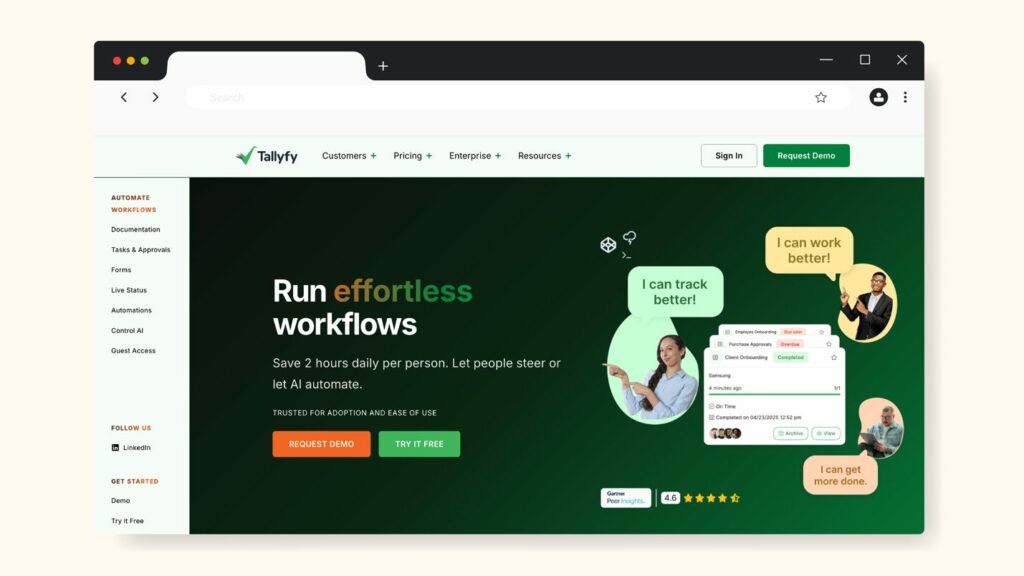
Tallyfy is an AI-native workflow and business process automation platform made for teams to document, run, and improve recurring procedures, approvals, and SOPs in one visual system.
It made the list because it helps organizations to move beyond static SOP documents into live workflows with conditional logic, tracking, and real-time process visibility.
How To Manage SOPs Using Tallyfy
Tallyfy manages SOPs by turning each process into a running workflow that your team can follow and update in real time. Core SOP-related capabilities include:
- Live Workflow Templates: Build reusable process templates that can be launched as individual runs for each client, project, or case.
- Kickoff Forms: Capture structured inputs at the start of a workflow so the right steps and data are gathered upfront.
- Roles and Permissions: Use Light and Full member roles to control who can create and edit templates versus who only runs tasks.
- Real-Time Tracking: Monitor task status, overdue items, and responsibilities from a central dashboard so SOP execution is visible, not guesswork.
- Integrations and Data Feed: Connect workflows to analytics platforms via the “Data Feed” add-on to push process data into BI tools for reporting.
Tallyfy Pricing
It has a 14-day free trial and the following pricing structure:
- Full Members: $300 per year
- Light Members: $100 per year
- Data Feed Add-On: Additional $20 per member per year for streaming data to BI/analytics tools
4. Waybook
Source: Waybook
Overview of Waybook
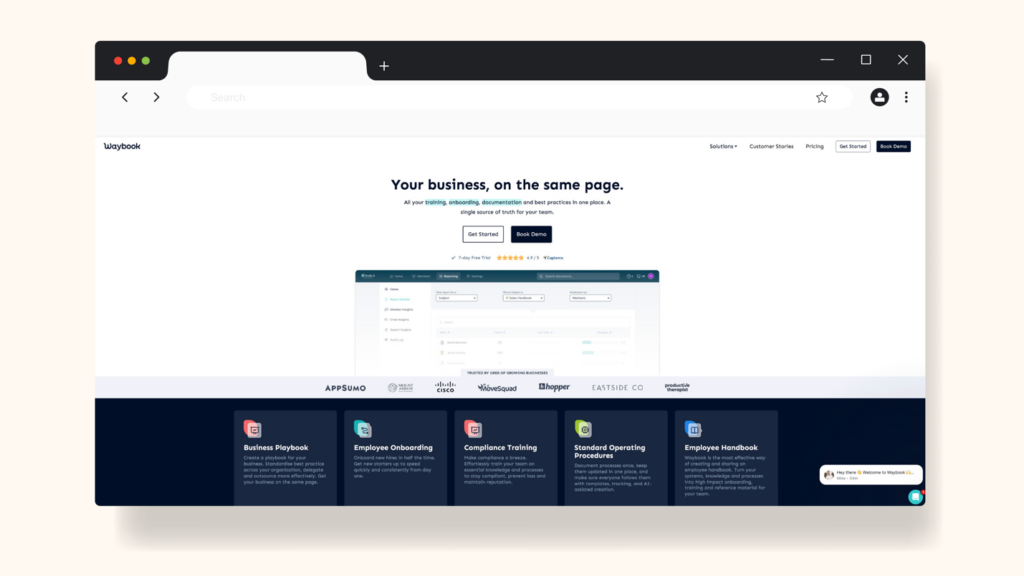
Waybook is a unified platform for organizing your company’s standard operating procedures, policies, and onboarding training in one place. Waybook is on this list because it supports SOP management, plus employee training and knowledge-base needs, making it a strong choice for businesses that want to document, teach, and enforce their processes.
How To Manage SOPs Using Waybook
With Waybook, you can turn your standard operating procedures into structured, trackable, and engaging materials. Key capabilities include:
- Organize Subjects, Documents, and Steps: You can structure your playbook by department or function, with nested documents under each subject.
- Assign and Track Progress: Allocate SOPs to team members and monitor who has read them or completed required modules.
- Tests, Quizzes, and Read Receipts: Ensure your team not only reads the SOPs but understands them. Waybook supports mini-quizzes and knowledge checks.
- Notifications and Updates: When an SOP is updated, Waybook can notify users and track whether they’ve viewed the new version.
- Rich Content Editor: Create SOPs with videos, images, GIFs, and interactive checklists, making procedures more engaging.
Waybook Pricing
It starts with a 14-day free trial and the following plans and pricing:
- Core Plan: $99 per month for up to 20 team members (when billed annually), plus $5 per month for each additional member
- Pro Plan: $198 per month for 20 team members, plus $10 per month per additional member
- Enterprise Plan: Custom pricing available for large organizations with bespoke setup and support
5. Notion
Source: Notion
Overview of Notion
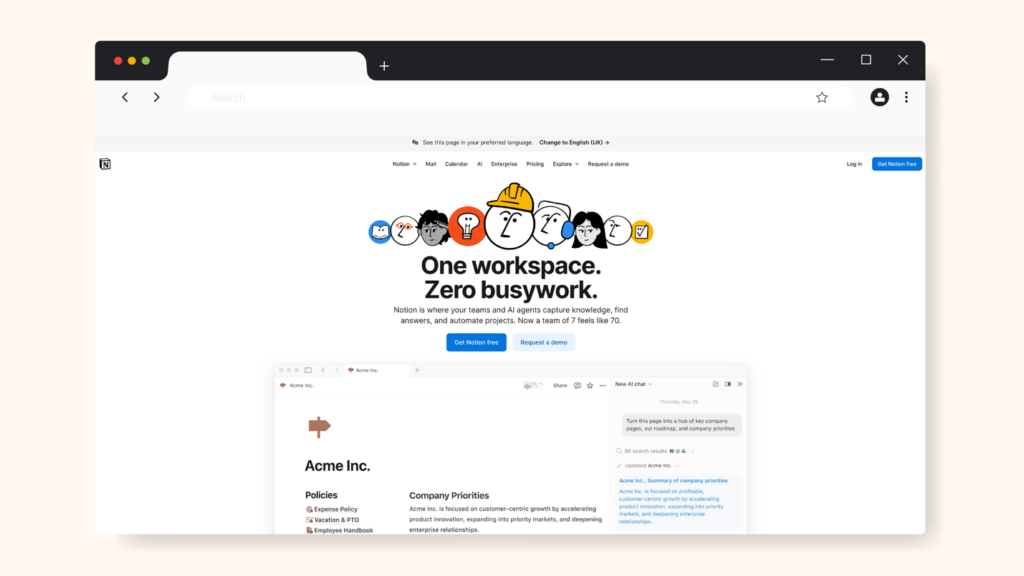
Notion is a flexible all-in-one workspace that combines documents, wikis, databases, and tasks into a single platform. It’s included on this list because many teams use it to manage their SOPs by building structured pages, linking workflows, and maintaining a central system of record for processes.
How To Manage SOPs Using Notion
Using Notion for SOP management involves leveraging its modular page and database structure to create, manage, and update your procedures:
- SOP Templates: Notion offers ready-made SOP templates in its template gallery, so you don’t have to start from scratch.
- Custom Databases and Properties: You can build a database of SOPs with properties like owner, status (draft/active/review), last updated, department, etc. Then you can filter, sort, or view by team.
- Linked Pages and Embeds: For SOPs, you can embed images, videos, checklists, links, and other Notion pages so that complex procedures are clear and interactive.
- Version Tracking and Comments: Although Notion is not a dedicated workflow engine, you can track edits, use comments, and archive old versions to maintain process history.
- Collaborative Editing and Version History: Team members can edit SOPs together, comment, tag others, and access version history.
Notion Pricing
- Free Plan with limited access
- Plus Plan: $10 per user per month, billed annually
- Business Plan: $15 per user per month, billed annually
- Enterprise Plan: Custom pricing available on request
6. Tango
Source: Tango
Overview of Tango
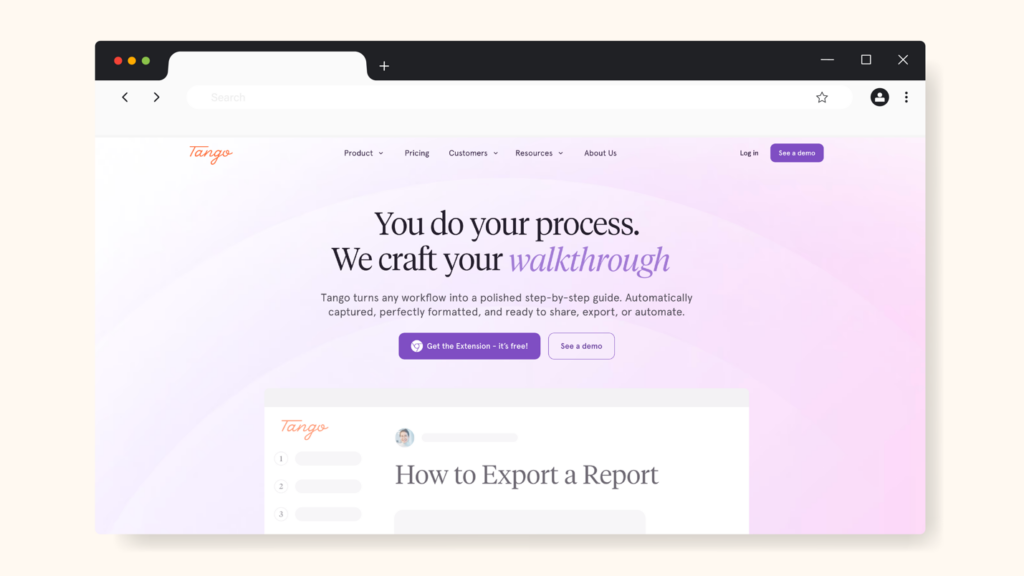
Tango is an AI-powered process documentation and SOP creation tool that automatically captures your screen activity and turns it into step-by-step guides, complete with annotated screenshots and instructions. It made it to the list because it excels at turning routine tasks into visually clear how-to guides rapidly, making it valuable for teams that want fast documentation of recurring workflows.
How To Manage SOPs Using Tango
With Tango, you can turn your existing processes, especially those executed in software or browser tools, into shareable SOPs. Key ways it supports SOP document management include:
- Automatic Process Capture: Tango records your actions, takes annotated screenshots, and generates a how-to guide automatically.
- Interactive On-Screen Guidance: Embed guides directly into the apps your team uses, with tooltips and pointers that help users follow the SOP in real time.
- Analytics on Adoption and Completion: Monitor which SOPs are being used, which steps teams struggle with, and who hasn’t completed the guide yet.
- Export and Sharing Options: Share created guides externally or embed them, allowing SOPs to live outside just the internal knowledge base.
Tango Pricing
- Free Plan: Up to 15 shared workflows and browser capture
- Pro Plan: $22 per user per month billed annually
- Enterprise Plan: Custom pricing on request
7. Trainual
Source: Trainual
Overview of Trainual
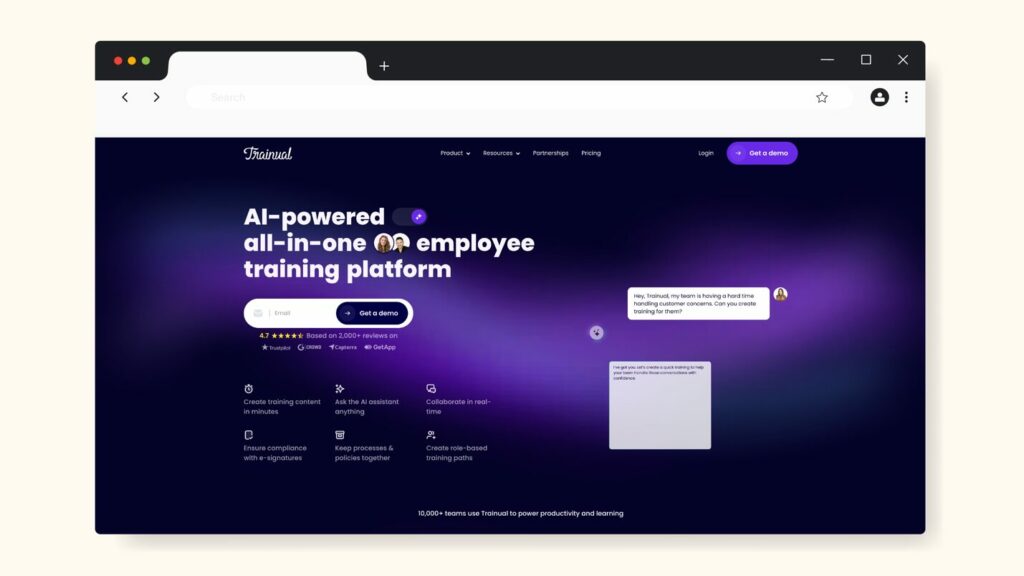
Trainual is a playbook-style platform that helps teams document every process, policy, and SOP in a central, searchable hub. It sits at the intersection of training, knowledge base, and SOP management, which is why it’s included on our list as one of the best SOP management tools.
How To Manage SOPs Using Trainual
With Trainual, managing SOPs becomes part of your onboarding and team knowledge lifecycle. Here are some key features:
- Create Subjects and Processes: You build “subjects” (for example: “Sales Process,” “Customer Support Intake”) and then add step-by-step content inside each subject.
- Embed SOPs Into Training Paths: Assign SOPs to roles or groups and track whether team members have completed, passed quizzes, or viewed the content.
- Use Templates and AI Assistance: Access to more than 500 templates helps you get started quickly. Trainual also uses AI to help draft procedures and training content.
- Track and Report Progress: Monitor who has completed each SOP or training, view progress reports, and hold team members accountable.
Trainual Pricing
- Core Plan: $249 per month billed annually for 10 seats
- Pro Plan: Available on request
- Premium Plan: Available on request
- Enterprise Plan: Available on request
8. Dozuki
Source: Dozuki
Overview of Dozuki
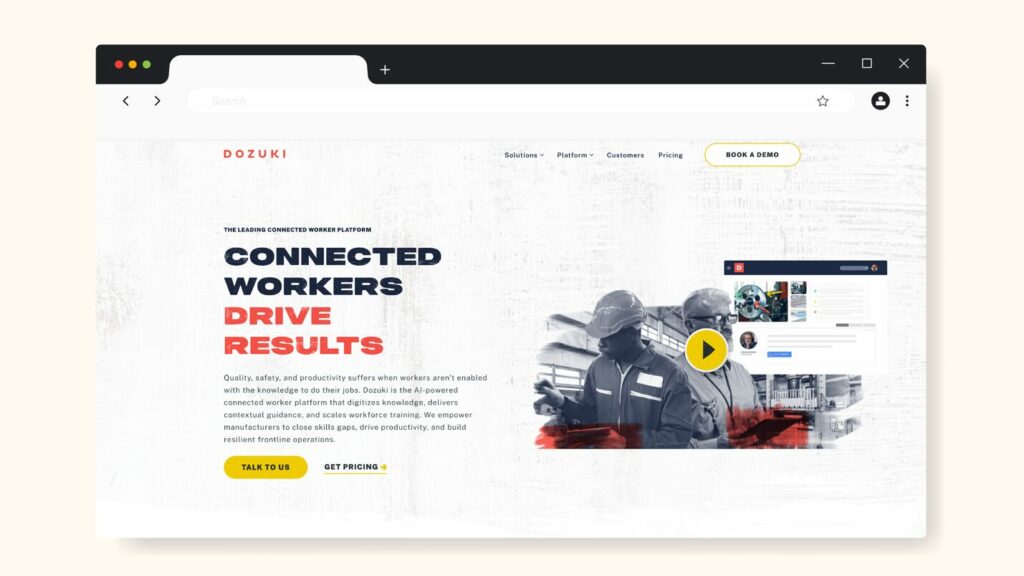
Dozuki is a connected-worker platform tailored for manufacturing and industrial teams. It is built to transform traditional work instructions into digital, visual SOPs that frontline employees can follow anywhere. We included Dozuki in this list because, when your operations involve physical workflows, machinery, or shift-based teams, its capabilities for visual instructions, training tracking, and version control become major advantages.
How To Manage SOPs Using Dozuki
Using Dozuki, your SOPs become interactive documents rather than static PDFs. Key ways teams use it include:
- Digital Work Instructions and Version Control: Build step-by-step instructions with embedded photos/videos, capture edits, and track revision history.
- In-Field Authoring and Multimedia Content: Workers can record videos or photos directly, create or update SOPs in real time, and distribute them instantly.
- Training and Competency Tracking: Assign SOPs as training modules, monitor who completed them, and automate retraining when procedures change.
- Mobile/Frontline Access: Workers access instructions on tablets or phones, ensuring SOPs are visible at the point of action rather than hidden in files.
Dozuki Pricing
Custom quote available on request.
Here’s a comparison table with features at a glance:
| SOP Feature/Tool | SweetProcess | Process Street | Tallyfy | Waybook | Notion | Tango | Trainual | Dozuki |
| Ideal Use Case | Full SOP lifecycle: documentation, training, management | Workflow & checklist automation for operations teams | Workflow automation with role-based access & template editing | SOP + onboarding + knowledge base for teams | Wiki/docs + SOPs for teams already using the environment | Capturing software-based workflows & tasks visually | SOPs + employee training platform | Industrial-grade visual work instructions for frontline/manual teams |
| Document SOPs Manually | ✔️ | ✔️ | ✔️ | ✔️ | ✔️ | ✔️ | ✔️ | ✔️ |
| Automatic SOP Creation/Capture | ✔️ | ✔️ | ✔️ | ✔️ | ✔️ | ✔️ | ✔️ | ✔️ |
| Collaboration on SOPs | ✔️ | ✔️ | ✔️ | ✔️ | ✔️ | ✔️ (limited) | ✔️ | ✔️ |
| Formatting + Rich-Media Support | ✔️ | ✔️ | ✔️ | ✔️ | ✔️ | ✔️ | ✔️ | ✔️ |
| Review Cycles + Approvals | ✔️ | ✔️ | ✔️ | ✔️ (read receipts) | ⚠️(minimal) | ❌ | ✔️ | ✔️ |
| Version Control | ✔️ | ✔️ | ✔️ | ✔️ | ✔️ | ❌ | ✔️ (in higher tier) | ✔️ |
| Access & Permissions | ✔️ | ✔️ | ✔️ | ✔️ | ✔️ | ⚠️(minimal) | ✔️ | ✔️ |
| Workflows/Task Automation | ✔️ | ✔️ strong | ✔️ (role based) | ⚠️ (less automation focus) | ⚠️ (minimal) | ❌ | ✔️ | ✔️ |
| Training & Onboarding Features | ✔️ | ⚠️ (more operations-focused) | ⚠️(minimal) | ✔️ | ⚠️(minimal) | ❌ | ✔️ strong | ✔️ (frontline) |
| Knowledge Base Included | ✔️ | ⚠️ (library only) | ❌ | ✔️ | ✔️ | ❌ | ✔️ | ✔️ |
| Pricing Style | Team-based pricing for active members | Per-user subscription | Member role-based (Full/Light) | Team-pricing | Per-user subscription | Per user | Per user | Custom quote |
| Free Trial | ✔️ | ✔️ | ✔️ | ✔️ | ✔️ | ✔️ | ✔️ | ❌ (requires demo) |
For all tools, features listed may vary by plan, region, or contract.
If you want one tool that covers documentation, version control, training, approvals, automation, and a knowledge base in a unified way, SweetProcess delivers that all-in-one solution.
How To Choose the Best SOP Management Software for Your Business

If you have been searching for the best SOP management software but are not quite sure how to pick the right one for your team, you can use these five steps as a simple checklist to shortlist, test, and confidently choose your SOP platform.
Step 1: Consider Your Team Size and Industry Needs
Start by matching the tool to your environment. For a small or fast-growing team, prioritize ease of use and quick adoption. For compliance-heavy or operations-focused teams, choose tools with strong version control and permissions. For manufacturing or field teams, look for visual, mobile-friendly SOPs.
The best tool is the one that supports how your team already works, not the one with the longest features list.
Step 2: Assess Pricing and Budget
Pricing varies widely across SOP tools, so look closely at how each platform charges. Some tools use a per-user model that becomes expensive as you add more seats, while others lock essential features behind higher tiers.
Step 3: Sign Up for a Free Trial
Once you have narrowed down your options, test each tool with a free trial. During the trial, document one real process, invite a few teammates, and pay attention to how naturally they interact with the software.
Also, test support by asking a real question and measuring how quickly you get help. Your goal is to understand whether your team can realistically adopt the tool without a long onboarding period.
Step 4: Import Existing SOPs and Create New Ones
A good SOP platform should help you move smoothly from your existing documents into a more structured system.
Try importing a few SOPs from Google Docs, Word, or PDFs to see if the platform handles them well. Then, create a new procedure from scratch to judge how easy the editor is to use.
You should be able to add steps, media, and approvals without friction. SweetProcess makes this transition simple by helping you turn scattered documents into a clean, organized library.
Step 5: Evaluate Use Cases and Learning Curve
Finally, make sure the software matches your real day-to-day needs. Consider whether it works for onboarding, recurring tasks, client delivery, or internal handoffs.
Equally important is how fast your team learns the tool. If the interface feels confusing or heavy, adoption will be slow.
SweetProcess is built to be intuitive for non-technical users, making it easier for teams to adopt consistently across departments. Use the 14-day trial to test it and see things for yourself.
Key Features To Consider Before Choosing an SOP Management Software for Your Business
When evaluating SOP management tools, it helps to understand the features that truly make a difference in day-to-day operations. The right platform should simplify documentation, support collaboration, and make your processes easy to follow and maintain.
1. Centralized and Easy Documentation
Your SOP tool should provide a single hub where all procedures, policies, and workflows are stored and easily accessed. If your team still hunts for documents across folders or chats, you’ll lose time and consistency.
“When you get in and you start creating these SOPs, it’s very clear. It’s very step by step. In a Google Doc, it’s a blank slate. It’s like, I have to add this, stop, and then renumber all the other numbers. It’s just a pain. In SweetProcess, you go in, and you create it.”
—Dr. Jeremy Weisz, Co-Founder, Rise25
2. Multimedia and Formatting Support
Clear SOPs require more than text. Look for software that allows you to add images, videos, checklists, diagrams, and step-by-step formatting so your instructions are easier to understand. Teams learn faster when processes are visually explained, especially in roles that involve technical steps, onboarding tasks, or software workflows.
3. Document Collaboration and Version Control
Things change, and procedures get revised. A proper SOP software should let multiple people contribute and track changes over time. Version history, drafts, and approvals are critical so you know who edited what, when, and why.
4. Process Tracking
Knowing that an SOP exists is one thing; knowing it’s actually being followed is another. You’ll want tools that allow you to monitor task completions, overdue items, progress by role, and compliance metrics.
According to Paul Green, an expert marketer at MSP Marketing Podcast, having an SOP that systematizes your processes is crucial to the growth of any business.
“What we needed was a system that gave us visibility into which procedure hadn’t been followed so we could catch errors sooner rather than later.”
—Paul Green
5. Permission and Security
Not every SOP should be visible to every person. Your tool must let you assign access rights, control edits, and protect sensitive procedures. Teams in regulated industries with client data or multiple locations especially care about privacy and audit trails.
6. Automation and Integration
The best SOP software should be able to store instructions, automate, and integrate. Think of automatic review reminders, approvals, alerts when a procedure changes, and connections with your CRM or project management system.
Why Use an SOP Management Software for Your Team?

Centralized Documentation
When processes live across Google Docs, emails, spreadsheets, and people’s memories, your team wastes time searching for the “correct” version. An SOP management software brings everything into one organized, searchable system.
Before using SweetProcess, Neon Buddha, a fashion brand, struggled with scattered operational knowledge across departments. Staff members relied on verbal instructions and old documents, which led to inconsistent execution. After centralizing their processes in SweetProcess, their team finally had a single source of truth.
According to Jonathan Harvey, COO of Neon Buddha, centralizing their documentation has boosted productivity among team members.
“It’s easier for us to scale quickly so we can have people all across the globe. We have employees in the Philippines, Thailand, the United States, and Canada. For us, it’s easier to scale quickly and efficiently with SweetProcess.”
—Jonathan Harvey
Team Consistency and Compliance
Standardization keeps teams aligned and prevents quality from slipping as you grow. SOP software ensures everyone follows the right steps every time, reducing errors and improving accountability.
For Maxwell Counters, a home improvement company, inconsistent execution across staff caused performance variations and rework. They needed a system that enforced the exact steps in every process. Once they adopted SweetProcess, they were able to track changes and maintain strict version control.
Faster Onboarding and Training
Good SOP software helps new employees get up to speed quickly without leaning on busy team members. Instead of shadowing or asking repeated questions, new hires can follow clear procedures from day one.
Improved Compliance Management
For teams in regulated industries or any business with high-stakes processes, compliance matters. A good SOP management tool helps you enforce standards, track approvals, and maintain audit-ready version histories.
Seamless Knowledge Transfer
When experienced employees leave or teams expand, undocumented processes cause major disruptions. SOP software preserves that knowledge and makes it accessible to everyone, preventing bottlenecks and institutional memory loss.
Across many SweetProcess case studies, leadership repeatedly mentions that having processes documented in a structured system future-proofs the business. It ensures the company doesn’t depend on one person’s memory or availability. Documented SOPs make transitions smooth and keep operations stable even during turnover.
Want to centralize your documentation, improve consistency, and onboard faster just like these businesses?
Start your 14-day free trial and see the difference a dedicated SOP platform like SweetProcess makes.
Which SOP Software Is the Best for Your Business?

Choosing the best SOP management software ultimately depends on your team size, industry, and the level of structure you want to build into your operations. Each tool in this list serves a specific type of business and solves a different operational challenge.
If you want an SOP platform that brings everything together, documentation, version control, permissions, collaboration, process tracking, onboarding, and knowledge management, SweetProcess remains the best all-around solution. It’s built for small and mid-sized teams that need clarity, scalability, and a system their employees will actually use daily.
Whether you’re standardizing operations for the first time or optimizing your existing processes, SweetProcess gives you the structure and simplicity to get there faster.