Last Updated on February 1, 2026 by Owen McGab Enaohwo
Imagine losing a key employee and watching projects grind to a halt because no one knows how or where to find the standard operating procedures (SOPs). That’s the reality for many companies, but well-documented SOPs stop that chaos before it even starts.
SOPs provide step-by-step instructions that ensure consistency, quality, and efficiency in daily operations. Without them, teams waste time reinventing the wheel, and processes become more complicated to manage as a company scales.
Storing your SOPs in spreadsheets and Word documents can be chaotic. It’s difficult to update outdated information and or access information scattered across local files. That’s where online SOP software comes in: it provides a centralized platform for documenting, updating, and sharing procedures effortlessly. With the right tool, you can automate repetitive tasks and empower your team to work with clarity and accountability.
Start your 14-day SweetProcess trial today and see how effortless it is to scale and grow your business with well-documented processes and procedures.
Table of Contents
9 Best Online SOP Software To Create and Manage Procedures
Key Features To Consider Before Choosing an Online SOP Software
Why Move Your Standard Operating Procedures (SOPs) Online?
How To Implement an Online SOP Software
Which Online SOP Software Should You Choose for Your Business?
9 Best Online SOP Software To Create and Manage Procedures
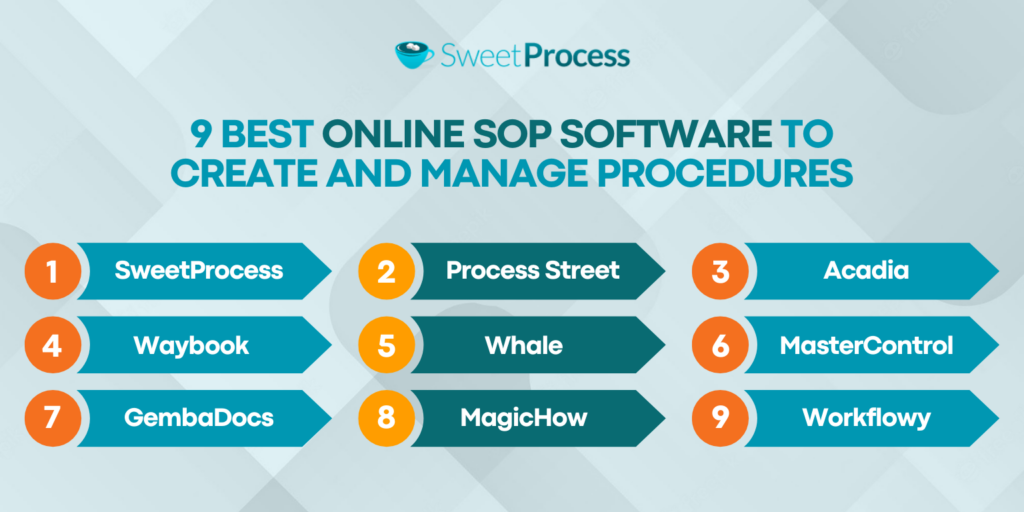
In this section, we’ll walk you through nine of the best online SOP software tools, starting with our top pick, SweetProcess. You’ll learn what makes each tool stand out, its key features, and how they can fit into your workflow (and budget). By the end, you’ll have a clear sense of which one best matches your team’s needs.
1. SweetProcess
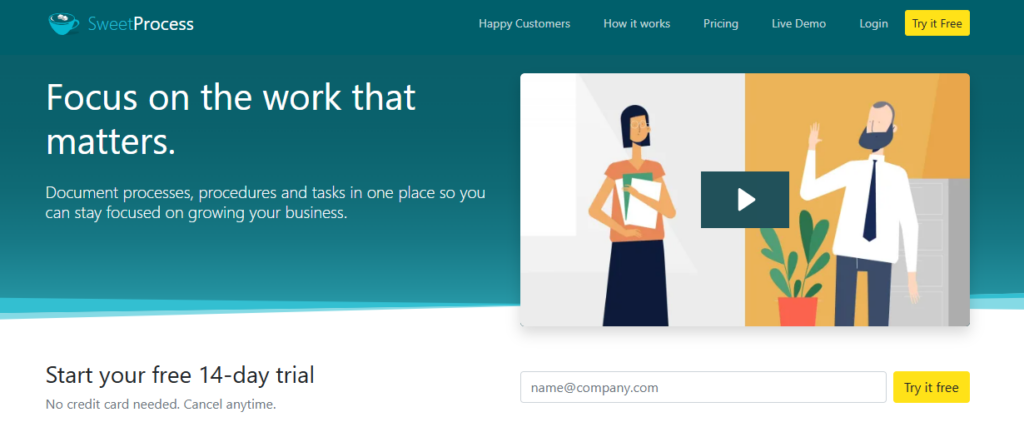
Overview of SweetProcess
SweetProcess is an online standard operating procedure software that helps you document procedures, processes, and policies seamlessly. It transforms repetitive procedures into step-by-step SOP workflows, thereby facilitating efficient task execution.
SweetProcess Pricing and Support
For $99 per month, SweetProcess allows a team with up to 20 active members access to all its features. For each additional active member, the cost is $5 per month if billed monthly. However, for annual billing, you pay as low as $82.50 per month for 20 active members and $4.17 per additional active user.
Features of SweetProcess
Here are the core features that make SweetProcess an excellent software for online SOPs.
Document Your Company’s Standard Operating Procedures Manually and Automatically
If you prefer to create your detailed SOPs from scratch, SweetProcess lets you do that in just minutes. Alternatively, for a faster and more efficient approach, consider automating your SOP creation with AI.
Creating an SOP manually (from scratch) or automatically (with SweetAI) is easy. Here’s how to do it on SweetProcess:
Step 1: Log in to your SweetProcess account or create a free account.
Step 2: Click on “Create Procedure.”
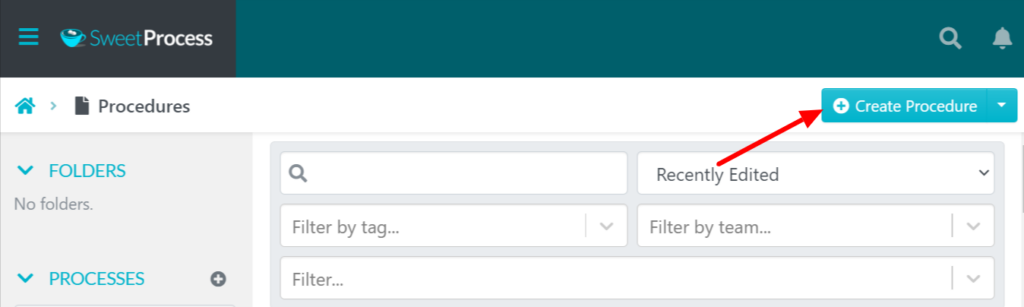
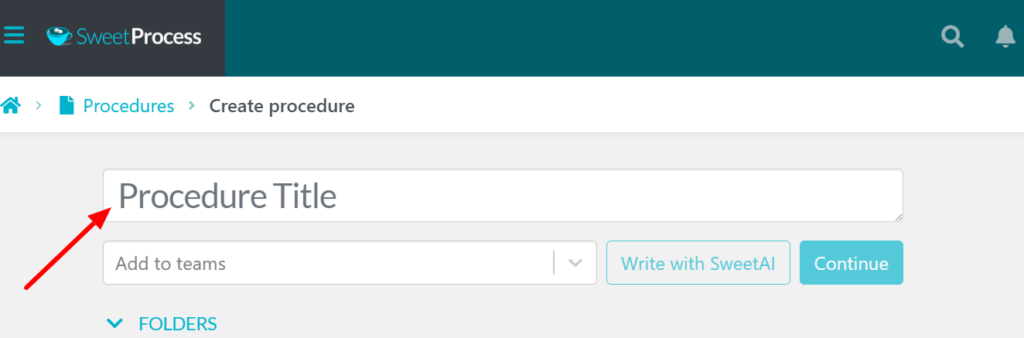
Step 3: Write the title of the procedure.
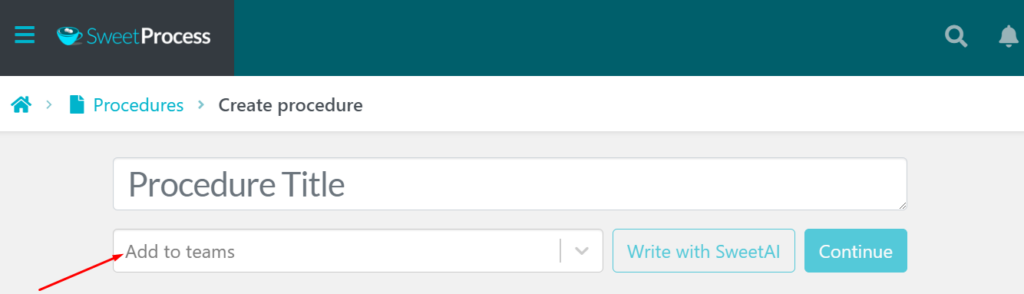
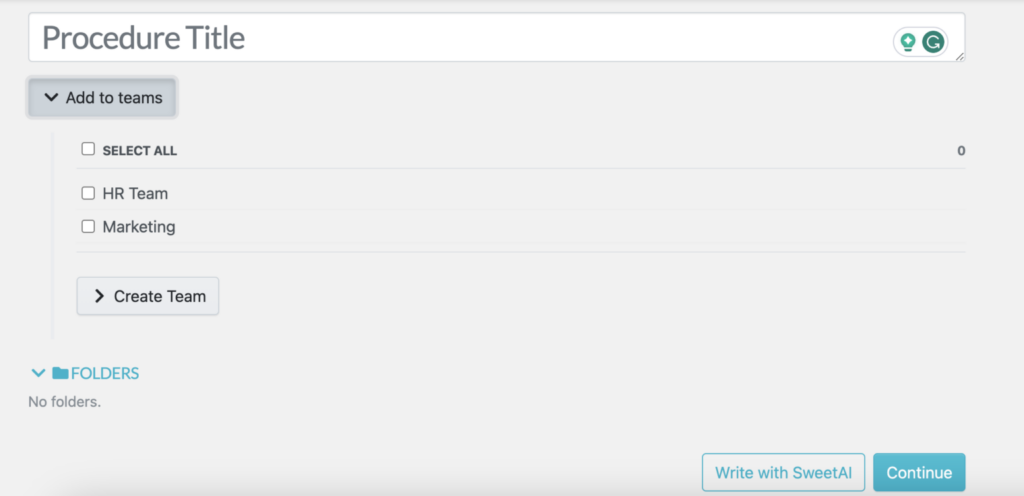
Step 4: Select the team that should access the procedure.
Step 5: Click “Write with SweetAI” to have our AI SOP generator write your procedure.
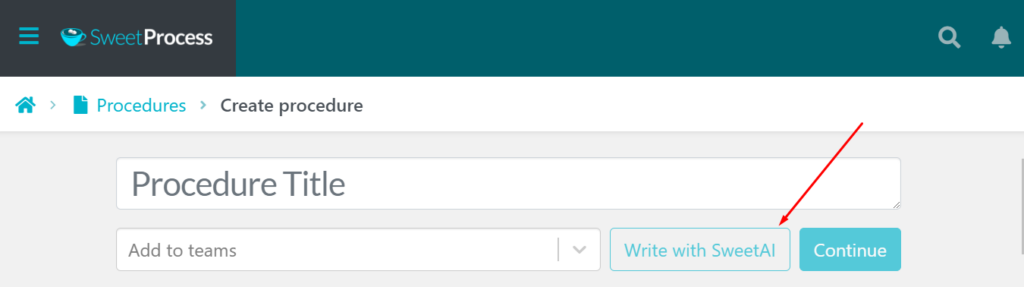
Step 6: To write your procedure from scratch, click “Continue” and input all the necessary details.
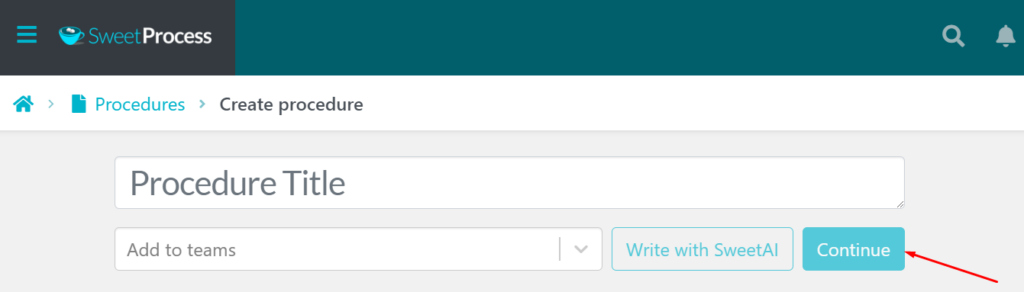
Step 7: Add details to your procedure and assign them to specific teams.
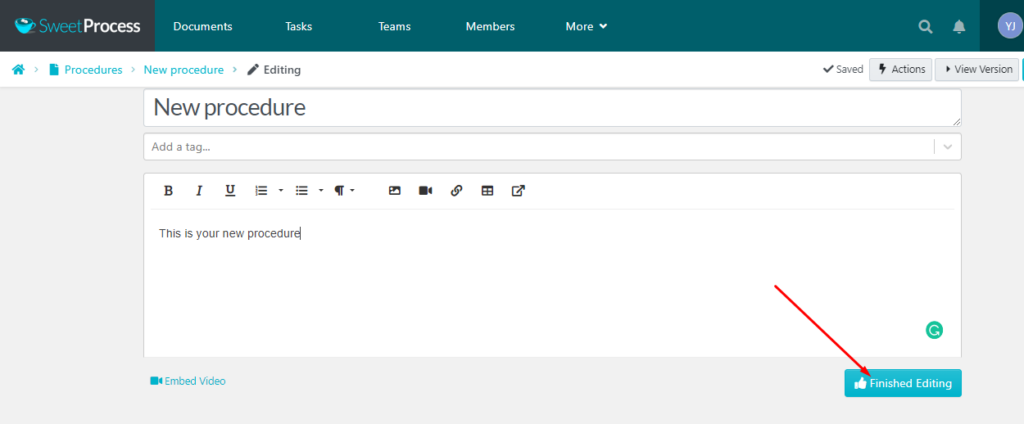
Step 8: Click on the SOP title to add a description, then click “Finished Editing.”
Collaborate With Team Members on Your Company’s SOPs
Team collaboration gets easier with SweetProcess. You can assign SOPs as tasks to team members, with due dates and reminders. Additionally, you can assess and enhance your team’s grasp of company policies, processes, and procedures through quizzes. You can also suggest improvements and collaborate in real time with team members on specific SOPs.
Format, Review, and Track Changes on SOPs
SweetProcess enables teams to format SOPs clearly, review drafts, and track every change using version history. You can also highlight differences and make one‑click reverts to reduce errors. Users can also monitor activity, compare versions, and notify stakeholders when updates go live to keep procedures current and compliant.
Access Company SOPs and Documentations on the Go
One major benefit of using SweetProcess is the ability to access your SOPs from anywhere. With the SweetProcess SOP app, team members can view procedures on their mobile devices by downloading the app from the Android Play Store or the iOS App Store. Teams can also use the mobile-friendly web app to review company SOPs, making it easy to follow instructions and complete tasks while on the go.
Manage SOPs, Policies, Workflows, and Knowledge Bases in One Place
SweetProcess offers a centralized dashboard that allows you to access all your procedures, processes, policies, tasks, and workflows in one place. You can also create internal or public knowledge bases, organize articles, and link to existing SOPs for easy access and self-service support.
2. Process Street
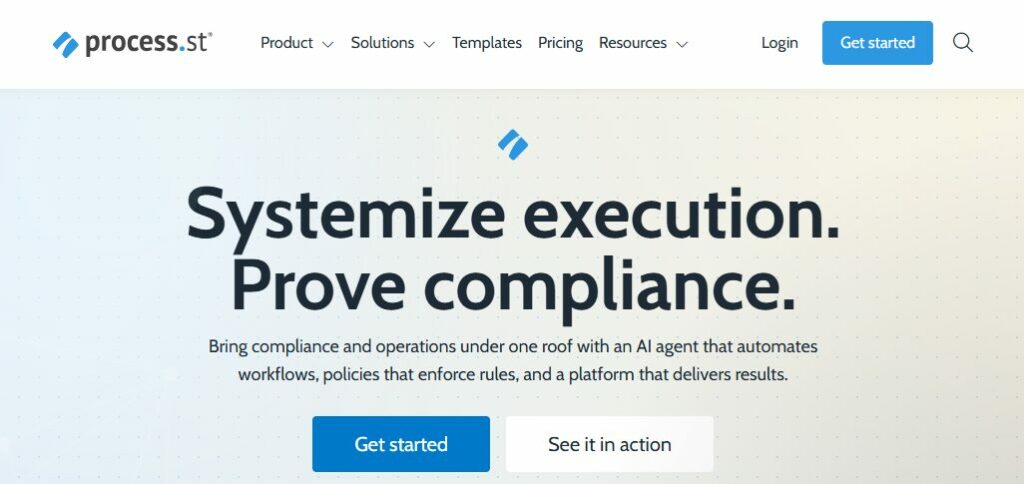
Image source: Process Street
Overview of Process Street
Process Street is a workflow and SOP management tool designed to help businesses document recurring processes, ensure compliance, and automate repetitive tasks.
What Makes Process Street a Good Online SOP Software?
Process Street is renowned for its user-friendliness and accessibility. According to a verified user, “Process Street has made it possible to house our SOPs in one location. This has improved the onboarding process of new team members.” By centralizing procedures, teams can create a consistent SOP for onboarding, ensuring every new hire receives the same clear guidance from day one.
Process Street Pricing
Process Street’s pricing is not currently displayed on the website.
3. Acadia

Image source: Acadia
Overview of Acadia
Acadia is a software solution that streamlines employee onboarding and training, providing access to digital SOPs, job aids, and comprehensive training content.
What Makes Acadia a Good Online SOP Software?
Acadia lets you generate a QR code for each cloud-based document. The QR code will never need to be updated, even though a document or procedure is changed.
Acadia Pricing
Acadia’s pricing is not currently available on their website.
4. Waybook
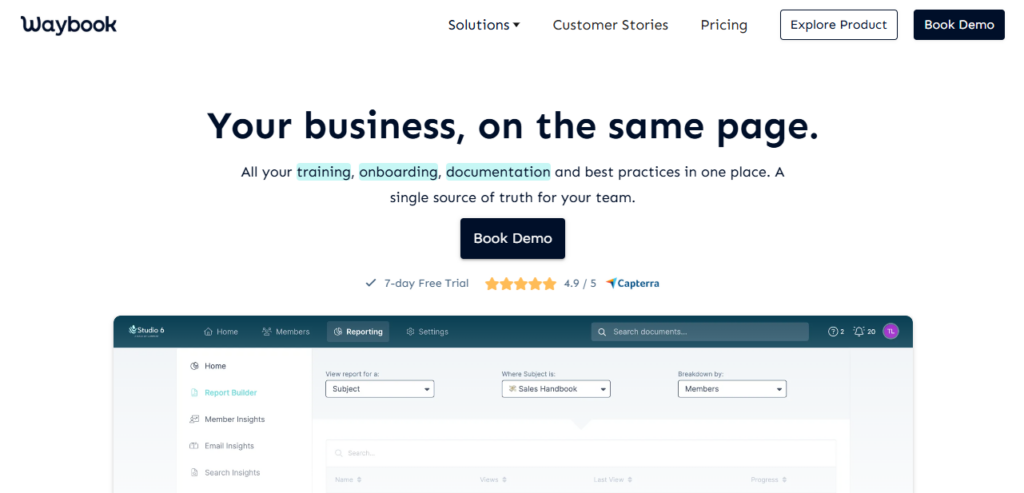
Image source: Waybook
Overview of Waybook
Waybook is a cloud-based knowledge management tool that transforms documents, processes, and knowledge into practical, organized onboarding, training, and reference materials.
What Makes Waybook a Good Online SOP Software?
Many users like Waybook for its simplicity. One reviewer notes that “Waybook is an immediate start. Your standard operating procedure tool needs to have very little learning curve for users and have a super simple interface. Waybook meets both of these requirements.”
Waybook Pricing
Waybook pricing starts at $99 per month for 20 users if billed annually. You’ll pay an additional $5 per month for every new user added to the plan.
5. Whale
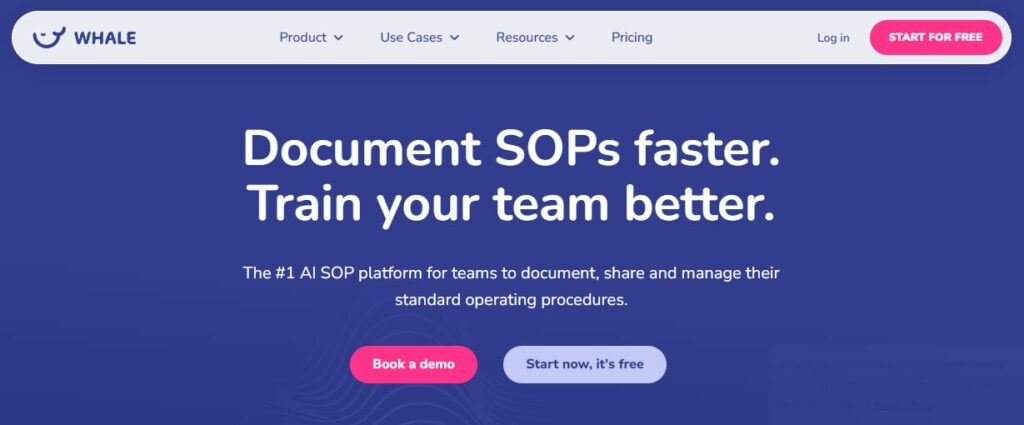
Image source: Whale
Overview of Whale
Whale is an AI-powered SOP platform that enables teams to document, share, and manage their standard operating procedures.
What Makes Whale a Good Online SOP Software?
Whale boasts numerous impressive features, including an AI-Powered SOP Builder that automatically generates documentation using your workflow keywords and documents. One of its users said they love it because it makes onboarding fun and creating dynamic SOPs much easier.
Whale Pricing
They have two main pricing plans: the Scale Plan, which costs $99 per month for 10 users, plus $10 per month per additional user, and the Enterprise Plan, which offers custom pricing for 50+ users.
6. MasterControl
Image source: MasterControl
Overview of MasterControl
MasterControl is primarily an enterprise-grade Quality Management System (QMS), but its Document Control Software solution helps in standardizing SOP document.
What Makes MasterControl a Good Online SOP Software?
MasterControl simplifies document control with one-click access to current SOPs, offers automated routing for approvals, and provides centralized storage that prevents version confusion.
MasterControl Pricing
Pricing information is not available on their website.
7. GembaDocs
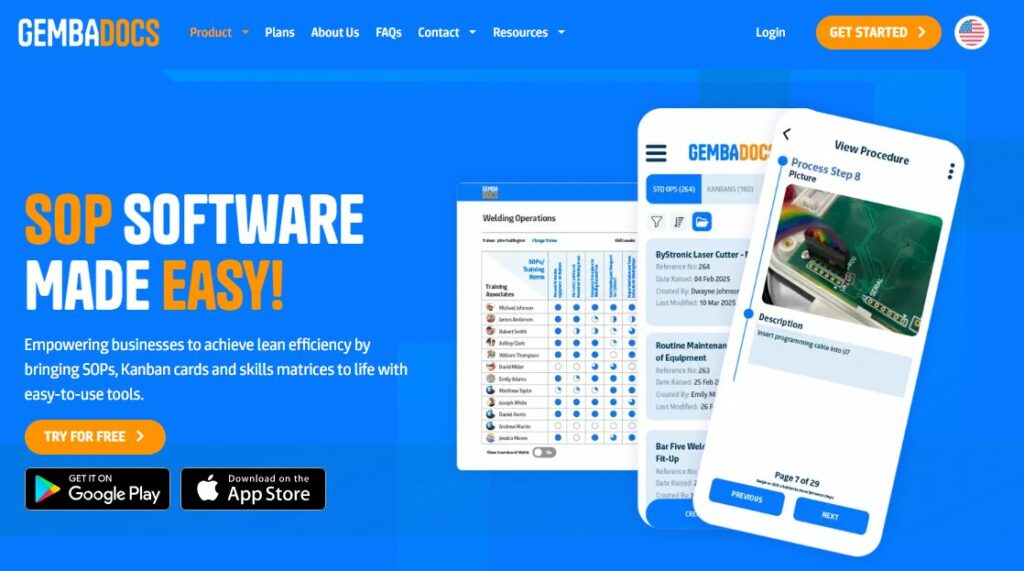
Image source: GembaDocs
Overview of GembaDocs
GembaDocs is a platform that empowers businesses to achieve lean efficiency by bringing SOPs, Kanban cards, and skills matrices to life with easy-to-use tools.
What Makes GembaDocs a Good Online SOP Software?
According to current users, GembaDocs is easy to use. A recent online review has revealed that “anyone can use it—you don’t need extensive training. The SOPs are very clear for the end user with the notations that can be added while making an SOP.”
GembaDocs Pricing
GembaDocs offers various plans, ranging from small business to multi-site premium, with prices starting at $49 per month and going up to $499.
8. MagicHow
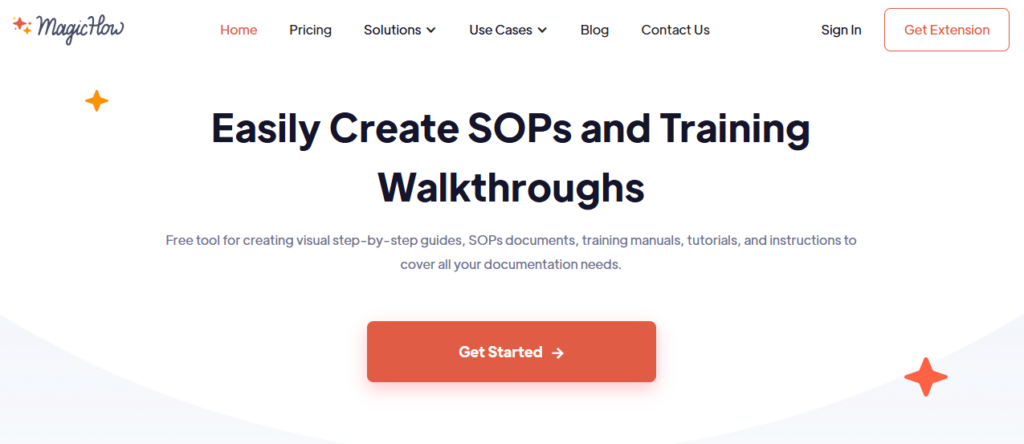
Image source: MagicHow
Overview of MagicHow
MagicHow automates the creation of visual step-by-step guides, SOPs, training manuals, and tutorials by capturing your actions and converting them into comprehensive documentation.
What Makes MagicHow a Good Online SOP Software?
MagicHow’s key standout features include automatic SOP creation by recording browser actions, AI-powered text generation, advanced editing tools, and multi-format export.
MagicHow Pricing
MagicHow offers affordable pricing starting at $12.50 per month for its advanced features.
9. Workflowy
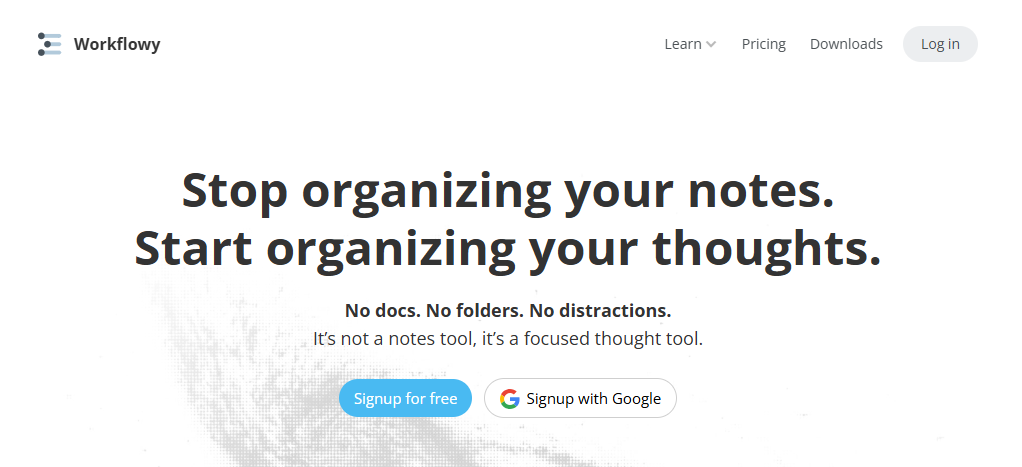
Image source: Workflowy
Overview of Workflowy
Workflowy offers a simple way to organize your tasks through checklists, Kanban boards, and intuitive SOP templates.
What Makes Workflowy a Good Online SOP Software?
Although Workflowy isn’t purpose-built for SOP management like other dedicated tools, users report using it for a range of tasks, including task management, project notes, research, and more. When used creatively, these features can be adapted to create standard operating procedures.
Workflowy Pricing
Workflowy offers a Pro plan with unlimited use, priced at $6.99 per month when billed annually and $8.99 per month when billed monthly.
Key Features To Consider Before Choosing an Online SOP Software
The best SOP tools help you document processes and make it easy to collaborate, approve, and track every step of your workflows. Therefore, before committing to one, it’s essential to scrutinize the available features and see if it meets your needs. Here are the crucial features to look out for in an online SOP software.
1. Document Creation Features, Tools, and Templates
Before settling for any SOP software, check how easy it is to create documents. Does it offer features that let you create documents with ease? You’ll also want a clean, intuitive editor that enables you to focus on documenting workflows rather than spending hours figuring out how the tool works.
2. Role-Based Approvals and Access Control
With nearly 94 million data records leaked in data breaches in the second quarter of 2025, impacting millions of individuals worldwide, role-based approval workflow and access controls have become critical for protecting your business. Therefore, before choosing an SOP builder, confirm that it provides sharing and permission settings to ensure sensitive information is accessible only to authorized personnel.
3. Document Collaboration, Version Control, and Audit Trail
Collaboration is key when multiple people contribute to an SOP. You need to find the best cloud-based SOP management software that supports real-time editing and tracks every version of a document. Keeping an audit trail ensures transparency and maintains accurate, up-to-date documentation.
4. Notification and Sign-Off Features
You don’t want vital updates slipping through the cracks. Notification features keep your team informed whenever there’s a new SOP or an update that needs review. Paired with sign-off options, they help confirm everyone has read and understood the changes. These features offer a simple but powerful way to boost compliance and accountability across your organization.
5. Task Assignment and Checklist Features
A great SOP tool should help you turn documented steps into actionable tasks. Having access to a tool with task assignment and checklist features makes it easy to track progress and ensure no process, procedure, or task ever gets missed. Whether it’s onboarding a new employee or handling a routine procedure, these features help teams stay organized and consistent in following standard processes.
6. Mobile Compatibility
In today’s world, teams work on the go, so mobile compatibility isn’t optional. To stay connected 24/7, you need online SOP software that works on any device. These tools allow your team to access, edit, or approve documents from anywhere. Mobile compatibility is especially beneficial for remote teams who need real-time access to procedures without being tied to a desk.
Why Move Your Standard Operating Procedures (SOPs) Online?
Well-documented SOPs are essential for any organization to run effectively. They standardize operations, reduce errors, improve efficiency, and ensure compliance. Yet many companies still store SOP documents locally or keep them printed in large folders. In practice, this often backfires, as documents may get lost or become outdated.
By moving SOPs into an online system, a company creates a single, shareable knowledge base. This centralized repository can be accessed by anyone on the team, making it easy to find and follow the latest procedures.
Here are four compelling reasons to move your SOPs online.
Centralized Company Knowledge Is Accessible Anywhere
Online SOP tools give employees instant access to procedures and knowledge bases from any device or location. Unlike paper documents confined to an office, online SOPs are stored in the cloud and accessible on mobile devices, allowing staff to retrieve them on the go.
For 3rd Arm Admin, being efficient on all fronts was a real struggle. For a company that relies on Word documents to document processes, meeting job demands proved challenging.
According to Candice Burgess, Practice Manager at 3rd Arm Admin, “All the processes were just all written up by each person who was doing them. We used Microsoft Word and Excel to document all our processes, and then stored them on a server or hard drive for easy access. Keeping things up to date wasn’t always easy.”
But things changed completely when they found SweetProcess. What used to be a big hassle suddenly became seamless. SweetProcess enabled the organization to store its processes in the cloud, providing employees with easy access. Regardless of their location, authorized persons now access work files and keep their workflow running smoothly without interruption.
Up-to-Date Procedures

Online SOP software makes it easy to keep procedures up to date through version control and instant updates. Instead of sifting through dozens of documents to find the correct document to edit, team members can revise procedures on the fly.
This level of ease is exactly what Texas DFPS experienced after switching to SweetProcess. What used to be a painful, complex process became effortless thanks to SweetProcess’s ability to simplify its entire workflow.
Before finding SweetProcess, the Texas Department for Family and Protective Services used to maintain hundreds of pages of work manuals in Microsoft Word, SharePoint, and Excel. In some cases, it took about a year to update certain information, which was super stressful. As a result, they suffered setbacks in keeping their information up to date and failed to meet the job’s demands.
However, after implementing SweetProcess, the agency’s operations have become more streamlined, enabling them to maintain updated records and minimize errors caused by outdated information.
Faster Onboarding and Training
With access to an online SOP software, employee training and onboarding become faster and more efficient. The quicker new team members get onboarded, the more efficient business operations get. Online SOPs also mean training takes less time to complete, and that employees can achieve shared understanding more quickly due to unfettered access.
We spoke to Ted Pope, Founder and Principal of 2050 Partners, about their past struggles with onboarding employees and their journey to SweetProcess. Ted shared that before SweetProcess, they documented processes in Word documents and spreadsheets. Onboarding new team members involved lengthy lectures from Ted and frequent back-and-forth emails. Delegating tasks to staff was risky, particularly in the absence of written procedures.
However, SweetProcess came up during a conversation with a business partner, and it immediately clicked. Ted says that “SweetProcess was a well-crafted solution to our situation,” because it sped up the onboarding process and reduced the time Ted spent onboarding new employees. By adopting SweetProcess, the company now has more time to focus on growing the business.
Easier Compliance Management
Online SOP systems make compliance tracking and audits far more straightforward. For instance, SweetProcess allows administrators to assign view and edit permissions to specific users or teams, ensuring only authorized individuals can make changes. The system automatically logs every update, showing who modified a procedure and when, thereby creating a transparent audit trail that ensures consistent and compliant operations.
How To Implement an Online SOP Software
Switching from Google Docs to a proper online SOP software might feel like a difficult move, but it doesn’t have to be. The key is to take it one step at a time. Whether you’re documenting your procedures for the first time or simply getting more organized, following a clear plan makes the transition smooth and stress-free.
Here’s a simple step-by-step guide to help you implement your new SOP system successfully.
Step 1 – Audit Existing Processes
Start by mapping out your current workflows and any existing SOP documentation. Review each procedure, list every step, and note gaps to uncover where things slow down. This audit reveals inefficiencies and provides a clear roadmap for documenting and improving areas for improvement.
Step 2 – Choose a Tool That Fits Your Team & Budget
Next, review the available SOP platforms and select one that best meets your needs. List your must-have features (like templates, collaboration, and version control) to clarify requirements. Then balance cost vs. features: free SOP software options can kick things off, but factor in total costs (licenses, training) as you grow. Finally, choose a system that can scale with your team without breaking the bank.
Step 3 – Migrate Existing SOPs
Now move your current SOP files into the new system. Many platforms let you import existing docs directly. Before migrating, audit each document and decide what needs updating or archiving. Next, utilize built-in conversion tools or customizable templates to facilitate content transfer, and then refine each SOP in the new tool as necessary.
Step 4 – Create New SOPs
Now it’s time to start creating new SOPs. Start by clearly outlining each process in simple, actionable steps. Involve the people who do the work to fill in details and review your draft. Use your SOP tool’s editor to add text, images, or checklists. Finally, pilot each new SOP: have a small team try it out, gather feedback, and refine the document before wider release.
Step 5 – Assign Ownership and Review Cycles
Finally, assign each SOP a clear owner who will keep it up to date. This person is responsible for scheduling reviews and edits. Plan regular review cycles (e.g., quarterly or annually) to keep documentation accurate. Many teams even set reminders or expiration dates to prompt updates. In short, keep SOPs current by regularly reviewing and refining them.
Which Online SOP Software Should You Choose for Your Business?
If you’ve made it this far, you already know that the right SOP software can completely transform how your team works. Whether it’s documenting procedures, training new hires, or keeping your business running smoothly, the best tool is one that’s simple, reliable, and built to grow with you.
SweetProcess ticks all these boxes. It’s intuitive enough for beginners yet powerful enough to manage company-wide processes. You can document, assign, review, and improve SOPs without a tech background.
If you’re tired of chasing scattered or outdated Word files, it’s time to implement a truly cloud-based online SOP software. To experience the power of streamlined processes, start a free trial with SweetProcess today and scale your business with confidence.