Last Updated on June 23, 2026 by Owen McGab Enaohwo
Imagine you just joined a team and you’re asked to handle a routine client request. Instead of following a clear process guide, you start digging through old email threads and messaging colleagues for answers. One person tells you one way to do it, and another person remembers it differently. Before long, you become confused and start making avoidable errors, all because there’s no single, reliable source of truth for how the work is meant to be done.
With the right standard operating procedure software, you fix this by giving your team one place to create, store, execute, and update processes. This way, nothing falls through the cracks, and everyone is working from the same playbook.
To help you find the best fit for your business, we evaluated more than 30 SOP tools and narrowed them to these nine based on ease of creation, knowledge sharing, version control, and pricing transparency.
A quick note before we dive in: SweetProcess is our product and is listed first. We evaluated all other tools on this list using demos, review sites, and publicly available documentation to provide a fair and honest comparison. Our goal isn’t to sell you on one tool; it’s to help you make a decision you won’t regret.
Table of Contents
What Is Standard Operating Procedure Software?
What Makes the Best SOP Software?
9 Best Standard Operating Procedure Software in 2026
- SweetProcess: Best for All-in-One SOP Documentation and Execution
- Trainual: Best for Employee Onboarding and Training-Focused SOPs
- Scribe: Best for Automatic Screen-Capture SOP Creation
- Process Street: Best for Workflow Automation
- Whale: Best AI-Powered SOP Setup for Small Startup Teams
- Confluence: Best for Engineering Teams Using Atlassian
- Dozuki: Best for Manufacturing and Visual Work Instructions
- MaintainX: Best for Industrial Frontline Teams
- ProcedureFlow: Best for Visual Flowchart-Based Procedures
How Real Companies Use SOP Software
Core Features To Look for in SOP Software
Benefits of SOP Software for Your Business
How To Choose the Right SOP Software for Your Business
FAQs About Standard Operating Procedure (SOP) Software
Manage Your Company’s Standard Operating Procedures (SOPs) in One Place Using SweetProcess
SOP Software Comparison Table
| Tool | Best For | Starting Price | Free trial? |
|---|---|---|---|
| SweetProcess | All-in-one SOP documentation and execution | $99 per month for up to 10 users | 14-day free trial |
| Trainual | Employee onboarding and training-focused SOPs | Pricing not publicly listed | 7-day free trial |
| Scribe | Automatic screen-capture SOP creation | $25 per user per month | Free basic plan |
| Process Street | Workflow automation and recurring checklists | Pricing not publicly listed | 14-day free trial |
| Whale | AI-powered SOP setup for small startup teams | $249 per month (3 creators included) | 7-day free trial |
| Confluence | Engineering teams already using Atlassian | $5.42 per user per month | 7-day free trial |
| Dozuki | Manufacturing and visual work instructions | Pricing not publicly listed | No free trial |
| MaintainX | Industrial frontline teams | $20 per user per month | 30-day free trial |
| ProcedureFlow | Visual flowchart-based procedures | $33 per seat per month | No free trial |
What Is Standard Operating Procedure Software?
Standard operating procedure software is a tool that helps businesses create, organize, share, and manage their processes in a single central place. Instead of keeping SOPs buried in spreadsheets, folders, PDFs, or scattered documents, the software makes them easy to build, update, and access whenever your team needs them. At its core, SOP software helps businesses create a system their teams can actually follow, trust, and keep up to date.
Over time, SOPs have moved from simply storing files on a shared drive to cloud-based platforms designed for real-time collaboration and execution. Recent SOP tools are designed to support remote teams and help growing businesses stay organized.
What Makes the Best SOP Software?
The best SOP software helps teams quickly document processes and procedures, follow them consistently, and keep everything easy to update as the business grows. A desirable SOP tool should reduce confusion, save time, and make it easier for people to do the right thing without constantly asking for help.
Here are the five evaluation criteria we used to assess and rank these SOP tools.
Ease of SOP Creation
A good SOP tool should make it simple to build procedures without a long learning curve. The best tools make writing, formatting, and updating procedures feel fast and natural. If creating a new SOP feels like a project in itself, teams often avoid documenting their work.
Execution & Accountability
The real value of SOP software is in writing standard operating procedures and getting people to follow them. Essential features like task assignment, role-based approvals, and reminders turn documentation into action and keep people accountable.
Knowledge Sharing & Search
SOPs should be easy to find when people need them, especially in busy teams where time is of the essence. Good search and knowledge-sharing features help reduce repeated questions and keep information from getting trapped in one person’s head. That detail makes onboarding smoother and day-to-day work less chaotic.
Version Control & Compliance
Processes change, and teams need a reliable way to track those changes without losing the old version. Version control helps maintain accuracy, while compliance features make it easier to stay consistent across departments. This tool becomes especially important when quality, safety, or audits are involved.
Pricing Transparency
Clear pricing helps businesses understand the real cost before they commit. If a tool hides important features behind confusing add-ons or sales calls, it becomes harder to compare options fairly. Transparent pricing makes ranking tools easier and helps readers choose based on value rather than guesswork.
9 Best Standard Operating Procedure Software in 2026
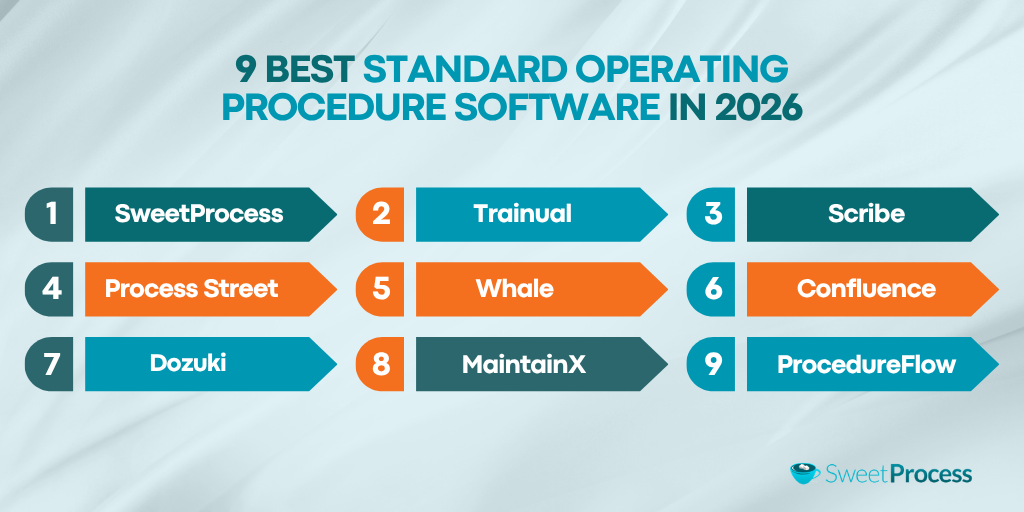
Now that we’ve covered what to look for, let’s take a closer look at the nine best standard operating procedure software options in 2026.
1. SweetProcess: Best for All-in-One SOP Documentation and Execution
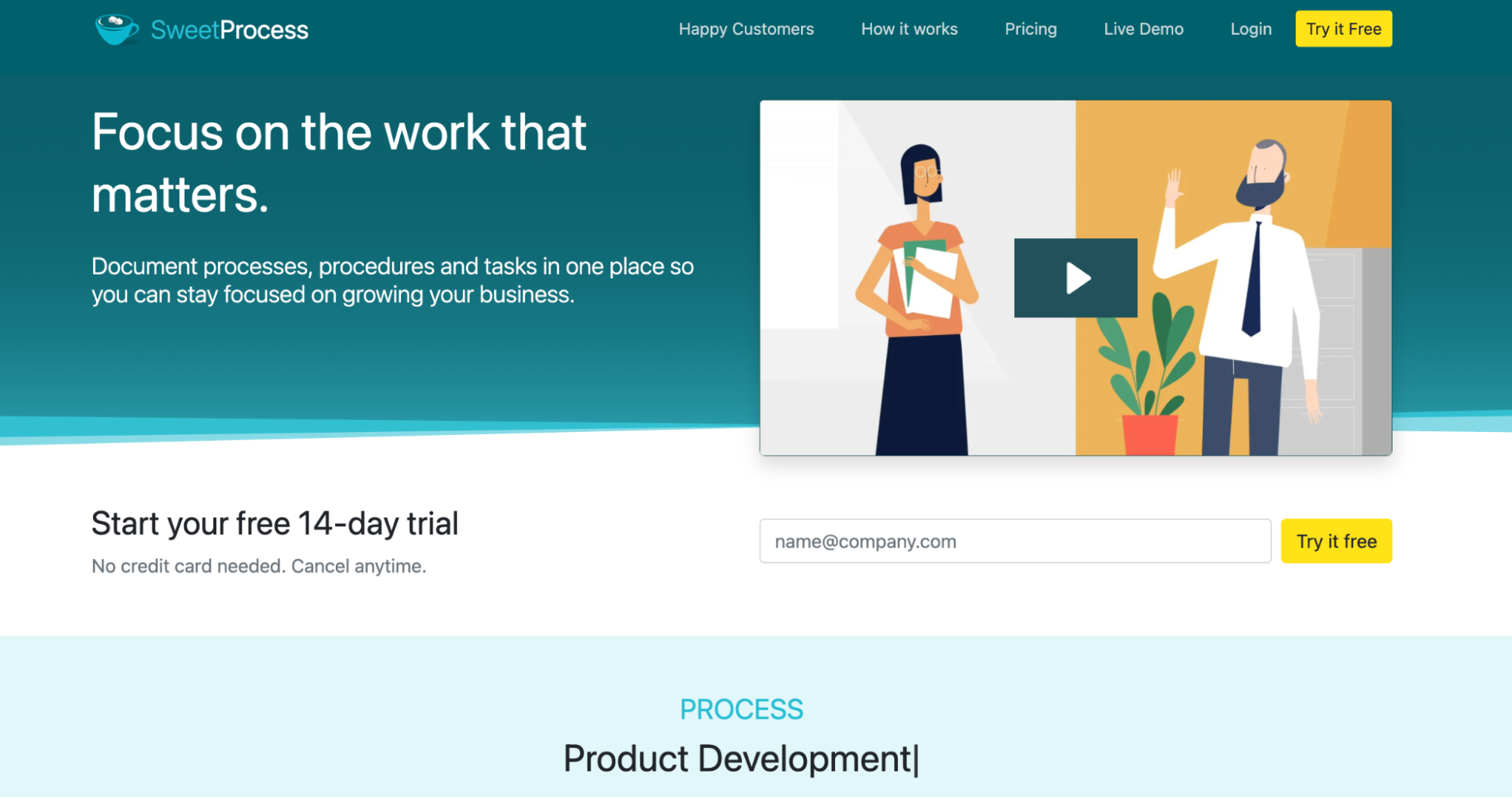
Most SOP tools help you write processes. SweetProcess helps you run them. It is one of the few platforms that covers the complete SOP lifecycle from start to finish. Its built-in AI tool, SweetAI, makes it the fastest way to go from zero processes to a fully documented, actionable system without starting from scratch.
Here is how the full lifecycle works inside SweetProcess:
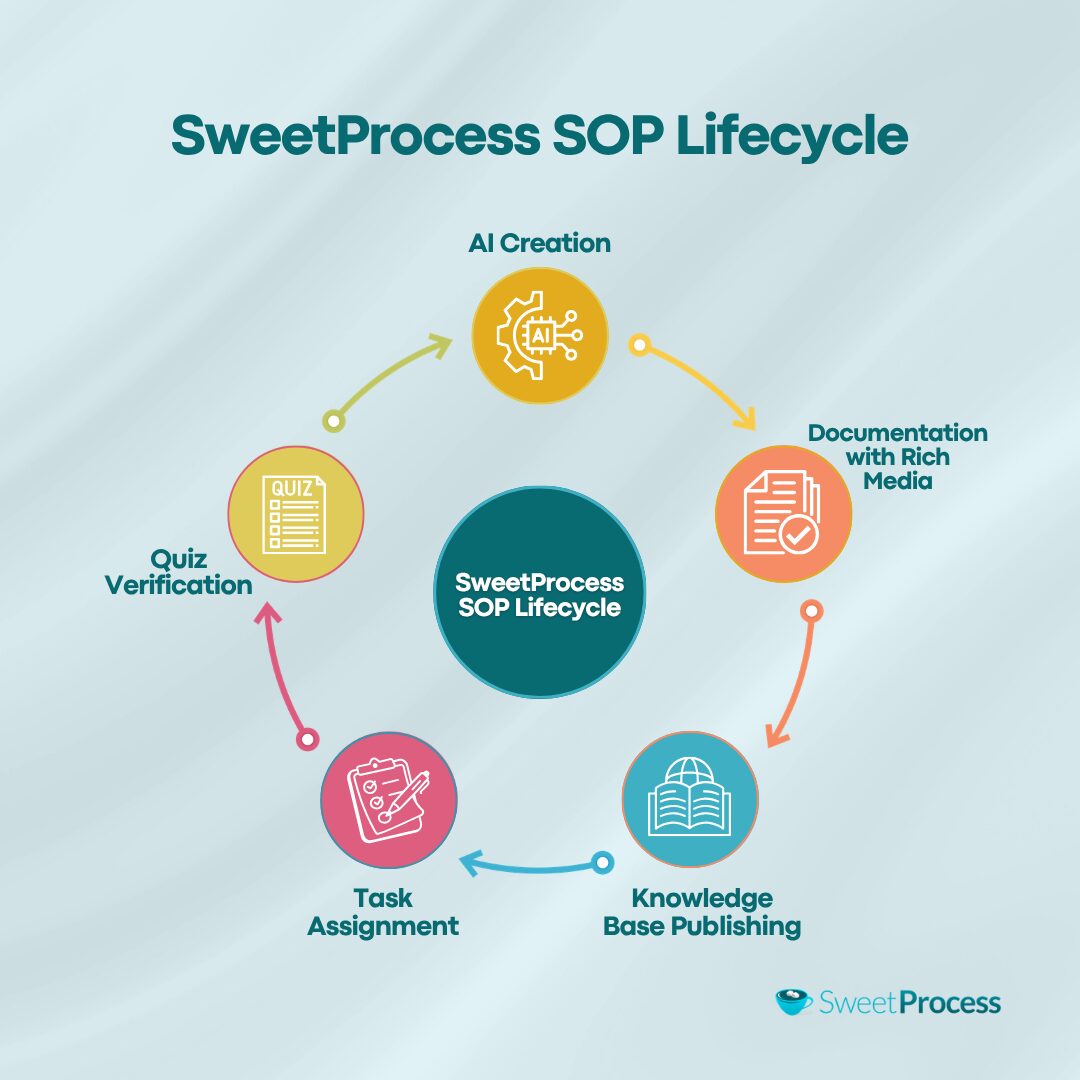
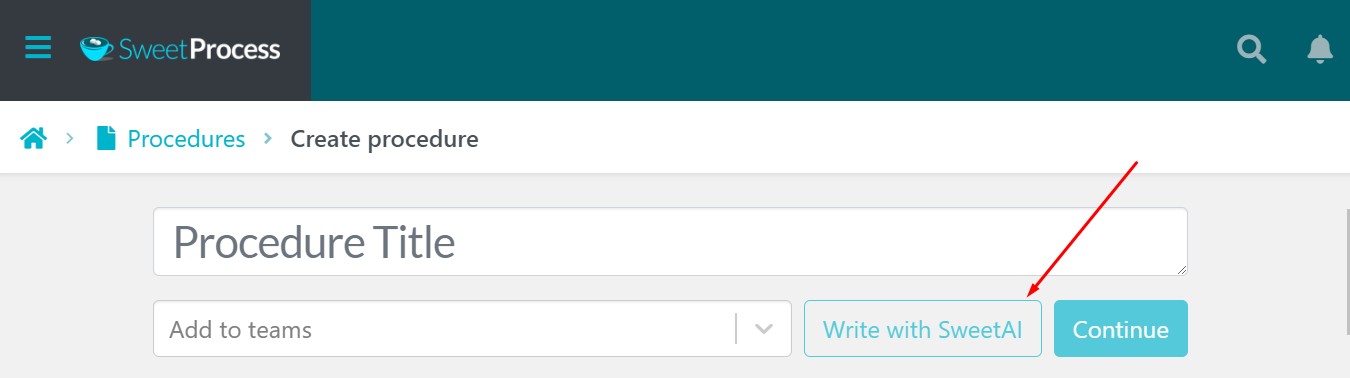
You start by creating a procedure, then use SweetAI to generate a structured, step-by-step draft in seconds.
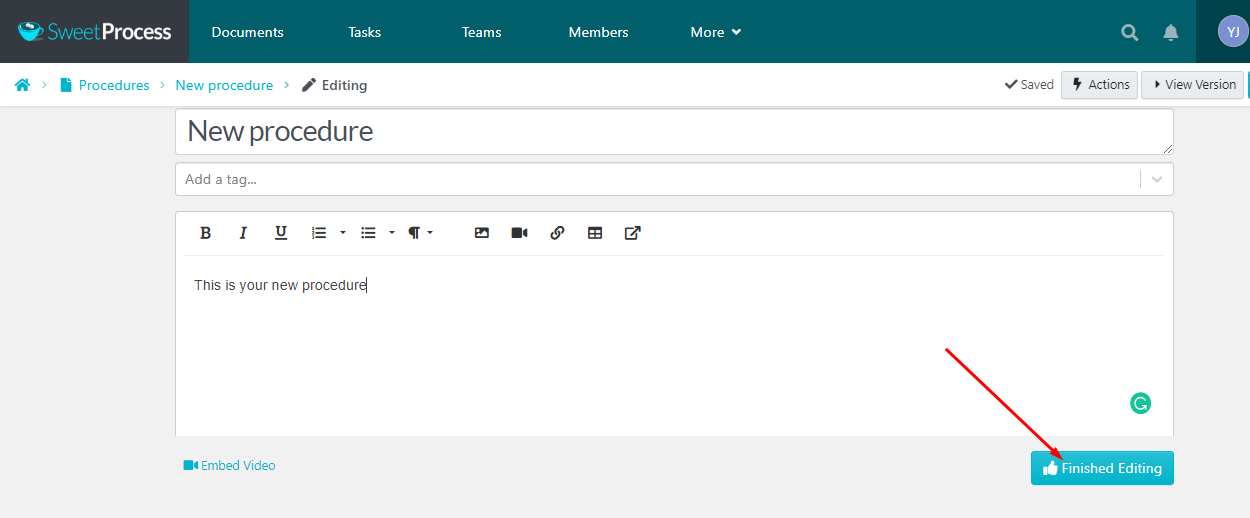
From there, you edit directly inside the platform by adding images, videos, embedded links, and callouts to make instructions as clear as possible.
Once the SOP is ready, it goes through an approval workflow before being published to a searchable knowledge base accessible to every team member at any time.
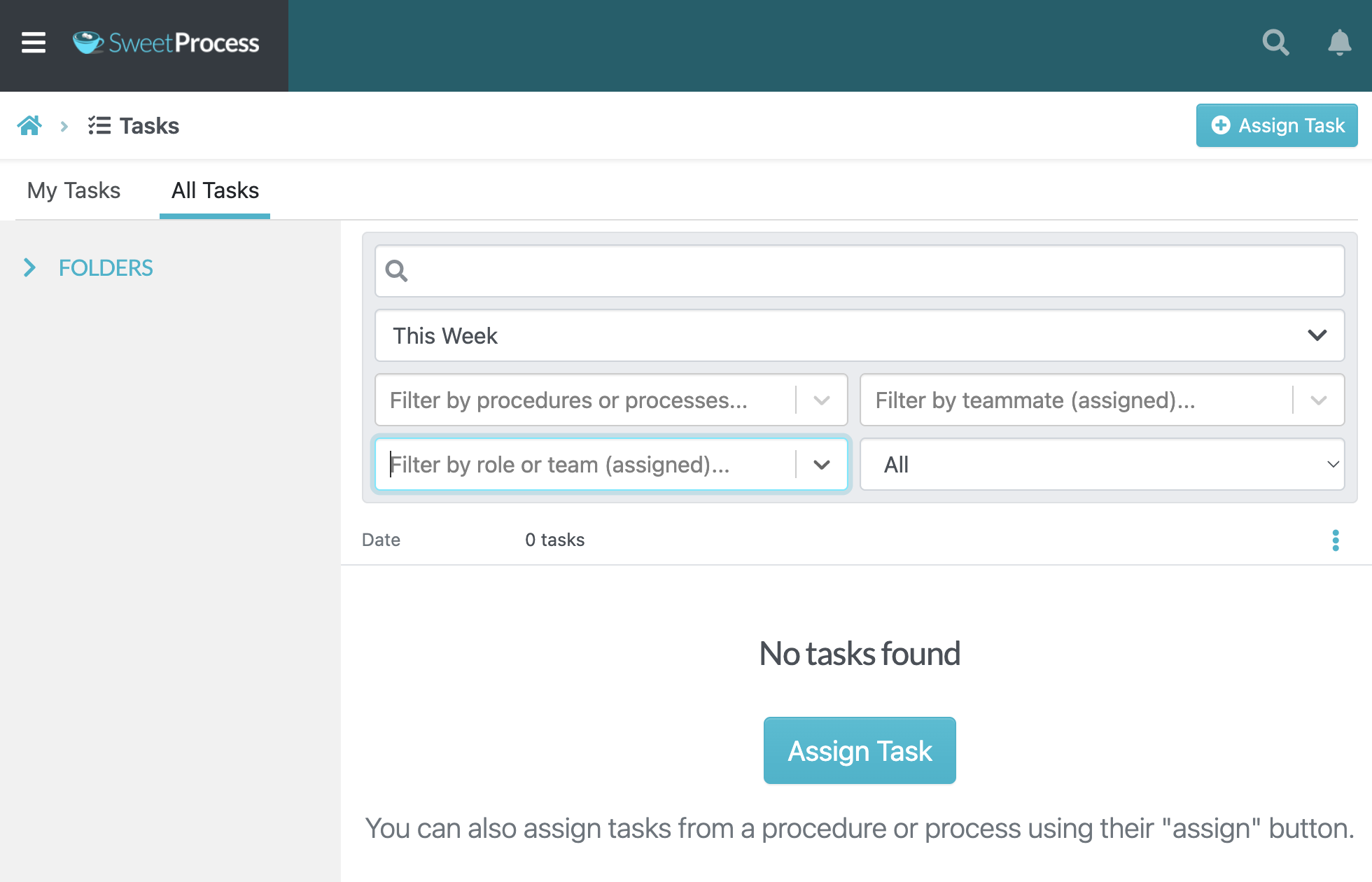
After publishing, you can convert any procedure into an assigned task with deadlines and due dates, so the process doesn’t just sit in a library but gets actioned quickly.
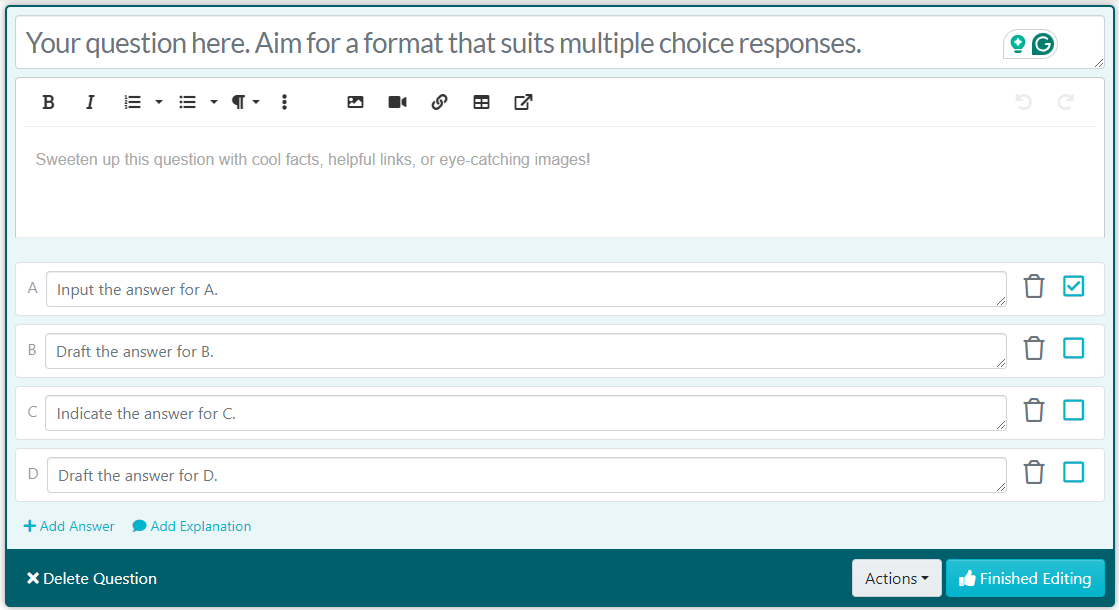
You can also attach quizzes to verify that employees actually understand what they’ve read before moving on.
That end-to-end flow is what separates SweetProcess from most alternatives. Although a tool like Trainual is strong on training and onboarding, it is primarily a learning management tool rather than a full process execution platform. Scribe is excellent for creating screen captures, but it stops after the guide is generated. Neither tool takes you through the full SOP lifecycle like SweetProcess does.
Core Features of SweetProcess
- SweetAI: generate SOP drafts from a procedure title in minutes.
- Rich media documentation: embed images, videos, and links directly into steps.
- Knowledge base publishing: searchable, organized, and accessible to the whole team.
- Task assignment and tracking: turn any procedure into an assigned task with deadlines and recurrence.
- Approval workflows: submit SOPs for manager review before publishing.
- Quiz verification: confirm employees understand procedures before they get to work.
- Real-time collaboration: team members can update and discuss procedures together.
SweetProcess Pricing
SweetProcess keeps pricing simple and transparent. There are two distinct plans:
- Standard Plan: This plan costs $99 per month or $990 per year for up to 10 users. Each additional user costs $5 per month or $50 per year.
- Small Team Plan: Available for annual billing only. It costs $495 per year for up to 5 users, and every additional user pays $50 per year.
Choosing annual billing saves you about 16.7% ($198) compared with paying monthly over a full year. Also, you’ll get a 14-day free trial with full access to test every feature before committing.
Compared to Trainual, which starts at $249 per month for a larger seat count, and Scribe, which charges $12–$15 per user per month on team plans, SweetProcess delivers a broader feature set at a more predictable flat rate.
Who It’s Best For
SweetProcess is the right fit for any business, small or growing, that wants a single platform to create, assign, track, and verify SOPs across the entire team without juggling multiple tools.
2. Trainual: Best for Employee Onboarding and Training-Focused SOPs
Overview
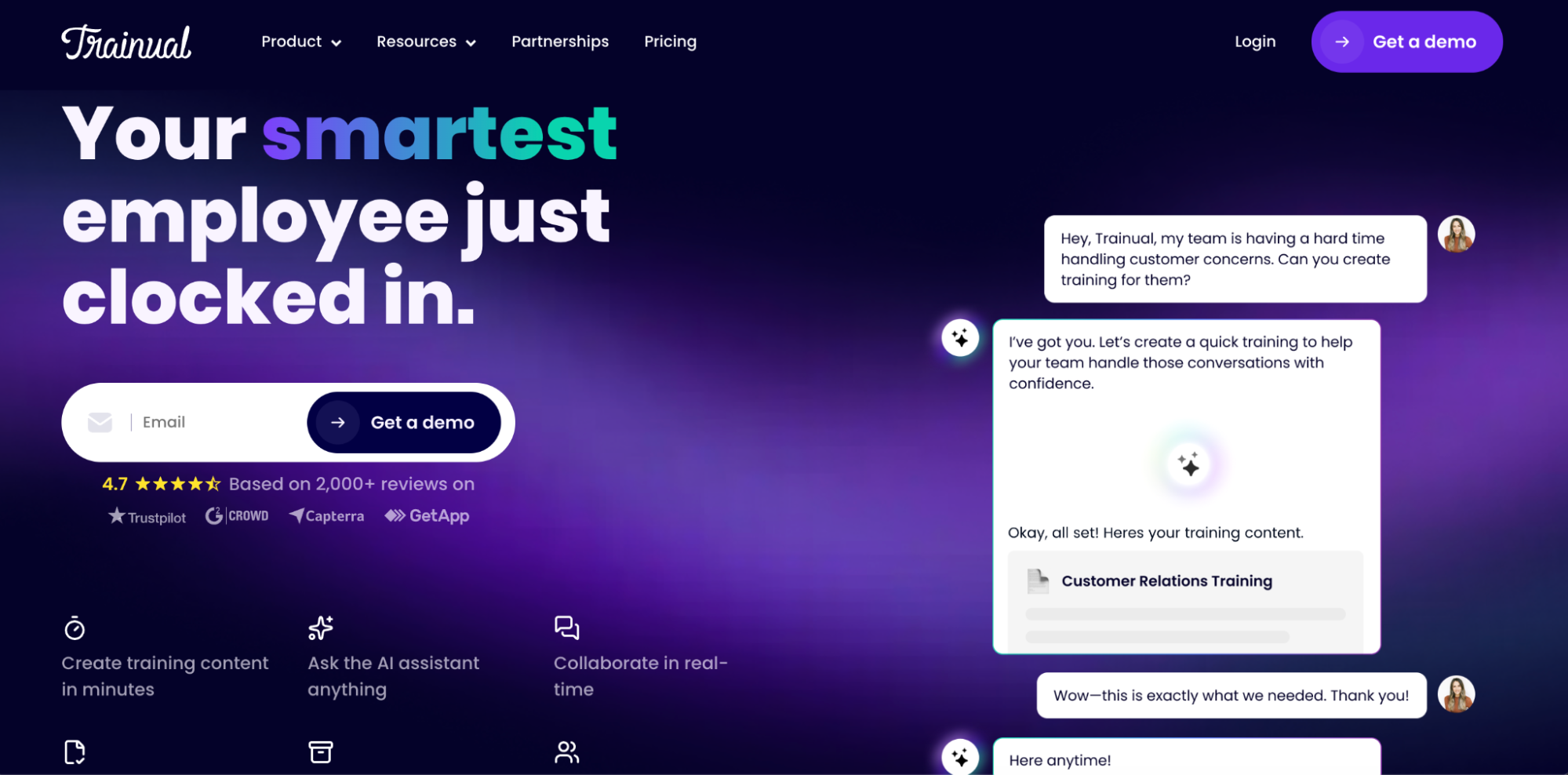
Trainual is a training and onboarding platform that doubles as an SOP tool, making it a strong fit for businesses that need documentation and structured learning in one place. If your biggest operational pain point is consistently getting people up to speed, Trainual is designed to address it.
Key Features
- Role-based content assignment
- Built-in quizzes and tests
- AI-assisted content creation for faster SOP creation
- Progress tracking and reporting dashboards for managers
- 400+ prebuilt course templates
- Integrations with HR and payroll tools
Honest Drawback
Trainual works well for linear, step-by-step processes. However, it struggles with multi-path workflows. When your procedures involve conditional logic, role-specific exceptions, or branching decisions, you often have to bend the tool to fit your process, and it can still feel limited.
Compared with SweetProcess, Trainual focuses primarily on training outcomes. It is excellent at helping people learn processes, but it does not cover the full SOP lifecycle. SweetProcess, on the other hand, goes further by turning documented procedures into assignable tasks, managing approvals, and tracking execution beyond just learning completion, making it the better choice.
Pricing
Trainual no longer publishes pricing publicly and is fully quote-driven.
Who It’s Best For
Trainual is the right pick for growing businesses that want a structured, quiz-based training system built on top of their SOPs, especially during onboarding-heavy growth phases.
3. Scribe: Best for Automatic Screen-Capture SOP Creation
Overview
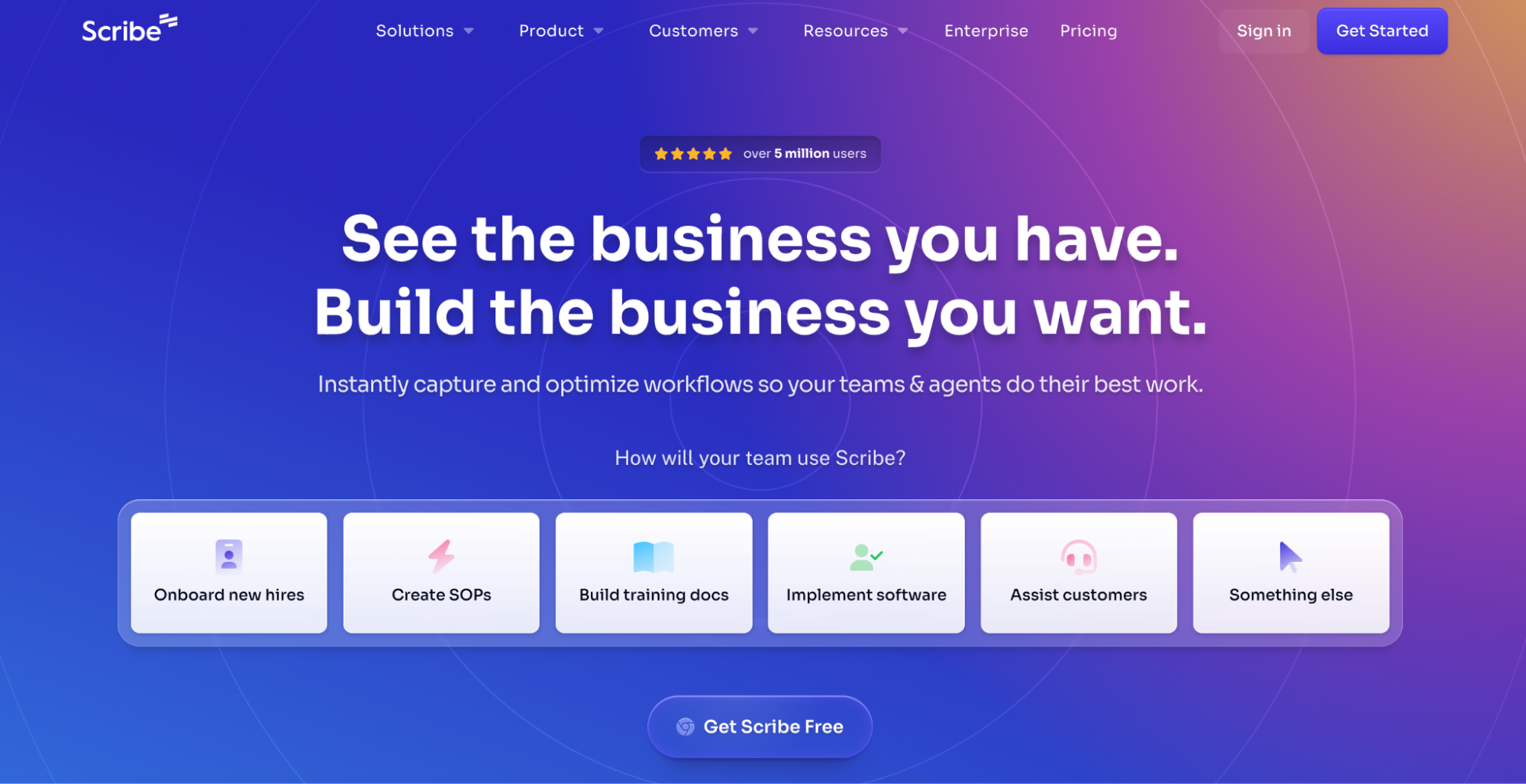
Scribe is a documentation tool that records your on-screen actions and instantly turns them into a step-by-step visual guide. It saves time by automatically capturing your screen, and by the time you’re done, your SOP is ready for use.
Key Features
- Automatic screen capture that generates written steps and annotated screenshots instantly
- In-guide editing to refine text, delete unnecessary steps, and blur sensitive information
- Easy sharing via link, PDF export, or embedding into existing tools
- AI writing assistant
- Browser and desktop capture across web apps and internal systems
Honest Drawback
Scribe is excellent at capturing processes but falls short in managing them. The platform has no built-in version control or approval workflows at lower tiers, and advanced features such as auto-redaction and SSO are locked behind the Enterprise plan.
Scribe is a creation-only tool; once the guide is generated, you share it, and you’re done. However, SweetProcess takes the captured content further by turning it into an assignable workflow, attaching it to a knowledge base, routing it through approval processes, and tracking whether employees have completed and understood it.
Pricing
The Pro Personal plan starts at $25 per user per month, billed annually, while the Pro Team plan starts at $13 per seat per month with a minimum of 5 seats.
Who It’s Best For
Scribe is the right pick for individuals and teams that need to document digital workflows quickly and visually, without spending time writing SOPs from scratch.
4. Process Street: Best for Workflow Automation
Overview
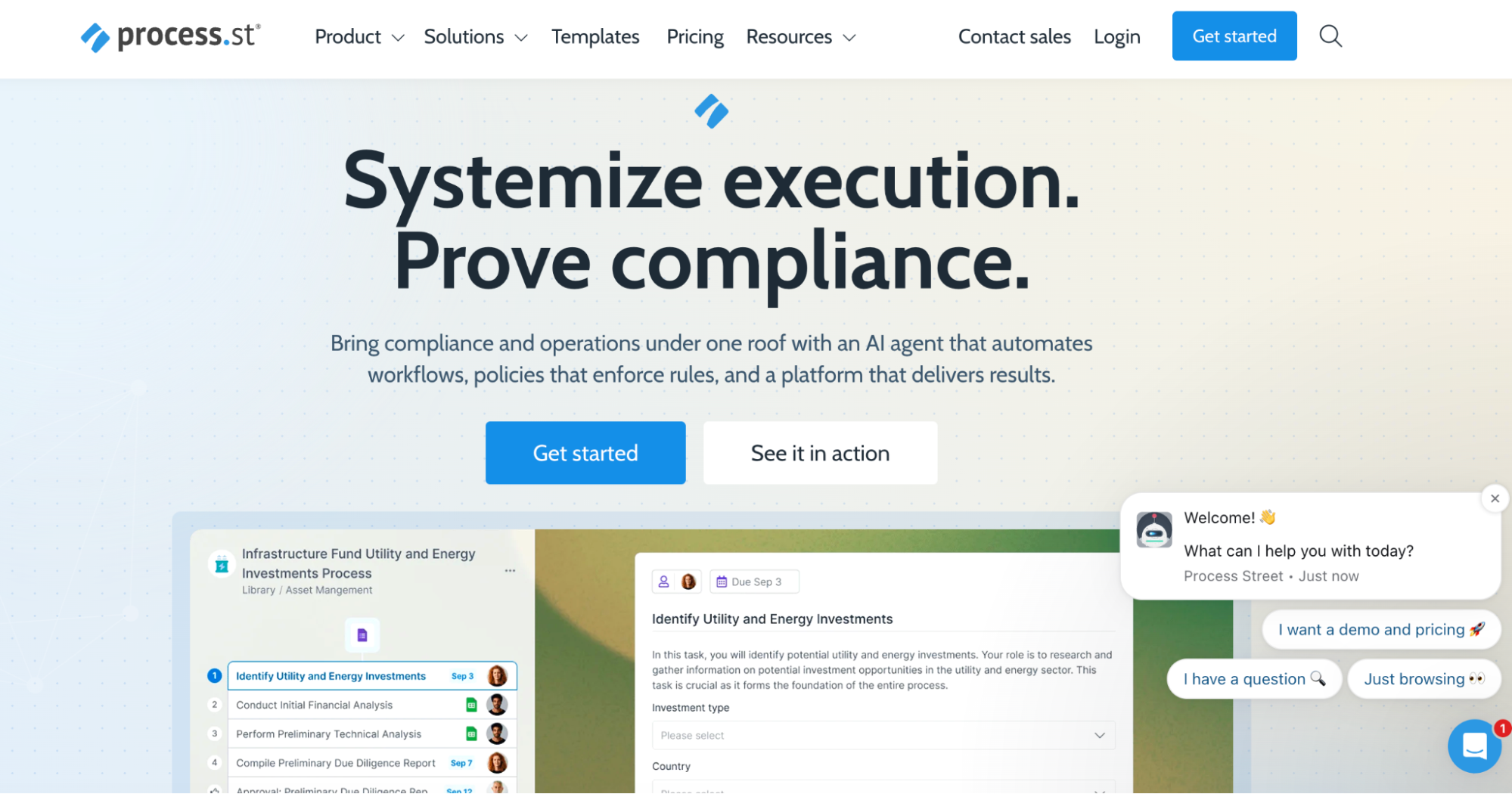
Process Street is a workflow automation platform that turns recurring processes into structured, trackable checklists that run on their own with minimal manual input. It’s built for operations-heavy teams that need to execute the same workflows repeatedly and want every run to be consistent without chasing people down.
Process Street and SweetProcess both handle task assignment and compliance tracking, but they approach it differently. While Process Street is stronger for automating high-volume, repeatable workflows with complex logic and integrations, SweetProcess is better suited for businesses that want to document SOPs and manage a knowledge base in a single unified system without having to bolt on external automation tools.
Key Features
- No-code workflow builder with conditional logic and branching paths
- AI agent for automating workflow steps
- Integration with third-party tools
- Audit trails and compliance tracking for regulated processes
- Unlimited workflows and pages on all plans
Honest Drawback
Process Street’s biggest friction point is the pricing model. The platform requires a minimum of 5 seats on the Startup plan, making it cost-prohibitive for very small teams that only need one or two active users.
Pricing
Pricing is not publicly displayed.
Who It’s Best For
Process Street is the right choice for operations and compliance teams that repeatedly run complex, multi-step workflows and need automation and accountability baked into every run.
5. Whale: Best AI-Powered SOP Setup for Small Startup Teams
Overview
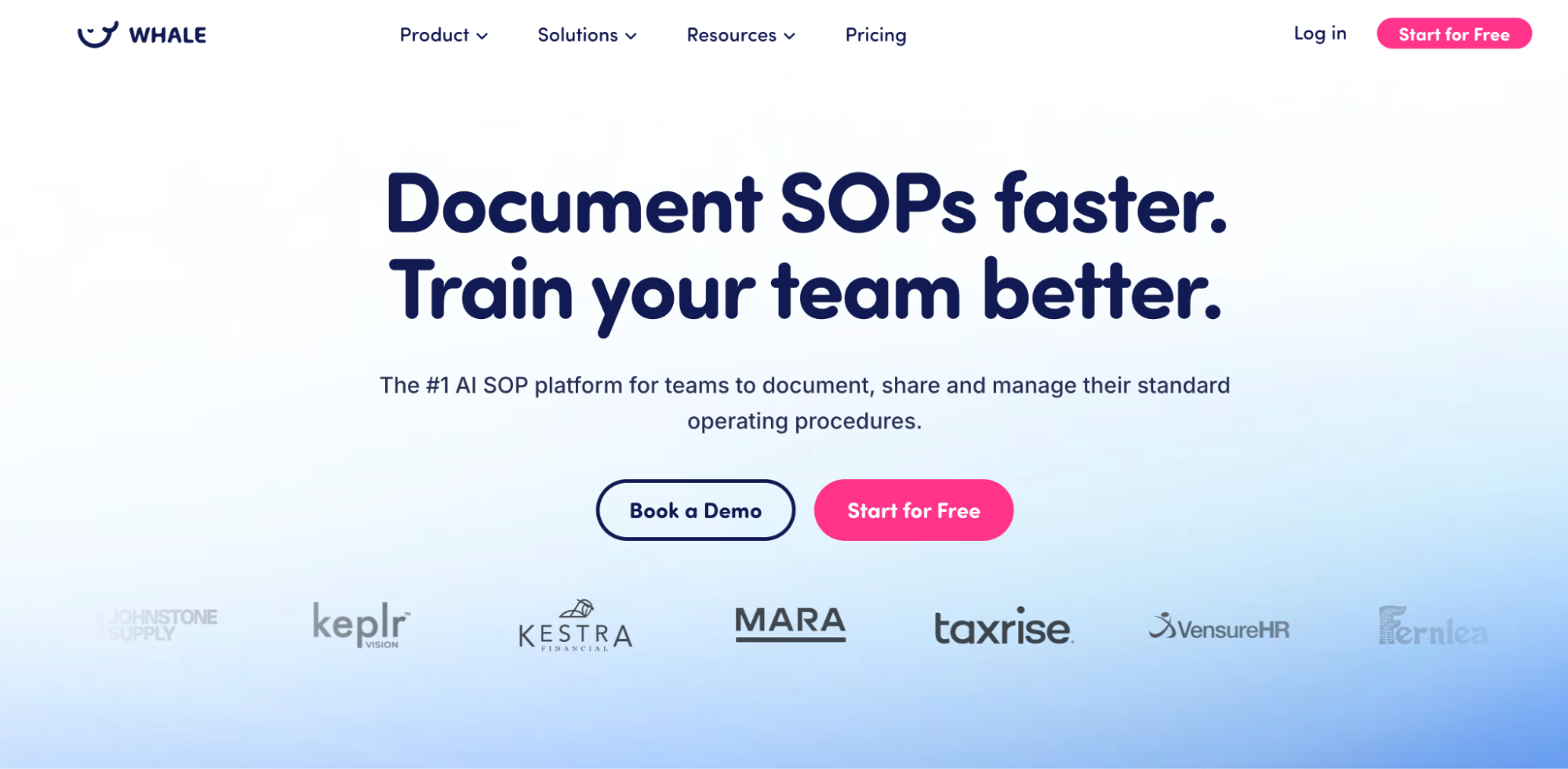
Whale is an AI-powered SOP tool designed to help small and growing teams capture, document, and share processes without it feeling like a big project. It is designed for simplicity. The AI writing assistant, step recorder, and screen capture tools mean your team can go from zero documentation to a working knowledge base in hours, not weeks.
Key Features
- AI writing assistant
- Step recorder and screen recorder
- Video-to-process converter
- Centralized knowledge base with advanced search
- Quizzes and checklists for training verification and process accountability
Honest Drawback
Whale scores very well on ease of use and customer support, but users flag that analytics are still limited. Also, the video upload experience is inconsistent, with occasional upload errors that can confuse even when the file has actually been uploaded successfully.
Whale and SweetProcess occupy similar spaces. Both are AI-powered, both support knowledge bases, and both offer training-style features. The difference is in the depth of execution. Whale is faster to set up and feels more lightweight, which is a genuine advantage for very small teams getting started. But as you scale and need more structure around accountability and compliance, SweetProcess handles that complexity more completely.
Pricing
Whale offers a free plan for small teams that includes access to basic tools. The paid plan, however, starts at $249 per month for smaller teams looking to document and share process documentation.
Who It’s Best For
Whale is the right pick for small startup teams that want to quickly document and share processes using AI, without a steep learning curve or a heavy implementation process.
6. Confluence: Best for Engineering Teams Using Atlassian
Overview
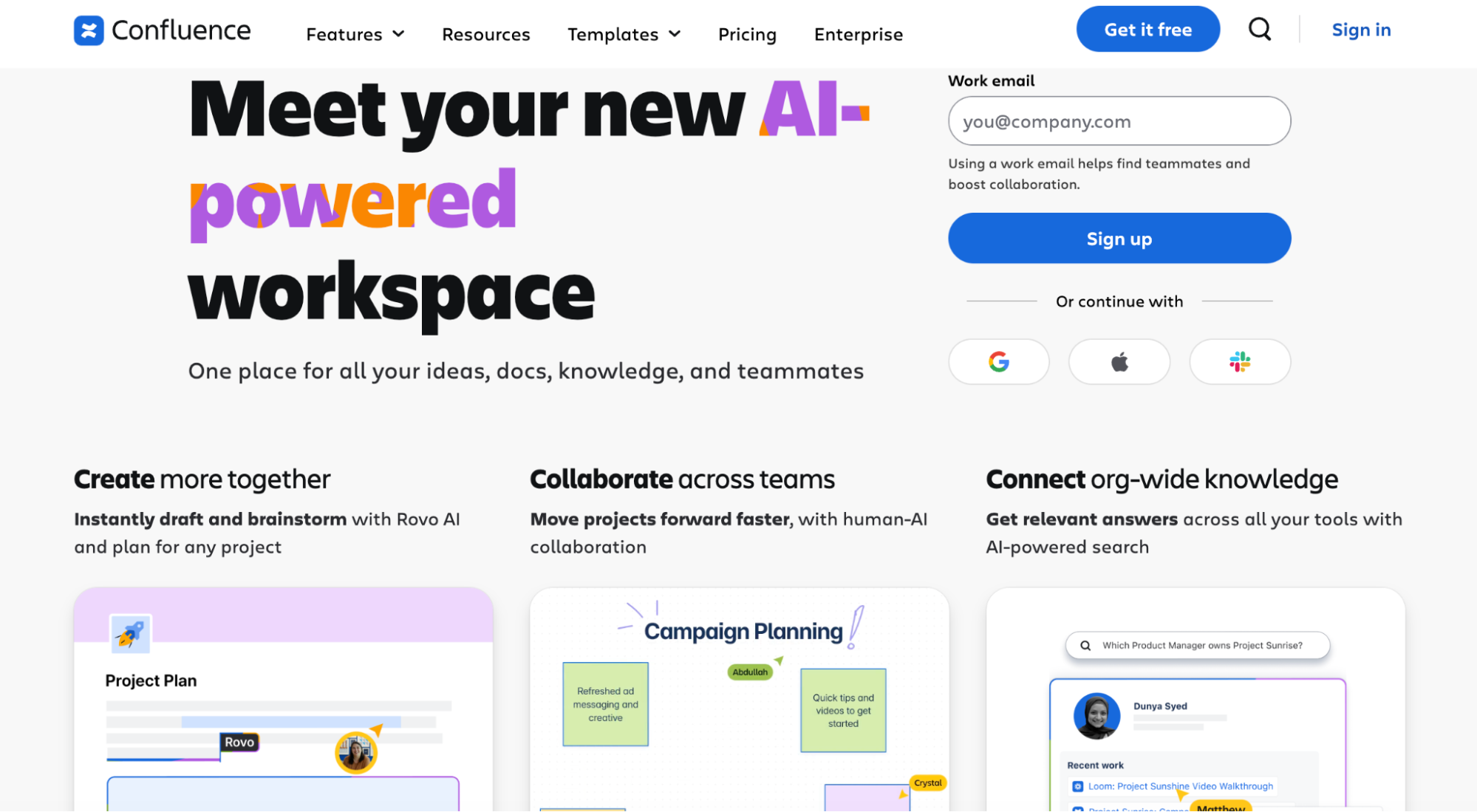
Confluence is Atlassian’s wiki-style knowledge and collaboration platform built for teams already inside the Atlassian ecosystem. It is also essential for engineering and product teams who want SOPs, technical specs, and project documentation to live alongside their Jira boards and sprint planning without adding another tool to the stack.
Key Features
- Rich wiki-based page creation with real-time collaborative editing and comments
- Native Jira integration to link documentation directly to tasks, epics, and sprints
- Whiteboards, smart links, and embedded third-party tools
- AI-assisted writing and AI search
- Version history and page permissions with role-based access controls
Honest Drawback
Confluence works well for documentation, but it consistently shows friction at scale. Users flag slow performance as one of the most common complaints. There is also a steep learning curve, particularly around page permissions, which can quickly become confusing across teams and spaces.
If your team writes code and lives in Jira, Confluence makes sense. If your team needs SOPs that people can actually follow, SweetProcess handles that more effectively.
Pricing
Confluence offers a free plan for up to 10 users. The Standard plan starts at $5.42 per user per month, billed annually, and the Premium plan starts at $10.44 per user per month, billed annually.
Who It’s Best For
Confluence is the right choice for engineering and product teams who already use Atlassian tools and want a connected documentation hub.
7. Dozuki: Best for Manufacturing and Visual Work Instructions
Overview
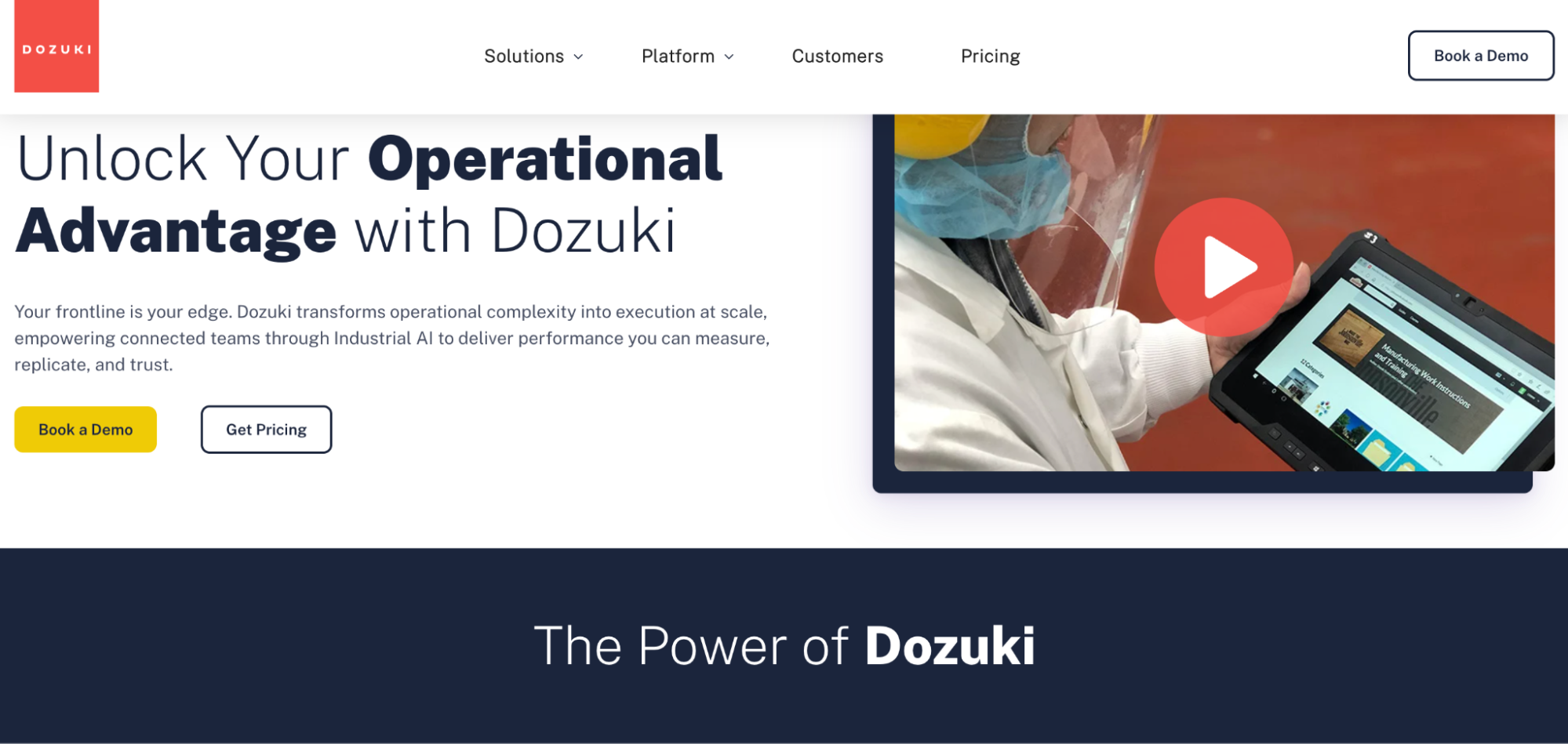
Dozuki is a connected worker platform built specifically for industrial and manufacturing teams that need more than written instructions; they need visual, step-by-step guides that work on the shop floor in real time. It bridges the gap between documented SOPs and frontline execution, ensuring that workers at any skill level can access the right procedure exactly when and where they need it.
But compared with SweetProcess, Dozuki doesn’t cover the full SOP lifecycle across all departments. SweetProcess does much more, from AI creation and task assignment to approvals and quiz verification, making it the more versatile option for most businesses.
Key Features
- Visual-first work instruction builder
- QR code deployment
- Digital data collection
- Version control, approval workflows, and full audit trails
- Multilingual support
- Third-party integration
Honest Drawback
Dozuki requires substantial onboarding before teams can fully leverage it, with deployment times averaging five months. Also, the platform does not offer a free trial plan.
Pricing
Dozuki uses a custom quote-based pricing model with no publicly listed tiers on the vendor website.
Who It’s Best For
Dozuki is the right choice for mid-to-large manufacturing companies that need visual, compliance-ready work instructions delivered to frontline workers at scale, and have the budget to match.
8. MaintainX: Best for Industrial Frontline Teams
Overview
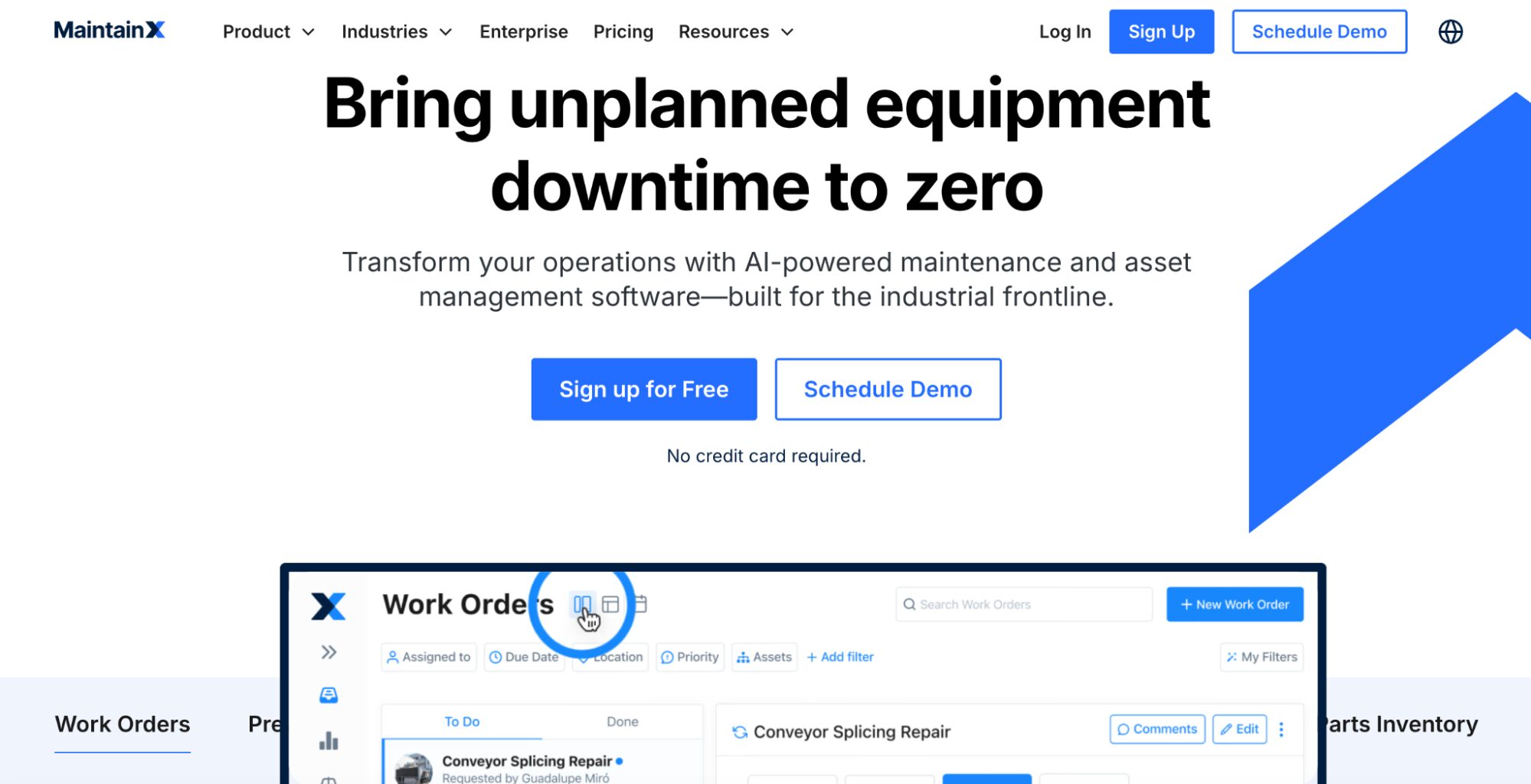
MaintainX is a mobile-first platform built for frontline teams in factories, warehouses, and field service. It replaces paper-based work orders and manual checklists with a centralized digital system that workers can access from their phones, even offline, with documented procedures and built-in accountability at every step.
Both MaintainX and SweetProcess improve business operations, but they focus on different aspects. SweetProcess is stronger for documenting SOPs, policies, and structured team workflows. MaintainX is better for maintenance operations, work orders, asset tracking, and preventive maintenance.
Key Features
- Mobile-first work order management with offline access
- Digital SOP procedures and checklists
- Real-time messaging and photo/video attachments
- Asset management and parts inventory tracking across multiple sites
- Reporting and analytics dashboards
Honest Drawback
Critical features such as custom user permissions, advanced reporting, API access, and inventory management are locked behind the Premium and Enterprise tiers, creating real workflow gaps for teams on lower-tier plans. Reviewers also flag that the initial setup can be messy if implementation support is lacking.
Pricing
MaintainX offers a free Basic plan for small teams who need to digitize and track work orders. However, the ‘Essential’ plan starts at $20 per user per month, while the ‘Premium’ plan starts at $65 per user per month.
Who It’s Best For
MaintainX is the right fit for industrial maintenance and operations teams that need mobile-first, work-order-driven SOP execution across multiple sites, especially where workers spend more time on the floor than at a desk.
9. ProcedureFlow: Best for Visual Flowchart-Based Procedures
Overview
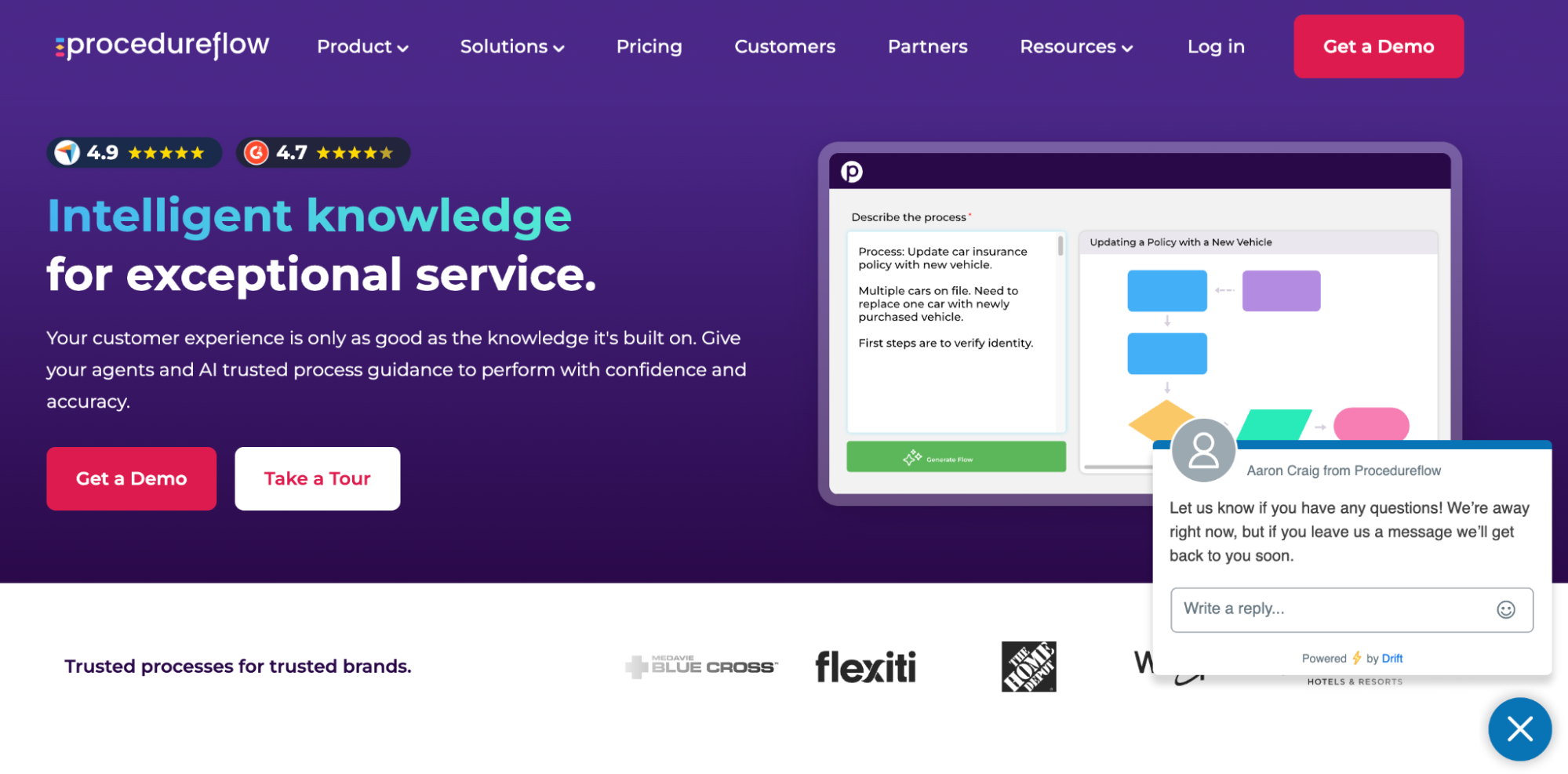
ProcedureFlow is a visual knowledge management platform that converts complex SOPs into interactive flowcharts instead of static documents. It suits contact centers and operations teams handling branching decisions, conditional steps, and complex processes, making expert knowledge searchable, visual, and easy for teams to follow in real time.
Key Features
- Visual flowchart builder
- Conditional logic and branching paths
- Collaborative editing and approval workflows with version control and audit trail
- Analytics
- Role-based access controls and permissions
- Notifications for procedure updates
Honest Drawback
ProcedureFlow can be restrictive for teams managing multiple workflows, since draft changes cannot be published individually. Lack of hard-copy printing creates challenges for non-desk workers needing quick access, and higher pricing compared to newer alternatives makes adoption harder for cost-conscious teams managing complex operations.
Although ProcedureFlow is stronger for complex frontline decision flows, SweetProcess is better for full process management across departments. Overall, for broader operations, SweetProcess wins.
Pricing
ProcedureFlow has two plans. The Enterprise plan starts at $33 per seat per month, while the Enterprise+ plan requires talking to their sales team.
Who It’s Best For
ProcedureFlow is the right choice for contact centers and customer service teams that need visually structured, decision-based SOPs that their agents can navigate in real time during live interactions.
How Real Companies Use SOP Software
1. ClickFunnels: Braved Hyper-Growth Phase, Scaled to 350 Employees With SweetProcess SOPs
ClickFunnels was riding a hyper-growth wave that took them from 100 to 350 employees, but the SOPs were not properly documented. The rapid scaling created chaos: new hires struggled without clear guidance, and training took weeks longer than it should. They tried many tools during their push to systemize their operations. It was clear they needed something simple that wouldn’t slow them down.
It was during this period that they discovered SweetProcess, and it quickly became the solution they needed. SweetProcess provided the flexibility to document procedures quickly without losing the innovative spirit they valued. What used to be a scramble became a centralized system in which processes were easy to create, share, and update.
As a result, they cut onboarding and training time by two to three weeks, freed up senior staff to focus on high-priority work, and scaled efficiently to support 95,000 users while keeping operations running smoothly.
2. Profinium Bank: Overcame Century-Old Operational Bottlenecks Through Documentation
Jeremiah Gaul, the president of Digital Banking and Mortgage at Profinium Bank, walked into a century-old operation crippled by century-old problems. The bank’s processes were scattered across Word docs and folders, with teammates printing outdated hard copies and following obsolete procedures. “People would be following a procedure that was probably outdated,” Jeremiah shared.
After trying a dozen workflow tools that fell short, Jeremiah found SweetProcess through a business partner and knew it was the fix they needed. SweetProcess provided SOP templates that made it simple to document procedures.
The impact was clear and fast. Onboarding sped up dramatically, productivity rose as teams found information quickly, and the bank gained a competitive edge with regulatory approvals that their peers lacked.
3. Awesome Dynamic: Cut Onboarding and Training Time By 50%
Awesome Dynamic was running a fast-growing Amazon consulting agency where processes lived in people’s heads and onboarding new employees was a slow, painful exercise in repetition. Every time a new hire came on board, Nate and his senior team had to walk them through the same steps manually, answer the same questions over and over, and hope the knowledge stuck. Without a centralized system, consistency was nearly impossible, and the business couldn’t scale without the team feeling the strain.
Everything changed when Nate discovered SweetProcess. He was able to document the agency’s core processes in one place, assign them to the appropriate roles, and enable new hires to work through training independently without constantly pulling senior staff away from client work.
The results spoke for themselves. Awesome Dynamic cut their onboarding and training time by 50%, freeing up significant hours that the team could redirect toward growth and client results. What used to take weeks now took days, and new employees hit the ground running with a clear understanding of exactly how the business operated.
Core Features To Look for in SOP Software
Here are the six features that separate a tool that actually helps your team from one that just adds another layer of admin.
Centralized Document Repository
A single, searchable home for all your procedures means your team stops wasting time hunting through folders, emails, and chat threads for the right document. When everything lives in one place, consistency follows naturally, and nothing gets missed because someone was working from an old file.
Version Control & Approval Workflows
Processes change, and your SOPs need to keep up without causing any confusion. That’s where version control comes in. Version control lets you track edits, roll back changes if needed, and ensure the most current version is always what people see. Also, approval workflows add an extra layer of accountability, which matters especially in regulated industries.
Task Assignment & Tracking
Documenting a process is only half the job: the other half is ensuring people actually follow it. Task assignment lets you turn SOPs into actionable steps that can be tracked, so managers know where things stand without having to chase anyone.
AI-Powered SOP Creation
Writing procedures from scratch takes time. AI-assisted SOP creation simplifies the process by helping you draft, format, and refine SOPs faster. This removes one of the biggest reasons teams put off documentation in the first place. The faster it is to build, the more likely your team will actually do it.
Integrations
SOP software that works in isolation quickly becomes another tool people stop using. Strong integrations with tools like Slack, Google Workspace, or project management platforms keep SOPs connected to where work actually happens, making adoption feel far more natural.
Analytics & Reporting
If you can’t measure how your SOPs are being used, you can’t improve them. Analytics help you spot which procedures are being accessed, where people get stuck, and which processes need updating, turning your documentation into a living system rather than a static archive.
Benefits of SOP Software for Your Business
Having the right SOP software in place transforms how your team works, learns, and grows together. Here are five reasons why investing in SOP software is one of the smartest operational decisions a growing business can make.
Save Time and Resources
Poor documentation doesn’t just slow teams down; it costs real money. According to research, businesses lose up to 21.3% of productivity due to document-related challenges, amounting to roughly $19,732 per information worker per year. SOP software removes that drag by giving your team fast, reliable access to the information they need, without hunting through emails or folders or asking a colleague.
Ensure Compliance
In regulated industries, a missing or outdated procedure is both an inconvenience and a liability. SOP software keeps your documentation current through version control, approval workflows, and audit trails, making it straightforward to demonstrate compliance when it matters most. The alternative is scrambling to prove your team followed the right steps after the fact, which is stressful and often costly.
Maintain Consistency
When every team member follows the same documented process, the output is consistently reliable, regardless of who handles the task. This matters especially when you’re scaling, onboarding new hires, or managing remote teams across different time zones. Consistency helps you produce high-quality work and builds trust with clients who expect the same experience every time they work with you.
Hold Employees Accountable
SOPs with clear task assignments, deadlines, and tracking features make it easy to see who completed what and when. That visibility removes ambiguity and gives managers an objective baseline for performance conversations without micromanaging. When people know what is expected and where to find the right process, accountability becomes a natural part of how work gets done.
Enhance Collaboration
When knowledge is documented and accessible, it ceases to be the exclusive property of any one person or department. Teams collaborate better when everyone is working from the same playbook, and updating procedures becomes a shared effort rather than a solo task buried in someone’s to-do list. That shared ownership builds stronger teams and reduces the single points of failure that hurt businesses when key people are unavailable.
How To Choose the Right SOP Software for Your Business
Picking the right SOP software comes down to knowing your team’s biggest pain point right now. Here is a simple decision framework to help you narrow it down based on your actual situation.
- If you’re a small team (<20 employees), you don’t need something heavy or expensive to get started. Prioritize ease of setup, clean interfaces, and transparent pricing so you can get processes documented without a long implementation. SweetProcess and Whale are both strong fits here.
- If you’re focused on training and onboarding, look for tools that go beyond documentation and include structured learning flows, quizzes, and progress tracking. SweetProcess and Trainual are the standout choices in this category.
- If you need compliance and audit trails, version control, approval workflows, and sign-off features need to be native to the platform rather than bolt-on additions. This is especially critical in regulated industries such as finance, healthcare, and manufacturing. SweetProcess and ProcedureFlow handle this well.
- If you want automatic capture, screen recording tools that convert workflows into step-by-step guides save significant time. Scribe is the clear frontrunner for this use case.
- If your team already uses Atlassian, forcing a separate tool creates adoption problems. Confluence integrates naturally with Jira and the rest of the stack, making it the practical choice for engineering-heavy teams.
- If you have field/deskless workers, mobile access and offline functionality are not optional; they are essential. MaintainX is built specifically for deskless and frontline workers who need real-time access to procedures wherever the job takes them.
FAQs About Standard Operating Procedure (SOP) Software
Here are answers to the most common questions people ask before choosing an SOP tool.
What Is the Difference Between a Process Map and an SOP?
An SOP is a detailed, written document outlining specific instructions and guidelines for performing a particular task or process. On the other hand, a process map is a visual representation of how the procedures will be executed.
What Is the Best SOP Software for Small Businesses?
There are several strong SOP software options available for small businesses. The right choice depends on factors such as your specific business needs, budget, ease of use, and how well the tool scales with your business.
Who Usually Writes SOPs?
Ideally, SOPs are written by process owners, team leaders, or supervisors from relevant departments who have direct knowledge of how those procedures work. That said, responsibility for writing SOPs can vary by organization and the nature of the process being documented.
Can an SOP Be a Flowchart?
SOPs are usually presented as flowcharts, which visually represent the key sequence of steps and decisions.
What Is the Best Free SOP Software?
It depends on what you’re looking for in an SOP tool. Several tools offer a permanent free plan with limited features. For example, Whale and MaintainX both have free tiers that work well for small teams getting started. Scribe also has a basic free version that handles simple screen-capture SOP creation without a subscription. If you want full access to all features without committing to a plan, SweetProcess offers a 14-day free trial with no credit card required, so you can test everything before deciding. For most growing teams, a full-featured free trial gives a much better picture of what the tool can actually do for your business than a stripped-back forever-free plan.
What Is the Difference Between SOP Software and Document Management?
Document management tools such as Google Drive and SharePoint are designed to store and organize files. They do that job well, but they were never designed to help teams create, execute, or track procedures. SOP software, on the other hand, is purpose-built for how work gets done: it helps you write processes, assign them to the right people, track completion, manage version updates, and keep everyone working from the same current instructions.
Can AI Write SOPs?
Yes, and it’s getting remarkably good at it. Most modern SOP platforms now include AI-assisted creation features that can draft procedures in seconds based on a short description or a recorded workflow. SweetProcess includes SweetAI, which helps teams generate and refine SOPs faster without starting from a blank page. The result is documentation that used to take hours, now takes minutes, which means teams are far more likely to actually do it.
Manage Your Company’s Standard Operating Procedures (SOPs) in One Place Using SweetProcess
The best SOP software for your business ultimately depends on your team size, industry, and the processes you need to run. Scribe is great for fast screen capture, Trainual shines for training-heavy teams, and Confluence fits engineering squads already inside the Atlassian world. But if you need a tool that handles the full SOP lifecycle, from creating and publishing to assigning, tracking, and verifying, SweetProcess is the most complete option on this list.
SweetProcess gives your team one central place to document procedures, run them as actionable tasks, collaborate in real time, and stay on top of version changes without the usual back-and-forth. SweetAI takes the friction out of getting started, so there’s no excuse to put documentation off any longer.